 EN
EN Deutsch
 Español
 Français
 Italiano
 Português
 Nederlands
 Polski
 Bahasa Indonesia
 Русский
 Українська
 العربية
 עברית
עברית हिन्दी
 日本語
日本語 한국어
한국어2026-04-01 · Season 1
Is Your Organization Structurally Ready for Microsoft Copilot?
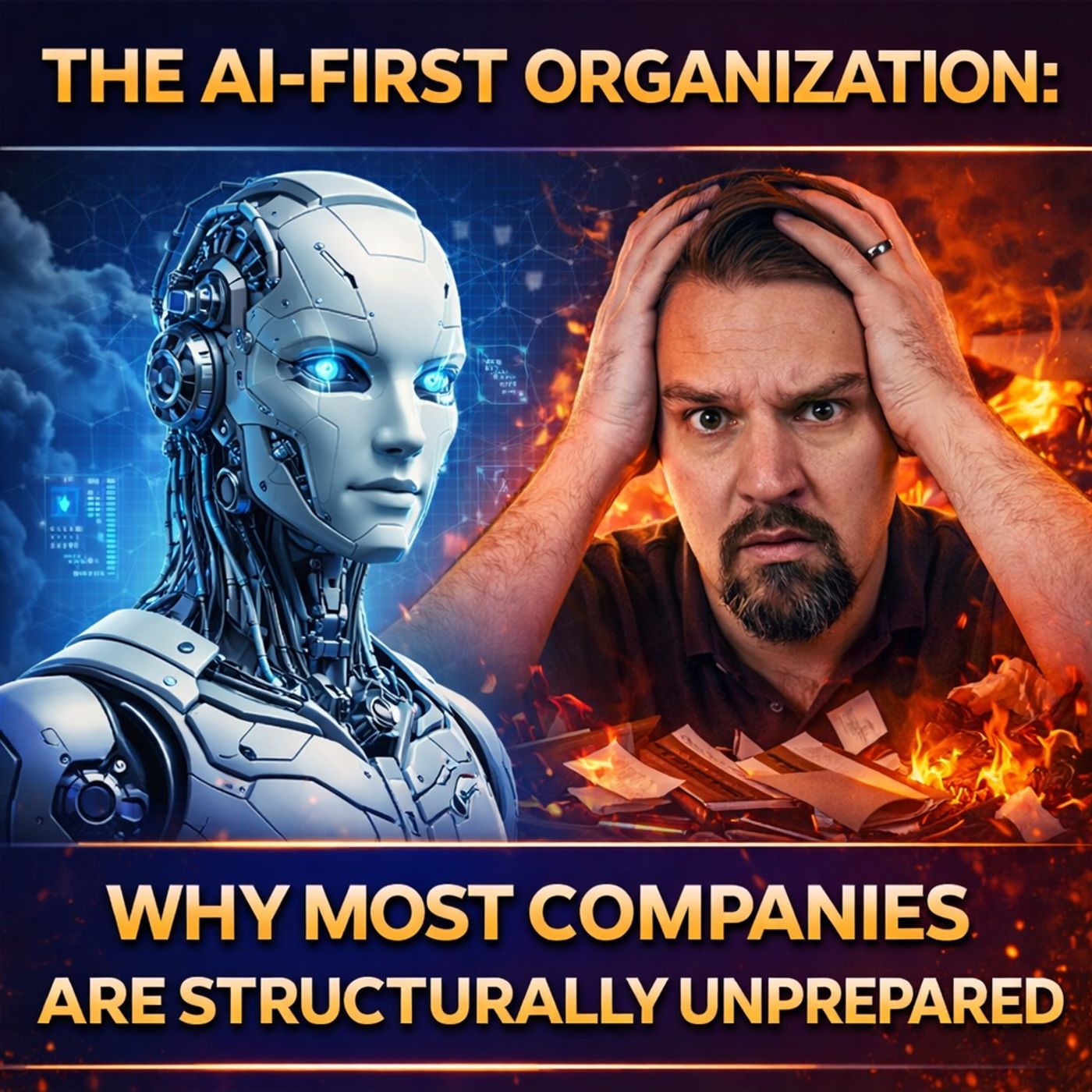
You face significant challenges when preparing for Microsoft 365 Copilot. Gaps in data, governance, process, and culture often hold back your organizational readiness. Microsoft 365 & AI demand more than simple activation. Copilot acts as a catalyst, driving change across your workflows. Industry leaders recommend reviewing security and data settings, forming an AI council, and building new work habits. Reflect on your approach to Microsoft and Copilot adoption. Are you ready to transform?
Key Takeaways
- Assess your organization's data quality and security before deploying Microsoft 365 Copilot.
- Establish clear governance policies to manage data access and protect sensitive information.
- Train employees on how to effectively use Copilot and integrate it into their daily tasks.
- Regularly review and clean your data to ensure Copilot delivers accurate and reliable results.
- Create a culture of trust by demonstrating the benefits of AI and encouraging open communication.
- Use metrics to measure the success of Copilot and identify areas for improvement.
- Engage leadership to champion AI initiatives and foster a supportive environment for change.
- Start with a pilot program to gather feedback and refine your approach before a full rollout.
Microsoft 365 & AI: The Readiness Gap

What Copilot Needs from Organizations
You cannot unlock the full value of microsoft 365 & ai without understanding what microsoft copilot requires from your organization. Microsoft copilot does not operate in isolation. It depends on a foundation of technical and organizational elements within your microsoft 365 environment. You must ensure your data, permissions, and processes are ready for artificial intelligence.
Here is a summary of the primary requirements for deploying microsoft copilot in your organization:
| Requirement Type | Details |
|---|---|
| Licensing Requirements | Users need specific microsoft 365 subscriptions such as A3/A5, Business Basic/Premium, or E3/E5. |
| Mailbox Requirements | Each user must have a primary mailbox in Exchange Online. |
| Sign-in Requirements | Users require a Microsoft Entra ID (Azure AD) account. |
| Browser Requirements | Modern browsers with third-party cookies enabled are necessary. |
| Network Requirements | Certain network endpoints must be accessible for ai scenarios. |
| Mobile Device Requirements | Devices must run iOS 16.0+, iPadOS 16.0+, or Android 10+. |
You also need to address data readiness and governance. Microsoft copilot uses Microsoft Graph APIs to access your organizational content. It processes prompts within the microsoft 365 service boundary, ensuring that ai usage aligns with regulatory requirements. You must review user permissions, audit access, and implement data loss prevention to protect sensitive information.
Note: Microsoft copilot only allows users to access data they are authorized to see. You must review and adjust permissions to prevent unauthorized access.
Why Most Companies Fall Short
Many organizations expect instant productivity gains from microsoft 365 & ai tools like microsoft copilot. You may believe that enabling copilot will fix messy content or that licensing is the main barrier. In reality, organizational readiness drives outcomes more than seat counts. You must address data sprawl, fragmented processes, and inconsistent governance before you see results.
Common misconceptions include:
- Believing copilot will clean up unstructured or outdated content automatically.
- Assuming tenant-level security controls are enough for ai readiness.
- Expecting organic adoption without clear guidance or governance.
You need to recognize that microsoft copilot acts as an execution layer. It depends on the quality of your data, the clarity of your permissions, and the structure of your business processes. If you do not integrate copilot embedded into real business processes, you will not achieve the benefits of digital transformation.
Organizations often fail to benchmark their readiness against industry standards. You should use tools like Microsoft 365 Health Check, data structure reviews, and compliance validation to assess your position. Without these steps, you risk noncompliant practices and missed opportunities for ai-driven productivity.
Microsoft 365 & ai require you to treat artificial intelligence as a catalyst for change, not just a feature. You must invest in training, change management, and ongoing governance to ensure successful adoption. When you align your ai readiness with microsoft 365 requirements, you set the stage for measurable business impact.
Data Quality, Security, and Governance

Data Hygiene in Microsoft 365
You must prioritize data hygiene in your microsoft 365 environment to unlock the full potential of ai and copilot. Data hygiene means you organize, classify, and maintain your content so that ai can deliver accurate and reliable results. Many organizations struggle with unstructured and stale content, which creates barriers for microsoft copilot and increases risks.
Unstructured and Stale Content
Unstructured content spreads across microsoft 365. You find files, emails, and chats that lack clear organization. Stale content remains untouched for months or years. Copilot relies on current and well-organized data to generate meaningful ai outputs. When you allow unstructured or outdated information to persist, you reduce the effectiveness of ai and create confusion.
| Evidence Type | Description |
|---|---|
| Weak Data Classification | Sensitive data isn’t consistently identified, labeled, or governed at the source, leading to potential exposure of high-impact data alongside routine content. |
| Limited Visibility | Organizations lack clear insight into what data Copilot retrieves, escalating exposure risks before security teams can validate access boundaries. |
| Oversharing | AI-generated outputs blend content from multiple owners, making accountability for sensitive information unclear, which can lead to compliance issues. |
You must review your data regularly. Remove stale files and organize content in microsoft 365. This process helps ai deliver relevant results and protects sensitive data from accidental exposure.
Ownership and Classification Issues
Ownership and classification play a critical role in microsoft 365. You need clear data governance to assign responsibility for content. Without proper classification, sensitive data mixes with routine information. Copilot may access and use data without clear boundaries, which increases risks for your organization.
You should implement data governance policies in microsoft 365. Assign owners to files and folders. Label sensitive data so ai can respect boundaries. This approach supports zero trust principles and strengthens your security posture.
Security and Compliance Risks
Security remains a top concern when you deploy ai in microsoft 365. You must protect sensitive data and ensure compliance with regulations. Copilot interacts with large volumes of information, so you need robust security controls.
| Risk Type | Description |
|---|---|
| Overpermissioning | Users with excessive access can lead to sensitive data exposure through AI outputs. |
| Model Inversion Attacks | Attackers can manipulate AI models to extract sensitive information, compromising data security. |
| Integration Vulnerabilities | Weaknesses in Microsoft 365 integrations can be exploited, creating new attack vectors. |
| Prompt Injection Attacks | Attackers can manipulate AI tools to exfiltrate data or socially engineer users. |
You must review permissions in microsoft 365. Limit access to sensitive data. Apply zero trust strategies to reduce risks. Monitor ai activity and audit copilot outputs for compliance. Security teams need visibility into how ai uses data. This approach builds trust and ensures you meet regulatory requirements.
Governance Gaps in AI Adoption
Governance structures shape your success with ai in microsoft 365. You need an ai governance model to guide adoption and manage risks. Gaps in governance lead to unpredictable ai behavior and undermine trust.
- Governance gaps can lead to access to unstructured and overshared data, which undermines user confidence.
- Hallucinated content generated by ai can further erode trust in the outputs.
- Uncontrolled agent behaviors can create unpredictability in ai responses, affecting reliability.
- Compliance failures due to lack of governance can result in regulatory penalties, diminishing trust in ai technologies.
You must build strong governance structures in microsoft 365. Define clear policies for ai use. Monitor copilot activity and set boundaries for sensitive data. This approach supports zero trust and ensures reliable ai outputs. When you invest in data governance and ai governance, you create a foundation for secure and effective copilot deployment.
Tip: Establish regular reviews of your microsoft 365 data and ai outputs. Engage stakeholders in governance discussions. This practice helps you maintain trust and compliance as you scale ai adoption.
Process and Operational Alignment
Workflow Fragmentation in Microsoft 365
You often face workflow fragmentation in your microsoft 365 environment. Disconnected systems and scattered document storage create barriers for ai integration. Many organizations believe that enabling copilot will solve these issues. In reality, copilot reflects existing inefficiencies. You see fragmented workflows and unclear approval processes slow down productivity.
- 12% of organizations report that a disconnected tech stack blocks ai efficiency.
- 17% find that ai features are poorly integrated into their systems, making workflow integration difficult.
Fragmented systems and outdated hardware reduce productivity and delay decision-making. You miss opportunities for automation and struggle to stay competitive. Copilot needs a unified workflow to deliver value. You must streamline your processes and connect your tools within microsoft 365.
Outdated Processes and AI Integration
Outdated processes in microsoft 365 environments create challenges for ai integration. Poor data quality leads to inaccurate ai outputs. Copilot may draw from obsolete documents and contradictory information, which diminishes the quality of insights. Without proper governance, ai can amplify these issues and erode trust among users.
- Outdated processes cause poor data quality and misleading ai results.
- AI systems may use obsolete or conflicting information.
- Lack of governance reduces trust and slows adoption.
You must update your processes and ensure that copilot interacts with current, reliable data. Establish governance controls to guide ai integration. This approach helps you build trust and unlock the full potential of microsoft 365 and copilot.
Tip: Regularly review your workflows and update your processes to support ai integration. This practice improves data quality and enhances the effectiveness of copilot.
Measuring AI Success in Operations
You need clear metrics to measure ai success in your microsoft 365 operations. Before deploying copilot, establish baseline metrics for your current processes. Track resolution rates, customer satisfaction, and cost per inquiry. These benchmarks help you assess improvement after ai integration.
| Metric | Description |
|---|---|
| Task completion rate | Percentage of tasks completed without human intervention. |
| Accuracy | Frequency of correct outputs, varying by use case. |
| Reasoning quality | Evaluation of the decision-making process of the agent. |
| Tool usage effectiveness | Assessment of how well the agent selects and executes tools. |
| User satisfaction scores | Direct feedback on agent performance. |
| Adoption rate | Percentage of eligible users who choose to use the agent. |
| First contact resolution | Percentage of issues solved in one interaction for customer service agents. |
| Interaction quality | Assessment of the naturalness and effectiveness of conversations. |
| Token usage | Computational cost per task. |
| API call volume | Number of external service requests, affecting costs and latency. |
| Response latency | Speed at which the agent completes tasks. |
You should select four to six core ai success metrics. Set milestone checkpoints at three, six, twelve, and twenty-four months. Establish a regular review cadence to monitor progress. This approach ensures you measure the impact of copilot and ai integration in your microsoft 365 environment.
Note: Measuring ai success helps you identify areas for improvement and maximize the value of copilot in your workflow integration.
Culture, Change, and Microsoft AI Adoption
Training and Upskilling for AI
You need to prepare your workforce for the shift to ai in microsoft 365. Training and upskilling play a central role in successful copilot adoption. Employees must understand how copilot works and how it fits into their daily tasks. You should offer tailored training sessions for different user groups. These sessions help users gain confidence and learn practical skills for safe ai usage. Microsoft provides resources that guide you through best practices and real-world scenarios. You can use interactive workshops, online courses, and hands-on labs to build knowledge. Upskilling ensures your team stays current with microsoft 365 updates and ai advancements.
Tip: Schedule regular training refreshers and encourage employees to share their experiences with copilot. This approach fosters a learning culture and keeps your organization agile.
Overcoming Resistance to Change
Resistance often appears when you introduce ai tools like copilot in microsoft 365 environments. You must address concerns and help employees adapt to new workflows. Effective strategies include:
- Implement robust security measures to reassure users about data protection.
- Enable seamless access and management of files with tools such as SharePoint Online and OneDrive.
- Offer ongoing training support for different departments.
- Communicate the benefits of ai clearly and encourage employee participation.
- Establish dedicated support channels for questions and troubleshooting.
- Use transparent communication and pilot programs as part of your change management strategy.
You can identify and work with company-wide change management leads. Engage employee champions who demonstrate the value of copilot. Share specific usage scenarios and practical tips to encourage adoption. These steps help you build momentum and reduce resistance.
Building Trust in Microsoft 365 Copilot
Trust forms the foundation for successful ai adoption in microsoft 365. You must earn trust by showing employees and stakeholders that copilot delivers reliable results and protects sensitive information. Since 2023, nearly 70% of Fortune 500 companies have integrated copilot into their daily workflows. This widespread adoption demonstrates strong trust and reliance on microsoft ai solutions.
"At Microsoft, we truly believe that earning and keeping our users’ trust is what gives us permission to build cutting-edge AI functionality."
You should trust your employees while verifying their actions through automation. Microsoft uses education efforts and intuitive labeling interfaces to ensure secure data handling. Building ai trust requires ongoing communication and transparency. Share success stories and highlight safe ai usage practices. Monitor copilot outputs and provide feedback channels for users. These actions reinforce trust and support continuous improvement.
| Trust-Building Actions | Impact |
|---|---|
| Employee education | Increases confidence and reduces errors |
| Intuitive labeling | Protects sensitive data |
| Success story sharing | Encourages wider adoption |
| Feedback channels | Supports ongoing improvement |
You create a culture of trust by engaging employees, sharing knowledge, and demonstrating the value of copilot in microsoft 365. This approach ensures your organization benefits from ai and stays competitive.
Common Failure Patterns with Copilot
Why AI Initiatives Stall
You may encounter several obstacles when deploying ai solutions like microsoft copilot. Many organizations see their ai projects stall because they treat copilot as a separate tool rather than an integrated assistant. Outdated or messy data often leads to poor insights, making it difficult for copilot to deliver value. Without clear business anchors, stakeholders lose interest and engagement drops. Limited change management and insufficient training prevent your staff from using copilot effectively.
| Reason | Description |
|---|---|
| Disconnected use case | Copilot functions as a separate tool, hindering adoption. |
| Messy data | Outdated or poor-quality data leads to ineffective insights from copilot. |
| No business anchor | Lack of clear performance indicators diminishes stakeholder interest. |
| Limited Change Management | Insufficient training and support prevents effective use of copilot. |
You must address these challenges early to ensure your ai initiative succeeds.
Lessons from Early Microsoft 365 Deployments
Early deployments of microsoft copilot offer valuable lessons. You need collaboration across IT, security, legal, compliance, business leadership, and end users. Clear governance and strong data hygiene are essential for effective ai integration. Empathetic communication and ongoing training help you address user concerns and resistance. Phased piloting allows you to manage the rollout and gather feedback. Continuous improvement ensures you adapt to challenges and enhance user experience.
- Data security and governance issues can lead to sensitive information leaks.
- High licensing costs require careful monitoring to demonstrate return on investment.
- Resistance to change and adoption fatigue can hinder user engagement.
- Poor data quality reduces the effectiveness of copilot.
You should learn from these lessons and build a foundation that supports ai adoption.
Avoiding Pitfalls in AI Rollouts
You can avoid common pitfalls during ai rollouts with microsoft copilot by following best practices. Define clear objectives before starting your pilot. Select a diverse group of users for feedback. Establish quantifiable success metrics from the beginning. Communicate goals and updates regularly to participants. Provide adequate training and support for users.
- Undefined objectives lead to aimless pilots.
- Poor user selection skews results.
- Vague success criteria result in uninformed decisions.
- Inadequate communication leaves users confused.
- Lack of user support prevents full engagement.
You should not assume copilot is plug-and-play. Conduct a readiness assessment for licensing and technical requirements. Start with a pilot program to gather feedback before a full rollout. Try not to solve everything at once. Begin small and iterate. Overlooking data quality and governance, ignoring security and compliance, or treating ai as a silver bullet can undermine your efforts. Microsoft copilot works best as a complementary tool that enhances your workflows.
Tip: Start with a focused pilot, measure results, and refine your approach. This strategy helps you build confidence and maximize the value of ai in your microsoft 365 environment.
Steps to Achieve Structural Readiness
Improving Data and Security Practices
You must start by improving your data and security practices before you deploy copilot in your microsoft 365 environment. Clean, well-organized data forms the backbone of successful ai adoption. Many organizations struggle with duplicate customer records, inconsistent product categories, and misclassified entries. These issues can confuse both users and ai tools.
Fix your data governance first. AI will wait. And when you're ready, it'll actually deliver value.
You should follow a structured approach to prepare your microsoft 365 data for copilot and ai:
- Assess your current microsoft 365 environment for data quality and security gaps.
- Secure and classify your data to ensure only authorized users can access sensitive information.
- Establish governance and compliance standards that align with microsoft and industry requirements.
- Train and empower your workforce to handle data responsibly and use ai tools effectively.
- Measure adoption and drive continuous improvement through regular reviews.
You need to remove stale content, correct misclassified files, and set up clear data ownership. These steps help you protect your organization and unlock the full potential of microsoft 365 copilot. Strong data hygiene and security practices build trust in ai outputs and reduce the risk of data leaks.
Strengthening Governance for Microsoft 365
You cannot achieve sustainable ai adoption without strong governance. Governance provides the structure you need to manage risk, ensure compliance, and drive productivity with copilot. You should adopt a team-based approach to governance in your microsoft 365 environment. This method ensures fair nomination processes and encourages collective feedback from all stakeholders.
You can leverage advanced automation tools for onboarding and training. Automation helps your teams adapt quickly to new microsoft 365 features and ai capabilities. Integrate governance across all platforms to create a unified framework that covers every microsoft application. Treat adoption as a service by establishing centers of excellence and implementing continuous training programs. Foster a culture of peer learning so employees can share knowledge and support each other.
Proactive governance not only enhances security and compliance but also streamlines operations and leads to cost savings. By embedding governance into every layer of operations, you reduce risks associated with oversharing and protect sensitive data. This approach drives productivity and gives your organization a competitive advantage with microsoft 365 copilot.
Redesigning Processes for AI
You must redesign your business processes to take full advantage of ai in microsoft 365. Start by documenting your current workflows. Identify areas where you can automate tasks and set clear success metrics. Begin with simple workflows and gradually add ai features, monitoring their performance at each step.
The following table outlines effective strategies for integrating ai into your microsoft 365 workflows:
| Strategy | Action |
|---|---|
| Document current processes | Identify areas for automation and set clear success metrics. |
| Start with simple workflows | Gradually add ai features while monitoring their performance. |
| Regularly review workflows | Optimize efficiency and ensure security compliance. |
| Track performance metrics | Identify areas for improvement. |
| Implement user training | Educate team on ai concepts and workflow tools. |
You should review your workflows regularly to optimize efficiency and ensure compliance with microsoft security standards. Track performance metrics to identify areas for improvement. Provide ongoing training so your team understands both ai concepts and the workflow tools in microsoft 365. This approach helps you build a resilient, future-ready organization that can fully leverage copilot and ai.
Tip: Start small, measure results, and scale your ai initiatives as your team gains confidence and expertise.
Fostering a Pro-AI Culture
You need to build a culture that welcomes ai and supports microsoft 365 copilot adoption. This transformation starts with leadership. Executive sponsors set the tone for change and encourage coordinated efforts across your organization. When leaders champion ai, employees feel empowered to explore new ways of working.
Education and engagement drive success. You should launch learning initiatives that help your team understand microsoft copilot and its role in microsoft 365. Use workshops, online courses, and hands-on labs to build confidence. Microsoft Viva Learning centralizes these experiences and makes them accessible to everyone. Peer-to-peer knowledge sharing accelerates adoption. Encourage employees to share tips, best practices, and real-world examples. Communities form around shared understanding and support, making the transition smoother.
Measurement matters. You must track progress and outcomes to see how your culture evolves. Microsoft Viva Glint helps you assess employee sentiment and identify areas for improvement. Local leaders use Viva Pulse to gather insights on ai value and learning needs. These tools provide feedback that guides your next steps.
AI-powered insights enhance productivity. Microsoft copilot delivers recommendations and automates routine tasks. When you promote these benefits, employees see the value in adopting ai. You create a positive environment where innovation thrives.
Consider the following actions to foster a pro-ai culture:
- Coordinate efforts with executive sponsorship.
- Launch education and engagement initiatives.
- Measure progress and outcomes regularly.
- Leverage Microsoft Viva tools for learning and communication.
- Promote peer-to-peer knowledge sharing.
- Use ai-powered insights to boost productivity.
- Create communities for shared understanding and support.
You build trust by showing employees how microsoft copilot improves their daily work. When you nurture a learning community, you support ongoing growth and adaptation. This approach ensures your organization stays competitive and ready for future advances in microsoft 365 and ai.
You must transform your organization before deploying microsoft 365 copilot. The table below shows why structural readiness matters:
| Key Issues | Implications |
|---|---|
| Unstructured data | AI may expose operational weaknesses rather than improve efficiency. |
| Inconsistent permissions | Lack of clarity can lead to ineffective AI deployment. |
| Undefined ownership | AI cannot function optimally without clear data ownership. |
| Poor process definitions | AI may amplify existing process failures instead of fixing them. |
Frontier leaders measure ROI at the workflow and outcome level. They tie ai to business metrics like faster cycle times, higher quality, better customer experience, lower risk, and faster decision-making.
You can use these resources to improve readiness:
- Copilot Readiness Assessment
- Security and Governance Considerations
- Strategic Planning
Stay proactive. Build a strong foundation for ai success in your microsoft environment.
FAQ
What is Microsoft 365 Copilot?
Microsoft 365 Copilot is an AI-powered assistant that integrates with your Microsoft 365 apps. You use Copilot to automate tasks, generate content, and streamline workflows.
How do you assess your organization's readiness for Copilot?
You review your data quality, security settings, governance policies, and workflow integration. You use Microsoft’s Copilot Readiness Assessment to identify gaps and plan improvements.
Why does data hygiene matter for Copilot?
Clean, organized data helps Copilot deliver accurate results. You reduce risks and improve productivity when you remove stale content and classify sensitive information.
What steps should you take to strengthen governance?
You establish clear policies, assign data owners, and monitor AI activity. You use automation tools to enforce compliance and support ongoing training.
How can you encourage employee adoption of Copilot?
You provide tailored training, share success stories, and create feedback channels. You build trust by showing practical benefits and supporting users throughout the transition.
What metrics help you measure Copilot’s impact?
You track task completion rates, user satisfaction scores, adoption rates, and workflow efficiency. You set milestones and review progress regularly.
Where can you find resources to improve Copilot readiness?
You access Microsoft’s Copilot Readiness Assessment, security guides, and training modules. You join communities and attend workshops to stay informed.
🎧 Listen to this episode
Want a practical explanation of Is Your Organization Structurally Ready for Microsoft Copilot?? This episode breaks down the topic in clear language and shows why it matters for Microsoft 365, Azure, Power Platform, security, AI, and modern work.
Listen to this episode if you want to:
- Understand the key concepts behind Is Your Organization Structurally Ready for Microsoft Copilot?
- See how it fits into the wider Microsoft technology ecosystem
- Learn where it can create practical value for your organization
You may also enjoy these related M365 FM episodes:
- The FY26 Partner Designation Restructuring Is Coming — Most Partners Aren't Ready
- Microsoft 365 Copilot Agents: Real Business Value with Steve Corey [MVP]
- Copilot for Dynamics 365 Finance and Operations - Simply Explained
- Zero Trust AI Security with Microsoft Copilot and Azure – Mourtaza Fazlehoussen [MVP]
- Copilot in Microsoft Entra ID - Simply Explained
Discover more practical Microsoft conversations on M365 FM.
Apple Podcasts · Spotify · YouTube · YouTube Music
Host: Mirko Peters