


 Apple Podcasts
 Spotify
 Youtube Music
 Spreaker
 Podchaser
 Amazon Music
 Copilot for Dynamics 365 Finance and Operations - Simply Explained
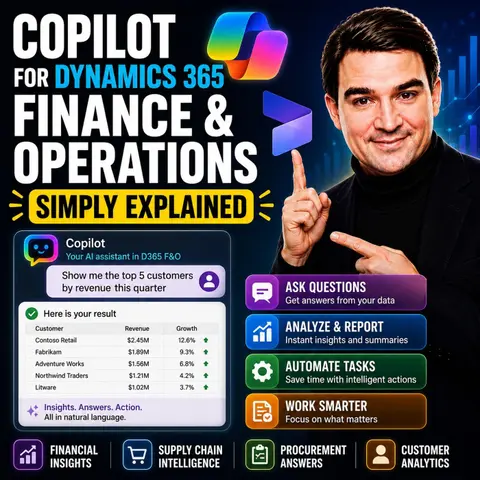

Microsoft Copilot is bringing AI directly into enterprise resource planning, making complex financial and operational processes easier to manage. In this episode of the M365 FM Podcast, Mirko Peters explains how Copilot enhances Microsoft Dynamics 365 Finance & Operations by helping finance, procurement, and operations teams work faster through natural language interactions, intelligent automation, and AI-powered insights. Instead of navigating complex ERP menus, users can simply ask questions, generate reports, and automate repetitive tasks using everyday language.
The episode explores practical use cases including financial reporting, invoice processing, forecasting, procurement assistance, workflow guidance, and data analysis. You'll learn how Copilot reduces manual effort, surfaces relevant business information instantly, and helps employees make faster, better-informed decisions. The discussion also highlights how AI integrates with existing business processes rather than replacing them, allowing finance professionals to focus on strategy and analysis instead of administrative work.
Another key topic is the importance of data quality, governance, and security. AI can only deliver reliable recommendations when it has access to accurate, well-governed business data. The episode explains why organizations should establish strong master data management, permissions, and governance before rolling out AI capabilities at scale. Whether you're a Dynamics 365 administrator, ERP consultant, finance leader, or IT professional, this episode provides a practical introduction to how Microsoft Copilot is transforming Finance & Operations into a more intelligent, productive, and AI-powered business platform.
Quick answer: Copilot for Dynamics 365 Finance and Operations is the focus of this M365 FM episode, which explains what it does, where it fits in the Microsoft ecosystem, and the architecture, security, governance, or operational choices that matter before teams adopt or manage it.
Introducing Copilot for Dynamics 365 Finance and Operations, your intelligent AI assistant designed to elevate your work experience. With Copilot, you can enhance productivity by automating repetitive tasks and gaining valuable insights directly within your workflows. Research shows that organizations using Microsoft 365 Copilot achieve substantial benefits, with a reported ROI of 116% over three years.
Furthermore, Copilot empowers you to make better decisions. It allows you to interact with data using plain language, making complex information accessible. By analyzing real-time data, Copilot provides predictive insights, helping you navigate financial challenges with confidence.
Key Takeaways
- Copilot automates repetitive tasks, allowing finance teams to focus on strategic decision-making.
- Using natural language, Copilot simplifies complex data interactions, making insights more accessible.
- Real-time insights from Copilot enhance decision-making speed and accuracy in financial operations.
- AI-generated summaries significantly reduce the time spent on manual reporting tasks.
- Copilot's predictive analytics improve budgeting and forecasting accuracy by analyzing historical data.
- Effective inventory management is achieved through AI-driven demand forecasting and stock optimization.
- Workflow automation in order processing boosts efficiency and reduces manual errors.
- Integrating Copilot into your operations can lead to substantial cost savings and improved compliance.
Copilot Overview

Copilot for Dynamics 365 Finance and Operations serves as your intelligent assistant, designed to enhance your finance operations. This AI-driven tool automates routine tasks, allowing you to focus on strategic decision-making. By integrating seamlessly into your existing workflows, Copilot transforms how you interact with financial data.
Purpose of Copilot
The primary purpose of Copilot is to streamline your finance processes. It helps you manage data more efficiently and reduces the time spent on manual tasks. With features like generative help and guidance, Copilot provides real-time support as you navigate through finance and operations applications. You can ask questions in plain language, and Copilot will deliver answers derived from structured data. This capability empowers you to make informed decisions quickly.
Significance in Modern Finance Workflows
In today's fast-paced business environment, finance teams face numerous challenges. Copilot addresses these challenges effectively:
- Manual Repetitive Work: Copilot automates time-consuming tasks, allowing you to concentrate on analysis and strategy.
- Slow Month-End Closing: It streamlines coordination and data consolidation, reducing bottlenecks during critical periods.
- Over-Reliance on IT: You gain the ability to make changes independently, minimizing delays and enhancing agility.
- Errors from Manual Data Handling: Automation reduces human errors, improving data accuracy and reliability.
- Limitations of Existing Automation Tools: Copilot integrates various systems, overcoming the rigidity of older tools.
The benefits of using Copilot extend beyond mere automation. It enhances productivity by allowing you to focus on high-value activities. For instance, you can expect significant time savings, with some processes seeing reductions of up to 90%. This efficiency translates into better regulatory compliance and cost savings, as automated tools help ensure adherence to financial regulations.
| Feature | Description |
|---|---|
| Generative help and guidance | Transforms the support experience with a conversational sidecar in finance and operations apps. |
| Workflow history summary | Provides an AI-generated summary of the workflow history that users are viewing. |
| Enhanced user feedback for Copilot | Allows users to provide feedback to Microsoft through thumbs-up or thumbs-down buttons. |
| Chat with finance and operations data | Enables users to ask questions of an agent that derives answers from structured finance and operations data. |
| Immersive Home | A new workspace that helps users work with AI agents and focus on important work items. |
| Use Model Context Protocol | Provides a dynamic framework for agents to perform data operations and access business logic without custom code. |
| Build an agent with Dynamics 365 ERP MCP | Allows developers to build agents that can perform nearly any function available through the application interface. |
As the AI assistant software market in enterprise finance continues to grow, Copilot positions itself as a leader in enhancing operational efficiency. By adopting Copilot, you not only keep pace with industry benchmarks but also set your organization up for future success.
Dynamics 365 Finance Capabilities
Financial Reporting
AI-Generated Summaries
With Copilot, you can leverage AI-generated summaries to enhance your financial reporting. This feature significantly reduces the time you spend on manual reporting tasks. Instead of sifting through data, you can quickly generate management reports that highlight key insights. Copilot provides contextual recommendations based on your business data. For example, it can identify cost-saving opportunities and highlight spending trends. This proactive approach leads to improved decision-making and financial management.
Data Visualization Tools
Dynamics 365 Finance offers robust data visualization tools that simplify complex financial data. You can create visually appealing reports that make it easier to understand trends and patterns. The platform includes 22 pre-built reporting templates, allowing you to generate standard financial reports efficiently. These templates ensure consistent financial reporting across multiple environments, reducing setup and maintenance time.
| Feature | Description |
|---|---|
| Secure Access | Protects sensitive financial information with role-based access controls. |
| Reporting Templates | Offers 22 pre-built templates for generating standard financial reports efficiently. |
| Streamlined Data Management | Ensures consistent financial reporting across multiple environments, reducing setup and maintenance time. |
| Enhanced Simplicity | Reduces complexity and administrative overhead in managing financial data. |
| Better Financial Insights | Provides accurate reporting for informed decision-making, driving business growth. |
Budgeting and Forecasting
Predictive Analytics Features
Dynamics 365 Finance incorporates AI to enhance budgeting and expense forecasting. This integration automates the process, improving accuracy by analyzing historical spending data and predicting future expenses. Such capabilities enable you to allocate resources more effectively and identify potential budget anomalies early. By combining Copilot with Power BI datasets, you can surface forecasts, trends, risk indicators, and business predictions. This integration shifts your focus from historical analysis to future predictions and actionable insights.
Scenario Planning Tools
Copilot also supports scenario planning in budgeting and forecasting. It aids you in generating preliminary budgets by utilizing AI to analyze past actuals, market trends, and cost center allocations. You can create what-if budget scenarios, allowing you to assess the potential impacts of different scenarios on financial outcomes. This feature enhances your decision-making by enabling you to create multiple budgets based on varying assumptions and variables.
Supply Chain Management with Copilot

Supply chain management is crucial for maintaining efficiency in your operations. With Copilot for Dynamics 365 Finance and Operations, you can enhance your inventory management and order processing capabilities significantly.
Inventory Management
Effective inventory management ensures that you have the right products available at the right time. Copilot provides several key capabilities to streamline this process.
Demand Forecasting Techniques
Accurate demand forecasting is essential for optimizing inventory levels. Copilot leverages AI to predict demand fluctuations. It analyzes historical data and market trends to provide you with actionable insights. By using these insights, you can make informed decisions about replenishment and stock levels.
Here are some capabilities that Copilot offers for demand forecasting:
| Capability | Description |
|---|---|
| AI-generated recommendations | Provides suggestions for replenishment, demand forecasting, and anomaly detection. |
| Historical data analysis | Predicts shortages, suggests reorder quantities, and optimizes stock levels. |
| Task automation | Automates repetitive tasks like updating safety stock levels and generating purchase suggestions. |
| Natural language prompts | Allows you to retrieve insights quickly using conversational queries. |
By accurately forecasting demand and automating inventory management, you can lower carrying costs and minimize issues like stockouts and overstocking. This ultimately leads to reduced costs associated with inventory holding, handling, and storage.
Stock Optimization Strategies
To maintain optimal stock levels, you need effective stock optimization strategies. Copilot enhances your inventory visibility by providing real-time insights into inventory levels and locations. This ensures you know what you have and where it is.
Additionally, Copilot automates processes, such as entering information from purchase orders. This reduces manual errors and improves efficiency. By streamlining these processes, you can shorten processing times for receiving, picking, packing, and shipping goods while maintaining accuracy.
Order Processing
Efficient order processing is vital for customer satisfaction and operational success. Copilot enhances this area with several features.
Workflow Automation
Copilot automates various aspects of order processing, allowing you to focus on strategic decisions. For instance, it simplifies administrative tasks by automatically drafting timesheets and expense reports. This automation reduces the time spent on manual entries and enhances overall productivity.
Here are some features that Copilot provides for order processing:
| Feature | Description |
|---|---|
| System Summaries | Provides quick insights on backordered customer orders, product pricing, and item variants. |
| Warehouse Application Insights | Displays a personalized dashboard with upcoming shift information, including picking work IDs and tasks. |
| Copilot Sidecar | Acts as a contextual search tool for navigating the system with queries related to sales orders. |
| Supplier Communications Agent | Automates monitoring of emails to identify changes needed in purchase orders, enhancing communication. |
| Time and Expense Agent | Simplifies administrative tasks by automatically drafting timesheets and expense reports. |
Real-Time Order Tracking
With Copilot, you gain access to real-time order tracking. This feature allows you to monitor the status of orders throughout the fulfillment process. You can quickly identify any delays or issues, enabling you to take corrective actions promptly.
By integrating these capabilities, Copilot helps you improve order fulfillment speed and accuracy. Metrics show significant improvements after integrating Copilot, including a 95% reduction in lead time and substantially lower operational costs.
Enhancing Workflows in Dynamics 365 Finance
Streamlining Daily Tasks
With Copilot for Dynamics 365 Finance, you can significantly streamline your daily tasks. This AI-driven tool provides several features that enhance your efficiency. For instance, the suggestions area offers AI-driven prompts to activate skills or review actions. You can also find priority-ranked activity cards in the work items section, which helps you manage tasks effectively.
Additionally, the pinned items list allows you to keep track of important tasks, ensuring nothing slips through the cracks. The agent activity section displays performance metrics for agents, complete with links to detailed views. You can customize your workspaces to display frequently used tools, making navigation seamless.
Moreover, you can chat with Dynamics 365 Finance data using natural language. This feature allows you to ask questions and receive answers without needing to sift through complex reports. Copilot provides generative help and guidance directly in the app, making it easier for you to find the information you need. You can even rate Copilot's responses to improve the system's performance over time. By consolidating AI, task management, and workspace access, Copilot enables you to complete tasks more efficiently without navigating away from the main interface.
Collaboration Tools
Collaboration is vital in finance operations, and Copilot enhances teamwork significantly. It creates a collaborative workspace for finance teams, enabling real-time document review and transaction approvals. This feature ensures that all team members stay informed and engaged throughout the process.
The system automates approval processes, which promotes transparency and builds trust among team members. You can track actions easily, knowing who approved what and when. Real-time insights from the ERP are accessible, allowing your team to discuss findings and make informed decisions quickly. This capability fosters a culture of collaboration, where everyone contributes to the financial strategy.
By utilizing these collaboration tools, you can enhance communication and streamline workflows. The integration of Copilot into Dynamics 365 Finance not only improves individual productivity but also strengthens team dynamics. Embracing these tools will lead to better outcomes for your finance operations.
Practical Applications of Copilot
Case Study: Financial Reporting
Imagine you are part of a finance team that needs to prepare management reports quickly. Instead of manually writing these reports, you can utilize Copilot's AI-generated summaries. This feature significantly reduces the effort required for reporting. You can communicate faster with executives and focus on strategic insights.
For example, a finance manager predicts next quarter’s cash flow based on current revenue trends and expenses. Copilot can instantly generate a detailed cash flow projection, highlighting potential bottlenecks or variances. This speeds up the forecasting process and improves the accuracy of financial planning.
Here’s a quick overview of how Copilot enhances financial reporting:
| Example | Impact |
|---|---|
| Ask Copilot, “Create a year-over-year revenue comparison chart,” and it will instantly produce a polished report using data from your system. | This capability reduces reporting time while improving the quality of financial insights. |
| Copilot’s reconciliation agent can reduce reconciliation time by 95%, allowing finance teams to focus on judgment rather than data entry. | Manual reconciliation consumes up to 59% of finance teams’ effort. |
Employees report saving significant time on routine tasks such as drafting emails and summarizing meetings. A senior data specialist mentioned improved decision-making and financial management due to quicker report generation.
Case Study: Supply Chain Optimization
In the realm of supply chain management, Copilot's AI capabilities shine brightly. For instance, a U.S.-based consumer goods company using Dynamics 365 Copilot reduced forecast errors by 40%. This improvement led to a 20% decrease in excess inventory, showcasing how effective demand planning can enhance operational efficiency.
Here are some notable examples of how organizations have benefited from Copilot in supply chain management:
- A parts manufacturer utilized Copilot’s Anomaly and Shift Detection for demand planning, significantly reducing excess inventory carrying costs.
- MOC Products improved forecasting accuracy and streamlined warehouse operations by migrating to Dynamics 365, resulting in fewer stockouts and better on-time delivery.
- The transportation industry benefits from Copilot's AI capabilities, enhancing forecasting and productivity while addressing complex supply chain challenges.
By integrating features like confirmed purchase orders and vendor summaries, Copilot categorizes purchase-order changes and provides vendor snapshots for fast decisions. This leads to reductions in order cycle time and improved vendor responsiveness.
| Supply Chain Use Case | Copilot Feature | Productivity Benefit | Suggested KPI & ROI Metric |
|---|---|---|---|
| Procurement & purchasing | Confirmed purchase orders workspace & vendor summaries. | Categorizes purchase-order changes and provides vendor snapshots for fast decisions. | Reduction in order cycle time, cost of disruptions, and vendor responsiveness. |
| Demand planning | Analyze demand plans & generative insights. | Highlights trends, anomalies, and seasonality, enabling proactive adjustments. | Forecast accuracy, inventory carrying cost, and service-level improvements. |
With these practical applications, you can see how Copilot transforms financial reporting and supply chain management. By leveraging AI capabilities, you can enhance efficiency and make informed decisions that drive your organization forward.
Copilot for Dynamics 365 Finance and Operations offers transformative benefits for your finance team. By automating repetitive tasks, you enhance productivity and free up time for strategic decision-making. Here are some key advantages:
- Real-time insights facilitate quicker decision-making.
- Natural language interaction simplifies complex workflows.
- AI-powered automation reduces manual work across finance processes.
As you consider integrating Copilot into your operations, remember that it can significantly improve operational efficiency and governance. Embrace this innovative tool to elevate your financial management and stay ahead in a competitive landscape. 🚀
FAQ
What is Copilot for Dynamics 365 Finance and Operations?
Copilot is an AI assistant that enhances productivity in finance operations. It automates repetitive tasks, provides real-time insights, and simplifies data interaction, allowing you to focus on strategic decision-making.
How does Copilot improve financial reporting?
Copilot generates AI-driven summaries and visualizations, reducing manual reporting time. It highlights key insights and trends, enabling you to make informed decisions quickly and efficiently.
Can I use Copilot for budgeting and forecasting?
Yes, Copilot supports budgeting and forecasting by analyzing historical data and predicting future expenses. It helps you create what-if scenarios, enhancing your ability to allocate resources effectively.
How does Copilot assist with inventory management?
Copilot improves inventory management by providing demand forecasting and stock optimization strategies. It analyzes historical data to predict demand fluctuations, helping you maintain optimal stock levels.
Is Copilot easy to integrate with existing systems?
Yes, Copilot seamlessly integrates into your existing workflows within Dynamics 365 Finance and Operations. It enhances your current processes without requiring significant changes to your systems.
What are the benefits of using Copilot for order processing?
Copilot automates order processing tasks, such as drafting reports and tracking orders in real-time. This automation reduces manual errors and improves efficiency, leading to faster order fulfillment.
How can I get started with Copilot?
To get started, you can explore Microsoft’s resources and documentation on Copilot. Consider scheduling a demo or consultation to see how it can fit into your finance operations.
Does Copilot require extensive training to use?
No, Copilot is designed to be user-friendly. Its intuitive interface and natural language capabilities allow you to interact with data easily, minimizing the need for extensive training.
🎧 Listen to this episode
Want a practical explanation of Copilot for Dynamics 365 Finance and Operations? This episode breaks down the topic in clear language and shows why it matters for Microsoft 365, Azure, Power Platform, security, AI, and modern work.
Listen to this episode if you want to:
- Understand the key concepts behind Copilot for Dynamics 365 Finance and Operations
- See how it fits into the wider Microsoft technology ecosystem
- Learn where it can create practical value for your organization
You may also enjoy these related M365 FM episodes:
- Protect Dynamics 365 Copilot Finance Controls
- Dynamics 365 Project Operations with Joe Griffin [MVP]
- AI and Copilot in D365FO Finance with Billur Samdancioglu [MVP-MCT]
- Scale HR Operations with Copilot Studio AI Agents
- EU AI Act Compliance for Copilot in HR and Finance
Discover more practical Microsoft conversations on M365 FM.
Last reviewed: July 2026.
Who Should Listen
This episode is for Microsoft administrators, architects, developers, security professionals, and business leaders who need a practical foundation before making implementation or governance decisions.
🎧 You Should Also Listen To
- Power Platform — A closely related next step that adds useful context and practical depth.
- Power Apps — A closely related next step that adds useful context and practical depth.
- Dataverse Security — A closely related next step that adds useful context and practical depth.
🚀 Want to be part of m365.fm?
Then stop just listening… and start showing up.
👉 Connect with me on LinkedIn and let’s make something happen:
- 🎙️ Be a podcast guest and share your story
- 🎧 Host your own episode (yes, seriously)
- 💡 Pitch topics the community actually wants to hear
- 🌍 Build your personal brand in the Microsoft 365 space
This isn’t just a podcast — it’s a platform for people who take action.
🔥 Most people wait. The best ones don’t.
👉 Connect with me on LinkedIn and send me a message:
"I want in"
Let’s build something awesome 👊
1
00:00:00,000 --> 00:00:04,360
Welcome to another episode of Microsoft Knowledge Nuggets here on M365, FM, I'm your host,
2
00:00:04,360 --> 00:00:05,360
Mirko Peters.
3
00:00:05,360 --> 00:00:08,520
Today's topic is one you've definitely heard about if you work in finance, co-pilot
4
00:00:08,520 --> 00:00:11,040
for Dynamics 365 Finance and Operations.
5
00:00:11,040 --> 00:00:14,760
But here's the thing, most people here co-pilot and picture a chatbot that answers questions
6
00:00:14,760 --> 00:00:18,680
or maybe writes an email, but what does it actually do for a finance team on a Tuesday
7
00:00:18,680 --> 00:00:19,680
morning?
8
00:00:19,680 --> 00:00:21,480
That's what we're clearing up today in plain English.
9
00:00:21,480 --> 00:00:23,400
This isn't a robot that replaces your accountant.
10
00:00:23,400 --> 00:00:27,760
It's a helper that lives inside the tools you already use, your ERP, your email, your
11
00:00:27,760 --> 00:00:28,760
spreadsheets.
12
00:00:28,760 --> 00:00:33,200
At the end of this episode, you'll know exactly what co-pilot does in D365 F&O, where it
13
00:00:33,200 --> 00:00:35,320
works best, and what it really delivers.
14
00:00:35,320 --> 00:00:38,400
We'll walk through the main use cases starting with the one that brings the most immediate
15
00:00:38,400 --> 00:00:40,960
value, so grab your coffee and let's dive in.
16
00:00:40,960 --> 00:00:42,960
The problem co-pilot solves.
17
00:00:42,960 --> 00:00:47,640
20 years ago, if you worked in finance, you're daimant logging into the ERP, exporting data
18
00:00:47,640 --> 00:00:52,480
to Excel, manipulating it, writing commentary, sending emails and repeating that cycle every
19
00:00:52,480 --> 00:00:53,480
month.
20
00:00:53,480 --> 00:00:54,480
The data was there.
21
00:00:54,480 --> 00:00:57,440
You just spent most of your time chasing it down and moving it around.
22
00:00:57,440 --> 00:00:59,680
That's the real problem co-pilot solves.
23
00:00:59,680 --> 00:01:01,440
Finance teams don't lack information.
24
00:01:01,440 --> 00:01:02,440
They have plenty.
25
00:01:02,440 --> 00:01:04,840
The friction is in how you access it and act on it.
26
00:01:04,840 --> 00:01:08,920
You'd open a customer record, then a screen for aging, then another for payment history,
27
00:01:08,920 --> 00:01:11,000
then switch to Outlook to draft an email.
28
00:01:11,000 --> 00:01:12,560
Every step costs time.
29
00:01:12,560 --> 00:01:13,880
Co-pilot flips that model.
30
00:01:13,880 --> 00:01:17,680
Instead of you going to the data, the data comes to you inside your workflow, one screen,
31
00:01:17,680 --> 00:01:18,680
one conversation.
32
00:01:18,680 --> 00:01:20,600
So what are the actual things it can do?
33
00:01:20,600 --> 00:01:22,480
Let's start with the biggest one.
34
00:01:22,480 --> 00:01:23,960
Co-pilot for collections and AR.
35
00:01:23,960 --> 00:01:26,040
So here's another knowledge nugget for you.
36
00:01:26,040 --> 00:01:29,680
This is the main use case for co-pilot in D365 F&O.
37
00:01:29,680 --> 00:01:33,360
It gets the most attention because it gives you the fastest return on your time.
38
00:01:33,360 --> 00:01:34,360
Let me explain how.
39
00:01:34,360 --> 00:01:39,080
Inside D365, F&O, there's a workspace called the Collections Coordinator Summary.
40
00:01:39,080 --> 00:01:44,160
When you open a customer record, co-pilot generates a summary of everything you need to know.
41
00:01:44,160 --> 00:01:48,800
Overdue invoices, payment history, aged balances, risk exposure, all in one place.
42
00:01:48,800 --> 00:01:50,400
Let me walk you through a real example.
43
00:01:50,400 --> 00:01:54,120
Say you're a collector and you open a customer named Contoso-Luted.
44
00:01:54,120 --> 00:01:55,920
Co-pilot immediately tells you.
45
00:01:55,920 --> 00:01:59,640
This customer has three overdue invoices totaling $12,000.
46
00:01:59,640 --> 00:02:04,400
Their last payment was 45 days ago and they have a dispute on invoice FT9.
47
00:02:04,400 --> 00:02:08,080
Back in the old days, you'd spend 5 to 10 minutes hunting for that information across different
48
00:02:08,080 --> 00:02:09,080
screens.
49
00:02:09,080 --> 00:02:11,640
Now it's there in seconds, but summaries are just the beginning.
50
00:02:11,640 --> 00:02:15,520
Co-pilot can also draft personalized reminder emails based on that customer's history and
51
00:02:15,520 --> 00:02:16,520
tone preferences.
52
00:02:16,520 --> 00:02:18,840
You review the email, click Send and move on.
53
00:02:18,840 --> 00:02:20,160
That's a two-click workflow.
54
00:02:20,160 --> 00:02:21,760
View the summary, create the email.
55
00:02:21,760 --> 00:02:24,120
A 30-minute task becomes 30 seconds.
56
00:02:24,120 --> 00:02:25,640
And here's what makes it even better.
57
00:02:25,640 --> 00:02:30,760
This works inside D365FNO and from outlook through the Co-pilot for Finance add-in.
58
00:02:30,760 --> 00:02:34,760
So if a customer emails you directly, you can pull up their account info, see their outstanding
59
00:02:34,760 --> 00:02:38,280
balance and draft a response without ever leaving your inbox.
60
00:02:38,280 --> 00:02:41,480
The collection activity gets synced back to FNO automatically.
61
00:02:41,480 --> 00:02:42,480
Collections is the big one.
62
00:02:42,480 --> 00:02:46,680
But there's another area where Co-pilot saves even more hidden time.
63
00:02:46,680 --> 00:02:50,080
Co-pilot for financial close and reporting, month and close.
64
00:02:50,080 --> 00:02:52,000
Every finance team knows this rhythm.
65
00:02:52,000 --> 00:02:54,560
Reconcile, adjust, validate, report, repeat.
66
00:02:54,560 --> 00:02:58,440
It's the same dance every single month and it eats up days of focused work.
67
00:02:58,440 --> 00:03:01,040
Co-pilot can help at every stage of that close life cycle.
68
00:03:01,040 --> 00:03:02,040
So let's walk through it.
69
00:03:02,040 --> 00:03:04,920
Before close even starts, Co-pilot does a pre-close scan.
70
00:03:04,920 --> 00:03:09,400
It identifies missing activity, unusual transactions and incomplete postings that need attention
71
00:03:09,400 --> 00:03:10,400
before you begin.
72
00:03:10,400 --> 00:03:13,720
Think of it like checking your kitchen before you start cooking a big meal.
73
00:03:13,720 --> 00:03:17,520
You want to know if you're missing ingredients before your halfway through the recipe, not
74
00:03:17,520 --> 00:03:18,600
after.
75
00:03:18,600 --> 00:03:21,800
While you're working through the close, Co-pilot gets more hands-on.
76
00:03:21,800 --> 00:03:25,600
It suggests journal entry accounts and descriptions based on your historical patterns.
77
00:03:25,600 --> 00:03:29,560
So if you always book prepaid expenses to the same account with the same description,
78
00:03:29,560 --> 00:03:32,040
Co-pilot learns that and offers it up automatically.
79
00:03:32,040 --> 00:03:35,160
It also flags discrepancies during reconciliation.
80
00:03:35,160 --> 00:03:38,920
Items that don't match, amounts that look off, entries that seem out of place.
81
00:03:38,920 --> 00:03:42,360
You still make the final call, but the hunting and gathering is done.
82
00:03:42,360 --> 00:03:45,080
Now the review phase, this is where Co-pilot really shines.
83
00:03:45,080 --> 00:03:49,200
It runs a variance analysis and generates plain language explanations of your financial
84
00:03:49,200 --> 00:03:50,200
statements.
85
00:03:50,200 --> 00:03:51,200
Here's a concrete example.
86
00:03:51,200 --> 00:03:54,440
You're reviewing the monthly P&L and you see operating expenses jumped.
87
00:03:54,440 --> 00:03:58,280
Instead of digging through spreadsheets for an hour, you ask Co-pilot, explain the variance
88
00:03:58,280 --> 00:04:00,240
in operating expenses this month.
89
00:04:00,240 --> 00:04:03,560
It returns a summary with the top three drivers and their dollar impact.
90
00:04:03,560 --> 00:04:05,440
Maybe it's a one-time consulting fee.
91
00:04:05,440 --> 00:04:06,920
Maybe it's higher utility costs.
92
00:04:06,920 --> 00:04:08,320
Maybe it's a supplier price increase.
93
00:04:08,320 --> 00:04:10,240
You get the answer in seconds, not hours.
94
00:04:10,240 --> 00:04:12,800
Now, let's be clear about what Co-pilot isn't doing here.
95
00:04:12,800 --> 00:04:14,360
It's not replacing your judgment.
96
00:04:14,360 --> 00:04:18,040
You still need to review the explanation, validate the numbers, and decide what to do
97
00:04:18,040 --> 00:04:19,200
about them.
98
00:04:19,200 --> 00:04:22,800
But Co-pilot replaces is the manual hunting and gathering phase, the part where you open
99
00:04:22,800 --> 00:04:27,560
five different reports, export data, build pivot tables, and try to piece together a story.
100
00:04:27,560 --> 00:04:29,880
That's the part that takes time and drains energy.
101
00:04:29,880 --> 00:04:33,200
Co-pilot handles that so you can focus on the actual analysis.
102
00:04:33,200 --> 00:04:34,960
Close is about what happened last month.
103
00:04:34,960 --> 00:04:36,560
But what about what's coming next?
104
00:04:36,560 --> 00:04:38,640
Co-pilot for cash flow and forecasting.
105
00:04:38,640 --> 00:04:40,880
Why is cash flow forecasting so hard?
106
00:04:40,880 --> 00:04:43,200
Think of the old routine, you export data.
107
00:04:43,200 --> 00:04:44,200
Build models in Excel.
108
00:04:44,200 --> 00:04:46,240
Make assumptions about when customers will pay.
109
00:04:46,240 --> 00:04:47,240
Then hope you're close.
110
00:04:47,240 --> 00:04:48,240
It's reactive.
111
00:04:48,240 --> 00:04:50,040
Look at the past and guess the future.
112
00:04:50,040 --> 00:04:51,040
Co-pilot works differently.
113
00:04:51,040 --> 00:04:53,200
It analyzes what's already in your system.
114
00:04:53,200 --> 00:04:54,600
Open transactions.
115
00:04:54,600 --> 00:04:55,800
Recurring patterns.
116
00:04:55,800 --> 00:04:56,800
Seasonality.
117
00:04:56,800 --> 00:04:59,840
It uses your actual data to predict cash inflows and outflows.
118
00:04:59,840 --> 00:05:01,280
You don't build a model from scratch.
119
00:05:01,280 --> 00:05:03,480
The forecast comes from your real numbers.
120
00:05:03,480 --> 00:05:05,160
Now for the practical part.
121
00:05:05,160 --> 00:05:07,880
Co-pilot flags variances early on usual payment delays.
122
00:05:07,880 --> 00:05:09,160
Unexpected costs spikes.
123
00:05:09,160 --> 00:05:12,280
A customer who usually pays in 30 days hasn't paid in 45.
124
00:05:12,280 --> 00:05:14,960
Co-pilot spots the pattern and brings it to your attention.
125
00:05:14,960 --> 00:05:18,000
You see cash flow problems as they happen, not at month end.
126
00:05:18,000 --> 00:05:20,280
Think of it as a financial radar for your business.
127
00:05:20,280 --> 00:05:22,200
It spots trouble before it arrives.
128
00:05:22,200 --> 00:05:23,560
Then there's scenario planning.
129
00:05:23,560 --> 00:05:26,120
This is where co-pilot becomes a decision tool.
130
00:05:26,120 --> 00:05:27,280
You can ask.
131
00:05:27,280 --> 00:05:30,200
What happens to cash if we slow collections by 10 days?
132
00:05:30,200 --> 00:05:32,840
Or what if we accelerate payments to top vendors?
133
00:05:32,840 --> 00:05:35,320
Co-pilot analyzes the data and shows the impact.
134
00:05:35,320 --> 00:05:38,840
You test different assumptions without building separate models for each one.
135
00:05:38,840 --> 00:05:40,600
This changes the finance role.
136
00:05:40,600 --> 00:05:44,000
Instead of spending time explaining what happened you think about what might happen.
137
00:05:44,000 --> 00:05:47,200
It's a shift from reactive reporting to proactive decisions.
138
00:05:47,200 --> 00:05:49,440
That's co-pilot inside F&O.
139
00:05:49,440 --> 00:05:52,880
But co-pilot also reaches into your inbox and spreadsheets.
140
00:05:52,880 --> 00:05:54,880
Co-pilot for expense management and AP.
141
00:05:54,880 --> 00:05:56,520
Let's talk about expense reports.
142
00:05:56,520 --> 00:05:57,680
You know the drill.
143
00:05:57,680 --> 00:05:59,040
Someone hands you a crumpled receipt.
144
00:05:59,040 --> 00:06:01,720
You type the amount, date, merchant and category.
145
00:06:01,720 --> 00:06:02,720
Then check policy.
146
00:06:02,720 --> 00:06:04,000
Then root for approval.
147
00:06:04,000 --> 00:06:05,000
Every single receipt.
148
00:06:05,000 --> 00:06:06,280
Every single time.
149
00:06:06,280 --> 00:06:09,000
Co-pilot uses optical character recognition or OCR.
150
00:06:09,000 --> 00:06:10,000
Scanner receipt.
151
00:06:10,000 --> 00:06:13,040
Co-pilot extracts the amount, date and merchant automatically.
152
00:06:13,040 --> 00:06:16,200
It builds a compliant expense report without you typing a single line.
153
00:06:16,200 --> 00:06:18,120
Then it checks each line against company policy.
154
00:06:18,120 --> 00:06:19,120
It flags anything wrong.
155
00:06:19,120 --> 00:06:20,440
A meal over the daily limit.
156
00:06:20,440 --> 00:06:22,120
A hotel charge needing pre-approval.
157
00:06:22,120 --> 00:06:23,480
It catches those early.
158
00:06:23,480 --> 00:06:25,240
For accounts payable, it's similar.
159
00:06:25,240 --> 00:06:26,760
Invoices come in.
160
00:06:26,760 --> 00:06:27,760
Co-pilot helps ingest them.
161
00:06:27,760 --> 00:06:31,000
Suggest general ledger codes and trigger the right approval workflows.
162
00:06:31,000 --> 00:06:33,560
You don't manually code each invoice and root it.
163
00:06:33,560 --> 00:06:34,760
Co-pilot handles the setup.
164
00:06:34,760 --> 00:06:37,120
The AP specialist reviews and confirms.
165
00:06:37,120 --> 00:06:38,600
Here's a common scenario.
166
00:06:38,600 --> 00:06:40,960
A vendor emails a change request on a purchase order.
167
00:06:40,960 --> 00:06:44,280
Maybe they can only supply 50 units instead of 30 or the price changed.
168
00:06:44,280 --> 00:06:48,960
In the old workflow, someone would open the PO, update the line, re-root for approval and
169
00:06:48,960 --> 00:06:50,360
email the vendor back.
170
00:06:50,360 --> 00:06:52,800
With Co-pilot, the system detects the change.
171
00:06:52,800 --> 00:06:54,200
It shows the difference side by side.
172
00:06:54,200 --> 00:06:57,360
It asks if you want to apply it, your review, click confirm.
173
00:06:57,360 --> 00:06:58,400
Co-pilot handles the rest.
174
00:06:58,400 --> 00:06:59,400
The PO updates.
175
00:06:59,400 --> 00:07:00,920
The approval workflow triggers.
176
00:07:00,920 --> 00:07:02,280
The vendor gets notified.
177
00:07:02,280 --> 00:07:05,720
What this adds up to is less manual data entry and fewer keying errors.
178
00:07:05,720 --> 00:07:08,160
The accountant still reviews and approves.
179
00:07:08,160 --> 00:07:12,920
But the mechanical part, typing, rooting, checking policy, gets handled automatically.
180
00:07:12,920 --> 00:07:14,120
All of this sounds great.
181
00:07:14,120 --> 00:07:17,400
But there are requirements you need to know before getting started.
182
00:07:17,400 --> 00:07:19,240
What you need to get Co-pilot working.
183
00:07:19,240 --> 00:07:23,680
So let's talk about what it actually takes to run Co-pilot in D365 F&O.
184
00:07:23,680 --> 00:07:27,200
I'm not going to bury you in technical specs, but you need the basics so you don't hit
185
00:07:27,200 --> 00:07:28,920
a wall halfway through a project.
186
00:07:28,920 --> 00:07:33,320
First up your D365 F&O version has to be 10.0, 38 or higher.
187
00:07:33,320 --> 00:07:35,480
That's a hard block if you're on something older.
188
00:07:35,480 --> 00:07:37,040
No workaround.
189
00:07:37,040 --> 00:07:41,760
Next, Power Platform and Dataverse integration need to be enabled.
190
00:07:41,760 --> 00:07:44,480
This is how Co-pilot sees your F&O data.
191
00:07:44,480 --> 00:07:47,720
Think of Dataverse as the bridge between your ERP and the AI layer.
192
00:07:47,720 --> 00:07:48,720
No bridge?
193
00:07:48,720 --> 00:07:49,920
Nothing for Co-pilot to work with.
194
00:07:49,920 --> 00:07:53,080
Then you've got to toggle on specific capabilities and feature management.
195
00:07:53,080 --> 00:07:55,960
The collections workspace and AI summaries aren't on by default.
196
00:07:55,960 --> 00:07:57,320
You go in and flip those switches.
197
00:07:57,320 --> 00:07:58,520
Now licensing.
198
00:07:58,520 --> 00:08:00,840
This is the one that catches people off-guard.
199
00:08:00,840 --> 00:08:06,560
Co-pilot requires a Microsoft 365 Co-pilot license on top of your existing D365 license.
200
00:08:06,560 --> 00:08:07,560
That's a separate cost.
201
00:08:07,560 --> 00:08:10,200
You need to factor that into your planning from day one.
202
00:08:10,200 --> 00:08:12,320
Your environment needs to be cloud-hosted.
203
00:08:12,320 --> 00:08:13,760
On-premise deployments don't qualify.
204
00:08:13,760 --> 00:08:17,120
If you're still running on-prem, you'll need to move to the cloud first before Co-pilot
205
00:08:17,120 --> 00:08:18,120
becomes an option.
206
00:08:18,120 --> 00:08:19,760
I'm not listing these to discourage you.
207
00:08:19,760 --> 00:08:21,920
I'm listing them so you know what you're walking into.
208
00:08:21,920 --> 00:08:24,800
These requirements are clear and achievable, but they're real.
209
00:08:24,800 --> 00:08:27,320
And ignoring them leads to frustration down the road.
210
00:08:27,320 --> 00:08:30,960
Once Co-pilot is running, the real question becomes, how you get your team to actually
211
00:08:30,960 --> 00:08:32,480
open it.
212
00:08:32,480 --> 00:08:34,000
Making people actually use it.
213
00:08:34,000 --> 00:08:35,720
Here's a number you should sit with.
214
00:08:35,720 --> 00:08:41,000
This organization's that roll out Microsoft 365 Co-pilot only about 35% of licensed users
215
00:08:41,000 --> 00:08:43,960
actively use it without deliberate adoption planning.
216
00:08:43,960 --> 00:08:47,600
That means roughly two out of three people with access never open it.
217
00:08:47,600 --> 00:08:50,200
They're licensed, they're paying for it and they never touch it.
218
00:08:50,200 --> 00:08:55,120
The most common failure is turning Co-pilot on without aligning it to your existing processes.
219
00:08:55,120 --> 00:08:56,640
Here's the honest truth.
220
00:08:56,640 --> 00:08:59,160
Co-pilot amplifies good processes and bad ones equally.
221
00:08:59,160 --> 00:09:02,240
If your collections workflow is a mess, Co-pilot won't fix it.
222
00:09:02,240 --> 00:09:04,600
It'll just help you generate messy emails faster.
223
00:09:04,600 --> 00:09:08,400
You need to clean up your processes first, then let Co-pilot accelerate them.
224
00:09:08,400 --> 00:09:09,720
So what actually works?
225
00:09:09,720 --> 00:09:10,880
Start with targeted pilots.
226
00:09:10,880 --> 00:09:15,920
Pick two or three high impact workflows, collections, month and close, expense processing,
227
00:09:15,920 --> 00:09:18,320
and roll Co-pilot out to those teams first.
228
00:09:18,320 --> 00:09:19,960
Don't give everyone access at once.
229
00:09:19,960 --> 00:09:22,040
Start small, prove the value, then expand.
230
00:09:22,040 --> 00:09:24,400
Train your teams on scenarios, not features.
231
00:09:24,400 --> 00:09:27,240
Don't run a training session called what Co-pilot can do.
232
00:09:27,240 --> 00:09:29,840
Run one called how to close month and a half the time.
233
00:09:29,840 --> 00:09:32,720
Show people exactly how Co-pilot fits into their actual day.
234
00:09:32,720 --> 00:09:33,720
That's what sticks.
235
00:09:33,720 --> 00:09:36,080
Sign licenses to whole teams, not individuals.
236
00:09:36,080 --> 00:09:39,600
When a team learns together, they share tips, they compare results, and they push each other
237
00:09:39,600 --> 00:09:40,600
to use it more.
238
00:09:40,600 --> 00:09:44,520
Peer learning drives adoption way more than any training session ever will.
239
00:09:44,520 --> 00:09:47,160
Let's pull all of this together into one picture.
240
00:09:47,160 --> 00:09:49,160
The big picture, how it all connects.
241
00:09:49,160 --> 00:09:50,600
Here's the thing about Co-pilot.
242
00:09:50,600 --> 00:09:53,640
It's not one single switch you flip and suddenly everything changes.
243
00:09:53,640 --> 00:09:58,360
It's a set of helpers, spread across F&O, Excel, Outlook and Teams.
244
00:09:58,360 --> 00:10:00,560
Each one does something specific.
245
00:10:00,560 --> 00:10:05,400
In F&O, expense reports through Outlook, cash flow analysis in Excel.
246
00:10:05,400 --> 00:10:07,560
Different tools, but they're built to work together.
247
00:10:07,560 --> 00:10:10,520
That's where the real power sits, the integration.
248
00:10:10,520 --> 00:10:11,680
Imagine a typical sequence.
249
00:10:11,680 --> 00:10:16,240
You're in F&O and Co-pilot gives you a summary of a customer's overdue balance.
250
00:10:16,240 --> 00:10:20,280
From there you move to Outlook to draft a reminder email and Co-pilot pulls that same data
251
00:10:20,280 --> 00:10:21,440
and writes it for you.
252
00:10:21,440 --> 00:10:22,760
Your customer responds.
253
00:10:22,760 --> 00:10:27,280
Dispute status updates right there in Outlook and the change syncs back to F&O automatically.
254
00:10:27,280 --> 00:10:28,280
You never left your flow.
255
00:10:28,280 --> 00:10:29,640
The data moved with you.
256
00:10:29,640 --> 00:10:32,040
Here's what finance teams really need to understand.
257
00:10:32,040 --> 00:10:34,400
Co-pilot respects your existing security roles.
258
00:10:34,400 --> 00:10:37,760
It only shows what that user already has permission to see.
259
00:10:37,760 --> 00:10:39,800
Collections agents see their own customers.
260
00:10:39,800 --> 00:10:40,880
Controllers see the full ledger.
261
00:10:40,880 --> 00:10:43,200
AP clocks see vendor invoices.
262
00:10:43,200 --> 00:10:45,040
Co-pilot doesn't create new access.
263
00:10:45,040 --> 00:10:47,520
It works within the boundaries you've already set.
264
00:10:47,520 --> 00:10:51,120
Now let's talk about what this actually means for the people doing the work.
265
00:10:51,120 --> 00:10:53,040
Co-pilot doesn't replace finance professionals.
266
00:10:53,040 --> 00:10:54,840
It doesn't make journal entries on its own.
267
00:10:54,840 --> 00:10:56,200
It doesn't approve payments.
268
00:10:56,200 --> 00:10:58,320
What it does is automate the mechanical parts.
269
00:10:58,320 --> 00:11:02,400
The summarizing the drafting, the data gathering, so humans can focus on judgment, negotiation
270
00:11:02,400 --> 00:11:03,520
and strategy.
271
00:11:03,520 --> 00:11:06,360
The collector still decides how to handle a difficult customer.
272
00:11:06,360 --> 00:11:09,720
The accountant reviews the variance and picks the right action while the controller signs
273
00:11:09,720 --> 00:11:11,200
off on the close.
274
00:11:11,200 --> 00:11:12,200
Co-pilot handles the prep work.
275
00:11:12,200 --> 00:11:13,600
You handle the decisions.
276
00:11:13,600 --> 00:11:15,000
That's the real shift.
277
00:11:15,000 --> 00:11:17,040
Finance teams have always been good at answering one question.
278
00:11:17,040 --> 00:11:18,040
What happened?
279
00:11:18,040 --> 00:11:20,160
Co-pilot helps them move to a better one.
280
00:11:20,160 --> 00:11:21,680
What should we do about it?
281
00:11:21,680 --> 00:11:24,000
So that's Co-pilot in D365F&O.
282
00:11:24,000 --> 00:11:25,680
Not a separate tool you need to learn.
283
00:11:25,680 --> 00:11:29,840
Just a set of AI helpers embedded in the workflows finance teams already use.
284
00:11:29,840 --> 00:11:32,760
Collections, close expense management, reporting, forecasting.
285
00:11:32,760 --> 00:11:37,800
If you're in finance and your organization runs D365F&O, here's your single most effective
286
00:11:37,800 --> 00:11:39,040
starting point.
287
00:11:39,040 --> 00:11:40,840
Start with the collections workspace this week.
288
00:11:40,840 --> 00:11:42,080
Open one customer record.
289
00:11:42,080 --> 00:11:43,240
Read the AI summary.
290
00:11:43,240 --> 00:11:44,240
Draft one email.
291
00:11:44,240 --> 00:11:45,240
See how it feels.
292
00:11:45,240 --> 00:11:48,560
Subscribe for more D365 in plain English and drop a comment if something clicked today.

Founder of m365.fm, m365.show and m365con.net
Mirko Peters is a Microsoft 365 expert, content creator, and founder of m365.fm, a platform dedicated to sharing practical insights on modern workplace technologies. His work focuses on Microsoft 365 governance, security, collaboration, and real-world implementation strategies.
Through his podcast and written content, Mirko provides hands-on guidance for IT professionals, architects, and business leaders navigating the complexities of Microsoft 365. He is known for translating complex topics into clear, actionable advice, often highlighting common mistakes and overlooked risks in real-world environments.
With a strong emphasis on community contribution and knowledge sharing, Mirko is actively building a platform that connects experts, shares experiences, and helps organizations get the most out of their Microsoft 365 investments.




