


 Apple Podcasts
 Spotify
 Youtube Music
 Spreaker
 Podchaser
 Amazon Music
 Integrated Technology Ecosystems vs Best-of-Breed Tools
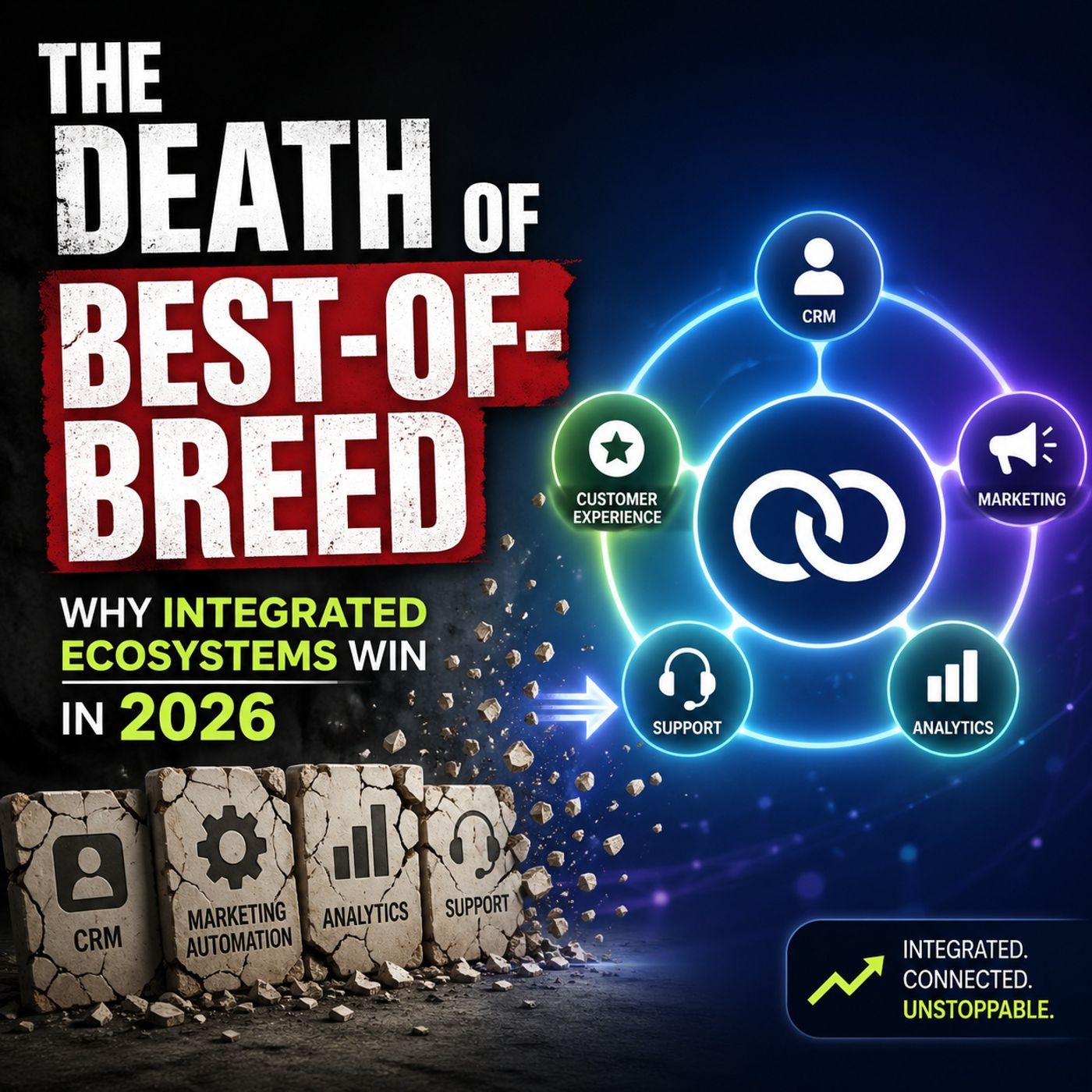
This episode explains why the traditional “best-of-breed” strategy—using many separate, specialized tools—is becoming less effective. While it once allowed companies to pick the best solution for each task, it now leads to complexity, higher costs, and disconnected data.
The host describes this as “operational entropy,” where each additional tool creates more friction, integration challenges, and governance issues. This fragmentation also makes it harder to fully benefit from AI, since AI performs best when it has access to unified data and systems.
The episode argues that integrated ecosystems, such as Microsoft’s platform, are replacing this approach. These ecosystems bring data, identity, security, and workflows together in one place, making it easier to manage, automate, and scale.
The main takeaway is that AI is changing how organizations should think about technology. Instead of optimizing individual tools, companies should focus on integrated platforms that connect everything—because that’s where the real value and competitive advantage now lie.
Integrated ecosystems help you solve the challenge of fragmented data in modern enterprises. When you connect external data to Microsoft Graph, you gain the ability to analyze collaboration patterns and workplace dynamics. This integration supports advanced analysis with network machine learning, letting you measure innovation and understand how your teams interact. You unlock AI-driven insights that reveal new opportunities for growth and efficiency.
Key Takeaways
- Integrating external data with Microsoft Graph creates a single source of truth, reducing manual work and IT costs.
- Unified data enhances AI performance by providing complete and consistent information, leading to more accurate insights.
- Streamlined processes from data integration improve operational efficiency and decision-making speed.
- Using copilot connectors allows real-time access to external data, enhancing collaboration and insights.
- Planning your integration carefully helps avoid surprises and ensures successful project execution.
- Regular audits and clear permission structures protect sensitive information and support compliance.
- High-quality data is crucial for effective AI; continuous monitoring and validation maintain data integrity.
- Scalability should be a priority in integration design to accommodate future growth and changing needs.
Why Connect External Data for AI Success
Breaking Down Data Silos
You often face challenges when your data lives in separate systems. Fragmented data systems create barriers that slow down your work and make it hard to get clear answers. When you connect external data, you remove these barriers and build a single source of truth. This change helps you avoid manual work and reduces IT costs. Here are some common problems you might see with siloed data:
- No single source of truth
- Significant manual work
- Slow or stagnant decision-making
- Growing IT costs
- Security and governance gaps
Disconnected data forces IT teams into reactive firefighting measures like building temporary integrations, writing custom scripts, or manually synchronizing data. These fixes are expensive, time-consuming, and fragile, creating long-term technical debt and diverting IT resources from innovation initiatives.
When you break down silos, you make it easier for your teams to find the information they need. You also help your organization move faster and make better decisions.
Enhancing AI with Unified Data
AI models need access to complete and consistent data to work well. If your data is scattered across different platforms, your AI will struggle to deliver accurate results. Integrating external data into your Microsoft 365 environment gives your AI the context it needs to provide reliable insights. Here are some ways unified data improves AI performance:
- AI models are only as effective as the data they can access; fragmented data limits their intelligence.
- When data is isolated, AI models operate with incomplete information, leading to inaccurate predictions.
- Inconsistent data definitions across silos create multiple versions of truth, complicating governance and increasing bias.
- Siloed data complicates the implementation of enterprise-wide AI, as models need clean and comprehensive data.
Pharmaceutical companies and other industries have found that unified data platforms can significantly enhance the accuracy of AI solutions. High-quality data is essential for trusted and effective AI, and unified data management boosts this quality. The EVE framework, for example, unifies evidence extraction and insight delivery, increasing productivity and accuracy without adding complexity.
Operational Efficiency and Security
When you integrate external data, you improve your operational efficiency and security. Unified data integration streamlines your processes and reduces errors. You also gain real-time access to information, which helps you respond quickly to changes. The table below shows how unified data impacts your organization:
| Benefit | Impact on Operational Efficiency |
|---|---|
| Streamlined processes | Reduces time spent on tasks and improves workflow efficiency. |
| Improved decision-making | Enables faster and more informed decisions based on real-time data. |
| Real-time access to data | Facilitates quicker reporting and analysis, enhancing responsiveness. |
| Reduced errors | Minimizes mistakes associated with manual data entry and management. |
| Better collaboration | Enhances teamwork across departments by providing unified information. |
Organizations that automate data integration report substantial cost savings. You can reduce manual effort and error rates, which leads to efficiency gains. Compliance costs also decrease because automated audit trails and data governance become easier to manage.
By using copilot connectors and integrating external data, you can unlock the full potential of your AI and content. Copilot and copilot connectors help you bring external information into your Microsoft 365 environment, making your workflows smarter and more secure.
Microsoft Graph Overview and Integration Role
What Is Microsoft Graph
You can think of Microsoft Graph as the central nervous system of the Microsoft ecosystem. It connects user activities, documents, conversations, and business data across Microsoft services. This connection lets you see how information flows through your organization. Microsoft Graph plays a key role in applications like copilot, which uses these connections to boost productivity and streamline your daily work. Many enterprises now use Microsoft Graph to support their ai-driven operations. As more organizations adopt ai, Microsoft Graph becomes even more important for integrating external data and supporting smarter workflows.
Microsoft Graph in AI Ecosystems
Microsoft Graph acts as a bridge between your data and ai-powered tools. When you use microsoft graph connectors, you can bring in information from outside sources and make it available to microsoft 365 copilot. This process helps copilot provide more personalized and relevant responses. The Semantic Index in Microsoft Graph pre-indexes your data, so copilot understands context and user relationships. Plugins give copilot real-time access to external services, letting it retrieve live data and perform actions based on your prompts.
- Microsoft graph connectors let you integrate external data sources into microsoft 365 copilot, making ai responses more accurate.
- The Semantic Index helps copilot understand context and relationships, leading to better answers.
- Plugins allow copilot to access live data and take action in real time.
By integrating external data with Microsoft Graph, you give your ai tools the context they need to deliver meaningful insights and automate tasks.
Why Integrate External Content
You gain many benefits when you integrate external content with Microsoft Graph. The platform offers several features that make it easy to import external content and keep your data secure. Here is a table that highlights some of the core features that support integrating external data:
| Feature | Description |
|---|---|
| Schema Definition | Defines the structure of external content, including entities, properties, and relationships. |
| Authentication and Authorization | Ensures secure access to external content through mechanisms like OAuth. |
| Indexer | Crawls and indexes content from external sources, preparing it for integration with Microsoft 365 search capabilities. |
| Push and Pull Mechanisms | Supports data synchronization through both push and pull methods, depending on integration needs. |
| Mappings | Defines how external content fields correspond to Microsoft 365 fields, ensuring accurate data translation. |
| Customization and Extensibility | Allows organizations to tailor connectors to specific business needs through custom code and logic. |
| Security and Compliance | Ensures data access adheres to Microsoft 365 security standards, including encryption and data governance policies. |
When you integrate, you create a unified environment where your ai can access all the information it needs. This approach reduces manual work and improves security. You also make it easier to manage compliance and governance. By choosing to integrate external content, you set the stage for more efficient operations and smarter decision-making.
Methods to Connect External Data

You have several options when you want to connect external data to Microsoft Graph. Each method offers unique benefits and fits different business needs. Understanding these methods helps you choose the best approach for your organization.
Copilot Connectors
Copilot connectors let you bring third-party business data into your copilot interfaces. You can access information from external sources and use it in Microsoft 365 copilot. This integration gives you more context for your ai-powered tools. Copilot connectors maintain security standards while accessing external data. You can build copilot connectors to fit your specific requirements.
Tip: Copilot connectors help you unlock new insights by connecting external data sources directly to copilot. You can use them to improve collaboration and decision-making.
Here is a table that compares copilot connectors and Microsoft Graph connectors:
| Feature | Copilot Connectors | Microsoft Graph Connectors |
|---|---|---|
| Purpose | Integrate external data sources into Copilot interfaces | Serve as a bridge between Microsoft 365 apps and external data sources |
| Security Standards | Maintains security standards while accessing third-party data | Facilitates retrieval of data while ensuring security |
| Integration Context | Used within Microsoft 365 Copilot for contextual responses | Surfaces external content in various Microsoft 365 experiences |
You can use copilot connectors to access third-party business data through copilot interfaces. This method gives you real-time responses and helps you make better decisions.
Microsoft Graph Connectors
Microsoft Graph connectors allow you to import external content into Microsoft 365. You can integrate external data from sources like file shares, helpdesk systems, or other business platforms. This method makes it easier for you and your colleagues to find relevant information and collaborate. Microsoft Graph connectors serve as a bridge between Microsoft 365 apps and external data sources.
You can create a connection for each instance of a connector, such as the Microsoft Windows file share connector. Alternatively, you can create a single external connection to aggregate all items from a data source, like tickets from a helpdesk system.
Here is a table that shows some features of Microsoft Graph connectors:
| Method | Description |
|---|---|
| Microsoft Graph Connectors | These connectors allow the import of content from various external sources into Microsoft 365. |
| Connection Management | Administrators can create, update, and delete connections, managing external data as a single unit. |
| Access Control | Only authorized users can view and manage connections, ensuring security and proper access management. |
You can use Microsoft Graph connectors to import external content and make it available across Microsoft 365 experiences. This integration supports ai-driven workflows and enhances collaboration.
Custom Integration Approaches
Custom integration approaches give you more flexibility and control. You can tailor business logic to fit your specific workflows and advanced data needs. Custom integrations require more planning and setup. You need ongoing technical ownership and maintenance. You can improve connectivity with other systems and enhance operational goals.
Note: Custom integrations let you design solutions that match your business requirements. You can optimize data flows and support unique use cases.
Custom integrations do not rely on vendor updates. You can resolve issues and add features on your schedule. However, you must manage technical resources and maintain your integrations over time.
When you connect external data using these methods, you support ai initiatives and improve operational efficiency. You can import external content, integrate external data, and build copilot connectors to unlock the full potential of your Microsoft 365 environment.
Setup Guide: Connect External Data
Integration Planning
You start every successful integration by planning. You need to understand your data sources, business goals, and technical requirements. Planning helps you choose the right approach for your project. You should consider how often your data changes, how much data you need to move, and how quickly you need updates.
Here is a table to help you select the best integration pattern for your needs:
| Integration Pattern | Data Latency | Data Volume | Recommended Approach |
|---|---|---|---|
| High | High | High | Use Data Connect |
| High | Low | Low | Use Microsoft Graph APIs or notifications |
| Low | High | High | Use Microsoft Graph notifications via Event Hub |
| Low | Low | Low | Use Microsoft Graph notifications via webhooks |
| Inbound flow | Custom data | N/A | Use Microsoft 365 Copilot connectors |
You should also define your project scope and identify which teams will manage the integration. This step ensures you have the right resources and support. When you plan carefully, you avoid surprises and set your project up for success.
Schema Registration
Schema registration defines how your external data will appear in Microsoft 365. You must create a schema that describes your data’s structure, including entities, properties, and relationships. This step helps Microsoft Graph understand and organize your information.
Follow these best practices for schema registration:
- Define a schema with a unique ID and core properties.
- Map existing access control lists to Microsoft 365 objects to ensure proper permissions.
- Implement access control lists (ACL) to enforce permissions.
- Ensure security and data access controls are maintained.
The table below summarizes key best practices for schema registration:
| Best Practice | Description |
|---|---|
| Schema Definition | Defines the structure of external content, including entities, properties, and relationships. |
| Authentication and Authorization | Ensures secure access to external content through proper permissions and protocols like OAuth. |
| Indexer | Crawls and indexes content based on the schema, making it available for search capabilities. |
| Push and Pull Mechanisms | Supports data synchronization through either periodic retrieval or immediate updates from external sources. |
| Mappings | Aligns fields in the external schema with those in Microsoft 365 for accurate data presentation. |
| Customization and Extensibility | Allows for tailored functionality to meet specific business needs through custom code. |
| Security and Compliance | Adheres to security standards, including encryption and data governance policies. |
You need to register your schema before you import external content. This step ensures your data integrates smoothly and securely with Microsoft 365 copilot and other AI-powered tools.
Data Import and Indexing
After you register your schema, you can import your external data. You want to make sure your data is easy to search and retrieve. Good indexing helps your users find information quickly and supports real-time data access for AI and copilot experiences.
Here are some best practices for data import and indexing:
- Use batch indexing instead of updating one record at a time.
- Apply incremental updates instead of full reindexing.
- Use partial indexing to update only changed attributes.
You can also use batching algorithms to update multiple records in one operation. This approach saves time and resources. Prioritize search requests over indexing requests to keep your system responsive. Incremental updates help you maintain performance as your data grows.
The table below highlights important strategies for managing data import and indexing:
| Best Practice | Description |
|---|---|
| Index Planning | Tailor indexes to match application query patterns. |
| Index Aliasing | Manage schema updates with minimal downtime. |
| Monitoring | Verify index population for query readiness. |
| Performance Optimization | Use query profiling and memory management. |
| Maintenance | Scale indexes in standalone and clustered environments. |
| Automation | Implement versioning and testing for index management. |
When you import external content and optimize copilot connectors, you enable external connection and support AI-driven workflows. You also improve the performance of Microsoft Graph connectors and build copilot connectors that deliver value to your users.
Access and Permissions
You need to manage access and permissions carefully when you connect external data to Microsoft 365. Clear permission structures help you protect sensitive information and support collaboration. You can use groups instead of assigning permissions to individuals. This approach makes it easier to scale as your organization grows. You should keep permissions as open as possible to encourage teamwork, but always safeguard critical data.
You can follow these strategies to manage access and permissions:
- Define user roles clearly. Assign permissions based on these roles to streamline management.
- Use groups for permissions. This method simplifies changes when your team expands or shifts.
- Conduct regular user access audits. Schedule these audits quarterly or bi-annually to maintain oversight.
- Focus on anomaly detection during audits. Look for access discrepancies and fix them quickly.
- Use automated tools to apply access policies consistently. Automation helps you adapt as your organization changes.
- Establish robust access control policies. These policies protect sensitive information and support compliance.
You can use automation to ensure consistent permission assignments. Automated tools help you keep up with organizational growth and reduce manual errors. When you import external content, you must check that permissions align with your business needs. You can also use strategic permission structures to manage external connection points. This step ensures that only authorized users can access AI-powered tools and copilot connectors.
Testing Connections
You must test your external connection to ensure reliable data integration. Testing helps you catch issues early and keeps your AI and copilot workflows running smoothly. You can start by identifying all integration points. Document every interface that exchanges data between software components.
Follow these steps to test your connections:
- Identify integration points. List all places where data moves between systems.
- Prioritize based on risk and usage. Focus on connections that impact user experience the most.
- Design test cases using real-world user flows. Make sure your tests reflect how people actually use the system.
- Use mocks and stubs for expensive third-party services. This approach saves resources during testing.
- Automate tests in CI pipelines. Run integration tests often as part of your development process.
- Manage test data and environment stability. Use consistent test data and clean it between tests.
You can also create a test plan that defines scenarios to validate integration points. Set up a test environment similar to your production setup. Run critical scenarios and log any defects. Analyze the results and work with your team to fix issues. Repeat testing after changes to confirm that problems are resolved.
You need to test connections for every import of external content. Reliable testing ensures that your AI tools and copilot connectors deliver accurate results. When you manage test data and environments well, you support stable and secure external connection workflows in Microsoft 365.
Security and Compliance in Integration
When you connect new systems, you must protect your organization’s data and meet strict compliance standards. Security and compliance are not just technical requirements. They are essential for building trust and keeping your business safe.
Data Privacy
You need to keep user and business information private when you integrate external data. Microsoft 365 gives you strong privacy controls. When you use external sources, the data often stays within the app and does not flow into Microsoft Graph. This means your sensitive information remains protected. Copilot does not use your external data to train its language models. Only queries based on user prompts and conversation history may be shared with agents to generate responses.
If you use Microsoft 365 copilot connectors, the external data is ingested into Microsoft Graph but always stays within your tenant. You must pay close attention to permissions and access controls. These steps help you keep your data private and secure.
- External data often remains within the app and does not flow into Microsoft Graph.
- Copilot does not use your external data to train its models.
- When using copilot connectors, external data stays within your tenant.
- Always review permissions and access controls for every integration.
User Access Management
You must control who can see and use your data. Start by setting clear user roles. This helps you give employees only the access they need for their jobs. Use a multi-layered permissions strategy to limit access and reduce risks. Develop access control policies that cover both security and compliance needs.
Regular user access audits help you keep your system safe. These audits make sure your access management matches your security rules. Automated tools can help you manage user access and keep your processes efficient.
- Set clear user roles based on job functions.
- Use layered permissions to limit access.
- Create strong access control policies.
- Run regular audits to check user access.
- Use automation to manage permissions and improve security.
Compliance Policies
You must follow strict rules when you connect external content to Microsoft Graph. Every item you import needs at least one access control entry. If you want everyone to see the content, use an access type called grant with type Everyone. For content meant for certain groups, define access control entries for each user or group. If your system does not use single sign-on, set up external groups to keep your data secure. Always synchronize permissions from the external system to maintain security.
- Each imported item must have an access control entry.
- Use grant, type Everyone for public content.
- Define user or group access for private content.
- Set up external groups if single sign-on is not available.
- Sync permissions from the external system to keep data secure.
By following these steps, you protect your organization and meet compliance standards. You create a secure environment for your users and your data.
Optimize and Scale Integration
Data Quality and Consistency
You need high-quality data to get the most from your AI and business tools. When you bring in external data, you must keep it accurate and reliable. Every integration flow should be tested before it reaches production. Validation should continue after launch to keep small issues from becoming large ones.
High-quality data is essential for the reliability and effectiveness of AI systems. Continuous and robust data quality management is crucial as it allows these systems to adapt to changing environments and make informed decisions.
You can use several methods to maintain data quality and consistency:
- Validate source mapping, transformation logic, row counts, security rules, and downstream impact.
- Establish robust validation protocols to ensure data adheres to quality benchmarks.
- Conduct ongoing quality surveillance to monitor for disparities or inconsistencies.
Here is a table that shows some tools and practices you can use:
| Method | Description |
|---|---|
| Data catalogs | Help in organizing and managing metadata, making it easier to locate and understand data. |
| Data cleansing | Tools that enhance data quality by detecting and correcting errors in datasets. |
| Data governance | Ensures data management practices align with organizational standards and compliance requirements. |
| ETL tools | Load data into a data warehouse, ensuring data is processed before analysis. |
| Master data management | Ensures consistency and accuracy of key data entities across the organization. |
Performance Monitoring
You must keep track of how your integrations perform. Continuous monitoring is essential for tracking data movement and integration success. Proactive issue identification helps in quickly addressing data anomalies and integration glitches. Safeguarding data integrity through constant oversight prevents data corruption and loss.
- Robust monitoring tracks the performance and health of integration processes.
- Detailed logging provides audit trails that assist in troubleshooting failures.
- Adaptability to changes in data environments is facilitated by ongoing monitoring.
You can use dashboards and alerts to spot problems early. This helps you fix issues before they affect your users or your microsoft 365 environment.
Scaling Integrations
As your organization grows, your integration needs will change. You should plan for scalability from the start. Make sure your integration pipelines can handle increased data volume, sources, and users without bottlenecks. Use modular architecture with cloud services and reusable APIs to create a flexible system.
- Plan for scalability by designing integration architectures that can grow with data volumes and user populations.
- Use cloud-native platforms that can scale elastically without upfront capacity planning.
- Implement modular components and reusable integration parts instead of hardcoded connections.
- Choose adaptive data storage, such as cloud storage and NoSQL databases, for their scalability.
- Use pre-built connectors for common applications to save time and resources.
- Design flexible data models that can easily incorporate new sources without major restructuring.
- Optimize performance with indexing, caching, and continuous monitoring.
By following these strategies, you ensure your content and external data integrations remain efficient and reliable as your business evolves.
Integrating external data with Microsoft Graph gives you measurable gains in efficiency, customer value, and financial impact. Top organizations see up to $10.3x ROI and faster AI adoption. You can start with small projects and scale as your needs grow. Explore these resources to guide your journey:
| Resource | Description |
|---|---|
| Microsoft Graph Data Connect | Consolidate data sources for better productivity. |
| Microsoft Graph Connectors | Bring organizational data into Microsoft Graph. |
| Microsoft 365 Copilot | Build custom Copilot connectors. |
| Integration Patterns | Learn best practices for integration. |
Secure, optimized integration ensures your AI delivers reliable results and supports your business as it grows.
🎧 Listen to this episode
Want a practical explanation of Integrated Technology Ecosystems vs Best-of-Breed Tools? This episode breaks down the topic in clear language and shows why it matters for Microsoft 365, Azure, Power Platform, security, AI, and modern work.
Listen to this episode if you want to:
- Understand the key concepts behind Integrated Technology Ecosystems vs Best-of-Breed Tools
- See how it fits into the wider Microsoft technology ecosystem
- Learn where it can create practical value for your organization
You may also enjoy these related M365 FM episodes:
- Power Platform Governance Best Practices with Craig White [MVP]
- How to Fix Azure at Scale Without Buying More Tools
- Automate Power Platform Data Entry with AI Tools
- Clean Code vs Dirty Code: Refactoring Best Practices
Discover more practical Microsoft conversations on M365 FM.
🚀 Want to be part of m365.fm?
Then stop just listening… and start showing up.
👉 Connect with me on LinkedIn and let’s make something happen:
- 🎙️ Be a podcast guest and share your story
- 🎧 Host your own episode (yes, seriously)
- 💡 Pitch topics the community actually wants to hear
- 🌍 Build your personal brand in the Microsoft 365 space
This isn’t just a podcast — it’s a platform for people who take action.
🔥 Most people wait. The best ones don’t.
👉 Connect with me on LinkedIn and send me a message:
"I want in"
Let’s build something awesome 👊
1
00:00:00,000 --> 00:00:03,560
Your enterprise AI isn't hallucinating because it's broken, it's hallucinating because
2
00:00:03,560 --> 00:00:04,720
it's blind.
3
00:00:04,720 --> 00:00:08,600
Most organizations today are treating co-pilot like a fancy search bar for their one drive.
4
00:00:08,600 --> 00:00:13,080
They've spent months cleaning up SharePoint folders and tagging PDFs, thinking that's
5
00:00:13,080 --> 00:00:16,720
the finish line, but in reality that's only 10% of your business.
6
00:00:16,720 --> 00:00:21,760
The other 90% is locked away in disconnected silos, legacy databases, and third party tools
7
00:00:21,760 --> 00:00:23,520
that your AI can't even see.
8
00:00:23,520 --> 00:00:27,840
When you ask a model to summarize a project's health, and it only has access to a PowerPoint
9
00:00:27,840 --> 00:00:30,560
deck from last Tuesday, it's going to give you an answer.
10
00:00:30,560 --> 00:00:33,560
It will sound professional, it will look structured, but it will be wrong.
11
00:00:33,560 --> 00:00:37,360
The model doesn't know about the high priority ticket opened an hour ago or the budget
12
00:00:37,360 --> 00:00:39,080
freeze sitting in your ERP.
13
00:00:39,080 --> 00:00:42,000
Incomplete intelligence at scale isn't a tool, it's a liability.
14
00:00:42,000 --> 00:00:45,680
It creates a culture of confident guessing where your most expensive talent starts trusting
15
00:00:45,680 --> 00:00:48,600
a machine that's missing the most important half of the story.
16
00:00:48,600 --> 00:00:52,960
If your data isn't indexed and permissioned inside the Microsoft Graph, it effectively
17
00:00:52,960 --> 00:00:54,760
does not exist to your AI.
18
00:00:54,760 --> 00:00:57,800
We have to move beyond the phase of just chatting with a PDF.
19
00:00:57,800 --> 00:01:02,320
We are entering the era of the real-time business brain, and that brain requires a nervous system
20
00:01:02,320 --> 00:01:03,520
to function.
21
00:01:03,520 --> 00:01:06,400
The wall of static intelligence, the rag honeymoon is over.
22
00:01:06,400 --> 00:01:10,080
For the last year, everyone's been obsessed with retrieval augmented generation.
23
00:01:10,080 --> 00:01:12,240
It was the magic trick that made LLM useful.
24
00:01:12,240 --> 00:01:16,560
You point the model at a folder, it reads the files, and suddenly it knows your company policy.
25
00:01:16,560 --> 00:01:21,120
But as these pilots move into production, a massive crack is forming in the foundation.
26
00:01:21,120 --> 00:01:24,040
That crack is the reality of stale data.
27
00:01:24,040 --> 00:01:27,560
Traditional rag relies on manual uploads or static folders, it's a snapshot in time.
28
00:01:27,560 --> 00:01:31,040
You're essentially teaching your AI by showing it a photograph of a moving car and asking
29
00:01:31,040 --> 00:01:33,240
it how fast the vehicle is going right now.
30
00:01:33,240 --> 00:01:36,520
This creates a knowledge lag that kills high stakes decision making.
31
00:01:36,520 --> 00:01:40,160
In a world where business moves at the speed of a slack message, relying on a document
32
00:01:40,160 --> 00:01:44,160
that was last updated 48 hours ago is a recipe for disaster.
33
00:01:44,160 --> 00:01:49,040
Imagine your AI suggests an aggressive procurement action based on last week's quarterly report.
34
00:01:49,040 --> 00:01:52,440
It's a solid recommendation, except for one thing, it completely ignores the system
35
00:01:52,440 --> 00:01:55,720
update from this morning that flagged a supply chain disruption.
36
00:01:55,720 --> 00:01:59,160
By following the AI, you've just built a risk engine, you've automated a mistake.
37
00:01:59,160 --> 00:02:03,120
The old model of enterprise work assumed that people had the time to go hunting for context.
38
00:02:03,120 --> 00:02:07,440
You'd open five tabs, check the CRM, look at the project board, and then make a call.
39
00:02:07,440 --> 00:02:10,440
The new model assumes that context must be pushed to the AI.
40
00:02:10,440 --> 00:02:14,800
If the machine is going to assist you, it needs the same situational awareness that you have.
41
00:02:14,800 --> 00:02:18,040
This is why basic document grounding fails the modern enterprise.
42
00:02:18,040 --> 00:02:21,320
It lacks the connective tissue of live system telemetry.
43
00:02:21,320 --> 00:02:24,880
Most of your truth isn't sitting in a word document, it's sitting in the state of your systems.
44
00:02:24,880 --> 00:02:28,960
It's the pending status on an invoice, the high priority flag on a customer ticket,
45
00:02:28,960 --> 00:02:31,200
or the exception noted in an audit log.
46
00:02:31,200 --> 00:02:34,720
When you only give the graph your documents, you're building a brain with a disconnected
47
00:02:34,720 --> 00:02:35,720
nervous system.
48
00:02:35,720 --> 00:02:38,000
The brain can think, but it can't feel the floor.
49
00:02:38,000 --> 00:02:40,640
It doesn't know if the building is on fire or if the front door is locked.
50
00:02:40,640 --> 00:02:42,440
It's just processing text in a vacuum.
51
00:02:42,440 --> 00:02:45,720
To bridge this gap, we have to change how we think about data.
52
00:02:45,720 --> 00:02:47,160
We aren't just moving files anymore.
53
00:02:47,160 --> 00:02:48,400
We are streaming reality.
54
00:02:48,400 --> 00:02:52,040
We need to move from a library model where the AI goes to a shelf to find a book to
55
00:02:52,040 --> 00:02:56,240
a sensor model where the AI is constantly fed the telemetry of the business.
56
00:02:56,240 --> 00:03:00,120
This shift is what separates a chatbot from an actual intelligence layer.
57
00:03:00,120 --> 00:03:04,600
One answers questions about the past, while the other helps you navigate the present.
58
00:03:04,600 --> 00:03:08,560
If you want the latter, you have to stop treating the Microsoft graph as an optional storage
59
00:03:08,560 --> 00:03:12,760
bin and start treating it as the central nervous system of your entire operation.
60
00:03:12,760 --> 00:03:15,600
Without that live connection, you aren't scaling intelligence.
61
00:03:15,600 --> 00:03:18,160
You're just scaling the speed at which you missed the point.
62
00:03:18,160 --> 00:03:22,960
We need to tear down this wall of static information and start building the bridge to live indexed
63
00:03:22,960 --> 00:03:23,960
awareness.
64
00:03:23,960 --> 00:03:26,600
Blind spot one, the ghost approval chain.
65
00:03:26,600 --> 00:03:29,000
Approvals are the actual lifeblood of your operations.
66
00:03:29,000 --> 00:03:34,280
They are the yes or no signals that determine if money moves, if code deploys, or if a contract
67
00:03:34,280 --> 00:03:35,280
gets signed.
68
00:03:35,280 --> 00:03:36,280
But here is the problem.
69
00:03:36,280 --> 00:03:39,280
In most organizations, these critical signals live in the shadows.
70
00:03:39,280 --> 00:03:43,600
They are buried in specialized procurement tools, hidden in legacy ticket systems, or
71
00:03:43,600 --> 00:03:46,880
trapped in the infinite scroll of an executive's email thread.
72
00:03:46,880 --> 00:03:48,880
Through your AI, these approvals are ghosts.
73
00:03:48,880 --> 00:03:50,480
They simply don't exist in its world.
74
00:03:50,480 --> 00:03:54,880
This creates a specific, dangerous phenomenon I call premature decision syndrome.
75
00:03:54,880 --> 00:03:59,800
It happens when a user asks the AI for a status update or a recommendation on a project phase.
76
00:03:59,800 --> 00:04:02,040
The AI looks at the available documents in SharePoint.
77
00:04:02,040 --> 00:04:03,160
It sees the project plan.
78
00:04:03,160 --> 00:04:04,480
It sees the draft invoice.
79
00:04:04,480 --> 00:04:06,680
It concludes that everything is ready to go.
80
00:04:06,680 --> 00:04:08,160
It tells the user to proceed.
81
00:04:08,160 --> 00:04:12,240
But it can't see the pending status sitting in your external procurement software.
82
00:04:12,240 --> 00:04:16,400
It doesn't know that the legal team flagged a specific clause in an external portal.
83
00:04:16,400 --> 00:04:18,080
The result isn't just a minor mistake.
84
00:04:18,080 --> 00:04:20,760
It's a complete breakdown of organizational trust.
85
00:04:20,760 --> 00:04:24,760
When the AI pushes a user toward an action that violates an existing workflow, you end up
86
00:04:24,760 --> 00:04:27,280
with duplicated work and bypassed controls.
87
00:04:27,280 --> 00:04:31,120
You have junior employees initiating orders that haven't been sanctioned, simply because
88
00:04:31,120 --> 00:04:34,840
the intelligent assistant told them the path was clear.
89
00:04:34,840 --> 00:04:36,720
This isn't a failure of the LLM's logic.
90
00:04:36,720 --> 00:04:38,160
It's a failure of its visibility.
91
00:04:38,160 --> 00:04:41,480
You've asked it to be a project manager while keeping it locked in a room with only half
92
00:04:41,480 --> 00:04:42,480
the files.
93
00:04:42,480 --> 00:04:45,880
The cost of this missing context is measured in rework loops.
94
00:04:45,880 --> 00:04:50,240
Every time an AI-generated draft is rejected because it missed a rejected or on hold status
95
00:04:50,240 --> 00:04:54,320
from an external system, you lose the productivity gains you were promised.
96
00:04:54,320 --> 00:04:58,400
Your force to add manual validation steps back into the process, which defeats the purpose
97
00:04:58,400 --> 00:04:59,400
of automation.
98
00:04:59,400 --> 00:05:02,680
You're essentially hiring a high-speed assistant and then hiring a human just to watch
99
00:05:02,680 --> 00:05:06,560
that assistance every move, because the assistant is fundamentally uninformed about the rules
100
00:05:06,560 --> 00:05:07,720
of the house.
101
00:05:07,720 --> 00:05:09,960
Custom connectors are the only way to bridge this gap.
102
00:05:09,960 --> 00:05:13,960
They allow you to surface, state and status alongside the raw content.
103
00:05:13,960 --> 00:05:18,360
When you build a connector to your procurement tool, you aren't just indexing the text of
104
00:05:18,360 --> 00:05:22,140
the purchase order, you're indexing the metadata of the approval chain, you are giving the
105
00:05:22,140 --> 00:05:27,280
graph away to understand that a document's validity is tied to a specific system flag.
106
00:05:27,280 --> 00:05:31,160
This moves the AI from being a document reader to being a process aware partner.
107
00:05:31,160 --> 00:05:35,320
It stops grounding itself in just the words in the document and starts grounding itself
108
00:05:35,320 --> 00:05:37,200
in the rules of the house.
109
00:05:37,200 --> 00:05:39,200
When a user asks, can we ship this?
110
00:05:39,200 --> 00:05:41,800
The AI doesn't just say the plan says yes.
111
00:05:41,800 --> 00:05:46,080
The plan says yes, but the external shipping portal shows a pending safety approval.
112
00:05:46,080 --> 00:05:49,520
That is the difference between a chatbot and an enterprise intelligence layer.
113
00:05:49,520 --> 00:05:53,120
We have to stop assuming that permissions and statuses will magically sink.
114
00:05:53,120 --> 00:05:56,440
If the approval lives outside the graph, the AI is blind to the gatekeeper.
115
00:05:56,440 --> 00:06:01,040
By engineering these connections, you turn those ghost approvals into concrete data points.
116
00:06:01,040 --> 00:06:04,000
You ensure that the AI respects the boundaries of your business logic.
117
00:06:04,000 --> 00:06:07,160
You turn a confident guesser into a compliant advisor.
118
00:06:07,160 --> 00:06:11,000
This is how you stop the duplicated effort and start building an AI that actually understands
119
00:06:11,000 --> 00:06:16,120
how your business says go.
120
00:06:16,120 --> 00:06:17,720
Blind spot two.
121
00:06:17,720 --> 00:06:19,640
The fragmented customer journey.
122
00:06:19,640 --> 00:06:22,120
Think about how our customer actually experiences your company.
123
00:06:22,120 --> 00:06:23,120
They don't see departments.
124
00:06:23,120 --> 00:06:27,680
They see a single entity, but your internal reality is a collection of isolated islands.
125
00:06:27,680 --> 00:06:29,280
You'll see our M holds the sales data.
126
00:06:29,280 --> 00:06:31,440
Your ticketing system manages the support issues.
127
00:06:31,440 --> 00:06:34,400
Your delivery platform tracks the actual fulfillment.
128
00:06:34,400 --> 00:06:37,600
In the middle of this archipelago, you've dropped an AI assistant that only has a map
129
00:06:37,600 --> 00:06:39,600
of the Microsoft 365 Island.
130
00:06:39,600 --> 00:06:44,040
This creates a biased response that can be devastating for your brand reputation.
131
00:06:44,040 --> 00:06:48,600
Imagine a scenario where a long-term client sends an email asking for a quote on a new project.
132
00:06:48,600 --> 00:06:50,800
Your AI sees that email in Outlook.
133
00:06:50,800 --> 00:06:54,080
It scans your SharePoint folders and sees the client's historical contracts.
134
00:06:54,080 --> 00:06:59,320
It then drafts a cheerful, proactive follow-up suggesting a meeting to discuss the expansion.
135
00:06:59,320 --> 00:07:00,680
It sounds perfect.
136
00:07:00,680 --> 00:07:03,240
But there is a massive piece of context missing.
137
00:07:03,240 --> 00:07:07,520
The AI can't see the critical priority ticket sitting in your external service desk, where
138
00:07:07,520 --> 00:07:10,800
that same customer is currently screaming about a system outage.
139
00:07:10,800 --> 00:07:15,120
Because that ticketing data isn't indexed in the graph, the AI drafts a polite sales pitch,
140
00:07:15,120 --> 00:07:18,440
while the customer is actually in a crisis.
141
00:07:18,440 --> 00:07:22,560
When your account manager hits send on that AI-generated draft, you haven't just missed
142
00:07:22,560 --> 00:07:23,560
a sale.
143
00:07:23,560 --> 00:07:27,440
You've signaled to the customer that you are completely out of touch with their reality.
144
00:07:27,440 --> 00:07:31,600
We're trying to solve for rework and inconsistent customer experiences, but we can't do that
145
00:07:31,600 --> 00:07:33,480
if the AI is looking at fragments.
146
00:07:33,480 --> 00:07:37,080
Most organizations think they've solved this because they have integrations.
147
00:07:37,080 --> 00:07:40,120
They say, "Our CRM is integrated with our email."
148
00:07:40,120 --> 00:07:43,160
But here is the structural floor you need to understand.
149
00:07:43,160 --> 00:07:44,760
Integrated is not the same as indexed.
150
00:07:44,760 --> 00:07:48,280
An integration might let you see a CRM record inside Outlook, but that doesn't mean the
151
00:07:48,280 --> 00:07:49,800
AI can reason across it.
152
00:07:49,800 --> 00:07:53,760
For the AI to connect the dots, to realize that a sales inquiry should be paused because
153
00:07:53,760 --> 00:07:55,160
of a support crisis.
154
00:07:55,160 --> 00:07:57,120
That data must live in the semantic index.
155
00:07:57,120 --> 00:07:59,760
It has to be part of the graph's unified world model.
156
00:07:59,760 --> 00:08:03,920
Without indexing, the AI is just a fast-typist with no situational awareness.
157
00:08:03,920 --> 00:08:06,840
It's a specialized tool that can't see the bigger picture.
158
00:08:06,840 --> 00:08:10,680
By building custom connectors to these external islands, you give the graph a unified view
159
00:08:10,680 --> 00:08:11,680
of the handoff.
160
00:08:11,680 --> 00:08:13,360
You turn these fragments into a journey.
161
00:08:13,360 --> 00:08:18,080
When the ticketing system, the CRM and the delivery logs are all indexed, the AI can finally
162
00:08:18,080 --> 00:08:20,240
see the customer life cycle in its entirety.
163
00:08:20,240 --> 00:08:23,720
It becomes aware of the tension between a pending sale and an open ticket.
164
00:08:23,720 --> 00:08:27,920
It can warn the user, "I've drafted this follow-up, but you should know there's an unresolved
165
00:08:27,920 --> 00:08:30,320
high-priority issue in the service portal."
166
00:08:30,320 --> 00:08:33,960
This is how you move from automated replies to intelligent engagement.
167
00:08:33,960 --> 00:08:38,080
You stop the rework that happens when humans have to manually correct an AI that didn't
168
00:08:38,080 --> 00:08:39,360
know the full story.
169
00:08:39,360 --> 00:08:43,200
You prevent the cringe-worthy moments where your technology makes you look disorganized.
170
00:08:43,200 --> 00:08:46,000
You're essentially giving your AI the ability to read the room.
171
00:08:46,000 --> 00:08:50,200
But to do that, you have to stop letting your customer data live on separate islands.
172
00:08:50,200 --> 00:08:54,400
You have to build the bridges that bring that context into the graph where the AI can
173
00:08:54,400 --> 00:08:55,400
actually use it.
174
00:08:55,400 --> 00:08:58,960
Awareness across the journey is the only thing that turns a fragmented mess into a competitive
175
00:08:58,960 --> 00:08:59,960
advantage.
176
00:08:59,960 --> 00:09:03,720
If you don't index the handoffs, you're just paying for an assistant that's perpetually
177
00:09:03,720 --> 00:09:06,480
missing the most important meeting of the day.
178
00:09:06,480 --> 00:09:10,660
Blindspot 3 - Risk and Exception Exposure Every organization runs on a hidden layer of
179
00:09:10,660 --> 00:09:13,480
exceptions that rarely make it into the official handbook.
180
00:09:13,480 --> 00:09:17,240
You have the standard policy, everyone reads during onboarding, but then you have the
181
00:09:17,240 --> 00:09:19,360
reality of how work actually gets done.
182
00:09:19,360 --> 00:09:23,560
This reality is built on waivers, audit notes, special pricing agreements and localized safety
183
00:09:23,560 --> 00:09:24,560
protocols.
184
00:09:24,560 --> 00:09:26,640
These aren't just extra documents to keep on file.
185
00:09:26,640 --> 00:09:30,520
They are the guardrails that keep your company from drifting into a legal or financial
186
00:09:30,520 --> 00:09:31,520
abyss.
187
00:09:31,520 --> 00:09:35,040
The problem is that these guardrails almost never live in the standard SharePoint folders
188
00:09:35,040 --> 00:09:36,840
your AI is currently reading.
189
00:09:36,840 --> 00:09:41,880
They live in niche systems, obscure databases or legacy compliance vaults that sit far outside
190
00:09:41,880 --> 00:09:43,080
the Microsoft graph.
191
00:09:43,080 --> 00:09:46,920
When your AI recommends a standard action, it operates under the assumption that the general
192
00:09:46,920 --> 00:09:49,360
policy applies to everyone at all times.
193
00:09:49,360 --> 00:09:52,600
But in the enterprise, the exception is often more important than the rule.
194
00:09:52,600 --> 00:09:56,120
If your assistant suggests a standard shipping route to a new employee but fails to see the
195
00:09:56,120 --> 00:09:59,680
specific environmental waiver sitting in a regulatory portal, you haven't just made
196
00:09:59,680 --> 00:10:00,680
a mistake.
197
00:10:00,680 --> 00:10:04,720
You have created a compliance nightmare by using an intelligent tool to automate a violation.
198
00:10:04,720 --> 00:10:08,160
This is where the blind spot moves from being a productivity nuisance to being a structural
199
00:10:08,160 --> 00:10:10,080
threat to the entire business.
200
00:10:10,080 --> 00:10:14,560
Awareness is the fundamental difference between simple automation and true intelligence.
201
00:10:14,560 --> 00:10:18,040
Automation follows the script while intelligence understands the context of that script.
202
00:10:18,040 --> 00:10:22,040
If the AI doesn't have a custom connector to those niche risk systems, it can't tell
203
00:10:22,040 --> 00:10:25,360
the difference between a routine task and a high risk exception.
204
00:10:25,360 --> 00:10:28,000
It will give you the right answer for the wrong situation.
205
00:10:28,000 --> 00:10:32,320
It will confidently tell a sales rep to offer a standard discount to a client who actually
206
00:10:32,320 --> 00:10:35,080
has a no discount flag in a separate legal database.
207
00:10:35,080 --> 00:10:37,120
The AI isn't being rebellious or difficult.
208
00:10:37,120 --> 00:10:38,760
It is just fundamentally uninformed.
209
00:10:38,760 --> 00:10:42,440
We need to move the conversation from what the policy is to what the policy is for this
210
00:10:42,440 --> 00:10:43,880
specific case.
211
00:10:43,880 --> 00:10:47,520
That shift requires a custom connector that pulls exception data into the reasoning layer
212
00:10:47,520 --> 00:10:48,520
of the graph.
213
00:10:48,520 --> 00:10:52,600
When you index the audit notes and the waivers, you are giving the AI the ability to say
214
00:10:52,600 --> 00:10:53,600
stop.
215
00:10:53,600 --> 00:10:57,160
You are enabling it to recognize when a standard procedure shouldn't be followed.
216
00:10:57,160 --> 00:11:00,480
This is how you prove the ROI of your AI strategy to the board.
217
00:11:00,480 --> 00:11:03,120
It isn't just about how many emails you drafted faster.
218
00:11:03,120 --> 00:11:07,600
It is about the expensive compliance breaches you avoided because the AI was aware of a special
219
00:11:07,600 --> 00:11:09,920
status hidden in a legacy vault.
220
00:11:09,920 --> 00:11:14,160
Most teams ignore these niche systems because they are hard to reach or have low volume.
221
00:11:14,160 --> 00:11:16,360
They focus on the big sharepoint sites first.
222
00:11:16,360 --> 00:11:18,680
But that is exactly where the risk accumulates.
223
00:11:18,680 --> 00:11:22,440
The big sites contain the common knowledge while the niche systems contain the critical
224
00:11:22,440 --> 00:11:23,440
exceptions.
225
00:11:23,440 --> 00:11:27,520
By ignoring the latter you are effectively training your AI to be a confident amateur.
226
00:11:27,520 --> 00:11:31,680
This is someone who knows the basics but doesn't know where the landmines are buried.
227
00:11:31,680 --> 00:11:35,120
Engineering these connectors isn't just a technical task for the IT department.
228
00:11:35,120 --> 00:11:36,840
It is a risk mitigation strategy.
229
00:11:36,840 --> 00:11:40,880
It is about ensuring that as you scale AI across the workforce, you aren't also scaling
230
00:11:40,880 --> 00:11:43,320
the probability of a catastrophic oversight.
231
00:11:43,320 --> 00:11:47,320
You are grounding the machine's logic in the actual complexity of your operations.
232
00:11:47,320 --> 00:11:52,200
When the AI can see the audit note, alongside the project plan, it stops being a liability
233
00:11:52,200 --> 00:11:53,520
and starts being a protector.
234
00:11:53,520 --> 00:11:58,360
You turn the blind spot into a strategic advantage, ensuring that every AI-driven action is not
235
00:11:58,360 --> 00:12:00,720
just fast but fundamentally safe.
236
00:12:00,720 --> 00:12:04,440
This is how you build a business brain that actually knows the stakes.
237
00:12:04,440 --> 00:12:06,440
The architecture of live ingestion.
238
00:12:06,440 --> 00:12:09,800
If we are going to stop the guessing, we have to talk about how the bridge actually gets
239
00:12:09,800 --> 00:12:10,800
built.
240
00:12:10,800 --> 00:12:13,400
This isn't about bulk data movement or old school migrations.
241
00:12:13,400 --> 00:12:16,880
We are building a high fidelity pipeline that feeds the reasoning engine.
242
00:12:16,880 --> 00:12:21,200
To do this, I use a framework called the Event Reasoning Orchestration Model.
243
00:12:21,200 --> 00:12:25,640
It is the blueprint for turning a silent database into an active participant in your AI's
244
00:12:25,640 --> 00:12:26,640
world.
245
00:12:26,640 --> 00:12:28,200
The first pillar is the connection.
246
00:12:28,200 --> 00:12:31,720
This is your physical link to the source, but it is more than just a pipe.
247
00:12:31,720 --> 00:12:34,120
You aren't just dumping a bucket of data into the graph.
248
00:12:34,120 --> 00:12:35,520
You are mapping identities.
249
00:12:35,520 --> 00:12:37,400
This is where most engineering teams stumble.
250
00:12:37,400 --> 00:12:41,520
If your external system identifies a user as employee 99 and Microsoft Enter ID knows them
251
00:12:41,520 --> 00:12:45,800
as Jando@Company.com, the AI can't connect the person to the permission.
252
00:12:45,800 --> 00:12:48,320
You have to normalize that identity at the source.
253
00:12:48,320 --> 00:12:52,880
For a single byte of data moves, you must ensure that every record carries the DNA of your corporate
254
00:12:52,880 --> 00:12:54,040
identity system.
255
00:12:54,040 --> 00:12:57,720
If the AI can't verify who owns the data, it won't show it to anyone.
256
00:12:57,720 --> 00:12:59,360
The second pillar is the schema.
257
00:12:59,360 --> 00:13:01,360
Think of this as the dictionary for your connector.
258
00:13:01,360 --> 00:13:03,320
You have to tell the graph what it is looking at.
259
00:13:03,320 --> 00:13:04,320
Is this a status field?
260
00:13:04,320 --> 00:13:05,320
Is it a due date?
261
00:13:05,320 --> 00:13:06,400
Is it a critical exception?
262
00:13:06,400 --> 00:13:10,160
If you don't define these properties clearly, the AI just sees a wall of text.
263
00:13:10,160 --> 00:13:13,040
It might find the keyword, but it won't understand the significance.
264
00:13:13,040 --> 00:13:17,400
By crafting a rich schema, you allow the semantic index to rank information properly.
265
00:13:17,400 --> 00:13:21,320
You are telling the brain to look at this specific field first, when the user asks about
266
00:13:21,320 --> 00:13:22,320
risk.
267
00:13:22,320 --> 00:13:25,520
You are effectively teaching the machine how to prioritize the telemetry you are feeding
268
00:13:25,520 --> 00:13:26,520
it.
269
00:13:26,520 --> 00:13:29,440
The third pillar is the access control list, or ACL.
270
00:13:29,440 --> 00:13:30,640
This is the security trimming.
271
00:13:30,640 --> 00:13:34,200
In the world of AI, permissions are the only thing standing between a productivity boom and
272
00:13:34,200 --> 00:13:35,400
a massive data leak.
273
00:13:35,400 --> 00:13:38,640
Your connector must replicate the source permissions with absolute fidelity.
274
00:13:38,640 --> 00:13:42,640
If a user can't see a record in the original SQL database, they must not see it in a copilot
275
00:13:42,640 --> 00:13:43,640
response.
276
00:13:43,640 --> 00:13:47,840
Use EntraID-driven entitlements to ensure that every query is trimmed in real time.
277
00:13:47,840 --> 00:13:52,000
If the AI sees more than the user is allowed to see, you haven't built a tool.
278
00:13:52,000 --> 00:13:53,480
You have built a vulnerability.
279
00:13:53,480 --> 00:13:54,800
Then there is the question of speed.
280
00:13:54,800 --> 00:13:57,920
You have to define your latency service level objectives.
281
00:13:57,920 --> 00:13:59,720
Not everything needs to be near real time.
282
00:13:59,720 --> 00:14:03,440
Your archival audit logs can probably handle a 24 hour batch sync.
283
00:14:03,440 --> 00:14:05,040
But you're pending approval states.
284
00:14:05,040 --> 00:14:06,280
Those need to be streamed.
285
00:14:06,280 --> 00:14:10,240
We are moving away from the nightly crawl and to what event driven ingestion.
286
00:14:10,240 --> 00:14:14,120
When a status changes in your ERP, that change should trigger an immediate update to the graph
287
00:14:14,120 --> 00:14:15,120
index.
288
00:14:15,120 --> 00:14:17,440
This ensures the AI isn't working on yesterday's news.
289
00:14:17,440 --> 00:14:18,880
The technical shift here is profound.
290
00:14:18,880 --> 00:14:21,640
We are moving from data migration to semantic indexing.
291
00:14:21,640 --> 00:14:23,480
You aren't moving the data to store it.
292
00:14:23,480 --> 00:14:25,840
You are moving it so the AI can reason across it.
293
00:14:25,840 --> 00:14:29,480
You are building a map of your business logic that the LLM can navigate.
294
00:14:29,480 --> 00:14:34,000
This architecture is what turns a collection of silos into a unified intelligence layer.
295
00:14:34,000 --> 00:14:36,880
It is the difference between having a bunch of disconnected sensors and having a fully
296
00:14:36,880 --> 00:14:38,040
functional dashboard.
297
00:14:38,040 --> 00:14:42,760
By mastering this ingestion model, you stop being a data plumber and start being the architect
298
00:14:42,760 --> 00:14:44,640
of your company's collective awareness.
299
00:14:44,640 --> 00:14:48,040
This is the foundation of the real time business brain.
300
00:14:48,040 --> 00:14:49,840
Governance as a competitive advantage.
301
00:14:49,840 --> 00:14:53,960
We have to stop viewing governance as a series of no votes from the legal department.
302
00:14:53,960 --> 00:14:58,480
In the era of the Microsoft graph, governance is actually your greatest competitive advantage.
303
00:14:58,480 --> 00:14:59,480
Why?
304
00:14:59,480 --> 00:15:02,760
Because the organization that can trust its data the most is the one that can move the
305
00:15:02,760 --> 00:15:03,760
fastest.
306
00:15:03,760 --> 00:15:07,560
If you are constantly second-guessing your AI, because you aren't sure if it's respecting
307
00:15:07,560 --> 00:15:11,440
regional boundaries or user permissions, you will naturally tap the brakes, you'll limit
308
00:15:11,440 --> 00:15:14,320
the rollout, you'll stifle the very ROI you're chasing.
309
00:15:14,320 --> 00:15:18,200
The problem is that we used to treat over-permission file shares as quiet risks.
310
00:15:18,200 --> 00:15:22,720
But in a world where AI is actively hunting for context to answer a prompt, that same file
311
00:15:22,720 --> 00:15:24,840
share becomes a ticking bomb.
312
00:15:24,840 --> 00:15:27,200
These privilege is not a suggestion anymore.
313
00:15:27,200 --> 00:15:29,560
It is the bedrock of a safe AI strategy.
314
00:15:29,560 --> 00:15:31,840
Your connectors must be built on a simple rule.
315
00:15:31,840 --> 00:15:34,760
If a user shouldn't have it, the AI shouldn't show it.
316
00:15:34,760 --> 00:15:38,760
We use EntraID-driven entitlements because they provide a single source of truth.
317
00:15:38,760 --> 00:15:43,160
We don't want manual access requests floating around for AI visibility, and we certainly
318
00:15:43,160 --> 00:15:45,760
don't want to manage permissions in two different places.
319
00:15:45,760 --> 00:15:49,280
We want the system to know exactly what a person is allowed to reason across based on their
320
00:15:49,280 --> 00:15:50,680
role and identity.
321
00:15:50,680 --> 00:15:52,440
Then there is the issue of data residency.
322
00:15:52,440 --> 00:15:55,840
Just because information is indexed in the graph doesn't mean regional boundaries have
323
00:15:55,840 --> 00:15:56,840
dissolved.
324
00:15:56,840 --> 00:16:00,800
It's in the index is never an excuse to ignore where that data is physically stored or
325
00:16:00,800 --> 00:16:02,640
who has jurisdiction over it.
326
00:16:02,640 --> 00:16:06,520
Your governance model must account for the EU data boundary and other sovereign requirements.
327
00:16:06,520 --> 00:16:10,720
You need to be able to prove that while your AI is aware of the data, that data hasn't
328
00:16:10,720 --> 00:16:15,280
migrated to a region where it doesn't belong, this leads us to a fundamental shift in ownership.
329
00:16:15,280 --> 00:16:17,920
Every custom connector you build needs more than just a developer.
330
00:16:17,920 --> 00:16:19,320
It needs a business owner.
331
00:16:19,320 --> 00:16:22,920
This person is responsible for the quality standard and the life cycle policy of that
332
00:16:22,920 --> 00:16:23,920
data.
333
00:16:23,920 --> 00:16:27,800
They decide when a connector is retired and when the schema needs to be updated to reflect
334
00:16:27,800 --> 00:16:29,320
a change in the business.
335
00:16:29,320 --> 00:16:32,200
Without this ownership, your graph becomes a digital landfill.
336
00:16:32,200 --> 00:16:36,200
It turns into a collection of abandoned sensors providing stale telemetry to a confused
337
00:16:36,200 --> 00:16:37,040
brain.
338
00:16:37,040 --> 00:16:41,360
The reality of 2026 is that your AI is only as good as your governance model.
339
00:16:41,360 --> 00:16:45,120
If you treat connectors as a one time IT project, you will fail.
340
00:16:45,120 --> 00:16:49,320
But if you treat them as a continuous business awareness strategy, you will win.
341
00:16:49,320 --> 00:16:52,920
You are building a framework of trust that allows your employees to use these tools with
342
00:16:52,920 --> 00:16:54,240
total confidence.
343
00:16:54,240 --> 00:16:57,920
You're ensuring that the collective intelligence of the firm is governed by the same rigor
344
00:16:57,920 --> 00:16:59,400
as your financial audits.
345
00:16:59,400 --> 00:17:03,880
Trust is what allows you to scale while your competitors are still stuck in committee meetings,
346
00:17:03,880 --> 00:17:07,200
terrified of what their AI might accidentally reveal.
347
00:17:07,200 --> 00:17:08,440
Your homework is simple.
348
00:17:08,440 --> 00:17:12,120
Identify the one system where missing context is currently causing the most rework.
349
00:17:12,120 --> 00:17:13,600
Don't try to boil the ocean.
350
00:17:13,600 --> 00:17:15,520
Find one high impact connector.
351
00:17:15,520 --> 00:17:18,640
Maybe it's your procurement state or your CRM ticket status.
352
00:17:18,640 --> 00:17:20,360
And bring it into Outlook or Teams.
353
00:17:20,360 --> 00:17:23,120
Prove that awareness beats simple automation every single time.
354
00:17:23,120 --> 00:17:28,200
If this shift from static rag to live telemetry changed how you think about enterprise intelligence.
355
00:17:28,200 --> 00:17:30,800
Follow me, Mirko Peters, on LinkedIn.
356
00:17:30,800 --> 00:17:34,320
Share this with your team, especially if you're tired of making high stakes decisions on
357
00:17:34,320 --> 00:17:35,320
partial context.
358
00:17:35,320 --> 00:17:38,880
Awareness is what turns a fancy chatbot into an actual business brain.
359
00:17:38,880 --> 00:17:41,120
It's time to stop guessing and start seeing.
360
00:17:41,120 --> 00:17:43,480
Let's build the nervous system your enterprise deserves.

Founder of m365.fm, m365.show and m365con.net
Mirko Peters is a Microsoft 365 expert, content creator, and founder of m365.fm, a platform dedicated to sharing practical insights on modern workplace technologies. His work focuses on Microsoft 365 governance, security, collaboration, and real-world implementation strategies.
Through his podcast and written content, Mirko provides hands-on guidance for IT professionals, architects, and business leaders navigating the complexities of Microsoft 365. He is known for translating complex topics into clear, actionable advice, often highlighting common mistakes and overlooked risks in real-world environments.
With a strong emphasis on community contribution and knowledge sharing, Mirko is actively building a platform that connects experts, shares experiences, and helps organizations get the most out of their Microsoft 365 investments.




