

Stop Searching for Files: The Copilot "Cowork Engine" Strategy

This episode explains that constantly searching for files is a sign of a poorly designed system rather than a normal part of work. Many organizations struggle with scattered documents, duplicate versions, and unclear structures, which leads to wasted time and inefficiency—what the host describes as a “search tax.”
Instead of relying on better search tools, the episode suggests a different approach: rethinking how information is organized and accessed. It introduces the idea of a “Cowork Engine,” where AI like Copilot is not just a reactive assistant that answers prompts, but an active system that anticipates needs and delivers the right information automatically.
The main message is that organizations should move away from file-based work and toward context-driven systems. By doing this, employees spend less time looking for information and more time making decisions and getting work done.


You know that feeling when you open your laptop and get lost in a sea of folders, emails, and half-finished projects? You might wonder how much time slips away just looking for that one file.
- Employees spend 20% of their week just searching for information.
- Workers lose almost three hours every week fixing tech issues.
If this sounds familiar, you’re not alone. The good news? The Microsoft Copilot co-work engine can turn your digital chaos into real progress. Instead of wasting time searching, you can start getting things done.
Key Takeaways
- Digital clutter wastes time. Employees spend 20% of their week searching for information.
- A co-work engine, like Microsoft Copilot, organizes your digital workspace automatically, saving you time and reducing stress.
- Using a co-work engine can boost team collaboration by 50% and increase employee motivation by 79%.
- Automated workflows reduce repetitive tasks, allowing you to focus on important projects and creative work.
- Work IQ helps the co-work engine understand your needs, providing smarter suggestions and faster results.
- Real-time updates keep your team in sync, ensuring everyone works with the latest information.
- Implementing a co-work engine can turn your digital graveyard into a productive workspace, enhancing overall business performance.
- Start small with Copilot by focusing on one workflow, measure your progress, and expand as you see results.
The Digital Graveyard Problem
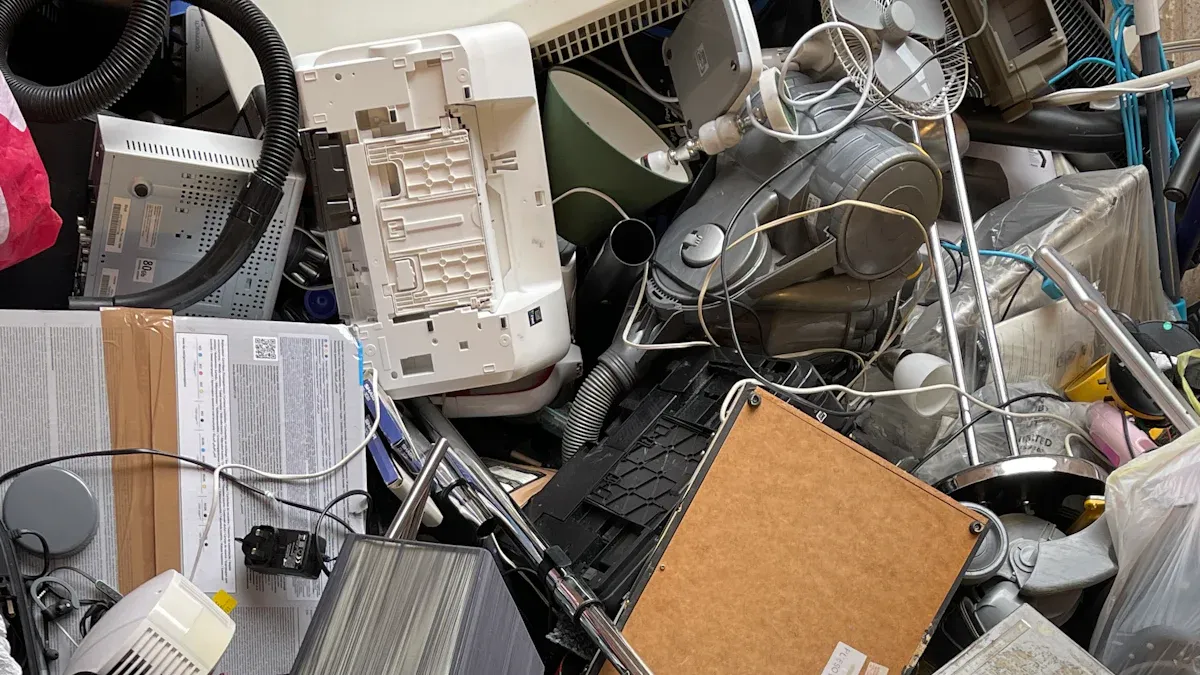
What Is a Digital Graveyard
You probably know the feeling of clicking through folders and finding old files that nobody uses anymore. These forgotten documents and broken links pile up over time. You might see abandoned project pages or outdated policy files that only add to the confusion.
Here’s what you’ll find in a digital graveyard:
- Outdated policy documents
- Broken links
- Abandoned project pages
When you try to locate important information, these cluttered spaces make your job harder. You feel frustrated and confused. This digital mess can drain your energy and lower your motivation. It’s not just annoying—it can seriously slow down your work.
Causes of Digital Clutter
Digital clutter sneaks up on you. It starts with unnecessary files, apps, and notifications that fill your devices. You might not notice at first, but soon you’re spending more time sorting through junk than actually working.
Many companies still rely on manual processes. You might lose entire workdays searching for documents or waiting for approvals. Endless email threads and scattered files make coordination slow and workloads heavier.
A survey by McKinsey shows that employees spend almost 28% of their week managing emails. Most office workers—about 64%—feel overwhelmed by the number of tools and platforms they use every day. This overload increases stress and makes it tough to stay productive.
Impact on Business Productivity
Digital clutter doesn’t just waste your time—it affects your whole team. When your workspace is organized, you’re 50% more likely to work well with others. A tidy digital environment boosts motivation for 79% of employees.
Let’s look at some numbers:
| Statistic Description | Value |
|---|---|
| Likelihood of effective teamwork in organized workspaces | 50% |
| Employees feeling more motivated in tidy workspaces | 79% |
You might spend 2 to 3 hours each day dealing with non-essential emails. About 86% of emails are useless, and 24% of your workday disappears because of them.
| Statistic Description | Value |
|---|---|
| Average time wasted on non-essential emails | 2 to 3 hours daily |
| Percentage of emails deemed 'useless' | 86% |
| Percentage of workday lost to non-essential messages | 24% |
Digital distractions can raise your anxiety levels by up to 25%. After an interruption, it takes over 23 minutes to get back on track. Companies with high digital stress see productivity drop by 21%.
| Statistic Description | Value |
|---|---|
| Increase in anxiety levels due to digital distractions | Up to 25% |
| Average time to regain focus after interruption | 23 minutes and 15 seconds |
| Decrease in productivity for companies with high digital stress | 21% |
If you want to get more done and feel less stressed, you need to clear out your digital graveyard. It’s time to move from chaos to clarity.
Introducing the Co-Work Engine
What Is a Co-Work Engine
Imagine you could tell your workspace what you want to do, and it just happens. That’s the promise of a co-work engine. You don’t need to dig through folders or bounce between apps. The co-work engine listens to your intent and connects the dots for you. It brings together your emails, documents, meetings, and tasks. You get a system that understands context and relationships, so you can focus on getting things done.
The Microsoft Copilot Cowork Engine takes this idea even further. You get AI-driven context, Work IQ, and built-in governance and security. The engine knows how your information fits together. It keeps your workspace organized and safe. You don’t have to worry about permissions or compliance. The engine handles it for you.
You move from searching to executing. The co-work engine turns your digital graveyard into a living workspace.
How Cowork Engines Differ from Traditional Tools
You might wonder how a co-work engine compares to tools you already use, like email or file storage. Traditional tools keep information in silos. You switch between apps, copy data, and lose track of context. That wastes time and energy.
Co-work engines, like claude cowork or anthropic’s new cowork preview, break down those walls. They integrate across multiple platforms and automate workflows. For example, claude cowork can access Gmail and Google Calendar to streamline tasks. You don’t need to transfer data manually. The engine manages tasks across different platforms, so you stay productive.
You get context-aware outputs. The engine understands what you need and pulls information from everywhere. You don’t have to remember where you saved a file or which app holds your meeting notes. The co-work engine brings it all together.
The Microsoft Copilot Advantage
Microsoft Copilot Cowork Engine stands out from other co-work engines. You get unique features that make your workspace smarter and safer. Here’s a quick look:
| Unique Feature | Description |
|---|---|
| Multi-agent framework | Copilot Cowork operates within M365, handling long-running tasks across Outlook, Teams, Excel, and SharePoint. |
| Task routing | It routes tasks between different AI models, using Claude for reasoning and OpenAI for speed. You get a unified interface. |
| Security compliance | Actions follow M365’s security framework. You get compliance with identity, permissions, and audit logging. |
| Observable progress | You see what the AI plans to do. You can review, change, or stop tasks. This builds trust and transparency. |
| Integration with M365 | Copilot Cowork reads and writes to core M365 apps. You get deep integration for enterprise needs. |
You also see real impact on your daily work. Copilot Cowork Engine reduces the hidden tax of switching apps. You keep your context and avoid productivity leaks. The engine lowers coordination overhead, so your team works together with less effort. It targets routine coordination work, not just content generation. You save time on repetitive tasks and focus on what matters.
You stop searching and start deciding. The co-work engine helps you move from chaos to clarity.
How the Co-Work Engine Transforms Workflows

Automated Organization
You know how messy digital workspaces can get. The co-work engine changes that. It organizes your files, emails, and tasks without you lifting a finger. You don’t have to worry about sorting folders or tagging documents. The engine does it for you, so you can focus on your work.
Smart Categorization
Imagine your workspace sorting itself. The co-work engine uses smart categorization to group files, emails, and tasks based on their content and context. You see everything in the right place. You don’t waste time searching for what you need.
Here’s how automated organization improves workflow efficiency:
| Mechanism | Description |
|---|---|
| Operational efficiency | Higher automation leads to lower operational overhead and reduced toil. |
| System resilience | Automated failure handling reduces service outage duration. |
| Resource optimization | Dynamic resource provisioning minimizes cloud waste. |
| Strategic agility | Reclaimed engineering hours allow teams to focus on innovation rather than maintenance tasks. |
You get more done with less effort. Your team spends less time on maintenance and more time on creative work.
Real-Time Updates
You don’t have to refresh or check for changes. The co-work engine keeps everything updated in real time. When someone edits a document or adds a task, you see it instantly. This means you always work with the latest information. You avoid mistakes caused by outdated files. Your team stays in sync, even when working from different locations.
Contextual Awareness with Work IQ
You want your workspace to understand what you need. Work IQ makes this possible. It acts like a memory layer for your organization. It remembers how you work, what you’ve done, and what you need next.
Work IQ is a persistent organizational memory layer within Microsoft 365. It indexes communication patterns and task histories. This gives you a deeper understanding of your company’s knowledge. The engine grounds its responses in your organization’s collective intelligence. You get smarter recommendations and faster results.
Connecting Data Points
Work IQ connects emails, documents, meetings, and tasks. It draws context from Microsoft 365 services. The engine reasons over enterprise knowledge and coordinates work across apps. You don’t have to explain everything. The engine knows how your work fits together.
- Copilot Cowork utilizes Work IQ to draw context from various Microsoft 365 services, allowing it to reason over enterprise knowledge and coordinate work across applications.
- It maintains continuity with organizational permissions and operates within Microsoft’s existing security model, ensuring sensitive actions require user approval.
Understanding Relationships
Work IQ serves as the intelligence layer that grounds Microsoft 365 Copilot in real-time, shared context. It enables personalized search and advanced reasoning. You get insights and recommendations that match your business needs. The engine connects signals across the ecosystem. You see how projects, people, and tasks relate. This helps you make better decisions and avoid confusion.
Seamless Cowork Collaboration
You want to work with others without barriers. The co-work engine makes collaboration easy and natural. You don’t have to switch apps or send endless emails. Everything happens in one place.
Shared Workspaces
You get shared workspaces where everyone can contribute. These spaces connect people from different departments and backgrounds. Modern collaboration is community-based. You work with cross-functional teams to solve challenges together. Coworking spaces foster connections among diverse professionals. You network and collaborate in ways traditional offices can’t match.
- Coworking environments create connections that traditional offices often fail to deliver.
- They promote informal mentorship, skill-sharing, and emotional support among diverse professionals.
- This cross-pollination leads to enhanced collaboration opportunities.
Integrated Communication
You don’t miss important messages or updates. The co-work engine integrates communication tools, so you chat, share files, and manage tasks in one place. You see everyone’s progress and ideas. This makes teamwork smoother and faster.
Let’s look at some of the most significant workflow changes after implementing a co-work engine:
| Workflow Change | Description |
|---|---|
| Enhanced Operational Efficiency | Streamlines processes, reducing manual tasks and improving efficiency by up to 40%. |
| Employee Support Transformation | Provides 24/7 automated help desk solutions, improving employee satisfaction and retention. |
| Cost Optimization | Reduces operational costs by 25–50% through elimination of redundant processes and errors. |
| Scalable Process Management | Adapts to growing needs, allowing scaling without increasing resources or compromising quality. |
| Real-time Decision Support | Enables faster, data-backed decision-making across all levels of the organization. |
| Enhanced Compliance | Ensures adherence to regulations and policies, reducing risks and errors. |
| Improved Customer Experience | Facilitates faster responses and personalized service, leading to higher satisfaction rates. |
| Cross-departmental Integration | Connects departments through automated processes and standardized data flow. |
| Performance Analytics | Provides insights into process efficiency and identifies areas for improvement. |
You see the difference right away. Your team works faster, makes better decisions, and delivers a better experience for customers. You break down silos and connect people across your company. Even tools like claude cowork show how powerful this approach can be.
Tip: When you use a co-work engine, you move from searching and sorting to collaborating and creating. Your digital graveyard becomes a thriving workspace.
Key Features of Copilot Cowork Engine
AI-Driven Task Execution
You want to get things done without jumping between apps or managing endless steps. Copilot Cowork Engine makes this possible. It uses AI to break down complex assignments into smaller tasks. You don’t have to worry about workflow management. The engine handles everything for you, even when you close the chat window. It keeps running and notifies you when your input is needed or when the work is finished.
Take a look at how these features work for you:
| Feature | Description |
|---|---|
| Multi-Step Task Execution | Breaks complex assignments into steps, executing each across the right Microsoft 365 app. |
| Persistent Operation | Tasks keep running after you leave, with updates sent when needed. |
| Cross-Application Fluency | Moves data and context smoothly between Word, Excel, PowerPoint, Outlook, and Teams. |
| Anthropic Claude Reasoning | Uses structured reasoning for tough business tasks, helping you make better decisions. |
| Enterprise Security and Compliance | Stays within your Microsoft 365 tenant, following admin controls and compliance policies. |
You get more done with less effort. The engine connects your work across different apps, so you can focus on results.
Workflow Automation
You probably spend too much time on repetitive tasks. Copilot Cowork Engine changes that. It automates tedious jobs like data entry and record updates. You don’t have to worry about mistakes or wasted time. The engine uses Power Shapes to streamline processes. Agent Copilot gives you real-time suggestions, making your customer interactions more accurate.
Here’s how workflow automation helps you:
- Automates repetitive tasks, lowering the risk of human error.
- Streamlines processes like data entry and record updates.
- Provides real-time knowledge suggestions for better accuracy.
- Improves operational efficiency so you can focus on important work.
You save time and avoid errors. Your team works faster and smarter.
Security and Compliance
You need to trust your workspace. Copilot Cowork Engine is secure by design. It uses enterprise-grade controls and follows Microsoft 365’s compliance framework. Your data stays safe and private. Copilot does not train on your content or share it outside your organization. Access controls connect to Microsoft Graph, respecting your permissions.
Check out these security measures:
| Security Measure | Description |
|---|---|
| Secure by Design | Built on enterprise-grade controls aligned with Microsoft 365’s compliance and governance. |
| Data Ownership | Your content stays private and is not used for training or shared outside your organization. |
| Access Control | Connects to Microsoft Graph, respecting user permissions and access controls. |
| Data Processing | All processing happens in Microsoft’s secure cloud with encryption and compliance standards. |
| Audit Logs | Detailed audit logs and controls through Microsoft Purview. |
| Compliance Standards | Meets SOC 2 and ISO 27001 standards for robust security. |
You also get extra privacy. Prompts and responses are not shared with other customers. Data is not used to train third-party products. Tenant admins must opt-in for any data sharing. Copilot integrates with Microsoft services like Dynamics 365 and Power Platform, inheriting their security and compliance policies. You can rely on features like multifactor authentication and strict compliance boundaries.
You get a cowork engine that keeps your work safe, automates your tasks, and helps you execute faster.
Integration with Business Tools
You want your workspace to feel connected. Copilot Cowork Engine makes that happen. You don’t have to worry about switching between apps or losing track of your work. The engine brings everything together inside your Microsoft 365 environment. You get a seamless experience that keeps your data safe and your workflow smooth.
Copilot Cowork Engine runs in the cloud. It operates within your Microsoft 365 tenant, so your enterprise data stays protected. You don’t need to set up extra systems or worry about compatibility. The engine fits right into your existing tools. You can use Outlook, Teams, Excel, SharePoint, and more. The engine coordinates tasks across these apps, making your work easier.
Let’s look at how Copilot Cowork Engine connects with your business tools:
| Feature | Description |
|---|---|
| Cloud-Based Operation | Runs within a customer’s Microsoft 365 tenant, ensuring enterprise data protection. |
| Integration with Work IQ | Utilizes intelligence from user emails, files, documents, meetings, and chats. |
| Coordination of Tasks | Acts as a work coordinator, planning and executing tasks across Microsoft 365 apps. |
You get more than just integration. Copilot Cowork Engine uses Work IQ to pull insights from your emails, files, meetings, and chats. It understands how your information fits together. You don’t have to explain every detail. The engine knows what you need and helps you get there faster.
Here’s what you can expect:
- Executes tasks across Microsoft 365 apps.
- Tracks progress and allows human oversight.
- Operates within existing security and compliance frameworks.
You can start a project in Teams, update a spreadsheet in Excel, and share documents in SharePoint. The engine keeps everything in sync. You see updates in real time. You don’t miss important changes or lose context. Copilot Cowork Engine acts as a coordinator. It plans and executes tasks so you can focus on results.
You stay in control. The engine tracks progress and lets you review actions. You can step in when needed. You don’t have to worry about security. Copilot Cowork Engine follows Microsoft’s compliance standards. Your data stays private and protected.
Tip: Use Copilot Cowork Engine to connect your favorite business tools. You save time, reduce errors, and boost productivity.
You get a workspace that adapts to your needs. The engine works behind the scenes, making sure your tools talk to each other. You don’t waste time on manual updates or searching for files. Copilot Cowork Engine helps you move from scattered tasks to a unified workflow. Your digital graveyard turns into a living, connected workspace.
Business Impact of a Co-Work Engine
Boosting Productivity
You want to get more done in less time. That’s what happens when you use a co-work engine. You no longer waste hours searching for files or switching between apps. The engine organizes your work, automates routine tasks, and keeps everything up to date. You can focus on important projects instead of busywork. Your team stays in sync, even if you work from different places. You see progress in real time, which helps you spot problems early and fix them fast.
Tip: When you spend less time on clutter, you have more energy for creative work and decision-making.
Unlocking Innovation
You need a space where ideas can grow. The co-work engine creates that space by breaking down barriers between teams. You can join hackathons that bring people from different departments together. These events spark new ideas and help you learn from others. You might discover a hidden skill or even step into a leadership role. The engine also supports interdisciplinary work. You could find yourself working with biologists, engineers, or business leaders—all in one place. Shared spaces encourage quick chats and unexpected partnerships. You learn from companies big and small, and you share your own knowledge too.
Here’s how the engine helps you innovate:
- You join hackathons that boost morale and spark creativity.
- You work with people from different backgrounds, which leads to fresh ideas.
- You learn new skills and find mentors in shared spaces.
- You build a culture where everyone feels excited to contribute.
Turning Clutter into Revenue
You might think your old files and unused data are just taking up space. With the right tools, you can turn that clutter into profit. Companies now sell real-time data streams, making sure they follow all the rules. When you use up-to-date information, you can make quick decisions that lead to new business. Streaming technology lets you process data as it comes in. You spot trends and act before your competitors do. What once looked like a mess becomes a source of valuable insights.
- Monetize your data by selling real-time streams.
- Use fresh data to make decisions that boost your bottom line.
- Turn messy information into actionable insights with streaming tools.
Note: Every file and data point in your workspace has the potential to create value. You just need the right engine to unlock it.
Implementing Copilot Cowork Engine
Assessing Your Digital Landscape
Before you jump into using Copilot Cowork Engine, you need to know where you stand. Take a close look at your current digital workspace. This helps you spot what works and what needs improvement. Here’s a simple way to get started:
- Start narrow, expand gradually: Pick one area, like calendar management, and see how Copilot can help. Don’t try to change everything at once.
- Measure actual productivity impact: Set some baseline numbers. Track how much time you spend on tasks now. After you use Copilot, check if you save time.
- Address permissions before deployment: Review who can access what. Make sure Copilot only sees what it should. This keeps your data safe.
- Train for effective delegation: Teach your team how to ask Copilot for help. The better your requests, the better the results.
- Plan for the hybrid future: Think about how Copilot fits with other AI tools you use. Build a strategy that works for both in-office and remote teams.
Tip: Start small and measure your progress. You’ll see quick wins and build confidence as you go.
Onboarding and Adoption
Getting your team comfortable with Copilot Cowork Engine makes all the difference. You want everyone to feel ready and excited to use the new tools. Here are some ways to make onboarding smooth:
- Tailor the onboarding process to fit your company’s size and experience.
- Use structured guides and checklists to walk teams through each step.
- Show how AI can make daily tasks easier and faster.
- Run Copilot boot camps or training sessions to build confidence.
- Encourage leaders to join in and share their experiences.
- Use social platforms to keep everyone connected and informed.
- Build a sense of community so people can ask questions and share tips.
When you focus on building confidence first, your team will feel ready to try new things. Remember, success depends more on how prepared your team is than how big your company is.
Best Practices for Success
You want to get the most out of Copilot Cowork Engine. Follow these best practices to set yourself up for success:
- Define clear use cases. Decide if you’ll use Copilot for coding, documentation, or automating tasks.
- Give Copilot clear prompts and set boundaries for what you want it to do.
- Always check the results before you use them in your work.
- Connect Copilot with your favorite collaboration tools for a seamless workflow.
- Keep an eye on performance. Review metrics often to see what’s working and what needs tweaking.
Note: When you follow these steps, you’ll see better results and more value from your investment.
With the right approach, you can turn your digital graveyard into a thriving, productive workspace. Start small, support your team, and keep improving as you go.
Overcoming Challenges
Change Management
You might feel nervous when your company introduces a new tool like Copilot Cowork Engine. Change can seem overwhelming. You want your team to feel confident and ready. Start by sharing clear goals. Explain why you’re making the switch and how it will help everyone. Give your team time to ask questions. Offer training sessions and hands-on practice. Encourage leaders to show how they use Copilot in their daily work. When you build trust and excitement, your team adapts faster.
Here are some ways to make change easier:
- Set clear expectations for each phase of adoption.
- Celebrate small wins and progress.
- Create a feedback loop so everyone can share ideas or concerns.
- Assign champions who help others learn and troubleshoot.
Tip: Change feels less scary when you break it into small steps and keep communication open.
Ensuring Data Security
You care about keeping your company’s information safe. Copilot Cowork Engine uses strong security measures to protect your data. Microsoft encrypts your files both when stored and during transit. You get a permissions model that makes sure only the right people see sensitive information. The system follows privacy laws like GDPR and meets standards such as ISO/IEC 27018. Microsoft Purview helps you manage data retention and compliance.
Take a look at these security practices:
| Security Practice | Description |
|---|---|
| Data Encryption | Data is encrypted while stored and during transit, ensuring confidentiality and integrity. |
| Permissions Model | Ensures that users only access data they are authorized to see, preventing data leaks. |
| Compliance | Adheres to privacy laws like GDPR and standards such as ISO/IEC 27018, reinforcing protection. |
| Microsoft Purview | Used for managing data retention policies and compliance, crucial for maintaining security. |
You also benefit from logical isolation of your content within each tenant. Microsoft uses a multi-layered encryption strategy. Role-based access control helps manage permissions. These features keep your information private and secure.
Note: You can trust Copilot Cowork Engine to protect your data while you focus on your work.
Measuring ROI
You want to know if Copilot Cowork Engine delivers real value. Start by understanding your baseline performance. Track how much time your team spends on tasks before and after deployment. Calculate efficiency gains by counting hours saved. Focus on the overall impact, not just dollar values.
Here’s how you can measure ROI:
- Assign a single executive owner for each AI project’s business outcomes.
- Make sure this person is responsible for the ROI number and has decision-making authority.
- Connect technical teams to business reality to drive adoption and measurable results.
- Establish clear KPIs owned by specific individuals to avoid responsibility gaps.
- Prioritize business impact discussions over technical metrics.
- Focus on adoption and workflow changes to improve ROI.
When you measure ROI, look for improvements in productivity, teamwork, and decision-making speed. You’ll see the benefits grow as your team gets comfortable with Copilot Cowork Engine.
You can turn your digital graveyard into a productive workspace with Microsoft Copilot Cowork Engine. You get automated workflows, structured plans, and real-time context from your favorite Microsoft 365 apps. Copilot handles calendar conflicts, prepares meeting briefs, and keeps your data secure. Ready to boost your productivity?
- Install Copilot Cowork agent
- Try organizing calendars and prepping meetings
- Let AI handle planning and execution for you
Take the next step toward a more organized and efficient digital future.
FAQ
How does Copilot Cowork Engine help me find files faster?
You just tell Copilot what you need. It understands your intent and pulls the right files, emails, or notes. No more digging through folders or searching with keywords.
Is my data safe with Copilot Cowork Engine?
Yes, your data stays protected. Copilot follows Microsoft’s strict security and compliance standards. Only people with permission can access your information.
Can I use Copilot Cowork Engine with my current Microsoft 365 apps?
Absolutely! Copilot works inside Outlook, Teams, Excel, SharePoint, and more. You don’t need to switch tools. Everything connects in one workspace.
Will Copilot Cowork Engine work for remote teams?
Yes, it’s perfect for remote or hybrid teams. Everyone sees real-time updates and can collaborate from anywhere. You stay connected and productive.
What is Work IQ and why does it matter?
Work IQ is Copilot’s intelligence layer. It understands how your emails, meetings, and documents connect. You get smarter suggestions and faster results.
How do I get started with Copilot Cowork Engine?
Start small. Pick one workflow, like calendar management. Try Copilot for that task. Track your time savings and expand from there.
Does Copilot Cowork Engine automate my tasks?
Yes! Copilot handles repetitive jobs like scheduling, data entry, and updates. You focus on important work while Copilot takes care of the rest.
Tip: If you ever get stuck, ask Copilot for help. It’s there to support you every step of the way.
🚀 Want to be part of m365.fm?
Then stop just listening… and start showing up.
👉 Connect with me on LinkedIn and let’s make something happen:
- 🎙️ Be a podcast guest and share your story
- 🎧 Host your own episode (yes, seriously)
- 💡 Pitch topics the community actually wants to hear
- 🌍 Build your personal brand in the Microsoft 365 space
This isn’t just a podcast — it’s a platform for people who take action.
🔥 Most people wait. The best ones don’t.
👉 Connect with me on LinkedIn and send me a message:
"I want in"
Let’s build something awesome 👊
1
00:00:00,000 --> 00:00:01,960
Search is not a tool, it is a symptom.
2
00:00:01,960 --> 00:00:04,740
If you start your morning by typing keywords into a search bar,
3
00:00:04,740 --> 00:00:06,520
your system has already failed you.
4
00:00:06,520 --> 00:00:09,720
We have spent the last 30 years meticulously building digital graveyards
5
00:00:09,720 --> 00:00:12,480
and while we call them document libraries or shared drives,
6
00:00:12,480 --> 00:00:16,280
they are actually high-density storage facilities for dead data.
7
00:00:16,280 --> 00:00:19,960
The burden of discovery in these systems is placed entirely on the human employee.
8
00:00:19,960 --> 00:00:22,940
You are the one who has to remember that the contract was saved in a folder named
9
00:00:22,940 --> 00:00:26,960
Archive 2023 and you are the one who has to distinguish between Final V2
10
00:00:26,960 --> 00:00:29,280
and Final V2 revised internal.
11
00:00:29,280 --> 00:00:33,640
When this is the reality of the old model and it is costing you more than you realize.
12
00:00:33,640 --> 00:00:35,160
Think about the 9.5X gap.
13
00:00:35,160 --> 00:00:38,360
When you go home and use Google, you find what you need in seconds
14
00:00:38,360 --> 00:00:42,240
because the success rate for a consumer search is roughly 95%.
15
00:00:42,240 --> 00:00:44,680
But when you walk into the office and try to find a specific clause
16
00:00:44,680 --> 00:00:46,600
in a vendor agreement on SharePoint,
17
00:00:46,600 --> 00:00:50,080
that success rate craters to 10%, that is a massive structural failure.
18
00:00:50,080 --> 00:00:53,920
It takes the average knowledge worker 20 minutes to find and validate a single document
19
00:00:53,920 --> 00:00:55,720
that should have been on their desk in two.
20
00:00:55,720 --> 00:00:57,120
This is the hidden search tags.
21
00:00:57,120 --> 00:01:01,840
Every second your team spends hunting for a file is a second stolen from actual decision making.
22
00:01:01,840 --> 00:01:04,880
If an analyst spends two hours a day navigating folders,
23
00:01:04,880 --> 00:01:07,240
they aren't analyzing, they are just filing.
24
00:01:07,240 --> 00:01:11,280
In a world moving at the speed of generative AI, this friction is terminal.
25
00:01:11,280 --> 00:01:16,400
By 2026, the companies that still rely on a search bar to start their work will simply lose.
26
00:01:16,400 --> 00:01:20,680
You cannot compete with a generative workspace if your primary interface is a scavenger hunt.
27
00:01:20,680 --> 00:01:22,800
The search tags manifest in three ways.
28
00:01:22,800 --> 00:01:24,400
First, there is the direct labor cost.
29
00:01:24,400 --> 00:01:27,520
If you have 5,000 employees losing 10 minutes a day to search,
30
00:01:27,520 --> 00:01:32,000
you are losing 20,000 hours a year, which is the equivalent of four full-time people doing nothing,
31
00:01:32,000 --> 00:01:34,560
but looking for things that already exist.
32
00:01:34,560 --> 00:01:36,480
Second, there is the interrupt culture.
33
00:01:36,480 --> 00:01:40,120
Surveys show that 81% of workers rely on bothering a colleague
34
00:01:40,120 --> 00:01:42,440
because they cannot find information themselves.
35
00:01:42,440 --> 00:01:45,120
Now you are taxing two people for one piece of data.
36
00:01:45,120 --> 00:01:46,600
Finally, there is the risk.
37
00:01:46,600 --> 00:01:49,560
When people cannot find the final version, they guess.
38
00:01:49,560 --> 00:01:51,720
They use the wrong pricing, they sign the wrong terms,
39
00:01:51,720 --> 00:01:53,240
and they operate on fragments.
40
00:01:53,240 --> 00:01:55,880
We have to admit that our current architecture is broken.
41
00:01:55,880 --> 00:01:58,800
We built hierarchies for a world where people had time to go looking,
42
00:01:58,800 --> 00:02:01,200
but today, work does not start with navigation.
43
00:02:01,200 --> 00:02:02,760
It starts with context.
44
00:02:02,760 --> 00:02:06,520
If your AI strategy is just putting a chat window on top of a mess,
45
00:02:06,520 --> 00:02:08,320
you are just making the mess faster.
46
00:02:08,320 --> 00:02:11,360
You are not solving the problem, you are just automating the friction.
47
00:02:11,360 --> 00:02:14,120
To fix this, we have to move beyond the search bar entirely.
48
00:02:14,120 --> 00:02:16,640
We need a system that assembles the context for us.
49
00:02:16,640 --> 00:02:20,160
From assistant to architect, defining the co-work engine.
50
00:02:20,160 --> 00:02:23,360
Most organizations are treating co-pilot like a chatty intern.
51
00:02:23,360 --> 00:02:26,800
They open a window and ask it to find a file or summarize an email.
52
00:02:26,800 --> 00:02:28,000
That is the assistant model.
53
00:02:28,000 --> 00:02:28,720
It is reactive.
54
00:02:28,720 --> 00:02:31,560
It waits for you to tell it exactly where to look and what to do.
55
00:02:31,560 --> 00:02:33,680
But if you want to eliminate the search tags,
56
00:02:33,680 --> 00:02:37,880
you have to shift from conversational assistance to autonomous execution.
57
00:02:37,880 --> 00:02:41,160
You have to stop building assistants and start building a co-work engine.
58
00:02:41,160 --> 00:02:45,840
The co-work engine is a fundamental re-engineering of how data moves through your business.
59
00:02:45,840 --> 00:02:47,760
It is not a chatbot sitting on the sidelines.
60
00:02:47,760 --> 00:02:50,240
It is an architect sitting at the center of your workflow.
61
00:02:50,240 --> 00:02:51,960
The engine does not just see files.
62
00:02:51,960 --> 00:02:53,720
It sees the relationships between them.
63
00:02:53,720 --> 00:02:56,240
This is powered by a layer we call "work IQ".
64
00:02:56,240 --> 00:02:58,000
While standard search looks for keywords,
65
00:02:58,000 --> 00:03:01,440
"Work IQ tracks the digital exhaust of your entire organization."
66
00:03:01,440 --> 00:03:04,240
It understands that a specific email thread from Tuesday
67
00:03:04,240 --> 00:03:07,040
is directly related to the PowerPoint deck you are building today
68
00:03:07,040 --> 00:03:08,880
and the meeting you have scheduled for tomorrow.
69
00:03:08,880 --> 00:03:10,840
It connects the dots so you don't have to.
70
00:03:10,840 --> 00:03:13,280
This requires multi-model orchestration.
71
00:03:13,280 --> 00:03:15,880
The co-work engine does not rely on a single brain,
72
00:03:15,880 --> 00:03:19,360
because it understands that different tasks require different levels of reasoning.
73
00:03:19,360 --> 00:03:22,200
It might use GPT-5 for high-level logic and planning,
74
00:03:22,200 --> 00:03:26,840
but then switch to a clawed model for handling messy, unstructured data or long-form documents.
75
00:03:26,840 --> 00:03:30,240
It roots the work to the most efficient model for the specific sub-task.
76
00:03:30,240 --> 00:03:33,240
This is how you achieve a 13% jump in research quality
77
00:03:33,240 --> 00:03:34,720
compared to single-model systems.
78
00:03:34,720 --> 00:03:37,880
The engine is smart enough to know which tool is right for the job.
79
00:03:37,880 --> 00:03:40,000
The output of a co-work engine is also different.
80
00:03:40,000 --> 00:03:41,880
An assistant gives you a chat response,
81
00:03:41,880 --> 00:03:43,600
but a co-work engine gives you an artifact.
82
00:03:43,600 --> 00:03:47,480
When you give the engine an intent, like, prepare the quarterly audit pack,
83
00:03:47,480 --> 00:03:48,920
it does not just talk about it.
84
00:03:48,920 --> 00:03:50,680
It goes into the background and executes,
85
00:03:50,680 --> 00:03:52,240
it pulls the contracts from SharePoint,
86
00:03:52,240 --> 00:03:55,720
it grabs the latest pricing from the ERP via Graph Connectors,
87
00:03:55,720 --> 00:03:58,320
and it synthesizes the risk assessments from teams.
88
00:03:58,320 --> 00:04:01,840
Then it saves a decision-ready pack directly into your infrastructure.
89
00:04:01,840 --> 00:04:03,800
It creates a co-work folder in your one drive
90
00:04:03,800 --> 00:04:06,000
that contains the briefing, the spreadsheet, and the deck.
91
00:04:06,000 --> 00:04:08,760
This is the shift from chatting about work to doing work.
92
00:04:08,760 --> 00:04:10,720
The engine handles the long horizon tasks
93
00:04:10,720 --> 00:04:13,520
that usually keep your team in the office until 8 p.m.
94
00:04:13,520 --> 00:04:15,960
It runs in the background for minutes or hours,
95
00:04:15,960 --> 00:04:17,920
providing visible progress updates,
96
00:04:17,920 --> 00:04:20,720
and asking for checkpoints when it hits a high-risk decision.
97
00:04:20,720 --> 00:04:23,200
You are no longer the one doing the hunting and gathering,
98
00:04:23,200 --> 00:04:25,240
you are the architect overseeing the execution.
99
00:04:25,240 --> 00:04:28,280
To make this work, we have to stop treating all data as equal.
100
00:04:28,280 --> 00:04:31,400
Your co-work engine is only as good as the context you feed it.
101
00:04:31,400 --> 00:04:34,000
If you point a high-performance engine at a data dumpster,
102
00:04:34,000 --> 00:04:36,760
you will get a very expensive, very fast dumpster file.
103
00:04:36,760 --> 00:04:38,360
We need a curated context layer
104
00:04:38,360 --> 00:04:42,600
that separates the authoritative truth from the noise of final V2 old.
105
00:04:42,600 --> 00:04:44,200
We need to move from a graveyard of files
106
00:04:44,200 --> 00:04:46,360
to a live conversational engine that understands
107
00:04:46,360 --> 00:04:47,720
the intent behind the request.
108
00:04:47,720 --> 00:04:49,360
This is the only way to scale.
109
00:04:49,360 --> 00:04:51,800
This is how you stop searching and start deciding.
110
00:04:51,800 --> 00:04:54,040
Layer one, the structured context model.
111
00:04:54,040 --> 00:04:56,600
You cannot point a high-performance engine at a dumpster
112
00:04:56,600 --> 00:04:58,160
and expect it to produce a diamond.
113
00:04:58,160 --> 00:05:01,520
This is the first mistake organizations make when they deploy AI.
114
00:05:01,520 --> 00:05:04,200
The assumption is that if you just give co-pilot access
115
00:05:04,200 --> 00:05:06,440
to everything, it will magically find the truth.
116
00:05:06,440 --> 00:05:08,720
But in reality, that approach does the opposite.
117
00:05:08,720 --> 00:05:10,920
It dilutes the intelligence of the system.
118
00:05:10,920 --> 00:05:13,040
If your engine is scanning 10,000 documents
119
00:05:13,040 --> 00:05:16,360
to find one answer and 9,000 of those files are outdated drafts,
120
00:05:16,360 --> 00:05:17,760
the model is going to hallucinate.
121
00:05:17,760 --> 00:05:20,360
It is going to give you the pricing from 2022,
122
00:05:20,360 --> 00:05:22,440
because that file happened to have more keywords
123
00:05:22,440 --> 00:05:24,520
than the actual contract you signed last week.
124
00:05:24,520 --> 00:05:27,640
To eliminate the search text, you have to build a curated context layer.
125
00:05:27,640 --> 00:05:29,160
This is not about more storage.
126
00:05:29,160 --> 00:05:31,760
It is about authority.
127
00:05:31,760 --> 00:05:34,480
Your co-work engine needs to know exactly which sources
128
00:05:34,480 --> 00:05:36,560
are the golden records of your business.
129
00:05:36,560 --> 00:05:39,880
We have to move away from the all you can eat data model,
130
00:05:39,880 --> 00:05:42,160
because in this new architecture, we explicitly
131
00:05:42,160 --> 00:05:45,640
define what is an authoritative source and what is just noise.
132
00:05:45,640 --> 00:05:49,040
Your final V2 revised documents are literally poisoning
133
00:05:49,040 --> 00:05:52,200
the reasoning of your AI, and they act like background radiation
134
00:05:52,200 --> 00:05:54,680
that makes it harder for the engine to see the signal.
135
00:05:54,680 --> 00:05:56,880
The structured context model replaces this mess
136
00:05:56,880 --> 00:05:58,440
with a clean telemetry feed.
137
00:05:58,440 --> 00:06:00,840
We start by identifying the high value repositories.
138
00:06:00,840 --> 00:06:03,600
These are the sharepoint sites that are locked down, managed,
139
00:06:03,600 --> 00:06:04,320
and verified.
140
00:06:04,320 --> 00:06:06,760
But we go deeper than just PDFs and word docs.
141
00:06:06,760 --> 00:06:09,320
A true co-work engine integrates with Microsoft fabric
142
00:06:09,320 --> 00:06:11,640
to pull in live business data, and it connects
143
00:06:11,640 --> 00:06:15,480
to your structured databases and ERP systems to ensure accuracy.
144
00:06:15,480 --> 00:06:18,080
This means when you ask the engine for a status update,
145
00:06:18,080 --> 00:06:20,000
it isn't just reading a static report
146
00:06:20,000 --> 00:06:21,040
someone wrote a month ago.
147
00:06:21,040 --> 00:06:23,360
It is looking at the live telemetry of your operations.
148
00:06:23,360 --> 00:06:25,080
It sees the real-time sales figures.
149
00:06:25,080 --> 00:06:26,640
It sees the current inventory levels.
150
00:06:26,640 --> 00:06:29,480
This is where graph connectors become the secret weapon.
151
00:06:29,480 --> 00:06:32,560
Most of your context lives outside of Microsoft 365.
152
00:06:32,560 --> 00:06:36,640
It is sitting in Salesforce or Gira or a proprietary SQL database.
153
00:06:36,640 --> 00:06:38,560
Traditionally, you had to leave your workflow,
154
00:06:38,560 --> 00:06:41,440
open a new tab, search that system, and then manually
155
00:06:41,440 --> 00:06:42,400
copy the data back.
156
00:06:42,400 --> 00:06:44,360
The co-work engine eliminates that hop.
157
00:06:44,360 --> 00:06:47,200
By using graph connectors, we bring those external signals
158
00:06:47,200 --> 00:06:50,240
directly into the corporate brain without moving the data
159
00:06:50,240 --> 00:06:51,960
or leaving the security boundary.
160
00:06:51,960 --> 00:06:54,600
The engine simply reaches out, pulls the specific context
161
00:06:54,600 --> 00:06:56,640
it needs for the task at hand, and weaves it
162
00:06:56,640 --> 00:06:57,920
into the final artifact.
163
00:06:57,920 --> 00:06:59,040
The goal here is simple.
164
00:06:59,040 --> 00:07:02,120
The system assembles the context, so you never have to look for it.
165
00:07:02,120 --> 00:07:03,960
Imagine a world where you don't start a project
166
00:07:03,960 --> 00:07:07,040
by asking where the latest version of the project plan is hiding.
167
00:07:07,040 --> 00:07:09,760
Instead, you open your workspace and the project plan
168
00:07:09,760 --> 00:07:12,080
is already there, updated with the latest notes
169
00:07:12,080 --> 00:07:14,200
from this morning's Teams call and the adjusted budget
170
00:07:14,200 --> 00:07:15,640
from the finance system.
171
00:07:15,640 --> 00:07:18,600
The engine has already done the hunting and gathering for you.
172
00:07:18,600 --> 00:07:21,320
It has filtered out the 500 irrelevant emails
173
00:07:21,320 --> 00:07:24,120
and focused only on the three that actually changed the scope.
174
00:07:24,120 --> 00:07:25,840
This is the shift from a graveyard of data
175
00:07:25,840 --> 00:07:27,280
to a living infrastructure.
176
00:07:27,280 --> 00:07:29,160
We are no longer treating SharePoint as a place
177
00:07:29,160 --> 00:07:30,240
where files go to die.
178
00:07:30,240 --> 00:07:32,960
We are treating it as a structured input for a reasoning engine.
179
00:07:32,960 --> 00:07:35,240
When you curate this layer, you aren't just cleaning up
180
00:07:35,240 --> 00:07:36,040
your folders.
181
00:07:36,040 --> 00:07:38,640
You are building the foundation for autonomous work.
182
00:07:38,640 --> 00:07:40,840
You are creating a map that the engine can follow
183
00:07:40,840 --> 00:07:43,640
to execute complex tasks with total precision.
184
00:07:43,640 --> 00:07:45,720
Once the context is structured, the engine stops guessing
185
00:07:45,720 --> 00:07:46,560
and starts acting.
186
00:07:46,560 --> 00:07:48,920
That is where the real power begins.
187
00:07:48,920 --> 00:07:49,760
Layer 2.
188
00:07:49,760 --> 00:07:51,120
Governance by design.
189
00:07:51,120 --> 00:07:53,480
A powerful engine is dangerous without a steering wheel.
190
00:07:53,480 --> 00:07:55,920
If your Cogorg engine isn't compliant on day one,
191
00:07:55,920 --> 00:07:58,400
it simply won't exist on day 30.
192
00:07:58,400 --> 00:08:00,880
Most IT leaders fear the black box of AI
193
00:08:00,880 --> 00:08:03,680
because they assume automation means losing control.
194
00:08:03,680 --> 00:08:05,200
But in this architecture, governance
195
00:08:05,200 --> 00:08:07,720
isn't a restrictive wall you hit at the end of the project.
196
00:08:07,720 --> 00:08:10,120
It is the set of tracks the engine runs on.
197
00:08:10,120 --> 00:08:11,680
We are moving away from the old world
198
00:08:11,680 --> 00:08:14,800
where security was a manual audit performed every six months.
199
00:08:14,800 --> 00:08:16,920
In the agentic era, governance is baked
200
00:08:16,920 --> 00:08:18,840
into the very logic of the execution.
201
00:08:18,840 --> 00:08:21,160
This starts with the realization that permissions
202
00:08:21,160 --> 00:08:23,760
are the primary source of truth for the engine.
203
00:08:23,760 --> 00:08:26,920
We use EntraID to ensure that the AI's eyes are exactly
204
00:08:26,920 --> 00:08:28,640
as limited as the human's eyes.
205
00:08:28,640 --> 00:08:31,080
If a junior analyst shouldn't see the CEO's compensation
206
00:08:31,080 --> 00:08:33,680
file, the co-work engine physically cannot retrieve it
207
00:08:33,680 --> 00:08:34,560
to build a report.
208
00:08:34,560 --> 00:08:35,840
We aren't just setting rules.
209
00:08:35,840 --> 00:08:38,120
We are defining the boundaries of the engine's world.
210
00:08:38,120 --> 00:08:40,040
This is why the oversharing problem in SharePoint
211
00:08:40,040 --> 00:08:42,200
is the biggest threat to your AI strategy.
212
00:08:42,200 --> 00:08:43,880
The engine will find what is available.
213
00:08:43,880 --> 00:08:45,320
If your permissions are loose, your engine
214
00:08:45,320 --> 00:08:47,480
will inadvertently expose secrets.
215
00:08:47,480 --> 00:08:49,520
We solve this by making sensitivity labels
216
00:08:49,520 --> 00:08:51,160
and Microsoft purview integration
217
00:08:51,160 --> 00:08:52,760
the core of the workflow.
218
00:08:52,760 --> 00:08:55,120
When the co-work engine assembles an artifact,
219
00:08:55,120 --> 00:08:58,000
it doesn't just pull text, it pulls the metadata.
220
00:08:58,000 --> 00:08:59,960
If it grabs a paragraph from a document labeled,
221
00:08:59,960 --> 00:09:02,960
highly confidential, the output it generates automatically
222
00:09:02,960 --> 00:09:04,360
inherits that same label.
223
00:09:04,360 --> 00:09:06,960
The security follows the data as it is transformed.
224
00:09:06,960 --> 00:09:09,560
This prevents the classic data laundering scenario
225
00:09:09,560 --> 00:09:11,240
where an AI takes sensitive information
226
00:09:11,240 --> 00:09:14,080
and spits it out into a clean, unlabeled document.
227
00:09:14,080 --> 00:09:16,120
The engine understands the weight of the information
228
00:09:16,120 --> 00:09:17,040
it is handling.
229
00:09:17,040 --> 00:09:19,440
It respects the access boundaries you've already built,
230
00:09:19,440 --> 00:09:21,440
which turns your existing compliance framework
231
00:09:21,440 --> 00:09:23,160
into an active defense system.
232
00:09:23,160 --> 00:09:25,160
Retention is also handled as a primary feature
233
00:09:25,160 --> 00:09:26,560
rather than a cleanup task.
234
00:09:26,560 --> 00:09:29,440
When the engine creates an audit pack or a project briefing,
235
00:09:29,440 --> 00:09:31,680
those artifacts aren't just floating in digital space.
236
00:09:31,680 --> 00:09:34,040
They are tied to your corporate record-keeping policies
237
00:09:34,040 --> 00:09:35,720
from the moment of creation.
238
00:09:35,720 --> 00:09:38,000
If your legal department requires all vendor-related
239
00:09:38,000 --> 00:09:40,160
communications to be held for seven years,
240
00:09:40,160 --> 00:09:42,960
the engine ensures the generated output is tagged
241
00:09:42,960 --> 00:09:46,000
and stored in a location that satisfies that requirement.
242
00:09:46,000 --> 00:09:48,800
It manages the life cycle of the work it produces.
243
00:09:48,800 --> 00:09:51,680
This means you aren't creating a new pile of AI trash
244
00:09:51,680 --> 00:09:54,080
that your compliance team has to sift through later.
245
00:09:54,080 --> 00:09:56,000
You are building a self-regulating system
246
00:09:56,000 --> 00:09:58,200
that understands its own expiration date.
247
00:09:58,200 --> 00:10:01,440
Finally, we have the requirement for total source traceability.
248
00:10:01,440 --> 00:10:03,480
In a high stakes business environment,
249
00:10:03,480 --> 00:10:06,440
the AI set-so is never an acceptable answer.
250
00:10:06,440 --> 00:10:08,240
Every claim the co-work engine makes
251
00:10:08,240 --> 00:10:09,960
must have a digital breadcrumb leading
252
00:10:09,960 --> 00:10:11,440
back to the source of truth.
253
00:10:11,440 --> 00:10:13,800
When the engine produces a summary of a contract,
254
00:10:13,800 --> 00:10:15,840
every bullet point should be hyperlinked
255
00:10:15,840 --> 00:10:18,920
to the specific page and paragraph of the original PDF.
256
00:10:18,920 --> 00:10:20,800
This allows for rapid human verification.
257
00:10:20,800 --> 00:10:22,400
You aren't just trusting the output.
258
00:10:22,400 --> 00:10:24,560
You are auditing the process in real time.
259
00:10:24,560 --> 00:10:26,360
If there is a discrepancy, you can see exactly
260
00:10:26,360 --> 00:10:28,800
which document the engine relied on and why.
261
00:10:28,800 --> 00:10:30,960
This transparency is what builds the trust necessary
262
00:10:30,960 --> 00:10:33,800
for true delegation. Without it, you are just guessing.
263
00:10:33,800 --> 00:10:35,320
With it, you have an auditable trail
264
00:10:35,320 --> 00:10:37,320
of every decision and action the system takes.
265
00:10:37,320 --> 00:10:39,480
This is the only way to move from a playground pilot
266
00:10:39,480 --> 00:10:43,400
to a regulated enterprise grade production environment.
267
00:10:43,400 --> 00:10:46,000
The blueprint in action, the audit pack workflow.
268
00:10:46,000 --> 00:10:47,720
To understand how these layers consolidate
269
00:10:47,720 --> 00:10:49,160
into a single operational force,
270
00:10:49,160 --> 00:10:50,880
we need to move away from the abstract
271
00:10:50,880 --> 00:10:53,720
and look at how these functions in a high-stakes situation.
272
00:10:53,720 --> 00:10:55,400
Imagine you are a compliance officer
273
00:10:55,400 --> 00:10:57,560
at a multinational firm on a Friday afternoon
274
00:10:57,560 --> 00:10:59,760
when you suddenly receive a snap audit notice.
275
00:10:59,760 --> 00:11:02,840
The regulators require a validated pack of every contract,
276
00:11:02,840 --> 00:11:05,800
email and team's chat related to a specific vendor
277
00:11:05,800 --> 00:11:07,360
from the last 18 months.
278
00:11:07,360 --> 00:11:08,680
They aren't just looking for files
279
00:11:08,680 --> 00:11:10,160
because they want the full narrative
280
00:11:10,160 --> 00:11:12,440
of that relationship to see what was promised,
281
00:11:12,440 --> 00:11:14,720
what changed and what was actually delivered.
282
00:11:14,720 --> 00:11:16,480
In the old model, this is the exact moment
283
00:11:16,480 --> 00:11:17,800
where the panic sets in.
284
00:11:17,800 --> 00:11:19,400
You would likely assign three people
285
00:11:19,400 --> 00:11:22,320
to spend the next 40 hours on a hunting and gathering mission
286
00:11:22,320 --> 00:11:25,400
that starts with searching SharePoint for the master agreement.
287
00:11:25,400 --> 00:11:28,000
Then they would move to Outlook to find specific threads
288
00:11:28,000 --> 00:11:29,400
where pricing was renegotiated
289
00:11:29,400 --> 00:11:30,960
and finally they dig through teams
290
00:11:30,960 --> 00:11:33,720
to find informal approvals hidden inside channels.
291
00:11:33,720 --> 00:11:35,480
They are traversing siloed systems
292
00:11:35,480 --> 00:11:37,840
and manually downloading files to stitch them together
293
00:11:37,840 --> 00:11:39,200
into a coherent PDF,
294
00:11:39,200 --> 00:11:41,240
which is the very definition of the search tags.
295
00:11:41,240 --> 00:11:44,600
It is slow, prone to human error and incredibly expensive.
296
00:11:44,600 --> 00:11:47,360
Now let's watch how the co-work engine handles the same request.
297
00:11:47,360 --> 00:11:48,960
You don't start by searching,
298
00:11:48,960 --> 00:11:51,240
but instead you start by providing the intent.
299
00:11:51,240 --> 00:11:53,160
You type a single instruction into the interface
300
00:11:53,160 --> 00:11:54,720
to build a validated audit pack
301
00:11:54,720 --> 00:11:56,920
for Vendor X covering all communications
302
00:11:56,920 --> 00:12:00,040
and legal agreements from January 2024 to today.
303
00:12:00,040 --> 00:12:01,760
That is the only prompt you give.
304
00:12:01,760 --> 00:12:03,560
And from there, the engine takes over
305
00:12:03,560 --> 00:12:06,360
while you watch the orchestration happen in the progress pane.
306
00:12:06,360 --> 00:12:07,960
It doesn't just run a keyword search,
307
00:12:07,960 --> 00:12:10,640
but instead it builds a multi-step execution plan
308
00:12:10,640 --> 00:12:11,880
to get the job done.
309
00:12:11,880 --> 00:12:13,640
First, the engine reaches into SharePoint
310
00:12:13,640 --> 00:12:15,400
to pull the authoritative contract.
311
00:12:15,400 --> 00:12:18,280
It identifies the version that has the signed metadata tag
312
00:12:18,280 --> 00:12:19,880
and ignores the dozens of drafts
313
00:12:19,880 --> 00:12:21,360
that usually clutter the results.
314
00:12:21,360 --> 00:12:23,160
Next, it switches to the Outlook skill
315
00:12:23,160 --> 00:12:24,800
to scan your work IQ signals
316
00:12:24,800 --> 00:12:26,640
and identify every email thread
317
00:12:26,640 --> 00:12:28,080
where that Vendor has mentioned.
318
00:12:28,080 --> 00:12:29,280
It doesn't just look for the name,
319
00:12:29,280 --> 00:12:31,240
but it looks for the context of the audit
320
00:12:31,240 --> 00:12:32,800
to filter out marketing spam
321
00:12:32,800 --> 00:12:34,640
and focus on the pricing disputes.
322
00:12:34,640 --> 00:12:37,920
Then it pivots to teams to retrieve the specific chat history
323
00:12:37,920 --> 00:12:40,680
where the project lead gave the green light on a scope change.
324
00:12:40,680 --> 00:12:43,360
While this is happening, you aren't stuck at your desk.
325
00:12:43,360 --> 00:12:45,000
You can leave the app, take a meeting,
326
00:12:45,000 --> 00:12:46,520
or go home because the engine is running
327
00:12:46,520 --> 00:12:48,800
in a protected sandboxed cloud environment
328
00:12:48,800 --> 00:12:50,520
because it uses multi-model orchestration.
329
00:12:50,520 --> 00:12:53,240
It might use one model to summarize the legal clauses
330
00:12:53,240 --> 00:12:55,120
and another to categorize thousands of emails
331
00:12:55,120 --> 00:12:56,520
into a logical table.
332
00:12:56,520 --> 00:12:58,480
Every few minutes, it might ping you with a checkpoint
333
00:12:58,480 --> 00:13:00,840
to ask if it should include a conflicting pricing agreement
334
00:13:00,840 --> 00:13:02,320
found in a March email.
335
00:13:02,320 --> 00:13:03,720
You provide a one-word answer
336
00:13:03,720 --> 00:13:05,400
and the engine continues its work.
337
00:13:05,400 --> 00:13:07,080
The result isn't a list of search results,
338
00:13:07,080 --> 00:13:08,520
but an actual artifact.
339
00:13:08,520 --> 00:13:11,000
Within minutes, the engine produces a timestamped audit
340
00:13:11,000 --> 00:13:12,960
pack saved directly to your one drive
341
00:13:12,960 --> 00:13:15,760
that includes a cover memo, a financial transaction sheet,
342
00:13:15,760 --> 00:13:17,720
and a consolidated PDF.
343
00:13:17,720 --> 00:13:20,640
Most importantly, every single claim in that memo
344
00:13:20,640 --> 00:13:22,520
is hyperlinked back to the original source
345
00:13:22,520 --> 00:13:23,760
so you can click a bullet point
346
00:13:23,760 --> 00:13:25,800
and immediately see the email it came from.
347
00:13:25,800 --> 00:13:29,080
What used to take a team 40 hours now takes a machine 10 minutes,
348
00:13:29,080 --> 00:13:31,080
which means you have moved from being a librarian
349
00:13:31,080 --> 00:13:32,200
to being a validator.
350
00:13:32,200 --> 00:13:33,560
The work is done.
351
00:13:33,560 --> 00:13:36,360
Layer three, rag patterns and memory design.
352
00:13:36,360 --> 00:13:38,000
The operational magic we just witnessed
353
00:13:38,000 --> 00:13:41,560
in that audit workflow isn't a result of the AI simply being smart.
354
00:13:41,560 --> 00:13:44,320
It is the result of a specific architectural pattern known
355
00:13:44,320 --> 00:13:47,280
as retrieval augmented generation or a rag.
356
00:13:47,280 --> 00:13:49,080
But in the context of a co-work engine,
357
00:13:49,080 --> 00:13:51,600
we are moving far beyond the basic rag implementations
358
00:13:51,600 --> 00:13:52,520
of 2024.
359
00:13:52,520 --> 00:13:54,520
Most early AI experiments failed
360
00:13:54,520 --> 00:13:56,960
because they tried to index every single byte of data
361
00:13:56,960 --> 00:13:59,840
in the company treating the LLM like a vacuum cleaner.
362
00:13:59,840 --> 00:14:01,600
But a vacuum cleaner doesn't know the difference
363
00:14:01,600 --> 00:14:03,520
between a diamond ring and a piece of lint.
364
00:14:03,520 --> 00:14:05,880
And if you let your engine search everything,
365
00:14:05,880 --> 00:14:08,720
you are just introducing a new kind of noise.
366
00:14:08,720 --> 00:14:11,040
A professional co-work engine uses a scoped
367
00:14:11,040 --> 00:14:12,480
and ranked retrieval pattern.
368
00:14:12,480 --> 00:14:14,000
It doesn't look at the whole world,
369
00:14:14,000 --> 00:14:15,760
but instead it looks at the right world.
370
00:14:15,760 --> 00:14:18,000
When the engine starts a task, it first identifies
371
00:14:18,000 --> 00:14:20,400
the specific neighborhood of data that matters
372
00:14:20,400 --> 00:14:22,240
using semantic indexing to understand
373
00:14:22,240 --> 00:14:24,040
the concepts behind your request.
374
00:14:24,040 --> 00:14:26,320
It then applies a strict hierarchy of trust
375
00:14:26,320 --> 00:14:28,840
that prioritizes the golden samples, which
376
00:14:28,840 --> 00:14:32,080
are those documents we've explicitly labeled as authoritative.
377
00:14:32,080 --> 00:14:33,600
By narrowing the field of vision,
378
00:14:33,600 --> 00:14:36,400
we drastically reduce the chance of the model getting distracted
379
00:14:36,400 --> 00:14:39,120
by a three-year-old draft or a casual chat message
380
00:14:39,120 --> 00:14:41,200
that was never meant to be a policy.
381
00:14:41,200 --> 00:14:42,880
But even perfect retrieval isn't enough
382
00:14:42,880 --> 00:14:44,600
if the engine has to learn your preferences
383
00:14:44,600 --> 00:14:46,280
from scratch every single morning.
384
00:14:46,280 --> 00:14:48,600
This is the biggest missing layer in most corporate AI
385
00:14:48,600 --> 00:14:51,000
strategies today, and that layer is memory.
386
00:14:51,000 --> 00:14:53,360
Traditional AI assistants are essentially amnesiacs
387
00:14:53,360 --> 00:14:55,120
because every time you start a new chat,
388
00:14:55,120 --> 00:14:56,560
the slate is wiped clean.
389
00:14:56,560 --> 00:14:57,960
If you told the assistant yesterday
390
00:14:57,960 --> 00:15:00,400
that you prefer your financial reports in a specific table
391
00:15:00,400 --> 00:15:02,720
format, it has already forgotten that detail.
392
00:15:02,720 --> 00:15:06,040
You have to repeat yourself, which creates a rework loopware.
393
00:15:06,040 --> 00:15:07,600
The human is constantly correcting
394
00:15:07,600 --> 00:15:09,680
the same mistakes over and over again.
395
00:15:09,680 --> 00:15:11,600
The co-work engine solves this by implementing
396
00:15:11,600 --> 00:15:13,160
a persistent memory layer.
397
00:15:13,160 --> 00:15:14,840
This isn't just a log of past chats,
398
00:15:14,840 --> 00:15:17,120
but a structured repository of accepted outputs
399
00:15:17,120 --> 00:15:19,560
and verified corrections that acts like a corporate learning
400
00:15:19,560 --> 00:15:20,320
ledger.
401
00:15:20,320 --> 00:15:21,760
When the engine produces a draft
402
00:15:21,760 --> 00:15:23,160
and you make a specific edit,
403
00:15:23,160 --> 00:15:25,800
such as changing how a risk score is calculated,
404
00:15:25,800 --> 00:15:27,800
the memory layer captures that change.
405
00:15:27,800 --> 00:15:30,200
The next time the engine performs a similar task,
406
00:15:30,200 --> 00:15:32,040
it retrieves that past correction
407
00:15:32,040 --> 00:15:33,760
and reasons that the user preferred
408
00:15:33,760 --> 00:15:35,960
the specific logic over the default.
409
00:15:35,960 --> 00:15:37,920
This transforms the system from a static tool
410
00:15:37,920 --> 00:15:40,600
into a live infrastructure that actually gets better
411
00:15:40,600 --> 00:15:41,840
the more you use it.
412
00:15:41,840 --> 00:15:43,920
This memory design also allows for the creation
413
00:15:43,920 --> 00:15:46,520
of golden samples for the entire organization.
414
00:15:46,520 --> 00:15:48,800
When the engine produces a perfect audit pack
415
00:15:48,800 --> 00:15:50,600
or a flawless project briefing,
416
00:15:50,600 --> 00:15:53,640
you can flag that output as the standard for all future work.
417
00:15:53,640 --> 00:15:55,120
The engine then uses that artifact
418
00:15:55,120 --> 00:15:57,080
as a structural template to learn the tone,
419
00:15:57,080 --> 00:16:00,000
the level of detail and the specific formatting requirements
420
00:16:00,000 --> 00:16:02,240
that your leadership team expects.
421
00:16:02,240 --> 00:16:03,840
You are effectively training the engine
422
00:16:03,840 --> 00:16:05,680
on your unique business DNA,
423
00:16:05,680 --> 00:16:08,040
which prevents the reinventing the wheel syndrome
424
00:16:08,040 --> 00:16:10,280
that plays most knowledge work.
425
00:16:10,280 --> 00:16:11,680
Instead of starting from zero,
426
00:16:11,680 --> 00:16:14,640
the engine starts from the highest point of previous success.
427
00:16:14,640 --> 00:16:16,240
By 2026, this memory layer
428
00:16:16,240 --> 00:16:19,240
will be the primary competitive advantage for enterprises.
429
00:16:19,240 --> 00:16:20,520
Your data is a commodity,
430
00:16:20,520 --> 00:16:22,320
but your corporate memory is proprietary
431
00:16:22,320 --> 00:16:24,240
because it is the record of how you make decisions
432
00:16:24,240 --> 00:16:25,600
and how you prefer to work.
433
00:16:25,600 --> 00:16:27,520
When you store these accepted outputs,
434
00:16:27,520 --> 00:16:29,960
you are building a repository of institutional wisdom
435
00:16:29,960 --> 00:16:33,080
that stays with the company even when employees leave.
436
00:16:33,080 --> 00:16:36,160
The engine becomes the keeper of the how we do things here manual,
437
00:16:36,160 --> 00:16:38,400
but instead of being a dusty binder on a shelf,
438
00:16:38,400 --> 00:16:40,760
it is a functional part of the reasoning process.
439
00:16:40,760 --> 00:16:43,600
This is how you move from a tool that helps you write faster
440
00:16:43,600 --> 00:16:45,720
to an engine that helps you think better.
441
00:16:45,720 --> 00:16:48,440
Measuring the shift, ROI and the path forward,
442
00:16:48,440 --> 00:16:51,040
how do you actually prove that this massive architectural shift
443
00:16:51,040 --> 00:16:52,240
is worth the investment?
444
00:16:52,240 --> 00:16:55,240
You can't rely on vague feelings about productivity.
445
00:16:55,240 --> 00:16:58,520
The assumption that faster writing equals better work is broken.
446
00:16:58,520 --> 00:17:01,360
You need a concrete framework to measure the death of the search tax
447
00:17:01,360 --> 00:17:04,320
and the primary KPI for the co-work engine is time to decision.
448
00:17:04,320 --> 00:17:07,840
We aren't just timing how fast an AI can spit out a paragraph.
449
00:17:07,840 --> 00:17:09,760
We are measuring the total elapsed time
450
00:17:09,760 --> 00:17:11,560
from the moment a request hits your system
451
00:17:11,560 --> 00:17:13,640
to the moment a human has a validated output
452
00:17:13,640 --> 00:17:15,120
they can actually act on.
453
00:17:15,120 --> 00:17:17,400
If your team can move from a surprise-ordered notice
454
00:17:17,400 --> 00:17:19,840
to a finished report in 10 minutes instead of 40 hours,
455
00:17:19,840 --> 00:17:22,320
that is a structural win that shows up on the bottom line.
456
00:17:22,320 --> 00:17:24,560
One level deeper, you need to track the rework rate.
457
00:17:24,560 --> 00:17:26,800
If your employees are spending half their day fixing
458
00:17:26,800 --> 00:17:29,720
what the AI produced, your context layer is broken.
459
00:17:29,720 --> 00:17:32,080
A healthy co-work engine should see a rework rate
460
00:17:32,080 --> 00:17:34,360
that drops towards zero as the memory layer,
461
00:17:34,360 --> 00:17:36,360
matures and every time the engine gets it right
462
00:17:36,360 --> 00:17:38,280
the first time you are reclaiming
463
00:17:38,280 --> 00:17:40,880
the most expensive resource in your business.
464
00:17:40,880 --> 00:17:42,160
Senior leadership attention.
465
00:17:42,160 --> 00:17:43,440
That is the real ROI.
466
00:17:43,440 --> 00:17:44,920
It isn't about replacing people.
467
00:17:44,920 --> 00:17:46,800
It's about freeing your most talented minds
468
00:17:46,800 --> 00:17:48,640
from the drudgery of the scavenger hunt
469
00:17:48,640 --> 00:17:50,960
so they can focus on high stakes strategy.
470
00:17:50,960 --> 00:17:52,960
To get started, I want you to take a baseline approach
471
00:17:52,960 --> 00:17:54,840
this week, pick one high frequency workflow
472
00:17:54,840 --> 00:17:56,400
that your team does every single week
473
00:17:56,400 --> 00:17:58,240
like a status report or a vendor review
474
00:17:58,240 --> 00:18:00,040
and shadow that process from start to finish.
475
00:18:00,040 --> 00:18:01,360
Don't just time the writing.
476
00:18:01,360 --> 00:18:04,320
Time the searching, count how many different folders, emails
477
00:18:04,320 --> 00:18:05,960
and chat threads people have to open
478
00:18:05,960 --> 00:18:07,520
just to get the facts straight.
479
00:18:07,520 --> 00:18:10,280
When you measure the search tax in cold, hard hours,
480
00:18:10,280 --> 00:18:12,200
you will realize that you cannot afford to wait
481
00:18:12,200 --> 00:18:13,960
for the old model to fix itself.
482
00:18:13,960 --> 00:18:15,800
The 2026 competitive landscape
483
00:18:15,800 --> 00:18:17,400
will be divided into two groups.
484
00:18:17,400 --> 00:18:19,040
The company is still looking for files
485
00:18:19,040 --> 00:18:21,400
and the company is already scaling their decisions.
486
00:18:21,400 --> 00:18:23,760
The search bar is a relic of a slower error
487
00:18:23,760 --> 00:18:25,880
and the future belongs to the co-work engine.
488
00:18:25,880 --> 00:18:27,440
Your final homework is simple.
489
00:18:27,440 --> 00:18:29,480
Ordered that one workflow and ask yourself,
490
00:18:29,480 --> 00:18:31,200
why are we still looking for this?
491
00:18:31,200 --> 00:18:32,960
If the information exists in your building,
492
00:18:32,960 --> 00:18:34,520
your system should already know it.
493
00:18:34,520 --> 00:18:37,480
Stop paying the tax, build the engine, start winning.
494
00:18:37,480 --> 00:18:40,040
So that's the strategy moving from a search-based graveyard
495
00:18:40,040 --> 00:18:42,960
to an agentic engine that assembles context automatically.
496
00:18:42,960 --> 00:18:45,960
If this changed how you think about your data, follow me,
497
00:18:45,960 --> 00:18:48,920
Mirko Peters, on LinkedIn for the latest blueprints.
498
00:18:48,920 --> 00:18:50,880
And if you want more of this, subscribe to the channel
499
00:18:50,880 --> 00:18:54,000
for more deep dives into the 2026 generative workspace.

Founder of m365.fm, m365.show and m365con.net
Mirko Peters is a Microsoft 365 expert, content creator, and founder of m365.fm, a platform dedicated to sharing practical insights on modern workplace technologies. His work focuses on Microsoft 365 governance, security, collaboration, and real-world implementation strategies.
Through his podcast and written content, Mirko provides hands-on guidance for IT professionals, architects, and business leaders navigating the complexities of Microsoft 365. He is known for translating complex topics into clear, actionable advice, often highlighting common mistakes and overlooked risks in real-world environments.
With a strong emphasis on community contribution and knowledge sharing, Mirko is actively building a platform that connects experts, shares experiences, and helps organizations get the most out of their Microsoft 365 investments.

