 EN
 Deutsch
 Español
 Français
 Italiano
 Português
 Nederlands
 Polski
 Bahasa Indonesia
 Русский
 Українська
 العربية
 עברית
 日本語
 한국어
Azure Files or Azure NetApp Files for FSLogix: cost and performance compared
Partner · Neutral partner: Nerdio
By Mirko Peters ·
Both Azure Files and Azure NetApp Files can host FSLogix profile containers over SMB, and Microsoft Learn recommends Azure Files for most customers. This comparison sets billing, published limits, Learn's workload tier tables, region and identity prerequisites side by side.
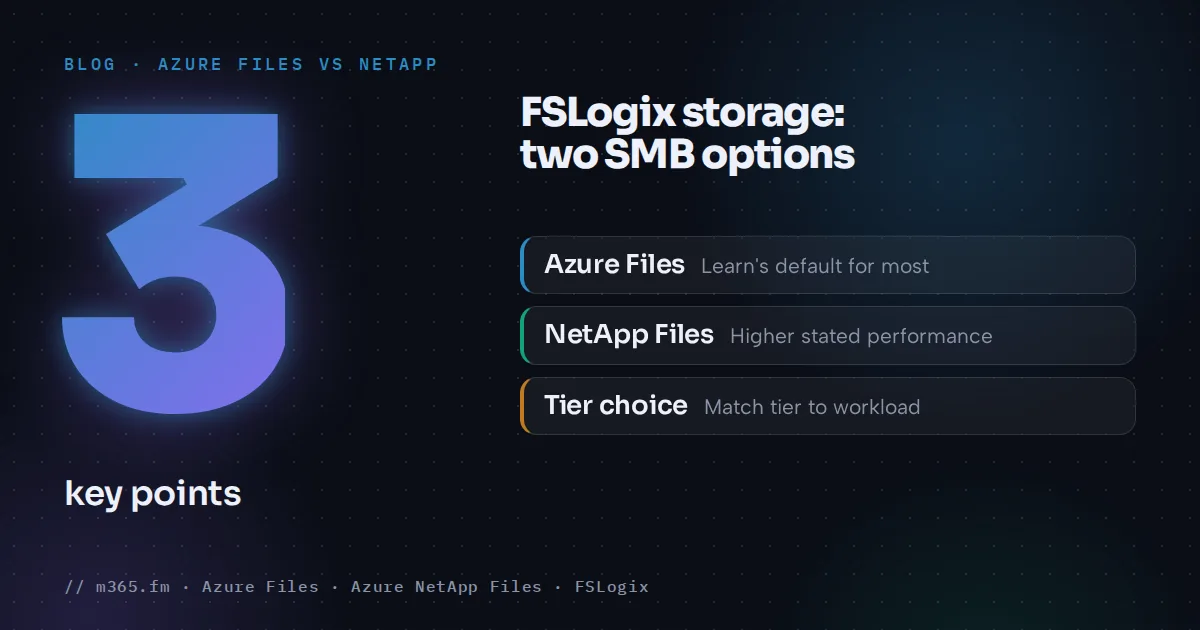
Azure Files and Azure NetApp Files can both host FSLogix profile containers over SMB, and Microsoft Learn is explicit about its default: "We recommend storing FSLogix profile containers on Azure Files for most of our customers." Azure NetApp Files is the other Azure-native option, with higher stated performance ceilings and a different billing model, region list and identity prerequisites. This comparison gives no prices.
Key points
- Learn recommends Azure Files for FSLogix profile containers for most customers. Azure NetApp Files states higher ceilings: up to 460K IOPS at about 1 ms, against 100K IOPS at about 3 ms.
- Azure NetApp Files bills the provisioned capacity pool hourly, minimum 1 TiB (4 TiB with Basic network features). Azure Files provisioned bills what you provision; pay-as-you-go bills usage.
- Learn lists Azure Files in all regions and Azure NetApp Files in select regions, but not all regions support all Azure Files media tiers and redundancy options. Check them together.
- Azure NetApp Files SMB volumes need Active Directory and a delegated subnet; Entra-only identities are not supported there. Entra Kerberos for it is announced as preview from September 2026.
- This article gives no prices, because Learn only shows representative, region-dependent rates. Use the Azure pricing calculator with your region, user count and profile size.
What FSLogix needs from storage
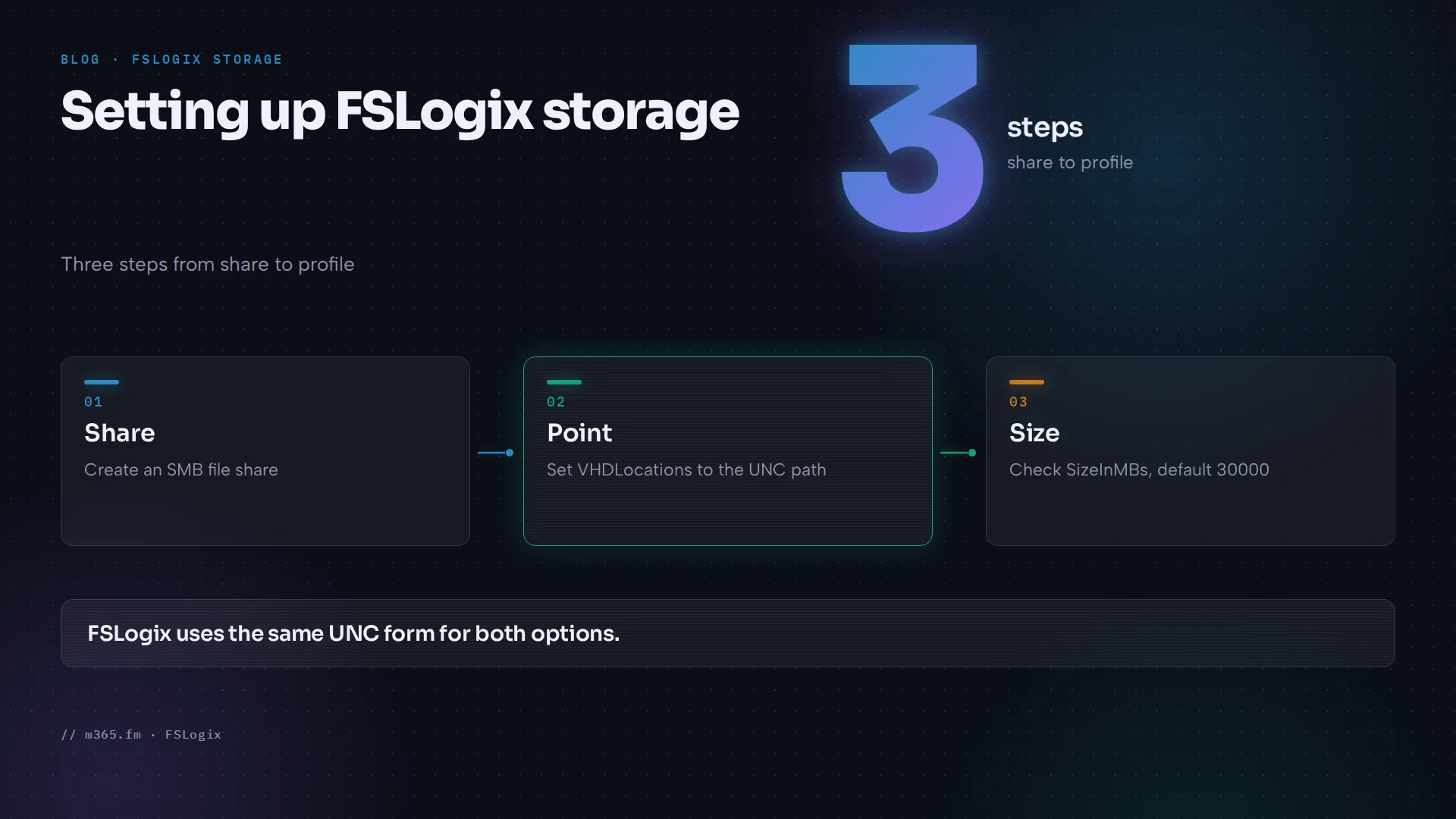
A profile container redirects the entire Windows user profile into a virtual hard disk stored on a storage provider, and Learn says the most common provider is an SMB file share (FSLogix tutorial). The VHDLocations registry value points to the share, with the form \\{windows-server-or-azure-files-fqdn}\{share-name}, and the default SizeInMBs is 30000. Both options are SMB shares, so FSLogix points to a UNC path in the same way; the differences lie in the storage service.
Side by side
Learn's storage options article for FSLogix compares the options. These values are from that page:
| Area | Azure Files | Azure NetApp Files |
|---|---|---|
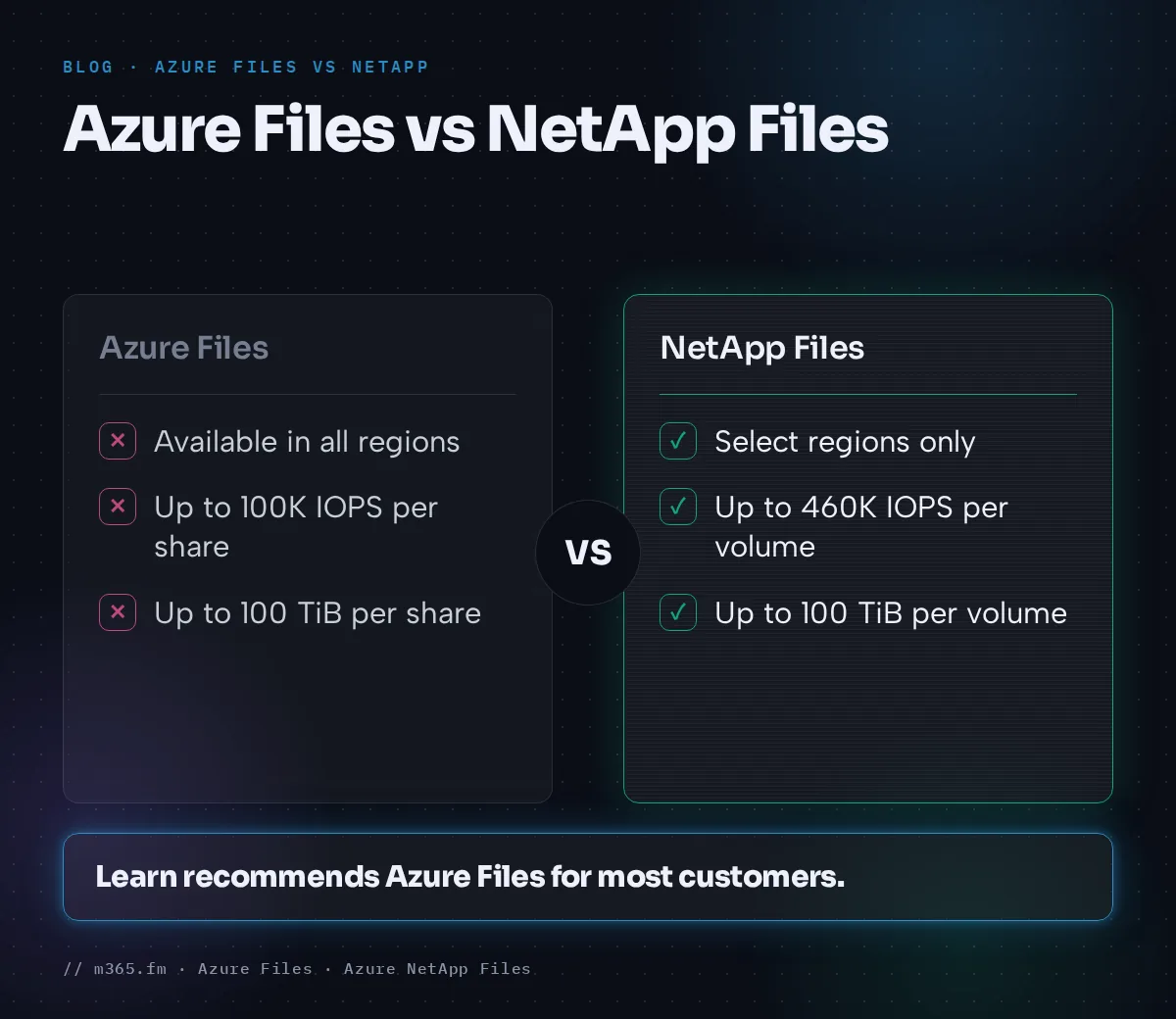
| Regional availability | All regions | Select regions |
| Redundancy | Locally, zone, geo and geo-zone redundant | Locally redundant; zone-redundant with cross-zone replication; geo-redundant with cross-region replication |
| Tiers | Standard (transaction optimized), Premium | Standard, Premium, Ultra |
| Stated maximum performance | Up to 100K IOPS and 10 GBps per share at about 3 ms latency | Up to 460K IOPS and 4.5 GBps per volume at about 1 ms latency |
| Capacity (FSLogix page) | 100 TiB per share, up to 5 PiB per general purpose account | 100 TiB per volume, up to 12.5 PiB per NetApp account |
| Minimum size | Share: 1 GiB | Capacity pool: 1 TiB (4 TiB if any volume uses Basic network features); volume: 50 GiB |
| Backup | Azure Backup snapshot integration | Azure NetApp Files snapshots and Azure NetApp Files backup |
| Identity | Native Active Directory and Microsoft Entra Domain Services | Microsoft Entra Domain Services and native Active Directory |
Learn's NetApp solution page for Azure Virtual Desktop states up to 450,000 IOPS and sub-millisecond latency, slightly different from the 460K and about 1 ms above, so treat the figures as order of magnitude. The scale targets page lists different Azure Files capacity limits by media type, shown below.
Which tier Learn suggests for which workload
The same FSLogix storage page gives recommendations by workload type. For Azure Files:
| Workload | Recommended Azure Files tier |
|---|---|
| Light (fewer than 200 users) | Standard file shares |
| Light (more than 200 users) | Premium file shares, or standard with multiple file shares |
| Medium, Heavy, Power | Premium file shares |
For Azure NetApp Files:
| Workload (Learn's example users) | Recommended tier |
|---|---|
| Light (basic data entry) | Standard |
| Medium (consultants, market researchers) | Premium for a small to medium user count, Standard for a large user count |
| Heavy (software engineers, content creators) | Premium for a small to medium user count, Standard for a large user count |
| Power (graphic designers, 3D model makers, machine learning researchers) | Ultra for a small user count, Premium for a medium count, Standard for a large count |
Learn gives no user-count boundaries for "small", "medium" or "large". It adds that more provisioned capacity gives a higher performance budget, which may allow a lower tier, and points to an Azure NetApp Files sizing calculator. For Azure NetApp Files, Learn's FSLogix configuration article also says to limit concurrent profiles actively accessing containers on a single regular volume to 3,000, because exceeding that can significantly increase latency, and suggests distributing users across volumes in different availability zones.
Performance: what the limits mean for profiles
These are ceilings for a share or volume. A profile workload is many users, each with one VHDX file, so per-file limits matter too. For SSD file shares, Learn's scale targets list a maximum of 12,000 data IOPS per file, up to about 3 GiB/s SMB read throughput per file and 2,000 concurrent handles per file and directory. The HDD tiers, which include the standard shares recommended for light workloads, are lower per file: 1,000 IOPS and 60 MiB/s. The scale targets page gives no profile-specific numbers. Its capacity limits per share differ from the table above: 256 TiB for SSD provisioned v2, 100 TiB for SSD provisioned v1, 256 TiB for HDD provisioned v2 and 100 TiB for HDD pay-as-you-go. The FSLogix page gives a 1 GiB minimum share size, while the scale targets page lists 32 GiB for SSD provisioned v2 and 100 GiB for SSD provisioned v1, so check the minimum for your tier.
For Azure NetApp Files, throughput follows the service level and the capacity (service levels): up to 16 MiB/s per TiB for Standard, 64 MiB/s for Premium and 128 MiB/s for Ultra. The Flexible service level, which adjusts throughput and size independently and is supported only for new manual QoS capacity pools, is outside this comparison. A 1 TiB pool (possible only with Standard network features) gives, by multiplication, 16, 64 and 128 MiB/s at the three levels; a 4 TiB pool gives 64, 256 and 512.
Cost: how each one is billed
No prices appear here: Learn shows only representative, region-dependent rates for Azure NetApp Files. It does describe the billing models.
Azure Files (billing article) has three models:
- Provisioned v2: you provision storage, IOPS and throughput separately and pay for what you provision, regardless of use. Learn says to use it for all new Azure Files deployments. You can scale up or down, but you can only decrease a quantity 24 hours after the last increase. Snapshots cost nothing extra if they fit in the unused provisioned space.
- Provisioned v1: you provision storage, and IOPS and throughput follow the size. Optional paid bursting is available in PowerShell and CLI.
- Pay-as-you-go: you pay for used storage and transactions, and it is available only for HDD storage. Learn says to use provisioned v2 unless you have a specific reason to use pay-as-you-go.
Share tier and billing model are separate choices. Learn's FSLogix page recommends standard file shares for light workloads of fewer than 200 users and describes them as pay-as-you-go, but provisioned v2 is also available for HDD. A light workload can therefore use standard storage under either model.
Azure NetApp Files (cost model) bills a combination of provisioned capacity and throughput through capacity pools, not the data stored. The service measures pool allocation every hour. A pool has a minimum size of 1 TiB, which holds only if all its volumes use Standard network features (4 TiB if any volume uses Basic), and grows in 1 TiB steps. The rate per GiB-hour rises from Standard to Ultra. Snapshots use the volume's quota and are not billed separately. Reserved capacity gives a discount on the per-GiB rate for a committed quantity.
The practical difference, calculated from the minimums above, is granularity. A small profile estate of 200 GiB still sits in a pool of at least 1 TiB (4 TiB with Basic network features) on Azure NetApp Files, while Azure Files provisioned v2 starts at 32 GiB for SSD shares and sets IOPS and throughput apart from size. Neither fact tells you which is cheaper for your case.
Identity and network prerequisites
Azure Files. Besides AD DS and Microsoft Entra Domain Services, Learn's profile container article describes Microsoft Entra Kerberos for hybrid identities on Entra joined or hybrid joined session hosts without line-of-sight to a domain controller, and for cloud-only identities in the Azure cloud only. A storage account can use only one authentication method. Multifactor authentication must be disabled on the storage account, and cloud-only groups need a manifest tag. Learn's prerequisites for cloud-only identities list Windows 11 Enterprise or Pro, single or multi-session (Learn recommends at least 24H2 or 25H2 with KB5079391, or 26H1 with KB5079489), or Windows Server 2025 with current updates. Windows 10 and Windows Server 2022 appear only in the hybrid list. Clients must be Entra joined or hybrid joined, not joined to Entra Domain Services or AD only. See Entra Kerberos for Azure Files.
Azure NetApp Files. An SMB volume needs an Active Directory connection and a subnet delegated to the service, with one delegated subnet per virtual network (SMB volume article). SMB Continuous Availability is supported for FSLogix profile containers, including ODFC containers, and Learn's FSLogix article recommends enabling it. That article also says Azure NetApp Files requires Kerberos authentication from AD DS or Microsoft Entra Domain Services, and states: "Azure NetApp Files does not currently support FSLogix profile access using Entra-only (cloud-only) identities, as Kerberos authentication without AD DS is not supported." Learn's Azure NetApp Files what's new page lists a September 2026 preview, "Support for Microsoft Entra Kerberos authentication (preview)", for SMB volumes with hybrid or cloud-only identities. The FSLogix article does not mention the preview, and a preview is not a general availability feature, so check both pages before you plan an Entra-only design.
Both. Learn's tutorial and the Azure NetApp Files FSLogix article warn that shares hosting FSLogix containers not upgraded to AES-SHA1 might have access issues once the April 2026 Windows Server update changes the default Kerberos encryption type from RC4 to AES-SHA1. Learn still words this as upcoming, so check your patch level and the share's encryption setting.
How to decide
- Start from Learn's default: Azure Files for most customers. Consider Azure NetApp Files if you need its higher stated ceilings, replication-based zone or region options or its backup, and your identity setup is AD DS or Microsoft Entra Domain Services.
- Check region, media type and redundancy. Learn's Azure Files redundancy article says geo-redundancy (GRS or GZRS) is supported only for HDD file shares, so SSD (premium) shares need LRS or ZRS. Azure NetApp Files is listed for select regions, and Azure Files does not offer every tier and redundancy option everywhere.
- Check identity. If session hosts are Entra joined and users are cloud-only, Azure Files has a documented route. Learn lists only Windows 11 and Windows Server 2025 for cloud-only identities; Windows 10 and Server 2022 appear only in the hybrid list. For Azure NetApp Files, Learn's FSLogix article says Entra-only identities are not supported, and Entra Kerberos is a September 2026 preview.
- Estimate profile size and concurrent logons, then compare the per-share, per-file and 3,000-profile limits and the service level throughput against it.
- Model cost for each option in the Azure pricing calculator for the same region and redundancy.
- Compare backup and recovery: Azure Backup for Azure Files, snapshots and backup for Azure NetApp Files.
- Pilot with a representative group and measure logon time before you commit.
If neither fits, Learn also lists Storage Spaces Direct, which is self-managed.
Sources
- Microsoft Learn: Storage options for FSLogix profile containers in Azure Virtual Desktop
- Microsoft Learn: Azure Files scalability and performance targets
- Microsoft Learn: Understand Azure Files billing
- Microsoft Learn: Azure Files redundancy
- Microsoft Learn: Enable Microsoft Entra Kerberos authentication for hybrid and cloud-only identities (Azure Files)
- Microsoft Learn: Create an Azure NetApp Files capacity pool
- Microsoft Learn: Service levels for Azure NetApp Files
- Microsoft Learn: Cost model for Azure NetApp Files
- Microsoft Learn: Azure NetApp Files for Azure Virtual Desktop
- Microsoft Learn: Create an SMB volume for Azure NetApp Files
- Microsoft Learn: Create a profile container with Azure Files and Microsoft Entra ID
- Microsoft Learn: Configure profile containers with FSLogix
- Microsoft Learn: Configure Azure NetApp Files for FSLogix profile containers
- Microsoft Learn: What's new in Azure NetApp Files
FAQ
Which does Microsoft recommend for FSLogix, and which is cheaper?
Learn recommends Azure Files for most customers. It does not say which is cheaper, and this article gives no prices. Azure NetApp Files bills provisioned pool capacity, and Azure Files bills provisioned storage (v2 and v1) or, for pay-as-you-go HDD shares, used storage and transactions. The cost therefore depends on region, redundancy, profile size and the tier or model you choose. Model your own case in the Azure pricing calculator.
Is Azure NetApp Files faster than Azure Files for profiles?
Learn's FSLogix storage page lists higher maximum IOPS and lower latency for Azure NetApp Files: up to 460K IOPS per volume at about 1 ms, against up to 100K IOPS per share at about 3 ms. These are ceilings; Learn's storage options page gives no profile-specific benchmark that compares the two.
Can Azure NetApp Files host FSLogix profile containers?
Yes. Learn lists FSLogix user profile containers, including FSLogix ODFC (Office) containers, as a supported workload for SMB Continuous Availability on Azure NetApp Files. The SMB volume needs an Active Directory connection and a delegated subnet, and Learn says Entra-only identities are not currently supported.