 EN
 Deutsch
 Español
 Français
 Italiano
 Português
 Nederlands
 Polski
 Bahasa Indonesia
 Русский
 Українська
 العربية
 עברית
 日本語
 한국어
Azure Virtual Desktop networking basics: vNets, DNS and UDP
Partner · Neutral partner: Nerdio
By Mirko Peters ·
Azure Virtual Desktop needs a virtual network in the session hosts' region, working DNS and outbound access to published endpoints, mostly on TCP 443. No inbound ports are needed; UDP through RDP Shortpath falls back to TCP.
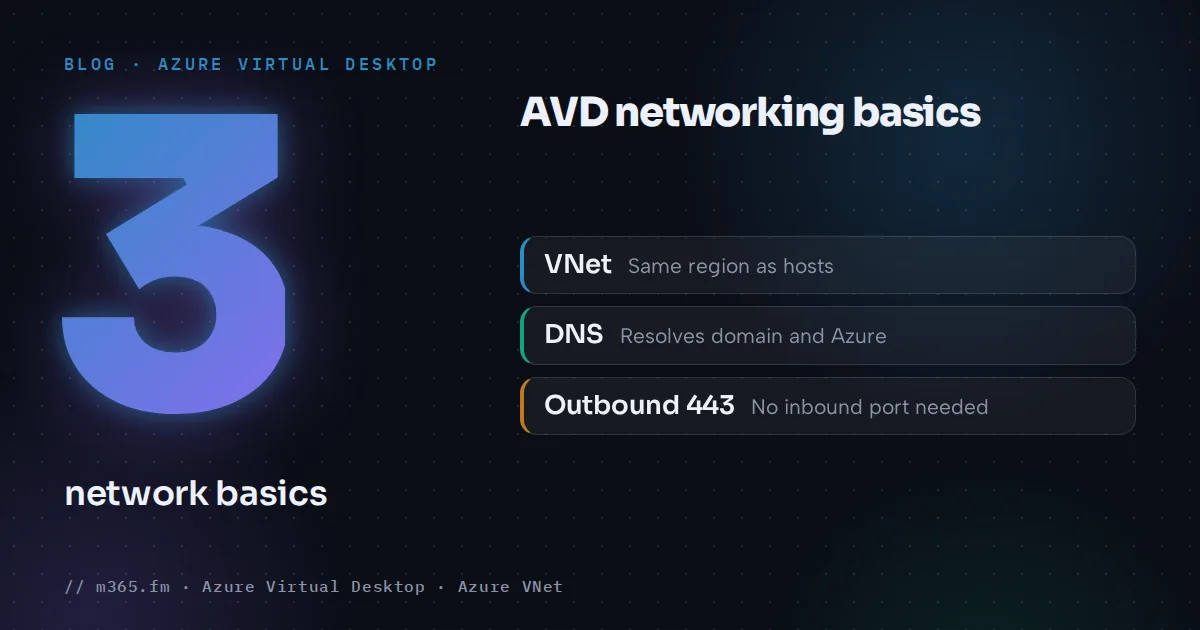
Azure Virtual Desktop needs three network basics: a virtual network and subnet in the same Azure region as the session hosts, DNS that resolves both your domain and Azure names, and outbound access to a published list of Microsoft endpoints, mostly on TCP 443. The default transport needs no inbound port. UDP through RDP Shortpath is added when the network allows it and falls back to TCP when it is blocked. Private Link has its own article in this series.
Key points
- AVD uses reverse connect: hosts and clients connect outbound over TLS, so no inbound ports are needed by default. Learn advises against opening 3389 and against public IPs on session hosts.
- The virtual network must be in the same region as the session hosts and must reach the domain controllers and DNS servers when you use AD DS or Microsoft Entra Domain Services.
- 168.63.129.16 is the Azure DNS address and a platform endpoint. Traffic to it must not be intercepted, proxied or redirected; port 53 matters there only with Azure-provided DNS.
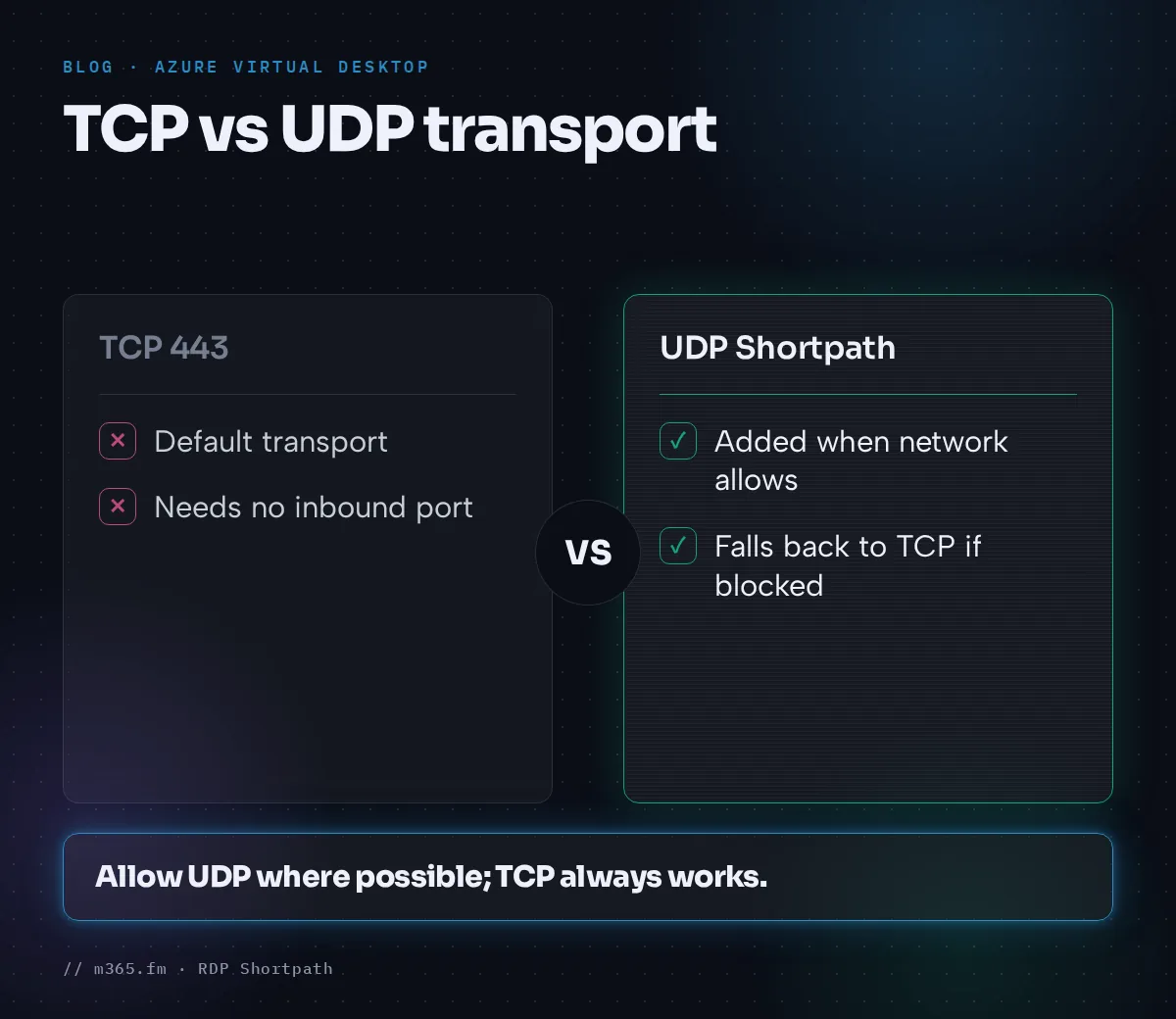
- TCP 443 is the default transport. RDP Shortpath adds UDP: 3390 for the managed-network listener, high ports for direct STUN and 3478 for STUN and TURN. It falls back to TCP if UDP is blocked.
- In new virtual networks created with API versions after 31 March 2026, subnets are private by default, so session hosts need an explicit outbound method such as a NAT gateway.
How a connection reaches a session host
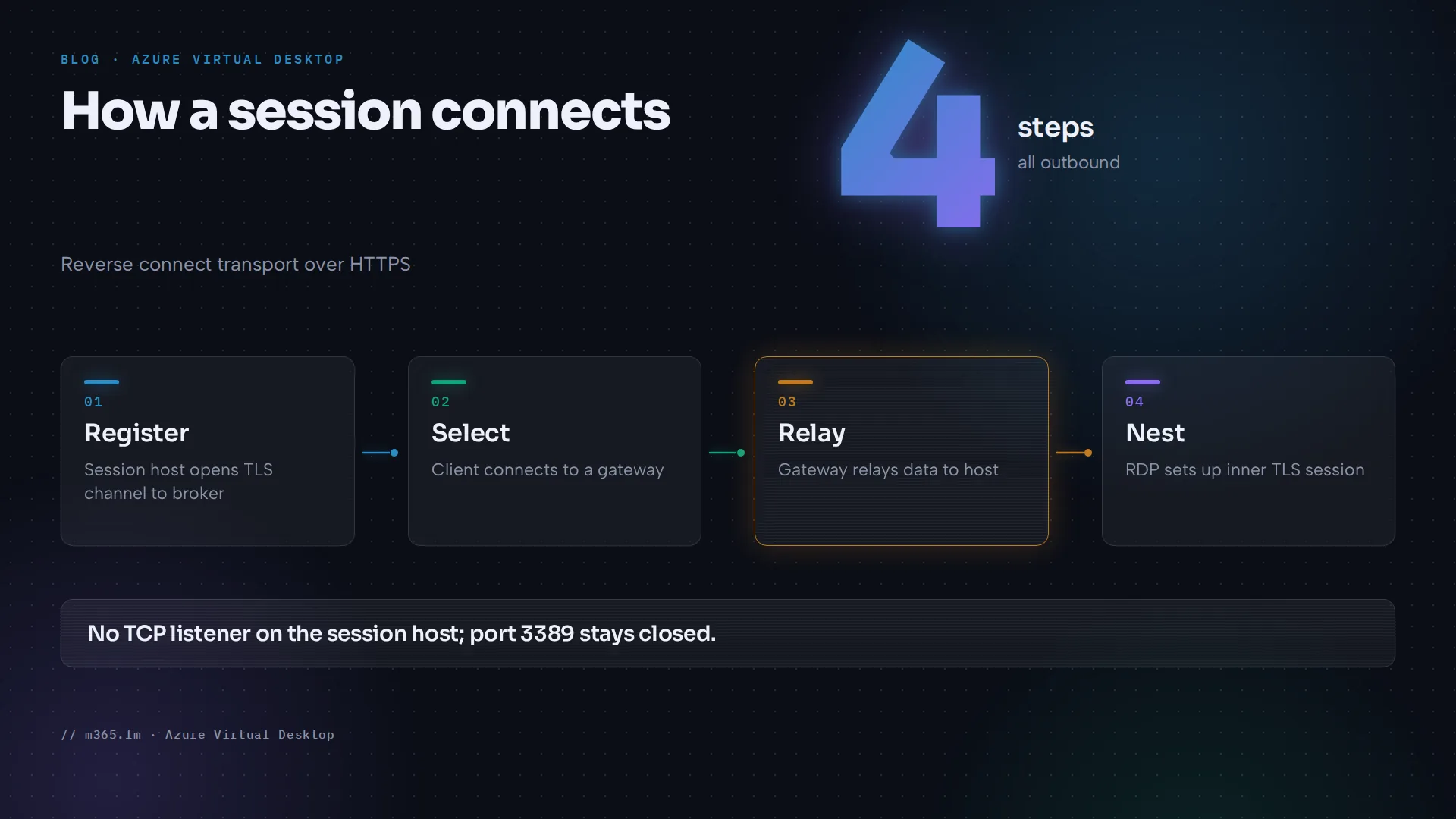
Learn's network connectivity article says Azure Virtual Desktop uses reverse connect transport. Unlike on-premises Remote Desktop Services, no TCP listener on the session host waits for RDP connections. Both sides connect outbound over HTTPS:
- At startup, the Remote Desktop Agent Loader service on the session host opens a persistent TLS channel to the Azure Virtual Desktop broker.
- When a user selects a resource, the client opens a TLS connection to a gateway instance. For public cloud connections, gateways are put into groups of 10 ms, and the one with the lowest latency and then the fewest existing connections is chosen.
- The session host connects to the same gateway, and the gateway relays data between both endpoints. This is the base transport for RDP.
For all connections that clients and session hosts start to the service infrastructure, TLS 1.2 is the minimum and TLS 1.3 can be used if the client operating system supports it. Inside the relayed path, RDP sets up a nested TLS connection between client and session host with the mutually agreed version, up to TLS 1.3, which Learn says is supported starting in Windows 11 21H2 and Windows Server 2022.
The virtual network and subnet
The prerequisites article lists the network requirements:
- A virtual network and subnet for the session hosts. If you create session hosts together with the host pool, the virtual network must exist beforehand to appear in the list, and it must be in the same Azure region as the session host.
- Connectivity from this virtual network to your domain controllers and relevant DNS servers if you use AD DS or Microsoft Entra Domain Services, because session hosts must join the domain.
- Session hosts and users must reach the service on TCP 443 to the required URL list, and these URLs must not be blocked by filtering or a firewall. If users need Microsoft 365, the session hosts must also reach the Microsoft 365 endpoints.
Learn also advises that the round-trip time from the client network to the Azure region of the host pools stays below 150 ms and that you create session hosts in the region closest to users. It recommends not opening inbound port 3389 and not assigning public IP addresses to session hosts.
DNS servers are set on the virtual network, or on a network interface, where they take precedence. If you choose custom DNS servers for the virtual network, specify at least one IP address, otherwise the virtual network ignores the setting and uses Azure-provided DNS. For hub-and-spoke designs, see the Azure Firewall guidance below. Azure Virtual Network covers the product itself.
Outbound internet access in a new virtual network
The required endpoints are public addresses, so a session host needs an outbound path to them. Learn's default outbound access article says that for the API version released after 31 March 2026, subnets in new virtual networks have defaultOutboundAccess set to false. Virtual machines in these private subnets need an explicit outbound method to reach public endpoints. The Azure portal already defaults to private subnets, and deployments using earlier API versions and existing virtual networks keep the earlier default.
Learn lists four explicit methods:
- Associate a NAT gateway with the subnet, which Learn calls the recommended method for most scenarios.
- Associate a standard load balancer configured with outbound rules.
- Associate a standard public IP with a network interface of the VM. Learn lists this as a valid method but recommends no public IP addresses on session hosts.
- Add a firewall or network virtual appliance and point traffic to it with a user-defined route.
Windows activation and updates do not work in a private subnet without an explicit egress method.
The method matters for UDP. Learn's RDP Shortpath article says that Symmetric NAT, which maps one private source IP:port to a unique public destination IP:port, can use a relayed connection with TURN, and that this is the case if you use Azure Firewall and Azure NAT Gateway. Its client-network table also lists a NAT gateway's public IPs for direct STUN, so allow UDP 1024 to 65535 and UDP 3478 to 51.5.0.0/16 and test which path is used.
DNS
Learn's name resolution article lists four methods: Azure Private DNS zones, which it calls the preferred solution, Azure-provided name resolution, your own DNS server, and Azure DNS Private Resolver. For session hosts:
- The Azure DNS address is 168.63.129.16, a static address that does not change. A DNS server inside the network, such as a domain controller running in Azure, can answer its own domains and forward other queries to that address.
- After you change DNS settings on a deployed virtual network or VM, renew the DHCP lease on the affected VMs (
ipconfig /renewon Windows). Do not edit DNS server IPs inside a VM, because service healing can erase them.
The required endpoints article adds a rule specific to Azure Virtual Desktop. Session host VMs need two Azure platform addresses: 169.254.169.254 (instance metadata, TCP 80) and 168.63.129.16 (ports 80 and 32526 on TCP, port 53 on TCP and UDP). Learn says traffic to these addresses must not be intercepted, proxied or redirected. Port 53 there is needed only with Azure-provided DNS.
Outbound endpoints
All entries on the required endpoints page are outbound. A selection for session hosts in the Azure cloud:
| Address | Protocol and port | Purpose |
|---|---|---|
login.microsoftonline.com | TCP 443 | Authentication to Microsoft Online Services |
*.wvd.microsoft.com | TCP 443 | Service traffic, including TCP-based RDP connectivity |
51.5.0.0/16 | UDP 3478 | Relayed RDP connectivity |
*.service.windows.cloud.microsoft | TCP 443 | Service traffic |
The full list is longer and also includes certificate endpoints on TCP 80, so use the page as the reference. Learn says you must use the wildcard for FQDNs involving service traffic, and that deployments where the listed FQDNs are blocked are not supported. It offers no IP address range in place of FQDNs and recommends service tags and FQDN tags; both are named WindowsVirtualDesktop. The Agent URL Tool checks from a session host whether each endpoint is reachable.
For Azure Firewall, Learn's firewall guidance uses the FQDN tag WindowsVirtualDesktop and warns that disconnections can occur during Azure Firewall scale-ins if you route all traffic to the firewall with a default route. For hub-and-spoke designs, Learn's remedy is a route in the subnet's route table with destination type Service tag, destination service WindowsVirtualDesktop and next hop Internet, so that the gateway and broker are reached directly. Learn's default outbound access article adds that in a private subnet, routes with next hop type Internet break, and connections to service tag destinations fail unless an explicit outbound method, such as a NAT gateway, is also configured. Applying this to the WindowsVirtualDesktop route is our reading of the two pages. Learn also says not to use TLS inspection.
UDP and RDP Shortpath
Learn's RDP Shortpath article describes the order: RDP begins with the TCP-based reverse connect transport and then tries to establish the session over UDP. If UDP succeeds, the TCP connection drops. Otherwise TCP remains the fallback.
| Mode | Where it applies | Ports and notes |
|---|---|---|
| Managed networks, listener variant | Private connection such as ExpressRoute private peering or a site-to-site or point-to-site VPN (IPsec) | You must enable the UDP listener on the session host, default port 3390, with an inbound port allowed on each session host |
| Managed networks, STUN variant | Same private connections | Direct UDP through STUN, with no inbound port required on the session host |
| Public networks, direct | STUN between client and session host; Symmetric NAT can use TURN instead (see above) | Outbound from the session host subnet on UDP 1024 to 65535, default range 49152 to 65535 (Learn says port 65330 is ignored in the default range because Azure uses it internally); the session host's STUN query uses UDP 3478 |
| Public networks, relayed | TURN | UDP 3478 to 51.5.0.0/16 in the Azure cloud; Learn names this rule STUN/TURN relay |
Public network Shortpath via STUN and TURN is generally available in the Azure cloud, according to the page. It works without extra configuration when networks and firewalls allow the traffic and the RDP transport settings are at their defaults, so for public networks the questions are whether UDP may pass your firewalls and which outbound method the subnet uses. If both modes are available, the connection that is established first is used. Learn recommends avoiding force tunneling, double or carrier-grade NAT, cloud packet-inspection services and TCP-based VPNs, and enabling IPv6 connectivity or Teredo. If a firewall blocks UDP, Shortpath fails and the connection continues over TCP. Learn says the TURN relay is chosen by the client's location, and a distant client might fall back to TCP. See RDP Shortpath for the settings.
Bandwidth and latency
Learn's bandwidth article estimates graphics for a single 1920x1080 monitor in default mode: idle 0.3 Kbps, Microsoft Word 100 to 150 Kbps, web browsing 6 to 6.5 Mbps and video playback 8.5 to 9.5 Mbps. Throttle rate-limiting is not supported for reverse connect transport, so bandwidth limits need managed-network Shortpath. Learn's connection quality article describes the ConnectionGraphicsData table (labelled preview), which rates end-to-end delay per frame as good below 150 ms, okay from 150 to 300 ms and bad above 300 ms. This is a different measure from the 150 ms round-trip time in the prerequisites.
A short network checklist
- Create the virtual network and subnet in the same region as the session hosts.
- If you use AD DS or Microsoft Entra Domain Services, confirm the network reaches the domain controllers and DNS servers.
- Decide on DNS: Azure-provided or custom, and if custom, forwarding to 168.63.129.16.
- Give the subnet an explicit outbound method, such as a NAT gateway, if the virtual network is new and its subnet is private. This also applies when a route with next hop Internet bypasses the firewall. Behind a NAT gateway, allow both UDP paths.
- Allow the outbound ports of the required endpoints list (mostly TCP 443, plus TCP 80, TCP 1688 for activation and UDP 3478), then run the Agent URL Tool.
- Do not intercept 168.63.129.16 or 169.254.169.254.
- Keep inbound 3389 closed and give session hosts no public IP addresses. Only the managed-network Shortpath listener needs an inbound UDP port.
- Decide whether UDP may pass your firewalls (public-network Shortpath needs no setting) and whether to enable the managed-network listener, then test the fallback to TCP.
- Measure round-trip time from user locations.
Sources
Accessed 17 November 2026.
- Microsoft Learn: Understanding Azure Virtual Desktop network connectivity
- Microsoft Learn: Prerequisites for Azure Virtual Desktop
- Microsoft Learn: Required FQDNs and endpoints for Azure Virtual Desktop
- Microsoft Learn: Name resolution for resources in Azure virtual networks
- Microsoft Learn: RDP Shortpath for Azure Virtual Desktop
- Microsoft Learn: Remote Desktop Protocol bandwidth requirements Azure Virtual Desktop
- Microsoft Learn: Analyze connection quality in Azure Virtual Desktop
- Microsoft Learn: Default outbound access for VMs in Azure
- Microsoft Learn: Use Azure Firewall to protect Azure Virtual Desktop
FAQ
Do I need to open inbound ports for Azure Virtual Desktop?
Not for the default transport. Microsoft Learn says the service uses a reverse connection, so no inbound ports are needed. The exception is the optional RDP Shortpath listener for managed networks, which needs an inbound UDP port on each session host. Learn recommends not opening inbound port 3389 or assigning public IP addresses to session hosts, and suggests just-in-time VM access if you must open 3389.
Is UDP required for Azure Virtual Desktop?
No. TCP on port 443 is the default. RDP Shortpath adds a UDP-based transport. For public networks it works without extra configuration when firewalls allow UDP, and Learn says Symmetric NAT, as with Azure NAT Gateway or Azure Firewall, can use the TURN relay instead of direct STUN; the managed-network listener variant needs the listener enabled. If a firewall blocks UDP, Learn says the connection falls back to TCP.
Which DNS servers should session hosts use?
That depends on your identity setup. For AD DS or Microsoft Entra Domain Services, the virtual network must reach the domain controllers and relevant DNS servers. Learn lists four name resolution methods for virtual networks: Azure Private DNS zones (called the preferred solution), Azure-provided DNS, your own DNS server and DNS Private Resolver. A DNS server in the network, such as a domain controller running in Azure, can answer its own domains and forward all other queries to 168.63.129.16.