 EN
EN Deutsch
 Español
 Français
 Italiano
 Português
 Nederlands
 Polski
 Bahasa Indonesia
 Русский
 Українська
 العربية
 עברית
עברית 日本語
日本語 한국어
한국어Viva Connections vs SharePoint Intranet: What’s Changed?
By Mirko Peters · · Updated
Compare Viva Connections vs SharePoint intranet architecture, navigation, dashboards, personalization, Teams integration, governance, mobile access, and use cases.
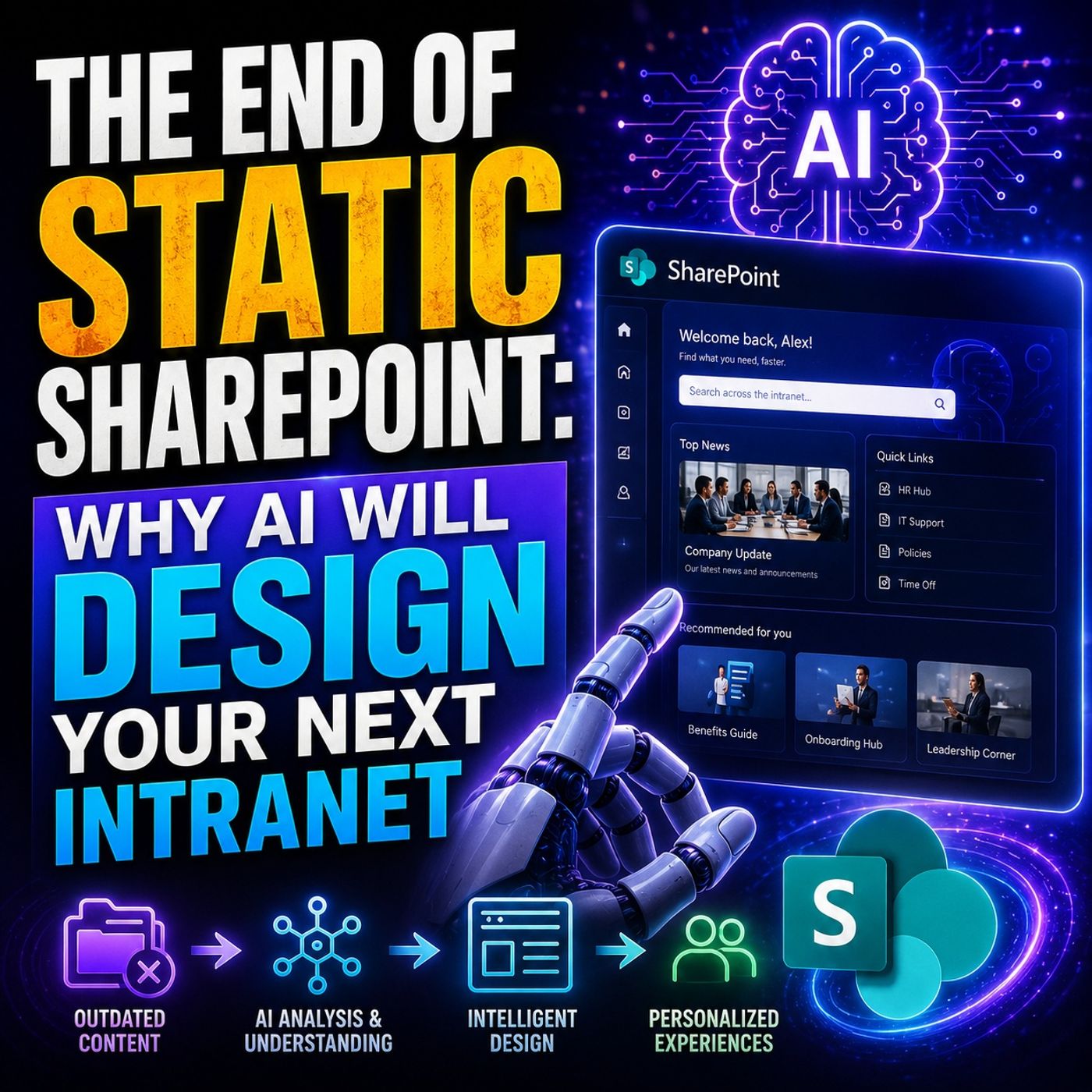
The transition from traditional SharePoint intranet portals to Microsoft Viva Connections has brought a fresh approach to the digital workplace in Microsoft 365. Viva Connections weaves the familiar strengths of SharePoint into a new, integrated platform designed for employee engagement and daily workflow. The key difference is in how information and experiences are delivered—moving from static portals to a dynamic, personalized home inside Microsoft Teams. Here, you’ll get a full picture of what’s changed, why it matters, and how these changes can impact both the tech behind your intranet and the people using it every day. Get ready for a hands-on comparison that doesn’t just focus on features, but the real impact on your company’s collaboration, culture, and bottom line.
Understanding Microsoft Viva and the SharePoint Intranet Evolution
Let’s zoom out for a second. Intranets used to be flat, one-way channels—think of them like digital bulletin boards running on SharePoint. You got your news posts, some links, important docs buried behind three clicks, and maybe, just maybe, a lone feedback form that no one used. Those days? They’re fading fast.
Enter Microsoft Viva: a new suite of apps built to put the employee experience front and center. Rather than standing alone, Viva pulls together communications, resources, learning, and community into an integrated flow right inside Microsoft 365. That means the SharePoint you know—famous for powering classic intranets—is no longer simply a place for static content. Now, it acts as the engine beneath Viva, powering modern, interactive experiences that actually fit with how people work, not just how IT wants things laid out.
This evolution isn’t just about having flashier dashboards or mobile-friendly pages. It’s a shift toward giving people what they need, when they need it, wherever they are—on their desktop, in Teams, or on a phone halfway across the world. You’ll see in the next sections how this approach means fewer clicks, better engagement, and the option to scale good ideas globally. The rest of this guide breaks down what Viva and SharePoint do on their own, and together, and why moving from the old to the new really matters for any digital workplace.
What Is Microsoft Viva and How Does It Relate to SharePoint?
Microsoft Viva is an employee experience platform within Microsoft 365, designed to enhance communication, learning, resources, and insights for the modern workforce. Released in 2021, Viva consists of several modules—like Connections, Engage, Learning, and Insights—all meant to weave employee engagement directly into daily work.
SharePoint still plays a foundational role. Viva Connections, in particular, uses SharePoint as its backend for content storage and management. All your news, documents, resources—those are still organized and governed in SharePoint. Viva simply overlays a more interactive, curated, and personalized experience, integrating these elements into tools employees already use, like Teams and mobile apps.
The Shift from Traditional Intranets to Viva Connections
Traditionally, company intranets were standalone SharePoint sites, serving as static portals with limited interactivity or personalization. Microsoft’s strategy has shifted: Viva Connections moves the intranet directly inside Microsoft Teams, offering a central launch point for company communication, resources, and personalized dashboards.
This new model doesn’t just display information, it curates it—surfacing the most relevant content automatically for each user. The result is a living workspace instead of a fixed portal, tailored to location, role, or department, and accessible wherever employees work—making engagement and collaboration part of the flow instead of an afterthought.
Viva Connections Architecture and Core Features
Now that you’ve got the big picture, let’s look under the hood a bit. Viva Connections changes the game by combining the content management powerhouse of SharePoint with new interactive components made for the Teams environment—and by extension, for people on any device.
The platform’s architecture centers on reusing what’s already strong about SharePoint—like web parts and content targeting—while layering in things like dashboards, adaptive cards, and personalized feeds that bring information to the forefront. You’re not building everything from scratch; instead, Viva Connections is the bridge connecting your company’s established SharePoint content with new features that make your intranet truly a digital front door.
This approach matters because it means organizations can deliver experiences that are both standardized behind the scenes and highly customizable on the surface. The next sections will break down these core components, showing how each piece—from dashboards to feed—fits together and how SharePoint powers it all from behind the scenes.
Key Components of Viva Connections
- Dashboard: An interactive area with cards for news, tasks, apps, and resources, easily tailored for different employee groups.
- Feed: A dynamic, personalized stream surfacing news, conversations, and updates drawn from SharePoint and Viva Engage.
- Resources: Curated links to important sites, policies, or tools directly accessible from the Teams experience.
- Integration of SharePoint Web Parts: Reuse classic SharePoint online parts (news, documents, quick links) in a smoother, modern UI.
How Viva Connections Uses SharePoint as a Backend
- Content Management: All news, pages, and files displayed in Viva Connections are created and managed in SharePoint. This enables long-term governance, robust permission controls, and flexible site structures that adapt to organizational needs without extra tools.
- Site Architecture: Viva Connections is built atop a SharePoint “home site,” which acts as the master hub for all sub-sites, resources, and navigation. This leverages SharePoint's proven architecture for organizing complex content and ensures seamless migration for those moving from classic intranets.
- Shared Functionality: User permissions, targeting, and document management are directly inherited from SharePoint’s model. If you’re already setting security groups and editorial roles in SharePoint, Viva Connections respects those same boundaries.
- Automatic Content Detection: Viva Connections automatically pulls in content that matches user attributes (department, location, etc.), ensuring the dashboard and feeds always feel relevant. This dynamic delivery means less clutter and more personalized experiences for everyone.
- Use of Microsoft Graph: The intelligence layer comes from Microsoft Graph, which helps surface timely, recommended content—going beyond static links to real, actionable insights and updates.
User Experience Across Desktop, Mobile, and Microsoft Teams
User experience is exactly where Viva Connections sets itself apart. While old-school intranets lived mostly on desktops and looked pretty much the same for everyone, Viva pushes everything forward—making it adaptive, accessible, and seamlessly built into the workflows people already know, particularly inside Teams.
This matters because employees now expect their work tools to be as responsive and intuitive as the apps they use after hours. Viva Connections is designed with this in mind: it’s not a side project, but a central part of the Teams environment, showing up right where people chat, call, and collaborate. For mobile and frontline workers, adaptive card design means info is quick, personalized, and easy to act on.
In the detailed sections to follow, you’ll see the nuts and bolts of both the desktop/Teams interface and the modern mobile experience—helping you judge not just how something looks, but how people will actually use it in their day-to-day work, no matter their device or location.
Viva Connections App Bar and Desktop Experience in Teams
Viva Connections appears as a dedicated, customizable app pinned to the Teams app bar on desktop. This placement offers instant, one-click access to your company’s hub, integrating news, dashboards, and resources right within the familiar Teams interface. Navigation is streamlined, relying on SharePoint site structure behind the scenes while presenting a clean, personalized front end.
Admins can configure branding and choose what shows up for different groups, allowing the desktop experience to feel both professional and tailored—unlike legacy SharePoint portals, which often required multiple sign-ins or browser tabs and lacked deep Teams integration.
Mobile Experience and Adaptive Card Design in Viva Connections
On mobile devices, Viva Connections emphasizes responsive design with adaptive cards—modular blocks that auto-adjust to different screens and user needs. Employees see relevant news, tasks, and updates in a scroll-friendly, touch-optimized format right inside the Teams mobile app.
This approach is a game changer for frontline and remote staff who don’t work at a desk. They get quick access to personalized resources and real-time info, helping boost engagement and ensuring everyone stays in the loop—no matter where or how they work.
Customization, Branding, and Localization Capabilities
One big question for any organization: how much can you make this feel like yours, not some generic Microsoft product? Viva Connections comes packed with options to let you customize, brand, and localize the experience, so it truly reflects your company’s look and feel—while also meeting the needs of employees worldwide.
It’s more than just pasting a logo in the corner. You can control layouts, colors, what gets featured for specific regions, and more. Extensibility allows developers to build on Viva’s framework with custom apps and dashboards, matched to unique corporate needs and workflows.
This level of customization and localization is crucial for global organizations with diverse workforces. Next, we’ll break down the main ways you can tailor Viva Connections by brand and by geography—helping you keep everyone engaged, no matter the office or language.
Branding and Curated Experiences in Viva Connections
- Custom Logos and Colors: Upload your brand’s logo and personalize the color palette for a unified corporate look.
- Curated Dashboards: Build different dashboards for departments, locations, or job roles, making experiences feel relevant to every group.
- Flexible Layouts: Choose layouts that suit your company’s communication style—cards, feeds, resource links, or a mix of all three.
- Extensibility: Add custom apps or integrations tailored to unique business processes, all within Viva’s dashboard framework.
Localization for Global Workforces
- Multi-Language Support: Deliver intranet content in dozens of languages, auto-detected based on user settings.
- Regional Targeting: Show location-specific news, resources, and contacts tailored to each country or office.
- Adaptive Content: Configure dashboard cards and feeds to switch content automatically based on geography or language preference.
- Compliance with Local Norms: Set regional policies or alerts directly into the experience so compliance never gets lost in translation.
Migration, Setup, and Administrative Management
Any major platform shift comes down to execution. With Viva Connections, moving from a legacy SharePoint intranet to a new, unified employee hub in Teams requires careful setup, a focus on permissions, and new governance models.
Admins need to decide what the entry point should be—the default landing page—and how to reshape existing SharePoint structures for a dynamic, role-based Viva experience. Managing permissions isn’t just a matter of adding people to a group anymore; editorial and dashboard roles need clear definition and ongoing oversight.
In the following sections, you’ll see a step-by-step approach to setting up Viva Connections as your default intranet, along with practical tips for governance, assigning editorial responsibilities, and maintaining content freshness. The focus is on practical, actionable steps that make the transition as smooth as possible for both IT and end users.
Configuring Default Landing and Managing Permissions
- Set the Viva Home Site: In SharePoint admin center, designate your main intranet site as the Home site—this kicks off integration with Viva Connections and Teams.
- Configure Teams App: Use Teams admin settings to make Viva Connections the default landing experience, ensuring all users see it upon opening Teams.
- Assign Permissions: Set granular edit rights for dashboard editors, resource curators, and news publishers, distinguishing them from general end users.
- Maintain Governance: Regularly review access levels and editorial roles to prevent content sprawl and ensure compliance with internal policies.
Step-by-Step Guidance for Viva Connections Deployment
- Assess Prerequisites: Make sure your SharePoint environment is modern and activate a Home site. Prepare core content and branding assets.
- Enable Viva Connections: Follow Microsoft’s setup wizard to connect SharePoint Home site with Teams and deploy the Viva app.
- Set Up Governance: Define who owns content cards, news feeds, and dashboards. Assign editors and establish content review cycles.
- Gather Feedback and Optimize: After rollout, use Viva analytics to monitor adoption and engagement. Adjust content, structure, or targeting based on real user data.
Integration with Viva Suite Modules and Future Outlook
The power of Viva Connections isn’t just about a slick intranet—it’s in how it becomes the home base for a much bigger universe of engagement tools within Microsoft Viva. By bringing in social features (like Viva Engage/Yammer), learning content, and employee insights, Viva Connections closes the gap between communicating, learning, and actually acting inside the flow of work.
For organizations focused on unified experiences, the roadmap is all about deeper connections. Imagine: a frontline worker completes safety training, reads a new policy, and joins a company conversation—without jumping in and out of five different apps. That’s the kind of connected employee experience Microsoft’s future vision points toward.
The detailed section next digs into how each of these modules works inside Viva Connections and what it means for the long-term evolution of your digital workplace—not just for today’s needs, but for a rapidly shifting, distributed future.
Bringing Social, Learning, and Insights into Viva Connections
- Viva Engage (Yammer) Social Integration: Embed communities, announcement feeds, and discussion threads directly into the Viva Connections dashboard. Employees see the latest conversations and can respond right from Teams, promoting active social engagement and building a stronger company culture.
- Viva Learning Integration: Surface mandatory training courses, recommended modules, or professional growth paths directly in dashboard cards. Learning is no longer something employees need to hunt for—it arrives in their workflow, boosting engagement and completion rates.
- Viva Insights Integration: Insights bring in analytics about personal productivity, team habits, and wellbeing. Individuals see reminders for breaks or focus time, while managers can access data (with privacy in mind) about engagement trends, enabling informed interventions that support healthier work styles.
- Unified Experience: These integrations minimize context-switching and reduce tool fatigue by presenting announcements, learnings, and actionable insights in one place. It streamlines the digital experience and ensures nothing gets lost in separate apps or email threads.
Key Differences Between Viva Connections and SharePoint Intranet
- Architecture: Viva Connections sits on top of SharePoint but is delivered inside Microsoft Teams, while classic SharePoint intranets are stand-alone web portals. This means Viva leverages Teams’ reach, presence, and chat—making the intranet unavoidable, for good reasons.
- User Experience: Viva offers a personalized feed and dashboard, making content role-based and adaptive. Traditional SharePoint intranets are often one-size-fits-all, with news and resources buried behind clicks and tabs.
- Mobile and Accessibility: Adaptive cards and Teams integration make Viva Connections far more accessible and usable on mobile devices, helping remote and frontline workers stay connected in ways SharePoint portals simply can’t.
- Integration and Extensibility: Viva’s deep integration with the wider Viva suite (Engage, Learning, Insights) brings social, learning, and analytics into one workflow, something SharePoint by itself doesn’t natively support.
- Governance and Administration: Moving to Viva requires a rethink on content governance, ownership, and editorial models—transitioning from document-centric workflows in SharePoint to a more agile, dashboard-driven paradigm in Viva Connections.
Conclusion: The Future of Intranets in Microsoft 365
Viva Connections represents a major evolution in how Microsoft 365 powers digital workplaces. According to Microsoft research, organizations adopting Viva report up to 30% higher employee engagement and faster access to critical news and resources compared to legacy portals. Yet, SharePoint remains essential—its content management and site architecture act as the backbone for Viva’s newly unified experience.
Industry experts agree this combination offers the flexibility, reach, and analytics needed for the hybrid workplace era. Whether you’re modernizing your current intranet or building from scratch, embracing Viva Connections sets you up for sustained productivity, engagement, and agility as part of your long-term digital transformation.
You Should Also Listen To
The choice between Viva Connections vs SharePoint intranet is not an either-or product decision: Viva provides the employee experience layer while SharePoint supplies much of the content and information architecture. These episodes unpack that relationship:
- AI-Powered SharePoint Intranets: Beyond Static Design — Explore how AI and personalization are moving intranets beyond manually maintained, identical experiences for every employee.
- Customize Microsoft Viva Connections Dashboards — Learn how Viva adds role-based cards and actions on top of the SharePoint foundation.
- Make SharePoint Search Show the Right Files First — Understand why neither platform succeeds without sound navigation, metadata, search, and content ownership.
- Govern SPFx Adaptive Card Extensions in Teams and Viva — See the governance trade-offs that appear when the employee experience is extended with custom components.