


 Apple Podcasts
 Spotify
 Youtube Music
 Spreaker
 Podchaser
 Amazon Music
 Dynamics 365 Warehouse Management - Simply Explained
Key Takeaways
- Dynamics 365 Warehouse Management converts high-level inventory records into guided physical work on the warehouse floor, streamlining everything from receiving to shipping.
- Guest Mirko Peters explains the critical distinction between inventory management, which tracks stock quantities and availability, and warehouse management, which dictates exact physical locations and worker actions.
- Utilizing mobile devices and barcode scanning eliminates paper pick lists and allows workers to validate locations, products, and quantities in real time.
- Advanced features like location directives, work templates, and wave processing optimize storage rules and outbound order grouping to minimize unnecessary movement.
- Maintaining tight control over batch numbers, serial numbers, license plates, and quarantine areas ensures complete traceability and prevents unapproved or damaged stock from reaching customers.
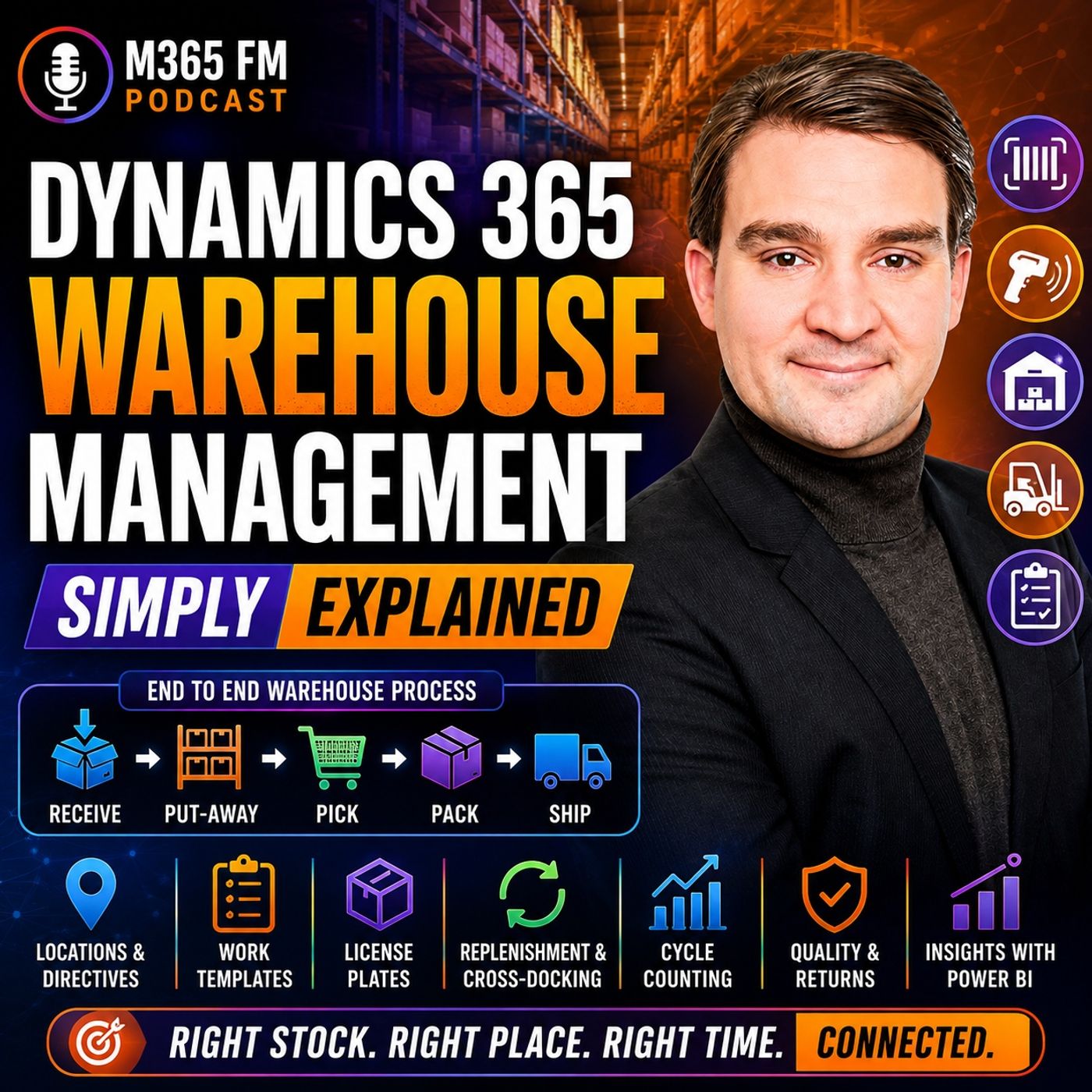
Dynamics 365 Warehouse Management turns inventory records into guided physical work on the warehouse floor. Knowing that 200 units exist is only the beginning. Warehouse teams need to know exactly where those units are stored, whether they are available, which customer orders they belong to, and what workers should do with them next. In this episode of M365 FM, Mirko Peters explains how Dynamics 365 Warehouse Management connects receiving, put-away, storage, replenishment, picking, packing, shipping, cycle counting, returns, quality management, barcode scanning, and warehouse automation with the wider Dynamics 365 Supply Chain Management platform.
WHAT IS DYNAMICS 365 WAREHOUSE MANAGEMENT?
Dynamics 365 Warehouse Management focuses on the physical work taking place inside a warehouse. It guides employees through receiving deliveries, moving products into storage, replenishing picking locations, picking customer orders, packing shipments, and preparing goods for dispatch. Each completed warehouse action can update the same connected business system used by purchasing, sales, production, inventory, quality, transportation, and finance. Instead of relying on paper lists or recording movements later, warehouse employees can confirm activities while they happen using mobile devices and barcode scans.
INVENTORY MANAGEMENT VS WAREHOUSE MANAGEMENT
Inventory Management and Warehouse Management solve related but different problems. Inventory Management answers questions such as: How much inventory does the company have? What is it worth? Is it available? Warehouse Management focuses on questions such as: Where exactly is that inventory, and what should a warehouse worker do with it next? Knowing that 200 boxes exist in Warehouse A isn't enough for efficient warehouse operations. Employees need to know that 80 are in one rack, 60 are in bulk storage, 20 are near packing, and another quantity is already reserved. Inventory Management provides the stock record. Warehouse Management converts that information into physical work.
SITES, WAREHOUSES AND LOCATIONS
Dynamics 365 needs a digital representation of the physical warehouse environment. A site can represent a broader business location such as a factory campus or distribution center. A site can contain one or more warehouses. Inside those warehouses are individual locations representing receiving docks, racks, shelves, bins, packing stations, staging areas, and quarantine areas. This hierarchy gives inventory a precise digital location rather than simply recording that the product exists somewhere inside a building.
BATCH AND SERIAL NUMBER TRACKING
Warehouse Management can maintain additional information about individual products. Batch numbers identify groups of products from the same production run or delivery. This becomes particularly important for food, pharmaceuticals, chemicals, and other products requiring traceability. Serial numbers identify individual units. Machines, laptops, and high-value components can therefore maintain their individual identities as they move through the warehouse and eventually reach customers. This creates a traceable history that can become valuable for returns, quality problems, servicing, and recalls.
LICENSE PLATES EXPLAINED
A warehouse license plate isn't a vehicle registration. In Dynamics 365, a license plate provides a unique identifier for a pallet, carton, tote, or another container. Think of it like a luggage tag. Scanning the identifier tells Dynamics which container the worker is handling and what that container contains. Instead of scanning every individual box on a pallet repeatedly, employees can work with the license plate representing the complete pallet when the underlying inventory record is accurate.
RECEIVING INBOUND GOODS
Warehouse activity frequently begins with a purchase order. The purchase order tells the organization which products it expects from a supplier, the expected quantities, and usually the expected arrival time. When the truck reaches the warehouse, employees can scan the products or pallets and compare the physical delivery with the expected purchase order. If 100 cases were expected but only 98 arrived, the discrepancy can become visible immediately instead of waiting for somebody to manually enter paperwork later.
QUARANTINE AND QUALITY CONTROL
Not everything entering a warehouse should immediately become available. Products might require inspection, testing, or approval before they can be used or shipped. Dynamics 365 can direct those goods toward quarantine locations. The inventory physically exists inside the warehouse, but employees cannot treat it like ordinary available stock. Once the appropriate quality process has been completed, the products can either be approved for normal use or rejected and handled appropriately.
PUT-AWAY
After receiving, products need somewhere to go. This process is called put-away. Instead of asking workers to decide where a pallet should fit, Dynamics 365 can direct them toward an appropriate storage location. The decision can consider the product, warehouse zone, physical size, storage requirements, available space, and intended use of the location. The worker receives a straightforward instruction while the underlying warehouse configuration handles the decision logic.
LOCATION DIRECTIVES
Location directives are the rules Dynamics 365 uses to determine where inventory should go or where inventory should be picked from. Heavy inventory might need a ground-level rack. Fast-moving products might belong close to packing areas. Temperature-sensitive products may only be stored in approved locations. Location directives translate these warehouse policies into executable instructions. Instead of expecting every employee to memorize every storage rule, Dynamics can determine an appropriate location and present that destination through the worker's device.
WORK TEMPLATES
Work templates determine the steps employees need to perform. For inbound inventory, a work template might contain two straightforward steps: pick the inventory from the receiving location and put it into its designated storage location. For outbound operations, templates can define picking, movement to packing, and staging. These repeatable workflows help create consistent warehouse processes across employees and shifts.
MOBILE DEVICES AND BARCODE SCANNING
Warehouse employees can receive instructions directly on mobile devices. The device can ask the worker to scan a location, scan a product, confirm a quantity, and proceed to the next step. These scans create immediate validation. If somebody scans the wrong product while picking a customer order, the system can identify the problem before the incorrect item reaches the customer's package. The scan also updates the warehouse record while the physical activity occurs rather than requiring information to be entered later.
REPLENISHMENT
Many warehouses separate bulk inventory from smaller locations used for daily order picking. When a picking location begins running low, employees need to move additional inventory from bulk storage before somebody encounters an empty shelf while fulfilling an order. Dynamics 365 can create replenishment work directing employees to move inventory into the appropriate picking location. This turns replenishment into planned warehouse activity rather than an emergency search for missing products.
OUTBOUND WAREHOUSE MANAGEMENT
Outbound warehouse activity begins when customer demand needs to become a physical shipment. A sales order identifies what the customer ordered and how much they require. Inventory can be reserved for that order so the same limited stock isn't accidentally promised to somebody else. Warehouse Management then converts the requirement into physical activities such as picking the products, moving them to packing, preparing containers, staging the shipment, and eventually moving the goods toward the loading dock.
WAVES EXPLAINED
Large warehouses don't necessarily process every customer order independently. Dynamics 365 can use waves to group outbound work. Orders might be grouped because they leave on the same truck, share a delivery date, belong to a similar warehouse zone, or follow another operational rule. Grouping work can reduce unnecessary movement and help warehouses process large quantities of orders more efficiently.
PICKING CUSTOMER ORDERS
Once warehouse work is released, employees receive picking instructions. The mobile device can direct someone toward the appropriate location, ask them to scan the location, verify the product, and confirm the quantity. This creates several validation points before the product leaves its storage location. Instead of relying on a paper list and discovering errors at the end of the process, Dynamics can identify some mistakes while the worker is still standing at the shelf.
CLUSTER PICKING
Cluster picking allows one employee to pick products for several customer orders during a single journey through the warehouse. The worker might use a cart containing multiple totes, with each tote associated with a different order. When an item is picked, the mobile device tells the employee which tote should receive it. This can reduce unnecessary walking while keeping products belonging to different customer orders separated.
Become a supporter of this podcast: https://www.spreaker.com/podcast/m365-fm-modern-work-security-and-productivity-with-microsoft-365--6704921/support.
🚀 Want to be part of m365.fm?
Then stop just listening… and start showing up.
👉 Connect with me on LinkedIn and let’s make something happen:
- 🎙️ Be a podcast guest and share your story
- 🎧 Host your own episode (yes, seriously)
- 💡 Pitch topics the community actually wants to hear
- 🌍 Build your personal brand in the Microsoft 365 space
This isn’t just a podcast — it’s a platform for people who take action.
🔥 Most people wait. The best ones don’t.
👉 Connect with me on LinkedIn and send me a message:
"I want in"
Let’s build something awesome 👊
Frequently Asked Questions
What is the difference between inventory management and warehouse management in Dynamics 365?
Inventory management answers questions about how much stock a company has, its value, and overall availability. Warehouse management takes that stock record and turns it into guided physical work, determining the exact location of items and what a warehouse worker should do with them next.
How do location directives work in Dynamics 365 Warehouse Management?
Location directives are a set of rules that tell the system where incoming inventory should be stored during put-away or where items should be picked from for outbound orders. They consider product size, storage requirements, warehouse zones, and physical weight to automate placement decisions.
What is a license plate in Dynamics 365 Warehouse Management?
A license plate in Dynamics 365 is a unique identifier assigned to a pallet, carton, tote, or other container, functioning much like an airport luggage tag. Scanning the license plate allows workers to handle an entire container and its contents at once rather than scanning every individual item.
What is cycle counting in Dynamics 365?
Cycle counting is a method of counting selected warehouse locations or products on a regular schedule while the rest of the warehouse continues normal operations. This approach replaces the need for a full facility shutdown during standard stock takes.
00:00:00,000 --> 00:00:04,540
You click OB-NoWal for one item, but someone still needs to find that exact item, among
2
00:00:04,540 --> 00:00:08,960
hundreds of shelves, confirm it out, meets the right one, and get it onto the right truck.
3
00:00:08,960 --> 00:00:12,200
A spreadsheet can tell you that 50 units exist somewhere.
4
00:00:12,200 --> 00:00:16,760
It can automate guide a worker through a busy warehouse floor, while stock moves every minute.
5
00:00:16,760 --> 00:00:20,120
That outams, where Dynamics 365 Warehouse Management comes in.
6
00:00:20,120 --> 00:00:24,260
It acts like a digital guide behind the warehouse floor, directing the work from the moment
7
00:00:24,260 --> 00:00:27,040
goods arrive until an order leaves the loading dock.
8
00:00:27,040 --> 00:00:31,600
By the end you, to understand receiving, storage, picking, shipping, and how all that warehouse
9
00:00:31,600 --> 00:00:35,280
activity connects to the rest of the business.
10
00:00:35,280 --> 00:00:37,920
Why Warehouse Management Exists?
11
00:00:37,920 --> 00:00:42,320
Imagine a busy library where every book arrives on a pallet, moves between rooms, and may
12
00:00:42,320 --> 00:00:44,360
need to leave for a reader within an hour.
13
00:00:44,360 --> 00:00:48,560
The books are products, the shelves are storage locations, the library staff need more than
14
00:00:48,560 --> 00:00:50,440
a rough idea of where things belong.
15
00:00:50,440 --> 00:00:54,000
They need to know the exact shelf, the exact spot, and whether someone already promised
16
00:00:54,000 --> 00:00:55,560
that book to another reader.
17
00:00:55,560 --> 00:01:00,320
A warehouse has the same problem, except picking the wrong book can mean shipping the wrong customer
18
00:01:00,320 --> 00:01:01,320
order.
19
00:01:01,320 --> 00:01:04,960
For a long time, warehouse teams handled much of this work with paper pick lists, manual
20
00:01:04,960 --> 00:01:06,920
counts, and separate systems.
21
00:01:06,920 --> 00:01:11,560
A worker wrote down what they moved, then someone entered that information later at a computer.
22
00:01:11,560 --> 00:01:14,680
Stock could leave a shelf at 9 o'clock in the morning, while the system still showed it
23
00:01:14,680 --> 00:01:15,920
there at lunchtime.
24
00:01:15,920 --> 00:01:17,480
That delay creates confusion.
25
00:01:17,480 --> 00:01:20,240
The purchasing team asks what arrived from a supplier.
26
00:01:20,240 --> 00:01:22,440
Sales asks whether an item can still ship today.
27
00:01:22,440 --> 00:01:26,600
A warehouse manager asks where a pallet sits, finance needs to know what stock the business
28
00:01:26,600 --> 00:01:27,600
owns.
29
00:01:27,600 --> 00:01:32,080
If every team sees a different answer, people start checking spreadsheets, walking the floor,
30
00:01:32,080 --> 00:01:33,400
and calling each other.
31
00:01:33,400 --> 00:01:35,520
Work slows down fast.
32
00:01:35,520 --> 00:01:37,600
Dynamics 365.
33
00:01:37,600 --> 00:01:40,880
Supply chain management connects the wider flow of goods across a business.
34
00:01:40,880 --> 00:01:45,160
It covers buying from suppliers, making products, moving stock, selling to customers, handling
35
00:01:45,160 --> 00:01:46,720
returns, and more.
36
00:01:46,720 --> 00:01:50,120
Warehouse management sits inside that connected platform and focuses on the physical work
37
00:01:50,120 --> 00:01:51,280
inside the warehouse.
38
00:01:51,280 --> 00:01:52,960
It tells workers what to do next.
39
00:01:52,960 --> 00:01:54,640
A worker can receive a delivery.
40
00:01:54,640 --> 00:01:56,640
Another worker can move products into storage.
41
00:01:56,640 --> 00:01:59,960
Someone else can pick customer orders, pack boxes, and prepare a shipment.
42
00:01:59,960 --> 00:02:02,960
Each action records in the same business system, while it happens.
43
00:02:02,960 --> 00:02:05,640
That shared record changes the conversation.
44
00:02:05,640 --> 00:02:08,040
Instead of asking, "How did anyone move those parts?"
45
00:02:08,040 --> 00:02:10,040
"Oh, you can see the warehouse task.
46
00:02:10,040 --> 00:02:11,800
It's status and the stock position."
47
00:02:11,800 --> 00:02:15,520
Instead of sending a printed list and hoping it comes back with good handwriting, the worker
48
00:02:15,520 --> 00:02:19,280
follows steps on a mobile device and confirms each action with a scan.
49
00:02:19,280 --> 00:02:22,480
Our people often mix up inventory management and warehouse management because they sound
50
00:02:22,480 --> 00:02:24,040
almost identical.
51
00:02:24,040 --> 00:02:27,440
Inventory management answers, "Oh, how much stock do we have?"
52
00:02:27,440 --> 00:02:33,000
"Oh, it tracks quantities, costs, product details, and availability across the business."
53
00:02:33,000 --> 00:02:35,640
Warehouse management answers a different question.
54
00:02:35,640 --> 00:02:37,280
Where exactly is that stock?
55
00:02:37,280 --> 00:02:38,840
And what should a worker do with it next?
56
00:02:38,840 --> 00:02:41,720
Oh, knowing you own 200 boxes of a product is useful.
57
00:02:41,720 --> 00:02:46,840
Knowing that 40 boxes sit at the receiving dock, 120 sit in bulk storage, 20 sit in a picking
58
00:02:46,840 --> 00:02:51,400
area and 20 are already reserved for customer orders is what helps the warehouse run.
59
00:02:51,400 --> 00:02:54,960
So think of inventory management as the stock record.
60
00:02:54,960 --> 00:02:57,640
Warehouse management turns that record into guided physical work.
61
00:02:57,640 --> 00:02:59,960
A delivery truck has just arrived at the loading dock.
62
00:02:59,960 --> 00:03:03,760
The supplier expects someone to unload it, but the real work starts when the system decides
63
00:03:03,760 --> 00:03:06,520
where every item should go.
64
00:03:06,520 --> 00:03:07,840
The warehouse map.
65
00:03:07,840 --> 00:03:11,680
Sides, warehouses, locations, and stock details.
66
00:03:11,680 --> 00:03:15,960
Before anyone can manage stock, the system needs a map of the physical space.
67
00:03:15,960 --> 00:03:20,040
Think of a site as the wider business place, such as a factory campus, a distribution center,
68
00:03:20,040 --> 00:03:21,400
or a regional operation.
69
00:03:21,400 --> 00:03:23,760
Inside that site, you can have one or more warehouses.
70
00:03:23,760 --> 00:03:27,800
A warehouse might mean an entire building, but it can also mean a separate storage area inside
71
00:03:27,800 --> 00:03:29,000
the same building.
72
00:03:29,000 --> 00:03:33,200
You may keep raw materials in one warehouse, finished products in another, and returned goods
73
00:03:33,200 --> 00:03:35,200
in a third, then come locations.
74
00:03:35,200 --> 00:03:38,640
A location is the exact place where work happens, or stock sits.
75
00:03:38,640 --> 00:03:42,120
It could be a receiving dock, a rack, a shelf, a bin, a packing table.
76
00:03:42,120 --> 00:03:45,480
It could also be a quarantine area where products wait for inspection.
77
00:03:45,480 --> 00:03:47,160
This level of detail removes guesswork.
78
00:03:47,160 --> 00:03:49,600
Imagine a product called Blue Widget 100.
79
00:03:49,600 --> 00:03:54,560
Without location control, the system might only tell you that 200 units sit in warehouse A.
80
00:03:54,560 --> 00:03:57,960
A worker still has to search for them, which is not much better than asking somebody who
81
00:03:57,960 --> 00:03:59,720
remembers seeing them last week.
82
00:03:59,720 --> 00:04:04,320
With warehouse management, the record can show that 80 units sit in aisle 4, rack B, shelf
83
00:04:04,320 --> 00:04:05,320
03.
84
00:04:05,320 --> 00:04:06,880
Another 60 sit in bulk storage.
85
00:04:06,880 --> 00:04:10,240
The rest may sit near the packing area, ready for open orders.
86
00:04:10,240 --> 00:04:12,200
Every product starts with its own identity.
87
00:04:12,200 --> 00:04:16,480
That includes an item number, the unit used to count it, and the rules that apply to it.
88
00:04:16,480 --> 00:04:20,640
You might count bottled water by cases, bolts by pieces and floor tiles by pallets.
89
00:04:20,640 --> 00:04:25,360
Some products need special storage rules because they are heavy, fragile, cold, or fast
90
00:04:25,360 --> 00:04:26,360
moving.
91
00:04:26,360 --> 00:04:29,000
The system can track stock through several details at once.
92
00:04:29,000 --> 00:04:31,400
It can track the site, warehouse, and location.
93
00:04:31,400 --> 00:04:35,680
When needed, it can also track a batch number, a serial number, or a license plate.
94
00:04:35,680 --> 00:04:39,040
Each detail answers a different question about the same physical product.
95
00:04:39,040 --> 00:04:43,200
A batch number group items that came from the same production run, or delivery.
96
00:04:43,200 --> 00:04:46,920
This matters for food, medicine, chemicals, and other goods where you may need to trace
97
00:04:46,920 --> 00:04:48,920
a problem back to a specific group.
98
00:04:48,920 --> 00:04:52,000
A serial number identifies one individual item.
99
00:04:52,000 --> 00:04:56,520
If you sell a machine, a laptop, or a high-value part, you may need to know exactly which unit
100
00:04:56,520 --> 00:04:59,520
arrived, where it moved, and which customer received it.
101
00:04:59,520 --> 00:05:03,080
That creates a clear trail when an item fails or needs to come back.
102
00:05:03,080 --> 00:05:04,720
Then the items the license plate.
103
00:05:04,720 --> 00:05:07,000
Despite the name, it has nothing to do with trucks.
104
00:05:07,000 --> 00:05:11,640
A license plate is a unique ID for a pallet, carton, tote, or other container.
105
00:05:11,640 --> 00:05:13,520
Think of it like a luggage tag at an airport.
106
00:05:13,520 --> 00:05:17,360
You scan the tag, and the system knows which container you mean and what it holds.
107
00:05:17,360 --> 00:05:21,440
A worker does not need to scan every box on a pallet one by one if the pallet already
108
00:05:21,440 --> 00:05:24,360
has a license plate with the right contents attached to it.
109
00:05:24,360 --> 00:05:26,720
That saves time, but only when the record stays accurate.
110
00:05:26,720 --> 00:05:30,920
So when people talk about on-hand stock, they don't know to mean to only a total number.
111
00:05:30,920 --> 00:05:34,360
The system can show how much stock exists, where it sits, whether it is available to
112
00:05:34,360 --> 00:05:37,760
use and which batch, serial number, or container it belongs to.
113
00:05:37,760 --> 00:05:40,960
Some stock may physically sit in the warehouse, but remain unavailable.
114
00:05:40,960 --> 00:05:44,720
It could be damaged, it could wait for inspection, it could belong to a customer order.
115
00:05:44,720 --> 00:05:48,760
The system keeps those differences clear, so a worker does not make accidentally pick something
116
00:05:48,760 --> 00:05:51,080
that should know, mate, leave the building.
117
00:05:51,080 --> 00:05:55,200
Once this map exists, a truck can arrive, workers can scan what comes off it, and Dynamics
118
00:05:55,200 --> 00:06:00,080
365 can turn those storage rules into the next piece of work.
119
00:06:00,080 --> 00:06:01,080
Inbound work.
120
00:06:01,080 --> 00:06:03,000
From delivery truck to the right shelf.
121
00:06:03,000 --> 00:06:05,920
A delivery does not begin with a truck arriving.
122
00:06:05,920 --> 00:06:08,000
It begins earlier with a purchase order.
123
00:06:08,000 --> 00:06:11,520
A purchase order tells the business what it expects from a supplier, which products should
124
00:06:11,520 --> 00:06:13,960
arrive, how many, and usually when.
125
00:06:13,960 --> 00:06:18,320
When the truck reaches the dock, the warehouse team can compare the physical delivery with that
126
00:06:18,320 --> 00:06:22,360
expected record instead of receiving boxes with no clear destination.
127
00:06:22,360 --> 00:06:26,320
The worker scans the product or scans the pallet out TM's license plate and confirms
128
00:06:26,320 --> 00:06:27,840
the quantity that arrived.
129
00:06:27,840 --> 00:06:31,760
If the supplier sent 100 cases but only 98 come off the truck, the difference appears
130
00:06:31,760 --> 00:06:32,760
straight away.
131
00:06:32,760 --> 00:06:36,680
Nobody needs to wait until someone types notes into a computer at the end of a shift.
132
00:06:36,680 --> 00:06:39,520
The business can see what arrived and what is still missing.
133
00:06:39,520 --> 00:06:41,800
Sometimes receiving involves more than a quantity check.
134
00:06:41,800 --> 00:06:45,280
A food supplier may deliver products from a batch that needs checking, a manufacturer
135
00:06:45,280 --> 00:06:48,720
may receive parts that need approval before they reach the production floor.
136
00:06:48,720 --> 00:06:52,840
In those cases, Dynamics 365 can send the stock to a quarantine location.
137
00:06:52,840 --> 00:06:56,440
Quarantine means the goods remain physically in the building, but workers can't use or
138
00:06:56,440 --> 00:06:58,000
ship them as normal stock.
139
00:06:58,000 --> 00:07:01,920
The quality team can inspect the products and approve them, reject them, or record a problem.
140
00:07:01,920 --> 00:07:06,200
Until that decision happens, the warehouse system keeps the stock away from regular work.
141
00:07:06,200 --> 00:07:10,680
That stops an unapproved pallet from quietly finding its way into a customer order.
142
00:07:10,680 --> 00:07:12,960
Once the stock passes receiving, it needs a home.
143
00:07:12,960 --> 00:07:16,840
This step is called put away, rather than leaving a worker to decide where a pallet might
144
00:07:16,840 --> 00:07:17,840
fit.
145
00:07:17,840 --> 00:07:20,440
The mobile device can direct them to a specific location.
146
00:07:20,440 --> 00:07:25,040
It might tell them to take the pallet from the receiving dock to a bulk rack, a cold storage
147
00:07:25,040 --> 00:07:28,160
zone, or a pick location near the packing area.
148
00:07:28,160 --> 00:07:30,960
The system makes that choice through location directives.
149
00:07:30,960 --> 00:07:33,480
That name sounds technical, but the idea is simple.
150
00:07:33,480 --> 00:07:38,120
A location directive is a set of rules that answers, "Oh, where should this item go now?"
151
00:07:38,120 --> 00:07:42,320
"Oh, the rules can consider the product, its size, its storage needs the warehouse zone,
152
00:07:42,320 --> 00:07:44,880
space limits, and the location or termis purpose."
153
00:07:44,880 --> 00:07:46,960
Heavy stock may go to a ground level rack.
154
00:07:46,960 --> 00:07:51,400
Small, fast moving items may go into a bin close to where workers pick orders.
155
00:07:51,400 --> 00:07:54,760
Stock that needs cooling can only go to approved cold storage locations.
156
00:07:54,760 --> 00:07:58,880
The worker sees the result as a clear instruction, not a page of warehouse rules.
157
00:07:58,880 --> 00:08:00,800
Work templates shape the job itself.
158
00:08:00,800 --> 00:08:04,080
Think of a work template as a repeatable job card inside the system.
159
00:08:04,080 --> 00:08:06,840
For a supplier delivery, it might create two steps.
160
00:08:06,840 --> 00:08:10,320
Receive the stock at the dock, then put it away in the location chosen by the rules.
161
00:08:10,320 --> 00:08:14,440
The mobile device presents each step in the right order, and each scan confirms that the
162
00:08:14,440 --> 00:08:15,640
step happened.
163
00:08:15,640 --> 00:08:18,760
That consistency matters when different people work different shifts.
164
00:08:18,760 --> 00:08:21,840
A new team member does not need to remember every storage rule.
165
00:08:21,840 --> 00:08:26,640
The device asks for the right scan, shows the next task, and records the movement.
166
00:08:26,640 --> 00:08:30,040
Workers can see whether the stock still waits at the dock, travels to storage, or already
167
00:08:30,040 --> 00:08:31,840
sits in its assigned location.
168
00:08:31,840 --> 00:08:34,320
But storage areas can create a new problem.
169
00:08:34,320 --> 00:08:38,600
Many warehouses keep large amounts of stock in bulk locations, while smaller pick locations
170
00:08:38,600 --> 00:08:41,440
hold only the amount workers need for daily orders.
171
00:08:41,440 --> 00:08:45,360
When a pick location starts to run low, the warehouse needs more stock before someone reaches
172
00:08:45,360 --> 00:08:46,560
an empty shelf.
173
00:08:46,560 --> 00:08:48,640
This is replenishment.
174
00:08:48,640 --> 00:08:53,000
Dynamics 365 can create work that tells a worker to move stock from bulk storage into the
175
00:08:53,000 --> 00:08:54,000
pick location.
176
00:08:54,000 --> 00:08:58,480
It is a planned refill, not a last minute search for products after an order is already waiting.
177
00:08:58,480 --> 00:09:02,160
Goods can also arrive through routes other than a supplier purchase order.
178
00:09:02,160 --> 00:09:05,240
A transfer order moves stock from one warehouse or side to another.
179
00:09:05,240 --> 00:09:08,960
A production order can create finished goods that need receiving into storage after the
180
00:09:08,960 --> 00:09:10,240
factory completes them.
181
00:09:10,240 --> 00:09:13,800
In each case, the warehouse uses the same basic pattern.
182
00:09:13,800 --> 00:09:17,880
Confirm what arrived, apply the right rules, and direct it to the correct place.
183
00:09:17,880 --> 00:09:20,560
Now the stock is stored, checked, and ready for work.
184
00:09:20,560 --> 00:09:24,760
That only pays off when the warehouse can find it again for the customer who ordered it,
185
00:09:24,760 --> 00:09:25,760
the master side.
186
00:09:25,760 --> 00:09:29,160
Outbound work from customer order to the loading dock.
187
00:09:29,160 --> 00:09:31,840
A customer order starts the outbound side of the warehouse.
188
00:09:31,840 --> 00:09:35,240
The sales team records what the customer wants, how many units they need, and when the
189
00:09:35,240 --> 00:09:36,320
order should leave.
190
00:09:36,320 --> 00:09:40,480
That order enters the same connected platform as the stock record, so the warehouse does
191
00:09:40,480 --> 00:09:43,360
not need to work from a separate emailed list.
192
00:09:43,360 --> 00:09:46,720
Before picking starts, the business may reserve stock for that order.
193
00:09:46,720 --> 00:09:50,480
Reservation means the system sets specific stock aside on paper, so another order cannot
194
00:09:50,480 --> 00:09:51,480
claim it.
195
00:09:51,480 --> 00:09:56,160
If only 10 units remain, and one customer already ordered all 10, the warehouse and sales team
196
00:09:56,160 --> 00:09:58,080
can see that those units are spoken for.
197
00:09:58,080 --> 00:10:02,120
That avoids a very awkward conversation later, the order still needs physical work.
198
00:10:02,120 --> 00:10:05,920
Somebody must walk to the right location, take the right item, confirm the quantity, pack
199
00:10:05,920 --> 00:10:07,720
it, and move it to the loading dock.
200
00:10:07,720 --> 00:10:12,160
Dynamics 365, warehouse management turns the customer order into those steps.
201
00:10:12,160 --> 00:10:15,240
For busy warehouses, orders often do not release one at a time.
202
00:10:15,240 --> 00:10:17,120
Instead, the warehouse can create a wave.
203
00:10:17,120 --> 00:10:20,440
A wave is a planned group of orders that the team wants to process together.
204
00:10:20,440 --> 00:10:22,200
Maybe all orders leave on the same truck.
205
00:10:22,200 --> 00:10:25,760
Maybe they share a delivery date, a warehouse zone, or a customer route.
206
00:10:25,760 --> 00:10:29,440
The system groups that work before people begin picking, think of a wave like preparing a
207
00:10:29,440 --> 00:10:31,760
group of errands before you leave home.
208
00:10:31,760 --> 00:10:35,760
You do not drive to the supermarket, return home, then leave again for the pharmacy if both
209
00:10:35,760 --> 00:10:37,120
are on the same route.
210
00:10:37,120 --> 00:10:40,560
You group the work so people spend less time walking and more time completing orders.
211
00:10:40,560 --> 00:10:43,640
Once the warehouse releases a wave, the system creates work.
212
00:10:43,640 --> 00:10:45,800
That work follows rules chosen during setup.
213
00:10:45,800 --> 00:10:49,920
It might create a pick task first, then a task to move the items to a packing area,
214
00:10:49,920 --> 00:10:53,720
and finally a task to stage the finished shipment at the correct dock door.
215
00:10:53,720 --> 00:10:57,920
A worker sees the next action on a handheld device rather than trying to interpret a long
216
00:10:57,920 --> 00:10:58,920
paper list.
217
00:10:58,920 --> 00:11:01,640
The device can ask the worker to scan the location first.
218
00:11:01,640 --> 00:11:03,760
That confirms they reach the correct shelf or bin.
219
00:11:03,760 --> 00:11:06,200
Next they scan the product, then they confirm the quantity.
220
00:11:06,200 --> 00:11:09,800
If the worker scans the wrong item, the system can stop the task before that item reaches
221
00:11:09,800 --> 00:11:10,800
the box.
222
00:11:10,800 --> 00:11:12,440
Small checks prevent large mistakes.
223
00:11:12,440 --> 00:11:16,280
For a simple order, one person might pick every item for one customer and bring it
224
00:11:16,280 --> 00:11:17,440
to packing.
225
00:11:17,440 --> 00:11:21,160
But a warehouse with many small orders may use cluster picking instead.
226
00:11:21,160 --> 00:11:24,600
Cluster picking lets one worker collect items for several orders during the same trip through
227
00:11:24,600 --> 00:11:25,600
the warehouse.
228
00:11:25,600 --> 00:11:28,920
The worker may use a cart with separate totes each linked to a different order.
229
00:11:28,920 --> 00:11:32,640
When they pick an item, the device tells them which tote receives it.
230
00:11:32,640 --> 00:11:36,600
That means one walk through an aisle can help fill several customer orders without mixing
231
00:11:36,600 --> 00:11:37,760
those orders together.
232
00:11:37,760 --> 00:11:40,320
After picking, the items move to packing.
233
00:11:40,320 --> 00:11:43,080
Packing confirms what enters each box, cart and or pallet.
234
00:11:43,080 --> 00:11:46,680
The warehouse can record the container that holds the goods, print labels, and prepare
235
00:11:46,680 --> 00:11:48,080
the shipment for collection.
236
00:11:48,080 --> 00:11:51,520
This step matters because the customer does not receive a warehouse task.
237
00:11:51,520 --> 00:11:54,680
They receive a package and that package needs the right contents and the right delivery
238
00:11:54,680 --> 00:11:55,680
details.
239
00:11:55,680 --> 00:11:58,560
Some goods never need a long stay on a warehouse shelf.
240
00:11:58,560 --> 00:12:02,400
Imagine a customer waits for a product that arrives from a supplier that morning.
241
00:12:02,400 --> 00:12:06,480
Rather than receiving it storing it in bulk and picking it again later, the warehouse can
242
00:12:06,480 --> 00:12:07,480
use cross-talking.
243
00:12:07,480 --> 00:12:11,320
Cross-talking directs incoming stock toward an outbound shipment with little or no long-term
244
00:12:11,320 --> 00:12:12,320
storage in between.
245
00:12:12,320 --> 00:12:15,520
Less handling means fewer chances to play something in the wrong spot.
246
00:12:15,520 --> 00:12:18,200
The shipment then reaches the staging area and loading dock.
247
00:12:18,200 --> 00:12:23,080
When the warehouse confirms the outbound work, Dynamics 365 updates the wider order process.
248
00:12:23,080 --> 00:12:25,160
Stock no longer appears available in the same way.
249
00:12:25,160 --> 00:12:29,560
The sales order moves forward and transport-related work can use the shipment details.
250
00:12:29,560 --> 00:12:33,280
This is not just a box leaving a building, the warehouse action connects to the customer
251
00:12:33,280 --> 00:12:37,840
promise, the stock record, and the next steps needed to get that order onto the right vehicle.
252
00:12:37,840 --> 00:12:41,760
But customer orders are only part of daily warehouse life because stock also needs attention
253
00:12:41,760 --> 00:12:44,240
while it waits.
254
00:12:44,240 --> 00:12:49,200
Daily control, moving, counting, and protecting stock stock does not stay still just because
255
00:12:49,200 --> 00:12:50,480
it has reached a shelf.
256
00:12:50,480 --> 00:12:54,840
A warehouse may move products because a pick area needs space, a fast-selling item needs
257
00:12:54,840 --> 00:12:59,200
to sit closer to packing, or a bulky pallet needs to leave a temporary area.
258
00:12:59,200 --> 00:13:03,160
Dynamics 365 records these internal movements, so the system continues to match the physical
259
00:13:03,160 --> 00:13:05,160
warehouse after each move.
260
00:13:05,160 --> 00:13:08,960
Without that record, the item may exist in the system, but disappear for the worker who
261
00:13:08,960 --> 00:13:10,000
needs it.
262
00:13:10,000 --> 00:13:11,800
Counting matters for the same reason.
263
00:13:11,800 --> 00:13:15,640
Most people picture a stock take as a full shutdown, with staff counting every shelf and every
264
00:13:15,640 --> 00:13:17,480
bin while normal work stops.
265
00:13:17,480 --> 00:13:20,400
That can happen, but many warehouses use cycle counting instead.
266
00:13:20,400 --> 00:13:24,160
They count selected locations or selected products on a regular schedule while the rest
267
00:13:24,160 --> 00:13:25,920
of the warehouse keeps moving.
268
00:13:25,920 --> 00:13:29,360
Maybe one aisle gets counted this week, maybe fast-moving items get counted more often
269
00:13:29,360 --> 00:13:31,040
because they change hands all day.
270
00:13:31,040 --> 00:13:35,000
A high-value part may also need more frequent checks than a carton of low-cost packing
271
00:13:35,000 --> 00:13:36,000
tape.
272
00:13:36,000 --> 00:13:39,760
The system can create counting work and send it to a mobile device just like other warehouse
273
00:13:39,760 --> 00:13:40,760
tasks.
274
00:13:40,760 --> 00:13:44,960
The worker travels to a location, scans it, and enters the physical quantity they can see.
275
00:13:44,960 --> 00:13:48,120
Dynamics 365 compares that number with the recorded quantity.
276
00:13:48,120 --> 00:13:50,240
If both numbers match, the count closes.
277
00:13:50,240 --> 00:13:54,360
If they differ, the warehouse can investigate before anyone changes the stock record.
278
00:13:54,360 --> 00:13:58,480
Perhaps something moved without a scan, perhaps an item sits in the wrong bin, maybe a previous
279
00:13:58,480 --> 00:13:59,800
count contained in error.
280
00:13:59,800 --> 00:14:01,600
A difference needs an explanation.
281
00:14:01,600 --> 00:14:05,880
When the physical count and the system count cannot match, an approved inventory adjustment
282
00:14:05,880 --> 00:14:07,320
corrects the record.
283
00:14:07,320 --> 00:14:11,600
It controls matters because an adjustment changes what the business believes it owns.
284
00:14:11,600 --> 00:14:14,960
It should not become a shortcut for avoiding proper warehouse work.
285
00:14:14,960 --> 00:14:15,960
Returns need that same care.
286
00:14:15,960 --> 00:14:22,320
A customer may send back an unopened product, a damaged item, or something that needs testing.
287
00:14:22,320 --> 00:14:24,680
The warehouse receives the return and checks its condition.
288
00:14:24,680 --> 00:14:28,640
Depending on the result, workers can put it back into available stock, send it to quarantine,
289
00:14:28,640 --> 00:14:31,240
move it to rework, or remove it from usable stock.
290
00:14:31,240 --> 00:14:33,400
The condition decides the next path.
291
00:14:33,400 --> 00:14:35,520
Quality management connects directly to this work.
292
00:14:35,520 --> 00:14:39,880
A quality check can hold stock from a supplier delivery, a return or a warehouse process,
293
00:14:39,880 --> 00:14:41,280
until someone approves it.
294
00:14:41,280 --> 00:14:44,960
That keeps questionable goods from moving into production or customer shipments simply
295
00:14:44,960 --> 00:14:47,880
because they happen to sit near the normal stock.
296
00:14:47,880 --> 00:14:51,240
All of these tasks work better when people record them at the point of work.
297
00:14:51,240 --> 00:14:56,240
A barcode scan at the shelf captures the item, location, container, or quantity, while the
298
00:14:56,240 --> 00:14:57,400
worker handles it.
299
00:14:57,400 --> 00:15:00,000
There is no paper note waiting in a pocket until later.
300
00:15:00,000 --> 00:15:03,480
There is no second step where someone tries to remember whether the pallet moved before
301
00:15:03,480 --> 00:15:04,720
or after lunch.
302
00:15:04,720 --> 00:15:06,160
The scan becomes the record.
303
00:15:06,160 --> 00:15:07,480
Labels make those scans possible.
304
00:15:07,480 --> 00:15:12,000
A warehouse can print scannable labels for items, locations, pallets, and containers, including
305
00:15:12,000 --> 00:15:16,040
labels that use zebra programming language often called "ZPL".
306
00:15:16,040 --> 00:15:19,720
In plain English, that means the system can send label instructions to supported zebra
307
00:15:19,720 --> 00:15:23,840
printers, so a worker can create an ID that the scanner understands.
308
00:15:23,840 --> 00:15:26,960
A clear label gives physical stock a digital address.
309
00:15:26,960 --> 00:15:30,120
That matters during a move, account, a return, or a quality check.
310
00:15:30,120 --> 00:15:33,800
Every action on the floor can update the same record that people in the office use, and
311
00:15:33,800 --> 00:15:37,160
that connection changes more than warehouse accuracy.
312
00:15:37,160 --> 00:15:38,680
One connected platform.
313
00:15:38,680 --> 00:15:41,160
What makes Dynamics 365 different?
314
00:15:41,160 --> 00:15:43,720
Some warehouse systems sit apart from the rest of the business.
315
00:15:43,720 --> 00:15:46,120
Someone enters a purchase order in one system.
316
00:15:46,120 --> 00:15:48,560
Warehouse staff track the delivery somewhere else.
317
00:15:48,560 --> 00:15:53,120
Later, a person copies information across or tries to fix differences between the two records.
318
00:15:53,120 --> 00:15:57,760
That creates delays, duplicate work, and arguments over which number people should trust.
319
00:15:57,760 --> 00:16:03,720
Dynamics 365, warehouse management works inside Dynamics 365 supply chain management, purchasing,
320
00:16:03,720 --> 00:16:08,000
sales, transfers, production, quality, returns, and transportation can all connect to the
321
00:16:08,000 --> 00:16:09,120
same business record.
322
00:16:09,120 --> 00:16:12,800
The warehouse does its physical work, but that work does not live in a separate corner where
323
00:16:12,800 --> 00:16:14,680
only warehouse staff can see it.
324
00:16:14,680 --> 00:16:16,760
Imagine a customer order arrives.
325
00:16:16,760 --> 00:16:17,960
Sales enters the order.
326
00:16:17,960 --> 00:16:20,520
The warehouse creates and completes the pick work.
327
00:16:20,520 --> 00:16:23,640
When the shipment moves forward, the stock record changes, and the financial transaction
328
00:16:23,640 --> 00:16:25,480
can follow the same business event.
329
00:16:25,480 --> 00:16:29,360
People do not need to retie a completed shipment into another system, just to tell finance
330
00:16:29,360 --> 00:16:30,680
that goods left the building.
331
00:16:30,680 --> 00:16:32,720
Each team sees it's part of the same story.
332
00:16:32,720 --> 00:16:35,720
The purchasing team can see whether expected goods arrived.
333
00:16:35,720 --> 00:16:38,520
Sales can see whether an order has moved through warehouse work.
334
00:16:38,520 --> 00:16:41,200
Production can work with material and finished goods records.
335
00:16:41,200 --> 00:16:44,880
Managers can see where work gathers instead of collecting updates from separate tools.
336
00:16:44,880 --> 00:16:47,200
That shared view is often called a single source of truth.
337
00:16:47,200 --> 00:16:51,380
It simply means the office team and warehouse team look at the same order and the same stock
338
00:16:51,380 --> 00:16:52,380
picture.
339
00:16:52,380 --> 00:16:55,600
They may use different screens and ask different questions, but they should not work
340
00:16:55,600 --> 00:16:57,600
from competing versions of the facts.
341
00:16:57,600 --> 00:17:00,520
Power BI can use that connected data for reporting.
342
00:17:00,520 --> 00:17:05,400
A manager might track order accuracy, fulfillment time, stock levels and warehouse workload.
343
00:17:05,400 --> 00:17:10,480
If one area regularly slows down, the data can point to the problem.
344
00:17:10,480 --> 00:17:12,080
The next question becomes practical.
345
00:17:12,080 --> 00:17:13,960
Is the location layout causing too much travel?
346
00:17:13,960 --> 00:17:15,520
Is one team overloaded?
347
00:17:15,520 --> 00:17:17,680
Does a pick area run out of stock too often?
348
00:17:17,680 --> 00:17:20,600
The system records the work, so managers can look for patterns.
349
00:17:20,600 --> 00:17:26,080
A few setup terms sit behind those daily instructions, and they are worth keeping straight.
350
00:17:26,080 --> 00:17:28,880
Location directives choose where stock should go or come from.
351
00:17:28,880 --> 00:17:31,720
Work templates shape the steps workers need to complete.
352
00:17:31,720 --> 00:17:34,440
Waves release groups of outbound work at the right time.
353
00:17:34,440 --> 00:17:37,320
Those rules create the prompts workers see on their devices.
354
00:17:37,320 --> 00:17:39,160
That also means the setup needs care.
355
00:17:39,160 --> 00:17:42,800
If the location rules point stock to the wrong area, a scanner will faithfully direct a
356
00:17:42,800 --> 00:17:43,880
worker there.
357
00:17:43,880 --> 00:17:47,800
If the work steps do not match how the warehouse actually operates, the device can add friction
358
00:17:47,800 --> 00:17:49,240
instead of removing it.
359
00:17:49,240 --> 00:17:51,320
The system follows the rules it receives.
360
00:17:51,320 --> 00:17:55,480
When the rules match the building, the products and the people on the floor, each scan turns
361
00:17:55,480 --> 00:17:59,880
into a useful business event, not just a beep from a handheld device.
362
00:17:59,880 --> 00:18:00,880
Conclusion
363
00:18:00,880 --> 00:18:03,240
The digital guide on the warehouse floor dynamics.
364
00:18:03,240 --> 00:18:08,520
365 warehouse management gives warehouse workers guided tasks, while every completed task
365
00:18:08,520 --> 00:18:10,800
becomes part of the wider business record.
366
00:18:10,800 --> 00:18:13,760
If this knowledge nugget cleared up the difference between stock records and warehouse
367
00:18:13,760 --> 00:18:17,080
work, subscribe on your favorite M365 FM channel.
368
00:18:17,080 --> 00:18:20,720
Then watch the next episode on Dynamics 365 inventory management where we connect what
369
00:18:20,720 --> 00:18:22,600
the business owns with where the warehouse puts it.




