 EN
EN Deutsch
 Español
 Français
 Italiano
 Português
 Nederlands
 Polski
 Bahasa Indonesia
 Русский
 Українська
 العربية
 עברית
עברית हिन्दी
 日本語
日本語 한국어
한국어2026-07-17 · Season 3
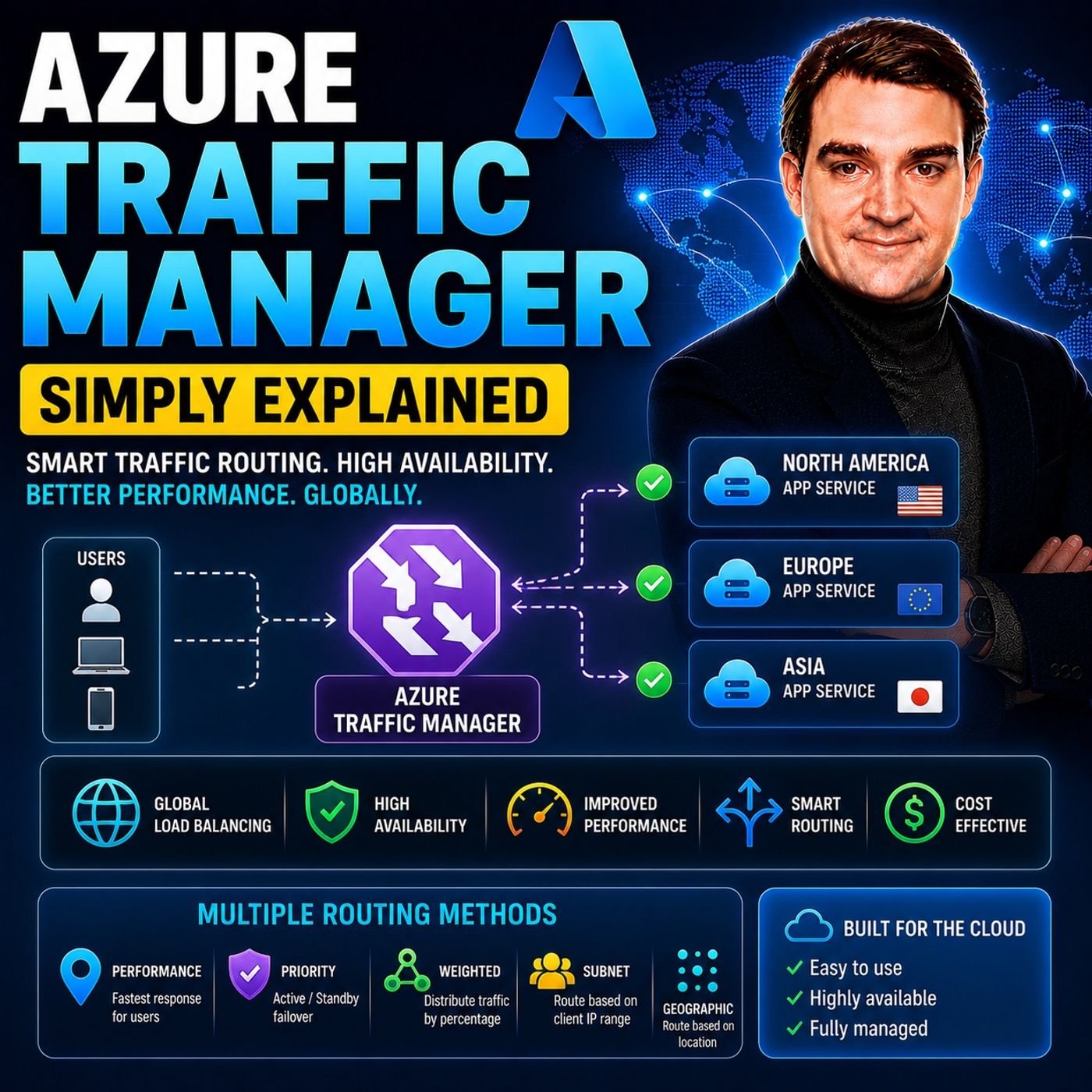
Azure Traffic Manager - Simply Explained
Show notes
Azure Traffic Manager is Microsoft's global DNS-based traffic distribution service that directs users to the most appropriate application endpoint anywhere in the world. Instead of sending every user to a single data center, Traffic Manager intelligently routes requests based on factors such as latency, geographic location, endpoint health, or custom routing policies. Because it operates at the DNS layer, Traffic Manager never sits in the data path—it simply tells users which endpoint to connect to. This makes it an extremely lightweight, highly available, and globally scalable solution for improving application performance and business continuity. WHY GLOBAL TRAFFIC ROUTING MATTERS As businesses expand globally, users expect fast and reliable applications regardless of where they are located. A customer in Tokyo connecting to an application hosted only in Virginia experiences much higher latency than someone located nearby. Even worse, if that single region becomes unavailable, every user loses access to the application. Azure Traffic Manager solves these challenges by directing each user to the closest, fastest, or healthiest deployment. This improves application responsiveness, reduces downtime, and enables organizations to build resilient multi-region architectures without requiring users to manually choose a server or location. HOW AZURE TRAFFIC MANAGER WORKS Unlike Azure Load Balancer or Azure Application Gateway, Traffic Manager does not proxy or inspect network traffic. Instead, it answers DNS queries with the IP address or hostname of the best available endpoint. Once the DNS lookup is complete, the user's device connects directly to that endpoint, meaning Traffic Manager introduces virtually no additional latency. It continuously monitors each configured endpoint using HTTP, HTTPS, or TCP health probes. If an endpoint fails multiple health checks, Traffic Manager automatically removes it from DNS responses and redirects new users to healthy locations. When the endpoint recovers, it is automatically placed back into service, providing seamless failover without manual intervention. UNDERSTANDING THE SIX ROUTING METHODS Azure Traffic Manager offers six routing methods designed for different business scenarios. Priority Routing provides active-passive disaster recovery by automatically failing over to backup regions. Performance Routing sends users to the endpoint with the lowest network latency. Weighted Routing distributes traffic according to administrator-defined percentages, making it ideal for canary deployments, A/B testing, and gradual migrations. Geographic Routing directs users based on their country or region to support compliance and localized experiences. Subnet Routing allows routing based on the source IP range, while Multivalue Routing returns multiple healthy IP addresses for simple client-side failover. These flexible routing policies enable organizations to optimize performance, availability, compliance, and deployment strategies with a single service. TRAFFIC MANAGER VS LOAD BALANCER VS FRONT DOOR Azure Traffic Manager is often confused with other Azure networking services, but each solves a different problem. Traffic Manager operates globally at the DNS layer and decides where users should connect. Azure Load Balancer distributes traffic between virtual machines within a single region using Layer 4 networking. Azure Application Gateway provides Layer 7 routing, SSL termination, and a Web Application Firewall for web applications. Azure Front Door combines global routing with edge caching, Web Application Firewall capabilities, and application acceleration. Many enterprise architectures actually use these services together—for example, Traffic Manager routes users to the closest region, while Load Balancer or Application Gateway distributes traffic within that region. WHEN SHOULD YOU USE AZURE TRAFFIC MANAGER? Azure Traffic Manager is the ideal solution for organizations running applications across multiple Azure regions, multiple clouds, or hybrid environments. It improves global performance, enables automatic disaster recovery, supports regulatory requirements through geographic routing, and simplifies controlled software rollouts using weighted traffic distribution. Combined with continuous health monitoring, flexible routing methods, and Microsoft's globally distributed DNS infrastructure, Azure Traffic Manager provides a reliable foundation for highly available applications that serve users around the world with minimal latency and maximum resilience. Become a supporter of this podcast: https://www.spreaker.com/podcast/m365-fm-microsoft-365-azure-cloud-power-platform-ai--6704921/support.
Apple Podcasts · Spotify · YouTube · YouTube Music · Deezer
Host: Mirko Peters
Related articles
Transcript
Read the full transcript
Welcome to another episode of Microsoft Knowledge Nuggets, I'm your host, Mirko Peters. Today's topic, Azure Traffic Manager. Imagine you've built a web app that people all over the world want to use. Users in Tokyo, London, São Paulo, they're all trying to reach your app at the same time. But here's the problem. Every single one of those users is hitting a server in one region, let's say Virginia. The user in Tokyo waits over 200 milliseconds per request and the user in São Paulo gets an even worse experience. And if that Virginia data center goes down, a power failure, a network cut, something unexpected, your entire app goes offline. Every user everywhere, that's a single point of failure and it's a big problem. So what if you could route each user to their closest, fastest, healthier server automatically? What if a user in Tokyo got served from a data center in Japan? A user in London from Ireland, and if one region went down, the traffic just shifted somewhere else without you doing anything? That's exactly what Azure Traffic Manager does and it does it at the DNS level, which means it's simpler than you think. By the end of this episode, you'll understand what Traffic Manager actually is, how its six routing methods work and when you'd use each one. Grab your coffee and let's dive in. Why global traffic routing matters? Let's break it down. Most people hear load balancing and think of a single server distributing traffic across a few machines inside one data center. That's Azure Load Balancer and it works great for a single region. But what happens when your users are spread across continents? A user in Japan hitting a server in Virginia is never going to get a fast response. The physics of the internet just won't let it happen. Light travels at a fixed speed and every network hop adds delay. You can't fix that with better code or faster servers. Here's the thing, slow apps lose users. A one second delay cuts conversions by 7% and a regional outage that doesn't just slow things down, it takes your entire app offline. Your users can't reach you, your revenue stops and your reputation takes a hit. 20 years ago, the old approach was to build servers in every region and manually direct users to the right one. You'd update DNS records by hand, maintain spreadsheets of which users went where and pray you didn't make a mistake during a failover. That approach is impractical and brittle because it doesn't scale and breaks under pressure. The new approach is a single DNS-based traffic director that picks the best endpoint per user per request. It requires no manual updates or fragile spreadsheets. Instead, it looks at where the user is, checks which endpoints are healthy and returns the best one. Think of it like a global air traffic control system where each data center is an airport and traffic manager is the control tower directing each user to the nearest available server. That's where traffic manager comes in. So let's talk about what it actually is. What traffic manager actually is. Here's the simplest definition. Traffic manager is a DNS-based load balancer that runs at global scale. Think of it like a smart reception desk at the entrance of a worldwide office building. When you walk in, the receptionist doesn't handle your phone calls or process your paperwork. They just point you to the right floor. That's all traffic manager does. It points users to the right server. Here's the key distinction. Traffic manager never sees your actual traffic. It doesn't proxy requests, inspect packets or cache content. When a user types your domain name into their browser, a DNS query goes out. Traffic manager answers that query with the IP address of the best endpoint, the closest one, the healthiest one, the one you've configured as the priority. Then the user connects directly to that endpoint and traffic manager steps out of the way completely. That means it adds zero latency to your traffic path. Because it's not in the middle of the data flow, it can't slow things down. It also works with any internet facing endpoint, Azure services, servers in another cloud, even your own on-premises data center. As long as the endpoint has a public IP address or a domain name, traffic manager can root to it. And because it's a global service, it's resilient to regional failures. If an entire Azure region goes down, traffic manager keeps running and roots users to healthy endpoints elsewhere. So how does traffic manager know which endpoints are healthy? It probes them every 30 seconds by default, sending an HTTP or HTTPS request to a specific path on each endpoint. If the endpoint responds with a 200-level status code within a timeout, it's healthy. If it fails to respond multiple times in a row, traffic manager marks it as degraded and stops sending users there. When the endpoint recovers, traffic manager detects that too and brings it back into rotation. This health monitoring is what makes automatic fail over possible. Now, let's look at the different ways traffic manager decides which endpoint to send users to. That's where the routing methods come in. Priority routing? Disaster recovery made simple. Priority routing is the simplest method to understand. You rank your endpoints from one to however many you have. That's it. All traffic goes to priority one. If that endpoint fails, traffic shifts to priority two, then three and so on down the list. It's an active passive setup. One endpoint handles everything. The others wait in the wings. Here's a real world example. Say your primary servers run in East US and you have a backup in West Europe. You set East US as priority one, West Europe is priority two. Normal operation, every user goes to East US. But when East US has an outage, maybe a power failure, maybe a network issue, traffic manager detects it within seconds. It stops sending new users to East US and starts redirecting them to West Europe instead. Your app stays online, your users might not even notice anything happened. Now, there's an important detail here. Existing users keep their current connection. DNS based routing only affects new DNS lookups. So if someone already loaded your app and has an active session, that session keeps going to the original endpoint until it ends or the DNS cache expires. That's why you want to set your DNS TTL low 30 to 60 seconds is the sweet spot. A low TTL means DNS resolvers check for updates more frequently. So when traffic manager switches endpoints, the change propagates faster. One common mistake people make is for getting to test the failover. You set a priority routing, you deploy your backup region and then you just assume it works. But here's the thing, your backup region needs to handle the full load. If your primary handles are million users a day and your backup only handles 100,000 during normal operations, that backup might fall over when all that traffic suddenly shifts to it. Test your failover, actually simulate an outage and watch what happens. That's the only way to know it works. Priority is about keeping your app alive during failures. But what about making it fast for everyone? Performance routing, speed over everything. Performance routing works differently than priority routing. Instead of saying always use this endpoint first, it says send each user to whatever endpoint gives them the fastest connection. So a user in Tokyo gets routed to a server in Japan. A user in London gets routed to Ireland. A user in Sao Paulo gets routed to Brazil. Every user gets the fastest possible experience, no matter where they are. How does traffic manager know which endpoint is fastest? It uses something called an internet latency table. Think of it as a map that Azure keeps up to date. It tracks the actual network latency between different parts of the world and each Azure region. When a DNS query comes in, traffic manager checks where the user's DNS resolver is located, looks up the latency table and returns the endpoint that gives that user the lowest latency. Now here's something that might surprise you. It's not based on physical distance. A user in India might actually get lower latency to East US than to Southeast Asia, depending on how the undersea cables and internet exchanges are routing traffic at that moment. The latency table captures real network conditions, not just straight line distance. So the closest endpoint isn't always the one that's geographically nearest. Performance routing is a great fit for globally distributed apps where user experience depends on speed. Ecommerce sites, video streaming, real-time collaboration tools, anything where a slow response means a lost user. But there's a catch. It doesn't consider how much load each endpoint is already handling. If your East US region is running at 95% capacity in your West Europe region is at 20%, performance routing might still send new users to East US because that's the lowest latency for them. It doesn't know about your server load. So you typically combine performance routing with other load balances inside each region. Azure load balancer or application gateway to handle the actual distribution of traffic across your servers once the user arrives at the right region. Performance routing optimizes for speed, but what if you need to control how much traffic each endpoint gets? Weighted and geographic routing, control and compliance. So performance routing is about speed. But what if you want to control exactly how much traffic each endpoint gets? Or, root users based on where they're located in the world? That's where weighted and geographic routing come in. Let's start with weighted routing. This one is exactly what it sounds like. You assign a weight to each endpoint, a number between 1 and 1000. Traffic manager then distributes traffic proportionally based on those weights. So if you have endpoint A with a weight of 80 and endpoint B with a weight of 20, roughly 80% of your users get sent to A and 20% go to B, simple math. Now, why would you want to do that? Think about a canary release. You've built a new version of your app and you want to test it with real users before rolling it out to everyone. You set up a second endpoint running the new version, give it a weight of five and give your current production endpoint a weight of 95. Five percent of your users hit the new version. You watch for errors, monitor performance, and if everything looks good, you slowly increase the weight on the new version, maybe 20% next week, then 50, then 100. If something goes wrong, you drop the weight back to zero and the problem is contained. No big bang deployment, no rolling back a broken release in front of all your users. Same idea applies to A, B testing. You want to see if a new feature improves engagement. Send half your users to version A and half to version B using equal weights compare the results or your migrating users from one region to another. Gradually shift the weight from the old region to the new one over a few weeks. Here's something important to understand though. Weighted routing is not round robin. It doesn't alternate between endpoints one request at a time. It's a statistical distribution over a large number of requests. The traffic splits according to your weights. But a single user making multiple requests might keep hitting the same endpoint because their DNS resolver caches the result. So don't think of it as perfect load balancing. Think of it as controlling the overall proportion of traffic over time. Now let's talk about geographic routing. This one roots users based on where their DNS query originates. Country, continent or a specific region. So a user in Germany gets sent to your endpoint in Frankfurt. A user in Brazil gets sent to your endpoint in Sao Paulo. That level of granularity. Why would you use this? Data sovereignty is a big one. European Union regulations might require that user data stays within Europe. Geographic routing lets you enforce that at the DNS level. A user from France resolves your domain and traffic manager returns the IP address of your European endpoint. Their data never leaves the continent. Same thing for localized content. If you want users in Japan to see a Japanese language version of your site, geographic routing sends them to the endpoint that serves that content. There's one key rule you need to know. Every geographic region must map to exactly one endpoint. You can't split a single country across two endpoints. So if you have users in Germany and you want 50% to go to Frankfurt and 50% to Berlin, you can't do that with geographic routing alone. You'd need to use a nested profile instead. Nested profiles are exactly what they sound like. You put one traffic manager profile inside another. So at the top level, you use geographic routing to send European users to one profile, North American users to another and so on. Then inside each of those profiles, you use weighted routing to split traffic between endpoints within that region. Geographic at the top for compliance, weighted inside for control. It's a powerful combination. Two more routing methods handle more specific scenarios. Let's look at those. Multi-value and subnet routing for fine-grained control. Multi-value routing is a simple but useful trick. Instead of returning just one endpoint in the DNS response, traffic manager sends back multiple healthy IP addresses all at once. Your browser or app picks the first one from the list, which spreads the load without traffic manager needing to decide for every request. But there's a catch. Multi-value only works with IPv4 and IPv6 endpoints, so you can't use it with app service, cloud services, or any endpoint that uses a domain name instead of an IP address. It's purely for IP-based endpoints. When you have those though, it makes the system more resilient because if one IP fails, the client can try another from the list without doing a new DNS lookup. That means faster failover on the client side, subnet routing is even more niche, but powerful when you need it. It routes users based on the source IP subnet that DNS query comes from. So you can map your company's office IP range to a staging endpoint and everyone else gets the production version. Or you can route users from a specific VPN subnet to a dedicated backend for testing. Picture an internal testing scenario where your development team is working from the office. The DNS queries come from your corporate IP range and you map that range to a staging environment where they can test the latest build. Everyone else on the internet gets the production version. No special URLs, no VPN configurations, just transparent routing based on where the request comes from. Both of these methods are niche. Most people will use priority, performance, weighted, or geographic for their main traffic management, but multi-value and subnet are there when you need them and they solve problems that the other methods can't. Health monitoring and failover in practice. All these routing methods depend on one thing, knowing which endpoints are actually healthy. Routing traffic to a broken server doesn't help anyone, so let's talk about how health monitoring works in practice. Traffic manager sends a health probe to each endpoint every 30 seconds by default and that probe is an HTTP or HTTPS request to a specific path on your endpoint. It expects a response with a status code between 200 and 299 within a certain timeout period. If the endpoint responds correctly, it's healthy. If it doesn't, traffic manager tries again. After a configurable number of failures, default three, traffic manager marks that endpoint as degraded and excludes it from routing until it starts passing health checks again. You can configure the probing interval and the timeout. Faster probes mean faster failover. If you set the interval to 10 seconds instead of 30, traffic manager detects failures sooner and redirects traffic more quickly. But there's a trade-off. Faster probes put more load on your endpoints because every probe is a request your server has to handle. So if you have thousands of endpoints and you're probing every 10 seconds, the requests add up. And speed against overhead. The real impact of proper health check configuration is the difference between a seamless failover and a false alarm that breaks your routing. If your probe is too sensitive, you might mark an endpoint as degraded when it's actually fine. A temporary spike in latency, a brief network glitch, a slow database query. Any of these could trigger a false positive. When traffic manager stops sending users to that endpoint, you've just created an outage that didn't need to happen. Here's a common pitfall. A couple set the probe path to the root of their application, just a forward slash. That's fine for a basic health check, but it's not ideal because the root page might load slowly if it renders a full page with database queries, images, and JavaScript. A better approach is to create a dedicated health check endpoint, something lightweight. A simple endpoint that returns a 200 status code quickly and confirms the application is running. No database queries, no heavy processing, just a heartbeat. That way your probes are fast, reliable and less likely to trigger false alarms. Let me wrap up with when you should actually use traffic manager versus other options. Conclusion and decision guide. So here's the quick recap. Traffic manager is a DNS-based global traffic director with six routing methods. It doesn't actually handle your traffic. It just points users to the right place based on the method you pick. Priority routing is for disaster recovery. It keeps your app running even if an entire region goes down. Performance routing is all about speed. It sends each user to the endpoint with the lowest latency. Weighted routing lets you do controlled rollouts like canary releases or A/B testing. Geographic routing handles compliance. You keep data in the right region according to where your users are located. Multi-value is for simple IP-level distribution across multiple addresses. And subnet routing routes based on the source IP of the DNS query. Now let's talk about where traffic manager fits into a real architecture. Think of it as the first layer. It roots users to the right region. Once they arrive there, you need other services to handle the actual traffic. Azure Load Balancer distributes traffic across VMs inside a single region. Application gateway gives you layer 7 routing and a web application firewall. Front door adds global caching, TLS termination and deeper security features. Traffic manager works alongside all of these. It's not a replacement for any of them. Here's a quick mental shortcut. Use traffic manager for cross-region routing. Use Azure Load Balancer for within region distribution. Use Front Door when you also need WAF caching and TLS termination at the edge. Each one solves a different problem. Here's your final challenge. Take a look at your current app's architecture. If users in different regions get different speeds, or if you don't have a failover plan for when a region goes down, traffic manager might be your simplest fix. It's not complicated to set up and it solves a problem that only gets harder to ignore as your app grows. That wraps up this episode of Microsoft Knowledge Nuggets. If this helped you understand traffic manager a little better, share it with someone who's starting their Azure journey. subscribe on your favorite podcast platform and I'll see you in the next one.