 EN
EN Deutsch
 Español
 Français
 Italiano
 Português
 Nederlands
 Polski
 Bahasa Indonesia
 Русский
 Українська
 العربية
 עברית
עברית हिन्दी
 日本語
日本語 한국어
한국어2026-07-16 · Season 3
Azure Virtual WAN - Simply Explained
Show notes
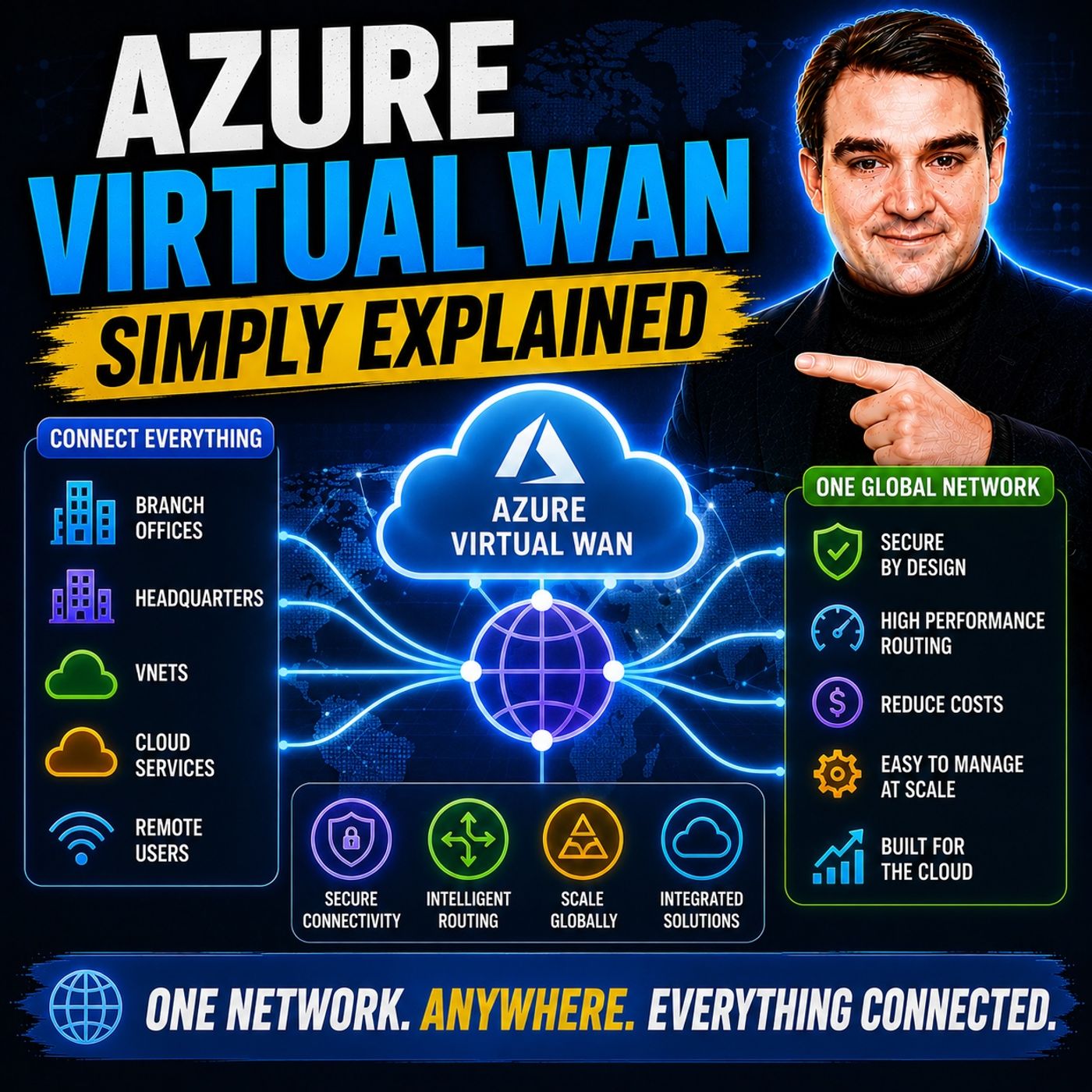
Building a global Azure network manually becomes increasingly difficult as your organization grows. What starts as a simple hub-and-spoke deployment quickly turns into a maze of virtual network peerings, route tables, VPN gateways, firewall rules, and regional connectivity challenges. Every new Azure region introduces additional complexity, making network management harder, slower, and more expensive. In this episode of m365.fm, we explain Azure Virtual WAN in plain English and show how Microsoft's managed networking platform simplifies global connectivity by replacing complex manual networking with an intelligent cloud-native backbone. Whether you're connecting branch offices, remote users, data centers, or Azure workloads across multiple regions, Azure Virtual WAN provides a scalable networking foundation built for modern enterprises. WHY TRADITIONAL HUB-AND-SPOKE REACHES ITS LIMITS Hub-and-spoke architecture remains an excellent networking model for smaller Azure environments, but as organizations expand globally, maintaining hundreds of peerings, user-defined routes, firewall policies, and VPN gateways becomes increasingly difficult. We explain why traditional networking creates operational overhead, how routing complexity grows exponentially with every new region, and why many large enterprises eventually struggle to manage their Azure connectivity. Through practical examples, you'll understand why Azure Virtual WAN was designed to eliminate manual networking tasks while preserving centralized security, routing, and governance across geographically distributed Azure environments. VIRTUAL HUBS, MICROSOFT'S GLOBAL BACKBONE, AND CONNECTIVITY At the heart of Azure Virtual WAN are Virtual Hubs—Microsoft-managed regional networking hubs that automatically connect your virtual networks, branch offices, ExpressRoute circuits, VPN gateways, and remote users through Microsoft's global private backbone. This episode explains the Virtual WAN resource, Virtual Hubs, spoke virtual networks, Site-to-Site VPN, Point-to-Site VPN, ExpressRoute, Microsoft Entra ID authentication, and automatic inter-hub routing using simple analogies that make enterprise networking easy to understand. Instead of manually configuring dozens of peerings and routing tables, Azure Virtual WAN allows organizations to connect each workload once while Microsoft manages the global routing infrastructure automatically. BUILT-IN ROUTING, SECURITY, AND AZURE FIREWALL INTEGRATION Azure Virtual WAN doesn't just simplify connectivity—it also simplifies security. Learn how Routing Intent automatically directs traffic through Azure Firewall or supported third-party next-generation firewalls without requiring complex User Defined Routes (UDRs). We explain secured Virtual Hubs, Azure Firewall integration, IPsec encryption, ExpressRoute, Azure Firewall Manager, Zero Trust networking principles, and centralized policy management across multiple Azure regions. You'll discover how Virtual WAN creates a globally consistent security model where routing, inspection, and policy enforcement are managed centrally rather than separately for every virtual network. WHEN TO USE AZURE VIRTUAL WAN The episode concludes by comparing Azure Virtual WAN with traditional Hub-and-Spoke networking and helping you choose the right architecture for your environment. We discuss deployment scenarios including global retailers, multinational enterprises, remote workforces, hybrid cloud environments, MPLS replacement projects, and cloud-first organizations expanding into multiple Azure regions. We also cover migration strategies, Virtual WAN Standard versus Basic, operational cost savings, Microsoft Learn resources, and practical deployment recommendations. Whether you're designing a new enterprise Azure network or modernizing an existing cloud infrastructure, this episode provides the practical knowledge needed to understand when Azure Virtual WAN becomes the right architectural choice—and how it helps organizations scale global networking without scaling operational complexity. Become a supporter of this podcast: https://www.spreaker.com/podcast/m365-fm-microsoft-365-azure-cloud-power-platform-ai--6704921/support.
Apple Podcasts · Spotify · YouTube · YouTube Music · Deezer
Host: Mirko Peters
Guests
Related articles
- Simplifying Global Enterprise Networking with Azure Virtual WAN
- Demystifying Azure ExpressRoute: A Practical Guide for IT Pros
Transcript
Read the full transcript
Welcome to another episode of Microsoft Knowledge Nuggets here on M365. FM, I'm your host, Mirko Peters. Today's topic is one that almost everyone building in Azure has heard of, but few people actually understand in plain English as your virtual one. So here's the thing. If you've ever tried to build a global network in Azure, the traditional way, you know, it gets complicated fast, really fast. You start with one region and a few virtual networks and everything works fine, but then you add a second region, then a third, and suddenly you need to connect branch offices. Now you're managing pierings, root tables, firewall rules and VPN gateways across half a dozen locations. It's like building every road, every traffic light and every intersection yourself. And every time you add a new region, you have to build more roads. Azure virtual one handles the hard parts so you don't have to think of it as a highway system. Microsoft builds and manages the highway. You just build the on-ramps by the end of this episode. You'll understand how it works, why it exists and when you should use it. The old way, hub and spoke complexity. Let's start with the old way. Once you see the problem, the solution makes a lot more sense. The traditional approach in Azure is called hub and spoke. Imagine one central virtual network. That's your hub where you put shared services like firewalls, domain controllers and VPN gateways, then you connect your application virtual networks, the spokes to that hub using vNet peering. So traffic flows from the spokes through the hub where you can inspect and control it. When does this work? Well, in a single region with a handful of virtual networks, you have total control over routing and security. You know exactly where every packet is going and it's simple, clean and works. But here's where it breaks. The moment you add a second region, things get messy. You need to peer your hubs together, set up user-defined routes, UDRs to force traffic through firewalls and configure root tables for every single spoke. And every time you add a new region, you multiply that complexity. Let me give you a real example. Imagine a company with branches in three regions, North America, Europe and Asia, that needs connectivity between all of them. In a traditional hub and spoke setup, that means at least 12 peering. Each hub needs to peer with every other hub and each spoke needs root tables pointing to the right firewall. And when they add a new region, they have to update every single root table by hand. That's the nightmare of managing global networking the old way. It's not that it doesn't work. It's that it doesn't scale the more you add, the more you have to manage. And eventually the complexity becomes a full time job for a team of network engineers. This is why Microsoft built Azure virtual one. It solves the scaling problem without sacrificing controls. So what exactly is it? Let's break it down. What Azure virtual one actually is what exactly is Azure virtual one? Here's the simplest definition. It's a managed networking service that connects your branches, users and cloud resources through a single Microsoft manage backbone. Instead of building and managing all the connections yourself, Microsoft handles the heavy lifting. Think of it like a highway system. You don't build or maintain the highway. You just build the on ramps. Your on ramps are the connections from your branch offices, your remote users and your virtual networks. The highway itself, the routing, the interconnections between regions, the backbone, that's all managed by Microsoft. So what are the actual components? Let's break it down into the four main pieces. First, the virtual one resource itself. That's the overall network container, the name for your entire highway system. Second, virtual hubs, the regional connection points, one per Azure region. Each hub is like a highway interchange. Third, spoke virtual networks, your applications connected to those hubs and fourth, gateways, these handle VPN connections from your branches and express root connections from your data centers. Now, there are two tiers of virtual one. Basic gives you site to site VPN only. It's simple, but limited. Standard gives you the full set of features. Express route, point to site VPN for remote users, inter hub routing, as your firewall integration and more for almost any real world scenario. You want standard. The big difference from traditional hub and spoke is this. Microsoft manages the routing between hubs automatically. You don't have to create hearings or configure root tables. You connect your spokes to the hub and the hub handles the rest. It's that simple. The heart of virtual one is the virtual hub. Let's look at that next. The virtual hub, your on ramp to the global network. So what actually is a virtual hub? Here's the simplest way to think about it. It's a Microsoft managed regional router that lives inside a specific Azure region. That's it. A router that Microsoft sets up and maintains for you so you don't have to worry about the routing back end. Each hub is a connection point for four things. Virtual networks, your spoke applications, branch offices, connected through VPN or express route, remote users connecting through point to site VPN and other hubs, hubs in different regions, talking to each other. Here's the part that matters. The hub handles all the routing between these connections automatically. No manual root tables, no user defined roots, no peering configurations. You connect something to the hub and the hub figures out how to get traffic where it needs to go. Now you do need to plan your address spaces. Each hub needs its own IP range, just like any other network component. When you connect a spoke vnet to the hub, it's a simple vnet connection. A few clicks and you're done. The hub learns the vnet's address space automatically. But here's where the highway analogy really clicks. You can have multiple hubs in different regions and they automatically connect to each other. So a hub in North America talks to a hub in Europe, which talks to a hub in Asia, all through the Microsoft global backbone. Each hub is like an on ramp to that backbone. You build the on ramp for your region and Microsoft handles the highway between them and the scale is impressive. A single hub can handle up to 1000 site to site VPN connections up to 100,000 remote users and up to 50 gigabits per second of throughput through the hub root. That's not small office scale. That's that's enterprise scale. Now that we have hubs, let's connect everything to them. Connecting branches, users and cloud resources. So let's start with branch offices side to side VPN connects your physical locations to Azure using standard IP sec VPN tunnels. It works with pretty much any VPN device Cisco, fortunate, whatever you're using, no special hardware needed. Here's how it works. You create a VPN site in the hub, provide your branches, public IP address and address space and Azure handles the rest. It creates the tunnel manages the encryption keeps it running. Remote users are next point to side VPN. Let's employees connect from anywhere home, coffee shop hotel. They use the Azure VPN client, open VPN or standard, I gave you to and here's the key detail. It supports Microsoft, enter ID for authentication. So users log in with their work credentials, same as they do for everything else. No separate VPN passwords, no certificates to manage. When a user connects, they dial into the nearest hub and they automatically get access to every resource connected to that hub. VNets, branch networks, other regions, no split tunnel complexity, no manual routing. They connect once and they're on the network for your main offices and data centers. There's express route. This is a private dedicated connection from your on premises location to Azure. It bypasses the public internet entirely. Your traffic never touches a public network and virtual ones supports both VPN and express route on the same hub with automatic failover between them. If your express route circuit goes down traffic shifts to VPN without manual intervention. Now your cloud applications connecting spoke vnets to the hub takes just a few clicks. You select the hub, select the vnet and the connection is established. The hub learns the vnet's address space automatically. No peering setup, no root table configuration. And between regions, hubs talk to each other automatically over the Microsoft backbone. You don't configure inter hub connections. You don't manage transit routing. It just works. The result is any to any connectivity, any branch, any remote user, any vnet, any on premises site, they can all reach each other with traffic staying on Microsoft's private network the entire time. Let me give you a real world example. Imagine a retailer with stores in Europe, Asia and North America. Each store connects via site to site VPN to its regional hub. The European stores connect to the European hub. The Asian stores connect to the Asian hub. And when traffic needs to go between regions, say an Asian store needs to check inventory in the North American warehouse that traffic travels over the Microsoft backbone, not the public internet, not a third party MPLS network, Microsoft's private network, but connectivity is only half the story. The real power is how virtual one handles routing and security, routing and security built in, but connectivity is only half the story. The real power of virtual one is how it handles routing and security. In a traditional hub and spoke setup, if you want to force traffic through a firewall, you have to create user defined routes, UDRs for every single subnet in every single spoke. And if you have multiple regions, you do it all over again. It's complex. It's error prone. And when something breaks, good luck figuring out which root table has the wrong entry. Virtual one solves this with something called routing intent. Think of it as a single configuration that tells the hub, send all traffic through the firewall. That's it. One setting, not hundreds of root tables. And here's what it covers, internet traffic, anything going out to the web, private traffic, vnet to vnet branch to branch branch to vnet and inter hub traffic, traffic moving between regions, one policy, global enforcement, you set it once and it applies everywhere. Now, how does the firewall actually get into the picture through secured virtual hubs? You deploy Azure Firewall directly into the hub or a third party NGFW like fortinet, checkpoint or palo alto. The firewall sits in the traffic path transparently. No UDRs needed, no complex routing traffic flows in gets inspected and flows out. It just works for encryption. All VPN tunnels use standard IPSAC IK. Microsoft recommends GCMAs 256 for the best balance of performance and security. And if you're using express route, you can encrypt that traffic too. So even your private connection is protected. This aligns with zero trust principles, no direct internet access from spokes, all traffic inspected, microsegmentation inside spoke vnet's and everything managed centrally through Azure firewall manager. One policy applied across all hubs globally. The security advantage is simple. Instead of managing firewall rules per region, you manage one policy that applies everywhere. Instead of troubleshooting root tables, you configure rooting intent once. Instead of hoping nothing breaks when you add a new region, you know the policy follows automatically. So when should you use virtual one versus the traditional hub and spoke model? VWN versus traditional hub and spoke when to use what? Let's get one thing straight. Hub and spoke isn't broken. It's just the right tool for the right job. So when does hub and spoke win when you're in a single region? When you've got a handful of virtual networks, maybe five, maybe 10, you want total control over every root, every firewall rule. You've got a small team that knows this network inside and out. In that case, hub and spoke is simpler and cheaper. You don't need the overhead of a managed service. Virtual one wins when you're in multiple regions. When you've got branch offices everywhere when remote users need to connect from anywhere when your network spans the globe and you want to stop managing it piece by piece. The more distributed your network gets, the more virtual one makes sense. Let's talk numbers at small scale say 10 v nets. Hub and spoke is cheaper. You're just paying for pierings and basic gateways, but a 200 v nets virtual one is about 21% cheaper. Why? Because you're not paying your team to manage hundreds of pierings and root tables. Those operational savings add up fast and performance in global deployments. Virtual one gives 15 to 25% lower latency. That's because Microsoft's backbone routing is optimized for global traffic. Your packets take the best path, not the path you manually configured three years ago. The management difference is even bigger. With hub and spoke, you manage pierings, root tables, gateways and firewalls per region. Each region becomes its own project. With virtual one, it's a single pane of glass. One view, one set of policies, one way to manage everything. So how do you decide? Ask yourself one question, am I building for today or for three years from now? If you're a startup with one region and five v nets, hub and spoke is fine. But if you're planning to expand virtual one grows with you. And here's the good news. You can start with hub and spoke in migrate later. Microsoft supports that migration path. You don't have to get it perfect on day one. If you ever get asked this in an interview, here's the short answer. Hub and spoke for controlled single region deployments. Virtual one for large scale global connectivity. That one sentence shows you understand the trade off. Let's look at a few real world scenarios to see how this plays out. Real world scenarios and migration paths. Let's make this concrete with three real world scenarios. Sonario one, a global retail chain, 50 stores across three continents, remote workers doing inventory, customer service and management, a centralized ERP system running in Azure. Here's how virtual one makes this work. Deploy hubs in North America, Europe and Asia, one per continent. Each store connects via site to site VPN to its regional hub. A store in London connects to the European hub, a store in Tokyo connects to the Asian hub. Remote workers use point aside VPN, authenticated through Microsoft, enter ID, their work credentials, nothing extra. Now, here's the key. All traffic between stores and Azure stays on the Microsoft backbone. That London store checking inventory in the North American warehouse that traffic never touches the public internet. It goes from the European hub across Microsoft's private network to the North American hub and into the ERP system. The result, consistent connectivity everywhere, centralized security through the hubs, and lower cost and MPLS, no carrier contracts, no long term commitments, just pay for what you use. Sonario two, MPLS replacement. This is a big one. Many companies have been paying carriers for MPLS circuits for years. Expensive, rigid, hard to change. Virtual one gives you a path out. Start by using virtual one for new branches and Azure connectivity. Any new location you open goes straight onto the virtual one backbone. Then gradually migrate existing MPLS sites to VPN or express route. Use express route for your legacy data centers that need private connectivity. Over time, reduce your MPLS circuits as traffic shifts to the virtual one backbone. You don't have to cut everything over at once. You can run both in parallel as each MPLS contract comes up for renewal. You decide does the site move to virtual one? Most of the time, the answer is yes. Sonario three, a cloud first start up. You're in one region today, one hub, a handful of vnet's, a small team, but you're planning to expand. You've got customers in Europe and Asia, your hiring remote workers globally, deploy one hub in your current region, connect your vnet's set up point to side VPN for your remote team. That's your starting point as you expand in your regions. You add hubs. The routing is automatic. You don't reconfigure anything. Your remote uses connect to the nearest hub without any changes on their end. You're ready for scale without a redesign. That's the beauty of virtual one. It grows with you. So how do you actually get started? Getting started with Azure virtual one. So how do you actually start? Create a virtual one resource in the Azure portal, pick standard tier. That's where the full feature set lives. Now deploy a virtual hub in the region closest to your users or workloads. Set up the basics, the hubs address space and the VPN gateway scale units. That's your first on ramp ready to go. Connect your first spoke vnet. It's a simple vnet connection. A few clicks, no peering, no root tables. The hub learns the address space automatically. Then add branch connectivity, create VPN sites for your offices and download the VPN configuration your branch devices need. For remote users, configure point to site VPN with certificate or enter ID authentication. Starts more, prove the concept with one hub, one vnet, one branch, then expand to additional regions when you're ready. For more detail, check Microsoft learn in the Azure architecture center. They've got step by step guides and reference architectures. So that's Azure virtual one, the highway system for your global network. Microsoft handles the routing and infrastructure. You handle the on ramps and the policies. Start with a single hub, connect your first vnet and see the difference it makes. Subscribe for more plain English Azure explanations and drop a comment if this clicked.