


 Apple Podcasts
 Spotify
 Youtube Music
 Spreaker
 Podchaser
 Amazon Music
 Azure Virtual WAN - Simply Explained
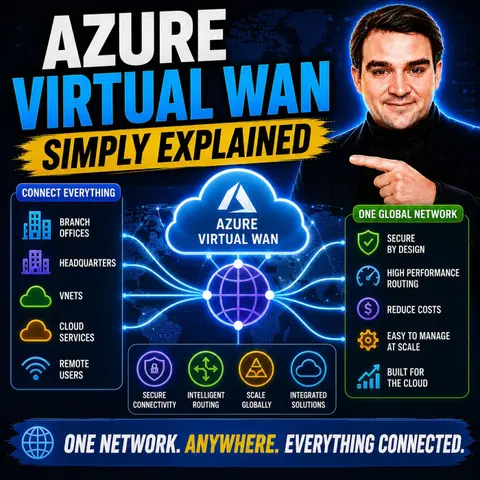

Azure Virtual WAN is Microsoft's global networking service that simplifies connecting branch offices, remote users, virtual networks, and on-premises datacenters through the Microsoft global backbone. Instead of managing multiple VPN gateways, ExpressRoute connections, and complex routing configurations individually, Azure Virtual WAN provides a centralized platform for building secure, scalable, and high-performance enterprise networks.
In this episode, you'll learn what Azure Virtual WAN is, how it works, and why it's designed for organizations with distributed or hybrid infrastructures. The discussion explains key concepts including Virtual Hubs, hub-and-spoke networking, site-to-site VPN, point-to-site VPN, ExpressRoute, and transitive routing. You'll also discover how Azure Virtual WAN simplifies global connectivity while reducing operational complexity.
The episode explores practical scenarios such as connecting multiple offices, supporting remote workers, integrating hybrid cloud environments, and securely linking Azure workloads across regions. You'll learn how Azure Virtual WAN integrates with Azure Firewall, SD-WAN solutions, ExpressRoute, Azure VPN Gateway, and Azure Virtual Networks to create a resilient, centrally managed network architecture that scales as your business grows.
By the end of this episode, you'll have a clear understanding of Azure Virtual WAN, its core capabilities, common deployment scenarios, and best practices for building secure, highly available, and globally connected Azure networking environments.
In today's fast-paced digital world, managing global connectivity can be a daunting task for enterprises. Azure Virtual WAN simplifies this challenge by offering a managed networking service tailored for modern businesses. Traditional networking often leads to issues like troubleshooting difficulties, high costs, and integration problems with security solutions. Azure Virtual WAN addresses these challenges, allowing you to focus on your core operations rather than the complexities of network management. By leveraging this cloud-based solution, you can enhance your network infrastructure and improve overall connectivity across regions.
Key Takeaways
- Azure Virtual WAN simplifies global connectivity for businesses by integrating networking, security, and monitoring into one platform.
- The hub-and-spoke architecture allows seamless connections between branch offices, virtual networks, and remote users, enhancing network management.
- Azure Virtual WAN offers various connectivity options, including Site-to-Site VPN and ExpressRoute, ensuring secure communication with on-premises networks.
- Scalability is a key feature, allowing businesses to expand their network easily as their needs grow without compromising performance.
- Enhanced security features, such as Azure Firewall integration and centralized policy management, protect data across all regions.
- The service provides a single management interface, reducing complexity and saving time for IT administrators.
- Azure Virtual WAN is suitable for various industries, including healthcare and finance, by meeting their specific security and compliance needs.
- Consider your organization's unique requirements when evaluating Azure Virtual WAN to ensure it aligns with your connectivity goals.
What Is Azure Virtual WAN?
Overview of Azure Virtual WAN
Azure Virtual WAN is a managed networking service that simplifies global connectivity for enterprises. It integrates various networking components, such as connectivity, security, and monitoring, into a single platform. This service allows you to manage your network infrastructure more efficiently, reducing the complexity associated with traditional networking methods.
At its core, Azure Virtual WAN utilizes a hub-and-spoke architecture. This means that it acts as a central hub, connecting multiple networks or spokes. You can connect your branch offices, virtual networks, and remote users seamlessly through this hub. The service leverages Microsoft's global private backbone, ensuring reliable and secure connections across regions.
Here’s a quick overview of the key components of Azure Virtual WAN:
| Feature/Component | Description |
|---|---|
| Managed Networking Service | Azure Virtual WAN integrates networking, connectivity, security, monitoring, and routing features. |
| Single Management Interface | Provides a unified interface for managing all services under the Virtual WAN umbrella. |
| Hub and Spoke Architecture | Functions as a central hub for connectivity and security, connecting various spokes (networks). |
| Software-Defined WAN (SD-WAN) | Enables seamless and scalable interconnectivity with on-premises SD-WAN devices. |
| Integration with Azure Firewall | Enhances security by allowing centralized management of security policies and routing. |
| Zero-Touch CPE Deployments | Allows for preconfigured devices to connect automatically to the Virtual WAN. |
| SKU Options | Offers different service levels, including a basic SKU for VPN Site-to-Site connections. |
| Automated Routing | Secured hubs provide automated routing without manual configuration of user-defined routes. |
Key Features of Azure Virtual WAN
Azure Virtual WAN stands out due to its unique features that cater to modern networking needs. Here are some of the key features that differentiate it from other cloud networking solutions:
| Feature | Description |
|---|---|
| Types of WAN | Azure Virtual WAN offers Basic and Standard types, each with different configurations and upgrade options. |
| Basic | Allows only Site-to-site VPN connectivity. |
| Standard | Supports ExpressRoute, User VPN (P2S), VPN (site-to-site), Inter-hub, and VNet-to-VNet transitions. |
| Custom Route Tables | Enables creation of custom route tables for optimized virtual network routing. |
| Global VNet Peering | Allows connectivity between VNets in different regions, enhancing reach and efficiency. |
| Hub Architecture | Centralizes connectivity through a Microsoft-managed virtual network hub, simplifying network management. |
| Hub-to-Hub Connection | Interconnects all hubs within a Virtual WAN, allowing seamless communication between branches and VNets. |
| Scalability | VNets can scale effortlessly via the virtual hub and its gateway, eliminating the need for individual gateways. |
These features make Azure Virtual WAN a comprehensive solution for enterprises looking to modernize their network infrastructure. It supports various use cases, including hybrid cloud scenarios and migration from legacy MPLS networks. By leveraging Azure Virtual WAN, you can achieve centralized hybrid connectivity, enforce traffic policies, and ensure secure branch and remote-user connectivity at scale.
Azure Virtual WAN Architecture

Virtual Hubs Explained
At the heart of the azure virtual wan architecture are the virtual wan hubs. These hubs serve as central points for connectivity and management. They simplify the network by allowing you to connect multiple resources, such as branch offices and virtual networks, through a single hub. This hub and spoke architecture centralizes control, making it easier to manage security and routing policies across all connected spokes.
Here are some key roles of virtual hubs:
- Hub-to-Hub Connectivity: Virtual hubs enable efficient communication between branches and virtual networks (VNets) in different regions.
- Any-to-Any Connectivity: They reduce the complexity of full or partial mesh configurations, allowing for simpler network designs.
- Global Transit Network: Resources connected to any hub can communicate with others across regions via Microsoft's private backbone network. This enhances reliability and reduces latency.
The architecture of Azure Virtual WAN contributes significantly to network simplification and scalability. By utilizing a hub and spoke topology, you can maintain consistent security and routing policies across all spokes. This uniformity enhances compliance and makes it easier to manage your network as it grows. You can dynamically add new spokes or hubs as your network demands increase, ensuring that your infrastructure can scale with your business needs.
Connectivity Mechanisms
Azure Virtual WAN offers several connectivity mechanisms to link your on-premises and cloud resources. These mechanisms ensure secure and reliable connections, allowing you to manage your network effectively. Here are the primary connectivity options available:
- Point-to-Site (P2S) VPN Connections: These connections enable remote users to connect to the virtual hub and access resources across the network.
- Site-to-Site (S2S) VPN Connections: These connections provide secure communication between your on-premises locations and Azure, ensuring data confidentiality.
- ExpressRoute: This option offers a dedicated private connection between your on-premises networks and Azure, enhancing both security and performance.
Additionally, Azure Transit allows network traffic to be inspected and filtered through Azure, adding a layer of security. The VPN Gateway manages encrypted tunnels, ensuring that your data remains confidential and protected from unauthorized access.
The following table summarizes how Azure Virtual WAN ensures secure and reliable connectivity across different network types:
| Feature | Description |
|---|---|
| Hub-and-Spoke Architecture | Centralizes connectivity and management, simplifying traffic control and security policy enforcement. |
| Secure Site-to-Site VPN | Enables encrypted communication between on-premises locations and Azure, ensuring data confidentiality. |
| ExpressRoute Connectivity | Provides dedicated, private connections that bypass the public internet, enhancing security and performance. |
| Integration with Security Services | Works with Azure Firewall and other services to filter traffic and prevent unauthorized access. |
By leveraging these connectivity mechanisms, you can create a robust and secure network that meets your organization's needs.
Scalability and Performance
Scalability Options
Azure Virtual WAN offers robust scalability options to meet your growing network demands. As your business expands, you need a solution that can handle increasing data traffic without compromising performance. Azure Virtual WAN excels in this area by providing:
- Dynamic Transit Connectivity: You can create a hub-and-spoke architecture that scales easily across multiple Azure regions and on-premises locations.
- On-Demand Scaling: Start with small deployments and expand as needed. This flexibility allows you to manage costs while accommodating growth.
- Global Deployment: The architecture consists of region-bound virtual WAN hubs that leverage local resources. This setup facilitates efficient global deployment and reduces latency.
- Efficient Traffic Management: The hub-and-spoke model connects various spokes, such as virtual networks or branches, simplifying traffic management.
By utilizing Azure Virtual WAN, you can ensure high-speed, reliable connections that enhance overall performance. This service allows you to focus on your core operations while Azure manages the complexities of network scaling.
Performance Metrics
When evaluating Azure Virtual WAN, consider several key performance metrics to ensure optimal deployment. These metrics help you assess the effectiveness of your network and identify areas for improvement:
- Capacity Planning: Conduct thorough planning for components to assess VPN and ExpressRoute gateways. This step ensures that your network can handle expected traffic loads.
- Performance Monitoring: Implement monitoring for all Virtual WAN components. Continuous monitoring helps you identify performance bottlenecks and optimize configurations.
- Scalable Architecture Design: Design your architecture to accommodate growth. This foresight allows you to adapt to changing business needs without significant overhauls.
- Latency Optimization: Optimize hub placement to reduce latency. Proper hub placement can significantly enhance the performance of applications sensitive to delays.
- Routing Validation: Regularly validate routing for performance troubleshooting. This practice ensures that your network remains efficient and responsive.
While Azure Virtual WAN introduces some latency when routing through its hubs compared to direct peering, it still provides a reliable and scalable solution for modern enterprises. The throughput for VNet-to-VNet traffic is limited to 50 Gbps, which may not meet the needs of organizations handling large volumes of data. However, the benefits of centralized management and simplified connectivity often outweigh these limitations.
By focusing on these scalability and performance metrics, you can maximize the effectiveness of your Azure Virtual WAN deployment and ensure that your network meets the demands of your growing business.
Azure Connectivity Options
Azure Virtual WAN provides various connectivity options to meet your organization's networking needs. These options ensure secure and efficient connections between your on-premises infrastructure and Azure resources.
Site-to-Site Connectivity
Site-to-Site (S2S) connectivity allows you to establish secure connections between your on-premises networks and Azure. This option is essential for organizations that require reliable communication between their local data centers and cloud resources. Azure Virtual WAN supports two main configurations for site-to-site connectivity:
| Configuration Type | Connectivity Options |
|---|---|
| Basic | Site-to-site VPN connectivity only |
| Standard | ExpressRoute, User VPN (P2S), VPN (site-to-site), Inter-hub, VNet-to-VNet transition, Azure Firewall, NVA |
With these configurations, you can choose the best option that fits your requirements. The Basic configuration is suitable for straightforward VPN connections, while the Standard configuration offers more advanced features for complex networking needs.
Point-to-Site Connectivity
Point-to-Site (P2S) connectivity enables remote users to connect securely to your Azure Virtual WAN. This option is ideal for employees working from home or traveling. Azure Virtual WAN simplifies the setup of P2S connections with several key features:
| Aspect | Description |
|---|---|
| P2S Server Configuration | Defines authentication parameters for the P2S VPN gateway to authenticate users. |
| Routing Preference | Allows selection of traffic routing between Azure and the Internet via Microsoft or ISP networks. |
| Custom DNS Servers | Specifies DNS server IP addresses for forwarding DNS requests from connecting users. |
| User Groups | Assigns different IP addresses to users based on credentials, enabling ACLs and Firewall rules. |
You can create multiple User VPN configurations before establishing the P2S gateway. This flexibility allows you to tailor the connection settings to meet your organization's specific needs.
ExpressRoute Integration
Integrating ExpressRoute with Azure Virtual WAN enhances your network connectivity options. This integration provides a dedicated, private connection between your on-premises networks and Azure. Here are some benefits of using ExpressRoute with Azure Virtual WAN:
- The network-as-a-service model simplifies managing various connectivity types.
- You can enforce robust security protocols across all networks from a single management console.
- Azure Virtual WAN provides a single interface for networking, security, and routing, simplifying management.
- The integration allows for automated setup and configuration, enhancing operational efficiency.
- Combining ExpressRoute with Virtual WAN optimizes connectivity through Microsoft's global network.
- Azure Virtual WAN supports comprehensive traffic inspection, enhancing security for all connected resources.
- The hub-and-spoke architecture facilitates seamless transit connectivity, improving scalability.
By leveraging these connectivity options, you can create a robust and secure network that meets your organization's needs while ensuring efficient communication across all locations.
Azure Virtual WAN vs. SD-WAN
When comparing Azure Virtual WAN and SD-WAN, you will notice several key differences that can influence your choice of solution. Both technologies aim to enhance connectivity, but they serve different purposes and scenarios.
Key Differences
Here are some of the main differences between Azure Virtual WAN and SD-WAN solutions:
| Feature/Aspect | Azure Virtual WAN | SD-WAN Solutions |
|---|---|---|
| Architecture | Acts as an aggregation point and backbone extension | Typically a last-mile solution |
| Interconnectivity | Designed to interconnect with on-premises SD-WAN devices | Focused on connecting branch offices to the cloud |
| Scalability | Offers seamless and scalable backbone network | Varies by vendor, but generally scalable |
| Cost-Effectiveness | Can be more cost-effective depending on bandwidth needs | Costs vary widely based on deployment and usage |
Azure Virtual WAN serves as a central connection point for host VNets and SD-WAN routers. It enables a scalable backbone network, while traditional SD-WAN focuses on last-mile connectivity. This distinction is crucial when deciding which solution fits your organization’s needs.
Use Cases for Each Solution
Different scenarios may favor one solution over the other. Here’s a breakdown of when to choose Azure Virtual WAN or SD-WAN:
| Scenario | Azure Virtual WAN | SD-WAN |
|---|---|---|
| Multi-region deployments | Preferred for 3+ regions due to automatic hub mesh | Manual hub-to-hub peering becomes complex |
| Large spoke counts | Automation reduces operational burden with 30+ spokes | Manual peering and route management required |
| Branch office connectivity | Built-in support for connecting multiple branch offices | Requires integration with SD-WAN platform |
| Managed service preference | Reduces operational burden for small teams | Typically requires more management overhead |
| ExpressRoute and VPN coexistence | Handles coexistence gracefully | Manual configuration needed for hub-and-spoke |
You should consider Azure Virtual WAN when operating in three or more Azure regions, managing 30+ spoke VNets, or prioritizing branch office connectivity. If you seek a managed service to reduce operational burden or need seamless coexistence of ExpressRoute and VPN, Azure Virtual WAN is the better choice. On the other hand, SD-WAN may be suitable for simpler, last-mile connectivity needs.
By understanding these differences and use cases, you can make an informed decision that aligns with your organization's connectivity requirements.
Benefits of Azure Virtual WAN

Simplified Management
Azure Virtual WAN significantly simplifies network management for IT administrators. You can manage your entire network from a single interface, which reduces complexity and saves time. Here are some key features that contribute to simplified management:
| Feature | Description |
|---|---|
| Hub and Spoke Architecture | Centralizes network management, making it easier to control traffic and security policies. |
| Optimized Routing | Ensures data takes the most direct path, enhancing performance and reducing latency. |
| Secure Connectivity | Provides secure connections, reducing the need for expensive VPNs and enhancing overall security. |
| Site-to-Site VPN | Enables secure communication between on-premises locations and Azure, ensuring data confidentiality. |
| Branch-to-Azure Connectivity | Allows branch offices to connect seamlessly to Azure resources, optimizing network traffic. |
| Azure Transit | Routes traffic through Azure for inspection and security, adding compliance layers. |
| Integrated Security Services | Works with Azure Firewall and other services to filter traffic and secure the network infrastructure. |
With Azure Virtual WAN, you can consolidate multiple connectivity solutions, including ExpressRoute and VPN. This consolidation streamlines your network operations, allowing you to focus on your core business activities rather than network complexities.
Enhanced Security
Security is a top priority for any organization, and Azure Virtual WAN offers enhanced security features compared to traditional WAN architectures. Here are some of the key security benefits:
- Identity management: Ensures only authorized users can access network resources, preventing unauthorized access.
- Azure Key Vault for credential management: Securely stores VPN credentials, enhancing security over traditional methods.
- Azure Active Directory authentication: Provides centralized identity management and stronger security than traditional methods.
- Role-based access control (RBAC): Controls management access to Virtual WAN resources, following the principle of least privilege.
- Managed identities for automation: Eliminates the need to store credentials in code, enhancing security.
- RADIUS authentication: Centralizes user management and leverages existing identity infrastructure.
These features work together to create a secure environment for your data and applications. By leveraging Azure Virtual WAN, you can ensure that your network remains protected against unauthorized access and potential threats.
Downsides of Azure Virtual WAN
Limitations
While Azure Virtual WAN offers many benefits, it also has some limitations that you should consider. Understanding these limitations can help you make informed decisions about your network infrastructure. Here are a few key points:
- Complexity in Understanding the Services: Azure Virtual WAN can be challenging to grasp fully. The various components and configurations may overwhelm users who are new to cloud networking.
- Limited Flexibility: Compared to traditional hub-and-spoke architectures, Azure Virtual WAN may offer less flexibility. Organizations with unique networking needs might find it difficult to customize their setups.
Considerations for Implementation
Before implementing Azure Virtual WAN, evaluate several factors to ensure it aligns with your organization's needs. Here’s a checklist to guide your decision-making process:
- Networking Topology: Determine whether a hub-and-spoke model or Azure Virtual WAN better suits your enterprise's requirements.
- Operational Complexity: Assess the differences in management and operational overhead between the two models. This evaluation will help you understand the potential impact on your team.
- Cost: Analyze the cost implications, especially concerning the number of regions and VPN tunnels you plan to use.
- Specific Requirements: Consider the number of regions and VPN tunnels necessary for your operations. This assessment will help you avoid over-provisioning or under-provisioning resources.
- DNS Architecture: Ensure proper design to prevent connectivity issues after deployment. A well-structured DNS setup is crucial for smooth operations.
- Firewall Policy Design: Plan for long-term manageability with a structured rule collection. This planning will help you maintain security as your network evolves.
- Transition Path: Understand the migration path if you start with a traditional hub-and-spoke model. Knowing how to transition smoothly can save time and resources.
- Cross-Region Routing: Determine if your roadmap includes multiple active regions. This consideration may necessitate starting with Azure Virtual WAN for optimal performance.
- Monitoring Depth: Choose based on your team's operational maturity and troubleshooting needs. Effective monitoring is essential for maintaining network health.
By carefully considering these factors, you can better prepare for a successful implementation of Azure Virtual WAN. This preparation will help you leverage its capabilities while minimizing potential challenges.
Practical Use Cases
Scenarios for Deployment
Azure Virtual WAN serves various industries, providing solutions tailored to their unique needs. Here are some common deployment scenarios:
- Financial Services: Organizations in this sector often face strict security requirements. They use Azure Virtual WAN to extend their existing security measures to the cloud, ensuring data protection.
- Healthcare: Healthcare providers rely on secure and compliant networks. Azure Virtual WAN helps them maintain patient confidentiality while enabling efficient data sharing.
- Government and Public Sector: These organizations prioritize security and compliance. Azure Virtual WAN allows them to connect securely with various agencies and departments.
- Energy and Utilities: Companies in this field benefit from Azure Virtual WAN's ability to manage remote sites and ensure reliable communication across their infrastructure.
- Retail and E-commerce: Businesses in retail use Azure Virtual WAN to connect multiple locations and manage their online operations efficiently.
Additionally, companies utilizing multi-cloud or hybrid cloud environments find Azure Virtual WAN beneficial. It provides consistent management of cloud network security across their entire IT infrastructure. Organizations facing a shortage of security engineers may adopt Azure Virtual WAN for its ease of use and operational efficiency. This solution helps alleviate the burden on overworked security teams.
Success Stories
Many organizations have successfully implemented Azure Virtual WAN to enhance their networking capabilities. Here are a few notable examples:
-
Global Retailer: A leading retailer adopted Azure Virtual WAN to connect its stores across multiple regions. This deployment improved communication and streamlined operations, allowing for better inventory management and customer service.
-
Healthcare Provider: A large healthcare provider utilized Azure Virtual WAN to connect its hospitals and clinics. This connection enabled secure data sharing and improved patient care by allowing healthcare professionals to access critical information quickly.
-
Energy Company: An energy company implemented Azure Virtual WAN to manage its remote sites. The solution provided reliable connectivity, allowing for real-time monitoring and control of operations, which enhanced efficiency and reduced downtime.
These success stories illustrate how Azure Virtual WAN can transform networking for various organizations. By simplifying connectivity and enhancing security, Azure Virtual WAN empowers businesses to focus on their core operations while ensuring a robust network infrastructure.
In summary, Azure Virtual WAN offers a robust solution for modern networking needs. It simplifies global connectivity, enhances security, and provides efficient management. Key features include a global transit network, hub-to-hub connectivity, and any-to-any connectivity. These elements work together to create a streamlined architecture that meets the demands of today's enterprises.
Consider your specific requirements when evaluating Azure Virtual WAN. This service can transform your network infrastructure, making it more agile and secure.
| Feature | Description |
|---|---|
| Global Transit Network | Establishes a single virtual WAN hub for efficient connectivity across regions. |
| Hub-to-Hub Connectivity | Enables cross-region connectivity for optimal latency and access to cloud resources. |
| Any-to-Any Connectivity | Simplifies network architecture by allowing direct connections between all endpoints through hubs. |
| Security and Compliance | Integrates security measures and adheres to regulations, particularly in sensitive regions. |
FAQ
What is Azure Virtual WAN used for?
Azure Virtual WAN simplifies global connectivity for enterprises. It connects branch offices, virtual networks, and remote users through a centralized hub, enhancing network management and security.
How does Azure Virtual WAN improve security?
Azure Virtual WAN integrates security features like Azure Firewall and centralized policy management. This setup ensures secure connections and protects data across all regions.
Can I connect my on-premises network to Azure Virtual WAN?
Yes, you can connect your on-premises network using Site-to-Site VPN or ExpressRoute. These options provide secure and reliable communication between your local infrastructure and Azure.
What are the main benefits of using Azure Virtual WAN?
Key benefits include simplified management, enhanced security, automated routing, and scalability. These features help you focus on your core business while Azure manages network complexities.
Is Azure Virtual WAN suitable for small businesses?
Yes, Azure Virtual WAN can benefit small businesses by providing a cost-effective solution for secure connectivity. It simplifies network management, allowing small teams to operate efficiently.
How does Azure Virtual WAN handle traffic?
Azure Virtual WAN uses a hub-and-spoke architecture to manage traffic. This design centralizes routing and security, ensuring efficient data flow between connected networks.
What types of connectivity does Azure Virtual WAN support?
Azure Virtual WAN supports Site-to-Site VPN, Point-to-Site VPN, and ExpressRoute. These options cater to various connectivity needs, ensuring secure access to Azure resources.
Can I monitor my Azure Virtual WAN performance?
Yes, Azure provides monitoring tools to track performance metrics. You can assess traffic patterns, latency, and overall network health to optimize your Azure Virtual WAN deployment.
🎧 Listen to this episode
Want a practical explanation of Azure Virtual WAN? This episode breaks down the topic in clear language and shows why it matters for Microsoft 365, Azure, Power Platform, security, AI, and modern work.
Listen to this episode if you want to:
- Understand the key concepts behind Azure Virtual WAN
- See how it fits into the wider Microsoft technology ecosystem
- Learn where it can create practical value for your organization
You may also enjoy these related M365 FM episodes:
- Azure Virtual Network - Simply Explained
- Azure Virtual Desktop - Simply Explained
- Azure Virtual Desktop vs Windows 365 with Dieter Kempeneers [MVP] & Dominiek Verham [MVP]
Discover more practical Microsoft conversations on M365 FM.
🚀 Want to be part of m365.fm?
Then stop just listening… and start showing up.
👉 Connect with me on LinkedIn and let’s make something happen:
- 🎙️ Be a podcast guest and share your story
- 🎧 Host your own episode (yes, seriously)
- 💡 Pitch topics the community actually wants to hear
- 🌍 Build your personal brand in the Microsoft 365 space
This isn’t just a podcast — it’s a platform for people who take action.
🔥 Most people wait. The best ones don’t.
👉 Connect with me on LinkedIn and send me a message:
"I want in"
Let’s build something awesome 👊
1
00:00:00,000 --> 00:00:03,640
Welcome to another episode of Microsoft Knowledge Nuggets here on M365.
2
00:00:03,640 --> 00:00:05,320
FM, I'm your host, Mirko Peters.
3
00:00:05,320 --> 00:00:08,480
Today's topic is one that almost everyone building in Azure has heard of,
4
00:00:08,480 --> 00:00:12,000
but few people actually understand in plain English as your virtual one.
5
00:00:12,000 --> 00:00:12,920
So here's the thing.
6
00:00:12,920 --> 00:00:16,760
If you've ever tried to build a global network in Azure, the traditional way, you know,
7
00:00:16,760 --> 00:00:18,920
it gets complicated fast, really fast.
8
00:00:18,920 --> 00:00:22,240
You start with one region and a few virtual networks and everything works fine,
9
00:00:22,240 --> 00:00:26,680
but then you add a second region, then a third, and suddenly you need to connect branch offices.
10
00:00:27,000 --> 00:00:31,880
Now you're managing pierings, root tables, firewall rules and VPN gateways across half a dozen
11
00:00:31,880 --> 00:00:32,440
locations.
12
00:00:32,440 --> 00:00:36,240
It's like building every road, every traffic light and every intersection yourself.
13
00:00:36,240 --> 00:00:38,960
And every time you add a new region, you have to build more roads.
14
00:00:38,960 --> 00:00:43,720
Azure virtual one handles the hard parts so you don't have to think of it as a highway system.
15
00:00:43,720 --> 00:00:45,960
Microsoft builds and manages the highway.
16
00:00:45,960 --> 00:00:48,720
You just build the on-ramps by the end of this episode.
17
00:00:48,720 --> 00:00:52,360
You'll understand how it works, why it exists and when you should use it.
18
00:00:52,360 --> 00:00:55,240
The old way, hub and spoke complexity.
19
00:00:55,520 --> 00:00:56,640
Let's start with the old way.
20
00:00:56,640 --> 00:00:59,440
Once you see the problem, the solution makes a lot more sense.
21
00:00:59,440 --> 00:01:02,560
The traditional approach in Azure is called hub and spoke.
22
00:01:02,560 --> 00:01:04,960
Imagine one central virtual network.
23
00:01:04,960 --> 00:01:09,960
That's your hub where you put shared services like firewalls, domain controllers and VPN
24
00:01:09,960 --> 00:01:14,800
gateways, then you connect your application virtual networks, the spokes to that hub using
25
00:01:14,800 --> 00:01:15,520
vNet peering.
26
00:01:15,520 --> 00:01:19,160
So traffic flows from the spokes through the hub where you can inspect and control it.
27
00:01:19,160 --> 00:01:20,080
When does this work?
28
00:01:20,080 --> 00:01:24,240
Well, in a single region with a handful of virtual networks, you have total control over routing
29
00:01:24,240 --> 00:01:24,800
and security.
30
00:01:24,800 --> 00:01:28,440
You know exactly where every packet is going and it's simple, clean and works.
31
00:01:28,440 --> 00:01:29,720
But here's where it breaks.
32
00:01:29,720 --> 00:01:32,240
The moment you add a second region, things get messy.
33
00:01:32,240 --> 00:01:37,520
You need to peer your hubs together, set up user-defined routes, UDRs to force traffic
34
00:01:37,520 --> 00:01:40,640
through firewalls and configure root tables for every single spoke.
35
00:01:40,640 --> 00:01:44,000
And every time you add a new region, you multiply that complexity.
36
00:01:44,000 --> 00:01:45,160
Let me give you a real example.
37
00:01:45,160 --> 00:01:49,600
Imagine a company with branches in three regions, North America, Europe and Asia,
38
00:01:49,600 --> 00:01:51,720
that needs connectivity between all of them.
39
00:01:51,960 --> 00:01:55,080
In a traditional hub and spoke setup, that means at least 12 peering.
40
00:01:55,080 --> 00:01:59,640
Each hub needs to peer with every other hub and each spoke needs root tables pointing to the
41
00:01:59,640 --> 00:02:00,440
right firewall.
42
00:02:00,440 --> 00:02:04,480
And when they add a new region, they have to update every single root table by hand.
43
00:02:04,480 --> 00:02:07,360
That's the nightmare of managing global networking the old way.
44
00:02:07,360 --> 00:02:08,720
It's not that it doesn't work.
45
00:02:08,720 --> 00:02:11,760
It's that it doesn't scale the more you add, the more you have to manage.
46
00:02:11,760 --> 00:02:15,880
And eventually the complexity becomes a full time job for a team of network engineers.
47
00:02:15,880 --> 00:02:18,360
This is why Microsoft built Azure virtual one.
48
00:02:18,360 --> 00:02:20,920
It solves the scaling problem without sacrificing controls.
49
00:02:20,920 --> 00:02:21,800
So what exactly is it?
50
00:02:21,800 --> 00:02:22,680
Let's break it down.
51
00:02:22,680 --> 00:02:27,040
What Azure virtual one actually is what exactly is Azure virtual one?
52
00:02:27,040 --> 00:02:28,520
Here's the simplest definition.
53
00:02:28,520 --> 00:02:32,280
It's a managed networking service that connects your branches, users and
54
00:02:32,280 --> 00:02:35,200
cloud resources through a single Microsoft manage backbone.
55
00:02:35,200 --> 00:02:39,720
Instead of building and managing all the connections yourself, Microsoft handles the heavy
56
00:02:39,720 --> 00:02:40,200
lifting.
57
00:02:40,200 --> 00:02:41,720
Think of it like a highway system.
58
00:02:41,720 --> 00:02:43,440
You don't build or maintain the highway.
59
00:02:43,440 --> 00:02:44,640
You just build the on ramps.
60
00:02:44,640 --> 00:02:48,480
Your on ramps are the connections from your branch offices, your remote users and your
61
00:02:48,480 --> 00:02:49,400
virtual networks.
62
00:02:49,800 --> 00:02:53,080
The highway itself, the routing, the interconnections between regions, the backbone,
63
00:02:53,080 --> 00:02:54,680
that's all managed by Microsoft.
64
00:02:54,680 --> 00:02:56,440
So what are the actual components?
65
00:02:56,440 --> 00:02:58,160
Let's break it down into the four main pieces.
66
00:02:58,160 --> 00:03:00,520
First, the virtual one resource itself.
67
00:03:00,520 --> 00:03:04,240
That's the overall network container, the name for your entire highway system.
68
00:03:04,240 --> 00:03:08,520
Second, virtual hubs, the regional connection points, one per Azure region.
69
00:03:08,520 --> 00:03:10,440
Each hub is like a highway interchange.
70
00:03:10,440 --> 00:03:14,560
Third, spoke virtual networks, your applications connected to those hubs and
71
00:03:14,560 --> 00:03:18,680
fourth, gateways, these handle VPN connections from your branches and express
72
00:03:18,680 --> 00:03:20,360
root connections from your data centers.
73
00:03:20,360 --> 00:03:22,000
Now, there are two tiers of virtual one.
74
00:03:22,000 --> 00:03:24,200
Basic gives you site to site VPN only.
75
00:03:24,200 --> 00:03:25,520
It's simple, but limited.
76
00:03:25,520 --> 00:03:27,360
Standard gives you the full set of features.
77
00:03:27,360 --> 00:03:32,560
Express route, point to site VPN for remote users, inter hub routing, as your firewall
78
00:03:32,560 --> 00:03:35,280
integration and more for almost any real world scenario.
79
00:03:35,280 --> 00:03:36,280
You want standard.
80
00:03:36,280 --> 00:03:38,880
The big difference from traditional hub and spoke is this.
81
00:03:38,880 --> 00:03:41,960
Microsoft manages the routing between hubs automatically.
82
00:03:41,960 --> 00:03:44,400
You don't have to create hearings or configure root tables.
83
00:03:44,400 --> 00:03:47,280
You connect your spokes to the hub and the hub handles the rest.
84
00:03:47,280 --> 00:03:48,240
It's that simple.
85
00:03:48,440 --> 00:03:50,560
The heart of virtual one is the virtual hub.
86
00:03:50,560 --> 00:03:51,720
Let's look at that next.
87
00:03:51,720 --> 00:03:54,760
The virtual hub, your on ramp to the global network.
88
00:03:54,760 --> 00:03:56,440
So what actually is a virtual hub?
89
00:03:56,440 --> 00:03:58,160
Here's the simplest way to think about it.
90
00:03:58,160 --> 00:04:03,320
It's a Microsoft managed regional router that lives inside a specific Azure
91
00:04:03,320 --> 00:04:03,760
region.
92
00:04:03,760 --> 00:04:04,320
That's it.
93
00:04:04,320 --> 00:04:07,080
A router that Microsoft sets up and maintains for you so you don't have to
94
00:04:07,080 --> 00:04:08,280
worry about the routing back end.
95
00:04:08,280 --> 00:04:10,520
Each hub is a connection point for four things.
96
00:04:10,520 --> 00:04:14,960
Virtual networks, your spoke applications, branch offices, connected through
97
00:04:14,960 --> 00:04:19,760
VPN or express route, remote users connecting through point to site VPN and
98
00:04:19,760 --> 00:04:22,960
other hubs, hubs in different regions, talking to each other.
99
00:04:22,960 --> 00:04:24,320
Here's the part that matters.
100
00:04:24,320 --> 00:04:27,640
The hub handles all the routing between these connections automatically.
101
00:04:27,640 --> 00:04:31,440
No manual root tables, no user defined roots, no peering configurations.
102
00:04:31,440 --> 00:04:35,240
You connect something to the hub and the hub figures out how to get traffic
103
00:04:35,240 --> 00:04:36,200
where it needs to go.
104
00:04:36,200 --> 00:04:38,240
Now you do need to plan your address spaces.
105
00:04:38,240 --> 00:04:42,040
Each hub needs its own IP range, just like any other network component.
106
00:04:42,280 --> 00:04:45,280
When you connect a spoke vnet to the hub, it's a simple vnet connection.
107
00:04:45,280 --> 00:04:46,560
A few clicks and you're done.
108
00:04:46,560 --> 00:04:49,360
The hub learns the vnet's address space automatically.
109
00:04:49,360 --> 00:04:51,760
But here's where the highway analogy really clicks.
110
00:04:51,760 --> 00:04:55,480
You can have multiple hubs in different regions and they automatically connect
111
00:04:55,480 --> 00:04:56,000
to each other.
112
00:04:56,000 --> 00:04:59,760
So a hub in North America talks to a hub in Europe, which talks to a hub in Asia,
113
00:04:59,760 --> 00:05:01,960
all through the Microsoft global backbone.
114
00:05:01,960 --> 00:05:04,240
Each hub is like an on ramp to that backbone.
115
00:05:04,240 --> 00:05:07,640
You build the on ramp for your region and Microsoft handles the highway
116
00:05:07,640 --> 00:05:09,440
between them and the scale is impressive.
117
00:05:09,480 --> 00:05:15,200
A single hub can handle up to 1000 site to site VPN connections up to 100,000 remote users
118
00:05:15,200 --> 00:05:18,520
and up to 50 gigabits per second of throughput through the hub root.
119
00:05:18,520 --> 00:05:20,080
That's not small office scale.
120
00:05:20,080 --> 00:05:21,280
That's that's enterprise scale.
121
00:05:21,280 --> 00:05:24,120
Now that we have hubs, let's connect everything to them.
122
00:05:24,120 --> 00:05:26,640
Connecting branches, users and cloud resources.
123
00:05:26,640 --> 00:05:30,360
So let's start with branch offices side to side VPN connects your physical
124
00:05:30,360 --> 00:05:33,360
locations to Azure using standard IP sec VPN tunnels.
125
00:05:33,360 --> 00:05:36,240
It works with pretty much any VPN device Cisco,
126
00:05:36,240 --> 00:05:39,040
fortunate, whatever you're using, no special hardware needed.
127
00:05:39,040 --> 00:05:40,160
Here's how it works.
128
00:05:40,160 --> 00:05:44,240
You create a VPN site in the hub, provide your branches, public IP address and
129
00:05:44,240 --> 00:05:46,560
address space and Azure handles the rest.
130
00:05:46,560 --> 00:05:49,320
It creates the tunnel manages the encryption keeps it running.
131
00:05:49,320 --> 00:05:51,920
Remote users are next point to side VPN.
132
00:05:51,920 --> 00:05:55,360
Let's employees connect from anywhere home, coffee shop hotel.
133
00:05:55,360 --> 00:05:59,240
They use the Azure VPN client, open VPN or standard, I gave you to and
134
00:05:59,240 --> 00:06:00,040
here's the key detail.
135
00:06:00,040 --> 00:06:02,640
It supports Microsoft, enter ID for authentication.
136
00:06:02,640 --> 00:06:06,200
So users log in with their work credentials, same as they do for everything else.
137
00:06:06,600 --> 00:06:09,120
No separate VPN passwords, no certificates to manage.
138
00:06:09,120 --> 00:06:13,200
When a user connects, they dial into the nearest hub and they automatically
139
00:06:13,200 --> 00:06:15,640
get access to every resource connected to that hub.
140
00:06:15,640 --> 00:06:20,360
VNets, branch networks, other regions, no split tunnel complexity, no manual
141
00:06:20,360 --> 00:06:23,880
routing. They connect once and they're on the network for your main offices and
142
00:06:23,880 --> 00:06:25,440
data centers. There's express route.
143
00:06:25,440 --> 00:06:28,920
This is a private dedicated connection from your on premises location to
144
00:06:28,920 --> 00:06:31,160
Azure. It bypasses the public internet entirely.
145
00:06:31,160 --> 00:06:35,600
Your traffic never touches a public network and virtual ones supports both VPN and
146
00:06:35,600 --> 00:06:38,680
express route on the same hub with automatic failover between them.
147
00:06:38,680 --> 00:06:43,000
If your express route circuit goes down traffic shifts to VPN without manual
148
00:06:43,000 --> 00:06:47,440
intervention. Now your cloud applications connecting spoke vnets to the hub takes
149
00:06:47,440 --> 00:06:48,440
just a few clicks.
150
00:06:48,440 --> 00:06:51,680
You select the hub, select the vnet and the connection is established.
151
00:06:51,680 --> 00:06:54,240
The hub learns the vnet's address space automatically.
152
00:06:54,240 --> 00:06:56,920
No peering setup, no root table configuration.
153
00:06:56,920 --> 00:07:00,880
And between regions, hubs talk to each other automatically over the Microsoft
154
00:07:00,880 --> 00:07:03,320
backbone. You don't configure inter hub connections.
155
00:07:03,640 --> 00:07:05,720
You don't manage transit routing. It just works.
156
00:07:05,720 --> 00:07:10,320
The result is any to any connectivity, any branch, any remote user, any vnet,
157
00:07:10,320 --> 00:07:14,040
any on premises site, they can all reach each other with traffic staying on
158
00:07:14,040 --> 00:07:16,400
Microsoft's private network the entire time.
159
00:07:16,400 --> 00:07:17,920
Let me give you a real world example.
160
00:07:17,920 --> 00:07:21,520
Imagine a retailer with stores in Europe, Asia and North America.
161
00:07:21,520 --> 00:07:24,960
Each store connects via site to site VPN to its regional hub.
162
00:07:24,960 --> 00:07:27,160
The European stores connect to the European hub.
163
00:07:27,160 --> 00:07:28,960
The Asian stores connect to the Asian hub.
164
00:07:28,960 --> 00:07:32,720
And when traffic needs to go between regions, say an Asian store needs to
165
00:07:32,720 --> 00:07:36,240
check inventory in the North American warehouse that traffic travels over the
166
00:07:36,240 --> 00:07:40,000
Microsoft backbone, not the public internet, not a third party MPLS network,
167
00:07:40,000 --> 00:07:43,160
Microsoft's private network, but connectivity is only half the story.
168
00:07:43,160 --> 00:07:47,120
The real power is how virtual one handles routing and security, routing and
169
00:07:47,120 --> 00:07:50,040
security built in, but connectivity is only half the story.
170
00:07:50,040 --> 00:07:53,600
The real power of virtual one is how it handles routing and security.
171
00:07:53,600 --> 00:07:57,560
In a traditional hub and spoke setup, if you want to force traffic through a
172
00:07:57,560 --> 00:08:02,360
firewall, you have to create user defined routes, UDRs for every single subnet in
173
00:08:02,360 --> 00:08:03,360
every single spoke.
174
00:08:03,360 --> 00:08:06,240
And if you have multiple regions, you do it all over again.
175
00:08:06,240 --> 00:08:07,040
It's complex.
176
00:08:07,040 --> 00:08:08,000
It's error prone.
177
00:08:08,000 --> 00:08:11,680
And when something breaks, good luck figuring out which root table has the wrong
178
00:08:11,680 --> 00:08:12,080
entry.
179
00:08:12,080 --> 00:08:15,040
Virtual one solves this with something called routing intent.
180
00:08:15,040 --> 00:08:18,440
Think of it as a single configuration that tells the hub, send all traffic
181
00:08:18,440 --> 00:08:19,320
through the firewall.
182
00:08:19,320 --> 00:08:20,320
That's it.
183
00:08:20,320 --> 00:08:22,640
One setting, not hundreds of root tables.
184
00:08:22,640 --> 00:08:26,160
And here's what it covers, internet traffic, anything going out to the
185
00:08:26,160 --> 00:08:30,160
web, private traffic, vnet to vnet branch to branch branch to vnet and
186
00:08:30,160 --> 00:08:33,800
inter hub traffic, traffic moving between regions, one policy, global
187
00:08:33,800 --> 00:08:36,240
enforcement, you set it once and it applies everywhere.
188
00:08:36,240 --> 00:08:39,320
Now, how does the firewall actually get into the picture through secured
189
00:08:39,320 --> 00:08:40,040
virtual hubs?
190
00:08:40,040 --> 00:08:44,080
You deploy Azure Firewall directly into the hub or a third party NGFW
191
00:08:44,080 --> 00:08:45,960
like fortinet, checkpoint or palo alto.
192
00:08:45,960 --> 00:08:48,800
The firewall sits in the traffic path transparently.
193
00:08:48,800 --> 00:08:53,040
No UDRs needed, no complex routing traffic flows in gets inspected and
194
00:08:53,040 --> 00:08:53,520
flows out.
195
00:08:53,520 --> 00:08:55,480
It just works for encryption.
196
00:08:55,480 --> 00:08:57,920
All VPN tunnels use standard IPSAC IK.
197
00:08:58,080 --> 00:09:01,880
Microsoft recommends GCMAs 256 for the best balance of performance and security.
198
00:09:01,880 --> 00:09:05,120
And if you're using express route, you can encrypt that traffic too.
199
00:09:05,120 --> 00:09:07,560
So even your private connection is protected.
200
00:09:07,560 --> 00:09:10,800
This aligns with zero trust principles, no direct internet access from
201
00:09:10,800 --> 00:09:15,280
spokes, all traffic inspected, microsegmentation inside spoke vnet's and
202
00:09:15,280 --> 00:09:18,400
everything managed centrally through Azure firewall manager.
203
00:09:18,400 --> 00:09:21,480
One policy applied across all hubs globally.
204
00:09:21,480 --> 00:09:23,040
The security advantage is simple.
205
00:09:23,040 --> 00:09:26,960
Instead of managing firewall rules per region, you manage one policy that
206
00:09:26,960 --> 00:09:27,880
applies everywhere.
207
00:09:28,160 --> 00:09:31,360
Instead of troubleshooting root tables, you configure rooting intent once.
208
00:09:31,360 --> 00:09:34,840
Instead of hoping nothing breaks when you add a new region, you know the policy
209
00:09:34,840 --> 00:09:35,920
follows automatically.
210
00:09:35,920 --> 00:09:39,760
So when should you use virtual one versus the traditional hub and spoke model?
211
00:09:39,760 --> 00:09:44,560
VWN versus traditional hub and spoke when to use what?
212
00:09:44,560 --> 00:09:45,880
Let's get one thing straight.
213
00:09:45,880 --> 00:09:47,320
Hub and spoke isn't broken.
214
00:09:47,320 --> 00:09:49,040
It's just the right tool for the right job.
215
00:09:49,040 --> 00:09:52,440
So when does hub and spoke win when you're in a single region?
216
00:09:52,440 --> 00:09:56,360
When you've got a handful of virtual networks, maybe five, maybe 10, you
217
00:09:56,360 --> 00:09:59,240
want total control over every root, every firewall rule.
218
00:09:59,240 --> 00:10:02,160
You've got a small team that knows this network inside and out.
219
00:10:02,160 --> 00:10:04,320
In that case, hub and spoke is simpler and cheaper.
220
00:10:04,320 --> 00:10:06,360
You don't need the overhead of a managed service.
221
00:10:06,360 --> 00:10:09,680
Virtual one wins when you're in multiple regions.
222
00:10:09,680 --> 00:10:13,240
When you've got branch offices everywhere when remote users need to connect
223
00:10:13,240 --> 00:10:16,440
from anywhere when your network spans the globe and you want to stop managing
224
00:10:16,440 --> 00:10:17,160
it piece by piece.
225
00:10:17,160 --> 00:10:20,640
The more distributed your network gets, the more virtual one makes sense.
226
00:10:20,640 --> 00:10:23,640
Let's talk numbers at small scale say 10 v nets.
227
00:10:23,640 --> 00:10:24,920
Hub and spoke is cheaper.
228
00:10:25,200 --> 00:10:29,880
You're just paying for pierings and basic gateways, but a 200 v nets virtual one is
229
00:10:29,880 --> 00:10:31,160
about 21% cheaper.
230
00:10:31,160 --> 00:10:31,840
Why?
231
00:10:31,840 --> 00:10:35,720
Because you're not paying your team to manage hundreds of pierings and root tables.
232
00:10:35,720 --> 00:10:40,080
Those operational savings add up fast and performance in global deployments.
233
00:10:40,080 --> 00:10:43,360
Virtual one gives 15 to 25% lower latency.
234
00:10:43,360 --> 00:10:46,680
That's because Microsoft's backbone routing is optimized for global traffic.
235
00:10:46,680 --> 00:10:50,520
Your packets take the best path, not the path you manually configured three years
236
00:10:50,520 --> 00:10:50,840
ago.
237
00:10:50,840 --> 00:10:52,800
The management difference is even bigger.
238
00:10:53,080 --> 00:10:57,400
With hub and spoke, you manage pierings, root tables, gateways and firewalls per region.
239
00:10:57,400 --> 00:10:59,200
Each region becomes its own project.
240
00:10:59,200 --> 00:11:01,800
With virtual one, it's a single pane of glass.
241
00:11:01,800 --> 00:11:04,280
One view, one set of policies, one way to manage everything.
242
00:11:04,280 --> 00:11:05,240
So how do you decide?
243
00:11:05,240 --> 00:11:09,000
Ask yourself one question, am I building for today or for three years from now?
244
00:11:09,000 --> 00:11:12,400
If you're a startup with one region and five v nets, hub and spoke is fine.
245
00:11:12,400 --> 00:11:15,400
But if you're planning to expand virtual one grows with you.
246
00:11:15,400 --> 00:11:16,440
And here's the good news.
247
00:11:16,440 --> 00:11:18,680
You can start with hub and spoke in migrate later.
248
00:11:18,680 --> 00:11:20,640
Microsoft supports that migration path.
249
00:11:20,640 --> 00:11:22,480
You don't have to get it perfect on day one.
250
00:11:22,880 --> 00:11:25,720
If you ever get asked this in an interview, here's the short answer.
251
00:11:25,720 --> 00:11:28,560
Hub and spoke for controlled single region deployments.
252
00:11:28,560 --> 00:11:31,040
Virtual one for large scale global connectivity.
253
00:11:31,040 --> 00:11:33,760
That one sentence shows you understand the trade off.
254
00:11:33,760 --> 00:11:36,720
Let's look at a few real world scenarios to see how this plays out.
255
00:11:36,720 --> 00:11:39,320
Real world scenarios and migration paths.
256
00:11:39,320 --> 00:11:42,200
Let's make this concrete with three real world scenarios.
257
00:11:42,200 --> 00:11:45,960
Sonario one, a global retail chain, 50 stores across three continents,
258
00:11:45,960 --> 00:11:49,160
remote workers doing inventory, customer service and management,
259
00:11:49,160 --> 00:11:51,640
a centralized ERP system running in Azure.
260
00:11:51,840 --> 00:11:53,880
Here's how virtual one makes this work.
261
00:11:53,880 --> 00:11:57,480
Deploy hubs in North America, Europe and Asia, one per continent.
262
00:11:57,480 --> 00:12:00,800
Each store connects via site to site VPN to its regional hub.
263
00:12:00,800 --> 00:12:04,880
A store in London connects to the European hub, a store in Tokyo connects to the Asian hub.
264
00:12:04,880 --> 00:12:09,560
Remote workers use point aside VPN, authenticated through Microsoft,
265
00:12:09,560 --> 00:12:12,120
enter ID, their work credentials, nothing extra.
266
00:12:12,120 --> 00:12:13,160
Now, here's the key.
267
00:12:13,160 --> 00:12:16,840
All traffic between stores and Azure stays on the Microsoft backbone.
268
00:12:16,840 --> 00:12:20,440
That London store checking inventory in the North American warehouse that traffic
269
00:12:20,440 --> 00:12:21,800
never touches the public internet.
270
00:12:21,800 --> 00:12:26,120
It goes from the European hub across Microsoft's private network to the North American hub
271
00:12:26,120 --> 00:12:27,640
and into the ERP system.
272
00:12:27,640 --> 00:12:32,440
The result, consistent connectivity everywhere, centralized security through the hubs,
273
00:12:32,440 --> 00:12:36,720
and lower cost and MPLS, no carrier contracts, no long term commitments,
274
00:12:36,720 --> 00:12:38,200
just pay for what you use.
275
00:12:38,200 --> 00:12:40,720
Sonario two, MPLS replacement.
276
00:12:40,720 --> 00:12:41,880
This is a big one.
277
00:12:41,880 --> 00:12:45,400
Many companies have been paying carriers for MPLS circuits for years.
278
00:12:45,400 --> 00:12:47,320
Expensive, rigid, hard to change.
279
00:12:47,320 --> 00:12:49,120
Virtual one gives you a path out.
280
00:12:49,160 --> 00:12:52,080
Start by using virtual one for new branches and Azure connectivity.
281
00:12:52,080 --> 00:12:55,320
Any new location you open goes straight onto the virtual one backbone.
282
00:12:55,320 --> 00:12:58,880
Then gradually migrate existing MPLS sites to VPN or express route.
283
00:12:58,880 --> 00:13:02,400
Use express route for your legacy data centers that need private connectivity.
284
00:13:02,400 --> 00:13:06,880
Over time, reduce your MPLS circuits as traffic shifts to the virtual one backbone.
285
00:13:06,880 --> 00:13:08,840
You don't have to cut everything over at once.
286
00:13:08,840 --> 00:13:12,480
You can run both in parallel as each MPLS contract comes up for renewal.
287
00:13:12,480 --> 00:13:14,880
You decide does the site move to virtual one?
288
00:13:14,880 --> 00:13:16,840
Most of the time, the answer is yes.
289
00:13:17,200 --> 00:13:19,200
Sonario three, a cloud first start up.
290
00:13:19,200 --> 00:13:22,160
You're in one region today, one hub, a handful of vnet's, a small team,
291
00:13:22,160 --> 00:13:23,640
but you're planning to expand.
292
00:13:23,640 --> 00:13:27,120
You've got customers in Europe and Asia, your hiring remote workers globally,
293
00:13:27,120 --> 00:13:31,640
deploy one hub in your current region, connect your vnet's set up point to side VPN
294
00:13:31,640 --> 00:13:32,640
for your remote team.
295
00:13:32,640 --> 00:13:35,160
That's your starting point as you expand in your regions.
296
00:13:35,160 --> 00:13:35,880
You add hubs.
297
00:13:35,880 --> 00:13:37,240
The routing is automatic.
298
00:13:37,240 --> 00:13:38,440
You don't reconfigure anything.
299
00:13:38,440 --> 00:13:41,680
Your remote uses connect to the nearest hub without any changes on their end.
300
00:13:41,680 --> 00:13:43,520
You're ready for scale without a redesign.
301
00:13:43,520 --> 00:13:44,800
That's the beauty of virtual one.
302
00:13:44,800 --> 00:13:45,600
It grows with you.
303
00:13:45,600 --> 00:13:47,080
So how do you actually get started?
304
00:13:47,760 --> 00:13:49,520
Getting started with Azure virtual one.
305
00:13:49,520 --> 00:13:51,000
So how do you actually start?
306
00:13:51,000 --> 00:13:54,840
Create a virtual one resource in the Azure portal, pick standard tier.
307
00:13:54,840 --> 00:13:56,640
That's where the full feature set lives.
308
00:13:56,640 --> 00:14:00,520
Now deploy a virtual hub in the region closest to your users or workloads.
309
00:14:00,520 --> 00:14:04,840
Set up the basics, the hubs address space and the VPN gateway scale units.
310
00:14:04,840 --> 00:14:06,680
That's your first on ramp ready to go.
311
00:14:06,680 --> 00:14:08,200
Connect your first spoke vnet.
312
00:14:08,200 --> 00:14:09,680
It's a simple vnet connection.
313
00:14:09,680 --> 00:14:11,880
A few clicks, no peering, no root tables.
314
00:14:11,880 --> 00:14:14,080
The hub learns the address space automatically.
315
00:14:14,320 --> 00:14:20,680
Then add branch connectivity, create VPN sites for your offices and download the VPN configuration your branch devices need.
316
00:14:20,680 --> 00:14:25,680
For remote users, configure point to site VPN with certificate or enter ID authentication.
317
00:14:25,680 --> 00:14:31,600
Starts more, prove the concept with one hub, one vnet, one branch, then expand to additional regions when you're ready.
318
00:14:31,600 --> 00:14:35,040
For more detail, check Microsoft learn in the Azure architecture center.
319
00:14:35,040 --> 00:14:37,800
They've got step by step guides and reference architectures.
320
00:14:37,800 --> 00:14:41,840
So that's Azure virtual one, the highway system for your global network.
321
00:14:42,160 --> 00:14:44,440
Microsoft handles the routing and infrastructure.
322
00:14:44,440 --> 00:14:46,360
You handle the on ramps and the policies.
323
00:14:46,360 --> 00:14:50,080
Start with a single hub, connect your first vnet and see the difference it makes.
324
00:14:50,080 --> 00:14:53,760
Subscribe for more plain English Azure explanations and drop a comment if this clicked.

Founder of m365.fm, m365.show and m365con.net
Mirko Peters is a Microsoft 365 expert, content creator, and founder of m365.fm, a platform dedicated to sharing practical insights on modern workplace technologies. His work focuses on Microsoft 365 governance, security, collaboration, and real-world implementation strategies.
Through his podcast and written content, Mirko provides hands-on guidance for IT professionals, architects, and business leaders navigating the complexities of Microsoft 365. He is known for translating complex topics into clear, actionable advice, often highlighting common mistakes and overlooked risks in real-world environments.
With a strong emphasis on community contribution and knowledge sharing, Mirko is actively building a platform that connects experts, shares experiences, and helps organizations get the most out of their Microsoft 365 investments.




