 EN
EN Deutsch
 Español
 Français
 Italiano
 Português
 Nederlands
 Polski
 Bahasa Indonesia
 Русский
 Українська
 العربية
 עברית
עברית हिन्दी
 日本語
日本語 한국어
한국어2025-12-02
Detect Microsoft 365 Attack Chains with Entra and Sentinel
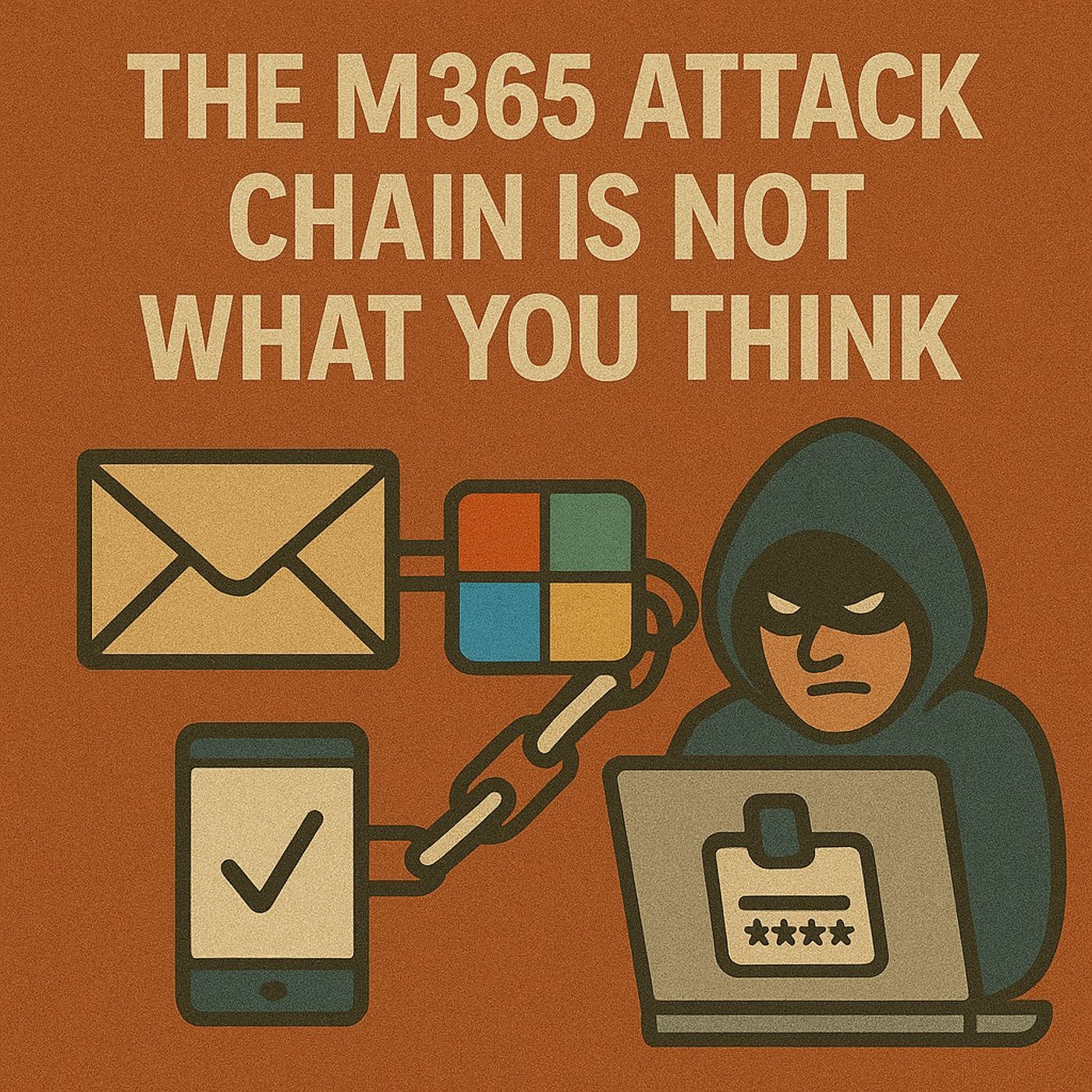
Understanding the M365 Attack Chain techniques is crucial for enhancing your organization's security posture. These techniques provide a framework to identify vulnerabilities effectively. You can recognize the stages of cyberattacks and implement security controls that mitigate risks. This proactive approach helps you address weaknesses related to privilege escalation and other attack vectors. By being aware of how these attacks are executed, you can better defend against them and protect your critical assets.
Key Takeaways
- Understand each phase of the M365 attack chain to spot and stop attacks early.
- Train employees to recognize phishing emails and suspicious links to prevent credential theft.
- Use multi-factor authentication and conditional access policies to strengthen account security.
- Regularly monitor application permissions and security settings to detect unauthorized access.
- Implement real-time threat detection and logging to quickly identify suspicious activities.
- Apply data loss prevention tools to protect sensitive information from being leaked.
- Review and update security policies often to stay ahead of evolving cyber threats.
- Promote a culture of security awareness to empower your team as the first defense line.
Overview of the M365 Attack Chain
Definition and Importance
The M365 attack chain refers to the sequence of steps that cybercriminals follow to exploit vulnerabilities within Microsoft 365 environments. Understanding this chain is vital for you as it helps identify potential weaknesses in your security posture. Each phase of the attack chain reveals how attackers gain access, maintain persistence, and ultimately achieve their objectives. By recognizing these phases, you can implement effective security measures to thwart attacks before they escalate.
Common Attack Vectors
Attackers often target various components of the Microsoft 365 infrastructure to execute their plans. Here are some common attack vectors you should be aware of:
- Threat actors exploit Microsoft Teams for reconnaissance and data collection.
- Malware is delivered through file attachments in Teams chats or channels.
- Data exfiltration is facilitated via Teams messages or shared links.
- Financial theft is supported through extortion and social engineering tactics using Teams.
These vectors highlight the need for robust security measures. For instance, phishing remains a prevalent method for gaining initial access. Attackers create convincing phishing domains that mimic legitimate sites, tricking users into providing their login credentials. Once they obtain these credentials, they can infiltrate your organization and move laterally within the network.
Moreover, attackers often use sophisticated techniques to bypass traditional security measures. They may employ tactics such as consent phishing, where users unknowingly grant permissions to malicious applications. This grants attackers access to sensitive data and resources, making it crucial for you to monitor application permissions closely.
By understanding the M365 attack chain and its common attack vectors, you can better prepare your organization against potential threats. Implementing proactive security measures, such as user education and monitoring for suspicious activity, can significantly reduce the risk of successful attacks.
M365 Attack Phases

Reconnaissance
In the reconnaissance phase, attackers gather information about your organization to identify potential vulnerabilities. This phase is crucial as it sets the stage for the entire attack. Attackers often use various techniques to collect data, including:
- Password Spraying: They attempt to access multiple accounts using a few common passwords.
- MFA Coverage Enumeration: Adversaries map out your multi-factor authentication landscape to find weaknesses.
- Active Network Reconnaissance: Attackers scan networks to gather detailed information about your systems.
By understanding these techniques, you can better prepare your defenses. Implementing monitoring solutions can help detect suspicious activity during this phase.
Initial Access
Once attackers complete their reconnaissance, they move to the initial access phase. Here, they exploit vulnerabilities to gain entry into your Microsoft 365 environment. Common methods include:
- Brute force attacks that guess user credentials.
- Email and spear phishing campaigns that trick users into revealing their login information or installing malware.
- OAuth consent phishing, where attackers trick users into granting permissions to malicious applications.
- Exploiting external user access in Teams and SharePoint by compromising trusted partner accounts.
- Using leaked Microsoft 365 account credentials purchased from the dark web.
These tactics highlight the importance of user education and awareness. You must train your employees to recognize phishing attempts and suspicious login attempts.
Execution
After gaining initial access, attackers execute their plans. This phase involves carrying out malicious activities within your environment. Common execution techniques include:
- Phishing emails that use trusted domains to bypass security filters.
- Redirecting victims to pages that mimic Microsoft 365 login interfaces, tricking them into entering their credentials.
- Multi-stage redirection through trusted services to collect browser telemetry and evade detection.
- Using credential harvesting pages that employ dynamic JavaScript to avoid static detection.
- Capturing credentials and MFA codes in real-time to exfiltrate them to attacker-controlled endpoints.
Understanding these execution techniques allows you to implement better security measures. You can enhance your defenses by monitoring for unusual activity and employing advanced threat detection solutions.
Persistence
In the persistence phase, attackers aim to maintain their foothold within your Microsoft 365 environment. They employ various techniques to ensure continued access, even after you implement security measures. Here are some common methods attackers use to establish persistence:
- Malicious OAuth Applications: Attackers create these applications to gain repeated access to resources. Once consent is granted, they can issue OAuth tokens that allow them to access resources repeatedly, maintaining their presence in Microsoft 365 even after password resets.
- Mail Forwarding Rules: They enable rules in Exchange Online to redirect emails to external accounts. This tactic allows attackers to monitor communications without raising suspicion.
- Modification of Security Settings: By altering key security settings, such as conditional access policies, attackers can create backdoors that remain even after their initial access is detected.
These tactics highlight the importance of monitoring application permissions and security settings. You should regularly review and audit these configurations to prevent unauthorized access.
Privilege Escalation
Once attackers establish persistence, they often seek to escalate their privileges within your environment. This phase allows them to gain higher-level access to sensitive data and resources. Common privilege escalation methods include:
- API Abuse: Attackers exploit weak API endpoints to bypass authentication and escalate privileges.
- Token Theft and Forgery: They steal or forge authentication tokens for unauthorized access.
- Exploitation of Configuration Flaws: Attackers target misconfigured policies to gain higher privileges.
By understanding these methods, you can implement stricter access controls and regularly review user permissions. This proactive approach helps you mitigate the risk of unauthorized access to critical resources.
Defense Evasion
In the defense evasion phase, attackers employ various techniques to avoid detection by your security systems. They aim to operate undetected while executing their malicious activities. Some effective defense evasion techniques include:
| Technique | Description |
|---|---|
| Block credential theft from LSASS | Prevents unauthorized access to LSASS memory, breaking common attack paths like Pass-the-Hash and Pass-the-Ticket. |
| Block Office child processes | Stops Office applications from launching child processes, disrupting macro-based attacks and malware loaders. |
| Advanced ransomware protection | Uses behavioral heuristics to detect and block ransomware activities, limiting damage during attacks. |
By implementing robust security measures, you can enhance your defenses against these evasion techniques. Regularly updating your security protocols and monitoring for suspicious activity will help you stay ahead of potential threats.
Credential Access
In the credential access phase, attackers aim to obtain user credentials to gain unauthorized access to your Microsoft 365 environment. They employ various techniques to compromise accounts. Here are some common methods:
| Technique | Description |
|---|---|
| Phishing Email Campaigns | Attackers send emails that trick users into providing their credentials. |
| Forged Login Pages | Fake login pages mimic legitimate ones to capture user credentials. |
| OAuth Consent | Victims are lured into granting access to malicious applications disguised as legitimate ones. |
| Device Code Authentication Phishing | Attackers use device code authentication to trick users into providing access through a verification link. |
These techniques highlight the importance of user education. You must train your employees to recognize phishing attempts and suspicious login attempts. By doing so, you can significantly reduce the risk of credential theft.
Discovery
After gaining access, attackers move to the discovery phase. Here, they identify valuable assets within your Microsoft 365 environment. They often look for external entry points and follow lateral movement paths to reach critical targets. Common methods include:
- Identifying on-premises assets like local servers and employee devices that may contain sensitive data.
- Exploring cloud assets, such as cloud-based workloads and APIs that introduce new access points.
- Targeting external assets, including internet-connected systems like websites and VPN endpoints.
The ultimate goal is to reach databases containing sensitive data. By understanding these tactics, you can implement better monitoring and detection strategies to protect your organization.
Lateral Movement
In the lateral movement phase, attackers expand their access within your Microsoft 365 infrastructure. They use various techniques to navigate through your environment undetected. Common lateral movement methods include:
- Exploiting vulnerabilities: Attackers take advantage of security weaknesses in systems to gain unauthorized access.
- Using legitimate credentials: This involves stealing or obtaining credentials of authorized users to access systems undetected.
- Pass-the-hash/token attacks: Captured hash values of user passwords are used to authenticate to other services without needing the plain text password.
- Internal spear phishing: Attackers hijack legitimate accounts to send phishing messages, tricking employees into clicking malicious links or providing credentials.
Understanding these lateral movement techniques allows you to implement stricter access controls and monitor for suspicious activity. By doing so, you can mitigate the risk of unauthorized access to critical resources.
Collection
In the collection phase, attackers gather sensitive data from your Microsoft 365 environment. They utilize various techniques to ensure they capture valuable information without raising alarms. Here are some common collection methods:
| Technique | Description |
|---|---|
| Auditing | Microsoft Purview Audit solutions provide tools for managing audit records of activities across Microsoft services, capturing user interactions and file access details. |
| Data Classification | A framework for identifying and tagging sensitive data across Microsoft services, ensuring compliance and protection against unauthorized access. |
| Data Loss Prevention (DLP) | A suite of security measures that identifies, monitors, and protects sensitive data across Microsoft 365 services, using deep content inspection and contextual analysis to enforce policies against data leakage. |
- DLP identifies sensitive items across Microsoft 365 services and endpoints.
- It monitors and protects against leakage of sensitive data.
- It covers Office 365 services, Office applications, non-Microsoft cloud apps, and on-premises file shares.
Understanding these collection techniques helps you implement better monitoring and protection strategies. By leveraging tools like DLP and auditing, you can enhance your security posture and reduce the risk of data breaches.
Exfiltration
Once attackers collect sensitive data, they move to the exfiltration phase. This phase involves unauthorized data transfer from within your organization to external locations. Attackers employ various methods to achieve this, including:
| Type of Exfiltration | Description |
|---|---|
| Outsider Data Exfiltration | Conducted by external individuals using automated tools and methods like social engineering. |
| Insider Data Exfiltration | Can be malicious or accidental, involving employees or collaborators sharing data unintentionally. |
- Data exfiltration involves unauthorized data transfer from within an organization to outside.
- Techniques include both external attacks (e.g., phishing) and internal mishaps (e.g., accidental sharing).
You must remain vigilant during this phase. Implementing strict access controls and monitoring for suspicious activity can help you detect and prevent data exfiltration attempts.
Impact
The impact phase represents the consequences of a successful attack on your organization. Cyberattacks can lead to significant financial and reputational damage. Here are some potential impacts:
| Impact Type | Description |
|---|---|
| Financial Penalties | Organizations can face significant fines under laws like California Civil Code 1798.80, which can reach up to $25,000 per breached patient record. Additionally, breaches can lead to private lawsuits, increasing financial liability beyond regulatory penalties. |
| Reputational Damage | Breaches can severely harm a company's reputation, leading to a decrease in overall company value and trust among customers and stakeholders. |
| Operational Disruption | Successful attacks can disrupt business continuity, emphasizing the need for effective breach preparedness and response strategies. |
- Organizations must notify regulators within specific timeframes after a breach, such as 15 days under California law and 72 hours under GDPR.
- The average cost of a data breach was reported to be $3.9 million in 2019, with potential costs reaching up to $2 billion in severe cases.
Understanding the potential impacts of M365 attacks can help you prioritize your security efforts. By implementing robust security measures and response strategies, you can mitigate the risks associated with these attacks.
Techniques in Microsoft 365
Phishing Attacks
Phishing attacks remain one of the most prevalent techniques in the M365 attack chain. Attackers often use sophisticated phishing campaigns to trick users into revealing their login credentials. They create convincing emails that appear to come from trusted sources. These emails may contain links to fake login pages or attachments that install malware.
- Microsoft Defender misses about 18.8% of phishing emails targeting Microsoft 365 users.
- The miss rate for financial-based phishing attacks is even higher, reaching 42%.
- Brand impersonation phishing attacks have a miss rate of 22%.
- In larger organizations, the missed phishing rate can reach between 50% and 70%.
These statistics highlight the need for robust security measures. You must educate your employees about recognizing phishing emails and suspicious links. Implementing training programs can significantly reduce the risk of falling victim to these attacks.
Token Theft
Token theft is another critical technique used by attackers to compromise Microsoft 365 environments. Attackers steal authentication tokens through various methods, including phishing, malware, or browser compromise. Once they obtain these tokens, they can bypass traditional security measures like passwords and multi-factor authentication (MFA).
Indicators of token theft include:
- Anomalous token characteristics
- Unfamiliar sign-in properties
- Suspicious user behaviors
- Attackers steal authentication tokens through phishing, malware, or browser compromise.
- These tokens allow attackers to bypass traditional security measures like passwords and MFA.
- The stolen tokens are then used to access SaaS applications and cloud resources without triggering authentication controls.
By understanding how token theft occurs, you can implement better security practices. Regularly monitor for unusual sign-in attempts and educate users about the risks associated with sharing their credentials.
OAuth App Abuse
OAuth app abuse is a sophisticated technique that attackers exploit to gain unauthorized access to Microsoft 365 resources. Attackers often create or compromise OAuth applications to manipulate organizational data. Here’s how they typically execute this technique:
- Malicious App Registration: Attackers create or compromise an OAuth application hosted in their own tenant or a third-party cloud environment.
- Consent Phishing: Users receive a convincing request to grant permissions, often disguised as a trusted service.
- Token Acquisition: Upon consent, the attacker receives OAuth tokens for the granted scopes.
- Persistence: Tokens can be used repeatedly, allowing continued access to Microsoft 365 resources even after passwords are reset.
- Privilege Escalation: If high-impact scopes are granted by admins, attackers can access sensitive data or exfiltrate files silently.
Attackers often target applications with broad permissions, such as Mail.ReadWrite or Directory.ReadWrite.All. These permissions can allow them to manipulate organizational data without detection.
The attackers created a series of malicious OAuth applications. This move was not merely opportunistic but a calculated effort to diversify their access points within the target environment. By establishing multiple OAuth applications, they effectively created several backdoors, each capable of independently maintaining access to the compromised environment.
Understanding OAuth app abuse is crucial for securing your Microsoft 365 infrastructure. Regularly review application permissions and enforce strict consent policies to mitigate these risks.
Business Email Compromise (BEC)
Business Email Compromise (BEC) is a sophisticated attack that targets organizations through their email systems. Attackers impersonate trusted individuals, such as executives or vendors, to manipulate employees into transferring funds or sharing sensitive information. Understanding BEC tactics is essential for protecting your organization from these threats.
Here are some common tactics used in BEC attacks:
| Tactic | Description |
|---|---|
| CEO Fraud | Scammers impersonate the CEO to request urgent wire transfers, mimicking writing styles and operations. |
| Vendor Invoice Compromise | Attackers use hijacked supply-chain threads and lookalike domains to manipulate payment processes. |
| Payroll Redirection | Phishing attacks themed around HR redirect payroll payments to attacker-controlled accounts. |
BEC attacks often exploit the trust that exists within business relationships. Attackers may use specialized tools to develop phishing kits and verified email lists targeting specific roles, such as C-Suite leaders. This targeted approach increases the likelihood of success.
To combat BEC, organizations should strengthen their internal controls and response policies. Here are some recommendations:
| Recommendation | Description |
|---|---|
| Policy Strengthening | Enhance internal controls and response policies to suspicious requests. |
| User Education | Train employees to recognize signs of BEC and verify requests through alternative communication channels. |
| Multi-Factor Authentication | Implement MFA to add an extra layer of security for email accounts. |
BEC attacks can have severe consequences, including financial loss and reputational damage. By understanding these tactics and implementing robust security measures, you can significantly reduce the risk of falling victim to business email compromise.
Remember, vigilance is key. Always verify unexpected requests for sensitive information or financial transactions, even if they appear to come from trusted sources.
Detection and Prevention Strategies
Monitoring and Logging
Effective monitoring and logging are essential for detecting suspicious activities within your Microsoft 365 environment. You should implement real-time threat detection systems that identify threats across identity, SaaS, and cloud services. These systems can help you stay ahead of potential attacks. Consider the following detection methods:
- Real-time threat detection: This identifies threats as they occur, allowing for immediate response.
- AI-driven attack analysis: This correlates security signals across M365, Identity, Cloud, and Network to expose the full attack narrative.
- Automated threat prioritization: This filters out noise and ranks threats based on actual risk and attack progression.
- Advanced investigation tools: These reduce forensic workload by surfacing attack details quickly.
- Seamless SOC integration: This connects with SIEM, SOAR, and EDR platforms to automate response actions.
By utilizing these methods, you can enhance your detection capabilities and respond to threats more effectively. However, be aware that siloed alerts can overwhelm your security teams. Disconnected alerts often lack context, leading to false positives and alert fatigue. This can slow down manual investigations and waste valuable time.
User Education
User education plays a crucial role in your defense strategy. You must train your employees to recognize suspicious emails and phishing attempts. Implementing phishing awareness training can significantly reduce the risk of successful attacks. Here are some key areas to focus on:
- Recognizing phishing attempts: Teach employees how to identify suspicious emails and links.
- Reporting procedures: Establish clear guidelines for reporting suspicious activity.
- Regular updates: Keep training materials current to address emerging threats.
By fostering a culture of security awareness, you empower your employees to act as the first line of defense against cyber threats.
Multi-Factor Authentication
Multi-Factor Authentication (MFA) is a critical security measure that significantly reduces the risk of unauthorized access. It requires users to provide two or more forms of identification before granting access. While MFA is effective, it is not foolproof against sophisticated attacks like Man-in-the-Middle (MitM). Attackers can intercept credentials and MFA tokens in real-time, allowing unauthorized access despite MFA being in place. Therefore, you should combine MFA with other security measures for optimal protection.
Consider implementing the following proactive measures alongside MFA:
| Measure | Description |
|---|---|
| Data Loss Prevention (DLP) | Identifies and protects sensitive information, preventing accidental or malicious data loss. |
| Honeypots | Decoy systems that lure attackers, allowing you to analyze attack patterns and improve defenses. |
By adopting these strategies, you can enhance your organization's security posture and better protect your Microsoft 365 environment.
Conditional Access Policies
Conditional access policies play a vital role in securing your Microsoft 365 environment. These policies help you manage access based on specific conditions, ensuring that only authorized users can access sensitive data. By implementing these policies, you can significantly reduce the risk of unauthorized access and protect your organization from potential threats.
Here are some key benefits of using conditional access policies:
- Risk Assessment: Conditional access policies evaluate the security posture of Microsoft 365 based on specific access requirements. This assessment helps you determine whether to grant or restrict access.
- Enhanced Security Measures: These policies enforce security measures that challenge or restrict access based on risk factors. For example, if a user logs in from an unfamiliar location, the policy can require additional verification.
- Protection Against Compromised Credentials: By configuring these policies to challenge users with multi-factor authentication (MFA) or require reauthentication, you can protect against token theft. This approach ensures that even if attackers obtain credentials, they cannot easily access your resources.
For smaller organizations, enabling 'Security defaults' in Azure Active Directory (AD) provides basic protection. However, for those with stricter security needs, implementing tailored conditional access policies is essential. These policies allow you to set specific rules that align with your organization's security requirements.
Consider the following scenarios where conditional access policies can enhance your security:
- Location-Based Access: You can restrict access to sensitive data based on the user's geographic location. If a user attempts to log in from a high-risk area, the policy can deny access or prompt for additional verification.
- Device Compliance: Ensure that only compliant devices can access your Microsoft 365 resources. If a device does not meet your security standards, the policy can block access until compliance is achieved.
- User Risk Levels: Assess user risk levels based on their behavior. If a user's activity appears suspicious, the policy can require MFA or block access until further verification occurs.
By implementing conditional access policies, you create a robust framework for managing access to your Microsoft 365 environment. This proactive approach not only enhances your detection and prevention strategies but also fosters a culture of security awareness within your organization.
Understanding the M365 Attack Chain techniques is essential for safeguarding your organization. You must recognize how attackers exploit vulnerabilities to develop effective defense strategies. Here are some key takeaways to enhance your security posture:
- Enable Safe Links and Safe Attachments in Defender for Office 365.
- Implement Conditional Access with Entra ID.
- Monitor anomalies with Defender for Identity and Cloud Apps.
- Regularly update threat policies and review security reports.
- Educate users on phishing awareness to recognize suspicious emails.
By taking these proactive measures, you can significantly reduce the risk of cyberattacks and protect your critical assets.
FAQ
What is the M365 attack chain?
The M365 attack chain outlines the steps attackers take to exploit vulnerabilities in Microsoft 365 environments. Understanding this chain helps you identify weaknesses and implement effective security measures.
How can I recognize phishing attacks?
You can recognize phishing attacks by looking for suspicious emails, unexpected requests for sensitive information, and links that lead to unfamiliar websites. Always verify the sender's identity before clicking links.
What is OAuth app abuse?
OAuth app abuse occurs when attackers create or compromise applications to gain unauthorized access to Microsoft 365 resources. They often trick users into granting permissions, allowing continued access even after passwords are reset.
How can I enhance my organization's security?
You can enhance security by implementing multi-factor authentication, conducting regular user education, and monitoring application permissions. Additionally, establish conditional access policies to manage user access based on risk factors.
What role does user education play in security?
User education is vital for preventing cyberattacks. Training employees to recognize phishing attempts and suspicious activity empowers them to act as the first line of defense against threats.
How can I detect suspicious activity in M365?
You can detect suspicious activity by implementing real-time threat detection systems, monitoring logs, and using AI-driven analysis tools. Regularly review alerts to identify potential threats quickly.
What are the consequences of a successful attack?
Successful attacks can lead to financial loss, reputational damage, and operational disruption. Organizations may face regulatory penalties and increased scrutiny from stakeholders following a breach.
Why is monitoring application permissions important?
Monitoring application permissions is crucial because attackers often exploit excessive permissions to gain unauthorized access. Regular audits help you identify and revoke unnecessary permissions, reducing the risk of compromise.
Apple Podcasts · Spotify · YouTube · YouTube Music
Host: Mirko Peters
Related articles
- What Are the Main Problems Microsoft Is Facing? Practical Checklist for Admins and IT Leaders
- Breaking Down the M365 Attack Chain: What You Need to Know
- Microsoft Entra PIM Setup Guide
- Remote Workforce Security Setup: A Modern Microsoft-Centric Guide
- Privileged Access Strategy Guide
- Defender XDR and Entra Integration: A Complete Guide