 EN
EN Deutsch
 Español
 Français
 Italiano
 Português
 Nederlands
 Polski
 Bahasa Indonesia
 Русский
 Українська
 العربية
 עברית
עברית हिन्दी
 日本語
日本語 한국어
한국어2026-10-07 · Season 4
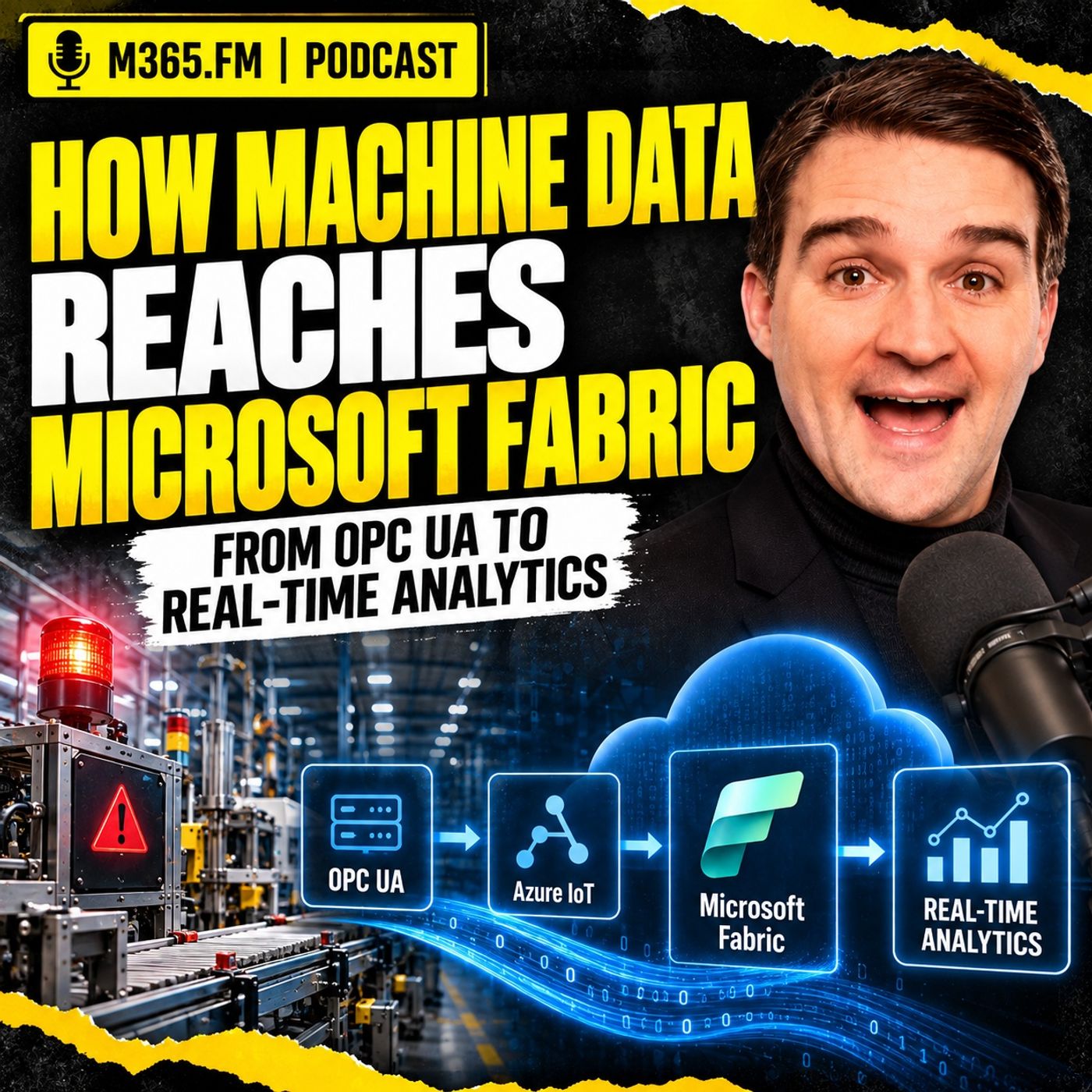
How Machine Data Reaches Microsoft Fabric - From OPC UA to Real-Time Analytics
Show notes
Getting machine alarms, sensor values, production counters, and fault events into the cloud is easier than ever. OPC UA exposes the machine signal, an edge layer collects it, MQTT can distribute it locally, and Microsoft Fabric can ingest and analyze the resulting stream. The difficult part starts after the data arrives: how do you turn raw telemetry into enough production context to support an actual decision? This episode follows one machine signal from the factory floor through the Microsoft industrial data stack. It starts with OPC UA, moves through the edge and MQTT, crosses securely into Azure and Microsoft Fabric, and then looks at how Eventstream, Eventhouse, KQL, Lakehouse, Power BI, MES, ERP, maintenance data, and production context fit together. The goal is not simply to show another telemetry pipeline. It is to explain what has to happen before machine data becomes useful for production, maintenance, quality, and planning. FROM MACHINE STOPPAGE TO PRODUCTION CONSEQUENCE A machine stoppage looks simple at the controller level. The state changes from running to faulted, a fault code appears, the part counter stops, and perhaps other values change around the same time. That information is useful, but production usually asks a different question: which work order is affected, how much quantity remains, can another machine take over, and does this delay threaten a delivery? The machine understands its own condition, but it does not automatically understand the business consequence. MES may know the operation and work order. ERP may know the due date and demand. Maintenance may understand the equipment history. Quality may determine whether output can still be used. That is why a fast telemetry pipeline is only the beginning of the architecture. OPC UA — WHERE THE SIGNAL ENTERS THE DATA PATH OPC UA provides a standardized industrial interface for accessing information from equipment without requiring every cloud application to understand proprietary controller protocols. A server can expose variables, machine states, alarms, events, methods, timestamps, quality information, and sometimes structured equipment models. That structure matters because a useful industrial event should carry more than a numeric value. Source timestamps, server timestamps, quality status, units, source identity, and the original OPC UA node information can all become important later when somebody asks where a number came from or why a production calculation looks wrong. The episode also emphasizes that a tag name is not a data model. A field called “temperature” or “machine state” still needs context such as the asset, engineering unit, allowed range, state definition, and the production situation in which the signal was observed. KEEP THE OT BOUNDARY CONTROLLED Machine connectivity should not turn the production network into an extension of the corporate or cloud environment. Industrial networks need controlled boundaries, typically including segmentation and an industrial DMZ, so that approved edge systems can communicate with equipment without giving enterprise applications direct access to controllers. The recommended pattern is generally outbound-oriented. The edge layer connects to approved OPC UA endpoints and then sends selected information toward cloud services through controlled destinations, ports, protocols, and identities. Analytics platforms should receive data without inheriting broad rights to browse or modify production systems. Certificates, firewall rules, trust relationships, expiry handling, and ownership also need to be treated as operational processes rather than one-time configuration work. THE EDGE SHOULD IMPROVE DATA — NOT INVENT BUSINESS MEANING The edge layer sits between the machine environment and the wider data platform. Its first responsibility is connection, but it can also filter, normalize, buffer, enrich, and route the information before it leaves the plant. Useful edge responsibilities include: • Selecting only signals required for defined use cases • Filtering unnecessary high-frequency data • Applying agreed unit conversions • Preserving source timestamps and quality indicators • Adding stable site, line, and asset identifiers • Buffering during cloud outages • Handling retry and back-pressure behavior • Exposing connector and queue health • Performing selected local calculations or AI inference where latency or disconnected operation requires it The important boundary is that the edge should add facts it knows with confidence. It should not guess which production order is active based on stale information or quietly create business context that belongs to MES, ERP, planning, or quality systems. AZURE IOT EDGE VS AZURE IOT OPERATIONS The episode compares two Microsoft approaches for running industrial edge workloads. Azure IoT Edge works well when the requirement is focused around a gateway or individual device. Containerized modules can collect data, apply local logic, buffer information, and send it upstream through Azure IoT Hub. This can be a practical choice for a defined cell or smaller workload where the organization wants a lighter operating footprint. Azure IoT Operations is positioned more as a site-level industrial data environment. It runs on an Azure Arc-enabled Kubernetes environment and includes capabilities around OPC UA connectivity, MQTT, data flows, and asset or device management. That can make more sense when a site has several lines, multiple machine vendors, local consumers, and a need to repeat a governed edge pattern across plants. The decision should not be based on which platform has the longest feature list. It should be based on the operating model the organization is prepared to support. Azure IoT Operations provides broader site-level capabilities, but it also introduces Kubernetes, Arc, cluster operations, monitoring, storage, patching, and recovery responsibilities. MQTT AS THE FACTORY EVENT BACKBONE When several consumers need the same machine events, MQTT can dramatically simplify the architecture. The machine connector publishes once to a broker, and maintenance applications, local historians, cloud data flows, or other approved consumers subscribe independently. That removes many point-to-point dependencies. A new application can subscribe to an approved topic without creating another direct link into the PLC or OPC UA server. Topic design still matters. A hierarchy can represent site, area, line, cell, and asset, but the topic should not become the entire data model. Important facts such as event identity, source timestamp, asset ID, quality, contract version, and event type should remain in the message payload so the event stays understandable even when stored, replayed, or routed elsewhere. THE UNIFIED NAMESPACE IS A CONTRACT — NOT JUST A TOPIC TREE The Unified Namespace pattern can provide a shared operational contract across industrial systems. The useful part is not simply having one huge MQTT hierarchy. The value comes from agreeing how assets are identified, how events are shaped, who owns the data, how schemas change, and which systems are authoritative for different facts. A good Unified Namespace can provide a stable way to identify assets and publish governed operational events while allowing source systems to keep ownership of their own records. That contract should define things such as: • Asset identity • Event types • Message shape • Timestamp rules • Quality information • Ownership • Security • Versioning • Change management MQTT can transport the contract, but MQTT does not create the contract. FROM OPC UA NOTIFICATION TO MQTT EVENT Turning an OPC UA notification into an MQTT event is more than protocol translation. The connector needs to preserve evidence from the industrial source while transforming the message into a format that downstream systems can understand. For a state event, that could include a stable asset ID, signal name, value, source time, source quality, event type, and the original OPC UA node reference. For an alarm, additional fields might include fault code, severity, and source text where appropriate. Different event types should remain distinct. Machine state, fault events, production counts, quality rejects, and condition measurements are not all the same type of telemetry and should not be forced into a vague generic record if consumers need different behavior. THE PACKAGING CELL EXAMPLE The episode uses a packaging cell to show why context matters even when the source signals appear simple. Machine state, good count, reject count, speed, and fault information may look straightforward, but each needs interpretation. A zero speed can mean failure, planned changeover, waiting for material, or another expected condition. A reject counter may not identify which product or inspection point caused the rejection. A machine speed value means very little without the product-specific expected speed. A fault code may help maintenance but still does not explain the impact on the current order. The design therefore needs explicit states, source evidence, timestamps, and links to the production context that will be added later. Become a supporter of this podcast: https://www.spreaker.com/podcast/m365-fm-microsoft-365-azure-cloud-power-platform-ai--6704921/support.
Apple Podcasts · Spotify · YouTube · Deezer
Host: Mirko Peters
Related articles
Transcript
Read the full transcript
You can get machine alarms, sensor values, and cycle counts into the cloud faster than ever now. An OPC-UA server exposes a signal, an edge gateway picks it up, a stream lands in Microsoft Fabric, and a dashboard refreshes. That part usually isn't the hard part. The problem starts when a machine stops and somebody asks a normal production question, which order is now at risk, what else can run, and who needs to act. A red machine status doesn't answer that, and neither does a fault code on its own. WaterLemetry tells you an asset changed state at a certain time, but production needs to know what that state change means for the order, the root, the material, the people on shift, and the delivery promise. That gap between a machine signal and a production decision is where most industrial data projects either become useful or become another dashboard. For this episode, I want to follow one signal all the way through. We'll start with a tag in an OPC-UA server on the shop floor, move through Azure IoT at the edge, into Microsoft Fabric, and then ask the part that often gets skipped. How does that signal gain enough context to support a real production action? Let's start where the impact first shows up, on the line. A machine stoppage is never just a machine stoppage. Picture a packaging line during an active production order. The line is running a particular product variant. Material has already entered the cell, operators are on shift, and the MES has recorded that the order is active. Downstream equipment expects output from this line, and the planner has promised a delivery date based on that plan, then the packaging machine stops. At the machine level, the data looks straight forward. The state changes from running to faulted, a fault code appears. The part counter stops increasing. Current draw may change, and maybe the machine already reported several short interruptions before the full stop. Those are useful facts, they tell maintenance that something changed and may help with diagnosis. But the first question from production is rarely, what is the current draw? The question is, what does this stop do to the order? That requires a different set of facts. Which work order is active on this machine right now? Which operation is it performing? How many good parts have already passed through? How many are still needed? Is there enough time left in the shift? Is another machine qualified for the same product and process step? If there is, does it have the right tooling installed, the right operator available, and free capacity that won't disrupt another urgent order? A machine knows its own condition. It doesn't automatically know the production consequence. Maintenance sees the stoppage from another angle. Is the fault one that has occurred before? Did the machine report an alarm that points to a jam, a sensor problem, a dry fault, or something else? Does the asset need to enter a safe state before anyone intervenes? Is there a standard response procedure? Does the maintenance team need a spare part? A specialist or access approval? The telemetry can help answer some of that, but a fault code still needs interpretation against the asset, its configuration, and its maintenance history. Then there's OE, overall equipment effectiveness. Many teams want to calculate OE from machine signals, which makes sense. But when the machine changes from running to stopped, you still need a rule that classifies the last time. Was the machine waiting for an operator? Or was it a true equipment failure? The duration alone doesn't tell you. Say the machine stops for 10 minutes during a planned product change. Treat that as unplanned downtime, and the OE figure tells a story that isn't true. Now say it stops for 10 minutes, because an upstream feeder failed, but the packaging machine itself stayed healthy. If you assign that loss to the packaging machine without context, you've created another wrong story. Just with more precision, factories already deal with this every day. That's why someone often checks the MES, asks an operator, calls maintenance, opens a spreadsheet, and then starts piecing together the situation. Excel survives because people need context, and the systems often keep pieces of it in different places. That isn't a failure of the people doing the work, it's a sign that the architecture hasn't connected the facts they need. Now think about the sequence after the stop. The machine sends a state change, an edge layer collects it, a message travels to the cloud, and fabric can store and query it quickly. A real-time view shows that machine 12 is faulted, useful, yes, still incomplete. For a supervisor, the next action may be to dispatch maintenance. For a planner, it may be to test an alternate route. For quality, it may be to isolate products produced just before the fault. Those actions depend on different facts owned by different systems, and they can change during the day. That's the distinction to hold onto through the rest of this discussion. Telemetry describes what a machine reports, while production context explains what that report means in the flow of work. But the first, you're guessing about the shop flow. Without the second, you're staring at a very fast stream of machine data and still asking the planner to work it out manually. The data exists, but the meaning is scattered. Here's the reality check, most factories don't talk about. You already have plenty of data. That's not the issue. The problem is that each system records only its own corner of the operation. No single system carries the full story from a machine condition all the way through to production impact, start near the equipment. A PLC, a programmable logic controller, works close to the physical process. It sees inputs and outputs. It knows whether a sensor is high or low, whether a motor is running, whether a drive has a fault, or whether a counter just ticked over. That information matters because it comes from the process itself. But the PLC doesn't care about the sales order, the delivery date, or whether another line can take over. Its job is to control equipment safely and predictably, not to manage the business around it. A supervisory system might collect more of those signals. Sometimes trends recipes machine states. In some plants it holds years of history. But the meaning stays technical. Tag names, alarm numbers, controller addresses, equipment specific states. You have to know the system to decode what the data actually means. Now move one layer closer to execution. Your manufacturing execution system, the MES, sees a different part of the same day. It knows which operation should run. It records when an order starts, pauses, completes, or produces a reject. It knows the operator who logged in the material, lot consumed, and the production declaration that moved the order forward. That puts the MES much closer to production context. But it probably doesn't capture every fast machine event. Its timestamps really match what the PLC first saw. More importantly, the MES may know that an operation paused, without knowing whether the root cause was a server drive, a blocked conveyor, a missing label role, or a network hiccup between two systems. Then there's the ERP, your enterprise resource planning system. ERP holds the commercial and planning view. Work orders, rootings, bills of material, demand, stock positions, promised dates. It can tell you an order needs a certain operation before shipment. It usually doesn't know that a machine entered a fault state 30 seconds ago. That separation isn't a flaw. ERP has a different job. You don't want your production planner relying on a PLC tag as the authority for a customer commitment. In the same way, you don't want the PLC waiting for a cloud transaction before it keeps the machine safe. OT and IT work at different speeds and carry different kinds of responsibility. Maintenance adds another source of meaning. Your CMS, computerized maintenance management system, sometimes called enterprise asset management, contains the asset record. Preventive maintenance plans, spare parts, service history, manuals, approved work procedures, previous failure reports. When you see a fault code from a machine, that record gives it context. You can ask, has this happened before? Which component does it relate to? Does the technician need a known procedure before touching the equipment? But the maintenance system usually doesn't know which production order the equipment was running at the moment of failure. It knows its own part. Engineering holds another piece. Documents, product lifecycle systems, local files. Quality has its own application for inspection data. Shift handovers might live in a paper logbook, a team's message, or, quite often, a spreadsheet that nobody planned as a system of record, and that spreadsheet deserves some respect. When a planner keeps a manual list of alternate machines, two limits and operator skills, they're not refusing digital transformation. They're keeping production moving with the information they can actually trust. The spreadsheet exists because the formal systems haven't brought the needed facts together at the point of decision. So if you ask why teams still export reports and reconcile numbers by hand, the answer isn't that they love Excel. It's that Excel lets people assemble context across system boundaries, even if the process is slow, fragile, and hard to audit. This also explains why a cloud data platform can disappoint after a technically successful launch. The Linux machine data loads MS records, ingests ERP extracts, each source arrives, the tables look clean, then somebody asks a simple question. Which active order did this fault interrupt? The answer depends on stable identifiers, reliable event timing, and business rules that connect the sources. If those links don't exist, more data only gives you more places to search. So we need to begin at the point where the signal first becomes available before it gets renamed, filtered, routed, or turned into a report. It takes us to OPC UA on the shop floor, what OPC UA actually brings from the shop floor. OPC UA, open platform communications unified architecture, gives us a common way to access industrial data without every cloud project needing to understand every controller protocol underneath. That sounds simple, in practice it matters a lot. A machine might use a vendor specific controller, a drive system, and an HMI from another supplier. The internal data sits behind protocols that your data team shouldn't need to touch directly. An OPC UA server sits closer to that equipment and exposes selected information through a standard industrial interface. Think of it as a control door into machine information. It doesn't replace the PLC. It doesn't take control of the process. It gives approved clients a structured way to read data and where the equipment owner permits it interact with defined capabilities. At the basic level, an OPC UA server exposes variables. Those values people often call tags, a temperature reading, a machine state, a motor speed, a fault code, a production counter, a pressure value, but OPC UA can carry more than individual values. It can expose methods. Defined operations a client may call with the right permission. It can expose alarms and events. And it can expose information about assets and their data structure. That last part gets ignored far too often because a list of tags looks easier to work with than an industrial information model. The list gets you started. The model helps you understand what you collected. Imagine you connect to a packaging machine. You might find a variable for current speed, another for total count, another for reject it parts and another for machine mode. If the machine supplier built a decent OPC UA model, those values sit under meaningful objects rather than appearing as a flat list of random addresses. That doesn't mean every OPC UA server arrives perfectly modeled. Some are excellent. Some expose little more than controller variables with an OPC UA wrapper. You need to inspect what the machine actually exposes rather than assuming the protocol guarantees clean meaning. Still, OPC UA gives you a better starting point than raw access to a PLC memory address. It also supports subscriptions and that changes how you collect signals. Instead of repeatedly asking a server has this value changed yet, an OPC UA client can subscribe to selected nodes. The server reports changes based on agreed sampling and publishing settings. For machine state, a fault condition or a part count that reduces needless traffic and gives you a clearer eve end flow. There are limits though. The server may revise your requested rate because it can't support it. It may impose limits on the number of monitored items, sessions or subscriptions. Some older implementations behave differently from the standard in small but painful ways. Industrial interoperability often means discovering which part of standard a particular machine supports on a Tuesday afternoon. So configure subscriptions based on the decision you need to support, not because somebody picked a fast interval in a template. A part counter may need a regular update. A machine fault needs to travel quickly. A high frequency vibration stream may need local processing before anyone considers moving it outside the cell. The source system, the network and the use case all set the sensible rate. OPC UA also carries data quality and time information. A value isn't just a number. A good data record includes the source timestamp, the server timestamp and the status code that tells you whether the value is good, uncertain, bad or affected by something like queue overflow. Keep those details. If a sensor value arrives late or the server reports a bad quality status, hiding that fact creates a clean looking data set that may be wrong. For industrial analysis, an honest, uncertain value beats a false precise one. Access also involves trust. OPC UA commonly uses certificates for mutual authentication between the client and server. The machine needs to trust the client certificate. The client needs to trust the machine certificate. That trust belongs in a managed process, with clear ownership, expiry checks and renewal plans. This is where proof of concept and a plant deployment part ways. In a test environment, someone may accept any certificate just to prove data can flow. In production, that approach leaves an open door for the wrong server or client to impersonate a trusted system. You need approved trust lists, controlled certificate rotation and agreement from the equipment owner before connecting. Network zones matter too. The OPC UA client should connect from a place that OT has approved. It needs only the access required for the selected servers and signals. Nobody should treat access to a production controller as a casual IT integration task, because a bad connection or poorly tested query can affect equipment that must keep running. So OPC UA gives you structured access, event subscriptions, security mechanisms and sometimes a useful information model. It gives your architecture a disciplined way to collect facts from the floor, but a tag exposed through OPC UA is still not a business-ready event. It has a node ID, a value, a timestamp and a quality code. Before it can travel through the wider data flow, you need to decide what that signal means, where it came from and what information must stay attached to it. A tag name is not a data model. Here's the problem most manufacturers don't talk about. Once you actually start browsing a real OPC UA server, you see the issue immediately. A tag path often looks like a folder tree designed by an electrician working under a tight deadline, something like a controller name, then a program block, then an abbreviated variable that only makes sense if you already know the machine and the person who coded it. Now that tag might be perfectly valid technically. It gives you the current value from the controller and it's probably run reliably for years. But a path like DB42. LineState Automode tells a data engineer absolutely nothing about whether it describes a packaging machine, a feeder, a conveyor, or an entire cell. It also doesn't reveal whether a value of one means running, enabled, ready, or just that an automatic mode was selected. Names help, but on their own, they don't carry enough meaning. Even a tag with a label as friendly as temperature leaves a lot of open questions. Temperature of what, where was it measured, what unit is it the current process value, a set point, a calculated value, or a limit? Does it come from a calibrated sensor, a controller estimate, or a manual entry? You need the surrounding facts, the context. For every signal that matters beyond the machine layer, you should know its stable source identity. Its data type, its engineering unit, it's a loud range, and its quality status. You also need timestamps, one that tells you when the source created the value and another for when your collection layer received it. That might sound like boring data housekeeping. It's not. Imagine a pressure value arrives as 80. Without a unit, 80 could be a harmless process reading or a serious problem that demands immediate attention. If the value comes with a bad OPC UA quality code because the sensor connection failed, a dashboard shouldn't quietly plot it as if it came from a healthy instrument. The same logic applies to timestamps. A value can reach fabric after a network delay, an edge restart, or local buffering. If you only keep the time fabric received the message, you can easily mistake an old event for a live one. The source time and the arrival time answer different questions, so keep both. They're not the same. Now consider machine state. A state signal might report that the machine is stopped. That sounds clear until you ask why it stopped. During a planned product change, stopped is expected. While an operator clears a jam, it signals a loss. Before the shift begins, it may just mean the machine hasn't started yet. The same bit means different things depending on the operating context. This is why you can't calculate production meaning from a raw Boolean value and call the job done. You need a state model and that model needs rules that the people who run the equipment agree on. A machine can be powered, enabled in automatic mode, ready for production, starved of material, blocked downstream, changing over or faltered. Those states can look nearly identical in a tag list while meaning very different things to production. Don't let an unclear signal name travel through the architecture unchanged just because it technically works. Give the signal a controlled name that people can read and understand while preserving the original node ID and browse path as source evidence. That gives you a clean business facing label without losing the ability to trace a value back to the actual machine interface when someone needs to troubleshoot. Stable asset identity matters for the same reason. The machine name in your MIS might be different from the name maintenance users. The PLC project may use yet another name. If an asset gets renamed after a line rebuild, historical data still needs to refer to the same physical resource or at least show when the relationship changed. Use an identifier that doesn't depend on a dashboard title or a local nickname. Then map each source system's own identifier to that asset. You might call the asset packaging cell 2 in daily conversation but your architecture needs to know exactly which physical machine, controller endpoint and source mode produce the event. The source trail isn't bureaucracy. It lets you answer the question that always shows up eventually. Where did this number come from? And there's a more useful way to choose signals than exporting every tag that happens to be available. Start with the decision. If a shift supervisor needs to know that a line stopped unexpectedly, which state signals and conditions support that decision. If maintenance needs an early warning for a failure mode, which measurements give credible evidence? If quality needs to isolate suspect parts, which events identify the product, the process step and the time window? It's a good sign because they support a defined action, investigation or calculation. A broad tag dump can feel productive because data starts flowing fast. Later someone has to explain thousands of fields, store them, secure them, monitor them and decide whether anyone should trust them. That's how a data platform becomes a very expensive archive of names nobody understands. Once you know which signals matter and what each one means, you can decide where those OT facts should cross into an IT managed data flow. The OT boundary and the industrial DMZ. Once you've chosen the signals, another question comes up fast. Where should those signals leave the operational network? This isn't just a network design detail. It decides who can reach production equipment, what happens when the cloud link drops and whether the data path can run without turning the shop floor into an extension of the corporate network. Most factories use some form of separation between control systems and enterprise systems. People often describe it through the Purdue model. Controllers and field devices close to the process, supervisory systems above them and business applications higher up. The exact layout varies from plant to plant. But the principle holds, systems that control physical equipment need tighter boundaries than systems that analyze data later. Between those environments you'll often find an industrial demilitarized zone, usually called an industrial DMZ. Think of it as a controlled transfer area. Data can move through it under clear rules, but enterprise users and cloud services don't get a direct path into controllers, drives and machine networks. That boundary can feel slow when someone wants a quick proof of concept. A team sees an OPC UA endpoint, opens a route to the cloud and suddenly data appears in a dashboard. Technically, it works. Then, security, OT or the machine supplier asks who approved the connection which certificates it uses and what happens when the gateway behaves badly. Those questions should come before the first production connection. A sensible pattern keeps the connection direction under control. The edge system inside the approved industrial zone initiates an outbound connection to the services it needs. You avoid opening broad inbound parts from the cloud into the plant and you restrict traffic to named destinations, ports, protocols and identities. That gives the network team something concrete to review. It also gives OT a way to protect the equipment. An analytics platform should receive data, but it shouldn't inherit the right to browse every controller, change a set point or restart a service just because someone wants more convenience. Lease privilege matters here. The data collector needs red access only to the OPC UA nodes approved for the use case. If a command path exists at all, it needs separate identities, separate approval and local safeguards. Using a machine state and writing to a live machine are not variations of the same risk. Certificates deserve the same discipline. OPC UA clients and servers commonly use certificates to establish trust and those certificates expire. If nobody owns renewal, the data flow can fail at an inconvenient time. Often during a shift when the team needs it most. A certificate process needs named owners, a record of trust relationships, advanced expiry alerts and a safe way to replace certificates without improvising on the plant network. Airwall rules also need to be precise and documented. Allow Azure isn't a rule. It's a future incident report waiting for a date. To find the edge host, the approved machine endpoints, the cloud destinations, the protocols and the reason each flow exists when the architecture changes, update those rules through a controlled change process. Now consider the day when the internet connection drops. The machine doesn't stop producing just because fabric can't receive telemetry. It may keep running, stop for a local fault or move into a safe condition based on logic that stays inside the plant. Your cloud data path must not become part of that control dependency. The collector should handle a temporary loss of connection without losing its own state or overwhelming the source systems when connectivity returns. It needs a defined, store and forward policy. That means deciding what it buffers locally, how much it can retain, what happens when storage fills and how it resends data without creating confusion downstream. There isn't one right retention period for every plant. A high value traceability event may deserve more local protection than a rapidly changing value that you can safely summarize. A site with unreliable connectivity needs different buffer capacity from a site with a well-managed redundant connection. The point is to make those choices deliberately, test them and document the expected behavior. Recovery matters as much as buffering. After an outage, events may arrive late, they may arrive in batches. Some may appear twice because reliable delivery usually accepts duplicates rather than silently dropping a message. Your cloud pipeline needs to recognize this later, but the boundary design begins the work by preserving source time and supporting a controlled replay path. She stays local throughout all of this. A PLC, distributed control system or dedicated safety system handles decisions that protect people, equipment and process stability. Cloud analytics can inform a person that can support planning, investigation and maintenance work. It should not become the only line between a bad sensor reading and a physical consequence. That distinction removes a lot of bad architecture from the room. Once the crossing point is controlled, the next layer has a clear job. It connects to approved industrial sources, prepares data for onward use and keeps the production network from depending on the cloud. That working layer is the edge. Edge processing, what it should do. The edge sits close enough to the machines to work with industrial data properly, but far enough away that it doesn't interfere with control. Its first job is connection. An edge gateway or edge cluster connects to approved OPC UA servers and sometimes to other industrial sources that don't speak OPC UA directly, that can include a legacy controller behind a gateway, a machine vision system, an energy meter or a local MQTT source already running on the line. Here's the real benefit. The edge layer gives you one managed place to handle those connections. Instead of every cloud project dashboard and data scientist reaching into the OT network, the edge collects the selected data once and distributes it through controlled paths. That reduces risk. It also reduces chaos, but collection alone isn't enough. An edge layer should improve the data before it leaves the site, without inventing business meaning that it can't reliably know. Start with filtering. A machine may expose thousands of values, while only a small set supports the decision you're trying to improve, sending every signal at the highest rate creates network traffic, cloud cost, storage growth and a larger data quality problem. None of that makes a maintenance technician faster, so you filter locally based on purpose. A machine state change might always travel, a fault event might travel with its source time and code. A temperature that changes slowly may only need to travel when it crosses a defined deadband, meaning it has moved far enough to matter. A fast vibration signal may need a local calculation that sends a trend, a feature or an exception rather than every raw sample. That isn't throwing data away blindly. It's choosing the right resolution for the question. Unit conversion often belongs here too. If one machine reports temperature in Fahrenheit and another in Celsius, the edge can convert both into the agreed unit before they feed a shared data product. The same applies to pressure, speed, energy and flow. Keep the original unit where traceability requires it, but don't ask every downstream report to remember a different conversion rule. The edge can also add facts that are stable and known at the site. It can attach a site ID, a line ID and asset ID, the source endpoint and the approved signal name. That turns a bare value into an event that downstream systems can identify without trying to decode a controller address later. Be careful with enrichment though. The edge should add facts that can know with confidence. It should not guess which production order is active because a schedule was cached several hours ago. That kind of business context changes and it needs a govern source later in the flow. Sampling needs the same care. The default setting in the connector rarely understands your process. A fast publishing rate may sound safer, but it can overload an older OPC UA server, fill local cues and produce more data than any consumer can use. A slow rate can miss short stops, faults or process changes that matter. Pick the rate from the production need for a fault signal. You may need rapid change notification. For utility meter, a slower interval may be enough. For a counter, you may want a periodic value plus event based changes. The right choice comes from how quickly someone or something must respond, not from a generic template. The edge also needs to behave well when the world around it doesn't. It should buffer data locally during a cloud outage, retry delivery in a controlled way, and expose its own health. You need to know when it lost contact with the source, when its local storage is filling, when a queue is backing up and when it hasn't sent data for longer than expected, back pressure matters here. If the cloud path slows down, the edge must avoid pushing that pressure back into the OPC UA server or exhausting its own memory. It needs limits, priorities and a documented rule for what happens when the limit is reached. Some events cannot be lost, others can be sampled, summarized or dropped under controlled conditions. Decide that before the incident, not during it. You may also run AI inference at the edge, but only where it earns its place. If a local response needs low latency or if the site must continue operating during a disconnected period, a model may run beside the data source. For example, it could classify an image, detect an abnormal signal pattern, or raise a local warning for an operator. That doesn't mean every model belongs at the edge. Training usually needs border history and more compute. Many predictions can travel to the cloud because a human decision takes minutes or hours anyway. Put inference at the edge when local timing, data volume or connection loss requires it. Otherwise, you're just adding another system to patch it three in the morning. From here, there are two common Microsoft paths for running this edge work. They overlap in some areas, but they fit different operating models. Azure IoT Edge and Azure IoT Operations. Azure IoT Edge and Azure IoT Operations can both sit in this edge layer, but they start from different assumptions about what you're trying to run. Azure IoT Edge fits well when you need a lighter device-level runtime. You have an industrial gateway, a small server or a device near a machine, and you want to run containerized workloads there. Those workloads might collect data, filter it, run a local rule, or forward messages to Azure through IoT Hub. It's a flexible model. You define modules as containers, deploy them to the edge device, and use the edge runtime to manage them. If your team already has a working container for a protocol connector or a local calculation, IoT Edge gives you a practical way to place that workload close to the source. That freedom comes with responsibility. The platform can run your containers, but it doesn't decide how those containers should connect, share data, store configuration, recover after a fault, or expose their health. You still need to own those decisions, in a small use case that can be entirely reasonable. In a plant with many machine types and several network zones, those decisions add up quickly. Azure IoT Operations approaches the problem at a wider level. Rather than treating the edge as one device with a few modules, it treats a site as an industrial data environment. It runs on an Azure Arc-enabled Kubernetes cluster and includes industrial-focused services such as an MQTT broker, OPC-UA connectivity, data flows, and device and asset management capabilities. That makes it more suited to a plant or site where data must move between multiple assets, local applications, and cloud destinations under a shared operating model. In practical terms, Azure IoT Operations can provide a common edge data layer for a line, an area, or a whole plant, and OPC-UA connector can collect selected machine data. Data flows can shape and root it. The local MQTT broker can distribute it to approve consumers. When selected events can move to Azure or Microsoft Fabric, that sounds cleaner and it can be. But don't confuse a platform with an architecture. Azure IoT Operations doesn't remove the need to agree which signals matter. It doesn't fix poor asset naming. It doesn't know which machine state counts as a production loss until you define the rule. It also doesn't decide who owns a failed connection to an older machine controller at two o'clock in the morning. Those are still factory decisions. The larger difference is the operating commitment. Azure IoT Edge can run on modest hardware and works well when the Edge task remains focused. Azure IoT Operations brings Kubernetes and Azure Arc into the plant environment. That gives you a broader management model and it can support more structured site level deployments. But it also means you need people who can operate the cluster, manage updates, handle storage, monitor workload health, and support recovery. Kubernetes doesn't make operations disappear. It formalizes them. For some manufacturers, that's the right direction. They already run site infrastructure, have a cloud platform team and want repeatable deployments across plants. They need a local MQTT service, industrial connectors, and a controlled way to manage data flows across a larger OTS state. For others, it may be too much for the first problem they want to solve. Say you need to collect a defined set of OPC/UAS signals from one packaging cell, buffer them locally, and send them to the cloud. A focused gateway and IoT Edge deployment may be easier to support than introducing a Kubernetes operating model before the use case has proved itself. Now turn that around. Say you have several lines, different machine suppliers, local consumers that need the same events and a plan to repeat the pattern across sites. A site level Edge platform starts to make more sense. The question isn't which technology has the longer feature list. The question is whether your operational need justifies the operating model behind it. Hardware plays a part two. Before choosing either route, assess the actual environment. What compute and memory can you place in the industrial zone? Can the hardware survive the site conditions? Who replaces it after a failure? Is there redundant power? How will local storage behave during a long connection loss? Who has remote access and underwater approval process? Support needs to be designed, not assumed. You also need a clear division of responsibility. OT teams should approve machine access, signal selection, and any impact on production systems. IT teams may run the host cluster identity network policy and cloud connection. Data teams define event contracts and transformations. None of those groups can safely complete the job alone, so I wouldn't frame Azure IoT Edge and Azure IoT operations as old versus new or simple versus advanced. They are different ways to run Edge workloads. IoT Edge often suits focused device or gateway workloads where you want control and a lighter footprint. Azure IoT operations suits an industrial site data layer where Kubernetes, Arc, local MQTT and managed OT data flows fit the wider plan, whichever path you choose, the same work remains. Protocol behavior, data meaning, failover rules, security boundaries, and clear OT ownership. And once several sources and consumers need to share events locally, the conversation usually moves to MQTT and the broker pattern at the center of that data flow, MQTT as the factory event backbone. When local machine data needs more than one consumer, MQTT starts to make real sense. It's a lightweight messaging protocol built around publish and subscribe. A source publishes a message to a name topic and other systems subscribe to that topic, or are controlled part of the topic structure, with the broker handling the rooting. The source doesn't need to know who consumes the data, and that separation changes the shape of an industrial integration. Here's the practical value. A machine connector can publish a fault event once the local maintenance app gets it, the site historian gets it, the cloud data flow gets it, and later another approved consumer can subscribe without ever touching the connector talking to the machine. You avoid building a fresh point to point link every time a new team wants the same data. Those point to point links work for a while, but eventually the factory ends up with too many hidden dependencies and nobody knows which interface breaks when a machine signal changes. The broker becomes the local meeting point for events. Think of it like this, picture one packaging cell. The OPC UA connector turns approved machine data into messages, publishing a current machine state to a topic like site one, packaging, line two, cell for machine state and fault events to a separate topic under the same asset path. A local application can subscribe to the live state, a maintenance workflow can listen for fault events, and the data flow to fabric can subscribe to both, sending only the events needed outside the plant. Nobody needs a direct connection to the PLC for each of those uses. That's the practical attraction of MQTT. Produces publish, consumers subscribe, and the broker handles the handoff based on access rules and topic names. Topic design still needs thought. A topic hierarchy can carry useful location and function clues. You might begin with a site, then an area, a line, a cell, and an asset. And under the asset you can separate state events, condition data, or production counts. That makes subscriptions easier to control. Align supervisors app might receive events from one line, a central engineering team might receive approved condition data from several sites and a cloud pipeline could subscribe only to the topic selected for enterprise analysis. But don't let the topic name carry facts that belong in the message itself. A topic tells a consumer where a message belongs in the event structure, but the payload should still state what happened when the source observed it, which asset produced it, what the value means, and whether the source considered it good data. If a message gets stored, replayed, or routed elsewhere, it should remain understandable without asking somebody to decode a long topic string. Now here's where it gets interesting. Live state needs a different approach from events. A machine state is often a current fact. When a new consumer joins, it may need to know whether the machine is running or faulted right now, not wait until the next state change. MQTT brokers can retain a current message for a topic, so a new subscriber receives the latest published state. That works well as long as the team defines what the retained message actually represents. Is it the last reported state? Is it still trustworthy after a source outage? How does a consumer tell the difference between the machine is stopped? And the system hasn't heard from the machine for 20 minutes. A retained value needs a timestamp, a source quality indicator, and a freshness rule, or a stale state, can look live. That brings us to session behavior. Some consumers need messages only while they are connected, while others need the broker to hold messages until they reconnect. Those choices affect local storage, delivery behavior, and how much history the broker should carry. It also affects recovery after a network fault, which is why MQTT settings shouldn't be selected from a default template and forgotten. Message size is another quiet design choice. MQTT can transport large payloads, but that doesn't mean every message should carry a whole machine snapshot, recipe, alarm list, and batch record. Small focused events tend to travel and recover more predictably. If a use case needs a large file, an image, or a document, move the object through a suitable storage path, and publish an event that points to it. MQs also have limits. When consumers slow down or disconnect, the broker needs a clear policy. It may retain messages for selected clients, reject new traffic, or hit storage limits. You need to know which events are high priority, which can be aggregated, and which can safely expire. A queue that fills without an alert is just a delayed data loss mechanism. MQTT gives you a clean event backbone at the site, reducing coupling, and giving local and cloud consumers a common way to receive approved data. But a tidy hierarchy of MQTT topics doesn't create shared meaning by itself. A topic tree can tell you where a message came from, but it can't define who owns the data contract, how a fault relates to an active order, or whether two systems mean the same thing when both use the word running. That takes a unified namespace, used as a shared operational contract rather than a giant folder structure with better branding. Unified namespace. Useful pattern? Easy to misuse. A unified namespace, often shortened to UNS can help here, but the term gets used so loosely that it creates its own confusion. Some people describe it as one huge MQTT topic tree for the whole company. That's too narrow. Others treat it as a new central system that replaces every existing source, but that creates a different problem because ERP, MES, maintenance, and engineering systems still own facts they were built to manage. A useful unified namespace is a shared operational data contract. It gives producers and consumers a common way to identify assets, publish agreed events, understand payloads, and find information without building a private integration for every new use case. The contract covers names, identifies as message shape, ownership, security, and change rules. MQTT can carry that contract, but MQTT alone doesn't define it. Start with the hierarchy people already use to describe the factory. ISA-95 gives a useful structure, enterprise, site, area, line, cell, and asset. You don't need to force every building process or machine into a perfect textbook hierarchy, real plants rarely cooperate with textbook diagrams, but you do need a stable way to answer where an asset belongs and how it relates to the production structure around it. Take a filling machine as an example. It belongs to a named cell on a named line inside a defined production area at a specific site, and that relationship should mean the same thing, whether someone reaches it through an MQTT topic, a maintenance record, an MS work center, or a fabric table. Without that agreement, the same machine becomes line 3 filler in one system, filler 0, 3 in another, and PLC 2 in a third. The data can still move, but nobody can reliably join it. A good UNIS also separates different kinds of information. Live state is one kind. It answers questions such as whether an asset currently reports running, stopped, blocked, faulted, or in changeover, and that data changes often and needs clear freshness rules. Definitions are different. An assets manufacturer, model, installed capability, engineering unit, or stable identifier might change rarely. You don't need to publish those details with every machine state event, although the event should carry enough identity to find the approved definition. All data needs its own space as well. OE data, energy data, quality measures, and maintenance condition indicators can describe a cell or line rather than one physical device. That distinction helps because a line level performance measure shouldn't pretend to be a raw control attack just because it travels through the same broker. Then there is ad hoc data. Every plant has it, a temporary diagnostic topic during commissioning, a short-lived feed for a new sensor, a local experiment that hasn't earned a place in the shared contract yet. So separate from governed operational data or temporary work slowly becomes the factory's permanent interface. That tends to happen more often than anyone admits this separation protects consumers. If a planning app subscribes to a governed production state contract, it should not break because an engineer adds a temporary test field to an unrelated message. If a quality team relies on an agreed reject event, it needs versioning and notice when the payload changes. A unified namespace works when it makes these expectations explicit. Spark plug can help in some environments. Spark plug is a specification built on MQTT that defines topic patterns, payload conventions, and session behavior for edge nodes and devices. It can give a team a disciplined way to report device birth, device death, current metrics and state reducing custom work when the ecosystem already supports it. But Spark plug isn't a requirement for a unified namespace. Forsing every device, app, and enterprise event into Spark plug can make a clean design harder, especially when you need business events that don't behave like device telemetry. Use Spark plug where its device lifecycle and metric model fit and use a clear governed event contract where they don't. Standards should reduce friction, not become another piece of machinery people work around. Governance is where the pattern either holds or falls apart. Someone needs authority over the asset naming rules, someone needs to approve a new topic or event type, and someone needs to own the message contract and communicate changes. That ownership should sit with the domain that understands the data not only with the team that operates the broker. OT may own the meaning of machine state, maintenance may own failure classifications, production may own OEE loss rules, IT can operate the platform and enforce access controls, and fabric can analyze the events. None of those responsibilities cancel the others. So, before you map an OPC UA source into MQTT, define the contract around the event. Its asset identity, its event type, its timestamps, its quality status, its owner, and its expected consumers. Then the protocol translation has a clear target rather than becoming another exercise in moving tags from one place to another, from OPC UA subscription to MQTT message. So, you've got your event contract in place and now the connector has a clear job. It subscribes to the approved OPC UA nodes, receives data changes from the server, and turns those into MQTT messages that other parts of the site can consume. You might think that's just protocol translation, but here's the thing, it's more than that. The connector needs to take an OPC UA notification and create a message that keeps the evidence from the source while fitting the shared contract. Drop too much detail and you lose the ability to investigate bad data later. Forward every technical field without structure and every consumer has to become an OPC UA specialist. Neither option works. Take a machine state change. The OPC UA server might report a source timestamp, a server timestamp, a status code, a node identifier and a value, say a number or an enumeration. What I recommend is normalizing that into an event with a stable asset ID, a govern signal name, the observed value, its unit where relevant and the quality status while also keeping the original node identity. That source reference may not appear in every business facing report, but it belongs in the record because when an engineer asks why an event from a packaging machine suddenly changed meaning after a controller update, you need a route back to the exact source node and connection that produced it. Time needs similar care. An OPC UA source timestamp tells you when the source observed the value, the edge received time tells you when the connector saw it, and the MQTT published time tells you when the event entered the local broker. These are different points in the journey and they can diverge during an outage, reconnect or queue backlog. Don't replace one with another. Use the source timestamp as the event time when the source provides it and the quality is acceptable and keep the receive and publish times as operational evidence. Later when fabric receives a late batch of messages, your team can separate an old machine event from a new message delivery, the same applies to quality. If OPC UA reports a bad or uncertain value, publish that status with the message. You may root it differently, exclude it from a production calculation or raise a data quality issue. What you should not do is strip the quality code at the edge and let a downstream calculation treat every value as equally trustworthy. Now consider the message itself. For a machine state event, a focus payload may include the asset ID, signal name, value, source time, quality and a reference to the original OPC UA node. For a temperature measurement, add the agreed unit. For an alarm or fault event, include the event identifier, fault code, severity of the source provides it and the text only if that text is fit for wider use. Keep the message type clear. A current state message is not the same as a fault event and account update is not the same as a quality reject. When you force all of them into one vague telemetry shape, consumers need hidden rules to figure out what they received. Clear event types, reduce that guesswork. You also need to decide whether the connector publishes each update as soon as it arrives or batches several updates into a message, publish on change works well when the decision depends on a fast change, a machine fault or a transition into a blocked state. But it can also create heavy traffic if a value change is constantly or several nodes report at once. Batching reduces message overhead and can make cloud transport more efficient, but it adds delay and can blur the order of events if the payload doesn't preserve individual timestamps. A batch may suit routine condition data, but it may be the wrong choice for alarms that need a quick local response. Choose based on decision speed, not transport convenience. Deadband settings help with noisy analog signals. Instead of sending every small movement in a temperature or pressure value, the connector publishes only when the value changes by a meaningful amount and the threshold should come from process knowledge, not from somebody guessing how much traffic the broker can tolerate. Rate limit solver related problem, a source can produce more events than a downstream consumer needs. It's decided to publish no more than one routine value per interval while still sending any threshold, breach or quality change immediately. That rule needs to be visible and documented because a rate limited signal is no longer a full record of every source change. There is no universal setting, fault codes may require every change, utility values may work well as periodic readings, and high frequency waveforms may need a local calculation before any message leaves the edge. The signal contract should state which behavior applies and why. At this point the connector has done its work and approved OPC UA notification has become a structured MQTT event with its origin, time, quality and meaning intact enough for other systems to use. Now let's test that design against the packaging cell because this is where clean message contracts meet the messier behavior of a real production process. A packaging cell walk through. Let's put this into one packaging cell and see where the design holds up. Picture a machine that receives filled products, applies the final packaging, checks the label, and sends the finished unit toward palatizing. It reports a machine state, a good part count, a reject count, current speed and fault conditions through its OPC UA server. On paper that looks like five simple signals, but on a real line each one needs context before anyone uses it to judge production. Start with the machine state. The controller might expose a numeric state or a few separate bits for running, faulted automatic mode and ready. The edge contract should translate that into an agreed state model, but it must preserve the source values too. If the machine enters change over, that state needs to travel as change over, not as a generic stop. That changes the downstream interpretation. During a change over, the good part count may stop, the machine speed may fall to zero, and an operator may open guards, load new film, change label stock, or just guides for a new product format. None of that automatically means loss production time. If your event stream sees only speed equals zero, it will often create false downtime, and that is how a dashboard can look very precise and still be wrong. So the packaging cell needs an explicit change over state, either from the machine, the MES, or a controlled operator event. The source depends on the plant, but what matters is that the production calculation can tell the difference between a planned format change and an unexpected fault. Now look at short interruptions. Packaging equipment can stop for very brief periods, a carton misfeeds, a sensor misses a product, or a downstream conveyor blocks for a moment. The machine stops, recovers, and runs again before anyone has time to open a maintenance ticket, and those microstops can matter because repeated short stops can reduce output long before a major fault appears. But sending every pulse, state, flicker, and sensor edge to the cloud may create a noisy stream that nobody can interpret. The edge can help by keeping the detailed signal evidence locally while creating useful events upstream. For example, it can detect repeated stop and run cycles within a defined time window and publish a microstop summary that carries the asset ID, the time window, the number of interruptions. The total stopped time and the dominant reason if the machine provides one. The rule needs agreement from production and maintenance. A five second interruption may count as a microstop on one process and mean nothing on another. There is no universal threshold hiding in a vendor manual. Fault events need more detail than routine state changes. When the packaging machine enters a fault state, the event should include the fault code, source time, machine identity, and source quantity. If the machine provides an alarm class or severity included and if the machine can expose a current job reference that can travel to, but label it as machine reported context rather than assuming it is the final authority for the active order. That distinction saves travel later. A fault event might report that the label detected missing labels. Maintenance can use the code to begin diagnosis and production can see that the cell cannot produce finished packs. Yet the full order impact still depends on the M.S. record of the active operation and the latest execution state. The machine tells us it stopped, but the wider production model tells us what it interrupted. Reject data follows the same pattern. A reject counter can show that units left the normal flow, but it may not tell you which product variant they belong to, which batch produced them or which inspection point caused the rejection. A reject from an in-line vision check may have a different meaning from a reject caused by a packaging seal check. The event needs a clear source reference and time and later in the data flow, it can link to the product variant, batch and process step that applied during that period. But later link matters because packaging cells may switch products, materials and label formats during the same shift. Speed brings another trap. A speed value can help show whether the machine runs below its expected rate, but expected rate changes with the product, pack size, setup and sometimes the material. Comparing every run against one nominal maximum speed produces a neat performance metric and a fairly poor production conversation. The cell needs a product aware target from the process definition, not just a fast number from the controller. So this small packaging cell produces a useful pattern, state events tell us whether the machine can run, counts show output, rejects show losses, speed shows behavior against an agreed process expectation and faults provide evidence for maintenance. Each event needs a source, a timestamp and a meaning that can survive beyond the machine. Once the cell publishes those events locally, the next question is how they leave the site and reach Microsoft fabric without losing that meaning on the way, getting events from the site to Azure and fabric. So the packaging cell is already publishing approved events locally that handles distribution within the plant, but it does not put anything into Microsoft fabric yet. Now here's the cloud bridge. Its job sounds simple in theory. Grab selected events from the site, push them through an authenticated outbound connection and land them in the cloud without losing the evidence you need to make sense of them later. There are a couple of common Microsoft patterns to pick from. With Azure IoT operations, a data flow at the edge can subscribe to local MQTT topics and forward selected events to a cloud destination that keeps the local broker as the source for site events while the data flow decides which events leave the plant and what shape they take. With Azure IoT Edge, the usual path goes through IoT Hub. Edge modules send telemetry upstream, IoT Hub receives it and downstream consumers read the event stream through the compatible event hubs endpoint or a configured route. Both patterns can reach fabric. Neither one gives you production context by itself. The choice should follow the edge design you already made. If the plant uses Azure IoT operations as a site data layer, then use its data flows and broker integration as part of that operating model. If you have a focused IoT Edge gateway connected through IoT Hub that can still work fine for a defined workload, don't create two cloud paths for the same event unless you have a clear reason. Duplicate paths look harmless in a proof of concept. Then one path gets a schema update, the other gets a different retry rule and two dash boards start disagreeing about the same machine stop. The factory does not need another argument about which number is correct. Once events arrive in Azure, fabric event stream works as a streaming intake and routing layer. It can consume data from supported streaming sources, apply light shaping where that makes sense and send the stream onward to fabric destinations. Think of event stream as the hand off point into fabrics real time data services. It receives events in motion and directs them to places where they can be stored, queried or used by downstream processes. Before connecting it though, you have to deal with the unglamorous work. Identity, network access and delivery monitoring. The edge host or edge cluster needs a narrowly scoped identity for the cloud destination. Avoid shared connection strings that get copied between sites, environments and applications. When one of those ends up in a config file or a support ticket, you have no clean way to know who used it or what else it can reach. Use separate credentials or managed identities where the services support them and restrict each one to the smallest set of permissions needed. A site that can send telemetry does not need broad rights to read other sites data, administer fabric workspaces or change cloud resources. Network egress needs the same discipline. The plant network team should know exactly which outbound destinations the edge layer requires. The cloud endpoint, the protocol, the ports and any proxy or name resolution dependency. If the path crosses a DMZ, tested under the actual rules rather than assuming a successful laptop test proves the production route works. Consumer isolation also matters after the messages reach the cloud. Several consumers may need the same source stream. One may feed fabric. Other may support a historian, a quality application or an operational archive. Give those consumers independent positions where the transport supports it so one slow or broken consumer does not interfere with another team's data path. That separation gives you cleaner incident handling. If the fabric consumer stops reading for a while, you should be able to see its lag, reconnected and assess the affected time range without changing the source connector or interrupting local users. A data pipeline needs the same operational visibility as any other production service. Watch delivery, not just connection status, a green connector status can hide a growing queue, delay events, rejected messages or a consumer that has silently stopped moving data. Measure the age of the newest received event, the gap between source time and cloud arrival time, error counts, retry activity and backlog size were available. Those checks tell you whether the data is still useful for the decision it was meant to support. Design for duplicates from day one. Reliable message delivery often means an event can arrive more than once after a reconnect or retry that is not automatically a fault. It becomes a problem when a downstream calculation treats every arrival as a new machine stop, a new reject or a new production count, give events stable identifiers where the source can provide them. Preserve sequence numbers when they exist. Combine acid identity, event type, source time and source sequence carefully when you need a deduplication rule. Then test that rule with real replay scenarios, not just a happy path stream, delayed events need equal care. A fault that occurred during a site outage may arrive after production has already moved on. Fabric should still store it as a historical event but the alerting or operational logic must know it is late. Otherwise a technician gets a new alarm for a problem that someone fixed an hour ago. Arrival time and event time both belong in the message path. With that in place the data has crossed from the factory into fabric without pretending that delivery equals meaning. Next we can follow the stream inside fabric and look at what event stream should handle and what it should leave alone. Fabric event stream, routing, not manufacturing context. Once the event reaches fabric, event stream gives you a place to receive it, apply basic stream processing and send it to one or more destinations. That is useful. It is also where teams can give event stream too much responsibility. Event stream works well for actions close to the moving data. You can filter out messages no consumer needs, select or rename fields, split streams based on content, apply straight forward transformations and send different event types to different fabric destinations. For example, a site may send state changes, fault events, counters and condition readings through one controlled intake path. Event stream can root fault and state events toward a low latency operational path, while also sending selected data to a longer term history path. That fan out is a sensible design. The maintenance team may need recent fault events quickly. A reliability engineer may need months of condition history later. Finance may only need a daily measure of energy per finished unit. Those are different uses of the same source data and they do not need the same refresh rate or storage pattern. Keep the routing decision close to the event purpose. A fault event might go to a live analysis destination with little delay. A high volume routine measurement might go through a filter or aggregation first. Raw source events may also need a protected landing route, especially while the team is still learning how the machine behaves. That last point matters more than it sounds. If you transform an event aggressively at the first step, you can lose the evidence needed to challenge your own assumptions later. Someone may decide a state transition is irrelevant, filter it out, and then discover months later that the missing transition explained a recurring production loss. Preserve recoverable source data before you start simplifying it. This does not mean you must keep every bite forever. It means retention, filtering and aggregation need an explicit reason. You should know what remains available for investigation, how long it remains available, and which transformation created a derived event or measure. Event stream can also handle light cleanup that prevents obvious friction downstream. You may discard a field that no approved consumer can use, standardize a field name, filter out known test messages, or separate a machine event stream from a stream of connector health messages. Those are contained jobs they are easy to test, complex production logic belong somewhere else. Suppose you need to decide whether a machine stop counts as planned downtime, an equipment failure, material starvation, or a change over delay. That decision may depend on machine state, shift plan, MES execution events, operator input, and an agreed loss model. Trying to bury that rule in a streaming canvas usually creates logic that becomes hard to inspect, change and govern. It may work right up until the next product launch, line rebuild, or shift pattern change. Keep event stream focused on stream handling. Put business rules where the domain team can test version explain and own them. Schema variation is another issue that appears quickly in industrial data. A connector may send one shape for a simple state change, another for an OPC UAL arm, and another for a batch of measurements. A machine supplier may add a field after a firmware update. One older asset may represent a value as text, while a newer asset sends a number. Jason makes this look flexible at first, then a downstream table, query or transformation, expects one shape and meets another. You need a deliberate approach here. For mixed event types, keep a clear event type field and a stable envelope around the payload. The envelope can carry common facts such as event ID, asset ID, source time, arrival time, quality, and contract version. The payload can retain source specific detail without forcing every signal into a giant flat record full of empty fields. When a schema changes, treat it as a control to change. Ask whether existing consumers can handle it. Decide whether a new version is needed. Test the change with representative production messages. Do not wait for an overnight failure to discover that a fault code arrived as a nested object instead of a string. There is also a practical limit to no code transforms. They are helpful for simple rooting and shaping. But once you need state for logic, difficult joints, historical correction or complex quality rules, move the work to a place built for that job. Otherwise the stream turns into a not a visual rules that only one person understands, and that person is always on holiday when it breaks. So treat fabric event stream as a controlled front door and routing layer for events in motion. It can receive, filter, shape, and direct industrial data with very little delay. It cannot decide what a machine fault means for production, simply because the fault reached fabric quickly. For live investigation of those events, event house and its KQL database usually fit the next part of the path better than a lake house alone. Event house and KQL for live industrial events. If you are working with live industrial events, event house is usually the next place to look. Event house is fabric's container for real time event analysis. Inside it, a KQL database stores the events and lets you query them with custochury language. KQL for short. The question it answers is straightforward. What happened on this asset during this time window and what changed around it? That fits factory telemetry really well because machine data shows up as a stream of time-stamped events. Event flips from running to blocked, a fault code fires, a temperature drifts outside an expected band, a counter stops climbing when the schedule says it should be producing. You can dig into those patterns without waiting for a scheduled data load. KQL is built for asking questions over events and time. You filter for one asset, look at the last hour group events into time intervals, compare recent behavior with earlier periods, and trace a sequence of state changes. For example, say the packaging cell stops. A production engineer wants to know whether the stop started with a fault, whether the machine moved through a blocked state first, and whether similar stops happened during the same shift. That is a time series question. The engineer doesn't need to extract a file, wait for a batch job, and hope the latest refresh finished. They need to query the recent event history, isolate the cell and inspect the sequence by event time. Event house can support that kind of investigation. It's well suited to recent machine states, alarms, condition readings, connector health events, any data that arrives continuously and needs fast analysis. But fast queries only help if the event design supports them. If every incoming message lands as an unstructured block of JSON with no consistent asset identifier, event type, timestamp, or quality field, the data may be present but awkward to use. You end up spending your time unpacking payloads instead of answering production questions. A useful event house table keeps the common event facts easy to query. That usually includes the stable asset ID, event type, source time, fabric arrival time, source quality, contract version, and a source reference. The raw payload can stay available as evidence, while the fields that operations repeatedly need sit in a consistent form. That gives you both speed and traceability. Say a supervisor asks, which machines entered a fault state during the last shift and how long did each one stay there? With a clear state event structure, KQL can retrieve the relevant transitions quickly. If the answer looks wrong, the team can still inspect the original source payload and trace it back through the edge path. That's a much better position than arguing over a chart with no source evidence. Retention needs a decision too. Event house works best when you treat it as a live and recent event store for questions people genuinely ask. How much recent history should stay immediately available depends on the operation? Maintenance may need weeks or months of recent fault history. A shift team may focus on the current shift and recent days. Engineering may need longer windows for some condition signals. There isn't a standard number that fits every event type. A high rate measurement retained at full detail for a long period can consume capacity without helping anyone. A fault event or state transition carries far more operational meaning per record and may deserve longer immediate retention. That retention based on investigation needs legal or quality obligations, event volume and cost, then review it after people start using the data. Anomaly detection can also run against time based data in event house. This is useful when you have a defined signal problem. A temperature drifting from its normal pattern and unusual vibration trend or a machine cycling between states more often than expected. But the wording matters. And anomaly means the data differs from an expected pattern. It does not diagnose a root cause. It does not prove a bearing will fail. It does not create a maintenance plan. A detection result should begin in investigation. If a vibration trend looks unusual, the maintenance team still needs asset history, process conditions, inspection evidence and their own knowledge of the equipment. An anomaly tool can point attention toward a problem. It can't replace the work of determining whether the problem is real and what action is safe. Use it whether signal, baseline and response are clear. For example, a known process temperature may have a normal range that changes by product and operating state. If the data model captures those conditions, a detected deviation can become a useful event for engineering review. Without that context, the system may simply alert whenever the plant runs a different product. That is not intelligence. That is a calendar problem wearing an AI label. So event house and KQL give fabric a strong place to store and investigate live industrial events. They support rapid questions over false states, thresholds and time windows while retention keeps the live store tied to real operating needs. Still, live event analysis is only one part of the data path. Some questions need longer history, broader joins and slower engineering work. That brings us to the lake house path next. The two speed data path, event house and lake house. Most factory data platforms need two different paths after ingestion because live operations and long term analysis ask different questions. Event house supports the live path. It keeps recent events ready for fast investigation, operational queries and responses that need to happen while a shift is still running. A fault, a state change or a missing count can enter the event store and become available for a new live operational view. Lake house supports the longer path. It keeps durable history in a form that engineering, data teams, quality teams and planning teams can work with over time. That includes historical telemetry, production records, maintenance history, material data and derived measures that need more involved processing than a live event query. The same machine event can belong in both places. That isn't wasteful duplication for its own sake. It gives each destination a job. The event house copy supports the person asking about the last few hours. The lake house copy supports someone asking whether a fault pattern changed across several product variants after a maintenance action over a season or across sites. Those questions don't need the same speed. A shift supervisor may need to know that a packaging cell stopped and hasn't returned to running. A reliability engineer may need to analyze months of vibration trends alongside work orders, spare part changes and operating conditions. Trying to force both questions through one storage and query pattern usually creates a compromise that does neither job well. So think of it as a two-speed path. The fast path receives event data that supports live operational awareness. It stays focused on state changes, alarms, recent condition signals and the data needed for quick queries. Retention and table design should support the time window people use during operations. The slower path receives data for durable history, broader analysis, engineering work, machine learning preparation and cross-domain reporting. It can absorb transformations that take more time, historical corrections and joins across data sets that don't arrive at the same moment. That separation also keeps us honest about the word real time. Not every production question needs an answer within seconds. A daily production review, a capacity analysis or a model training pipeline can run later without reducing its usefulness. If you push every one of those jobs into a low latency path, you spend more effort and capacity without helping the decision. Real time should follow the decision, not the technology demo. The data design must stay consistent across both paths. If an event appears in event house and lake house, both copies need the same stable identifiers for the asset, event, source system and source time. Without that consistency, the live fault record and the historical fault record become two versions of the same event that don't join cleanly later. That becomes painful during an investigation. A team may identify a stop in the live path, then move to longer term data to see whether it repeats. If the asset ID changed between destinations or if the timestamps use different rules, the team spends time reconciling the pipeline instead of studying the machine. Carry the event identity through the whole journey. The source timestamp should remain intact. The arrival time at the edge, cloud and fabric can remain available where it helps diagnose delay. The contract version should travel with the record. And if the connector generated a sequence number or stable event ID, preserve it. These are the details that let you trace one event through both paths without guesswork. Storage lifecycle needs an explicit plan too. Raw data rarely needs to remain at full resolution forever. Some sources produce a high rate of readings that become less useful as they age. After a defined period, you may retain daily or hourly summaries while moving the raw records to lower cost storage or removing them when policy allows. But don't downsample blindly. You may safely summarize a routine temperature trend for some use cases. You may not safely summarize traceability events, quality records or fault transitions where the exact sequence matters. Retention depends on operational questions, quality obligations, investigation needs and the cost of keeping data available. Write those decisions down per event type, which data stays hot for live investigation, which data moves into durable historical storage, which events remain at full detail, which values can become a 5 minute, hourly or daily aggregate after a set period. And when someone challenges a production number, can you still find the source evidence behind it? That is the purpose of the two speed path. Even Tows gives you a place to ask live questions without waiting for a batch process. Lake House gives you the history needed to learn, compare and improve over time. Yet neither destination knows which order a machine was running, which product variant applied, or what a stoppage means for the plan. The events have arrived, the production context still sits elsewhere, the context gap inside fabric. So here's the problem, most manufacturers don't talk about. Once telemetry reaches fabric, it knows a few things with confidence, a value when the source reported it which asset or connector sent it, and for fault events, maybe the code and machine state around the stop. That's useful, but it still leaves the production team with unanswered questions. Picture this, a fault event from the packaging cell lands in Event House at 10 past 11, the machines in a faulted state, the good part count stopped, and the source reports a label feed alarm. Fabric stores all of that cleanly, but none of those facts tell you which operation the machine was performing, which work order it interrupted, or whether the delay puts a customer delivery at risk. The machine event describes an asset condition. Production meets to understand a production consequence. Now that event context usually lives in the manufacturing execution system, the MES. The MES knows what work is executing on the shop floor, the active operation, work order, production status, operator activity, quantities reported, and the timing of production events. It gives the machine event a place in the execution story. If the MES records that packaging cell for began operation 30, on work order 4827 at 10 o'clock, a fault at 10 past 11 becomes more than an isolated machine problem. It may now link to a specific operation, product, quantity, target, and execution state. Even then you need to handle time carefully. The MES might receive confirmation events after the physical machine event, an operator reports a change over late, or a work order appears active while the machine is actually being cleaned or waiting for material. That's not a reason to ignore mess data. It's a reason to treat the timing and authority of each fact with care. The MES tells you what production intended and recorded at the execution layer. The machine tells you what the asset reported. A good model keeps both pieces of evidence rather than forcing one to overwrite the other. Then there's the ERP system. Enterprise resource planning holds the planning and commercial side. Command, planned orders, rootings, due dates, material commitments, and often the broader supply picture around the work order. That context changes the question entirely. A machine stop, during a low priority internal replenishment order, is one kind of problem. The same stop during a late customer order, where the next operation depends on that output, and a material substitution needs approval, creates something completely different. Fabric can bring the ERP data close to the event data, but it doesn't become the owner of the ERP facts just because it copied them into one lake. The ERP stays the authority for the plan, demand, and formal order commitments. Fabric provides a place to combine those facts with telemetry for analysis and decision support. Maintenance adds another layer, a computerized maintenance management system, CMS, or an enterprise asset management system carries information neither the MES nor ERP normally own. Asset structure, maintenance plans, known failure modes, prior work orders, service history, and the approved response procedure for an alarm class. So when the label feed fault arrives, maintenance needs more than a chart of fault codes. They need to know whether the feeder has shown the same pattern recently, whether a preventive task is overdue, whether the alarm relates to a known component, and whether a technician needs a permit, spare part, or machine safe isolation procedure before touching it. The event starts the conversation. The maintenance system provides the maintenance context. Now this is where many fabric designs run into trouble. The data team can often connect the sources and join them by time. The fault at 10 past 11, the MES operation record overlapping that time, the ERP work order linked to that operation. So the model creates a connection. It may even look convincing. But time overlap is not proof of a business relationship. A machine might report a delayed event after reconnecting. The MES might close one order and open another around the same time. A cell could process rework, samples, or test units that don't follow the normal order flow. A clean looking join can still connect the wrong fault to the wrong order. That's why the event needs stable identifiers wherever the source can provide them. And why the context model needs explicit rules for how machine events relate to execution records. Sometimes the right answer is a direct identifier. Sometimes it's a controlled time window rule with a confidence level. And sometimes the data isn't sufficient. And the system should say so. That's better than quietly inventing certainty. The next step is to define the context that turns this event from a machine record into an input for a production decision. Production context, product process resource. Production context starts with four connected things. The product, the process, the resource, and the order currently moving through that process. The product is more than a material number in ERP. It can mean a specific variant batch pack format revision recipe, quality rule, and customer requirement. A packaging machine may run the same basic product family all day, but one variant needs a different label, carton, ceiling temperature, or inspection rule. That changes how you read the machine, Deuter. A reject count of 10 units means one thing for a low volume regulated batch and something else for a high volume standard run. A speed of 60 units per minute may be normal for a large pack and poor for a smaller format. The number doesn't explain itself. The product context tells you what the number should mean at that moment. Then you have the process. It describes the work required to turn the product into the next valid state. In discrete manufacturing, that may be a rooting with defined operations. In a batch process, it may be a recipe phase, a process step, or an inspection stage. Either way, it tells you what should happen in what sequence and under what conditions. For the packaging cell, the process might include feeding the product, applying the label, sealing the pack, checking the label, and releasing the finished unit. Each step carries its own cycle expectation, setup requirement, quality check, and completion rule. That detail matters when the machine stops. If the fault happens during label application, you may have a packaging issue. If it occurs after a sealing step, but before final inspection, you need to understand the status of units already in the cell, were they completed, rejected, held for review, or still physically inside the machine. A simple machine stop does not answer that. The process gives the stoppage a place in the work sequence. Now at the resource, a resource is not just the machine. It includes the tool, fixture, mold, test station, material interface, and sometimes the worker skill needed to run or change it. A resource can also include a shared constraint. One label printer that supports two lines, or one specialist who can approve a product change. This is where planning becomes more difficult than moving a work order from one machine name to another. Imagine the packaging machine fails. Another machine may appear capable of handling the same product, but does it have the right tooling installed? Is the correct film available at that cell? Can it meet the required inspection rule? Is a qualified operator on shift? Does moving the work create a conflict with an order already running there? Capacity is always conditional. A resource may have physical capacity, but not qualified capacity for this product and operation at this time. That is why a resource model needs to describe capability and constraint. It's just an asset ID and a nominal rate. The fourth part is the order. The order connects the planned work to actual execution. It tells you which demand the factory intends to satisfy, how much needs to be produced, what has already been reported, what remains, and where the work sits in the production flow. But orders have two different lives. The planned state comes from the scheduling and planning side. It may show that an order should run on a given machine during a given period. The actual state comes from execution. It tells you whether the order really started, whether the operation paused, whether quantities were confirmed, and whether someone changed the sequence on the floor. Those two views often differ. That is normal. A plan is an intention under constraints. Execution is what happened in the presence of real machines, real materials, and real people. The architecture needs both because neither one replaces the other. There's another complication. These relationships change over time. During a change over the same machine may switch from one product variant to another. A tool may be removed. A worker might move to a different cell. A planner could reschedule an order after a fault. If your model assumes a machine belongs to one product or one order for an entire shift, it will create wrong links at exactly the moments when people need trustworthy answers. So the context model needs effective time. It needs to capture not just that a resource can run a product, but when that capability applied. Not just that an order belongs to an operation, but when that operation became active on a specific resource. Not just that a quality rule exists, but which version applied to the batch being produced. This sounds detailed because it is detailed. Production changes over time. Once you can connect product, process, resource, and order around an event, the fault code becomes useful. It can point to a stopped machine during a defined operation on a known product variant against an active order with a specific set of feasible constraints around recovery. That context shouldn't live as a clever calculation hidden inside one dashboard. It needs to be placed deliberately in the architecture where contextualization should happen. So once you accept that production context changes over time, the real question becomes where each part of that context belongs. Teams usually try to solve it in one spot. They either put everything at the edge or push every join into fabric. And both approaches cause problems because context moves at different speeds, has different owners, and exists for different reasons. Let's start with the edge. The edge should enrich an event with facts it already knows locally and needs right away. That could be the site ID, the local asset ID, a connector ID, the OPC UA node reference, an engineering unit or a machine state mapping the OT team has approved. Those facts travel with the event from the very beginning. Say a connector picks up a fault state from a packaging machine. It can attach the agreed asset ID and tag the signal as a fault state event while keeping the original fault code timestamp and quality status. That way every downstream consumer gets a consistent minimum record, even if the cloud path gets delayed. But the edge shouldn't become a shadow ERP or MES. It should not carry a copied set of work orders, routing, shift plans and maintenance history just because someone wants every event fully decorated before it leaves the site. That leads to stay a local reference data, difficult updates and a second source nobody formally owns. Keep local enrichment close to what the local system can know with confidence. The streaming layer can add another level of context. This works when you need a current operational lookup and the reference data is small enough, stable enough and refreshed well enough for the purpose. A practical example might link a machine event to a currently active cell, line or approved asset class. And attach the current shift based on a govern shift calendar, it may also apply a known mapping from a fault code to a common failure category, if maintenance owns that mapping and the rule is controlled. That can support a live operational question without waiting for a large batch process. Still, be careful with live joins that look more certain than they are. If a streaming process links an event to an active work order, it needs clear rules for late messages, overlapping execution records and order changes during a shift. The system should record how it linked the data, not quietly turn a best guess into effect. Then you have the lake house or warehouse layer, this is where slower domain joins and historical correction belong. A machine event can join with MES execution history, ERP order and routing data, maintenance records, quality results and material information. These joins can take time because they need checks, effective dates and sometimes correction when a source system posts a late transaction. That's fine. Not every answer needs to arrive within seconds. Suppose a quality engineer investigates a rise in rejects over several weeks. They need the product variant material batch operating state inspection result and maybe a maintenance action that happened before the rate changed. This is not a job for a thin event payload or a fast stream rule. It needs governed historical data and a transparent transformation process. The source systems must retain ownership. ERP owns the formal order, material and routing facts, MES owns execution facts, engineering owns equipment capability and process definitions. Maintenance owns asset records and service history. It can hold copies for analysis and connect the dots between IT and OT but copying a record into fabric does not transfer authority over its meaning. That distinction prevents a lot of quiet conflict. When an order status differs between a report and the MES, the team needs to know which system can correct it. When a machine capability changes, engineering needs a controlled way to update it. When a failure category changes, maintenance needs to approve the new definition. Fabric should carry identifiers in the event payload. These identifiers let the platform retrieve or join the governed meaning from the right source. The payload might include an asset ID, operation ID, work order reference when available, product reference and contract version. But an identifier is not the full definition. It points to the definition, the current or historical version of it and the domain owner who can explain or correct it. That approach keeps messages compact while avoiding a pile of copied reference data that drifts apart over time. So place context based on when it is needed, who owns it and how often it changes, put immediate local facts at the edge. Use streaming enrichment for controlled live lookups, use the lake house or warehouse for broader history and domain joins. Keep authority with the systems that run the business process. Then when relationships become more complex than a few joins can express clearly, you need a model that holds those relationships directly. Digital Twin and Knowledge Graph, different jobs. Once you need to hold changing relationships across assets, orders, processes and rules, normal table joins can start to feel fragile. They still work for many cases, but A join only answers the relationship you designed for at that moment. A factory often needs to ask new questions later and those questions cross the boundaries between maintenance, production, quality, engineering and planning. That's where digital twins and knowledge graphs become useful, but they solve different problems. A digital twin models a physical environment. In manufacturing, that may mean a site contains an area, the area contains a line, the line contains cells and each cell contains assets. The model can also describe properties and states such as whether a machine supports a product family, whether a tool is installed or whether a cell currently reports a blocked condition. It creates a digital representation of the physical world and its structure. Think about a packaging cell. A digital twin can describe the packaging machine, the labeler, the inspection unit, the conveyor and their place in the line. It can record that the labeler connects to the packaging machine that both belong to the same cell and that the cell supports a defined set of formats. That gives machine events a physical home. A fault does not arrive as an isolated record with an asset ID that only means something to a few people. It connects to a machine inside a cell on a line at a site. You can then ask questions at the right level, is this one machine faulted? Is the cell constrained? Are several assets on the same line reporting a related condition? A knowledge graph goes further across the operational domain. It holds facts and links between many types of things, not only physical assets. A graph can connect a packaging machine to an operation, the operation to a work order, the work order to a product variant, the product variant to a quality rule and the quality rule to an inspection event. The graph focuses on relationships and the meaning of those relationships. For example, a machine may be capable of running a product but only with a specific tool. That tool may be installed only during certain periods. The product may require an inspection step before release. A work order may use that product but the order may move to a different cell after a reschedule. A graph can represent those links directly with their types and effective dates. That matters because production questions rarely stay inside one source system. A planner might ask which current orders are exposed if a machine remains unavailable. A maintenance engineer might ask which product families depend on an asset with a repeating fault. A quality lead might ask which released batches passed through a cell during a period of unstable process conditions. These are relationship questions. Neither model appears automatically because you collected a lot of tags. Telemetry can tell you a machine name, a node ID, a timestamp and a value. It can't reliably infer that a machine supports a certain product that a fixture is required for a root step or that a quality rule changed last month. Those facts come from engineering, MES, ERP, maintenance and people who understand the process. Someone has to model them. Someone has to own them. Microsoft Fabric includes digital twin builder in preview as one root for modeling and ontology, which is a formal model of the things in a physical domain and how they relate. It can help teams map source data into a shared model and use those links alongside fabric data that does not give you a finished factory model. A tool can help store query and work with an ontology. It cannot decide what available capacity means in your plant whether a change over counts is planned downtime or which machine and tool combination is qualified for a regulated product. Those decisions remain domain work. I'd start much smaller than most architecture diagrams suggest. Make one decision path. Maybe it is the question of how a machine fault affects the active production operation. Then model only what that question needs. The asset, the sell, the operation, the order, the product and the rules that determine whether another resource can perform the work. Make those relationships trustworthy first. Once the model supports one real decision and people can correct it when the plant changes, you have a foundation worth extending. If you start by trying to create a complete digital copy of the enterprise, you'll spend a long time naming things while the production team still has no answer when a machine stops. The model should earn its detail through use. That brings us back to the original stoppage. We now have the event path and a way to model the relationships around it. Next we can reconstruct the stoppage as a production problem rather than just a machine alarm, reconstructing the stoppage with context. Think back to that packaging machine fault at 10 past 11. The event arrives in Event House with a stable asset ID, the label feed fault code, the source timestamp, source quality and the original OPC UA reference. So now you have a trustworthy statement from the machine. This asset entered a faulted condition at that moment and with that you can ask better questions. The context service or governed data model checks which production operation was active on that asset when the event fired, finds the current execution record from the MES and links the fault to the work order and product variant the cell was processing. That link needs rules. If the MES record covers the event time and the execution status supports it, the system connects the fault to that operation with confidence. But if the machine event arrived late after a network outage or two execution records overlap during changeover, the model should keep the link uncertain until someone or another source resolves it. A system that admits uncertainty is more useful than one that invents precision. Assume the active operation is confirmed, the fault now connects to a work order for a product that needs a specific label stock, inspection setting and packaging format. The machine never reported any of that. The wider production model supplied it. That changes the conversation from "machine 4 has a label alarm" to "the active packaging operation for this order has stopped" and the next process cannot receive finished packs from this cell. Maintenance needs its own branch of context. The fault code can link to the asset record in the CMS or EAM system which may show prior incidents, the last service activity, known fault causes, spare parts and the approved procedure for working safely on that part of the machine. Notice what the system is doing here. It isn't diagnosing the machine from a dashboard. It's bringing the technician the evidence that belongs with the fault, including the source event, the asset history and the response procedure that maintenance owns. A repeated label feed code after a recent component replacement might point to a setup issue, a material issue or a faulty replacement part, the data can narrow the search, but a qualified technician still decides what to inspect and what work is safe. Planning follows a different path. The production event can now expose the affected operation, remaining quantity, due date and downstream dependency, so a plan I can ask whether the order can move to another resource without creating a larger problem somewhere else. At first, that sounds like a simple machine substitution, but it rarely is. The alternate machine may support the product family but not the exact packaging format, or it may need a tool already in use. The right label stock may still sit at the original cell, a skilled operator may not be available, and moving the order could delay another order with an earlier customer commitment. This is a feasibility problem and fabric can bring together the facts needed to frame it. Current asset status, order state, resource capability, tooling, material and time. A specialized advanced planning and scheduling system, often called APS or an optimization engine, can then evaluate feasible reschedule options against the full set of constraints. Keep that split clear. A data platform can tell the planner which work is exposed and what constraints appear relevant, support scenario inputs and record the outcome. But it doesn't automatically become a scheduling engine just because it can query the data quickly. For some plans, the next action may be simple. Control the operation, call maintenance and notify the supervisor because no alternate resource exists. For others, the system may identify two candidate cells. One can run the product after a short change over and the other has immediate physical capacity but lacks the required inspection setup. The planner can compare those options with the actual production rules in view rather than calling around the plant with partial information. That is decision support. It doesn't mean an automated reschedule should release work to the shop floor without approval. The cost of a wrong recommendation can include material loss, missed quality controls, overloaded resources and a plan that looks clever and software but fails when it meets the physical line. The event also creates a shared timeline. Production sees the interrupted operation, maintenance sees the fault in approved response and planning sees the order exposure and resource constraints. Each team still owns its part but they now work from linked evidence instead of separate timestamps and phone calls. That is the practical value of production context. A fault code alone tells you that a machine needs attention but a fault code connected to the operation, order, product, resource constraints and maintenance history tells each person what they need to consider next. And that same discipline matters when teams calculate OEE because counters and machine states can look objective while hiding a lot of unagreed business rules. OEE needs rules not just counters. Overall equipment, effectiveness or OEE looks simple when you write the formula down. The probability times performance times quality. The trouble starts when a team assumes the machine can calculate all three on its own because a counter, a state tag and a speed signal only provide evidence, not the agreed production rules that turn that evidence into an OEE result. Take availability first, a machine can report that it stopped at a given time but that doesn't tell you whether the stop counted as planned downtime, an unplanned equipment loss, a scheduled cleaning activity, a material shortage, a quality hold or a deliberate production pause because the next order wasn't ready. Those categories change the calculation. Imagine the packaging cell stops while an operator performs an approved format change. The machine sees zero speed and no good parts so if the OEE logic treats every zero speed period as unplanned downtime, the availability number drops even though the plant expected and planned the work. On the other hand, if someone labels every stop as change over after the fact, the number can look better without production getting better, which is why downtime categories need ownership, definitions and a controlled way to correct them. The machine state helps establish when the asset could not run. The MES can add execution state and plant activity, operator input may explain a material issue, a safety intervention or an unusual condition that neither system can infer reliably and maintenance records can confirm whether a stop became a failure event and what work followed. Each source brings different evidence and none owns the whole answer. Performance has a similar problem, a controller may report a current speed or a part count, so you can calculate and observe rate from that data. But OEE performance compares actual output with an expected rate and that expected rate must relate to the product and operation running at that time. There isn't one correct rate for a machine across every job, a small pack may move through the packaging cell faster than a large format. A regulated product may require extra inspection, a start-up period after change over may have a different approved expectation from steady production and even the same product can require a different target after an engineering change or a new packaging material. So the ideal cycle time needs a govern source, whether from the MES master data, an engineering standard or a process specification, the source matters less than the discipline. The rule must identify which cycle expectation applied to this product on this operation during this period, otherwise you aren't measuring performance, you're comparing the factory to a number someone chose because it looked plausible in a report. Quality needs the same care. A reject count tells you that the machine diverted units, but it may not tell you whether those units count against finished goods quality.