 EN
EN Deutsch
 Español
 Français
 Italiano
 Português
 Nederlands
 Polski
 Bahasa Indonesia
 Русский
 Українська
 العربية
 עברית
עברית हिन्दी
 日本語
日本語 한국어
한국어2026-07-24 · Season 3
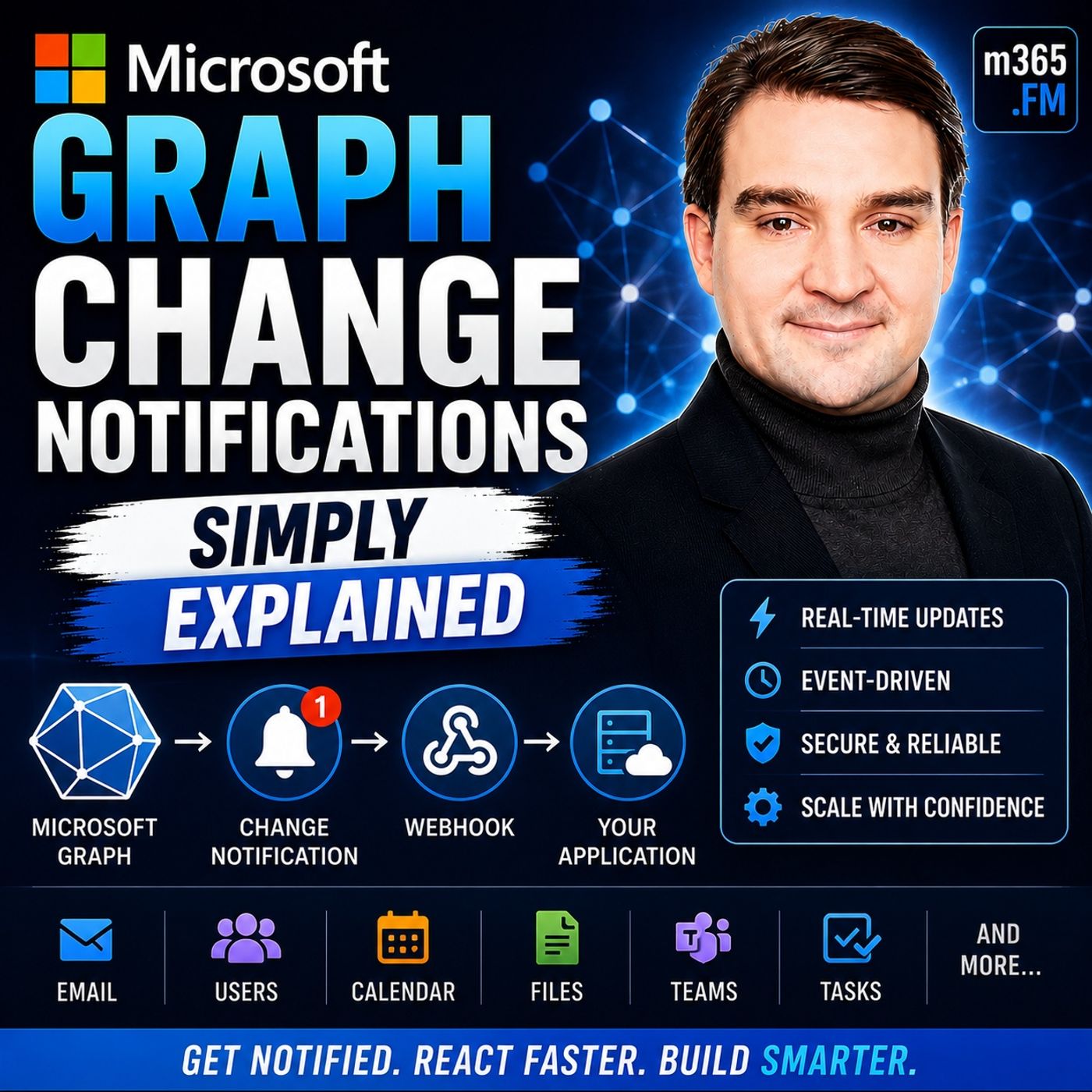
Microsoft Graph Change Notifications - Simply Explained
Show notes
Welcome to another episode of Knowledge Nuggets with Mirko Peters. Today we're exploring Microsoft Graph Change Notifications, one of the most important capabilities for building modern, event-driven Microsoft 365 applications. Imagine your application needs to know whenever a new email arrives, a SharePoint document is updated, a Teams message is posted, or a user account changes inside Microsoft Entra ID. The traditional approach is simple—but inefficient. Your application repeatedly asks Microsoft Graph whether anything has changed. Most of the time the answer is "no," wasting API calls, increasing latency, and potentially triggering Microsoft Graph throttling. Microsoft Graph Change Notifications solve this problem by turning Microsoft 365 into an event-driven platform. Instead of continuously asking for updates, your application simply subscribes to the resources it cares about, and Microsoft Graph automatically notifies your application whenever something changes. In https://www.m365.fm/microsoft-graph-change-notifications-simply-explained/, we'll explain how Change Notifications work, how subscriptions and webhooks fit together, why subscription renewal matters, and how organizations use this capability to build real-time Microsoft 365 solutions. THE PROBLEM WITH POLLING Before understanding Change Notifications, it's important to understand the problem they were designed to solve. Traditionally, applications relied on polling. Every few minutes an application would call Microsoft Graph asking whether anything had changed since the previous request. This approach creates several problems. If nothing has changed, every request wastes processing power, bandwidth, and API quota. If something changes immediately after the last request, users may wait several minutes before the application notices. Developers are forced to choose between frequent polling that wastes resources or slower polling that introduces delays. Microsoft Graph also protects its services through throttling. Applications making excessive requests may temporarily receive rate limits, forcing developers to slow down even further. Instead of repeatedly asking Microsoft Graph for updates, Microsoft introduced Change Notifications so that Microsoft Graph can notify applications only when something actually happens. This shift from polling to event-driven communication dramatically reduces unnecessary API traffic while providing much faster response times. WHAT ARE MICROSOFT GRAPH CHANGE NOTIFICATIONS? Microsoft Graph Change Notifications provide a push-based event system for Microsoft 365. Rather than checking repeatedly for updates, an application tells Microsoft Graph which resources it wants to monitor. Microsoft Graph then watches those resources continuously. Whenever a matching event occurs, Microsoft Graph immediately sends an HTTP POST request to the application's endpoint. A useful analogy is a mailbox with a motion sensor. Without Change Notifications, you repeatedly walk outside to see whether new mail has arrived. With Change Notifications, the motion sensor alerts you the instant the mail is delivered. The same concept applies to Microsoft 365. Whether monitoring Outlook emails, SharePoint files, Microsoft Teams messages, users, groups, calendars, contacts, or security alerts, Microsoft Graph automatically informs your application whenever relevant activity occurs. Instead of constantly asking, your application simply reacts. SUBSCRIPTIONS: TELLING GRAPH WHAT TO WATCH Everything begins with a subscription. A subscription tells Microsoft Graph exactly which resource should be monitored and what kinds of changes should trigger notifications. When creating a subscription, several pieces of information must be provided. The application specifies the resource path, such as users, Outlook mail folders, calendars, or SharePoint libraries. It also selects which changes should trigger notifications, including newly created items, updates, deletions, or combinations of these events. Next, the application provides a secure HTTPS notification endpoint where Microsoft Graph will deliver notifications. Finally, every subscription includes an expiration date. Unlike permanent registrations, subscriptions automatically expire after a limited period. Different Microsoft 365 resources support different maximum subscription lifetimes, making renewal an essential part of every production solution. Once Microsoft Graph accepts the subscription request, it returns a unique subscription identifier that applications later use to renew, update, or delete the subscription. THE VALIDATION HANDSHAKE Before Microsoft Graph begins sending notifications, it first verifies that the notification endpoint actually belongs to the application. This process is called the validation handshake. Immediately after a subscription is created, Microsoft Graph sends a verification request containing a validation token. The application's endpoint must return that exact token as plain text within a short time window. A helpful analogy is a courier delivering an important package. Before handing over the package, the courier rings the doorbell to confirm that someone is actually home. If nobody answers, the delivery never happens. The validation handshake works the same way. Only after the endpoint successfully returns the validation token does Microsoft Graph activate the subscription and begin delivering real notifications. This simple verification process prevents malicious applications from redirecting notifications to unauthorized destinations. KEEPING SUBSCRIPTIONS ALIVE Subscriptions do not last forever. Every subscription eventually reaches its expiration time, after which Microsoft Graph stops sending notifications entirely. Because different resources have different maximum subscription durations, production applications must continuously monitor expiration times and renew subscriptions before they expire. Renewal is performed by sending an update request using the subscription identifier together with a new expiration timestamp. Microsoft also provides lifecycle notifications, allowing applications to receive advance warnings before subscriptions expire or when access tokens require renewal. A practical strategy is to inspect expiration information whenever notifications arrive and renew subscriptions well before they expire, avoiding unnecessary outages while reducing operational complexity. Proper subscription management is one of the most important aspects of building reliable event-driven Microsoft Graph applications. BUILDING RELIABLE SOLUTIONS Real-world systems occasionally experience failures. Endpoints may become temporarily unavailable, networks may experience interruptions, or notifications may occasionally fail to arrive. Microsoft Graph therefore expects webhook endpoints to acknowledge notifications very quickly. Applications should return an immediate success response while processing notifications asynchronously in the background. Rather than performing lengthy business logic inside the webhook itself, notifications should typically be placed into queues where background services can process them safely without delaying Microsoft Graph. Microsoft also recommends combining Change Notifications with Delta Queries. Change Notifications provide immediate awareness whenever something changes, while Delta Queries periodically compare current data with previous synchronization states. Together they create a highly reliable synchronization strategy where notifications deliver real-time updates while Delta Queries recover any events that might have been missed because of temporary outages or expired subscriptions. This combination gives organizations both speed and reliability. REAL WORLD BUSINESS SCENARIOS Microsoft Graph Change Notifications enable numerous automation scenarios across Microsoft 365. Human Resources systems can automatically provision new employees when Microsoft Entra ID creates user accounts, triggering downstream onboarding processes immediately. Security platforms can react instantly whenever user accounts become disabled or security-sensitive changes occur, allowing security teams to investigate potential incidents without waiting for scheduled scans. Document processing solutions monitor SharePoint libraries, automatically classifying newly uploaded files with AI before routing invoices, contracts, or forms into appropriate business workflows. Analytics platforms synchronize Microsoft 365 activity into https://www.m365.fm/microsoft-fabric-simply-explained/ or Power BI almost immediately, allowing dashboards to reflect operational changes in near real time. Microsoft Copilot connectors also leverage event-driven synchronization so AI assistants receive updated business information as soon as source systems change, allowing Copilot experiences to remain current without repeatedly scanning entire datasets. In every scenario, Change Notifications eliminate unnecessary polling while dramatically reducing response times. CHOOSING THE RIGHT DELIVERY OPTION Microsoft supports several delivery models depending on application scale. For many organizations, webhooks provide the simplest solution. Microsoft Graph sends HTTP POST requests directly to the application's notification endpoint, making implementation straightforward for low and medium notification volumes. Larger enterprise environments often choose https://www.m365.fm/azure-event-hubs-simply-explained/, allowing millions of notifications to flow through highly scalable event streaming infrastructure before applications process them at their own pace. Organizations building serverless architectures frequently integ Become a supporter of this podcast: https://www.spreaker.com/podcast/m365-fm-microsoft-365-azure-cloud-power-platform-ai--6704921/support.
Apple Podcasts · Spotify · YouTube · YouTube Music · Deezer
Host: Mirko Peters
Guests
Also available in other languages
- Microsoft Graph Change Notifications einfach erklärt: Echtzeit statt Polling (KI-Synchronfassung) (de)
- Notificaciones de cambios de Microsoft Graph explicadas: tiempo real en lugar de polling (Doblaje IA) (es)
- Notifications de modification Microsoft Graph expliquées : le temps réel plutôt que le polling (Doublage IA) (fr)
- התראות שינוי ב-Microsoft Graph בפשטות: זמן אמת במקום Polling (דיבוב AI) (he)
- Microsoft Graph चेंज नोटिफिकेशन आसान भाषा में: पोलिंग नहीं, रियल-टाइम (AI डबिंग) (hi)
- Notifikasi Perubahan Microsoft Graph Dijelaskan: Real-Time, Bukan Polling (Sulih Suara AI) (id)
- Notifiche di modifica di Microsoft Graph spiegate: tempo reale invece del polling (Doppiaggio IA) (it)
- Microsoft Graph 変更通知をやさしく解説:ポーリングをやめてリアルタイムへ(AI吹き替え) (ja)
- Microsoft Graph 변경 알림 쉽게 설명: 폴링 대신 실시간으로 (AI 더빙) (ko)
- Microsoft Graph ചേഞ്ച് നോട്ടിഫിക്കേഷനുകൾ ലളിതമായി: പോളിംഗിന് പകരം റിയൽ-ടൈം (AI ഡബ്ബിംഗ്) (ml)
- Microsoft Graph change notifications uitgelegd: realtime in plaats van polling (AI-nasynchronisatie) (nl)
- Microsoft Graph ਚੇਂਜ ਨੋਟੀਫਿਕੇਸ਼ਨ ਸੌਖੇ ਢੰਗ ਨਾਲ: ਪੋਲਿੰਗ ਦੀ ਥਾਂ ਰੀਅਲ-ਟਾਈਮ (AI ਡਬਿੰਗ) (pa)
- Powiadomienia o zmianach w Microsoft Graph wyjaśnione: czas rzeczywisty zamiast pollingu (Dubbing AI) (pl)
- Notificações de alteração do Microsoft Graph explicadas: tempo real em vez de polling (Dublagem IA) (pt)
- Уведомления об изменениях Microsoft Graph простыми словами: реальное время вместо опроса (ИИ-дубляж) (ru)
- Microsoft Graph மாற்ற அறிவிப்புகள் எளிமையாக: போலிங்கிற்கு பதில் நிகழ்நேரம் (AI டப்பிங்) (ta)
- Microsoft Graph చేంజ్ నోటిఫికేషన్లు సులభంగా: పోలింగ్ బదులు రియల్-టైమ్ (AI డబ్బింగ్) (te)
- Сповіщення про зміни Microsoft Graph простими словами: реальний час замість опитування (ШІ-дубляж) (uk)
Related articles
Transcript
Read the full transcript
Today's topic is one that almost everyone building with Microsoft 365 has heard of, but most people don't really get how it works behind the scenes. I'm talking about Microsoft Graph change notifications. What exactly are they? And why should you care? Let's start with the problem they solve. Imagine you build an app that needs to know when something changes in Microsoft 365, maybe a new email arrives, someone updates a file in SharePoint, or a new user gets added to your company directory. How does your app find out? Here's the thing, the old way is polling. Your app sends a request to Microsoft Graph every few minutes and asks, "Anything new since I last checked? If nothing changed, you wasted a request, and if something changed five seconds after your check, you won't know until the next cycle." You're either checking too often, wasting resources and risking throttling, or too rarely, which means you miss things. Microsoft actually throttles apps that poll too aggressively, developers call it GraphJail, and your app gets blocked for a while because it's making too many requests. So the question becomes, "Isn't there a better way?" What if instead of your app constantly asking anything new, the system just told you when something changed? That's exactly what change notifications do. What are Microsoft Graph change notifications? Here's the simplest definition, change, notifications, let your app react instantly to events in Microsoft 365 without constant checking. Think of it like a motion sensor on your mailbox. Instead of walking past it every hour to peak inside, you install a sensor that pings you the moment mail arrives. You stop wasting time when empty checks are never miss a delivery. That's what change notifications do for your app. When something changes, like a new email, an updated file or a calendar event, Microsoft Graph sends a notification to your app automatically, no polling required. Now this system has two pieces, a subscription and a notification, and they work together. The subscription is where you tell Microsoft Graph what you want to watch. You say things like, "Hey, let me know when someone sends a new message to this inbox," or "Tell me when a file gets updated in this SharePoint library." You register your interest and Graph takes note. The notification is what happens next. When the change occurs, Graph sends an HTTP post to an endpoint you provide. Your app receives that post and knows something happened, and it can then decide what to do, like fetch the new data, trigger a workflow, or update a database. Here's the key difference from polling. Notifications are delivered automatically. Your app doesn't have to ask, the system pushes the information the moment it happens. That's the magic of it. Microsoft Graph supports change notifications for a wide range of resources. Messages, events, contacts, users, groups, files, teams, messages, security alerts, pretty much anything you can access through Graph can be monitored for changes. But how do you actually set this up? How do you tell Graph what to watch and where to send the alerts? Creating a subscription, telling Graph what to watch. So what is a subscription? It's just a registration request. Your app says, "Let me know when this thing happens," and you send that request to the Microsoft Graph API. Graph stores it and waits. You need to give Graph a few details in that request. First, the resource you want to watch. The path to the data. For example, then users if you're monitoring changes to user accounts or me, male, folders, inbox messages if you want to know about new emails. Next, the change type. Do you want to know when something is created, updated, deleted? You can pick one or you can ask for all three. Third, the notification URL. This is your endpoints address. The place where Graph should send the notification when something happens. It has to be a publicly accessible HTTPS endpoint. No shortcuts there. Fourth, the expiration date. Subscriptions don't last forever. You pick a future date in time when the subscription expires. But different resources have different max lifetimes. Outlook messages can last up to seven days. Teams chat messages max out at three days. SharePoint files can last about 30 days. Present information? That expires after just one hour. Here's a concrete example. Say you want to know when someone in your company changes their job title. You create a subscription for the user's resource with a change type of updated. You point it to your notification URL and set the expiration a few days out. When someone updates their profile in Enter ID, Graph sends a post to your endpoint with a notification payload. That payload includes the user's ID and tells you what changed. Your app can then act on it, update an HR system, trigger a notification to their manager, whatever you need. Graph responds to your subscription request with a subscription ID. You'll need that ID later to manage the subscription, renew it, update it, or delete it. But here's the thing. Before Graph starts sending notifications, it needs to confirm your endpoint is actually alive and listening. That requires a handshake. The handshake. Validation token explained. When you create a subscription, Microsoft Graph doesn't just trust your endpoint blindly. It sends a test ping first, a verification request. That ping includes a validation token, a random string of characters. Your endpoint has to catch that token and send it back as plain text within 10 seconds. Think of it like a delivery driver ringing your doorbell to confirm your home before leaving a package. If nobody answers, the driver leaves nothing. Same here. If your endpoint doesn't echo back the validation token, Graph won't send notifications to it. The response must be plain text, not JSON or XML, just the raw token string. Get the format wrong and the handshake fails. It's a security check. It proves your endpoint is alive, listening, and under your control. It stops someone from pointing a subscription at a URL they don't own, hoping to intercept notifications meant for someone else. No handshake means no subscription. Graph rejects the creation request and you get an error. You fix your endpoint and try again. Once the handshake succeeds, the subscription is active and notifications start flowing. But here's the thing. They don't flow forever. Keeping the connection alive. Subscription renewal. Every subscription has an expiration date. You set it when you created. Graph enforces it. When that date arrives, the subscription stops. No more notifications. Think of it like a parking meter. You put in the time and when it runs out, the meter flags expire. Different resources have different limits. Outlook messages can run for seven days. Teams chat messages three days. SharePoint files last about 30 days. Presence information. Just one hour. So your app can't just create a subscription and forget about it. You need a process that keeps it alive. Renewing is simple. Send a patch request with the subscription ID. Include a new expiration date. Do it before the current one expires. And graph extends the subscription. Here's the best practice I recommend. Check the expiration timestamp on every notification you receive. If it's close to expires, say within a day, renew it right then. That way you don't need a separate background job just to manage subscriptions. Microsoft also added life cycle notifications. These alerts warn you before a subscription expires. They tell you when your subscription is about to end or when your access token needs reauthorization, subscribe to these and your app can renew before anything breaks. But what if your endpoint goes down? Or you miss a renewal window? That's where the safety net comes in. When things go wrong, reliability and safety nets. Your subscription is active. Your endpoint is listening. Notifications are flowing. Everything looks good. But what happens when something breaks? Maybe your endpoint goes down for maintenance. A network issue drops a notification. Or you simply miss the renewal window and the subscription expires. These things happen. The question is, how do you recover? Microsoft Graph expects your webhook endpoint to respond quickly within three seconds. If it takes longer, Graph marks it as slow. If more than 10% of your responses exceed three seconds in any 10-minute period, Graph delays your notifications by 10 minutes. It sends only a small sample to check if you've recovered. It gets worse. If more than 15% of your responses exceed the 10-second retry timeout, Graph marks your endpoint as drop. Notifications stop entirely for 10 minutes. They're gone. You can't get them back. So your endpoint needs to be fast and reliable. That doesn't mean you have to process every notification in under three seconds. Just acknowledge receipt quickly with a 202 accepted response. Then process the notification asynchronously, queue it up, handle it later. The key is that fast response. Even with a perfect endpoint, things can still go wrong. Subscriptions expire. Network blips happen. Microsoft Graph itself might miss a notification in rare cases. That's why you need a safety net. Delta queries. Think of it this way. Change notifications are the fire alarm. They tell you something is happening right now. Delta queries are the sprinkler system. They catch anything the alarm missed. They work together. Notifications give you real-time awareness. Delta queries give you a complete picture you can reconcile at any time. The recommended pattern is simple. Use change notifications for instant awareness. Run a Delta query periodically. Maybe every few hours or once a day to catch anything that slipped through. This way, even if a notification was lost or a subscription expired, you never miss a change permanently. Real-world use cases. What you can build. So what does this actually enable? Let me walk you through some real examples. Take HR automation. Imagine someone joins your company tomorrow. The moment EntraID creates a new user a change notification fires. Your app grabs their profile and creates accounts in your HR platform. Time tracking and building access. All in seconds, no polling, no delays. For security alerts, say a user's account gets disabled. A change notification triggers a workflow that checks for suspicious changes and alerts your security team before you'd pull every few minutes. Now it's instant. Content processing works the same way. When a file lands in a SharePoint document library, you want to know if it's an invoice. The notification tells you a new file exists. Your app grabs it, runs it through AI to classify it and sends it to the right expense system. All automatic. Real-time dashboards let you see analytics as they happen. Not from hours ago. Change notifications. Sync dataverse to fabric instantly. Your Power BI dashboards update in near real-time. Here's one I find interesting. Co-pilot connectors. Microsoft adds real-time sync through webhooks so AI agents respond the second data changes. When a customer records updates in Dynamics 365, a co-pilot agent generates a follow-up immediately. No waiting. All these examples share one thing. Before change notifications, you build scheduled jobs that hold every hour or day. It worked, but was slow, wasteful, and fragile. Change notifications, flip that model. Real-time, event-driven, instant. Choosing the right delivery channel, not every app needs the same delivery. Let's look at your options. Webhooks are the simplest. Graph sends an HTTP post to your endpoint. You process it and move on. For low-to-medium volumes, say a few hundred notifications an hour, that works fine. But what if you're building something bigger? Thousands of notifications per second can overwhelm a single endpoint. You need something more powerful. Event hubs handles millions of events per second. Instead of graph sending notifications one by one, it sends them to a hub. Your app reads at its own pace. No risk of flooding. This is for large enterprise scenarios like thousands of SharePoint sites or millions of mailboxes. Then there's Event Grid, the serverless option. It sends notifications to Azure Functions or Logic Apps and automatically handles retries and dead lettering. If you're building automated workflows in the cloud and don't want to manage servers, Event Grid is your friend. Here's how you decide. For simple, low-to-medium volume, Webhooks. Need massive scale? Event hubs, serverless automation, Event Grid. But remember, all three require a subscription. The difference is how notifications arrive, not whether they arrive. Same core concept. Subscribe, listen, renew. So what's the big picture? Change notifications are the alert system that makes Microsoft 365 reactive. You subscribe to tell Microsoft Graph what to watch, listen for notifications on your endpoint and renew before the subscription expires. It's that handshake between you and the cloud. But what if you miss a notification? Delta queries are your safety net. They catch you up on everything that changed. Notifications give instant awareness. Delta queries give complete reconciliation. Together, they ensure nothing gets lost. Best way to understand it? Start small with Graph Explorer. Subscribe to your own inbox. Watch the notification arrive and see the handshake happen. That's the quickest path. That's change notifications in plain English. I'm Mirko Peters from M365. FM, subscribe and share. We'll see you next time.