


 Apple Podcasts
 Spotify
 Youtube Music
 Spreaker
 Podchaser
 Amazon Music
 Microsoft Graph Change Notifications - Simply Explained
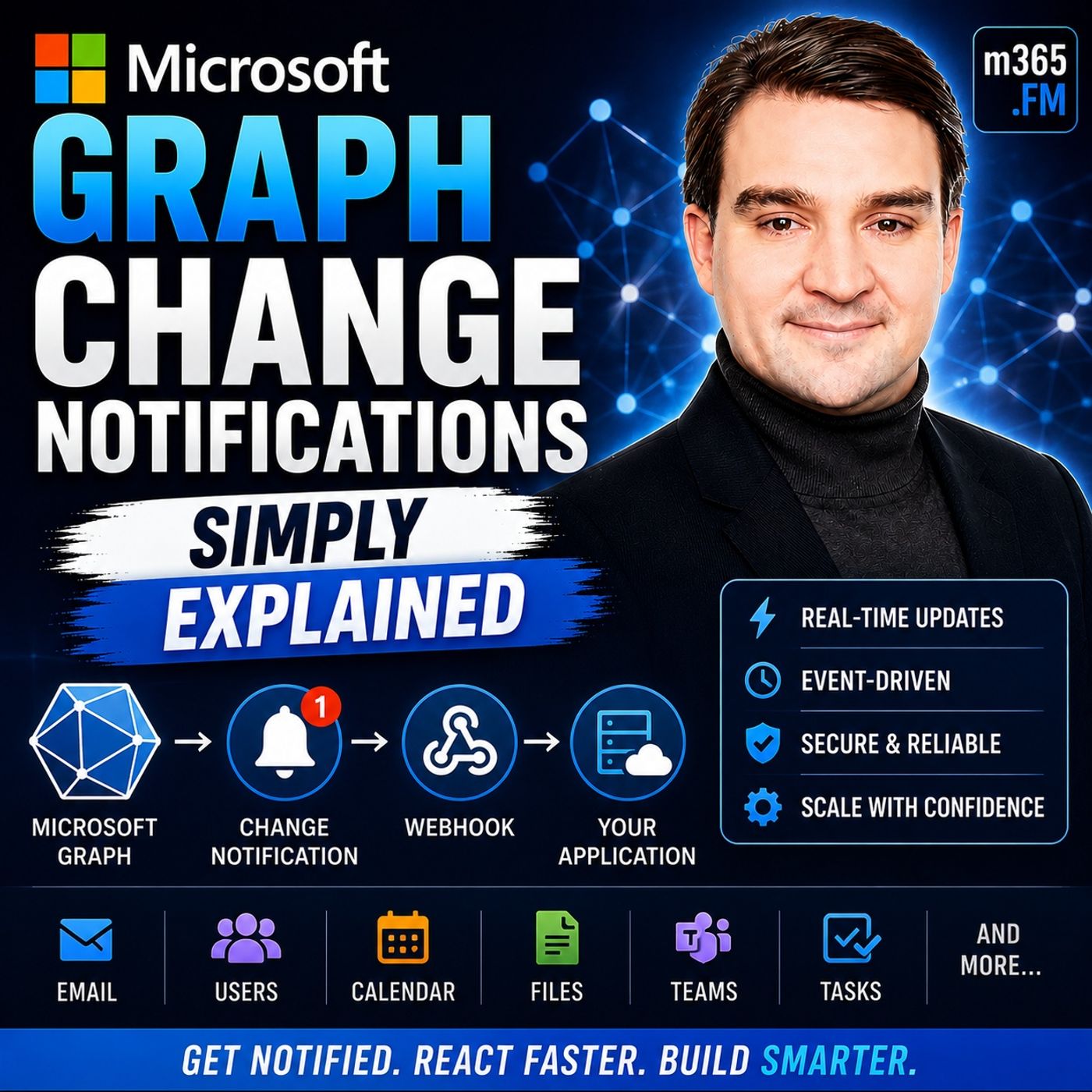
Quick Answer: Microsoft Graph Change Notifications is an important Microsoft topic for teams that need clearer technical decisions, safer implementation, and practical operational value. This episode explains what it does, where it fits in the Microsoft ecosystem, and the key considerations for administrators, architects, and business stakeholders.
Microsoft Graph Change Notifications play a crucial role in real-time data management. They allow your applications to respond instantly to changes within Microsoft 365 services. This capability enhances user experiences by providing timely updates, which can significantly improve application efficiency.
Here are some key benefits of using change notifications:
| Benefit | Description |
|---|---|
| Real-time notifications | Users can subscribe to changes in any chat, allowing them to receive immediate updates on conversations they are part of. |
| Enhanced communication | This feature improves interaction within Microsoft Teams, facilitating better collaboration among users. |
Understanding the types of notifications available is essential. You can choose from basic notifications, rich notifications, and lifecycle notifications. Each type serves a specific purpose and can enhance how your application interacts with users.
Key Takeaways
- Microsoft Graph Change Notifications let your apps get real-time updates from Microsoft 365 services, improving user experience and efficiency.
- You can subscribe to different types of changes like create, update, and delete on various resources such as users, groups, and security entities.
- Creating a subscription requires setting a resource, notification endpoint, and change types, then sending a request to Microsoft Graph API.
- Choose between webhooks for instant push notifications or Azure Event Hubs for handling large volumes of notifications securely and reliably.
- Auto-renew your subscriptions to avoid interruptions and keep receiving notifications without manual effort.
- Process notifications quickly and securely by validating data, responding within 30 seconds, and monitoring subscription status.
- Troubleshoot common issues by following retry guidelines and ensure reliable delivery using Azure Event Hubs and security best practices.
- Use delta queries to recover missed notifications and keep your application data accurate and up to date.
What Are Change Notifications?
Microsoft Graph Overview
Change notifications are a vital feature of Microsoft Graph. They allow your applications to receive updates about changes in Microsoft 365 services. This capability transforms how you interact with data, enabling you to build applications that respond to events in real-time. Microsoft Graph serves as a gateway to access data stored across Microsoft 365 services. It enables your custom applications to connect to this data, enhancing organizational productivity.
Here are some key features of Microsoft Graph:
| Feature | Description |
|---|---|
| Single Endpoint | The Microsoft Graph API provides a single endpoint, https://graph.microsoft.com, for accessing rich, people-centric data and insights in the Microsoft cloud. |
| REST APIs and SDKs | Developers can use REST APIs or SDKs to access the endpoint and build applications tailored for Microsoft 365 scenarios. |
Purpose of Change Notifications
The primary purpose of change notifications is to provide real-time updates to your applications. This feature allows you to subscribe to specific resources and receive notifications whenever relevant changes occur. For instance, if a new email arrives or a document is updated in SharePoint, your application can react immediately.
Real-time notifications and webhooks enable your applications to respond instantly to changes in user data. This event-driven architecture enhances user engagement by keeping users informed and responsive to changes. You can create intelligent workflows that automate processes and improve efficiency by integrating various Microsoft 365 services.
Moreover, change notifications help reduce unnecessary API traffic. Instead of polling for updates, your application can listen for changes, which optimizes resource usage. This efficiency is crucial for maintaining high performance, especially in applications that handle large volumes of data.
Types of Microsoft Graph Notifications
Resource Types
Microsoft Graph supports various resource types for change notifications. Understanding these resource types helps you tailor your applications to respond effectively to changes. Here are the primary resource types you can work with:
-
User Notifications: These notifications inform you about changes related to user accounts. For example, you can receive alerts when a user updates their profile or changes their password. This feature is crucial for applications that manage user data and require real-time updates to maintain accuracy.
-
Group Notifications: Group notifications keep you updated on changes within groups in Microsoft 365. You can track events such as when a user joins or leaves a group. This information is vital for applications that rely on group dynamics, such as collaboration tools or project management software.
Additionally, Microsoft Graph security entities also support change notifications. This allows you to monitor security-related changes, enhancing your application's ability to respond to potential threats.
Change Types
Change notifications can be categorized into three main types based on the nature of the changes:
Create
The create change type notifies you when a new resource is created. For instance, if a user creates a new document in SharePoint, your application can receive a notification. This allows you to take immediate action, such as updating a user interface or triggering workflows.
Update
The update change type alerts you when an existing resource is modified. For example, if a user edits a document or updates their profile information, your application can react accordingly. This ensures that users always see the most current information, enhancing their experience.
Delete
The delete change type informs you when a resource is removed. If a user deletes a file or a group, your application can receive this notification. This capability helps maintain data integrity and allows you to manage resources effectively.
By understanding these types of notifications, you can build applications that respond dynamically to changes in Microsoft 365 services. This responsiveness not only improves user engagement but also optimizes resource management.
Subscribing to Notifications
Subscribing to notifications is a crucial step in leveraging Microsoft Graph Change Notifications. This process allows your application to receive real-time updates about changes in Microsoft 365 services. Here’s how you can effectively create a subscription and choose the right delivery options.
Create a Subscription
Creating a subscription involves several requirements and steps. Follow these guidelines to ensure a successful setup.
Requirements for Subscription
Before you create a subscription, make sure you meet the following technical requirements:
| Requirement | Description |
|---|---|
| includeResourceData | Set to true to include resource data; requires encryption. |
| encryptionCertificate | Must be specified to avoid subscription creation failure when includeResourceData is true. |
| read scope | Required for creating and managing subscriptions (getting, updating, and deleting). |
These requirements ensure that your subscription functions correctly and securely.
Steps to Create a Subscription
To create a subscription, follow these steps:
- Define the Resource: Identify the Microsoft Graph resource you want to monitor, such as new emails or updated documents.
- Set the Notification Endpoint: Specify the URL where Microsoft Graph will send notifications. Ensure this endpoint is publicly accessible and secured with HTTPS.
- Choose Change Types: Decide which types of changes you want to subscribe to, such as create, update, or delete events.
- Send the Subscription Request: Use the Microsoft Graph API to send a POST request to create the subscription. Include all necessary parameters in the request body.
- Handle Notification Endpoint Validation: Microsoft Graph will validate your notification endpoint. Ensure your endpoint can respond to this validation request.
By following these steps, you can successfully create a subscription that keeps your application updated with real-time changes.
Delivery Options
Once you create a subscription, you need to choose how to receive notifications. Microsoft Graph offers two primary delivery options: webhooks and Azure Event Hubs.
Webhooks
Webhooks provide a straightforward way to receive notifications. They require you to set up a publicly accessible HTTPS-secured endpoint. Here are some key points about webhooks:
- They allow for immediate push-based delivery of notifications.
- You must respond to the notification URL validation to confirm your endpoint is active.
- Webhooks are ideal for applications that need instant updates without polling.
Azure Event Hubs
Azure Event Hubs is another option for handling notifications, especially in high-throughput scenarios. Here’s what you need to know:
- Event Hubs do not require a publicly exposed notification URL.
- You do not need to respond to notification URL validation.
- This option requires provisioning of an event hub and Azure Key Vault for secure access.
Using Azure Event Hubs can enhance your application's scalability and reliability when dealing with large volumes of notifications.
By understanding these delivery options, you can choose the best method for your application's needs. Whether you prefer the simplicity of webhooks or the robustness of Azure Event Hubs, both options enable you to stay informed about changes in Microsoft 365 services.
Managing Notifications
Managing your subscriptions effectively is crucial for maintaining the flow of change notifications. This section covers auto-renewing subscriptions and best practices for processing notifications.
Auto-Renewing Subscriptions
Importance of Auto-Renewal
Auto-renewing subscriptions play a vital role in ensuring uninterrupted notification delivery. By automatically extending the subscription expiration, you prevent any lapse that would stop notifications from being sent. Subscriptions typically last between three to seven days. If a subscription expires, notifications cease. Therefore, implementing a renewal strategy is essential. You can configure a trigger to execute on a schedule, which routes to a renewal branch that automatically extends the subscription. This method eliminates the need for manual intervention, ensuring that notifications remain active.
Steps for Auto-Renewal
To set up auto-renewal for your subscriptions, follow these steps:
- Receive a
microsoft.graph.subscriptionReauthorizationRequiredevent. - Validate the client state if a client secret was provided.
- Ensure a valid access token is available.
- Call the
/reauthorizeAPI to reauthorize without extending the expiration date, or use thePATCHmethod to renew and reauthorize the subscription.
By following these steps, you can maintain continuous monitoring and ensure your application receives timely updates.
Processing Notifications
Processing notifications efficiently is key to leveraging Microsoft Graph Change Notifications. Here are some best practices to consider:
Handling Notification Payloads
When handling notification payloads, focus on data integrity and security. Here are some essential practices:
- Store API keys and tokens in configuration variables or secrets instead of hardcoding them.
- Always connect to APIs over HTTPS to encrypt data in transit.
- Regularly rotate credentials as per API provider recommendations.
- Validate SSL certificates to ensure secure connections.
- Sanitize and validate all user input to prevent injection attacks.
These practices help you maintain a secure environment while processing notifications.
Best Practices
To ensure effective processing of incoming notifications, consider the following best practices:
- Respond quickly to notifications, ensuring a response within 30 seconds.
- Validate the
clientStateto confirm notifications are from Microsoft Graph. - Handle retries appropriately, as Microsoft Graph will retry failed deliveries.
- Monitor subscription expiration, renewing them before they expire.
- Use delta queries to identify specific changes indicated by notifications.
By implementing these strategies, you can enhance your application's responsiveness and reliability when dealing with change notifications.
Common Challenges
Troubleshooting Issues
When using Microsoft Graph Change Notifications, you may encounter various challenges. Common issues include failed notifications, invalid callbacks, and missed updates. To resolve these problems, follow these troubleshooting steps:
- Wait for the duration specified in the
Retry-Afterheader. - Retry the request.
- If the request fails again with a 429 error code, continue to use the
Retry-Afterdelay and retry until successful.
By following these steps, you can effectively address many common issues that arise with change notifications.
Ensuring Delivery
Ensuring reliable delivery of Microsoft Graph Change Notifications is crucial for maintaining application performance. Here are some methods to enhance notification delivery:
- Azure Event Hubs: This service handles large volumes of notifications, retains messages for processing, and allows message replay in case of failure. It is particularly recommended for high-throughput scenarios.
- NGINX Reverse Proxy with IP Whitelisting: This setup provides strong security by limiting access to known IP ranges. It ensures that only Microsoft Graph can reach your webhook. Combining IP filtering with clientState verification adds an extra layer of security.
To further ensure reliable delivery, consider these best practices:
- Responding to Webhook Notifications: Always respond immediately with
200 OKor202 Acceptedto avoid delays in notification processing. - Monitoring Subscriptions: Regularly check and renew your subscriptions to prevent silent expiration. This proactive approach helps maintain a steady flow of notifications.
- Using Delta Queries: Implement delta queries to reconcile any missed messages. This method allows you to catch up on changes that may have occurred while your application was unable to receive notifications.
By implementing these strategies, you can enhance the reliability of your Microsoft Graph Change Notifications and ensure your application remains responsive to changes in Microsoft 365 services.
In summary, Microsoft Graph Change Notifications empower you to build responsive applications that react to real-time events in Microsoft 365. By subscribing to notifications, you can automate processes, enhance user experiences, and improve efficiency across your organization. Implement the steps outlined in this blog to manage notifications effectively.
Consider these key takeaways for your enterprise:
- Automation with Microsoft Graph saves time and allows your team to focus on important projects.
- Consistent management across Microsoft 365 services reduces errors and improves efficiency.
- Automating user onboarding and offboarding helps maintain security and compliance.
For further learning, explore these resources:
| Resource | Description |
|---|---|
| changeNotification resource type | Represents the notification sent to the subscriber (app) of a Microsoft Graph subscription. All the properties of this resource are read-only. |
| Change notifications for Microsoft Teams resources | Change notifications for Microsoft Teams resources using Microsoft Graph enable you to subscribe to a resource's changes. |
Stay updated on new features and best practices by following the Microsoft 365 Message Center and the Microsoft 365 Roadmap.
FAQ
What are Microsoft Graph Change Notifications?
Microsoft Graph Change Notifications allow your applications to receive real-time updates about changes in Microsoft 365 services. You can subscribe to specific resources and get notified instantly when changes occur.
How do I create a subscription for notifications?
To create a subscription, identify the resource you want to monitor, set the notification endpoint, choose change types, and send a POST request to the Microsoft Graph API.
What delivery options are available for notifications?
You can receive notifications via webhooks or Azure Event Hubs. Webhooks provide immediate push notifications, while Azure Event Hubs handle large volumes of notifications efficiently.
How long do subscriptions last?
Subscriptions typically last between three to seven days. You must renew them before expiration to ensure continuous notification delivery.
What should I do if I miss a notification?
If you miss a notification, use delta queries to identify and retrieve the changes that occurred during the missed period. This helps you catch up on updates.
How can I ensure reliable notification delivery?
To ensure reliable delivery, respond promptly to notifications, monitor subscription expiration, and consider using Azure Event Hubs for high-throughput scenarios.
What are the common challenges with change notifications?
Common challenges include failed notifications, invalid callbacks, and missed updates. You can troubleshoot these issues by following specific steps, such as retrying requests and checking your endpoint's validity.
Where can I find more resources on Microsoft Graph Change Notifications?
You can explore the official Microsoft documentation for change notifications and Microsoft Teams resources. These resources provide in-depth information and best practices for implementation.
🎧 You Should Also Listen To
- Microsoft Graph Connectors – Simply Explained provides the next practical learning step and adds useful context for this topic.
- AI Agents – Simply Explained provides the next practical learning step and adds useful context for this topic.
Last reviewed: July 2026.
🚀 Want to be part of m365.fm?
Then stop just listening… and start showing up.
👉 Connect with me on LinkedIn and let’s make something happen:
- 🎙️ Be a podcast guest and share your story
- 🎧 Host your own episode (yes, seriously)
- 💡 Pitch topics the community actually wants to hear
- 🌍 Build your personal brand in the Microsoft 365 space
This isn’t just a podcast — it’s a platform for people who take action.
🔥 Most people wait. The best ones don’t.
👉 Connect with me on LinkedIn and send me a message:
"I want in"
Let’s build something awesome 👊
1
00:00:00,000 --> 00:00:04,480
Today's topic is one that almost everyone building with Microsoft 365 has heard of,
2
00:00:04,480 --> 00:00:07,520
but most people don't really get how it works behind the scenes.
3
00:00:07,520 --> 00:00:10,800
I'm talking about Microsoft Graph change notifications.
4
00:00:10,800 --> 00:00:13,360
What exactly are they? And why should you care?
5
00:00:13,360 --> 00:00:15,120
Let's start with the problem they solve.
6
00:00:15,120 --> 00:00:19,120
Imagine you build an app that needs to know when something changes in Microsoft 365,
7
00:00:19,120 --> 00:00:21,800
maybe a new email arrives, someone updates a file in SharePoint,
8
00:00:21,800 --> 00:00:25,440
or a new user gets added to your company directory. How does your app find out?
9
00:00:25,440 --> 00:00:27,800
Here's the thing, the old way is polling.
10
00:00:27,800 --> 00:00:31,320
Your app sends a request to Microsoft Graph every few minutes and asks,
11
00:00:31,320 --> 00:00:35,320
"Anything new since I last checked? If nothing changed, you wasted a request,
12
00:00:35,320 --> 00:00:39,640
and if something changed five seconds after your check, you won't know until the next cycle."
13
00:00:39,640 --> 00:00:42,920
You're either checking too often, wasting resources and risking throttling,
14
00:00:42,920 --> 00:00:45,160
or too rarely, which means you miss things.
15
00:00:45,160 --> 00:00:48,520
Microsoft actually throttles apps that poll too aggressively,
16
00:00:48,520 --> 00:00:53,800
developers call it GraphJail, and your app gets blocked for a while because it's making too many requests.
17
00:00:53,800 --> 00:00:55,880
So the question becomes, "Isn't there a better way?"
18
00:00:55,880 --> 00:00:58,840
What if instead of your app constantly asking anything new,
19
00:00:58,840 --> 00:01:04,040
the system just told you when something changed? That's exactly what change notifications do.
20
00:01:04,040 --> 00:01:06,360
What are Microsoft Graph change notifications?
21
00:01:06,360 --> 00:01:09,480
Here's the simplest definition, change, notifications,
22
00:01:09,480 --> 00:01:14,440
let your app react instantly to events in Microsoft 365 without constant checking.
23
00:01:14,440 --> 00:01:16,600
Think of it like a motion sensor on your mailbox.
24
00:01:16,600 --> 00:01:19,000
Instead of walking past it every hour to peak inside,
25
00:01:19,000 --> 00:01:22,040
you install a sensor that pings you the moment mail arrives.
26
00:01:22,040 --> 00:01:24,760
You stop wasting time when empty checks are never miss a delivery.
27
00:01:24,760 --> 00:01:26,760
That's what change notifications do for your app.
28
00:01:26,760 --> 00:01:31,240
When something changes, like a new email, an updated file or a calendar event,
29
00:01:31,240 --> 00:01:35,480
Microsoft Graph sends a notification to your app automatically, no polling required.
30
00:01:35,480 --> 00:01:39,560
Now this system has two pieces, a subscription and a notification,
31
00:01:39,560 --> 00:01:40,600
and they work together.
32
00:01:40,600 --> 00:01:44,120
The subscription is where you tell Microsoft Graph what you want to watch.
33
00:01:44,120 --> 00:01:47,800
You say things like, "Hey, let me know when someone sends a new message to this inbox,"
34
00:01:47,800 --> 00:01:51,320
or "Tell me when a file gets updated in this SharePoint library."
35
00:01:51,320 --> 00:01:53,320
You register your interest and Graph takes note.
36
00:01:53,320 --> 00:01:55,160
The notification is what happens next.
37
00:01:55,160 --> 00:01:59,160
When the change occurs, Graph sends an HTTP post to an endpoint you provide.
38
00:01:59,160 --> 00:02:02,120
Your app receives that post and knows something happened,
39
00:02:02,120 --> 00:02:05,160
and it can then decide what to do, like fetch the new data,
40
00:02:05,160 --> 00:02:07,400
trigger a workflow, or update a database.
41
00:02:07,400 --> 00:02:09,640
Here's the key difference from polling.
42
00:02:09,640 --> 00:02:11,800
Notifications are delivered automatically.
43
00:02:11,800 --> 00:02:15,480
Your app doesn't have to ask, the system pushes the information the moment it happens.
44
00:02:15,480 --> 00:02:16,600
That's the magic of it.
45
00:02:16,600 --> 00:02:20,680
Microsoft Graph supports change notifications for a wide range of resources.
46
00:02:20,680 --> 00:02:24,280
Messages, events, contacts, users, groups, files, teams, messages,
47
00:02:24,280 --> 00:02:28,680
security alerts, pretty much anything you can access through Graph can be monitored for changes.
48
00:02:28,680 --> 00:02:30,200
But how do you actually set this up?
49
00:02:30,200 --> 00:02:33,000
How do you tell Graph what to watch and where to send the alerts?
50
00:02:33,000 --> 00:02:35,800
Creating a subscription, telling Graph what to watch.
51
00:02:35,800 --> 00:02:37,000
So what is a subscription?
52
00:02:37,000 --> 00:02:38,440
It's just a registration request.
53
00:02:38,440 --> 00:02:40,520
Your app says, "Let me know when this thing happens,"
54
00:02:40,520 --> 00:02:43,080
and you send that request to the Microsoft Graph API.
55
00:02:43,080 --> 00:02:44,600
Graph stores it and waits.
56
00:02:44,600 --> 00:02:47,240
You need to give Graph a few details in that request.
57
00:02:47,240 --> 00:02:49,160
First, the resource you want to watch.
58
00:02:49,160 --> 00:02:50,360
The path to the data.
59
00:02:50,360 --> 00:02:53,480
For example, then users if you're monitoring changes to user accounts
60
00:02:53,480 --> 00:02:58,360
or me, male, folders, inbox messages if you want to know about new emails.
61
00:02:58,360 --> 00:02:59,640
Next, the change type.
62
00:02:59,640 --> 00:03:02,680
Do you want to know when something is created, updated, deleted?
63
00:03:02,680 --> 00:03:04,840
You can pick one or you can ask for all three.
64
00:03:04,840 --> 00:03:06,280
Third, the notification URL.
65
00:03:06,280 --> 00:03:07,800
This is your endpoints address.
66
00:03:07,800 --> 00:03:10,520
The place where Graph should send the notification when something happens.
67
00:03:10,520 --> 00:03:13,160
It has to be a publicly accessible HTTPS endpoint.
68
00:03:13,160 --> 00:03:14,520
No shortcuts there.
69
00:03:14,520 --> 00:03:15,880
Fourth, the expiration date.
70
00:03:15,880 --> 00:03:17,400
Subscriptions don't last forever.
71
00:03:17,400 --> 00:03:20,280
You pick a future date in time when the subscription expires.
72
00:03:20,280 --> 00:03:23,080
But different resources have different max lifetimes.
73
00:03:23,080 --> 00:03:25,320
Outlook messages can last up to seven days.
74
00:03:25,320 --> 00:03:27,640
Teams chat messages max out at three days.
75
00:03:27,640 --> 00:03:29,800
SharePoint files can last about 30 days.
76
00:03:29,800 --> 00:03:30,680
Present information?
77
00:03:30,680 --> 00:03:32,680
That expires after just one hour.
78
00:03:32,680 --> 00:03:33,960
Here's a concrete example.
79
00:03:33,960 --> 00:03:37,080
Say you want to know when someone in your company changes their job title.
80
00:03:37,080 --> 00:03:41,160
You create a subscription for the user's resource with a change type of updated.
81
00:03:41,160 --> 00:03:43,080
You point it to your notification URL
82
00:03:43,080 --> 00:03:44,920
and set the expiration a few days out.
83
00:03:44,920 --> 00:03:47,160
When someone updates their profile in Enter ID,
84
00:03:47,160 --> 00:03:50,360
Graph sends a post to your endpoint with a notification payload.
85
00:03:50,360 --> 00:03:53,320
That payload includes the user's ID and tells you what changed.
86
00:03:53,320 --> 00:03:58,360
Your app can then act on it, update an HR system, trigger a notification to their manager, whatever you need.
87
00:03:58,360 --> 00:04:01,560
Graph responds to your subscription request with a subscription ID.
88
00:04:01,560 --> 00:04:03,880
You'll need that ID later to manage the subscription,
89
00:04:03,880 --> 00:04:05,880
renew it, update it, or delete it.
90
00:04:05,880 --> 00:04:06,680
But here's the thing.
91
00:04:06,680 --> 00:04:08,920
Before Graph starts sending notifications,
92
00:04:08,920 --> 00:04:12,120
it needs to confirm your endpoint is actually alive and listening.
93
00:04:12,120 --> 00:04:13,800
That requires a handshake.
94
00:04:13,800 --> 00:04:14,680
The handshake.
95
00:04:14,680 --> 00:04:16,760
Validation token explained.
96
00:04:16,760 --> 00:04:18,040
When you create a subscription,
97
00:04:18,040 --> 00:04:20,840
Microsoft Graph doesn't just trust your endpoint blindly.
98
00:04:20,840 --> 00:04:24,120
It sends a test ping first, a verification request.
99
00:04:24,120 --> 00:04:27,480
That ping includes a validation token, a random string of characters.
100
00:04:27,480 --> 00:04:31,560
Your endpoint has to catch that token and send it back as plain text within 10 seconds.
101
00:04:31,560 --> 00:04:36,040
Think of it like a delivery driver ringing your doorbell to confirm your home before leaving a package.
102
00:04:36,040 --> 00:04:38,440
If nobody answers, the driver leaves nothing.
103
00:04:38,440 --> 00:04:39,240
Same here.
104
00:04:39,240 --> 00:04:41,880
If your endpoint doesn't echo back the validation token,
105
00:04:41,880 --> 00:04:43,800
Graph won't send notifications to it.
106
00:04:43,800 --> 00:04:48,680
The response must be plain text, not JSON or XML, just the raw token string.
107
00:04:48,680 --> 00:04:50,840
Get the format wrong and the handshake fails.
108
00:04:50,840 --> 00:04:51,960
It's a security check.
109
00:04:51,960 --> 00:04:55,560
It proves your endpoint is alive, listening, and under your control.
110
00:04:55,560 --> 00:04:58,920
It stops someone from pointing a subscription at a URL they don't own,
111
00:04:58,920 --> 00:05:01,480
hoping to intercept notifications meant for someone else.
112
00:05:01,480 --> 00:05:03,240
No handshake means no subscription.
113
00:05:03,240 --> 00:05:06,200
Graph rejects the creation request and you get an error.
114
00:05:06,200 --> 00:05:07,720
You fix your endpoint and try again.
115
00:05:07,720 --> 00:05:08,920
Once the handshake succeeds,
116
00:05:08,920 --> 00:05:11,960
the subscription is active and notifications start flowing.
117
00:05:11,960 --> 00:05:13,240
But here's the thing.
118
00:05:13,240 --> 00:05:14,360
They don't flow forever.
119
00:05:14,360 --> 00:05:16,360
Keeping the connection alive.
120
00:05:16,360 --> 00:05:18,360
Subscription renewal.
121
00:05:18,360 --> 00:05:20,440
Every subscription has an expiration date.
122
00:05:20,440 --> 00:05:21,880
You set it when you created.
123
00:05:21,880 --> 00:05:22,840
Graph enforces it.
124
00:05:22,840 --> 00:05:25,000
When that date arrives, the subscription stops.
125
00:05:25,000 --> 00:05:26,040
No more notifications.
126
00:05:26,040 --> 00:05:28,760
Think of it like a parking meter.
127
00:05:28,760 --> 00:05:32,600
You put in the time and when it runs out, the meter flags expire.
128
00:05:32,600 --> 00:05:34,440
Different resources have different limits.
129
00:05:34,440 --> 00:05:36,600
Outlook messages can run for seven days.
130
00:05:36,600 --> 00:05:38,200
Teams chat messages three days.
131
00:05:38,200 --> 00:05:40,040
SharePoint files last about 30 days.
132
00:05:40,040 --> 00:05:41,160
Presence information.
133
00:05:41,160 --> 00:05:41,880
Just one hour.
134
00:05:42,680 --> 00:05:45,240
So your app can't just create a subscription and forget about it.
135
00:05:45,240 --> 00:05:47,000
You need a process that keeps it alive.
136
00:05:47,000 --> 00:05:48,200
Renewing is simple.
137
00:05:48,200 --> 00:05:50,600
Send a patch request with the subscription ID.
138
00:05:50,600 --> 00:05:52,280
Include a new expiration date.
139
00:05:52,280 --> 00:05:54,040
Do it before the current one expires.
140
00:05:54,040 --> 00:05:56,040
And graph extends the subscription.
141
00:05:56,040 --> 00:05:57,880
Here's the best practice I recommend.
142
00:05:57,880 --> 00:06:00,680
Check the expiration timestamp on every notification you receive.
143
00:06:00,680 --> 00:06:02,840
If it's close to expires, say within a day,
144
00:06:02,840 --> 00:06:03,960
renew it right then.
145
00:06:03,960 --> 00:06:05,960
That way you don't need a separate background job
146
00:06:05,960 --> 00:06:07,640
just to manage subscriptions.
147
00:06:07,640 --> 00:06:10,440
Microsoft also added life cycle notifications.
148
00:06:10,440 --> 00:06:12,840
These alerts warn you before a subscription expires.
149
00:06:12,840 --> 00:06:14,680
They tell you when your subscription is about to end
150
00:06:14,680 --> 00:06:17,320
or when your access token needs reauthorization,
151
00:06:17,320 --> 00:06:20,680
subscribe to these and your app can renew before anything breaks.
152
00:06:20,680 --> 00:06:22,200
But what if your endpoint goes down?
153
00:06:22,200 --> 00:06:23,400
Or you miss a renewal window?
154
00:06:23,400 --> 00:06:24,920
That's where the safety net comes in.
155
00:06:24,920 --> 00:06:28,760
When things go wrong, reliability and safety nets.
156
00:06:28,760 --> 00:06:29,960
Your subscription is active.
157
00:06:29,960 --> 00:06:30,920
Your endpoint is listening.
158
00:06:30,920 --> 00:06:32,200
Notifications are flowing.
159
00:06:32,200 --> 00:06:33,080
Everything looks good.
160
00:06:33,080 --> 00:06:34,680
But what happens when something breaks?
161
00:06:34,680 --> 00:06:36,680
Maybe your endpoint goes down for maintenance.
162
00:06:36,680 --> 00:06:38,760
A network issue drops a notification.
163
00:06:38,760 --> 00:06:40,360
Or you simply miss the renewal window
164
00:06:40,360 --> 00:06:41,640
and the subscription expires.
165
00:06:41,640 --> 00:06:42,520
These things happen.
166
00:06:42,520 --> 00:06:44,280
The question is, how do you recover?
167
00:06:44,280 --> 00:06:47,080
Microsoft Graph expects your webhook endpoint to respond quickly
168
00:06:47,080 --> 00:06:47,960
within three seconds.
169
00:06:47,960 --> 00:06:48,920
If it takes longer,
170
00:06:48,920 --> 00:06:50,040
Graph marks it as slow.
171
00:06:50,040 --> 00:06:52,680
If more than 10% of your responses exceed three seconds
172
00:06:52,680 --> 00:06:53,960
in any 10-minute period,
173
00:06:53,960 --> 00:06:56,360
Graph delays your notifications by 10 minutes.
174
00:06:56,360 --> 00:06:58,760
It sends only a small sample to check if you've recovered.
175
00:06:58,760 --> 00:06:59,800
It gets worse.
176
00:06:59,800 --> 00:07:01,960
If more than 15% of your responses exceed
177
00:07:01,960 --> 00:07:03,320
the 10-second retry timeout,
178
00:07:03,320 --> 00:07:04,920
Graph marks your endpoint as drop.
179
00:07:04,920 --> 00:07:06,760
Notifications stop entirely for 10 minutes.
180
00:07:06,760 --> 00:07:07,400
They're gone.
181
00:07:07,400 --> 00:07:08,600
You can't get them back.
182
00:07:08,600 --> 00:07:10,760
So your endpoint needs to be fast and reliable.
183
00:07:10,760 --> 00:07:13,240
That doesn't mean you have to process every notification
184
00:07:13,240 --> 00:07:14,520
in under three seconds.
185
00:07:14,520 --> 00:07:15,800
Just acknowledge receipt quickly
186
00:07:15,800 --> 00:07:17,800
with a 202 accepted response.
187
00:07:17,800 --> 00:07:19,880
Then process the notification asynchronously,
188
00:07:19,880 --> 00:07:21,400
queue it up, handle it later.
189
00:07:21,400 --> 00:07:22,840
The key is that fast response.
190
00:07:22,840 --> 00:07:24,120
Even with a perfect endpoint,
191
00:07:24,120 --> 00:07:25,480
things can still go wrong.
192
00:07:25,480 --> 00:07:26,920
Subscriptions expire.
193
00:07:26,920 --> 00:07:28,280
Network blips happen.
194
00:07:28,280 --> 00:07:31,560
Microsoft Graph itself might miss a notification in rare cases.
195
00:07:31,560 --> 00:07:33,080
That's why you need a safety net.
196
00:07:33,080 --> 00:07:33,880
Delta queries.
197
00:07:33,880 --> 00:07:34,680
Think of it this way.
198
00:07:34,680 --> 00:07:36,680
Change notifications are the fire alarm.
199
00:07:36,680 --> 00:07:38,440
They tell you something is happening right now.
200
00:07:38,440 --> 00:07:40,280
Delta queries are the sprinkler system.
201
00:07:40,280 --> 00:07:41,800
They catch anything the alarm missed.
202
00:07:41,800 --> 00:07:42,760
They work together.
203
00:07:42,760 --> 00:07:44,840
Notifications give you real-time awareness.
204
00:07:44,840 --> 00:07:46,520
Delta queries give you a complete picture
205
00:07:46,520 --> 00:07:48,200
you can reconcile at any time.
206
00:07:48,200 --> 00:07:49,720
The recommended pattern is simple.
207
00:07:49,720 --> 00:07:52,200
Use change notifications for instant awareness.
208
00:07:52,200 --> 00:07:53,720
Run a Delta query periodically.
209
00:07:53,720 --> 00:07:55,400
Maybe every few hours or once a day
210
00:07:55,400 --> 00:07:56,920
to catch anything that slipped through.
211
00:07:56,920 --> 00:07:59,160
This way, even if a notification was lost
212
00:07:59,160 --> 00:08:00,440
or a subscription expired,
213
00:08:00,440 --> 00:08:02,440
you never miss a change permanently.
214
00:08:02,440 --> 00:08:04,040
Real-world use cases.
215
00:08:04,040 --> 00:08:05,160
What you can build.
216
00:08:05,160 --> 00:08:06,840
So what does this actually enable?
217
00:08:06,840 --> 00:08:08,440
Let me walk you through some real examples.
218
00:08:08,440 --> 00:08:09,640
Take HR automation.
219
00:08:09,640 --> 00:08:11,800
Imagine someone joins your company tomorrow.
220
00:08:11,800 --> 00:08:13,880
The moment EntraID creates a new user
221
00:08:13,880 --> 00:08:15,480
a change notification fires.
222
00:08:15,480 --> 00:08:16,840
Your app grabs their profile
223
00:08:16,840 --> 00:08:18,840
and creates accounts in your HR platform.
224
00:08:18,840 --> 00:08:20,440
Time tracking and building access.
225
00:08:20,440 --> 00:08:22,520
All in seconds, no polling, no delays.
226
00:08:22,520 --> 00:08:25,960
For security alerts, say a user's account gets disabled.
227
00:08:25,960 --> 00:08:28,040
A change notification triggers a workflow
228
00:08:28,040 --> 00:08:29,640
that checks for suspicious changes
229
00:08:29,640 --> 00:08:31,240
and alerts your security team
230
00:08:31,240 --> 00:08:33,160
before you'd pull every few minutes.
231
00:08:33,160 --> 00:08:34,200
Now it's instant.
232
00:08:34,200 --> 00:08:36,040
Content processing works the same way.
233
00:08:36,040 --> 00:08:38,440
When a file lands in a SharePoint document library,
234
00:08:38,440 --> 00:08:40,040
you want to know if it's an invoice.
235
00:08:40,040 --> 00:08:42,280
The notification tells you a new file exists.
236
00:08:42,280 --> 00:08:43,960
Your app grabs it, runs it through AI
237
00:08:43,960 --> 00:08:46,440
to classify it and sends it to the right expense system.
238
00:08:46,440 --> 00:08:47,640
All automatic.
239
00:08:47,640 --> 00:08:49,960
Real-time dashboards let you see analytics as they happen.
240
00:08:49,960 --> 00:08:51,160
Not from hours ago.
241
00:08:51,160 --> 00:08:52,520
Change notifications.
242
00:08:52,520 --> 00:08:54,440
Sync dataverse to fabric instantly.
243
00:08:54,440 --> 00:08:57,160
Your Power BI dashboards update in near real-time.
244
00:08:57,160 --> 00:08:58,680
Here's one I find interesting.
245
00:08:58,680 --> 00:08:59,960
Co-pilot connectors.
246
00:08:59,960 --> 00:09:02,040
Microsoft adds real-time sync through webhooks
247
00:09:02,040 --> 00:09:04,840
so AI agents respond the second data changes.
248
00:09:04,840 --> 00:09:08,040
When a customer records updates in Dynamics 365,
249
00:09:08,040 --> 00:09:10,760
a co-pilot agent generates a follow-up immediately.
250
00:09:10,760 --> 00:09:12,520
No waiting.
251
00:09:12,520 --> 00:09:14,520
All these examples share one thing.
252
00:09:14,520 --> 00:09:16,040
Before change notifications,
253
00:09:16,040 --> 00:09:19,080
you build scheduled jobs that hold every hour or day.
254
00:09:19,080 --> 00:09:22,360
It worked, but was slow, wasteful, and fragile.
255
00:09:22,360 --> 00:09:24,280
Change notifications, flip that model.
256
00:09:24,280 --> 00:09:27,480
Real-time, event-driven, instant.
257
00:09:27,480 --> 00:09:29,160
Choosing the right delivery channel,
258
00:09:29,160 --> 00:09:31,080
not every app needs the same delivery.
259
00:09:31,080 --> 00:09:32,200
Let's look at your options.
260
00:09:32,200 --> 00:09:33,640
Webhooks are the simplest.
261
00:09:33,640 --> 00:09:36,200
Graph sends an HTTP post to your endpoint.
262
00:09:36,200 --> 00:09:37,720
You process it and move on.
263
00:09:37,720 --> 00:09:40,440
For low-to-medium volumes, say a few hundred notifications an hour,
264
00:09:40,440 --> 00:09:41,400
that works fine.
265
00:09:41,400 --> 00:09:43,240
But what if you're building something bigger?
266
00:09:43,240 --> 00:09:44,840
Thousands of notifications per second
267
00:09:44,840 --> 00:09:46,600
can overwhelm a single endpoint.
268
00:09:46,600 --> 00:09:48,280
You need something more powerful.
269
00:09:48,280 --> 00:09:51,000
Event hubs handles millions of events per second.
270
00:09:51,000 --> 00:09:53,240
Instead of graph sending notifications one by one,
271
00:09:53,240 --> 00:09:54,600
it sends them to a hub.
272
00:09:54,600 --> 00:09:56,040
Your app reads at its own pace.
273
00:09:56,040 --> 00:09:57,160
No risk of flooding.
274
00:09:57,160 --> 00:09:58,760
This is for large enterprise scenarios
275
00:09:58,760 --> 00:10:01,640
like thousands of SharePoint sites or millions of mailboxes.
276
00:10:01,640 --> 00:10:03,480
Then there's Event Grid, the serverless option.
277
00:10:03,480 --> 00:10:06,520
It sends notifications to Azure Functions or Logic Apps
278
00:10:06,520 --> 00:10:09,240
and automatically handles retries and dead lettering.
279
00:10:09,240 --> 00:10:11,160
If you're building automated workflows in the cloud
280
00:10:11,160 --> 00:10:13,640
and don't want to manage servers, Event Grid is your friend.
281
00:10:13,640 --> 00:10:15,000
Here's how you decide.
282
00:10:15,000 --> 00:10:17,800
For simple, low-to-medium volume, Webhooks.
283
00:10:17,800 --> 00:10:19,080
Need massive scale?
284
00:10:19,080 --> 00:10:22,040
Event hubs, serverless automation, Event Grid.
285
00:10:22,040 --> 00:10:24,920
But remember, all three require a subscription.
286
00:10:24,920 --> 00:10:26,840
The difference is how notifications arrive,
287
00:10:26,840 --> 00:10:28,280
not whether they arrive.
288
00:10:28,280 --> 00:10:29,320
Same core concept.
289
00:10:29,320 --> 00:10:31,480
Subscribe, listen, renew.
290
00:10:31,480 --> 00:10:32,760
So what's the big picture?
291
00:10:32,760 --> 00:10:34,520
Change notifications are the alert system
292
00:10:34,520 --> 00:10:37,000
that makes Microsoft 365 reactive.
293
00:10:37,000 --> 00:10:39,240
You subscribe to tell Microsoft Graph what to watch,
294
00:10:39,240 --> 00:10:40,920
listen for notifications on your endpoint
295
00:10:40,920 --> 00:10:42,920
and renew before the subscription expires.
296
00:10:42,920 --> 00:10:44,760
It's that handshake between you and the cloud.
297
00:10:44,760 --> 00:10:46,360
But what if you miss a notification?
298
00:10:46,360 --> 00:10:47,880
Delta queries are your safety net.
299
00:10:47,880 --> 00:10:49,800
They catch you up on everything that changed.
300
00:10:49,800 --> 00:10:51,720
Notifications give instant awareness.
301
00:10:51,720 --> 00:10:54,120
Delta queries give complete reconciliation.
302
00:10:54,120 --> 00:10:56,120
Together, they ensure nothing gets lost.
303
00:10:56,120 --> 00:10:57,480
Best way to understand it?
304
00:10:57,480 --> 00:10:59,080
Start small with Graph Explorer.
305
00:10:59,080 --> 00:11:00,520
Subscribe to your own inbox.
306
00:11:00,520 --> 00:11:01,800
Watch the notification arrive
307
00:11:01,800 --> 00:11:03,160
and see the handshake happen.
308
00:11:03,160 --> 00:11:04,120
That's the quickest path.
309
00:11:04,120 --> 00:11:05,960
That's change notifications in plain English.
310
00:11:05,960 --> 00:11:07,800
I'm Mirko Peters from M365.
311
00:11:07,800 --> 00:11:09,000
FM, subscribe and share.
312
00:11:09,000 --> 00:11:10,520
We'll see you next time.

Founder of m365.fm, m365.show and m365con.net
Mirko Peters is a Microsoft 365 expert, content creator, and founder of m365.fm, a platform dedicated to sharing practical insights on modern workplace technologies. His work focuses on Microsoft 365 governance, security, collaboration, and real-world implementation strategies.
Through his podcast and written content, Mirko provides hands-on guidance for IT professionals, architects, and business leaders navigating the complexities of Microsoft 365. He is known for translating complex topics into clear, actionable advice, often highlighting common mistakes and overlooked risks in real-world environments.
With a strong emphasis on community contribution and knowledge sharing, Mirko is actively building a platform that connects experts, shares experiences, and helps organizations get the most out of their Microsoft 365 investments.




