 EN
EN Deutsch
 Español
 Français
 Italiano
 Português
 Nederlands
 Polski
 Bahasa Indonesia
 Русский
 Українська
 العربية
 עברית
עברית हिन्दी
 日本語
日本語 한국어
한국어2026-07-17 · Season 3
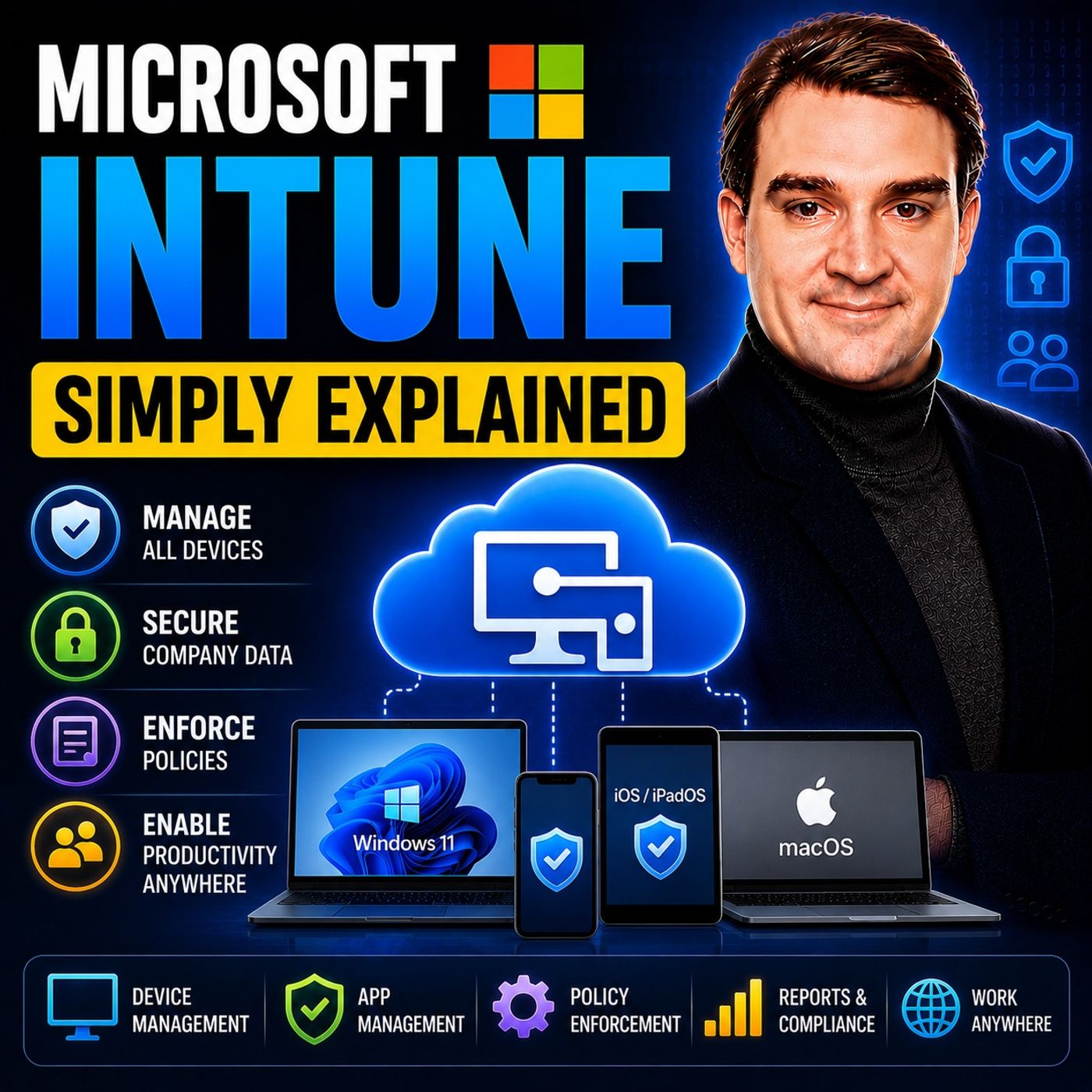
Microsoft Intune - Simply Explained
Show notes
Microsoft Intune is Microsoft's cloud-based endpoint management platform that allows organizations to securely manage laptops, desktops, smartphones, tablets, and applications from a single web-based console. Instead of IT teams manually configuring every device, Intune automatically deploys security settings, installs business applications, enforces compliance policies, and protects corporate data regardless of where employees are working. Whether devices run Windows, macOS, iOS, Android, or selected Linux distributions, Intune enables modern device management without relying on traditional on-premises infrastructure. WHY MODERN DEVICE MANAGEMENT MATTERS The workplace has changed dramatically. Employees now work from home, travel frequently, and often use personal devices alongside company-owned hardware. Traditional management tools required devices to be connected to the corporate network before receiving updates or security policies, making remote work difficult and increasing security risks. Microsoft Intune replaces this outdated model with cloud-native management. Devices communicate directly with Microsoft's cloud from anywhere in the world, allowing IT administrators to deploy applications, enforce security policies, monitor compliance, and respond to threats without ever physically touching the device. HOW MICROSOFT INTUNE WORKS Everything begins with device enrollment. Company-owned Windows devices can be deployed using Windows Autopilot, allowing employees to receive a brand-new laptop, sign in with their work account, and have the entire device automatically configured. Apple devices integrate with Apple Business Manager, while Android and iOS devices support secure enrollment for both corporate and personal devices. Once enrolled, Intune applies configuration policies, deploys applications like Microsoft 365, Teams, and Outlook, enforces security settings such as BitLocker encryption and password requirements, and continuously evaluates device health through compliance policies. If a device becomes non-compliant, access to company resources can be restricted automatically until the issue is resolved. PROTECTING COMPANY DATA WITHOUT INVADING PRIVACY One of Intune's most powerful capabilities is Mobile Application Management (MAM). Instead of controlling an employee's entire personal phone, Intune manages only corporate applications such as Outlook, Teams, and OneDrive. Organizations can prevent users from copying company information into personal apps, block downloads to personal storage, require PIN protection, and remotely remove only business data if an employee leaves the company or loses their device. Personal photos, messages, contacts, and applications remain completely untouched, making Bring Your Own Device (BYOD) practical while maintaining strong corporate security. INTUNE, ENTRA ID, AND ZERO TRUST SECURITY Microsoft Intune becomes even more powerful when combined with Microsoft Entra ID and Conditional Access. Intune continuously reports whether a device is healthy, encrypted, fully updated, and compliant with corporate security policies. Conditional Access then combines this information with user identity before allowing access to Microsoft 365 services such as Outlook, Teams, and SharePoint. Even if a user enters the correct password and completes Multi-Factor Authentication, access can still be blocked if the device fails compliance checks. This device-aware authentication model forms a core component of Microsoft's Zero Trust security strategy, ensuring that both the user and the device must be trusted before sensitive business data becomes accessible. WHEN SHOULD YOU USE MICROSOFT INTUNE? Microsoft Intune is the ideal solution for organizations embracing hybrid work, remote employees, cloud-first IT, and modern endpoint security. It simplifies device deployment, reduces administrative overhead, supports Bring Your Own Device programs, strengthens security through centralized policy enforcement, and integrates seamlessly with Microsoft Defender, Microsoft Entra ID, Microsoft 365, and Security Copilot. Whether managing a small business with dozens of devices or a global enterprise with hundreds of thousands of endpoints, Intune provides a scalable, cloud-native platform that helps IT teams deliver secure, productive, and consistent user experiences across every device employees use. Become a supporter of this podcast: https://www.spreaker.com/podcast/m365-fm-microsoft-365-azure-cloud-power-platform-ai--6704921/support.
Apple Podcasts · Spotify · YouTube · YouTube Music · Deezer
Host: Mirko Peters
Guests
Related articles
Transcript
Read the full transcript
What happens when a company hands you a laptop and says go to work? You power it on, sign in, and start doing your job. But behind that simple moment, there's a whole process running in the background. Something has to install the right apps, enforce the security settings, and make sure your device is safe to use with company data. 15 years ago, that process looked very different. I'd had to physically touch every single device. They'd unbox a laptop, install the operating system, configure every setting by hand, load all the applications, test everything, and then hand it to you. If something needed to change later on the security update in your app, somebody had to push that change manually or through complex on-premise servers. Intune changes all of that. It's a cloud service that does the entire job remotely. Without IT ever needing to see your device, think of it as a digital bouncer and butler for your work devices. It decides what's allowed in, what stays out, and makes sure everything runs smoothly. All from the cloud. What exactly is Microsoft Intune? Here's the simplest definition. Microsoft Intune is a cloud-based service that manages devices, phones, laptops, tablets, from one central dashboard. It's part of Microsoft's endpoint manager family, but most people just call it Intune. Now let's clear up a common confusion. Intune is not a VPN, not antivirus software, and not a remote desktop tool. It's a device management platform. That means its job is to control what happens on a device, enforce rules, and keep an eye on device health. Not to connect you to a network or scan for viruses, though it does work alongside tools that do those things. Intune has three core jobs. It enforces security settings, things like password requirements, encryption and camera restrictions. It deploys apps, so when you need outlook or teams, they just appear on your device. And it tracks device health. It knows whether your device is up to date, whether it's encrypted, and whether it's been compromised. And it does all of this across pretty much every platform you can think of. Windows, Mac OS, iOS, Android, even some Linux devices. So whether you're using a corporate laptop, a personal phone for work, or a shared tablet on a factory floor, Intune can manage it. But Intune didn't appear out of nowhere. It solved a very specific problem that used to drive IT teams crazy. The old way versus the Intune way. Picture this. It's 15 years ago, and a new employee joins the company. Someone in the IT department grabs a laptop from a shelf, unboxes it, installs the operating system from a USB drive, configures every setting manually, loads all the required applications, runs tests, and then finally hands it to the new hire. That process could take hours per device, and for a company onboarding 50 people, that's days of work. Updates were just as painful because IT had to push group policies from on-premise servers sitting in a server room somewhere. Devices would only check for those updates when they were connected to the corporate network. So if you were working from home, or from a coffee shop, or from an airport lounge, your device might go weeks without receiving critical security updates. And mobile devices, they were basically a blind spot. It had no real way to manage phones. If an employee used their personal phone to check work email, which everybody did, there was no way to enforce a passcode, no way to wipe corporate data if the phone was lost, and no way to know if the device was even secure. Intune turned this entire model around. It lives in the cloud, which means it's always connected. Devices check in from anywhere, your home office, a hotel lobby, a client site, and Intune can push updates, enforce policies, and check compliance in real time. It sets the policies once, and every device follows them automatically. No manual setup, and no waiting for the next network connection. So how does Intune actually pull this off? Let's look under the hood at the three core building blocks that make it work. The three core building blocks. Let's start with device enrollment. This is how a device gets claimed by your company, and the method depends on who owns it. For company-owned devices, Windows Autopilot is the gold standard. Imagine a laptop shipped directly from Dell or Lenovo to a new employee. They power it on, connect to Wi-Fi, and enter their work email. That's it. Behind the scenes, Intune recognizes the device's unique hardware hash, applies the right configuration, installs the required apps, and joins it to the company's directory. No IT person ever touched that laptop. For iPhones and Macs, Intune integrates with Apple Business Manager. When a company buys devices through an authorized reseller, those devices are automatically linked to the organization. The first time someone turns on their new iPhone, it walks them through the setup and enrolls into Intune before they even see the home screen. For personal devices, what people call BYOD or bring your own device, Intune uses something called a work profile on Android and user enrollment on iOS. Instead of taking over the whole phone, it creates a separate encrypted space just for work, apps, and data. Your personal photos, messages, and apps stay completely private. Once the device is enrolled, Intune pushes down configuration policies. Think of these as the house rules for your work device. They define things like password requirements. Must be six characters, must include a number, must change every 90 days. They enforce encryption. So if your laptop gets stolen, nobody can read the files. They can block the camera, disable Bluetooth, or restrict which apps are allowed to run. These policies are set once by IT and applied automatically to every enrolled device. Then there are compliance policies, which are the health checks that run constantly behind the scenes, is the device up to date with the latest security patches, is encryption still enabled? Has the device been jailbroken or rooted? Intune checks all of this on a regular basis, typically every eight hours. If a device falls out of compliance, say the user disabled encryption or skipped a critical update, Intune can take action. It might send a notification asking the user to fix the problem, block access to company email and files until the issue is resolved, or in extreme cases, wipe the device remotely. But managing the device itself is only half the story of what about the apps and data on it? Mobile Application Management, the BYOD Superpower. This is where Intune really shines. A lot of companies let employees use personal phones for work. It saves money, people prefer using their own devices, and it's more convenient. But there's attention there. Full device management on a personal phone feels invasive. Nobody wants their employer controlling their photos, their messages, their personal apps. Intune's answer to this is something called Mobile Application Management, or MAM for short. Instead of managing the whole device, Intune manages only the work apps. Here's how it works. You install Outlook, Teams, and OneDrive on your personal phone like normal. But when you sign in with your work account, those apps get a corporate wrapper. That wrapper controls what you can do with work data inside those apps. Let me give you a real example. You can read a work email in Outlook on your personal phone. That's fine, but you cannot copy that email and paste it into a personal notes app. You cannot save a work document to your personal cloud storage. You cannot forward a confidential message to your personal email address. The corporate wrapper enforces those rules at the app level, not the device level. And here's the best part. If you leave the company, or if your phone is lost or stolen, IT can wipe the corporate data from those apps remotely. They don't touch your personal photos, your text messages, your contacts, or any of your personal apps. They just remove the work data from Outlook, Teams, and OneDrive. Your phone goes back to being your phone. This is what makes BYOD actually workable. Employees get to use their own devices. Employers get to protect their data. Nobody has to choose between privacy and security. This brings us to the security layer that ties everything together. Identity and conditional access. The gatekeeper. Intune doesn't work alone. It sits on top of another Microsoft service called EntraID. You might know it by its old name, Azure Active Directory. Think of EntraID as the identity system. It knows who you are. It knows whether you're allowed to sign in. It handles authentication. The part where you type your password and get a code on your phone. What Intune does is add device information to that picture. Intune tells EntraID. This device is healthy and compliant. Or this device has a problem. That signal, device health, becomes part of the access decision. This is where conditional access comes in. Conditional access policies combine both signals into one rule. Is this the right person? Are they on a healthy device? Are they connecting from a trusted location? The policy checks all three before granting access. Here's what that looks like in practice. You're sitting in a coffee shop, trying to check your email on your work laptop. You type your password correctly. You pass the MFA check. But behind the scenes, Entune reports that your device hasn't installed the latest security update. It's out of compliance. Conditional access sees that signal and blocks access. You can't get to your email until you install that update. The password was correct, the person was you. But the device wasn't healthy, so access was denied. This is the foundation of something called zero trust. It's a security model that says, "Never trust, always verify. "Don't assume something is safe "just because it's on the corporate network. "Don't assume a user is legitimate "just because they know the password. "Check everything every time. "Intune is the tool that makes device verification "possible in a zero trust world." Now let's talk about the practical stuff. What does Entune actually look like for the people who use it every day? The admin experience versus the user experience. For IT admins, Entune looks like a single dashboard where every enrolled device shows up with its compliance status, last check-in time, operating system, and primary user. At a glance, they can see which devices are healthy and which ones have problems. From that dashboard, admins can take remote actions. If a laptop gets lost, they can wipe it remotely, all data gone, just like that. If an employee forgets their pin, they can reset it without making them bring the device to IT. Critical security update, they can push it to every device with a few clicks. The reporting is just as powerful. Admins can see exactly which devices are out of compliance and why, filter by platform, user or policy, and export reports for audits, all in one place. For end users, that's you. Entune is nearly invisible. Most of the time, you never know it's there and that's exactly the goal. You might use the company portal app once to install Work Apps, see a notification about a password update, or notice your work laptop forces you to use a pin before booting. But the vast majority of Intune's work happens silently in the background. Pushing configuration changes, updating apps, checking compliance, and reporting back to the admin dashboard, all automatically, without any input from you. The best Intune deployment is the one users never think about. They just know their devices work, their apps are there, and their data is safe with everything else happening behind the scenes, Intune versus the alternatives. Now, Intune is powerful, but it's not the only device management platform out there. Let's look at how it compares to the main alternatives. The big one is Jamf Pro, the gold standard for Apple-only environments. If your company only uses Macs and iPhones, Jamf gives you much deeper control. You can run shell scripts, build complex automation workflows, and patch third-party Mac apps automatically. It's built by Apple Specialist for Apple Specialist, but it only manages Apple devices. So if you have a single Windows laptop in your fleet, Jamf can't help you, then there's VMware Workspace 1, a strong cross-platform competitor that manages Windows, Mac, iOS, and Android just like Intune. But it's more complex to set up. It tends to be more expensive and requires dedicated expertise to run well. Intune's advantage comes down to integration. It's built into the Microsoft 365 ecosystem, talking directly to Android for identity, defendable security, and office apps for data protection. Everything is designed to work together because Microsoft built it all. For organizations already using Microsoft 365, which is most, Intune is the natural choice. You don't need to buy a separate tool, learn a separate interface, or manage a separate integration. It's already there. Included in your E3 or E5 license. That said, many large enterprises use both. Jamf for their Apple devices, giving Mac admins deep control, and Intune for everything else. The two platforms integrate so Jamf can send compliance signals to Intune, which feeds them into conditional access. It's more complex, but it gives you the best of both worlds. What's coming next? Intune keeps getting better and the biggest shift arrives in July, 2026, when several Intune Suite capabilities move into the standard Microsoft 365, E3 and E5 licenses. Features that used to cost extra are now included. Remote help lets it take over screen for troubleshooting. Advanced analytics gives deeper insights into device performance. CloudPKi handles certificate management without running your own infrastructure. These were all add-ons, but now they're part of the base license. E5 subscribers get even more. Endpoint privilege management allows users to temporarily elevate permissions to install software or change settings without granting full admin rights. It's a smart middle ground between security and usability, and the security co-pilot integration brings AI assisted troubleshooting and policy recommendations directly into the Intune console. The direction here is clear. Intune is shifting from a standalone product to a built-in management layer inside Microsoft 365. It's not something you bolt on later. It's part of the foundation from the start, and here's the bottom line. Microsoft Intune is a cloud service that manages devices, enforces security, deploys apps, and protects corporate data, or without IT ever touching a single device. But the key isn't just device management, it's trust. Intune tells the rest of Microsoft 365 this device is safe, let it through. That simple signal of device health powers conditional access, zero trust, and modern cloud security. If you use a work laptop or phone, Intune is probably running behind the scenes right now, keeping things secure without you ever noticing. That's the point. Subscribe on your favorite podcast platform and share this with someone starting their journey. Coming up next, Microsoft Defender, the security shield you didn't know you had.