 EN
EN Deutsch
 Español
 Français
 Italiano
 Português
 Nederlands
 Polski
 Bahasa Indonesia
 Русский
 Українська
 العربية
 עברית
עברית हिन्दी
 日本語
日本語 한국어
한국어2026-07-24 · Season 3
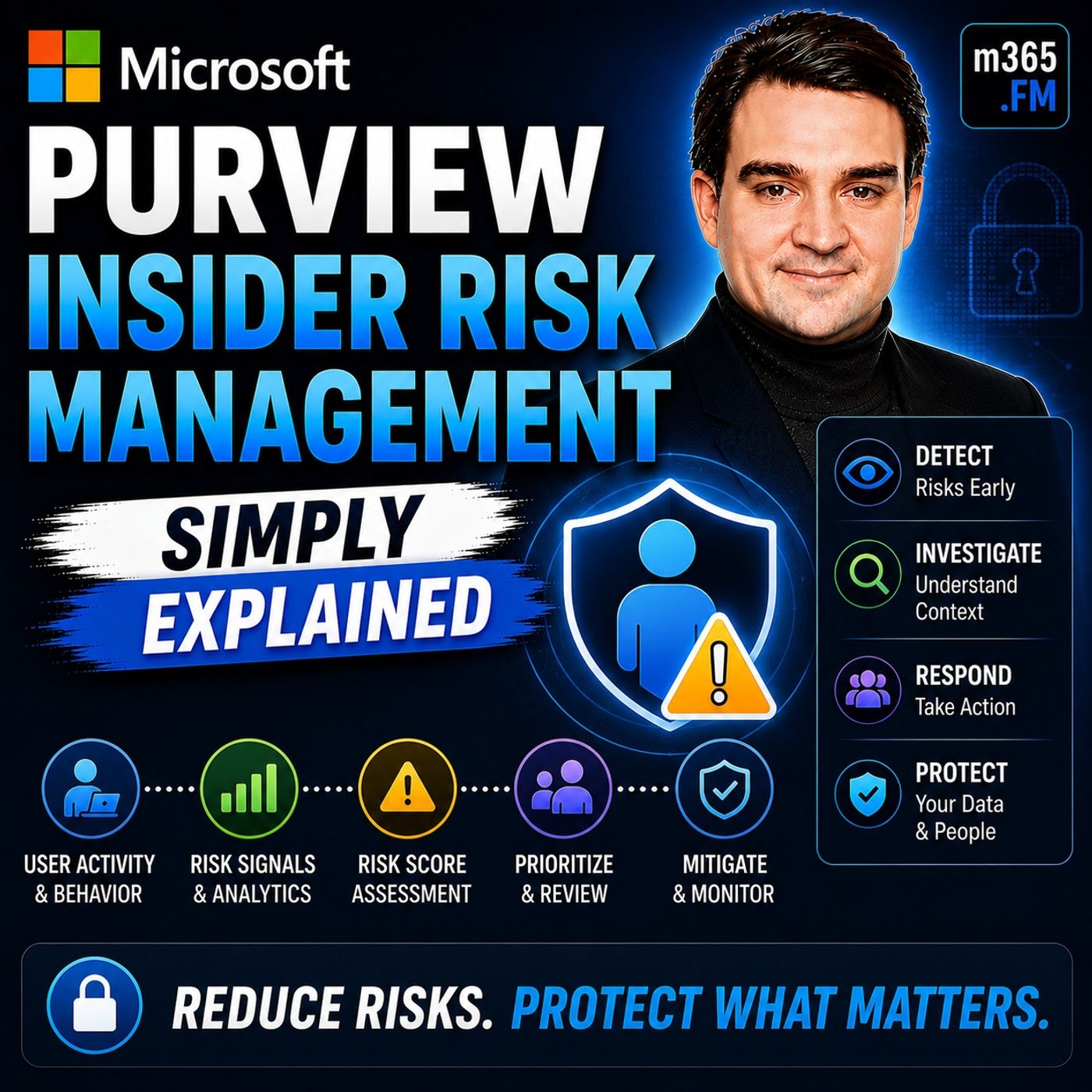
Microsoft Purview Insider Risk Management - Simply Explained
Show notes
Welcome to another episode of Knowledge Nuggets with Mirko Peters. Today we're exploring Microsoft Purview Insider Risk Management, Microsoft's intelligent solution for identifying risky user behavior before it turns into a costly security incident. When organizations think about cybersecurity, they usually focus on external threats—hackers, malware, ransomware, and phishing attacks. But one of the biggest security risks often comes from inside the organization. Employees already have legitimate access to sensitive information. Whether through malicious intent or simple human error, that trusted access can become a significant business risk. Microsoft Purview Insider Risk Management helps organizations identify unusual patterns of user behavior, investigate potential insider threats, and respond appropriately while maintaining strong privacy protections. Rather than assuming every employee is a threat, it uses intelligent risk scoring and machine learning to distinguish between normal business activity and behavior that deserves closer attention. In this episode, we'll explore how Insider Risk Management works, how Microsoft calculates risk, and why privacy remains a central part of the entire solution. WHY INSIDER RISK IS DIFFERENT Traditional cybersecurity is designed to stop unauthorized users from gaining access. Firewalls block unwanted network traffic. Multi-factor authentication verifies identities. Endpoint protection detects malware. These technologies are extremely effective against external attacks. However, they all share one important assumption: Once users successfully authenticate, they are generally trusted. That assumption creates a significant blind spot. Insider threats don't involve breaking into the organization. They involve legitimate users performing activities that become risky over time. Insider risk generally falls into two categories. Malicious insider risk includes intentional activities such as data theft, intellectual property theft, sabotage, or unauthorized data exfiltration. Accidental insider risk includes users mistakenly sharing confidential information, forwarding sensitive emails, copying files to personal storage, or violating security policies without realizing it. Traditional security solutions rarely detect these behaviors because, technically, the user is authorized to perform many of the underlying actions. Microsoft Purview Insider Risk Management focuses on identifying risky behavior rather than simply validating user access. WHAT IS MICROSOFT PURVIEW INSIDER RISK MANAGEMENT? Microsoft Purview Insider Risk Management is a compliance capability within Microsoft Purview that helps organizations identify, investigate, and respond to potentially risky user behavior. Rather than monitoring individual activities in isolation, the system analyzes patterns across Microsoft 365. Signals are collected from multiple Microsoft services, including:
- Exchange Online
- SharePoint Online
- OneDrive
- Microsoft Teams
- Microsoft Entra ID
- Endpoint activity
- Data Loss Prevention
- Sensitivity labels
Machine learning evaluates these signals over time to determine whether behavior differs significantly from normal activity. The objective is not to spy on employees. Instead, Microsoft focuses on identifying situations where organizations should perform additional review before a genuine security incident occurs. Human investigators always make the final decision. The platform simply highlights behavior that deserves attention. HOW RISK SCORING WORKS Microsoft Purview Insider Risk Management does not generate alerts based on a single isolated action. Instead, it evaluates combinations of activities over time. Examples of monitored indicators include:
- Large file downloads
- Email forwarding
- Printing sensitive documents
- USB file transfers
- Accessing sensitive SharePoint sites
- Uploading data to cloud storage
- Unusual login behavior
- After-hours activity
Each event contributes to an overall risk score. A single large download might be completely normal. However, when combined with several additional indicators—such as forwarding emails to personal accounts after submitting a resignation—the overall pattern becomes significantly more suspicious. Machine learning compares current activity against historical behavior for both the individual user and similar job roles. Downloading source code may be normal for software developers. The same activity performed by someone in Human Resources would represent unusual behavior. The platform continuously learns organizational baselines to reduce false positives while highlighting meaningful anomalies. Importantly, risk scores represent probabilities—not proof of wrongdoing. Human review remains essential before any action is taken. POLICIES, TEMPLATES, AND RISK INDICATORS Microsoft provides predefined policy templates covering common insider risk scenarios. Examples include:
- Departing employees
- Data theft
- Data leaks
- Security policy violations
- Risky user behavior
Administrators simply select the template most appropriate for their organization and configure the users or groups that should be included. Behind each policy are dozens of built-in indicators. These include activities such as:
- External email forwarding
- Printing
- USB usage
- Cloud storage uploads
- SharePoint downloads
- OneDrive synchronization
- Sensitive file access
Organizations can further improve detection by integrating external business signals. Examples include:
- HR systems
- Employee resignation notices
- Badge access systems
- Legal investigations
- Compliance events
These external signals provide additional context that significantly improves risk scoring accuracy. Rather than monitoring every employee equally, organizations focus on scenarios where risk is genuinely elevated. INVESTIGATING INSIDER RISK When Microsoft identifies suspicious behavior, investigators receive an alert within the Microsoft Purview compliance portal. Each alert includes:
- Overall risk score
- User information
- Timeline of activities
- Associated indicators
- Supporting evidence
One of the most valuable features is the activity timeline. Rather than reviewing isolated events, investigators can understand the complete sequence of actions. For example:
- File downloads
- Email forwarding
- USB transfers
- After-hours activity
- SharePoint access
Become a supporter of this podcast: https://www.spreaker.com/podcast/m365-fm-microsoft-365-azure-cloud-power-platform-ai--6704921/support.
Apple Podcasts · Spotify · YouTube · YouTube Music · Deezer
Host: Mirko Peters
Guests
Related articles
Transcript
Read the full transcript
Today's topic is one many companies face, but rarely talk about, inside a risk. It's a growing problem and it should be on your radar. Imagine this. A senior sales manager at a mid-sized company puts in her notice after seven years. She's trusted. She has access to everything, the customer database, pricing sheets, next quarters, strategic plan. On her last day, she forwards a few emails to her personal account and copies a spreadsheet to a USB drive. Nothing triggers an alarm? Why would it? She's authorized. She's supposed to have access. That's the problem in a nutshell. Most companies spend heavily on perimeter security. Firewalls, antivirus, multi-factor authentication, they build walls around the castle. Most companies focus on the walls. They forget about the people inside, but here's the thing. Once you're inside those walls, you're assumed to be safe and trustworthy. And that assumption creates a huge blind spot. Insider threats are hard to detect because they come from authorized users. They're not breaking in. They're logging in. And logging in looks exactly like normal work. Traditional security tools keep bad actors out, but they're not designed to spot a trusted employee who suddenly starts acting differently. That's where the real risk lives. By the end of this episode, you'll understand what Microsoft Perview Insider Risk Management actually is and why companies turn to it to solve this exact problem. But first, let's look at why traditional security fails here. Why traditional security misses insider threats? Traditional security guards the front door. That's its job. Firewalls block unauthorized traffic, antivirus catches known malware, MFA checks credentials. These tools are essential, but they share one dangerous assumption that anyone past the front door can be trusted. But here's the thing about insider risk. It's not a single type of behavior. It comes in two distinct flavors. First, intentional risk, theft, sabotage, data exfiltration. The employee who takes client lists to a competitor, the disgruntled worker who deletes critical files. That's the malicious kind. Then there's accidental risk. The employee who clicks a fishing link and exposes credentials, the manager who sends a spreadsheet to the wrong person, the contractor who stores sensitive files on a personal device. Both types are common. In fact, most breaches involve some insider action, either malicious or careless. The 2024 Verizon report found that over 30% of breaches involved internal actors. And that's just the reported ones. Traditional security tools aren't built to catch this. They look for external threats, not internal behavior. Your firewall doesn't care if someone copies a customer list to a USB drive. Your antivirus doesn't flag emails forwarded to Gmail. To the system, it's all just normal activity. So you have a gap. You need to monitor risky behavior without violating privacy. You can't read every email or watch every download. That's not practical or legal. So how do you find the signal in all the noise without becoming big brother? That's where Microsoft Perview comes in. What is Microsoft Perview inside a risk management? Today's topic is one that almost everyone has heard of, but few people actually understand. So let's set the record straight. Microsoft Perview inside a risk management isn't some new tool you go and install. It's a module inside Microsoft Perview, which is Microsoft's compliance platform. If your company already pays for Microsoft 365, you probably already have access to it. You just haven't turned it on yet. Here's the simplest definition. Inside a risk management finds potentially risky user activity, investigates what happened and helps you act on it. It looks for patterns that suggest a possible insider threat, whether that threat is accidental or intentional. Let's clear up a common myth right now. This is not spying. Microsoft built privacy guard rails straight into the system and will cover those later. The core idea is a risk management framework, not a surveillance tool. Your goal is protecting the company and its data, not catching someone making a mistake. So how does it actually work? The system pulls signals from across Microsoft 365. Exchange online watches email activity, SharePoint tracks file access, Teams monitors communication patterns, Entra ID checks, login behavior and device compliance. The system takes all those data points and searches for patterns. Think of it as a risk scoring engine. The system doesn't flag a single action. It flags patterns over time. One large download might be completely innocent. Maybe you're pulling files for a big presentation, but multiple large downloads are two in the morning from someone who's already put in their notice and is forwarding emails to a personal account. That's a pattern worth a closer look. The system learns what normal looks like for your organization and for each role. A developer downloading code is normal. An HR manager downloading the entire employee database is not. How Microsoft defines and scores risk. So how does the system actually decide what's risky? It's not magic. Nobody sits in a dark room watching your screen. The system uses machine learning models that learn the difference between typical behavior and unusual behavior. The system tracks a wide range of indicators. File downloads, email forwarding, printing sensitive documents, accessing restricted sites, copying data to USB drives. Each one is a single data point, a signal that something happened. But a signal alone doesn't tell you much. What matters is the pattern. Each indicator carries a weight and the system watches for cumulative patterns over time. Think of a smoke detector. One whisp of steam from a hot shower doesn't set it off. The stain smoke from a real fire does. The system watches for sustained patterns that match known risky behaviors. One action alone rarely triggers an alert. A single large file download might be innocent, but combine that with email forwarding to a personal account after hours access and a recent linked in job update. Now you have something worth investigating. The system assigns a risk score based on how many indicators are present and how they combine together. Here's the clever part. The models learn from your organization's own baseline. A developer accessing code repositories all day is totally normal. An accountant doing the same thing is unusual. A sales rep downloading customer data every Friday is just doing their job. A facilities manager doing that is a red flag. The system adapts to each role, so it doesn't drown you in false alarms. Now let's clear up the difference between risk signals and actual events. A risk signal says something might be wrong. It's a probability not a certainty. The system flags unusual patterns for human review. The final decision always rests with a person. Indicators, policies and templates. Let's get practical. Microsoft gives you ready-made policy templates for the most common insider risk scenarios. You don't have to build everything from scratch. Just pick a template that matches the situation you're trying to catch. There are templates for data theft by departing employees for accidental sharing of sensitive information for security policy violations and for data leaks through unauthorized software. Each template already includes the right signals and warning levels for that specific scenarios. So how do you set one up? You pick a template, then you select which users to monitor by group, by department, or across the entire organization. You set the thresholds for what triggers an alert and then the system starts watching. The indicators themselves are the raw signals. Over 50 built-in types cover file downloads from SharePoint, email attachments sent outside the organization, printing, accessing restricted sites, forwarding emails to personal domains and copying data to cloud storage services. Microsoft adds new ones regularly, but here's where the real power comes in. You can bring in external signals too. Connect your HR system to feed in data about upcoming departures, performance reviews, or policy violations. Connect physical security systems for batch and data. Even connect legal systems for investigations already in progress. These external connectors give the risk scoring context that Microsoft 365 wouldn't have on its own. Now here's a critical point. Policies do not run automatically. They require setup and tuning. You don't just flip a switch and get full inside a risk protection. You have to configure the templates, select the users, set the thresholds, and then monitor the results. This is not a set it and forget it system. Think of it like setting up security cameras in specific hallways. Not everywhere at once. You decide which areas are high risk. You point the cameras there. You adjust the sensitivity. Then you watch the footage to see if you're catching the right things. Over time you refine the setup based on what you learned. So you have an alert. Now what? That's where investigation begins. Investigating an insider risk. An alert comes in. What does that actually look like? You open the Perview Compliance Portal and navigate to insider risk management. There it is. An alert with the risk score, a username, and a summary of the activity that triggered it. Click into the alert and you see something very useful. A timeline. This isn't just a list of events. It's a chronological view of the user's activity tied to the risk pattern. You can see what happened when it happened and in what order. Did the file downloads come before or after the email forwarding? Was there a pattern of after hours access that escalated over several days? The timeline makes the sequence clear. Here's a smart design choice. Microsoft got right. You can view the evidence without revealing everything to the user. The investigator sees the activity, but the system doesn't expose the content of emails or documents unless you explicitly choose to reveal it. This is privacy by design. You can assess the risk pattern without reading someone's private correspondence. If you need to see the actual content to confirm a suspicion, you can escalate to a deeper investigation. But the default view protects the user's privacy. Once you've reviewed the evidence, you have three options. You can mark the alert as confirmed. Yes, this is actually risky behavior. You can mark it as benign, false alarm, normal activity, or you can escalate it to a formal case. A case is a more structured investigation that can include notes, additional evidence from tools like eDiscovery and a formal workflow for resolution. The goal isn't to punish. It's to decide what action is needed. Maybe the employee needs training on data handling policies. Maybe a warning is enough, or maybe the situation, warrants, termination or legal action. The system gives you the information you need to make that decision, but it doesn't make the decision for you. All of this sounds powerful, but what about privacy? Microsoft thought of that privacy guardrails and compliance. So let's tackle the question that always comes up when I talk about insider risk monitoring. Isn't this just surveillance? Doesn't Microsoft want to watch your every move and report back to your boss? The short answer is no, and here's why. Inside a risk management was built with privacy baked in from the start. Privacy isn't slapped on as an afterthought. It's how the whole system is designed. Here's the most visible example. During an investigation, you can anonymize user names. Instead of seeing Sarah Johnson as you see user A, you can study the pattern, look at the timeline and check the risk score without ever knowing who the person is only when you're ready to act to reveal the identity. That prevents bias and protects privacy during the initial review. Every move an investigator makes gets logged to, including who viewed an alert, who revealed an identity, and who escalated a case. That's all recorded. If someone abuses the system, there's a trail. That's accountability at every level. The policies themselves need explicit admin approval before they activate, so nobody can accidentally flip on insider risk monitoring for the whole company. Alerts also come with a limited shelf life and don't sit in the system forever. After a set period, they get purged automatically unless you've escalated them into a case. That addresses the biggest fear of this becoming a permanent surveillance tool. It doesn't work that way. Think of it as a risk management framework with clear boundaries and built-in controls. Microsoft even provides a data privacy impact assessment template to help you document your compliance with local laws. If you're in Europe, that covers GDPR. If you're in California, that covers CCPA. The template walks through the privacy implications so you can decide what makes sense for your organization. So is this only for big corporations? Let's look at some real examples. Real-world scenarios and when to use it. Time to make this concrete. Here are three situations where insider risk management actually makes a difference. First, imagine an employee gives two weeks notice because they're moving to a competitor. In their final days, they start pulling up files they haven't touched in months like customer contracts, pricing models, and strategic plans. And they forward a few emails to their personal Gmail. Nothing dramatic happens on any single day, but the patent tells the story of a departing employee suddenly grabbing historical data and sending it outside the company. The system flags it and investigators reviews the timeline, sees the escalation over several days and can step in before that employee walks out the door with sensitive information. Second, someone in accounting accidentally shares a spreadsheet containing customer payment details, bank account numbers, and contact information. They meant to send it to a colleague but typed the wrong email address. The system detects sensitive data, heading to an external recipient who has never received this kind of information before and an alert fires. The investigator sees the pattern of first-time external sharing of classified data. They can notify the user, recall the email if possible, and offer training on how to handle data properly. Third, an employee installs an unauthorized cloud storage app on their work laptop. The app starts syncing files from their documents folder to a personal dropbox account and the system detects the unapproved software installation and the unusual outbound data transfer. It flags this as a security policy violation. The investigator reviews the activity and decides whether it was a mistake or a deliberate attempt to take data out of the organization. The response could be a warning or it could escalate to a full forensic investigation. Each of these scenarios triggers a different policy template and a different response workflow. Data theft by departing employees runs on one template. Accidental oversharing uses another, security policy violations, user third, the system adapts to what is actually happening. Now, is this only for giant enterprises with thousands of employees? No. Any company with more than a few hundred employees should start thinking about insider risk. Smaller companies can use simpler tools like compliance manager for basic data governance. But if you have sensitive data, people leaving the company and then need to understand what's going on inside your organization, inside a risk management is worth a serious look. So how do you start using this today? Implementation challenge. You don't need to roll this out across the whole company on day one and actually you shouldn't start small. Begin with your compliance team. Look at the templates, Microsoft provides, read the descriptions and figure out which ones fit your biggest risks. Do you have a lot of people leaving the company? Do you deal with accidental data leaks often? Pick one or two templates that match your most urgent problems? From there, try it with a pilot group, pick a small department like finance or HR or even a single team that's excited to test it. You don't need to monitor everyone to learn how the system works. After that spend about 30 days tuning the thresholds, expect false positives at first because the system doesn't know your organization yet. It might flag something that looks weird but is perfectly normal for your team. That's okay, mark those alerts as benign. Over time, the system learns and the false positives drop and don't forget to train your investigators. They need to understand the review workflow and the privacy controls. Show them how to hide user names and how to escalate a case. Make sure they know the difference between a risk signal and a confirmed threat. Most companies start seeing useful alerts within two weeks once the system is set upright. But remember, this is a journey not a one-time install. You'll keep improving the policies, adding new indicators and adjusting thresholds as your organization changes. So here's the bottom line. Inside a risk is a real blind spot in most companies. Traditional security locks the front door but trusts everyone inside. Microsoft Pervue Inside a Risk Management gives you a clear way to close that gap. It spots patterns, helps you investigate and guides you to the right action. This isn't about distrusting your employees. It's about protecting the company and the data everyone depends on. The key takeaway is simple. Starts more, tune often, and always respect privacy. The system is built to work with those boundaries, not against them. If this episode helped you understand inside a risk management a little better, hit subscribe, leave a comment about how your company handles inside a risk. I read every single one and share this with someone in compliance or IT who needs to understand this topic. They'll thank you. I'm Mirko Peters from M365. of FM, see you in the next KnowledgeNugget.