


 Apple Podcasts
 Spotify
 Youtube Music
 Spreaker
 Podchaser
 Amazon Music
 Microsoft Purview Insider Risk Management - Simply Explained
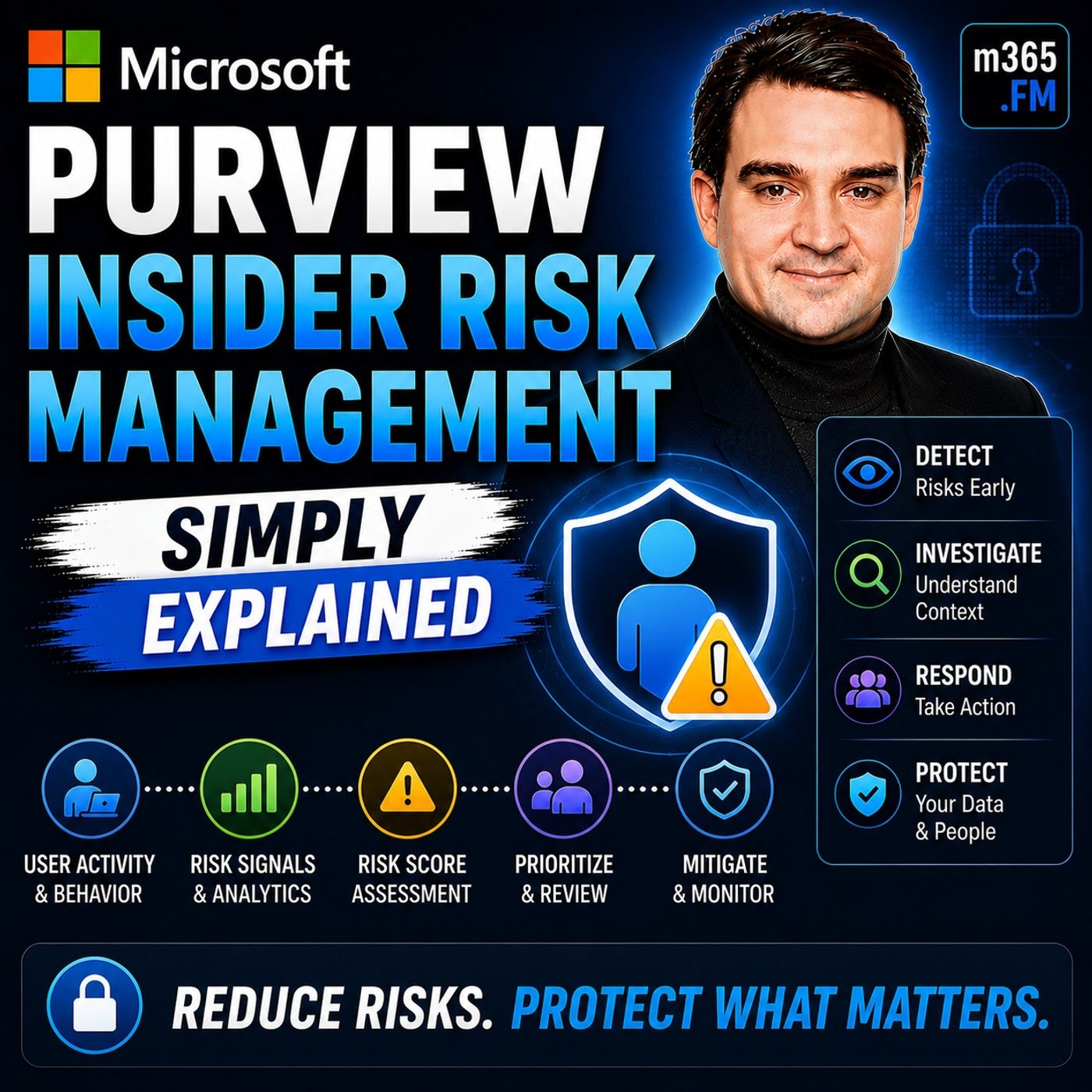
Quick Answer: Microsoft Purview Insider Risk Management helps organizations identify potentially risky user activity while applying privacy safeguards, investigation workflows, and policy-based controls. It gives security, compliance, and HR teams a more structured way to reduce data-loss risk without treating every employee action as a security incident.
In today's organizations, managing insider risks is crucial. Reports indicate that approximately 22% of all data breaches stem from insider threats, which can arise from both malicious and negligent behavior. You need a robust solution to identify and mitigate these risks effectively. Microsoft Purview Insider Risk Management offers an intelligent approach to tackle these challenges. By adopting proactive measures, you can safeguard your organization's sensitive data and create a secure environment for your workforce.
Key Takeaways
- Insider risks can come from malicious actions or negligence, making it essential to understand both types.
- Malicious insiders intentionally misuse their access, while negligent insiders create risks through carelessness.
- Microsoft Purview helps identify insider threats by scoring user activities, focusing on those with high-risk scores.
- Integrating Microsoft Purview with Microsoft 365 enhances monitoring and helps detect risky behaviors across various platforms.
- Privacy is prioritized in Microsoft Purview, ensuring that monitoring does not infringe on employee rights.
- Implementing a structured approach to insider risk management includes assessing needs, configuring the system, and training staff.
- Regular training and support are crucial for fostering a culture of security awareness among employees.
- Using Microsoft Purview can significantly reduce the likelihood of data breaches and help organizations comply with regulations.
Insider Risks Explained
Understanding insider risks is essential for any organization. These risks can lead to significant financial and reputational damage. You must recognize the different types of insider risks to implement effective insider risk management strategies.
Types of Insider Risks
Malicious Insider Threats
Malicious insiders intentionally misuse their access to harm the organization or gain personal benefits. These individuals may be employees, contractors, or business partners who exploit their knowledge of internal systems. They often avoid detection by blending their harmful actions with normal business activities. According to recent statistics, about 25% of insider incidents arise from malicious insiders. This highlights the need for a robust insider risk program to identify and mitigate these threats.
Negligent Insider Threats
Negligent insiders create risks through carelessness or lack of awareness. This type of insider threat is the most common, accounting for approximately 55% of incidents. Employees may accidentally share sensitive data or fail to follow security protocols, leading to data breaches. The average cost of these incidents can reach around $8.76 million, emphasizing the financial burden on organizations.
To illustrate the various types of insider risks, consider the following table:
| Type of Insider Risk | Description |
|---|---|
| Malicious Insiders | Intentionally abuse access for personal gain or to cause harm, often avoiding detection. |
| Negligent Insiders | Create risk through carelessness, the most common type of insider incident. |
| Compromised Insiders | Legitimate users whose credentials are taken over by attackers, blurring the line between insider and outsider attacks. |
Organizations must prioritize addressing these risks. Unmanaged insider threats can lead to data breaches, regulatory penalties, and operational disruptions. For example, unauthorized disclosures can result in fines and mandatory notifications under regulations. Additionally, mishandling data can damage trust with clients and partners, leading to reputational harm.
Microsoft Purview Insider Risk Management helps organizations classify and prioritize these risks. The system uses alert scoring and policy configurations to spotlight high-risk activities. Alerts with a risk score of 85 or higher indicate potential threats, allowing you to focus on critical situations.
By understanding the types of insider risks, you can better prepare your organization to handle them effectively. Implementing a comprehensive insider risk management strategy is vital for safeguarding your data and maintaining trust within your workforce.
Features of Insider Risk Management
Microsoft Purview Insider Risk Management offers several key features that enhance your ability to detect and manage insider threats effectively. Understanding these features can help you leverage the platform to protect your organization’s sensitive data.
Risk Detection and Scoring
The risk detection capabilities of Microsoft Purview are robust and sophisticated. The platform utilizes over 100 indicators and machine learning models to assess user behavior. Key methodologies include:
- Sequence detection: This method identifies patterns of behavior that may indicate risky actions.
- Cumulative exfiltration detection: This approach tracks the accumulation of data transfers that could signal potential data breaches.
With these advanced techniques, Microsoft Purview can assign risk scores to user activities. Alerts with a risk score of 85 or higher indicate significant potential threats, allowing you to prioritize your response efforts. The system also employs Adaptive Protection to identify high-risk actors and enforce strict data loss prevention policies, ensuring that you can act swiftly when necessary.
Integration with Microsoft 365
Microsoft Purview integrates seamlessly with Microsoft 365, enhancing your insider risk management capabilities. This integration allows you to analyze user behavior patterns and contextual signals across various services, including Exchange, SharePoint, and Teams. Here’s how it works:
- Microsoft Purview uses logs and events from Microsoft 365 services to monitor insider risks.
- It correlates these logs with Data Loss Prevention (DLP) policies to assess user risk based on activity patterns.
- The integration provides a unified approach to managing insider threats while ensuring compliance with privacy regulations.
By leveraging this integration, you can identify potentially harmful activities early and streamline investigation workflows. This structured approach helps you operationalize a defensible process aligned with compliance requirements.
Privacy-Focused Monitoring
Privacy is a critical consideration in any monitoring solution. Microsoft Purview is designed with privacy by design principles, ensuring that your organization can monitor insider risks without infringing on employee privacy. Key privacy safeguards include:
- Data minimization: The system only collects necessary data to reduce exposure.
- Role-based access control: This feature ensures that only authorized personnel can access sensitive information.
- Event-based monitoring: The platform activates monitoring only on policy violations, avoiding continuous tracking of user activities.
Additionally, Microsoft Purview logs only metadata without capturing content, which helps maintain confidentiality. These privacy-focused features allow you to monitor risky behavior while adhering to global privacy regulations.
By utilizing these features, you can enhance your insider risk management strategy, ensuring that your organization remains secure while respecting employee privacy.
Benefits of Microsoft Purview
Microsoft Purview Insider Risk Management offers numerous advantages that can significantly enhance your organization's security and compliance efforts. By implementing this solution, you can effectively manage insider risks and protect your sensitive data.
Enhanced Security Posture
With Microsoft Purview, you can strengthen your security posture against insider threats. The platform reduces the likelihood of data breaches by approximately 30%, according to a Forrester study. This reduction translates to over $225,000 in annual savings from avoided security incidents and regulatory fines. Here are some key features that contribute to this enhanced security:
- Unified Data Governance: Microsoft Purview automatically discovers and classifies sensitive data across various environments. This capability allows you to maintain a clear understanding of where your critical data resides.
- Centralized Visibility: The platform provides centralized visibility and governance, enabling you to quickly locate sensitive information and respond to potential threats.
- Risk Management Capabilities: By integrating compliance and risk management, Microsoft Purview addresses challenges that traditional solutions often overlook.
These features work together to create a robust insider risk program that helps you proactively manage threats and protect your organization.
Compliance and Data Protection
Compliance with industry regulations is essential for any organization. Microsoft Purview simplifies this process by offering a range of compliance certifications and features that ensure data protection. The following table outlines some of the key certifications held by Microsoft Purview:
| Certification Type | Certifications |
|---|---|
| ISO Standards | ISO 27001, ISO 27017, ISO 27018, ISO 27701, ISO 22301 |
| SOC Reports | SOC 1 Type II, SOC 2 Type II, SOC 3 |
| Privacy + Regulatory | GDPR, HIPAA BAA, EU Data Boundary, EU-US Data Privacy Framework, CCPA |
| Government + Industry | FedRAMP High, DoD IL2/IL4/IL5/IL6, CMMC Level 2, ITAR, PCI DSS |
Microsoft Purview facilitates compliance with regulations such as GDPR and HIPAA through features like:
- Data Classification: The platform automatically scans and classifies data, identifying sensitive personally identifiable information (PII) and tagging it according to GDPR requirements.
- Data Lineage: It tracks the flow of personal data, ensuring accountability and auditability.
- Access Control: Role-based access control ensures that only authorized personnel can access sensitive data.
- Compliance Dashboard: This feature provides real-time insights into compliance status, helping you track adherence to regulations.
- Audit and Reporting: Microsoft Purview generates detailed reports and logs for audits, demonstrating compliance with obligations.
By leveraging these capabilities, you can ensure that your organization meets compliance requirements while protecting sensitive data.
Efficient Incident Response
When it comes to insider threats, a swift and effective incident response is crucial. Microsoft Purview streamlines this process, allowing your security teams to respond quickly to potential risks. The following table highlights key features that enhance incident response:
| Feature | Description |
|---|---|
| Risk-based policy templates | Quickly address common risk scenarios like data leaks and policy violations with customizable templates. |
| Behavioral analytics and machine learning | Detect patterns of risky behavior by correlating user actions across various platforms, minimizing false positives. |
| Alert prioritization and risk scoring | Focus on the most urgent risks by scoring insider actions based on severity and context. |
| Integrated investigation workflow | Collaborate with security, HR, and compliance teams in one interface, tracking investigations and escalating cases as needed. |
| Privacy-first monitoring | Ensure ethical usage with anonymized employee data and role-based access for authorized investigators. |
| Cross-platform signal integration | Gain a comprehensive view of insider activity through integrations with various Microsoft security tools. |
These features enable you to respond to incidents efficiently, minimizing the impact of insider threats on your organization. By adopting Microsoft Purview, you can create a proactive approach to insider risk management that enhances your overall security and compliance posture.
Implementing Insider Risk Management

Implementing Microsoft Purview Insider Risk Management requires a structured approach. You must assess your organization's needs, configure the system, and provide adequate training and support to ensure success.
Assessing Organizational Needs
Before you implement insider risk management, evaluate your organization's specific requirements. Start by defining what insider risk means for your organization. Identify the types of sensitive data that need monitoring and recognize user populations that may pose a higher risk, such as departing employees or privileged administrators.
Consider these factors when assessing your needs:
- Licensing and Permissions: Ensure your Microsoft 365 subscription includes Insider Risk Management. Assign the IRM licenses to user accounts and set up permissions in the compliance portal.
- Turn on Audit Logging: Enable audit logging for your tenant. This step is crucial as it allows IRM to function properly, relying on data from the unified audit log.
- Configure Connectors & Indicators: Set up necessary connectors for additional signals, such as HR connectors for departing users or endpoint indicators for monitoring actions on devices.
By evaluating insider risks, you can determine the necessary scope and type of insider risk management policies. This ensures that your approach is both comprehensive and effective.
Configuring the System
Once you assess your needs, configure Microsoft Purview for optimal insider risk management. Follow these key steps:
- Assign permissions for Insider Risk Management: Ensure users have the appropriate permissions by adding them to the correct role group in the Microsoft Purview portal.
- Enable the Microsoft 365 audit log: This is essential for user insights and risk management activities.
- Enable and view insider risk analytics insights: This optional step allows for scanning potential insider risks and receiving real-time recommendations.
- Configure insider risk settings: These settings apply to all policies and control various aspects of insider risk management.
- Create an Insider Risk Management policy: Define the users and risk indicators for alerts.
Best practices for configuration include assigning roles based on the principle of least privilege and defining data domains aligned with your organizational structure. This clarity enhances accountability and security.
Training and Support
Training your staff is vital for the success of your insider risk management program. Develop targeted training initiatives to educate employees about insider risks and promote responsible data handling. Utilize simulated scenarios to reinforce learning and assess employee preparedness. Continuous engagement with staff fosters a culture of security awareness and accountability.
Ongoing support from Microsoft enhances the effectiveness of your insider risk management program. Microsoft Purview provides advanced detection capabilities to identify potential insider threats proactively. It allows you to define tailored insider risk policies that address specific security needs. Regular assessments of program effectiveness help drive necessary changes in processes and technology.
By following these steps, you can implement Microsoft Purview Insider Risk Management effectively, ensuring your organization is well-equipped to handle insider threats.
Success Stories of Insider Threat Detection
Example 1: Grupo Bimbo
Grupo Bimbo, a global leader in the baking industry, implemented Microsoft Purview to enhance its insider threat detection capabilities. The organization faced challenges in protecting proprietary recipes and sensitive employee data. By leveraging Purview, Grupo Bimbo could proactively monitor user activities and receive alerts before potential data leaks occurred. This approach allowed them to safeguard their intellectual property effectively.
- Microsoft Purview’s Insider Risk Management helped in detecting and preventing data theft by employees, especially those leaving the organization.
- The system enabled Grupo Bimbo to set up insider risk policies tailored to their specific needs, focusing on risky activities such as file exfiltration and sensitivity label changes.
- With real-time monitoring, the organization could respond swiftly to alerts related to insider threats, minimizing the risk of data breaches.
Example 2: EY
EY, a prominent global professional services firm, utilized Microsoft Purview Information Protection to secure collaboration with external partners. The firm onboarded 500-600 users daily, which posed a significant challenge in managing insider risks. By implementing Purview, EY streamlined its processes and enhanced its security posture.
| Lesson | Explanation |
|---|---|
| Integration of Technology | EY learned that integrating technology with a comprehensive insider risk program is essential for effectively managing threats. |
| Alignment of Processes | The firm found that success in managing insider risks comes from aligning processes, domain knowledge, and tuning tools. |
| Cost of Inaction | EY recognized that the potential costs of not addressing insider threats could far exceed the costs of implementing risk management tools. |
Through these experiences, both Grupo Bimbo and EY demonstrated the effectiveness of Microsoft Purview in enhancing insider threat detection. Their success stories highlight the importance of proactive measures in safeguarding sensitive data and maintaining trust within their organizations.
Microsoft Purview plays a critical role in managing insider risks. This solution helps you identify and mitigate threats effectively. By adopting a proactive approach, you can protect your organization from potential data breaches and maintain trust within your workforce. Implementing Microsoft Purview not only enhances your security but also ensures compliance with regulations. Take the necessary steps today to safeguard your sensitive data and strengthen your security and compliance efforts.
FAQ
What is Microsoft Purview Insider Risk Management?
Microsoft Purview Insider Risk Management is a solution that helps organizations identify and mitigate insider threats. It uses advanced analytics to monitor user behavior and detect risky activities before they escalate.
How does risk detection work?
The platform employs machine learning models to analyze user behavior across Microsoft 365 services. It assigns risk scores based on patterns, allowing you to prioritize responses to potential threats.
Can I customize insider risk policies?
Yes, you can create tailored insider risk policies based on your organization's specific needs. Microsoft Purview allows you to define user groups and risk indicators for alerts.
What privacy measures does Microsoft Purview implement?
Microsoft Purview prioritizes privacy by minimizing data collection and using role-based access control. It monitors only necessary activities, ensuring compliance with privacy regulations.
How can I assess my organization's insider risk needs?
Start by identifying sensitive data and high-risk user groups. Evaluate your current security measures and determine what insider risks are most relevant to your organization.
Is training necessary for using Microsoft Purview?
Yes, training is essential for effectively using Microsoft Purview. Educating employees about insider risks and data handling practices fosters a culture of security awareness.
How does Microsoft Purview support compliance?
Microsoft Purview helps organizations comply with regulations like GDPR and HIPAA by providing data classification, access control, and audit reporting features.
What are the benefits of implementing Microsoft Purview?
Implementing Microsoft Purview enhances your security posture, improves compliance, and streamlines incident response. It helps protect sensitive data and reduces the risk of insider threats.
🎧 You Should Also Listen To
- Microsoft Purview Information Protection – Simply Explained explains sensitivity labels and protection controls that make insider-risk policies more meaningful.
- Microsoft Purview Data Loss Prevention (DLP) – Simply Explained is the practical next step for understanding how risky activity can connect to policy enforcement.
- Microsoft Defender for Identity – Simply Explained adds the identity-security perspective for investigating suspicious behavior across the Microsoft environment.
Last reviewed: July 2026.
🚀 Want to be part of m365.fm?
Then stop just listening… and start showing up.
👉 Connect with me on LinkedIn and let’s make something happen:
- 🎙️ Be a podcast guest and share your story
- 🎧 Host your own episode (yes, seriously)
- 💡 Pitch topics the community actually wants to hear
- 🌍 Build your personal brand in the Microsoft 365 space
This isn’t just a podcast — it’s a platform for people who take action.
🔥 Most people wait. The best ones don’t.
👉 Connect with me on LinkedIn and send me a message:
"I want in"
Let’s build something awesome 👊
1
00:00:00,000 --> 00:00:03,720
Today's topic is one many companies face, but rarely talk about, inside a risk.
2
00:00:03,720 --> 00:00:05,760
It's a growing problem and it should be on your radar.
3
00:00:05,760 --> 00:00:06,600
Imagine this.
4
00:00:06,600 --> 00:00:10,760
A senior sales manager at a mid-sized company puts in her notice after seven years.
5
00:00:10,760 --> 00:00:11,600
She's trusted.
6
00:00:11,600 --> 00:00:17,600
She has access to everything, the customer database, pricing sheets, next quarters, strategic plan.
7
00:00:17,600 --> 00:00:23,080
On her last day, she forwards a few emails to her personal account and copies a spreadsheet to a USB drive.
8
00:00:23,080 --> 00:00:24,920
Nothing triggers an alarm? Why would it?
9
00:00:24,920 --> 00:00:27,200
She's authorized. She's supposed to have access.
10
00:00:27,200 --> 00:00:28,720
That's the problem in a nutshell.
11
00:00:28,720 --> 00:00:31,080
Most companies spend heavily on perimeter security.
12
00:00:31,080 --> 00:00:35,320
Firewalls, antivirus, multi-factor authentication, they build walls around the castle.
13
00:00:35,320 --> 00:00:37,040
Most companies focus on the walls.
14
00:00:37,040 --> 00:00:39,120
They forget about the people inside, but here's the thing.
15
00:00:39,120 --> 00:00:42,440
Once you're inside those walls, you're assumed to be safe and trustworthy.
16
00:00:42,440 --> 00:00:44,320
And that assumption creates a huge blind spot.
17
00:00:44,320 --> 00:00:47,800
Insider threats are hard to detect because they come from authorized users.
18
00:00:47,800 --> 00:00:49,880
They're not breaking in. They're logging in.
19
00:00:49,880 --> 00:00:51,840
And logging in looks exactly like normal work.
20
00:00:51,840 --> 00:00:56,720
Traditional security tools keep bad actors out, but they're not designed to spot a trusted employee
21
00:00:56,720 --> 00:00:58,200
who suddenly starts acting differently.
22
00:00:58,200 --> 00:00:59,800
That's where the real risk lives.
23
00:00:59,800 --> 00:01:03,320
By the end of this episode, you'll understand what Microsoft Perview Insider Risk Management
24
00:01:03,320 --> 00:01:06,440
actually is and why companies turn to it to solve this exact problem.
25
00:01:06,440 --> 00:01:09,680
But first, let's look at why traditional security fails here.
26
00:01:09,680 --> 00:01:12,120
Why traditional security misses insider threats?
27
00:01:12,120 --> 00:01:13,880
Traditional security guards the front door.
28
00:01:13,880 --> 00:01:19,160
That's its job. Firewalls block unauthorized traffic, antivirus catches known malware, MFA checks credentials.
29
00:01:19,160 --> 00:01:22,280
These tools are essential, but they share one dangerous assumption
30
00:01:22,280 --> 00:01:24,600
that anyone past the front door can be trusted.
31
00:01:24,600 --> 00:01:26,160
But here's the thing about insider risk.
32
00:01:26,160 --> 00:01:27,640
It's not a single type of behavior.
33
00:01:27,640 --> 00:01:32,760
It comes in two distinct flavors. First, intentional risk, theft, sabotage, data exfiltration.
34
00:01:32,760 --> 00:01:37,560
The employee who takes client lists to a competitor, the disgruntled worker who deletes critical files.
35
00:01:37,560 --> 00:01:38,920
That's the malicious kind.
36
00:01:38,920 --> 00:01:40,200
Then there's accidental risk.
37
00:01:40,200 --> 00:01:43,080
The employee who clicks a fishing link and exposes credentials,
38
00:01:43,080 --> 00:01:45,720
the manager who sends a spreadsheet to the wrong person,
39
00:01:45,720 --> 00:01:48,440
the contractor who stores sensitive files on a personal device.
40
00:01:48,440 --> 00:01:49,480
Both types are common.
41
00:01:49,480 --> 00:01:53,960
In fact, most breaches involve some insider action, either malicious or careless.
42
00:01:53,960 --> 00:01:58,120
The 2024 Verizon report found that over 30% of breaches involved internal actors.
43
00:01:58,120 --> 00:01:59,640
And that's just the reported ones.
44
00:01:59,640 --> 00:02:01,880
Traditional security tools aren't built to catch this.
45
00:02:01,880 --> 00:02:04,520
They look for external threats, not internal behavior.
46
00:02:04,520 --> 00:02:08,040
Your firewall doesn't care if someone copies a customer list to a USB drive.
47
00:02:08,040 --> 00:02:10,600
Your antivirus doesn't flag emails forwarded to Gmail.
48
00:02:10,600 --> 00:02:12,600
To the system, it's all just normal activity.
49
00:02:12,600 --> 00:02:14,040
So you have a gap.
50
00:02:14,040 --> 00:02:17,080
You need to monitor risky behavior without violating privacy.
51
00:02:17,080 --> 00:02:19,080
You can't read every email or watch every download.
52
00:02:19,080 --> 00:02:20,360
That's not practical or legal.
53
00:02:20,360 --> 00:02:23,880
So how do you find the signal in all the noise without becoming big brother?
54
00:02:23,880 --> 00:02:25,960
That's where Microsoft Perview comes in.
55
00:02:25,960 --> 00:02:28,440
What is Microsoft Perview inside a risk management?
56
00:02:28,440 --> 00:02:31,000
Today's topic is one that almost everyone has heard of,
57
00:02:31,000 --> 00:02:32,520
but few people actually understand.
58
00:02:32,520 --> 00:02:33,880
So let's set the record straight.
59
00:02:33,880 --> 00:02:38,040
Microsoft Perview inside a risk management isn't some new tool you go and install.
60
00:02:38,040 --> 00:02:39,880
It's a module inside Microsoft Perview,
61
00:02:39,880 --> 00:02:41,960
which is Microsoft's compliance platform.
62
00:02:41,960 --> 00:02:44,520
If your company already pays for Microsoft 365,
63
00:02:44,520 --> 00:02:46,120
you probably already have access to it.
64
00:02:46,120 --> 00:02:47,400
You just haven't turned it on yet.
65
00:02:47,400 --> 00:02:48,920
Here's the simplest definition.
66
00:02:48,920 --> 00:02:52,200
Inside a risk management finds potentially risky user activity,
67
00:02:52,200 --> 00:02:54,840
investigates what happened and helps you act on it.
68
00:02:54,840 --> 00:02:57,640
It looks for patterns that suggest a possible insider threat,
69
00:02:57,640 --> 00:02:59,640
whether that threat is accidental or intentional.
70
00:02:59,640 --> 00:03:01,400
Let's clear up a common myth right now.
71
00:03:01,400 --> 00:03:02,600
This is not spying.
72
00:03:02,600 --> 00:03:05,400
Microsoft built privacy guard rails straight into the system
73
00:03:05,400 --> 00:03:06,600
and will cover those later.
74
00:03:06,600 --> 00:03:08,760
The core idea is a risk management framework,
75
00:03:08,760 --> 00:03:10,200
not a surveillance tool.
76
00:03:10,200 --> 00:03:12,520
Your goal is protecting the company and its data,
77
00:03:12,520 --> 00:03:14,440
not catching someone making a mistake.
78
00:03:14,440 --> 00:03:15,720
So how does it actually work?
79
00:03:15,720 --> 00:03:18,840
The system pulls signals from across Microsoft 365.
80
00:03:18,840 --> 00:03:22,360
Exchange online watches email activity, SharePoint tracks file access,
81
00:03:22,360 --> 00:03:24,280
Teams monitors communication patterns,
82
00:03:24,280 --> 00:03:26,840
Entra ID checks, login behavior and device compliance.
83
00:03:26,840 --> 00:03:30,040
The system takes all those data points and searches for patterns.
84
00:03:30,040 --> 00:03:31,560
Think of it as a risk scoring engine.
85
00:03:31,560 --> 00:03:33,160
The system doesn't flag a single action.
86
00:03:33,160 --> 00:03:35,160
It flags patterns over time.
87
00:03:35,160 --> 00:03:37,080
One large download might be completely innocent.
88
00:03:37,080 --> 00:03:39,320
Maybe you're pulling files for a big presentation,
89
00:03:39,320 --> 00:03:41,720
but multiple large downloads are two in the morning
90
00:03:41,720 --> 00:03:43,480
from someone who's already put in their notice
91
00:03:43,480 --> 00:03:45,640
and is forwarding emails to a personal account.
92
00:03:45,640 --> 00:03:47,400
That's a pattern worth a closer look.
93
00:03:47,400 --> 00:03:50,120
The system learns what normal looks like for your organization
94
00:03:50,120 --> 00:03:51,080
and for each role.
95
00:03:51,080 --> 00:03:53,000
A developer downloading code is normal.
96
00:03:53,000 --> 00:03:56,760
An HR manager downloading the entire employee database is not.
97
00:03:56,760 --> 00:03:59,160
How Microsoft defines and scores risk.
98
00:03:59,160 --> 00:04:01,720
So how does the system actually decide what's risky?
99
00:04:01,720 --> 00:04:02,760
It's not magic.
100
00:04:02,760 --> 00:04:05,000
Nobody sits in a dark room watching your screen.
101
00:04:05,000 --> 00:04:06,840
The system uses machine learning models
102
00:04:06,840 --> 00:04:08,760
that learn the difference between typical behavior
103
00:04:08,760 --> 00:04:09,800
and unusual behavior.
104
00:04:09,800 --> 00:04:12,280
The system tracks a wide range of indicators.
105
00:04:12,280 --> 00:04:13,720
File downloads, email forwarding,
106
00:04:13,720 --> 00:04:14,840
printing sensitive documents,
107
00:04:14,840 --> 00:04:16,280
accessing restricted sites,
108
00:04:16,280 --> 00:04:17,960
copying data to USB drives.
109
00:04:17,960 --> 00:04:19,320
Each one is a single data point,
110
00:04:19,320 --> 00:04:20,840
a signal that something happened.
111
00:04:20,840 --> 00:04:22,840
But a signal alone doesn't tell you much.
112
00:04:22,840 --> 00:04:24,360
What matters is the pattern.
113
00:04:24,360 --> 00:04:26,280
Each indicator carries a weight
114
00:04:26,280 --> 00:04:29,320
and the system watches for cumulative patterns over time.
115
00:04:29,320 --> 00:04:30,600
Think of a smoke detector.
116
00:04:30,600 --> 00:04:33,880
One whisp of steam from a hot shower doesn't set it off.
117
00:04:33,880 --> 00:04:35,800
The stain smoke from a real fire does.
118
00:04:35,800 --> 00:04:37,480
The system watches for sustained patterns
119
00:04:37,480 --> 00:04:39,320
that match known risky behaviors.
120
00:04:39,320 --> 00:04:41,560
One action alone rarely triggers an alert.
121
00:04:41,560 --> 00:04:43,800
A single large file download might be innocent,
122
00:04:43,800 --> 00:04:46,840
but combine that with email forwarding to a personal account
123
00:04:46,840 --> 00:04:50,360
after hours access and a recent linked in job update.
124
00:04:50,360 --> 00:04:52,120
Now you have something worth investigating.
125
00:04:52,120 --> 00:04:56,040
The system assigns a risk score based on how many indicators are present
126
00:04:56,040 --> 00:04:57,720
and how they combine together.
127
00:04:57,720 --> 00:04:58,920
Here's the clever part.
128
00:04:58,920 --> 00:05:01,480
The models learn from your organization's own baseline.
129
00:05:01,480 --> 00:05:05,080
A developer accessing code repositories all day is totally normal.
130
00:05:05,080 --> 00:05:07,480
An accountant doing the same thing is unusual.
131
00:05:07,480 --> 00:05:10,120
A sales rep downloading customer data every Friday
132
00:05:10,120 --> 00:05:11,240
is just doing their job.
133
00:05:11,240 --> 00:05:13,240
A facilities manager doing that is a red flag.
134
00:05:13,240 --> 00:05:14,840
The system adapts to each role,
135
00:05:14,840 --> 00:05:16,840
so it doesn't drown you in false alarms.
136
00:05:16,840 --> 00:05:20,360
Now let's clear up the difference between risk signals and actual events.
137
00:05:20,360 --> 00:05:22,520
A risk signal says something might be wrong.
138
00:05:22,520 --> 00:05:24,360
It's a probability not a certainty.
139
00:05:24,360 --> 00:05:26,840
The system flags unusual patterns for human review.
140
00:05:26,840 --> 00:05:28,840
The final decision always rests with a person.
141
00:05:28,840 --> 00:05:31,320
Indicators, policies and templates.
142
00:05:31,320 --> 00:05:32,600
Let's get practical.
143
00:05:32,600 --> 00:05:34,840
Microsoft gives you ready-made policy templates
144
00:05:34,840 --> 00:05:37,320
for the most common insider risk scenarios.
145
00:05:37,320 --> 00:05:39,320
You don't have to build everything from scratch.
146
00:05:39,320 --> 00:05:42,600
Just pick a template that matches the situation you're trying to catch.
147
00:05:42,600 --> 00:05:45,640
There are templates for data theft by departing employees
148
00:05:45,640 --> 00:05:48,040
for accidental sharing of sensitive information
149
00:05:48,040 --> 00:05:49,800
for security policy violations
150
00:05:49,800 --> 00:05:52,600
and for data leaks through unauthorized software.
151
00:05:52,600 --> 00:05:54,840
Each template already includes the right signals
152
00:05:54,840 --> 00:05:56,840
and warning levels for that specific scenarios.
153
00:05:56,840 --> 00:05:57,800
So how do you set one up?
154
00:05:57,800 --> 00:06:01,240
You pick a template, then you select which users to monitor
155
00:06:01,240 --> 00:06:04,440
by group, by department, or across the entire organization.
156
00:06:04,440 --> 00:06:06,920
You set the thresholds for what triggers an alert
157
00:06:06,920 --> 00:06:08,440
and then the system starts watching.
158
00:06:08,440 --> 00:06:10,680
The indicators themselves are the raw signals.
159
00:06:10,680 --> 00:06:14,280
Over 50 built-in types cover file downloads from SharePoint,
160
00:06:14,280 --> 00:06:16,760
email attachments sent outside the organization,
161
00:06:16,760 --> 00:06:18,840
printing, accessing restricted sites,
162
00:06:18,840 --> 00:06:20,920
forwarding emails to personal domains
163
00:06:20,920 --> 00:06:23,160
and copying data to cloud storage services.
164
00:06:23,160 --> 00:06:24,840
Microsoft adds new ones regularly,
165
00:06:24,840 --> 00:06:26,440
but here's where the real power comes in.
166
00:06:26,440 --> 00:06:28,280
You can bring in external signals too.
167
00:06:28,280 --> 00:06:30,120
Connect your HR system to feed in data
168
00:06:30,120 --> 00:06:32,200
about upcoming departures, performance reviews,
169
00:06:32,200 --> 00:06:33,320
or policy violations.
170
00:06:33,320 --> 00:06:35,880
Connect physical security systems for batch and data.
171
00:06:35,880 --> 00:06:39,160
Even connect legal systems for investigations already in progress.
172
00:06:39,160 --> 00:06:41,720
These external connectors give the risk scoring context
173
00:06:41,720 --> 00:06:44,680
that Microsoft 365 wouldn't have on its own.
174
00:06:44,680 --> 00:06:46,120
Now here's a critical point.
175
00:06:46,120 --> 00:06:47,720
Policies do not run automatically.
176
00:06:47,720 --> 00:06:49,160
They require setup and tuning.
177
00:06:49,160 --> 00:06:52,200
You don't just flip a switch and get full inside a risk protection.
178
00:06:52,200 --> 00:06:54,600
You have to configure the templates, select the users,
179
00:06:54,600 --> 00:06:56,920
set the thresholds, and then monitor the results.
180
00:06:56,920 --> 00:06:58,760
This is not a set it and forget it system.
181
00:06:58,760 --> 00:07:01,560
Think of it like setting up security cameras in specific hallways.
182
00:07:01,560 --> 00:07:02,440
Not everywhere at once.
183
00:07:02,440 --> 00:07:04,360
You decide which areas are high risk.
184
00:07:04,360 --> 00:07:05,480
You point the cameras there.
185
00:07:05,480 --> 00:07:06,680
You adjust the sensitivity.
186
00:07:06,680 --> 00:07:09,400
Then you watch the footage to see if you're catching the right things.
187
00:07:09,400 --> 00:07:12,040
Over time you refine the setup based on what you learned.
188
00:07:12,040 --> 00:07:13,080
So you have an alert.
189
00:07:13,080 --> 00:07:13,560
Now what?
190
00:07:13,560 --> 00:07:15,160
That's where investigation begins.
191
00:07:15,160 --> 00:07:16,920
Investigating an insider risk.
192
00:07:16,920 --> 00:07:17,880
An alert comes in.
193
00:07:17,880 --> 00:07:19,080
What does that actually look like?
194
00:07:19,080 --> 00:07:20,520
You open the Perview Compliance Portal
195
00:07:20,520 --> 00:07:22,040
and navigate to insider risk management.
196
00:07:22,040 --> 00:07:22,680
There it is.
197
00:07:22,680 --> 00:07:25,160
An alert with the risk score, a username,
198
00:07:25,160 --> 00:07:27,240
and a summary of the activity that triggered it.
199
00:07:27,240 --> 00:07:29,480
Click into the alert and you see something very useful.
200
00:07:29,480 --> 00:07:30,200
A timeline.
201
00:07:30,200 --> 00:07:31,560
This isn't just a list of events.
202
00:07:31,560 --> 00:07:35,400
It's a chronological view of the user's activity tied to the risk pattern.
203
00:07:35,400 --> 00:07:38,280
You can see what happened when it happened and in what order.
204
00:07:38,280 --> 00:07:41,240
Did the file downloads come before or after the email forwarding?
205
00:07:41,240 --> 00:07:43,160
Was there a pattern of after hours access
206
00:07:43,160 --> 00:07:44,680
that escalated over several days?
207
00:07:44,680 --> 00:07:46,520
The timeline makes the sequence clear.
208
00:07:46,520 --> 00:07:47,640
Here's a smart design choice.
209
00:07:47,640 --> 00:07:48,680
Microsoft got right.
210
00:07:48,680 --> 00:07:51,400
You can view the evidence without revealing everything to the user.
211
00:07:51,400 --> 00:07:53,160
The investigator sees the activity,
212
00:07:53,160 --> 00:07:55,800
but the system doesn't expose the content of emails
213
00:07:55,800 --> 00:07:58,360
or documents unless you explicitly choose to reveal it.
214
00:07:58,360 --> 00:07:59,640
This is privacy by design.
215
00:07:59,640 --> 00:08:00,840
You can assess the risk pattern
216
00:08:00,840 --> 00:08:03,000
without reading someone's private correspondence.
217
00:08:03,000 --> 00:08:05,960
If you need to see the actual content to confirm a suspicion,
218
00:08:05,960 --> 00:08:08,040
you can escalate to a deeper investigation.
219
00:08:08,040 --> 00:08:10,840
But the default view protects the user's privacy.
220
00:08:10,840 --> 00:08:13,400
Once you've reviewed the evidence, you have three options.
221
00:08:13,400 --> 00:08:15,000
You can mark the alert as confirmed.
222
00:08:15,000 --> 00:08:17,000
Yes, this is actually risky behavior.
223
00:08:17,000 --> 00:08:20,200
You can mark it as benign, false alarm, normal activity,
224
00:08:20,200 --> 00:08:22,280
or you can escalate it to a formal case.
225
00:08:22,280 --> 00:08:24,280
A case is a more structured investigation
226
00:08:24,280 --> 00:08:27,800
that can include notes, additional evidence from tools like eDiscovery
227
00:08:27,800 --> 00:08:29,480
and a formal workflow for resolution.
228
00:08:29,480 --> 00:08:30,520
The goal isn't to punish.
229
00:08:30,520 --> 00:08:31,960
It's to decide what action is needed.
230
00:08:31,960 --> 00:08:35,080
Maybe the employee needs training on data handling policies.
231
00:08:35,080 --> 00:08:36,280
Maybe a warning is enough,
232
00:08:36,280 --> 00:08:39,400
or maybe the situation, warrants, termination or legal action.
233
00:08:39,400 --> 00:08:42,600
The system gives you the information you need to make that decision,
234
00:08:42,600 --> 00:08:44,440
but it doesn't make the decision for you.
235
00:08:44,440 --> 00:08:46,520
All of this sounds powerful, but what about privacy?
236
00:08:46,520 --> 00:08:49,400
Microsoft thought of that privacy guardrails and compliance.
237
00:08:49,400 --> 00:08:51,160
So let's tackle the question that always comes up
238
00:08:51,160 --> 00:08:52,680
when I talk about insider risk monitoring.
239
00:08:52,680 --> 00:08:53,960
Isn't this just surveillance?
240
00:08:53,960 --> 00:08:55,880
Doesn't Microsoft want to watch your every move
241
00:08:55,880 --> 00:08:57,240
and report back to your boss?
242
00:08:57,240 --> 00:08:59,240
The short answer is no, and here's why.
243
00:08:59,240 --> 00:09:02,680
Inside a risk management was built with privacy baked in from the start.
244
00:09:02,680 --> 00:09:04,920
Privacy isn't slapped on as an afterthought.
245
00:09:04,920 --> 00:09:06,600
It's how the whole system is designed.
246
00:09:06,600 --> 00:09:07,880
Here's the most visible example.
247
00:09:07,880 --> 00:09:10,600
During an investigation, you can anonymize user names.
248
00:09:10,600 --> 00:09:13,160
Instead of seeing Sarah Johnson as you see user A,
249
00:09:13,160 --> 00:09:15,320
you can study the pattern, look at the timeline
250
00:09:15,320 --> 00:09:18,040
and check the risk score without ever knowing who the person is
251
00:09:18,040 --> 00:09:20,600
only when you're ready to act to reveal the identity.
252
00:09:20,600 --> 00:09:23,640
That prevents bias and protects privacy during the initial review.
253
00:09:23,640 --> 00:09:26,200
Every move an investigator makes gets logged to,
254
00:09:26,200 --> 00:09:29,000
including who viewed an alert, who revealed an identity,
255
00:09:29,000 --> 00:09:30,120
and who escalated a case.
256
00:09:30,120 --> 00:09:31,160
That's all recorded.
257
00:09:31,160 --> 00:09:33,720
If someone abuses the system, there's a trail.
258
00:09:33,720 --> 00:09:35,320
That's accountability at every level.
259
00:09:35,320 --> 00:09:39,080
The policies themselves need explicit admin approval before they activate,
260
00:09:39,080 --> 00:09:43,160
so nobody can accidentally flip on insider risk monitoring for the whole company.
261
00:09:43,160 --> 00:09:45,160
Alerts also come with a limited shelf life
262
00:09:45,160 --> 00:09:47,000
and don't sit in the system forever.
263
00:09:47,000 --> 00:09:49,560
After a set period, they get purged automatically
264
00:09:49,560 --> 00:09:51,480
unless you've escalated them into a case.
265
00:09:51,480 --> 00:09:54,920
That addresses the biggest fear of this becoming a permanent surveillance tool.
266
00:09:54,920 --> 00:09:56,120
It doesn't work that way.
267
00:09:56,120 --> 00:09:58,200
Think of it as a risk management framework
268
00:09:58,200 --> 00:10:00,280
with clear boundaries and built-in controls.
269
00:10:00,280 --> 00:10:04,360
Microsoft even provides a data privacy impact assessment template
270
00:10:04,360 --> 00:10:07,000
to help you document your compliance with local laws.
271
00:10:07,000 --> 00:10:08,680
If you're in Europe, that covers GDPR.
272
00:10:08,680 --> 00:10:11,080
If you're in California, that covers CCPA.
273
00:10:11,080 --> 00:10:13,160
The template walks through the privacy implications
274
00:10:13,160 --> 00:10:15,320
so you can decide what makes sense for your organization.
275
00:10:15,320 --> 00:10:17,240
So is this only for big corporations?
276
00:10:17,240 --> 00:10:18,840
Let's look at some real examples.
277
00:10:18,840 --> 00:10:21,000
Real-world scenarios and when to use it.
278
00:10:21,000 --> 00:10:22,200
Time to make this concrete.
279
00:10:22,200 --> 00:10:26,360
Here are three situations where insider risk management actually makes a difference.
280
00:10:26,360 --> 00:10:28,600
First, imagine an employee gives two weeks notice
281
00:10:28,600 --> 00:10:30,200
because they're moving to a competitor.
282
00:10:30,200 --> 00:10:33,640
In their final days, they start pulling up files they haven't touched in months
283
00:10:33,640 --> 00:10:37,400
like customer contracts, pricing models, and strategic plans.
284
00:10:37,400 --> 00:10:40,360
And they forward a few emails to their personal Gmail.
285
00:10:40,360 --> 00:10:42,360
Nothing dramatic happens on any single day,
286
00:10:42,360 --> 00:10:45,240
but the patent tells the story of a departing employee
287
00:10:45,240 --> 00:10:46,680
suddenly grabbing historical data
288
00:10:46,680 --> 00:10:48,040
and sending it outside the company.
289
00:10:48,040 --> 00:10:51,080
The system flags it and investigators reviews the timeline,
290
00:10:51,080 --> 00:10:52,920
sees the escalation over several days
291
00:10:52,920 --> 00:10:55,480
and can step in before that employee walks out the door
292
00:10:55,480 --> 00:10:56,840
with sensitive information.
293
00:10:56,840 --> 00:10:59,560
Second, someone in accounting accidentally shares a spreadsheet
294
00:10:59,560 --> 00:11:03,400
containing customer payment details, bank account numbers, and contact information.
295
00:11:03,400 --> 00:11:04,840
They meant to send it to a colleague
296
00:11:04,840 --> 00:11:06,760
but typed the wrong email address.
297
00:11:06,760 --> 00:11:08,680
The system detects sensitive data,
298
00:11:08,680 --> 00:11:10,200
heading to an external recipient
299
00:11:10,200 --> 00:11:12,360
who has never received this kind of information before
300
00:11:12,360 --> 00:11:13,640
and an alert fires.
301
00:11:13,640 --> 00:11:18,040
The investigator sees the pattern of first-time external sharing of classified data.
302
00:11:18,040 --> 00:11:21,000
They can notify the user, recall the email if possible,
303
00:11:21,000 --> 00:11:23,640
and offer training on how to handle data properly.
304
00:11:23,640 --> 00:11:27,000
Third, an employee installs an unauthorized cloud storage app
305
00:11:27,000 --> 00:11:28,040
on their work laptop.
306
00:11:28,040 --> 00:11:30,360
The app starts syncing files from their documents folder
307
00:11:30,360 --> 00:11:32,120
to a personal dropbox account
308
00:11:32,120 --> 00:11:35,160
and the system detects the unapproved software installation
309
00:11:35,160 --> 00:11:37,720
and the unusual outbound data transfer.
310
00:11:37,720 --> 00:11:40,040
It flags this as a security policy violation.
311
00:11:40,040 --> 00:11:41,720
The investigator reviews the activity
312
00:11:41,720 --> 00:11:43,160
and decides whether it was a mistake
313
00:11:43,160 --> 00:11:45,880
or a deliberate attempt to take data out of the organization.
314
00:11:45,880 --> 00:11:47,480
The response could be a warning
315
00:11:47,480 --> 00:11:50,120
or it could escalate to a full forensic investigation.
316
00:11:50,120 --> 00:11:52,680
Each of these scenarios triggers a different policy template
317
00:11:52,680 --> 00:11:54,360
and a different response workflow.
318
00:11:54,360 --> 00:11:57,080
Data theft by departing employees runs on one template.
319
00:11:57,080 --> 00:11:58,840
Accidental oversharing uses another,
320
00:11:58,840 --> 00:12:00,840
security policy violations, user third,
321
00:12:00,840 --> 00:12:02,840
the system adapts to what is actually happening.
322
00:12:02,840 --> 00:12:04,760
Now, is this only for giant enterprises
323
00:12:04,760 --> 00:12:05,880
with thousands of employees?
324
00:12:05,880 --> 00:12:06,440
No.
325
00:12:06,440 --> 00:12:08,920
Any company with more than a few hundred employees
326
00:12:08,920 --> 00:12:10,600
should start thinking about insider risk.
327
00:12:10,600 --> 00:12:12,520
Smaller companies can use simpler tools
328
00:12:12,520 --> 00:12:14,840
like compliance manager for basic data governance.
329
00:12:14,840 --> 00:12:16,440
But if you have sensitive data,
330
00:12:16,440 --> 00:12:18,120
people leaving the company
331
00:12:18,120 --> 00:12:20,920
and then need to understand what's going on inside your organization,
332
00:12:20,920 --> 00:12:23,560
inside a risk management is worth a serious look.
333
00:12:23,560 --> 00:12:25,640
So how do you start using this today?
334
00:12:25,640 --> 00:12:27,080
Implementation challenge.
335
00:12:27,080 --> 00:12:28,360
You don't need to roll this out
336
00:12:28,360 --> 00:12:30,040
across the whole company on day one
337
00:12:30,040 --> 00:12:31,960
and actually you shouldn't start small.
338
00:12:31,960 --> 00:12:33,240
Begin with your compliance team.
339
00:12:33,240 --> 00:12:35,320
Look at the templates, Microsoft provides,
340
00:12:35,320 --> 00:12:36,600
read the descriptions
341
00:12:36,600 --> 00:12:38,920
and figure out which ones fit your biggest risks.
342
00:12:38,920 --> 00:12:40,760
Do you have a lot of people leaving the company?
343
00:12:40,760 --> 00:12:42,680
Do you deal with accidental data leaks often?
344
00:12:42,680 --> 00:12:43,880
Pick one or two templates
345
00:12:43,880 --> 00:12:45,800
that match your most urgent problems?
346
00:12:45,800 --> 00:12:47,480
From there, try it with a pilot group,
347
00:12:47,480 --> 00:12:49,800
pick a small department like finance or HR
348
00:12:49,800 --> 00:12:52,600
or even a single team that's excited to test it.
349
00:12:52,600 --> 00:12:54,520
You don't need to monitor everyone to learn
350
00:12:54,520 --> 00:12:55,480
how the system works.
351
00:12:55,480 --> 00:12:58,120
After that spend about 30 days tuning the thresholds,
352
00:12:58,120 --> 00:12:59,640
expect false positives at first
353
00:12:59,640 --> 00:13:02,360
because the system doesn't know your organization yet.
354
00:13:02,360 --> 00:13:04,200
It might flag something that looks weird
355
00:13:04,200 --> 00:13:06,280
but is perfectly normal for your team.
356
00:13:06,280 --> 00:13:08,040
That's okay, mark those alerts as benign.
357
00:13:08,040 --> 00:13:09,240
Over time, the system learns
358
00:13:09,240 --> 00:13:10,840
and the false positives drop
359
00:13:10,840 --> 00:13:12,920
and don't forget to train your investigators.
360
00:13:12,920 --> 00:13:14,840
They need to understand the review workflow
361
00:13:14,840 --> 00:13:15,880
and the privacy controls.
362
00:13:15,880 --> 00:13:17,640
Show them how to hide user names
363
00:13:17,640 --> 00:13:19,000
and how to escalate a case.
364
00:13:19,000 --> 00:13:21,240
Make sure they know the difference between a risk signal
365
00:13:21,240 --> 00:13:22,760
and a confirmed threat.
366
00:13:22,760 --> 00:13:25,480
Most companies start seeing useful alerts within two weeks
367
00:13:25,480 --> 00:13:27,000
once the system is set upright.
368
00:13:27,000 --> 00:13:29,480
But remember, this is a journey not a one-time install.
369
00:13:29,480 --> 00:13:31,160
You'll keep improving the policies,
370
00:13:31,160 --> 00:13:33,480
adding new indicators and adjusting thresholds
371
00:13:33,480 --> 00:13:34,760
as your organization changes.
372
00:13:34,760 --> 00:13:35,800
So here's the bottom line.
373
00:13:35,800 --> 00:13:38,520
Inside a risk is a real blind spot in most companies.
374
00:13:38,520 --> 00:13:40,200
Traditional security locks the front door
375
00:13:40,200 --> 00:13:41,560
but trusts everyone inside.
376
00:13:41,560 --> 00:13:43,560
Microsoft Pervue Inside a Risk Management
377
00:13:43,560 --> 00:13:45,800
gives you a clear way to close that gap.
378
00:13:45,800 --> 00:13:47,720
It spots patterns, helps you investigate
379
00:13:47,720 --> 00:13:49,240
and guides you to the right action.
380
00:13:49,240 --> 00:13:51,160
This isn't about distrusting your employees.
381
00:13:51,160 --> 00:13:52,440
It's about protecting the company
382
00:13:52,440 --> 00:13:53,720
and the data everyone depends on.
383
00:13:53,720 --> 00:13:55,640
The key takeaway is simple.
384
00:13:55,640 --> 00:13:58,600
Starts more, tune often, and always respect privacy.
385
00:13:58,600 --> 00:14:00,760
The system is built to work with those boundaries,
386
00:14:00,760 --> 00:14:01,800
not against them.
387
00:14:01,800 --> 00:14:03,480
If this episode helped you understand
388
00:14:03,480 --> 00:14:05,320
inside a risk management a little better,
389
00:14:05,320 --> 00:14:06,760
hit subscribe, leave a comment
390
00:14:06,760 --> 00:14:08,680
about how your company handles inside a risk.
391
00:14:08,680 --> 00:14:10,120
I read every single one
392
00:14:10,120 --> 00:14:12,040
and share this with someone in compliance
393
00:14:12,040 --> 00:14:13,960
or IT who needs to understand this topic.
394
00:14:13,960 --> 00:14:14,520
They'll thank you.
395
00:14:14,520 --> 00:14:16,200
I'm Mirko Peters from M365.
396
00:14:16,200 --> 00:14:18,540
of FM, see you in the next KnowledgeNugget.

Founder of m365.fm, m365.show and m365con.net
Mirko Peters is a Microsoft 365 expert, content creator, and founder of m365.fm, a platform dedicated to sharing practical insights on modern workplace technologies. His work focuses on Microsoft 365 governance, security, collaboration, and real-world implementation strategies.
Through his podcast and written content, Mirko provides hands-on guidance for IT professionals, architects, and business leaders navigating the complexities of Microsoft 365. He is known for translating complex topics into clear, actionable advice, often highlighting common mistakes and overlooked risks in real-world environments.
With a strong emphasis on community contribution and knowledge sharing, Mirko is actively building a platform that connects experts, shares experiences, and helps organizations get the most out of their Microsoft 365 investments.




