 EN
EN Deutsch
 Español
 Français
 Italiano
 Português
 Nederlands
 Polski
 Bahasa Indonesia
 Русский
 Українська
 العربية
 עברית
עברית हिन्दी
 日本語
日本語 한국어
한국어2026-07-22 · Season 3
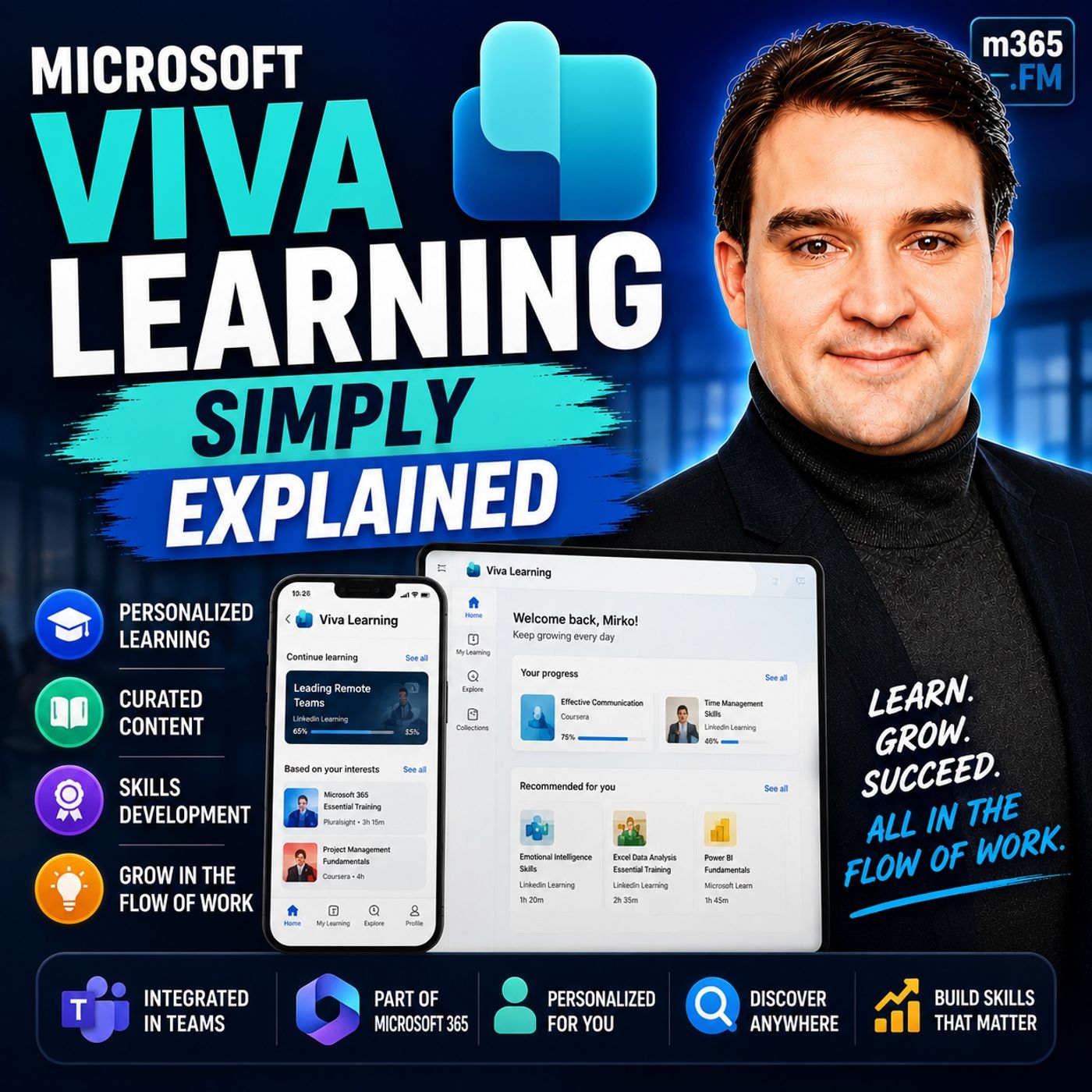
Microsoft Viva Learning - Simply Explained
Show notes
Welcome to another episode of Knowledge Nuggets with Mirko Peters. Today we're exploring Microsoft Viva Learning, Microsoft's integrated learning platform that brings professional development directly into Microsoft Teams. Every organization invests in employee training, but many learning programs struggle for a surprisingly simple reason. The courses themselves are often excellent, yet employees have trouble finding them. Training lives in SharePoint folders, Learning Management Systems, email attachments, YouTube playlists, or separate portals with passwords nobody remembers. Instead of focusing on learning, employees spend time searching for the right content. Microsoft Viva Learning was created to remove that friction. Rather than introducing another training platform, Microsoft built a centralized learning hub directly inside Teams, allowing employees to discover, complete, and share learning without leaving the application they already use every day. In https://www.m365.fm/microsoft-viva-learning-simply-explained/, we'll explore how Viva Learning works, where its content comes from, how managers assign training, and why learning in the flow of work is becoming the future of employee development. THE PROBLEM WITH TRADITIONAL CORPORATE LEARNING Most organizations already have valuable training content, but it's rarely located in one place. Internal onboarding guides often live in SharePoint. Compliance training might exist inside a separate Learning Management System. Technical courses are purchased through LinkedIn Learning, while managers share additional resources through emails or Microsoft Teams chats. Employees constantly switch between different systems just to complete a single learning assignment. This fragmented approach creates unnecessary complexity. Employees waste time searching for courses, managers struggle to track progress, and HR departments find it difficult to understand which skills exist across the organization. The biggest problem usually isn't the quality of the content—it's simply the effort required to access it. Microsoft recognized that employees already spend much of their working day inside Microsoft Teams. Instead of asking them to visit another training portal, Viva Learning brings learning directly into their existing workflow. By reducing the effort required to discover and complete training, organizations significantly improve learning participation while making professional development feel like a natural part of everyday work. WHAT IS MICROSOFT VIVA LEARNING? Viva Learning is a centralized learning hub built directly into Microsoft Teams. Rather than creating its own learning content, Viva Learning acts as an intelligent aggregator that brings together courses from multiple providers into one searchable experience. Employees no longer need to remember which platform hosts which course because everything appears within a single catalog. A useful way to think about Viva Learning is as a streaming service for corporate education. Just as a streaming platform collects content from multiple studios into one interface, Viva Learning combines Microsoft's own training, LinkedIn Learning, SharePoint content, and other learning providers into one consistent experience. Because employees remain inside Microsoft Teams throughout the entire process, learning becomes part of the normal workday instead of a completely separate activity requiring additional logins, websites, or applications. This simple change dramatically lowers the barrier to continuous learning while helping organizations maximize the value of training resources they already own. MICROSOFT'S BUILT-IN LEARNING LIBRARY One of Viva Learning's greatest advantages is that many organizations already have access to thousands of learning resources without purchasing additional content. Microsoft includes a large catalog of Microsoft Learn modules, https://www.m365.fm/categories/m365-talk/ training, technical learning paths, and specialized content such as Copilot Academy. These courses cover topics ranging from Microsoft Teams and SharePoint to Azure, https://www.m365.fm/power-platform-simply-explained/, Microsoft Security, and AI technologies. Most lessons are intentionally designed as short learning experiences that can be completed in just a few minutes. Instead of requiring employees to dedicate entire afternoons to training, Microsoft encourages continuous learning through small, manageable sessions that fit naturally between meetings or during quieter moments in the workday. Another significant benefit is that Microsoft continuously updates this content. As new Microsoft 365 features and Copilot capabilities become available, learning materials evolve automatically without requiring organizations to recreate internal training from scratch. For many businesses, this provides immediate access to an extensive technical learning library simply by enabling Viva Learning within Microsoft Teams. BRINGING LINKEDIN LEARNING INTO TEAMS Organizations that already invest in LinkedIn Learning can extend Viva Learning even further. Rather than requiring employees to open LinkedIn Learning separately, administrators simply connect the existing subscription to Viva Learning. Immediately afterward, LinkedIn Learning courses appear alongside Microsoft's own content inside the same catalog. Employees search once and receive results from multiple providers without needing to know where each course originates. Managers assign LinkedIn Learning courses using exactly the same workflow they use for Microsoft Learn content, creating a consistent experience regardless of the learning provider. This integration removes one of the biggest obstacles in enterprise learning. Employees no longer waste time deciding which platform might contain the information they need because Viva Learning presents everything together inside Microsoft Teams. The quality of LinkedIn Learning remains unchanged, but the overall user experience becomes significantly simpler because employees never leave their normal Microsoft 365 environment. USING YOUR OWN SHAREPOINT CONTENT Perhaps the most valuable capability is Viva Learning's ability to surface an organization's own training materials. Most companies have already created onboarding guides, compliance documentation, recorded webinars, process documentation, security awareness training, and internal knowledge articles. Unfortunately, these resources are often buried inside SharePoint document libraries that employees rarely visit. Viva Learning solves this by connecting directly to SharePoint libraries. Once configured, training documents become searchable learning resources inside Teams alongside Microsoft's own content and LinkedIn Learning courses. Organizations can publish onboarding videos, HR policies, IT setup guides, compliance training, or department-specific documentation without migrating files into another system. Metadata automatically synchronizes, allowing employees to discover internal knowledge using the same search experience they already use for external learning resources. Instead of replacing existing SharePoint investments, Viva Learning makes those investments significantly easier for employees to access and use. LEARNING FOR MANAGERS AND TEAMS Viva Learning is much more than a content library. Managers can assign courses directly to individuals or entire teams, define due dates, and monitor completion without relying on email reminders or manual spreadsheets. Assigned courses automatically appear within each employee's personal learning dashboard, making training responsibilities highly visible throughout the workday. Managers also gain visibility into learning progress, allowing them to identify completed training, courses currently in progress, and assignments that still require attention. This transforms learning from an optional activity into an organized development process supported by clear tracking and reporting. Courses can even be shared naturally inside Microsoft Teams conversations. Instead of simply answering a colleague's question, employees can recommend a relevant course that provides deeper understanding, allowing knowledge sharing to become part of everyday collaboration. By combining learning with normal team communication, Viva Learning helps organizations build a continuous learning culture rather than relying exclusively on scheduled training events. HOW EVERYTHING WORKS TOGETHER The real strength of Viva Learning isn't any individual content provider—it's the unified experience. Microsoft Learn, LinkedIn Learning, SharePoint training materials, and additional learning systems all appear together inside one searchable catalog. Employees don't need to understand where the content originates because the learning experience remains consistent regardless of the source. Managers assign courses using one interface. Employees complete learning within the same Teams application they already use throughout the day. Administrators maintain content without introducing another platform to manage. This integration reduces complexity while making learning significantly more accessible than traditional corporate training systems. Instead of interrupting work, Viva Learning becomes another natural part of the Microsoft 365 experience, allowing employees to develop new skills without disrupting productivity. GETTING STARTED WITH VIVA LEARNING For most Microsoft 365 organizations, getting started is remarkably straightforward. Many organizations already have access to Viva Learning through existing Microsoft 365 subscriptions. Administrators simply enable the application inside Microsoft Teams, activate Microsoft Learn content, connect any existing LinkedIn Learning subscriptions, and optionally point Viva Learning toward SharePoint libraries containing internal training materials. Rather than attemptin Become a supporter of this podcast: https://www.spreaker.com/podcast/m365-fm-microsoft-365-azure-cloud-power-platform-ai--6704921/support.
Apple Podcasts · Spotify · YouTube · YouTube Music · Deezer
Host: Mirko Peters
Guests
Also available in other languages
- Microsoft Viva Learning einfach erklärt: Alle Schulungen zentral in Microsoft Teams (KI-Synchronfassung) (de)
- Microsoft Viva Learning explicado: toda la formación de tu empresa en Microsoft Teams (Doblaje IA) (es)
- Microsoft Viva Learning expliqué : centraliser toutes vos formations dans Microsoft Teams (Doublage IA) (fr)
- Microsoft Viva Learning בפשטות: כל ההדרכות של הארגון במקום אחד ב-Microsoft Teams (דיבוב AI) (he)
- Microsoft Viva Learning आसान भाषा में: सारी ट्रेनिंग एक जगह Microsoft Teams में (AI डबिंग) (hi)
- Microsoft Viva Learning Dijelaskan: Semua Pelatihan Perusahaan di Satu Tempat dalam Microsoft Teams (Sulih Suara AI) (id)
- Microsoft Viva Learning spiegato: tutta la formazione aziendale in un unico posto in Microsoft Teams (Doppiaggio IA) (it)
- Microsoft Viva Learning をやさしく解説:社内研修を Microsoft Teams に一元化(AI吹き替え) (ja)
- Microsoft Viva Learning 쉽게 이해하기: 모든 사내 교육을 Microsoft Teams 한곳에서 (AI 더빙) (ko)
- Microsoft Viva Learning ലളിതമായി: എല്ലാ പരിശീലനങ്ങളും Microsoft Teams-ൽ ഒരിടത്ത് (AI ഡബ്ബിംഗ്) (ml)
- Microsoft Viva Learning uitgelegd: al je trainingen centraal in Microsoft Teams (AI-nasynchronisatie) (nl)
- Microsoft Viva Learning ਸੌਖੇ ਢੰਗ ਨਾਲ: ਸਾਰੀਆਂ ਟ੍ਰੇਨਿੰਗਾਂ Microsoft Teams ਵਿੱਚ ਇੱਕ ਥਾਂ (AI ਡਬਿੰਗ) (pa)
- Microsoft Viva Learning w prostych słowach: wszystkie szkolenia firmy w jednym miejscu w Microsoft Teams (Dubbing AI) (pl)
- Microsoft Viva Learning explicado: todos os treinamentos da empresa em um só lugar no Microsoft Teams (Dublagem IA) (pt)
- Microsoft Viva Learning простыми словами: всё корпоративное обучение в одном месте в Microsoft Teams (ИИ-дубляж) (ru)
- Microsoft Viva Learning எளிமையாக: அனைத்து பயிற்சிகளும் Microsoft Teams-இல் ஒரே இடத்தில் (AI டப்பிங்) (ta)
- Microsoft Viva Learning సులభంగా: అన్ని శిక్షణలు Microsoft Teamsలో ఒకే చోట (AI డబ్బింగ్) (te)
- Microsoft Viva Learning простими словами: усе корпоративне навчання в одному місці в Microsoft Teams (ШІ-дубляж) (uk)
Related articles
Transcript
Read the full transcript
Welcome to another episode of Microsoft Knowledge Nuggets here on M365. FM, I'm your host, Möko Peters. When was the last time your company asked you to complete a training course? And where did you go to do it? Was it a link in an email, a SharePoint folder, nobody updates? An old portal with a login you forgot years ago? That fragmentation is the real reason most learning programs fail. Not the content, but the chaos around it. Today's Knowledge Nugget is about something that's probably already sitting inside your Microsoft 365 license. Viva Learning, a single place inside teams where all your learning lives, with no extra setup and no extra cost for most of you, will break down what it is, where the content comes from, and how you can start using it today. The Learning Problem, here's the problem. Most organizations have training scattered everywhere. SharePoint folders with old PDFs, an LMS, nobody remembers how to log into, email attachments with YouTube links, and maybe a shared drive with a subfolder labeled Training 2023, untouched since 2022. Think of it like having training materials scattered across different rooms in a building. You never know which door to open. The result is a mess, employees waste time hunting for the right course, managers can't track completions, and HR has no idea what skills people actually have. The old model looks something like this. Go to this link, watch this video, send me a screenshot when you're done. It's manual, messy, and broken. Now here's the thing, the content itself is usually fine. The problem isn't that the training is bad, it's that nobody can find it. When you have to open a separate portal, remember a separate password, and navigate a separate interface just to watch a 10 minute video, most people simply won't bother. They'll put it off and forget eventually the deadline passes and nobody says anything. This fragmentation is the real reason learning programs fail. Not the quality of the courses, not the relevance of the topics, but the sheer friction of getting to them. So what if learning lived where you already work? What if you didn't have to leave your daily tools to find the training you need? That's the gap we were learning, Phil. It pulls everything into one spot so you don't have to hunt. What we were learning actually is. So what exactly is Viva learning? Let's get specific. Viva learning is a learning hub built directly into Microsoft Teams. It's not a separate website, a new login or another browser tab you keep open. You open Teams, click the Viva learning app, and there are all your courses in one view. That's it. Think of it as a digital filing cabinet for training, except instead of drawers labeled by department or year, everything is searchable and organized by what's relevant to you. You don't dig through folders or ask around for the right link, you just open the app and there it is. Here's the thing. Viva learning doesn't create its own content. It pulls together courses from multiple sources. Microsoft's own library linked in learning if you have licenses, your company's SharePoint folders, and even third party learning management systems. All these sources appear in one unified catalog inside Teams. You don't have to build anything. If your organization has Microsoft 365, Viva learning is already available in your tenant. It's just not turned on yet. Most people miss that it's sitting there waiting for an admin to flip the switch. Karawana from Microsoft confirmed this in a walkthrough, which you said a lot of customers don't realize Viva learning comes with their license. It's something many Teams overlook. The real difference from old training portals is that Viva learning lives inside your daily workflow. You don't leave Teams to learn, you don't open a separate browser or log into a different system. The learning sits right next to your chats meetings and files. It's like having a library inside your office instead of driving across town every time you need a book. Most people think learning is a separate activity. Viva learning makes it part of your workday. The ratings back this up. On G2, Viva learning scores 9.7 out of 10 for ease of use. That's noticeably higher than LinkedIn learning's 9.2. It also leads in mobile compatibility at 9.4 versus 8.8. The reason is simple. When you don't switch tools, the learning just happens. You don't have to schedule it or remember to go back. It's right there in the app you already have open all day. So to sum it up, Viva learning is a hub inside Teams that pulls together courses from Microsoft, LinkedIn learning and your own company's content. It's already in your license and it makes learning as easy as checking your chat. Content source 1. Microsoft's own library. The first content source is also the easiest one to turn on. Microsoft's own library. Viva learning comes with a built-in catalog from Microsoft. We're talking thousands of courses, learning paths and academies that are ready to go the moment you enable the feature. This includes Microsoft learn content, Microsoft 365 training and specialized academies like Copilot Academy. These aren't our long lectures. They're short bite-sized modules that run between five and 15 minutes. That's intentional. Microsoft designed them for learning in the flow of work, not for blocking out an afternoon. You watch a module, apply what you learned and get back to your day. Best of all, no extra licensing needed. If your organization has a qualifying Microsoft 365 license, most E3 E5 and business premium plans qualify, this library is included. You don't pay extra or sign up for a separate subscription. It's already there. Take Copilot Academy as an example. It walks you through using Copilot in Word, Excel, Teams and other Microsoft 365 apps. It's practical, not theoretical. You learn by doing. And because Microsoft updates this content regularly, every time they ship a new Copilot feature, you don't have to create your own training materials to keep up. The Academy updates itself. The admin can enable or disable specific providers, but the default library is ready to go out of the box. No configuration required, no content creation needed. Just flip the switch and your employees have access to thousands of courses. Content source 2 linked in learning. But what if you want more than just Microsoft's own content? That's where LinkedIn learning steps in. LinkedIn learning gives you access to over 16,000 expert-led courses covering business, technology and creative skills. Think project management, Python or public speaking. Viva learning pulls all of that directly into Teams, so you don't need a separate login. If your company already has LinkedIn learning licenses, connecting it to Viva learning is just a simple admin toggle. You don't rebuild anything. You don't migrate content. You just connect the two systems. And suddenly all those LinkedIn learning courses show up right next to Microsoft's content in one unified catalog. Employees see everything in one place, so they don't have to remember which platform has which course. And here's what consistency looks like. Managers can assign LinkedIn learning courses to their team and track completion, all from within Teams. The same interface they use for Microsoft's courses, the same reporting, the same workflow. LinkedIn learning stops being a separate subscription and becomes a built in training resource. Look at the G2 ratings. Viva learning scores 9.7 for ease of use, compared to LinkedIn learnings 9.2. That gap comes from removing the friction of switching between platforms. The content quality is the same. Both platforms score 8.9 for content library quality. But the experience of finding and using that content is much smoother inside Viva learning. So if your organization already pays for LinkedIn learning, you're leaving value on the table if you don't connect it. The courses are already there. The licenses are already paid for. You just need to connect the dots. Content source 3, your own content, SharePoint. But the most powerful content source might be your own. The training your company already created. Most organizations have internal training materials sitting somewhere, onboarding guides, policy documents, process walkthrough videos, compliance training that someone spend weeks building. The problem is that this content usually lives in a SharePoint folder. Nobody remembers the path to or buried in an email chain from three years ago. Viva learning integrates directly with SharePoint to solve that. You point it at a folder and the content becomes available as learning objects inside Teams. No migration, no reformatting, just a SharePoint folder and the right permissions. Let me give you the specifics. You can bring in up to 1000 files without any extra licensing. That's a SharePoint folder, a few clicks in the admin center and your entire internal training library shows up inside Viva learning. Metadata like description, duration and skill tags sync within 24 hours. So if you've got a folder with your new higher orientation video, your IT setup guide and your annual compliance PDF, they all appear in Teams, searchable and organized. This means your HR onboarding document, your IT setup video, your compliance training, all of it lives inside Teams. No more sending links and emails, no more attaching files to Teams messages, no more, it's on the Share drive, I think. Employees find everything in one place. The real power comes when you combine all three sources. Microsoft's library, LinkedIn Learning, your own SharePoint content. They don't compete with each other. They become a single catalog, a new hire logs into Teams, opens Viva learning and sees the welcome video from HR, the benefits overview from LinkedIn Learning, and the required compliance course from Microsoft, all without leaving the app. That's the experience that makes people actually use the tool. The managers view, assignments and tracking. So the content is there, ready to go. But how do managers actually use this thing? Viva learning isn't just a library where employees wander around hoping to find something useful. Managers can assign courses to specific people or entire Teams. From within Teams, a manager browsers the catalog picks a course, sets a due date, and that's it. Three clicks. Employees see assigned learning in their My Learning tab inside Viva learning, with no separate email reminder and no awkward, hey, did you watch that video yet? Chat. The assignment shows up in the same app they use for meetings and messages, so it's hard to miss. Managers can track completion status, who finished, whose in progress, who hasn't started. This replaces the old approach of sending an email with a link and hoping for the best. Now you actually know where your team stands. Let me give you a real example. A global savings and investments manager with about 15,000 employees rolled out Viva learning. On day one of their pilot mandatory learning completions jumped 3,000% compared to the previous quarter. That's not a typo. 3,000% they removed the friction. Learning was easy to find and easy to assign, so completion rates skyrocketed. Managers can also share courses directly in Teams chats or channels. If someone asks how to use a feature, a manager can drop a link to the relevant course right there. Learning becomes a natural part of team conversations, not a separate task that gets scheduled and forgotten. The key insight is simple. When learning is easy to find and easy to assign, completion rates go up. Not because the content is better, but because the system stops getting in the way. How it all fits together the system. So let's step back and look at the whole picture. Viva learning isn't a single product you install. It's a layer that connects content, people and tools. The three content sources, Microsoft's own library, LinkedIn learning and your SharePoint folders become one unified catalog. Employees don't see three different tabs or search bars. They see one list of courses, search once, and find what they need. The source doesn't matter to them. What matters is that the course is there and they can start it with one click. The team's integration is what makes this work. You access everything from one app, one interface, one login, no switching context, no remembering which platform has the course you need. Your learning lives in the same place as your meetings, your chats, your files, it's not a separate activity you have to schedule, it's part of how you work. And the manager features turn learning from a passive library into an active tool. Instead of hoping employees find the right courses on their own, managers can assign, track and recommend. They can see who's progressing and who needs a nudge. So learning becomes something you manage, not just something you offer. The result is a system where learning stops being a chore and becomes part of your daily workflow. You don't block out an afternoon for training. You spend 10 minutes between meetings watching a module. You share a course in a team chat because someone asked a question. You complete an assigned course because it showed up in your learning tab, not because you got a reminder email you ignored. Think of it like a streaming service for training. You don't care which studio made the show, you just want to watch it. Viva learning does that for your company's training. The source is invisible. The content is what matters. Here's the thing. Most organizations already have the content and the license. They just need to connect the dots. Microsoft's library is included. Linked in learning is probably already paid for and your SharePoint folders already exist. The pieces are all there. Viva learning is the glue that holds them together. When you see it as a system, the value becomes obvious. Less searching, more learning, better tracking. And the whole thing runs inside the app, your employees already use all day. Your next steps. So what should you do next? Let me give you five steps to get started. Step one, check if Viva learning is already available in your tenant. Open Microsoft Teams, click the three dots at the bottom of the left navigation bar and type Viva learning in the search box. If it appears, you're good. If not, ask your admin to enable it. That takes about 30 seconds. Step two, connect your content sources. In the Viva learning admin tab, turn on Microsoft Learn. It's free and instant. If your organization has linked in learning licenses, toggle that on two. Then point to your SharePoint training folder and the system will ingest up to 1,000 files without any extra licensing. Metadata sinks within 24 hours. Step three, pin Viva learning in Teams. Right-click the app icon and pin it to your left rail. That gives you one click access every time you open Teams. No more searching. It's always there. Step four, start small. Don't try to build a full training program on day one. Assign one course to your team this week. Something simple like co-pilot academy, which is practical and short, or a new hire onboarding module if you have one. The goal is to get people using the tool not to cover everything at once. Step five, build a habit. Encourage your team to spend 10 minutes a week in Viva learning and use Teams channels to share what they learned. If someone finds a useful course, drop the link in the team chat, make learning a conversation, not a requirement. The easiest first step is enabling Microsoft learn in the admin settings. It's free, it's instant, and it gives you a full catalog of thousands of courses immediately, no content creation, no configuration, just turn it on. And here's the important part. You don't need a Viva suite license for the basic functionality. Most Microsoft 365, E3, E5 and business premium plans include Viva learning. If you hit the 1000 file limit on SharePoint, you can upgrade to a Viva learning or Viva suite license for more capacity. But for most organizations, the free tier is more than enough to get started. So that's Viva learning, a learning hub that's probably already sitting inside your Microsoft 365 license. Three content sources, one Teams app, and a lot of potential if you just turn it on. Start with step one. Check if it's available in your tenant. That's the best move you can make right now. Subscribe for more knowledge nuggets like this and drop a comment if you've already tried Viva learning in your organization.