


 Apple Podcasts
 Spotify
 Youtube Music
 Spreaker
 Podchaser
 Amazon Music
 Power Platform - Simply Explained
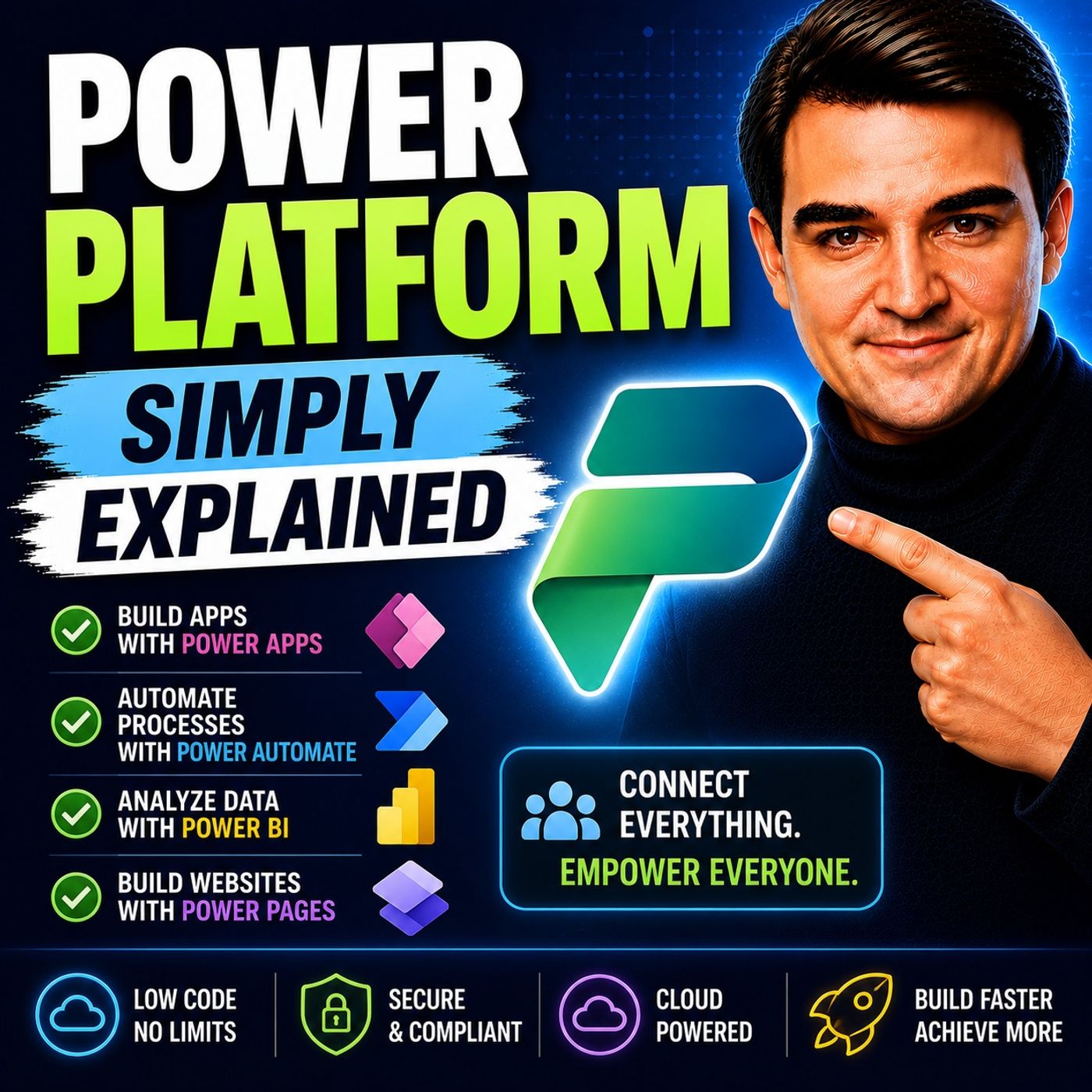
Microsoft Power Platform is Microsoft's integrated low-code platform for building business applications, automating processes, analyzing data, creating websites, and embedding AI into everyday work. In this episode of Microsoft Knowledge Nuggets, Mirko Peters explains the Power Platform in simple terms, showing how its individual services work together to help organizations solve business problems faster without relying solely on traditional software development.
You'll learn the role of each core component: Power Apps for building business applications, Power Automate for workflow automation, Power BI for analytics and reporting, Power Pages for secure external websites, Dataverse for enterprise data management, and Copilot for AI-powered assistance. Rather than viewing these as separate products, the episode explains how they form a complete business platform where each service has a specific purpose and integrates seamlessly with Microsoft 365, Dynamics 365, Azure, and hundreds of third-party systems.
The episode also explores practical scenarios such as digitizing manual processes, replacing spreadsheets, automating approvals, creating executive dashboards, building customer portals, and developing AI-powered business solutions. It explains how citizen developers and professional developers can collaborate while maintaining enterprise governance, security, compliance, and scalability through Microsoft's low-code ecosystem. You'll also learn why choosing the right Power Platform component before building a solution is one of the most important decisions for long-term success.
Whether you're an IT administrator, business analyst, developer, solution architect, or business leader, this episode provides a clear introduction to Microsoft Power Platform and explains how its connected services enable organizations to modernize processes, accelerate innovation, and build intelligent business solutions with far less code than traditional development.
Quick answer: Power Platform is covered in this M365 FM episode with a practical focus on what it is, how it works, and the decisions that matter for architecture, adoption, security, governance, or day-to-day operations.
In today's fast-paced business landscape, you need tools that help you stay ahead. Enter the Microsoft Power Platform, a game-changer for organizations of all sizes. This powerful low-code ecosystem allows you to analyze data, develop applications, and automate processes effortlessly. Did you know that 97% of Fortune 500 companies leverage the Power Platform for business process automation? That's a testament to its effectiveness! With over 25 million active users and a 30% year-over-year growth in adoption, the Microsoft Power Platform is reshaping how businesses operate and innovate.
Key Takeaways
- The Microsoft Power Platform is a low-code suite that helps businesses create applications, automate workflows, and analyze data efficiently.
- Power Apps allows users to build custom applications without extensive coding knowledge, making it accessible for everyone.
- Power Automate streamlines repetitive tasks, saving time and increasing productivity by automating workflows across various applications.
- Power BI transforms raw data into insightful reports, enabling data-driven decision-making that can drive business growth.
- Power Virtual Agents lets you create intelligent chatbots to enhance customer service and automate common tasks without coding skills.
- The Power Platform integrates seamlessly with Microsoft 365 applications, improving collaboration and operational efficiency across teams.
- Implementing the Power Platform can lead to significant cost savings and improved resource optimization for organizations of all sizes.
- Starting with small projects and involving stakeholders can enhance the implementation process and ensure solutions meet business needs.
What is Power Platform?
Overview of Microsoft Power Platform
The Microsoft Power Platform is a powerful suite designed to help you create custom business applications, automate workflows, analyze data, and develop intelligent virtual agents—all within a secure cloud environment. This platform consists of several key components:
- Power Apps: Build custom applications without needing extensive coding knowledge.
- Power Automate: Automate repetitive tasks and streamline workflows.
- Power BI: Transform raw data into insightful reports and dashboards.
- Power Pages: Create secure, low-code websites for your business needs.
- Copilot Studio: Develop AI-driven experiences that enhance user interaction.
With these tools, you can tackle various business challenges and improve operational efficiency.
Importance in Business
In today's competitive landscape, the Microsoft Power Platform stands out as a vital resource for organizations. It empowers you to adapt quickly to changing market conditions and innovate without the heavy burden of traditional software development. Here are some reasons why the Power Platform is essential for your business:
- Rapid Development: You can create applications and automate processes faster than ever. This speed allows you to respond to customer needs and market demands promptly.
- Cost Efficiency: By automating workflows, you reduce manual tasks, which can lead to significant cost savings. Many organizations report reduced maintenance costs and improved resource optimization after implementing the platform.
- Enhanced Collaboration: The Power Platform integrates seamlessly with Microsoft services, making it easier for teams to work together. This integration fosters a culture of innovation and collaboration among employees.
- Data-Driven Decisions: With Power BI, you gain real-time insights into your data. This capability helps you make informed decisions that drive business growth.
Organizations across various industries have experienced measurable outcomes after adopting the Power Platform. For instance, companies in banking, government, and education have reported significant improvements in operational efficiency and cost savings.
| Tangible value | Intangible value |
|---|---|
| Revenue growth ($) | Risk mitigation and compliance |
| Reduced maintenance cost ($) | Fewer disruptions |
| Reduced paperwork and admin ($) | Improved employee experience |
| Resource optimization (%) | Improved data security |
By leveraging the Microsoft Power Platform, you can transform your operations and stay ahead of the competition.
Power Platform Components

Power BI
Features and Capabilities
Power BI is a powerful tool that helps you turn raw data into meaningful insights. Here are some of its standout features:
| Feature | Description |
|---|---|
| Data Integration | Combines data from over 100 sources, allowing for comprehensive analysis. |
| Data Modeling | Enables relationships between tables and advanced calculations for better data usability. |
| Interactive Reporting | Transforms raw data into interactive visuals, enhancing decision-making capabilities. |
| Advanced Visualization | Offers tools for deeper insights and engaging reports, supporting informed decisions. |
| Natural Language Processing | Allows users to query data using everyday language, simplifying data exploration. |
| Collaboration Tools | Facilitates sharing and communication of insights within teams, enhancing collaborative decision-making. |
With these features, Power BI empowers you to make data-driven decisions quickly and effectively.
Use Cases
Power BI serves various industries and use cases. Here are some common scenarios where businesses leverage this tool:
- Sales Analysis: Track sales performance and identify trends to optimize strategies.
- Financial Reporting: Create real-time financial dashboards to monitor budgets and forecasts.
- Customer Insights: Analyze customer behavior to enhance marketing efforts and improve service delivery.
- Operational Efficiency: Monitor key performance indicators (KPIs) to streamline operations and reduce costs.
In fact, Power BI holds a significant market share in the business intelligence space, with around 30% of the market. This popularity reflects its effectiveness in helping organizations harness their data.
Power Apps
Features and Capabilities
Power Apps is designed to empower you to create custom applications without needing extensive coding skills. This low-code platform offers intuitive tools, such as drag-and-drop features and natural language prompts, making it accessible for everyone. By enabling employees to build applications, Power Apps reduces reliance on IT resources, leading to cost savings and increased productivity.
Here are some key features of Power Apps:
- Customizable Templates: Start with pre-built templates to accelerate app development.
- Integration with Microsoft Services: Seamlessly connect with other Microsoft tools like SharePoint and Dynamics 365.
- Mobile Compatibility: Build apps that work on both desktop and mobile devices, ensuring accessibility on the go.
Use Cases
Power Apps finds applications across various industries. Here are some common use cases:
| Industry | Use Cases |
|---|---|
| Manufacturing & Operations | Field technicians and quality inspectors use apps for offline data capture and equipment maintenance. |
| Healthcare & Life Sciences | Streamlining patient intake and managing bed availability through model-driven apps. |
| Financial Services | Customer onboarding and KYC verification are facilitated through canvas apps. |
| Retail & E-commerce | Inventory management and employee scheduling are enhanced with real-time updates via canvas apps. |
With Power Apps, you can create tailored solutions that meet your specific business needs.
Power Automate
Create and Manage Flows
Power Automate allows you to automate workflows, saving you time and effort. You can create and manage flows that connect various applications and services. This automation helps you streamline repetitive tasks, enabling you to focus on more strategic activities.
Here are some examples of workflows you can automate using Power Automate:
- Autosave Email Attachments: Automatically file email attachments into designated folders based on subject, sender, and keywords.
- Manage Leave Requests & Approvals: Automate leave requests and notifications for responses.
- Process Approval Requests for New Documents: Trigger approval requests when new documents are uploaded on SharePoint.
- Automating the Onboarding of New Employees: Streamline the onboarding process for new hires.
- Get Notified for New Opportunities Logged in Dynamics 365: Receive instant alerts for new opportunities in Dynamics 365.
Features and Capabilities
Power Automate offers a range of features that enhance your automation experience:
- Pre-built Templates: Start quickly with templates for common workflows.
- Integration with Microsoft 365: Connect seamlessly with other Microsoft applications to create cohesive workflows.
- AI Capabilities: Use AI to automate tasks like data extraction from invoices.
Businesses using Power Automate report saving an average of 200 hours per year for employees engaged in high-volume, repetitive tasks. This efficiency boost can significantly impact your overall productivity.
Power Virtual Agents
Power Virtual Agents lets you create intelligent chatbots without needing coding skills. These chatbots can engage with customers, answer questions, and automate tasks, all while providing a seamless experience. Here are some key features and capabilities that make Power Virtual Agents stand out:
Features and Capabilities
- No-Code Development: You can build chatbots using a simple drag-and-drop interface. This means you don’t need to be a developer to create effective solutions.
- Integration with Microsoft Services: Connect your bots with Microsoft Teams, Dynamics 365, and other Microsoft applications to enhance functionality.
- AI-Powered Responses: The platform uses AI to understand user queries and provide accurate responses quickly.
- Analytics and Insights: Track bot performance with built-in analytics. You can see how users interact with your bots and make improvements based on real data.
Power Virtual Agents can significantly improve your customer service operations. Here’s how:
| Benefit | Description |
|---|---|
| Reduce First Response Time | AI-powered chatbots handle common queries instantly. |
| Increase First Contact Resolution | Guided workflows ensure issues are resolved without multiple touchpoints. |
| Boost Agent Productivity | Automate repetitive tasks, freeing agents for complex cases. |
| Enhance CSAT Scores | Personalized, context-aware interactions improve customer satisfaction. |
| Improve Self-Service Adoption | Enable customers to find answers 24/7 through integrated knowledge bases. |
Use Cases
Power Virtual Agents can be applied in various scenarios. Here are some common use cases:
| Use Case Description | Example Scenario |
|---|---|
| Automate repetitive tasks | Handling service tickets and qualifying leads to free up employee time for more critical tasks. |
| Ensure compliance | Virtual agents operate under preprogrammed rules, ensuring adherence to industry regulations. |
| Customer support for login issues | Assisting customers in retrieving forgotten usernames or passwords for banking applications. |
| Policy inquiries | Answering questions about auto insurance policies and directing customers to knowledge bases or live agents. |
| Appointment scheduling | Helping patients book appointments with healthcare providers through online portals. |
| Sales meeting scheduling | Automating email invites for sales meetings and collecting responses from potential clients. |
| Financial inquiries | Providing information on money market rates and investment options to financial services customers. |
| Health guidance | Offering COVID-19 prevention advice based on healthcare plan FAQs. |
By implementing Power Virtual Agents, you can enhance your customer interactions and streamline operations.
Copilot Studio
Copilot Studio takes the capabilities of the Power Platform to the next level by integrating AI-driven experiences. This feature allows you to create more personalized and efficient interactions within your applications.
AI-Driven Experiences
With Copilot Studio, you can leverage advanced AI features to enhance user engagement. Here are some unique capabilities:
| Feature | Description |
|---|---|
| Action Performance | Plugins can call connected services and perform actions without complex manual flows. |
| Automatic Updates | Changes to plugins are automatically pushed to all copilots using them, ensuring consistency. |
| Customization | Allows users to customize Copilot for Microsoft 365 and build standalone copilots. |
| Conversational Capabilities | Integrates custom GPTs, generative AI plugins, and manual topics for enhanced interaction. |
| Plugin Integration | Enables the use of plugins and Microsoft Graph connectors to extend copilot capabilities. |
| Reusable Building Blocks | Plugins can be reused across Power Platform, Dynamics 365, and Microsoft 365, simplifying updates. |
Integration with Other Components
Copilot Studio works seamlessly with other components of the Power Platform. This integration enhances productivity and ensures a cohesive user experience. Here’s how it connects with various Microsoft services:
| Microsoft 365 Applications | Other Microsoft Services |
|---|---|
| Microsoft Teams | Microsoft Azure OpenAI Studio |
| Microsoft Outlook | Azure Cognitive Services |
| Microsoft Loop | Azure Bot Service |
| Microsoft Word | Microsoft Power Platform |
| Microsoft PowerPoint | N/A |
By utilizing Copilot Studio, you can create a more dynamic and responsive environment for your users, making your applications smarter and more efficient.
Pricing for Power Platform
Power BI Pricing
When it comes to Power BI, you have several pricing options to choose from. Each tier offers different features to suit your needs. Here’s a quick overview of the pricing structure:
| License Tier | Cost | Key Features |
|---|---|---|
| Free | $0 | Access to personal workspaces only; cannot share or publish. |
| Pro | $14/user/month | Publish to shared workspaces, collaborate, share reports, invite external guests. |
| Premium Per User (PPU) | $24/user/month | Includes paginated reports, 48 daily data refreshes, AI capabilities, and large dataset storage. |
| Microsoft Fabric Capacity | Billed by Capacity Units | Supports Free-tier viewing for large populations, all Premium features, and Fabric workloads. |
With these options, you can select the plan that best fits your organization’s needs. If you’re just starting, the Free tier is a great way to explore Power BI’s capabilities. As your needs grow, you can easily upgrade to Pro or Premium.
Power Apps Pricing
Power Apps also offers flexible pricing plans. You can choose between two main options based on how you plan to use the platform:
- Per App Plan: This plan costs $10 per user/app/month. It’s perfect if you want to build specific applications for your team without committing to a broader plan.
- Per User Plan: At $40 per user/month, this plan allows unlimited app creation. It’s ideal for organizations that need multiple apps for various functions.
By selecting the right plan, you can empower your team to create custom applications tailored to your business needs without breaking the bank.
Power Automate Pricing
Power Automate provides several licensing options to fit different automation needs. Here’s a breakdown of the available plans:
| License Type | Description |
|---|---|
| Per User | Best for individuals and small teams at $15/user/month. Add RPA for $40/user/month if desktop automation is needed. |
| Per Flow | Ideal for cross-team or company-wide flows, costing $500/month for 5 flows across the organization. |
| M365 Only | Suitable for basic automation using standard connectors like SharePoint and Outlook, but not for premium connectors. |
These options allow you to choose the best fit for your organization’s workflow automation needs. Whether you’re automating simple tasks or complex processes, Power Automate has a plan that can help you save time and increase efficiency.
Power Virtual Agents Pricing
When it comes to pricing for Power Virtual Agents, you have a few options to choose from. This flexibility allows you to select a plan that best fits your needs and budget. Here’s a breakdown of the available pricing structures:
| Licensing Option | Cost Details |
|---|---|
| Pre-paid (Message Pack) | US$200 per tenant per month for 25,000 messages |
| Pay-as-you-go (PAYG) | US$0.01 per message, billed through Azure |
| Microsoft 365 User License | US$30 per user per month |
With these options, you can easily scale your usage based on your organization's needs. If you expect high message volumes, the pre-paid plan might be the best choice. It provides a set number of messages for a flat fee, which can help you manage costs effectively.
On the other hand, if your usage varies, the pay-as-you-go option offers great flexibility. You only pay for what you use, making it a smart choice for businesses that may not have consistent messaging needs. This way, you can keep your expenses in check while still enjoying the benefits of automated customer interactions.
If your organization already uses Microsoft 365, you might consider the Microsoft 365 User License. This option integrates seamlessly with your existing tools and provides a straightforward way to access Power Virtual Agents. For just $30 per user per month, you can empower your team to create chatbots that enhance customer service and streamline operations.
Tip: Before choosing a pricing plan, assess your expected usage. Consider how many messages you anticipate sending each month. This evaluation will help you select the most cost-effective option for your organization.
By leveraging Power Virtual Agents, you can create intelligent chatbots that engage customers and automate tasks. This capability not only improves customer satisfaction but also frees up your team to focus on more complex issues. With the right pricing plan, you can maximize the benefits of the power platform while keeping your budget in check.
Integration and Flows
Microsoft Ecosystem Integration
The Microsoft Power Platform integrates seamlessly with various Microsoft 365 applications, enhancing your productivity and collaboration. This integration allows you to leverage the full potential of tools like Teams and SharePoint. Here’s a quick look at some key features:
| Feature | Description |
|---|---|
| Dashboards and Reports | Users can create and share dashboards and reports using Power BI to make data-driven decisions. |
| Custom Apps | Low-code apps can be built and shared by linking to business data stored in Microsoft Dataverse for Teams and other sources. |
| Automated Workflows | Power Automate allows for the implementation of automated workflows between apps and services. |
| Intelligent Bots | Bots can be built using Power Virtual Agents to assist in chat discussions within Teams. |
| Together Mode | Customized meeting environments can be designed for more engaging Teams meetings. |
By integrating these features, you can streamline your operations and improve collaboration across your organization.
Create and Manage Flows Across Applications
Creating and managing flows is essential for automating tasks and improving efficiency. With Power Automate, you can set up workflows that connect different applications, allowing you to automate routine tasks. This automation speeds up operations and reduces human errors, letting your team focus on strategic priorities.
Here are some best practices for creating and managing flows:
- Rename Your Actions: Custom names help you quickly identify actions.
- Comment On Your Actions: Detailed notes aid understanding and collaboration.
- Download a Run History: Access a comprehensive history for troubleshooting.
- Format the Date and Time: Use expressions for better date/time management.
- Use Scopes to Organize Complex Flows: Group actions for better organization.
Effective governance is crucial for managing applications and data within the Power Platform. Treat it as a living document that evolves with your organization’s needs. This approach ensures that best practices remain relevant and effective.
Automated flows can significantly impact your business efficiency. They eliminate repetitive tasks, allowing you to focus on higher-value activities. Additionally, automation minimizes human errors, ensuring greater accuracy in workflows. Here’s a quick overview of the benefits:
| Benefit Type | Description |
|---|---|
| Increased Efficiency and Productivity | Automation eliminates repetitive tasks, allowing focus on higher-value activities, thus streamlining operations. |
| Error Reduction | Automating data entry minimizes human errors, ensuring greater accuracy in workflows. |
| Enhanced Customer Experience | Automation speeds up processes, leading to quicker response times and faster delivery of services. |
| Risk Management | Reduces likelihood of human errors and enables effective monitoring of business operations. |
By leveraging the Power Platform to create and manage flows, you can enhance your operational efficiency and drive better outcomes for your organization.
Is Power Platform Right for My Business?
Small Business Benefits
If you run a small business, the Microsoft Power Platform can be a game-changer. It offers several benefits that can help you streamline operations and boost productivity. Here’s a quick look at some of the key advantages:
| Benefit | Description |
|---|---|
| Increased Productivity | Automates time-consuming tasks, allowing employees to focus on essential responsibilities. |
| Improved Collaboration | Facilitates data sharing and insights among team members, enhancing communication and decision-making. |
| Enhanced Data Analysis | Provides valuable insights through Power BI for informed decision-making. |
| Custom Solutions | Enables businesses to create personalized applications without advanced coding skills. |
| Increased Efficiency | Streamlines workflows and automates repetitive tasks, saving time and reducing errors. |
| Better Customer Service | Offers 24/7 customer support through AI-driven virtual agents with Power Virtual Agents. |
Many small businesses have already seen measurable growth by using the Power Platform. For example, Barossa Enterprises reduced reporting time by 50% through process automation. This showcases how the platform can lead to significant efficiency improvements and cost savings.
Medium to Large Enterprises
For medium to large enterprises, the Power Platform can address unique challenges. However, implementing it comes with its own set of hurdles. Here are some common issues you might face:
- A significant gap exists between the number of applications expected to be built and the number of developers capable of building them.
- Inefficient and manual processes can lead to wasted resources and reduced productivity.
- Lack of visibility into operational costs, especially in inventory and supply chain management, can hinder decision-making.
- The risk of shadow IT and technical debt arises from unauthorized software use and lack of centralized control.
To avoid these pitfalls, organizations should establish formal governance. Without it, companies experience application sprawl, security violations, and compliance breaches at rates 3-4 times higher than those with established Centers of Excellence. Duplicate applications solving identical problems across departments create maintenance overhead and complicate user experiences.
Industry-Specific Applications
The Power Platform also shines in industry-specific applications. It addresses unique business needs across various sectors. Here’s how it can help:
| Industry | Application | Unique Business Need Addressed |
|---|---|---|
| Automotive | Post-accident claim processing | Facilitates quick data submission and assessment for claims, enhancing operational efficiency. |
| Automotive | Data mining for claims | Improves information retrieval for quotes, streamlining the repair process. |
| Automotive | Customer feedback surveys | Enhances customer service and satisfaction through automated feedback collection. |
| Healthcare | Appointment scheduling | Streamlines booking and reminders, improving patient management and operational efficiency. |
| Healthcare | Patient onboarding | Replaces paper forms with digital solutions, ensuring better data management and compliance. |
| Retail/E-commerce | Customer feedback collection | Automates feedback processes, allowing for better customer insights and experience improvements. |
| Retail/E-commerce | Sales quote automation | Creates dynamic pricing quotes, improving sales efficiency and accuracy. |
| Retail/E-commerce | Customer renewal notices | Automates reminders for renewals, enhancing customer retention strategies. |
By leveraging the Power Platform, you can tailor solutions that meet your specific industry needs, driving growth and efficiency.
Getting Started with Power Platform

Setting Up Your Account
Getting started with the Microsoft Power Platform is straightforward. Follow these steps to set up your account successfully:
- Review prerequisites: Make sure you meet the necessary requirements for installation and configuration.
- Ensure proper licenses: You need the following:
- Microsoft Power Platform service admin or global tenant admin.
- Power Apps Per User license (nontrial) and a Microsoft 365 license.
- Power Automate Per User license or Per Flow licenses (nontrial).
- Power BI Premium per user or per capacity if you plan to use data export for inventory.
- Access to an Office 365 mailbox that meets the requirements for the Office 365 Outlook connector.
- Access to an Azure app registration if you want to collect usage information.
- A Power BI Pro license to share the Power BI report that's part of the CoE Starter Kit.
By ensuring you have these elements in place, you can set a solid foundation for your journey with the power platform.
Learning Resources
Once your account is set up, it’s time to dive into learning! Here are some fantastic resources to help you master the Power Platform:
- Microsoft Learn Power Apps Modules: These free, self-paced modules cover everything from the basics to advanced topics.
- Power Apps YouTube Channel: Check out video tutorials and webinars that cater to visual learners.
- Power Apps Community Forum: Engage with other users to ask questions and share knowledge.
- Power Apps Documentation: Find detailed information on all aspects of the platform.
- Power Apps Blog: Stay updated on features and best practices.
- Microsoft Power Apps Demos: Explore interactive demos showcasing app functionalities.
- Power Apps Samples on GitHub: Access code examples and complete app solutions for hands-on learning.
- Power Apps Webinars: Watch on-demand webinars featuring insights from experts.
- Power Apps Community Plan: Get free access to create and test Power Apps in a development environment.
- Learning Catalog for Power Apps: Discover online training and workshops tailored to different roles.
These resources will help you build your skills and confidence as you explore the power platform.
Best Practices for Implementation
To make the most of your Power Platform experience, consider these best practices for implementation:
- Start small: Focus on one project at a time. This approach allows you to learn and adapt without feeling overwhelmed.
- Involve stakeholders: Engage team members early in the process. Their input can help shape solutions that truly meet business needs.
- Iterate and improve: Don’t be afraid to refine your applications. Gather feedback and make adjustments to enhance functionality.
- Document your processes: Keep track of your workflows and decisions. This documentation will help you and your team in future projects.
- Leverage community support: Utilize forums and user groups to share experiences and learn from others.
By following these best practices, you can ensure a smoother implementation process and maximize the benefits of the power platform.
The Microsoft Power Platform empowers you to transform your business processes. With tools that help you analyze data, automate tasks, and create custom applications, you can streamline operations like never before. Imagine reducing manual work and making data-driven decisions effortlessly!
Consider how the power platform can fit into your business strategy. Whether you're a small business or a large enterprise, this platform can help you innovate and stay competitive. Don't miss out on the opportunity to enhance your efficiency and drive growth!
FAQ
What is Microsoft Power Platform?
Microsoft Power Platform is a low-code suite that helps you build applications, automate workflows, and analyze data. It includes tools like Power BI, Power Apps, Power Automate, and Power Virtual Agents.
How can Power Platform benefit my business?
Power Platform streamlines operations, reduces manual tasks, and enhances collaboration. It empowers you to make data-driven decisions and create custom solutions tailored to your business needs.
Do I need coding skills to use Power Platform?
No, you don’t need coding skills! Power Platform is designed for users of all skill levels. Its low-code environment allows you to create applications and automate processes easily.
Can I integrate Power Platform with other Microsoft tools?
Absolutely! Power Platform integrates seamlessly with Microsoft 365 applications like Teams, SharePoint, and Outlook. This integration enhances productivity and collaboration across your organization.
Is there a free trial for Power Platform?
Yes, Microsoft offers a free trial for Power Platform. You can explore its features and capabilities before committing to a paid plan. Check the Microsoft website for details.
How do I get started with Power Platform?
To get started, sign up for an account on the Microsoft website. Review the prerequisites, choose a suitable plan, and explore learning resources to build your skills.
What industries can benefit from Power Platform?
Power Platform benefits various industries, including healthcare, finance, retail, and manufacturing. It helps organizations streamline processes, improve customer service, and enhance data analysis.
Where can I find support for Power Platform?
You can find support through the Microsoft Power Platform Community, official documentation, and online forums. These resources provide valuable insights and assistance from other users and experts.
🎧 Listen to this episode
Want a practical explanation of Power Platform? This episode breaks down the topic in clear language and shows why it matters for Microsoft 365, Azure, Power Platform, security, AI, and modern work.
Listen to this episode if you want to:
- Understand the key concepts behind Power Platform
- See how it fits into the wider Microsoft technology ecosystem
- Learn where it can create practical value for your organization
Discover more practical Microsoft conversations on M365 FM.
Last reviewed: July 2026.
Who Should Listen
This episode is for Microsoft 365 administrators, architects, IT leaders, and practitioners who need a practical understanding of Power Platform before planning, implementing, or supporting it.
🎧 You Should Also Listen To
- Power Apps — Go deeper into building low-code applications for business users.
- Power Automate — Learn how to connect services and automate repeatable work.
- Dataverse Security — Understand the data, roles, and access controls behind governed Power Platform solutions.
🚀 Want to be part of m365.fm?
Then stop just listening… and start showing up.
👉 Connect with me on LinkedIn and let’s make something happen:
- 🎙️ Be a podcast guest and share your story
- 🎧 Host your own episode (yes, seriously)
- 💡 Pitch topics the community actually wants to hear
- 🌍 Build your personal brand in the Microsoft 365 space
This isn’t just a podcast — it’s a platform for people who take action.
🔥 Most people wait. The best ones don’t.
👉 Connect with me on LinkedIn and send me a message:
"I want in"
Let’s build something awesome 👊
1
00:00:00,000 --> 00:00:04,880
Hello everyone and welcome to another episode of Microsoft Knowledge Nuggets here on M365.
2
00:00:04,880 --> 00:00:06,720
FM, I'm your host, Mirko Peters.
3
00:00:06,720 --> 00:00:10,360
Today's topic is one that almost everyone has heard of, but few really understand.
4
00:00:10,360 --> 00:00:11,600
Microsoft Power Platform.
5
00:00:11,600 --> 00:00:12,640
So imagine this.
6
00:00:12,640 --> 00:00:15,200
You're sitting at your desk with four browser tabs open.
7
00:00:15,200 --> 00:00:17,840
One Excel spreadsheet you update by hand every morning,
8
00:00:17,840 --> 00:00:20,200
one outlook with approval requests piling up,
9
00:00:20,200 --> 00:00:22,680
a SharePoint list from three years ago that nobody trusts,
10
00:00:22,680 --> 00:00:25,760
and somewhere in that mess you're copying data from one system to another,
11
00:00:25,760 --> 00:00:27,360
hoping not to make a typo.
12
00:00:27,360 --> 00:00:28,200
Sound familiar?
13
00:00:28,200 --> 00:00:29,720
That's how most companies run.
14
00:00:30,040 --> 00:00:34,920
A patchwork of tools that don't talk to each other held together by people doing repetitive work.
15
00:00:34,920 --> 00:00:39,120
But what if you could connect all of that into one system without writing a single line of code?
16
00:00:39,120 --> 00:00:40,680
That's what Microsoft Power Platform is.
17
00:00:40,680 --> 00:00:42,120
Here's the simplest definition.
18
00:00:42,120 --> 00:00:45,600
It's a connected layer on top of your existing Microsoft 365 tools,
19
00:00:45,600 --> 00:00:47,200
your email, Teams, SharePoint,
20
00:00:47,200 --> 00:00:49,200
and it lets anyone in your company build apps,
21
00:00:49,200 --> 00:00:51,320
automate workflows and analyze data,
22
00:00:51,320 --> 00:00:53,040
all without needing a developer.
23
00:00:53,040 --> 00:00:55,960
By the end of this episode, you'll understand what each piece does
24
00:00:55,960 --> 00:00:57,800
and how they all snap together.
25
00:00:57,800 --> 00:00:59,800
Grab your coffee and let's dive in.
26
00:00:59,800 --> 00:01:02,400
The problem, why Power Platform exists?
27
00:01:02,400 --> 00:01:03,400
Here's the thing.
28
00:01:03,400 --> 00:01:06,200
Most organizations run on a patchwork of Excel spreadsheets,
29
00:01:06,200 --> 00:01:07,800
email chains and paper forms.
30
00:01:07,800 --> 00:01:10,600
Someone fills out a Word document, emails it to their manager,
31
00:01:10,600 --> 00:01:13,400
the manager prints it, signs it, scans it and emails it back.
32
00:01:13,400 --> 00:01:14,400
That's not an exaggeration.
33
00:01:14,400 --> 00:01:16,400
That's how a lot of businesses still work.
34
00:01:16,400 --> 00:01:18,600
Off the shelf software was supposed to fix this,
35
00:01:18,600 --> 00:01:21,600
but either it costs a fortune, or it doesn't fit your process,
36
00:01:21,600 --> 00:01:25,600
so you end up bending your workflow to match the software instead of the other way around.
37
00:01:25,600 --> 00:01:27,400
And that never works well.
38
00:01:27,400 --> 00:01:30,200
The traditional alternative was to build custom software,
39
00:01:30,200 --> 00:01:32,800
but that meant hiring developers for months or years
40
00:01:32,800 --> 00:01:35,600
and a simple app could cost tens of thousands of dollars.
41
00:01:35,600 --> 00:01:39,200
And by the time it was finished, your business needs had already changed.
42
00:01:39,200 --> 00:01:42,200
So you end up with separate silos, your data lives in SharePoint,
43
00:01:42,200 --> 00:01:43,600
your approvals happen over email,
44
00:01:43,600 --> 00:01:46,000
your reporting is in Power BI, but disconnected,
45
00:01:46,000 --> 00:01:47,600
and nothing talks to each other.
46
00:01:47,600 --> 00:01:50,800
Power Platform solves this by giving non-developers the power to build,
47
00:01:50,800 --> 00:01:53,200
automate and analyze, all in one place.
48
00:01:53,200 --> 00:01:56,000
Most people think Power Platform is only for IT professionals.
49
00:01:56,000 --> 00:01:56,800
It isn't.
50
00:01:56,800 --> 00:01:58,600
It's designed for anyone in your company,
51
00:01:58,600 --> 00:02:00,600
from sales to HR to operations,
52
00:02:00,600 --> 00:02:02,600
to create solutions without writing code.
53
00:02:02,600 --> 00:02:05,400
And it's already part of the Microsoft tools you're using.
54
00:02:05,400 --> 00:02:07,200
Next up, the first building block,
55
00:02:07,200 --> 00:02:09,200
the one that helps you see your data.
56
00:02:09,200 --> 00:02:11,400
Power BI, see what's happening.
57
00:02:11,400 --> 00:02:13,000
Most people have heard of Power BI,
58
00:02:13,000 --> 00:02:14,000
but what does it actually do?
59
00:02:14,000 --> 00:02:16,200
In plain English, it takes your raw data,
60
00:02:16,200 --> 00:02:17,400
rows and columns,
61
00:02:17,400 --> 00:02:19,200
and turns it into charts and dashboards.
62
00:02:19,200 --> 00:02:20,400
You can read it at glance,
63
00:02:20,400 --> 00:02:24,200
connect it to Excel, SQL, dataverse, or even Salesforce,
64
00:02:24,200 --> 00:02:26,400
and it creates visuals that actually mean something.
65
00:02:26,400 --> 00:02:27,800
Here's a concrete example.
66
00:02:27,800 --> 00:02:29,800
Say you're a manager who needs to know
67
00:02:29,800 --> 00:02:32,000
which products are selling fastest this week.
68
00:02:32,000 --> 00:02:34,200
In the old way, you'd ask someone to pull a report,
69
00:02:34,200 --> 00:02:36,800
wait a day, get a spreadsheet, and try to make sense of it.
70
00:02:36,800 --> 00:02:39,200
With Power BI, that dashboard updates automatically,
71
00:02:39,200 --> 00:02:41,200
so when you open it, the numbers are right there.
72
00:02:41,200 --> 00:02:43,400
No manual work required, but here's the thing.
73
00:02:43,400 --> 00:02:45,800
Power BI is more than just a reporting tool.
74
00:02:45,800 --> 00:02:47,200
It's the eyes of the platform.
75
00:02:47,200 --> 00:02:48,400
It shows you what's happening
76
00:02:48,400 --> 00:02:50,200
across your entire business in real time.
77
00:02:50,200 --> 00:02:53,200
And those dashboards don't have to live inside Power BI alone.
78
00:02:53,200 --> 00:02:55,200
You can embed them in Teams, in Power Apps,
79
00:02:55,200 --> 00:02:56,600
even in SharePoint.
80
00:02:56,600 --> 00:02:59,400
Your data is visible wherever you're already working.
81
00:02:59,400 --> 00:03:01,400
Seeing the problem is only half the battle.
82
00:03:01,400 --> 00:03:03,000
What if you could automate the fix?
83
00:03:03,000 --> 00:03:05,000
That's where the next tool comes in.
84
00:03:05,000 --> 00:03:07,800
Power Automate, make work happen automatically.
85
00:03:07,800 --> 00:03:10,000
Power BI shows you what's happening, and that's useful,
86
00:03:10,000 --> 00:03:12,000
but it still leaves you with the actual work.
87
00:03:12,000 --> 00:03:14,600
Someone still has to send emails, update spreadsheets,
88
00:03:14,600 --> 00:03:15,600
and chase down approvals.
89
00:03:15,600 --> 00:03:17,000
And that's where Power Automate comes in.
90
00:03:17,000 --> 00:03:20,000
If Power BI is the eyes, Power Automate is the muscles.
91
00:03:20,000 --> 00:03:21,000
It does the heavy lifting,
92
00:03:21,000 --> 00:03:22,000
so you don't have to.
93
00:03:22,000 --> 00:03:23,000
Here's how it works.
94
00:03:23,000 --> 00:03:24,400
You set up a trigger.
95
00:03:24,400 --> 00:03:25,800
Something that happens in your system,
96
00:03:25,800 --> 00:03:28,200
like an email arriving, a row getting added to a list,
97
00:03:28,200 --> 00:03:29,400
or a date passing.
98
00:03:29,400 --> 00:03:33,200
When that trigger fires, Power Automate runs a series of actions automatically.
99
00:03:33,200 --> 00:03:35,200
All drag and drop, no code required.
100
00:03:35,200 --> 00:03:36,600
Let me give you a concrete example.
101
00:03:36,600 --> 00:03:39,000
Say a new sales lead gets added in Dynamics 365.
102
00:03:39,000 --> 00:03:41,800
In the old way, a sales rep would need to notice that lead,
103
00:03:41,800 --> 00:03:43,200
manually create a task,
104
00:03:43,200 --> 00:03:45,600
write a follow-up email, and add it to their calendar.
105
00:03:45,600 --> 00:03:48,000
With Power Automate, it all happens instantly.
106
00:03:48,000 --> 00:03:50,000
The lead appears, a task is created,
107
00:03:50,000 --> 00:03:53,000
and email is sent, and the rep gets a notification in Teams.
108
00:03:53,000 --> 00:03:54,200
No one lifted a finger.
109
00:03:54,200 --> 00:03:56,400
Here's another one almost every company deals with.
110
00:03:56,400 --> 00:03:57,800
Expense approvals.
111
00:03:57,800 --> 00:04:01,000
An employee submits an expense report over $500.
112
00:04:01,000 --> 00:04:03,400
Power Automate catches that, sends an email to the manager
113
00:04:03,400 --> 00:04:04,600
with an approval request,
114
00:04:04,600 --> 00:04:06,000
and when the manager clicks approve,
115
00:04:06,000 --> 00:04:08,000
it updates the spreadsheet automatically.
116
00:04:08,000 --> 00:04:10,200
No back and forth, no, did you see my email?
117
00:04:10,200 --> 00:04:12,400
And no chasing people down in the hallway.
118
00:04:12,400 --> 00:04:14,000
And this isn't limited to Microsoft tools.
119
00:04:14,000 --> 00:04:17,200
Power Automate has over one 400 pre-built connectors.
120
00:04:17,200 --> 00:04:19,000
Outlook, Teams, SharePoint, Sure,
121
00:04:19,000 --> 00:04:22,600
but also Slack, Twitter, Dropbox, SalesForce, and DocuSign.
122
00:04:22,600 --> 00:04:24,400
You can connect pretty much anything to anything,
123
00:04:24,400 --> 00:04:27,000
so now you can see your data and automate your workflows,
124
00:04:27,000 --> 00:04:28,400
but there's still a missing piece,
125
00:04:28,400 --> 00:04:31,200
a place where people can actually interact with the process.
126
00:04:31,200 --> 00:04:32,400
That's what comes next.
127
00:04:32,400 --> 00:04:33,600
Power Apps.
128
00:04:33,600 --> 00:04:34,800
Build the interface.
129
00:04:34,800 --> 00:04:36,400
Power BI shows you the data,
130
00:04:36,400 --> 00:04:38,200
and Power Automate does the work,
131
00:04:38,200 --> 00:04:40,800
but people still need a way to interact with the system,
132
00:04:40,800 --> 00:04:44,200
to submit something, to check something, to update something.
133
00:04:44,200 --> 00:04:46,400
That's exactly what Power Apps is built for.
134
00:04:46,400 --> 00:04:49,600
Power Apps is where you create the user-facing part of your solution,
135
00:04:49,600 --> 00:04:53,000
mobile apps, web apps, tablet apps, whatever your people need,
136
00:04:53,000 --> 00:04:55,000
and you build them without writing traditional code.
137
00:04:55,000 --> 00:04:56,000
There are two main types.
138
00:04:56,000 --> 00:04:58,800
Canvas Apps give you complete control over the design.
139
00:04:58,800 --> 00:05:02,600
You drag and drop buttons, text boxes, images, and data fields
140
00:05:02,600 --> 00:05:04,600
onto a screen exactly where you want them.
141
00:05:04,600 --> 00:05:06,000
It's like designing a poster.
142
00:05:06,000 --> 00:05:07,800
Every element goes where you decide.
143
00:05:07,800 --> 00:05:10,000
If you want a green button in the top-right corner,
144
00:05:10,000 --> 00:05:11,000
you put it there.
145
00:05:11,000 --> 00:05:12,800
Model-driven apps work differently.
146
00:05:12,800 --> 00:05:14,400
They're built around your data structure.
147
00:05:14,400 --> 00:05:17,000
You define your tables and relationships in dataverse
148
00:05:17,000 --> 00:05:19,200
and the app generates the interface automatically.
149
00:05:19,200 --> 00:05:21,000
Visually, it's less flexible,
150
00:05:21,000 --> 00:05:23,600
but for complex data operations, it's much better.
151
00:05:23,600 --> 00:05:27,000
Things like guided data entry, business rules, and process flows.
152
00:05:27,000 --> 00:05:28,000
Here's a real example.
153
00:05:28,000 --> 00:05:30,600
Say you have field workers who need to inspect
154
00:05:30,600 --> 00:05:32,200
safety equipment at job sites.
155
00:05:32,200 --> 00:05:35,200
You build a simple Canvas app that runs on their phone.
156
00:05:35,200 --> 00:05:37,200
They open it, check off items on a list,
157
00:05:37,200 --> 00:05:39,400
take a photo of something's broken, and submit.
158
00:05:39,400 --> 00:05:41,200
The data goes straight into your system.
159
00:05:41,200 --> 00:05:44,000
No paper forms, no typing up notes at the end of the day.
160
00:05:44,000 --> 00:05:46,200
Power Apps uses something called PowerFX.
161
00:05:46,200 --> 00:05:48,400
It's a formula language that looks a lot like Excel.
162
00:05:48,400 --> 00:05:51,400
So if you know how to write XS-S-S-M in a spreadsheet,
163
00:05:51,400 --> 00:05:52,600
you already have a head start.
164
00:05:52,600 --> 00:05:54,600
You can use it to build logic into your app.
165
00:05:54,600 --> 00:05:56,800
Show this field when that checkbox is checked.
166
00:05:56,800 --> 00:05:58,600
Calculate this total from those inputs.
167
00:05:58,600 --> 00:06:01,200
Think of Power Apps like building a Lego house.
168
00:06:01,200 --> 00:06:03,200
You snap together pre-built blocks,
169
00:06:03,200 --> 00:06:06,400
buttons, forms, galleries, data connections,
170
00:06:06,400 --> 00:06:08,000
and you get exactly what you need.
171
00:06:08,000 --> 00:06:09,400
No soldering required.
172
00:06:09,400 --> 00:06:10,800
So we've got three tools so far.
173
00:06:10,800 --> 00:06:13,200
See the data, automate the work, build the interface,
174
00:06:13,200 --> 00:06:16,400
but in 2026, there's a fourth piece that changes everything.
175
00:06:16,400 --> 00:06:18,800
Co-pilot Studio, add AI agents.
176
00:06:18,800 --> 00:06:20,600
Now let's talk about a new piece.
177
00:06:20,600 --> 00:06:21,800
Co-pilot Studio.
178
00:06:21,800 --> 00:06:23,800
It used to be called Power Virtual Agents.
179
00:06:23,800 --> 00:06:26,800
This is where you create AI-powered chatbots and agents.
180
00:06:26,800 --> 00:06:29,400
Not the clunky kind that can only answer three questions.
181
00:06:29,400 --> 00:06:31,600
Real agents that understand what someone needs,
182
00:06:31,600 --> 00:06:33,600
take action, and even talk to other agents.
183
00:06:33,600 --> 00:06:36,200
These agents can live inside teams on your website
184
00:06:36,200 --> 00:06:38,600
or in a mobile app, and employee asks a question
185
00:06:38,600 --> 00:06:39,600
and the agent answers it.
186
00:06:39,600 --> 00:06:41,200
But it goes further than that.
187
00:06:41,200 --> 00:06:43,000
The agent can start a power automate flow.
188
00:06:43,000 --> 00:06:44,800
So a conversation becomes an action.
189
00:06:44,800 --> 00:06:46,200
Here's a practical example.
190
00:06:46,200 --> 00:06:49,600
A company builds an HR agent and employee types in teams.
191
00:06:49,600 --> 00:06:51,600
How many sick days do I have left?
192
00:06:51,600 --> 00:06:54,200
The agent checks the HR system, pulls up the employee's record
193
00:06:54,200 --> 00:06:55,400
and answers instantly.
194
00:06:55,400 --> 00:06:58,600
Then the employee asks, "I need to take next Friday off."
195
00:06:58,600 --> 00:07:00,600
The agent creates a time off request,
196
00:07:00,600 --> 00:07:03,600
roots it to the manager for approval, and sends a confirmation.
197
00:07:03,600 --> 00:07:06,800
All in one chat conversation, no forms, no emails, no back and forth.
198
00:07:06,800 --> 00:07:09,000
And here's the powerful part for 2026.
199
00:07:09,000 --> 00:07:10,600
Agents can now talk to each other.
200
00:07:10,600 --> 00:07:12,800
Microsoft calls it agent-to-agent communication.
201
00:07:12,800 --> 00:07:14,400
One agent handles HR questions.
202
00:07:14,400 --> 00:07:16,000
Another handles IT support.
203
00:07:16,000 --> 00:07:17,800
Another handles expense approvals.
204
00:07:17,800 --> 00:07:20,600
If an employee asks a question that crosses departments,
205
00:07:20,600 --> 00:07:22,600
the agents coordinate behind the scenes.
206
00:07:22,600 --> 00:07:25,200
The user doesn't see any of it, and they just get their answer.
207
00:07:25,200 --> 00:07:26,600
So now we have four tools.
208
00:07:26,600 --> 00:07:28,600
See, automate, build, talk.
209
00:07:28,600 --> 00:07:30,200
But all of them need one thing in common.
210
00:07:30,200 --> 00:07:32,200
They need a place to store their data.
211
00:07:32,200 --> 00:07:34,200
Dataverse, the engine underneath.
212
00:07:34,200 --> 00:07:35,600
So we covered the four tools.
213
00:07:35,600 --> 00:07:37,200
Power BI shows you what's happening.
214
00:07:37,200 --> 00:07:38,600
Power automate does the work.
215
00:07:38,600 --> 00:07:40,800
Power apps gives people a way to interact.
216
00:07:40,800 --> 00:07:44,600
And co-pilot studio adds AI agents that can converse and take action.
217
00:07:44,600 --> 00:07:48,000
But they all need one thing in common, a place to store their data.
218
00:07:48,000 --> 00:07:49,200
That's where dataverse comes in.
219
00:07:49,200 --> 00:07:50,800
And this is the piece most people never see,
220
00:07:50,800 --> 00:07:52,800
because it works quietly behind the scenes.
221
00:07:52,800 --> 00:07:55,400
Dataverse is the secure, cloud-based database
222
00:07:55,400 --> 00:07:59,400
that sits behind Power Apps, Power Automate, and even Dynamics 365.
223
00:07:59,400 --> 00:08:02,400
Think of it as the single source of truth for your business data.
224
00:08:02,400 --> 00:08:07,200
No more information scattered across 20 Excel files and six SharePoint lists.
225
00:08:07,200 --> 00:08:10,600
It all lives in one place, structured, secure, and ready to use.
226
00:08:10,600 --> 00:08:14,000
Here's what makes it different from just throwing everything into a shared spreadsheet.
227
00:08:14,000 --> 00:08:15,800
Dataverse has built-in security.
228
00:08:15,800 --> 00:08:18,800
Roll-based access means you control exactly who can see what.
229
00:08:18,800 --> 00:08:20,200
A manager can view salary data.
230
00:08:20,200 --> 00:08:21,200
A team member can't.
231
00:08:21,200 --> 00:08:24,200
That's handled at the database level, not in your app code.
232
00:08:24,200 --> 00:08:26,200
It also has business rules built right in.
233
00:08:26,200 --> 00:08:28,600
You can say, if this field is over a certain value,
234
00:08:28,600 --> 00:08:30,200
make this other field required.
235
00:08:30,200 --> 00:08:32,400
Or whenever a new order is created,
236
00:08:32,400 --> 00:08:35,600
automatically calculate the total based on the line items.
237
00:08:35,600 --> 00:08:37,800
That logic lives inside Dataverse,
238
00:08:37,800 --> 00:08:39,600
not inside each individual app.
239
00:08:39,600 --> 00:08:42,800
So every app that uses that data follows the same rules.
240
00:08:42,800 --> 00:08:44,600
And it handles relationships between data.
241
00:08:44,600 --> 00:08:47,200
This is where a shared Excel file falls apart.
242
00:08:47,200 --> 00:08:50,200
In Excel, you have one sheet for customers and another for orders.
243
00:08:50,200 --> 00:08:52,200
But there's no real connection between them.
244
00:08:52,200 --> 00:08:54,400
Someone has to manually keep them in sync.
245
00:08:54,400 --> 00:08:56,400
In Dataverse, you define a relationship.
246
00:08:56,400 --> 00:08:58,000
A customer has many orders.
247
00:08:58,000 --> 00:08:59,600
An order belongs to one customer.
248
00:08:59,600 --> 00:09:01,000
The database enforces that.
249
00:09:01,000 --> 00:09:02,000
If you delete a customer,
250
00:09:02,000 --> 00:09:05,000
you can choose whether to also delete their orders or block the deletion.
251
00:09:05,000 --> 00:09:07,000
The data stays clean automatically.
252
00:09:07,000 --> 00:09:08,200
Here's a concrete example.
253
00:09:08,200 --> 00:09:09,400
You have a table for customers.
254
00:09:09,400 --> 00:09:10,800
A table for orders.
255
00:09:10,800 --> 00:09:12,200
And a relationship between them.
256
00:09:12,200 --> 00:09:15,600
Power apps reads from both tables to show a customer's order history.
257
00:09:15,600 --> 00:09:18,800
Power automate writes to the orders table when a new sale comes in.
258
00:09:18,800 --> 00:09:22,400
Power BI reads from both to build a report showing revenue by customer.
259
00:09:22,400 --> 00:09:25,800
Everyone uses the same data in the same structure with the same security rules.
260
00:09:25,800 --> 00:09:28,000
No copies, no sync issues, no one asking.
261
00:09:28,000 --> 00:09:30,000
Which version of the spreadsheet is the right one?
262
00:09:30,000 --> 00:09:31,800
That's the real value of Dataverse.
263
00:09:31,800 --> 00:09:34,800
It's what makes the whole platform work together seamlessly.
264
00:09:34,800 --> 00:09:37,200
Without it, you'd be back to the same old problem.
265
00:09:37,200 --> 00:09:39,600
Tools that don't talk to each other.
266
00:09:39,600 --> 00:09:42,600
Now, let's put it all together with a real-world scenario
267
00:09:42,600 --> 00:09:45,600
that shows the full system in action.
268
00:09:45,600 --> 00:09:47,600
How they all connect the full system.
269
00:09:47,600 --> 00:09:49,800
Let me walk you through one complete process.
270
00:09:49,800 --> 00:09:51,000
An expensive, proven workflow.
271
00:09:51,000 --> 00:09:54,200
And I want you to pay attention to how many tools touch the single process
272
00:09:54,200 --> 00:09:56,400
and how seamlessly they hand off to each other.
273
00:09:56,400 --> 00:09:57,400
Step one.
274
00:09:57,400 --> 00:09:59,400
An employee is out on a business trip.
275
00:09:59,400 --> 00:10:01,600
They pay for a hotel and a client dinner.
276
00:10:01,600 --> 00:10:02,800
They pull out their phone,
277
00:10:02,800 --> 00:10:05,200
open a power app and submit an expense report.
278
00:10:05,200 --> 00:10:09,400
They snap a photo of the receipt, enter the amount, select the category and hit submit.
279
00:10:09,400 --> 00:10:10,800
Took them about 30 seconds.
280
00:10:10,800 --> 00:10:11,400
Step two.
281
00:10:11,400 --> 00:10:12,800
That data lands in Dataverse.
282
00:10:12,800 --> 00:10:14,400
It's structured, it's secure.
283
00:10:14,400 --> 00:10:17,600
The employee can see their own submissions, but not anyone else's.
284
00:10:17,600 --> 00:10:20,000
The receipt image is stored, the amount is recorded.
285
00:10:20,000 --> 00:10:21,800
The status is set to pending.
286
00:10:21,800 --> 00:10:22,400
Step three.
287
00:10:22,400 --> 00:10:24,000
Power Automate picks up the event.
288
00:10:24,000 --> 00:10:25,200
A new expense was added.
289
00:10:25,200 --> 00:10:26,400
It checks the amount.
290
00:10:26,400 --> 00:10:30,000
Over $500, then it roots it to the employee's manager for approval.
291
00:10:30,000 --> 00:10:32,800
It sends an adaptive card to the manager's team's channel.
292
00:10:32,800 --> 00:10:36,600
The card shows the amount, the category and a button to approve or reject.
293
00:10:36,600 --> 00:10:38,600
The manager doesn't need to open a separate app.
294
00:10:38,600 --> 00:10:40,400
It's right there in their chat.
295
00:10:40,400 --> 00:10:41,400
Step four.
296
00:10:41,400 --> 00:10:43,200
Before the manager decides, they want context.
297
00:10:43,200 --> 00:10:45,000
How much has this team spent this month?
298
00:10:45,000 --> 00:10:47,600
They open a Power BI dashboard embedded right in Teams.
299
00:10:47,600 --> 00:10:49,600
It shows monthly expense trends by department.
300
00:10:49,600 --> 00:10:53,200
They can see that this team is within budget and this expense is reasonable.
301
00:10:53,200 --> 00:10:56,200
That context helps them make a faster decision.
302
00:10:56,200 --> 00:10:57,200
Step five.
303
00:10:57,200 --> 00:10:59,200
Now here's where Copilot Studio comes in.
304
00:10:59,200 --> 00:11:00,800
Instead of just clicking approve,
305
00:11:00,800 --> 00:11:03,600
the manager gets a message from an AI agent in Teams.
306
00:11:03,600 --> 00:11:04,600
The agent says,
307
00:11:04,600 --> 00:11:08,000
"I see you have a pending expense approval from Sarah for $750.
308
00:11:08,000 --> 00:11:09,200
So I've checked the budget.
309
00:11:09,200 --> 00:11:10,200
You're within limits.
310
00:11:10,200 --> 00:11:12,000
Do you want me to process this?"
311
00:11:12,000 --> 00:11:13,000
The manager says yes.
312
00:11:13,000 --> 00:11:14,200
The agent handles it.
313
00:11:14,200 --> 00:11:15,000
Step six.
314
00:11:15,000 --> 00:11:17,600
Once approved, Power Automate kicks off another flow.
315
00:11:17,600 --> 00:11:19,800
It updates the expense status and dataverse.
316
00:11:19,800 --> 00:11:22,000
It sends a confirmation email to the employee.
317
00:11:22,000 --> 00:11:25,800
It pushes the data to the company's ERP system through a connector.
318
00:11:25,800 --> 00:11:27,600
And it logs the approval in the audit trail.
319
00:11:27,600 --> 00:11:29,200
One unified flow.
320
00:11:29,200 --> 00:11:30,200
Six steps.
321
00:11:30,200 --> 00:11:31,200
Five tools.
322
00:11:31,200 --> 00:11:33,000
Zero manual handoffs.
323
00:11:33,000 --> 00:11:34,400
No one forwarded an email.
324
00:11:34,400 --> 00:11:36,600
No one copied data from one system into another.
325
00:11:36,600 --> 00:11:37,400
No one asked,
326
00:11:37,400 --> 00:11:39,400
"Did you approve this yet?"
327
00:11:39,400 --> 00:11:40,800
The whole thing happened automatically
328
00:11:40,800 --> 00:11:43,200
with the right human oversight at the right moments.
329
00:11:43,200 --> 00:11:44,800
The magic isn't any single tool.
330
00:11:44,800 --> 00:11:46,000
It's how they snap together.
331
00:11:46,000 --> 00:11:47,400
Power BI shows the context.
332
00:11:47,400 --> 00:11:48,800
Power Automate does the rooting.
333
00:11:48,800 --> 00:11:50,800
Power Apps provides the submission form.
334
00:11:50,800 --> 00:11:52,800
Copilot Studio adds the conversational layer.
335
00:11:52,800 --> 00:11:54,400
And dataverse holds it all together.
336
00:11:54,400 --> 00:11:55,600
This isn't theoretical.
337
00:11:55,600 --> 00:11:57,800
Organizations around the world are already doing this.
338
00:11:57,800 --> 00:12:00,400
The Singapore Civil Defence Force used power platform
339
00:12:00,400 --> 00:12:03,400
to transform manual processes into automated solutions,
340
00:12:03,400 --> 00:12:05,400
saving millions of dollars.
341
00:12:05,400 --> 00:12:08,400
Deutsche Bahn empowered their employees to build low-code apps
342
00:12:08,400 --> 00:12:11,000
accelerating innovation across the entire organization.
343
00:12:11,000 --> 00:12:12,000
These are real companies,
344
00:12:12,000 --> 00:12:15,600
solving real problems with the same tools we just walked through.
345
00:12:15,600 --> 00:12:17,000
Actionable takeaways.
346
00:12:17,000 --> 00:12:18,000
Where to start?
347
00:12:18,000 --> 00:12:19,800
So where do you actually begin?
348
00:12:19,800 --> 00:12:22,600
Most people jump in and try to learn all five tools at once.
349
00:12:22,600 --> 00:12:23,600
Don't do that.
350
00:12:23,600 --> 00:12:26,600
Instead pick the one tool that solves your biggest pain point today.
351
00:12:26,600 --> 00:12:29,200
If your biggest headache is not knowing what's happening in your business,
352
00:12:29,200 --> 00:12:30,800
start with Power BI.
353
00:12:30,800 --> 00:12:34,200
If you're drowning in repetitive manual work, start with power automate.
354
00:12:34,200 --> 00:12:38,000
And if you need a mobile form that replaces paper, start with power apps.
355
00:12:38,000 --> 00:12:40,400
One tool, one problem, solve that first.
356
00:12:40,400 --> 00:12:41,400
Here's the good news.
357
00:12:41,400 --> 00:12:43,000
You can try all of this for free.
358
00:12:43,000 --> 00:12:46,400
Just go to make power apps.com and sign up for a developer plan.
359
00:12:46,400 --> 00:12:48,800
It gives you a dataverse environment at no cost.
360
00:12:48,800 --> 00:12:51,400
You can build, test and learn without spending a dime.
361
00:12:51,400 --> 00:12:54,000
Once you've chosen your tool, the next step is simple.
362
00:12:54,000 --> 00:12:56,600
Pick one repetitive process at work and automate it.
363
00:12:56,600 --> 00:12:59,800
Maybe it's saving email attachments to SharePoint automatically
364
00:12:59,800 --> 00:13:03,200
or routing approval requests through teams instead of endless email chains.
365
00:13:03,200 --> 00:13:05,600
Starts more, get a win and then build from there.
366
00:13:05,600 --> 00:13:09,400
If you want to go deeper, Microsoft Learn has a free learning path
367
00:13:09,400 --> 00:13:11,400
for the PL900 certification.
368
00:13:11,400 --> 00:13:13,400
It walks you through everything we just covered
369
00:13:13,400 --> 00:13:15,200
or join the Power Platform community.
370
00:13:15,200 --> 00:13:19,400
Thousands of people share templates, answer questions and help each other build.
371
00:13:19,400 --> 00:13:20,800
That's the system in a nutshell.
372
00:13:20,800 --> 00:13:23,000
And here's the one sentence that sums it up.
373
00:13:23,000 --> 00:13:25,000
Power Platform isn't four separate apps.
374
00:13:25,000 --> 00:13:28,600
It's one connected layer that lets anyone build, automate and analyze
375
00:13:28,600 --> 00:13:30,000
without needing a developer.
376
00:13:30,000 --> 00:13:32,200
Start with the tool that solves your worst headache.
377
00:13:32,200 --> 00:13:34,000
Once you see how they click together,
378
00:13:34,000 --> 00:13:36,600
you'll never go back to spreadsheets and email approvals.
379
00:13:36,600 --> 00:13:40,000
Subscribe and share this with a colleague who's drowning in manual work.
380
00:13:40,000 --> 00:13:43,000
Drop a comment and tell me one process you want to automate.
381
00:13:43,000 --> 00:13:45,000
I'll see you in the next episode.

Founder of m365.fm, m365.show and m365con.net
Mirko Peters is a Microsoft 365 expert, content creator, and founder of m365.fm, a platform dedicated to sharing practical insights on modern workplace technologies. His work focuses on Microsoft 365 governance, security, collaboration, and real-world implementation strategies.
Through his podcast and written content, Mirko provides hands-on guidance for IT professionals, architects, and business leaders navigating the complexities of Microsoft 365. He is known for translating complex topics into clear, actionable advice, often highlighting common mistakes and overlooked risks in real-world environments.
With a strong emphasis on community contribution and knowledge sharing, Mirko is actively building a platform that connects experts, shares experiences, and helps organizations get the most out of their Microsoft 365 investments.




