


 Apple Podcasts
 Spotify
 Youtube Music
 Spreaker
 Podchaser
 Amazon Music
 Microsoft Viva Learning - Simply Explained
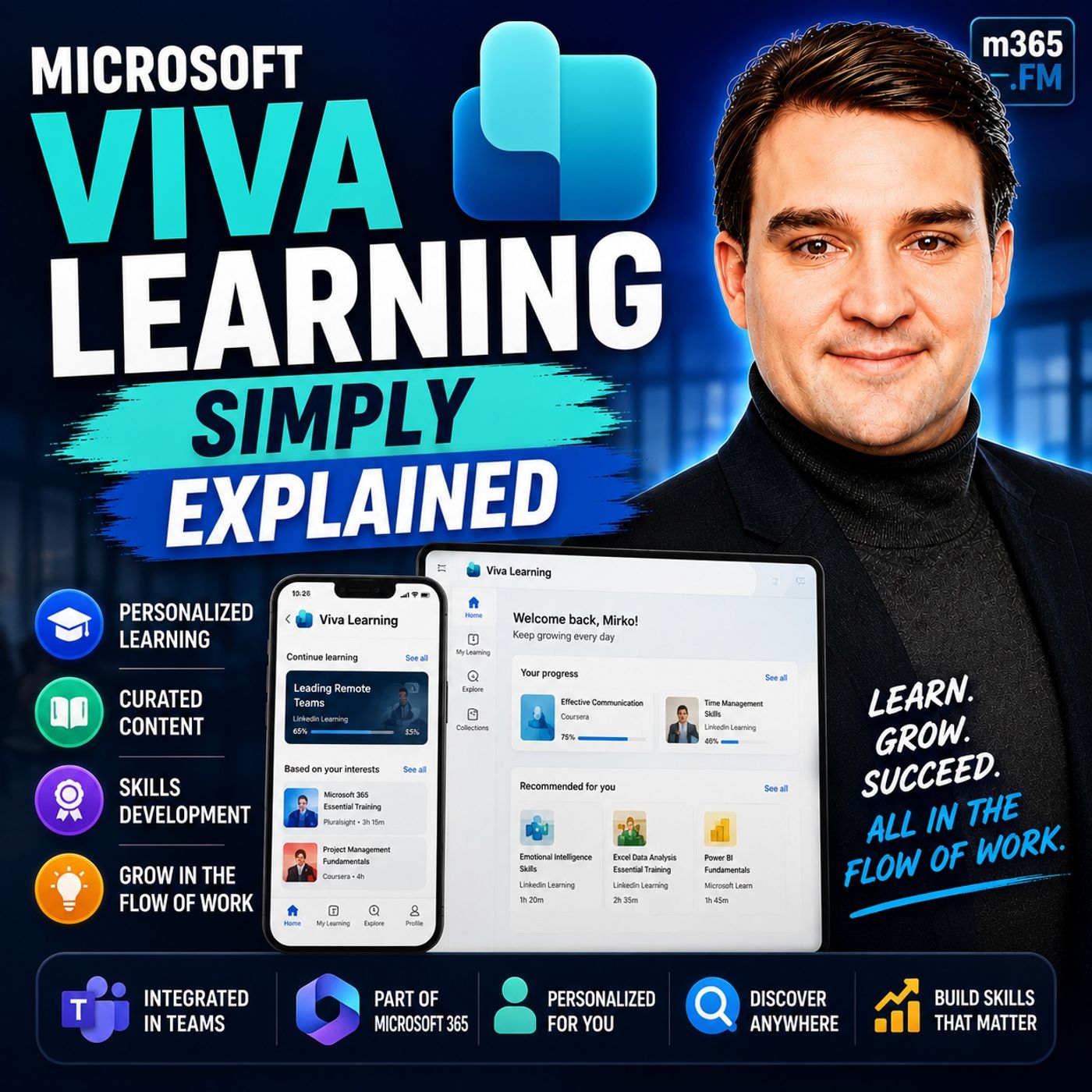
Quick answer: Microsoft Viva Learning brings learning content and discovery into the flow of work across Microsoft 365 and Teams. This episode explains how the service supports employees and learning teams, which content and governance choices matter, and how to position learning as an ongoing work habit.
Microsoft Viva Learning is an integrated platform designed to enhance employee training and development within Microsoft Teams. In today’s competitive market, you must prioritize learning to foster growth and innovation in your organization. Studies show that a strong learning culture can lead to improved employee satisfaction, easier onboarding, and decreased turnover.
As digital learning platforms gain traction, Microsoft Viva Learning stands out by offering a centralized hub for training resources, making it easier for you to access vital learning materials whenever you need them.
Key Takeaways
- Microsoft Viva Learning integrates directly into Microsoft Teams, making it easy to access training resources without switching apps.
- The platform centralizes learning materials from various sources, allowing for a seamless learning experience tailored to your needs.
- Viva Learning promotes a culture of continuous learning, encouraging regular participation in professional development.
- You can track your learning progress and set goals, ensuring you stay on top of your development.
- The platform supports personalized learning experiences, enhancing engagement and motivation among employees.
- Microsoft Viva Learning offers a one-month free trial, allowing organizations to explore its features before committing to a subscription.
- User-friendly design and mobile compatibility make it convenient for busy professionals to learn on the go.
- Investing in Microsoft Viva Learning can lead to improved employee satisfaction and reduced turnover in your organization.
What Is Viva Learning?

Overview of Microsoft Viva
Microsoft Viva Learning is a powerful platform that integrates seamlessly within Microsoft Teams. This integration allows you to access a wide range of learning resources without leaving the Teams environment. You can think of it as a learning app that enhances your daily work experience. Here are some key features of this integration:
| Feature/Benefit | Description |
|---|---|
| Direct Integration | Viva Learning is directly integrated into Microsoft Teams, enhancing the work experience. |
| Personal App Access | You can access training content and manage learning through a personal app within Teams. |
| Skill Development Support | It offers an integrated learning system that supports personal skills development in a collaborative way. |
| Quick Access | You can easily access Viva Learning from the Teams app interface. |
| Learning in the Flow of Work | It integrates with Teams features to facilitate learning as part of your daily work activities. |
| Seamless Environment | You can search, share, and consult learning resources without leaving the Teams application. |
Viva Learning acts as an intelligent aggregator, bringing together courses from various providers into a single searchable experience. This means you can find all your learning resources within Microsoft Teams, making learning a seamless part of your daily routine.
The platform centralizes access to learning content from multiple sources. You can enjoy personalized learning experiences tailored to your job functions and career aspirations. This personalization enhances engagement and retention, making it easier for you to stay motivated.
Moreover, Viva Learning encourages a continuous learning culture. It promotes regular participation in professional development, making learning a natural part of your work life. You can monitor your progress and that of your colleagues, ensuring everyone stays on track with their learning goals.
Features of Microsoft Viva Learning

Centralized Learning Hub
Microsoft Viva Learning serves as a centralized learning hub for organizations. You can access all your learning materials from a single interface within Microsoft Teams. This feature simplifies the learning process by eliminating the need to navigate multiple platforms. Here are some key aspects of the centralized learning hub:
- Department-Based Categorization: You can classify learning content based on departments. This ensures that the materials you access are relevant to your role and responsibilities.
- Ownership-Based Learning Management: Departments can manage their own content. This promotes accountability and allows teams to curate resources that best fit their needs.
- Easy Access: With everything in one place, you can quickly find the training you need without wasting time searching through various systems.
Content Integration
Viva Learning excels in integrating diverse content sources, making it easier for you to find and engage with training materials. The platform connects you to a variety of content providers, enhancing your learning experience. Here’s how it integrates different sources:
Microsoft and LinkedIn Learning
Viva Learning pulls content from Microsoft’s own learning platform and LinkedIn Learning. This integration provides you with access to a vast array of courses and training materials. Here’s a breakdown of the content sources:
| Source | Description |
|---|---|
| Microsoft Learn | Microsoft's own collection of learning content about its tools |
| LinkedIn Learning | A vast source of learning and course material, owned by Microsoft |
| Skillsoft and Coursera | Leading course providers offering a variety of learning materials |
| LMS Integrations | Planned integrations with platforms like Cornerstone OnDemand and others |
| SharePoint Document Libraries | Access to learning content stored in SharePoint document libraries |
Internal Resources from SharePoint
In addition to external content, Viva Learning allows you to access internal resources stored in SharePoint. This feature is particularly valuable for organizations that have existing training materials, such as onboarding guides or compliance training. By integrating these resources, you can:
- Search for Learning Content: Easily find relevant materials without navigating away from Teams.
- Utilize Existing Resources: Make the most of the training content your organization has already developed.
- Enhance Collaboration: Share and discuss learning materials with your colleagues directly within the Teams environment.
With these features, Microsoft Viva Learning not only streamlines access to training but also fosters a culture of continuous learning within your organization.
User Access to Viva Learning
Accessing Learning Content
You can easily access Microsoft Viva Learning through the Microsoft Teams app. This integration allows you to find and engage with learning content without switching between different applications. To get started, your organization must complete an administrative setup. Once this is done, you can enjoy a seamless experience accessing training materials.
Here are the technical requirements for accessing Microsoft Viva Learning:
| Requirement Type | Details |
|---|---|
| Access Method | Users can access Viva Learning through the Microsoft Teams app after administrative setup. |
| Basic License | Microsoft 365 Business or Enterprise licenses provide access to basic features. |
| Advanced License Options | - Microsoft Viva Learning: €3.40/user/month for full features including third-party content. |
| - Microsoft Viva Suite: €7.60/user/month for access to the entire Microsoft Viva ecosystem. | |
| License Verification | Organizations must verify their Microsoft licenses to determine available features. |
With these requirements met, you can dive into a wealth of learning resources tailored to your needs.
User Roles and Permissions
User roles and permissions play a crucial role in determining who can access specific learning materials within Microsoft Viva Learning. Different roles come with distinct responsibilities, ensuring that the right people manage and access the right content. Here’s a breakdown of the key roles:
| Role | Description |
|---|---|
| Knowledge admin | Responsible for creating and managing content, including learning resources. |
| SharePoint admin | Manages and stores custom learning content for the organization. |
| Teams admin | Controls the availability of the Viva Learning app and can set permissions for users. |
As an employee, your access to learning content may vary based on your role within the organization. Knowledge admins can curate and manage resources, while SharePoint admins ensure that internal materials are readily available. Teams admins oversee the overall access to the Viva Learning app, making it easy for you to engage with training materials.
This structured approach to user roles and permissions enhances the learning experience. You can trust that the content you access is relevant and well-managed, promoting a culture of continuous learning within your organization.
Pricing for Microsoft Viva Learning
Cost Overview
Microsoft Viva Learning offers a straightforward pricing structure designed to fit various organizational needs. The subscription options are as follows:
| Subscription Type | Price |
|---|---|
| Microsoft Viva Learning | $4.00 user/month, paid yearly |
This pricing makes it accessible for organizations looking to enhance their employee training programs. Additionally, Microsoft 365 users may find that certain features of Viva Learning are included in their existing subscriptions, providing added value without extra costs.
Value Proposition
Investing in Microsoft Viva Learning brings numerous benefits to your organization. Users appreciate the platform's user-friendly interface, which enhances the enjoyment of learning. By consolidating various learning materials into a single interface, you can easily discover, engage with, and share educational content.
Viva Learning effectively addresses common training challenges. It ensures that learning resources are readily accessible, personalizing the training experience by delivering relevant content directly to employees in their primary work environment. This approach increases the likelihood of engagement and effective learning.
The integration of Viva Learning into Microsoft Teams allows employees to access training without disrupting their workflow. This seamless access encourages continuous development and makes it easier for employees to focus on their learning needs.
Organizations using Microsoft Viva Learning report significant benefits, including:
| User Type | Benefits |
|---|---|
| Educators | - Professional development: Access training to enhance teaching strategies and technical skills. |
| - Content sharing: Easily share resources with peers or students. | |
| - Progress tracking: Monitor learning achievements and certifications. | |
| Students | - Skill building: Develop competencies aligned with career goals. |
| - Integrated experience: Learn within Teams without switching platforms. | |
| - Engagement: Access interactive learning content, including videos and modules. | |
| Educational Org. | - Centralized learning: Streamline access to all learning content in one platform. |
| - Improved engagement: Foster a culture of continuous learning. | |
| - Analytics: Use built-in analytics to measure the impact of learning initiatives. |
For those interested in trying out the platform, Microsoft Viva Learning offers a free trial option:
| Trial Duration | Conversion to Paid Subscription | Cancellation Policy |
|---|---|---|
| 1 Month | Yes, after trial ends | Cancel anytime |
This trial allows you to explore the platform's features and see how it can benefit your organization before committing to a subscription.
By choosing Microsoft Viva Learning, you invest in a platform that not only enhances employee training but also fosters a culture of continuous learning and development.
First Impressions of Viva Learning
User Feedback
Users have shared positive experiences with Microsoft Viva Learning. Many appreciate its seamless integration within Microsoft Teams. This integration allows you to access learning materials without switching applications. Users often highlight the following aspects:
- Ease of Use: Many users rate the platform highly for its user-friendly interface. In fact, it received a score of 9.7 out of 10 for ease of use.
- Mobile Compatibility: The platform also scores well for mobile access, with a rating of 9.4 out of 10. This feature allows you to learn on the go, making it convenient for busy professionals.
- Content Variety: Users enjoy the diverse range of learning materials available. The ability to access both external and internal resources enhances the overall learning experience.
Overall, feedback indicates that Microsoft Viva Learning effectively supports employee development and fosters a culture of continuous learning.
Competitive Analysis
When comparing Microsoft Viva Learning to other major providers, such as LinkedIn Learning, several key differences emerge. The following table summarizes these comparisons:
| Feature | Microsoft Viva Learning | LinkedIn Learning |
|---|---|---|
| Integration with Teams | Yes, aggregates content from multiple sources | Limited to LinkedIn content |
| User Experience | High ease of use (9.7/10) | Moderate ease of use (9.2/10) |
| Mobile Compatibility | High (9.4/10) | Moderate (8.8/10) |
| Custom Content Integration | Yes, connects to SharePoint | No |
| Course Assignment for Managers | Yes, with tracking and reporting | Limited |
| Learning Culture Support | Encourages continuous learning within Teams | Primarily scheduled training events |
From this analysis, you can see that Microsoft Viva Learning excels in several areas. Its integration with Microsoft Teams sets it apart from competitors. This feature allows you to access a wide range of content without leaving your primary work environment. Additionally, the platform's high ratings for user experience and mobile compatibility make it a strong contender in the digital learning space.
Microsoft Viva Learning offers a robust solution for enhancing employee training and development. Its integration within Microsoft Teams simplifies access to diverse learning opportunities. You can easily find resources tailored to your needs, promoting a culture of continuous learning.
Investing in employee learning is crucial for organizational growth. By fostering employee engagement, you empower your team to reach their full potential. The platform not only supports skill development but also encourages collaboration among colleagues.
Explore Microsoft Viva Learning today and transform how your organization approaches training and development.
FAQ
What is Microsoft Viva Learning?
Microsoft Viva Learning is an integrated platform within Microsoft Teams that centralizes employee training and development resources. It allows you to access various learning materials from multiple sources in one place.
How do I access Viva Learning?
You can access Microsoft Viva Learning through the Microsoft Teams app. After your organization completes the administrative setup, you can easily find and engage with learning content.
Can I track my learning progress?
Yes, you can monitor your learning progress within Microsoft Viva Learning. The platform allows you to track completed courses and set learning goals, ensuring you stay on top of your development.
Is there a free trial available?
Yes, Microsoft Viva Learning offers a one-month free trial. You can explore its features and benefits before committing to a paid subscription.
What types of content are available?
Viva Learning provides access to a variety of content, including courses from Microsoft Learn, LinkedIn Learning, and internal resources stored in SharePoint. This diverse range enhances your learning experience.
Can managers assign courses to employees?
Yes, managers can assign courses to individuals or teams within Microsoft Viva Learning. They can also set due dates and track progress, making training more organized and manageable.
Is mobile access available?
Yes, Microsoft Viva Learning is mobile-friendly. You can access learning materials on the go, allowing you to learn anytime and anywhere that suits your schedule.
What licenses are required for Viva Learning?
To access Microsoft Viva Learning, you need a Microsoft 365 Business or Enterprise license. Additional features may require a subscription to Microsoft Viva Learning or the Microsoft Viva Suite.
Last reviewed: July 2026.
What You’ll Learn
- How Viva Learning brings learning experiences closer to everyday collaboration.
- Which content sources, roles, and governance decisions require early attention.
- How to connect skills development with the needs of teams and the business.
Who Should Listen
This episode is for Microsoft 365 administrators, architects, IT leaders, and business decision-makers who need a practical introduction to Microsoft Viva Learning and its implications for adoption, operations, and governance.
🎧 You Should Also Listen To
- Viva Connections — See how a central employee experience can surface resources and learning.
- Viva Engage — Connect structured learning with organisational communities and knowledge sharing.
🚀 Want to be part of m365.fm?
Then stop just listening… and start showing up.
👉 Connect with me on LinkedIn and let’s make something happen:
- 🎙️ Be a podcast guest and share your story
- 🎧 Host your own episode (yes, seriously)
- 💡 Pitch topics the community actually wants to hear
- 🌍 Build your personal brand in the Microsoft 365 space
This isn’t just a podcast — it’s a platform for people who take action.
🔥 Most people wait. The best ones don’t.
👉 Connect with me on LinkedIn and send me a message:
"I want in"
Let’s build something awesome 👊
1
00:00:00,000 --> 00:00:03,320
Welcome to another episode of Microsoft Knowledge Nuggets here on M365.
2
00:00:03,320 --> 00:00:04,880
FM, I'm your host, Möko Peters.
3
00:00:04,880 --> 00:00:07,680
When was the last time your company asked you to complete a training course?
4
00:00:07,680 --> 00:00:09,080
And where did you go to do it?
5
00:00:09,080 --> 00:00:11,920
Was it a link in an email, a SharePoint folder, nobody updates?
6
00:00:11,920 --> 00:00:14,320
An old portal with a login you forgot years ago?
7
00:00:14,320 --> 00:00:17,600
That fragmentation is the real reason most learning programs fail.
8
00:00:17,600 --> 00:00:19,680
Not the content, but the chaos around it.
9
00:00:19,680 --> 00:00:25,160
Today's Knowledge Nugget is about something that's probably already sitting inside your Microsoft 365 license.
10
00:00:25,160 --> 00:00:28,920
Viva Learning, a single place inside teams where all your learning lives,
11
00:00:28,920 --> 00:00:31,800
with no extra setup and no extra cost for most of you,
12
00:00:31,800 --> 00:00:34,640
will break down what it is, where the content comes from,
13
00:00:34,640 --> 00:00:37,640
and how you can start using it today.
14
00:00:37,640 --> 00:00:39,680
The Learning Problem, here's the problem.
15
00:00:39,680 --> 00:00:42,240
Most organizations have training scattered everywhere.
16
00:00:42,240 --> 00:00:46,840
SharePoint folders with old PDFs, an LMS, nobody remembers how to log into,
17
00:00:46,840 --> 00:00:48,720
email attachments with YouTube links,
18
00:00:48,720 --> 00:00:52,400
and maybe a shared drive with a subfolder labeled Training 2023,
19
00:00:52,400 --> 00:00:54,480
untouched since 2022.
20
00:00:54,480 --> 00:00:58,040
Think of it like having training materials scattered across different rooms in a building.
21
00:00:58,040 --> 00:00:59,320
You never know which door to open.
22
00:00:59,320 --> 00:01:02,520
The result is a mess, employees waste time hunting for the right course,
23
00:01:02,520 --> 00:01:07,720
managers can't track completions, and HR has no idea what skills people actually have.
24
00:01:07,720 --> 00:01:09,760
The old model looks something like this.
25
00:01:09,760 --> 00:01:14,000
Go to this link, watch this video, send me a screenshot when you're done.
26
00:01:14,000 --> 00:01:16,160
It's manual, messy, and broken.
27
00:01:16,160 --> 00:01:19,040
Now here's the thing, the content itself is usually fine.
28
00:01:19,040 --> 00:01:22,200
The problem isn't that the training is bad, it's that nobody can find it.
29
00:01:22,200 --> 00:01:23,880
When you have to open a separate portal,
30
00:01:23,880 --> 00:01:26,960
remember a separate password, and navigate a separate interface
31
00:01:26,960 --> 00:01:29,880
just to watch a 10 minute video, most people simply won't bother.
32
00:01:29,880 --> 00:01:34,200
They'll put it off and forget eventually the deadline passes and nobody says anything.
33
00:01:34,200 --> 00:01:37,600
This fragmentation is the real reason learning programs fail.
34
00:01:37,600 --> 00:01:40,520
Not the quality of the courses, not the relevance of the topics,
35
00:01:40,520 --> 00:01:42,520
but the sheer friction of getting to them.
36
00:01:42,520 --> 00:01:44,880
So what if learning lived where you already work?
37
00:01:44,880 --> 00:01:47,880
What if you didn't have to leave your daily tools to find the training you need?
38
00:01:47,880 --> 00:01:49,280
That's the gap we were learning, Phil.
39
00:01:49,280 --> 00:01:52,560
It pulls everything into one spot so you don't have to hunt.
40
00:01:52,560 --> 00:01:54,520
What we were learning actually is.
41
00:01:54,520 --> 00:01:57,240
So what exactly is Viva learning? Let's get specific.
42
00:01:57,240 --> 00:02:01,000
Viva learning is a learning hub built directly into Microsoft Teams.
43
00:02:01,000 --> 00:02:04,760
It's not a separate website, a new login or another browser tab you keep open.
44
00:02:04,760 --> 00:02:08,720
You open Teams, click the Viva learning app, and there are all your courses in one view.
45
00:02:08,720 --> 00:02:11,760
That's it. Think of it as a digital filing cabinet for training,
46
00:02:11,760 --> 00:02:14,560
except instead of drawers labeled by department or year,
47
00:02:14,560 --> 00:02:17,480
everything is searchable and organized by what's relevant to you.
48
00:02:17,480 --> 00:02:20,360
You don't dig through folders or ask around for the right link,
49
00:02:20,360 --> 00:02:22,760
you just open the app and there it is. Here's the thing.
50
00:02:22,760 --> 00:02:24,760
Viva learning doesn't create its own content.
51
00:02:24,760 --> 00:02:27,360
It pulls together courses from multiple sources.
52
00:02:27,360 --> 00:02:30,240
Microsoft's own library linked in learning if you have licenses,
53
00:02:30,240 --> 00:02:32,240
your company's SharePoint folders,
54
00:02:32,240 --> 00:02:34,560
and even third party learning management systems.
55
00:02:34,560 --> 00:02:38,000
All these sources appear in one unified catalog inside Teams.
56
00:02:38,000 --> 00:02:39,440
You don't have to build anything.
57
00:02:39,440 --> 00:02:42,080
If your organization has Microsoft 365,
58
00:02:42,080 --> 00:02:44,320
Viva learning is already available in your tenant.
59
00:02:44,320 --> 00:02:45,640
It's just not turned on yet.
60
00:02:45,640 --> 00:02:48,880
Most people miss that it's sitting there waiting for an admin to flip the switch.
61
00:02:48,880 --> 00:02:51,720
Karawana from Microsoft confirmed this in a walkthrough,
62
00:02:51,720 --> 00:02:55,200
which you said a lot of customers don't realize Viva learning comes with their license.
63
00:02:55,200 --> 00:02:56,920
It's something many Teams overlook.
64
00:02:56,920 --> 00:03:01,720
The real difference from old training portals is that Viva learning lives inside your daily workflow.
65
00:03:01,720 --> 00:03:02,880
You don't leave Teams to learn,
66
00:03:02,880 --> 00:03:05,920
you don't open a separate browser or log into a different system.
67
00:03:05,920 --> 00:03:08,720
The learning sits right next to your chats meetings and files.
68
00:03:08,720 --> 00:03:10,560
It's like having a library inside your office
69
00:03:10,560 --> 00:03:13,000
instead of driving across town every time you need a book.
70
00:03:13,000 --> 00:03:15,320
Most people think learning is a separate activity.
71
00:03:15,320 --> 00:03:17,240
Viva learning makes it part of your workday.
72
00:03:17,240 --> 00:03:18,480
The ratings back this up.
73
00:03:18,480 --> 00:03:22,120
On G2, Viva learning scores 9.7 out of 10 for ease of use.
74
00:03:22,120 --> 00:03:24,880
That's noticeably higher than LinkedIn learning's 9.2.
75
00:03:24,880 --> 00:03:28,560
It also leads in mobile compatibility at 9.4 versus 8.8.
76
00:03:28,560 --> 00:03:29,640
The reason is simple.
77
00:03:29,640 --> 00:03:32,000
When you don't switch tools, the learning just happens.
78
00:03:32,000 --> 00:03:34,040
You don't have to schedule it or remember to go back.
79
00:03:34,040 --> 00:03:36,560
It's right there in the app you already have open all day.
80
00:03:36,560 --> 00:03:37,720
So to sum it up,
81
00:03:37,720 --> 00:03:40,760
Viva learning is a hub inside Teams that pulls together courses
82
00:03:40,760 --> 00:03:44,040
from Microsoft, LinkedIn learning and your own company's content.
83
00:03:44,040 --> 00:03:47,440
It's already in your license and it makes learning as easy as checking your chat.
84
00:03:48,440 --> 00:03:51,520
Content source 1. Microsoft's own library.
85
00:03:51,520 --> 00:03:54,440
The first content source is also the easiest one to turn on.
86
00:03:54,440 --> 00:03:55,880
Microsoft's own library.
87
00:03:55,880 --> 00:03:58,560
Viva learning comes with a built-in catalog from Microsoft.
88
00:03:58,560 --> 00:04:00,160
We're talking thousands of courses,
89
00:04:00,160 --> 00:04:02,560
learning paths and academies that are ready to go
90
00:04:02,560 --> 00:04:04,160
the moment you enable the feature.
91
00:04:04,160 --> 00:04:06,000
This includes Microsoft learn content,
92
00:04:06,000 --> 00:04:10,400
Microsoft 365 training and specialized academies like Copilot Academy.
93
00:04:10,400 --> 00:04:11,920
These aren't our long lectures.
94
00:04:11,920 --> 00:04:15,080
They're short bite-sized modules that run between five and 15 minutes.
95
00:04:15,080 --> 00:04:16,120
That's intentional.
96
00:04:16,120 --> 00:04:18,560
Microsoft designed them for learning in the flow of work,
97
00:04:18,560 --> 00:04:20,080
not for blocking out an afternoon.
98
00:04:20,080 --> 00:04:23,560
You watch a module, apply what you learned and get back to your day.
99
00:04:23,560 --> 00:04:25,800
Best of all, no extra licensing needed.
100
00:04:25,800 --> 00:04:29,560
If your organization has a qualifying Microsoft 365 license,
101
00:04:29,560 --> 00:04:32,920
most E3 E5 and business premium plans qualify,
102
00:04:32,920 --> 00:04:34,280
this library is included.
103
00:04:34,280 --> 00:04:37,160
You don't pay extra or sign up for a separate subscription.
104
00:04:37,160 --> 00:04:38,240
It's already there.
105
00:04:38,240 --> 00:04:40,200
Take Copilot Academy as an example.
106
00:04:40,200 --> 00:04:45,200
It walks you through using Copilot in Word, Excel, Teams and other Microsoft 365 apps.
107
00:04:45,200 --> 00:04:46,480
It's practical, not theoretical.
108
00:04:46,480 --> 00:04:47,480
You learn by doing.
109
00:04:47,480 --> 00:04:50,240
And because Microsoft updates this content regularly,
110
00:04:50,240 --> 00:04:52,240
every time they ship a new Copilot feature,
111
00:04:52,240 --> 00:04:55,040
you don't have to create your own training materials to keep up.
112
00:04:55,040 --> 00:04:56,440
The Academy updates itself.
113
00:04:56,440 --> 00:04:58,840
The admin can enable or disable specific providers,
114
00:04:58,840 --> 00:05:00,880
but the default library is ready to go out of the box.
115
00:05:00,880 --> 00:05:03,920
No configuration required, no content creation needed.
116
00:05:03,920 --> 00:05:07,920
Just flip the switch and your employees have access to thousands of courses.
117
00:05:07,920 --> 00:05:10,280
Content source 2 linked in learning.
118
00:05:10,280 --> 00:05:12,920
But what if you want more than just Microsoft's own content?
119
00:05:12,920 --> 00:05:14,760
That's where LinkedIn learning steps in.
120
00:05:14,760 --> 00:05:19,560
LinkedIn learning gives you access to over 16,000 expert-led courses covering business,
121
00:05:19,560 --> 00:05:21,520
technology and creative skills.
122
00:05:21,520 --> 00:05:24,040
Think project management, Python or public speaking.
123
00:05:24,040 --> 00:05:26,560
Viva learning pulls all of that directly into Teams,
124
00:05:26,560 --> 00:05:28,200
so you don't need a separate login.
125
00:05:28,200 --> 00:05:30,840
If your company already has LinkedIn learning licenses,
126
00:05:30,840 --> 00:05:33,640
connecting it to Viva learning is just a simple admin toggle.
127
00:05:33,640 --> 00:05:34,640
You don't rebuild anything.
128
00:05:34,640 --> 00:05:36,000
You don't migrate content.
129
00:05:36,000 --> 00:05:37,360
You just connect the two systems.
130
00:05:37,360 --> 00:05:41,880
And suddenly all those LinkedIn learning courses show up right next to Microsoft's content
131
00:05:41,880 --> 00:05:43,640
in one unified catalog.
132
00:05:43,640 --> 00:05:45,320
Employees see everything in one place,
133
00:05:45,320 --> 00:05:48,320
so they don't have to remember which platform has which course.
134
00:05:48,320 --> 00:05:49,880
And here's what consistency looks like.
135
00:05:49,880 --> 00:05:53,760
Managers can assign LinkedIn learning courses to their team and track completion,
136
00:05:53,760 --> 00:05:55,080
all from within Teams.
137
00:05:55,080 --> 00:05:57,600
The same interface they use for Microsoft's courses,
138
00:05:57,600 --> 00:05:59,800
the same reporting, the same workflow.
139
00:05:59,800 --> 00:06:03,840
LinkedIn learning stops being a separate subscription and becomes a built in training resource.
140
00:06:03,840 --> 00:06:05,200
Look at the G2 ratings.
141
00:06:05,200 --> 00:06:07,880
Viva learning scores 9.7 for ease of use,
142
00:06:07,880 --> 00:06:10,440
compared to LinkedIn learnings 9.2.
143
00:06:10,440 --> 00:06:14,160
That gap comes from removing the friction of switching between platforms.
144
00:06:14,160 --> 00:06:16,240
The content quality is the same.
145
00:06:16,240 --> 00:06:20,120
Both platforms score 8.9 for content library quality.
146
00:06:20,120 --> 00:06:24,800
But the experience of finding and using that content is much smoother inside Viva learning.
147
00:06:24,800 --> 00:06:27,440
So if your organization already pays for LinkedIn learning,
148
00:06:27,440 --> 00:06:29,880
you're leaving value on the table if you don't connect it.
149
00:06:29,880 --> 00:06:31,240
The courses are already there.
150
00:06:31,240 --> 00:06:32,760
The licenses are already paid for.
151
00:06:32,760 --> 00:06:34,840
You just need to connect the dots.
152
00:06:34,840 --> 00:06:37,560
Content source 3, your own content, SharePoint.
153
00:06:37,560 --> 00:06:40,080
But the most powerful content source might be your own.
154
00:06:40,080 --> 00:06:42,240
The training your company already created.
155
00:06:42,240 --> 00:06:45,400
Most organizations have internal training materials sitting somewhere,
156
00:06:45,400 --> 00:06:49,000
onboarding guides, policy documents, process walkthrough videos,
157
00:06:49,000 --> 00:06:51,240
compliance training that someone spend weeks building.
158
00:06:51,240 --> 00:06:54,160
The problem is that this content usually lives in a SharePoint folder.
159
00:06:54,160 --> 00:06:58,040
Nobody remembers the path to or buried in an email chain from three years ago.
160
00:06:58,040 --> 00:07:00,720
Viva learning integrates directly with SharePoint to solve that.
161
00:07:00,720 --> 00:07:05,080
You point it at a folder and the content becomes available as learning objects inside Teams.
162
00:07:05,080 --> 00:07:09,200
No migration, no reformatting, just a SharePoint folder and the right permissions.
163
00:07:09,200 --> 00:07:10,320
Let me give you the specifics.
164
00:07:10,320 --> 00:07:13,480
You can bring in up to 1000 files without any extra licensing.
165
00:07:13,480 --> 00:07:16,600
That's a SharePoint folder, a few clicks in the admin center
166
00:07:16,600 --> 00:07:20,960
and your entire internal training library shows up inside Viva learning.
167
00:07:20,960 --> 00:07:25,160
Metadata like description, duration and skill tags sync within 24 hours.
168
00:07:25,160 --> 00:07:28,080
So if you've got a folder with your new higher orientation video,
169
00:07:28,080 --> 00:07:30,840
your IT setup guide and your annual compliance PDF,
170
00:07:30,840 --> 00:07:33,560
they all appear in Teams, searchable and organized.
171
00:07:33,560 --> 00:07:35,480
This means your HR onboarding document,
172
00:07:35,480 --> 00:07:37,560
your IT setup video, your compliance training,
173
00:07:37,560 --> 00:07:39,440
all of it lives inside Teams.
174
00:07:39,440 --> 00:07:43,000
No more sending links and emails, no more attaching files to Teams messages,
175
00:07:43,000 --> 00:07:45,720
no more, it's on the Share drive, I think.
176
00:07:45,720 --> 00:07:47,440
Employees find everything in one place.
177
00:07:47,440 --> 00:07:50,680
The real power comes when you combine all three sources.
178
00:07:50,680 --> 00:07:54,160
Microsoft's library, LinkedIn Learning, your own SharePoint content.
179
00:07:54,160 --> 00:07:55,840
They don't compete with each other.
180
00:07:55,840 --> 00:07:59,800
They become a single catalog, a new hire logs into Teams, opens Viva learning
181
00:07:59,800 --> 00:08:01,840
and sees the welcome video from HR,
182
00:08:01,840 --> 00:08:03,960
the benefits overview from LinkedIn Learning,
183
00:08:03,960 --> 00:08:06,480
and the required compliance course from Microsoft,
184
00:08:06,480 --> 00:08:07,760
all without leaving the app.
185
00:08:07,760 --> 00:08:11,280
That's the experience that makes people actually use the tool.
186
00:08:11,280 --> 00:08:13,920
The managers view, assignments and tracking.
187
00:08:13,920 --> 00:08:16,120
So the content is there, ready to go.
188
00:08:16,120 --> 00:08:17,960
But how do managers actually use this thing?
189
00:08:17,960 --> 00:08:20,720
Viva learning isn't just a library where employees wander around
190
00:08:20,720 --> 00:08:22,600
hoping to find something useful.
191
00:08:22,600 --> 00:08:27,200
Managers can assign courses to specific people or entire Teams.
192
00:08:27,200 --> 00:08:29,920
From within Teams, a manager browsers the catalog picks a course,
193
00:08:29,920 --> 00:08:31,600
sets a due date, and that's it.
194
00:08:31,600 --> 00:08:32,520
Three clicks.
195
00:08:32,520 --> 00:08:36,280
Employees see assigned learning in their My Learning tab inside Viva learning,
196
00:08:36,280 --> 00:08:38,920
with no separate email reminder and no awkward, hey,
197
00:08:38,920 --> 00:08:40,400
did you watch that video yet?
198
00:08:40,400 --> 00:08:41,000
Chat.
199
00:08:41,000 --> 00:08:43,880
The assignment shows up in the same app they use for meetings and messages,
200
00:08:43,880 --> 00:08:45,080
so it's hard to miss.
201
00:08:45,080 --> 00:08:47,760
Managers can track completion status, who finished,
202
00:08:47,760 --> 00:08:49,760
whose in progress, who hasn't started.
203
00:08:49,760 --> 00:08:52,240
This replaces the old approach of sending an email with a link
204
00:08:52,240 --> 00:08:53,440
and hoping for the best.
205
00:08:53,440 --> 00:08:55,520
Now you actually know where your team stands.
206
00:08:55,520 --> 00:08:56,960
Let me give you a real example.
207
00:08:56,960 --> 00:08:58,800
A global savings and investments manager
208
00:08:58,800 --> 00:09:02,000
with about 15,000 employees rolled out Viva learning.
209
00:09:02,000 --> 00:09:04,480
On day one of their pilot mandatory learning completions
210
00:09:04,480 --> 00:09:07,120
jumped 3,000% compared to the previous quarter.
211
00:09:07,120 --> 00:09:08,280
That's not a typo.
212
00:09:08,280 --> 00:09:10,640
3,000% they removed the friction.
213
00:09:10,640 --> 00:09:12,720
Learning was easy to find and easy to assign,
214
00:09:12,720 --> 00:09:14,880
so completion rates skyrocketed.
215
00:09:14,880 --> 00:09:18,120
Managers can also share courses directly in Teams chats or channels.
216
00:09:18,120 --> 00:09:20,080
If someone asks how to use a feature,
217
00:09:20,080 --> 00:09:22,840
a manager can drop a link to the relevant course right there.
218
00:09:22,840 --> 00:09:25,320
Learning becomes a natural part of team conversations,
219
00:09:25,320 --> 00:09:27,800
not a separate task that gets scheduled and forgotten.
220
00:09:27,800 --> 00:09:29,360
The key insight is simple.
221
00:09:29,360 --> 00:09:32,120
When learning is easy to find and easy to assign,
222
00:09:32,120 --> 00:09:33,520
completion rates go up.
223
00:09:33,520 --> 00:09:35,040
Not because the content is better,
224
00:09:35,040 --> 00:09:37,720
but because the system stops getting in the way.
225
00:09:37,720 --> 00:09:39,720
How it all fits together the system.
226
00:09:39,720 --> 00:09:41,960
So let's step back and look at the whole picture.
227
00:09:41,960 --> 00:09:44,160
Viva learning isn't a single product you install.
228
00:09:44,160 --> 00:09:47,520
It's a layer that connects content, people and tools.
229
00:09:47,520 --> 00:09:50,200
The three content sources, Microsoft's own library,
230
00:09:50,200 --> 00:09:52,400
LinkedIn learning and your SharePoint folders
231
00:09:52,400 --> 00:09:53,840
become one unified catalog.
232
00:09:53,840 --> 00:09:56,400
Employees don't see three different tabs or search bars.
233
00:09:56,400 --> 00:09:58,640
They see one list of courses, search once,
234
00:09:58,640 --> 00:09:59,960
and find what they need.
235
00:09:59,960 --> 00:10:01,360
The source doesn't matter to them.
236
00:10:01,360 --> 00:10:03,040
What matters is that the course is there
237
00:10:03,040 --> 00:10:04,800
and they can start it with one click.
238
00:10:04,800 --> 00:10:06,920
The team's integration is what makes this work.
239
00:10:06,920 --> 00:10:10,120
You access everything from one app, one interface, one login,
240
00:10:10,120 --> 00:10:11,880
no switching context, no remembering
241
00:10:11,880 --> 00:10:13,800
which platform has the course you need.
242
00:10:13,800 --> 00:10:15,960
Your learning lives in the same place as your meetings,
243
00:10:15,960 --> 00:10:18,080
your chats, your files, it's not a separate activity
244
00:10:18,080 --> 00:10:20,320
you have to schedule, it's part of how you work.
245
00:10:20,320 --> 00:10:22,000
And the manager features turn learning
246
00:10:22,000 --> 00:10:24,760
from a passive library into an active tool.
247
00:10:24,760 --> 00:10:26,600
Instead of hoping employees find the right courses
248
00:10:26,600 --> 00:10:29,080
on their own, managers can assign, track and recommend.
249
00:10:29,080 --> 00:10:30,960
They can see who's progressing and who needs a nudge.
250
00:10:30,960 --> 00:10:32,960
So learning becomes something you manage,
251
00:10:32,960 --> 00:10:34,320
not just something you offer.
252
00:10:34,320 --> 00:10:36,640
The result is a system where learning stops being a chore
253
00:10:36,640 --> 00:10:38,640
and becomes part of your daily workflow.
254
00:10:38,640 --> 00:10:40,680
You don't block out an afternoon for training.
255
00:10:40,680 --> 00:10:42,880
You spend 10 minutes between meetings watching a module.
256
00:10:42,880 --> 00:10:44,280
You share a course in a team chat
257
00:10:44,280 --> 00:10:45,520
because someone asked a question.
258
00:10:45,520 --> 00:10:46,720
You complete an assigned course
259
00:10:46,720 --> 00:10:48,400
because it showed up in your learning tab,
260
00:10:48,400 --> 00:10:50,840
not because you got a reminder email you ignored.
261
00:10:50,840 --> 00:10:52,760
Think of it like a streaming service for training.
262
00:10:52,760 --> 00:10:54,480
You don't care which studio made the show,
263
00:10:54,480 --> 00:10:55,840
you just want to watch it.
264
00:10:55,840 --> 00:10:58,160
Viva learning does that for your company's training.
265
00:10:58,160 --> 00:10:59,520
The source is invisible.
266
00:10:59,520 --> 00:11:01,080
The content is what matters.
267
00:11:01,080 --> 00:11:01,920
Here's the thing.
268
00:11:01,920 --> 00:11:03,960
Most organizations already have the content
269
00:11:03,960 --> 00:11:04,640
and the license.
270
00:11:04,640 --> 00:11:06,040
They just need to connect the dots.
271
00:11:06,040 --> 00:11:07,880
Microsoft's library is included.
272
00:11:07,880 --> 00:11:10,160
Linked in learning is probably already paid for
273
00:11:10,160 --> 00:11:12,240
and your SharePoint folders already exist.
274
00:11:12,240 --> 00:11:13,480
The pieces are all there.
275
00:11:13,480 --> 00:11:16,080
Viva learning is the glue that holds them together.
276
00:11:16,080 --> 00:11:17,200
When you see it as a system,
277
00:11:17,200 --> 00:11:18,520
the value becomes obvious.
278
00:11:18,520 --> 00:11:21,200
Less searching, more learning, better tracking.
279
00:11:21,200 --> 00:11:22,680
And the whole thing runs inside the app,
280
00:11:22,680 --> 00:11:24,680
your employees already use all day.
281
00:11:24,680 --> 00:11:25,720
Your next steps.
282
00:11:25,720 --> 00:11:26,720
So what should you do next?
283
00:11:26,720 --> 00:11:28,480
Let me give you five steps to get started.
284
00:11:28,480 --> 00:11:31,120
Step one, check if Viva learning is already available
285
00:11:31,120 --> 00:11:32,120
in your tenant.
286
00:11:32,120 --> 00:11:33,960
Open Microsoft Teams, click the three dots
287
00:11:33,960 --> 00:11:35,640
at the bottom of the left navigation bar
288
00:11:35,640 --> 00:11:37,840
and type Viva learning in the search box.
289
00:11:37,840 --> 00:11:39,280
If it appears, you're good.
290
00:11:39,280 --> 00:11:41,600
If not, ask your admin to enable it.
291
00:11:41,600 --> 00:11:42,920
That takes about 30 seconds.
292
00:11:42,920 --> 00:11:45,320
Step two, connect your content sources.
293
00:11:45,320 --> 00:11:48,280
In the Viva learning admin tab, turn on Microsoft Learn.
294
00:11:48,280 --> 00:11:49,680
It's free and instant.
295
00:11:49,680 --> 00:11:52,160
If your organization has linked in learning licenses,
296
00:11:52,160 --> 00:11:53,440
toggle that on two.
297
00:11:53,440 --> 00:11:55,480
Then point to your SharePoint training folder
298
00:11:55,480 --> 00:11:58,080
and the system will ingest up to 1,000 files
299
00:11:58,080 --> 00:11:59,640
without any extra licensing.
300
00:11:59,640 --> 00:12:01,560
Metadata sinks within 24 hours.
301
00:12:01,560 --> 00:12:04,000
Step three, pin Viva learning in Teams.
302
00:12:04,000 --> 00:12:06,440
Right-click the app icon and pin it to your left rail.
303
00:12:06,440 --> 00:12:09,440
That gives you one click access every time you open Teams.
304
00:12:09,440 --> 00:12:10,360
No more searching.
305
00:12:10,360 --> 00:12:11,160
It's always there.
306
00:12:11,160 --> 00:12:13,760
Step four, start small.
307
00:12:13,760 --> 00:12:16,560
Don't try to build a full training program on day one.
308
00:12:16,560 --> 00:12:18,760
Assign one course to your team this week.
309
00:12:18,760 --> 00:12:20,880
Something simple like co-pilot academy,
310
00:12:20,880 --> 00:12:22,360
which is practical and short,
311
00:12:22,360 --> 00:12:24,840
or a new hire onboarding module if you have one.
312
00:12:24,840 --> 00:12:26,640
The goal is to get people using the tool
313
00:12:26,640 --> 00:12:29,200
not to cover everything at once.
314
00:12:29,200 --> 00:12:31,520
Step five, build a habit.
315
00:12:31,520 --> 00:12:34,240
Encourage your team to spend 10 minutes a week in Viva learning
316
00:12:34,240 --> 00:12:36,280
and use Teams channels to share what they learned.
317
00:12:36,280 --> 00:12:37,720
If someone finds a useful course,
318
00:12:37,720 --> 00:12:38,840
drop the link in the team chat,
319
00:12:38,840 --> 00:12:40,960
make learning a conversation, not a requirement.
320
00:12:40,960 --> 00:12:42,920
The easiest first step is enabling Microsoft
321
00:12:42,920 --> 00:12:44,240
learn in the admin settings.
322
00:12:44,240 --> 00:12:45,840
It's free, it's instant,
323
00:12:45,840 --> 00:12:48,520
and it gives you a full catalog of thousands of courses
324
00:12:48,520 --> 00:12:51,760
immediately, no content creation, no configuration,
325
00:12:51,760 --> 00:12:53,080
just turn it on.
326
00:12:53,080 --> 00:12:54,320
And here's the important part.
327
00:12:54,320 --> 00:12:57,720
You don't need a Viva suite license for the basic functionality.
328
00:12:57,720 --> 00:13:01,040
Most Microsoft 365, E3, E5 and business premium plans
329
00:13:01,040 --> 00:13:02,280
include Viva learning.
330
00:13:02,280 --> 00:13:04,520
If you hit the 1000 file limit on SharePoint,
331
00:13:04,520 --> 00:13:05,960
you can upgrade to a Viva learning
332
00:13:05,960 --> 00:13:08,160
or Viva suite license for more capacity.
333
00:13:08,160 --> 00:13:09,840
But for most organizations,
334
00:13:09,840 --> 00:13:12,560
the free tier is more than enough to get started.
335
00:13:12,560 --> 00:13:14,600
So that's Viva learning, a learning hub
336
00:13:14,600 --> 00:13:16,240
that's probably already sitting inside
337
00:13:16,240 --> 00:13:18,480
your Microsoft 365 license.
338
00:13:18,480 --> 00:13:20,520
Three content sources, one Teams app,
339
00:13:20,520 --> 00:13:22,600
and a lot of potential if you just turn it on.
340
00:13:22,600 --> 00:13:23,680
Start with step one.
341
00:13:23,680 --> 00:13:25,480
Check if it's available in your tenant.
342
00:13:25,480 --> 00:13:27,120
That's the best move you can make right now.
343
00:13:27,120 --> 00:13:29,080
Subscribe for more knowledge nuggets like this
344
00:13:29,080 --> 00:13:30,960
and drop a comment if you've already tried
345
00:13:30,960 --> 00:13:32,840
Viva learning in your organization.

Founder of m365.fm, m365.show and m365con.net
Mirko Peters is a Microsoft 365 expert, content creator, and founder of m365.fm, a platform dedicated to sharing practical insights on modern workplace technologies. His work focuses on Microsoft 365 governance, security, collaboration, and real-world implementation strategies.
Through his podcast and written content, Mirko provides hands-on guidance for IT professionals, architects, and business leaders navigating the complexities of Microsoft 365. He is known for translating complex topics into clear, actionable advice, often highlighting common mistakes and overlooked risks in real-world environments.
With a strong emphasis on community contribution and knowledge sharing, Mirko is actively building a platform that connects experts, shares experiences, and helps organizations get the most out of their Microsoft 365 investments.




