 EN
EN Deutsch
 Español
 Français
 Italiano
 Português
 Nederlands
 Polski
 Bahasa Indonesia
 Русский
 Українська
 العربية
 עברית
עברית हिन्दी
 日本語
日本語 한국어
한국어2026-07-22 · Season 3
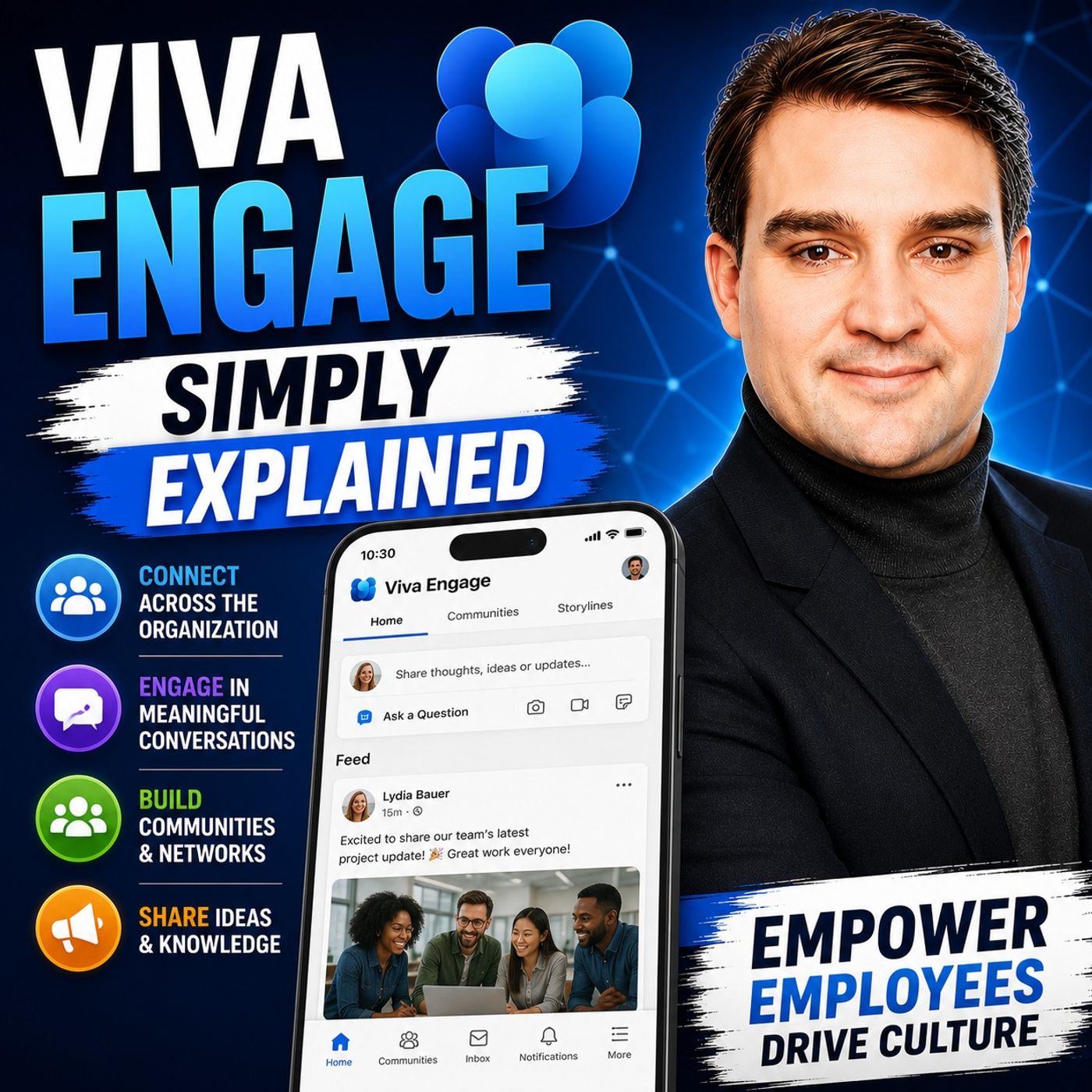
Viva Engage - Simply Explained
Show notes
Welcome to another episode of Knowledge Nuggets with Mirko Peters. Today we're exploring Microsoft Viva Engage, Microsoft's enterprise social networking platform designed to strengthen employee engagement, encourage knowledge sharing, and build stronger workplace communities. If you've worked with https://www.m365.fm/categories/m365-talk/ for several years, you probably remember Yammer. For more than a decade, Yammer served as Microsoft's internal social network, giving employees a place to ask questions, share ideas, and connect across departments. Today, Yammer has evolved into Viva Engage, but the change is much more than a simple rebranding exercise. Microsoft has transformed it into a core component of the Microsoft Viva employee experience platform, integrating it deeply with Microsoft Teams, SharePoint, and the wider Microsoft 365 ecosystem. In https://www.m365.fm/viva-engage-simply-explained/, we'll explain what Viva Engage actually is, how it differs from Microsoft Teams, why communities are becoming increasingly important for modern organizations, and how Viva Engage helps companies create stronger cultures in a hybrid workplace. FROM YAMMER TO VIVA ENGAGE The first thing many people ask is whether Viva Engage is simply Yammer with a different name. The short answer is both yes and no. Yammer originally launched as Microsoft's enterprise social network, allowing employees to participate in organization-wide conversations that extended beyond their immediate teams. Instead of focusing on projects or meetings, Yammer encouraged employees to ask questions, share experiences, recognize colleagues, and build communities around common interests. When Microsoft introduced the Viva platform, it decided to bring Yammer into a much larger employee experience strategy. Rather than existing as a standalone social application, Yammer became Viva Engage, integrating with https://www.m365.fm/viva-connections-simply-explained/, https://www.m365.fm/microsoft-viva-insights/, https://www.m365.fm/microsoft-viva-learning-simply-explained/, and other Viva applications. Although the underlying technology remained largely the same, the experience became significantly more connected. Employees no longer see Engage as an isolated communication platform but as one part of Microsoft's broader vision for improving workplace culture, communication, and employee engagement throughout Microsoft 365. VIVA ENGAGE VS. MICROSOFT TEAMS One of the biggest misconceptions is that Viva Engage competes directly with Microsoft Teams. In reality, both applications serve completely different purposes. Microsoft Teams is designed for day-to-day collaboration. Teams conversations are typically fast, project-focused, and centered around getting work done. Employees chat with colleagues, attend meetings, collaborate on documents, and coordinate ongoing tasks within relatively small groups. Viva Engage operates very differently. Instead of supporting immediate collaboration, it encourages broader, organization-wide conversations that continue over hours or even days. Employees ask questions, share knowledge, recognize achievements, discuss company initiatives, and participate in communities that often include people they've never worked with directly. A useful way to think about the difference is this: Teams is your project workspace, while Viva Engage is your company's town square. Teams helps people complete work together. Viva Engage helps people connect across the organization, exchange knowledge, and strengthen company culture. Rather than replacing Teams, Viva Engage complements it by supporting conversations that extend beyond individual departments and project teams. BUILDING COMMUNITIES ACROSS THE ORGANIZATION Communities sit at the heart of Viva Engage. Instead of organizing conversations around projects or departments, communities bring together employees who share common interests, expertise, or professional goals. Some communities focus on technical topics like Microsoft Copilot or Power Platform adoption, while others revolve around leadership development, diversity initiatives, employee wellbeing, or social activities. Organizations can create both public and private communities depending on the sensitivity of discussions. Public communities encourage open collaboration across the company, while private communities provide secure spaces for leadership teams, specialized working groups, or confidential initiatives. Within each community, employees can ask questions, share best practices, post announcements, conduct polls, recognize colleagues, and exchange ideas without requiring formal meetings or lengthy email chains. One particularly valuable outcome is the breakdown of organizational silos. Employees from completely different departments often discover shared interests and expertise that would never have surfaced through traditional communication channels. Communities transform knowledge sharing from a departmental activity into an organization-wide conversation. GIVING LEADERS A VOICE Another important capability introduced with Viva Engage is Storylines. Storylines provide every employee—and especially organizational leaders—with a personal communication space that resembles an internal social media feed. Rather than relying exclusively on formal company emails, executives can share updates, short videos, reflections, and announcements in a much more conversational format. Employees can respond with comments, ask questions, and engage directly with leadership, creating two-way communication instead of traditional one-way announcements. Microsoft also introduced Leadership Corner, making it easier for employees to follow senior leaders and stay informed about organizational priorities. Instead of waiting for quarterly presentations or lengthy newsletters, employees receive regular updates directly within their daily Microsoft 365 experience. This increased transparency helps organizations build trust while making leadership significantly more visible and approachable across the company. CAMPAIGNS, EVENTS, AND ENGAGEMENT Viva Engage extends far beyond social conversations by supporting structured communication campaigns. Organizations can create campaigns around major initiatives such as Microsoft Copilot adoption, sustainability programs, diversity efforts, digital transformation projects, or organizational change. Rather than scattering information across multiple communication channels, campaigns provide a central location where announcements, discussions, resources, and events remain connected. Live events further strengthen employee engagement by integrating directly with Microsoft Teams. Organizations can host town halls, leadership updates, Ask Me Anything sessions, and company-wide discussions while maintaining ongoing conversations before and after each event. Analytics complete the experience by helping communication teams understand which communities are thriving, which conversations generate the greatest engagement, and how employees participate across the platform. Instead of simply publishing announcements, organizations can continuously measure how employees respond and adjust communication strategies accordingly. HOW VIVA ENGAGE FITS INTO MICROSOFT VIVA Understanding Viva Engage becomes much easier when viewed within the broader Microsoft Viva ecosystem. Each Viva application focuses on a specific aspect of the employee experience. Viva Connections serves as the personalized company portal inside Microsoft Teams. Viva Learning brings professional development into daily work. Viva Insights analyzes work patterns to improve productivity and wellbeing. Viva Pulse and Viva Glint measure employee sentiment through surveys and feedback. Viva Engage fills a different role. Its primary purpose is fostering culture, conversation, and community. Rather than replacing the other Viva applications, Engage complements them by providing the social layer that connects employees across departments and organizational boundaries. For example, Viva Amplify may distribute an important organizational announcement, while Viva Engage becomes the place where employees discuss that announcement, ask questions, and exchange ideas. This combination transforms communication from one-way broadcasting into genuine organizational dialogue. WHY EMPLOYEE ENGAGEMENT MATTERS The business case for Viva Engage extends well beyond communication. Organizations worldwide continue facing declining employee engagement, particularly since the rise of hybrid and remote work. Employees often feel disconnected from leadership, isolated from colleagues, and unaware of activities happening outside their immediate teams. Viva Engage directly addresses these challenges by giving employees opportunities to contribute ideas, celebrate successes, ask questions, recognize colleagues, and participate in organization-wide conversations. Research consistently shows that highly engaged employees demonstrate stronger productivity, improved retention, reduced absenteeism, and greater overall organizational performance. Leadership communication also plays a significant role in employee engagement, making the visibility provided through Storylines and Leadership Corner especially valuable. Rather than simply introducing another collaboration application, Viva Engage supports one of the most important long-term goals for modern organizations: creating a workplace where employees feel informed, connected, and involved regardless of where they work. Become a supporter of this podcast: https://www.spreaker.com/podcast/m365-fm-microsoft-365-azure-cloud-power-platform-ai--6704921/support.
Apple Podcasts · Spotify · YouTube · YouTube Music · Deezer
Host: Mirko Peters
Guests
Also available in other languages
- Viva Engage einfach erklärt: Was nach Yammer kam, Unterschied zu Teams, Communities und Business Case (KI-Synchronfassung) (de)
- Viva Engage explicado: qué vino tras Yammer, en qué se diferencia de Teams, comunidades y caso de negocio (Doblaje IA) (es)
- Viva Engage expliqué : l’après-Yammer, la différence avec Teams, les communautés et l’intérêt business (Doublage IA) (fr)
- Viva Engage בפשטות: מה בא אחרי Yammer, ההבדל מ-Teams, קהילות והצדקה עסקית (דיבוב AI) (he)
- Viva Engage आसान भाषा में: Yammer के बाद क्या आया, Teams से फ़र्क, कम्युनिटी और बिज़नेस केस (AI डबिंग) (hi)
- Viva Engage dijelaskan: pengganti Yammer, bedanya dengan Teams, komunitas, dan alasan bisnisnya (Sulih Suara AI) (id)
- Viva Engage spiegato: cosa è arrivato dopo Yammer, differenze con Teams, community e business case (Doppiaggio IA) (it)
- Viva Engage をやさしく解説:Yammer の後継、Teams との違い、コミュニティ、ビジネス効果(AI吹き替え) (ja)
- Viva Engage 쉽게 이해하기: Yammer 이후의 변화, Teams와의 차이, 커뮤니티와 비즈니스 효과 (AI 더빙) (ko)
- Viva Engage ലളിതമായി: Yammer-ന് ശേഷം എന്ത്, Teams-ൽ നിന്നുള്ള വ്യത്യാസം, കമ്മ്യൂണിറ്റികൾ, ബിസിനസ് കേസ് (AI ഡബ്ബിംഗ്) (ml)
- Viva Engage uitgelegd: wat na Yammer kwam, het verschil met Teams, communities en de businesscase (AI-nasynchronisatie) (nl)
- Viva Engage ਸੌਖੇ ਸ਼ਬਦਾਂ ਵਿੱਚ: Yammer ਤੋਂ ਬਾਅਦ ਕੀ ਆਇਆ, Teams ਤੋਂ ਫ਼ਰਕ, ਕਮਿਊਨਿਟੀਆਂ ਅਤੇ ਬਿਜ਼ਨਸ ਕੇਸ (AI ਡਬਿੰਗ) (pa)
- Viva Engage w prostych słowach: co zastąpiło Yammera, różnice względem Teams, społeczności i uzasadnienie biznesowe (Dubbing AI) (pl)
- Viva Engage explicado: o que veio depois do Yammer, diferença para o Teams, comunidades e caso de negócio (Dublagem IA) (pt)
- Viva Engage простыми словами: что пришло на смену Yammer, отличие от Teams, сообщества и бизнес-обоснование (ИИ-дубляж) (ru)
- Viva Engage எளிமையாக: Yammer-க்குப் பின் என்ன, Teams-இலிருந்து வேறுபாடு, சமூகங்கள், வணிகக் காரணம் (AI டப்பிங்) (ta)
- Viva Engage సులభంగా: Yammer తర్వాత ఏమి వచ్చింది, Teamsతో తేడా, కమ్యూనిటీలు, బిజినెస్ కేస్ (AI డబ్బింగ్) (te)
- Viva Engage простими словами: що прийшло на зміну Yammer, відмінність від Teams, спільноти й бізнес-обґрунтування (ШІ-дубляж) (uk)
Related articles
Transcript
Read the full transcript
Welcome to another episode of Microsoft Knowledge Nuggets here on M365, FM, I'm your host, Mirko Peters. Today's topic is one that almost everyone has heard of, but most people can't explain. Viva Engage, you've probably seen the name pop up in your Microsoft 365 App Launcher. Or maybe you've heard someone say it's just YAMMA with a new name? Actually, it's more than that. By the end of this episode, you'll know exactly what Viva Engage is, what it's not, and why your company might actually need it. Here's the problem. Since the pandemic, employee engagement has dropped to its lowest point in years. The estimated cost of lost productivity worldwide, around $10 trillion. Microsoft built Viva Engage as part of their answer to that, so in this episode we'll clear up the YAMMA confusion compared to teams, so you know which tool to use when, break down the core features, and show you the business case. Grab your coffee and let's dive in. The YAMMA confusion. What actually changed? So let's start with the biggest source of confusion. What happened to YAMMA? YAMMA was Microsoft's old enterprise social network, launched back in 2008, and Microsoft bought it in 2012 for over a billion dollars. For about a decade, it was the place where employees could post updates, ask questions, and share ideas across the whole company. Think of it as an internal Facebook for work. But in 2023, Microsoft officially replaced YAMMA with Viva Engage. Now here's the thing. The underlying technology is very similar. Most of the YAMMA features you used before are still there, just under a new name. The data migrated over-automatically, so nobody lost anything. But the branding and the integration changed significantly. Here's the key difference. YAMMA was a standalone social tool. You opened it, used it, and that was it. Viva Engage is part of the larger Viva platform, connecting to tools like Viva Connections, Viva Insights, and Viva Learning. It's not an island anymore. It's a neighborhood in a bigger city. Why did Microsoft rebrand? Simple. They wanted a unified Viva family instead of a confusing mix of product names. YAMMA teams SharePoint Stream. It was getting hard for customers to keep track. So they folded everything into the Viva brand and engaged became the community and conversation piece of that puzzle. What this means for you is straightforward. If you used YAMMA before, you already know the basics. The interface is cleaner, the integration is deeper, but the core idea, company-wide conversations, is the same. If you're new to engage, you're jumping into a more mature, better integrated product without having to learn the old way first. Viva Engage vases Microsoft Teams. Not the same thing. Here's where people get confused. Is Viva Engage just another chat app like Teams? The answer is no. Mixing them up is one of the most common mistakes I see. Teams is a collaboration hub for real-time work. You use it for chat, meetings, file sharing and project management. It's built for small groups doing daily tasks. Your team has a channel, you talk about the project, you share documents, you jump on a video call, it's fast, immediate and focused on getting work done. Engage is a completely different animal. It's a company-wide community platform for asynchronous conversation. That means it's not about real-time chat, you post something and people respond over hours or days. It's for the whole organization, not just your project team. Here's the best analogy I can give you. This is your team's group chat. You use it to coordinate the work. Engage is the company town square. That's where everyone can post announcements, ask questions and share ideas. You don't go to the town square to close a deal. You go there to see what's happening, to ask for help and to connect with people you don't work with every day. Teams conversations are often private to a channel. You have to be a member to see what's said. Engage conversations are typically visible to the whole company. That's by design. Transparency is the point. When someone posts a question and engage, anyone in the organization can answer. It's powerful for knowledge sharing and here's the thing. They're not competing tools. They complement each other. You use teams to get work done and you use engage to build culture, share knowledge and connect across departments. A real example. A sales team uses teams to close deals. They're in a channel, sharing leads, jumping on calls. That same team uses engage to ask the whole company, "Hey, anyone have a template for this type of proposal?" Instead of emailing 10 people, they post ones and get answers from people they've never met. That's the value. So now that we know what engage isn't, let's talk about what it actually is. Starting with its most important feature. Core Feature 1, Communities, your company's interest groups. Communities are the heart of Viva Engage. They are topic-based or role-based groups where employees connect around shared interests. Think of them like subreddits for your company. You might have one for new product launches, one for IT support tips and one for the company softball team. Each community is its own little world. Communities can be public. Anyone can join and see posts. Before they can be private where only approved members get access. That flexibility matters because some conversations need to be open to everyone and some need a more focused audience. A public community about AI adoption makes sense for the whole company. A private community for the executive leadership team probably doesn't. Inside a community, members can post discussions, ask questions, give praise and run polls. It's social media for work, you can share a screenshot of something cool you built, ask for advice on a tricky problem, or just give a shout out to a colleague who helped you out. The format is familiar. Anyone who's used Facebook, LinkedIn or Reddit will feel right at home. Why does this matter? Because communities break down silos between departments. A marketing person and an engineer can connect over shared interest in AI without needing to be on the same team. In a traditional company structure, those two people might never talk. But in a community about AI adoption, they can share tips, ask questions and learn from each other. That cross-pollination is where a lot of innovation happens. Here's a real example from the research I looked at. One company created a co-pilot early adopters community. These posted tips about how they were using co-pilot in their daily work. They shared screenshots of prompts that worked well. They asked questions when something didn't work as expected. And other employees answered those questions. Not IT, not a help desk, just regular co-workers who had already figured it out. That kind of peer-to-peer learning is incredibly powerful. It's faster than waiting for formal training, and it builds a sense of shared ownership. Each community also has its own files tab, analytics dashboard and event calendar. It's a self-contained hub. You don't need to jump between different tools to find the files, see who's active, or check what's coming up. It's all right there. What this means for you is simple. If you want to start using engage, find or create a community around something you care about. That's your entry point. Don't try to understand the whole platform at once. Just join one community, post something and see what happens. Core feature 2, Storyline's a leadership corner. Communities are great for group conversations, but they don't give individual voices. Especially leaders. Their own spotlight. That's where Storylines come in. They're personal feeds that let people like leaders share updates, insights and announcements. Think of it as a linked in-feed for your company. Leaders post employees follow and it all shows up on the home screen giving you a direct line from the top to the rest of the organization. Now here's the thing. Storylines humanize leadership. Instead of those dry all company emails that nobody reads, leaders can post authentic updates, respond to comments and build real connections. A CEO might post a quick video about what they're working on. A department head can share a team win and employees can comment with questions or reactions. There's two-way communication not just broadcast. There's also a dedicated section called leadership corner. It highlights the leaders you've designated. Employees can follow specific leaders to see their content in the feed. That way, leadership voices don't get lost in the noise. Storylines appear on the home feed so they get a lot of visibility. When someone opens in gauge, the first thing they see is the home feed and Storylines are right at the top. That's a lot of eyeballs for a single post. Here's a real example. A CEO posts a weekly update about company priorities. Maybe a short video, maybe a written post. Employees can comment with questions and the CEO responds. That's a massive shift from the old model where the CEO sent a quarterly email and nobody could reply. It creates a culture of openness and accessibility. What this means for you depends on your role. If you're a leader, Storylines give you a direct line to your people. You can share what matters, get feedback and build trust. If you're an employee, you get unfiltered access to leadership thinking. You don't have to rely on second-hand information or filtered messages from middle management. You hear it directly from the person making the decisions. Core Feature 3. Campaigns, events and analytics. Communities and Storylines are the foundation, but in gauge has more advanced features for driving specific initiatives. That's where campaigns come in. They let you organize content around a specific goal or initiative like rolling out co-pilot and driving adoption. You could create a campaign called co-pilot adoption month with a name, description, goal and timeline. Every post event and resource related to that initiative lives under that campaign. It gets scattered across different communities or lost in the feed. Now, here's why campaigns matter. Without them, big initiatives become a mess of disconnected posts. Someone shares a tip in one community and event gets announced in another and a training resource ends up in a third place. Nobody sees the full picture. Campaigns give structure to that chaos. You can track engagement, measure success and see exactly what's working and what isn't. Events are another key feature. An engage lets you create live events like ask me anything sessions or town halls that integrate with teams for streaming. You don't need a separate tool for broadcasting. It's all built in. Here's a real example. A company sets up and asks me anything event with the CTO. Employees submit questions in advance. The CTO answers them live and the whole thing streams through teams. Afterward, the recording stays in the community so anyone who missed it can watch later. That's a lot of value from a single event. Analytics round out the picture. They show you who's engaging, which posts are popular and how communities are growing. You can see which topics get the most attention and which ones fall flat. The data is gold for improving your communication strategy. With a premium license, you get deeper insights into sentiment, influence and trends. You can see not just what people are clicking on but how they feel about it. What this means for you is that campaigns turn engage from a casual social tool into a strategic communications platform. You're not just posting and hoping people see it. You're running structured initiatives with clear goals and measurable outcomes. That's a completely different level of capability. Where Viva engage fits in the Microsoft Viva suite. So engage does a lot on its own but it's even more powerful when you see where it fits in the bigger Viva picture. Viva is Microsoft's employee experience platform. It's not one app. It's a family of apps. Each solving a different problem. The full suite includes connections, engage, amplify, insights, glint, pulse, learning goals and sales. That's a lot of names but each one has a specific job. When you understand the role of each app, you can stop guessing and start using the right tool for the right task. Viva engage is the communities and culture app. This job is connection, conversation and belonging. People use it to talk across the company, share ideas and build relationships. That's its lane and it stays in it. It's the place where culture happens, not where policies are announced. Viva connections is the digital front door. It pulls news, resources and tools into a single dashboard inside teams. Think of it as the homepage for your work life. You open connections and see company news, quick links to HR tools and personalized content. It's the starting point, not the conversation space. You go there to get oriented, then you go to engage to discuss. Viva Amplify is for corporate communications. It handles campaign management, publishing and reporting for communicators. If you're running a company-wide initiative and need to push content across multiple channels, outlook, teams, sharepoint, amplify is the tool. Engage is where the conversation happens. Amplify is where the message gets built and distributed. They work together. Amplify sends the message, engage, discusses it. Viva Insights Tracks work patterns. It looks at meeting overload, focus time, after hours work and collaboration patterns. The goal is to improve wellbeing and productivity by giving people and managers data about how they actually spend their time. It's not about surveillance, it's about awareness. It shows you patterns so you can make better choices. Viva Glint and Viva Pulse handle surveys and feedback at different scales. Glint is for organization-wide engagement surveys with benchmarking and advanced analytics. Pulse is for quick, manager-led check-ins. Glint is the annual deep dive while pulse is the weekly temperature check. They serve different purposes but work together. Use Glint for the big picture and pulse for the day to day. Viva Learning brings training into teams. No more separate learning portals with different logins and passwords. You find courses, complete them and share recommendations. All without leaving teams. It's training integrated into your workflow. The key insight is simple. Each Viva app has a specific job. Engage handles community and conversation. Don't try to use it for things the other apps do better. If you need to run a company-wide survey use Glint. If you need to build a personalized dashboard use connections. If you need to manage a multi-channel campaign use amplify. Engages for the human side, the conversations, the connections, the culture, that's where it shines. Knowing which app to use for which need is the secret to getting the most out of Viva. The business case. Why engagement platforms matter. All this sounds great in theory. But does it actually make a difference? Let's look at the numbers. Employee engagement has been declining since the pandemic and it's now at its lowest point in years. Gallup tracks this stuff closely and the trend is not good. People feel disconnected from their companies, their co-workers and the mission. That's not just a feel-good problem. It's a business problem with a massive price tag. When people aren't engaged, everything slows down. The estimated global cost of loss productivity from this engagement is about $10 trillion. That's trillion with a T. When people aren't engaged, they're not just unhappy. They're less productive, make more mistakes and are more likely to leave. Replacing an employee costs anywhere from half to two times their annual salary. The math adds up fast. For a company with a thousand employees, that's a huge potential loss. When you factor in the cost of hiring and training replacements, the impact is even bigger. But the other side is just as dramatic. Companies in the top quartile for engagement have 81% lower absenteeism and 23% higher profitability. That's not a small bump. It's a significant competitive advantage. Engaged employees show up more, work harder and stay longer. It's one of the highest leverage investments a company can make. Compared to other initiatives, improving engagement has one of the best returns. Here's a number that really matters. Managers account for 70% of the variance in team-level engagement. Think about that. Seven out of every 10 points of engagement difference between teams comes down to the manager. That means leadership, visibility and communication matter enormously. It's not about perks or ping-pong tables. It's about whether people feel seen, heard and connected to what's happening above them. Engaged gives managers a platform to be visible and communicate regularly. That visibility directly impacts engagement scores. In a 2024 survey, 84% of organizations said they believe investing in employee experience software provides positive value. That's not a niche opinion. It's the vast majority of companies saying this stuff works. They're seeing improvements in retention, productivity and culture. The evidence is piling up. It's not just a trend. It's a strategic shift. Viva Engage addresses a specific problem that's gotten worse with hybrid and remote work. Employees feel disconnected from the company mission and from each other. They don't know what's happening in other departments or have a way to ask questions across the organization. They feel isolated. Engage breaks down those silos by giving everyone a shared space. By giving people a place to ask questions, share wins and connect with leaders, engage tackles, isolation and knowledge hoarding. It creates a culture where information flows freely instead of getting stuck in silos. And that's not a nice to have. That's a fundamental shift in how a company operates. Instead of information staying in one department, it spreads across the whole company. What this means for you is simple. This isn't a nice to have tool. The data shows engaged employees are more productive, healthier and less likely to quit. If your company is struggling with retention or culture, engage is a tool that directly addresses those problems. It's a direct investment in your people and your bottom line. If you're looking for a way to improve retention, productivity and culture, this is a tool worth considering. Licensing and getting started. So you're convinced. What does it actually cost and how do you get started? The basic Viva Engage features, communities, conversations, storylines and basic analytics come bundled with most Microsoft 365 business plans. If your company has Microsoft 365, you can start using Engage right now without spending an extra dollar. No special setup, no hidden fees. Premium features are a different story. Advanced analytics, campaigns and leadership corner require an additional license. If you want to run structured initiatives with measurable outcomes, you'll need to pay for the upgrade. Let's break down the two license options. First, the Viva employee communications and communities license, often called CNC. It covers engage, amplify and connections. If community and communication is your priority, this is the one you want. It gives you the tools to build culture, run campaigns and keep people informed without buying the full suite. Second, the full Viva suite license. This gives you everything. Engage, insights, glint, pulse, learning, goals and more. It's the all-in-one package. If your organization wants to tackle employee experience from every angle, this is the way to go. Getting started? Go to engage.cloud.microsoft in your browser or find engage in your Microsoft 365 app launcher. Also available inside Teams, just search for engage in the left navigation and pin it. That's it. You're in. What this means for you is that there's no barrier to trying it. Start with the free version. Most organizations get real value from the basic features before they ever need premium. You can always upgrade later. So that's the big picture. Viva engage is Microsoft's answer to a real problem. Disconnected employees and fragmented company culture. It's not Yammer rebranded. It's a modern community platform integrated into the Viva suite and Teams. Remember three key pieces. Bring people together. Storylines give leadership visibility and campaigns drive initiatives. Start small by finding or creating one community around a topic you care about. Post something and see what happens. Subscribe to Microsoft Knowledge Nuggets for more plain English breakdowns of Microsoft's tools. And drop a comment if you've used engage. What worked for your company?