


 Apple Podcasts
 Spotify
 Youtube Music
 Spreaker
 Podchaser
 Amazon Music
 The Invisible Employee: AI Agents in Microsoft 365 Workflows
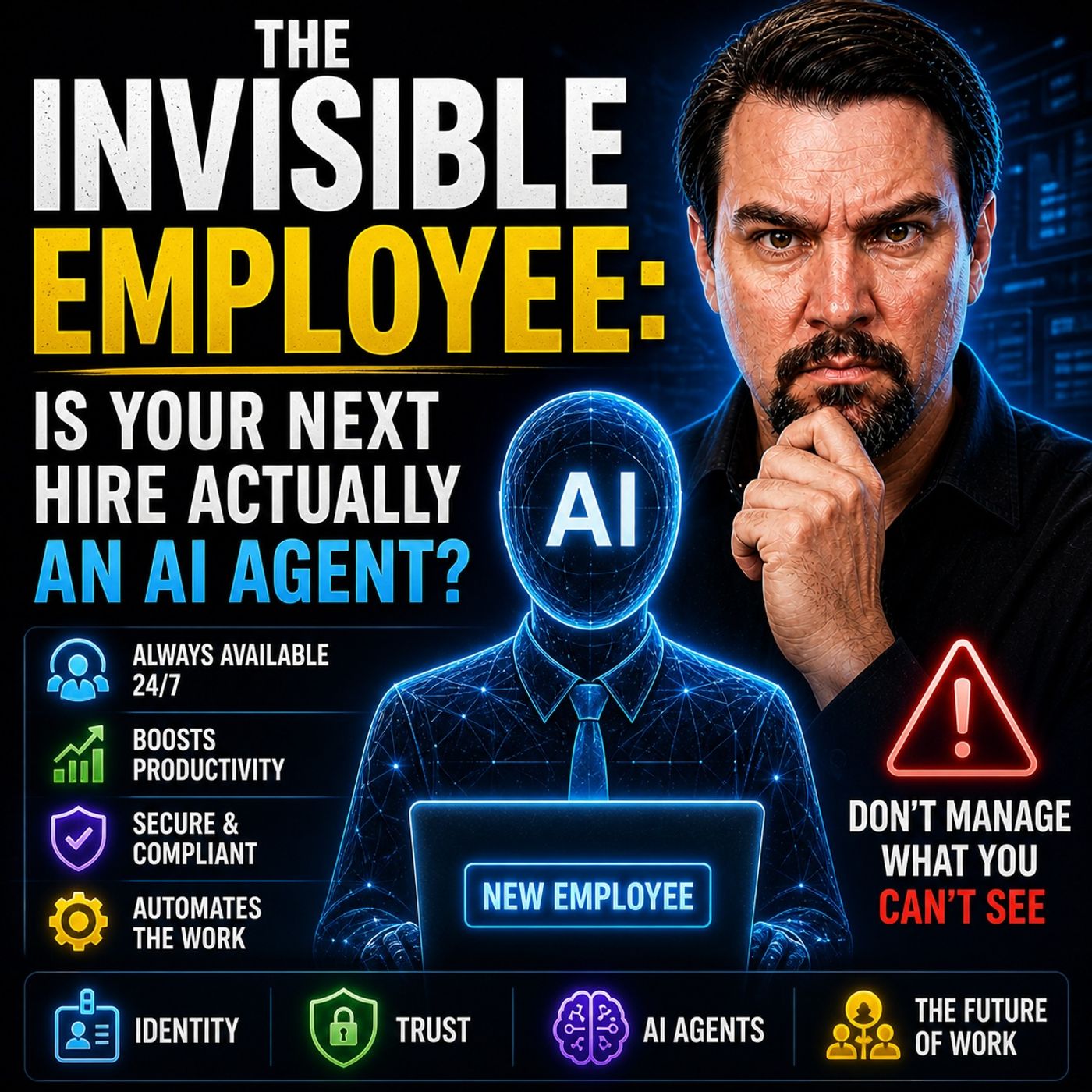
In this episode of the M365 FM Podcast, Mirko Peters explores the concept of “The Invisible Employee” and why most organizations misunderstand how work actually happens inside Microsoft 365. Companies often believe their processes, governance models, and infrastructure diagrams reflect reality, but the truth is very different. Real work happens through informal behaviors, workarounds, hidden collaboration patterns, and decisions employees make every day to bypass friction in systems that no longer match operational needs.
The episode explains that Microsoft 365 is not just a collection of tools — it acts as a behavioral operating system that reveals how people truly collaborate, share information, and move data across the organization. Employees continuously create unofficial workflows, overshare files, duplicate information, and adapt processes in ways leadership rarely sees. These invisible behaviors become the real infrastructure of the business.
A major focus of the discussion is how organizations mistake configured controls for actual governance. Policies, security settings, and compliance frameworks may exist on paper, but they often fail to influence real-world behavior. Mirko argues that most governance models are designed around assumptions instead of observable reality. Tools like Microsoft Purview can expose these hidden patterns, showing how data actually flows, where oversharing happens, and where controls break down under operational pressure.
The episode also connects this problem directly to AI and Microsoft Copilot. Many organizations believe Copilot creates new security risks, but the real issue is that AI simply exposes the chaos already present inside the environment. Copilot operates on the “real infrastructure,” not the idealized version documented in policies or architecture diagrams. If permissions, classification, and governance are already inconsistent, AI amplifies those weaknesses.
You see the death of the IT ticket system in your workplace every day. Users lose hours of productivity with each ticket reassignment, and IT teams face constant complaints. Many users report that their tickets remain unsolved, service moves slowly, or they must explain their issue several times. You now witness solutions like Microsoft’s Invisible Employee, which changes support from slow, reactive tickets to fast, proactive digital agents.
- Each ticket reassignment drops user happiness by 8 points and wastes nearly 2 hours.
- Users can lose over 8 hours after four reassignments.
- 48% say their ticket was not solved, 43% say service was slow, 29% had to repeat their case.
Key Takeaways
- Traditional IT ticket systems waste time and lower user satisfaction. Each ticket reassignment can cost nearly two hours and drop happiness by 8 points.
- Proactive support models, like Microsoft’s Invisible Employee, resolve issues before users even notice them, enhancing productivity.
- Self-service tools and knowledge bases can handle common issues, reducing ticket volume and freeing IT staff for complex problems.
- Automation in support processes minimizes manual errors and speeds up issue resolution, leading to better user experiences.
- Ignoring user needs leads to unresolved problems and frustration. Proactive engagement is essential for effective IT support.
- Measuring success with clear metrics helps organizations track improvements and adapt their support strategies effectively.
- Transitioning to a proactive support model requires assessing current systems, building a roadmap, and providing ongoing training for staff.
- Embracing modern support solutions can save costs, improve efficiency, and foster innovation within organizations.
The Death of the IT Ticket

Why Traditional Tickets Fail
You see the death of the IT ticket in every organization that still relies on traditional service models. These models depend on tickets to track and resolve issues, but they often create more problems than they solve. When you submit a ticket, you expect a quick solution. Instead, you face delays, confusion, and repeated steps. Traditional service models force you to wait for someone to notice your ticket, assign it, and then pass it through several hands before anyone takes action.
The process breaks down at many points. Tickets for common issues like password resets or email problems clog the system. Support teams spend too much time on repetitive tasks instead of solving complex problems. You lose valuable time as your ticket sits in a queue. The death of the IT ticket comes from this inefficiency. Modern workplaces demand faster, smarter solutions.
You can see the difference when organizations use self-service tools and knowledge bases. These tools handle simple issues before tickets even get created. The table below shows how different methods improve efficiency compared to traditional service models:
| Issue Type | Resolution Method | Efficiency Improvement |
|---|---|---|
| Password Resets | Use self-service tools to handle requests before tickets are created. | Reduces ticket volume significantly. |
| Documentation | Maintain clear documentation to avoid rediscovery of solutions. | Shortens resolution time and reduces errors. |
| Structured Triage | Implement structured processes for common issues. | Improves speed of resolution. |
| Self-Service Options | Automate basic requests like password resets and status checks. | Frees up IT staff for complex issues. |
| Knowledge Base | Create articles for common problems to assist users directly. | Enhances user support quality. |
The rise of proactive, embedded support models like Microsoft’s Invisible Employee marks a turning point. These models do not wait for tickets. They detect and resolve issues in real time, making the death of the IT ticket a reality for forward-thinking organizations.
User Experience Issues
You feel the pain of traditional service models every time you interact with a help desk. The ticket system creates frustration and wastes your time. You often wait for hours or days for a response. Sometimes, your ticket remains unresolved. You may have to explain your issue to multiple agents, repeating the same details again and again.
The most common issues reported through tickets include:
- Password resets
- Email problems
- Slow computers
- Wi-Fi failures
- Printer trouble
- App crashes
- Shared drive access issues
- VPN failures
- Peripheral issues
- Permission problems
These issues slow you down and disrupt your work. The table below highlights the top pain points users face with tickets:
| Pain Point | Description |
|---|---|
| Unresolved Tickets | Users often face issues where their tickets remain unresolved for extended periods. |
| Slow Service | Delays in response times lead to user frustration. |
| Repeated Explanations | Users have to explain their issues multiple times to different agents. |
| Password Resets | A common technical issue that users frequently report. |
| Email Problems | Issues with email access or functionality. |
| Network Connectivity Issues | Problems related to internet or network access. |
| Hardware Failures | Users encounter issues with physical devices. |
You want fast, seamless support. Traditional service models cannot deliver this experience. The death of the IT ticket comes from your need for instant, proactive help. Solutions like Invisible Employee meet this need by resolving issues before you even notice them.
Business Impact of Failure
The death of the IT ticket is not just about user frustration. It affects your entire business. When tickets pile up and issues go unresolved, your team loses productivity. You spend more time waiting for help and less time doing your job. This leads to higher operational costs and lower efficiency.
You also risk losing customers. Delays in ticket resolution increase dissatisfaction. Your support teams cannot focus on valuable tasks because they are stuck handling repetitive issues. This backlog hurts your business growth and reputation.
Tip: Proactive support models like Invisible Employee prevent these problems. They resolve issues quickly, reduce costs, and keep your team focused on important work.
You need to recognize the death of the IT ticket as a necessary step toward a more efficient, productive workplace. By moving away from traditional service models and embracing proactive, embedded support, you set your business up for success.
Ticket Lifecycle Issues
You may think that submitting a ticket is simple, but the process often breaks down at many points. Each step in the ticket lifecycle can create new problems for you and your team. Let’s look at where these issues appear and how they affect your support experience.
Creation and Submission Problems
You start the process by creating a ticket when you face an error or an operating system error. This step should be quick, but it often becomes a roadblock. Many users struggle with confusing forms or unclear categories. You may not know how to describe your problem, which leads to incomplete tickets. Sometimes, the system does not capture all the details, so support teams miss important information.
Common problems at this stage include:
- Unclear instructions for ticket submission
- Missing or incorrect details about the error
- Users not knowing if the issue is an operating system error or something else
- Duplicate tickets for the same issues
These problems slow down the process from the very beginning. You may wait longer for help because your ticket needs more information or gets lost among duplicates.
Assignment and Escalation Delays
After you submit your ticket, it enters the assignment phase. Here, support teams must categorize and prioritize your request. If they overlook the urgency of your issues, you may wait longer for a solution. Sometimes, teams treat a critical error the same as a minor request. This mistake can delay the resolution of important problems.
You may also see delays when your ticket gets passed between teams. Each handoff increases the chance of miscommunication. Your ticket may sit in a queue while teams decide who should handle it. This step often causes frustration, especially if you need a quick fix for an operating system error.
A typical assignment bottleneck looks like this:
| Step | Common Delay Cause |
|---|---|
| Categorization | Incorrect issue type selected |
| Prioritization | Urgent issues not flagged |
| Assignment | Ticket sent to wrong team |
| Escalation | Slow approval for higher support |
Resolution and Closure Gaps
You expect your issues to be fixed once the ticket reaches the right person. However, many tickets close before the real problem is solved. Support teams may mark tickets as resolved without checking with you. This leads to more work when you must reopen the ticket or submit a new one.
Other gaps appear when teams do not document the solution. You may face the same error again, but there is no record of how to fix it. This lack of follow-up wastes time and lowers your trust in the support process.
Note: When support teams close tickets too soon, you feel ignored and your issues remain unsolved.
You need a support model that addresses these gaps. By understanding where the ticket lifecycle fails, you can see why traditional support does not meet your needs.
Common Help Desk Tickets and Mistakes
You see the same common help desk tickets appear in every organization. These tickets often include password resets, printer problems, and network issues. When you look at the most frequent types, you notice a pattern:
- Password Resets
- Printer Issues
- Software Installation and Updates
- Email Issues
- Network Connectivity Problems
- Account Lockouts
- Hardware Failures
- Application Performance Issues
- Security Incidents
- User Training and Support
These common help desk tickets highlight where support teams spend most of their time. Many of these issues result from manual process failures, ignoring user needs, and gaps in data or workflows.
Manual Process Failures
Manual steps in support processes slow down your response to common help desk tickets. When you rely on people to categorize, assign, and close tickets, mistakes happen. You might see tickets mislabeled or sent to the wrong team. Weak communication leaves you waiting for updates. Sometimes, support teams close tickets before solving the real problem. These failures increase the time it takes to resolve issues and lower your trust in IT support.
| Failure Type | Impact on Resolution Time |
|---|---|
| Poor categorization | Tickets get mislabeled, delayed, or misrouted. |
| Wrong assignments | Tickets bounce between teams, wasting time. |
| Weak communication | Customers wait without updates. |
| Premature closures | Issues marked resolved too early, frustrating customers. |
| Lack of follow-up | Unresolved issues and increased customer frustration. |
You need to reduce manual steps and automate complex workflows to avoid these mistakes. Automation helps you handle repetitive tasks and focus on more important issues.
Ignoring User Needs
When support teams ignore your needs, common help desk tickets keep coming back. Unresolved problems can grow into bigger issues. If urgent concerns get overlooked, you feel invisible and lose trust in IT. Proactive engagement is key. You want support teams to listen, act quickly, and prevent recurring issues. Addressing user needs helps you avoid frustration and keeps your work moving.
- Ignoring user needs leads to unresolved problems, which can escalate into larger issues.
- When urgent concerns are overlooked, users feel invisible and frustrated, damaging trust.
- Proactive engagement in addressing user concerns is essential to prevent recurring IT support issues.
You deserve support that understands your needs and adapts to your workflows.
Data and Workflow Gaps
Gaps in data and workflows create more problems for you and your team. Without clear dashboards, you cannot see how long tickets take to resolve. Tracking service level agreements (SLAs) helps you spot bottlenecks and improve response times. A high ticket reopen rate shows that service quality needs work. When support agents spend too much time on non-ticket work, your issues take longer to resolve.
- Dashboards provide visibility into ticket response and resolution times, allowing teams to act before deadlines are missed.
- Measuring SLA performance helps identify bottlenecks and track response times, leading to informed decision-making and continuous improvement.
- A high ticket reopen rate indicates service quality issues, which can be tracked to reduce repeat work and enhance user satisfaction.
- Support agents often spend significant time on non-ticket work, which delays resolution times and increases handle times, ultimately affecting customer satisfaction.
You need accurate data and streamlined workflows to improve outcomes for common help desk tickets. When you close these gaps, you solve issues faster and keep your organization running smoothly.
Impact of Support Failure
Productivity Losses
You feel the effects of support failure every day. When your IT team cannot resolve issues quickly, your work slows down. You may face connectivity issues that stop you from accessing important files or systems. Performance issues in your applications can make even simple tasks take longer. Each time you wait for help with password issues or data loss, you lose valuable time.
- Digital friction causes you to lose about 1.3 workdays each month.
- Every ticket reassignment drops your happiness and wastes nearly two hours of your time.
- You may experience up to 14 negative digital experiences each week, which lowers your productivity and increases frustration.
- A higher Digital Experience (DEX) score can help you gain back 22 minutes of productive time each week.
When you deal with repeated connectivity issues or performance problems, you cannot focus on your main tasks. These interruptions add up, leading to missed deadlines and unfinished projects. Data loss can force you to redo work, which further reduces your efficiency.
Cost and Efficiency Issues
Support failures do not just waste your time—they also cost your organization money. Most IT budgets go toward software maintenance and support. When your systems break down, you face high costs to fix defects and keep everything running. Unplanned downtime can cost your company thousands of dollars every minute. If you have to deal with frequent performance issues or connectivity problems, your operational costs rise even higher.
In 2018, technology failures led to nearly $130 billion in lost labor costs from troubled projects. Another $47.5 billion was lost when projects were canceled. Poor software quality can damage your brand and drive customers away. If users face too many bugs or data loss, they may stop using your services. Your company then spends more money to attract new customers and repair its reputation.
You also see problems with cross-department coordination. When teams cannot work together to solve cybersecurity issues or performance problems, you face delays and higher costs. Poor coordination leads to repeated mistakes and longer resolution times.
Missed Innovation
Slow IT support does more than hurt your daily work. It can stop your organization from growing and innovating. When you rely on old systems, you build up technical debt. This makes it hard to update your tools or add new features. You may see backlogs in important areas, such as patent approvals or claims processing, because outdated systems cannot keep up.
- Delays in tax filing and passport processing show how slow support can hurt service delivery.
- Backlogs in patents and veterans’ claims highlight the impact of old systems.
- Legacy systems make upgrades risky and time-consuming, which limits your ability to innovate.
- A manufacturing company lost market share because its old ERP system blocked automation and scaling.
If your teams cannot coordinate across departments, you miss chances to improve cybersecurity or prevent data loss. Poor cross-department coordination can also slow down responses to connectivity issues and performance problems. When you spend too much time fixing old problems, you have less time to create new solutions or improve your services.
Note: Support failures can lead to lost revenue, higher costs, and missed opportunities for growth. You need a modern support model to avoid these risks and keep your organization moving forward.
Alternatives to IT Tickets
You see a new era in IT support. The old ticket system cannot keep up with your needs. Today, you have smarter options that make support faster and easier. Microsoft Invisible Employee leads this change. You get help from digital agents that work inside your daily tools. These agents act before you even know there is a problem. You do not fill out forms or wait for someone to notice your issue. Services find you, and natural conversations replace forms.
Automation and AI Support
You benefit from automation and AI support every day. These tools handle tasks that used to slow you down. You see digital agents classify, route, and solve problems without human intervention. Microsoft Invisible Employee works inside Teams, so you get help where you work. You do not need to leave your workflow or use a portal. The complex becomes simple.
Here is how Microsoft Invisible Employee compares to traditional ticket systems:
| Feature | Microsoft Invisible Employee | Traditional Ticket Systems |
|---|---|---|
| Submission Method | Chat-based requests directly in Teams | Portals, web forms, or email |
| Automation | Handles classification, routing, and execution | Manual triage and resolution |
| Integration | Part of existing workflows in Teams | Operates outside daily tools |
| User Experience | Reduces friction and response times | Structured but can be cumbersome |
| Workflow Execution | Participates in full workflow execution | Limited to ticket submission and tracking |
You see measurable benefits when you use automation and AI support:
- Business teams can become up to 66% more efficient.
- Operational costs can be reduced by as much as 30%.
- Wendy's processes 86% of drive-through orders without staff intervention, achieving a 99% success rate in error correction.
- Wayfair has halved software development startup time, improving productivity by 55%.
You notice that a one-size-fits-none approach does not work anymore. Automation adapts to your needs and makes support personal.
Self-Healing Endpoints
You experience fewer interruptions when self-healing endpoints work for you. These systems find issues before they become big problems. You get alerts and solutions without asking for help. Advanced troubleshooting happens in the background. Automation fixes problems so they do not come back.
- Self-healing endpoints proactively identify low-volume issues early on.
- They alert affected users and provide preventative support.
- Advanced troubleshooting is performed to find solutions before problems escalate.
- Automation resolves issues to prevent recurrence, reducing user-initiated incidents.
You see that 15% to 25% of top call-driving incidents can be eliminated. Self-healing systems help reduce IT costs and improve your digital experience. You spend less time waiting for support and more time doing your work.
Proactive Experience Desks
You feel more satisfied when proactive experience desks support you. These desks use real-time data to find and fix issues. You get help before you even notice a problem. Your satisfaction scores rise when you use proactive support.
| Satisfaction Level | Average Score | Difference in IT Process Ratings |
|---|---|---|
| Satisfied | 8 or more | 36% higher |
| Dissatisfied | 6 or less | 27% lower |
You see that proactive support makes your IT experience better. Real-time, autonomous support agents keep your workflow smooth. You do not have to chase help or reopen tickets. Support teams focus on reliability, not just fixing problems.
Tip: You get the best results when support is embedded in your daily tools. You do not waste time on tickets. You get solutions fast and keep your productivity high.
You notice that services find you, and your support experience improves. You see a future where digital agents solve problems before you even ask. You get seamless support that adapts to your needs.
Transitioning to Proactive Support

Assessing Current Models
You need to understand your current IT support model before you can move forward. Start by looking at your organization’s IT landscape. Identify the most common technical challenges and define what support your users need. Set up a tiered support structure, such as L1 for basic issues, L2 for more complex problems, and L3 for advanced troubleshooting. Build strong processes and workflows, including a streamlined ticketing system for tracking issues. Use automation tools to help categorize and route problems to the right team. Keep your documentation and knowledge base up to date so users and support staff can find answers quickly. Encourage regular training and workshops to help your teams work across boundaries and solve problems together. Monitor key metrics like average response time and ticket resolution rates. This helps you spot areas that need improvement and refine your support approach.
Steps to assess your current model:
- Review your IT landscape and list common challenges.
- Define support requirements for each user group.
- Set up a tiered support structure.
- Streamline your ticketing and tracking processes.
- Implement automation for routing and categorization.
- Maintain clear documentation and a knowledge base.
- Foster collaboration through training and workshops.
- Track and analyze performance metrics.
Building a Roadmap
Once you know where you stand, you can build a roadmap for change. Focus first on your most critical systems and services. These areas have the biggest impact on your business. Set clear service level agreements (SLAs), key performance indicators (KPIs), and success metrics. These benchmarks help you measure progress. Automate routine maintenance and patch updates to reduce errors. Use monitoring tools and predictive analytics for real-time visibility and early problem detection. Offer training and awareness programs to help users understand new systems and security practices. Create a structured escalation and alerting framework so issues get handled quickly. Schedule regular health checks and audits to find areas for improvement. Keep reviewing and adapting your strategies to stay ahead.
Roadmap best practices:
- Prioritize critical systems and services.
- Define SLAs, KPIs, and success metrics.
- Automate routine maintenance and updates.
- Deploy monitoring and predictive analytics tools.
- Provide end-user training and awareness.
- Build escalation and alerting processes.
- Conduct regular health checks and audits.
- Continuously review and improve your approach.
Training and Change Management
Training and change management are key to a successful transition. Start by explaining why the change is happening. When people understand the reasons, they are more likely to support the transformation. Personalize training to fit different roles and learning styles. Embed training tools into daily workflows so employees can access help when they need it. Use storytelling to connect emotionally and make the change feel real. Build a network of change champions who can answer questions and support their peers.
| Category | Best Practices |
|---|---|
| Leadership | Show visible support, develop change leadership, create urgency, and communicate the vision. |
| People | Involve employees, offer comprehensive training, address concerns, and recognize achievements. |
| Process | Use structured change methods, plan for resistance, measure progress, and adjust as needed. |
| Technology | Choose user-friendly solutions, provide technical support, ensure reliability, and plan maintenance. |
Tip: Involve your team early and celebrate small wins. This keeps everyone motivated and helps the new support model succeed.
Measuring Success
You need to measure the success of your proactive support model to prove its value and guide future improvements. Clear metrics help you see what works and where you can do better. When you move away from tickets, you must track new types of outcomes. You want to know if your changes actually help users and improve business results.
Start by choosing metrics that match your goals. For proactive IT support, you should focus on outcomes, not just activity. Look for signs that your support prevents problems before they grow. You can use several types of measurements to get a full picture:
- Segmented calculations: Break down your results by customer tier, product line, or type of intervention. This helps you see which groups benefit most and where you should focus resources.
- Outcome-specific variants: Track different success criteria, such as the number of prevented escalations, improved satisfaction scores, or reduced repeat contacts. Pick the ones that fit your objectives.
- Avoid common mistakes: Do not include reactive responses in your proactive metrics. Mixing them can make your results look better than they are.
- Delayed impact: Some proactive efforts take time to show results. Use a longer measurement window to capture the full effect.
- Interconnected metrics: Look at related numbers, like Customer Satisfaction Score (CSAT) and Repeat Contact Rate, to understand the bigger picture.
You can organize your metrics in a simple table:
| Metric | What It Shows | Why It Matters |
|---|---|---|
| Prevented Escalations | Issues stopped before they grow | Shows proactive success |
| Customer Satisfaction Score | User happiness with support | Reflects experience quality |
| Repeat Contact Rate | Users needing help more than once | Reveals gaps in first-time fixes |
| Time to Resolution | How fast issues get solved | Measures efficiency |
| Adoption Rate | How many use the new support model | Tracks engagement |
Tip: Review your metrics often. Adjust your approach if you see areas that need improvement. Celebrate wins with your team to keep motivation high.
You should also listen to user feedback. Surveys and direct comments give you insight that numbers alone cannot provide. When you combine data with real stories, you get a clearer view of your progress.
Measuring success is not a one-time task. Make it part of your regular routine. This way, you keep your proactive support model strong and ready to meet new challenges.
You see the IT ticket model fail because of poor prioritization, missed updates, weak follow-up, and slow assignments. These gaps cause frustration and lost productivity. You need proactive, automated support to reduce downtime, save costs, and boost security. Models like Invisible Employee help you solve problems before they grow. Now is the time to rethink your IT support strategy and embrace the future of internal services. You set your organization up for resilience and innovation.
FAQ
What is the main problem with traditional IT ticket systems?
You often wait too long for help. Tickets get lost or delayed. You may need to explain your issue many times. This wastes your time and lowers your trust in IT support.
How does proactive support improve your experience?
Proactive support finds and fixes problems before you notice them. You do not need to submit tickets or wait for help. This keeps your work moving and reduces frustration.
What is Microsoft Invisible Employee?
Microsoft Invisible Employee is a digital agent that works inside Microsoft 365. It monitors for issues and solves them automatically. You get help in real time, right where you work.
Can automation replace all IT support tasks?
Automation handles many common problems, like password resets or access issues. You still need IT experts for complex or unique problems. Automation lets your IT team focus on bigger challenges.
How do self-healing endpoints help you?
Self-healing endpoints detect and fix issues on your devices. You avoid many common problems, such as slow performance or network errors. This means fewer interruptions and less downtime.
What steps should you take to move away from tickets?
Start by reviewing your current support model.
Identify common issues.
Use automation and proactive tools.
Train your team and measure results.
Keep improving your approach.
Will proactive support save your company money?
Yes. You spend less time waiting for help. Your IT team works more efficiently. You avoid costly downtime and improve productivity. This leads to real savings for your business.
🎧 Listen to this episode
Want a practical explanation of The Invisible Employee? This episode breaks down the topic in clear language and shows why it matters for Microsoft 365, Azure, Power Platform, security, AI, and modern work.
Listen to this episode if you want to:
- Understand the key concepts behind The Invisible Employee
- See how it fits into the wider Microsoft technology ecosystem
- Learn where it can create practical value for your organization
You may also enjoy these related M365 FM episodes:
- Copilot Agents vs Workflows: When to Use Each
- AI Agents - Simply Explained
- From Data to Intelligent Agents: Building Trusted Enterprise AI with Microsoft AI Foundry with Shubhangi Goyal [MVP]
- Microsoft 365 Copilot Agents: Real Business Value with Steve Corey [MVP]
- Microsoft Entra Agent ID: Secure Identity for AI Agents
Discover more practical Microsoft conversations on M365 FM.
🚀 Want to be part of m365.fm?
Then stop just listening… and start showing up.
👉 Connect with me on LinkedIn and let’s make something happen:
- 🎙️ Be a podcast guest and share your story
- 🎧 Host your own episode (yes, seriously)
- 💡 Pitch topics the community actually wants to hear
- 🌍 Build your personal brand in the Microsoft 365 space
This isn’t just a podcast — it’s a platform for people who take action.
🔥 Most people wait. The best ones don’t.
👉 Connect with me on LinkedIn and send me a message:
"I want in"
Let’s build something awesome 👊
1
00:00:00,000 --> 00:00:03,880
Ticketing looks clean on paper, you get the numbers, the cues, the dashboards.
2
00:00:03,880 --> 00:00:08,160
But in reality, that model only measures pain after the system has already failed.
3
00:00:08,160 --> 00:00:11,040
The expensive part of the problem usually starts much earlier.
4
00:00:11,040 --> 00:00:14,640
It starts when an employee loses 10 minutes, then 20 then eventually just gives up.
5
00:00:14,640 --> 00:00:18,040
They retry, they ask a coworker, they miss the meeting or share the wrong file
6
00:00:18,040 --> 00:00:19,960
because the right path stopped working.
7
00:00:19,960 --> 00:00:22,600
That's the part most support teams still don't see.
8
00:00:22,600 --> 00:00:25,720
The best internal support model today isn't about faster triage.
9
00:00:25,720 --> 00:00:28,320
It's about removing the need for triage entirely.
10
00:00:28,320 --> 00:00:32,880
Imagine an autonomous agent inside Microsoft 365 that watches context,
11
00:00:32,880 --> 00:00:37,560
spots friction early and acts before a person ever thinks about opening a portal.
12
00:00:37,560 --> 00:00:40,480
In this episode, I want to show you why the help desk model breaks,
13
00:00:40,480 --> 00:00:44,120
what actually replaces it, and how you can govern it without creating chaos.
14
00:00:44,120 --> 00:00:47,640
If this shift matters to your work, subscribe to M365 FM
15
00:00:47,640 --> 00:00:52,040
because one level deeper, the real problem isn't the cue, it's the model behind it.
16
00:00:52,040 --> 00:00:53,320
The death of the ticket.
17
00:00:53,320 --> 00:00:57,360
The old support flow is still everywhere, something breaks, a user notices it,
18
00:00:57,360 --> 00:01:01,520
the user tries to explain it, then IT translates that explanation into a category,
19
00:01:01,520 --> 00:01:04,040
a priority, and maybe an assignment group.
20
00:01:04,040 --> 00:01:08,000
The issue enters a cue, someone triages it, someone else asks for more detail.
21
00:01:08,000 --> 00:01:11,720
Another team gets involved, time keeps moving while the actual work stays stuck.
22
00:01:11,720 --> 00:01:14,240
That process feels normal because it's familiar,
23
00:01:14,240 --> 00:01:16,560
but familiar and effective are not the same thing.
24
00:01:16,560 --> 00:01:20,040
A ticket is not support, a ticket is evidence that support arrived late.
25
00:01:20,040 --> 00:01:24,400
By the time a ticket even exists, the employee has already hit friction and lost their context.
26
00:01:24,400 --> 00:01:27,880
They've already switched their attention away from the work they were trying to do.
27
00:01:27,880 --> 00:01:30,600
The cue isn't the service, the cue is a record of failure.
28
00:01:30,600 --> 00:01:34,760
In large Microsoft 365 estates, manual triage becomes the real choke point.
29
00:01:34,760 --> 00:01:36,920
This doesn't happen because support teams are lazy.
30
00:01:36,920 --> 00:01:41,160
It happens because humans are being asked to do something that no longer fits the scale of the environment.
31
00:01:41,160 --> 00:01:44,000
You have more users, more devices, more apps, more policies,
32
00:01:44,000 --> 00:01:50,040
you have more edge cases crossing teams, SharePoint, Exchange, Intune, and Entra at the exact same time.
33
00:01:50,040 --> 00:01:54,200
The volume doesn't just grow, the combinations grow, that's where the old model breaks.
34
00:01:54,200 --> 00:01:56,560
Most teams respond by adding more structure.
35
00:01:56,560 --> 00:01:59,520
They build another portal, another bot, or another routing rule.
36
00:01:59,520 --> 00:02:03,600
But in reality, that just adds one more layer between the employee and the resolution.
37
00:02:03,600 --> 00:02:07,640
The system is still waiting for the user to notice the problem, describe the problem,
38
00:02:07,640 --> 00:02:09,360
and ask for help in the right way.
39
00:02:09,360 --> 00:02:12,720
Work doesn't start in a support portal, it starts in teams, it starts in outlook,
40
00:02:12,720 --> 00:02:14,880
it starts in a document someone needs right now,
41
00:02:14,880 --> 00:02:17,480
or a meeting that begins in 30 seconds,
42
00:02:17,480 --> 00:02:19,280
that's where support demand actually begins,
43
00:02:19,280 --> 00:02:22,280
and the ticketing model is completely detached from that moment.
44
00:02:22,280 --> 00:02:25,160
The hidden cost is much bigger than your queue report shows.
45
00:02:25,160 --> 00:02:28,960
People context switch, duplicate incidents pile up under different labels.
46
00:02:28,960 --> 00:02:32,440
Knowledge articles go stale, analysts spend their entire day sorting,
47
00:02:32,440 --> 00:02:35,160
routing, and clarifying instead of actually fixing things.
48
00:02:35,160 --> 00:02:38,760
The time to resolution stretches out because every handoff adds a delay,
49
00:02:38,760 --> 00:02:41,360
and every delay strips away the original context.
50
00:02:41,360 --> 00:02:45,160
Research on a Genetic AI and IT operations points to the same structural issue.
51
00:02:45,160 --> 00:02:49,080
At least 80% of effort is still trapped in reactive ITIL style work.
52
00:02:49,080 --> 00:02:52,200
That number matters because it tells you exactly where the labor is going.
53
00:02:52,200 --> 00:02:55,280
It isn't going into resilience or prevention, it's going into reaction.
54
00:02:55,280 --> 00:02:58,280
Once you see that, the ticket starts to look less like an operating model,
55
00:02:58,280 --> 00:03:02,680
and more like a symptom, it's a symptom of a system that only responds after the damage is visible.
56
00:03:02,680 --> 00:03:05,080
So the next question isn't how to process tickets faster,
57
00:03:05,080 --> 00:03:08,120
it's what the system should do before a ticket is ever needed.
58
00:03:08,120 --> 00:03:09,680
The Invisible Employee Model.
59
00:03:09,680 --> 00:03:11,280
So what actually replaces the ticket?
60
00:03:11,280 --> 00:03:14,080
It isn't just another chatbot sitting on top of the same mess,
61
00:03:14,080 --> 00:03:17,080
and it certainly isn't a pretty front door to the same old queue.
62
00:03:17,080 --> 00:03:20,120
The shift goes much deeper than that because the Invisible Employee
63
00:03:20,120 --> 00:03:24,200
is an operational worker living inside your Microsoft 365 environment.
64
00:03:24,200 --> 00:03:27,200
This agent has its own identity, a defined scope of work,
65
00:03:27,200 --> 00:03:31,160
memory of what it did yesterday, and strict rules about what it can and cannot touch.
66
00:03:31,160 --> 00:03:32,600
That distinction matters.
67
00:03:32,600 --> 00:03:34,280
A chatbot waits for you to type a prompt,
68
00:03:34,280 --> 00:03:36,880
but an Invisible Employee watches for conditions to change.
69
00:03:36,880 --> 00:03:40,080
It starts from context instead of starting from a conversation.
70
00:03:40,080 --> 00:03:42,200
Because you can see sign-in states, device health,
71
00:03:42,200 --> 00:03:44,440
license status, and how files are being shared,
72
00:03:44,440 --> 00:03:46,600
it doesn't have to wait for friction to appear.
73
00:03:46,600 --> 00:03:49,160
Instead of asking how it can help after something breaks,
74
00:03:49,160 --> 00:03:51,680
it constantly asks a different question in the background.
75
00:03:51,680 --> 00:03:55,840
What is drifting away from the state this employee needs to do their job right now?
76
00:03:55,840 --> 00:03:57,240
That is where things change.
77
00:03:57,240 --> 00:03:59,960
The model is embedded directly inside the work itself.
78
00:03:59,960 --> 00:04:02,800
When someone joins a meeting and the audio-rooting fails,
79
00:04:02,800 --> 00:04:05,480
or a guest cannot open a file they were just sent,
80
00:04:05,480 --> 00:04:08,480
the old world creates a report and a handoff.
81
00:04:08,480 --> 00:04:11,320
In the new model, the agent sees the pattern immediately,
82
00:04:11,320 --> 00:04:13,320
checks if the condition matches a known issue,
83
00:04:13,320 --> 00:04:15,640
and takes the next safe action to fix it.
84
00:04:15,640 --> 00:04:17,880
Maybe it resets a path or triggers a policy check,
85
00:04:17,880 --> 00:04:20,440
or perhaps it reroutes a request and prompts for MFA
86
00:04:20,440 --> 00:04:22,160
before documenting the fix.
87
00:04:22,160 --> 00:04:23,120
The point is simple.
88
00:04:23,120 --> 00:04:26,600
The first response no longer requires a human to read a vague description
89
00:04:26,600 --> 00:04:27,760
and guess what happened.
90
00:04:27,760 --> 00:04:29,360
This feels invisible when it works well
91
00:04:29,360 --> 00:04:30,960
because there is no waiting room and no,
92
00:04:30,960 --> 00:04:33,040
please select a category form to fill out.
93
00:04:33,040 --> 00:04:35,200
Support shows up as restored flow,
94
00:04:35,200 --> 00:04:36,800
the employee just gets back to work,
95
00:04:36,800 --> 00:04:40,160
and in many cases they never even see the machinery running behind the scenes.
96
00:04:40,160 --> 00:04:43,480
You can already see how this changes your staffing logic.
97
00:04:43,480 --> 00:04:45,520
The old model hires people to absorb volume,
98
00:04:45,520 --> 00:04:49,000
sought through requests and clean up broken contacts between different teams.
99
00:04:49,000 --> 00:04:51,040
The new model needs fewer people doing triage
100
00:04:51,040 --> 00:04:54,120
and more people designing guardrails, defining desired states,
101
00:04:54,120 --> 00:04:56,800
and supervising how these agents behave over time.
102
00:04:56,800 --> 00:04:58,440
Humans stay in the system,
103
00:04:58,440 --> 00:05:00,920
but the entire shape of their daily work shifts.
104
00:05:00,920 --> 00:05:04,400
Research on a GENTIG AI in support keeps pointing in this direction.
105
00:05:04,400 --> 00:05:07,480
Routine support can move toward exception-based handling,
106
00:05:07,480 --> 00:05:09,520
which creates massive efficiency gains
107
00:05:09,520 --> 00:05:11,960
when the environment and policies are well-bounded.
108
00:05:11,960 --> 00:05:14,320
That last part is vital because this is not magic.
109
00:05:14,320 --> 00:05:16,600
If your data is weak or your process is messy,
110
00:05:16,600 --> 00:05:20,360
the agent will not become smart just because you decided to call it autonomous.
111
00:05:20,360 --> 00:05:23,960
This all clicked for me when I stopped thinking about the agent as a software feature
112
00:05:23,960 --> 00:05:26,840
and started viewing it as a non-human employee with a badge.
113
00:05:26,840 --> 00:05:31,280
A real worker needs an identity, a job description, permissions, and a manager to report to.
114
00:05:31,280 --> 00:05:32,960
The agent needs those exact same things
115
00:05:32,960 --> 00:05:35,760
because the value comes from reliable action inside a system,
116
00:05:35,760 --> 00:05:37,800
not from clever language in a chat window.
117
00:05:37,800 --> 00:05:40,200
The invisible employee is not a UI trick.
118
00:05:40,200 --> 00:05:42,640
It is a new support layer that watches for friction
119
00:05:42,640 --> 00:05:46,040
across the Microsoft 365 estate, acts within policy,
120
00:05:46,040 --> 00:05:49,720
and pushes human attention up to the exceptions that actually need judgment.
121
00:05:49,720 --> 00:05:52,680
Once that model is clear, the next question gets very practical.
122
00:05:52,680 --> 00:05:54,480
How does preemption actually work?
123
00:05:54,480 --> 00:05:56,120
The architecture of preemption.
124
00:05:56,120 --> 00:05:59,440
So how does preemption actually work inside Microsoft 365?
125
00:05:59,440 --> 00:06:03,080
The shift moves from request and responds to event reasoning and orchestration.
126
00:06:03,080 --> 00:06:06,080
That sounds technical, but the model is simple once you break it apart.
127
00:06:06,080 --> 00:06:08,160
First, something in the environment changes,
128
00:06:08,160 --> 00:06:10,960
then the system interprets if that change means risk or drift.
129
00:06:10,960 --> 00:06:15,040
And finally, it takes the approved action using the tools already in your stack.
130
00:06:15,040 --> 00:06:16,280
Start with the event layer.
131
00:06:16,280 --> 00:06:19,320
Microsoft 365 already produces signals everywhere,
132
00:06:19,320 --> 00:06:21,520
which means entracies sign in behavior
133
00:06:21,520 --> 00:06:24,400
while in tune tracks, device posture, and compliance.
134
00:06:24,400 --> 00:06:26,360
Defender watches for suspicious activity,
135
00:06:26,360 --> 00:06:29,680
and team shows you exactly when a meeting fails or call quality drops.
136
00:06:29,680 --> 00:06:33,120
SharePoint and Exchange expose access patterns and content activity,
137
00:06:33,120 --> 00:06:36,400
while service health signals tell you when the platform itself is the problem.
138
00:06:36,400 --> 00:06:38,320
When you add user actions on top of that,
139
00:06:38,320 --> 00:06:40,000
you have a constant stream of context.
140
00:06:40,000 --> 00:06:42,080
Most organizations collect those signals,
141
00:06:42,080 --> 00:06:44,680
but very few actually use them as a support system.
142
00:06:44,680 --> 00:06:46,480
Raw events alone do not help,
143
00:06:46,480 --> 00:06:49,200
because they need a reasoning layer to make sense of the noise.
144
00:06:49,200 --> 00:06:51,880
This is where the invisible employee stops being automation theater
145
00:06:51,880 --> 00:06:53,600
and starts acting like a real operator.
146
00:06:53,600 --> 00:06:54,880
The agent looks at the signal,
147
00:06:54,880 --> 00:06:57,160
compares the current state against the desired state,
148
00:06:57,160 --> 00:06:59,320
and decides what class of action is safe to take.
149
00:06:59,320 --> 00:07:02,320
A meeting audio issue is not the same as a risky sign in,
150
00:07:02,320 --> 00:07:05,120
and a broken sharing link is different from a license mismatch.
151
00:07:05,120 --> 00:07:06,920
The agent has to classify the problem first
152
00:07:06,920 --> 00:07:10,160
because taking action without classification just creates mistakes faster,
153
00:07:10,160 --> 00:07:11,880
then comes orchestration.
154
00:07:11,880 --> 00:07:13,640
Once the agent understands the issue,
155
00:07:13,640 --> 00:07:15,560
it can use the right mechanism to respond.
156
00:07:15,560 --> 00:07:17,360
That might be power-automate for workflows,
157
00:07:17,360 --> 00:07:18,680
co-pilot studio for logic,
158
00:07:18,680 --> 00:07:21,000
or Microsoft Graph for system actions and context.
159
00:07:21,000 --> 00:07:24,400
The tools matter, but the bigger point is how they connect to one another.
160
00:07:24,400 --> 00:07:26,240
You are not building one smart prompt,
161
00:07:26,240 --> 00:07:29,600
but rather a chain that can detect, decide, act, and verify.
162
00:07:29,600 --> 00:07:31,480
That last part gets missed all the time.
163
00:07:31,480 --> 00:07:34,840
A self-correcting system does not stop once the action is taken.
164
00:07:34,840 --> 00:07:36,840
It runs a loop where it detects the issue,
165
00:07:36,840 --> 00:07:38,960
tests the condition, applies the fix,
166
00:07:38,960 --> 00:07:41,560
and verifies the result before recording what happened.
167
00:07:41,560 --> 00:07:44,400
Research on self-correcting logic makes it clear that these systems work
168
00:07:44,400 --> 00:07:46,200
through feedback and correction patterns,
169
00:07:46,200 --> 00:07:49,400
rather than one isolated answer from a language model.
170
00:07:49,400 --> 00:07:50,800
If the first action fails,
171
00:07:50,800 --> 00:07:52,600
the system needs a way to assess why,
172
00:07:52,600 --> 00:07:56,200
so it can revise the next step while staying inside defined limits.
173
00:07:56,200 --> 00:07:59,240
You can picture this clearly in a few Microsoft 365 cases.
174
00:07:59,240 --> 00:08:02,720
When a user gets blocked because their license and policy scope do not match,
175
00:08:02,720 --> 00:08:05,920
the agent detects the mismatch and checks the intended role profile.
176
00:08:05,920 --> 00:08:09,200
It applies the allowed correction, confirms the user has access,
177
00:08:09,200 --> 00:08:11,680
and logs the change without anyone having to ask.
178
00:08:11,680 --> 00:08:14,080
If a risky sign-in appears in Entra,
179
00:08:14,080 --> 00:08:17,680
the agent sees the risk event and checks your conditional access rules immediately.
180
00:08:17,680 --> 00:08:21,280
It prompts for stronger verification or blocks access based on your policy,
181
00:08:21,280 --> 00:08:23,960
then records the outcome for a human to review later.
182
00:08:23,960 --> 00:08:26,480
When a "Stale Sharing" link keeps failing in SharePoint,
183
00:08:26,480 --> 00:08:30,280
the agent compares the current permission path with the expected sharing rules.
184
00:08:30,280 --> 00:08:32,840
It replaces the broken route with the approved one
185
00:08:32,840 --> 00:08:34,840
and sends the corrected link in context,
186
00:08:34,840 --> 00:08:40,520
which closes the loop before a desk analyst ever has to read a ticket titled "Axis Issue Urgent".
187
00:08:40,520 --> 00:08:42,440
Meeting support is another great example.
188
00:08:42,440 --> 00:08:46,440
If a room device fails or a joining path breaks seconds before a call starts,
189
00:08:46,440 --> 00:08:48,840
the agent can detect the condition and validate the fault.
190
00:08:48,840 --> 00:08:52,280
It tries a low-risk recovery step and notifies the organizer in teams
191
00:08:52,280 --> 00:08:54,440
with a status update right where the work is happening.
192
00:08:54,440 --> 00:08:57,160
That communication layer is a massive part of the design.
193
00:08:57,160 --> 00:08:59,560
Support has to live where the interruption happens.
194
00:08:59,560 --> 00:09:03,560
If your work happens in teams, outlook and the M365 workspace,
195
00:09:03,560 --> 00:09:05,560
then support should answer you there too.
196
00:09:05,560 --> 00:09:07,400
You shouldn't have to drag the user somewhere else
197
00:09:07,400 --> 00:09:09,640
when you can meet the event in context.
198
00:09:09,640 --> 00:09:12,760
None of this means full autonomy across every single task,
199
00:09:12,760 --> 00:09:14,120
because that would be reckless.
200
00:09:14,120 --> 00:09:16,120
Low-risk actions can run automatically,
201
00:09:16,120 --> 00:09:18,600
but high-impact changes still need approval from a person.
202
00:09:18,600 --> 00:09:22,040
That approval path has to be part of the architecture from the start,
203
00:09:22,040 --> 00:09:23,960
rather than being bolted on later.
204
00:09:23,960 --> 00:09:26,360
The agent should know when to act, when to ask,
205
00:09:26,360 --> 00:09:27,800
and exactly when to stop.
206
00:09:27,800 --> 00:09:29,560
And once you build that into the flow,
207
00:09:29,560 --> 00:09:32,040
the conversation stops being about automation features.
208
00:09:32,040 --> 00:09:36,440
It becomes about control, governance, trust, and agent identity.
209
00:09:36,440 --> 00:09:38,200
When support starts acting on its own,
210
00:09:38,200 --> 00:09:40,280
a difficult question surfaces immediately.
211
00:09:40,280 --> 00:09:42,200
Who is actually doing the work?
212
00:09:42,200 --> 00:09:45,000
If that answer is vague, the entire model falls apart.
213
00:09:45,000 --> 00:09:46,760
An agent cannot exist in your environment
214
00:09:46,760 --> 00:09:49,480
as some fuzzy helper with broad access and no clear owner.
215
00:09:49,480 --> 00:09:51,320
It needs a real identity and entry.
216
00:09:51,320 --> 00:09:53,480
It needs a named owner, a defined scope,
217
00:09:53,480 --> 00:09:56,600
and a life cycle that starts and ends for a specific reason.
218
00:09:56,600 --> 00:09:59,080
If that agent can read data, trigger workflows,
219
00:09:59,080 --> 00:10:00,280
or message your users,
220
00:10:00,280 --> 00:10:03,160
you have to govern it like an active participant in the tenant.
221
00:10:03,160 --> 00:10:05,240
You cannot treat it like a feature someone turned on
222
00:10:05,240 --> 00:10:06,360
and then forgot about.
223
00:10:06,360 --> 00:10:09,400
This is why agent identity is so critical to the system.
224
00:10:09,400 --> 00:10:11,160
You need to know exactly what the agent is,
225
00:10:11,160 --> 00:10:12,440
which systems it can touch,
226
00:10:12,440 --> 00:10:14,840
and who gets the call when things start to drift.
227
00:10:14,840 --> 00:10:16,600
Least privilege has to be the baseline here.
228
00:10:16,600 --> 00:10:18,360
You can't settle for broad convenience
229
00:10:18,360 --> 00:10:21,160
or tell yourself you will tighten the permissions later.
230
00:10:21,160 --> 00:10:23,080
Because the blast radius of a support agent
231
00:10:23,080 --> 00:10:24,840
depends entirely on its permissions,
232
00:10:24,840 --> 00:10:28,200
designing those permissions is a core part of designing support.
233
00:10:28,200 --> 00:10:31,800
Agent 365 serves as a necessary control layer in the setup
234
00:10:31,800 --> 00:10:34,840
because it brings the entire agent estate into clear view.
235
00:10:34,840 --> 00:10:37,480
It provides the registry, the approval workflows,
236
00:10:37,480 --> 00:10:40,120
and the policy templates that keep things running safely.
237
00:10:40,120 --> 00:10:42,600
While those pieces might sound like administrative chores,
238
00:10:42,600 --> 00:10:44,680
they solve a massive structural problem.
239
00:10:44,680 --> 00:10:47,720
Most organizations don't struggle because they lack AI features,
240
00:10:47,720 --> 00:10:49,320
but because they cannot see or control
241
00:10:49,320 --> 00:10:51,320
what is already running in their environment.
242
00:10:51,320 --> 00:10:53,080
The research on this point is blunt.
243
00:10:53,080 --> 00:10:55,240
Only a small minority of large enterprises
244
00:10:55,240 --> 00:10:58,760
can fully inventory every agent currently running in their system.
245
00:10:58,760 --> 00:11:01,720
Before leaders start talking about scaling autonomous support,
246
00:11:01,720 --> 00:11:03,640
they have to answer a much simpler question.
247
00:11:03,640 --> 00:11:05,560
Do we even know which agents exist
248
00:11:05,560 --> 00:11:07,080
and what they are doing right now?
249
00:11:07,080 --> 00:11:09,800
Oversight also has to match the level of risk involved.
250
00:11:09,800 --> 00:11:12,920
A personal productivity agent working in a narrow lane is one thing,
251
00:11:12,920 --> 00:11:15,000
but a collaborative agent touching shared content
252
00:11:15,000 --> 00:11:16,360
is something else entirely.
253
00:11:16,360 --> 00:11:18,200
Then you have enterprise agents taking action
254
00:11:18,200 --> 00:11:19,320
across sensitive workflows,
255
00:11:19,320 --> 00:11:21,160
which sits in a different category of risk.
256
00:11:21,160 --> 00:11:23,640
This is why the risk zone model, personal, collaborative,
257
00:11:23,640 --> 00:11:25,320
and enterprise matters so much.
258
00:11:25,320 --> 00:11:28,360
Your control model should rise alongside the possible impact.
259
00:11:28,360 --> 00:11:30,120
If you treat every agent the same,
260
00:11:30,120 --> 00:11:32,680
low-risk work gets buried in slow approvals
261
00:11:32,680 --> 00:11:35,240
while high-risk work slips through with weak scrutiny.
262
00:11:35,240 --> 00:11:38,040
At a minimum, your control stack in Microsoft 365
263
00:11:38,040 --> 00:11:39,560
should look familiar to your team.
264
00:11:39,560 --> 00:11:41,720
You use identity and entra, data boundaries,
265
00:11:41,720 --> 00:11:44,040
through purview, and monitoring through defender.
266
00:11:44,040 --> 00:11:46,840
You apply access conditions through conditional access
267
00:11:46,840 --> 00:11:49,560
and ensure auditability is baked in from the start.
268
00:11:49,560 --> 00:11:51,800
You need to be able to reconstruct exactly what happened
269
00:11:51,800 --> 00:11:54,440
without having to guess, after an incident occurs.
270
00:11:54,440 --> 00:11:56,840
Human oversight needs to be designed into the logic
271
00:11:56,840 --> 00:11:59,000
rather than improvised during a crisis.
272
00:11:59,000 --> 00:12:02,280
High impact actions should always pause for a human signature.
273
00:12:02,280 --> 00:12:03,720
Reasoning should be logged in a form
274
00:12:03,720 --> 00:12:05,720
that people can actually inspect and understand.
275
00:12:05,720 --> 00:12:07,320
You need rollback paths to exist
276
00:12:07,320 --> 00:12:10,280
before the very first autonomous action goes live.
277
00:12:10,280 --> 00:12:13,240
If an agent updates access or changes a routing policy,
278
00:12:13,240 --> 00:12:16,280
someone must have a way to trace that decision and undo it cleanly.
279
00:12:16,280 --> 00:12:17,960
There is another factor leaders often miss
280
00:12:17,960 --> 00:12:21,560
because the early demos look so good, the cost of rework.
281
00:12:21,560 --> 00:12:23,640
If an agent creates cleanup loops for your team,
282
00:12:23,640 --> 00:12:25,960
the projected savings disappear instantly.
283
00:12:25,960 --> 00:12:27,080
This is the rework tax.
284
00:12:27,080 --> 00:12:29,400
It is the time spent correcting bad output,
285
00:12:29,400 --> 00:12:30,680
reversing wrong actions,
286
00:12:30,680 --> 00:12:32,840
or chasing down unintended side effects.
287
00:12:32,840 --> 00:12:34,920
If your team saves 10 minutes on execution
288
00:12:34,920 --> 00:12:37,000
but burns 8 minutes cleaning up the mess,
289
00:12:37,000 --> 00:12:38,600
you didn't actually automate support.
290
00:12:38,600 --> 00:12:41,720
You just moved the friction to a different part of the process.
291
00:12:41,720 --> 00:12:43,480
Trust does not come from a polished policy deck
292
00:12:43,480 --> 00:12:44,760
or a big launch announcement.
293
00:12:44,760 --> 00:12:46,280
It comes from runtime evidence.
294
00:12:46,280 --> 00:12:47,800
People need to see what the agent saw,
295
00:12:47,800 --> 00:12:49,800
what it decided, and what actually changed in the system.
296
00:12:49,800 --> 00:12:52,040
That is how you build trust in autonomous support.
297
00:12:52,040 --> 00:12:54,440
The proof has to sit in the behavior of the tool
298
00:12:54,440 --> 00:12:56,040
rather than the branding of the project.
299
00:12:56,040 --> 00:12:57,960
Once that governance foundation is solid,
300
00:12:57,960 --> 00:12:59,800
the conversation can finally move away
301
00:12:59,800 --> 00:13:02,440
from security jargon and into executive language.
302
00:13:02,440 --> 00:13:04,760
What does this actually change for the bottom line?
303
00:13:04,760 --> 00:13:06,920
The new ROI of invisible support.
304
00:13:06,920 --> 00:13:08,600
Once leaders accept the control model,
305
00:13:08,600 --> 00:13:10,440
the financial questions start to shift.
306
00:13:10,440 --> 00:13:12,280
In the old model, support value is measured
307
00:13:12,280 --> 00:13:14,120
by visible work like tickets closed,
308
00:13:14,120 --> 00:13:16,040
calls handled, and SLA performance.
309
00:13:16,040 --> 00:13:17,400
Those numbers still matter,
310
00:13:17,400 --> 00:13:19,720
but they only describe a reaction to a problem.
311
00:13:19,720 --> 00:13:21,240
They don't tell you how much interruption
312
00:13:21,240 --> 00:13:22,200
never reached the queue
313
00:13:22,200 --> 00:13:23,880
or how much employee time stayed intact
314
00:13:23,880 --> 00:13:25,480
because a problem was killed early.
315
00:13:25,480 --> 00:13:27,160
That is the core accounting problem.
316
00:13:27,160 --> 00:13:29,720
Invisible support creates value through absence.
317
00:13:29,720 --> 00:13:32,600
You see the value when there is no ticket, no escalation,
318
00:13:32,600 --> 00:13:34,280
and no analyst spending 20 minutes
319
00:13:34,280 --> 00:13:36,760
reconstructing a problem from half-complete notes.
320
00:13:36,760 --> 00:13:40,280
If you only measure the visible effort of the support team,
321
00:13:40,280 --> 00:13:42,200
you missed the outcome you actually wanted.
322
00:13:42,200 --> 00:13:44,440
You wanted stable work with fewer interruptions.
323
00:13:44,440 --> 00:13:47,720
Ticket volume is a weak signal when it stands on its own.
324
00:13:47,720 --> 00:13:49,560
A drop in tickets might mean demand fell,
325
00:13:49,560 --> 00:13:51,560
but it could also mean the environment got healthier
326
00:13:51,560 --> 00:13:52,920
and the support layer got smarter.
327
00:13:52,920 --> 00:13:54,760
Those are two very different stories.
328
00:13:54,760 --> 00:13:58,440
Executives need a KPI set that can tell the difference between them.
329
00:13:58,440 --> 00:14:01,240
You should start by looking at the autonomous resolution rate.
330
00:14:01,240 --> 00:14:03,560
This isn't about how many conversations the bot had,
331
00:14:03,560 --> 00:14:05,400
but how many support events were resolved
332
00:14:05,400 --> 00:14:07,560
end to end without a human ever touching them.
333
00:14:07,560 --> 00:14:10,440
You also need to track the reduction in mean time to resolution.
334
00:14:10,440 --> 00:14:11,720
In AI-driven environments,
335
00:14:11,720 --> 00:14:15,480
diagnosis heavy flows often see improvements in the 40-60% range.
336
00:14:15,480 --> 00:14:17,400
Then you can look at the cost per resolution
337
00:14:17,400 --> 00:14:19,640
and the user productivity you've regained.
338
00:14:19,640 --> 00:14:21,320
That last metric is easy to skip
339
00:14:21,320 --> 00:14:24,360
because it doesn't sit neatly in a standard service desk report.
340
00:14:24,360 --> 00:14:26,520
However, that is often where the real value lives.
341
00:14:26,520 --> 00:14:29,720
A person who is blocked for 15 minutes before they even open a ticket
342
00:14:29,720 --> 00:14:31,800
has already created a cost for the company.
343
00:14:31,800 --> 00:14:35,080
When you multiply that by meeting interruptions and access friction
344
00:14:35,080 --> 00:14:38,600
across a large tenant, the hidden loss is much bigger than the queue suggests.
345
00:14:38,600 --> 00:14:41,960
This is why the cost of an action model is so important for the business case.
346
00:14:41,960 --> 00:14:44,120
You calculate the hours spent on manual effort
347
00:14:44,120 --> 00:14:45,960
before formal support even begins.
348
00:14:45,960 --> 00:14:48,280
Then you add the cost of errors and repeated work.
349
00:14:48,280 --> 00:14:50,040
Suddenly, the argument for preemption
350
00:14:50,040 --> 00:14:51,560
stops sounding like a theory.
351
00:14:51,560 --> 00:14:54,120
You aren't just funding a futuristic support layer.
352
00:14:54,120 --> 00:14:57,640
You are removing attacks that has been sitting inside your daily work for years.
353
00:14:57,640 --> 00:15:00,200
The economics of the narrow case make this even clearer.
354
00:15:00,200 --> 00:15:02,840
Research on Agenteic IT support puts human handling
355
00:15:02,840 --> 00:15:05,320
at about $8.75 per issue.
356
00:15:05,320 --> 00:15:10,680
In contrast, narrow Agenteic handling can fall below $0.50 per issue once the system is developed.
357
00:15:10,680 --> 00:15:13,240
This doesn't mean every support action will be that cheap
358
00:15:13,240 --> 00:15:15,560
and leaders should be careful with broad averages.
359
00:15:15,560 --> 00:15:18,920
Telemetry quality and governance will always affect the final cost
360
00:15:18,920 --> 00:15:21,320
but the direction of the trend is unmistakable.
361
00:15:21,320 --> 00:15:24,600
This is the moment where IT moves out of the old cost center story.
362
00:15:24,600 --> 00:15:25,960
It isn't because support disappears
363
00:15:25,960 --> 00:15:28,440
but because support turns into a reliability layer
364
00:15:28,440 --> 00:15:31,400
that protects employee throughput in the background.
365
00:15:31,400 --> 00:15:33,400
The business feels this as smoother work
366
00:15:33,400 --> 00:15:35,400
rather than a dramatic support event.
367
00:15:35,400 --> 00:15:37,640
You get fewer interruptions, faster restoration
368
00:15:37,640 --> 00:15:40,280
and less labor wasted on routing and clarification.
369
00:15:40,280 --> 00:15:42,680
Still, bad measurement can easily fake progress.
370
00:15:42,680 --> 00:15:46,920
If your telemetry is weak, the agent might just summarize a failure faster
371
00:15:46,920 --> 00:15:48,280
instead of actually preventing it.
372
00:15:48,280 --> 00:15:49,720
If rework stays off the dashboard,
373
00:15:49,720 --> 00:15:51,800
the ROI will look much cleaner than it really is.
374
00:15:51,800 --> 00:15:55,240
If reclaimed time just leaks back into low-value activity,
375
00:15:55,240 --> 00:15:57,000
leaders will overstate the gain.
376
00:15:57,000 --> 00:15:59,400
The financial case must stay grounded in hard evidence
377
00:15:59,400 --> 00:16:01,800
like prevented incidents in lower manual touches.
378
00:16:01,800 --> 00:16:04,840
You have to measure the time truly returned to useful work.
379
00:16:04,840 --> 00:16:06,120
Once you measure that properly,
380
00:16:06,120 --> 00:16:09,160
the support function stops looking like overhead that needs to be cut.
381
00:16:09,160 --> 00:16:12,360
It starts looking like operating capacity that the business finally gets back.
382
00:16:12,360 --> 00:16:14,760
What this does to the support team,
383
00:16:14,760 --> 00:16:17,160
think about what this actually does to the team on the ground
384
00:16:17,160 --> 00:16:19,560
because this shift isn't really about cutting headcount.
385
00:16:19,560 --> 00:16:22,440
It's about changing what your people actually do with their day.
386
00:16:22,440 --> 00:16:25,080
In the old setup, most of your support capacity gets eaten up
387
00:16:25,080 --> 00:16:28,440
by password resets, ticket routing, and endless clarification loops.
388
00:16:28,440 --> 00:16:31,320
You have people chasing updates and moving data between systems
389
00:16:31,320 --> 00:16:33,080
that were never designed to talk to each other.
390
00:16:33,080 --> 00:16:35,320
None of that work makes the environment more stable.
391
00:16:35,320 --> 00:16:37,400
It just keeps the queue from overflowing.
392
00:16:37,400 --> 00:16:40,120
When agents take over that predictable routine work,
393
00:16:40,120 --> 00:16:42,280
human effort finally moves up a level.
394
00:16:42,280 --> 00:16:44,440
Support engineers start spending their time defining
395
00:16:44,440 --> 00:16:45,880
what a healthy state looks like
396
00:16:45,880 --> 00:16:47,880
and tuning the logic behind approvals.
397
00:16:47,880 --> 00:16:49,560
They focus on improving knowledge sources,
398
00:16:49,560 --> 00:16:51,080
testing how policies behave,
399
00:16:51,080 --> 00:16:53,880
and making sure the agent stays within the boundaries it was given.
400
00:16:53,880 --> 00:16:57,160
That is a completely different job from staring at subject lines all day
401
00:16:57,160 --> 00:16:59,560
and trying to guess what a user actually wants.
402
00:16:59,560 --> 00:17:02,120
This is exactly where most deployments store out.
403
00:17:02,120 --> 00:17:04,760
Organizations try to keep their old broken processes
404
00:17:04,760 --> 00:17:07,720
and just drop an agent on top while expecting a better result.
405
00:17:07,720 --> 00:17:10,600
But the process is still reactive, the handoffs are still messy,
406
00:17:10,600 --> 00:17:12,680
and the underlying knowledge is still weak.
407
00:17:12,680 --> 00:17:15,720
The agent just becomes another layer of paint on a crumbling wall.
408
00:17:15,720 --> 00:17:17,080
It might answer a question faster,
409
00:17:17,080 --> 00:17:19,800
but it can't fix a support model that was built around delay.
410
00:17:19,800 --> 00:17:21,880
The better way is to redesign the work first.
411
00:17:21,880 --> 00:17:24,120
You have to decide which tasks stay human
412
00:17:24,120 --> 00:17:26,680
because they require judgment or sensitive communication.
413
00:17:26,680 --> 00:17:29,080
Then you decide which work moves into autonomous flows
414
00:17:29,080 --> 00:17:31,560
because the outcome is predictable and the actions are safe.
415
00:17:31,560 --> 00:17:34,280
This division is vital because support teams aren't going away.
416
00:17:34,280 --> 00:17:36,440
They are just becoming the people who design the controls
417
00:17:36,440 --> 00:17:37,400
and handle the exceptions.
418
00:17:37,400 --> 00:17:40,040
That means the way we train people has to change too.
419
00:17:40,040 --> 00:17:42,200
Teams need to learn how to oversee a system
420
00:17:42,200 --> 00:17:44,360
rather than just executing a manual task.
421
00:17:44,360 --> 00:17:47,160
They need to understand rollback logic, audit reviews,
422
00:17:47,160 --> 00:17:49,400
and how to test an agent before it goes live.
423
00:17:49,400 --> 00:17:52,120
They also have to be able to spot when a model is failing
424
00:17:52,120 --> 00:17:54,840
because an automated bad workflow is still a bad workflow.
425
00:17:54,840 --> 00:17:56,360
It just breaks things faster.
426
00:17:56,360 --> 00:17:57,800
If you are hiring for this future,
427
00:17:57,800 --> 00:18:00,120
you probably don't need another generalist to tree-arge tickets.
428
00:18:00,120 --> 00:18:03,880
You need someone who can orchestrate flows across the Microsoft 365 stack
429
00:18:03,880 --> 00:18:06,200
and define the controls that keep agents in check.
430
00:18:06,200 --> 00:18:08,120
You want people who can improve the environment
431
00:18:08,120 --> 00:18:11,880
so that support demand actually drops instead of just stacking up.
432
00:18:11,880 --> 00:18:13,800
So how do you actually start this without it turning
433
00:18:13,800 --> 00:18:16,120
into a massive multi-year transformation project?
434
00:18:16,120 --> 00:18:18,040
The best move is to pick one single flow
435
00:18:18,040 --> 00:18:21,560
that causes constant friction inside your Microsoft 365 environment.
436
00:18:21,560 --> 00:18:23,800
Access remediation is usually a great candidate,
437
00:18:23,800 --> 00:18:25,480
but you could also look at meeting support
438
00:18:25,480 --> 00:18:26,920
or device compliance handoffs.
439
00:18:26,920 --> 00:18:28,600
It doesn't matter which one you choose,
440
00:18:28,600 --> 00:18:30,440
as long as the pattern happens often
441
00:18:30,440 --> 00:18:33,160
and you know exactly what the successful outcome should look like.
442
00:18:33,160 --> 00:18:34,360
Once you have the target,
443
00:18:34,360 --> 00:18:37,000
you have to define the basics with real discipline.
444
00:18:37,000 --> 00:18:38,840
You need to know what healthy looks like
445
00:18:38,840 --> 00:18:40,440
and which specific events tell you
446
00:18:40,440 --> 00:18:42,040
that things are drifting off track.
447
00:18:42,040 --> 00:18:44,200
Decide which actions are safe to automate
448
00:18:44,200 --> 00:18:46,760
and exactly where the human escalation needs to begin.
449
00:18:46,760 --> 00:18:48,280
Before you let anything go live,
450
00:18:48,280 --> 00:18:50,280
make sure you have a baseline for your ticket counts,
451
00:18:50,280 --> 00:18:51,000
manual touches,
452
00:18:51,000 --> 00:18:53,160
and how long users are currently waiting for a fix.
453
00:18:53,160 --> 00:18:55,560
You also have to put your governance in place on day one,
454
00:18:55,560 --> 00:18:57,400
give the agent a specific identity,
455
00:18:57,400 --> 00:18:58,840
assign a human owner to it,
456
00:18:58,840 --> 00:19:00,600
and set clear approval rules.
457
00:19:00,600 --> 00:19:03,160
Every single action the agent takes needs to be logged.
458
00:19:03,160 --> 00:19:04,280
You should also have a plan
459
00:19:04,280 --> 00:19:06,600
for when that agent gets retired or reassigned,
460
00:19:06,600 --> 00:19:09,160
so it doesn't just become ghost automation.
461
00:19:09,160 --> 00:19:10,680
When that first flow starts working,
462
00:19:10,680 --> 00:19:12,760
your entire operating model begins to shift.
463
00:19:12,760 --> 00:19:14,520
Support stops acting like a front desk
464
00:19:14,520 --> 00:19:16,280
that just reacts to problems.
465
00:19:16,280 --> 00:19:19,000
Instead, it starts behaving like a reliability engine
466
00:19:19,000 --> 00:19:21,240
that is built directly into the system.
467
00:19:21,240 --> 00:19:23,160
Support is shifting from a visible reaction
468
00:19:23,160 --> 00:19:24,440
to embedded prevention.
469
00:19:24,440 --> 00:19:25,800
The ticket was never the service.
470
00:19:25,800 --> 00:19:27,960
It was proof the service showed up too late.
471
00:19:27,960 --> 00:19:29,640
Pick one support flow this quarter
472
00:19:29,640 --> 00:19:32,200
and redesign it for preemption instead of response.
473
00:19:32,200 --> 00:19:34,040
If you want more on M365,
474
00:19:34,040 --> 00:19:37,240
copilot Azure, security, and AI operating models,
475
00:19:37,240 --> 00:19:40,040
subscribe to M365 FM and leave a review.
476
00:19:40,040 --> 00:19:41,480
Connect with me, Mirko Peters,
477
00:19:41,480 --> 00:19:43,880
on LinkedIn with the next topic you want unpacked.

Founder of m365.fm, m365.show and m365con.net
Mirko Peters is a Microsoft 365 expert, content creator, and founder of m365.fm, a platform dedicated to sharing practical insights on modern workplace technologies. His work focuses on Microsoft 365 governance, security, collaboration, and real-world implementation strategies.
Through his podcast and written content, Mirko provides hands-on guidance for IT professionals, architects, and business leaders navigating the complexities of Microsoft 365. He is known for translating complex topics into clear, actionable advice, often highlighting common mistakes and overlooked risks in real-world environments.
With a strong emphasis on community contribution and knowledge sharing, Mirko is actively building a platform that connects experts, shares experiences, and helps organizations get the most out of their Microsoft 365 investments.




