

 Apple Podcasts
 Spotify
 Youtube Music
 Spreaker
 Podchaser
 Amazon Music
This episode explains the real difference between automation and agents, cutting through the confusion created by marketing and buzzwords. Automation is framed as rigid and repetitive, useful for consistent, rule-based tasks but incapable of adapting when conditions change. Agents, by contrast, are autonomous systems that observe their environment, plan their next steps, and act based on judgment rather than fixed scripts. That difference matters because agents can carry memory, adapt to new situations, and make decisions without constant human intervention, while automation simply replays instructions.
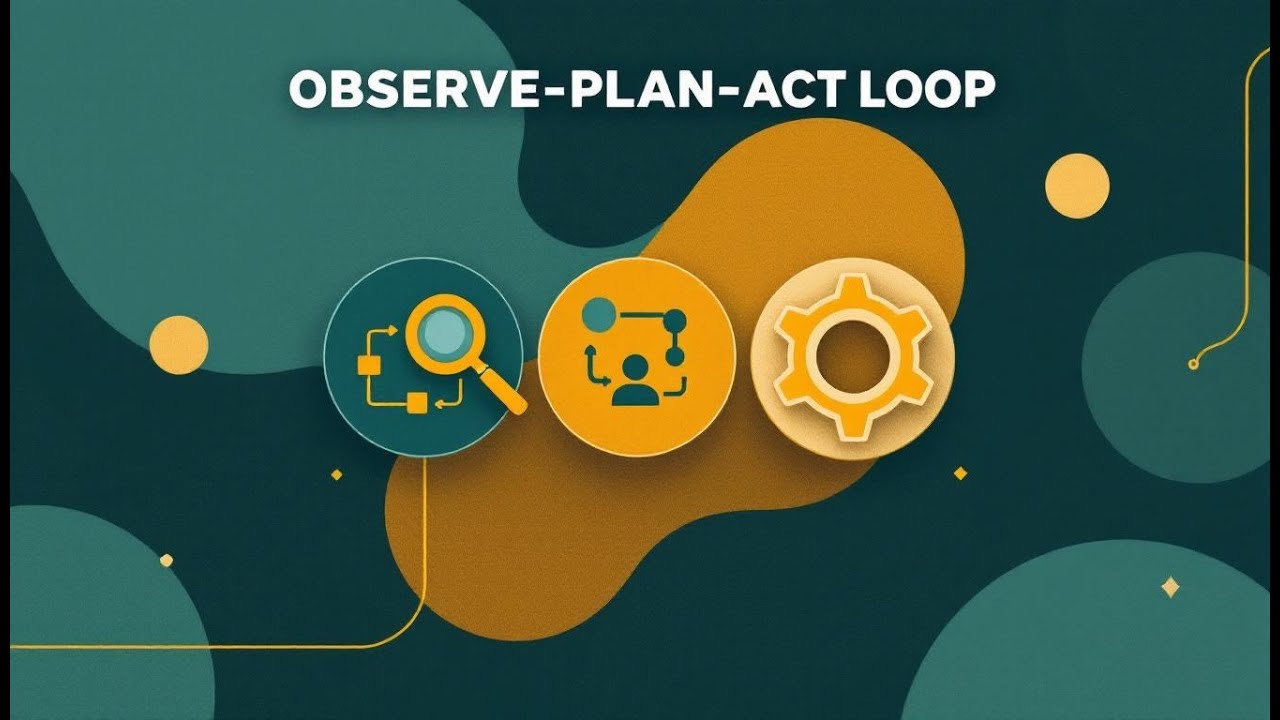
The core of true agent behavior is the Observe–Plan–Act loop. Agents continuously gather signals from their environment, reason about possible actions using memory and goals, execute decisions through integrations, and then learn from the results. This loop allows agents to improve over time instead of breaking when something unexpected happens. Without this cycle, a system may look intelligent but is ultimately brittle and mechanical.
The episode also breaks down the five essential components that make agents work in the real world: perception to gather data, memory to retain context, reasoning to choose actions, learning to adapt based on outcomes, and action to affect systems safely. All five must work together; leaving one out turns the agent into an unreliable tool rather than a dependable collaborator.
Governance is presented as the critical factor that determines whether agents succeed or fail. Clear data boundaries, transparency through audit trails, bias control, and human oversight for high-impact decisions are essential. Governance is not portrayed as a brake on innovation, but as the stability system that makes autonomy safe and trustworthy, especially in regulated or sensitive environments.






In today's business landscape, you see a growing reliance on technology to drive efficiency and innovation. However, many people confuse Agent vs. Automation. Recent surveys show that business leaders often struggle to differentiate between these two concepts. This confusion can lead to mismatched expectations and hinder effective technology adoption. Understanding the distinctions between Agent vs. Automation is crucial for making informed decisions that align with your organization's goals.
Key Takeaways
- AI agents learn and adapt over time, while automation follows fixed rules without learning.
- AI agents handle complex, changing tasks; automation works best for repetitive, structured jobs.
- AI agents operate with more independence, making decisions with less human help than automation.
- Automation improves efficiency by speeding up routine tasks and reducing errors.
- Choosing between AI agents and automation depends on your business needs and task complexity.
- AI agents often cost more upfront but offer long-term benefits through continuous improvement.
- Misunderstanding AI agents as just advanced automation can lead to wrong expectations.
- Human oversight remains important to ensure AI and automation work safely and fairly.
Defining Autonomous AI Agents

Autonomous AI agents represent a significant advancement in technology. They possess unique characteristics that set them apart from traditional software systems. Understanding these traits helps you appreciate their capabilities and potential applications.
Characteristics of AI Agents
Learning and Adaptation
Autonomous AI agents excel in learning and adaptation. They continuously gather data from their environment, allowing them to adjust their strategies in real-time. This adaptability ensures that they remain effective even as conditions change. For instance, if an AI agent encounters a new customer query, it can learn from that interaction and improve its responses in the future.
Autonomy in Decision-Making
These agents operate with a high degree of autonomy. They can execute tasks with minimal human intervention, planning and completing objectives independently. This autonomy allows AI agents to process data and make informed decisions using logic and predictive modeling. The following table summarizes the defining characteristics of autonomous AI agents:
| Characteristic | Description |
|---|---|
| Autonomy | Ability to execute tasks with minimal human intervention, planning and completing tasks independently. |
| Adaptability | Adjusts strategies in real-time based on evolving data and conditions. |
| Learning Ability | Learns from past experiences and improves continuously without human oversight. |
| Tool Use and Integration | Seamless integration with existing technology stacks and external systems for efficient processes. |
| Memory | Recalls past interactions and decisions to ensure consistency in operations. |
| Decision-Making | Independently processes data and makes informed decisions using logic and predictive modeling. |
Use Cases for AI Agents
Autonomous AI agents find applications across various industries, enhancing efficiency and effectiveness. Here are some common use cases:
Customer Service Applications
In customer service, AI agents manage interactions across multiple channels. They automate responses to frequently asked questions, reducing wait times and improving customer satisfaction. Organizations have reported measurable benefits, such as:
| Benefit | Description |
|---|---|
| Improved customer satisfaction | Organizations reported higher satisfaction levels among customers. |
| Cost savings through automation | Significant reductions in operational costs due to automated processes. |
| Reduced errors and improved accuracy | AI agents minimized human errors, leading to more accurate service delivery. |
| Resources freed for more value-adding tasks | Employees could focus on higher-value activities instead of routine tasks. |
| More anticipatory and proactive operations | AI agents enabled organizations to anticipate customer needs better. |
Data Analysis and Insights
AI agents also excel in data analysis. They automate report generation, identify trends, and provide insights with minimal human input. This capability allows businesses to make data-driven decisions quickly. For example, an AI agent can analyze sales data and suggest inventory adjustments based on real-time demand.
Understanding Automation

Automation plays a vital role in modern business processes. It streamlines repetitive tasks, allowing you to focus on more strategic activities. Understanding the characteristics and applications of automation helps you leverage its full potential.
Characteristics of Automation
Rule-Based Processes
Traditional automation relies heavily on rule-based processes. These systems operate on predefined logic, executing tasks according to fixed rules. This ensures reliability, as the same task will produce the same result every time. Here’s a summary of the core characteristics of traditional automation:
| Characteristic | Description |
|---|---|
| Predefined Logic | Operates on fixed rules that do not change unless manually updated, ensuring reliability. |
| Consistency and Predictability | Ensures tasks are executed in the same manner every time, crucial for high-volume workflows. |
| Examples of Use | Common in invoice processing, HR onboarding, and IT ticket routing, showcasing its application. |
| Limitations | Lacks adaptability and requires structured data, making it less effective in dynamic environments. |
Efficiency and Consistency
Automation enhances efficiency and consistency in business operations. By automating routine tasks, you reduce the time spent on manual processes. This leads to faster turnaround times and fewer errors. Here are some key points to consider:
- Engaging key stakeholders helps identify needs and prioritize processes for automation.
- Clearly defining process steps ensures effective automation.
- Setting measurable goals focuses efforts and assesses results.
- A phased approach allows for performance measurement and strategy refinement over time.
- Adequate training ensures staff are comfortable with automation tools and understand their benefits.
Use Cases for Automation
Automation finds applications across various sectors, particularly in manufacturing and administrative tasks.
Manufacturing and Production
In manufacturing, automation significantly improves productivity. Here are some common applications:
- Robotics and machine control systems automate repetitive or high-precision manufacturing tasks.
- Sensors and data tools monitor conditions such as temperature, pressure, and equipment status.
- Industrial Internet of Things (IIoT) platforms connect various manufacturing systems for integrated data flow.
- Automated alerts and dashboards enable real-time performance monitoring and quick response to issues.
Administrative Tasks
Automation also streamlines administrative tasks, enhancing operational efficiency. Consider these examples:
- Creating error-free Bills of Materials (BoM).
- Ensuring 100% accurate data migration.
- Improving inventory management to save costs.
- Automating purchase order creation and processing.
- Facilitating real-time compliance reporting.
While automation offers numerous benefits, it does have limitations. Traditional automation systems are rigid and require manual reprogramming for any changes in business rules. They struggle with ambiguous or unstructured inputs and cannot learn or improve beyond their programmed logic. In contrast, newer technologies, such as AI, adapt to changes without manual input, making them more suitable for dynamic environments.
AI Agents vs. Automation
Understanding the differences between AI agents and automation is essential for making informed decisions in your business. Both technologies serve unique purposes and have distinct functionalities.
Functionality Comparison
Learning vs. Predefined Rules
AI agents operate on a foundation of learning and adaptability. They continuously gather data, allowing them to improve their performance over time. In contrast, traditional automation relies on predefined rules. This means that automation executes tasks based on fixed logic without the ability to learn or adapt.
| Feature | Traditional Automation (RPA) | AI Agents |
|---|---|---|
| Approach | Rule-based | Intelligent & adaptive |
| Flexibility | Limited | High |
| Learning ability | None | Continuous Self-learning |
| Suitable for | Repetitive, structured tasks | Dynamic, complex workflows |
| Human role | High supervision required | Collaboration & co-creation |
This table illustrates how AI agents can learn from past interactions, enhancing their responses. In contrast, automation systems require reprogramming if the data format changes.
Complexity of Tasks
AI agents excel in handling complex tasks. They can process unstructured data, such as text and images, while traditional automation is limited to structured inputs. For example, AI agents can analyze customer feedback and adjust their strategies accordingly. Traditional automation, however, struggles with ambiguity and requires clear instructions to function effectively.
| Dimension | Traditional Automation | AI Agents |
|---|---|---|
| Foundation | Rule-based scripts | Learning-based systems |
| Workflow Type | Linear, fixed | Adaptive, flexible |
| Data Handling | Structured inputs only | Can process unstructured inputs |
| Reasoning | Deterministic | Probabilistic, contextual |
Impact on Business Operations
Flexibility vs. Stability
AI agents provide flexibility in dynamic environments. They adapt to new situations without requiring code changes. Traditional automation, while stable, is rigid and needs updates for new scenarios. For instance, if you introduce a new product category, traditional automation requires reprogramming. An AI agent, however, can understand and route support tickets based on the actual issue without needing updates.
Long-Term vs. Short-Term Solutions
When considering long-term strategies, AI agents offer significant advantages. They improve over time, making them suitable for evolving business needs. Traditional automation, while effective for short-term tasks, often leads to diminishing returns as processes change. AI agents can enhance specific workflow steps, leading to operational efficiency. This integration provides a competitive advantage, ensuring that AI outputs trigger governed actions across workflows.
Common Misconceptions
AI Agents Are Just Advanced Automation
Many people mistakenly believe that AI agents are merely advanced forms of automation. This misconception can lead to unrealistic expectations about what AI can achieve. While both technologies automate tasks, AI agents possess unique capabilities that set them apart.
| Misconception | Reality | Why this matters |
|---|---|---|
| AI Agents Are Autonomous | Agents are conditional automation, not true autonomy. They operate within defined boundaries. | Overestimating autonomy can lead to unsafe deployments. |
| You Can Build a Reliable Agent in an Afternoon | Prototyping is quick, but production takes months due to edge-case handling. | This gap can break project timelines and budgets. |
| Adding More Tools Makes an Agent Smarter | More tools can confuse agents and lead to failures. | Agent failures often stem from tool-selection issues. |
Understanding these realities helps you set appropriate expectations for AI deployment. You should recognize that while AI agents can enhance processes, they still require careful design and oversight.
Automation Can Replace All Human Roles
Another common misconception is the belief that automation can fully replace human roles in business. This perspective underestimates the diversity of tasks within jobs. It overlooks the potential for job redefinition and the economic implications of job loss.
Historically, as machines have replaced certain jobs, the workforce has adapted by shifting to new roles. Automation may not necessarily lead to job loss but rather a transformation of job functions. For example, while robots may handle repetitive tasks, humans still excel in areas requiring creativity, empathy, and complex decision-making.
Believing that automation can replace all human roles can lead to significant risks. It may cause organizations to overlook the importance of human judgment in complex scenarios. AI struggles with unexpected events, and human oversight ensures fairness and compliance.
| Myth Supporting Arguments | Reality |
|---|---|
| AI can handle all logistics scenarios flawlessly. | Edge cases require human judgment because AI struggles with unexpected events. Bias is possible, so oversight ensures fairness. |
| AI can instantly search all data and plan better trips than humans. | Hallucinations & errors happen when AI invents attractions or gives wrong info. AI lacks human context and misses cultural nuances. |
| AI can fully replace human doctors. | The accuracy of AI diagnoses is still in question, and the cost of mistakes is significant. |
By addressing these misconceptions, you can make more informed decisions about technology adoption. Understanding the true capabilities of AI agents and automation will help you leverage their strengths effectively.
Choosing the Right Technology
Selecting the right technology for your organization requires careful consideration of your specific needs. You must assess whether AI agents or automation solutions best fit your tasks.
Assessing Business Needs
Identifying Tasks for AI Agents
To identify tasks suitable for AI agents, start by defining clear goals. Establish specific objectives to measure performance effectively. Consider using specialized agents for tasks that align with their strengths. Collaboration between agents can enhance transparency and reliability. Keeping humans involved in the process ensures alignment with business needs.
Here are some criteria to help you determine if a task is suitable for AI agents:
| Criteria | AI Agents |
|---|---|
| Task Nature | Suited for dynamic, data-rich, unpredictable tasks requiring contextual understanding and learning |
| Data Type | Can process unstructured inputs (text, images, voice, logs) |
| Adaptability | Self-improves via retraining, reinforcement, and feedback loops |
| Complexity Handling | Capable of probabilistic, contextual reasoning and decision-making |
| Human Oversight | Agents reduce exception load and assist decision-making |
Recognizing Suitable Automation Opportunities
When recognizing opportunities for automation, focus on repetitive tasks with low variation. Start by analyzing data and engaging employees to uncover inefficiencies. Prioritize areas that align with your business goals. Here’s a simple approach to identify these opportunities:
- Analyze current processes for inefficiencies.
- Identify repetitive tasks that can be automated.
- Start with simpler tasks to build confidence in automation.
Evaluating Risks and Benefits
Cost Considerations
Cost plays a significant role in your decision-making process. AI agents often require a higher upfront investment compared to traditional automation solutions. Here’s a breakdown of costs associated with both technologies:
| Cost Type | AI Agents Cost Range | Automation Solutions Cost Range |
|---|---|---|
| Full-service implementation | $150,000-$1,000,000+ | N/A |
| Co-development approaches | $100,000-$500,000 | N/A |
| Advisory and oversight services | $50,000-$200,000 | N/A |
| Managed service arrangements | $10,000-$50,000 monthly | N/A |
Consider ongoing expenses related to maintenance, updates, and scaling. These costs can vary based on usage patterns and system complexity.
Potential for Job Displacement
Both AI agents and automation can lead to job displacement in certain sectors. AI agents may replace roles in manufacturing, customer service, and data entry. Traditional automation streamlines repetitive tasks but lacks the adaptability of AI. To mitigate these risks, invest in retraining and reskilling programs to help workers transition to new roles.
In summary, understanding the differences between AI agents and automation is crucial for your business. Here are the key takeaways:
- Evaluate whether an AI agent is necessary or if a simpler automated workflow suffices.
- Consider the potential costs of failure if an AI makes a poor decision.
- Assess the expertise available to manage a complex AI system.
AI agents can learn and adapt, making them effective in ambiguous situations. Traditional automation, however, is rigid and limited to predefined rules. By aligning your automation strategies with specific needs, you can enhance productivity and reduce costs.
To make informed decisions, follow these steps:
- Define decision thresholds for human review in high-risk scenarios.
- Implement emergency override mechanisms for critical situations.
- Establish transparency in decision-making processes.
- Continuously monitor and refine your systems.
By carefully evaluating your technology needs, you can leverage AI effectively and drive your organization forward.
FAQ
What is the main difference between AI agents and automation?
AI agents learn and adapt over time, while automation follows predefined rules. This means AI agents can handle complex tasks, whereas automation excels in repetitive, structured workflows.
How can I determine if my business needs AI agents?
Assess your tasks. If they require learning, adaptation, and handling unstructured data, AI agents may be suitable. For repetitive tasks with clear rules, automation might suffice.
Are AI agents expensive to implement?
AI agents often require a higher initial investment compared to traditional automation solutions. However, their long-term benefits can outweigh the costs, especially in complex workflows.
Can automation fully replace human jobs?
While automation can streamline tasks, it cannot replace all human roles. Many jobs require creativity, empathy, and complex decision-making that only humans can provide.
How do I choose between AI agents and automation?
Evaluate your business needs. Identify tasks that require flexibility and learning for AI agents. For repetitive tasks, consider automation. Align your choice with your strategic goals.
What industries benefit most from AI agents?
Industries like customer service, healthcare, and finance benefit significantly from AI agents. They enhance efficiency by automating complex workflows and providing valuable insights.
How do AI agents improve workflows?
AI agents enhance workflows by learning from past interactions, adapting to new situations, and making informed decisions. This leads to increased efficiency and better outcomes.
What role does governance play in AI deployment?
Governance ensures that AI agents operate safely and ethically. It establishes data boundaries, maintains transparency, and provides oversight to prevent bias and ensure compliance.
🚀 Want to be part of m365.fm?
Then stop just listening… and start showing up.
👉 Connect with me on LinkedIn and let’s make something happen:
- 🎙️ Be a podcast guest and share your story
- 🎧 Host your own episode (yes, seriously)
- 💡 Pitch topics the community actually wants to hear
- 🌍 Build your personal brand in the Microsoft 365 space
This isn’t just a podcast — it’s a platform for people who take action.
🔥 Most people wait. The best ones don’t.
👉 Connect with me on LinkedIn and send me a message:
"I want in"
Let’s build something awesome 👊
Ah, automation. You push a button, it runs a script, and you get your shiny output. But here’s the twist—agents aren’t scripts. They *watch* you, plan their own steps, and act without checking in every five seconds. Automation is a vending machine. Agents are that intern who studies your quirks and starts finishing your sentences.
In this session, you’ll learn the real anatomy of an agent: the Observe‑Plan‑Act loop, the five core components, when not to build one, and why governance decides whether your system soars or crashes. Modern agents work by cycling through observation, planning, and action—an industry‑standard loop designed for adaptation, not repetition.
That’s what actually separates genuine agents from relabeled automation—and why that difference matters for your team. So let’s start where the confusion usually begins. You press a button, and magic happens… or does it?
Automation’s Illusion
Automation’s illusion rests on this: it often looks like intelligence, but it’s really just a well-rehearsed magic trick. Behind the curtain is nothing more than a set of fixed instructions, triggered on command, with no awareness and no choice in the matter. It doesn’t weigh options; it doesn’t recall last time; it only plays back a script. That reliability can feel alive, but it’s still mechanical.
Automation is good at one thing: absolute consistency. Think of it as the dutiful clerk who stamps a thousand forms exactly the same way, every single day. For repetitive, high‑volume, rule‑bound tasks, that’s a blessing. It’s fast, accurate, uncomplaining—and sometimes that’s exactly what you need. But here’s the limitation: change the tiniest detail, and the whole dance falls apart. Add a new line on the form, or switch from black ink to blue, and suddenly the clerk freezes. No negotiation. No improvisation. Just a blank stare until someone rewrites the rules.
This is why slapping the label “agent” on an automated script doesn’t make it smarter. If automation is a vending machine—press C7, receive cola—then an agent is a shop assistant who notices stock is low, remembers you bought two yesterday, and suggests water instead. The distinction matters. Automation follows rules you gave it; an agent observes, plans, and acts with some autonomy. Agents have the capacity to carry memory across tasks, adjust to conditions, and make decisions without constant oversight. That’s the line drawn by researchers and practitioners alike: one runs scripts, the other runs cycles of thought.
Consider the GPS analogy. The old model simply draws a line from point A to point B. If a bridge is out, too bad—you’re still told to drive across thin air. That’s automation: the script painted on the map. Compare that with a modern system that reroutes you automatically when traffic snarls. That’s agents in action: adjusting course in real time, weighing contingencies, and carrying you toward the goal despite obstacles. The difference is not cosmetic—it’s functional.
And yet, marketing loves to blur this. We’ve all seen “intelligent bots” promoted as helpers, only to discover they recycle the same canned replies. The hype cycle turns repetition into disappointment: managers expect a flexible copilot, but they’re handed a rigid macro. The result isn’t just irritation—it’s broken trust. Once burned, teams hesitate to try again, even when genuine agentic systems finally arrive.
It helps here to be clear: automation isn’t bad. In fact, sometimes it’s preferable. If your process is unchanging, if the rules are simple, then a fixed script is cheaper, safer, and perfectly effective. Where automation breaks down is when context shifts, conditions evolve, or judgment is required. Delegating those scenarios to pure scripts is like expecting the office printer to anticipate which paper stock best fits a surprise client pitch. That’s not what it was built for.
Now, a brief joke works only if it anchors the point. Sure, if we stretch the definition far enough, your toaster could be called an agent: it takes bread, applies heat, pops on cue. But that’s not agency—that’s mechanics. The real danger is mislabeling every device or bot. It dilutes the meaning of “agent,” inflates expectations, and sets up inevitable disappointment. Governance depends on precision here: if you mistake automation for agency, you’ll grant the system authority it cannot responsibly wield.
So the takeaway is this: automation executes with speed and consistency, but it cannot plan, recall, or adapt. Agents do those things, and that difference is not wordplay—it’s architectural. Conflating the two helps no one.
And this is where the story turns. Because once you strip away the illusions and name automation for what it is, you’re ready to see what agents actually run on—the inner rhythm that makes them adaptive instead of mechanical. That rhythm begins with a loop, a basic sequence that gives them the ability to notice, decide, and act like a junior teammate standing beside you.
The Observe-Plan-Act Engine
The Observe‑Plan‑Act engine is where the word “agent” actually earns its meaning. Strip away the hype, and what stays standing is this cycle: continuous observation, deliberate planning, and safe execution. It’s not optional garnish. It’s the core motor that separates judgment from simple playback.
Start with observation. The agent doesn’t act blindly; it gathers signals from whatever channels you’ve granted—emails, logs, chat threads, sensor data, metrics streaming from dashboards. In practice, this means wiring the agent to the right data sources and giving it enough scope to take in context without drowning in noise. A good observer is not dramatic; it’s careful, steady, and always watching. For business, this phase decides whether the agent ever has the raw material to act intelligently. If you cut it off from context, you’ve built nothing more than an overly complicated macro.
Then comes planning. This is the mind at work. Based on the inputs, the agent weighs possible paths: “If I take this action, does it move the goal closer? What risks appear? What alternatives exist?” Technically, this step is often powered by large language models or decision engines that rank outcomes and settle on a path forward. Think of a strategist scanning a chessboard. Each option has trade‑offs, but only one balances immediate progress with long‑term position. For an organization, the implication is clear: planning is where the agent decides whether it’s an asset or a liability. Without reasoning power, it’s just reacting, not choosing.
Once a plan takes shape, acting brings words into the world. The agent now issues commands, calls APIs, sends updates, or triggers processes inside your existing systems. And unlike a fixed bot, it must handle mistakes—permissions denied, data missing, services timing out. Execution demands reliability and restraint. This is why secure integrations and careful error handling matter: done wrong, a single misstep ripples across everything downstream. For business teams, action is where the trust line sits. If the agent fumbles here, people won’t rely on it again.
Notice how this loop isn’t static. Each action changes the state of the system, which feeds back into what the agent observes next. If an attempt fails, that experience reshapes the next decision. If it succeeds, the agent strengthens its pattern recognition. Over time, the cycle isn’t just repetition, it’s accumulation—tiny adjustments that build toward better performance.
Here a single metaphor helps: think of a pilot. They scan instruments—observe. They chart a path around weather—plan. They adjust controls—act. And then they immediately look back at the dials to verify. Quick. Repeated. Grounded in feedback. That’s why the loop matters. It’s not glamorous; it’s survival.
The practical edge is this: automation simply executes, but agents loop. Observation supplies awareness. Planning introduces judgment. Action puts choices into play, while feedback keeps the cycle alive. Miss any part of this engine, and what you’ve built is not an agent—it’s a brittle toy labeled as one.
So the real question becomes: how does this skeleton support life? If observe‑plan‑act is the frame, what pieces pump the blood and spark the movement? What parts make up the agent’s “body” so this loop actually works? We’ll unpack those five organs next.
The Five Organs of the Agent Body
Every functioning agent depends on five core organs working together. Leave one out, and what you have isn’t a reliable teammate—it’s a brittle construct waiting to fail under messy, real-world conditions. So let’s break them down, one by one, in practical terms.
Perception is the intake valve. It collects information from the environment, whether that’s a document dropped in a folder, a sensor pinging from the field, or an API streaming updates. This isn’t just about grabbing clean data—it’s about handling raw, noisy signals and shaping them into something usable. Without perception, an agent is effectively sealed off from reality, acting blind while the world keeps shifting.
Memory is what gives perception context. There are two distinct types here: short-term memory holds the immediate thread—a conversation in progress or the last few commands executed—while long-term memory stores structured knowledge bases or vector embeddings that can be recalled even months later. Together, they let the agent avoid repeating mistakes or losing the thread of interaction. Technically, this often means combining session memory for coherence and external stores for durable recall. Miss either layer, and the agent might recall nothing or get lost between tasks.
Reasoning is the decision engine. It takes what’s been perceived and remembered, then weighs options against desired goals. This can be powered by inference engines, optimization models, or large language models acting as planners. Consider it the ship’s navigator: analyzing possible routes, spotting storms ahead, and recommending which way to steer. Reasoning introduces judgment, making the difference between raw reflex and strategy. No reasoning, no agency—just rote reaction.
Learning is the feedback loop that prevents stagnation. It absorbs outcomes and adjusts behavior over time. If an attempted workflow sequence fails, a learning mechanism updates the playbook for next time. In practice, agents achieve this through retraining models or updating heuristics based on success and failure signals. This is what elevates an agent from a static tool to something adaptive, improving slowly but steadily with each encounter. Without learning, even clever systems eventually become obsolete, locked in time.
Action is the hands and voice of the system. Plans only matter if they translate into execution—API calls, file writes, notifications, or commands. This component bridges decision to reality but carries risk: what if it triggers the wrong sequence or bypasses safeguards? That’s why robust action includes secure integrations, permission checks, and fail‑safes. Done right, it’s the difference between a controlled system making targeted moves and a toddler mashing buttons on the flight deck.
Each of these organs is essential, but none can operate in isolation. They form a living circuit: perception feeds memory, memory grounds reasoning, reasoning informs learning, and all four drive action. If one organ drops, the loop limps or collapses. That’s why so many so‑called “agents” falter when tested—they’re missing vital anatomy.
But remember, anatomy alone doesn’t guarantee safe operation. Those organs need rules and oversight—otherwise they’ll make confident mistakes. And that’s where the next part of the conversation heads: what it really takes to keep a powerful system on course.
Governance: The Flight Manual
Governance: The Flight Manual. Think of it less like strapping a rocket to your desk and more like issuing flight rules before takeoff. Agents are powerful, and once they start making their own calls, they need clear skies and visible boundaries. Without that structure, what looks like intelligence can drift into chaos faster than you can blink.
When agents operate with independence, they behave like pilots of their own craft. They interpret data streams, weigh options, and trigger actions across your systems. That’s exactly where things can go wrong. Bias in the incoming data tilts judgment. A lack of transparency leaves you staring at a black box. And decisions made out of view can collide with both compliance and ethics. Governance is the stabilizer—it doesn’t slow the mission down, it ensures the course stays lawful and fair.
There are three practical controls every organization needs to establish. First: secure data ingestion. This defines what information an agent is allowed to consume and how it’s approved. Random feeds are a recipe for bias and leakage. Approved pipelines, on the other hand, guarantee that only sanctioned, clean inputs drive reasoning. Second: transparency and audit trails. Every decision should leave a footprint you can inspect, so regulators, managers, and stakeholders understand how outcomes were reached. Third: human oversight. People remain in the loop for decisions where the fallout is serious—hiring, healthcare, finance, safety. This isn’t busywork. It’s a guardrail that maintains trust when risk is high.
Research shows that two adoption hurdles crop up again and again: bias creeping in from skewed data, and interpretability gaps that make outcomes hard to explain. That’s why governance has to include both strong data curation and mechanisms that keep reasoning visible. Quality in means reliability out. If you skip that step, an agent can hum along at full speed while quietly learning the wrong lessons.
Frameworks help translate these principles into action. Not glamorous, but structural. For example, tools already exist that act like air traffic control for your data. Microsoft Purview is one such option—it enforces what flows in, under which rules, and how it aligns with compliance obligations. It’s not there to add intelligence; it’s there to make sure the flight corridor itself is safe.
Oversight also extends into ethics. Picture a hiring agent that “optimizes” by overfitting to biased history. It looks efficient in code, but ethically and legally it fails. Governance insists a human checks that routing decision before the damage ripples outward. That’s not slowing down progress; it’s preventing lawsuits, scandals, and reputational collapse.
Regulation plays a similar role in defining the corridors. Data privacy rules, industry compliance, and territorial boundaries all act like no‑fly zones. Violate those, and you collide not with a glitch—but with fines, enforcement, or loss of customer trust. Proper governance reframes these restrictions as stabilizers. They don’t block innovation; they keep the craft from wandering into someone else’s lane.
Bias itself is worth its own mention. Think of it as a misaligned compass. Once skewed data sets the needle wrong, every “correction” the agent makes points further off course. Governance fights back by curating inputs, auditing models, and regularly adjusting calibration. Without this, agents can operate with astonishing precision—toward the wrong target.
Some leaders still treat governance like an afterthought, something bolted on after the build. That view misses the point. Governance is not a parachute; it’s the onboard stability system. It smooths out wobbles, ensures instruments align, and allows the flight to continue even when turbulence hits. You don’t cheer for it, but you rely on it every time you lift off.
And here’s the practical note for teams: keep humans in the loop for high‑stakes or ambiguous calls. When choices affect money, safety, or fairness, give oversight the final word. For routine automation, let the agent cruise on its own. This simple triage builds confidence without grinding everything to a halt.
So governance doesn’t drain the thrill from autonomy—it converts raw potential into reliable performance. Once those rules are in place, the next consideration isn’t whether agents can fly, but which type of aircraft suits the mission you have in mind.
Choosing Your Hangar: Microsoft Agents in the Wild
Choosing where to park your agent is less about fancy features and more about aligning the craft with the mission. Microsoft has stocked its hangar with several platforms, each built for a different kind of pilot and a different flight plan. The key isn’t memorizing names—it’s knowing which cockpit fits your role, your problem’s complexity, your compliance needs, and how tightly you need to bolt into the broader system.
Think of four dials you adjust before choosing your hangar. First: user type—are you an end user, a power user, or a developer? Second: mission complexity—simple workflows or enterprise‑scale challenges? Third: data sensitivity—will compliance and audit requirements follow you like a shadow? And fourth: integration needs—does the agent just answer questions, or must it wire itself into half your tech stack? Each Microsoft platform slots neatly into this grid.
Start with SharePoint agents. They’re tuned for end users who live inside documents and team workflows. The criteria they best fit: end user profile, low to medium mission complexity, and moderate integration needs mostly tied to internal content. They’re not flashy, but they shine when you need a document‑centric assistant to fetch, summarize, or organize records already sitting in SharePoint. Think of them as office clerks with decent memory—steady, useful, and obedient to the rules of your intranet.
Copilot Studio raises the ceiling a little higher. Best mapped to end users who want low‑code builds, it specializes in conversational helpers and lightweight process automation. Mission complexity here is modest—customer service chat, knowledge lookups, and guided workflows. Compliance demands are typically low, but integration remains accessible: it ties into business apps without requiring deep engineering. In short, Copilot Studio is the glider for business users—light, maneuverable, and forgivable if you clip a wing.
Azure AI Foundry is a different beast. It belongs to power users and specialists tackling heavy missions—enterprise‑grade intelligence systems where compliance is strict and integrations run deep. The criteria alignment is clear: advanced user type, high mission complexity, high data sensitivity, and extensive integration needs. Foundry is where you design custom AI engines, enforce governance controls, and scale across regulated systems. It’s the carrier class aircraft—big, complex, and meant for missions where precision and regulation matter just as much as speed.
Now for the experimenters: Semantic Kernel and Autogen. These platforms suit developers and researchers who value flexibility and orchestration above turnkey simplicity. Criteria fit: developer user type, high mission complexity, variable compliance depending on deployment, and very high integration needs—since orchestration often means juggling multiple systems. Semantic Kernel extends existing applications with AI reasoning, while Autogen coordinates swarms of agents working together. Think of this as a squadron instead of a single pilot: formation flying that lets one agent hand off to another mid‑air.
One industry example helps show why this mapping matters. A global consumer goods company documented how it consolidated and analyzed marketing data using agentic approaches to streamline decision‑making. That deployment required both broad integrations and sophisticated planning capability—criteria that point firmly toward an enterprise‑grade platform like Azure AI Foundry. The business case wasn’t abstract: it delivered measurable ROI because the chosen hangar matched the flight profile.
And it’s worth noting the skies aren’t owned by one maker. Microsoft offers a strong fleet, but alternatives like Salesforce Agentforce remind us competition exists. Their presence highlights that no vendor monopoly dictates your path—the mission profile should, not the brand painted on the hull.
The decision framework, then, is simple. Match who you are, how complex the job is, how sensitive the data feels, and how tight the integrations must be. From that, the right hangar reveals itself. If you mismatch, you’ll either over‑engineer a trivial task or under‑equip a mission that demands more.
But beware of one final trap. If your problem is well‑defined and repeatable, automation is still fine—only pick an agent when you need memory, planning, or autonomy beyond a scripted workflow. And once you see that distinction clearly, the last piece of the journey comes into focus: redefining what agents truly are, and why mistaking them for something simpler creates both risks and missed rewards.
Conclusion
So here’s the wrap: agents are not automation—they think in loops, not scripts. They run on the Observe‑Plan‑Act engine, powered by five critical components. And without governance—secure intake, oversight in the loop, and audit trails—you won’t trust them to fly missions that matter.
That’s the difference between a clever macro and an actual teammate: one repeats, the other adapts.
Now your turn—what’s one process at your org that truly needs an agent instead of plain automation? Drop it in the comments; I’ll read the sharpest examples. Shipped value? Nice. Subscribe so your brain gets automatic updates.
This is a public episode. If you'd like to discuss this with other subscribers or get access to bonus episodes, visit m365.show/subscribe

Founder of m365.fm, m365.show and m365con.net
Mirko Peters is a Microsoft 365 expert, content creator, and founder of m365.fm, a platform dedicated to sharing practical insights on modern workplace technologies. His work focuses on Microsoft 365 governance, security, collaboration, and real-world implementation strategies.
Through his podcast and written content, Mirko provides hands-on guidance for IT professionals, architects, and business leaders navigating the complexities of Microsoft 365. He is known for translating complex topics into clear, actionable advice, often highlighting common mistakes and overlooked risks in real-world environments.
With a strong emphasis on community contribution and knowledge sharing, Mirko is actively building a platform that connects experts, shares experiences, and helps organizations get the most out of their Microsoft 365 investments.
