Copilot and Zero Trust Architecture: A Complete Guide for Secure Adoption
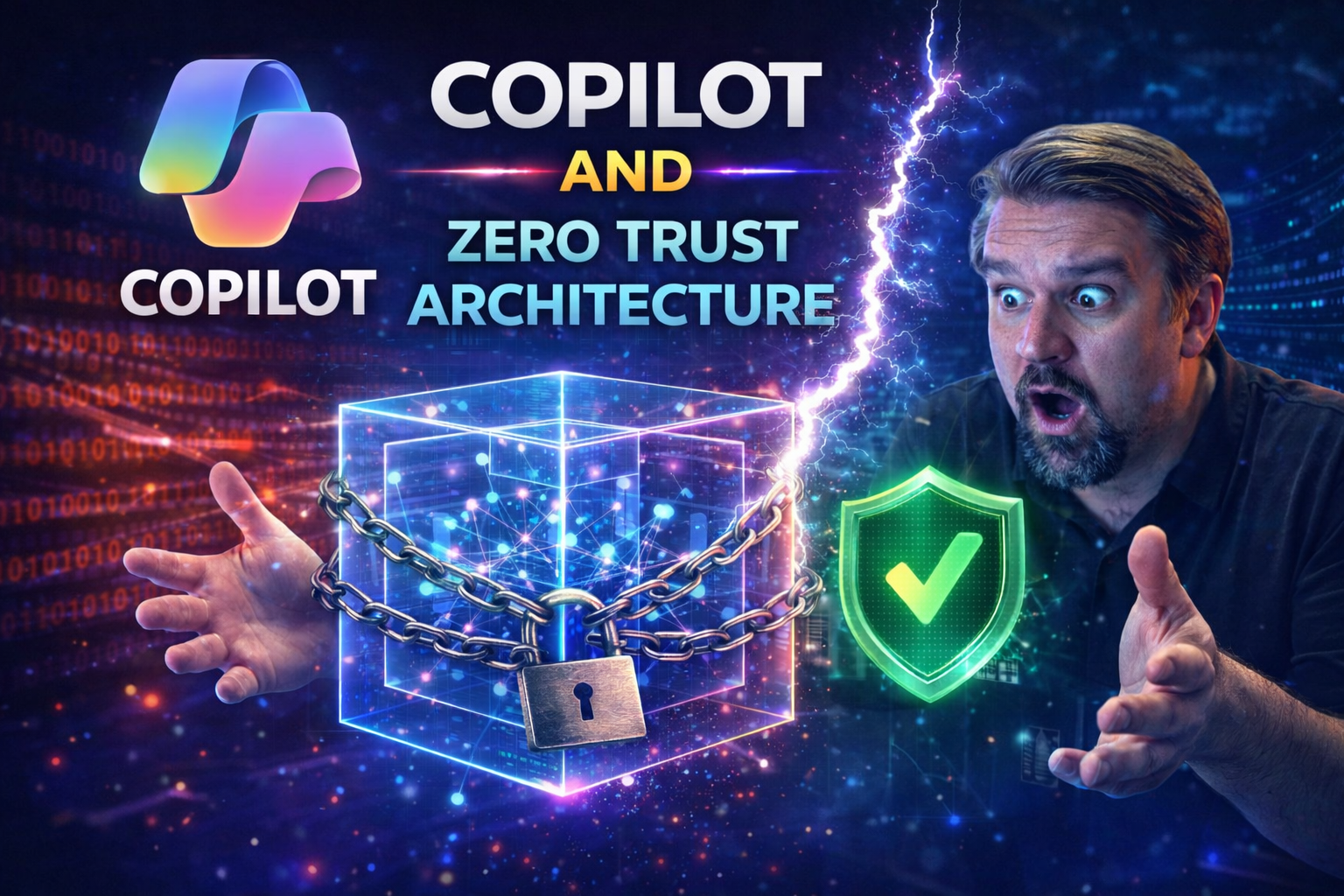
In this guide, you’ll get a deep dive into what it takes to securely roll out Microsoft Copilot using a Zero Trust Architecture. We’ll walk through the best practices, from core security principles to practical deployment steps, all tailored for those working with Microsoft 365 and Azure. Whether your organization is just starting to explore Copilot or you’re preparing for enterprise-wide adoption, you’ll find actionable advice and architectural insights to help you stay secure and compliant. This isn’t just theory—expect clear guidance to help you build a rock-solid security posture around your AI initiatives.
Introduction to Copilot and Zero Trust in the Modern Workplace
AI assistants like Microsoft Copilot are taking on a bigger role in the daily grind of corporate life. Copilot promises to boost productivity, draft those tricky emails, and even help you make sense of data you never had time for. But as you throw more AI into the mix, it becomes clear: old-school perimeter security just won’t cut it. The real challenge is keeping sensitive information locked down in a world where Copilot can access, summarize, and share enterprise data in a snap.
This is exactly where Zero Trust Architecture steps in. Zero Trust throws out assumptions—there’s no trusted user, device, or app by default. Instead, everything gets checked, rechecked, and strictly limited by role and need. Now, combine that with Copilot’s mighty reach into your Microsoft 365 stack, and you’ve got the recipe for both next-level productivity and serious risk—unless you bring the right controls to the table.
Understanding how Copilot and Zero Trust work together is key. With AI-driven tools expanding across Microsoft 365 and Azure, you need a game plan that keeps productivity up but doesn’t hand over the keys to the kingdom. Throughout this article, you’ll see how organizations can tap into Copilot’s strengths and still keep compliance, privacy, and security front and center. Let’s lay the foundation for secure, modern work where AI doesn’t mean opening the floodgates.
How Copilot and Zero Trust Intersect to Strengthen Security
Copilot and Zero Trust meet at the crossroads of modernization and caution. Microsoft Copilot taps into enterprise data via Microsoft Graph, aiming to assist users with AI-powered insights. But, without strict controls, it could access more data than any single employee should see. This is where the Zero Trust framework shines: by enforcing least-privilege access, granular role controls, and continuous risk checks for every Copilot interaction.
When Copilot operates within a well-architected Zero Trust environment—using segmented Graph permissions, Conditional Access, and Data Loss Prevention—AI productivity doesn’t come at the expense of sensitive information. To understand how to implement these controls, see the in-depth guidance on governing AI and Copilot security and explore the benefits of Zero Trust by Design in Microsoft 365.
What’s in This Article and How the Logical Architecture Fits
This guide goes step by step through securely deploying Microsoft Copilot with Zero Trust—covering foundational principles, architectural layers, policy configuration, and technical validation. You’ll find practical advice for applying security controls before, during, and after Copilot enablement.
Logical architecture diagrams, policy checklists, and validation strategies are woven throughout, helping you visualize and implement each stage of protection. Whether you’re architecting from scratch or tightening up an existing deployment, this roadmap equips you to build a secure, compliant Copilot environment that stands up to scrutiny—without sacrificing collaboration or efficiency.
Core Copilot Principles That Align With Trust
The backbone of Microsoft Copilot’s security approach is trust—built on transparency, privacy, and accountability. These aren’t just buzzwords; Microsoft has structured Copilot’s design to align closely with Zero Trust principles. Every feature, integration, and permission is scrutinized to ensure it meets strict standards for security and privacy.
Fundamental ideas like explicit verification and least privilege aren’t just theory; they’re embedded in how Copilot handles your organization’s data, who can interact with what, and how those interactions are logged and monitored. Microsoft’s approach ensures you keep a tight grip on sensitive information and maintain clarity on who (or what AI) is accessing it at all times.
Tactical guidance comes down to configuring data boundaries, defining access roles, and making sure technical controls enforce the trust you need. As adoption grows, it’s also about governance—putting not just technology but process and oversight in place. To learn about practical policy enforcement, Purview Data Security Posture Management, and the role of governance boards in Copilot deployment, check out this governance policy guide and how governance boards are your last defense against AI mayhem.
Microsoft 365 Copilot Trust Principles Explained
Microsoft 365 Copilot’s trust principles are rooted in responsible AI, strong privacy controls, and a commitment to data residency. User data and prompts handled by Copilot stay within your tenant boundaries, supported by compliance with global standards like GDPR and HIPAA. Microsoft enforces privacy by design, meaning access, processing, and retention of data are governed by enterprise-grade controls with full transparency and auditability.
Responsible AI commitments ensure Copilot can’t be used to generate harmful content or bypass organizational controls. Additionally, Copilot adheres to transparency requirements, letting organizations know how data is accessed, processed, and used to generate outputs.
Applying Copilot Security Mitigations Before Deployment
- Harden Identity: Enforce strong authentication, eliminate legacy authentication, and require Conditional Access for Copilot access. This reduces the risk of compromised accounts.
- Restrict Data Scope: Review and limit data Copilot can access, using Purview sensitivity labels and SharePoint permissions to prevent overexposure or accidental data leaks.
- Control App Access: Audit app permissions—including Microsoft Graph—so Copilot is restricted to what’s necessary, not overly broad access.
- Automate Policy Enforcement: Use auto-labeling, DLP, and communication compliance to monitor and respond to policy violations. For ongoing governance and learning, consider a centralized Copilot Learning Center.
- Optimize Conditional Access: Regularly review policies and remediate exceptions that could lead to identity debt. For lifecycle strategies, explore reducing risk through a disciplined conditional access loop.
Designing a Logical Architecture for Copilot Using Zero Trust
Getting Copilot truly “Zero Trust ready” takes more than just flipping a switch in the admin console. You need a layered architecture—one that wraps identity, device, data, and app protections around every user and workload that touches Copilot.
The idea is to build defenses like an onion: strong outer layers, but also controls deeply rooted at every entry point. That means enforcing identity protections with Conditional Access, tightening device compliance, classifying and governing data with Purview, and blocking data exfiltration at the connector and environment edges. Visual architecture posters make this easier to grasp and communicate up the chain.
This structure is your blueprint for scaling Copilot securely, whether in a single department or across your entire tenant. For more on scoping DLP, role boundaries, and Power Platform access in Copilot, check out advanced Copilot agent governance with Microsoft Purview. A solid architecture lets you embrace AI automation without opening new risk floodgates.
Configuring Conditional Access and Security Policies for Copilot
- Multi-Factor Authentication (MFA): Enforce MFA for all Copilot users to reduce compromise risk. Use strong methods—Authenticator app or FIDO2, not just SMS.
- Device Trust: Require compliant, managed devices for Copilot access. Leverage Intune-based compliance or Azure AD registered endpoints.
- Risk-Based Access: Implement sign-in risk and user risk policies to automatically challenge, block, or limit risky Copilot sessions.
- Session Controls: Use Conditional Access Authentication Context to enforce restrictions on high-risk Copilot sessions—like no external sharing or download.
- OAuth Consent Management: Limit user consent to trusted, verified Copilot apps only. Monitor for excessive OAuth grants to avoid persistent unauthorized access as detailed in this deep dive on consent-based attacks.
- Monitor and Iterate: Track policy effectiveness with KPIs and adjust as needed. For best practice baselines and rollout, see addressing Conditional Access policy trust issues.
Managing Privileged Admin and SecOps Access
Securing admin and SecOps accounts starts with Privileged Identity Management (PIM). With PIM, admins get “just-in-time” access—receiving elevated rights only when needed, for a limited time. This drastically reduces standing privileges. Role-based access further separates duties: one team handles user access, another manages devices or data, ensuring no one can bypass controls alone.
Continuous monitoring is critical. It helps spot privilege abuse or suspicious elevation attempts quickly, especially in complex tenant environments. For more on effective governance beyond surface-level controls, explore why system-level governance is key to success in Microsoft 365 deployments.
Step-by-Step Copilot Deployment and Protection Validation
Let’s get practical—deploying Copilot in line with Zero Trust is an exercise in careful sequencing. You’ll start with identity and access controls, layer on data classification, enforce app protections, and then lock down endpoints. Each phase includes a validation loop: auditing, monitoring, and adjusting as risks or user behaviors shift.
It doesn’t matter if your environment is shiny and new or built on years of legacy permissions and shadow IT—Zero Trust deployment offers a path to bake security in at every step. Audit logs and compliance tools help you spot coverage gaps or new risks as Copilot adoption grows. If you want to centralize adoption and reduce confusion, a governed Copilot Learning Center can streamline user enablement and governance.
Monitoring and user activity analysis are just as crucial as policy enforcement. Using Microsoft Purview and Defender for Endpoint, you can detect policy violations and emerging threats in real time, ensuring that Copilot activity doesn’t create blind spots. For technical how-tos on advanced activity auditing, see auditing user activity in Microsoft Purview.
Deploy and Validate Identity, Data, and App Protections
- Identity Protection: Require MFA, strong password policies, and enforce Conditional Access rules before enabling Copilot. Monitor sign-ins and user risk events in Entra ID.
- Data Labeling and Classification: Use Purview sensitivity and retention labels to tag all content Copilot can access. This protects confidential information from misuse and supports auditing. See Purview-driven document protection.
- App Access Controls: Limit Copilot’s Graph permissions and review consented permissions regularly. Block risky third-party app integrations unless strictly required and reviewed by security admins.
- Ongoing Monitoring: Set up audit logging (Purview, Sentinel) to track user, AI, and app activities, supporting compliance and proactive investigations.
Enhance Device Management and Threat Protection
- Device Compliance: Require Copilot access from Intune-compliant, encrypted devices only. Block unmanaged endpoints automatically to prevent data leakage.
- Endpoint Detection & Response (EDR): Deploy Microsoft Defender for Endpoint to detect malware, account compromise, or unusual Copilot-driven activities across devices.
- Automated Threat Detection: Enable Defender XDR to correlate Copilot-initiated data access with potential risks. Real-time alerts help you address threats fast. Learn about proactive compliance reporting and endpoint monitoring at Defender for Cloud.
- Continuous Compliance Validation: Schedule regular device compliance reviews and threat posture assessments to catch policy drift and configuration gaps.
Enable Secure Collaboration and Limit User Permissions
- Limit Sharing Defaults: Set strict default sharing policies in Teams and SharePoint to minimize risk of overexposure or accidental external leaks. Enhanced tenant auditing is covered in this practical auditing framework.
- Lifecycle Management for Guest Accounts: Regularly review, expire, and govern external guest accounts to control access after projects end. Guidance available via managing M365 guest account risks.
- Sensitivity Boundaries: Apply label-based access blocks and monitor for prompt-based attempts to bypass data controls in collaboration tools.
- Monitor for Risky Behavior: Use PowerShell automation and Purview DLP to trigger alerts on anomalous file sharing or oversharing patterns in real time.
Securing User Access, Authentication, and Third-Party Integrations
Adding Copilot to your mix means thinking about more than just human users. You need to onboard people, delegated roles, and integrate third-party SaaS and security tools—all under the Zero Trust spotlight. That means robust onboarding, explicit assignment of roles, and making sure each connection—human or machine—only gets the least permissions necessary.
This section dives into assigning per-user Security Copilot access, managing authentication flows like “on-behalf-of” OAuth, and linking Copilot safely to tools like Tanium. Securing the identity layer isn’t just about humans. You’ll want tight control over non-human access using Entra Workload Identities and conditional access reviews. If you’re wondering how to kill that lingering risk from stale service accounts, see why Entra Workload Identities are the answer.
Integrating SaaS and automation platforms brings new opportunities and risks—especially when autonomous AI agents start acting on their own. Learn how to govern these connections and stay ahead of Shadow IT patterns through careful policy configuration, strong authentication, and real-time activity monitoring.
Assigning Per-User Security Copilot Roles and Access
Onboarding users to Security Copilot starts with clearly defined roles assigned via Microsoft Entra ID. Always apply the least-privilege principle—give users only the permissions necessary for their Copilot tasks, and separate duties where possible. Assign licenses based on functional need, and revisit access regularly to limit scope creep.
Use role-based access control to structure permissions by group, not by individual exceptions, reducing the surface area for mistakes or abuse. This lets you ensure only trusted users (and no extras) are granted Security Copilot access from the start.
On-Behalf-Of Authentication and Copilot Secure Access Flows
Copilot and related apps often leverage “on-behalf-of” (OBO) authentication with Entra ID and OAuth. This process means Copilot acts on behalf of a signed-in user, always honoring the user’s access boundaries and session limits. Effective OBO flows tightly constrain privilege and ensure Copilot can't exceed the user role’s rights.
To prevent privilege escalation and abuse of consent flows, always restrict user ability to grant wide-ranging OAuth access. Require admin approval for Copilot integrations, limit token lifespans, and enforce publisher verification. For deeper discussion on consent-based attacks and risk containment, check how to stop OAuth consent abuse in Entra ID.
Integrating Third-Party Security Tools and SaaS Apps with Copilot
- Use Secure SSO/SAML: Centralize authentication for third-party SaaS and security tools using managed SSO, and enforce Conditional Access policies on these integrations.
- Limit App Permissions: Grant apps only the least access needed; avoid broad Graph or full-tenant permissions for automation platforms or security agents.
- Implement Runtime Monitoring: Continuously monitor integrations for anomalous access or shadow IT behavior. For practical insights, see AI agent shadow IT governance and how Microsoft Foundry expands Shadow IT threats.
- Apply Purview Data Boundaries: Use Purview DLP and data classification to control what Copilot (or connected SaaS apps) can access or move—especially when AI summarizes or aggregates data across sources.
- Review Access Regularly: Periodically audit third-party permissions, offboard unused connections, and respond to new risk profiles as AI-driven automation grows.
Getting Started, Training, and Next Steps for Securing Copilot
Ready to roll out Copilot? You’ll need a practical roadmap—from choosing M365 licensing to prepping users and setting up repeatable security routines. This part lays out what’s possible with E3 and what extra protection comes with E5, giving you the flexibility to balance cost and security needs.
Training your users is as important as tightening technical controls. Many security mishaps aren’t technical errors—they’re human slip-ups or misunderstandings about what Copilot or AI is allowed to do. A sharp eye for risky prompts—and the discipline to use Copilot responsibly—can make or break your deployment.'
This section not only maps the journey from first technical rollout through day-to-day safe usage, but also keeps a focus on continuous improvement and compliance management. For more on configuring essential M365 security settings without disrupting user experience, see this step-by-step ironclad security setup.
Getting Started With E3 and the Benefits of Upgrading to E5
- Baseline in E3: Microsoft 365 E3 offers core licensing for Copilot, with foundational security (MFA, basic DLP, compliance center, and Intune management). Start here for SMBs or pilot deployments.
- Upgrade to E5: E5 unlocks advanced Zero Trust features: Defender for Endpoint/XDR, Purview advanced DLP and audit, compliance scorecards, Insider Risk Management, and Identity Protection. These are vital for regulated or high-risk enterprises.
- Evaluate Needs: Assess your organization’s risk, regulatory requirements, and Copilot use cases to decide if E5’s protections are necessary upfront or as a later upgrade.
Training Copilot Users on Secure AI Prompts and Behaviors
- Prompt Security: Teach users to avoid prompting Copilot for highly sensitive data or business secrets, and to use clear, context-appropriate requests.
- Recognize Red Flags: Train users to spot AI-generated prompts that look suspicious, perform unexpected actions, or request permissions outside normal workflows.
- Understand Consent Risks: Help users identify and report phishing-like consent screens or abnormal app permission requests. For more, explore detection of consent phishing and token theft.
- Use Feedback Loops: Empower users to flag inaccurate or unwanted Copilot responses, feeding improvements into governance council reviews.
Implementation Steps and Best Practices Checklist
- Pre-Deployment Audit: Inventory user and app permissions, classify sensitive data, and close identity risk gaps before enabling Copilot.
- Enforce Zero Trust Policies: Roll out access and session control policies for Copilot (MFA, CA, device trust). Monitor access by role—not just blanket permissions.
- Enable Real-Time Monitoring: Deploy Purview and Defender Audit logging across user, device, and app activity. For advanced audit how-tos, see Purview audit guidance.
- Governance and Continuous Review: Establish an AI governance council, regularly review audit logs and DLP incidents, and use automation for dynamic policy enforcement. For rollout checklists, see practical Copilot governance advice.
Resources, Architecture Posters, and Community Feedback
If you’re building or securing a Copilot deployment, don’t reinvent the wheel. There are downloadable resources, visual guides, and official Microsoft documentation out there to make your job easier—and to help you communicate architectural vision up the chain or across teams.
This final section rounds up key references for further exploration, including where to grab logical architecture posters, authoritative Microsoft Learn links, and ways to connect with the community. Your feedback doesn’t just land in a black hole—sharing experiences helps refine the tools and guidance everyone uses. And as AI adoption evolves, continuous learning from peers and fresh documentation is a must to keep up with risks and best practices.
For the latest on AI agent governance, Zero Trust rollout, and staying compliant in complex M365 deployments, see how others manage scalability and risk exposure. Collaboration here isn’t just about tech—it’s about building a smarter, safer ecosystem for everyone.
Download Logical Architecture Posters for Zero Trust Copilot
- Visual Reference: Access downloadable posters reflecting Copilot- and Zero Trust-integrated architecture from this resource. Use these for workshops, board presentations, or technical planning sessions.
- Training Aid: Post diagrams in IT bullpens or as digital quick-reference for onboarding new team members—clarifying architecture and approval workflows at a glance.
- Executive Buy-In: Share architecture visuals with leadership to drive investment for E5 upgrades or explain why layered controls are vital for AI adoption at scale.
Further Reading: References and Official Microsoft Documentation
- Microsoft Learn: Dive deep into the latest official Microsoft Copilot, Purview, and Entra documentation for implementation and troubleshooting.
- Tech Community: Join expert discussions, webinars, and Q&A sessions on new features, deployment challenges, and security best practices.
- Blog & Release Notes: Follow Microsoft’s official blog and release notes for real-time updates to Copilot features and security controls.
- Product Docs: Bookmark core product docs as your go-to reference for policy setting, troubleshooting, and compliance mapping.
Share Your Feedback and Explore Relevant Community Content
Your insights help this guide evolve. Whether you spot a new AI risk, want to share your Copilot rollout story, or need advice from peers, provide your feedback through forms or join in on community discussions. Engaging with active governance and AI security forums can help you learn from real-world deployment hurdles, avoid common missteps, and refine your own secure Copilot practices.
Looking for more on agent governance and securing Microsoft’s AI stack? Take a look at AI agent governance strategies or dive into practical Copilot governance policies for detailed checklists and case studies.

Microsoft MVP | Host of M365.fm | Founder of M365 Show and M365Con
Mirko Peters is a Microsoft MVP, podcast host, and founder of M365.fm, M365 Show, and M365Con. His work connects Microsoft practitioners through podcast interviews, livestreams, and community events.
At M365.fm, Mirko hosts conversations with Microsoft MVPs, product experts, architects, and community contributors. Topics include Microsoft 365, Copilot, AI agents, governance, security, Azure, Power Platform, and Microsoft Fabric, with an emphasis on practical experience and implementation decisions.
M365.fm is the podcast and learning platform. M365 Show brings experts together for livestreams, while M365Con provides an online conference setting for community learning.
Official website: Mirko Peters (https://www.mirkopeters.com/). Recognition: Mirko Peters — Microsoft MVP profile (https://mvp.microsoft.com/de-DE/mvp/profile/9b0ca797-db5a-493a-a845-8b9158046cf5). Connect on LinkedIn (https://www.linkedin.com/in/m365showpodcast/).