
Copilot Deployment Phases Explained
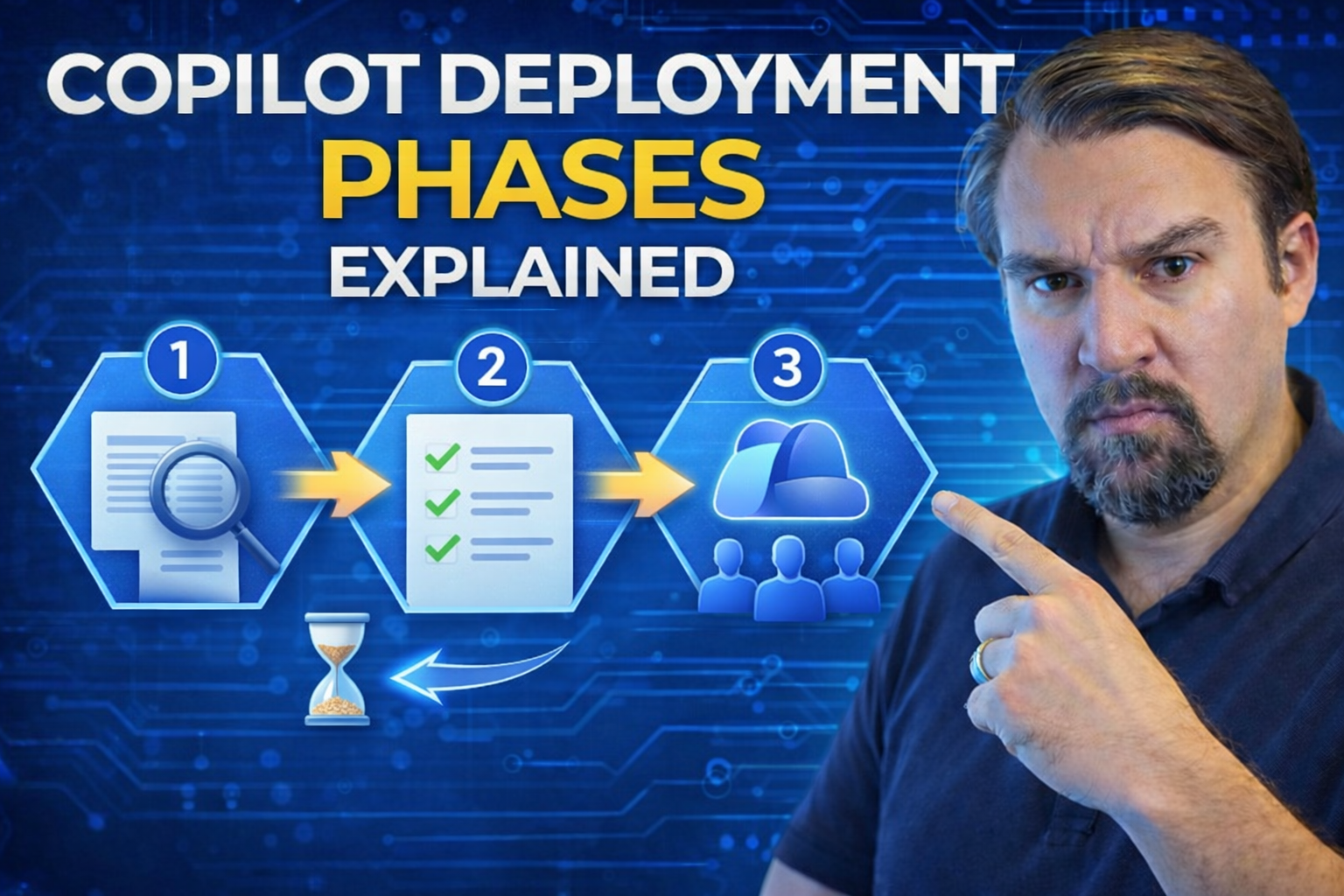
Rolling out Microsoft 365 Copilot isn’t just flipping a switch—it’s a well-orchestrated journey. This guide breaks down every essential phase of Copilot deployment: from up-front technical planning and rock-solid governance, to user onboarding, phased implementation, and continuous optimization. You’ll navigate practical details, industry best practices, and the key pitfalls to dodge, ensuring your organization sets Copilot up for long-term success.
Here, you’ll learn how to align technical and organizational readiness, manage licenses, run pilots, and get everyone on board—while never losing sight of compliance or ROI. Each section builds on deep expertise and the latest Microsoft recommendations, helping you deliver measurable impact. Let’s get you ready to drive Copilot adoption with confidence—right from day one all the way to advanced AI integration.
Laying the Foundations for Microsoft Copilot Deployment
Before Copilot can work its magic, you’ve got to put some serious groundwork in place. Just like you wouldn’t build a house without checking the soil, Copilot success rests on careful readiness checks, setting governance, and getting everyone on the same page. That means looking at your tech, your people, your data, and making sure the right rules and protections are already established.
This section shines a spotlight on those foundation steps—starting with a realistic assessment of your current setup, making sure your data and infrastructure won’t trip up Copilot, and setting policies that keep your info secure and compliant. Why all this legwork upfront? Because strong foundations let you unlock Copilot’s potential confidently, while sidestepping risks and surprises down the road.
The detailed topics ahead—readiness assessments, governance, and prepping your data—walk you through what matters most before hitting the Copilot “on” button. Think of this as insurance for a smooth ride: practical, step-by-step actions that future-proof your Copilot journey and tailor the experience to fit your unique business needs.
Conducting a Technical Readiness Assessment for Microsoft Copilot
- Review technical infrastructure: Make sure your current Microsoft 365 environment meets Copilot’s prerequisites, such as supported licenses, up-to-date software, and adequate network bandwidth. Validate integration points between Copilot and existing tools to prevent hiccups during production rollout.
- Assess data hygiene and security posture: Examine the quality, structure, and ownership of your organizational data. Spot and remediate issues with misclassified or inaccessible content to guarantee Copilot delivers trustworthy results and remains inside compliance boundaries.
- Engage stakeholders and align priorities: Bring IT, security, business leaders, and end-users together to clarify goals, plug knowledge gaps, and set expectations for Copilot usage. Address pre-implementation concerns and create a shared roadmap for what’s about to unfold.
- Plan for ongoing learning and support: Traditional training can fall short. Consider a governed Copilot Learning Center to centralize knowledge, reduce future support tickets, and measure ongoing ROI.
Governance, Security, and Privacy for Copilot Deployment
- Define your Copilot governance path: Build a clear governance framework that includes executive sponsorship, cross-departmental representation, and policies that cover Copilot-specific risks. Leverage a governance council to align business, compliance, and IT on ongoing Copilot oversight.
- Create and enforce security and privacy policies: Develop robust policies for data protection, access controls, and incident response—using tools like Microsoft Purview DLP and role-based access controls for comprehensive coverage. This detailed Copilot governance guide outlines must-have controls for licenses, roles, and data exposure.
- Address global compliance requirements: Ensure your Copilot deployment complies with regional data boundaries, GDPR, and other applicable privacy laws. Here’s how to extend DLP, labels, and monitoring for Copilot, so AI-driven data never ends up crossing compliance lines unintentionally.
- Monitor and future-proof with layered controls: Implement continuous monitoring, audits, and automated policy enforcement—like auto-labeling and DLP at the tenant, connector, and environment level, as explained in this advanced Copilot agent governance resource. Keeping policies up-to-date helps you respond to evolving threats and business requirements.
Preparing Data and Content for Secure AI Access
- Establish clear data classification and ownership: Before Copilot can access your content, every file and folder should have an owner, label, and appropriate classification. This structure helps ensure sensitive information stays within tightly controlled boundaries and supports audit readiness.
- Implement sensitivity labeling and DLP: Use Microsoft Purview and SharePoint features to apply sensitivity labels and configure robust data loss prevention (DLP) policies. For step-by-step guidance, check out this guide to Microsoft 365 DLP setup, so unauthorized sharing and accidental leakage get stopped in their tracks.
- Control access via permissions and container defaults: Limit Copilot’s reach by restricting access to only the data sources needed for relevant tasks. This insight into efficient Purview and SharePoint management highlights how smart access controls and container-level defaults support sharing while protecting compliance.
- Collaborate for compliance and ongoing data hygiene: Bring together HR, legal, and security teams to regularly review data management practices, identify gaps, and adjust access as business needs evolve. Building a cross-functional culture of compliance ensures Copilot operates safely on trusted, well-organized content.
Strategic Implementation and Licensing Rollout
With your groundwork laid, it’s go-time on getting Copilot into real users’ hands—safely and smartly. This next phase is about shifting from planning to action with a measured, phased deployment. The idea isn’t to drop Copilot on everyone at once, but to roll it out in carefully planned stages right-sized for your organization’s readiness and resources.
Strategic implementation means synchronizing your license allocation, building in room for early learning, and keeping everything in sync with your broader business priorities. The magic of a phased approach is that it exposes gaps, collects valuable feedback, and nurtures adoption in manageable waves rather than overwhelming your IT team or end users.
As you dive into the next sections, you’ll see how to structure a rollout plan, match licenses to user needs, and pick the right teams to pilot Copilot. This method leads to less risk, smarter adjustments, and—let’s not forget—a much smoother trip for everyone on board.
Designing a Phased Copilot Implementation Plan
- Define your implementation stages: Break deployment into digestible phases—often starting with a pilot group, followed by broader rollouts to additional teams, and a final full-scale adoption. Prioritize high-impact business areas for early access to maximize learning and minimize risk.
- Align technical and business priorities: Involve cross-functional stakeholders in planning, including IT, compliance, and department leaders, to align rollout with organizational capacity and business goals. Adapt the pace and scope of each deployment phase to reflect feedback and changing readiness as you proceed.
- Pace rollout and adjust for feedback: Schedule each phase with flexibility to course-correct based on real-world experiences. Set up checkpoints for user feedback, issue tracking, and lessons learned so your plan gets smarter as you go.
- Assign ownership and communication: Identify who’s responsible for each phase—IT for technical enablement, unit managers for user engagement—and keep everyone in the loop through regular updates and clear escalation paths.
Managing Copilot Licensing and Access
- Analyze user roles and needs: Map out which departments and job functions actually benefit from Copilot features, and prioritize license distribution accordingly. This protects your budget and ensures licenses are assigned based on real need, not guesswork.
- Use the Microsoft 365 admin center for rollout: Assign, track, and audit Copilot licenses directly from the Microsoft 365 admin portal, making it easy to shift or reclaim licenses as adoption grows or business priorities shift.
- Create policy-driven license management: Regularly audit license usage, respond to role changes, and ensure compliance with internal and external policies. These practices keep only approved users on Copilot, helping safeguard sensitive data and control costs.
Pilots and Select Teams for Early Copilot Success
- Choose your pilot groups wisely: Start with teams that are open to change—think power users or business units with clear, measurable workflows. Their feedback is gold for refining configurations and messaging.
- Structured onboarding and quick support: Give pilot teams hands-on training, dedicated support, and clear paths for submitting feedback. Monitor their progress closely and address early pain points fast.
- Iterate and expand the rollout: Use lessons learned to polish your deployment, onboard champions eager to advocate for Copilot, and let positive results build momentum for wider adoption phases.
Driving User Adoption and Engagement
Now that Copilot is rolling out, real success hinges on your people—not just your platforms. Adoption isn’t automatic; it takes a focused effort to help employees build trust, get excited, and actually use these new AI tools to their fullest. That’s why investing in communication, training, and ongoing engagement strategies matters just as much as the technical rollout itself.
This section highlights why people-first change management pays dividends, from pre-adoption communications that spark curiosity, to hands-on training that kills the fear of the unknown. Early wins inspire confidence and reduce resistance—critical in organizations with varied tech comfort.
In the subsections ahead, you’ll get actionable tactics for onboarding and empowering users, resolving roadblocks, and building a champions network to spread best practices. The ultimate goal: transform Copilot from “another IT rollout” to a lifeline your teams rely on and champion themselves—unlocking measurable productivity and innovation organization-wide.
Onboarding and Engaging Users in Copilot Deployment
- Prepare communication plans before rollout: Early, honest messaging about the value and purpose of Copilot reduces resistance. Use multiple channels—email, meetings, intranet—to reach every employee and set clear expectations on what’s coming.
- Leverage a people-first deployment guide: Pair digital training content with in-person or virtual sessions. Address user concerns, provide use-case walkthroughs, and let employees see Copilot in action with their real-world workflows.
- Set up robust support resources: Establish a helpdesk, self-serve FAQ, and “champions network” of early adopters who field peer questions. The sooner you can resolve issues, the less likely resistance will grow roots.
- Encourage experimentation and feedback: Foster a safe space for employees to experiment with Copilot and provide feedback without judgment. Celebrate early adopters’ wins and make learning an ongoing part of the Copilot journey.
Empowering Users to Deliver Impact with Copilot
- Identify quick-win business workflows: Pinpoint routine tasks where Copilot can save measurable time—like email drafting or meeting follow-ups—and promote these in training and communication campaigns.
- Showcase productivity gains: Use real success stories and data to highlight where Copilot makes a clear impact. Make it easy for users to see the reason to invest a few minutes learning something new.
- Encourage knowledge sharing and peer support: Let champions lead workshops and Q&A sessions so tips and best practices travel organically, fostering a culture of continual improvement and creative problem solving.
Scaling Copilot Adoption Across the Organization
- Extend enablement with champions and mentorship: Recruit and empower “Copilot Champions” in each department to serve as internal experts, lead local adoption efforts, and encourage safe experimentation as Copilot scales out.
- Iterate based on feedback and usage insights: Track Copilot usage, gather feedback from new teams, and deliver iterative training and updates. Maintain momentum with success stories and encourage departments to customize Copilot use to their needs.
- Maintain continuous learning and support: Offer refresher training and just-in-time resources. Keeping support visible helps adoption rates stay high as new users join and roles evolve.
Support, Optimization, and Continuous Improvement
Getting Copilot deployed is just the beginning—the real magic happens when you create a support structure that keeps everything running smoothly and evolving over time. Even the best rollout needs a safety net for user questions, technical hiccups, and policy updates. If you want sustainable value, be ready to invest in ongoing support and optimization.
This section sets the tone for what comes after go-live: proactive help channels, detailed troubleshooting, and data-driven refinement. Go in knowing that questions will pop up, support needs will spike, and improvements never stop—especially as Copilot (and your business) keeps changing.
In the detailed subsections, you’ll see how to build responsive help teams, create clear documentation, and monitor usage for new insights. Continuous improvement closes the loop: surfacing fresh opportunities, squeezing more efficiency, and making sure that Copilot keeps up with your needs today—and tomorrow.
Support Structures and Troubleshooting for Copilot
- Build dedicated support teams: Assign IT specialists or a Copilot help desk to address Copilot-related issues fast. Quick answers build user confidence and reduce friction.
- Create living documentation: Maintain a central hub—wikis, FAQs, and step-by-step guides—updated as Copilot evolves or as new questions emerge. This single source beats scattered advice and outdated documents every time.
- Set up escalation and feedback channels: Map out clear paths for users to report blockers. Escalate complex cases to subject matter experts and use incident data to refine guides and training materials regularly.
Post-Implementation Optimization for Copilot
- Track usage and engagement metrics: Measure adoption rates, feature usage, and support requests to pinpoint what’s working (and what’s stalling). Analytics help you prioritize where to focus optimization efforts.
- Solicit continuous user feedback: Use surveys, feedback forms, or direct interviews to gather input on Copilot experiences. Address pain points quickly and iterate training or workflows based on what users truly need.
- Review and update policies: Schedule regular reviews of security, access, and acceptable-use policies, keeping up with changing business needs, compliance standards, and Copilot feature releases.
- Offer refresher training and new use-case workshops: Regular knowledge updates help users unlock new features and keep pace as Copilot matures over time.
Extending Copilot with Agents and Advanced AI
Once you’ve mastered Copilot’s basics, the door opens to advanced AI possibilities—custom agents that take automation, workflow, and insight to new heights. This next chapter is where innovation happens, allowing power users, IT, and business units to build Copilot agents that serve specific tasks, industries, or knowledge domains.
This section previews how organizations move past a one-size-fits-all approach, empowering select teams to craft AI agents tailored to unique business scenarios. Of course, with great power comes the need for even stronger guardrails. That’s why advanced governance, segregation of duties, and monitoring are more important than ever.
You’ll find out how to unlock custom agent solutions that transform processes—without sacrificing control, security, or compliance. Resources like this guide on agent governance and this best practices resource for safe AI agent use show how to safely balance flexibility with control so innovation doesn’t turn into chaos.
Enabling Custom AI Agents Across Your Organization
- Activate business-specific Copilot agents: Leverage Copilot’s extensibility to enable retrieval agents, workflow automation, and domain-focused tools. These agents address particular department pain points, freeing up team time for higher-value work.
- Set clear guidance for agent development: Establish best practices and provide templates or playbooks to make custom agent development accessible—but always within governance rules. This agent governance resource details the importance of Entra Agent ID and control planes to maintain security.
- Pilot and iterate agent deployments: Start small with targeted scenarios, gather feedback, and refine. As agents prove value and stability, expand capabilities to broader business processes and knowledge domains.
Ensuring Safe and Effective Agent Use
- Implement guardrails and policy enforcement: Require all AI agents to run under dedicated identities (not real user credentials), limit permissions to what’s absolutely necessary, and use runtime monitoring to prevent unauthorized actions. This discussion of AI control plane best practices highlights the pressing need for real-time policy enforcement over agent behavior.
- Monitor for Shadow IT and drift: Regularly audit for unknown or uncontrolled agents using these strategies for reducing risk in Microsoft 365 environments. Implement solution-aware environments and narrow-scope agent IDs to regain visibility and security, stopping operational chaos before it starts.
- Foster a culture of responsible AI innovation: Educate business users about risks, provide ongoing training, and require human-in-the-loop oversight for agent actions—especially where sensitive or high-stakes business data is involved.
Measuring and Communicating Copilot Deployment Impact
Success with Copilot isn’t just about finishing a rollout—it’s about showing leadership, finance, and other stakeholders what’s working and why it matters. Sadly, most organizations (and competitor guides) stop short here, despite the fact that proving real business impact is essential to maintain support and future investment.
This section focuses on how to define—and measure—what “winning” actually looks like. Key performance indicators (KPIs) shouldn’t be an afterthought; they should reflect every phase of your journey, from technical readiness and user adoption through to productivity gains and innovation. Showing the value in executive dashboards or narrative reports keeps the business case top of mind.
With KPIs, showback dashboards (see also why showback alone doesn’t guarantee accountability), and crystal-clear reporting, you’ll be equipped to translate Copilot metrics into compelling stories—demonstrating not just cost, but real returns in productivity, compliance, and collaborative capability.
Defining Success Metrics for Copilot Deployment Phases
- User activation and adoption rates: Track how many users enable and actively use Copilot in each department or phase. High activation signals strong onboarding; slow adoption flags the need for more support or training.
- Efficiency and productivity improvements: Measure reductions in task completion times, fewer manual steps in workflows, and overall time saved—especially for repetitive tasks now automated by Copilot.
- Helpdesk and support ticket trends: Monitor calls and tickets related to Copilot, aiming for a peak early in deployment, followed by steady declines as users gain confidence and self-sufficiency.
- Compliance and security incident rates: Keep records of data leak incidents or policy violations attributable to Copilot, with a goal of identifying and reducing issues over time as governance matures.
Creating Impact Reports for Executives and Stakeholders
- Tailor KPI dashboards to business outcomes: Choose metrics that resonate with executives—like cost savings, productivity boosts, and risk reduction—and build dashboards with clear visualizations and trends.
- Develop narratives that link usage to value: Go beyond raw numbers. Use real business stories and before-and-after comparisons to show how Copilot makes daily work faster, smarter, and safer.
- Use the right visualization tools for clear impact: Whether it’s Power BI, Excel, or custom portals, select platforms that leaders already know and trust to share impact transparently and regularly.
- Integrate reporting with governance: Connect showback insights and KPI trends to active governance processes. This way, reports don’t just celebrate wins—they drive accountability and help prioritize next investments for future AI expansion.
Copilot Deployment: Key Terms Defined
| Term | Definition |
| Technical Planning Phase | The first deployment stage where IT teams assess infrastructure readiness, configure Entra ID, set up Purview sensitivity labels, and verify Microsoft 365 license assignments. |
| Governance Framework | The documented set of policies, roles, and controls that define who can use Copilot, what data it can access, and how compliance is enforced throughout the deployment lifecycle. |
| Pilot Group | A select cohort of early adopters (typically 50-500 users) who test Copilot in production, provide structured feedback, and generate use-case evidence before full-scale rollout. |
| Copilot Dashboard | A Microsoft Viva Insights feature that tracks Copilot adoption metrics including active users, feature utilization rates, sentiment data, and suggested actions for driving adoption. |
Copilot Deployment: Phased vs. Big Bang Comparison
| Aspect | Phased Rollout (Recommended) |
| Scope | Start with 100-500 users, expand in stages by role or department |
| Risk Level | Low - issues identified and resolved in pilot before broad deployment |
| Governance Setup | Gradual - policies tested and refined with each phase |
| User Training | Iterative - champions trained first, then cascade through organization |
| ROI Visibility | Early - pilot data informs ROI measurement before full rollout |
| Best For | Enterprises, regulated industries, organizations new to Copilot |

Microsoft MVP | Host of M365.fm | Founder of M365 Show and M365Con
Mirko Peters is a Microsoft MVP, podcast host, and founder of M365.fm, M365 Show, and M365Con. His work connects Microsoft practitioners through podcast interviews, livestreams, and community events.
At M365.fm, Mirko hosts conversations with Microsoft MVPs, product experts, architects, and community contributors. Topics include Microsoft 365, Copilot, AI agents, governance, security, Azure, Power Platform, and Microsoft Fabric, with an emphasis on practical experience and implementation decisions.
M365.fm is the podcast and learning platform. M365 Show brings experts together for livestreams, while M365Con provides an online conference setting for community learning.
Official website: Mirko Peters (https://www.mirkopeters.com/). Recognition: Mirko Peters — Microsoft MVP profile (https://mvp.microsoft.com/de-DE/mvp/profile/9b0ca797-db5a-493a-a845-8b9158046cf5). Connect on LinkedIn (https://www.linkedin.com/in/m365showpodcast/).




