Developing a High-Performance HR Operations Engine with Copilot Studio
You might feel the pressure of managing hr tasks that never stop piling up. Imagine boosting your team's performance without adding more people. Many companies report huge wins with AI:
- 65% say AI greatly improves hr efficiency.
- 85% find automation saves time and amps up productivity.
- 93% see faster hiring and smoother talent management.
| Impact Area | What It Means for You |
|---|---|
| Efficiency | Your team gets more done without extra hires. |
| Productivity | Less time on paperwork, more on employee experience. |
| Decision-Making | AI guides workflows, freeing you for higher-value work. |
This is the power behind scalable hr operations—transforming how you work, not just what you do.
Key Takeaways
- AI can significantly boost HR efficiency, with 65% of companies reporting improvements.
- Automation saves time and enhances productivity, allowing HR teams to focus on employee experience.
- Identify high-volume workflows in HR for automation to streamline processes and reduce workloads.
- Integrate Copilot Studio with Microsoft 365 to access essential data and improve workflow efficiency.
- Establish clear ownership and responsibilities in HR operations to enhance accountability and streamline processes.
- Regularly review data access controls to ensure sensitive information remains secure and compliant.
- Track key performance indicators like time-to-hire and onboarding efficiency to measure the success of HR automation.
- Design your HR Copilot for execution, focusing on complex tasks and user-friendly interfaces to drive engagement.
The Problem with HR Operations
Overwhelmed HR Teams
You know the feeling—HR tasks keep piling up, and your team struggles to keep pace. Many HR teams face significant challenges when trying to scale operations. Here are some common hurdles:
- Integrated systems are necessary to streamline HR functions.
- Managing multiple HR functions has become increasingly complex.
- HR teams are under pressure to handle growing workloads without adequate resources.
These challenges can lead to burnout and decreased productivity. In fact, over 41% of employees cite excessive workload as a primary source of work stress. Long working hours, often exceeding 55 hours a week, can significantly heighten stress levels and health risks. When you add poor management support and job insecurity into the mix, it’s no wonder HR teams feel overwhelmed.
| Factor | Evidence |
|---|---|
| Excessive workload | Over 41% of employees cite workload as a primary source of work stress. |
| Long working hours | Working 55+ hours per week is associated with significantly higher stress and health risk. |
| Poor management support | Employees with low managerial support are more likely to report emotional exhaustion. |
| Job insecurity | Workers experiencing job insecurity report higher stress and anxiety levels. |
| Lack of role clarity | Low autonomy and unclear expectations are strongly associated with job strain. |
| Cost-of-living pressure | Financial stress increasingly spills into work-related stress, affecting focus and wellbeing. |
Common Misconceptions About Automation
When it comes to automation, many misconceptions can hinder your HR team's progress. You might think that simply implementing automation will solve all your problems. However, that's not the case. Here are some prevalent myths:
| Myth | Reality |
|---|---|
| Vague statements about AI destroying jobs contribute to fear. | 40% of employees believe AI and robots dictate their work, but only 5% of jobs are at risk of full automation. |
| Gen AI will solve all problems without human oversight. | Gen AI can assist with mundane tasks but requires human contribution and oversight. |
These misconceptions can create resistance to adopting automation in HR operations. Understanding the reality behind these myths is crucial for successfully integrating automation into your processes. By addressing these challenges and misconceptions, you can pave the way for a more efficient and effective HR operation.
Why Most Copilot Implementations Fail
Chatbot vs. Agent
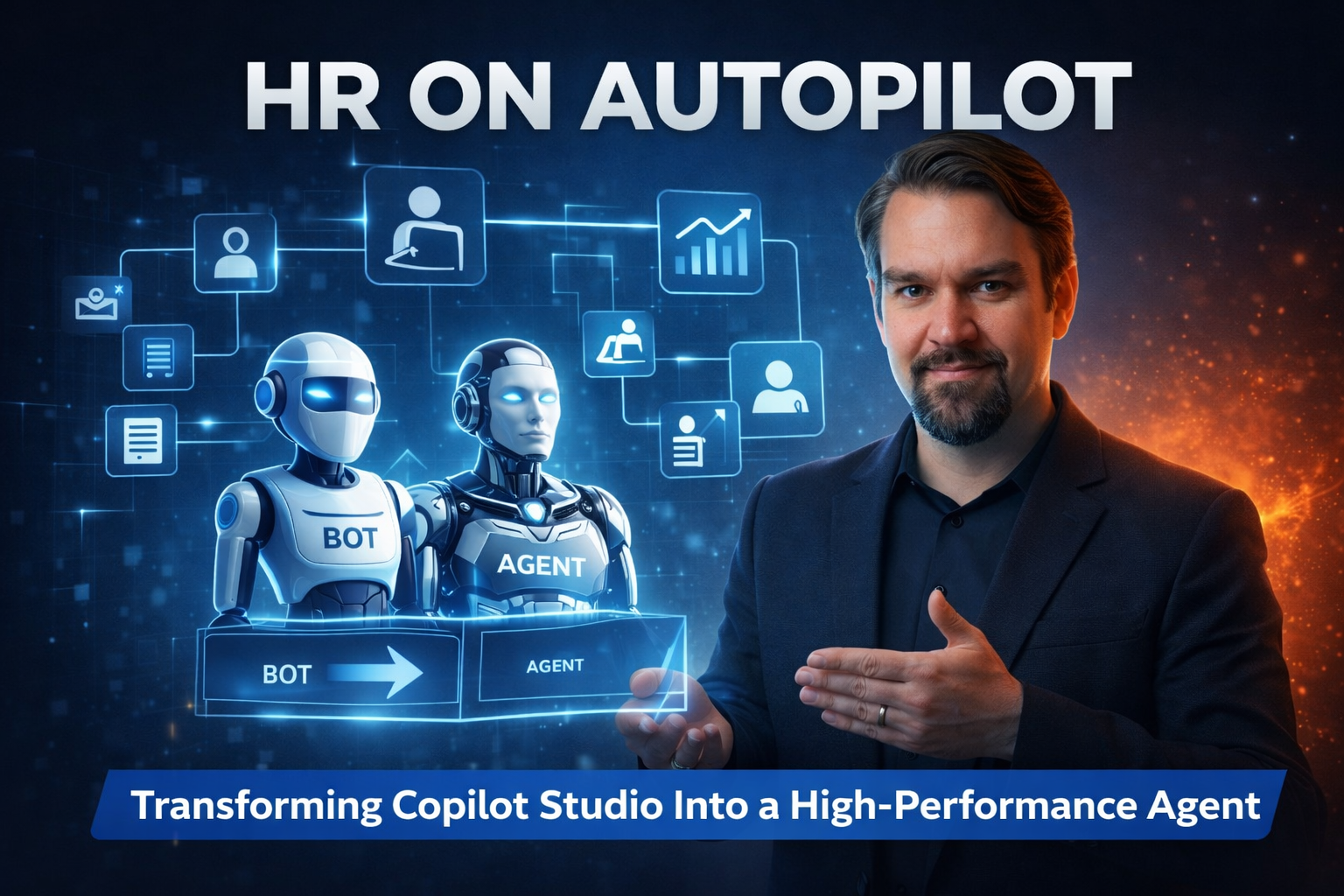
Many organizations mistakenly treat Copilot Studio as just another chatbot. This approach limits its potential. Chatbots primarily respond to user input based on scripted interactions. They handle simple, single-intent tasks, like answering FAQs. However, they lack the ability to manage complex workflows.
In contrast, an AI agent can take independent actions to achieve specific goals. It can handle multi-step processes, adapting to new information along the way. Here’s a quick comparison to illustrate the differences:
| Feature | Chatbot | AI Agent |
|---|---|---|
| Autonomy | Responds to user input based on a script. | Can take independent actions to achieve a goal. |
| Task Complexity | Best for simple, single-intent tasks. | Handles complex, multi-step workflows. |
| Learning & Adaptability | Static. Requires manual reprogramming. | Dynamic. Learns from interactions and adapts. |
| System Integration | Limited integrations, typically pre-built. | Extensive integrations with various tools. |
| Error Handling | Often requires escalation and manual intervention. | Can reason about errors and create solutions. |
By understanding these differences, you can see why many Copilot implementations fall short. They often lack the depth and functionality needed to truly enhance HR operations.
Lack of Integration with Microsoft 365
Another common pitfall is the failure to integrate Copilot Studio with Microsoft 365. Without this integration, you face several challenges:
- Difficulty accessing necessary data across various tools.
- Inefficiencies in workflows due to scattered data.
- Missed opportunities for automation that could simplify processes.
When Copilot Studio operates in isolation, it becomes a missed opportunity for your HR team. You need a seamless connection to your existing systems to maximize its potential.
Many organizations implement Copilot without a clear strategy. This leads to low adoption rates and confusion among users. For instance, you might find duplicate agents created for the same purpose in different departments, which only adds to the chaos. Orphaned agents can linger without oversight, creating inconsistent user experiences that undermine trust in the system.
To avoid these pitfalls, focus on creating a clear strategy for your Copilot implementation. Ensure that it aligns with your HR processes and integrates smoothly with Microsoft 365. This way, you can transform your HR operations into a high-performance engine that truly delivers results.
Building Scalable HR Operations with Copilot Studio
Identify High-Volume Workflows
To kick off your journey toward scalable HR operations, start by identifying high-volume workflows that can benefit from automation. These workflows often consume significant time and resources, making them prime candidates for transformation. Here are some common high-volume HR workflows that you should consider:
| Workflow | Description |
|---|---|
| Recruitment | Involves attracting and selecting candidates, requiring coordination and extensive content review cycles. |
| Employee Onboarding | Integrates new hires into the organization, often requiring significant manual effort to gather onboarding details. |
| Employee Life Cycle Management | Covers all phases of an employee's journey, facing challenges due to managing multiple systems and improving experience. |
By focusing on these workflows, you can streamline processes and reduce the burden on your HR team. Automating these tasks not only saves time but also enhances the overall employee experience.
Connect to Microsoft 365
Next, ensure that your Copilot Studio is seamlessly connected to Microsoft 365. This integration is crucial for effective HR operations. Here’s a step-by-step approach to achieve this:
- Audit Data Sources: Identify the necessary data for Copilot. This will help you understand what information is critical for your workflows.
- Use Azure Logic Apps or Power Automate: Create connectors for data access. This allows your Copilot to pull in relevant information from various sources.
- Leverage Copilot Studio and Azure Cognitive Search: Enable semantic indexing for various data types. This ensures that your Copilot can retrieve and utilize data effectively.
- Test Through Prompting: Validate data accuracy with specific queries. This step is essential to ensure that your Copilot delivers reliable information.
Additionally, consider these best practices for connecting Copilot Studio to Microsoft 365:
| Phase | Goal | Key Activities |
|---|---|---|
| 1. Governance Setup | Secure baseline | Purview classification, AAD audit, overshare scans |
| 2. Pilot for ROI | Value validation | Task benchmarking, telemetry, Power BI dashboards |
| 3. System Integration | Data context | Azure Logic Apps, API exposure, Copilot Studio |
| 4. Trust Assurance | Output reliability | Prompt libraries, review flows, hallucination logging |
| 5. Adoption Scaling | Culture & usage | Champions, microlearning, KPI dashboards |
By following these steps, you can ensure that your Copilot is well-integrated into your existing systems, paving the way for more efficient HR operations.
Design for Execution
Finally, focus on designing your HR Copilot for execution rather than just information delivery. This means creating a system that can handle complex tasks and workflows. Here are some key design principles to keep in mind:
- Modular Architecture: Build your Copilot as a collection of reusable components. This allows for independent scaling of different parts of the system, making it adaptable to changing needs.
- Employee-Centric Design: Ensure that the solutions are intuitive and user-friendly. A well-designed interface encourages employee engagement and satisfaction.
- Continuous Improvement: Use data analytics to monitor performance and gather user feedback. This will help you make ongoing enhancements to your Copilot.
By prioritizing execution, you transform Copilot Studio into a powerful tool that not only answers questions but also drives HR processes forward. This approach ensures that your HR operations are not just scalable but also effective in meeting the demands of your organization.
Implementing Governance for HR Operations
Define Ownership and Responsibilities
Establishing clear ownership and responsibilities is crucial for effective HR operations. When you define roles, you create accountability and streamline processes. Here are some key steps to consider:
- Clarify Roles: Clearly outline who is responsible for what across corporate, regional, and local levels. This helps prevent confusion and ensures everyone knows their duties.
- Standardize Policies: Develop standardized policies and workflows. This consistency helps maintain quality and efficiency in HR operations.
- Document Everything: Keep thorough documentation and audit trails for all major HR actions. This not only aids in compliance but also provides a reference for future decisions.
You can choose from various governance models to define ownership effectively. Here’s a quick overview:
| Model | Benefits | Limitations |
|---|---|---|
| Hub and Spoke | Offers oversight of spokes, scalability, and cost-efficiency | Risk of duplication and decision-making challenges |
| Federated | Increases accountability and flexibility | Potential for conflict; requires strong oversight |
| Hybrid | Balances central control with local flexibility | May lead to inconsistencies without oversight |
Effective governance is essential to prevent fragmented and risky automation efforts. Without it, you risk unclear ownership and inconsistent data models. As you scale your HR operations globally, a solid governance framework becomes even more critical. For instance, integrating Microsoft Copilot without proper governance can expose gaps in your automation architecture, making your entire system fragile and prone to errors.
Data Access and Compliance
Data access and compliance are significant challenges for HR teams using Copilot Studio. You need to ensure that sensitive information remains secure while still being accessible to those who need it. Here are some common issues to watch out for:
- Over-Permissioned Access: Many organizations struggle with overly permissive data access. This isn’t a flaw in Copilot; it’s a long-standing issue that can lead to sensitive information being exposed. For example, if an HR manager uses Copilot to compile a report on employee performance, but the data has overly permissive access controls, it could allow unauthorized personnel to view sensitive records. This situation can lead to privacy violations and potential legal challenges.
- Compliance Risks: Microsoft Copilot respects existing Microsoft 365 permissions, but it can inadvertently surface sensitive data if your environment is misconfigured. If an employee has access to confidential HR records due to misconfigured permissions, it poses a significant compliance risk.
To mitigate these challenges, regularly review and adjust your data access controls. Ensure that only authorized personnel can access sensitive information. By implementing strong governance practices, you can create a secure and efficient HR operation that scales effectively.
Measuring Success in HR Operations
Key Performance Indicators
To truly gauge the success of your HR automation initiatives, you need to focus on the right key performance indicators (KPIs). These metrics help you understand how well your automation efforts are performing. Here are some essential KPIs to consider:
- Time-to-hire: This measures how long it takes to fill a position. A shorter time-to-hire indicates a more efficient recruitment process.
- Employee turnover rates: Tracking how often employees leave can reveal insights into your workplace culture and hiring practices.
- Onboarding efficiency: Assess how quickly new hires become productive members of your team. A smooth onboarding process can lead to higher retention rates.
Additionally, calculating the cost-per-hire is crucial. This metric requires a holistic view of all associated expenses, including the costs of the HR automation tool and the time hiring managers spend throughout the recruitment process. Understanding these KPIs allows you to make informed decisions and adjustments to your HR strategies.
Tracking Efficiency Gains
Once you've implemented HR automation, tracking efficiency gains becomes vital. You want to see how your efforts translate into real-world benefits. Here’s a breakdown of effective methods to measure these gains:
| Metric/Method | Description |
|---|---|
| Cost per hour saved | This reflects the financial value of each hour saved through efficiency improvements. |
| Payback period | This indicates the time taken for benefits to offset the initial investment. |
| Productivity lift | This shows the percentage increase in efficiency relative to license costs. |
| Savings Calculator | A tool for estimating time saved by individual agents. |
| Per-run savings | This assesses the time saved for each process compared to manual methods. |
| Time-saving rules | Features that allow users to define estimated manual processing times for automated tasks. |
| Visualize with Copilot | AI-generated charts that help visualize time savings and productivity gains. |
By focusing on these metrics, you can clearly see the impact of your HR automation efforts. For instance, studies show that automation can reduce manual workload by over 40%, allowing your HR staff to focus on more strategic tasks.
Tracking these efficiency gains not only highlights the success of your automation initiatives but also helps you identify areas for further improvement. Remember, the goal is to save time and enhance productivity, not just to increase the number of interactions.
The Future of HR Operations

Characteristics of a High-Performance HR Agent
Imagine an HR agent that does more than just answer questions. A high-performance HR agent powered by Copilot Studio automates tasks, streamlines processes, and provides data-driven insights. It doesn’t just respond; it acts. It handles onboarding, contract generation, approvals, and even complex workflows without constant human input.
Such an agent knows who you are, understands your role, and adapts its responses accordingly. It helps you get things done faster and with fewer errors. This kind of HR agent improves employee experience by making work smoother and more engaging. When employees feel supported and clear about their roles, they stay longer and perform better.
Here’s how a high-performance HR agent impacts your organization:
| Impact Area | What It Means for You |
|---|---|
| Employee Engagement | Creates value and recognition, aligning employees with your company’s mission and culture. |
| Productivity | Boosts efficiency, helping employees solve problems faster and deliver better results. |
| Retention | Improves job satisfaction, reducing turnover by making employees feel valued and understood. |
| Recruiting | Enhances your employer brand, attracting top talent by providing a positive experience from day one. |
When your HR agent works this way, it becomes part of your team. It supports talent retention, skills development, and loyalty. These factors lead to better overall performance and a stronger workplace culture.
Risks of Poor Integration
On the flip side, a messy Microsoft 365 environment can cause serious problems for your HR operations. If your Copilot Studio isn’t well integrated, you risk exposing sensitive data, spreading inaccurate information, and losing control over automation.
Here are some risks you should watch out for:
| Risk Type | Example Description |
|---|---|
| Data Exposure | A Copilot response reveals confidential financial data from a folder shared too widely. |
| Inaccurate Information | A junior employee sends a wrong answer from Copilot, thinking it’s official. |
| Unmanaged Changes | An agent with edit rights changes many files without anyone noticing. |
| Automation Issues | A trigger is removed from the interface, but the automation keeps running and wasting resources. |
These risks can damage trust in your HR systems and create compliance headaches. You want your HR agent to be reliable and secure, not a source of confusion or risk.
To avoid these pitfalls, keep your Microsoft 365 environment clean and well-governed. Make sure your Copilot Studio connects only to the right data and workflows. Regularly review permissions and audit automation processes. This way, your HR operations will stay efficient, safe, and ready for the future.
Looking ahead, HR automation will grow smarter and more autonomous. AI agents will manage workflows with less human input, adapt to changing needs, and keep improving. You’ll see more context-aware systems that understand intent and adjust on the fly. Low-code platforms will let you build solutions faster, and governance tools will help you keep everything transparent and under control.
By preparing now, you set your HR operations up for success. You’ll build an HR agent that not only answers questions but also drives real work forward—making your team stronger and your organization more agile.
In summary, developing high-performance HR operations with Copilot Studio can transform your team's efficiency and effectiveness. To achieve this, integrate Copilot with your existing Microsoft 365 tools to automate routine tasks. Focus on high-value use cases to maximize impact and address challenges like data privacy and user adoption.
Remember, maintaining human oversight in sensitive areas is crucial. By investing in ongoing skill development and structured adoption through piloting and training, you can ensure continuous improvement. With these strategies, you’ll not only enhance productivity but also create a more engaged workforce.
🚀 Embrace the future of HR with Copilot Studio and watch your operations soar!
FAQ
What is Copilot Studio?
Copilot Studio is an AI-powered tool designed to streamline HR operations. It automates tasks, connects with Microsoft 365, and enhances efficiency in managing HR workflows.
How can I identify high-volume HR workflows?
Start by analyzing your team's daily tasks. Look for repetitive processes like onboarding, leave requests, and contract generation. If a task occurs frequently, it’s a candidate for automation.
Why is integration with Microsoft 365 important?
Integrating with Microsoft 365 allows Copilot Studio to access essential data and streamline workflows. This connection enhances efficiency and ensures that your HR operations run smoothly.
What are the benefits of automating HR tasks?
Automation saves time, reduces errors, and improves employee experience. By automating routine tasks, your HR team can focus on strategic initiatives that drive organizational success.
How do I measure the success of my HR automation?
Track key performance indicators (KPIs) like time-to-hire, employee turnover rates, and onboarding efficiency. These metrics help you evaluate the effectiveness of your HR automation efforts.
What governance practices should I implement?
Establish clear ownership and responsibilities for HR processes. Regularly review data access and compliance to ensure that sensitive information remains secure while being accessible to authorized personnel.
Can Copilot Studio handle complex HR workflows?
Yes! Unlike basic chatbots, Copilot Studio acts as an AI agent that can manage multi-step processes. It adapts to new information and executes tasks efficiently.
How do I ensure user adoption of Copilot Studio?
Provide training and support to your HR team. Encourage feedback and make adjustments based on user experiences. A well-supported rollout increases engagement and adoption rates.

Founder of M365 Show, M365con.net & m365.fm
Mirko Peters is a Microsoft 365 expert, content creator, and founder of m365.fm, a platform dedicated to sharing practical insights on modern workplace technologies. His work focuses on Microsoft 365 governance, security, collaboration, and real-world implementation strategies.
Through his podcast and written content, Mirko provides hands-on guidance for IT professionals, architects, and business leaders navigating the complexities of Microsoft 365. He is known for translating complex topics into clear, actionable advice, often highlighting common mistakes and overlooked risks in real-world environments.
With a strong emphasis on community contribution and knowledge sharing, Mirko is actively building a platform that connects experts, shares experiences, and helps organizations get the most out of their Microsoft 365 investments.
Designing Effective SharePoint Automation for Large Organizations