How to Prepare Your Data Before Enabling Copilot
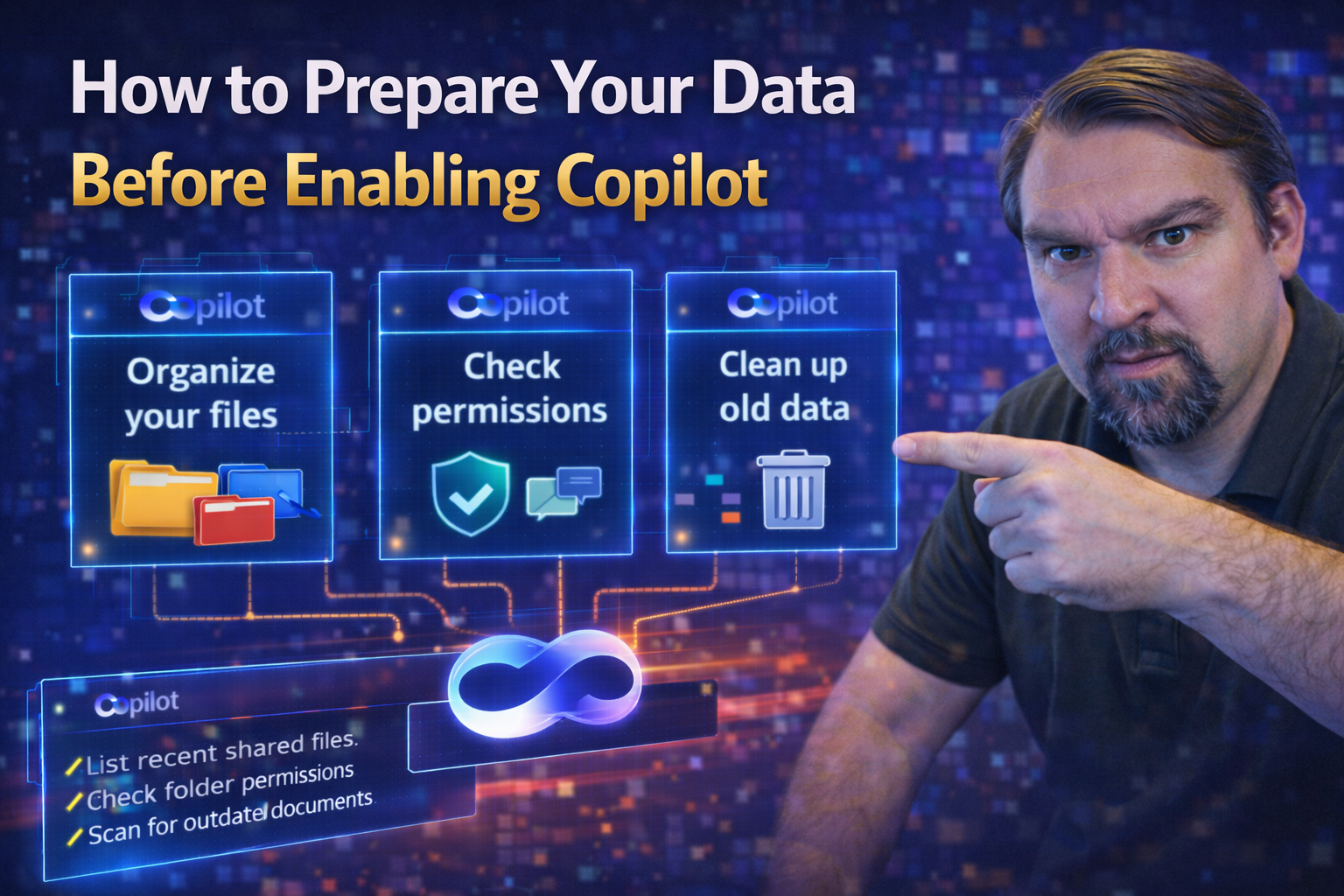
Quick Answer: To prepare data for Microsoft 365 Copilot, identify overshared content, confirm owners for high-value sites and files, apply appropriate sensitivity and retention controls, remove stale access, and test real user scenarios. Copilot respects existing permissions, so data preparation is primarily an access, ownership, and governance exercise—not a separate AI data copy.
Getting Copilot up and running in your Microsoft 365 environment isn’t as simple as flipping a switch. To unlock Copilot’s full potential—and avoid waking up to chaos—you need to lay strong foundations around your data, security, and governance first. This guide walks you through every step, from initial planning and risk assessment to technical prep and ongoing maintenance. You’ll learn why foundational readiness matters, where Copilot brings risk and opportunity, and how to set up your environment for safe, valuable AI adoption in the Microsoft stack. Deep insights, gotchas, and actionable checklists give you what you need at every stage. Let’s get your data—and your team—ready for Copilot the right way.
Foundational Readiness for Microsoft 365 Copilot
You don’t just decide one day to switch on Copilot and call it a day. Getting ready for Copilot starts with foundational work—making sure your organization, technology, and security posture are all in the right place. This isn’t just a “tech project”—it’s about aligning people, processes, and tools so Copilot doesn’t introduce unnecessary risk or confusion.
Before leaping in, you need a clear view of your current environment: What workloads are active? Where are your sensitive nuggets of data hiding? And do your licensing and integration points line up with your ambitions? Foundational readiness helps you answer those big questions and creates a shared understanding across it, business, and leadership.
In this section, you’ll get a high-level overview of the why and what behind Copilot readiness. We’ll tee you up for a deep dive into workload assessments and unveil the core pillars Copilot needs to operate safely, securely, and effectively in your Microsoft 365 world. It’s your map before the AI journey begins.
Workload Assessment for Microsoft 365 Copilot Readiness
A workload assessment is the first big checkpoint before rolling out Copilot. This process gives you a 360-degree view of your current Microsoft 365 landscape—pinpointing where your data sits, who can access what, and whether your integration points and user licenses are ready for Copilot’s unique requirements.
Key steps include inventorying your data sources (like SharePoint, Teams, and OneDrive), checking your current security model, and making sure you’ve covered user licensing for every individual you want to enable. You’re not just looking for what’s there—you’re looking for gaps, misalignments, or risks that Copilot could amplify.
Be sure to watch out for common traps such as legacy permissions or third-party integrations that don’t play well with AI. This isn’t the time for surprises. Instead, you want to establish a clear readiness benchmark so you can measure success later. For additional defense tactics and real-world attack scenarios in Microsoft 365, check out these attack chain insights: Microsoft 365 attack chain explained.
Remember, an honest assessment at this stage is critical. It helps you avoid headaches down the road and prepares you for a smooth Copilot deployment. Use this assessment to drive cross-team conversations (security, compliance, business) and document every finding—you’ll want this baseline for tracking your Copilot journey.
Foundational Pillars Copilot Needs for Success
- Identity & Access Management: Copilot’s power depends on robust access controls. Enforce modern identity management using multi-factor authentication (MFA), conditional access policies, and zero trust principles. Segment users and roles with care. For deeper insights on building zero trust from the ground up, see the breakdown here: Zero Trust by Design in Microsoft 365.
- Device Security: Every device that touches Copilot must be trusted and managed. Use endpoint management, encryption, and threat protection to reduce risk from compromised endpoints. Devices outside your control or hygiene standards shouldn’t get Copilot access.
- Data Governance: Set up clear rules about where data lives, who owns it, and how it’s classified. Leverage auto-labeling, sensitivity labels, and lifecycle policies across content. Effective data governance ensures Copilot retrieves only what’s appropriate and reduces exposure.
- Access Controls and Compliance: Go beyond default settings; deploy role-based access, data loss prevention (DLP), and audit logging. Governance isn’t just policy—it’s technical controls in action. For practical governance and rollout steps, see: Copilot governance (policy or pipe dream?).
Nail these pillars before Copilot lands. They safeguard sensitive info, help you prove compliance, and set the tone for secure, scalable AI adoption well into the future.
Secure Your Data Before Enabling Copilot
Before the bright lights of Copilot sparkle in your tenant, you need to tighten up your data security game. Even the most impressive AI falls flat—or causes real harm—if sensitive information leaks or regulatory alarms start blaring. This section explores why Microsoft 365 is especially prone to permission sprawl, misclassification, and compliance drift, all of which Copilot can accidentally magnify.
Organizations often leave doors open: too many users have blanket permissions, files bounce around without proper labels, and compliance obligations go unchecked. Copilot doesn’t expand access but will obediently reveal whatever the underlying permissions allow. That makes a proper security review non-negotiable.
We’ll spotlight where to find data vulnerabilities and concrete actions for closing gaps. Ready to get real about risk? The details are next—let’s lock it down before Copilot gets a chance to browse your digital attic.
Permission Sprawl: Biggest Risk to Data Security
Permission sprawl happens when access rights get out of hand—users and apps have way more access than they should, often stacking up over years of rapid sharing, team changes, and cloud migrations. In Microsoft 365, unchecked sprawl can let Copilot serve up sensitive content to people who shouldn’t see it.
The remedy starts with regular access audits—inventory all permissions across SharePoint, OneDrive, and Teams. Track who has access to what and spotlight overshared folders or files. Tools like Microsoft 365 access reviews help, and you’ll also want to review third-party app permissions and external sharing.
If you want more on how ownership and permissions become a tangled mess, this in-depth look at data access governance is a must-read. For shadow IT risks (rogue apps and unapproved sharing), check out: taming Shadow IT in your M365 tenant.
Centralize access management, remediate excess permissions, remove stale or orphaned access, and keep reviewing it all. When Copilot arrives, you’ll know it can only surface content to the right eyes—nothing more, nothing less.
Eliminate Data Classification Chaos to Prevent Oversharing
Chaotic or inconsistent data classification is a recipe for trouble when Copilot enters the scene. If you’re not labeling files and tagging sensitive info, Copilot might pull confidential or restricted data into its outputs—simply because your system never told it not to.
The cure: a unified classification strategy. Set up and enforce sensitivity labels (like “confidential,” “internal only,” or “public”) through Microsoft Purview. This lets you segment access and create automatic protections, so Copilot only interacts with content marked as safe.
Audit your current structure using the Microsoft Purview Audit tool—a step detailed here: how to audit user activity with Microsoft Purview. For broader document chaos and audit readiness, listen in to building your Purview shield for ECM best practices.
Consistent labeling and organizing of files—by confidentiality and compliance requirements—helps Copilot keep content where it belongs and reduces the chance of accidental oversharing. The AI will only be as careful as your classification system allows.
Get Ahead of the Compliance Bomb in Your M365 Environment
“Compliance bomb” sounds dramatic because it is—if Copilot can access data that falls under regulatory protection (GDPR, HIPAA, etc.), you’re a step away from costly audits or even legal trouble. Apply retention and supervisory policies in Microsoft Purview, and extend DLP and sensitivity labeling to all content Copilot might touch.
Monitor for potential violations and emphasize proactive compliance. Learn where policy drift can occur and how AI and collaboration change the game with M365 compliance drift explained. For hands-on AI security and compliance tactics, check keeping Copilot secure and compliant.
Stay one step ahead—review, restrict, and log everything. The cost of ignoring these risks isn’t just reputational, it’s a business killer.
Step-by-Step Data Preparation for Copilot
Setting up Copilot isn’t about rushing in; you need a methodical, step-by-step process to make sure your data, users, and environment are all Copilot ready. Rushing this prep work creates headaches later—think support tickets, security alerts, or AI hallucinations.
This section spells out the key technical and operational milestones, from organizing data and securing content to handling user licensing and prepping for transcription scenarios. By following each stage, you give Copilot the best odds at delivering accurate, trustworthy answers—while sparing your team governance nightmares.
You’ll also see why it’s important to address copyright and legal risks up front. Each step brings you closer to a reliable, valuable Copilot experience with your Microsoft 365 data.
5 Key Steps to Prepare Data for Copilot Success
- Data Discovery & Placement: Start by locating all relevant data and making sure it’s where Copilot can access it—usually in governed SharePoint, Teams, or OneDrive locations. Audit for shadow data or files outside approved sites.
- Content Security: Lock down permissions and apply sensitivity labels so only the right users can access data Copilot might surface. Get rid of stale access or lingering external shares.
- Purchase Licenses: Make sure every user you want using Copilot has the correct license. Licensing mismatches stop Copilot deployments in their tracks and can cause headaches later.
- Enable Transcriptions: For Copilot to process Teams meetings or voice data, transcription must be switched on. Configure settings to fit your privacy and compliance standards.
- Raise Copyright & Legal Awareness: Copilot can surface and remix content, so train users on legal guardrails. Set clear expectations to steer away from accidental copyright misuse.
For a practical breakdown of proper Copilot training, check the value of a governed learning center here: deploy a Copilot Learning Center. Every step above lines up with smoother rollout, fewer surprises, and confident governance from day one.
One: Data in the Right Place and Properly Secured
- Migrate Data into Governed Spaces: Move files into approved SharePoint, Teams, or OneDrive locations managed by IT. Avoid leaving important files in personal or unmonitored drives.
- Restructure Sites and Folders: Organize folders and sites logically—by team, project, or sensitivity. A clean hierarchy makes search and security easier.
- Verify Access Controls: Regularly review who has access to each location and tighten permissions where needed. Use automation for recurring audits.
Need more on getting data structures right for AI? Check SharePoint AI governance and fixing your data strategy.
Map and Cleanse Legacy Data Before Copilot Integration
Here’s the bit folks often overlook—what about all those ancient docs and abandoned files gathering dust across your environment? Legacy data can mess with Copilot’s smarts, causing it to surface outdated info, duplicate facts, or even confidential content someone forgot about.
This section focuses on mapping and cleaning up the forgotten corners of your Microsoft 365 estate. By actively hunting down orphaned data and standardizing how information is tagged and named, you boost both the quality and security of Copilot’s responses.
The result: better AI answers, less digital clutter, and a significant reduction in accidental risk exposure. Let’s make old data your secret weapon, not your Achilles’ heel.
Identify Orphaned and Stale Content Across M365 Workloads
- Scan for Orphaned Content: Use tools like Microsoft Purview and PowerShell scripts to find files without current owners or abandoned by inactive users.
- Spot Stale Data: Look for files and folders not modified or accessed in the last 12-24 months—these are prime for review or deletion.
- Clean Up Legacy Sites: Audit old SharePoint sites, OneDrive folders, and Teams channels that haven’t seen activity in ages.
- Evaluate Risk Before Deletion: Don’t just hit delete—mark risky or regulated data for quarantine or archival.
For practical cleanup tactics and building audit-ready management, see stopping document chaos with Purview and advice on managing hidden Shadow IT.
Standardize Metadata and Naming for AI Readability
Copilot’s effectiveness depends on clear, consistent metadata and structured file naming. Without standards, AI can get lost or return jumbled results. Standardizing means setting rules—name files by type, date, and department; tag documents with author, confidentiality, and relevant keywords. Consistent metadata turns your information into fuel for accurate, reliable Copilot outputs. Make these conventions company policy, and reinforce them through automation and user training. Well-structured data makes for smarter AI.
Avoid Common Pitfalls in Copilot Deployment
Let’s be honest—sometimes, even after all the prep, things go sideways. The most common Copilot headaches crop up from predictable sources: lack of good user training, unchecked oversharing in SharePoint, people trusting AI results a little too much, or sensitive data slipping through the cracks.
This section spotlights each big pitfall and how you can sidestep them. By addressing these upfront, you prevent the kinds of mishaps that slow adoption, trigger compliance problems, and create unnecessary tech support tickets.
Copilot’s potential is huge—but only if everyone plays their part, from IT to business users. Let’s get smart about where folks usually stumble so you can clear the way for a safe, productive rollout.
Pitfall #1: Training Is Critical—Properly Train Users
If users don’t know how to use Copilot safely, no amount of technical security will protect your data. Training should cover what Copilot can and can’t do, common usage scenarios, and the importance of treating AI like a colleague—not an all-knowing oracle. Awareness of security best practices helps users avoid accidental data leakage. A governed, continually updated Copilot learning center (see these Copilot training strategies) will set you up for success and measurable ROI, not help desk chaos.
Pitfall #2: Oversharing Due to SharePoint Access Issues
SharePoint permissions can be a minefield. If you don’t review and restrict access, Copilot might reveal sensitive files unintentionally—even internal secrets or external customer data. Auditing who can see what is critical. Automate external sharing reviews, set real-time alerts, and make auditing a process—not a one-off chore. For scalable solutions, see frameworks for external sharing control here: stop blind external sharing.
Pitfall #3: Trusting AI-Generated Content Blindly
Don’t fall for the “Copilot said it, must be right” trap. AI outputs are only as trustworthy as the data and rules behind them. Always use a human-in-the-loop review and foster a culture of healthy skepticism. Deploy validation workflows, especially for high-stakes or customer-facing communications. Build trust by verifying, not just accepting—read more on trust and AI here: build trust with Copilot outputs.
Protect Data Sensitive Properly from AI Exposure
If sensitive data is left unguarded, Copilot can expose it—plain and simple. Policy-based controls and data loss prevention (DLP) solutions are your last line of defense. Integrate classification, DLP, and real-time monitoring. Configure environments to auto-detect and auto-protect confidential info from being surfaced or exported. For powerful DLP insights and moves, check unlocking the real power of DLP. Don’t let sensitive info slip past Copilot’s radar—design controls for every way data can leak.
Measure Success and Maintain Copilot Security
Turning Copilot on isn’t the end of your journey—it’s just the beginning. Keeping your investment valuable and your data protected requires constant monitoring, measuring, and refining. The smartest organizations treat Copilot as a living system, using metrics and ongoing controls to make sure it delivers value and never becomes a security or compliance liability.
You’ll want to track productivity, adoption, and security metrics to prove return on investment (ROI) and catch issues early. Layer robust governance and monitoring on top, so your Copilot rollout keeps pace with evolving business needs and regulations.
This section maps out the most relevant metrics for Copilot’s long-term success, plus best practices for continuous improvement—so you keep Copilot sharp, safe, and always aligned with your goals.
Productivity Metrics Measuring Copilot Value
- Time Saved: Track how much manual work or repetitive task time Copilot automates compared to before.
- Error Rate Reduction: Measure fewer mistakes or rework in key business processes after Copilot enables automation and smart suggestions.
- Policy Violations: Monitor if Copilot inadvertently triggers security or compliance incidents and how often.
- Adoption Rates: Watch how quickly users embrace Copilot and how it spreads across teams.
Outline Track Copilot Enablement Outcomes for Continuous Improvement
- Establish Usage Dashboards and Regular Review Cadence: Set up dashboards to track Copilot adoption, feature usage, and risk signals. Commit to scheduled reviews with key stakeholders.
- Monitor for Compliance and Security Violations: Use automated alerts for suspicious AI activity, unusual access patterns, or data leaks, leveraging Microsoft Purview and Sentinel. For best practices, dig into governed AI: keeping Copilot secure.
- Refine Training and Policies Ongoing: Use feedback and metrics to update governance, training, and technical controls on a regular schedule.
- Engage Users and Stakeholders: Foster continuous improvement by encouraging input from power users, compliance teams, and executives—act on feedback to evolve how Copilot is governed.
Continuous tracking and improvement mean Copilot becomes a long-term asset—not a short-lived experiment.
Data preparation checklist before enabling Copilot
- Prioritise the SharePoint sites, Teams, and OneDrive locations that contain sensitive or broadly shared content.
- Confirm that every important workspace has an accountable owner and a clear business purpose.
- Review anonymous links, broad groups, old project sites, and stale external access.
- Use sensitivity labels, retention, and DLP where they match your organisation’s requirements.
- Run a pilot with realistic users and scenarios, then remediate findings before broader rollout.
For current readiness guidance, use Microsoft Learn’s Microsoft 365 Copilot documentation.
Frequently asked questions
Do we need to move data before using Copilot?
Usually no. The main work is understanding and improving the permissions, ownership, and protection already applied to Microsoft 365 content.
Will Copilot reveal content that users cannot access?
No. Copilot respects the user’s existing permissions, which is why oversharing should be addressed before a broad rollout.
🎧 You Should Also Listen To
- Microsoft Purview Information Protection – Simply Explained explains the classification and protection tools that support safer data preparation for Microsoft 365 Copilot.
- Operating Model for Microsoft 365 Governance adds the ownership and decision framework needed to keep cleanup sustainable after the pilot.
- Identity Governance in Microsoft Entra complements data readiness with the access-lifecycle controls that remove stale permissions over time.
Last reviewed: July 2026. Microsoft 365 Copilot readiness practices should be reviewed as features and governance requirements evolve.

Microsoft MVP | Host of M365.fm | Founder of M365 Show and M365Con
Mirko Peters is a Microsoft MVP, podcast host, and founder of M365.fm, M365 Show, and M365Con. His work connects Microsoft practitioners through podcast interviews, livestreams, and community events.
At M365.fm, Mirko hosts conversations with Microsoft MVPs, product experts, architects, and community contributors. Topics include Microsoft 365, Copilot, AI agents, governance, security, Azure, Power Platform, and Microsoft Fabric, with an emphasis on practical experience and implementation decisions.
M365.fm is the podcast and learning platform. M365 Show brings experts together for livestreams, while M365Con provides an online conference setting for community learning.
Official website: Mirko Peters (https://www.mirkopeters.com/). Recognition: Mirko Peters — Microsoft MVP profile (https://mvp.microsoft.com/de-DE/mvp/profile/9b0ca797-db5a-493a-a845-8b9158046cf5). Connect on LinkedIn (https://www.linkedin.com/in/m365showpodcast/).