
Steps for Analyzing OAuth App Abuse with Microsoft Graph Activity Logs

Monitoring OAuth app usage is essential for maintaining security in your organization and preventing OAuth App Abuse. By leveraging Microsoft Graph Activity Logs, you gain crucial visibility into how OAuth applications operate. These logs help you detect potential OAuth App Abuse and uncover threats related to OAuth app activity.
-
Microsoft Graph Activity Logs are vital for:
-
Monitoring OAuth app activity.
-
Detecting potential OAuth App Abuse.
-
Providing foundational visibility necessary for uncovering threats.
-
Establishing compliance standards is critical due to the associated risks of OAuth App Abuse. Clear criteria for assessing security and compliance ensure you select the right apps for enterprise use.
Analyzing OAuth App Abuse with Microsoft Graph Activity Logs: 5 Surprising Facts
When analyzing oauth app abuse with microsoft graph activity logs, security investigators often discover unexpected capabilities and limitations that affect detection and response.
- Activity logs surface OAuth client_app_id for app-centric events. Microsoft Graph Activity Logs include the client_app_id (the application's appId) for many sign-in and consent events, making it possible to map suspicious tokens or actions directly back to a registered OAuth app instead of just a user.
- Not all app activity appears in one place—multiple log types matter. OAuth-related events can be split across Sign-In Logs, Audit Logs, and unified Microsoft Graph activity logs; relying on a single feed can miss consent grants, token issuance, or app-permission changes relevant to abuse investigations.
- Retention and export options can limit forensic timelines unless configured. By default tenant retention for some activity logs is limited; without Diagnostic Settings exporting to a Log Analytics workspace or storage account, historical app-abuse evidence may be lost quickly.
- Some sensitive fields are masked or redacted in Graph logs. To protect privacy, certain PII and token details are truncated or obfuscated in activity payloads, requiring correlation across logs or conditional access logs to reconstruct full attack chains.
- Change notifications and delta queries enable near real-time detection but require setup. Microsoft Graph supports change notifications (webhooks) and delta queries for activity logs, allowing automated detection of newly granted app permissions or anomalous app actions—however, they must be proactively configured to catch abuse as it happens.
Key Takeaways
-
Monitor OAuth app activity using Microsoft Graph Activity Logs to detect potential abuse and threats.
-
Regularly audit OAuth applications to ensure permissions are appropriate and investigate any suspicious apps.
-
Implement strict access controls, such as disabling user consent for third-party apps, to enhance security.
-
Utilize Kusto Query Language (KQL) to analyze logs and identify unusual patterns that may indicate OAuth app abuse.
-
Educate employees about security threats and phishing tactics to reduce the risk of OAuth app abuse.
OAuth App Abuse Overview
Common Attack Vectors
Attackers often exploit OAuth app consent to gain unauthorized access to sensitive data. They use various tactics to bypass security measures. For instance, phishing campaigns have become prevalent. Attackers trick users into entering device codes on legitimate Microsoft verification pages. This method allows them to obtain access tokens tied to victims' accounts. Such attacks can evade traditional security controls, including multi-factor authentication.
Additionally, many third-party applications connect to SaaS platforms using OAuth tokens. These tokens can maintain access indefinitely unless actively managed. This creates a significant risk, as organizations may unknowingly allow access to sensitive data through applications that are no longer in use. Security researchers have noted that OAuth attacks are particularly challenging to detect. They leave minimal forensic traces and can persist even after password resets.
Long-Term Access Risks
The long-term risks associated with persistent OAuth app access are alarming. In cloud-first environments, identity has become the new perimeter. Attackers can gain persistent access to enterprise systems without compromising servers or passwords. They manipulate trust relationships inherent in modern identity systems.
The consequences of OAuth app abuse can be severe. Here are some documented risks:
-
Internal phishing: Emails sent from trusted accounts lure more victims.
-
Sensitive data theft: Confidential files, contracts, and intellectual property can be exfiltrated.
-
Persistent access: Even if credentials are reset, tokens may remain active.
-
Reputation damage: Customers and partners lose trust if a breach becomes public.
Organizations must remain vigilant. They should regularly review OAuth app consent and monitor for any suspicious activity. By doing so, you can mitigate the risks associated with OAuth app abuse and protect your sensitive data.
Microsoft Graph Activity Logs for Security
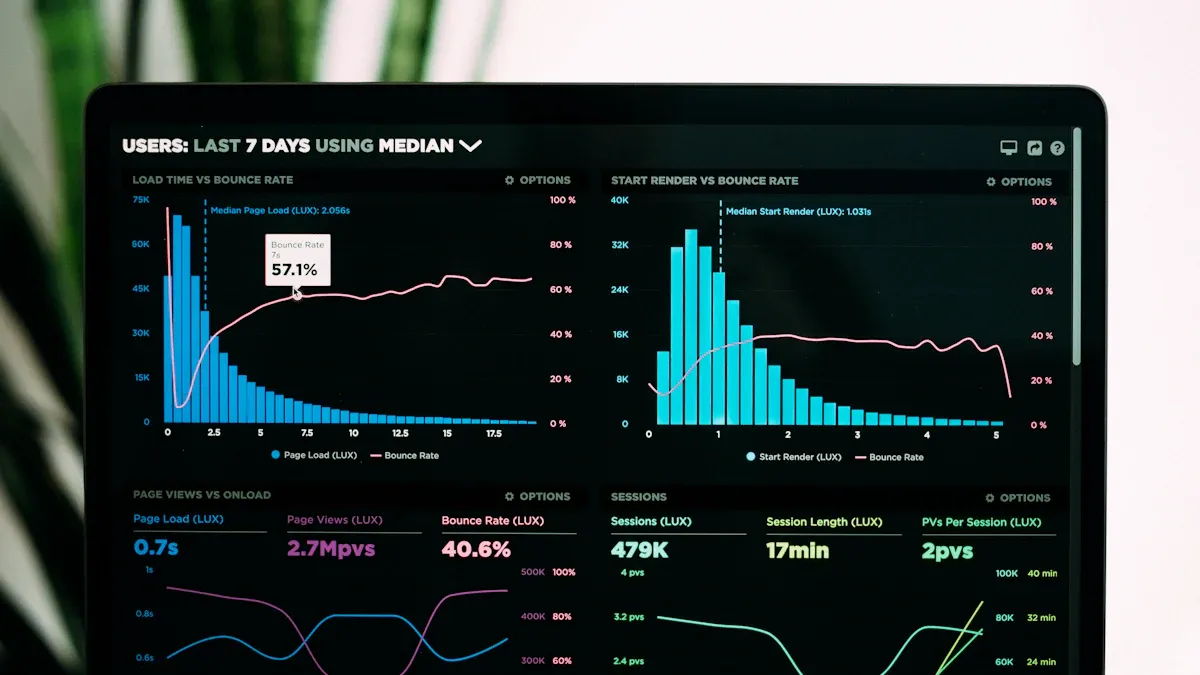
Accessing Microsoft Graph Activity Logs is crucial for monitoring OAuth app behavior. You can follow these steps to retrieve the logs effectively:
-
Stream logs through Diagnostic Setting in the Azure portal or by using Azure Resource Manager APIs.
-
Integrate activity logs with Azure Monitor logs.
-
Configure diagnostic settings through the Azure Resource Manager API.
-
Set up storage destinations such as Azure Log Analytics Workspace, Azure Storage, or Azure Event Hubs.
-
Query the logs using Kusto Query Language (KQL) if sent to a Log Analytics workspace.
Once you access the logs, focus on key entries that can indicate suspicious OAuth app behavior. Here are some log entries to monitor:
| Description | |
|---|---|
| Privilege Escalation for Data Access | Applications gaining extensive permissions like Sites.Read.All or Files.ReadWrite.All without proper documentation may indicate rogue applications aimed at data theft. |
| High-Volume Download Activity | An account accessing hundreds of files in a short time frame is a strong indicator of potential data exfiltration. |
| Anonymous or External Sharing Links | Creating these links can be a tactic used by attackers to exploit file access settings for data exfiltration. |
| Download-and-Delete Patterns | Users downloading sensitive files and then deleting them shortly after can signify attempts to cover tracks after data theft. |
Real-time alerts play a vital role in detecting and responding to OAuth app abuse incidents. They provide visibility into suspicious behaviors and enable automated responses to mitigate risks. For example, Drift’s OAuth tokens had extended lifespans, leading to a lack of visibility for Salesforce customers regarding app connections. Compromised tokens could bypass MFA and SSO, highlighting the need for real-time alerts to detect anomalies like mass API pulls.
To configure effective real-time alerts, consider these best practices:
-
Set alerts for suspicious activities in Microsoft Graph Activity Logs, such as high privileged permission assignments and unusual sign-ins.
-
Use Microsoft Defender for Cloud Apps (MCAS) to monitor and enforce session controls, generating alerts for risky OAuth app logins.
-
Search the Microsoft 365 Unified Audit Log for key events like 'Add application' or 'Consent to application' to identify potential OAuth app abuse.
-
Correlate unusual sign-in alerts with audit logs to detect malicious OAuth app activity.
By implementing these strategies, you can enhance your organization's security posture and better protect against OAuth app abuse.
Detection Methods for OAuth App Abuse

KQL Queries
Kusto Query Language (KQL) serves as a powerful tool for analyzing Microsoft Graph Activity Logs. You can use KQL to identify patterns and anomalies that may indicate OAuth app abuse. Here are some effective strategies for using KQL:
-
Regularly audit Entra applications to identify excessive permissions. This helps you spot applications that may pose a risk.
-
Monitor for unexpected access to the Microsoft Graph API. Such access may indicate a compromise, allowing you to act swiftly.
-
Establish a safe list of approved applications. This list facilitates continuous monitoring and helps you detect new high-privilege applications.
To get started with KQL, consider the following example query that checks for unusual sign-in activities:
AuditLogs
| where ActivityType == "SignIn"
| where Result == "Failure"
| summarize Count = count() by UserPrincipalName, bin(TimeGenerated, 1h)
| order by Count desc
This query identifies users with failed sign-in attempts, allowing you to investigate potential unauthorized access.
PowerShell Automation
PowerShell automation can streamline the detection of OAuth app abuse significantly. By leveraging PowerShell scripts, you can automate the monitoring of OAuth applications and their activities. Here are some tools and their functionalities:
| Tool | Functionality |
|---|---|
| GraphRunner | Automates Microsoft Graph API interactions, can obtain tokens through various methods, and assumes the identity of compromised users without triggering alerts. |
| AutoGraph | Provides a menu-driven interface for API interactions, automates user enumeration, and facilitates data extraction from various sources. |
Using PowerShell, you can also create scripts to regularly check for excessive permissions in Entra applications. This proactive approach helps you maintain a secure environment.
For example, you can run a script to list all applications with high privileges:
Get-AzureADServicePrincipal | Where-Object { $_.AppRoles -ne $null -and $_.AppRoles.Count -gt 5 }
This command retrieves service principals with more than five app roles, allowing you to assess potential risks.
By combining KQL queries and PowerShell automation, you can enhance your detection capabilities. These methods provide you with the tools needed to identify and respond to OAuth app abuse effectively.
Mitigation Strategies for Identity-Based Threats
Analyzing User Behavior
To effectively mitigate risks associated with OAuth applications, you must analyze user behavior for anomalies. User Behavior Analytics (UBA) tools can help you identify unusual patterns that may indicate OAuth app abuse. Here are some methods to consider:
| Method/Process | Description |
|---|---|
| Behavior Model Creation | UBA tools create models based on user activity, noting login locations and app usage time. |
| Anomaly Detection | UBA tools monitor user behavior against established models to identify deviations. |
| AI and ML Utilization | Algorithms analyze user behavior over time to detect unusual patterns, such as logging in outside of normal hours. |
| Peer Comparison | UBA tools compare user actions to those of peers to identify suspicious behavior, like accessing unauthorized data. |
By implementing these strategies, you can detect potential threats early. Regular audits of OAuth applications also play a crucial role. You should regularly review permissions to ensure they align with user roles. Investigate any suspicious applications that may have excessive access rights.
Correlating Events
Correlating events is another effective strategy for detecting identity-based threats. This approach allows you to piece together information from various sources to identify malicious app registrations or bypass of security controls. Here are some insights into the importance of event correlation:
| Evidence Type | Statistic/Insight |
|---|---|
| Visibility Gaps | In 87% of investigations, responders had to review evidence from two or more distinct sources. |
| Environmental Complexity | Security baselines were inconsistently applied across business units, leading to exploitable gaps. |
| Identity Drift | Accounts often have more access than necessary due to accumulated permissions over time. |
By correlating events, you can create a comprehensive risk assessment. This process helps you understand how different activities relate to each other, allowing you to detect patterns that may indicate OAuth abuse techniques.
Implementing these mitigation strategies requires commitment. You may face challenges, such as the difficulty in detecting attacks that exploit legitimate OAuth workflows. Traditional security controls often fall short once consent is granted. However, with a proactive approach, you can significantly reduce the risk of OAuth app abuse.
To further enhance your security posture, consider these effective mitigation strategies:
-
Audit: Regularly audit OAuth applications to ensure permissions are appropriate and investigate suspicious applications.
-
Restrict User Consent: Disable user consent for third-party apps to require administrative approval for all authorization requests.
-
Role-Based Access Control (RBAC): Implement RBAC to limit user privileges to the minimum necessary.
-
User Training: Conduct regular training to educate employees about security threats and phishing tactics.
By focusing on user behavior analysis and event correlation, you can strengthen your defenses against identity-based threats related to OAuth app abuse.
In summary, analyzing OAuth app abuse reveals critical vulnerabilities in many applications. Recent studies show that approximately 8% of tested applications are susceptible to OAuth abuse. This highlights the need for ongoing monitoring to enhance your security posture.
You should focus on:
-
Regular audits of user and service principal identities.
-
Implementing consent policies to block unauthorized access.
-
Proactively hunting for risky applications.
By adopting these proactive defense strategies, you can significantly reduce the risks associated with OAuth app abuse and protect your organization from potential threats.
FAQ
What is OAuth app abuse?
OAuth app abuse occurs when attackers exploit OAuth applications to gain unauthorized access to sensitive data. They often use tactics like phishing and consent phishing to trick users into granting permissions.
How can I detect OAuth app abuse?
You can detect OAuth app abuse by monitoring Microsoft Graph Activity Logs for suspicious activities. Look for unusual sign-ins, high-volume downloads, and unexpected permission changes.
What are the risks of consent phishing?
Consent phishing allows attackers to trick users into granting access to their accounts. This can lead to data theft, unauthorized access, and potential damage to your organization’s reputation.
How often should I audit OAuth applications?
You should audit OAuth applications regularly, ideally every few months. This helps ensure that permissions remain appropriate and that you can identify any suspicious applications quickly.
What steps can I take to prevent OAuth app abuse?
To prevent OAuth app abuse, implement strict access controls, disable user consent for third-party apps, and conduct regular training on phishing awareness for your employees.
investigating microsoft graph: log analytics workspace and threat detection
What is analyzing OAuth app abuse with Microsoft Graph activity logs?
Analyzing OAuth app abuse with Microsoft Graph activity logs means using graph api activity and graph api logs to identify malicious activity by applications or threat actors that misuse OAuth 2.0 authorization in your Microsoft 365 environment. You examine graph api calls, api request patterns, and Entra ID sign-in logs alongside graph activity log series in a log analytics workspace to detect suspicious oauth behavior and risky oauth apps.
How do I enable Microsoft Graph activity logs and where do they go?
Enabling Microsoft Graph activity logs requires configuring Microsoft 365 services and the Microsoft Graph service to send graph api activity and api activities to a log analytics workspace (or external SIEM). Use the Microsoft Entra ID diagnostic settings to route graph api requests, enteа id logs, and sign-in events to a Log Analytics Workspace ID where you can query graph API logs and run threat detection queries with Kusto (activity log and kusto query).
What indicators in graph api calls show suspicious OAuth activity?
Look for unusual graph api requests such as high-volume graph api calls from a single application id, repeated consent grants, token reuse across tenants, or graph api activity from unfamiliar IPs. Correlate these with Entra ID sign-in logs, microsoft authentication broker events, and anomalies in api call timing to spot threats using Microsoft Graph activity and potential oauth application abuse.
How can I investigate risky OAuth apps using Log Analytics and Kusto queries?
Use the log analytics workspace to centralize graph api logs and run Kusto queries over the graph activity log series. Typical steps: ingest microsoft graph api requests and Entra ID logs, write KQL to surface unusual graph api activity, pivot on application id and user, and correlate with microsoft 365 services events. A playbook for using the graph includes KQL examples to detect suspicious oauth tokens and api activities.
What role does Entra ID play in detecting OAuth abuse?
Microsoft Entra ID (formerly Azure AD) provides the identity and access signals—entra id logs and Entra ID sign-in logs—that show which app requested access and which user consented. Using these logs with the Microsoft Graph API and graph api activity logs helps you tie oauth 2.0 authorization events to api requests, identify compromised credentials or malicious applications, and enforce conditional access or revoke application permissions.
Can I automate threat detection and response for oauth application abuse?
Yes. Combine graph api activity logs in a log analytics workspace with automated alerts and playbooks to detect threats using Microsoft Graph. Use KQL to trigger alerts for anomalies, then run automated remediation (revoke tokens, block application id, disable consent) using the Microsoft Graph API calls and the microsoft graph service to contain malicious activity and reduce access to Microsoft 365 resources.
What are best practices to reduce risk from suspicious OAuth and risky OAuth apps?
Best practices include: enforce least privilege for applications, monitor graph api requests and Entra ID sign-in logs, require admin consent only where necessary, use conditional access and MFA, centralize graph api logs to a log analytics workspace with a log analytics workspace id, and run regular investigations with the graph activity log and kusto queries to detect threats using microsoft graph activity early.
How do I tie Microsoft Teams or other Microsoft 365 services into investigations?
Include microsoft teams and other microsoft 365 services telemetry in your graph api activity logs and correlate with graph api requests. Many oauth abuse scenarios involve access to mail, files, or teams messages. By using the Microsoft Graph API to pull service-specific activity and combining it with Entra ID logs in Log Analytics, you can see the full chain from api request to resource access and detect malicious activity across the microsoft ecosystem.

Microsoft MVP | Host of M365.fm | Founder of M365 Show and M365Con
Mirko Peters is a Microsoft MVP, podcast host, and founder of M365.fm, M365 Show, and M365Con. His work connects Microsoft practitioners through podcast interviews, livestreams, and community events.
At M365.fm, Mirko hosts conversations with Microsoft MVPs, product experts, architects, and community contributors. Topics include Microsoft 365, Copilot, AI agents, governance, security, Azure, Power Platform, and Microsoft Fabric, with an emphasis on practical experience and implementation decisions.
M365.fm is the podcast and learning platform. M365 Show brings experts together for livestreams, while M365Con provides an online conference setting for community learning.
Official website: Mirko Peters (https://www.mirkopeters.com/). Recognition: Mirko Peters — Microsoft MVP profile (https://mvp.microsoft.com/de-DE/mvp/profile/9b0ca797-db5a-493a-a845-8b9158046cf5). Connect on LinkedIn (https://www.linkedin.com/in/m365showpodcast/).




