

 Apple Podcasts
 Spotify
 Youtube Music
 Spreaker
 Podchaser
 Amazon Music
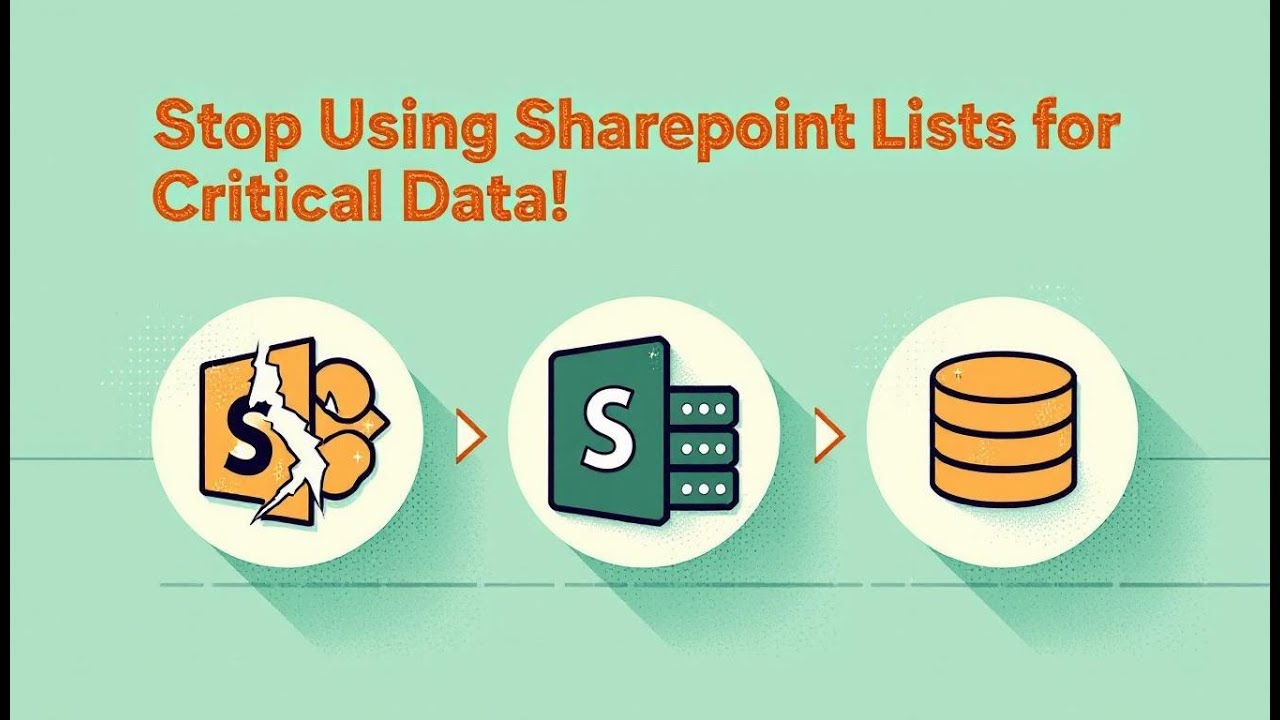
SharePoint Lists feel “free” and familiar, so teams prototype apps on them—and then accidentally build departments on sand. As lists multiply, you get broken lookups, 5k-item throttling, rogue permissions, attachment bloat, and schema drift. Governance collapses quietly: no environment isolation, inconsistent security, unreadable audit trails, and reporting that turns into archaeology. Dataverse exists to stop that decay. It’s the Power Platform’s governed data backbone: relational schema with referential integrity, role/field-level security, managed environments (dev/test/prod), DLP/retention via Purview, reliable delegation, and first-class integration with Power Apps, Power Automate, Power BI, and Dynamics. The “Dataverse is expensive” objection is a cost illusion—SharePoint’s hidden rework, outages, and compliance risk cost more over time. Practical rule: use Lists for lightweight, short-lived, non-sensitive data; use Dataverse for anything relational, regulated, cross-app, or long-lived. Architecture is destiny—Dataverse turns citizen builds into durable, auditable systems.






In today’s digital landscape, effective governance is crucial for your organization's success. You may find yourself facing challenges if you overlook governance practices. A single governance mistake can lead to significant time costs, affecting productivity and compliance. Understanding the implications of these mistakes is essential for any organization striving to manage data effectively. By recognizing the importance of governance, you can make informed decisions that enhance your data management strategies.
Key Takeaways
- Effective governance is essential for managing your organization's data and ensuring compliance.
- Establish a clear governance framework for SharePoint to avoid chaos and maintain control over your data.
- Avoid common governance mistakes like lack of defined policies and permission bloat to enhance productivity.
- Recognize that governance mistakes can lead to significant time costs and compliance risks, impacting your organization.
- Leverage Dataverse for its advanced data management features, which streamline compliance and enhance security.
- Utilize automation tools like Power Automate within Dataverse to save time and reduce manual work.
- Consider a hybrid approach by using SharePoint for unstructured content and Dataverse for structured data management.
- Regularly train users on governance practices to minimize errors and improve overall data management efficiency.
SharePoint Governance

Governance Frameworks
Key Components
When you manage SharePoint, you need a clear governance framework to keep your data organized and secure. This framework defines how your SharePoint environment works and who controls what. The main components include:
| Component | Description |
|---|---|
| Structure | Defines how content is organized across your environment. |
| Ownership | Defines who is responsible for content, decisions, and outcomes. |
| Permissions | Ensures access is controlled, consistent, and auditable. |
| Lifecycle | Ensures that content remains accurate, relevant, and manageable over time. |
This framework helps you maintain an enterprise-grade data governance system. It sets the foundation for managing your data repository and controlling access. Without it, your SharePoint integration can become chaotic and hard to manage.
Common Pitfalls
Many organizations face governance mistakes when using SharePoint. These errors often cause delays and increase complexity. Here are five common governance mistakes you should avoid:
- Lack of Defined Governance Policies: You might rush into SharePoint deployment without clear rules. This leads to inconsistent content management across teams.
- Permission Bloat: If you skip regular permission audits, outdated access rights pile up. This creates security risks and compliance problems.
- Misunderstanding Content Importance: Treating all documents the same way can cause sensitive data to be mishandled. You need a content classification system.
- Insufficient User Training: Users must learn how to use SharePoint properly and understand governance needs. Without training, mistakes multiply.
- IT-Only Governance Approach: Governance should involve people from different departments. Relying only on IT makes policies less practical and effective.
These governance mistakes increase the complexity of managing your SharePoint data repository. They also weaken your compliance tools and make it harder to maintain control over your data.
Time Costs of Mistakes
Delays in Access
When governance mistakes happen, you often face delays in access to important data. For example, permission bloat or unclear ownership slows down who can see or edit files. These delays hurt productivity because your team waits for approvals or struggles to find the right information. Uncontrolled site creation also causes disorganization, making it harder to locate data quickly. This inefficiency wastes valuable time and frustrates users.
Compliance Risks
Governance mistakes also create compliance risks. If you allow excessive user permissions or fail to apply document retention policies, you expose your organization to legal trouble. Sensitive documents might become accessible to unauthorized people, risking data breaches. Without proper compliance tools, you cannot track or audit data usage effectively. These gaps increase the chance of penalties, especially in regulated industries. You must address these risks to protect your business and maintain trust.
| Governance Mistake | Impact on Productivity and Compliance |
|---|---|
| Excessive user permissions | Increases security risks and potential data breaches. |
| Sensitive documents accessible to many | Risks unauthorized access to critical business information. |
| No document retention policies | Leads to compliance gaps and legal exposure. |
| Uncontrolled site creation | Results in disorganization and inefficiencies in collaboration. |
| Compliance gaps for regulated industries | Heightens legal risks and potential penalties. |
By understanding these time costs and risks, you can improve your SharePoint governance. Proper governance reduces delays, strengthens compliance, and supports better SharePoint integration across your organization.
Microsoft Dataverse Overview
Microsoft Dataverse serves as a powerful data backbone for organizations, enabling effective governance and management of data. Its robust features address common challenges faced in data management, particularly when compared to SharePoint.
Governance Features
Data Integrity
Dataverse ensures data integrity through various governance features. These features help maintain accurate and consistent data across your organization. Here’s a breakdown of the core governance features provided by Microsoft Dataverse:
| Governance Feature | Description |
|---|---|
| Data Security and Access Control | Role-based Access Control (RBAC) defines permissions for data access and actions. |
| Data Loss Prevention (DLP) prevents sensitive data from being exported. | |
| Auditing and Logging tracks user activity and data changes for compliance. | |
| Data Quality and Management | Data Validation Rules ensure data accuracy and consistency. |
| Standardization and Naming Conventions improve data discoverability. | |
| Data Lifecycle Management policies maintain data compliance and efficiency. |
These features provide enterprise-level security and data protection, ensuring that your data remains secure and compliant with regulations.
Security Protocols
Dataverse implements advanced security protocols that enhance data protection. You benefit from field-level permissions, hierarchical security, and role-based access controls. These features allow you to manage access effectively across multiple environments. However, managing these security features can be complex and often requires careful configuration. This complexity can lead to errors and security gaps, emphasizing the need for a solid governance framework.
Time Savings with Dataverse
Efficient Data Management
One of the most significant advantages of using Dataverse is the time savings it offers. Automation solutions using Power Automate have resulted in a reduction of over 26,000 hours of manual work annually. Key areas have experienced an 85% reduction in handling times. This efficiency allows your team to focus on more strategic tasks rather than getting bogged down in manual data management.
Reduced Compliance Burden
Migrating to Dataverse also reduces the compliance burden on your organization. The built-in audit trail automatically logs every change to a Dataverse record, which is crucial for compliance in regulated environments. Additionally, field-level security allows you to restrict access to specific columns, enhancing data protection for sensitive information.
| Feature | Description |
|---|---|
| Built-in audit trail | Automatically logs every change to a Dataverse record, crucial for compliance in regulated environments. |
| Field-level security | Allows restriction of access to specific columns, enhancing data protection for sensitive information. |
| Microsoft-managed compliance | Inherits Azure’s compliance certifications, reducing the need for independent certification efforts. |
| Entra ID integration | Simplifies governance by mapping security roles to Azure AD groups, minimizing orphaned permissions. |
By leveraging these features, you can streamline your compliance processes and reduce the administrative overhead associated with data governance.
Dataverse vs SharePoint Governance
Data Modeling
SharePoint Lists
SharePoint Lists serve as a basic tool for managing data. They focus on document management and collaboration. You can create simple lists to track tasks, contacts, or inventory. However, SharePoint Lists have limitations in data modeling. They primarily use basic data types and simple lookups. This structure can hinder your ability to manage complex relationships effectively.
- SharePoint is designed for collaboration and document-centric processes.
- It struggles with scalability, especially when handling large datasets. The list view threshold limits performance when you exceed 5,000 items.
- You may find it challenging to enforce strict data integrity and validation rules.
Dataverse Schemas
In contrast, Dataverse offers a robust data modeling framework. It supports complex relational data structures, making it ideal for business applications. With Dataverse, you can create rich data types and establish complex relationships, such as one-to-many and many-to-many. This capability allows you to manage enterprise-grade applications effectively.
| Feature | Dataverse | SharePoint Lists |
|---|---|---|
| Primary Use | Business applications, complex relational data | Collaboration, document management, and simple lists |
| Data Structure | Rich data types, complex relationships (1: N, N: N) | Basic data types, simple lookups |
| Scalability | High, designed for large datasets & transactions | List view threshold limits (5000 items), performance degrades with size |
| Security | Granular RBAC, field-level, hierarchical | Site/List/Item level permissions, less granular |
| Logic | Business Rules, Workflows, Power Automate, Calculated/Rollup Columns | Limited validation rules, Power Automate flows |
| Relational? | Yes, strong relational capabilities | Limited (Lookups) |
Dataverse excels in data modeling, allowing you to build applications that require complex relationships and robust security. This makes it a superior choice for organizations looking to manage critical data effectively.
Security and Compliance
SharePoint Challenges
Organizations using SharePoint often face significant security and compliance challenges. The platform's permission model can become unwieldy, leading to issues such as:
- Oversharing of sensitive content
- Broken or inherited permissions
- Inconsistent use of sensitivity labels
- Limited audit visibility
- Compliance controls added too late
These challenges can create blind spots in your governance strategy. You may struggle to balance protection with productivity, leading to oversharing or over-restriction of access.
Dataverse Advantages
On the other hand, Dataverse provides a more advanced security framework. It allows for detailed permissions at both the field and record levels. This capability is crucial for applications handling sensitive information. Dataverse also offers:
- Stronger auditing and compliance features that align with regulatory needs.
- Granular role-based access control (RBAC) that enhances data protection.
- Integration with Microsoft Purview for streamlined compliance management.
By choosing Dataverse, you can ensure that your organization meets its security and compliance requirements more effectively than with SharePoint. This choice not only protects your data but also enhances user satisfaction by providing a more secure environment.
The debate over Dataverse vs. SharePoint Lists shouldn't be a binary choice. The smartest architects know it's not 'either/or'—it's about using the right tool for the right job, together. A highly effective pattern we implement for clients: SharePoint for unstructured content and Dataverse for structured data.
Real-World Governance Mistakes
Case Studies
SharePoint User Experiences
Many organizations have faced significant challenges due to governance mistakes in SharePoint. For example, a mid-sized professional services firm struggled with a stalled SharePoint rollout. Users preferred storing files in email and local drives instead of using SharePoint. This led to multiple document versions, creating inefficiencies. Leadership questioned the value of their SharePoint investment due to low user adoption. Such costly mistakes highlight the importance of a solid governance framework.
Success with Dataverse
In contrast, organizations that migrated to Dataverse have successfully mitigated governance risks. They benefit from features like data loss prevention policies and cross-tenant restrictions. User access is controlled through security groups and licenses. These governance features ensure compliance with enterprise policies and reduce operational risks. By transitioning to Dataverse, organizations can create a more structured and secure data environment.
Long-term Impacts
Cost Analysis
The long-term impacts of governance mistakes in SharePoint can be severe. Consider the following table that outlines some documented effects:
| Impact Type | Description |
|---|---|
| Decision-Making Delays | Organizations with poor content management experience 30% longer decision-making cycles due to inaccessible information, leading to missed opportunities and stalled initiatives. |
| Compliance Vulnerabilities | Disorganized SharePoint environments lead to manual, error-prone compliance processes, resulting in costly audits when documents are scattered and metadata is inconsistent. |
| Knowledge Loss | Institutional knowledge is often lost when experienced employees leave, as their work products are trapped in inaccessible locations, leading to a brain drain effect that can devastate organizations reliant on accumulated expertise. |
| Productivity Degradation | Poor information management can reduce knowledge worker productivity by up to 25%, as employees waste time searching for information or duplicating existing work. |
| Security Exposure | Sensitive documents stored in inappropriate locations increase security risks, as access controls may be inadequate, exposing financial and customer data to unauthorized access. |
Strategic Benefits
Organizations that transition from SharePoint to Dataverse realize several strategic benefits. Dataverse is essential for storing complex business context, relationships, and governance, which SharePoint struggles to manage effectively. Additionally, the Security Hub in Dataverse provides tools for administrators to manage security at scale. This enhances the overall security posture of the organization.
Moreover, Dataverse unlocks new levels of productivity through integration with Microsoft Copilot Studio. The centralized Security Hub simplifies security management, allowing for more efficient operations. These strategic advantages make Dataverse a compelling choice for organizations looking to future-proof their operations.
In summary, effective governance is vital for managing your organization's data. SharePoint offers cost efficiency for simpler applications, while Dataverse excels in scalability and advanced features.
| Feature | SharePoint | Dataverse |
|---|---|---|
| Cost Efficiency | More cost-effective for smaller applications | Higher costs for larger, complex solutions |
| Time Efficiency | Quicker setup for simple use cases | More time required for advanced capabilities |
To maximize your governance strategy, consider these recommendations:
- Use SharePoint for unstructured content like document collaboration.
- Utilize Dataverse for structured data, ensuring a secure backend.
- Implement a hybrid approach to leverage the strengths of both platforms.
By tailoring your governance plan to your organization's unique needs, you can enhance compliance and data management effectively.
FAQ
What is SharePoint governance?
SharePoint governance refers to the policies and practices that manage data, security, and user access within SharePoint. It ensures that your organization maintains control over its content and complies with regulations.
Why is governance important for Dataverse?
Governance in Dataverse is crucial because it helps maintain data integrity, security, and compliance. It ensures that your organization can manage complex data relationships effectively while protecting sensitive information.
How can I improve my SharePoint governance?
You can improve SharePoint governance by defining clear policies, conducting regular permission audits, and providing user training. Establishing a governance framework helps maintain organization and compliance.
What are the main advantages of using Dataverse?
Dataverse offers advanced data modeling, robust security features, and streamlined compliance processes. It allows for efficient data management and supports complex relationships, making it ideal for enterprise applications.
Can I use SharePoint and Dataverse together?
Yes, you can use SharePoint and Dataverse together. SharePoint works well for unstructured content, while Dataverse excels in managing structured data. A hybrid approach leverages the strengths of both platforms.
How does Dataverse handle compliance?
Dataverse simplifies compliance through built-in audit trails, field-level security, and integration with Microsoft Purview. These features help you track data usage and enforce compliance policies effectively.
What are common mistakes in SharePoint governance?
Common mistakes include lack of defined policies, permission bloat, and insufficient user training. These errors can lead to delays, compliance risks, and inefficiencies in data management.
How does Dataverse reduce time costs?
Dataverse reduces time costs by automating data management tasks and providing efficient governance features. This allows your team to focus on strategic initiatives rather than manual processes.
🚀 Want to be part of m365.fm?
Then stop just listening… and start showing up.
👉 Connect with me on LinkedIn and let’s make something happen:
- 🎙️ Be a podcast guest and share your story
- 🎧 Host your own episode (yes, seriously)
- 💡 Pitch topics the community actually wants to hear
- 🌍 Build your personal brand in the Microsoft 365 space
This isn’t just a podcast — it’s a platform for people who take action.
🔥 Most people wait. The best ones don’t.
👉 Connect with me on LinkedIn and send me a message:
"I want in"
Let’s build something awesome 👊
Everyone uses SharePoint Lists. Of course you do—they’re already included in Microsoft 365, so they feel “free.” And nothing tempts the average builder like something described as free and convenient. Who needs data architecture when you can just click “Create List” and be halfway to an app, right? It’s the business equivalent of eating instant noodles and calling it meal prep.
Here’s the problem: that list you spun up on a Monday morning prototype becomes the foundation of half your department by Friday, and by the end of the quarter it’s an ungovernable swamp of attachments, rogue permissions, and data relationships so broken they’re practically folklore. That’s not convenience—it’s deferred maintenance.
Today we’re diving into the governance nightmare lurking beneath that “easy data source,” and why Dataverse—the Power Platform’s built-in data backbone—exists precisely to save you from yourself. Dataverse isn’t expensive; ignorance is. Let’s dissect why your “simple list” just became tomorrow’s audit headache.
The Convenience Trap: Why Everyone Starts with SharePoint Lists
Every Power Apps story begins the same way: someone with initiative, a spare afternoon, and misplaced optimism opens Power Apps, clicks “Start from data,” and—because SharePoint is familiar—chooses an existing list. Instant victory. The app runs, data flows, and everyone applauds. It feels effortless because SharePoint is included with your licensing, and you didn’t have to rope in IT or justify a business database. It’s the path of least resistance, and people adore those.
The rationalizations are predictable. “It’s faster.” “Everyone already has access.” “We don’t need Dataverse; the list works.” Except what you’ve built is a glorified spreadsheet with delusions of grandeur. SharePoint Lists aren’t relational, meaning that the moment you try to connect multiple entities—say, projects to tasks—you’re duct-taping lookups together hoping delegation doesn’t implode. Governance? Minimal. One overzealous editor can delete columns with the same ease they change a view.
Technically, a list can store up to 30 million items, and that number sounds impressive until you remember the view threshold: anything past 5,000 visible records and performance collapses like a wet paper crane. Delegation limits throttle queries, and Power Apps politely refuses to scale. But don’t worry; your users will compensate by duplicating the list in three separate sites, ensuring chaos is evenly distributed.
The psychology behind it is almost endearing. SharePoint feels democratic—everyone can see it, edit it, break it. There’s no licensing conversation, no admin request, no perceived bureaucracy. You get quick results and instant validation. Unfortunately, the system’s friendliness disguises structural fragility. SharePoint lists were never designed to function as centralized business databases; they were meant for content tracking, not relationship enforcement or role-based security.
And yet, departments keep building micro-systems inside them—because it’s fast. A finance team keeps budgets, an HR unit tracks onboarding, an operations lead stores maintenance logs. Each one works... until integration enters the chat. Then you discover column names differ by capitalization, data types are inconsistent, and half the lists exist in private Team sites no one documented. What started as agility becomes fragmentation.
Calling it “citizen development” sounds noble, but without governance, it’s “data anarchy.” Lists multiply like rabbits, each one slightly mutated from the last. It’s identical to emailing Excel sheets around in 2012, except this time, the file is hidden behind a web interface that gives you false confidence.
Now, before you panic: SharePoint still has its place. For lightweight prototypes, static reference data, or small internal dashboards, lists are perfectly fine. They’re fast, low-friction, and easy to build. The disaster begins when someone dares to scale—adds relationships, automates business logic, or builds reports that span multiple lists. That’s when SharePoint transforms from convenient sandbox to operational liability. And yet, that’s exactly where most organizations find themselves: mistaking a glorified to-do list for a governed data platform.
And then, inevitably, someone says, “Can we make this enterprise-ready?” That’s the moment IT takes a long breath, regrets every previous approval, and starts the painful migration conversation—the one that always ends with a quiet whisper: “…we should’ve used Dataverse.”
The Governance Collapse: How Data Sprawl Begins
Here’s where the illusion of control finally dies. You’ve got one SharePoint List powering a simple app. Success emboldens the team, so they create another. Then two more. Someone links them with lookup columns, another copy-pastes data to “repurpose” it, and before long, every department has its own version of truth. This isn’t progress—it’s propagation by mitosis. You didn’t build a solution; you built an ecosystem of divergence.
At first, it looks manageable: one list for requests, one for approvals, one for history. But with every new list, you multiply the number of permission combinations. Each app references a slightly different list, each with its own owners, viewers, and “exceptions.” Eventually, IT can’t tell who has access to what—or which data source is the real one. It’s like watching spiderwebs form inside a filing cabinet. Pretty, but terrifying to touch.
The absence of environment isolation only accelerates the chaos. In Dataverse, you can separate development, testing, and production with defined security roles. In SharePoint, development means “create another site.” Suddenly you’ve got six slightly inconsistent data structures floating around with no traceability between them. Want an audit trail? Good luck—version history in SharePoint tells you somebody changed a column, but not why, and certainly not under which business logic. It’s governance through nostalgia.
Meanwhile, attachments bloat storage faster than data itself. Users treat Lists like Dropbox, uploading pictures, PDFs, and sometimes entire zip archives. Management wonders why performance lags. The answer: you’ve turned your structured dataset into a digital junk drawer. When the inevitable “storage exceeded” email arrives, nobody knows which items are critical and which are test debris, because ownership is as fragmented as the data itself.
Now let’s talk about compliance—the word everyone loves until audit season. SharePoint Lists distribute ownership to whoever happens to create them. That person becomes the unwitting data custodian for potentially sensitive information. HR data in a personal site? Financial projections in a Team that no longer has an active manager? Perfect. You’ve just built a privacy violation with collaborative features.
And schema drift—this is where developers age prematurely. Columns get renamed midstream, calculated fields vanish, lookup chains break silently. Integrations that once worked stop returning results, and dashboards deliver numbers that look like modern art. Every fix introduces more inconsistency, because each copied list diverges further. Reporting across them becomes an archaeological exercise: which column meant “cost center” this quarter?
This isn’t just operational pain; it’s security theatre. IT consoles show clean structures and neat folders, but under the surface lies a lattice of shadow lists hiding beneath subsites. It’s the same problem Azure had before service groups existed—resources scattered across subscriptions, connected by naming conventions rather than hierarchy. Back then, Microsoft solved it with structured grouping. In SharePoint, most organizations haven’t. They still rely on manual tagging, folder names, and prayer.
So governance collapses not with a bang, but with polite notifications: “Something went wrong retrieving your data.” The real issue isn’t one list breaking—it’s hundreds of them diverging beyond reconciliation. You can’t enforce policies across objects that were never meant to coexist. It’s like herding cats that have already formed committees.
Audit teams eventually discover duplicates, misaligned retention rules, and metadata gaps deep enough to swallow compliance frameworks whole. Someone proposes migration, but there’s no authoritative schema to migrate from. The empire has no blueprint—just stories about what once worked. At this point, half the effort goes into forensics, not remediation.
And yet—this was all foreseeable. The governance collapse follows a predictable pattern: convenience, proliferation, opacity, failure. Each stage feels productive until it’s irreversible. Your Power Platform apps keep running just long enough to lull you into denial. Then, overnight, they fail because someone archived a “legacy” list. Congratulations, you’ve reinvented unstructured data management under a SharePoint logo.
Enter the adult in the room—Dataverse.
Dataverse Architecture: From Data Storage to Governance Engine
Now we get to the grown‑up part of the story. Dataverse isn’t just another “data source” checkbox inside Power Apps. It’s an entire architectural layer built for people who’d like their data to survive audit season. If SharePoint Lists are like saving files to your desktop, Dataverse is the equivalent of deploying them into a controlled environment with access logs, versioning, and rules about who may touch what and when. It’s enterprise hygiene rather than improvisation.
At its core, Dataverse is a relational database engine hosted within the Power Platform that understands structure, dependencies, and enforcement. Each table—pardon, entity—knows how it connects to others, what business rules apply, and what validation logic governs entry. You can define relationships explicitly: one‑to‑many, many‑to‑one, even many‑to‑many, all with referential integrity. That phrase alone should make anyone who’s ever rebuilt a broken lookup column breathe easier. It means Dataverse prevents data from drifting out of alignment—no phantom references, no orphaned records, no half‑deleted people still linked to budgets.
Where SharePoint leaves you juggling lists, Dataverse treats the application model as a living schema. You build rules into the data itself rather than relying on the app layer to behave. Need required fields? Done. Conditional logic that enforces company policy before an insert completes? Native feature. You can even apply calculated and rollup columns that materialize insights without writing a single line of Power Fx contortion. It’s the difference between babysitting data manually and letting the platform enforce adulthood.
But the real magic isn’t the relational design; it’s the environment segmentation. Dataverse lives inside managed environments—development, test, production—each with their own data policies, makers, and security roles. So when you experiment, you do it in isolation. When you deploy, you do so through structured promotion. Compare that to the SharePoint method: “Copy the list, rename it ‘test,’ and pray you remember which is which.” In Dataverse, promotion pipelines are traceable, and every operation leaves digital fingerprints. Auditors adore fingerprints.
Role‑based access control is where governance truly matures. Dataverse integrates directly with Azure AD roles, so you can be precise: who can create records, who may read them, who can change specific fields. It even supports field‑level security, meaning that the “Salary” column can stay private while the rest of the employee record remains visible. Try pulling that off in SharePoint without weaving an access‑matrix tragedy. The model respects least‑privilege principles by design rather than by convention.
Now, compliance. Microsoft Purview and its Data Loss Prevention policies plug straight into Dataverse. That means retention, classification, and data‑handling rules apply uniformly, without the patchwork of site‑level exceptions that plague SharePoint. You can see lineage across Power Automate, Power Apps, and Power BI, because everything flows through the Power Platform’s governance layer. When auditors ask, “Where does this data go?” you can actually answer with a diagram instead of interpretive dance.
Performance is equally deliberate. Dataverse was engineered for delegation and indexing from the ground up. Queries aren’t throttled by arbitrary thresholds; they’re optimized through an API layer consistent across all Power Platform services. The same query that populates a model‑driven app can fuel dashboards or AI Builder automations with identical fidelity. Because the backend uses Azure SQL under the hood, scaling is measured, not improvised. You get predictable throughput rather than the 5,000‑item panic attack that defines most SharePoint‑based apps.
Speaking of apps, Dataverse flips the design philosophy: it’s data‑first, interface‑second. Model‑driven applications generate the UI automatically from the schema and the relationships you define. Instead of building screens and hoping the data model catches up, you architect the data model, and Power Apps builds compliant screens around it. The result is consistency: forms inherit logic, lists inherit permissions, and reports connect without a translation degree. Once you’ve lived in that world, going back to hand‑wired SharePoint forms feels like chiseling tables into stone.
And because Dataverse is native to the Microsoft ecosystem, it’s already wired for integration. Power BI can connect directly for analytics without dumping data into a lake. Azure Synapse can join Dataverse datasets into larger warehouses. Dynamics 365 runs on the same engine, meaning enterprise apps and custom departmental builds can finally coexist without brittle connectors. One data fabric, multiple consumption models—governed centrally. It’s the Power Platform equivalent of Azure’s service‑group concept: logical boundaries, clear ownership, managed relationships. Everything that SharePoint pretends to do with folder hierarchies, Dataverse enforces with actual structure.
Now, to the predictable objection: “Dataverse costs extra.” That line surfaces in every meeting between IT and finance. But cost, in this context, is shorthand for “visible line item,” while the hidden SharePoint costs accumulate invisibly through hours of maintenance, lost data, and security exposure. Dataverse’s licensing reflects the infrastructure you no longer have to build manually—auditing, backups, integration APIs, managed capacity. Businesses confuse that with extravagance when it’s actually insurance.
In practice, Dataverse reduces total cost of ownership because governance is part of the product, not an afterthought. You spend less time retrofitting permissions and more time developing logic. When something breaks, logs show who, what, and when, instead of sending your admins spelunking through SharePoint site histories. The productivity payoff compounds over time—the same tasks that used to demand PowerShell scripts become policy toggles in the admin center.
So yes, Dataverse may appear formal, but that structure is precisely what saves you from 3 A.M. troubleshooting. It transforms the Power Platform from a sandbox of enthusiasm into an enterprise system with accountability baked in. Governance stops being a theoretical slide in someone’s training deck and becomes a living mechanism that prevents decay.
In summary, Dataverse is not “just storage.” It’s the governance engine of the Power Platform—the connective tissue ensuring every app, flow, and dataset operates inside a compliant, scalable framework. It’s the structural DNA that turns citizen development into sustainable architecture. And once you understand that, the next question isn’t whether you can afford Dataverse; it’s how you ever tolerated life without it.
The Cost Illusion: Why Dataverse Actually Saves Money
Let’s address the budget elephant in the room. People love proclaiming, with smug relief, that “SharePoint Lists are free.” Correct. They’re included in your Microsoft 365 license—just like the junk drawer is included in your kitchen. The drawer costs nothing until you spend half a Saturday searching for scissors that were supposedly inside it. The illusion of free is simply deferred expense disguised as simplicity.
When teams choose SharePoint over Dataverse, they almost never calculate the hidden overhead. You’ll see phrases like “minimal cost” on a slide deck, followed months later by help-desk tickets labeled Critical: app down, data missing. Every duplicated list, broken flow, and corrupted column becomes a micro‑invoice to your productivity budget. The engineering principle is clear: free tools are free only until you scale them.
Consider what “free” really gets you. SharePoint Lists offer no transactional integrity, so when simultaneous writes collide, data loss quietly compounds. Backups? Manual. Schema control? None. Governance? Whatever the site owner remembers to configure. The developer time to patch, reconcile, and eventually rebuild these ad‑hoc systems dwarfs the licensing cost of Dataverse. But because the pain is spread across multiple teams, no one quite sees the aggregated waste. It’s financial death by a thousand line items.
Dataverse flips that equation. Yes, there’s an explicit cost per user or per capacity unit. But what you’re paying for is governance as infrastructure—the same way you pay for locks on a door or an accountant to file taxes. Dataverse automates compliance, auditability, backup, and access control. Those aren’t “extras.” They’re the maintenance functions every business eventually re‑implements at triple the effort when starting from SharePoint. The cost of Dataverse is the premium on sleeping soundly.
Let’s translate that into real outcomes. A company might spend weeks rebuilding an app after a SharePoint List silently broke its lookups during schema modification. I’ve seen this melodrama more than once: someone renames a column, automation fails, and half the approvals vanish. After three all‑nighters, they migrate to Dataverse and discover it would’ve cost less than those overtime snacks to use it from the start. Ignorance isn’t free; it’s invoiced later with interest.
The economics also shift when you factor in human time. With SharePoint, routine tasks—permission corrections, JSON view formatting, manual backups—demand ongoing labor. Dataverse turns those into one‑time configurations. One admin can govern hundreds of apps without spending weekends untying logic knots. Multiply that labor delta across months, and Dataverse pays for itself before your next lunch break ends.
There’s also the opportunity cost of fragility. Every unreliable connector or throttled view slows innovation because developers hesitate to build on shaky foundations. Dataverse’s reliability liberates them; fast prototyping doesn’t mean reckless architecture anymore. When environments are stable, experimentation becomes cheaper. Stability is, paradoxically, the greatest accelerator of change.
Organizations cling to SharePoint’s “free” lists because accounting captures explicit license fees, not silent inefficiencies. That’s a measurement flaw, not a feature. It’s the same delusion that labels unsecured Wi‑Fi “cost‑effective” until the breach notification bills arrive. Dataverse, priced transparently, looks expensive only to people who mistake unknown risk for zero cost.
The truth is painfully simple: Dataverse doesn’t inflate your budget—it exposes the parts you were unknowingly wasting. It turns unpredictable cleanup into predictable subscription. Free SharePoint Lists are like adopting a stray cat: they wander in without a fee, then accumulate vet bills, scratches, and the occasional dead mouse on your carpet. Dataverse is the disciplined pet adoption program—vaccinated, documented, microchipped, and far less likely to infect your data ecosystem.
So no, Dataverse isn’t the luxury option. It’s the economic baseline for any organization serious about scale. SharePoint may start cheaper, but Dataverse ends cheaper—the difference is whether you’d prefer to pay in currency or chaos. Which, incidentally, explains why finance departments eventually approve it: even accountants get tired of herding digital cats.
Decision Rules: When to Use Which and Why
So after all this intellectual carnage, you might ask the sensible question: when do I actually use SharePoint, and when do I go full Dataverse? The answer depends on scale, sensitivity, and longevity — three words that most organizations ignore until they’re already filling out an incident report.
Start with user volume. If the thing you’re building is going to involve more than twenty casual users or any workflow that needs approval routing, skip the list. SharePoint’s access control is egalitarian to a fault: everyone can do everything until—wait for it—someone does. In contrast, Dataverse scales security by role rather than document link. That distinction matters once the number of users exceeds the number of people you can name from memory.
Next: data sensitivity. Think of SharePoint as the public hallway and Dataverse as the locked filing room with cameras. Lists make sense for generic status tracking—marketing ideas, conference feedback, cafeteria menus. The moment you’re storing PII, customer transactions, or anything you’d hesitate to email unencrypted, Dataverse is mandatory. It’s engineered for retention, auditing, and compliance reporting. In other words, it assumes malice where SharePoint merely hopes for maturity.
Then we get to relational complexity. If your dataset is basically one sheet with a few lookups, fine, enjoy your list. The moment relationships start stacking—projects linked to sub‑tasks, sub‑tasks linked to resources, resources pulling from departments—you’ve crossed into database territory. SharePoint users fake this with cascading lookups and wishful thinking until it breaks. Dataverse handles it natively and still sleeps through the night.
Fourth, lifecycle requirements. How long will this data live? Temporary initiatives—holiday schedules, short‑term surveys, temp staff logs—fit Lists perfectly. Anything aligned with a business process that repeats or evolves should be born in Dataverse. A reliable test: if the data outlives the project, it belongs in Dataverse. It’s not sentimentality; it’s architecture.
Of course, there’s room for hybrid setups. SharePoint remains painlessly convenient for static reference data—product categories, region lists, FAQs. Those can feed into Dataverse through automated synchronization while governance stays central. Think of SharePoint as your staging pantry; Dataverse as your certified kitchen. One stores ingredients, the other enforces hygiene codes.
Some teams adopt an evolutionary model: prototype in SharePoint, graduate to Dataverse once the concept stabilizes. That’s acceptable as long as you treat migration as planned evolution, not emergency surgery. Build with schema parity in mind from day one—consistent field names, controlled data types—and promotion will resemble a controlled rollout rather than a frantic rescue mission.
There’s also a cultural diagnostic you can run. Ask your team, “Who owns the data in this app?” If the answer is a person, you’re in SharePoint land. If the answer is a role, you’re thinking Dataverse. Personal ownership dies the moment governance lives.
One more diagnostic: report lineage. If your Power BI dashboard needs to unify two or more apps’ data sources, Lists will crumble under delegation limits and security inconsistencies. Dataverse, with its API endpoints and unified metadata, was literally built for that scenario. Reporting becomes a design step, not an afterthought.
In the simplest reduction:
* SharePoint equals folders.
* Dataverse equals databases.Everything you can store in a folder, you may. Everything needing constraint, tracking, and future analytics, you must not.
So, use the right tool for the stage. Spreadsheets for ideas, Lists for prototypes, Dataverse for production. Treat elevation from one layer to the next as a rite of governance, not an after‑the‑fact confession. And realize that choosing Dataverse isn’t bureaucratic—it’s professional. Chaos may feel creative, but only structure scales.
Now that the decision chart is clear, let’s put a fine point on the consequences.
Conclusion
Using SharePoint Lists for business‑critical data is governance malpractice disguised as convenience. The short‑term velocity you celebrate today becomes the long‑term liability you’ll audit tomorrow. Dataverse replaces that illusion with engineered clarity: structured schema, role‑based security, consistent compliance. It’s not glamorous, but neither is stability—until you don’t have it.
If there’s one idea to keep, it’s this: architecture is destiny. Dataverse turns your “citizen development” from digital improvisation into operational engineering. It converts chaos into repeatable success and builds compliance into the plumbing rather than the paperwork.
So, stop treating governance as overhead; it’s the cheapest insurance policy you can buy. Subscribe for more M365 architectural sanity checks—your future self, and your compliance officer, will quietly thank you.
This is a public episode. If you'd like to discuss this with other subscribers or get access to bonus episodes, visit m365.show/subscribe

Founder of m365.fm, m365.show and m365con.net
Mirko Peters is a Microsoft 365 expert, content creator, and founder of m365.fm, a platform dedicated to sharing practical insights on modern workplace technologies. His work focuses on Microsoft 365 governance, security, collaboration, and real-world implementation strategies.
Through his podcast and written content, Mirko provides hands-on guidance for IT professionals, architects, and business leaders navigating the complexities of Microsoft 365. He is known for translating complex topics into clear, actionable advice, often highlighting common mistakes and overlooked risks in real-world environments.
With a strong emphasis on community contribution and knowledge sharing, Mirko is actively building a platform that connects experts, shares experiences, and helps organizations get the most out of their Microsoft 365 investments.