A lead in Dynamics 365 Sales stores an early signal of interest from a person or company; once qualified, it is closed and an opportunity is created from it.
Title graphic: Lead (Dynamics 365 Sales) (Concept)
Relationships
Lead (Dynamics 365 Sales) falls under the broader topic Dynamics 365 Sales.
Type
Concept
Key points about Lead (Dynamics 365 Sales)
Key points about Lead (Dynamics 365 Sales) from the episodes, each with its source episode:
Setup selects the Lead entity, outcome fields and a training window, then reviews feature importance and data health before publishing. · Predictive Lead Scoring with Dynamics 365
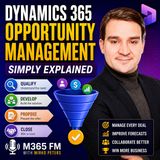
Many sales teams track deals in scattered notes and spreadsheets, so nobody knows what will really close. This episode walks sellers and sales managers through opportunity management in Dynamics 365 Sales, from lead qualification through the four pipeline…
Turn Dynamics 365 lead scoring into a revenue engine. This guide shows how D365’s AI turns behaviors (opens, replies, page views, meetings), firmographics, and sales outcomes into predictive scores—then converts those scores into next-best actions. You’ll get…
Repetitive work such as sorting leads, updating cases, matching transactions and chasing suppliers eats up time across every business team. In this Simply Explained episode, Mirko Peters shows Dynamics 365 users and decision makers what autonomous agents…
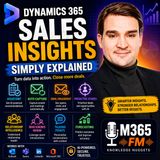
Sales teams rarely lack data, but they struggle to see which follow-up or deal matters most right now. In this Simply Explained episode, Mirko Peters walks sellers and sales managers through Dynamics 365 Sales Insights, from the assistant and auto capture to…
Timeline of episodes about Lead (Dynamics 365 Sales)
Articles about Lead (Dynamics 365 Sales) (4)
Articles in which Lead (Dynamics 365 Sales) is a topic:
Supercharging Sales Performance with Dynamics 365 Copilot · Mirko Peters Welcome back to the podcast and our companion blog! If you have been listening to our recent episodes, you know we are deep into exploring how artificial intelligen…
What is the difference between a lead and an opportunity?
A lead represents early interest, while an opportunity represents a potential sale ready to be managed. Qualifying a lead creates an opportunity and keeps the link to the original lead information. · From the episode: Dynamics 365 Opportunity Management - Simply Explained
Can opportunities be created without a lead?
Yes. Existing customers may ask for additional products, partners may introduce buyers, or account managers may discover expansion and renewal opportunities in conversations. · From the episode: Dynamics 365 Opportunity Management - Simply Explained
What data does Dynamics 365 predictive lead scoring use?
It uses firmographics and CRM facts, behaviors like email opens and meetings, rep interactions, timing and sequence, and outcomes of closed-won or closed-lost leads, which form the backbone of learning. · From the episode: Predictive Lead Scoring with Dynamics 365
What is needed before turning on predictive lead scoring?
You need Dynamics 365 Sales with Sales Insights predictive scoring in your license and enough historical leads with closed status, both won and lost, with consistent close reasons so the model can learn. · From the episode: Predictive Lead Scoring with Dynamics 365
How do you set up lead scoring in Dynamics 365?
Open Sales Insights settings, then Predictive models and Lead scoring. Select the Lead entity, confirm outcome fields, choose a training window, pick meaningful fields and filters, then review feature importance and data health and publish. · From the episode: Predictive Lead Scoring with Dynamics 365
Related topics in brief
Topics linked to Lead (Dynamics 365 Sales), each briefly explained:
Short info above, community knowledge below: add practical tips, examples or corrections. New contributions are reviewed first; trusted members publish directly.
Experts and companies for this topic
Nobody has listed this topic yet. Add it to your profile.
Experts on related topics
Experts on topics related to Lead (Dynamics 365 Sales), each with the topic that connects them:
 EN
 Deutsch
 Español
 Français
 Italiano
 Português
 Nederlands
 Polski
 Bahasa Indonesia
 Русский
 Українська
 العربية
 עברית
 日本語
 한국어