 EN
EN Deutsch
 Español
 Français
 Italiano
 Português
 Nederlands
 Polski
 Bahasa Indonesia
 Русский
 Українська
 العربية
 עברית
עברית हिन्दी
 日本語
日本語 한국어
한국어2026-08-17 · Season 3
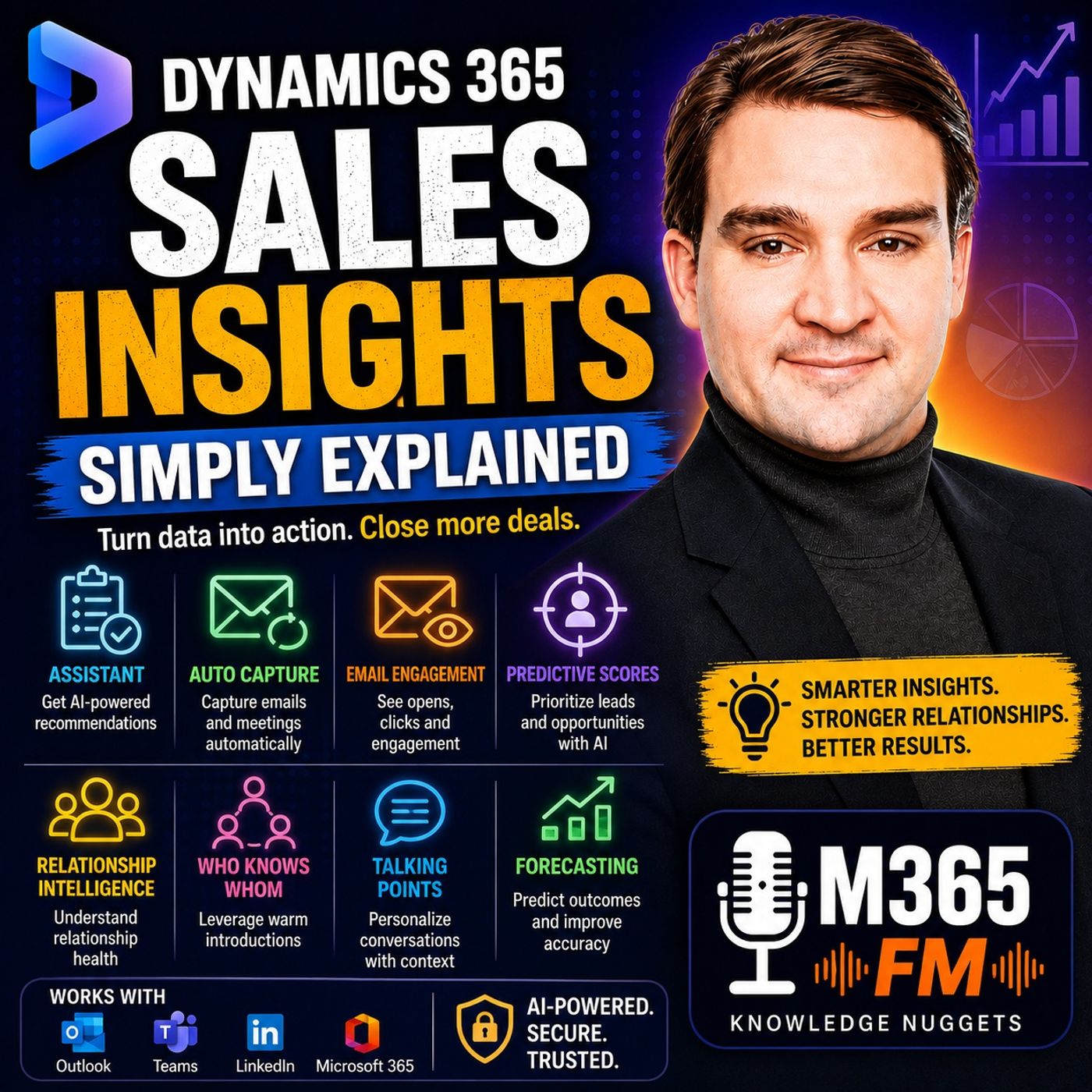
Dynamics 365 Sales Insights - Simply Explained
Show notes
How many sales opportunities disappear because somebody intended to follow up but lost the email, missed the task, or simply forgot? Modern sales teams rarely suffer from a lack of customer data. They have CRM records, emails, meetings, notes, opportunities, tasks, forecasts, and relationship information. The bigger problem is understanding which information matters right now and what the seller should do next. In this episode of Microsoft Knowledge Nuggets on M365 FM, Mirko Peters explains Microsoft Dynamics 365 Sales Insights in plain English and explores how Microsoft uses AI, activity signals, relationship data, predictive scoring, conversation intelligence, and forecasting to help sales teams focus their attention. We look at the Sales Insights assistant, Auto Capture, Email Engagement, predictive lead and opportunity scoring, Sales Accelerator, relationship intelligence, Who Knows Whom, Talking Points, Conversation Intelligence, notes analysis, forecasting, Microsoft 365 integration, Microsoft Teams, and LinkedIn Sales Navigator. ㅤ WHAT IS DYNAMICS 365 SALES INSIGHTS? Dynamics 365 Sales Insights is a collection of AI-powered and intelligence capabilities designed to make the information inside Dynamics 365 Sales more actionable. Dynamics 365 Sales remains the CRM foundation. It contains accounts, contacts, leads, opportunities, activities, customer information, pipeline records, and sales history. Sales Insights sits on top of this information and looks for useful signals. An important activity might be overdue. A lead might resemble previous leads that successfully converted. Communication with an important account might have declined. An opportunity may show patterns associated with previous successful deals. Instead of expecting sellers to manually search thousands of records for these signals, Sales Insights can bring relevant information closer to their daily work. The objective is not more data. The objective is better guidance from the data the sales organization already has. WHY SALES TEAMS NEED INSIGHTS, NOT JUST MORE DATA Imagine the traditional sales process. A salesperson keeps one spreadsheet containing prospects, searches Outlook for the latest customer email, writes notes after telephone calls, creates calendar reminders, and tries to remember which customer requested pricing last week. Then the sales manager asks: Which opportunities are likely to close this month? The answer can quickly become dependent on memory and intuition. The salesperson is not necessarily doing anything wrong. Sales simply generates enormous amounts of information. Every call creates notes. Every email creates another conversation. Every meeting creates potential follow-up actions. Opportunities move through stages. New people enter buying groups. Customer requirements change. Dynamics 365 Sales gives this information a structured home. Sales Insights attempts to turn that growing information into useful signals. THE SALES INSIGHTS ASSISTANT One of the everyday capabilities discussed in the episode is the Sales Insights Assistant. The assistant uses cards inside Dynamics 365 Sales to surface work that may require attention. That could include overdue tasks, upcoming meetings, or suggested next actions. Think of it like an inbox tray sitting on a salesperson's desk. Important items can rise closer to the top without making everything else disappear. Suppose you promised to send pricing information after Tuesday's customer call. Wednesday becomes unexpectedly busy. Two new leads arrive. A meeting runs longer than expected. Another customer calls. The promised pricing email never gets sent. An assistant card can bring that overdue follow-up back into view. That simple reminder can matter because customers rarely contact a salesperson to explain that the salesperson followed up too slowly. They may simply begin talking to somebody else. ASSISTANT CARDS AND NEXT ACTIONS Assistant cards should not be confused with automated sales decisions. The system can identify something potentially important. The salesperson still determines whether and how to act. An overdue task may still be relevant. Another task may no longer make sense because the customer situation changed. An upcoming meeting may require preparation. Another customer may suddenly require immediate attention. Sales Insights provides the signal. The salesperson provides the context and judgment. This distinction runs throughout the entire Sales Insights experience. The technology is designed to support the seller rather than replace the seller. AUTO CAPTURE One of the biggest problems with CRM systems is keeping activity information current. Salespeople spend significant amounts of time inside email and meetings rather than filling out CRM forms. If every useful customer interaction needs to be manually copied into Dynamics 365 Sales, information inevitably gets missed. Auto Capture helps identify emails and meetings that appear related to customers already inside Dynamics 365 Sales. Those interactions can then be brought to the salesperson's attention for review. The important point is that finding an interaction does not necessarily mean every email should automatically become a permanent CRM record. Sales information still needs appropriate review. A private message, unrelated conversation, or incorrectly associated email should not become part of a customer history simply because software detected a possible relationship. PREMIUM AUTO CAPTURE The episode also discusses additional Auto Capture capabilities. Imagine a customer replies to an email and includes a colleague the salesperson has never previously met. That person may be part of the customer's buying group but does not yet exist inside Dynamics 365 Sales. Premium Auto Capture can help identify this situation and suggest creating a contact. The salesperson can then review the person's name, role, and context before deciding whether they actually belong inside the CRM. This illustrates an important principle: Automation can reduce data entry without eliminating data quality controls. The system helps prepare the work. The seller still confirms whether the information belongs in the customer record. EMAIL ENGAGEMENT Email Engagement provides sellers with additional information about tracked sales emails. Depending on the configuration, sellers can see signals such as whether a recipient opened an email or clicked a link. These signals need careful interpretation. An email open does not mean a customer intends to purchase. A customer not opening an email does not automatically mean they have no interest. But engagement information can provide useful context around timing. Imagine sending a proposal Monday morning. The prospect opens the message and clicks through to the pricing information but does not reply. Instead of simply sending exactly the same follow-up several days later, the salesperson now has another signal suggesting that a conversation might be useful. The signal provides context. The salesperson still needs to decide what an appropriate interaction looks like. PREDICTIVE LEAD SCORING Salespeople can only make a limited number of calls and conduct a limited number of meetings each day. When hundreds of leads exist inside the CRM, the obvious question becomes: Where should I start? Predictive lead scoring attempts to help answer that question. The system looks at patterns from previous sales information and compares those patterns with current leads. Depending on the organization's data, those patterns might involve lead sources, company information, job roles, activities, or other fields used during the sales process. The underlying question is relatively simple: When leads with similar characteristics appeared previously, how often did they move forward? The resulting score can help sellers prioritize a crowded lead list. ㅤ PREDICTIVE SCORES ARE SIGNALS, NOT GUARANTEES Suppose 200 leads arrive after an industry event. Without scoring, the salesperson might work through those leads alphabetically, according to registration time, or simply according to personal instinct. Predictive scoring can provide another method of prioritization. Leads resembling previous successful customers may receive greater attention earlier. That does not mean lower-scoring leads should be ignored. A new market may behave differently from historical customers. A promising prospect might have incomplete information. A new product could attract buyers unlike those in the historical training data. The score should therefore be treated as a priority signal rather than a final sales decision. ㅤ PREDICTIVE OPPORTUNITY SCORING Predictive opportunity scoring applies a similar concept to deals already moving through the sales pipeline. An opportunity can contain information such as estimated revenue, expected closing dates, customer contacts, sales activities, and sales stages. Sales Insights can compare the active opportunity with patterns from previous sales outcomes. The result can provide an indication of how strongly the current opportunity resembles previous successful deals. Sellers can also look at how the score changes. A rising score may correspond with increased engagement or positive progress. A falling score can provide a reason to investigate what changed. Again, the score does not know whether the customer's budget has actually been approved or whether a competitor has suddenly changed the situation. It provides another piece of evidence. Become a supporter of this podcast: https://www.spreaker.com/podcast/m365-fm-microsoft-365-azure-cloud-power-platform-ai--6704921/support.
Apple Podcasts · Spotify · YouTube · Deezer
Host: Mirko Peters
Guests
Related articles
Transcript
Read the full transcript
How many sales opportunities disappear because someone meant to follow up but lost the email, missed the task, or just plain forgot? That question hits hard because a sales pipeline can turn into a messy pile of customer names, meeting notes, and promises that only live in different people or TMAs heads. Running things that way is risky. Most people think Dynamics 365 sales only stores customer records, and yes, it does store them. But sales insights add something different to a helper that spots patterns in the work you temer are already doing and nudges you towards the next step. Think about a sales office building where Dynamics 365 sales holds the filing cabinets with accounts, contacts, leads, and deals. Sales insights act more like a coach on the sales floor who watches the schedule and puts useful reminders in front of the right person. The ultimate miracle Peters from M365FM, and this knowledge nugget starts with the problem that coach is trying to solve. Why sales teams need insights not more data? Imagine the old way of working in that old way a seller keeps one spreadsheet for leads, searches outlook for the last email, scribbles notes after a call, and tries to remember which customer asked for pricing last week. When a manager asks which deals might close this month, the answer usually depends on gut feeling. That does not mean the seller is careless. They outnumber it just busy. Conversations move fast, details change, and every single deal generates more information. A call creates notes and email creates a thread and a meeting creates follow-up work. After that, the opportunity changes stage, a new contact joins the buying team or the customer asks a question that reshapes the whole conversation. Now, Dynamics 365 Sales gives all that information a proper home. It keeps the customer record, the account that people involved, the lead and the opportunity in one connected place. Rather than hunting through separate files, you can see what the team actually knows about a possible sale. However, the customer history still spreads out across multiple places. Dynamics 365 Sales holds part of it. Microsoft 365 holds emails and meetings. And if your company uses LinkedIn Sales Navigator, relationship details can appear there too. The result is that the seller ends up with plenty of data, but still does not know what deserves attention first. That autumn's exactly the problem sales inside solves. The talcans break it down in plain English. Sales Insights is a group of AI-powered tools inside Dynamics 365 Sales that turns sales activity into guidance by surfacing prompts, scoring leads or opportunities and showing signals about customer relationships. It does not end up replacing the sales record, Dynamics 365. Sales remains the filing cabinet. It holds the facts your team enters and works with, who the customer is, what they outtember interested in, where the deal sits, and what actions have happened. Sales Insights sits on top of those records and looks for useful signals. For example, an important task might be overdue. A lead might look a lot like earlier leads that turned into customers or contact with an account might have dropped off. The system brings those signals forward, so the seller spends less time searching and more time deciding what to do next. This difference matters because more data does know, timid, automatically create better sales work. A full CRM can still feel like a crowded desk. Sales Insights helps put the right piece of paper near the top while the seller still decides what to say, who to contact and whether the timing feels right. Next, let's take a look at the everyday tools that cut down on manual follow-up work. The everyday helper, assistant, auto-capture, and email engagement. So what does sales Insights actually put in front of a seller during a normal day? Let's break it down. The assistant uses cards inside Dynamics 365 sales to highlight work that might slip away A or overdue tasks, upcoming meetings, or suggestions for next actions. And it works like the inbox tray on a busy salesperson's desk. The papers that need attention sit on top and everything else stays available when you need it, so you're never forced to act on every card. The assistant doesn't take over the customer conversation, but just helps you notice the work that deserves a look before another day passes. Say you promise to send pricing after Tuesday's call, but Wednesday becomes busy with two new leads, a meeting runs long, and the email stays unsent. Instead of relying on memory alone, an assistant card can bring that overdue follow-up back into view the moment you open Dynamics 365 sales. That small reminder can prevent a very ordinary problem. Customers rarely tell you they lost interest because you replied late, they just look elsewhere. The assistant gives you a chance to act while the conversation still has momentum. Now, auto-capture tackles a different problem, the manual logging of customer activity. Here's the thing, salespeople spend most of their day in email and meetings, not filling out CRM forms, so if every useful email thread needs to be copied into a record by hand, things get missed, not because people don't care, but because there are only so many hours in the day. Auto-capture finds emails and meetings connected to customers in Dynamics 365 sales, then brings those interactions to the seller's attention for review. Here's the key detail. Brings to attention doesn't mean every email suddenly becomes a permanent record without anyone checking it. Sales records need to stay clean, so a private message, an unrelated thread or an email connected to the wrong person shouldn't become part of a customer history just because software guessed. Instead, auto-capture helps the seller see related activity and decide what belongs with the account, contact, lead, or opportunity. The premium version can go one step further. Suppose a customer replies and includes a colleague you haven't met before. That person isn't in Dynamics 365 sales yet, but they might be part of the buying group. Premium auto-capture can suggest creating a new contact, so the seller doesn't need to start from a blank form. Then the seller checks the name, role, and context and decides whether that person belongs in the CRM and that human check keeps the customer record clean. Email engagement gives a little more context. When a seller sends a tracked sales email, it can tell whether the recipient opened it or clicked a link. An open email isn't a signed deal and no open doesn't always mean no interest, but it can help with timing. Say a seller sends a proposal on Monday morning the prospect opens it, clicks the link to the pricing page, but doesn't reply to the follow-up email. Rather than sending the same message again on Friday, the seller can call while the proposal is still fresh and ask a simple question. Did you get a chance to look at the options? That call starts from a real clue and it doesn't replace good manners, customer knowledge, or a thoughtful message. It just gives the seller a better reason to reach out at that moment. Assistant cards, auto-capture, and email engagement all save time by making everyday activity easier to notice and manage, but a full pipeline still creates a harder question. With limited time, which lead or deal should a seller focus on first? Predictive scoring, which leads and deals deserve attention. Now, a seller can only make so many calls in one day, so a long list of leads creates a simple problem. Where do you start? Predictive lead scoring gives each lead a score based on patterns from past sales results and it works like a priority number that helps sort the pile so sellers can spend their first hour on leads that show stronger signs of becoming customers. The system learns from the sales data already in Dynamics 365 sales by looking at past leads that turned into opportunities or customers, then compares their details with leads currently in the system. Depending on how your company records sales work, that could include the lead source, company details, job role, the activities around the lead, or other fields your team uses. This isn't magic. It asks a simple question based on past data. When leads with details like these appeared in the past, how often did they move forward? The answer becomes a score that helps a seller sort a crowded list. Imagine 200 leads arrive after an event and without scoring, someone might work through the list by date, by name, or by instinct. With predictive lead scoring, the seller can begin with the leads that look more like earlier successful leads than work down through the rest with a clearer plan. That doesn't mean low scoring leads belong in the bin. A new market, a new product, or a lead with incomplete details can receive a lower score even when the person could become a great customer. The score helps direct attention but doesn't decide who deserves respect, effort, or a reply. Opportunity scoring works in a similar way, but it looks at deals already moving through the pipeline. An opportunity is no longer just a possible customer. It may include an estimated amount, a close date, people involved, sales activities, and a stage such as qualification or proposal. Predictive opportunity scoring uses patterns from earlier sales outcomes to estimate how likely an active deal is to close. You can also see whether that score rises or falls over time, and that movement can start a useful conversation. A score that rises may match fresh activity and progress, while a score that drops can tell the seller to check what changed rather than waiting until the expected close date passes quietly. A high score isn't a promise though. No score can tell you that a buyer has approved a budget, chosen your company, or signed a contract. Real sales work still depends on customer needs, competition, timing, trust, and the people making the decision, so treat the score like a signpost that helps you navigate, not a goal. The quality of the score depends heavily on the quality of the data. If sellers leave lead sources blank, never update deal stages, enter close dates that don't mean anything, or record wins and losses in different ways. The model has bad data to learn from. A system can't find reliable patterns when the history tells mixed signals. Clean records don't need to be perfect. They just need to be consistent enough that the past resembles the real sales process. When a team agrees on what a qualified lead means, when stages change and how it records outcomes, predictive scoring has a much better chance of producing useful guidance. Picture two opportunities, each worth $50,000. One has recent contact with several people at the customer, clear deal details, and patterns that match earlier wins. While the other has not seen customer activity for weeks, includes an old close date, and carries very little information beyond the amount. A seller shouldn't ignore the second deal, but if time is tight, the first opportunity may deserve attention first because the score and the current record both point in the same direction. The second one may need a different action, perhaps checking whether the deal still belongs in the pipeline at all. Sales accelerator helps turn that priority into a workday by giving sellers a focused workspace with a work list, activities, and assigned sales records. Rather than opening one lead, then searching for a task, then looking for the next email, the seller can see the work lined up in a more deliberate order. Sequences fit inside that approach. A sequence is a set of sales actions that repeats, such as a call, an email, a follow-up task, and another call after a set period. Your company can build sequences around the way it wants sellers to work, especially for common situations like new leads or early stage opportunities. That structure helps new sellers learn the process and gives experienced sellers fewer small tasks to remember. The seller still controls the conversation. If a customer needs a different approach, the seller can respond like a person instead of blindly following a list. The sequence organizes the work but doesn't replace judgment. A score tells a seller where to look first, while relationship tools help explain the people and activity behind the deal. Relationship intelligence, seeing the people behind the pipeline. Here's a scenario you've probably seen. A deal looks totally healthy on paper, but the customer relationship is slowly going cold. Relationship analytics catches that early by looking at contact activity around an account, lead, or opportunity. It takes your team's communication patterns and turns them into a clear health view, so you can see whether people are staying connected or starting to drift apart. Think about a large account with several people involved. One seller emails the project lead regularly, a colleague meets the finance contact and a manager talks with an executive. Those separate interactions tell a wider story and relationship analytics brings that story straight into your sales record. So where does this data come from? The system pulls information from Dynamics 365 sales and Microsoft 365 when your organization connects those sources and LinkedIn adds more relationship context if your company uses the related LinkedIn tools. You don't need to chase every single signal. Instead, look for changes. Maybe an account that used to hold regular meetings now shows very little recent activity or a newer opportunity starts building contact with several people. Those patterns need different attention. Relationship analytics shows this through a bubble chart, which at first glance may look like one of those screens people open, not at, then never visit again. But the idea is simple. Each bubble represents a customer relationship and its position and size help you spot accounts that need attention or deals where engagement is growing. A large opportunity with limited recent contact should be a warning sign, but it doesn't prove the deal has failed. The buyer might be busy, a decision might sit with another team or a planned meeting might still happen. Still, the seller now has a reason to look closer, which is far better than finding out months later that the customer chose someone else. Relationship health isn't about judging the customer. It gives the sales team a view of their own connection. If communication drops, the team can check the record, ask whether the right people are involved and decide on a useful next step. Sometimes the best next step starts inside your own company. That's where who knows whom comes in. It helps the seller find colleagues who may already know a prospect by scanning existing relationships and email patterns out, provided the feature is set up and has access. Imagine you're about to send a cold email to a senior buyer and before you do, the system shows a colleague who has exchanged emails with that person. You don't send a message saying, "I saw you know them." "Eh, that would feel strange." Instead, you ask your colleague privately. You've worked with Jordan before. Would an introduction make sense? And is there anything I should know before I reach out? That conversation changes the approach. Maybe the colleague offers an introduction. Maybe they tell you the buyer prefers direct messages and dislikes long sales pitches or maybe they explain the relationship isn't close enough to use. Any of those answers beats guessing. Talking points supports preparation in a different way. It looks at your email details and suggests possible conversation starters from earlier exchanges out. Like a customer mentioning an upcoming company event, a project deadline or a change in their role. The seller can use that context to begin a more relevant conversation. This needs a little common sense. A customer shares information for many reasons and not every detail belongs in a sales call. If a suggested talking point feels too personal, outdated or unrelated, leave it alone. The tool can serve his context, but the seller decides whether using it respects the person in the situation. Good selling still depends on listening. No health score can replace trust and no connection suggestion gives you permission to force an introduction. The purpose is better preparation, not turning every customer interaction into a data exercise. When relationship health starts falling, a seller can act before a deal disappears from the forecast or by confirming the customer's timeline, reconnecting with a quiet decision maker or learning that priorities changed. That is far better than treating silence as progress because the close date still sits in the system. Relationships show the pattern of contact and customer conversations show what people actually talk about, conversation intelligence. What sales calls can teach the whole team. Let's talk about conversation intelligence. A sales call often contains details that never make it into the CRM record. The seller might write good conversation, send proposal, but the actual call could include a concern about price, a mention of a competitor, a question from finance and a clear deadline from the customer. Conversation intelligence helps the team look beyond that short note. It works with recorded sales calls that your organization is allowed to record and the tool analyzes the spoken conversation to bring forward topics and patterns like product names, tracked words, questions, competitor mentions, and sentiment. Instead of searching through a long recording from start to finish, a seller or manager can jump straight to the moments connected to those signals. That makes the call easier to review. Suppose a customer repeats a question about how a product works with their current systems. The seller may answer it well or they may rush past it because they want to finish the presentation. When that question appears in the call review, it gives the team something real to discuss. Sentiment needs careful handling, conversation. Intelligence can detect signals about tone, but it can't read every human situation correctly. A customer may sound direct because they are busy and another might sound positive while privately leaning toward a different supplier, so treat sentiment as a clue. If the tool detects a change in tone during a pricing discussion, the seller can listen back and ask what the customer reacted to. The answer might point to price, timing, scope, or nothing serious at all. The recording provides the context that a single label can't provide. For managers, this changes coaching. Without a recording, a manager often hears the seller's memory of the call. The buyer liked the demo, the pricing conversation went fine, and a follow-up is coming. That may all be accurate, but it leaves out the small moments where a customer hesitated, asked an unanswered question, or mentioned a competing product. Now, a manager can review those moments with the seller. The conversation becomes specific. Instead of saying, try to ask better questions, the manager can point to a section of the call and ask why the seller moved on when the buyer mentioned a deadline. That is much easier to learn from because both people can hear the same thing. It also helps new sellers get up to speed. Imagine someone who joined the team last week and keeps hearing that customers often object to the price. They can listen to approved examples of experienced sellers handling that objection. Maybe one seller asks what the customer is comparing and another checks whether the buyer is concerned about the first year cost or the longer term cost. The new seller learns the words, but also the pacing. They hear when an experienced colleague pauses, asks a follow-up question or stops talking and lets the customer explain the problem. Training becomes less about memorizing a script and more about hearing how a real conversation develops. Brand and competitor mentions give leaders another view. If customers repeatedly compare your company with the same competitor, that pattern appears across calls. The team can then check whether sellers have a clear answer for that comparison, whether the competitor is winning for a specific reason or whether buyers keep raising a concern that marketing and product teams need to understand. Nobody should use this as a reason to spy on people. Call recording and analysis need clear company rules and customers and sellers need the right notice and permissions. Your organization needs to decide who can listen, what data it keeps, how long it keeps it and how it protects that data. Respect comes first. The purpose is to prepare better, coach fairly, and follow through on what customers ask for O. If people don't trust how recordings are used, the tool will damage the very conversations it is meant to support. Notes analysis works on a smaller but equally familiar part of sales work. When a seller writes a note after a call, it can spot text that looks like a task, meeting or follow-up action and suggest creating it. If the note reads, send security documents and book a meeting next Thursday, the seller can turn those commitments into work items instead of hoping they remember later. Once a team can see activity, scores, relationships and customer conversations, sales leaders need a clearer view of where the pipeline may land, as forecasting and the connected sales picture. So what about forecasting? Forecasting pulls from your current pipeline and past sales patterns to estimate where revenue might land. Notice I said estimate. A forecast isn't a promise. It gives leaders a clearer view of what's likely so they can ask smart questions before the quarter ends. With premium forecasting, you can save snapshots of your pipeline at different times. A manager compares an earlier snapshot with the current one, sees the numbers changed and then looks at the deals behind that shift out, no need to rely on memory. Think back to that filing cabinet. Dynamics 365 sales holds your accounts, contacts, leads and opportunities. Sales insights add signals right onto those records. EU-risk priority, recent activity, suggested actions, so the team sees more than just deal amounts. They see the story behind each deal. Other tools plug into that picture. Teams gives colleagues a place to collaborate around customer info, like a shared channel for a key account. Linked in sales navigator adds relationship context, showing mutual connections and company updates. And Microsoft 365 activity can appear where your organization enables it, so you see emails or meetings tied to that deal. Now, what tools you get depends on your sales app, your license and your setup. Standard features differ from premium ones. So check what your team actually has before planning around a feature. Start small, pick the one sales problem that costs your team the most missed work, oh. Maybe it's follow-ups that fall through the cracks, clean the records behind it, then add the tools that help solve that problem, bring the whole building into one view, the records hold the customer story. Sales Insights helps the team notice where to act next. Conclusion, the sales coach behind the scenes. Sales Insights turns everyday customer activity into practical prompts. It acts like a coach pointing out where to focus your energy, but it can't replace sales skill, customer trust, or clean CRM records. So here's one question to ask first, which follow-ups leads or deals does your team miss most often? Start there, subscribe on your favorite podcast platform for more Microsoft knowledge nuggets with me, Mirko Peters at M365 FM