 EN
 Deutsch
 Español
 Français
 Italiano
 Português
 Nederlands
 Polski
 Bahasa Indonesia
 Русский
 Українська
 العربية
 עברית
 日本語
 한국어
Azure for Manufacturing: The Complete Guide to Manufacturing IT on Microsoft Azure (November 2026)
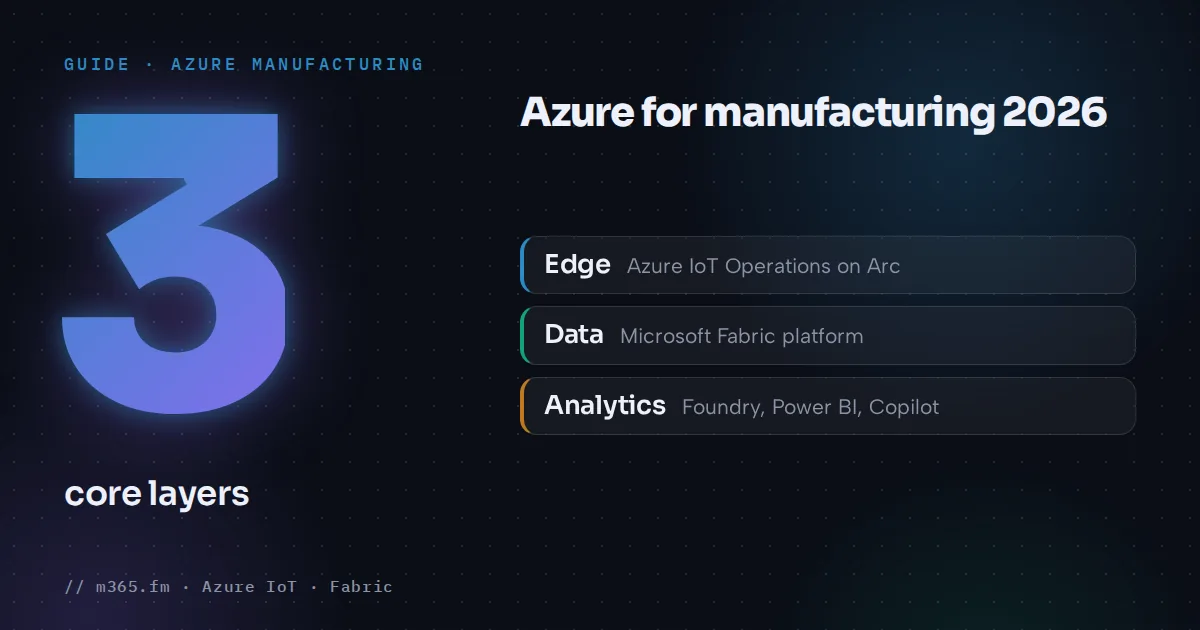
Short answer: In late 2026, Azure for manufacturing comes down to three layers: Azure IoT Operations on Azure Arc-enabled Kubernetes in the plant, Microsoft Fabric (Real-Time Intelligence and OneLake) as the data platform, and Microsoft Foundry, Power BI and Copilot for analytics, AI and the workplace. Older building blocks are retired (Time Series Insights, the manufacturing agent previews) or scheduled for retirement (IoT Central in 2029, OT security in Defender for IoT). Success depends less on the services than on owning your data model, having an OT security design aligned with ISA/IEC 62443 and NIST guidance, and choosing use cases with a measured baseline.
Key takeaways
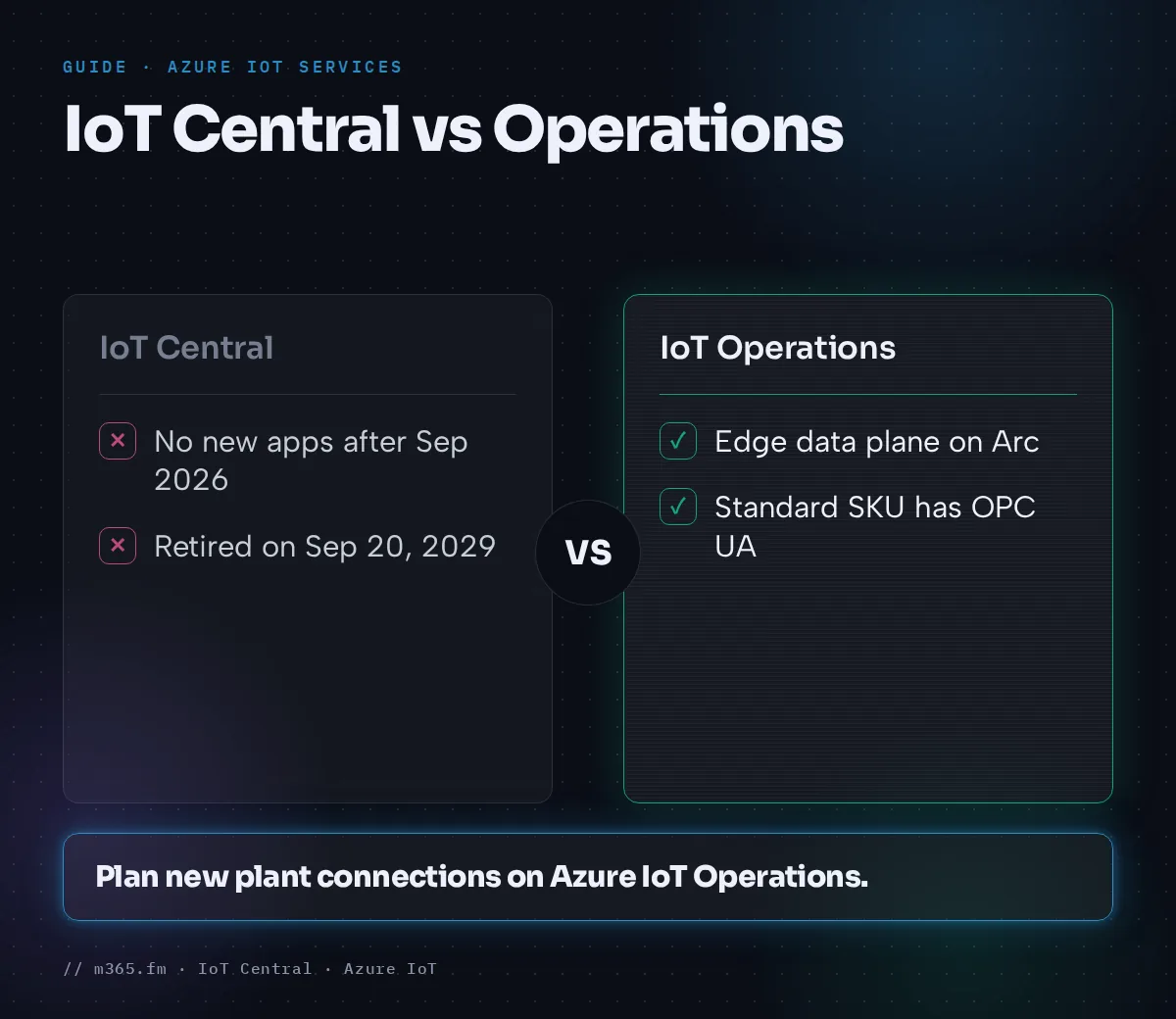
- Plan new plant connections on Azure IoT Operations, not on IoT Central or hand-built IoT Edge module chains. Pick the Standard SKU if your machines speak OPC UA; Essentials does not include the OPC UA connector.
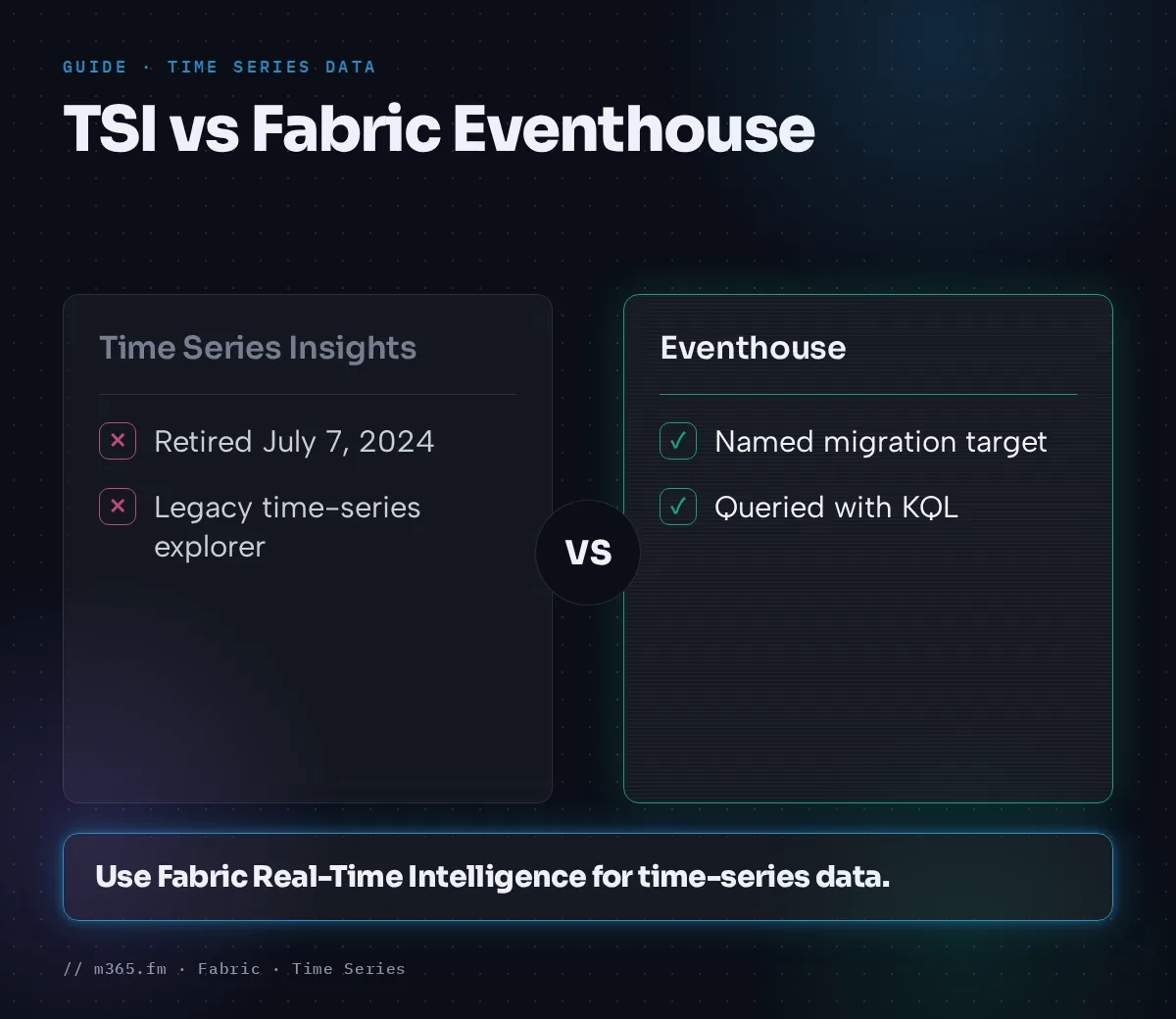
- Use Microsoft Fabric Real-Time Intelligence (Eventstream, Eventhouse, Activator) for time-series data. Time Series Insights was retired on July 7, 2024.
- Keep business logic away from preview services. Microsoft retired its manufacturing data model and factory agent previews in 2025, about a year after launch.
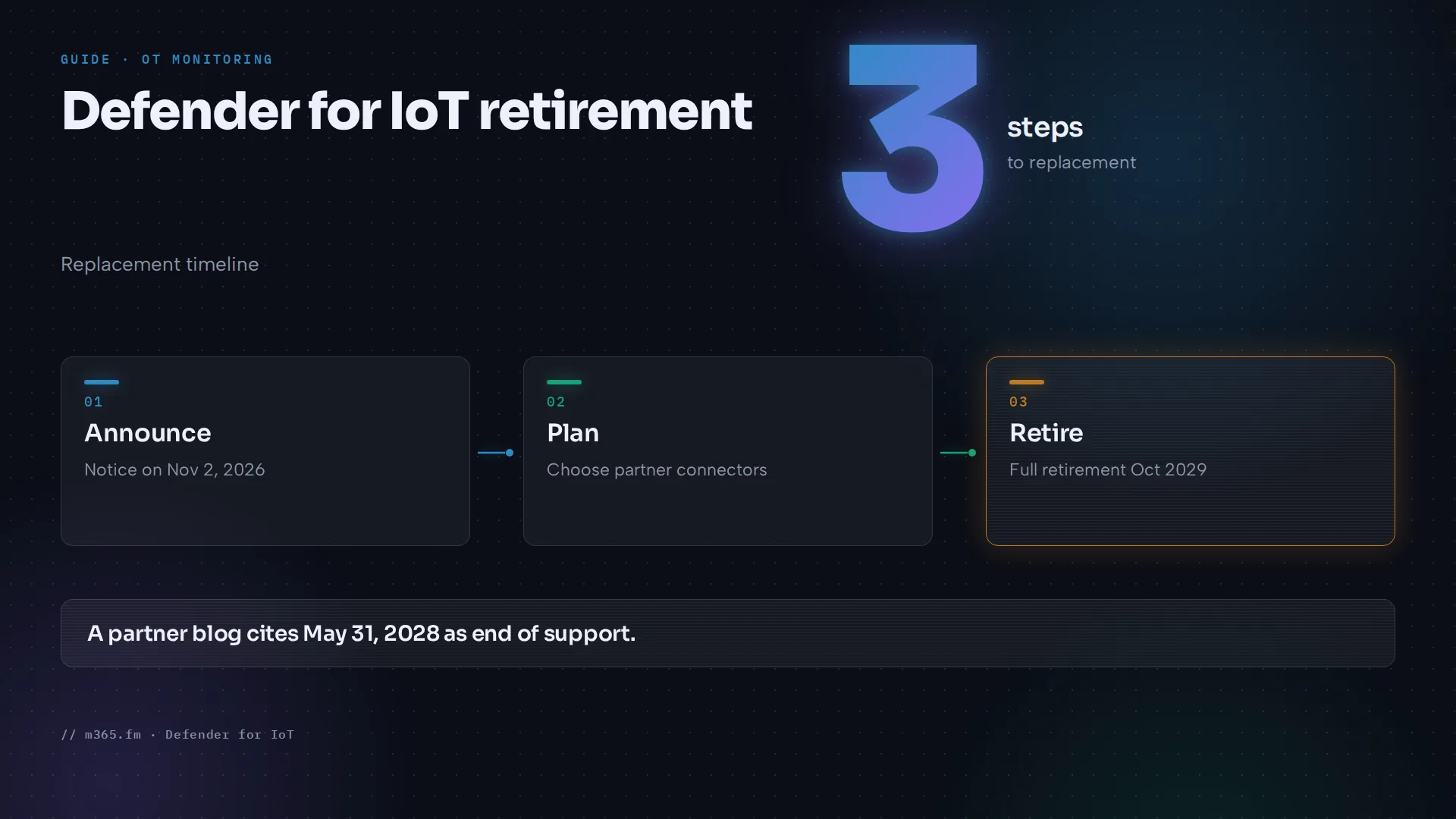
- Plan your OT monitoring replacement now. Microsoft will fully retire OT security in Defender for IoT in October 2029; a Microsoft partner blog cites May 31, 2028 as end of support.
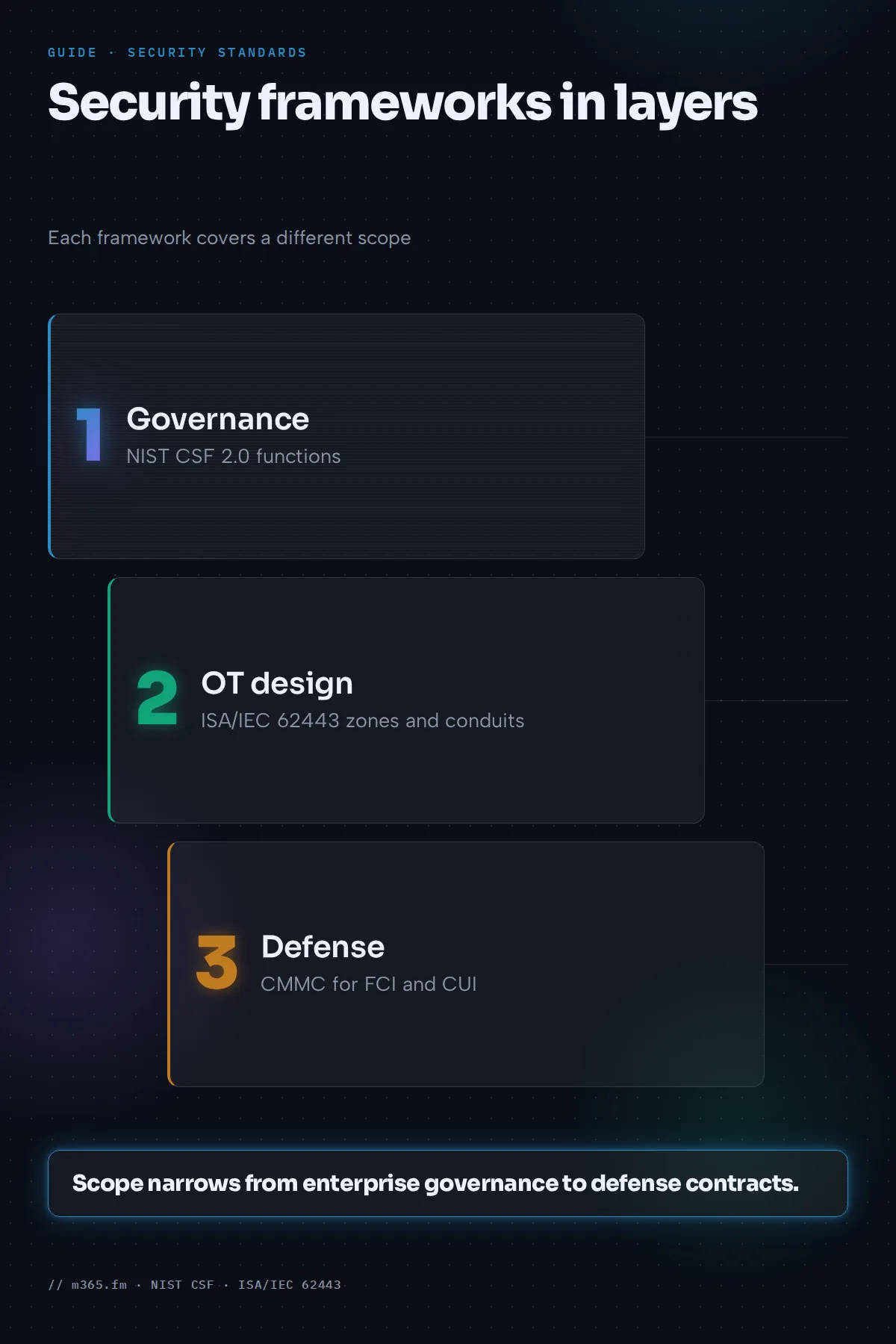
- Map your security program to ISA/IEC 62443 (zones and conduits) and NIST CSF 2.0; defense suppliers also need CMMC for systems that handle FCI or CUI.
- Start with use cases that have a baseline and an owner: real-time OEE and traceability usually pay off before predictive maintenance does.
Table of contents
- What Azure for manufacturing means today
- Azure manufacturing services status, November 2026
- Data model first: ISA-95 and the unified namespace
- Azure reference architecture for manufacturing
- IT/OT convergence and security: ISA/IEC 62443, NIST CSF 2.0, CMMC and NIS2
- Use case 1: Predictive maintenance on Azure
- Use case 2: Traceability and genealogy
- Use case 3: Digital twins
- Use case 4: Real-time KPIs, OEE and value streams
- ERP and MES integration: SAP, Dynamics 365 and the shop floor data flow
- AI and Copilot in manufacturing: what is realistic
- FinOps for manufacturing IT
- Building the business case for Azure in manufacturing
- Roadmap: five phases to a scalable Azure manufacturing platform
- Common mistakes in Azure manufacturing projects
- Industry applications in the Microsoft ecosystem: the example of iFAKT Polaris
- FAQ
- Conclusion
What Azure for manufacturing means today
Five years ago, a search for "Azure for manufacturing" or "Azure IoT for manufacturing" returned a familiar list: IoT Hub, IoT Edge, Stream Analytics, Time Series Insights and Synapse. That list no longer describes the situation in 2026. Microsoft has rebuilt its industrial IoT strategy in three directions:
- Edge instead of device: Data collection in the plant now runs on Azure IoT Operations, a set of data services on Kubernetes clusters that are managed from the cloud through Azure Arc. Microsoft describes the service as a "unified data plane for the edge" [3]. General availability was announced in November 2024 [5].
- Data platform instead of point services: Time series, events and master data land in Microsoft Fabric, in particular in Real-Time Intelligence with Eventstream, Eventhouse and Activator. Microsoft retired Time Series Insights and points customers to the Fabric Eventhouse as the migration target [10].
- Platform instead of packaged application: In IoT and manufacturing, Microsoft is pulling back from its own preconfigured applications. IoT Central stopped accepting new applications on September 23, 2026 and will be retired on September 20, 2029 [8], [64]. The industry-specific previews "Manufacturing data solutions" and "Factory Operations Agent" were retired on May 30, 2025 [2].
The industry offering is now called Microsoft for Manufacturing (formerly "Microsoft Cloud for Manufacturing"). Microsoft organizes it into four solution areas: digital engineering, resilient supply chains, intelligent factories and connected customers [1]. For the intelligent factory, Microsoft names four scenarios: modernize edge and infrastructure, optimize operations with AI, connect and empower the workforce, and maintenance and quality [1]. Microsoft points to Fabric as the platform for the "digital thread" [1].
For you as an IT, OT or digital transformation leader, this means the building blocks have become more generic, and more of the responsibility for the data model, integration and operations sits with you or your partners. This guide shows how to carry that responsibility in a structured way. It connects Azure technology with the topics that decide success: the data model, security, Industry 4.0 as an organizational topic, KPIs and cost.
Who this guide is for
- IT leaders and cloud teams who already run Microsoft 365 and Azure and have been asked to connect the plants.
- OT and automation engineers who want to understand what Kubernetes, MQTT and Fabric mean for their equipment.
- Plant, quality and maintenance managers who are evaluating use cases such as predictive maintenance or traceability.
- Finance and procurement teams who need to make cloud costs in manufacturing predictable.
Manufacturing terms for Microsoft 365 and Azure admins
If you come from corporate IT, manufacturing projects bring their own vocabulary. Here are the key terms used in this guide, each in one sentence:
| Term | Meaning | Closest IT analogy |
|---|---|---|
| OT (operational technology) | Technology that controls physical processes: machines, controllers, control systems | Like a separate data center where an outage stops production |
| PLC (programmable logic controller) | Industrial computer that controls a machine in real time | An embedded system with a service life of 15 years or more |
| SCADA | Supervisory system for monitoring and operating several machines or lines | A monitoring console with write access |
| MES (manufacturing execution system) | Controls and records the execution of production orders in the plant | A workflow system between ERP and machine |
| OPC UA | Vendor-neutral industrial standard for data exchange with an information model and built-in security | REST API plus schema plus certificates, for machines |
| MQTT | Lightweight publish/subscribe protocol | A message bus, similar to Event Grid or Service Bus topics |
| Unified namespace (UNS) | Central, hierarchical event structure where all systems publish their current state | An enterprise-wide topic directory |
| OEE (overall equipment effectiveness) | Equipment effectiveness from availability, performance and quality | An availability SLA, but for machines and including quality |
| KQL (Kusto Query Language) | Query language of Fabric Eventhouse and Azure Data Explorer | The same language you use in Log Analytics and Microsoft Sentinel |
| Purdue model | Reference model that layers plant systems from field devices up to the enterprise; ISA-95 builds on it [26] | A network tiering model, from the device VLAN to the corporate WAN |
The KQL row is a good entry point for admins: if you know KQL from Sentinel or Log Analytics, you can query machine data in an Eventhouse right away.
Where to start as a Microsoft 365 or Azure admin
You do not need to become an automation engineer to add value in a manufacturing project. Five tasks typically sit with central IT and can be prepared before the first machine is connected:
- Identities and roles: Create Microsoft Entra ID groups and Azure RBAC roles for OT staff, partners and operations teams; use Privileged Identity Management to make privileged access time-bound.
- An Azure landing zone for plants: Define a subscription and resource group structure per plant, and use Azure Policy to enforce tags (plant, cost center, use case) and allowed regions.
- Test Azure Arc: Connect a test server or Kubernetes cluster to Arc and get the required outbound endpoints approved through the proxy chain with your network team. In many companies these firewall approvals take the longest.
- Fabric basics: Decide on capacity, workspace structure and access model; carry over your existing Power BI governance.
- Build a working relationship with OT: Understand the plant's zone model before you propose network changes. In OT, availability comes before confidentiality, and maintenance windows follow the production schedule, not Patch Tuesday.
Azure manufacturing services status, November 2026
Microsoft renames services, launches previews and retires them again. For manufacturing projects with a lifetime of five to ten years, the product lifecycle is therefore an architecture criterion. The table below summarizes the verified status as of November 20, 2026.
Service overview: purpose, status, source
| Service | Purpose in manufacturing | Status, November 2026 | Source |
|---|---|---|---|
| Azure IoT Operations | Edge data plane: MQTT broker, connectors (OPC UA, HTTP/REST), data flows, asset management | Generally available since November 2024; regular releases. Microsoft Learn names version 1.5.x (release 2610) as the release that introduces a new SKU, Essentials (single-node clusters only, no OPC UA connector), next to Standard with the full feature set | [3], [5], [7] |
| Azure Device Registry | Cloud representation of assets and devices, schema registry | Integral part of Azure IoT Operations; integration with IoT Hub in preview | [3], [36] |
| Azure IoT Hub + Device Provisioning Service | Cloud gateway for directly connected devices, device lifecycle | Active; recommended by Microsoft as the target for IoT Central customers | [8], [64] |
| Azure IoT Central | Low-code IoT SaaS | No new applications since September 23, 2026; retirement on September 20, 2029 | [8], [64] |
| Azure IoT Edge | Container runtime for edge devices (modules) | Product supported; version 1.5 LTS out of support since November 10, 2026 (as is EFLOW 1.5 for Windows); current version 1.6 LTS (July 2026) supported until November 14, 2028; no EFLOW 1.6 LTS listed on the version page (only an EFLOW continuous release track) | [12], [13] |
| Microsoft Fabric Real-Time Intelligence (Eventstream, Eventhouse, Activator, Real-Time hub) | Streaming ingestion, time-series analytics with KQL, alerts | Generally available since Ignite, November 2024 | [18] |
| Microsoft Fabric OneLake / Lakehouse | Central storage for master, transactional and sensor data | Generally available | [17] |
| Digital twin builder (Fabric Real-Time Intelligence) | Ontology-based digital representations of assets and processes | Preview | [15] |
| Fabric IQ ontology | Semantic business layer for analytics and agents | Preview; the old ontology experience retires on January 31, 2027, and existing ontologies must be copied into the new experience | [16] |
| Azure Digital Twins | Graph-based twins with DTDL | Active, no retirement notice on the overview page; 3D Scenes Studio in preview | [14] |
| Azure Data Explorer | KQL time-series database outside Fabric | Active, no retirement notice; uses KQL like the Fabric Eventhouse | [19] |
| Microsoft Foundry (formerly Azure AI Foundry / Azure AI Studio) | Models, agents and tools for AI applications | Active; "Azure AI Services" are now "Foundry Tools"; prompt flow retires on April 20, 2027 | [20], [34], [37] |
| Azure Machine Learning | Training, deployment and MLOps for classic ML models | Active; Microsoft positions Foundry for generative AI and Azure ML for classic ML and MLOps. Built-in data labeling was retired on September 30, 2026 | [37], [38] |
| Azure Arc | Management of Kubernetes and servers outside Azure | Active; foundation of Azure IoT Operations | [3] |
| Azure Local (formerly Azure Stack HCI) | Hyperconverged infrastructure in the plant | Active; renamed November 2024 | [21] |
| Microsoft Defender for IoT (OT security) | Passive OT network monitoring, asset inventory, anomaly detection | Retirement officially announced November 2, 2026; full retirement in October 2029; until then security updates and bug fixes only, no new OT features. A Microsoft partner blog cites May 31, 2028 as end of support. Connectors for Armis, Dragos and Forescout | [22], [24], [39] |
| Azure Time Series Insights | Time-series explorer (legacy) | Retired July 7, 2024; Microsoft names the Fabric Eventhouse as the migration target | [10] |
| Azure Percept | Edge AI development kit | Retired March 30, 2023 | [11] |
| Manufacturing data solutions (Azure) and Factory Operations Agent (Azure AI and Copilot Studio) | Manufacturing data model and manufacturing copilot (previews) | Retired as of May 30, 2025 (announced February 2025) | [2] |
| Factory Safety Agent (Copilot Studio) | Workplace safety agent (preview) | Retired as of June 23, 2025 | [2] |
| Manufacturing data solutions in Microsoft Fabric | Manufacturing data model in Fabric (preview since April 2024) | Status unclear: the retirement notices name "Manufacturing data solutions" without the Fabric suffix and neither include nor exclude the Fabric variant; there has been no separate entry since April 2024. Do not plan it into new projects; ask Microsoft for its status. | [2] |
What the table means for your architecture
First: Plan new plant connections on Azure IoT Operations, not on IoT Central and not on your own IoT Edge module chains, unless you have a specific reason. IoT Edge remains supported, but it is a device runtime model; Azure IoT Operations addresses the plant data plane with a broker, connectors and an asset model [3]. When you choose the SKU, note that Essentials does not include the OPC UA connector [3]. For a typical plant with OPC UA machines, Standard is the starting point.
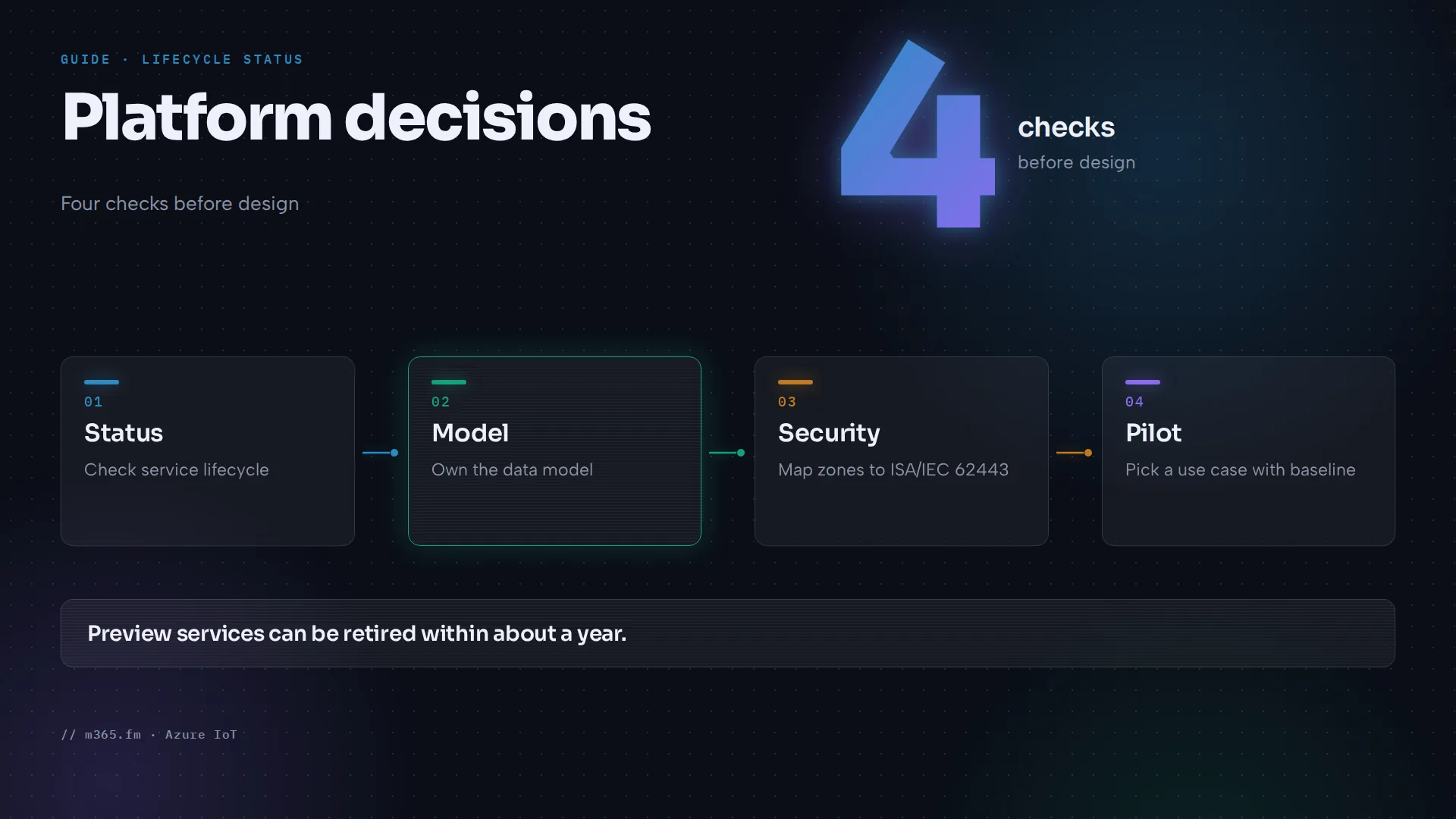
Second: Keep business logic away from preview services. The history of Manufacturing data solutions shows that a Microsoft manufacturing data model can go from preview to retirement in a little over a year [2]. Your data model belongs to you and should be documented in open formats (Delta tables in OneLake, JSON schemas in the broker, DTDL or OPC UA information models).
Third: Review your OT security strategy. The official Azure notice names October 2029 as the end of OT security in Defender for IoT, while a Microsoft partner blog gives May 31, 2028 as the end of support [22], [39]. Plan with the earlier date: procurement, rollout and acceptance of new sensors often take more than a year in regulated environments.
Fourth: Review your IoT Edge fleet. Devices on IoT Edge 1.5 have not received security updates since November 10, 2026. Microsoft describes the move to 1.6 LTS as straightforward because it contains no major feature changes [12]. The same end of support applies to Windows devices running IoT Edge for Linux on Windows (EFLOW) 1.5; the version page lists no EFLOW 1.6 LTS, only a continuous release track [12]. Clarify the target path for these devices with Microsoft or your hardware vendor.
Note on currency: This table is a snapshot. Before every architecture decision, check the linked Microsoft pages and the Azure Updates portal filtered on "Retirements".
Data model first: ISA-95 and the unified namespace
Many manufacturing projects fail not because of the cloud, but because nobody defined what a "machine", an "order" or a "downtime event" is in the data model. Answer that question before you deploy the first Azure service.
ISA-95 and the automation pyramid
The ANSI/ISA-95 series (internationally IEC 62264) describes the integration of enterprise and control systems [26]. ISA describes it as a set of standards for integrating logistics systems with manufacturing control systems, built on the Purdue reference model and applicable to discrete, continuous and logistics industries; the series has eight parts [26]. It gives you two things that are useful for any cloud architecture:
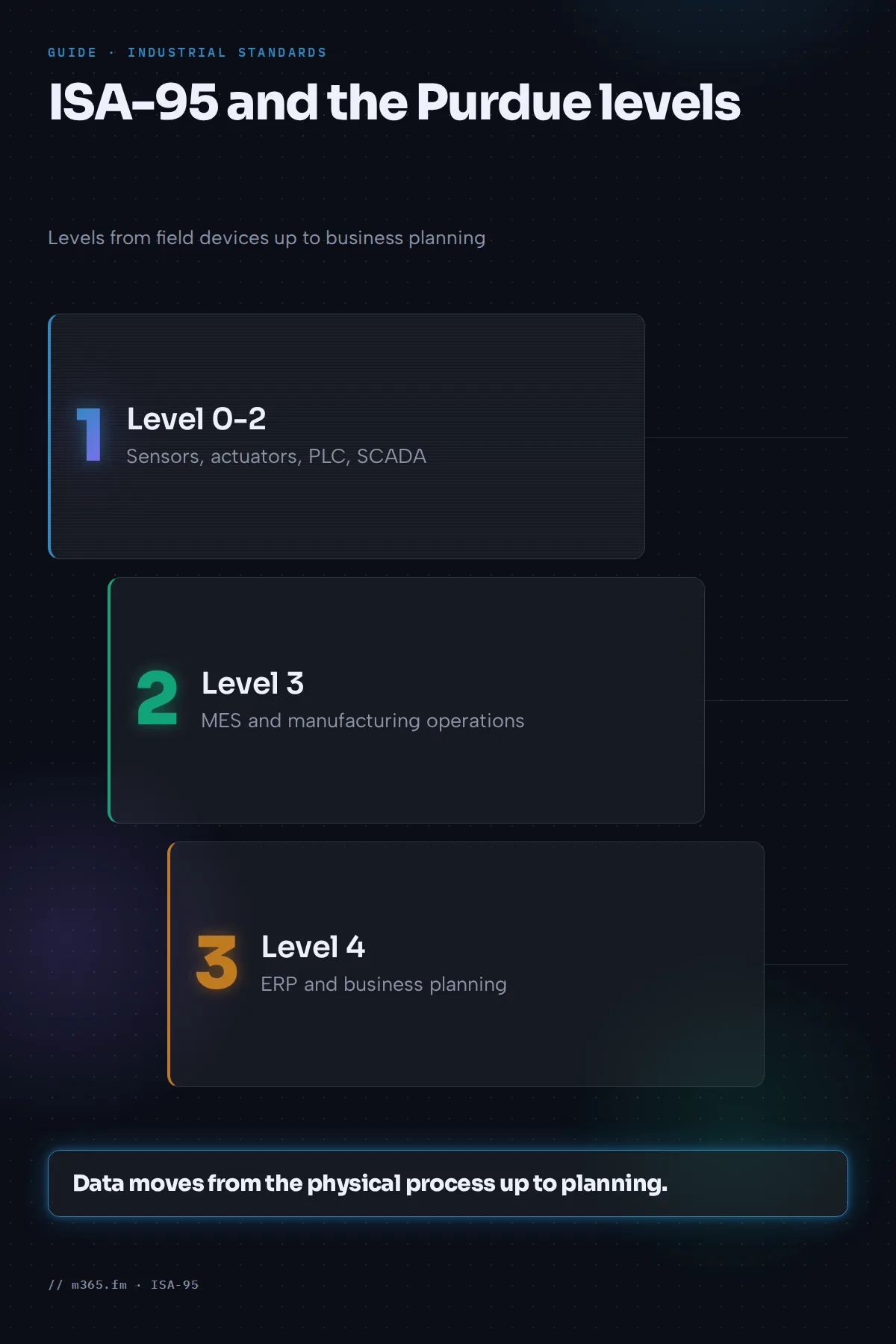
- A level model: Levels 0 to 2 cover the physical process, sensors, actuators and control (PLC, SCADA). Level 3 is manufacturing operations management (MES, MOM). Level 4 is business planning (ERP). In Europe this hierarchy is often drawn as the "automation pyramid"; in North America the Purdue model is the more common picture.
- An object model: ISA-95 defines terms such as the equipment hierarchy (enterprise, site, area, work center, work unit), material, personnel, production orders and performance data. The OPC Foundation has mapped this model into its own companion specification for OPC UA [35].
The criticism of the pyramid is well known: data only moves level by level, every interface is a point-to-point integration, and a new application has to connect to several systems. The object model, by contrast, remains valuable because it gives IT, OT and the business a shared language.
Unified namespace: events instead of the pyramid
The unified namespace (UNS) is an architecture pattern, not a standard. All systems publish their current state as events to a central, hierarchically structured broker, typically MQTT. Consumers subscribe to the topics they need. The topic hierarchy often follows the ISA-95 equipment hierarchy, for example:
acme/dayton-plant/assembly/line-3/station-20/state
acme/dayton-plant/assembly/line-3/station-20/order
acme/dayton-plant/assembly/line-3/station-20/quality
Azure IoT Operations includes an edge-native MQTT broker that supports MQTT 3.1.1 and MQTT 5 [40]. The OPC UA connector publishes data from OPC UA servers as JSON in OPC UA PubSub format to broker topics and can also write values back to OPC UA nodes; write requests use the MQTT 5 request/response pattern [4]. That lets you build a UNS in the plant without running a separate broker.
If you already run a UNS on another broker, you do not have to replace it: data flows can forward messages to external MQTT brokers [3]. Whether you use the Microsoft broker as the plant UNS or as a feeder to an existing broker is an operations decision. What matters is a binding topic and payload convention, independent of the product.
ISA-95 or UNS? Both.
The productive answer is: use ISA-95 as the vocabulary and the UNS as the transport pattern. In practice:
| Question | Recommendation |
|---|---|
| How do I name assets? | ISA-95 equipment hierarchy, consistent across the enterprise |
| How do I structure topics? | By equipment hierarchy, with business domains below it (state, order, quality, energy) |
| How do I describe payloads? | JSON schemas in the schema registry of Azure Device Registry [3]; for machines, prefer OPC UA companion specifications |
| Where does master data live? | In the system of record (ERP, MES, PLM); the UNS only distributes references and states |
| How do I handle history? | Not in the broker, but in the Eventhouse or Lakehouse in Fabric |
The minimum manufacturing data model
Regardless of tools, the use cases in this guide need a core model with seven entities:
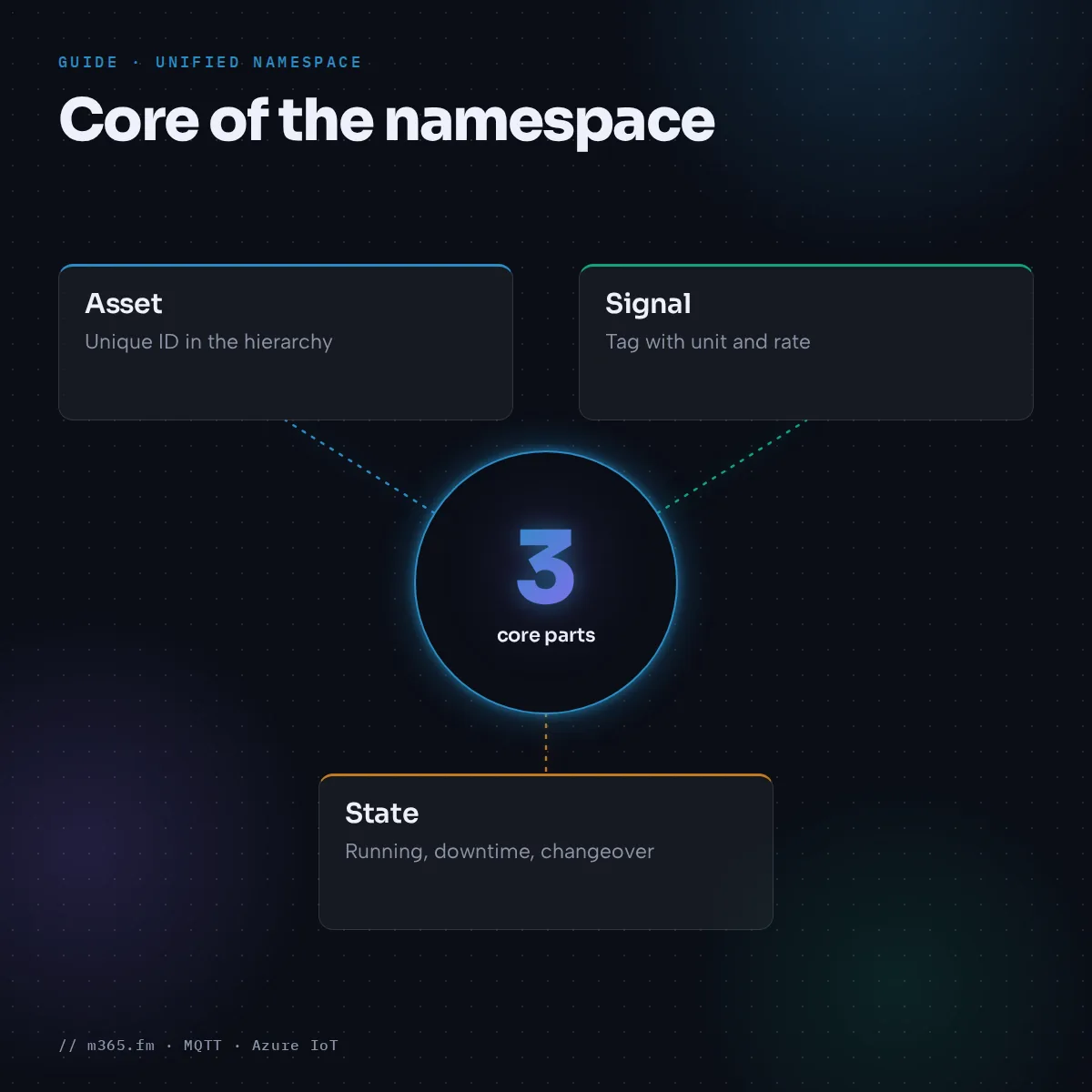
- Asset (machine, station, tool) with a unique ID and a place in the hierarchy
- Signal (tag, measured variable) with unit, sampling rate and a link to the asset
- State (running, planned downtime, unplanned downtime, changeover) with a reason code
- Order (production order, operation) with a link to the ERP
- Material and lot/serial number with a link to the bill of materials
- Event (alarm, quality finding, maintenance)
- Person/shift, as far as privacy rules and labor agreements allow
If you link these seven entities cleanly, you can serve OEE, predictive maintenance, traceability and a digital twin from the same data foundation. We discuss how to derive such a model from a value stream in the episode Value Stream Mapping as a Live Data Model; the method itself is covered in our guide to value stream mapping.
Azure reference architecture for manufacturing
The reference architecture below summarizes what Microsoft describes in the Azure IoT Operations documentation [3] and in the Fabric reference architecture "Connected Factory" [17], and adds the layers those sources leave out: security, master data and the workplace.
Layer model
| Layer | Job | Azure and Microsoft building blocks | Typical decisions |
|---|---|---|---|
| 0: Field and control | Machines, PLCs, sensors, test stands, cameras | No Azure component; OPC UA server on the controller or a gateway, retrofit sensors where needed | Which machines speak OPC UA? Where is retrofit needed? |
| 1: Edge infrastructure | Compute in the plant, network segmentation | Industrial PCs or servers with Kubernetes (for example AKS Edge Essentials on Windows, Ubuntu-based clusters) [3], or Azure Local [21]; managed through Azure Arc | Single-node or multi-node cluster? Who operates the hardware? Note: the Essentials SKU is limited to single-node [3] |
| 2: Edge data plane | Collection, normalization, buffering, local UNS | Azure IoT Operations: MQTT broker, OPC UA connector, HTTP/REST connector (Akri connectors), data flows, operations experience, automatic device and asset discovery [3], [4] | Topic structure, schemas, edge aggregation, broker disk buffer, offline behavior (maximum 72 hours, possibly degraded [3]) |
| 3: Asset and device management | Which asset is which? Which data points? | Azure Device Registry with namespaces and schema registry [3]; for directly connected devices IoT Hub and DPS [8] | Who maintains asset master data? Reconciliation with the maintenance system (CMMS)? |
| 4: Streaming and real-time analytics | Ingest events, enrich them, raise alerts | Fabric Real-Time Intelligence: Eventstream, Eventhouse (KQL), Activator, Real-Time Dashboards [17], [18]; alternatively Azure Event Hubs and Azure Data Explorer [19] | Fabric capacity or Azure PaaS? Hot/cold retention? |
| 5: Data platform | History, context data, data products | OneLake, Lakehouse, Data Factory for ERP, MES and shift data [17] | Medallion structure, data product ownership, access model |
| 6: Semantics and twin | Meaning, relationships, ontology | Fabric IQ ontology (preview) [16], digital twin builder (preview) [15] or Azure Digital Twins with DTDL [14] | Is a preview acceptable? Keep ownership of the model |
| 7: Analytics and AI | Models, forecasts, agents | Fabric Data Science [17], Azure Machine Learning, Microsoft Foundry [20] | Where to train, where to run inference (cloud or edge)? |
| 8: Workplace and processes | Inform people and let them act | Power BI, Teams (including frontline scenarios), Power Apps, Power Automate, Microsoft 365 Copilot, Dynamics 365 | Which role sees what? Mobile on the shop floor? |
| Cross-cutting: security and governance | Identities, network, monitoring, compliance | Microsoft Entra ID, Azure Policy, Microsoft Defender portfolio, Microsoft Purview, OT sensors (Defender for IoT only as a transition, partner solutions) [22] | Zone model per ISA/IEC 62443, NIST CSF 2.0 profile, incident reporting paths |
| Cross-cutting: cost | Transparency, allocation, optimization | Microsoft Cost Management, Fabric capacity metrics, FinOps practices [25] | Cost per plant, line, use case |
Data flow in ten steps
- The controller exposes process values through an OPC UA server.
- The OPC UA connector in Azure IoT Operations reads the configured data points of an asset and publishes them to a broker topic, for example
azure-iot-operations/data/<asset>[4]. - The connector can automatically discover assets on OPC UA servers and add their configuration to Azure Device Registry [4].
- Data flows filter, normalize, convert units and enrich with context [3], [31].
- Local applications (for example an andon board or an inline inspection) subscribe to the broker directly.
- A data flow forwards aggregated data to a cloud endpoint: Event Hubs/Kafka, the Event Grid MQTT broker, Data Lake Storage, Fabric OneLake or Azure Data Explorer [3].
- In Fabric, an Eventstream ingests the data and the Eventhouse stores it for KQL queries [17].
- Data Factory synchronizes ERP, MES, shift and cost data into OneLake [17].
- Events are enriched with asset hierarchy and line topology; models are trained and scored, and results are stored in OneLake [17].
- Real-Time Dashboards and Power BI visualize, Activator notifies technicians, and Copilot answers questions in natural language [17].
Microsoft sizes the Connected Factory reference at more than one million IIoT events per hour from 30,000 tags across 40 factories [17]. Treat that as orientation, not as a performance guarantee for your environment.
Lessons from projects
The consultancy b.telligent describes three lessons from projects with Azure IoT Operations and Fabric [31]:
- Configure broker storage: Without persistent storage configured, messages that cannot be forwarded can fill up memory. Microsoft confirms the point indirectly: the broker's disk-backed message buffer can only be set during the initial deployment, not afterwards [40]. Decide on the memory profile and buffer before rollout.
- Keep schemas stable: Changing JSON structures make downstream processing fragile. A uniform envelope with metadata and payload helps.
- Consolidate Eventstreams: Because every Eventstream carries running costs, the post recommends consolidating per plant rather than per source, and doing transformations in the Eventhouse with update policies and KQL instead of in the Eventstream.
These tips come from a post from March 2025 (updated June 2025); check whether they still apply to your release.
Alternative paths
Not every manufacturer needs the full architecture. Four variants are common:
| Variant | When it makes sense | Building blocks |
|---|---|---|
| Cloud-direct | Few, modern, connected devices; no latency requirements | IoT Hub, DPS, Fabric Real-Time Intelligence |
| Edge-centric | Many machines, OPC UA, local decisions, OT network without direct cloud connection | Azure IoT Operations on Arc, Fabric |
| Partner edge | Existing industrial edge platform from an automation vendor | Partner platform plus Fabric or Azure; Microsoft lists, for example, running Azure AI models on Siemens Industrial Edge as architecture guidance [2] |
| Small start (mid-sized manufacturer, one plant) | A few lines, no in-house Kubernetes team, first use case OEE or condition monitoring | One single-node cluster with Azure IoT Operations Standard (because of OPC UA), a small Fabric capacity, Power BI; cluster operations possibly through a partner |
For a mid-sized manufacturer with one plant, the full layer architecture is a target picture, not a starting point. Start with layers 1, 2, 4 and 8 and add semantics, AI and cross-plant governance once the first use case delivers.
IT/OT convergence and security
Once machine data flows into the cloud, the plant becomes part of your attack surface. At the same time, regulatory and customer requirements are rising. CISA counts manufacturing of primary metals, machinery, electrical equipment and components, and transportation equipment as the core of the US Critical Manufacturing Sector [52], so many plants that feed data into Azure belong to a critical infrastructure sector.
This section starts with the standards that shape the technical design (ISA/IEC 62443, NIST CSF 2.0, NIST SP 800-82), then covers the obligations that apply to specific groups of manufacturers (CMMC, SEC, CIRCIA) and, for companies with EU operations or EU customers, NIS2 and the Cyber Resilience Act.
ISA/IEC 62443: zones, conduits, security levels
The ISA/IEC 62443 series is the reference framework for the security of industrial automation and control systems. Its core concepts are zones (groups of assets with the same protection needs), conduits (controlled communication paths between zones) and security levels as the target per zone, from SL 1 (protection against casual or coincidental violation) to SL 4 (protection against sophisticated attackers with extended resources) [27]. The standard also defines seven foundational requirements, from identification and authentication control to resource availability [27]. For an Azure architecture, that means:
- The edge cluster is its own zone: The Kubernetes cluster running Azure IoT Operations belongs neither in the office network nor directly in the control network, but in an intermediate zone (often called the "industrial DMZ", Purdue level 3.5).
- Outbound connections only: Arc and the data flows open connections from the plant to the cloud. Inbound connections from the internet into the plant are not needed and should not be opened.
- Layered networks: Microsoft states that Azure IoT Operations supports secure management of devices in layered networks [3]. Plan the proxy and firewall chain early with OT security.
- Grant write access deliberately: The OPC UA connector can write values back to controllers [4]. This capability needs its own risk assessment and approval process, and ideally starts disabled.
- Certificates instead of passwords: For OPC UA, username/password, X.509 certificates and anonymous access (testing only) are available [4]. Use certificates and a trust list, and treat certificate renewal as a recurring operations process.
NIST CSF 2.0 and NIST SP 800-82: the US baseline
For most US manufacturers, the NIST Cybersecurity Framework (CSF) 2.0 is the common language between the plant, IT and the board. NIST released it on February 26, 2024; it extends the five functions Identify, Protect, Detect, Respond and Recover with a new Govern function and applies to organizations of any sector and size [49]. The framework is voluntary, but customers, insurers and auditors increasingly ask for a CSF profile.
Two NIST documents make the framework concrete for plants:
- NIST SP 800-82 Rev. 3, Guide to Operational Technology (OT) Security (September 2023) covers OT architectures, threats and countermeasures and adds an OT overlay with tailored SP 800-53 control baselines for low-, moderate- and high-impact OT systems [50].
- NIST IR 8183 Rev. 2, Cybersecurity Framework 2.0 Manufacturing Profile, was published as an initial public draft on September 29, 2025; the comment period closed on November 17, 2025, and as of November 2026 no final version is listed [51]. Use it as a draft reference, not as a final standard.
How the pieces fit together in an Azure project:
| CSF 2.0 function | What it means for the Azure manufacturing platform |
|---|---|
| Govern | Named owners for the plant platform, risk acceptance for preview services, supplier list (Microsoft, integrator, OT vendors) |
| Identify | OT asset inventory reconciled with Azure Device Registry; data flow map per zone and conduit |
| Protect | Entra ID roles with least privilege, PIM, OPC UA certificates, outbound-only connectivity, write access disabled by default |
| Detect | OT network monitoring (partner solution after Defender for IoT), central logs from edge and cloud in Sentinel or your SIEM |
| Respond | Incident playbook that covers plant and cloud, including who may disconnect a cluster during production |
| Recover | Tested redeployment of the edge cluster (infrastructure as code), backup of broker and asset configuration |
Small and mid-sized manufacturers do not have to do this alone: the NIST Manufacturing Extension Partnership (MEP) National Network offers CSF-based self-assessments, gap analyses, corrective action plans, incident response plans and help with DFARS requirements [58].
CMMC for defense suppliers
If you make parts or provide services for the US Department of Defense, the Cybersecurity Maturity Model Certification (CMMC) applies to the systems that process, store or transmit Federal Contract Information (FCI) or Controlled Unclassified Information (CUI). The program rule (32 CFR Part 170) took effect on December 16, 2024 [53]. The DFARS rule that puts CMMC into contracts took effect on November 10, 2025, with a phased rollout: phase 1 started on that date, phase 2 on November 10, 2026, and phase 3 is scheduled for November 10, 2027 [54]. The levels are Level 1 (self-assessment, FCI), Level 2 (self-assessment or third-party C3PAO assessment, based on NIST SP 800-171) and Level 3 (DIBCAC assessment, adding NIST SP 800-172 practices) [53], [54].
What this means for Azure:
- Scope the data, not the cloud. CMMC applies to your systems, not to Azure as a platform; there is no CMMC certificate for Azure itself [55]. Plain machine telemetry may not be CUI, while drawings, specifications and some process parameters for defense parts can be; the CUI markings and contract terms from your customer decide. Decide which data in the UNS and in OneLake is in scope.
- Choose the cloud environment deliberately. Microsoft states that both Azure commercial and Azure Government hold FedRAMP High authorizations that cover NIST SP 800-171, and that you can obtain CMMC certification for solutions in either; Azure Government adds DoD IL4/IL5 authorizations and contractual commitments on US data storage and screened US personnel, and Microsoft considers it the better fit for most defense contractors [55]. Note that Microsoft's CMMC page was last updated in April 2023, so check the details with your Microsoft account team.
- Check feature availability. Not every service in this guide is available in Azure Government or in the Microsoft 365 GCC High environment. Verify Azure IoT Operations, Fabric and Copilot availability for your target cloud before you design around them [unverified for the individual services; check Microsoft's US Government feature availability pages].
SEC disclosure and CIRCIA incident reporting
Two US reporting regimes affect how you design logging and incident response for the plant platform:
- Public companies: Under the SEC rules adopted on July 26, 2023, registrants must disclose a material cybersecurity incident on Form 8-K (Item 1.05) within four business days after determining it is material, and describe their cybersecurity risk management, strategy and governance in the annual Form 10-K [56]. A ransomware attack that stops a plant is a typical candidate for a materiality assessment, so your OT incident playbook needs a fast path to the disclosure committee.
- Critical infrastructure (CIRCIA): The Cyber Incident Reporting for Critical Infrastructure Act requires covered entities to report covered cyber incidents to CISA within 72 hours and ransom payments within 24 hours, but only once CISA's final rule takes effect. As of October 2026, CISA had sent the final rule to the White House for review, and it had not been published [57]. Track the final rule; it will define which manufacturers are covered.
NIS2 and the Cyber Resilience Act for EU operations
If you run plants in the EU or sell machines there, two European laws matter as well. The German examples below come from the original German edition of this guide and show how the EU rules land in practice.
NIS2 (example: Germany). Germany's NIS2 implementation act (NIS2UmsuCG) took effect on December 6, 2025; Germany's Federal Office for Information Security (BSI) now supervises about 29,500 entities instead of about 4,500 [28]. Companies are in scope if they fall under one of the entity types in Annexes 1 and 2 of the BSI Act and meet the thresholds in Section 28: at least 50 employees, or more than EUR 10 million in both annual revenue and balance sheet total [41]. Manufacturing entries in Annex 2 include medical devices, computers, electronic and optical products, electrical equipment, machinery and vehicles; chemicals and food are separate sectors. Key obligations:
- Registration in two steps, through the "Mein Unternehmenskonto" account and the BSI portal, which opened on January 6, 2026 [28].
- Risk management with accountability at management level.
- Technical and organizational measures, including supply chain security and multifactor authentication.
- Incident reporting for significant incidents: early warning within 24 hours of becoming aware, incident notification within 72 hours, final report no later than one month after the notification [41].
Companies must assess for themselves whether they are in scope; the BSI does not notify them. It offers a non-binding online self-check and recommends legal advice in unclear cases [41]. Other EU member states have their own implementation acts with similar structures.
Cyber Resilience Act. If you build machines or products with digital elements and place them on the EU market, the Cyber Resilience Act (Regulation (EU) 2024/2847) also applies, including to US manufacturers. Since September 11, 2026, manufacturers must report actively exploited vulnerabilities and severe incidents through ENISA's Single Reporting Platform: early warning within 24 hours, notification within 72 hours, and a final report no later than 14 days after a fix is available for vulnerabilities, or within one month for incidents [30]. From December 11, 2027, products must meet the essential cybersecurity requirements before they are placed on the market; these include secure defaults, a software bill of materials (SBOM) and security updates over a stated support period, generally at least five years [42]. For machine builders that ship equipment with cloud services, manufacturing IT becomes product compliance.
For the Azure architecture, NIS2, CSF 2.0 and CMMC point in the same direction: an inventory (what is connected to the cloud?), logging (who changed what, when?), supply chain transparency (which services and partners are involved?) and a rehearsed reporting path.
OT monitoring after the Defender for IoT retirement
On November 2, 2026, Microsoft officially announced in Azure Updates that it will fully retire the OT security component of Defender for IoT in October 2029, after a three-year transition period [22]. Until then the service receives security updates and bug fixes but no new OT features; existing agreements and renewals are honored through October 2029 [22]. Enterprise IoT capabilities in Defender for Endpoint, as well as device discovery and vulnerability assessment, are not affected [22]. There is no first-party replacement [39]. Microsoft offers connectors for Armis, Dragos and Forescout that bring OT asset and vulnerability data into Microsoft Security Exposure Management and the Defender portal; the partner solutions require their own licenses and deployment [22], [24].
Conflicting dates: a Microsoft partner blog from November 2026 cites May 31, 2028 as end of support for OT security [39]. Whether this is a different date for certain contract types or an error had not been clarified at the time of writing.
Recommendation: if you are introducing OT monitoring now, evaluate the partner solutions directly. If you run Defender for IoT, plan the replacement so that it is complete before mid-2028, and confirm the date that applies to your contract with your Microsoft account team.
Security checklist for the first plant connection
- [ ] Zone model per ISA/IEC 62443 documented for the plant
- [ ] Edge cluster in its own zone, outbound connections only, through a proxy
- [ ] Arc and Azure endpoints explicitly allowed in the firewall, everything else blocked
- [ ] OPC UA connections with certificates; write access disabled or subject to approval
- [ ] Entra ID roles for OT staff with least privilege; privileged access time-bound
- [ ] Logs from edge and cloud collected centrally
- [ ] OT asset inventory reconciled with Azure Device Registry
- [ ] CSF 2.0 profile (current and target) drafted for the plant platform
- [ ] CMMC scope decided if the plant handles FCI or CUI
- [ ] Incident reporting path tested (SEC, CIRCIA once in force, NIS2 for EU sites)
- [ ] Update process for Azure IoT Operations releases and Kubernetes defined (maintenance windows agreed with production)
Use case 1: Predictive maintenance on Azure
Predictive maintenance is one of the most frequently cited manufacturing use cases on Azure, and also one where many pilots fail. A common reason: the model comes before the data. We go deeper on this in the episode Predictive Maintenance on Azure: What You Actually Need Before the Model.
Keep the terms apart
| Strategy | Trigger | Data required |
|---|---|---|
| Reactive maintenance | Failure | None |
| Preventive maintenance | Time or counter interval | Operating hours, cycles |
| Condition-based maintenance (condition monitoring) | Threshold exceeded | Condition variables (vibration, temperature, current) |
| Predictive maintenance | Forecast of remaining useful life or failure probability | Condition variables plus labeled failure history plus operating context |
| Prescriptive maintenance | Recommended action | Plus knowledge of causes and actions |
Many companies capture most of the benefit with condition-based maintenance alone. Predictive models pay off when failures are expensive, frequent enough and physically announced in advance. Total Productive Maintenance provides the overall strategy; its pillars of autonomous and planned maintenance work without AI too.
Data prerequisites
Before you train a model, you should be able to answer yes to these questions:
- Is there a failure history? A supervised model needs failures with timestamps and failure types. These usually live in the maintenance system (for example SAP PM or a CMMS) and are rarely coded cleanly.
- Are the timestamps synchronized? Sensor time, controller time and posting time in the ERP must be matchable. It is no accident that Microsoft added dedicated health messages for missing or unreachable NTP servers to Defender for IoT sensors [23]; the same applies to your data pipeline. The OPC UA connector carries the source timestamp of each value [4]; use it instead of the arrival time in the cloud.
- Does the sampling rate fit the failure mode? Bearing damage shows up in vibration spectra in the kilohertz range; wear on heater bands shows up in minute-level values. An OPC UA tag with one-second resolution is enough for one, not for the other.
- Is operating context available? Without information on product, recipe, order and state (changeover, production, downtime), the model treats every product change as an anomaly.
- Is the action defined? Who responds to a warning, with how much lead time, and how is the outcome reported back?
Six steps
- Select candidates: Assets with high failure costs, recurring failure modes and existing sensors. A Pareto analysis of downtime reasons from the MES gives you the list.
- Connect the data: OPC UA connector in Azure IoT Operations, data points per asset, data flow to Fabric [3], [4]. Aggregate high-frequency vibration data at the edge into features (RMS, kurtosis, band energies).
- Condition monitoring first: Thresholds and simple anomaly detection in Eventhouse and Activator. Activator can notify technicians directly [17]. This produces value in weeks rather than months and collects labels at the same time.
- Create labels: Attach maintenance orders with failure codes to the time series. This is where the real effort is. Plan a tool for it: Microsoft retired built-in data labeling in Azure Machine Learning on September 30, 2026 and points to third-party providers [38]. For time-series labels from maintenance, a Power App that writes back to the maintenance system is often enough.
- Train the model: In Fabric Data Science or Azure Machine Learning; store results in OneLake [17]. Start with interpretable methods (gradient boosting on features) before you use deep learning.
- Operationalize: Send predictions as events into the maintenance process (notification in the maintenance system, Teams message, Power Apps form for feedback). Monitor model quality and drift.
Success metrics
Measure operational impact, not model accuracy: unplanned downtime, mean time between failures (MTBF), mean time to repair (MTTR), share of planned in total maintenance hours, and spare parts inventory. These KPIs need a baseline before the project starts; otherwise you cannot prove any benefit. Our guide to manufacturing KPIs covers the definitions.
Edge or cloud for inference?
| Criterion | Inference in the cloud | Inference at the edge |
|---|---|---|
| Latency | Seconds to minutes | Milliseconds |
| Data volume | Only aggregated data is sent | Raw data stays local |
| Operations | Simpler (central models) | Distributed deployments, versioning per plant |
| Resilience | Depends on connectivity | Works offline |
| Typical use | Remaining useful life, maintenance planning | Fast shutdown, inline quality |
For classic predictive maintenance, cloud inference on aggregated data is enough in most cases. Since release 2603, Microsoft has explicitly positioned Azure IoT Operations for AI scenarios closer to the machine ("Physical AI") [6]; for edge inference, check the current release notes [7].
Predictive maintenance on Azure: building blocks at a glance
| Step | Azure and Microsoft building block | Alternative |
|---|---|---|
| Collect data | Azure IoT Operations (OPC UA connector, data flows) [3], [4] | IoT Hub for directly connected sensors [36] |
| Store and analyze time series | Fabric Eventhouse with KQL [17] | Azure Data Explorer [19] |
| Thresholds and alerts | Fabric Activator [17] | Azure Monitor or custom logic |
| Train the model | Fabric Data Science, Azure Machine Learning [17], [37] | Machine builder's own application |
| Trigger action | Power Automate, Teams, Power Apps, maintenance system | Direct API to the CMMS |
Use case 2: Traceability and genealogy
Traceability answers the question "Where is this part installed, and what is it made of?". Genealogy describes the complete chain of origin of a product across material, lot, process step, machine, parameters, inspection result and operator. In regulated industries it is mandatory; everywhere else it speeds up complaint handling and narrows recalls. The episode Traceability and Genealogy covers the topic in depth.
Requirements by industry
| Industry / rule | Core data requirement | Note |
|---|---|---|
| Food, FDA Food Traceability Rule (FSMA Section 204) | Key data elements (KDEs) for each critical tracking event (CTE) such as receiving, transformation and shipping, linked to a traceability lot code; records provided to FDA within 24 hours of a request, plus an electronic sortable spreadsheet during outbreaks or recalls | [59]; FDA will not enforce before July 20, 2028 following a Congressional directive (original date January 20, 2026) |
| Medical devices, FDA QMSR (21 CFR Part 820) | Since February 2, 2026, the Quality Management System Regulation incorporates ISO 13485:2016 by reference, including its identification and traceability requirements | [61] |
| FDA-regulated electronic records, 21 CFR Part 11 | Secure, computer-generated, time-stamped audit trails that record operator entries and changes without obscuring earlier entries, retained as long as the records | [60]; relevant for pharma, medical devices and food records kept electronically |
| Automotive, IATF 16949 | Section 8.5.2.1 supplements the identification and traceability requirements of ISO 9001 (including a traceability plan based on risk analysis); Section 7.5.3.2.1 covers retention of certain records, commonly read as the duration of production and service parts supply plus one calendar year unless the customer or regulator requires otherwise | Standard text is paid; details from secondary sources. OEM customer-specific requirements (CSRs) often go further |
| Aerospace, AS9100D (EN 9100 in Europe, JIS Q 9100 in Japan) | Traceability over the product life cycle, identification of configuration, ability to trace products made from the same raw material lot or production batch | AS9100D (2016) is the current revision; EN 9100 is the technically equivalent European edition [62]. Clause citation (8.5.2) not checked against the original standard text |
| Batteries sold in the EU, EU Battery Regulation (Regulation (EU) 2023/1542) | Electronic battery passport from February 18, 2027 for EV traction batteries, light means of transport batteries (for example e-bikes, e-scooters) and industrial batteries above 2 kWh | [29]; timeline per the European Commission is indicative; relevant for US exporters to the EU |
| Products sold in the EU under the Ecodesign Regulation (ESPR, Regulation (EU) 2024/1781) | Digital product passport depending on the delegated act; EU DPP registry in operation since July 20, 2026 (initially with a test environment); delegated act for iron and steel planned for Q4 2026, textiles, aluminum and tires in 2027; at least 18 months' transition after adoption of a delegated act | [29]; timeline per the European Commission is indicative |
For aerospace, Mirko Peters explains in his post Aerospace Production Planning: Lead Time and Traceability why lead time and traceability are closely linked there; our guide to aerospace production planning covers AS9100, FAA and export-control context.
The genealogy data model
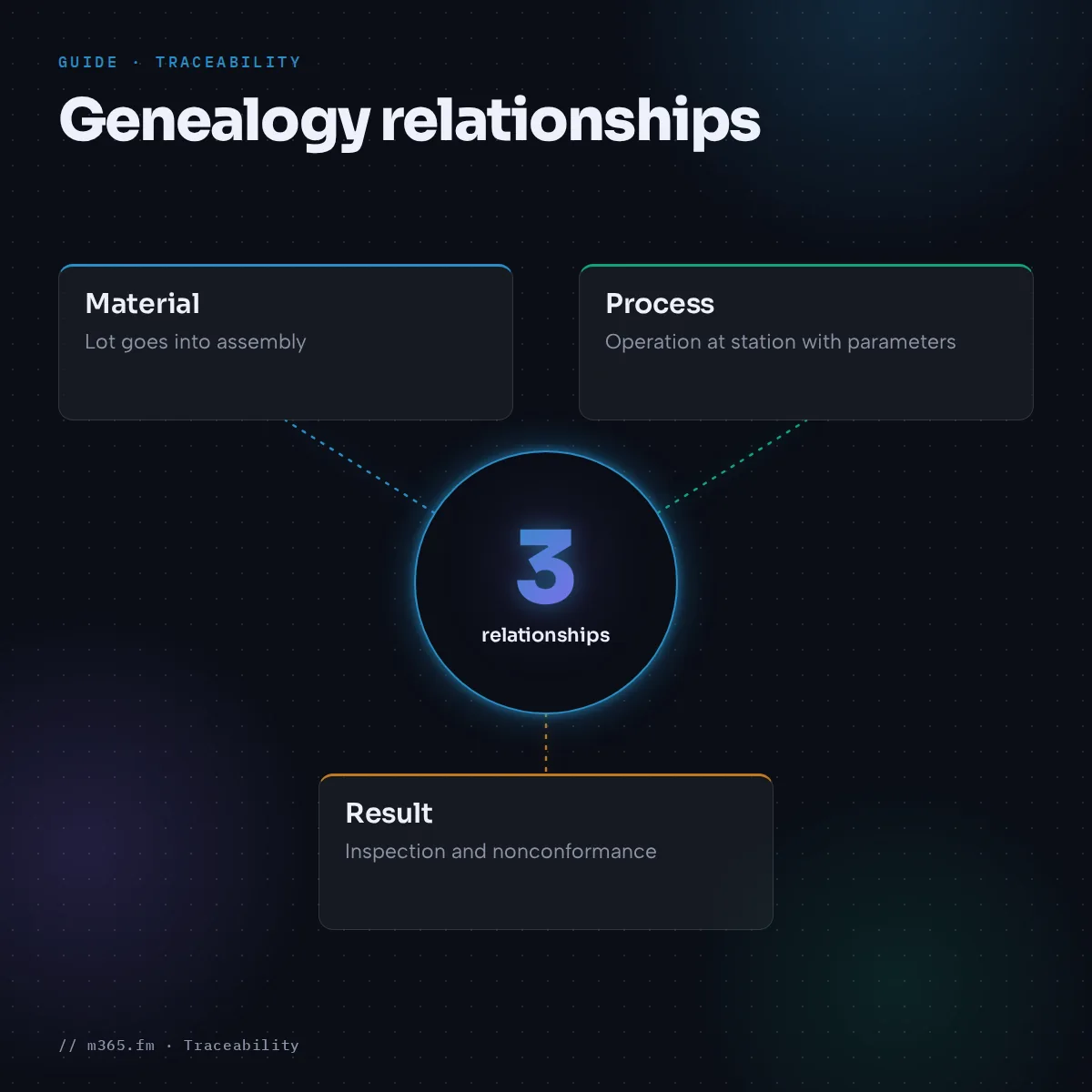
A robust genealogy needs three types of relationships:
- Material-in-material: Lot A and component B go into assembly C (BOM reference, serial or lot number).
- Material-to-process: Assembly C was processed in operation 30 at station 20 with parameter set X by shift Y.
- Process-to-result: Operation 30 produced inspection result Z and, where applicable, a nonconformance.
These relationships form a graph. You can represent it in Fabric as a table structure in the Lakehouse and traverse it with KQL or SQL, or model it as a graph in a digital twin (Fabric ontology or Azure Digital Twins) [14], [16]. What matters is that identification happens at the source: scanning, RFID or Data Matrix codes at the station, tied to the order event in the UNS.
Implementation on Azure
- Capture events at the edge: Scanners and stations publish "part X started/finished at station Y" to the MQTT broker of Azure IoT Operations [3]. Process parameters come through the OPC UA connector [4]; "dataset triggering" lets one data point trigger the publication of the others, for example "cycle complete" [4].
- Bring context together: In Fabric, the events are joined with order and BOM data from ERP and MES [17].
- Ensure immutability: Regulatory records need immutable storage or at least a tamper-evident change log (for FDA-regulated records, the Part 11 audit trail requirement [60]). OneLake's immutability policy currently applies only to diagnostic logs, not to business data [43]. For audit-proof traceability archives, add Azure Blob Storage with immutable storage policies (WORM); Fabric remains the analytics layer.
- Provide queries: Typical queries are forward tracing (which finished products contain lot A?) and backward tracing (what is serial number S made of?). A Power BI report or a Power App for quality assurance makes these queries usable without KQL skills. Under FSMA 204, being able to export a sortable spreadsheet within 24 hours [59] is a concrete acceptance test for this layer.
From traceability record to digital product passport
A digital product passport is essentially an externally accessible extract of your genealogy plus sustainability and material data. If you build a clean genealogy today, you have done the hardest groundwork. Make sure identifiers are unique and permanent, and that you can separate which data is public, which is for regulators and which is internal only.
Use case 3: Digital twins
The term digital twin is used for very different things: from a 3D model to a simulation model to a live representation of a plant. For architecture purposes, a distinction helps. Our guide to digital twins in manufacturing goes beyond the Azure view.
Three kinds of twins
| Kind | Question | Data | Tools in the Microsoft ecosystem |
|---|---|---|---|
| Information twin | What is where, and how is it connected? | Asset hierarchy, relationships, live states | Fabric digital twin builder (preview) [15], Fabric IQ ontology (preview) [16], Azure Digital Twins [14] |
| Simulation twin | What happens if …? | Process logic, times, capacities, disruption behavior | Industry applications for material flow and process simulation, possibly on Azure infrastructure |
| Engineering twin | How does the product or machine behave physically? | CAD, CAE, control logic | PLM/CAE on Azure; Microsoft lists architecture guidance for Siemens NX on Azure Virtual Desktop with GPU VMs and Ansys Discovery on GPU VMs, among others [2] |
Virtual commissioning connects the engineering and simulation twins: control code is tested against a plant model before the real equipment exists.
Azure Digital Twins or Fabric?
Microsoft itself points out that digital twin builder in Fabric is a different product from Azure Digital Twins [14], [15]. The practical differences:
| Criterion | Azure Digital Twins | Fabric digital twin builder |
|---|---|---|
| Status | Active, no retirement notice on the overview page [14] | Preview [15] |
| Modeling | DTDL (Digital Twins Definition Language), version 3 [14] | Ontology with entity types and relationships [15] |
| Storage | Own twin graph; history through data history to Azure Data Explorer [14] | OneLake; data must first be in a Fabric lakehouse [15] |
| Integration | Event routes to Event Hubs, Event Grid, Service Bus [14] | Native in Fabric Real-Time Intelligence, Power BI |
| Audience | Developer teams, API-centric | Data and business teams, low-code |
| Visualization | 3D Scenes Studio (preview) [14] | Fabric experiences, Power BI |
Recommendation: If your data platform is Fabric and you need analytical twins for KPIs and root cause analysis, watch digital twin builder and the Fabric IQ ontology and pilot them, but do not make your data model depend on a preview. Microsoft has not yet documented how the two Fabric building blocks will evolve relative to each other; the ontology has already been through one experience change with mandatory migration [16]. If you are building a production, API-based twin application today, Azure Digital Twins is the generally available service. Either way, keep a copy of your ontology in a tool-neutral format.
Where to start?
The most common mistake is to start with 3D visualization. Start with a question the twin should answer, for example "Which orders are affected if station 20 goes down?". That question defines the entities and relationships you need. Mirko Peters describes this approach in Digital Twin in Manufacturing: Where to Start and the path from ERP to a shop floor twin in From ERP to Shop Floor: Building the Digital Twin. We discuss the technical implementation on Azure in the episode Digital Twins on Azure.
Use case 4: Real-time KPIs, OEE and value streams
Real-time KPIs are often the fastest way to get value from a plant connection. They need no AI, but they do need a clean state model.
Calculate OEE correctly
Overall equipment effectiveness (OEE) is the product of availability, performance and quality. The formula is simple; the definitions are not:
- Availability: Which stops count as planned (breaks, planned maintenance, no order)? This decision moves OEE by many percentage points.
- Performance: Which cycle time is the reference: the design value, the best cycle time achieved, or the standard in the ERP?
- Quality: Does rework count as a good part or a bad part?
Agree on these definitions across plants before you build a dashboard. Otherwise plants compare numbers that are not comparable.
Architecture for real-time KPIs
- Machine states and part counters flow over OPC UA into the broker [4].
- A data flow maps states to a uniform status model (mapping of machine-specific codes) [3].
- The Eventhouse calculates rolling KPIs per station, line and shift with KQL.
- A Real-Time Dashboard serves the shop floor; Power BI serves management reports [17].
- Activator raises alerts when values fall below thresholds [17].
The value stream as a live data model
Value stream mapping is traditionally a paper exercise. If you connect the process boxes of a value stream to live data, you get a simple but effective data model: lead time, inventory between processes, cycle times and bottlenecks become measurable. The episode Value Stream Mapping as a Live Data Model shows how this works in practice. For detailed scheduling based on this data, systems for advanced planning and scheduling come into play; see our guide to production scheduling and APS. How these numbers are used in daily tier meetings is the subject of our shop floor management guide.
Starter KPI catalog
| KPI | Data source | Granularity |
|---|---|---|
| OEE and its factors | Machine state, counters, quality findings | Station, shift |
| Lead time | Order events (start/end per operation) | Order, product |
| Work in process | Inventory postings, scans | Buffer, line |
| On-time delivery | ERP (requested vs. actual date) | Customer, product group |
| MTBF / MTTR | Downtime, maintenance orders | Asset |
| Energy per good part | Energy meters, part count | Line, product |
| First pass yield | Inspection results | Operation |
ERP and MES integration
Shop floor data without order and material context is measurements, not information. Integration with ERP and MES determines the value of the whole platform.
Which system is the system of record?
| Data object | System of record (typical) | Role of the Azure platform |
|---|---|---|
| Material, BOM, routing | ERP / PLM | Copy for enrichment, no maintenance |
| Production order (planning) | ERP / APS | Copy; status feedback as an event |
| Operation execution, confirmation | MES | Events in the UNS, history in Fabric |
| Machine states, process values | Controller / edge | Primary data source |
| Maintenance orders | ERP maintenance / CMMS | Triggered by predictions, history for labels |
| Quality findings | QMS / MES | Linked to process data |
SAP integration
There are several ways to bring SAP data into Fabric: Data Factory connectors, open mirroring solutions from partners, and "SAP Business Data Cloud Connect for Microsoft Fabric", which is meant to make SAP data products available in OneLake without copying; general availability for the latter was announced for the third quarter of 2026 [44]. We could not confirm actual general availability at the time of writing unverified; check the current status and the SAP-side licensing requirements before you plan. For shop floor integration with SAP Digital Manufacturing, DSAG (the German-speaking SAP user group) published the guide "SAP DM Shopfloor Integration" in April 2026; the summary page is available in English. According to its introduction it covers architecture, data structures and models, scaling, templates, operating model and procurement; the full text is reserved for DSAG members [48]. Ground rule: confirmations go into SAP through the MES or defined APIs, not directly from the data platform.
Dynamics 365
If you use Dynamics 365 Supply Chain Management, you benefit from its proximity to the Microsoft ecosystem: with "Link to Microsoft Fabric", Dataverse data, including selected finance and operations tables, can be made available in Fabric without your own ETL pipeline [45]. Microsoft describes its manufacturing offering as a combination of Dynamics 365, Microsoft 365 and Azure capabilities [1].
Existing historians and SCADA
Many US plants already run a process historian next to SCADA. Treat it as a source, not as something to rip out: the historian keeps serving operators and process engineers locally, while the Azure platform takes either the raw signals from the OPC UA layer or curated data from the historian. Decide per signal which path is the system of record for history, so that you do not store and pay for the same time series twice, and check with the historian vendor which interfaces and licenses apply before you design the data flow.
The shop floor data flow to the ERP
A common pattern:
- The ERP releases an order; the event "order released" lands in the UNS.
- The MES starts an operation; the event "operation started" carries station and order.
- Machine data is enriched in the data flow with the current order number.
- The MES confirms quantities and times; the ERP posts them.
- Fabric joins all events into a complete order history for analytics and genealogy.
AI and Copilot in manufacturing
Generative AI has arrived in manufacturing, but differently than expected in 2024. Microsoft retired its manufacturing-specific agent previews (Factory Operations Agent, Factory Safety Agent) in 2025 [2] and relies on generic platform building blocks instead: Microsoft Foundry for agents and models [20], Copilot in Fabric for questions about data [17], and Copilot Studio and Microsoft 365 Copilot for workplace scenarios. At Ignite 2025, Fabric IQ and Foundry IQ arrived as previews, intended to give agents a semantic layer and a knowledge base respectively [34]. The lifecycle view applies here too: prompt flow, a widely used tool for early LLM applications in Foundry and Azure Machine Learning, retires on April 20, 2027; Microsoft recommends migrating to the Microsoft Agent Framework [37].
Realistic scenarios
| Scenario | Building blocks | Prerequisite |
|---|---|---|
| Natural-language questions about production data ("Why was line 3 slower yesterday?") | Copilot in Fabric, Fabric data agents, ontology [16], [17] | Clean data model, understandable table and column names, defined KPIs |
| Summarize shift handovers and incident reports | Microsoft 365 Copilot, Teams, Copilot Studio | Structured capture, for example in Power Apps or Teams forms |
| Maintenance assistant (search manuals and failure history) | Microsoft Foundry with retrieval, Copilot Studio | Documents digital and current, permissions maintained |
| Visual quality inspection | Computer vision models, inference at the edge | Labeled image data (third-party labeling tool, since Azure ML data labeling is retired [38]), stable lighting |
| Planning assistant (compare scenarios) | Industry application (APS, simulation) plus AI | A valid planning model |
Microsoft 365 as the bridge to the shop floor
For organizations that already run Microsoft 365, the biggest short-term lever is often not in Azure at all, but in connecting shop floor events to the workplace:
- Teams for frontline workers: Shift communication, tasks, notifications from Activator or Power Automate directly in Teams [17].
- Power BI: KPI reports for management and plant leadership, built on the same Fabric data.
- Power Apps: Capture downtime reasons, quality findings and maintenance feedback on tablets at the workstation. This creates exactly the labels predictive maintenance needs.
- Copilot: Summaries of shift reports, deviation analyses and meeting notes from shop floor management.
- Sort out licensing early: Shop floor employees typically get frontline licenses (Microsoft 365 F1 or F3). Check before rollout which capabilities, such as Power Apps or Copilot, they include and which add-on licenses you need; otherwise a good pilot stalls at scale.
Limits and governance
- No control decisions by language models. Language models belong in assistance, not in the closed control loop of a machine.
- Use a risk framework. The NIST AI Risk Management Framework (AI RMF 1.0), released on January 26, 2023, is a voluntary framework organized around four functions: Govern, Map, Measure and Manage [63]. It is a practical way to document risks of AI in quality inspection or planning for customers and auditors.
- EU AI Act for EU operations: If you run AI systems in EU plants or sell AI-enabled products there, check whether a system is used as a safety component of a product or for managing workers; high-risk obligations can follow. The "Digital Omnibus on AI" (Regulation (EU) 2026/1744, in force since late July 2026) postponed these deadlines: to December 2, 2027 for stand-alone high-risk systems (for example in HR) and to August 2, 2028 for systems embedded in products. AI in machinery is to be regulated through delegated acts under the EU Machinery Regulation [46]. The classification of your specific system needs legal review.
- Workforce and labor relations: Systems that can evaluate employee performance or behavior raise labor questions. In unionized US plants, check whether your collective bargaining agreement covers performance monitoring; in German plants, such systems generally require the agreement of the works council (Betriebsrat), which has co-determination rights. Involve worker representatives early either way.
- Permissions: Copilot shows what a user is allowed to see. Overly broad sharing in SharePoint or Fabric becomes visible through AI.
FinOps for manufacturing IT
Cloud costs in manufacturing behave differently from classic IT workloads: data volumes grow with every connected machine, workloads run around the clock, and part of the infrastructure sits in the plant. FinOps helps make these costs predictable and tie them to value. The episode FinOps for Manufacturing IT covers the specifics.
The FinOps Framework in brief
Microsoft bases its FinOps guidance on the FinOps Foundation framework [25]. It consists of six principles (among them "Teams need to collaborate", "Business value drives technology decisions" and "Take advantage of the variable cost model of the cloud"), three lifecycle phases (Inform, Optimize, Operate) and four domains [25]:
| Domain | What it means for manufacturing |
|---|---|
| Understand usage and cost | Make cost per plant, line and use case visible (tagging, separate Fabric capacities or workspaces) |
| Quantify business value | Cost per good part, per connected machine or per avoided downtime hour |
| Optimize usage and cost | Reduce data volume at the edge, tier retention, right-size capacities |
| Manage the FinOps practice | Responsibilities, policies, chargeback to plants |
The framework recommends assessing maturity per capability rather than across the board, and reviewing it every three to six months [25].
The ten most important cost levers
- Aggregate at the edge: Not every value at one-second resolution needs to reach the cloud. Data flows can filter and aggregate [3]. This is the biggest single lever.
- Send on change: By default the OPC UA connector sends only changed values and adds periodic key frames with all values so consumers can recover state [4]. Also check deadbands in the controller or OPC UA server so that noise does not count as a change.
- Consolidate Eventstreams: Per plant rather than per source, with transformations in the Eventhouse [31].
- Tier retention: Hot data in the Eventhouse cache for days or weeks, older data in OneLake storage.
- Size Fabric capacity deliberately: Monitor utilization with the Capacity Metrics app, separate development and production workloads, pause capacities you do not need. Pausing is documented for F SKUs; when you pause, accumulated overages are billed immediately and the capacity's content is unavailable [47]. A capacity that serves an Eventstream or a plant dashboard is therefore not a candidate for pausing.
- Choose the right edge SKU: Since release 2610, Azure IoT Operations offers a lower-cost Essentials SKU for high-volume deployments next to Standard, limited to single-node clusters and without the OPC UA connector [3]. It fits, for example, sites whose data already arrives over MQTT or HTTP. Check per site which features you actually need.
- Use reservations and savings plans for Azure resources that run continuously.
- Allocate costs: Enforce tags for plant, cost center and use case (Azure Policy).
- Introduce unit economics: Report cloud cost per unit produced or per connected machine. Only then can you compare plants.
- Retire legacy: Migrate services that are being retired (IoT Central, IoT Edge 1.5) before parallel structures double your costs.
Do not forget edge costs
Plant hardware, Kubernetes operations, licenses for Azure Arc-enabled services and the staff for updates belong in the same calculation. A business case that only looks at the Azure bill systematically underestimates total cost. This guide deliberately gives no prices because they change often; you will find the current pricing models for Azure IoT Operations (Standard and Essentials), Azure Arc and Azure Local on the Azure pricing pages and in the Azure pricing calculator.
Building the business case for Azure in manufacturing
Blanket benefit claims from industry studies rarely help you get a budget approved, because they do not know your starting point. A calculation logic that you fill with your own numbers is more robust.
Benefit categories
| Category | Calculation | Data source |
|---|---|---|
| Avoided unplanned downtime | Downtime hours × contribution margin per hour × expected reduction | MES downtime history, finance |
| Higher OEE | Additional good parts × contribution margin per part | OEE baseline |
| Lower scrap and rework costs | Scrap quantity × manufacturing cost × reduction | QMS |
| Faster complaint handling | Hours per complaint × hourly rate × reduction; smaller recall scope | Complaint history |
| Maintenance costs | Spare parts inventory, contractor services, overtime | ERP maintenance |
| Compliance | Avoided effort for manual evidence (audits, FSMA 204 requests, CMMC assessments, DPP) | Quality and compliance team |
Cost categories
- Edge hardware and operations per plant
- Azure and Fabric consumption (ongoing)
- Licenses (Power BI, Copilot, industry applications, OT security where needed)
- Implementation (internal and external)
- Change management and training
- Retrofit sensors for older machines
Worked example with fictional numbers
A line has 120 hours of unplanned downtime per year, and the contribution margin is $1,600 per hour. If condition monitoring and faster response avoid 20 percent of those hours, that is 24 hours × $1,600 = $38,400 per year. Against that stand the allocated costs: edge hardware and operations, Fabric consumption, licenses and internal hours. The numbers are deliberately simple. What matters is that every assumption has a source inside your company (MES history, finance) and that you measure the reduction against the baseline after three to six months.
Rule of thumb for prioritization
Start with the use case where three conditions meet: a measurable baseline, available data, and a process owner who wants to use the results. That is more often real-time OEE or traceability than predictive maintenance.
Roadmap: five phases to a scalable Azure manufacturing platform
The roadmap below follows the common pattern "foundation and one lighthouse use case first, then scale". The durations are guidelines for a first plant and depend heavily on your starting point, network approvals and resources.
Phase 1: Clarity (4 to 8 weeks)
- Use case portfolio with benefit estimates; select one or two lighthouse use cases
- Current state: machine park, protocols (is OPC UA available?), network, existing systems
- Target data model (ISA-95 hierarchy, UNS topic convention)
- Security concept covering OT security, CSF 2.0 profile, CMMC scope where relevant, privacy and worker representatives
- Lifecycle check of all services against the status table in this guide
Phase 2: Foundation (6 to 12 weeks)
- Edge infrastructure in the pilot plant, Arc connection, Azure IoT Operations
- Fabric workspace structure, capacity planning, access model
- First machines connected over OPC UA, assets in Azure Device Registry
- FinOps basics: tags, budgets, cost reports per plant
Phase 3: First value (8 to 12 weeks)
- Lighthouse use case in production, for example real-time OEE with downtime reason capture in a Power App
- Shop floor dashboard and management report
- Baseline and first impact measurement
Phase 4: Deepening (3 to 6 months)
- ERP and MES context integrated, order history and genealogy
- Condition monitoring, label collection for predictive maintenance
- First Copilot scenarios on curated data
Phase 5: Scaling (from month 9 to 15, depending on progress)
- Roll out to more lines and plants with infrastructure as code and GitOps
- Cross-plant KPIs with uniform definitions
- Predictive maintenance for selected assets, twin scenarios
- Operating model: platform team, data product owners per domain, release management for the usually monthly Azure IoT Operations releases [7]
The key shift is from proof of concept to minimum viable product: a PoC proves that the technology works. An MVP proves that people work better with it. If you want to anchor that shift in a broader improvement program, see our guides to lean manufacturing and operational excellence.
Common mistakes in Azure manufacturing projects
- Technology before the question: Building a platform without a business unit that wants to solve a specific problem.
- Preview as foundation: Putting business logic on preview services. The retirement of Manufacturing data solutions and the factory agents shows the risk [2].
- Outdated building blocks from old guides: Planning new projects on IoT Central, Time Series Insights or IoT Edge 1.5 because a 2021 article recommends them [8], [10], [12].
- Wrong SKU: Planning Azure IoT Operations Essentials for a plant with OPC UA machines, although the SKU does not include the OPC UA connector [3].
- No state model: Taking over machine-specific status codes unfiltered. Plant comparisons become impossible.
- Everything to the cloud: Sending raw data at full resolution and being surprised by the bill.
- OT security as an afterthought: Putting an edge cluster on the network without a zone concept and leaving write access to controllers open.
- Forgetting labels: Starting predictive maintenance without a structured failure history.
- KPIs without definitions: Building OEE dashboards before plants have agreed on availability definitions.
- Underestimating operations: Regular releases, Kubernetes updates, certificate rotation and a broker buffer that can only be set at initial deployment [40], with nobody responsible.
- Leaving people behind: Shop floor employees learn about the project when the tablet is mounted at their workstation.
- Ignoring the compliance scope: Pushing drawings or specifications for defense parts into a shared Fabric workspace without a CMMC scoping decision.
Industry applications in the Microsoft ecosystem
Note: The author works at iFAKT GmbH.
A platform built on Azure IoT Operations and Fabric delivers data, but no business logic for planning, value streams or simulation. Industry applications available through Microsoft AppSource or the Microsoft Marketplace fill that gap.
One example is Polaris from iFAKT GmbH, a software company headquartered in Stuttgart, Germany. The vendor describes Polaris as software to digitize, simulate and optimize production, with the modules VSM/BSM (value stream and swimlane modeling), Simulator, Optimizer (planning), Operator and Analyzer (KPI analysis). According to the vendor, planning is constraint-based and considers resources, qualifications, shifts and buffers; a KPI cockpit shows lead time, inventory, utilization and on-time delivery. Polaris VSM is listed as a SaaS offer in the Microsoft Marketplace [33]; Microsoft featured iFAKT as part of its "ISV Success for Business Applications" program [32]. Our guide to iFAKT Polaris describes the product in more detail.
In the architecture of this guide, such an application sits in layers 6 to 8: it uses process and order data to model value streams, simulate scenarios and optimize plans. What a concrete integration with your data platform looks like is something to clarify with the vendor; this article makes no claim about it.
Regardless of vendor, four questions help when you select such applications: Does the application read data from open formats (for example Delta tables in OneLake or events from the broker), or does it need its own interfaces? Which system is the system of record for master data such as routings and capacities? Where do data and computation run (region, tenant)? And how do results, such as an optimized plan, get back into the ERP or MES in a controlled way?
FAQ
What is Azure for manufacturing?
Azure for manufacturing is the set of Microsoft cloud and edge services that manufacturers use to connect plants, store and analyze production data, and build AI and workplace applications on top. In 2026 the core is Azure IoT Operations on Arc-enabled Kubernetes in the plant, Microsoft Fabric as the data platform, and Foundry, Power BI and Copilot for analytics and AI [3], [17]. Microsoft packages its industry story as "Microsoft for Manufacturing", which combines Azure, Dynamics 365 and Microsoft 365 [1].
What is the difference between Azure IoT Hub and Azure IoT Operations?
IoT Hub is a cloud service that individual devices connect to directly. Azure IoT Operations is a data plane that runs in the plant on Arc-enabled Kubernetes and connects machines through OPC UA and other connectors to a local MQTT broker [3]. For factories with many machines, Azure IoT Operations is usually the right starting point; IoT Hub fits distributed, directly connected devices. For the trade-offs with IoT Edge, see Azure IoT Edge vs Azure IoT Operations: Choosing the Right Industrial Architecture.
Is Azure IoT Central being retired?
Yes. Since September 23, 2026, no new IoT Central applications can be created; existing applications keep running until September 20, 2029. Microsoft recommends IoT Hub with the Device Provisioning Service, Azure Device Registry and Microsoft Fabric as the target; dashboards and analytics move to Fabric Real-Time Intelligence [8], [64]. A retirement notice for March 31, 2027 that appeared in the Azure portal in February 2024 was withdrawn by Microsoft at the time as an erroneous system message [9]. The 2026 announcement, by contrast, is a regular notice with a three-year runway.
What replaced Azure Time Series Insights?
Time Series Insights was retired on July 7, 2024. Microsoft names the Eventhouse in Microsoft Fabric Real-Time Intelligence as the migration target [10]. If you do not use Fabric, Azure Data Explorer is an alternative that also uses KQL [19].
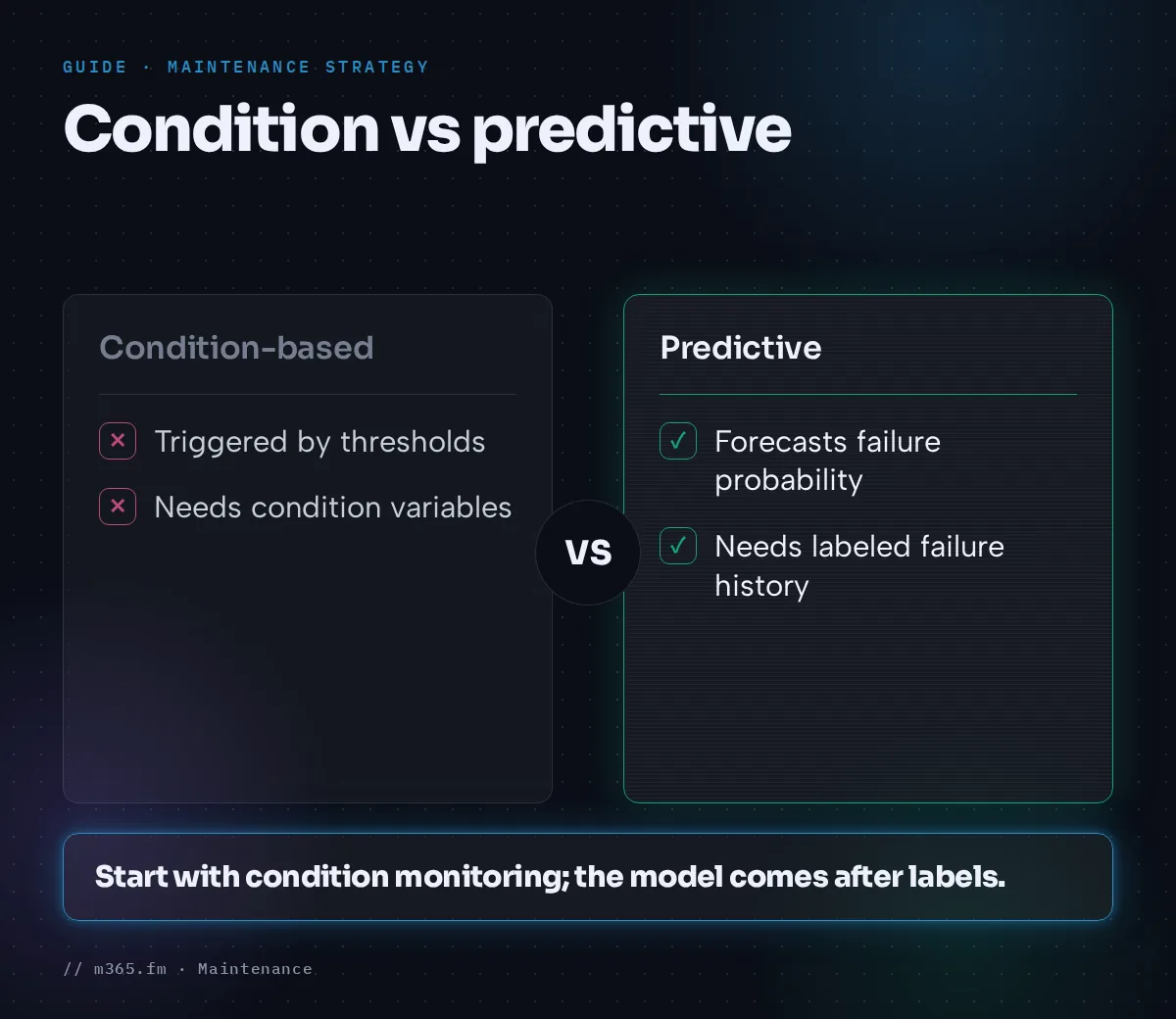
What happened to Microsoft Cloud for Manufacturing?
The industry offering is now called "Microsoft for Manufacturing" and bundles capabilities from Azure, Dynamics 365 and Microsoft 365 [1]. The specific previews "Manufacturing data solutions" and "Factory Operations Agent" were retired on May 30, 2025, and the "Factory Safety Agent" on June 23, 2025 [2]. There is no separate notice for "Manufacturing data solutions in Microsoft Fabric"; do not plan it into new projects.
Which Azure services do I need for a smart factory?
For a typical plant connection: Azure Arc and a Kubernetes cluster in the plant, Azure IoT Operations on top (broker, OPC UA connector, data flows), Azure Device Registry for assets, Microsoft Fabric with Eventstream, Eventhouse and Activator for real-time data, and Power BI for reporting [3], [17]. AI building blocks (Fabric Data Science, Azure Machine Learning, Microsoft Foundry) and twins come later. Entra ID, Azure Policy, Cost Management and an OT security solution form the frame.
What is the difference between Azure IoT Operations Essentials and Standard?
Standard offers the full feature set. Essentials, available since release 2610, is a lower-cost option for high-volume deployments; it runs only on single-node clusters and does not include the OPC UA connector [3]. For plants with OPC UA machines, Standard is the starting point.
Do I need Kubernetes skills for Azure IoT Operations?
Yes, at least for operations. Azure IoT Operations runs on Arc-enabled Kubernetes clusters and is configured the Kubernetes way [3]. For getting started, Microsoft documents installations on Ubuntu and on Windows with AKS Edge Essentials [3]. Plan for skills development or an operations partner.
Does production keep running if the internet connection fails?
According to Microsoft, Azure IoT Operations can operate offline for a maximum of 72 hours, possibly with degradation, and resumes full functionality when it reconnects [3]. How many messages are buffered during that time depends on the broker configuration, which is set at initial deployment [40]. Control functions must never depend on the cloud; control stays in PLCs and local systems.
Azure Digital Twins or digital twin builder in Fabric?
Azure Digital Twins is a generally available service with DTDL models and API access [14]. Digital twin builder is part of Fabric Real-Time Intelligence, works with ontologies on OneLake data and is in preview [15]. For production, developer-driven twins, Azure Digital Twins is the safe choice today; for analytical twins on a Fabric platform, a pilot with digital twin builder is worthwhile. Mirko Peters explains a related distinction, between the device twin in IoT Hub and Azure Digital Twins, in Device Twin vs Azure Digital Twins: Choosing the Right Layer for Industrial IoT.
What data do I need for predictive maintenance?
Condition variables at a suitable sampling rate, synchronized timestamps, operating context (order, product, machine state) and, above all, a labeled failure history from maintenance. Without a failure history, only anomaly detection is possible at first.
What does the Defender for IoT retirement mean for my OT security?
On November 2, 2026, Microsoft officially announced that it will fully retire the OT security component of Defender for IoT in October 2029; until then there are only security updates and bug fixes [22]. A Microsoft partner blog cites May 31, 2028 as end of support instead [39]. There is no first-party replacement; Microsoft offers connectors for Armis, Dragos and Forescout, whose solutions are licensed separately [22]. Plan the replacement so that it is complete before mid-2028.
Is IoT Edge still worth using?
IoT Edge as a product is still supported. Version 1.5 LTS reached end of support on November 10, 2026; the current version 1.6 LTS is supported until November 14, 2028 [12]. For existing Linux device fleets, updating to 1.6 is the direct path. For Windows devices on EFLOW 1.5, the version page lists no EFLOW 1.6 LTS; clarify the target path there. For new plant data planes, evaluate Azure IoT Operations.
Is Azure CMMC compliant?
There is no CMMC certification for Azure itself, because CMMC applies to a contractor's systems, not to a cloud platform [55]. Microsoft states that Azure and Azure Government both hold FedRAMP High authorizations covering NIST SP 800-171, that you can obtain CMMC certification for solutions in either cloud, and that most defense contractors are best aligned with Azure Government [55]. The DFARS rule that puts CMMC requirements into DoD contracts has been rolling out in phases since November 10, 2025 [54].
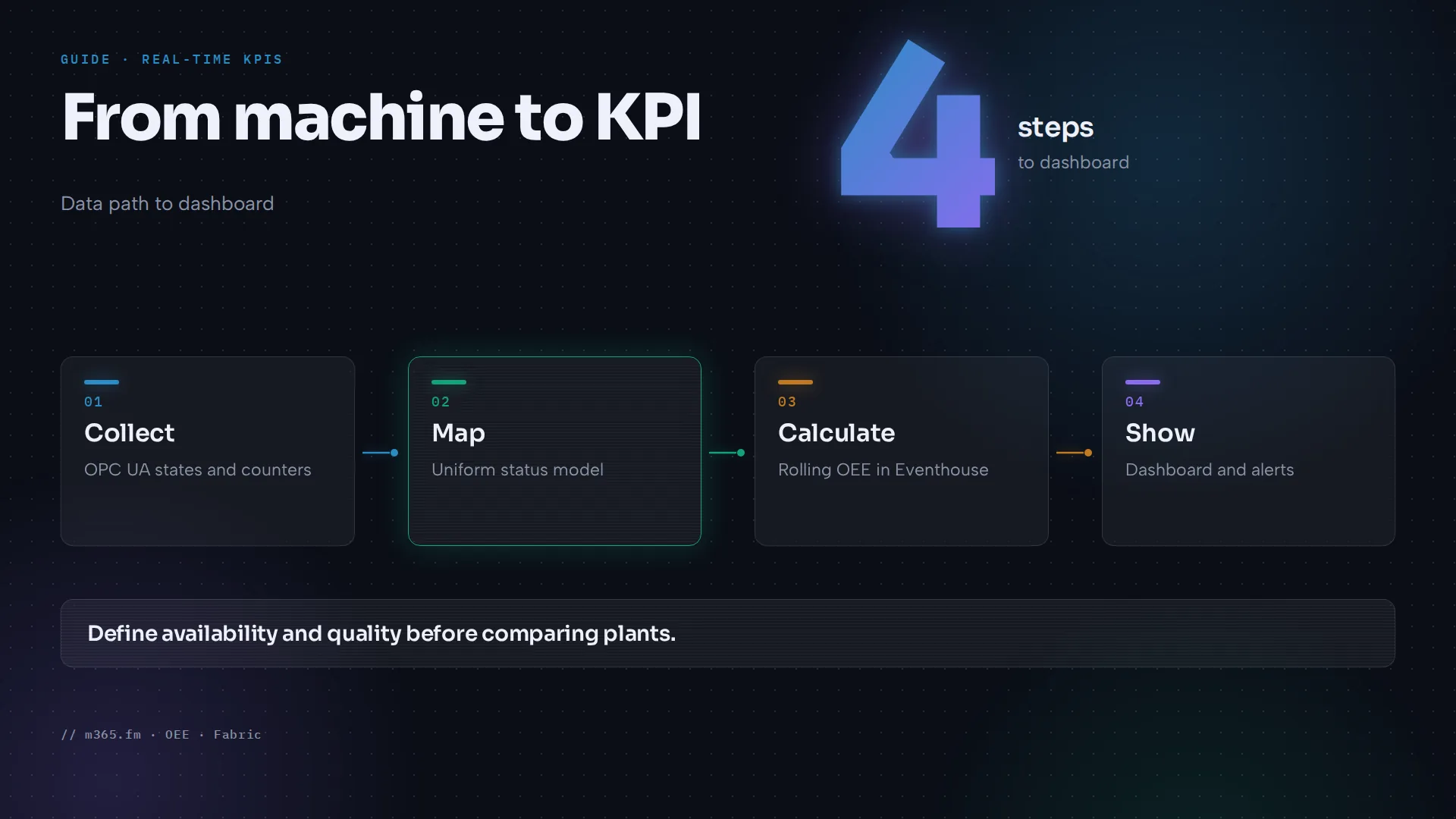
Which security framework should a US manufacturer use for Azure and OT?
Use them together. NIST CSF 2.0 gives you the governance structure and common language with management, insurers and customers [49]; ISA/IEC 62443 gives you the technical model for OT (zones, conduits, security levels) [27]; NIST SP 800-82 Rev. 3 connects the two with OT-specific guidance and control overlays [50]. Add CMMC if you handle FCI or CUI for the DoD [53], and NIS2 for EU sites [41].
How much does Azure for manufacturing cost?
There is no reliable blanket number. Costs depend on the number of plants and machines, data volume, retention, the chosen Fabric capacity, edge hardware and licenses. The biggest lever is data aggregation at the edge. Use the Azure pricing calculator and introduce FinOps practices from phase 2 onward [25].
What role does Microsoft 365 play in manufacturing?
Microsoft 365 is the workplace layer: Teams for shift communication and notifications, Power BI for KPIs, Power Apps for data capture at the workstation and Copilot for summaries and questions about data. For companies with an established Microsoft 365 environment, this connection is often the fastest way to make shop floor data usable.
Where do I start as a Microsoft 365 or Azure admin?
With the tasks that sit with central IT anyway: Entra ID roles for OT staff and partners, an Azure landing zone with tag policies per plant, an Arc test cluster including firewall approvals through the proxy chain, and a Fabric workspace structure. In parallel, meet with the OT lead to understand the plant's zone model. Details are in the section "Where to start as a Microsoft 365 or Azure admin" at the beginning of this guide.
Conclusion
Azure for manufacturing in 2026 is less a question of picking services than a question of discipline. The technical foundation is clear: Azure IoT Operations on Arc in the plant, Microsoft Fabric as the data platform, and Foundry, Power BI and Copilot for analytics and the workplace. At the same time, the retirement of Time Series Insights and the manufacturing previews, and the scheduled retirement of IoT Central and of OT security in Defender for IoT, show that lifecycle management is part of the architecture job.
Three things make the difference: your own tool-neutral data model based on ISA-95, a security design based on ISA/IEC 62443 and NIST CSF 2.0 that also covers CMMC or NIS2 where they apply, and a consistent focus on use cases with a measured baseline. If you work this way, you build a platform that serves predictive maintenance, traceability, digital twins and AI from the same data foundation, and that survives Microsoft's next rename.
Further reading on m365.fm
Episodes
- Predictive Maintenance on Azure: What You Actually Need Before the Model
- FinOps for Manufacturing IT
- Traceability and Genealogy
- Digital Twins on Azure
- Value Stream Mapping as a Live Data Model
Articles
- Digital Twin in Manufacturing: Where to Start
- From ERP to Shop Floor: Building the Digital Twin
- Aerospace Production Planning: Lead Time and Traceability
- Azure IoT Edge vs Azure IoT Operations: Choosing the Right Industrial Architecture
- Device Twin vs Azure Digital Twins: Choosing the Right Layer for Industrial IoT
Glossary
- Industry 4.0 · Digital twin · ERP · Advanced planning and scheduling · Total Productive Maintenance · Key performance indicator · Virtual commissioning
Related guides