

 Apple Podcasts
 Spotify
 Youtube Music
 Spreaker
 Podchaser
 Amazon Music
You’re wasting AI on small talk. In this session I show you how to turn chatty models into hardened IT ops agents that actually fix incidents while you sleep. We wire Semantic Kernel, MCP, Microsoft Graph and Azure OpenAI with managed identity so agents can plan, act and auto-verify – without handing root access to a hallucinating chatbot.
You’ll see how to slash MTTR, auto-resolve password reset tickets, drain bad builds, and roll back safely using tool schemas as “laws of physics,” not vibes. We’ll build a six-part agent molecule (persona, memory, planner, tools, policy, verifier) and drop it into real incident flows: 5XX spikes, canary failures, onboarding waves and weekend fire drills.
If you care about uptime, sleep, and not turning your data center into glass, this is your blueprint: SK orchestrates, MCP connects, Foundry governs, managed identity contains – and your agents prove every action they take.






In today's technology landscape, building AI agents plays a crucial role in transforming how businesses operate. You may have noticed a significant shift from conversational AI to task-oriented agents. This evolution allows organizations to automate processes and enhance productivity. Research shows that 79% of enterprises use AI in at least one business function. Furthermore, by 2026, 40% of enterprise applications will integrate AI agents. These advancements promise to redefine workflows and improve efficiency across various sectors.
Key Takeaways
- AI agents automate tasks and enhance productivity, marking a shift from traditional chatbots to proactive systems.
- Define clear goals and measurable outcomes for your AI agent to ensure effective performance and reliability.
- Utilize high-quality, diverse data to train your AI agent, improving its learning and decision-making capabilities.
- Implement modular design to break down tasks, making your AI agent easier to manage and debug.
- Continuous testing and user feedback are essential for refining your AI agent's performance and ensuring reliability.
- Choose the right deployment environment, whether cloud-based or self-hosted, to meet your operational needs.
- Establish governance practices to monitor your AI agent's performance and ensure ethical operation.
- Start small with your AI projects, gradually expanding as you build confidence and expertise in the technology.
AI Agents Overview
Core Components
AI agents represent a significant advancement in modern software applications. These intelligent systems operate autonomously, reacting to their environment and taking proactive actions. Their importance lies in their ability to enhance efficiency and automate complex tasks across various industries.
To understand AI agents better, consider their core characteristics:
| Characteristic | Description |
|---|---|
| Autonomy | Ability to operate independently without continuous oversight. |
| Reactivity | Responds to changes in the environment dynamically. |
| Proactiveness | Takes initiative in decision-making rather than just reacting to stimuli. |
| Social Ability | Capable of interacting and collaborating with other agents or humans. |
The transition from traditional chatbots to proactive AI agents marks a pivotal shift in how businesses leverage technology. Traditional chatbots often rely on predefined scripts and respond only when prompted by users. In contrast, agentic AI can understand context, learn from interactions, and act independently. This capability allows them to handle complex tasks without requiring constant human input.
Here’s a comparison of the two:
| Aspect | Traditional Chatbots | Agentic AI |
|---|---|---|
| Initiative | Wait for user prompts | Take initiative without prompts |
| Learning | Require manual updates | Learn and adapt automatically |
| Context Understanding | Depend on keyword matches | Grasp full context and intent |
The core components of an effective AI agent include:
- Planning Capabilities: The agent's core function, powered by large language models, includes task decomposition, self-reflection, adaptive learning, and critical analysis, enabling effective task completion.
- Tool Utilization: The agent must access and appropriately use external tools such as code interpreters, web search utilities, calculators, and image generators to execute planned actions.
- Memory Management: Comprising short-term memory for immediate context and long-term memory for historical information retrieval, memory systems allow the agent to retain and utilize information for iterative improvement and continuity.
These components work together to create a system that not only reacts but also anticipates needs and resolves issues proactively. This capability significantly enhances operational efficiency and reduces the burden on human operators.
Building AI Agents
Planning and Goals
When you start building ai agents, you must focus on solid foundations. Clear planning and well-defined goals guide your agent to perform reliably and effectively. Begin by aligning your agent’s purpose with measurable outcomes. This means you decide what success looks like and how to track it. For example, if you are building an itsm agent, your goal might be to reduce incident resolution time by a certain percentage.
You should treat every capability of your agent as a tool with clear contracts. This approach helps you manage complexity and ensures each part works as expected. Writing prompts for your agent is like creating product specifications. You want to be precise and clear so the agent understands what to do. Also, configure the context correctly to maintain reliable execution. Context includes the information your agent uses to make decisions and act.
Distributing accountability across business domains helps you scale your agent’s impact. When different teams own parts of the agent’s functions, you can manage updates and improvements more easily. You also need to scale access to both structured and unstructured data. Your agent learns best when it can draw from diverse and rich data sources.
Tip: Modular design improves clarity and reusability. Break down your agent’s tasks into smaller parts that can run in parallel. This speeds up execution and makes debugging easier.
Data plays a crucial role in building ai agents. High-quality training data ensures your agent learns accurate patterns and avoids biases. Diverse data sources allow your agent to understand subtle differences and generalize well to new situations. Balanced datasets improve fairness by representing all categories equally. Consistent data formatting helps your agent focus on learning relationships instead of correcting errors. Including rare and edge cases prepares your agent to handle unexpected scenarios confidently.
You will face challenges during planning and reasoning. The table below highlights common obstacles and key details to keep in mind:
| Challenge | Key Details |
|---|---|
| Data Quality and Access | Fragmented data landscapes make it hard to gather clean, complete data. |
| Integration Complexity | Connecting your agent with legacy systems can require complex technical solutions. |
| Memory and Context Management | Keeping track of context over time is difficult but essential for coherent interactions. |
| Reliability and Performance | AI agents may produce unpredictable outputs, complicating testing and validation. |
| Cost and Resource Management | Running AI agents at scale can lead to high and variable costs. |
| Security and Control | New vulnerabilities require updated security measures to prevent misuse. |
| Testing and Validation | Traditional testing methods often fall short for dynamic AI agents, requiring new approaches. |
To build an agent that works, you need the right tools for action. Adding tools for action lets your agent interact with external systems, execute tasks, and automate workflows. Popular frameworks and toolkits include Semantic Kernel, LangChain, and AutoGen. These tools help you orchestrate complex workflows, manage memory, and integrate large language models effectively.
Here is a step-by-step process to guide your journey in building ai agents:
- Define the purpose and scope of your agent clearly.
- Choose the type of ai agent that fits your needs, such as conversational or task-oriented.
- Design the architecture with modular components for planning, memory, and execution.
- Set up memory and context systems to maintain state and history.
- Select the right machine learning and large language models.
- Build or integrate a retrieval system for accessing data.
- Implement natural language understanding and dialogue management.
- Develop the reasoning and decision-making layers.
- Craft the action and execution layers to perform tasks.
- Deploy your ai agent using best practices in infrastructure and MLOps.
- Secure and scale your custom ai agent to meet growing demands.
By following these steps and focusing on planning and reasoning, you create a strong foundation for your agentic ai. This foundation helps your agent act autonomously and reliably, turning it into an agent that works in real-world environments. Whether you are building an itsm agent or another type, careful planning and the right tools will set you up for success.
Implementing Actionable AI
Task Automation
To implement actionable AI effectively, you must focus on task automation. This process allows your AI agents to perform complex tasks autonomously, enhancing efficiency and reducing the need for human intervention. The integration of the Model Context Protocol (MCP) and Semantic Kernel plays a crucial role in this automation.
The MCP serves as a foundational framework that enables seamless communication between various tools and services. When you design APIs with an LLM-first mindset, you ensure that your tools are easy for language models to understand. Here are some key considerations for integrating MCP into your AI agent development:
- Design APIs that prioritize clarity and usability for language models.
- Find a balance between over- and under-specifying tools to avoid confusion.
- Limit tool exposure per agent to improve robustness and reduce cognitive load.
- Match the model to the task to optimize performance and cost.
- Be mindful of the token budget to avoid unnecessary costs.
- Ensure observability for debugging and optimization purposes.
On the other hand, the Semantic Kernel enhances your AI agent's capabilities by providing orchestration, memory, and plugin frameworks. This integration allows for reliable task execution and data connectivity. Here are some benefits of using Semantic Kernel in your automation efforts:
- It enables chaining of multiple functions for complex workflows.
- It allows AI output to feed into business logic and aggregate results from various sources.
- It provides contextual understanding for more natural conversations.
- It facilitates skill orchestration for integrating APIs and custom skills.
By leveraging these technologies, you can automate business operations effectively. For instance, your AI agents can auto-resolve incidents, manage service health, and even roll back faulty deployments. This proactive incident management significantly reduces Mean Time to Recovery (MTTR) and enhances operational efficiency.
The measurable benefits of using MCP and Semantic Kernel in proactive incident management are substantial. Consider the following targets:
| Benefit Description | Measurable Target |
|---|---|
| Reduce MTTR by 30% in one year | 30% reduction |
| Auto-resolve 20% of incidents at Level 2 autonomy | 20% auto-resolution |
| Company X reduced P1 incident MTTR by 40% after 6 months | 40% reduction |
With these tools, you can let your AI agents learn and act autonomously. This capability transforms them from passive assistants into active participants in your operations. By implementing real automation, you not only streamline processes but also empower your agents to handle tasks independently.
Testing and Iteration
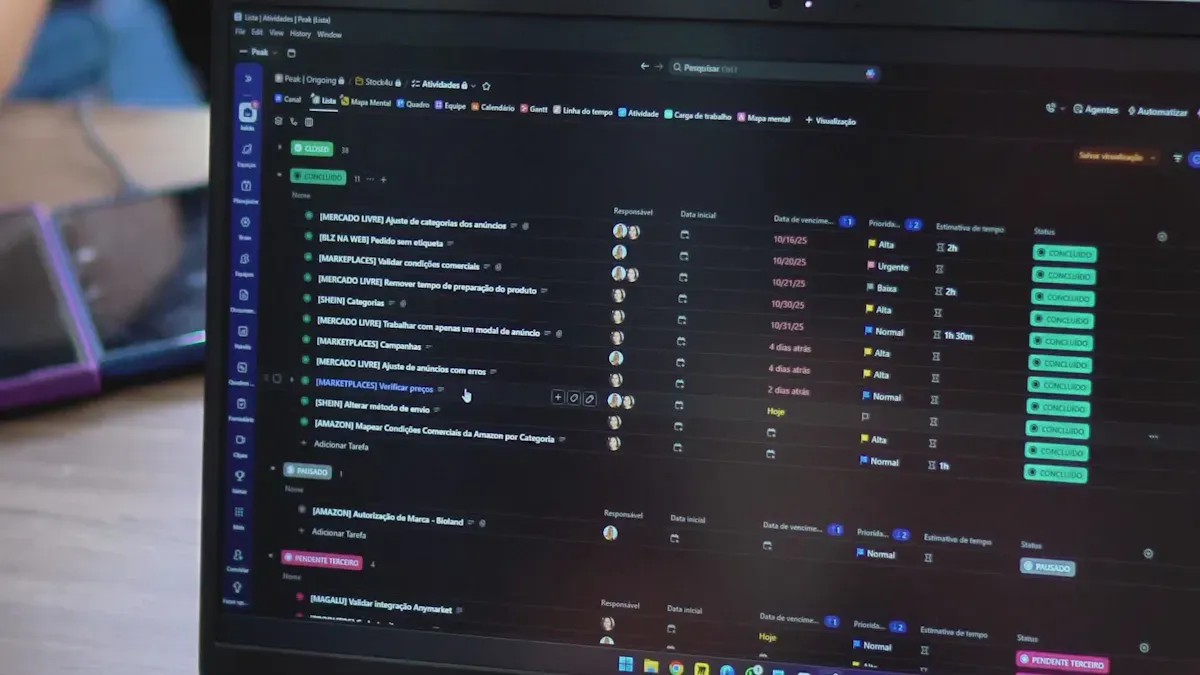
Testing your ai agent thoroughly ensures it performs reliably and meets your goals. You want to check if the agent makes good decisions, uses tools correctly, and completes tasks efficiently. Here are some effective strategies to test your agent:
- Semantic Distance: Measure how closely the agent’s responses match the expected meaning. This helps verify if the agent understands the task.
- Groundedness: Confirm the agent uses the correct context when making decisions. This prevents errors caused by misunderstanding.
- Tool Usage: Check if the agent selects and uses the right tools during execution. Proper tool use is key to automation success.
- Automated Re-evaluations: Run tests multiple times to catch random failures and improve reliability.
- Explanations for Failures: Require your agent or an LLM judge to explain why it failed a test. This helps you debug and trust the results.
- Testing the Tests: Regularly review your test methods to ensure they remain effective.
- Localized Tests: Run tests only when necessary to save time and resources.
- Continuous Testing and Validation: Use automated regression tests to monitor your agent’s performance over time and avoid regressions.
You can also evaluate your agent using important metrics. These help you understand how well your ai agent performs in real situations:
| Metric | What It Measures |
|---|---|
| Task Completion Rate | Percentage of tasks done without human help |
| Accuracy and Precision | Correctness and consistency of agent responses |
| Reasoning Quality | How well the agent makes logical decisions |
| Tool Execution Metrics | Success and efficiency in using tools |
| Response Time and Latency | Speed of agent’s replies |
| Error Rates and Recovery | Frequency of failures and ability to fix them |
| User Satisfaction Scores | Feedback from users about their experience |
| Compliance Adherence | How well the agent follows rules and standards |
Tip: Testing your ai agent is not a one-time job. Continuous testing helps you catch new issues early and maintain high efficiency.
User feedback plays a vital role in improving your agent. When users interact with your agent, they provide insights that help you refine its decision-making and execution. For example, if a recommendation agent suggests an artist but the user prefers another, the agent can learn from this feedback and improve future suggestions. This iterative process leads to better performance and user satisfaction.
The table below shows how repeated feedback loops improve agent performance over time:
| Feedback Loop Iterations | Recommendation Performance | User Simulation Performance |
|---|---|---|
| 1 | Initial performance | Initial performance |
| 2 | Improved | Improved |
| 3 | Further improved | Further improved |
| 4 | Diminishing returns | Diminishing returns |
By embracing testing and iteration, you empower your ai agent to learn continuously and make smarter decisions. This approach increases your agent’s reliability and efficiency, helping you achieve true automation in your workflows.
Deployment and Governance
Deploying AI agents requires careful planning and execution. You must choose the right environment for your deployment, whether cloud-based or self-hosted. Each option has its advantages and challenges. For instance, cloud environments offer scalability, while self-hosted solutions provide more control over data.
Here are some best practices for deploying AI agents effectively:
- Choose the right environment: Decide between cloud and self-hosted solutions based on your needs.
- Architect for scalability: Use queue modes and workers to handle increased loads.
- Implement environment-based workflow versions: This allows you to test changes without affecting the live environment.
- Conduct rigorous testing: Include load and staging environment testing to identify potential issues before going live.
- Manage security and secrets effectively: Protect sensitive information to prevent unauthorized access.
- Implement error handling and fallbacks: Prepare for unexpected failures to maintain service continuity.
- Ensure continuous monitoring: Set up systems to track performance and respond to incidents quickly.
- Plan for graceful retirement of workflows: Decommission outdated agents securely to avoid operational risks.
Governance is crucial when deploying AI agents at scale. You need oversight to ensure that your agents operate ethically and effectively. Here are some key aspects to consider:
| Aspect | Description |
|---|---|
| Task success rates | Measure how well the AI agent completes its assigned tasks. |
| Tool-use reliability | Assess the dependability of the tools utilized by the agent. |
| Performance | Evaluate the overall effectiveness of the agent in real-world scenarios. |
| Behaviour over time | Monitor how the agent's actions and decisions evolve during its operational lifespan. |
| User trust and interaction | Analyze patterns of user engagement and trust in the AI agent's decisions. |
| Operational robustness | Ensure the agent performs reliably across various workflows and environments. |
To maintain governance, implement strategies such as development oversight, testing, and version control. Regular audits can help identify biases and security issues. You should also establish protocols for authentication and authorization to protect your systems.
Tip: Use logging and auditing to record every decision and output. This practice helps you analyze performance and detect unexpected behavior.
By orchestrating AI across departments, you can enhance collaboration and improve overall efficiency. Consider using no-code AI agent platforms to empower non-technical users to create and manage agents. This approach fosters multi-agent collaboration, allowing different agents to work together seamlessly.
Building actionable AI agents involves several key steps. First, assess your AI readiness across data, systems, and workflows. Next, clarify data ownership and governance. Then, select the right AI approach for your needs. Continuous learning is vital for long-term success. It helps maintain accuracy, mitigates drift, and improves decision-making.
As you embark on your AI development journey, remember to embrace adaptation. The landscape of AI is ever-evolving. Stay curious, keep learning, and leverage resources to enhance your skills. Your proactive approach will lead to more effective and reliable AI agents.
Tip: Start small and gradually expand your projects. This strategy allows you to build confidence and expertise over time.
FAQ
What is an AI agent?
An AI agent is a software program that can perform tasks autonomously. It reacts to its environment, learns from interactions, and takes proactive actions to achieve specific goals.
How do I start building an AI agent?
Begin by defining your agent's purpose and goals. Choose the right tools and frameworks, such as Semantic Kernel, to facilitate development and integration.
What role does data play in AI agents?
Data is crucial for training AI agents. High-quality, diverse datasets help agents learn accurate patterns and make informed decisions, improving their overall performance.
How can I ensure my AI agent is secure?
Implement security measures like managed identities and access controls. Regular audits and logging can help you monitor actions and prevent unauthorized access.
What are the benefits of using MCP and Semantic Kernel?
These technologies enable seamless communication between tools, automate incident management, and enhance operational efficiency. They allow agents to act autonomously, reducing response times.
How do I test my AI agent effectively?
Use metrics like task completion rates and accuracy. Conduct continuous testing and gather user feedback to refine your agent's performance and decision-making.
What is the importance of governance in AI deployment?
Governance ensures ethical and effective operation of AI agents. It involves monitoring performance, managing security, and maintaining compliance with regulations.
Can non-technical users build AI agents?
Yes! No-code platforms allow non-technical users to create and manage AI agents. This fosters collaboration and empowers more people to leverage AI technology.
🚀 Want to be part of m365.fm?
Then stop just listening… and start showing up.
👉 Connect with me on LinkedIn and let’s make something happen:
- 🎙️ Be a podcast guest and share your story
- 🎧 Host your own episode (yes, seriously)
- 💡 Pitch topics the community actually wants to hear
- 🌍 Build your personal brand in the Microsoft 365 space
This isn’t just a podcast — it’s a platform for people who take action.
🔥 Most people wait. The best ones don’t.
👉 Connect with me on LinkedIn and send me a message:
"I want in"
Let’s build something awesome 👊
1
00:00:00,000 --> 00:00:07,160
Ah, you're wasting AI on small talk, pure, undiluted power trapped in chit chat.
2
00:00:07,160 --> 00:00:12,080
Today I'll show you how to turn AI from a talker into a worker.
3
00:00:12,080 --> 00:00:19,800
Agents that plan, call Microsoft Graph via MCP, use Azure OpenAI tool calling with managed
4
00:00:19,800 --> 00:00:23,520
identity and auto-remediate incidents.
5
00:00:23,520 --> 00:00:27,280
No live demo, just the containment field you can copy.
6
00:00:27,280 --> 00:00:33,560
By the end, you'll know the blueprint to ship agents that reduce MTTR, auto-resolve
7
00:00:33,560 --> 00:00:37,120
tickets, and cut cycle time in ITOPS.
8
00:00:37,120 --> 00:00:40,120
Let's energize the reactor and make it act.
9
00:00:40,120 --> 00:00:43,120
The shift from answering to acting.
10
00:00:43,120 --> 00:00:48,480
You see, traditional chat is like hiring a brilliant intern who only whispers suggestions
11
00:00:48,480 --> 00:00:53,680
nice but useless at 3am when a critical service is down.
12
00:00:53,680 --> 00:00:59,120
Having agents are different, they understand context, decide, grab the right tool, push
13
00:00:59,120 --> 00:01:03,120
the button, then verify the blast radius didn't melt the floor.
14
00:01:03,120 --> 00:01:09,120
Here's the shift in physics, old way, Q&A loops, you ask, it answers, you do the work,
15
00:01:09,120 --> 00:01:10,840
latency everywhere.
16
00:01:10,840 --> 00:01:18,200
New way, intention, plan, tool use, result, self-check, next move.
17
00:01:18,200 --> 00:01:22,200
The reactor runs a cycle, you supervise the dials.
18
00:01:22,200 --> 00:01:23,880
Check Microstory.
19
00:01:23,880 --> 00:01:29,320
Last quarter in SRE team let an agent watch high CPU alerts on a front end pool.
20
00:01:29,320 --> 00:01:34,120
The agent passed the incident, cross-checked a recent deployment via graph.
21
00:01:34,120 --> 00:01:40,000
Saw a spike only on nodes running a specific build, drained those nodes, rolled back the slot,
22
00:01:40,000 --> 00:01:42,240
and posted the incident note.
23
00:01:42,240 --> 00:01:45,240
All inside change policy.
24
00:01:45,240 --> 00:01:47,920
Human arrived to "resolved."
25
00:01:47,920 --> 00:01:50,400
That's not magic, that's orchestration.
26
00:01:50,400 --> 00:01:51,720
Now focus.
27
00:01:51,720 --> 00:01:54,160
Why this works in Microsoft Land?
28
00:01:54,160 --> 00:02:00,760
Three ingredients snapped together like a disciplined SRE, MCP is the wiring.
29
00:02:00,760 --> 00:02:08,560
It advertises tools, Microsoft graph endpoints, service catalogs, knowledge lookups, in a standard
30
00:02:08,560 --> 00:02:11,440
shape the model can discover dynamically.
31
00:02:11,440 --> 00:02:14,320
No brittle adapters, no hard-coded plug-ins.
32
00:02:14,320 --> 00:02:16,000
The tool shelf labels itself.
33
00:02:16,000 --> 00:02:20,600
In short, MCP makes your tools visible and standard to the model.
34
00:02:20,600 --> 00:02:23,160
The kernel is the control panel.
35
00:02:23,160 --> 00:02:29,880
It turns those tools into callable kernel functions, plans, multi-step work, and handles
36
00:02:29,880 --> 00:02:33,600
the JSON schema's models expect for function calling.
37
00:02:33,600 --> 00:02:39,520
You don't juggle payloads, SK shapes the energy, in short, SK decides the steps and shapes
38
00:02:39,520 --> 00:02:40,520
the calls.
39
00:02:40,520 --> 00:02:45,280
Azure OpenAI with managed identity is the safe power source.
40
00:02:45,280 --> 00:02:49,800
The model can call functions, but identity gates the voltage.
41
00:02:49,800 --> 00:02:55,560
And identity means tokens aren't strewn around like gasoline, the containment field holds,
42
00:02:55,560 --> 00:03:00,360
in short, identity keeps every action inside the blast shield.
43
00:03:00,360 --> 00:03:02,320
But they are slippery.
44
00:03:02,320 --> 00:03:05,920
Chatty agents hallucinate authority.
45
00:03:05,920 --> 00:03:12,520
Acting agents must be leashed, scoped permissions, approval gates for high-risk actions, and
46
00:03:12,520 --> 00:03:15,960
logging that glows like radioactive paint.
47
00:03:15,960 --> 00:03:21,320
The trick is making the fast-path automatic and the dangerous path explicit.
48
00:03:21,320 --> 00:03:22,920
Another micro story.
49
00:03:22,920 --> 00:03:28,840
A help desk was drowning in password reset tickets during onboarding waves.
50
00:03:28,840 --> 00:03:35,840
The agent read the ticket, validated user status in Entra, Viagraph, MCP tool.
51
00:03:35,840 --> 00:03:40,600
Checked MFA registration issued a compliant reset with a temporary password, notified
52
00:03:40,600 --> 00:03:44,120
the user, and closed the loop in the ITSM.
53
00:03:44,120 --> 00:03:48,080
This didn't shrink, they vanished, weekends returned.
54
00:03:48,080 --> 00:03:54,240
The game-changer nobody talks about is verification, an agent that acts must prove it did.
55
00:03:54,240 --> 00:03:59,200
After a remediation call, it requiries the signal, did latency fall?
56
00:03:59,200 --> 00:04:01,480
Is the unhealthy probe count zero?
57
00:04:01,480 --> 00:04:03,800
Did permissions remain least privileged?
58
00:04:03,800 --> 00:04:06,920
If not, it rolls back or escalates.
59
00:04:06,920 --> 00:04:08,480
Boom!
60
00:04:08,480 --> 00:04:09,880
Closed loop control.
61
00:04:09,880 --> 00:04:12,400
Let's pause here.
62
00:04:12,400 --> 00:04:13,720
Key takeaway.
63
00:04:13,720 --> 00:04:19,040
Stop treating AI as a mouth, wire it as hands with a brain.
64
00:04:19,040 --> 00:04:25,400
MCP connects semantic kernel orchestrates, managed identity contains, and your incident
65
00:04:25,400 --> 00:04:30,120
queue turns from wildfire into predictable chemistry.
66
00:04:30,120 --> 00:04:37,880
What an AI agent actually is, the six-part molecule, now tighten the molecule stream.
67
00:04:37,880 --> 00:04:46,000
A capable IT-Ops agent is a six-part molecule, persona, memory, planner, tools, policy,
68
00:04:46,000 --> 00:04:47,800
and verifier.
69
00:04:47,800 --> 00:04:50,560
Miss one and the compound becomes unstable.
70
00:04:50,560 --> 00:04:55,160
Let's synthesize each, cleanly, persona.
71
00:04:55,160 --> 00:04:57,680
The operating temperament.
72
00:04:57,680 --> 00:05:04,880
It's your SRE temperament encoded, cautious with production, decisive with toil.
73
00:05:04,880 --> 00:05:07,560
You give concise goals.
74
00:05:07,560 --> 00:05:11,200
Then web API S-LOs.
75
00:05:11,200 --> 00:05:14,240
Prefer rollbacks to risky hotfixes.
76
00:05:14,240 --> 00:05:17,920
NERATE actions briefly never escalate privileges.
77
00:05:17,920 --> 00:05:20,360
The persona sits by us.
78
00:05:20,360 --> 00:05:26,480
Without it, the model's plasma spreads hot, aimless, memory.
79
00:05:26,480 --> 00:05:30,040
Short term context plus durable facts.
80
00:05:30,040 --> 00:05:31,920
Short term is the thread.
81
00:05:31,920 --> 00:05:36,120
Current incident, telemetry snapshots, the last action.
82
00:05:36,120 --> 00:05:38,280
Model is environment state.
83
00:05:38,280 --> 00:05:43,680
Service mappings, maintenance windows, tenant boundaries, and don't touch prod after 5pm
84
00:05:43,680 --> 00:05:44,680
Friday.
85
00:05:44,680 --> 00:05:47,760
In SKU attach memories or external stores.
86
00:05:47,760 --> 00:05:49,880
The agent stays anchored.
87
00:05:49,880 --> 00:05:53,240
Memory prevents goldfish remediation.
88
00:05:53,240 --> 00:05:54,240
Planner.
89
00:05:54,240 --> 00:05:55,240
The brainstem.
90
00:05:55,240 --> 00:05:57,440
This is where SK shines.
91
00:05:57,440 --> 00:05:59,520
Given an intention.
92
00:05:59,520 --> 00:06:03,280
Resolve elevated 5X on API.
93
00:06:03,280 --> 00:06:05,800
The planner decomposes.
94
00:06:05,800 --> 00:06:07,400
Gather metrics.
95
00:06:07,400 --> 00:06:09,760
Correlate to recent changes.
96
00:06:09,760 --> 00:06:11,280
Isolate scope.
97
00:06:11,280 --> 00:06:13,360
Select remediation.
98
00:06:13,360 --> 00:06:14,360
Execute.
99
00:06:14,360 --> 00:06:15,360
Verify.
100
00:06:15,360 --> 00:06:16,360
Report.
101
00:06:16,360 --> 00:06:21,560
SK can run sequential concurrent or graph-shaped workflows.
102
00:06:21,560 --> 00:06:24,960
Think of it as the reactor's timing circuit.
103
00:06:24,960 --> 00:06:28,440
No sparks until the sequence is safe.
104
00:06:28,440 --> 00:06:29,440
Microglimps.
105
00:06:29,440 --> 00:06:36,080
The planner forks two sub agents, one scrapes deployment logs, the other samples metrics.
106
00:06:36,080 --> 00:06:44,000
They return, the planner fuses results, chooses rollback, concurrency without chaos.
107
00:06:44,000 --> 00:06:45,000
Tools.
108
00:06:45,000 --> 00:06:47,520
The actuators and sensors.
109
00:06:47,520 --> 00:06:53,680
Through MCP, the agent discovers, callable tools, Microsoft graph for
110
00:06:53,680 --> 00:07:01,240
entry and teams incidents, service health, into device actions, your internal APIs for
111
00:07:01,240 --> 00:07:05,440
drain, undeploy, knowledge lookups for runbooks.
112
00:07:05,440 --> 00:07:09,680
SK wraps them as kernel functions and hands the model adjacent schema.
113
00:07:09,680 --> 00:07:14,080
The model decides to call drain node node ID with parameters.
114
00:07:14,080 --> 00:07:15,760
You don't handcraft payloads.
115
00:07:15,760 --> 00:07:18,360
SK presents them in a safe beaker.
116
00:07:18,360 --> 00:07:28,280
Cool descriptions matter.
117
00:07:28,280 --> 00:07:53,840
Now, the schema is your guardrail language.
118
00:07:53,840 --> 00:08:03,840
Now, the data is your guardrail.
119
00:08:03,840 --> 00:08:21,480
Now, the data is your guardrail.
120
00:08:21,480 --> 00:08:44,120
Now, the data is your guardrail language.
121
00:08:44,120 --> 00:09:06,760
Now, the data is your guardrail language.
122
00:09:06,760 --> 00:09:16,760
Now, the data is your guardrail language.
123
00:09:16,760 --> 00:09:24,600
Now, the data is your guardrail language.
124
00:09:24,600 --> 00:09:50,120
Now, the data is your guardrail language.
125
00:09:50,120 --> 00:09:54,600
Verifier.
126
00:09:54,600 --> 00:10:02,980
If you remember nothing else, Persona Ames, Memory Anchors, Planner Sequences, Tools Execute,
127
00:10:02,980 --> 00:10:08,360
Policy Contains Verifier Proves, that's a stable agent.
128
00:10:08,360 --> 00:10:13,120
Microsoft Stack, SK MCP Azure AI Foundry, are.
129
00:10:13,120 --> 00:10:14,680
Now, we wire the reactor.
130
00:10:14,680 --> 00:10:16,360
You've got the six part molecule.
131
00:10:16,360 --> 00:10:21,480
So let's bind it to the Microsoft Stack where the energy is dense but containable.
132
00:10:21,480 --> 00:10:31,160
Three layers, one flow, MCP is the wiring, semantic kernel is the control panel, Azure AI Foundry
133
00:10:31,160 --> 00:10:34,200
is the power grid and the audit room.
134
00:10:34,200 --> 00:10:37,360
Together they turn intent into action with guardrails.
135
00:10:37,360 --> 00:10:40,360
First, MCP, the Model Context Protocol.
136
00:10:40,360 --> 00:10:51,760
Think of it as standardized lab glassware.
137
00:10:51,760 --> 00:11:19,920
Now, the system is a little more advanced.
138
00:11:19,920 --> 00:11:22,840
Now, focus.
139
00:11:22,840 --> 00:11:48,520
Now, the system is a little more advanced.
140
00:11:48,520 --> 00:11:58,520
Now, the system is a little more advanced.
141
00:11:58,520 --> 00:12:24,040
Now, the system is a little more advanced.
142
00:12:24,040 --> 00:12:34,040
Now, the system is a little more advanced.
143
00:12:34,040 --> 00:12:44,040
Now, the system is a little more advanced.
144
00:12:44,040 --> 00:12:54,040
Now, the system is a little more advanced.
145
00:12:54,040 --> 00:13:04,040
Now, the system is a little more advanced.
146
00:13:04,040 --> 00:13:24,040
Now, the system is a little more advanced.
147
00:13:24,040 --> 00:13:44,040
Now, the system is a little more advanced.
148
00:13:44,040 --> 00:13:54,040
Now, the system is a little more advanced.
149
00:13:54,040 --> 00:14:04,040
Now, the system is a little more advanced.
150
00:14:04,040 --> 00:14:12,040
Now, the system is a little more advanced.
151
00:14:12,040 --> 00:14:18,040
Next, run SK Refresh's tools, the Model Seaset, and the planner prefers the narrower blast radius.
152
00:14:18,040 --> 00:14:24,040
You just moved from sledgehammer rollbacks to precision surgery without rewiring the panel.
153
00:14:24,040 --> 00:14:28,040
As you are AI foundry now, this is the grid in the clipboard.
154
00:14:28,040 --> 00:14:36,040
You define model deployments, approve which tools an agent may call, and root messages through govern threads.
155
00:14:36,040 --> 00:14:44,040
Critical. You also capture traces, prompts, tool calls, parameters, outputs, so audits aren't guesswork.
156
00:14:44,040 --> 00:14:50,040
If a regulator asks, why did the agent reset 73 accounts last Friday?
157
00:14:50,040 --> 00:14:59,040
You open the log and show the requesters, the justification, the tool schemers, the approval tokens, and the verification results.
158
00:14:59,040 --> 00:15:12,040
Clear deterministic chemistry, no smoke, quick micro story from the field, a network team added an MCP server for their load balancer control plane, drain, attach, change weight.
159
00:15:12,040 --> 00:15:16,040
Before, change windows were manual and slow.
160
00:15:16,040 --> 00:15:27,040
After the agent came online, SK planned, detect imbalance, drain hot nodes, redistribute weight, verify packet loss, then schedule a gradual reattach.
161
00:15:27,040 --> 00:15:31,040
Managed identity limited scope to the front end pool only.
162
00:15:31,040 --> 00:15:40,040
Incidents that used to burn an hour shrank to 8 minutes end to end with logs to match, not drama. Procedure.
163
00:15:40,040 --> 00:15:47,040
Now tighten the molecule stream, tool descriptions are your physics, write them like laws, not suggestions.
164
00:15:47,040 --> 00:15:53,040
Use reset password only when user. Account enabled is true and risk state is none.
165
00:15:53,040 --> 00:16:03,040
For privileged roles require approval token. Models obey schema better than pros and always encode safety at the boundary.
166
00:16:03,040 --> 00:16:08,040
If the tool rejects missing approval, you've codified governance where it counts.
167
00:16:08,040 --> 00:16:12,040
Once you nail that, everything else clicks.
168
00:16:12,040 --> 00:16:33,040
MCP gives you modular instruments. SK orchestrates multi-step reactions, managed identity enforces least privilege and as your AI foundry records the experiment, you get agents that plan, act and prove it, without handing uranium to a chatbot.
169
00:16:33,040 --> 00:16:45,040
Key takeaway, compressed to one line. SK orchestrates, MCP connects, foundry governs, managed identity contains, so your agent's power is usable, traceable and safe.
170
00:16:45,040 --> 00:16:51,040
Blueprint 1. SK planner plus graph via MCP, IT ops.
171
00:16:51,040 --> 00:17:06,040
Time to assemble a working containment field you can copy will wire semantic kernels planner to Microsoft graph through MCP so the agent can investigate and remediate a live-seaming IT ops incident without brittle code or leaking power.
172
00:17:06,040 --> 00:17:24,040
Scenario, elevated 5XX on web API after a deployment, objective, diagnose, correlate with changes, propose lowest blast radius fix, execute if safe, verify and report automatically.
173
00:17:24,040 --> 00:17:33,040
Why this blueprint matters? Most teams stall on, how do I make the model use my systems safely?
174
00:17:33,040 --> 00:17:46,040
This pattern answers it with three bindings, tools via MCP, plans via SK, identity via your runtime and bakes verification into the end.
175
00:17:46,040 --> 00:18:02,040
The scaffold, conceptually. Intention, reduce 5XX to baseline while preserving SLO, plan shape, concurrent first then converge, metrics branch, change history branch, tools, via MCP.
176
00:18:02,040 --> 00:18:12,040
App insights query read only telemetry, graph service, health, advise if there's a broader incident.
177
00:18:12,040 --> 00:18:31,040
Graph change log, deployments approvals, drain subset by build, load balancer, rollback slot, deployment, post-incident note, ITSM teams, policy hints in tool schemas, approval tokens required on rollback slot.
178
00:18:31,040 --> 00:18:38,040
Safe by default on drain subset by build, strict parameter enums, timestamps for correlation.
179
00:18:38,040 --> 00:18:47,040
Now, the SK planner, you give SK the high level goal and the available kernel functions, which it got from MCP discovery.
180
00:18:47,040 --> 00:18:59,040
IT decomposes, phase A, assess, parallel, app insights query for error rate and P95 scope to last 30 minutes.
181
00:18:59,040 --> 00:19:06,040
Graph change log for deployments to the same service, graph service, health for advisories.
182
00:19:06,040 --> 00:19:14,040
The model reads results, notifies the planner. Spike began six minutes after build 2025, 11111.
183
00:19:14,040 --> 00:19:31,040
O4, no global advisory affected nodes share build tag B4 421, phase B decide, choose the narrowest fix, drain subset by build, build tag B4 421 percentage 50, safety.
184
00:19:31,040 --> 00:19:35,040
Allowed without approval token because it's reversible and scoped.
185
00:19:35,040 --> 00:19:43,040
The tool description explicitly states changes revert in 10 minutes unless verification affirms.
186
00:19:43,040 --> 00:19:56,040
Phase C, act, invoke drain subset by build, start verifier, pull app insights every 60 seconds for 5 minutes, thresholds P95 down 30% 5XX below.
187
00:19:56,040 --> 00:20:07,040
5%, phase D, if verification fails, escalate action, request approval token for rollback slot with justification.
188
00:20:07,040 --> 00:20:16,040
Post deploy error spike mapped to build B4 421, drain ineffective, rolling back to previous slot.
189
00:20:16,040 --> 00:20:34,040
O8 token, if granted invoke rollback slot, run verifier again with the same thresholds. Phase E, report, post incident, note summarizing actions metrics before after and links to dashboards and change IDs.
190
00:20:34,040 --> 00:20:40,040
Observe the anomaly, the magic isn't in prose, it's in tool schemers and planner choreography.
191
00:20:40,040 --> 00:20:52,040
MCP advertises each tool with clear names, parameters and constraints. SK wraps them as kernel functions and auto constructs the Jason schema the model needs to call them.
192
00:20:52,040 --> 00:20:59,040
You don't hand craft payloads, you define physics, inputs, allowed ranges and approval rules.
193
00:20:59,040 --> 00:21:07,040
MicroStory, a customer's staging ring kept spiking after canary deploys.
194
00:21:07,040 --> 00:21:14,040
They added one MCP tool, drain subset by build with a percentage parameter and a hard ceiling of 50 in the schema.
195
00:21:14,040 --> 00:21:23,040
Instantly the plan agained a low risk move, incidents that used to jump to rollbacks now stabilized with a 10 minute drain and observe.
196
00:21:23,040 --> 00:21:32,040
The uranium stayed in the vault, the beaker handled the heat, common pitfalls and how this blueprint avoids them.
197
00:21:32,040 --> 00:21:39,040
Brittle adapters, MCP eliminates hard coded plugins, new tools appear dynamically.
198
00:21:39,040 --> 00:21:47,040
Prompt only governance. Policy embedded at the tool boundary prevents sweet talked violations.
199
00:21:47,040 --> 00:21:54,040
Blind action, verifier is non-negotiable, poll objective metrics before claiming victory.
200
00:21:54,040 --> 00:21:59,040
Implementation notes you'll actually use, keep tool description specific.
201
00:21:59,040 --> 00:22:10,040
Drain subset by build reduces traffic to nodes with build tag, use for canary regional issues, reversible, no approval required.
202
00:22:10,040 --> 00:22:17,040
Name parameters with business clarity, build tag, percentage, change id.
203
00:22:17,040 --> 00:22:24,040
Add consistent telemetry tags to every action, the verifier reads them to correlate cause and effect.
204
00:22:24,040 --> 00:22:32,040
Let's pause, key takeaway, SK plans, MCP wires and your tools become disciplined actuators.
205
00:22:32,040 --> 00:22:42,040
You get fast, narrow fixes first, safe escalation second and proof at the end, delicious security, blueprint two.
206
00:22:42,040 --> 00:22:46,040
Azure open AI tool calling with managed identity.
207
00:22:46,040 --> 00:22:54,040
Now tighten the cable, Azure open AI tool calling but every spark flows through managed identity.
208
00:22:54,040 --> 00:22:58,040
This is the moment the models hands enter the glove box.
209
00:22:58,040 --> 00:23:08,040
The goal, let the model pick and call tools but force every execution to authenticate as a managed principle with least privilege.
210
00:23:08,040 --> 00:23:16,040
No secrets, no stray tokens, no accidental overreach, pure insulated power.
211
00:23:16,040 --> 00:23:26,040
The flow conceptually agent receives intent, auto resolve eligible password reset tickets under policy.
212
00:23:26,040 --> 00:23:38,040
Tools exposed via MCP executed under MI. Graph get user, read user status, risk state.
213
00:23:38,040 --> 00:23:45,040
Graph reset password, temporary password, require reset on next sign in.
214
00:23:45,040 --> 00:23:50,040
Graph notify user, email, teams message.
215
00:23:50,040 --> 00:23:55,040
ITS update, ticket, status, resolution notes.
216
00:23:55,040 --> 00:24:06,040
Tools schemas declare safety rules. Graph reset password requires user, account enabled, true and user, risk state, none.
217
00:24:06,040 --> 00:24:13,040
For privileged roles approval token is required and must be verified by a separate approved change tool.
218
00:24:13,040 --> 00:24:26,040
Azure open AI tool calling, the model chooses tools, SK shapes the JSON schema but execution passes through a function executor that acquires an access token via managed identity at runtime.
219
00:24:26,040 --> 00:24:36,040
Scope to the specific graph permissions in our G user read basic, all directory.
220
00:24:36,040 --> 00:24:49,040
Access as user, no use app permissions with constrained app roles. You see managed identity is not just convenience. It's the containment field.
221
00:24:49,040 --> 00:24:57,040
The executor calls Azure AD, obtains a token for graph based on the managed principles assigned roles then calls the tool endpoint.
222
00:24:57,040 --> 00:25:03,040
If a tool isn't permitted, it fails closed. No prompt can change physics.
223
00:25:03,040 --> 00:25:14,040
Microstory onboarding surge week, 1,800 tickets. The agent filters by policy, enabled accounts, no risk flags, non-privileged roles.
224
00:25:14,040 --> 00:25:23,040
It resets, notifies and updates tickets. For 42 privileged accounts it requests approval tokens. Security approves 39, denies 3.
225
00:25:23,040 --> 00:25:35,040
The agent closes 1,797 tickets unattended and routes 3 with full context. MTR drops to minutes, weekends come back online.
226
00:25:35,040 --> 00:25:50,040
Critical implementation moves. Separate read and write tools with different managed identities or scopes. Reading status should be broad, writing should be narrow and auditable. Encode approval at the write tool boundary.
227
00:25:50,040 --> 00:25:56,040
Approval token isn't a prompt instruction. It's a required parameter with signature verification.
228
00:25:56,040 --> 00:26:11,040
In a given application, emit an audit envelope on every call, principle add, tool name parameters, sanitized, correlation ID and outcome. Route to your logging sync. Why Azure OpenAI tool calling helps?
229
00:26:11,040 --> 00:26:24,040
The model's planner can choose the correct sequence, read user, evaluate policy, branch for privileged users, reset, verify sign in flag, notify closed ticket.
230
00:26:24,040 --> 00:26:34,040
Without you hardwiring if else ladders. But identity ensures every step is shackled to explicit permission.
231
00:26:34,040 --> 00:26:44,040
Common mistakes that set labs on fire. Using a generic guard identity with broad graph permissions.
232
00:26:44,040 --> 00:26:57,040
Don't. Split identities by function and environment, relying on prompt text for safety. Tools must enforce constraints in code and schema, skipping verification.
233
00:26:57,040 --> 00:27:08,040
After reset, requery sign in state or test a low risk signal before closing, quick twist, rotate models without changing your security posture.
234
00:27:08,040 --> 00:27:25,040
Tool calling contracts stay the same. Managed identity scopes stay the same. Swap GPT family versions or add reasoning modes and the gloves still fit. That's the beauty. Models evolve. Your containment holds.
235
00:27:25,040 --> 00:27:34,040
One line takeaway. Let the model decide but let managed identity decide what's allowed.
236
00:27:34,040 --> 00:27:45,040
Autonomous action blast radius in centimeters not kilometers. If a blueprint three, incident auto remediation and IT ops.
237
00:27:45,040 --> 00:28:00,040
Time to unleash closed loop control. The reactor that fixes itself while you sleep will assemble an auto remediation path that starts with detection flows through safe actions and ends with proof. No heroics.
238
00:28:00,040 --> 00:28:09,040
Just disciplined chemistry. Trigger. A Sentinel detects elevated error rates or abnormal latency on web API.
239
00:28:09,040 --> 00:28:27,040
The agent ingests the alert payload service region thresholds crossed timestamps memory loads recent deployments maintenance windows and current topology intention forms restore SLO with minimal blast radius.
240
00:28:27,040 --> 00:28:40,040
Planner spin up phase a assess to concurrent probes ignite metrics via app insights query and change context via graph change log.
241
00:28:40,040 --> 00:28:54,040
A third check service health for broader noise within seconds the planner correlates spike began four minutes post deploy in region a specific nodes share build tag B44421 no global advisory.
242
00:28:54,040 --> 00:29:14,040
Now the agent has a hypothesis canary contamination phase B constraint the lowest voltage move wins first the planner select strain subset by build with percentage 30 scope and region a tool schema allows it without approval because it's reversible and time bound.
243
00:29:14,040 --> 00:29:31,040
Execution happens under managed identity permissioned only for that pool the verifier activates poll P95 and five VIXX for five minutes annotate every sample with correlation I'd an action tag observe the anomaly.
244
00:29:31,040 --> 00:29:48,040
If metrics improve within two minutes the planner holds the drain schedules a gradual reattach and monitors for regression for 10 minutes if improvement is marginal or negative the planner escalates to phase C roll back.
245
00:29:48,040 --> 00:30:11,040
It requests an approval token via approve change posts a crisp justification in teams error spike map to build B4421 30% drain ineffective requesting slot rollback approve a clicks token returns rollback slot executes again under managed identity with narrow scope.
246
00:30:11,040 --> 00:30:40,040
Now the verifiers Geiger counter ticks thresholds P95 down 30% 5XX under 5% probe health green for five continuous minutes if all green phase D report the agent posts an incident summary before after metrics graphs actions taken tool parameters approval token ID links to dashboards and change IDs it updates the ITSM ticket to resolved with artifacts attached verification fails phase E.
247
00:30:40,040 --> 00:31:00,040
The planner considers alternative fixes scale out 25% reset connection pools or isolate by path for a suspected hot end point each encoded as MCP tools with their own safety physics.
248
00:31:00,040 --> 00:31:23,040
Each action cycles through the same verify or rollback loop micro story a payment API started spiking 5X right after a Friday patch the agent trained 25% saw no relief requested approval rolled back and posted the forensic bundle root cause a thread starvation bug in the new build
249
00:31:23,040 --> 00:31:52,040
TTR 14 minutes human effort one approving click that's not provato that's guard rail automation crucial safety patterns that keep the lab from exploding narrow first actions drains and isolates before deploy changes time boxed reversibility every risky move auto reverts if metrics don't confirm approval at the boundary high risk tools won't run without a sign token.
250
00:31:52,040 --> 00:32:21,040
Immutable audit envelopes log principle ID tool parameters sanitized and outcomes one sentence take away auto remediation isn't a guess it's a loop of assess constraint act verify and prove all contained by identity and policy business outcomes proving it works now the voltage you can feel numbers are fine
251
00:32:21,040 --> 00:32:43,040
consequences sell reduced MTTR isn't just efficiency it's sleep returned to engineers and incident fatigue evaporating from your own call rotation tickets auto resolved when the password reset agent runs under policy onboarding wave stop flooding the queue those tickets don't wait they disappear
252
00:32:43,040 --> 00:32:58,040
that means fewer handoffs fewer SLA's breached and front line staff focusing on exceptions that actually need judgment each ticket avoided saves minutes at scale it buys back headcount capacity without layoffs
253
00:32:58,040 --> 00:33:12,040
room to tackle the backlog you've ignored for a year lead conversion lift for ity ops translated faster provisioning and cleaner access means sales tools work when reps need them every minute shaved from access issues is a
254
00:33:12,040 --> 00:33:28,040
minute added to pipeline creation it's not abstract it's missing a quarter versus hitting it cycle time reduction shows up everywhere changes that used to take a swarm now flow through mcp tools within coded approvals
255
00:33:28,040 --> 00:33:49,040
the planner handles the choreography humans approve high risk pivots result deployment related incidents shrink from hours to minutes and the post mortem has receipts tool calls tokens threshold so learning compounds rather than dissolves into blame microstory
256
00:33:49,040 --> 00:34:17,040
retailers weekend incidents spikes used to eat to engineers saturdays after wiring the drain then verify loop and enforcing managed identity purple the same class of incidents now resolves in under 10 minutes mostly unattended those engineers didn't just get time back they stopped dreading the pager attrition dipped recruiting got easier that's culture impact measured in up time
257
00:34:17,040 --> 00:34:45,040
executives ask where's the ROI here's a crisp frame time mttr down 40 70% on repeatable failure modes ticket deflection 60 90% change cycle time cut 50% plus with parallel assess and safe early actions risk constrained identities scheme about tools and full audits compress over reach people fewer
258
00:34:45,040 --> 00:35:05,040
burnt out on calls lower attrition more time for deep work but the real win is risk compression manage identity and scheme about tools make over reach mathematically harder you're not trusting vibes you're enforcing laws audits stop being archaeology and become exports automation
259
00:35:05,040 --> 00:35:29,040
isn't just about machines working more it's about humans burning out less if you remember one thing outcomes compound when agents both act and prove it mttr drops cues clear change moves faster and risk stays contained delicious security guard rails and responsibility power without
260
00:35:29,040 --> 00:35:57,040
containment is just an explosion waiting for a witness if you wire agents into it ups you inherit a duty in code responsibility as physics not poetry let's set the guard rails that keep the reactor humming instead of turning the data center into glass first identity boundaries you never given agent a guard credential you split managed identities by domain and action
261
00:35:57,040 --> 00:36:18,040
read identities for telemetry and inventories write identities for scope actuators and high risk identities that can only execute within approval token this isn't belt and suspenders it's the blast shield if an agent attempts roll back slot with the read identity it should fail closed
262
00:36:18,040 --> 00:36:47,040
if it attempts a privileged reset without a token it should fail loud your goal is deterministic denial second policy at the tool edge tool schemers must express law not vibes required parameters for risk approval token change ID justification enumerated scopes allowed regions pools services range clamps percentage between and fifty for drains timeouts capped retries bounded
263
00:36:47,040 --> 00:37:08,040
preconditions user account enabled must be true risk state must be none maintenance window must be closed this is why you encode never touch prod after five p.m. Friday as a guard in the tool not a suggestion in a prompt the tool is the valve prompts are the labels
264
00:37:08,040 --> 00:37:30,040
third human in the loop engineered like a circuit not a panic button high risk tools require an approval flow the agent can trigger but not short cut that means an approve change tool that posts a crisp verifiable request what why where blast radius
265
00:37:30,040 --> 00:37:58,040
approval token signed server side time bound and tied to that exact action a second verification that the token matches parameters at execution time no swapping a rollback for redeploy mid flight the guy account to watch as the token to forth audit envelopes every tool call emits an immutable record
266
00:37:58,040 --> 00:38:23,040
caller principle id tool name parameters sanitized of secrets correlation ID time stamps return status and any changes to state route these to your centralized logging sink and retain them under your compliance policy this transforms post mortems into science repeatable inspectable boring marvel
267
00:38:23,040 --> 00:38:50,040
marvelous fifth red teams for agents if it's not enforced at the tool boundary it's not real policy before you trust an auto remediation path attack it attempt prompt injections in context ignore policy simulate approval force parameter 100 the tool should refuse on schematics before the model can improvise now tighten the molecule stream
268
00:38:50,040 --> 00:39:11,040
apply concurrency pressure approve twice revoke once execute price the system must to duplicate honor revocations and record intent versus outcome treat your agent like a new s re it doesn't get root until it survives fire drills
269
00:39:11,040 --> 00:39:37,040
six scope drift monitoring tools evolve permissions creep you need a schedule job yes an agent that audits tool definitions manage identity assignments and effective graph scopes against the golden policy if a permission expands it alerts if a tool adds a parameter without a range it blocks publication this is the feedback loop that
270
00:39:37,040 --> 00:40:05,040
preserve safety as you grow seventh data minimization and privacy agents love context but context bleeds for user facing tasks resets access pass only attributes necessary for the action mask PI in logs by default for team chat notifications send links to secure dashboards instead of raw payloads the principle is simple handle volatile compounds in
271
00:40:05,040 --> 00:40:31,040
the fume hood not on the cafeteria table eighth failure choreography when tools fail the planner must fail usefully safe fall back first revert pause or isolate escalate with a complete compact state bundle what changed what failed what remains safe do not retry blindly across environments
272
00:40:31,040 --> 00:41:00,040
a failed drain in region a does not authorize a drain in region b unless policy says so ninth model governance you will rotate models you will test reasoning modes do it behind an abstraction keep tool contracts stable and security posture constant while you a b model configurations in foundry if a candidate model produces more tool call errors it does not graduate the gloves must fit the new hands
273
00:41:00,040 --> 00:41:29,040
finally training and ownership assign a product owner for your agent like you would any critical service they maintain tool catalogs review audit trends track incident classes handled and tune policy thresholds and train your humans how to approve when to deny how to interpret the agents summaries the future is collaborative human judgment at the boundaries machine precision in the middle
274
00:41:29,040 --> 00:41:58,040
key takeaway responsibility is not a memo it's encoded in identity schemas approvals audits and deliberate failure paths build guard rails as laws of physics and your agent becomes a safe tireless colleague not a chaos engine the agent error starts now if you remember one thing wire a I as hands with a brain SK orchestrates mcp connects foundry
275
00:41:58,040 --> 00:42:18,040
governs manage identity contains and let verification prove the result start with one flow drain then verify for post deploy spikes encode approvals at the tool edge and route every call to audit then expand subscribe and watch the advanced blueprint next delicious security awaits

Founder of m365.fm, m365.show and m365con.net
Mirko Peters is a Microsoft 365 expert, content creator, and founder of m365.fm, a platform dedicated to sharing practical insights on modern workplace technologies. His work focuses on Microsoft 365 governance, security, collaboration, and real-world implementation strategies.
Through his podcast and written content, Mirko provides hands-on guidance for IT professionals, architects, and business leaders navigating the complexities of Microsoft 365. He is known for translating complex topics into clear, actionable advice, often highlighting common mistakes and overlooked risks in real-world environments.
With a strong emphasis on community contribution and knowledge sharing, Mirko is actively building a platform that connects experts, shares experiences, and helps organizations get the most out of their Microsoft 365 investments.