

 Apple Podcasts
 Spotify
 Youtube Music
 Spreaker
 Podchaser
 Amazon Music
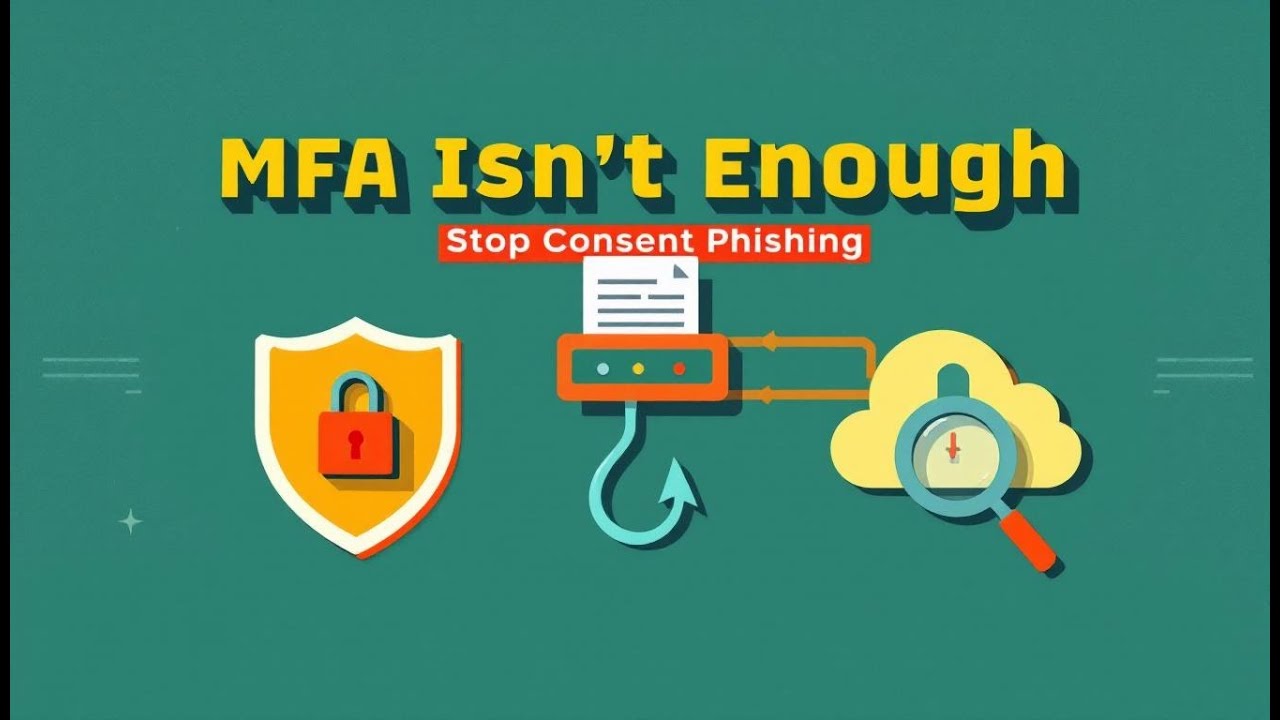
MFA is not your shield – it’s already broken. In this episode, we walk the bridge of a real M365 tenant breach, step-by-step, from the attacker’s cockpit to your shattered inbox. You’ll hear how one phishing click plus an AitM proxy and a “benign” OAuth app stole live cookies, hijacked mailboxes, and quietly vacuumed SharePoint at 2 a.m. No brute force, just borrowed badges, stolen tokens, and app consent abuse. Then we flip the script: the exact Entra logs, Sentinel KQL, UEBA analytics, and one killer policy combo that makes stolen tokens useless off-device. If you run M365 and still trust MFA alone, this briefing might be the most important hour of your year.






Understanding the M365 Attack Chain techniques is crucial for enhancing your organization's security posture. These techniques provide a framework to identify vulnerabilities effectively. You can recognize the stages of cyberattacks and implement security controls that mitigate risks. This proactive approach helps you address weaknesses related to privilege escalation and other attack vectors. By being aware of how these attacks are executed, you can better defend against them and protect your critical assets.
Key Takeaways
- Understand each phase of the M365 attack chain to spot and stop attacks early.
- Train employees to recognize phishing emails and suspicious links to prevent credential theft.
- Use multi-factor authentication and conditional access policies to strengthen account security.
- Regularly monitor application permissions and security settings to detect unauthorized access.
- Implement real-time threat detection and logging to quickly identify suspicious activities.
- Apply data loss prevention tools to protect sensitive information from being leaked.
- Review and update security policies often to stay ahead of evolving cyber threats.
- Promote a culture of security awareness to empower your team as the first defense line.
Overview of the M365 Attack Chain
Definition and Importance
The M365 attack chain refers to the sequence of steps that cybercriminals follow to exploit vulnerabilities within Microsoft 365 environments. Understanding this chain is vital for you as it helps identify potential weaknesses in your security posture. Each phase of the attack chain reveals how attackers gain access, maintain persistence, and ultimately achieve their objectives. By recognizing these phases, you can implement effective security measures to thwart attacks before they escalate.
Common Attack Vectors
Attackers often target various components of the Microsoft 365 infrastructure to execute their plans. Here are some common attack vectors you should be aware of:
- Threat actors exploit Microsoft Teams for reconnaissance and data collection.
- Malware is delivered through file attachments in Teams chats or channels.
- Data exfiltration is facilitated via Teams messages or shared links.
- Financial theft is supported through extortion and social engineering tactics using Teams.
These vectors highlight the need for robust security measures. For instance, phishing remains a prevalent method for gaining initial access. Attackers create convincing phishing domains that mimic legitimate sites, tricking users into providing their login credentials. Once they obtain these credentials, they can infiltrate your organization and move laterally within the network.
Moreover, attackers often use sophisticated techniques to bypass traditional security measures. They may employ tactics such as consent phishing, where users unknowingly grant permissions to malicious applications. This grants attackers access to sensitive data and resources, making it crucial for you to monitor application permissions closely.
By understanding the M365 attack chain and its common attack vectors, you can better prepare your organization against potential threats. Implementing proactive security measures, such as user education and monitoring for suspicious activity, can significantly reduce the risk of successful attacks.
M365 Attack Phases

Reconnaissance
In the reconnaissance phase, attackers gather information about your organization to identify potential vulnerabilities. This phase is crucial as it sets the stage for the entire attack. Attackers often use various techniques to collect data, including:
- Password Spraying: They attempt to access multiple accounts using a few common passwords.
- MFA Coverage Enumeration: Adversaries map out your multi-factor authentication landscape to find weaknesses.
- Active Network Reconnaissance: Attackers scan networks to gather detailed information about your systems.
By understanding these techniques, you can better prepare your defenses. Implementing monitoring solutions can help detect suspicious activity during this phase.
Initial Access
Once attackers complete their reconnaissance, they move to the initial access phase. Here, they exploit vulnerabilities to gain entry into your Microsoft 365 environment. Common methods include:
- Brute force attacks that guess user credentials.
- Email and spear phishing campaigns that trick users into revealing their login information or installing malware.
- OAuth consent phishing, where attackers trick users into granting permissions to malicious applications.
- Exploiting external user access in Teams and SharePoint by compromising trusted partner accounts.
- Using leaked Microsoft 365 account credentials purchased from the dark web.
These tactics highlight the importance of user education and awareness. You must train your employees to recognize phishing attempts and suspicious login attempts.
Execution
After gaining initial access, attackers execute their plans. This phase involves carrying out malicious activities within your environment. Common execution techniques include:
- Phishing emails that use trusted domains to bypass security filters.
- Redirecting victims to pages that mimic Microsoft 365 login interfaces, tricking them into entering their credentials.
- Multi-stage redirection through trusted services to collect browser telemetry and evade detection.
- Using credential harvesting pages that employ dynamic JavaScript to avoid static detection.
- Capturing credentials and MFA codes in real-time to exfiltrate them to attacker-controlled endpoints.
Understanding these execution techniques allows you to implement better security measures. You can enhance your defenses by monitoring for unusual activity and employing advanced threat detection solutions.
Persistence
In the persistence phase, attackers aim to maintain their foothold within your Microsoft 365 environment. They employ various techniques to ensure continued access, even after you implement security measures. Here are some common methods attackers use to establish persistence:
- Malicious OAuth Applications: Attackers create these applications to gain repeated access to resources. Once consent is granted, they can issue OAuth tokens that allow them to access resources repeatedly, maintaining their presence in Microsoft 365 even after password resets.
- Mail Forwarding Rules: They enable rules in Exchange Online to redirect emails to external accounts. This tactic allows attackers to monitor communications without raising suspicion.
- Modification of Security Settings: By altering key security settings, such as conditional access policies, attackers can create backdoors that remain even after their initial access is detected.
These tactics highlight the importance of monitoring application permissions and security settings. You should regularly review and audit these configurations to prevent unauthorized access.
Privilege Escalation
Once attackers establish persistence, they often seek to escalate their privileges within your environment. This phase allows them to gain higher-level access to sensitive data and resources. Common privilege escalation methods include:
- API Abuse: Attackers exploit weak API endpoints to bypass authentication and escalate privileges.
- Token Theft and Forgery: They steal or forge authentication tokens for unauthorized access.
- Exploitation of Configuration Flaws: Attackers target misconfigured policies to gain higher privileges.
By understanding these methods, you can implement stricter access controls and regularly review user permissions. This proactive approach helps you mitigate the risk of unauthorized access to critical resources.
Defense Evasion
In the defense evasion phase, attackers employ various techniques to avoid detection by your security systems. They aim to operate undetected while executing their malicious activities. Some effective defense evasion techniques include:
| Technique | Description |
|---|---|
| Block credential theft from LSASS | Prevents unauthorized access to LSASS memory, breaking common attack paths like Pass-the-Hash and Pass-the-Ticket. |
| Block Office child processes | Stops Office applications from launching child processes, disrupting macro-based attacks and malware loaders. |
| Advanced ransomware protection | Uses behavioral heuristics to detect and block ransomware activities, limiting damage during attacks. |
By implementing robust security measures, you can enhance your defenses against these evasion techniques. Regularly updating your security protocols and monitoring for suspicious activity will help you stay ahead of potential threats.
Credential Access
In the credential access phase, attackers aim to obtain user credentials to gain unauthorized access to your Microsoft 365 environment. They employ various techniques to compromise accounts. Here are some common methods:
| Technique | Description |
|---|---|
| Phishing Email Campaigns | Attackers send emails that trick users into providing their credentials. |
| Forged Login Pages | Fake login pages mimic legitimate ones to capture user credentials. |
| OAuth Consent | Victims are lured into granting access to malicious applications disguised as legitimate ones. |
| Device Code Authentication Phishing | Attackers use device code authentication to trick users into providing access through a verification link. |
These techniques highlight the importance of user education. You must train your employees to recognize phishing attempts and suspicious login attempts. By doing so, you can significantly reduce the risk of credential theft.
Discovery
After gaining access, attackers move to the discovery phase. Here, they identify valuable assets within your Microsoft 365 environment. They often look for external entry points and follow lateral movement paths to reach critical targets. Common methods include:
- Identifying on-premises assets like local servers and employee devices that may contain sensitive data.
- Exploring cloud assets, such as cloud-based workloads and APIs that introduce new access points.
- Targeting external assets, including internet-connected systems like websites and VPN endpoints.
The ultimate goal is to reach databases containing sensitive data. By understanding these tactics, you can implement better monitoring and detection strategies to protect your organization.
Lateral Movement
In the lateral movement phase, attackers expand their access within your Microsoft 365 infrastructure. They use various techniques to navigate through your environment undetected. Common lateral movement methods include:
- Exploiting vulnerabilities: Attackers take advantage of security weaknesses in systems to gain unauthorized access.
- Using legitimate credentials: This involves stealing or obtaining credentials of authorized users to access systems undetected.
- Pass-the-hash/token attacks: Captured hash values of user passwords are used to authenticate to other services without needing the plain text password.
- Internal spear phishing: Attackers hijack legitimate accounts to send phishing messages, tricking employees into clicking malicious links or providing credentials.
Understanding these lateral movement techniques allows you to implement stricter access controls and monitor for suspicious activity. By doing so, you can mitigate the risk of unauthorized access to critical resources.
Collection
In the collection phase, attackers gather sensitive data from your Microsoft 365 environment. They utilize various techniques to ensure they capture valuable information without raising alarms. Here are some common collection methods:
| Technique | Description |
|---|---|
| Auditing | Microsoft Purview Audit solutions provide tools for managing audit records of activities across Microsoft services, capturing user interactions and file access details. |
| Data Classification | A framework for identifying and tagging sensitive data across Microsoft services, ensuring compliance and protection against unauthorized access. |
| Data Loss Prevention (DLP) | A suite of security measures that identifies, monitors, and protects sensitive data across Microsoft 365 services, using deep content inspection and contextual analysis to enforce policies against data leakage. |
- DLP identifies sensitive items across Microsoft 365 services and endpoints.
- It monitors and protects against leakage of sensitive data.
- It covers Office 365 services, Office applications, non-Microsoft cloud apps, and on-premises file shares.
Understanding these collection techniques helps you implement better monitoring and protection strategies. By leveraging tools like DLP and auditing, you can enhance your security posture and reduce the risk of data breaches.
Exfiltration
Once attackers collect sensitive data, they move to the exfiltration phase. This phase involves unauthorized data transfer from within your organization to external locations. Attackers employ various methods to achieve this, including:
| Type of Exfiltration | Description |
|---|---|
| Outsider Data Exfiltration | Conducted by external individuals using automated tools and methods like social engineering. |
| Insider Data Exfiltration | Can be malicious or accidental, involving employees or collaborators sharing data unintentionally. |
- Data exfiltration involves unauthorized data transfer from within an organization to outside.
- Techniques include both external attacks (e.g., phishing) and internal mishaps (e.g., accidental sharing).
You must remain vigilant during this phase. Implementing strict access controls and monitoring for suspicious activity can help you detect and prevent data exfiltration attempts.
Impact
The impact phase represents the consequences of a successful attack on your organization. Cyberattacks can lead to significant financial and reputational damage. Here are some potential impacts:
| Impact Type | Description |
|---|---|
| Financial Penalties | Organizations can face significant fines under laws like California Civil Code 1798.80, which can reach up to $25,000 per breached patient record. Additionally, breaches can lead to private lawsuits, increasing financial liability beyond regulatory penalties. |
| Reputational Damage | Breaches can severely harm a company's reputation, leading to a decrease in overall company value and trust among customers and stakeholders. |
| Operational Disruption | Successful attacks can disrupt business continuity, emphasizing the need for effective breach preparedness and response strategies. |
- Organizations must notify regulators within specific timeframes after a breach, such as 15 days under California law and 72 hours under GDPR.
- The average cost of a data breach was reported to be $3.9 million in 2019, with potential costs reaching up to $2 billion in severe cases.
Understanding the potential impacts of M365 attacks can help you prioritize your security efforts. By implementing robust security measures and response strategies, you can mitigate the risks associated with these attacks.
Techniques in Microsoft 365
Phishing Attacks
Phishing attacks remain one of the most prevalent techniques in the M365 attack chain. Attackers often use sophisticated phishing campaigns to trick users into revealing their login credentials. They create convincing emails that appear to come from trusted sources. These emails may contain links to fake login pages or attachments that install malware.
- Microsoft Defender misses about 18.8% of phishing emails targeting Microsoft 365 users.
- The miss rate for financial-based phishing attacks is even higher, reaching 42%.
- Brand impersonation phishing attacks have a miss rate of 22%.
- In larger organizations, the missed phishing rate can reach between 50% and 70%.
These statistics highlight the need for robust security measures. You must educate your employees about recognizing phishing emails and suspicious links. Implementing training programs can significantly reduce the risk of falling victim to these attacks.
Token Theft
Token theft is another critical technique used by attackers to compromise Microsoft 365 environments. Attackers steal authentication tokens through various methods, including phishing, malware, or browser compromise. Once they obtain these tokens, they can bypass traditional security measures like passwords and multi-factor authentication (MFA).
Indicators of token theft include:
- Anomalous token characteristics
- Unfamiliar sign-in properties
- Suspicious user behaviors
- Attackers steal authentication tokens through phishing, malware, or browser compromise.
- These tokens allow attackers to bypass traditional security measures like passwords and MFA.
- The stolen tokens are then used to access SaaS applications and cloud resources without triggering authentication controls.
By understanding how token theft occurs, you can implement better security practices. Regularly monitor for unusual sign-in attempts and educate users about the risks associated with sharing their credentials.
OAuth App Abuse
OAuth app abuse is a sophisticated technique that attackers exploit to gain unauthorized access to Microsoft 365 resources. Attackers often create or compromise OAuth applications to manipulate organizational data. Here’s how they typically execute this technique:
- Malicious App Registration: Attackers create or compromise an OAuth application hosted in their own tenant or a third-party cloud environment.
- Consent Phishing: Users receive a convincing request to grant permissions, often disguised as a trusted service.
- Token Acquisition: Upon consent, the attacker receives OAuth tokens for the granted scopes.
- Persistence: Tokens can be used repeatedly, allowing continued access to Microsoft 365 resources even after passwords are reset.
- Privilege Escalation: If high-impact scopes are granted by admins, attackers can access sensitive data or exfiltrate files silently.
Attackers often target applications with broad permissions, such as Mail.ReadWrite or Directory.ReadWrite.All. These permissions can allow them to manipulate organizational data without detection.
The attackers created a series of malicious OAuth applications. This move was not merely opportunistic but a calculated effort to diversify their access points within the target environment. By establishing multiple OAuth applications, they effectively created several backdoors, each capable of independently maintaining access to the compromised environment.
Understanding OAuth app abuse is crucial for securing your Microsoft 365 infrastructure. Regularly review application permissions and enforce strict consent policies to mitigate these risks.
Business Email Compromise (BEC)
Business Email Compromise (BEC) is a sophisticated attack that targets organizations through their email systems. Attackers impersonate trusted individuals, such as executives or vendors, to manipulate employees into transferring funds or sharing sensitive information. Understanding BEC tactics is essential for protecting your organization from these threats.
Here are some common tactics used in BEC attacks:
| Tactic | Description |
|---|---|
| CEO Fraud | Scammers impersonate the CEO to request urgent wire transfers, mimicking writing styles and operations. |
| Vendor Invoice Compromise | Attackers use hijacked supply-chain threads and lookalike domains to manipulate payment processes. |
| Payroll Redirection | Phishing attacks themed around HR redirect payroll payments to attacker-controlled accounts. |
BEC attacks often exploit the trust that exists within business relationships. Attackers may use specialized tools to develop phishing kits and verified email lists targeting specific roles, such as C-Suite leaders. This targeted approach increases the likelihood of success.
To combat BEC, organizations should strengthen their internal controls and response policies. Here are some recommendations:
| Recommendation | Description |
|---|---|
| Policy Strengthening | Enhance internal controls and response policies to suspicious requests. |
| User Education | Train employees to recognize signs of BEC and verify requests through alternative communication channels. |
| Multi-Factor Authentication | Implement MFA to add an extra layer of security for email accounts. |
BEC attacks can have severe consequences, including financial loss and reputational damage. By understanding these tactics and implementing robust security measures, you can significantly reduce the risk of falling victim to business email compromise.
Remember, vigilance is key. Always verify unexpected requests for sensitive information or financial transactions, even if they appear to come from trusted sources.
Detection and Prevention Strategies
Monitoring and Logging
Effective monitoring and logging are essential for detecting suspicious activities within your Microsoft 365 environment. You should implement real-time threat detection systems that identify threats across identity, SaaS, and cloud services. These systems can help you stay ahead of potential attacks. Consider the following detection methods:
- Real-time threat detection: This identifies threats as they occur, allowing for immediate response.
- AI-driven attack analysis: This correlates security signals across M365, Identity, Cloud, and Network to expose the full attack narrative.
- Automated threat prioritization: This filters out noise and ranks threats based on actual risk and attack progression.
- Advanced investigation tools: These reduce forensic workload by surfacing attack details quickly.
- Seamless SOC integration: This connects with SIEM, SOAR, and EDR platforms to automate response actions.
By utilizing these methods, you can enhance your detection capabilities and respond to threats more effectively. However, be aware that siloed alerts can overwhelm your security teams. Disconnected alerts often lack context, leading to false positives and alert fatigue. This can slow down manual investigations and waste valuable time.
User Education
User education plays a crucial role in your defense strategy. You must train your employees to recognize suspicious emails and phishing attempts. Implementing phishing awareness training can significantly reduce the risk of successful attacks. Here are some key areas to focus on:
- Recognizing phishing attempts: Teach employees how to identify suspicious emails and links.
- Reporting procedures: Establish clear guidelines for reporting suspicious activity.
- Regular updates: Keep training materials current to address emerging threats.
By fostering a culture of security awareness, you empower your employees to act as the first line of defense against cyber threats.
Multi-Factor Authentication
Multi-Factor Authentication (MFA) is a critical security measure that significantly reduces the risk of unauthorized access. It requires users to provide two or more forms of identification before granting access. While MFA is effective, it is not foolproof against sophisticated attacks like Man-in-the-Middle (MitM). Attackers can intercept credentials and MFA tokens in real-time, allowing unauthorized access despite MFA being in place. Therefore, you should combine MFA with other security measures for optimal protection.
Consider implementing the following proactive measures alongside MFA:
| Measure | Description |
|---|---|
| Data Loss Prevention (DLP) | Identifies and protects sensitive information, preventing accidental or malicious data loss. |
| Honeypots | Decoy systems that lure attackers, allowing you to analyze attack patterns and improve defenses. |
By adopting these strategies, you can enhance your organization's security posture and better protect your Microsoft 365 environment.
Conditional Access Policies
Conditional access policies play a vital role in securing your Microsoft 365 environment. These policies help you manage access based on specific conditions, ensuring that only authorized users can access sensitive data. By implementing these policies, you can significantly reduce the risk of unauthorized access and protect your organization from potential threats.
Here are some key benefits of using conditional access policies:
- Risk Assessment: Conditional access policies evaluate the security posture of Microsoft 365 based on specific access requirements. This assessment helps you determine whether to grant or restrict access.
- Enhanced Security Measures: These policies enforce security measures that challenge or restrict access based on risk factors. For example, if a user logs in from an unfamiliar location, the policy can require additional verification.
- Protection Against Compromised Credentials: By configuring these policies to challenge users with multi-factor authentication (MFA) or require reauthentication, you can protect against token theft. This approach ensures that even if attackers obtain credentials, they cannot easily access your resources.
For smaller organizations, enabling 'Security defaults' in Azure Active Directory (AD) provides basic protection. However, for those with stricter security needs, implementing tailored conditional access policies is essential. These policies allow you to set specific rules that align with your organization's security requirements.
Consider the following scenarios where conditional access policies can enhance your security:
- Location-Based Access: You can restrict access to sensitive data based on the user's geographic location. If a user attempts to log in from a high-risk area, the policy can deny access or prompt for additional verification.
- Device Compliance: Ensure that only compliant devices can access your Microsoft 365 resources. If a device does not meet your security standards, the policy can block access until compliance is achieved.
- User Risk Levels: Assess user risk levels based on their behavior. If a user's activity appears suspicious, the policy can require MFA or block access until further verification occurs.
By implementing conditional access policies, you create a robust framework for managing access to your Microsoft 365 environment. This proactive approach not only enhances your detection and prevention strategies but also fosters a culture of security awareness within your organization.
Understanding the M365 Attack Chain techniques is essential for safeguarding your organization. You must recognize how attackers exploit vulnerabilities to develop effective defense strategies. Here are some key takeaways to enhance your security posture:
- Enable Safe Links and Safe Attachments in Defender for Office 365.
- Implement Conditional Access with Entra ID.
- Monitor anomalies with Defender for Identity and Cloud Apps.
- Regularly update threat policies and review security reports.
- Educate users on phishing awareness to recognize suspicious emails.
By taking these proactive measures, you can significantly reduce the risk of cyberattacks and protect your critical assets.
FAQ
What is the M365 attack chain?
The M365 attack chain outlines the steps attackers take to exploit vulnerabilities in Microsoft 365 environments. Understanding this chain helps you identify weaknesses and implement effective security measures.
How can I recognize phishing attacks?
You can recognize phishing attacks by looking for suspicious emails, unexpected requests for sensitive information, and links that lead to unfamiliar websites. Always verify the sender's identity before clicking links.
What is OAuth app abuse?
OAuth app abuse occurs when attackers create or compromise applications to gain unauthorized access to Microsoft 365 resources. They often trick users into granting permissions, allowing continued access even after passwords are reset.
How can I enhance my organization's security?
You can enhance security by implementing multi-factor authentication, conducting regular user education, and monitoring application permissions. Additionally, establish conditional access policies to manage user access based on risk factors.
What role does user education play in security?
User education is vital for preventing cyberattacks. Training employees to recognize phishing attempts and suspicious activity empowers them to act as the first line of defense against threats.
How can I detect suspicious activity in M365?
You can detect suspicious activity by implementing real-time threat detection systems, monitoring logs, and using AI-driven analysis tools. Regularly review alerts to identify potential threats quickly.
What are the consequences of a successful attack?
Successful attacks can lead to financial loss, reputational damage, and operational disruption. Organizations may face regulatory penalties and increased scrutiny from stakeholders following a breach.
Why is monitoring application permissions important?
Monitoring application permissions is crucial because attackers often exploit excessive permissions to gain unauthorized access. Regular audits help you identify and revoke unnecessary permissions, reducing the risk of compromise.
🚀 Want to be part of m365.fm?
Then stop just listening… and start showing up.
👉 Connect with me on LinkedIn and let’s make something happen:
- 🎙️ Be a podcast guest and share your story
- 🎧 Host your own episode (yes, seriously)
- 💡 Pitch topics the community actually wants to hear
- 🌍 Build your personal brand in the Microsoft 365 space
This isn’t just a podcast — it’s a platform for people who take action.
🔥 Most people wait. The best ones don’t.
👉 Connect with me on LinkedIn and send me a message:
"I want in"
Let’s build something awesome 👊
1
00:00:00,000 --> 00:00:03,040
Officers stand by for mission briefing, red alert.
2
00:00:03,040 --> 00:00:05,880
MFA isn't a shield on my watch.
3
00:00:05,880 --> 00:00:10,960
Stolen tokens, right past it, like cloaked ships through an open gate.
4
00:00:10,960 --> 00:00:12,600
Firewalls guard borders.
5
00:00:12,600 --> 00:00:14,680
But the breach doesn't cross borders.
6
00:00:14,680 --> 00:00:16,320
It hijacks identity.
7
00:00:16,320 --> 00:00:17,960
Here's our mission promise.
8
00:00:17,960 --> 00:00:21,440
We'll map a real M365 tenant breach end to end.
9
00:00:21,440 --> 00:00:23,160
We start in the attackers cockpit.
10
00:00:23,160 --> 00:00:26,280
We end with detections and policy locks you can deploy today.
11
00:00:26,280 --> 00:00:30,360
We'll track consent fishing, token theft and OAuth abuse.
12
00:00:30,360 --> 00:00:34,280
We'll show the exact logs, the Sentinel analytics and the Entra controls.
13
00:00:34,280 --> 00:00:36,920
There's one policy that breaks this chain.
14
00:00:36,920 --> 00:00:39,480
Stay sharp, threat, intel brief.
15
00:00:39,480 --> 00:00:42,880
What modern crews actually do, listen up officers.
16
00:00:42,880 --> 00:00:44,520
The intelligence picture is clear.
17
00:00:44,520 --> 00:00:46,520
The enemy doesn't brute force doors.
18
00:00:46,520 --> 00:00:47,480
They borrow badges.
19
00:00:47,480 --> 00:00:49,920
They use commodity AETM fishing kits.
20
00:00:49,920 --> 00:00:52,600
Fishing as a service outfits run at scale.
21
00:00:52,600 --> 00:00:57,600
Malicious OAuth apps drift across tenants like multi-tenant gunships.
22
00:00:57,600 --> 00:01:00,040
The tooling is cheap, the effect is strategic.
23
00:01:00,040 --> 00:01:01,280
Their goal set is simple.
24
00:01:01,280 --> 00:01:06,920
Take the mailbox, siphon sharepoint, persist via app consent and tokens.
25
00:01:06,920 --> 00:01:11,840
With offline access, they keep refreshed tokens alive.
26
00:01:11,840 --> 00:01:15,240
With graph, they pull data quiet and headless.
27
00:01:15,240 --> 00:01:17,360
With mail rules, they blind your centuries.
28
00:01:17,360 --> 00:01:19,240
Why all defenses fail?
29
00:01:19,240 --> 00:01:22,520
MFA blocks passwords, not replayable sessions.
30
00:01:22,520 --> 00:01:26,600
Admin portals don't show OAuth sprawl by default.
31
00:01:26,600 --> 00:01:31,160
Portals lull crews to sleep while service principles multiply in the dark.
32
00:01:31,160 --> 00:01:32,320
You see users.
33
00:01:32,320 --> 00:01:33,360
They use apps.
34
00:01:33,360 --> 00:01:35,120
You chase login failures.
35
00:01:35,120 --> 00:01:37,080
They replay cookies.
36
00:01:37,080 --> 00:01:39,000
Different war.
37
00:01:39,000 --> 00:01:41,280
Assume this terrain.
38
00:01:41,280 --> 00:01:43,760
Entra ID holds identity.
39
00:01:43,760 --> 00:01:46,520
Exchange online and sharepoint house the crown.
40
00:01:46,520 --> 00:01:49,920
Defender and Sentinel exist, but they're under tuned.
41
00:01:49,920 --> 00:01:52,400
Telemetry flows, alerts don't.
42
00:01:52,400 --> 00:01:54,520
That gap is where attackers live.
43
00:01:54,520 --> 00:01:57,520
Here are the artifacts that matter.
44
00:01:57,520 --> 00:02:02,400
Entra ID sign-in logs show authentication requirements satisfied.
45
00:02:02,400 --> 00:02:06,080
That phrase hides the heist when a stolen cookie glides in.
46
00:02:06,080 --> 00:02:11,280
Audit logs record consent to application, service, principle created,
47
00:02:11,280 --> 00:02:13,720
and app role assigned to.
48
00:02:13,720 --> 00:02:19,960
An exchange mailbox audit tracks inbox rule ads, external forwarding and folder moves.
49
00:02:19,960 --> 00:02:26,040
SharePoint and the unified audit log show file access and file downloaded
50
00:02:26,040 --> 00:02:31,200
with an app ID stamp app registrations and service principle updates
51
00:02:31,200 --> 00:02:33,440
mark credential drops and scope creep.
52
00:02:33,440 --> 00:02:36,280
The thing most people miss, you don't just guard the login.
53
00:02:36,280 --> 00:02:40,360
You bind the token device binding and conditional access.
54
00:02:40,360 --> 00:02:42,360
Based on risk, cut the replay.
55
00:02:42,360 --> 00:02:44,920
That's the shield, not another password policy.
56
00:02:44,920 --> 00:02:48,960
Token protection for exchange and share point makes a stolen cookie
57
00:02:48,960 --> 00:02:51,080
useless off device.
58
00:02:51,080 --> 00:02:57,320
Risk-based conditional access holds the session even when MFA already passed.
59
00:02:57,320 --> 00:03:03,920
Now the operational truth attackers run AATM reverse proxies to capture credentials
60
00:03:03,920 --> 00:03:05,880
and the session token in the same pass.
61
00:03:05,880 --> 00:03:08,600
They land a rogue multi tenant app.
62
00:03:08,600 --> 00:03:10,760
Scopes look harmless.
63
00:03:10,760 --> 00:03:12,200
User.
64
00:03:12,200 --> 00:03:13,200
Read mail.
65
00:03:13,200 --> 00:03:19,480
All read offline access but together they grant durable reach.
66
00:03:19,480 --> 00:03:21,040
They pivot to graph harvesting.
67
00:03:21,040 --> 00:03:23,360
They do it with no human logo in the loop.
68
00:03:23,360 --> 00:03:25,520
The mailbox becomes a data host.
69
00:03:25,520 --> 00:03:27,640
SharePoint becomes a quiet stream.
70
00:03:27,640 --> 00:03:31,680
No popups, no prompts, just API calls.
71
00:03:31,680 --> 00:03:34,240
Your telemetry grid must light up early.
72
00:03:34,240 --> 00:03:41,760
In Sentinel analytic rules should watch for consent by risky users or from unfamiliar IP
73
00:03:41,760 --> 00:03:43,080
ranges.
74
00:03:43,080 --> 00:03:48,880
New EBA in Defender flags, impossible travel and sudden session switches that match hijack
75
00:03:48,880 --> 00:03:50,400
patterns.
76
00:03:50,400 --> 00:03:54,720
Custom KQL can alert on a new service principle with high value scopes.
77
00:03:54,720 --> 00:03:57,680
That's how we catch the ship as it declokes.
78
00:03:57,680 --> 00:04:01,000
But remember this crew, visibility without policy is theatre.
79
00:04:01,000 --> 00:04:04,240
If users can grant consent, you'll lose ground.
80
00:04:04,240 --> 00:04:10,000
If tokens aren't bound, the enemy will replay sessions from clean infrastructure.
81
00:04:10,000 --> 00:04:14,080
If your all-o-list is blank, every appid looks normal.
82
00:04:14,080 --> 00:04:20,840
Follow protocol, disable user consent, enforce admin workflow, turn on token protection where
83
00:04:20,840 --> 00:04:26,080
supported, segment conditional access by workload and device compliance, then your detections
84
00:04:26,080 --> 00:04:29,240
mean action, not after action reports.
85
00:04:29,240 --> 00:04:30,240
Hold the line.
86
00:04:30,240 --> 00:04:33,680
Initial access, consent phishing and token theft.
87
00:04:33,680 --> 00:04:35,160
Your mission coordinates.
88
00:04:35,160 --> 00:04:39,960
The breach starts with consent phishing plus AITM token theft, one click, no MFA prompt
89
00:04:39,960 --> 00:04:40,960
for access.
90
00:04:40,960 --> 00:04:42,240
That's the play.
91
00:04:42,240 --> 00:04:43,440
Why this matters?
92
00:04:43,440 --> 00:04:47,760
If a user grants consent, an app gets scopes the user doesn't understand.
93
00:04:47,760 --> 00:04:49,160
Mail.
94
00:04:49,160 --> 00:04:50,880
Read looks harmless.
95
00:04:50,880 --> 00:04:53,040
Offline access looks boring.
96
00:04:53,040 --> 00:04:57,440
Together they create durable reach that survives password resets.
97
00:04:57,440 --> 00:05:02,520
And with ITM the attacker steals the session cookie at the same time MFA already fired.
98
00:05:02,520 --> 00:05:05,600
The cookie replays clean, gate wide open.
99
00:05:05,600 --> 00:05:07,480
Here's what the crews run.
100
00:05:07,480 --> 00:05:12,720
An adversary in the middle reverse proxy sits between the user and Microsoft.
101
00:05:12,720 --> 00:05:17,920
The email lure is standard, invoice, share request, payroll update.
102
00:05:17,920 --> 00:05:21,000
The link routes through the proxy, the user enters credentials.
103
00:05:21,000 --> 00:05:22,840
The proxy relates to Microsoft.
104
00:05:22,840 --> 00:05:23,920
MFA completes.
105
00:05:23,920 --> 00:05:26,560
The proxy captures the session token.
106
00:05:26,560 --> 00:05:31,120
At the same moment, a benign looking multi-tenant app asks for consent.
107
00:05:31,120 --> 00:05:34,800
The prompt says, read your mail and basic profile.
108
00:05:34,800 --> 00:05:38,440
The user approves, no alarm, no second factor.
109
00:05:38,440 --> 00:05:43,840
The attacker now holds two assets, a live cookie and a sanctioned service principle.
110
00:05:43,840 --> 00:05:45,800
Now the technique stack.
111
00:05:45,800 --> 00:05:50,920
First, consent grant to a malicious multi-tenant app.
112
00:05:50,920 --> 00:05:53,120
Scopes user.
113
00:05:53,120 --> 00:05:55,120
Read mail.
114
00:05:55,120 --> 00:05:57,280
Read offline access.
115
00:05:57,280 --> 00:05:59,880
The key is offline access.
116
00:05:59,880 --> 00:06:02,960
It authorizes refresh tokens for long sessions.
117
00:06:02,960 --> 00:06:06,360
Second, session token theft via the reverse proxy.
118
00:06:06,360 --> 00:06:09,000
The cookie gets replayed from a new device.
119
00:06:09,000 --> 00:06:10,960
No password, no prompt.
120
00:06:10,960 --> 00:06:14,960
Third, OUTH abuse through Microsoft Graph.
121
00:06:14,960 --> 00:06:17,960
The attacker queries mail and files headless.
122
00:06:17,960 --> 00:06:22,520
Harvest begins quiet, consistent API cadence, not human behavior.
123
00:06:22,520 --> 00:06:24,480
Let me show you exactly how we see it.
124
00:06:24,480 --> 00:06:29,320
In Entra ID audit, you'll find consent to application.
125
00:06:29,320 --> 00:06:31,680
Then service principle created.
126
00:06:31,680 --> 00:06:34,280
Then app role assigned to.
127
00:06:34,280 --> 00:06:36,520
Those three mean the app landed.
128
00:06:36,520 --> 00:06:40,320
The service identity exists and scopes are active.
129
00:06:40,320 --> 00:06:43,040
In Entra ID, sign in logs.
130
00:06:43,040 --> 00:06:46,920
Look for authentication requirements satisfied.
131
00:06:46,920 --> 00:06:52,040
Tied to a new device or country within minutes of the user's real login.
132
00:06:52,040 --> 00:06:54,080
That pattern screams cookie replay.
133
00:06:54,080 --> 00:06:55,760
In exchange mailbox audit.
134
00:06:55,760 --> 00:06:57,440
Watch for ad inbox rule.
135
00:06:57,440 --> 00:07:01,080
Ad inbox rule or SMTP forwarding settings.
136
00:07:01,080 --> 00:07:04,040
Often dropped right after consent to blind the user.
137
00:07:04,040 --> 00:07:10,000
In the unified audit log and SharePoint logs, file access and file downloaded events show
138
00:07:10,000 --> 00:07:13,200
an app ID, not Outlook or a browser.
139
00:07:13,200 --> 00:07:15,840
That app ID is the ghost doing the pulling.
140
00:07:15,840 --> 00:07:17,160
Detections to arm now.
141
00:07:17,160 --> 00:07:23,120
Incentenal, build an analytic that fires on consent to application when the requester
142
00:07:23,120 --> 00:07:26,880
is high value or the source IP is unfamiliar.
143
00:07:26,880 --> 00:07:29,680
Share it with a watch list of sanctioned app id.
144
00:07:29,680 --> 00:07:32,600
Anything outside that list gets priority one.
145
00:07:32,600 --> 00:07:36,960
Turn on UEBA for impossible travel and sudden session switching.
146
00:07:36,960 --> 00:07:40,200
Identity satisfied from one country than a second country.
147
00:07:40,200 --> 00:07:42,840
Minutes apart, same user agent string.
148
00:07:42,840 --> 00:07:44,360
That's a hijack signature.
149
00:07:44,360 --> 00:07:48,880
Add custom KQL to flag new service principles with scopes like mail.
150
00:07:48,880 --> 00:07:51,160
Read right files read dot all.
151
00:07:51,160 --> 00:07:53,680
Sites read dot all.
152
00:07:53,680 --> 00:07:57,400
Or offline access when granted to non admins.
153
00:07:57,400 --> 00:07:59,160
Those scopes are the data hose.
154
00:07:59,160 --> 00:08:00,680
Now here's where most people mess up.
155
00:08:00,680 --> 00:08:02,160
They leave user consent on.
156
00:08:02,160 --> 00:08:04,320
They trust that MFA blocks the fish.
157
00:08:04,320 --> 00:08:06,040
They don't enable token protection.
158
00:08:06,040 --> 00:08:07,040
Result.
159
00:08:07,040 --> 00:08:09,640
The attacker asks the user for access.
160
00:08:09,640 --> 00:08:11,640
The organization never approved.
161
00:08:11,640 --> 00:08:15,640
And the stolen cookie lands on clean infrastructure, the tenant trusts.
162
00:08:15,640 --> 00:08:17,080
No control sees it as foreign.
163
00:08:17,080 --> 00:08:18,080
You get no prompt.
164
00:08:18,080 --> 00:08:19,080
You get no fail.
165
00:08:19,080 --> 00:08:20,080
You get no chance.
166
00:08:20,080 --> 00:08:21,080
The quick win.
167
00:08:21,080 --> 00:08:23,560
Disable user consent across the tenant.
168
00:08:23,560 --> 00:08:25,480
Build the admin consent workflow.
169
00:08:25,480 --> 00:08:28,040
Force all app requests through review.
170
00:08:28,040 --> 00:08:31,400
Second turn on token protection for exchange and share point.
171
00:08:31,400 --> 00:08:32,720
We're available.
172
00:08:32,720 --> 00:08:34,720
Device bind those tokens.
173
00:08:34,720 --> 00:08:36,920
So replay from another machine.
174
00:08:36,920 --> 00:08:38,560
Dies at the gate.
175
00:08:38,560 --> 00:08:42,360
Third, enable sign in risk conditional access.
176
00:08:42,360 --> 00:08:45,960
If risk is medium or above, require step up or block.
177
00:08:45,960 --> 00:08:50,400
This stops a stolen cookie piggybacking from a new country.
178
00:08:50,400 --> 00:08:54,240
An example.
179
00:08:54,240 --> 00:09:00,840
In five minutes, sign in logs show requirements satisfied from two countries.
180
00:09:00,840 --> 00:09:07,320
Audit shows consent to application to a multi tenant app named Mail Optimizer.
181
00:09:07,320 --> 00:09:13,880
Unified audit shows file downloaded by that app ID from a share point sales site.
182
00:09:13,880 --> 00:09:23,560
Each mailbox audit shows a new inbox rule moving messages from security to RSS subscriptions.
183
00:09:23,560 --> 00:09:26,520
That's the entire chain end to end on a single screen.
184
00:09:26,520 --> 00:09:28,720
Once you nail this picture, everything else clicks.
185
00:09:28,720 --> 00:09:30,240
The first battle is consent.
186
00:09:30,240 --> 00:09:31,960
The second is token replay.
187
00:09:31,960 --> 00:09:33,240
Shut those doors.
188
00:09:33,240 --> 00:09:35,360
And the rest of the chain starves.
189
00:09:35,360 --> 00:09:36,680
Hold the line.
190
00:09:36,680 --> 00:09:37,680
Persistence.
191
00:09:37,680 --> 00:09:40,920
Living off the land with OAuth and mail rules.
192
00:09:40,920 --> 00:09:42,440
Listen up officers.
193
00:09:42,440 --> 00:09:45,480
This consent lands and the cookie replace the enemy stops sprinting.
194
00:09:45,480 --> 00:09:46,480
They dig in.
195
00:09:46,480 --> 00:09:48,240
They turn access into residency.
196
00:09:48,240 --> 00:09:49,880
Password resets won't save you now.
197
00:09:49,880 --> 00:09:51,520
App consent survives them.
198
00:09:51,520 --> 00:09:52,920
Refresh tokens renew them.
199
00:09:52,920 --> 00:09:55,120
They become service.
200
00:09:55,120 --> 00:09:56,120
Quiet.
201
00:09:56,120 --> 00:09:57,120
Durable.
202
00:09:57,120 --> 00:09:58,880
Hard to evict.
203
00:09:58,880 --> 00:10:00,600
Why this matters?
204
00:10:00,600 --> 00:10:05,160
If they keep offline access, they hold the refresh token that rotates forever until you
205
00:10:05,160 --> 00:10:06,480
revoke the grant.
206
00:10:06,480 --> 00:10:08,080
They don't need the user again.
207
00:10:08,080 --> 00:10:09,320
They don't need a prompt.
208
00:10:09,320 --> 00:10:13,880
The graph becomes their supply line.
209
00:10:13,880 --> 00:10:16,160
No one watches headless ships.
210
00:10:16,160 --> 00:10:17,160
Here's the playbook.
211
00:10:17,160 --> 00:10:19,160
First, they protect the tap.
212
00:10:19,160 --> 00:10:26,200
Hidden inbox rules root anything from security, IT or Microsoft to a dead folder or delete
213
00:10:26,200 --> 00:10:27,200
on arrival.
214
00:10:27,200 --> 00:10:28,720
The user sees nothing.
215
00:10:28,720 --> 00:10:30,080
Second, they harden persistence.
216
00:10:30,080 --> 00:10:33,560
They add a second, benign looking multi-tenant app.
217
00:10:33,560 --> 00:10:34,560
Same scopes.
218
00:10:34,560 --> 00:10:35,560
Say for name.
219
00:10:35,560 --> 00:10:38,320
If you kill the first, the twin breathes life back in.
220
00:10:38,320 --> 00:10:40,640
Third, they upgrade scopes over time.
221
00:10:40,640 --> 00:10:44,120
From mail, read to mail, read right.
222
00:10:44,120 --> 00:10:48,840
From sites, read.all to files, read.all.
223
00:10:48,840 --> 00:10:49,840
Small changes.
224
00:10:49,840 --> 00:10:50,840
Big reach.
225
00:10:50,840 --> 00:10:52,560
Operational telemetry.
226
00:10:52,560 --> 00:10:55,280
In Entra audit, watch for update application.
227
00:10:55,280 --> 00:10:56,600
Add credentials.
228
00:10:56,600 --> 00:10:58,160
Key credential added.
229
00:10:58,160 --> 00:10:59,720
Password credential added.
230
00:10:59,720 --> 00:11:00,880
Those are key drops.
231
00:11:00,880 --> 00:11:04,640
Service principles getting new secrets mean hands on your lifeline.
232
00:11:04,640 --> 00:11:08,360
An app roller sign to scope creep appears as new roller signments.
233
00:11:08,360 --> 00:11:09,360
Mail.
234
00:11:09,360 --> 00:11:10,360
Read right.
235
00:11:10,360 --> 00:11:11,360
Sites.
236
00:11:11,360 --> 00:11:12,360
Read.
237
00:11:12,360 --> 00:11:13,880
To all.
238
00:11:13,880 --> 00:11:14,880
Files.
239
00:11:14,880 --> 00:11:15,880
Read.
240
00:11:15,880 --> 00:11:16,880
All.
241
00:11:16,880 --> 00:11:22,080
Each grant expands the blast radius.
242
00:11:22,080 --> 00:11:25,280
In exchange admin audit and mailbox audit.
243
00:11:25,280 --> 00:11:26,280
Set inbox rule.
244
00:11:26,280 --> 00:11:27,640
New inbox rule.
245
00:11:27,640 --> 00:11:30,160
And set mailbox with forwarding semtip address.
246
00:11:30,160 --> 00:11:32,400
Tell you the blindfold is on.
247
00:11:32,400 --> 00:11:35,800
Rules that redirect external are the ex fill highways.
248
00:11:35,800 --> 00:11:38,240
Let me show you exactly how to monitor it.
249
00:11:38,240 --> 00:11:42,920
In Sentinel build an analytic for inbox rules that forward externally and inbox rules that
250
00:11:42,920 --> 00:11:45,240
delete or move security mail.
251
00:11:45,240 --> 00:11:48,640
Use an allow list for approved forwarding domains.
252
00:11:48,640 --> 00:11:50,040
Everything else triggers.
253
00:11:50,040 --> 00:11:57,000
Pay that with defender, you eeba, to detect sudden spikes in graph calls by a new app id.
254
00:11:57,000 --> 00:11:58,160
Baseline per app.
255
00:11:58,160 --> 00:12:00,920
Alert when call volume jumps or hits odd hours.
256
00:12:00,920 --> 00:12:03,400
This reveals the quiet hose turning into a pump.
257
00:12:03,400 --> 00:12:05,120
Now here's where most people mess up.
258
00:12:05,120 --> 00:12:06,480
They revoke a single token.
259
00:12:06,480 --> 00:12:07,600
They reset a password.
260
00:12:07,600 --> 00:12:08,800
They close the incident.
261
00:12:08,800 --> 00:12:10,880
The service principle keeps breathing.
262
00:12:10,880 --> 00:12:12,160
The refresh token renews.
263
00:12:12,160 --> 00:12:13,400
The twin app wakes up.
264
00:12:13,400 --> 00:12:14,840
Days later, files keep moving.
265
00:12:14,840 --> 00:12:16,440
The crew thinks it's normal sink.
266
00:12:16,440 --> 00:12:17,440
It's not.
267
00:12:17,440 --> 00:12:18,440
You didn't cut the artery.
268
00:12:18,440 --> 00:12:19,880
You only scratched the skin.
269
00:12:19,880 --> 00:12:21,040
How to break it.
270
00:12:21,040 --> 00:12:22,040
Follow protocol.
271
00:12:22,040 --> 00:12:23,040
Step one.
272
00:12:23,040 --> 00:12:27,200
Revoke app consent for every malicious and suspicious app in entra.
273
00:12:27,200 --> 00:12:28,760
Remove the service principles.
274
00:12:28,760 --> 00:12:30,520
Kill the grants at the root.
275
00:12:30,520 --> 00:12:31,520
Step two.
276
00:12:31,520 --> 00:12:34,240
Invalidate refresh tokens.
277
00:12:34,240 --> 00:12:37,760
Tenant-wide for the affected identities.
278
00:12:37,760 --> 00:12:39,880
Force sign out.
279
00:12:39,880 --> 00:12:41,680
End active sessions.
280
00:12:41,680 --> 00:12:43,200
Step three.
281
00:12:43,200 --> 00:12:49,360
Rotate application secrets for any sanctioned app that touched the compromised accounts.
282
00:12:49,360 --> 00:12:51,240
Assume token leakage.
283
00:12:51,240 --> 00:12:52,720
Step four.
284
00:12:52,720 --> 00:12:55,520
Implement conditional access session controls.
285
00:12:55,520 --> 00:12:57,800
Block legacy refresh tokens.
286
00:12:57,800 --> 00:13:02,480
Set sign-in frequency to force re-evaluation on high-risk signals.
287
00:13:02,480 --> 00:13:07,120
Device by and tokens with token protection for exchange and sharepoint were supported.
288
00:13:07,120 --> 00:13:08,920
Replay dies at the gate.
289
00:13:08,920 --> 00:13:10,600
Quick lab to practice.
290
00:13:10,600 --> 00:13:14,280
Pull entra audit and search activity display.
291
00:13:14,280 --> 00:13:16,960
Name equals consent to application.
292
00:13:16,960 --> 00:13:18,360
Capture the app ID.
293
00:13:18,360 --> 00:13:24,040
Cross-map that app it to unified audit events for file access and file downloaded.
294
00:13:24,040 --> 00:13:27,080
You'll see which sharepoint sites the app touched.
295
00:13:27,080 --> 00:13:33,800
First query exchange mailbox audit for new inbox rule and set inbox rule by that user in
296
00:13:33,800 --> 00:13:35,400
the same time frame.
297
00:13:35,400 --> 00:13:37,640
That alignment confirms blinding plus pull.
298
00:13:37,640 --> 00:13:41,240
Finally check app roll assigned to for that service principle.
299
00:13:41,240 --> 00:13:45,080
Any growth in scopes after day one is a persistence tell.
300
00:13:45,080 --> 00:13:47,800
Your countermeasures need structure.
301
00:13:47,800 --> 00:13:50,920
Build a Sentinel watch list of approved app IDs.
302
00:13:50,920 --> 00:13:52,640
Your sanctioned fleet.
303
00:13:52,640 --> 00:13:54,480
Alert on deviations.
304
00:13:54,480 --> 00:14:01,720
Set a playbook when consent to application fires an app ID not in watch list auto-revol grants
305
00:14:01,720 --> 00:14:06,240
disable the app notify the soc and open a ticket.
306
00:14:06,240 --> 00:14:10,840
Tie in defender for cloud apps or auth app governance to rate limit or block apps with
307
00:14:10,840 --> 00:14:13,520
high permissions and anomalous use.
308
00:14:13,520 --> 00:14:19,360
One system sees the other acts 12 time collapses to minutes but remember this policy first detection
309
00:14:19,360 --> 00:14:20,360
second.
310
00:14:20,360 --> 00:14:27,800
Disable user consent enforce admin workflow require compliant device for exchange and sharepoint
311
00:14:27,800 --> 00:14:33,200
external forwarding disabled by default with a narrow exception list then your telemetry
312
00:14:33,200 --> 00:14:36,080
becomes a weapon not a diary.
313
00:14:36,080 --> 00:14:42,360
Hold the line lateral movement from mailbox to share point to keys engineers the beach head
314
00:14:42,360 --> 00:14:48,560
is up now the crew pivots from a single mailbox they map the galaxy their target is data
315
00:14:48,560 --> 00:14:54,720
gravity share point male and the directory graph turns it all into a hose why this matters
316
00:14:54,720 --> 00:15:01,440
the mailbox is in tell it holds project names sight links vendors and leadership threads
317
00:15:01,440 --> 00:15:06,920
with that context the enemy charts where the crown lives share point libraries finance
318
00:15:06,920 --> 00:15:13,640
folders executive calendars from there they don't guess they query here's the movement
319
00:15:13,640 --> 00:15:18,520
pattern first they enumerate sites via graph with sites
320
00:15:18,520 --> 00:15:25,040
read all they query root then drives then lists they harvest site IDs and drive IDs they
321
00:15:25,040 --> 00:15:30,320
sample a few files to validate value if it pays the scale second they rate the mailbox
322
00:15:30,320 --> 00:15:37,840
for MFA reset paths and vendor conversations business email compromise rides these threads
323
00:15:37,840 --> 00:15:44,480
they inject replies change payment instructions and wait third they probe and draw with directory
324
00:15:44,480 --> 00:15:49,640
read scopes they list users groups and app role assignments they tag privileged users
325
00:15:49,640 --> 00:15:56,240
and shared mailboxes if scopes allow they grow to files read all or mail read right each
326
00:15:56,240 --> 00:16:01,240
inches strategic now the telemetry that gives them away in the unified audit log you'll see
327
00:16:01,240 --> 00:16:07,240
file access and file downloaded with a single app it hitting many sites the pattern is
328
00:16:07,240 --> 00:16:14,320
a volume from one caller not many users in enter sign in a single app ID is tied to multiple
329
00:16:14,320 --> 00:16:21,560
high value users within hours cross entity correlation lights that up in exchange mailbox
330
00:16:21,560 --> 00:16:28,800
audit new inbox rule with redirect to or delete message appears near the X fill window
331
00:16:28,800 --> 00:16:34,680
forwarding to external SMTP addresses is the red flare listen up officers Sentinel and
332
00:16:34,680 --> 00:16:41,560
defender can box this in if we tune them you eBA should watch per app ID download volume
333
00:16:41,560 --> 00:16:48,400
per site and trigger on time of day deviations quiet service apps don't pull 10,000 files
334
00:16:48,400 --> 00:16:55,280
at 2 a.m unless someone turned the tap built in analytic rule for high risk or scopes assigned
335
00:16:55,280 --> 00:17:02,480
to non admin users if male dot read right or files dot read don't all lands on a standard
336
00:17:02,480 --> 00:17:09,640
user raise priority one pair a playbook when anomalous download volume by app it triggers block
337
00:17:09,640 --> 00:17:15,880
the app in entra revoke its grants and set the user session to sign out if defender for
338
00:17:15,880 --> 00:17:22,600
endpoint flags cookie theft tools on a device isolate the endpoint and correlate with identity
339
00:17:22,600 --> 00:17:29,040
events exfiltration trade craft is subtle they use graph batch API's to group calls that
340
00:17:29,040 --> 00:17:35,080
smooth rates and dodges crude thresholds they throttle to mimics sync clients they exfiltrate
341
00:17:35,080 --> 00:17:41,280
to attacker cloud storage hosted in benign ranges so IP reputation stays clean they may
342
00:17:41,280 --> 00:17:46,280
hop through a vendor account in your tenant to blend further this is why baseline by
343
00:17:46,280 --> 00:17:53,080
app ID and site not raw counts context beats thresholds defense moves that work on my watch
344
00:17:53,080 --> 00:17:58,320
conditional access must segment by workload require compliant device for exchange and
345
00:17:58,320 --> 00:18:05,000
share point a headless apti to a random VM will fail block user consent tenant wide force
346
00:18:05,000 --> 00:18:12,400
admin workflow bind tokens with token protection for exchange and share point where supported
347
00:18:12,400 --> 00:18:18,200
now the replay dies and app calls must come from known posture dlp needs service principle
348
00:18:18,200 --> 00:18:24,920
awareness policies that only watch user agents miss graph apps enable external forwarding
349
00:18:24,920 --> 00:18:32,520
disabled by default then create a narrow allow list for domains that truly need it now the
350
00:18:32,520 --> 00:18:38,760
mistake that ruins everything teams allow broad scopes to low risk apps for convenience
351
00:18:38,760 --> 00:18:44,640
they also maintain a wide exception for external forwarding because vendors need it that's an
352
00:18:44,640 --> 00:18:50,280
exfilt runway shut it build a proper exception request pipeline tie it to sentinel watchlists
353
00:18:50,280 --> 00:18:55,440
every exception becomes an entity you monitor harder let me show you exactly how to hunt
354
00:18:55,440 --> 00:19:01,400
this in sentinel query the unified audit log for office workload equals share point group
355
00:19:01,400 --> 00:19:08,000
by app ID count file downloaded over one hour windows and compare to the last 14 days app
356
00:19:08,000 --> 00:19:14,400
pits that spike without prior baseline are suspects next pull and trust sign ins where the
357
00:19:14,400 --> 00:19:22,840
same app ID access multiple users in 24 hours especially rolls tagged high value then correlate
358
00:19:22,840 --> 00:19:28,960
exchange mailbox audit for forwarding and delete rules within the same window that
359
00:19:28,960 --> 00:19:37,280
triad apps bike cross user access messaging blindfold is the lateral signature operational
360
00:19:37,280 --> 00:19:44,840
story fast a marketing manager account grants consent within hours unified audit shows
361
00:19:44,840 --> 00:19:54,000
a pd 9 f pulling 3000 files from three sites tied to sales and finance enter sign ins linked
362
00:19:54,000 --> 00:20:00,120
that apeed to four executives exchange shows a redirect rule on one execs mailbox to an
363
00:20:00,120 --> 00:20:07,160
external domain the playbook fires revokes the app removes rules forces signouts and isolates
364
00:20:07,160 --> 00:20:13,120
a device flagged for cookie theft tooling damage window under 20 minutes that's the standard
365
00:20:13,120 --> 00:20:20,320
but remember this policy closest doors before detection rings bells lock consent bind tokens
366
00:20:20,320 --> 00:20:25,400
segment access by device compliance your telemetry then becomes early warning not a post
367
00:20:25,400 --> 00:20:33,160
mortem hold the line detection engineering playbooks KQL and unified response offices we
368
00:20:33,160 --> 00:20:40,120
compressed dwell time now return telemetry into automatic action seconds matter minutes decide
369
00:20:40,120 --> 00:20:50,080
impact follow protocol objective is simple convert key signals into playbooks that cut access
370
00:20:50,080 --> 00:20:58,360
blind the adversary an alert command no manual heroics just disciplined automation core playbooks
371
00:20:58,360 --> 00:21:06,920
in sentinel first trigger consent to application or new high risk or scope action set revoke
372
00:21:06,920 --> 00:21:13,440
all grants for that apeed disable the service principle notify s o c and open an incident
373
00:21:13,440 --> 00:21:19,880
with high severity add a step to comment the event back into entrust audit trail for chain
374
00:21:19,880 --> 00:21:26,880
of custody second trigger external forwarding rule created or inbox rule that deletes
375
00:21:26,880 --> 00:21:33,840
or moves messages from security senders action set remove the rule block external forwarding
376
00:21:33,840 --> 00:21:41,520
if not on allow list send the user a security brief and force user sign out across sessions
377
00:21:41,520 --> 00:21:50,600
third trigger anomalous download volume by a pd in share point or files read all surge action
378
00:21:50,600 --> 00:21:57,800
set block the app in entra revoke refresh tokens for affected users quarantine the user session
379
00:21:57,800 --> 00:22:03,960
and if defender for endpoint shows cookie theft tooling on any linked device isolate that
380
00:22:03,960 --> 00:22:11,840
endpoint one alert full cut your KQL hunting pack is your radar keep it lean keep it lethal
381
00:22:11,840 --> 00:22:19,040
entra audit focus audit logs where activity display name in consent to application add service
382
00:22:19,040 --> 00:22:28,280
principle credentials update application project time generated initiated by target resources
383
00:22:28,280 --> 00:22:39,040
result unified audit focus office activity where office workload in share point exchange
384
00:22:39,040 --> 00:22:49,280
summarize events count by pd office workload bin time generated one h join kind left
385
00:22:49,280 --> 00:22:58,080
untie allow listed apps on app it sign in focus sign in logs where authentication requirements
386
00:22:58,080 --> 00:23:08,000
exe satisfied summarize countries account location details country or region devices
387
00:23:08,000 --> 00:23:18,640
decount device detail device ID by user principle name bin time generated one h where countries
388
00:23:18,640 --> 00:23:26,000
one or devices one tie these to watch lists maintain three approved app it's high value
389
00:23:26,000 --> 00:23:32,040
users allowed forwarding domains your analytics should cross check every alert against these
390
00:23:32,040 --> 00:23:39,680
lists to auto prioritize and act entra id policies that break the chain activate them
391
00:23:39,680 --> 00:23:45,600
disable user consent enforce the admin consent workflow require phishing resistant MFA like
392
00:23:45,600 --> 00:23:51,120
phydo 2 or windows hello for high value users turn on token protection for exchange and
393
00:23:51,120 --> 00:23:57,000
share point were available set sign in frequency for sensitive workloads and disable persistent
394
00:23:57,000 --> 00:24:03,320
browser sessions on risky profiles conditional access must require compliant device for exchange
395
00:24:03,320 --> 00:24:09,880
and share point access block sign in with medium or high risk these settings convert identity
396
00:24:09,880 --> 00:24:15,280
posture into a shield defender integrations complete the perimeter enable defender for
397
00:24:15,280 --> 00:24:22,000
cloud apps or op app governance it will surface high permission apps anomalous use and risky
398
00:24:22,000 --> 00:24:28,560
publisher patterns turn on alerts for high impact scopes mass downloads and unusual tenants
399
00:24:28,560 --> 00:24:35,840
per app spreads in defender for identity use lateral path insights tied to service principle
400
00:24:35,840 --> 00:24:42,160
activity links bikes and graph calls from new app it's to identity anomalies when either
401
00:24:42,160 --> 00:24:49,200
fires let Sentinel own the response common gaps and fixes no app governance enable all
402
00:24:49,200 --> 00:24:55,920
all governance and approvals flat conditional access segment by workload user risk and device
403
00:24:55,920 --> 00:25:02,800
state no allow list deploy the app it watch list and enforce it in every analytic and playbook alerts
404
00:25:02,800 --> 00:25:09,920
without action waste time action without tuning causes noise we require both operational drill
405
00:25:09,920 --> 00:25:18,080
consent to application event lens for a non allow listed appied analytic fires playbook revokes
406
00:25:18,080 --> 00:25:25,360
grants disables the app forces signouts for the user and posts a briefing to sec ops in parallel
407
00:25:25,360 --> 00:25:34,000
a second analytic sees file downloaded surge tied to that appy the playbook blocks the app sign in
408
00:25:34,000 --> 00:25:41,600
revokes refresh tokens for all impacted users and opens a unified incident defender for endpoint
409
00:25:41,600 --> 00:25:47,760
flags a cookie theft tool on one machine isolation executes containment under five minutes
410
00:25:47,760 --> 00:25:54,640
that's our standard before we close remember the hierarchy policy blocks detection reveals
411
00:25:54,640 --> 00:26:02,320
automation cuts hunting confirms reporting educates this order holds the line
412
00:26:02,880 --> 00:26:09,840
the one step breaker and your orders if you remember nothing else bind tokens and kill
413
00:26:09,840 --> 00:26:17,920
consent sprawl controls that act before attackers replay identity your orders disable user consent
414
00:26:17,920 --> 00:26:25,040
and enforce the admin workflow now turn on token protection and risk based conditional access
415
00:26:25,040 --> 00:26:31,360
with compliant device required for exchange and share point deploy Sentinel playbooks for consent
416
00:26:31,360 --> 00:26:38,240
events external forwarding and anomalous downloads tied to appied run the KQL hunts today
417
00:26:38,240 --> 00:26:44,960
purge unsanctioned apps and brief executive mailboxes with step up authentication hold the line

Founder of m365.fm, m365.show and m365con.net
Mirko Peters is a Microsoft 365 expert, content creator, and founder of m365.fm, a platform dedicated to sharing practical insights on modern workplace technologies. His work focuses on Microsoft 365 governance, security, collaboration, and real-world implementation strategies.
Through his podcast and written content, Mirko provides hands-on guidance for IT professionals, architects, and business leaders navigating the complexities of Microsoft 365. He is known for translating complex topics into clear, actionable advice, often highlighting common mistakes and overlooked risks in real-world environments.
With a strong emphasis on community contribution and knowledge sharing, Mirko is actively building a platform that connects experts, shares experiences, and helps organizations get the most out of their Microsoft 365 investments.