

 Apple Podcasts
 Spotify
 Youtube Music
 Spreaker
 Podchaser
 Amazon Music
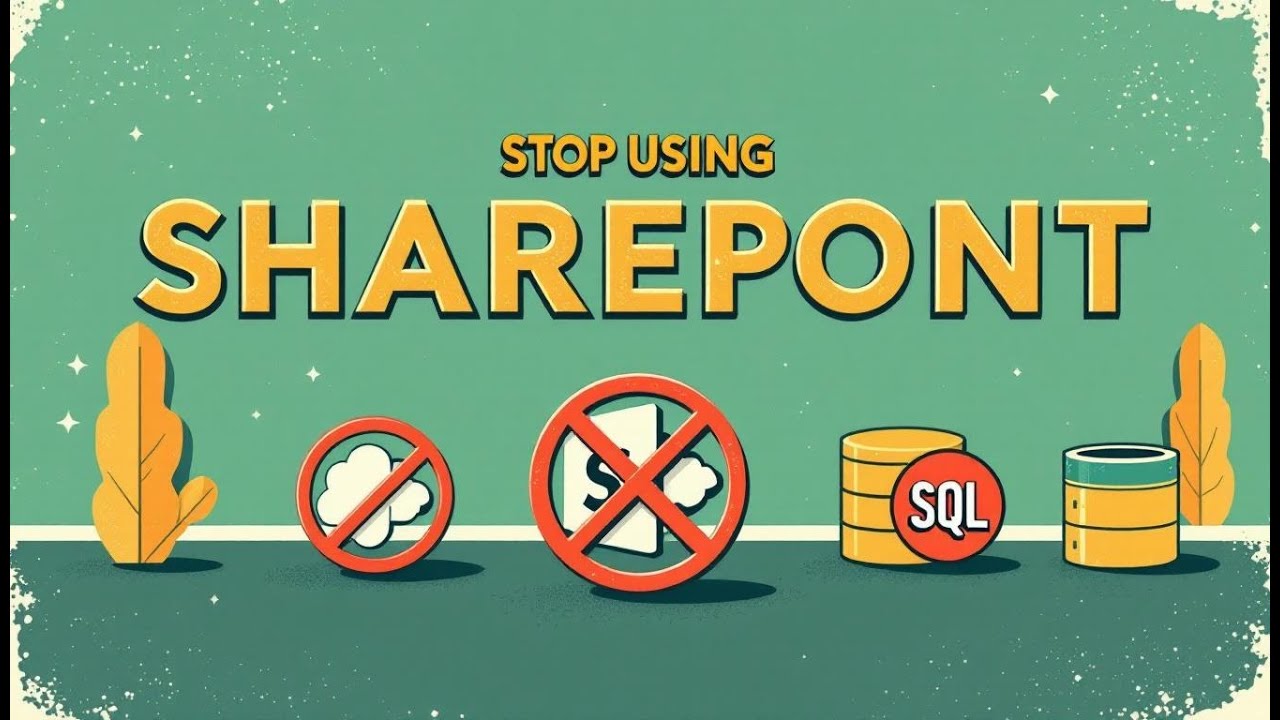
In this episode of the M365 Show, we unpack the most common Power Apps mistake in the Microsoft 365 ecosystem: assuming SharePoint is a “free database.” We break down why SharePoint lists look like a database, but architecturally behave like a file-centric collaboration layer—not a transactional data engine. From delegation limits to the infamous 2,000-record wall, we explain how apps built on SharePoint scale beautifully for a month… then collapse under load, concurrency, throttling and lookup chains. If you’ve ever heard “we’ll just use SharePoint for now,” this episode will save future performance pain. Learn what a real database is, how Dataverse and SQL handle indexing + relationships correctly, and why treating SharePoint like SQL is the fastest way to kill a Power App.






SharePoint is not a database solution. Many people mistakenly believe that SharePoint can serve as a full-fledged database, often fueled by the hype surrounding Power Apps integration. However, you must recognize that while SharePoint stores data, it lacks the essential features of a true database. Understanding these limitations is crucial before you choose SharePoint for data storage. Here are five key reasons to consider when evaluating SharePoint's capabilities.
Key Takeaways
- SharePoint is primarily a content management system, not a database. Use it for document management and collaboration.
- SharePoint lists have a 5,000 item limit for performance. Avoid using them for large datasets to prevent slowdowns.
- SharePoint lacks true relational support. It cannot enforce data integrity like traditional databases.
- Querying capabilities in SharePoint are basic. For complex data analysis, consider using a dedicated database.
- Integration with other systems can be challenging. Manual data handling may lead to errors and inefficiencies.
- Performance issues arise as data volume increases. Be cautious when using SharePoint for large-scale operations.
- Explore alternatives like SQL Server or LumApps for better performance and relational support.
- Evaluate your data needs carefully. Use SharePoint for collaboration, but choose a database for complex data management.
SharePoint Is Not a Database
SharePoint is not a database. It primarily serves as a content management system (CMS). This means its main purpose revolves around managing documents and facilitating collaboration among users. While you can store data in SharePoint, this does not equate to it functioning as a database.
Here are some key points to consider about SharePoint's role as a CMS:
- SharePoint integrates well with Microsoft Office products, enhancing internal collaboration.
- It provides version control and workflow capabilities, making it suitable for file sharing.
- However, its flexibility as a comprehensive CMS is limited compared to specialized platforms.
Unlike a traditional database, SharePoint lacks the structured approach necessary for complex data management. A full-featured CMS offers structured content management capabilities, including workflow initiation and metadata management. SharePoint tracks basic document interactions but does not provide the depth of tracking functional activities related to documents that a dedicated CMS offers.
To further illustrate the differences, consider how data storage in SharePoint compares to a relational database like SQL Server. The following table highlights these distinctions:
| Feature | SharePoint | SQL Server |
|---|---|---|
| Structure | Lists and columns | Tables and columns |
| Primary Key | Auto-increment ID column | Defined primary key |
| Foreign Key | Lookup columns | Foreign key constraints |
| Data Types | Various field types | Defined data types |
| Query Language | CAML | SQL |
| Event Handling | Event receivers | Triggers |
| Management Tool | SharePoint Manager | SQL Server Management Studio |
As you can see, SharePoint's structure and capabilities differ significantly from those of a relational database. While it may seem convenient to use SharePoint as a database, doing so can lead to performance issues and limitations.
Data Structure Issues

SharePoint List Limitations
When you use SharePoint lists to store data, you face several important limitations. Although SharePoint lists can hold up to 30 million items, you will notice performance problems once your list grows beyond 5,000 items. This limit, called the list view threshold, restricts how many items you can query or display at one time. If your query returns more than 5,000 items, it will fail or slow down drastically. This makes SharePoint lists unsuitable for handling large datasets efficiently.
Additionally, each SharePoint list can have up to 276 columns. While this might seem like a lot, it still limits how much detail you can store in one list. Complex data often requires many fields, and hitting this column limit forces you to split data across multiple lists. This splitting complicates data management and reduces performance.
You should also consider that SharePoint lists do not handle complex queries well. When you try to filter or sort large lists, the system struggles, unlike a full-fledged database designed to optimize these operations. Backup and restore processes for large lists also take longer and are less reliable compared to databases like SQL Server or MySQL.
If you build apps with Power Apps using SharePoint lists as the backend, these limitations become even more apparent. Your app may work fine with small data sets but will slow down or fail as data grows. This is why SharePoint lists are not a substitute for a full-fledged database when your data needs grow.
Lack of Relational Support
A full-fledged database supports relationships between tables, allowing you to connect data logically and enforce data integrity. SharePoint lists, however, offer only basic lookup columns to link data. These lookups do not enforce referential integrity or support complex relational queries.
Without true relational support, you cannot easily model many-to-many relationships or perform joins across multiple lists. This limitation forces you to duplicate data or rely on complex workarounds, which increase the risk of errors and data inconsistency.
Databases like SQL Server use foreign keys and constraints to maintain relationships and ensure data accuracy. SharePoint lists lack these features, so you must manage relationships manually. This manual management adds overhead and increases the chance of mistakes.
When you use SharePoint lists as a backend for Power Apps, the lack of relational support limits your app’s functionality. You cannot build complex data models or enforce business rules effectively. This makes SharePoint lists a poor choice for applications that require robust data relationships.
Performance Challenges

Scaling Issues with SharePoint
SharePoint faces significant scaling challenges as your data volume increases. When you store large amounts of data, performance can degrade rapidly. For instance, SharePoint has a 5,000 item limit in document libraries. Exceeding this limit can lead to contention issues, causing delays in accessing libraries and hindering essential operations like copying or moving files.
The following table summarizes how various factors impact SharePoint's performance:
| Factor | Impact on Performance |
|---|---|
| Database Size | Increased latency and contention |
| IOPS Requirements | Higher demands lead to performance degradation |
| Operational Limits | Exceeding thresholds causes delays |
As the number of users grows, you will notice that activities like fetching user data and rendering membership take longer. The more users you have, the more time it takes for SharePoint to validate permissions. This can lead to frustrating delays, especially in collaborative environments.
Delegation Limits and Throttling
SharePoint imposes delegation limits that restrict how many records you can process at once. For example, when using Power Apps, you can only handle a limited number of records—typically 500 or 2,000—when a query is nondelegable. This limitation can lead to incomplete results, especially if your data source contains more records than the limit allows.
Throttling is another performance challenge in SharePoint. It acts as a protective mechanism but can slow down searches and lead to unpredictable performance. The following table illustrates the impact of throttling:
| Impact of Throttling | Description |
|---|---|
| Reliability | Increased chances of query failures |
| Speed | Slower performance when processing large datasets |
Throttling complicates planning and execution. You must account for potential delays and communicate these uncertainties to stakeholders. As your data grows, the unpredictability of throttling can hinder your ability to retrieve data efficiently.
Querying Limitations
Basic Query Capabilities
SharePoint's querying capabilities are quite basic, which limits your ability to analyze and report data effectively. You may find that while SharePoint can store data, it does not provide the depth needed for comprehensive analysis. Here are some key limitations you should be aware of:
| Limitation | Description |
|---|---|
| High-Level Insights | SharePoint provides only basic insights, lacking depth for comprehensive analysis. |
| Limited Historical Data | You can only access data for a short period (e.g., 90 days), restricting trend analysis. |
| Scattered Data | Data is dispersed across various surfaces, complicating effective compilation and analysis. |
| Lack of User Segmentation | You cannot segment data by attributes like location or department, limiting targeted insights. |
| No Goal Tracking | The absence of features to track specific goals or conversions hinders performance measurement. |
| Need for Additional Tools | Many desired features require external tools or custom solutions, increasing complexity. |
These limitations can hinder your ability to derive meaningful insights from your data. If you rely on SharePoint for reporting, you may need to invest in additional tools to fill these gaps.
No Advanced Query Support
The lack of advanced query support in SharePoint further complicates your ability to perform complex data operations. Here are some specific limitations and their impacts:
| SharePoint Limitation | Impact on Complex Data Operations |
|---|---|
| 5,000-item list view threshold | Limits dataset size and causes performance degradation, requiring extra configuration to avoid throttling, which hampers handling large or complex datasets. |
| No enforcement of referential integrity | Leads to inconsistent data across related entities, making it difficult to maintain data accuracy and build reliable complex data models. |
| Infrastructure not optimized for high query/transaction loads | Results in slow query performance and system slowdowns, restricting scalability and responsiveness needed for complex operations. |
| Limited support for complex data relationships and workflows | Prevents building sophisticated workflows or scalable data models, constraining your ability to streamline and scale data strategies. |
| Inconsistent and incomplete search functionality | Makes finding specific content difficult, further complicating complex data retrieval and operations. |
| Need for custom coding or third-party tools | Adds complexity and cost, increasing reliance on specialized support and reducing efficiency. |
These factors can significantly impact your data management strategies. If you plan to use SharePoint as a backend for applications like Power Apps, be prepared for these challenges. The limitations in querying capabilities can lead to inefficiencies and frustration as your data needs grow.
Integration Difficulties
SharePoint as a Data Source
Using SharePoint as a data source presents several challenges. Many organizations struggle with integrating SharePoint into their existing systems for data storage and retrieval. Here are some common issues you might face:
| Challenge | Description |
|---|---|
| Manual Data Handling | Employees must input data manually into different systems, leading to errors and inefficiencies. |
| Low Productivity | Switching between systems disrupts focus, reducing work efficiency and output. |
| Security Risks | Manual sharing of information increases vulnerabilities, risking unauthorized data access. |
| Delayed Decision-making | Scattered data makes it hard for leaders to access current information, delaying important decisions. |
| Legacy System Compatibility | Older systems may not integrate well with SharePoint, requiring custom solutions. |
| High Data Volumes | Large-scale operations generate massive data, complicating synchronization and causing performance issues. |
| Performance Bottlenecks | Slowdowns in one component can affect overall system performance, leading to delays in operations. |
These challenges highlight that while SharePoint offers user-friendly interfaces, it lacks the advanced querying capabilities and performance optimization features found in traditional databases. SharePoint has poor scalability and performance when handling large data sets. It has a limit of 30 million items per list and 5,000 items per view. Exceeding these limits can cause errors, timeouts, and slow loading times.
Alternatives for Better Performance
If you find SharePoint's limitations too restrictive, consider exploring alternatives that offer better performance and integration capabilities. For instance, LumApps serves as an Employee Experience Platform (EXP) that enhances internal communication and engagement. Its modern interface and personalized newsfeeds drive employee engagement more effectively than SharePoint's traditional structure.
Another strong alternative is Unily, which targets large enterprises looking to modernize their digital workplace. It provides a secure and customizable environment that integrates seamlessly with Microsoft 365, Azure Active Directory, and Teams. This adaptability showcases its performance in data integration, making it a compelling choice for organizations seeking robust solutions.
Additionally, LumApps emphasizes a mobile-first experience, enhancing information adoption and employee connectivity. This advantage over SharePoint's more rigid intranet structure can significantly improve user engagement and data accessibility.
By considering these alternatives, you can ensure that your organization has the right tools to manage data effectively and efficiently.
You should remember these five reasons why SharePoint is not a database solution: it lacks true relational support, suffers from performance and scaling issues, offers limited querying capabilities, faces integration challenges, and is designed primarily for collaboration and document management.
| Feature | SharePoint Capability | Traditional Database Solutions |
|---|---|---|
| Append-Only Storage | Ensures files cannot be changed after saving | Varies by implementation |
| Versioning | Retains multiple versions, configurable | Often less flexible |
| Metadata Resilience | Critical for user content access | Depends on database design |
| Point in Time Restore | Allows recovery within last 30 days | Varies, often limited |
Experts recommend you use SharePoint for secure document storage with proper permissions but rely on traditional databases for complex data relationships and large volumes. You should establish strong data governance, enforce permissions carefully, and choose solutions that fit your data needs. Making informed technology choices now helps you avoid costly issues later.
Tip: Always evaluate your data complexity and growth before deciding. SharePoint excels at collaboration but not at managing transactional or relational data.
FAQ
What makes a true database different from SharePoint?
A true database supports complex relationships, enforces data integrity, and handles large volumes efficiently. SharePoint stores data but lacks these core database features, making it unsuitable for complex data management.
Can I use SharePoint lists for small database needs?
Yes, SharePoint lists work for simple, small datasets. However, as your data grows, you will face performance and querying limits that databases handle better.
Why does SharePoint slow down with more than 5,000 items?
SharePoint has a list view threshold of 5,000 items to protect performance. Queries beyond this limit slow down or fail, unlike databases designed to scale with large data.
Does SharePoint support relational data like databases?
No, SharePoint only offers basic lookup columns without enforcing relationships or referential integrity. Databases use keys and constraints to maintain accurate, connected data.
What happens when SharePoint hits delegation limits in Power Apps?
Delegation limits restrict how many records Power Apps can process from SharePoint. This causes incomplete data retrieval and slows app performance, unlike databases that handle large queries efficiently.
Are there better alternatives to SharePoint for database needs?
Yes, databases like SQL Server or Dataverse provide robust relational support, scalability, and advanced querying. These solutions fit complex data needs better than SharePoint.
Can SharePoint handle transactional data like a database?
No, SharePoint lacks transactional support. Databases manage transactions to ensure data consistency during multiple operations, which SharePoint cannot guarantee.
How should I decide between SharePoint and a database?
Assess your data complexity, volume, and relational needs. Use SharePoint for collaboration and document storage. Choose a database when you need reliable, scalable data management.
🚀 Want to be part of m365.fm?
Then stop just listening… and start showing up.
👉 Connect with me on LinkedIn and let’s make something happen:
- 🎙️ Be a podcast guest and share your story
- 🎧 Host your own episode (yes, seriously)
- 💡 Pitch topics the community actually wants to hear
- 🌍 Build your personal brand in the Microsoft 365 space
This isn’t just a podcast — it’s a platform for people who take action.
🔥 Most people wait. The best ones don’t.
👉 Connect with me on LinkedIn and send me a message:
"I want in"
Let’s build something awesome 👊
Opening: The False Comfort of “Free Databases”You’ve heard this phrase before—casually dropped into Microsoft Teams calls with frightening confidence—“Oh, we’ll just use SharePoint as the database for our Power App.”And there it is. The modern cry of the overconfident citizen developer.This, right here, is the problem. People hear “data stored somewhere” and immediately conclude “database.” By that logic, your junk drawer is a supply chain management system.The confusion is forgivable, barely. SharePoint does hold data, and Power Apps can read it. But that does not make it a database any more than Excel becomes a server when you save two worksheets.Average users love the illusion. SharePoint lists look structured. They have columns and rows, fields and filters. And of course—it’s already included in Microsoft 365, so it must be good enough, right?Wrong. You’re about to see why the “free” database sitting in your tenant is a performance time bomb disguised as convenience.By the end, you’ll understand why Power Apps that begin with “just SharePoint” eventually die gasping under their own weight—and why treating it like SQL is the digital equivalent of trusting a filing cabinet to run an engine.Section 1: What a Database Actually IsLet’s reset the definitions before your app implodes. A proper database isn’t just a bucket that holds information. It’s a system built on architecture and logic. It has order, schema, indexing, relationships, and concurrency control—the invisible infrastructure that lets dozens or thousands of users read, write, and query your data without tripping over each other.SQL Server and Dataverse handle this beautifully. Schemas define the blueprint—every column type and constraint serves like support beams in a skyscraper. Indexes act as the elevator shafts that get you exactly where you need, fast. Relationships keep records consistent, ensuring that when one table sneezes, its related tables say “bless you” in perfect synchronization.Now compare that to SharePoint. SharePoint was not designed to manage transactions at scale. Its DNA is collaboration, version history, permissions, and file storage. It’s more like a glorified document librarian than a record-keeping accountant. It’s wonderful at organizing text, attachments, and metadata—but call it a database, and you might as well call your filing cabinet a “data processing engine.”Real databases think in joins, referential integrity, and execution plans. SharePoint thinks in lists, permissions, and column choices written by someone who definitely didn’t study relational theory. It’s a web layer optimized for people, not for queries.Here’s where the Power Apps confusion begins. The app happily connects to SharePoint through an OData connector. You can create forms, galleries, and dashboards. On the surface, everything looks professional. The danger is invisible—until your app grows.I once met a department that proudly built their internal CRM entirely on top of four SharePoint lists. It worked beautifully—for a month. Then came the fifth thousand record. Suddenly the app stuttered, screens froze, and every gallery took half a minute to load. Their users thought the problem was “bad Wi‑Fi.” It wasn’t Wi‑Fi. It was physics. SharePoint was trying to impersonate a relational database.The truth? Power Apps can connect to SharePoint, but that’s all it does—connect. It borrows the data source, but it doesn’t make SharePoint any smarter. There’s no hidden engine under the surface waiting to optimize your queries.Imagine trying to race with a car built from bicycle parts. Sure, it has wheels. It moves. But once you hit highway speeds, bolts start flying. The handlebars—the list structure—were never designed to steer that kind of load.Dataverse, in contrast, is a proper engine. It’s transactional, relational, optimized for delegation, and built for Power Platform from the ground up. It follows database logic, not just storage logic. That’s the difference between structured speed and unstructured sprawl.SharePoint has indexing—but limited. It has lookup columns—but no genuine referential constraints. It allows multiple users—but not graceful concurrency handling. You can write to it, but if three users edit the same record at once, one loses. Usually the intern.Essentially, a database enforces integrity while SharePoint hopes for good behavior. SQL refuses to accept invalid relationships. SharePoint accepts everything, smiles politely, and breaks quietly months later.If this still feels theoretical, don’t worry. Scale will make it painfully real. Because while architecture can be ignored for a while, performance cannot. And as your user base grows, your “database” made from friendly SharePoint lists will groan like a spreadsheet with delusions of grandeur.The next part is where the collapse begins: Microsoft’s shiny number—30 million items—and the cruel joke hiding behind it. Let’s talk about scale, the silent killer of every Power App that mistook convenience for capability.Section 2: The Scale MythMicrosoft loves big numbers. Nothing sells confidence like a glossy documentation page claiming your SharePoint list can hold—wait for it—thirty million items. Sounds impressive, doesn’t it? Thirty million entries! You could store the payroll history of an empire. The problem is that the number is marketing, not math. That limit describes what SharePoint can physically contain, not what it can functionally handle. It’s like saying a washing machine can technically fit ten bowling balls. True. Until you press start.In reality, the moment those lists creep beyond a few thousand records, Power Apps begins its slow descent into misery. Buttons take seconds to respond. Galleries forget how to scroll smoothly. You click “Filter,” and the spinning dots start an existential performance art piece. By ten thousand records, it feels like wading through syrup. Beyond that, you’re practically time‑traveling—all the way back to dial‑up.The core culprit here is a polite little concept called delegation. It’s Power Apps’ way of saying, “I can’t handle that query locally, so I’ll ask the data source to compute it for me.” SharePoint, however, isn’t fluent in that language. Its delegation capabilities are minimal. Translation: anything outside a small set of filter and sort operations is pulled locally. The data comes down the wire, record by record, so your client device ends up doing the heavy lifting a real database engine would have done in milliseconds. You built an enterprise app, and now every user’s laptop is its database server. Congratulations.The infamous 2,000‑item delegation wall isn’t a myth—it’s a design constraint. Unless you use creative (and usually fragile) pagination workarounds, Power Apps simply refuses to process more. You can raise that ceiling a little with clever queries, but eventually the data set expands faster than the platform can pretend nothing’s wrong. Even if you index your columns—the supposed magic trick—things only improve marginally. Like upgrading a rubber band with a thicker rubber band.Microsoft’s documentation hints that indexing can let you manage up to around 25,000 records if you’re “careful.” Translation: it will technically work while producing the user experience of a PowerPoint slideshow transmitted over carrier pigeons. The indexes prevent total collapse but can’t change the fact that SharePoint stores data in what is essentially a flattened web table. Each query becomes a request for a giant JSON blob, parsed piece by piece. SQL or Dataverse, by contrast, sends back neat pre‑processed chunks of matching rows. SharePoint just hands you everything and says, “Good luck sorting it.”Every extra thousand records adds latency. It’s not linear—it’s exponential. One thousand rows? Acceptable. Ten thousand? Noticeable lag. Twenty thousand? Every gallery becomes a meditation exercise. Users start clicking twice, thinking their devices froze, which of course triggers double updates and conflicting writes. That’s when someone suggests “maybe we should rebuild this in Excel,” and the circle of bad decisions completes itself.Using SharePoint as a back‑end at scale is like powering a data center with AA batteries. Each small operation works, barely. But time and concurrency amplify the load until the whole thing starts coughing. The connectors try to fetch data while maintaining security context, evaluating filters, and managing throttling—all over cloud HTTP calls that multiply faster than your patience decreases. Meanwhile, Dataverse or SQL would be compressing, caching, and delegating queries natively. SharePoint’s response to that level of complexity? A polite shrug followed by a timeout.And don’t forget throttling. Once you exceed certain thresholds in Office 365, SharePoint starts limiting the number of requests per user per minute. It doesn’t warn you nicely—it simply refuses to serve data for a few seconds. Multiply that delay by hundreds of active users, and you’ve turned your business app into a queue simulator. Remember: throttling isn’t failure; it’s SharePoint’s polite way of begging you to stop abusing it.Now, let’s add relationships into the mix. Many creators think scaling problems vanish if they just break lists apart. “We’ll have one for Customers, one for Orders, one for Products, and link them.” Fascinating optimism. Each lookup between those lists triggers its own set of API calls. So, when you open a single record, you’re actually launching dozens of hidden queries. Multiply that by hundreds of users, and your app starts behaving like a chain smoker climbing stairs. Power Apps will valiantly try to batch requests, but latency stacks faster than performance optimizers can patch it.What’s particularly cruel is how invisible the decay feels at first. Everything seems fine—until the day new data pushes you past that unseen tipping point. Then screens freeze. Connections fail silently. Eventually, developers start layer
Become a supporter of this podcast: https://www.spreaker.com/podcast/m365-show-podcast--6704921/support.
Follow us on:
LInkedIn
Substack
WEBVTT
1
00:00:00.080 --> 00:00:03.120

Founder of m365.fm, m365.show and m365con.net
Mirko Peters is a Microsoft 365 expert, content creator, and founder of m365.fm, a platform dedicated to sharing practical insights on modern workplace technologies. His work focuses on Microsoft 365 governance, security, collaboration, and real-world implementation strategies.
Through his podcast and written content, Mirko provides hands-on guidance for IT professionals, architects, and business leaders navigating the complexities of Microsoft 365. He is known for translating complex topics into clear, actionable advice, often highlighting common mistakes and overlooked risks in real-world environments.
With a strong emphasis on community contribution and knowledge sharing, Mirko is actively building a platform that connects experts, shares experiences, and helps organizations get the most out of their Microsoft 365 investments.
