 EN
EN Deutsch
 Español
 Français
 Italiano
 Português
 Nederlands
 Polski
 Bahasa Indonesia
 Русский
 Українська
 العربية
 עברית
עברית हिन्दी
 日本語
日本語 한국어
한국어2026-07-14 · Season 3
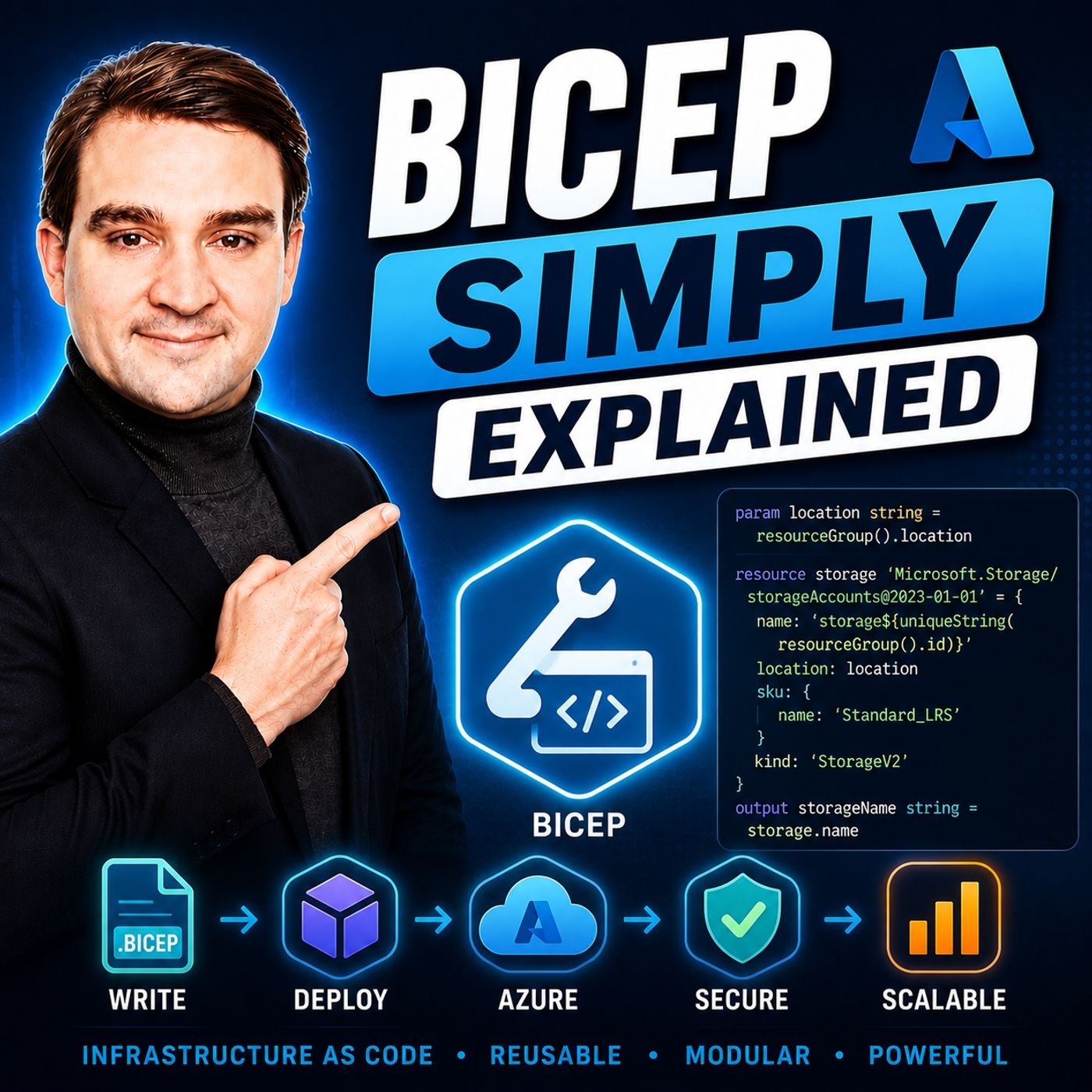
Bicep - Simply Explained
Show notes
Deploying Azure resources through the Azure Portal is great for learning, but it quickly becomes difficult to repeat, document, and automate. That's where Bicep comes in. In this episode, we explain Microsoft's Infrastructure as Code language in plain English, showing how Bicep simplifies Azure deployments while providing consistency, automation, and version control. Whether you're an Azure administrator, cloud engineer, developer, or just starting your Infrastructure as Code journey, this episode will help you understand why Microsoft recommends Bicep as the future of Azure deployments. WHY MANUAL DEPLOYMENTS DON'T SCALE Creating Azure resources by clicking through the portal may seem fast, but it introduces inconsistency, human error, and poor documentation. Every manual deployment risks configuration drift, forgotten settings, and environments that no longer match each other. As organizations grow, these challenges become increasingly difficult to manage. Bicep solves this by replacing manual configuration with reusable deployment files that can be reviewed, version-controlled, and executed repeatedly with identical results. UNDERSTANDING INFRASTRUCTURE AS CODE Infrastructure as Code (IaC) is the practice of managing cloud infrastructure through source code instead of manual administration. Rather than describing deployment steps one by one, Bicep follows a declarative approach where you simply describe the desired end state. Azure Resource Manager determines how to provision resources while automatically handling deployment order and dependencies. This approach creates predictable, repeatable deployments that become the single source of truth for your cloud infrastructure. WHY MICROSOFT CREATED BICEP Before Bicep, Azure deployments relied primarily on ARM Templates written in JSON. While ARM remains extremely powerful, JSON templates can become lengthy, difficult to read, and challenging to maintain. Bicep was created to solve these problems without replacing Azure Resource Manager itself. Instead, Bicep compiles directly into ARM Templates behind the scenes, giving administrators the same deployment engine while dramatically improving readability, maintainability, and developer productivity. WHAT MAKES BICEP DIFFERENT? Bicep introduces a clean, domain-specific language designed specifically for Azure deployments. It removes unnecessary JSON syntax, automatically detects resource dependencies, supports reusable modules, simplifies parameter handling, and offers powerful tooling through Visual Studio Code. Features such as IntelliSense, syntax validation, real-time error detection, and string interpolation make writing Azure infrastructure significantly easier while reducing common deployment mistakes. BICEP VS ARM TEMPLATES Although both technologies ultimately deploy resources through Azure Resource Manager, the authoring experience is very different. Bicep files are significantly smaller, easier to understand, and require far less boilerplate code than equivalent ARM Templates. Automatic dependency inference removes the need for manually managing deployment order, while modular design encourages reusable infrastructure components that can be shared across multiple projects and teams. Microsoft now recommends Bicep as the preferred language for all new Azure Infrastructure as Code projects. BICEP VS TERRAFORM Bicep and Terraform both implement Infrastructure as Code but serve different purposes. Terraform excels in multi-cloud environments where Azure, AWS, and Google Cloud are managed together. Bicep focuses exclusively on Azure, offering immediate support for new Azure features, seamless Azure Resource Manager integration, and no external state file to maintain. For organizations building primarily on Microsoft Azure, Bicep often provides the simplest and most integrated deployment experience. GETTING STARTED WITH BICEP Starting with Bicep requires only Azure CLI and the official Microsoft Bicep extension for Visual Studio Code. Developers can create a simple .bicep file, deploy resources directly through Azure CLI or Visual Studio Code, and immediately begin managing Azure infrastructure using source-controlled deployment files. Because Bicep integrates naturally with GitHub Actions, Azure DevOps, and CI/CD pipelines, it becomes easy to automate deployments while maintaining consistent environments throughout the software development lifecycle. THE POWER OF IDEMPOTENT DEPLOYMENTS One of Bicep's greatest advantages is idempotency. Running the same deployment once, twice, or even one hundred times always produces the same desired infrastructure state. Existing resources remain unchanged unless the deployment file has been modified, eliminating duplicate resources and dramatically reducing configuration drift. Instead of relying on memory, documentation, or manual procedures, the Bicep file itself becomes the authoritative definition of your Azure environment. KEY TAKEAWAYS Bicep is Microsoft's modern Infrastructure as Code language for Azure. By simplifying ARM Template authoring while retaining the full power of Azure Resource Manager, Bicep enables organizations to automate deployments, improve collaboration, reduce human error, and manage cloud infrastructure through version-controlled source code. Whether you're deploying a single resource group or an enterprise-scale landing zone, Bicep provides a clean, maintainable, and future-ready foundation for Azure automation. Become a supporter of this podcast: https://www.spreaker.com/podcast/m365-fm-microsoft-365-azure-cloud-power-platform-ai--6704921/support.
Apple Podcasts · Spotify · YouTube · YouTube Music · Deezer
Host: Mirko Peters
Related articles
Transcript
Read the full transcript
Welcome to another episode of Microsoft Knowledge Nuggets here on M365. FM, I'm your host, Mirko Peters. You've been deploying Azure resources by clicking around in the portal. It works fine until it doesn't, then you need to do it again, but you can't remember exactly what you picked. You need to hand it off to a teammate and they can't follow your steps. Version control, there's nothing to commit. That's the problem we're going to solve today. By the end of this episode, you'll understand what infrastructure as code is, why Bicep exists, and how it makes Azure deployments simpler and more reliable. We'll start with the problem, then the solution, then a practical example you can follow. Grab your coffee and let's dive in. The portal problem, the click to deploy trap feels fast. You log in, fill out a form, hit create and you're done. But what happens when you need to do it again with the same settings, region and naming convention? You have to remember every single thing you picked and that's where things fall apart. Manual deployment means inconsistent results, human error, and no audit trail. Here's a real world example. Someone on your team creates a resource with slightly different settings. Now you have two environments that don't match. One works, the other doesn't, and good luck figuring out why. Then there's the documentation problem. Infrastructure as a Word document or worse, a YouTube video recorded six months ago when the portal looked completely different. Features move, menus change, new options appear. I sat down with a product manager from the Azure portal team and he said they released new features twice a day. Twice a day. Your Word document is outdated before you finish writing it. Here's the thing, clicking around works for learning. It fails for production. So what's the alternative? You write a file that describes what you want, then you tell Azure to build it. What is infrastructure as code? Infrastructure as code means managing your cloud setup with code instead of clicking through a web portal. Here's the core idea. You write a file that describes your infrastructure, that file lives in your repository, and you can version control it, review it in a pull request, and run it again tomorrow to get the same result. There's a key term here, declarative. That means you describe what you want, not how to build it. You don't tell Azure first create a resource group, then add a storage account, then configure networking. Instead you say, I want a resource group with a storage account and networking configured this way, and Azure figures out the order. The result is something called idempotency. Run it once, run it a hundred times, and you get the same result. That's the power. Think of it like a blueprint versus building by hand. A blueprint is repeatable, shareable, and reviewable. Hand it to someone else and they'll build the exact same thing. Now several tools do this. Arm templates, bicep, terraform, poloomi. They all implement the same concept in different ways. That's an important distinction. Infrastructure as code is the concept. Bicep is just one tool that implements it. But here's the thing. Azure has had an IAC language for years called arm templates. And there's a reason Microsoft built a new one. The arm template problem. Arm templates are the original Azure IAC format. They're JSON files, and they have a lot going for them. Full coverage of every Azure resource, and the same deployment engine as your users internally. If you can create it in the portal, you can define it in an arm template. So what's the problem? JSON is great for machines, but terrible for humans. Let me show you what I mean. A storage account in an arm template takes about 20 lines of code. The same storage account in bicep, about 10 lines. The JSON version is roughly twice the size. And that's just a simple resource. Imagine a full deployment with networking, compute, databases, and security rules. The arm template becomes a wall of text. The common pain points are predictable. Missing commas, mismatched brackets for both nesting that makes it hard to tell where one resource ends and another begins. You spend more time wrestling with JSON syntax than actually defining your infrastructure. And then there's dependencies. In ARM, you have to manually declare depends on. If resource A needs resource B to exist first, you have to write that out explicitly, miss one, and your deployment fails. Good luck figuring out which one you missed. If you've ever tried to write a 200 line JSON file by hand, it's not fun, not even a little bit. The learning curve is steep. New team members struggle to understand arm templates. The barrier to entry is high. And what happens in practice? Many teams end up with one person who knows the arm template. That person becomes a single point of failure. They're the only one who can modify the deployment and the only one who can debug it when something breaks. That's not sustainable. Microsoft heard the feedback. So they built bicep to fix exactly these problems. What is bicep? So what exactly is bicep? It's a language designed for deploying Azure resources and at its core, it's a transpiler. You write bicep and it compiles down to arm JSON. Same engine underneath, but a much cleaner way to write. And the name bicep is actually arms-beld backwards, bicep arm. A little inside joke from Microsoft. But once you see it in action, it makes sense. bicep sits on top of arm instead of replacing it. You get the same power with a simpler syntax. bicep doesn't replace arm. It builds on top of it. Everything you can do with arm, you can do with bicep. Every resource type, every API version, every configuration option is all there. The only difference is how you write it. The syntax is much cleaner. No quotes around property names, no comments between properties, no brackets to track. It's just simpler. Compare the two versions side by side. The arm JSON version of a storage account is full of noise, quotes, commas, brackets, nesting. The bicep version has the same information, but it's readable. You can look at it and immediately understand what it's doing without having to pass through layers of JSON syntax. One big improvement is automatic dependency inference. In arm, you have to manually declare depends on. But in bicep, if resource a references resource b, the system figures out the dependency automatically. You don't need to write it out. It just works. And that alone saves hours of debugging. Modules are another big piece. You can break your infrastructure into smaller, reusable pieces and share them across projects. One team builds a networking module, and another team uses it. No need to reinvent the wheel every time. Parameters and variables let you define your inputs once and reuse them everywhere. No more searching and replacing hard-coded values. And string interpolation means you can write prefix storage instead of complex concatenation functions. The tooling is another reason bicep is so nice to work with. The VS code extension gives you Intel eSense, syntax highlighting and real-time error checking. Honestly, it's one of the best language extensions in VS code. You start typing and it suggests what comes next. Make a mistake and it tells you immediately. No more waiting for deployment to fail before you find out you missed a comma. So what does this actually look like in practice? Let's look at how bicep differs from arm. Bicep versus arm, what's actually different? Let's talk about what's actually different when you write bicep instead of arm JSON. File size is one obvious difference. Bicep files are roughly half the size of equivalent arm templates. That's not an exaggeration. You remove all the quotes, commas, brackets and boilerplate and what's left is just the infrastructure definition. Half the code, same result. Readability follows naturally. Few aligns, cleaner structure, and easier to understand at a glance. When you open a bicep file, you can scan it and understand what's being deployed. With arm JSON, you have to pass through layers of nesting before you find the actual resource configuration. Dependencies are a huge time saver. In arm, you manually declare depends on. This one and your deployment fails. In bicep, if resource A references resource B, the system handles it automatically. It adds the dependency when it compiles to arm JSON. You don't think about it, it just works. And that alone saves hours of debugging. Modules are another major difference. Arm had nested templates, but they were painful to work with. Separate files, complex linking, hard to version. Bicep has modules which are cleaner, versionable and reusable. You define a module once, publish it to a registry and reference it from anywhere. Same module, same configuration every time. The deployment process itself is identical. Bicep compiles to arm JSON, then Azure resource manager deploys it, same engine, same pipeline. You don't need to change your deployment process, you just change how you write the templates. What if is a feature that arm technically has, but bicep makes it much more accessible? You can preview changes before deploying and see exactly what will be created, modified or deleted. No surprises, no accidental deletions. You run what if, review the output, and if it looks right, you deploy. The learning curve is one area where bicep stands out. Arm JSON assumes you know what you're doing. It's designed for machines, not humans. Bicep is designed for beginners. Intuitive syntax tooling that guides you. You can learn it in an afternoon and be productive by the end of the week. Microsoft has made bicep the recommended authoring experience all new features and improvements target bicep first. Arm templates still work and they're not going away, but you probably shouldn't be writing new ones. If you're starting a new project today, bicep is the way to go. Three lines of bicep to deploy a resource group. Just three lines. The equivalent arm JSON is about 15 lines. Same result, same deployment, but one is readable and the other is noise. Now, you might be wondering, what about terraform? Should I learn bicep or terraform? Bicep versus terraform, which one should you use? Welcome back to Microsoft Knowledge Nuggets. I'm Möko Peters and today we're tackling a question that keeps coming up. Bicep or terraform? Let's break it down. Terraform works across multiple clouds. You can use it for Azure, AWS, GCP, or even all three at once. Bicep on the other hand is built for Azure and nothing else. That core difference affects everything else. Now, if you're working across multiple clouds, terraform is the way to go. You learn one language, one tool, one workflow, and it works everywhere. But if you're primarily Azure, bicep has some real advantages. Here's the first one. No state file to manage. Terraform keeps a state file that tracks what it deploys and that file is critical. If it gets corrupted or out of sync, you have a serious problem. You have to store it securely, back it up, and manage access. Bicep talks directly to Azure Resource Manager, checking what's already there and figuring out the differences. No state file means no sync issues and no risk of corruption. Second advantage, day zero support. When Microsoft releases a new Azure feature, bicep supports it immediately, same day. Terraform has to wait for a provider update, which is sometimes fast, sometimes takes weeks. If you need to use a new feature right away, bicep is the only option. Third, it's built by the Azure team, the tooling, the IntelliSense, the error messages, all designed around how Azure actually works. When you write bicep, you're using a language that understands Azure resources natively. It knows what properties are required, what values are valid, and what dependencies exist. That deep integration is hard to replicate with a third-party tool. You can also use both. Many organizations use bicep for platform and landing zones and Terraform for multi-cloud workloads. They're not mutually exclusive. You can pick the right tool for each job. The honest answer is this, for learning Azure specifically, bicep has fewer moving parts. It's a simpler path when you're starting out. You don't need to learn about state files, providers, or back-and-configuration. You install Azure CLI, OpenVS code, and start writing. Enough theory. Let's talk about what you actually need to get started. Getting started. What you actually need. You need two things to get started. Azure CLI and the bicep extension for vs code, that's it. No separate bicep CLI to install. No extra tools to configure. Azure CLI comes with bicep built-in. Installing Azure CLI is pretty simple. Go to Microsoft Docs. Find the install page for your operating system. If you're on Mac, it's one command, brew install as your client. On Windows, there's an MSI installer, download it, run it, done. It also works on Linux through your package manager. Once it's installed, run AZ version to confirm everything's working. You should see both the Azure CLI version and the bicep version listed. Now OpenVS code, go to the extensions panel on the left side and search for bicep. Install the one from Microsoft. Not a third party one, the official one. You really need this extension. It gives you IntelliSense that suggests resource properties as you type, highlight syntax, so you can spot errors at a glance, and checks for mistakes in real time. You'll see red squiggly lines under anything that's wrong before you even try to deploy. Honestly, it's one of the best language extensions in VS code and a big part of why bicep is so pleasant to work with. Now create a new file and name it main. Bicep, that bicep extension, tells VS code to activate the extension. Without it, you're just writing plain text. With it, you get the full tooling experience. Here's a quick example. A resource group deployment in three lines of code. First, you set the target scope to subscription, then you define the resource, a resource group with a name and a location. That's it, three lines. Compare that to the ARM JSON equivalent, which is about 15 lines of brackets and quotes. To deploy it, you use the Azure CLI. Because you're deploying at the subscription scope, the command is AZ deployment subcreate. You pass in a location for the deployment metadata and point it to your bicep file. That's the command line way, but there's also a guided experience. In VS code, right-click the bicep file and select deploy bicep file. It walks you through the whole process. It asks for a deployment name, asks you to select your subscription, asks you to create or select a resource group, and asks if you have a parameter file. You say no and it deploys. The result appears in you as your portal. Same is clicking around in the portal, but now you have a file you can reuse. You can commit it to your repository, share it with your team, and run it again tomorrow. And here's the magic part. Run the same deployment again and watch what happens. The power of identity. Here's the thing about running deployments. You want to be able to run them over and over without breaking anything. That's exactly what identity gives you. The first time you run the bicep file, it creates the resource group, but the second time you run it, nothing happens. No error, no duplicate, nothing. bicep checks what's already in Azure, compares it to what you asked for, and says there's nothing to change. It didn't try to create a new resource group, and it didn't error out saying one already exists. It just confirmed that the current state matches the desired state. Think of it like running GitStaters on a clean repository. There's nothing to do. Everything is already exactly how it should be. This is the power of infrastructure as code. You can run your deployment over and over and end up with the same result every single time. No surprises, no drift. You know exactly what's deployed because the file says so. The file becomes your single source of truth. You never have to wonder if you remember the setting or deal with the, it works on my machine problem or hunt through the Azure portal to check if someone changed something. The file tells you what's there. If you want to change something, you change the file and redeploy. If you want to verify, you run the deployment again and it confirms everything matches. That's how you build confidence in your infrastructure. The file is the source of truth. Not your memory, not a word document, not a YouTube video from six months ago. The file. So where does bicep fit into the bigger picture of Azure? The big picture. Where bicep fits. bicep lives inside the Azure Resource Manager ecosystem. It's not a separate tool. Many people think it is, but it's actually just a better way to write arm templates. Under the hood, it's still arm. The same deployment engine, the same API, the same everything. The only difference is how you write it. And because bicep compiles to arm, everything that works with arm works with bicep. Azure Policy enforces compliance on your deployments. RBAC controls who can deploy what? Cost management track spending on your resources, Azure DevOps and GitHub actions, deploy your bicep files through pipelines. All of it works perfectly because bicep produces standard arm, Jason. You don't lose anything by switching. In fact, you gain clarity. Microsoft has built a whole ecosystem around bicep. Azure Verified Modules or AVM is a curated library of bicep and terraform modules that follow best practices. You don't have to write everything from scratch. You can use pre-built modules for common patterns like virtual networks, storage accounts and app services. They're tested, maintained and aligned with the well-architected framework. The Cloud Adoption Framework includes bicep reference implementations for standardized enterprise architectures. If you're building a landing zone, there's a bicep template for that. Deployment stacks give you life cycle management for groups of resources. You can deploy a stack, and if you remove a resource from your bicep file, the stack can clean it up for you. Or protect it from accidental deletion. You decide. The ecosystem keeps growing with more modules, better tooling and deeper integration with AI and GitHub Copilot. You can describe what you want in plain English and Copilot generates the bicep code for you. Microsoft continues to invest in bicep as the primary authoring experience for Azure. So new features target bicep first. Arm templates still work, but the innovation is happening in bicep. So here's the takeaway. If you're working in a rure, bicep is the natural next step beyond clicking in the portal. You don't have to learn terraform or master arm Jason. You install two things, write a few lines of code and you're deploying infrastructure that's repeatable, version controlled and reliable. Let me leave you with something practical you can do today. So now you know what infrastructure as code is, why bicep exists and how it makes Azure deployments simpler. Here's the main point. Bicep isn't a different deployment system. It's a better way to write the same arm templates you'd write anyway using the same engine and as your resource manager under the hood, just in a language humans can actually read and write. Here's a challenge for you, create a main dot bicep file, deploy a resource group and run the deployment twice. Watch it work both times. The first time it creates the resource and the second time it confirms nothing changed. That's the moment it clicks when you realize you're never going back to clicking around in the portal. This is the foundation. From here you can add storage accounts, virtual networks and app services using the same pattern. Write a file, deploy it, run it again. That file becomes your source of truth and everything else follows from it. If you found this helpful, share it with someone who's still clicking around in the portal. They'll thank you. Subscribe on your favorite podcast platform and in the next episode will take bicep further by deploying real resources with real properties.