 EN
EN Deutsch
 Español
 Français
 Italiano
 Português
 Nederlands
 Polski
 Bahasa Indonesia
 Русский
 Українська
 العربية
 עברית
עברית हिन्दी
 日本語
日本語 한국어
한국어2026-07-16 · Season 3
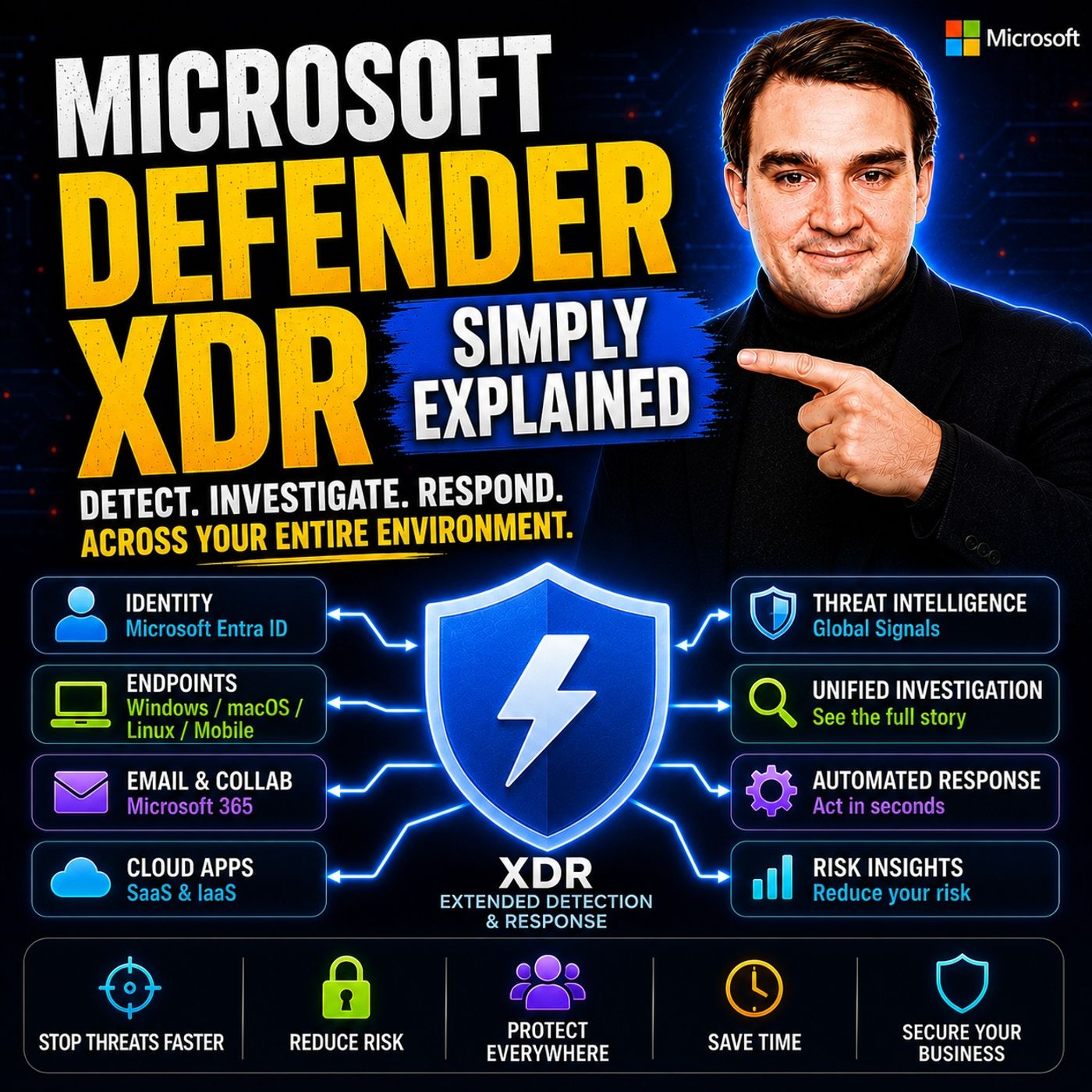
Microsoft Defender XDR - Simply Explained
Show notes
Modern cyberattacks rarely target a single system. An attack might begin with a phishing email, move to a compromised device, steal user credentials, access cloud applications, and finally exfiltrate sensitive business data. Unfortunately, traditional security tools often see these events as completely unrelated incidents, forcing security teams to manually connect the dots across multiple dashboards. In this episode of Microsoft Knowledge Nuggets, we explain Microsoft Defender XDR in simple terms and show how Microsoft's Extended Detection and Response platform brings together endpoint protection, email security, identity protection, cloud application monitoring, and vulnerability management into one intelligent security platform. Instead of investigating isolated alerts, Defender XDR automatically builds the complete attack story, helping organizations detect, investigate, and respond to threats dramatically faster. WHY TRADITIONAL SECURITY TOOLS ARE NO LONGER ENOUGH For many years, organizations purchased separate security products for antivirus, email filtering, identity protection, firewalls, and cloud security. Each solution worked independently, generating its own alerts without understanding what other security systems were seeing. Modern attackers exploit these gaps by moving across multiple environments during a single attack. Microsoft Defender XDR solves this challenge by correlating signals across Microsoft 365, Microsoft Entra ID, endpoints, email, cloud applications, and collaboration platforms. Rather than producing dozens of unrelated alerts, Defender XDR automatically groups connected events into a single incident timeline, allowing administrators to understand the complete attack from initial compromise through attempted lateral movement and data access. THE FIVE CORE COMPONENTS OF MICROSOFT DEFENDER XDR This episode breaks down the five major technologies that power Microsoft Defender XDR. Defender for Endpoint protects Windows, macOS, Linux, and mobile devices by detecting suspicious behavior and automatically isolating compromised systems. Defender for Office 365 secures email, Teams, SharePoint, and OneDrive against phishing attacks, malicious attachments, and unsafe links. Defender for Identity monitors Active Directory and Microsoft Entra ID for credential theft, privilege escalation, and lateral movement. Defender for Cloud Apps provides visibility into SaaS applications, shadow IT, and risky user behavior across cloud services. Finally, Vulnerability Management continuously identifies missing patches, insecure configurations, and exploitable weaknesses so organizations can proactively reduce their attack surface before attackers exploit them. Together, these five security layers create a unified protection platform that is significantly stronger than any individual product operating alone. HOW DEFENDER XDR AUTOMATICALLY STOPS ATTACKS One of Defender XDR's greatest strengths is its ability to automate both investigation and response. When suspicious activity occurs, Defender XDR correlates events from multiple Microsoft security products and creates a single incident containing the full attack timeline. Security teams immediately see how the phishing email, compromised identity, infected endpoint, cloud application activity, and data access are all connected. Automated investigation capabilities can isolate infected devices, revoke user sessions, reset compromised credentials, remove malicious emails from mailboxes, and stop attackers before they spread further across the environment. This dramatically reduces investigation time while allowing security teams to focus on the highest-priority threats instead of manually reviewing hundreds of disconnected alerts every day. THE POWER OF A FULLY INTEGRATED MICROSOFT SECURITY PLATFORM The real value of Microsoft Defender XDR isn't found in any single security product—it's found in their integration. Threat intelligence discovered by Defender for Endpoint immediately strengthens email protection, identity monitoring, cloud security, and automated response across the entire Microsoft ecosystem. Native integration between Microsoft 365, Microsoft Entra ID, Microsoft Defender, Microsoft Sentinel, Microsoft Intune, and Microsoft Purview provides organizations with a unified Zero Trust security architecture that is extremely difficult to achieve using disconnected third-party products. For organizations already using Microsoft 365, Defender XDR provides a centralized security experience that significantly improves visibility while reducing operational complexity. GETTING STARTED WITH MICROSOFT DEFENDER XDR Getting started with Defender XDR often requires less work than many administrators expect because many organizations already own the necessary licensing through Microsoft 365 E5, Microsoft 365 E5 Security, or Business Premium. This episode explains how to verify licensing, enable the unified incident experience, deploy Defender for Endpoint, activate Defender for Office 365 preset security policies, review Vulnerability Management recommendations, and continuously improve your Microsoft Secure Score. Whether you're protecting a small business or a global enterprise, Microsoft Defender XDR provides one of the most comprehensive security platforms available for Microsoft 365 environments. After listening to this episode, you'll understand how Defender XDR transforms disconnected security tools into a unified, intelligent defense platform capable of detecting, investigating, and responding to today's sophisticated cyber threats. Become a supporter of this podcast: https://www.spreaker.com/podcast/m365-fm-microsoft-365-azure-cloud-power-platform-ai--6704921/support.
Apple Podcasts · Spotify · YouTube · YouTube Music · Deezer
Host: Mirko Peters
Guests
Transcript
Read the full transcript
Welcome to another episode of Microsoft Knowledge Nuggets on M365, FM and Mercopedas, and today we're tackling Microsoft Defender XDR. Picture this, you're at your desk on a Tuesday morning, your phone buzzes, security alert. Is it real or is it just noise? Then another alert about a suspicious email, another about an odd sign in from a strange location. Are they connected maybe? Maybe not. That's the problem most businesses face today. Today we'll look at what Defender XDR actually is, why Microsoft built it, and why it matters for any organization using Microsoft 365. Here's the thing about modern attacks. Attackers don't just hit one thing. They move fast, email, devices, identities, they hit them all. Your security tools need to keep up. We'll break down the five building blocks that make up Defender XDR and show you how they snap together into one unified security layer. But first, we need to talk about the problem it solves. The problem, siloed security. 20 years ago security was simple. You bought antivirus for your PCs, a spam filter for email, a firewall for your network, each tool did one job, and they never talked to each other. That was fine back then, because attacks were simpler too. But here's what happens today. An attacker sends a phishing email, someone clicks it, malware lands on a device, the malware steals a password. Now the attacker moves into your cloud apps, your file storage, your customer data, it's one chain of events. But your tools see it as five separate problems. The email filter sees a message, the antivirus sees a file, the identity system sees a login. None of them know they're looking at the same attack. Think of it like a building with three security guards, one at the front door, one in the parking lot, one in the mail room. They never share information. The thief walks in the front door, and the mail room guard has no idea they're coming. That's how most security tools work today. They're in the same building, but they don't talk. So the result, your team gets five alerts instead of one story. They waste time chasing false positives. The real threat hides in the noise, by the time someone connects the dots, the attacker has already won. What you really need is a system that sees across all those domains and says, these alerts are connected. Here's the full picture. Here's what to do. That's exactly what Microsoft Defender XDR is built to do. What is Defender XDR? The umbrella. So let's define what this thing actually is. Microsoft Defender XDR is something called an extended detection and response platform. That's a lot of syllables I get it, but the core idea is dead simple. This system takes signals from all across Microsoft 365, your endpoints, your email, your user accounts, your cloud apps, and stitches them together into one unified view. XDR stands for extended detection and response. And the most important word there is extended, because this isn't just about computers anymore. It covers email, identities, cloud applications, and more. The difference is like watching one security camera versus watching every camera in a building from a single screen. You get the full picture instead of a tiny piece of it. Here's the thing that surprises most people. Defender XDR isn't some brand new product you have to go out and buy. It's more like a unifying layer that sits on top of security tools you might already own. Think of it as the command center I mentioned earlier. The individual Defender products. Defender for endpoint, Defender for Office 365, Defender for Identity, Defender for Cloud Apps, and the vulnerability management tools. Those are like security cameras watching different rooms. Defender XDR is the operator sitting at the main screen, connecting the dots between all of them. So what does it actually do? It automatically collects alerts from all those individual defenders. Then it groups related alerts into something called an incident. So instead of 10 separate alarms that might be related, you get one incident that tells the whole story. The email that started the attack, the device that got infected, the account that got compromised all in one place right in front of you. And this part catches people off guard. You don't buy Defender XDR as a separate line item. It comes included with Microsoft 365 E5 and it's part of the E5 security add-on too. If you have Microsoft 365 Business Premium or E3 with certain add-ons, you may already have access to some of its capabilities without even realizing it. We'll talk more about licensing later, but the takeaway is simple. If you're already paying for Microsoft 365, you might be a lot closer to having this protection than you think. The five components. Let's break down the five pieces that actually make up the system because Defender XDR sounds abstract until you understand what feeds into it. First up, Defender for Endpoint. This one protects devices, Windows, Mac, Linux, even mobile phones. It's the modern version of antivirus, but it goes way beyond that. Instead of just scanning for known bad files, it watches for suspicious behavior. If a program starts acting weird, encrypting files connecting to unknown servers, modifying system settings, Defender for Endpoint flags it. It can investigate automatically and if needed, isolate that device from the network entirely. One click and that machine is cut off from everything. Next is Defender for Office 365. This protects your email and collaboration tools. It's the thing blocking phishing emails, malicious attachments, and unsafe links before they ever hit your inbox. But it also scans teams, messages, sharepoint files, and one drive storage for threats. So if someone shares a dangerous file in a team chat, this catches it. Then we have Defender for Identity. This one watches your identity infrastructure. If you have an on-premises active directory, the system that manages user accounts and passwords inside your office, Defender for Identity monitors it for suspicious activity. It detects credential theft where an attacker steals a password and tries to use it elsewhere. It spots lateral movement where someone hops from one account to another and it flags privilege escalation where a regular user suddenly tries to gain admin rights. These are the exact techniques attackers use once they're inside your network. The fourth piece is Defender for Cloud Apps. This gives you visibility into all the cloud applications your people are using. Both the ones you've approved and the ones you haven't. It discovers shadow it, meaning services your team signed up for without telling it. It detects unusual behavior, like a user downloading thousands of files at 2am, and it can block risky apps or control what data gets shared through them. Last is vulnerability management. This one is actually built into Defender for endpoint, but it deserves its own mention. It continuously scans your devices for missing security patches, weak configurations, and other exposures. Then it hands you a prioritized list of what to fix first. So instead of guessing which updates matter most, it tells you exactly which vulnerabilities are most likely to be exploited. Now here's the key insight. Each of these products existed on their own before Defender XDR came along. Microsoft built them separately over the years and then someone asked a smart question, "What if they all work together?" That's exactly what Defender XDR makes happen. It's the glue that turns five good products into one powerful system. How they work together. Let me walk you through a real scenario so you can see how this plays out. One of your employees gets a fishing email. It looks like it's from their boss, asking them to review a document. Defender for Office 365 might not flag it because the link seems legit. So the employee clicks, types their password on what looks like a real Microsoft login page, and the attacker now has their credentials. Within minutes Defender for Identity spots the same user signing in from a country they've never visited. While Defender for endpoint catches a suspicious process on the laptop, trying to connect to an external server. Now think about what happens without XDR. You get three separate alerts. One from email security, one from identity monitoring, and one from endpoint protection. Each in a different console with a different login. Your security team manually tries to figure out if they're connected. Either way, the attacker keeps moving deeper into your network while they search. With Defender XDR that hold processes automatic. The platform connects the dots. It recognizes that the email, the strange sign in and the odd process are all part of one attack chain. It builds a single incident with a timeline. You open it up and see the full story, the email, the sign in, the device activity, or laid out in order. And it doesn't just tell you what happened. Defender XDR can act too, depending on your settings. It might automatically isolate the compromised device from the network, reset the user's password, or block sign in from that suspicious location. All in minutes, without anyone needing to open a ticket or make a call, think of it like a team of specialists, a firefighter, a paramedic, a police officer, all reporting to one coordinator. The coordinator hears from each one, spots the pattern, and deploys the right response before anyone else even realizes there's a problem. This isn't about convenience. It's about speed. Attackers can lurk inside a network for days before anyone notices. With XDR, that window shrinks to hours or even minutes. And in security, time is the one thing you never get back. What it actually does for you. So what does all this mean for your business? Let's make it real. First up, fewer alerts to chase. When Defender XDR groups related alerts into incidents, your team doesn't see 100 separate alarms every day. They get maybe 10 clear stories each with context, evidence, and a recommended next step. They're working on real threats instead of chasing ghosts. Then there's faster investigations. From the incident view, you see the entire attack as a timeline. Click into any piece, the device, the user account, the email, and get more detail without leaving the screen. Everything you need is right there. No jumping between consoles, no copying and pasting. And maybe the biggest win is automated cleanup. If the threat is clear, Defender XDR handles the remediation on its own. It deletes the malicious email from everyone's inbox, removes the infected file from the device, and even rolls back registry changes the attacker made. Think of it like a self-cleaning security system. You don't send someone in with a mop, the system takes care of the mess. Then there's proactive protection. This is where vulnerability management shines. Instead of just reacting, Defender XDR helps you prevent attacks. It continuously scans your devices for missing patches, weak passwords, and misconfigurations. You get a prioritized list of what to fix first, based on which vulnerabilities are most likely to be exploited. No more guessing, just a clear action plan. And here's something many people overlook. Defender XDR works across platforms. Not just Windows, it covers Mac, Linux, iOS, and Android too. If your business has a mix of devices, you're still protected. Here's a real case. We worked with a partner managing security for a mid-sized company. Before XDR, their incident response time averaged around four hours. After turning it on and configuring automated response rules that dropped to about 20 minutes. The difference wasn't a bigger team or better training. It was the system connecting the dots for them. So that's the practical impact. Fewer alerts, faster investigations, automated cleanup, and proactive prevention. It's not just about having better tools. It's about tools that work together, so your team can focus on what matters most. Connection, the real power is integration. We've covered the five components. But here's the thing, the real value isn't any single one of them. It's how they integrate. When Defender for Endpoint sees a file being downloaded, Defender for Identity detects a password change from an unusual location, and Defender for Cloud Apps notices data being uploaded to a personal storage service. Alone, each is just a data point, a blip on a dashboard. But together, they tell a story. And that story is clear. Someone's account is compromised, and data is leaving your organization. Most people think security means buying the best antivirus or the best email filter. That's what the industry has taught us for decades. But here's the reality. Security isn't about any single product. It's about connecting the dots across everything happening in your environment. Defender XDR connects those dots automatically, so your team doesn't have to stitch everything together by hand. There's a multiplier effect here that's easy to miss. When one Defender component detects something new, that intelligence feeds into all the others. Let me give you a concrete example. Say Defender for Endpoint discovers a new strain of malware on one of your devices. That information doesn't just sit there. Defender for Office 365 immediately starts scanning incoming email for that same malware, and Defender for Identity watches for signs of credential theft. The detection in one place strengthens protection everywhere else. That's a level of coordination you simply cannot build by buying separate tools from different vendors. You'd need a dedicated team just to keep the integrations working. This is why Microsoft can compete with companies like CrowdStrike and Palo Alto in the XDR space. Not because any single Defender component is dramatically better than its competitors equivalent, but because the integration across Microsoft 365 is native. It's built right into the platform. Other vendors can integrate their products too, but it's never as seamless as when everything comes from the same company and shares the same data model. So who benefits most from this? If your business uses Microsoft 365, you already have some of this infrastructure in place. Moving to E5 or adding the E5 security add-on unlocks the full Defender XDR experience. For smaller businesses, Microsoft 365 Business Premium gives you a solid subset of these capabilities. The point is you might not need to buy a whole new security stack. You might just need to turn on what you already have. Take aways, what should you do? Let's wrap this up with three concrete steps you can take starting today. Step one, check your licensing. This is the easiest thing you can do. Go to the Microsoft 365 Admin Center, look at your subscriptions and see what you're paying for. Do you have E5, E3 with the security add-on Business Premium? That tells you what Defender capabilities you already have access to, and you might be surprised at what's included. Step two, if you have the right licensing, enable Defender XDR. It's not always un-by-default. Go to security.microsoft.com, find the settings section, and turn on the unified incident experience. Microsoft's documentation says it takes about 10 minutes. You don't need to configure everything at once. Just turning on the correlation engine starts giving you better visibility immediately. Step three, start with the low-hanging fruit. Deploy Defender for endpoint to all your devices if you haven't already. If you use Intune, this is straightforward. Enable Defender for Office 365 preset security policies. There's a standard policy and a strict policy, and either one blocks the majority of common email threats right out of the box. Then take a look at the vulnerability management dashboard. It'll show you your most critical exposures and tell you exactly what to fix first. One warning here. Don't try to do everything at once. Each component adds protection, but it also adds complexity. Start with one piece, get comfortable with how it works, then add the next. Trying to flip every switch on day one is a recipe for frustration. If you do just one thing, make it the Defender for Office 365 preset policies. Email is still the number one way attackers get into organizations. Blocking those threats at the gateway is the highest leverage move you can make. And once you're up and running, use the Microsoft Secure Score dashboard to track your progress. It gives you a running list of recommended actions and shows you how each one improves your security posture. It's like a to-do list that prioritizes itself. If you're not sure what you have or where to start, reach out to your IT provider or a Microsoft partner. They can audit your licensing. Help you set up the right protections and make sure you're not leaving money or security on the table. So that's what Microsoft Defender XDR is. It's not a single product you buy off the shelf. Instead, it's a unified security layer that connects your existing protections into one intelligent system. The real value comes from how these components work together. They talk to each other, automate responses, and cut down the time attackers have to cause damage. Start with the licensing audit, then enable the basics. You already own more protection than you think. Thanks for listening. If this helped, share it with someone trying to make sense of Microsoft security.