


 Apple Podcasts
 Spotify
 Youtube Music
 Spreaker
 Podchaser
 Amazon Music
 Microsoft Secure Score - Simply Explained
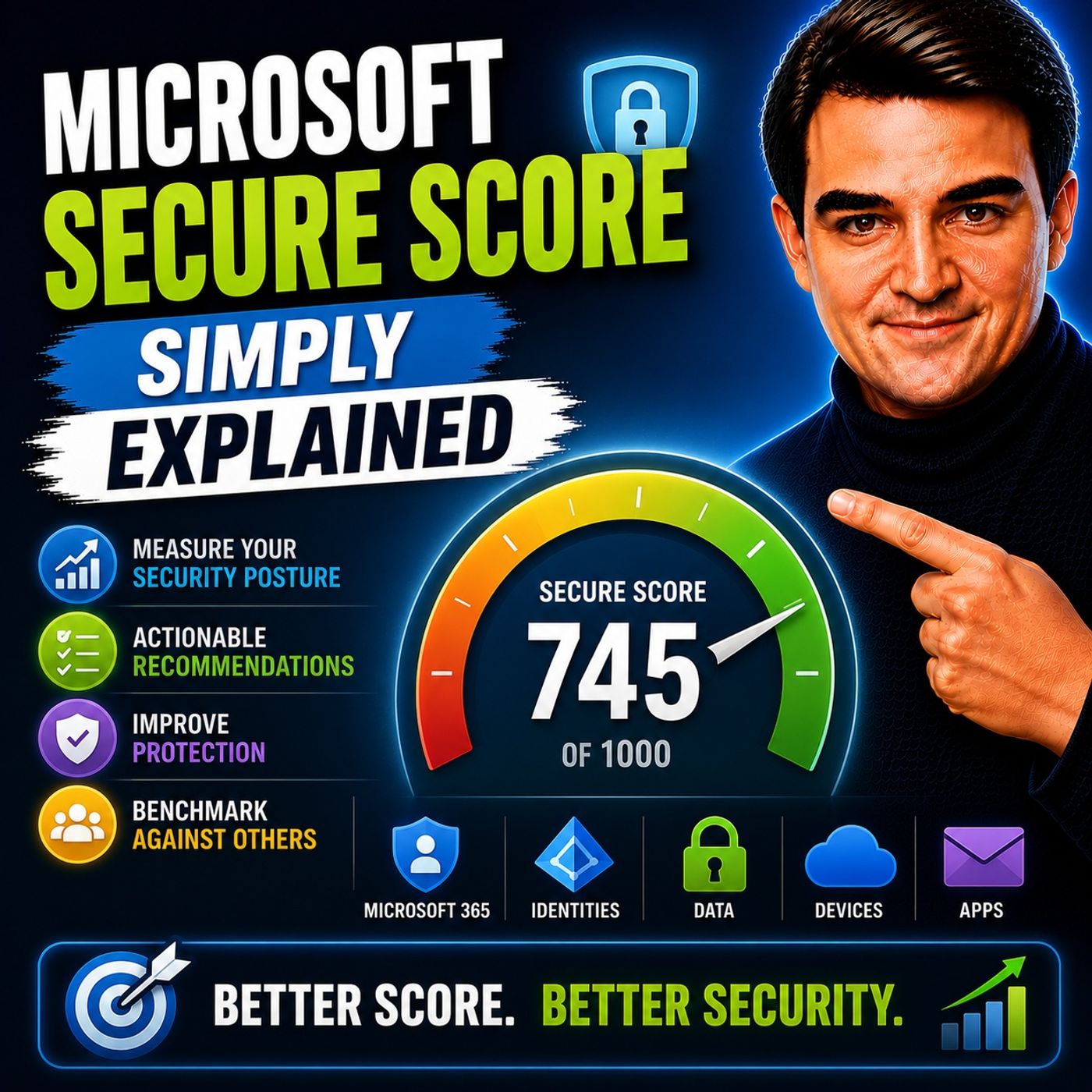
Quick answer: Microsoft Secure Score is covered in this M365 FM episode with a practical focus on what it is, how it works, and the decisions that matter for architecture, adoption, security, governance, or day-to-day operations.
Welcome to another episode of Knowledge Nuggets with Mirko Peters. In this episode, we're exploring Microsoft Secure Score—one of the simplest yet most misunderstood security features in Microsoft 365. Many administrators log into the Microsoft Defender portal, see a percentage like 35% or 50%, and immediately wonder whether their organization is at risk. Others spend months trying to reach a perfect score of 100%, believing that's the ultimate goal. The reality is very different. Secure Score isn't a cybersecurity grade or a guarantee against attacks. Instead, it's a practical roadmap that helps organizations understand how many of Microsoft's recommended security controls have been implemented and where improvements can have the biggest impact.
WHAT IS MICROSOFT SECURE SCORE?
Microsoft Secure Score measures how many recommended security controls are enabled within your Microsoft 365 tenant. It evaluates configuration rather than real-world security effectiveness. Think of it as a checklist rather than a vulnerability scanner. The score answers questions such as:
- Is Multi-Factor Authentication enabled?
- Are security policies configured?
- Are recommended protections implemented?
- Have important security settings been activated?
HOW SECURE SCORE IS CALCULATED
Secure Score follows a simple formula: Points Earned ÷ Total Available Points = Secure Score Organizations earn points in two ways. Binary Controls Some recommendations are either enabled or disabled. For example:
- Multi-Factor Authentication
- Legacy Authentication blocking
- Security Defaults
WHAT IS A GOOD SECURE SCORE?
One of the biggest misconceptions is that every organization should achieve 100%. In reality, Microsoft itself recognizes that this isn't always practical. Reasons include:
- Different licensing levels
- Features not relevant to every organization
- Business requirements
- Legacy systems
- Accepted business risks
THE FOUR PILLARS OF SECURE SCORE
Secure Score organizes recommendations into four primary categories. Identity Identity focuses on:
- Multi-Factor Authentication
- Conditional Access
- Password protection
- Blocking legacy authentication
- BitLocker
- Microsoft Defender Antivirus
- Attack Surface Reduction
- Tamper Protection
- Sensitivity Labels
- Data Loss Prevention
- Encryption
- Microsoft Purview
- App governance
- Third-party application permissions
- Cloud application security
- OAuth management
COMMON MISCONCEPTIONS
Secure Score is frequently misunderstood. A high score does not mean an organization cannot be compromised. It simply indicates that recommended security configurations have been implemented. Likewise, a lower score doesn't necessarily indicate an insecure organization. Another misconception is believing every recommendation should always be implemented. Some recommendations may:
- Conflict with business requirements
- Require licenses that aren't available
- Break legacy applications
- Introduce unnecessary operational complexity
USING SECURE SCORE AS A ROADMAP
The greatest value of Secure Score comes from its Recommended Actions. Instead of treating the score as a report card, administrators should use it as a prioritized work queue. Each recommendation includes:
- Security impact
- Required configuration
- Implementation guidance
- Direct links to configuration pages
- Planned
- Risk Accepted
- Resolved through Alternative Mitigation
PART OF A LARGER SECURITY STRATEGY
Secure Score represents only one component of Microsoft's overall security ecosystem. It complements solutions including:
- Microsoft Defender XDR
- Microsoft Sentinel
- Microsoft Entra ID
- Microsoft Defender for Endpoint
- Microsoft Defender for Office 365
- Threat detection
- Incident response
- Identity protection
- Security monitoring
- Vulnerability management
Become a supporter of this podcast: https://www.spreaker.com/podcast/m365-fm-modern-work-security-and-productivity-with-microsoft-365--6704921/support.
🎧 Listen to this episode
Want a practical explanation of Microsoft Secure Score? This episode breaks down the topic in clear language and shows why it matters for Microsoft 365, Azure, Power Platform, security, AI, and modern work.
Listen to this episode if you want to:
- Understand the key concepts behind Microsoft Secure Score
- See how it fits into the wider Microsoft technology ecosystem
- Learn where it can create practical value for your organization
You may also enjoy these related M365 FM episodes:
- Building a Secure Microsoft-First MSP: Intune, Defender & Entra ID at Scale with Albin Klinaku [MVP]
- How to Secure an AI Landing Zone in Microsoft Azure
- Microsoft Entra Agent ID: Secure Identity for AI Agents
- Secure Azure Networking with Rex de Koning [MVP-MCT]
- Private LoRA for Secure AI on Proprietary Enterprise Data
Discover more practical Microsoft conversations on M365 FM.
Last reviewed: July 2026.
Who Should Listen
This episode is for Microsoft 365 administrators, architects, IT leaders, and practitioners who need a practical understanding of Microsoft Secure Score before planning, implementing, or supporting it.
🎧 You Should Also Listen To
- Microsoft Defender for Endpoint — Learn how endpoint signals and controls contribute to stronger security posture.
- Microsoft Defender for Office 365 — Understand the email and collaboration protections that Secure Score can help prioritize.
- Microsoft Defender for Identity — Explore identity-risk detection as part of a broader security improvement program.
🚀 Want to be part of m365.fm?
Then stop just listening… and start showing up.
👉 Connect with me on LinkedIn and let’s make something happen:
- 🎙️ Be a podcast guest and share your story
- 🎧 Host your own episode (yes, seriously)
- 💡 Pitch topics the community actually wants to hear
- 🌍 Build your personal brand in the Microsoft 365 space
This isn’t just a podcast — it’s a platform for people who take action.
🔥 Most people wait. The best ones don’t.
👉 Connect with me on LinkedIn and send me a message:
"I want in"
Let’s build something awesome 👊
1
00:00:00,000 --> 00:00:01,280
Let me ask you something.
2
00:00:01,280 --> 00:00:04,200
Have you ever logged into your Microsoft 365 admin center
3
00:00:04,200 --> 00:00:06,560
and stumbled across a number called secure score?
4
00:00:06,560 --> 00:00:08,680
Immediately, you feel that not in your stomach.
5
00:00:08,680 --> 00:00:12,280
You see a score, maybe 42% or 31% and you think,
6
00:00:12,280 --> 00:00:13,640
oh no, are we in trouble?
7
00:00:13,640 --> 00:00:16,920
So you click around, panic a little, turn on one or two settings,
8
00:00:16,920 --> 00:00:19,520
then close the tab and never look at it again for six months.
9
00:00:19,520 --> 00:00:20,360
Sound familiar?
10
00:00:20,360 --> 00:00:21,200
You're not alone.
11
00:00:21,200 --> 00:00:22,200
It happens to the best of us.
12
00:00:22,200 --> 00:00:24,880
Here's the thing, that number is trying to tell you something,
13
00:00:24,880 --> 00:00:27,440
but most people misunderstand what it actually means.
14
00:00:27,440 --> 00:00:29,960
I'm Mirko Peters and today we're going to fix that.
15
00:00:29,960 --> 00:00:31,720
By the end of this episode, you'll understand
16
00:00:31,720 --> 00:00:34,600
exactly what secure score measures and more importantly,
17
00:00:34,600 --> 00:00:35,520
what it doesn't.
18
00:00:35,520 --> 00:00:36,840
We'll break down the building blocks,
19
00:00:36,840 --> 00:00:39,400
bust the myth of the perfect 100% and show you
20
00:00:39,400 --> 00:00:41,480
how to use this tool as a practical roadmap
21
00:00:41,480 --> 00:00:42,920
instead of a guilt trip.
22
00:00:42,920 --> 00:00:45,680
Let's start with the simplest possible definition.
23
00:00:45,680 --> 00:00:46,960
The simplest definition.
24
00:00:46,960 --> 00:00:50,160
Microsoft secure score is a percentage, plain and simple.
25
00:00:50,160 --> 00:00:52,080
It shows you how many of Microsoft's recommended
26
00:00:52,080 --> 00:00:54,320
security settings you've turned on in your tenant.
27
00:00:54,320 --> 00:00:55,160
That's it.
28
00:00:55,160 --> 00:00:56,960
It's not a measure of how likely you are to get hacked
29
00:00:56,960 --> 00:01:00,000
and it's not a score for how your team responds to threats.
30
00:01:00,000 --> 00:01:02,440
It's a report card for your security configuration.
31
00:01:02,440 --> 00:01:04,400
Think of it like your car's dashboard.
32
00:01:04,400 --> 00:01:06,680
The speedometer tells you how fast you're going,
33
00:01:06,680 --> 00:01:08,600
but it doesn't tell you whether you know how to drive
34
00:01:08,600 --> 00:01:10,560
or if you're about to hit a patch of black eyes.
35
00:01:10,560 --> 00:01:12,280
It just tells you one thing, your speed.
36
00:01:12,280 --> 00:01:13,760
Secure score is the same way.
37
00:01:13,760 --> 00:01:15,960
It tells you how many security switches you flipped,
38
00:01:15,960 --> 00:01:17,480
nothing more, nothing less.
39
00:01:17,480 --> 00:01:18,960
The same principle applies here.
40
00:01:18,960 --> 00:01:20,760
Secure score gives you a clear snapshot
41
00:01:20,760 --> 00:01:22,640
of where you stand with your security settings,
42
00:01:22,640 --> 00:01:24,440
so you know exactly what to tackle next.
43
00:01:24,440 --> 00:01:25,800
You'll find this score inside
44
00:01:25,800 --> 00:01:28,120
the Microsoft Defender Portal under a section
45
00:01:28,120 --> 00:01:29,680
called Exposure Management.
46
00:01:29,680 --> 00:01:31,440
And here's the key thing to understand.
47
00:01:31,440 --> 00:01:33,960
Secure score is a control coverage metric.
48
00:01:33,960 --> 00:01:35,920
That means it measures whether a control exists,
49
00:01:35,920 --> 00:01:37,560
not whether it's working perfectly.
50
00:01:37,560 --> 00:01:39,400
A high score doesn't mean your bullet proof
51
00:01:39,400 --> 00:01:41,520
and a low score doesn't mean you'll definitely get hacked.
52
00:01:41,520 --> 00:01:43,000
It just means you have some work to do,
53
00:01:43,000 --> 00:01:44,840
so don't panic if your score is low.
54
00:01:44,840 --> 00:01:46,760
Instead, see it as a to-do list.
55
00:01:46,760 --> 00:01:48,720
Each recommended action improves your score
56
00:01:48,720 --> 00:01:50,600
and potentially your security posture.
57
00:01:50,600 --> 00:01:51,880
One more thing about that number.
58
00:01:51,880 --> 00:01:54,840
The total points available, the denominator in that percentage,
59
00:01:54,840 --> 00:01:56,640
depends on what licenses you have.
60
00:01:56,640 --> 00:01:58,320
A tenant with business premium is scored
61
00:01:58,320 --> 00:02:00,200
against a different set of possible points
62
00:02:00,200 --> 00:02:03,040
than a tenant with E5, so comparing your score to someone else's
63
00:02:03,040 --> 00:02:04,520
doesn't always make sense.
64
00:02:04,520 --> 00:02:06,400
Different licenses mean different ceilings,
65
00:02:06,400 --> 00:02:07,680
so now you know what it is.
66
00:02:07,680 --> 00:02:10,880
But how does Microsoft actually calculate that number?
67
00:02:10,880 --> 00:02:12,600
How secure score works under the hood?
68
00:02:12,600 --> 00:02:14,080
Here's the simplest definition.
69
00:02:14,080 --> 00:02:15,840
Secure score is points earned divided
70
00:02:15,840 --> 00:02:18,480
by total points possible multiplied by 100,
71
00:02:18,480 --> 00:02:20,840
but how you earn those points is what matters.
72
00:02:20,840 --> 00:02:22,160
There are two ways to earn points.
73
00:02:22,160 --> 00:02:23,600
First, binary actions.
74
00:02:23,600 --> 00:02:25,640
These are things you either did or you didn't.
75
00:02:25,640 --> 00:02:28,600
Did you turn on multi-factor authentication for all users?
76
00:02:28,600 --> 00:02:30,320
Full points of yes, zero if no?
77
00:02:30,320 --> 00:02:31,160
Simple.
78
00:02:31,160 --> 00:02:32,440
Then there are proportional actions.
79
00:02:32,440 --> 00:02:33,800
These give partial credit based
80
00:02:33,800 --> 00:02:36,880
on how many users or devices have the setting applied.
81
00:02:36,880 --> 00:02:39,200
Say you have 10 devices and BitLocker encryption
82
00:02:39,200 --> 00:02:40,480
is enabled on eight of them.
83
00:02:40,480 --> 00:02:42,400
You get 80% of the points for that action.
84
00:02:42,400 --> 00:02:43,600
It's a fair way to show progress,
85
00:02:43,600 --> 00:02:45,640
even when you're not at full coverage yet.
86
00:02:45,640 --> 00:02:47,320
Each action is worth up to 10 points,
87
00:02:47,320 --> 00:02:49,280
most fall between four and eight points,
88
00:02:49,280 --> 00:02:51,880
so the math adds up across dozens of recommendations.
89
00:02:51,880 --> 00:02:54,040
Now, here's the part that catches people of God.
90
00:02:54,040 --> 00:02:56,320
That denominator I mentioned, total points possible,
91
00:02:56,320 --> 00:02:57,480
it grows over time.
92
00:02:57,480 --> 00:02:59,560
Microsoft adds new recommendations every month,
93
00:02:59,560 --> 00:03:01,720
new features, new settings, new best practices,
94
00:03:01,720 --> 00:03:04,520
so your score can drop even if you didn't change anything.
95
00:03:04,520 --> 00:03:06,520
You're moving forward, but the ground keeps shifting.
96
00:03:06,520 --> 00:03:07,680
It's like running on a treadmill
97
00:03:07,680 --> 00:03:09,040
that someone keeps speeding up.
98
00:03:09,040 --> 00:03:11,040
The score recalculates regularly.
99
00:03:11,040 --> 00:03:13,120
Most changes show up within 24 hours,
100
00:03:13,120 --> 00:03:14,640
though some take longer to reflect.
101
00:03:14,640 --> 00:03:16,040
So don't panic if you flip the switch
102
00:03:16,040 --> 00:03:17,680
and don't see the number move right away.
103
00:03:17,680 --> 00:03:18,520
Give it a day.
104
00:03:18,520 --> 00:03:19,640
Now that we understand the math,
105
00:03:19,640 --> 00:03:21,040
let's answer the real question.
106
00:03:21,040 --> 00:03:22,720
What is a good score?
107
00:03:22,720 --> 00:03:24,800
What a good score actually looks like.
108
00:03:24,800 --> 00:03:26,120
Let me bust a myth right now.
109
00:03:26,120 --> 00:03:29,440
A 100% secure score is neither realistic nor desirable.
110
00:03:29,440 --> 00:03:31,200
I know that sounds strange coming from someone
111
00:03:31,200 --> 00:03:33,120
who just explained how the score works.
112
00:03:33,120 --> 00:03:33,960
But hear me out,
113
00:03:33,960 --> 00:03:35,880
the average Microsoft 365 tenant
114
00:03:35,880 --> 00:03:38,760
sits somewhere between 30% and 45%.
115
00:03:38,760 --> 00:03:40,360
Most organizations are under 50%.
116
00:03:40,360 --> 00:03:42,800
So if you're looking at a score in the 30s or 40s,
117
00:03:42,800 --> 00:03:44,320
you're not failing, you're normal.
118
00:03:44,320 --> 00:03:45,560
That's where most people start.
119
00:03:45,560 --> 00:03:47,240
Now, why can't you get to 100%?
120
00:03:47,240 --> 00:03:48,200
A few reasons.
121
00:03:48,200 --> 00:03:50,760
First, some recommendations simply don't apply to your setup.
122
00:03:50,760 --> 00:03:52,520
Maybe you don't have on-premises servers.
123
00:03:52,520 --> 00:03:55,480
Maybe you're not using certain features the score checks for.
124
00:03:55,480 --> 00:03:57,080
The score doesn't know your environment.
125
00:03:57,080 --> 00:03:59,000
It only knows what settings exist.
126
00:03:59,000 --> 00:04:01,800
So it might ask you to configure something you don't even use.
127
00:04:01,800 --> 00:04:03,880
Second, some recommendations create friction
128
00:04:03,880 --> 00:04:05,280
that hurts productivity.
129
00:04:05,280 --> 00:04:06,560
Take password policies.
130
00:04:06,560 --> 00:04:08,360
The score might recommend a minimum password
131
00:04:08,360 --> 00:04:10,720
length of 14 characters with complex requirements.
132
00:04:10,720 --> 00:04:12,000
That sounds great in theory.
133
00:04:12,000 --> 00:04:13,440
But if you have a legacy application
134
00:04:13,440 --> 00:04:15,920
that only accepts passwords up to eight characters,
135
00:04:15,920 --> 00:04:17,800
enforcing that policy breaks the app,
136
00:04:17,800 --> 00:04:18,920
suddenly your accounting team
137
00:04:18,920 --> 00:04:20,840
can't log into their invoicing system.
138
00:04:20,840 --> 00:04:22,120
Is that really worth a few points?
139
00:04:22,120 --> 00:04:23,920
This is where risk accepted comes in.
140
00:04:23,920 --> 00:04:25,800
You can mark a recommendation as intentionally
141
00:04:25,800 --> 00:04:28,480
not implemented with a note explaining why.
142
00:04:28,480 --> 00:04:30,080
That doesn't earn you points, but it's honest.
143
00:04:30,080 --> 00:04:32,120
It tells your team and your auditors.
144
00:04:32,120 --> 00:04:33,040
We looked at this.
145
00:04:33,040 --> 00:04:35,040
We made a deliberate choice not to do it.
146
00:04:35,040 --> 00:04:36,040
And here's why.
147
00:04:36,040 --> 00:04:39,600
That's much better than ignoring it or implementing it badly.
148
00:04:39,600 --> 00:04:41,040
There's also an alternative approach.
149
00:04:41,040 --> 00:04:43,400
If you use a non-microsoft tool for the same job,
150
00:04:43,400 --> 00:04:47,040
you can mark the recommendation as resolved through third party.
151
00:04:47,040 --> 00:04:49,440
Say you're using a third party anti-fishing solution
152
00:04:49,440 --> 00:04:51,440
instead of defender for Office 365.
153
00:04:51,440 --> 00:04:54,240
You can note that and the score will still give you credit.
154
00:04:54,240 --> 00:04:56,640
Microsoft can't verify your third party tool is actually working,
155
00:04:56,640 --> 00:04:57,720
but they accept your intent.
156
00:04:57,720 --> 00:04:59,240
So what's a realistic target?
157
00:04:59,240 --> 00:05:02,280
For most organizations aim for 70% to 85%,
158
00:05:02,280 --> 00:05:04,080
that's a strong practical score
159
00:05:04,080 --> 00:05:06,400
that shows you've addressed the most important controls
160
00:05:06,400 --> 00:05:08,040
without breaking your business.
161
00:05:08,040 --> 00:05:08,840
Pass that point.
162
00:05:08,840 --> 00:05:10,920
The effort to reward ratio gets steep.
163
00:05:10,920 --> 00:05:12,280
This all sounds theoretical.
164
00:05:12,280 --> 00:05:14,160
Let's look at the four categories where your score
165
00:05:14,160 --> 00:05:16,480
lives to see what's really being measured.
166
00:05:16,480 --> 00:05:18,240
The four pillars of secure score.
167
00:05:18,240 --> 00:05:20,960
Secure score breaks down into four main categories
168
00:05:20,960 --> 00:05:22,600
and each one covers a different area
169
00:05:22,600 --> 00:05:24,320
of your security configuration.
170
00:05:24,320 --> 00:05:25,520
Let's walk through them.
171
00:05:25,520 --> 00:05:26,920
Identity is the first category
172
00:05:26,920 --> 00:05:28,800
and it's the one with the biggest impact.
173
00:05:28,800 --> 00:05:30,760
It includes multi-factor authentication,
174
00:05:30,760 --> 00:05:34,120
conditional access policies, blocking legacy authentication
175
00:05:34,120 --> 00:05:35,480
and password policies.
176
00:05:35,480 --> 00:05:36,960
Why does identity matter so much?
177
00:05:36,960 --> 00:05:38,560
Because most attacks start here.
178
00:05:38,560 --> 00:05:41,080
Someone guesses a password or steals credentials.
179
00:05:41,080 --> 00:05:43,960
So this category carries the most weight in your score.
180
00:05:43,960 --> 00:05:46,520
Enabling MFA alone is worth about 10 points
181
00:05:46,520 --> 00:05:48,160
and it's the single best thing you can do
182
00:05:48,160 --> 00:05:49,280
to stop credential theft.
183
00:05:49,280 --> 00:05:51,320
If you only focus on one thing, make it this.
184
00:05:51,320 --> 00:05:53,120
Next is device, the second pillar,
185
00:05:53,120 --> 00:05:55,000
which is all about endpoint security,
186
00:05:55,000 --> 00:05:57,560
bitlocker encryption, Windows Defender Antivirus,
187
00:05:57,560 --> 00:05:59,240
attack surface reduction rules,
188
00:05:59,240 --> 00:06:00,360
temper protection.
189
00:06:00,360 --> 00:06:01,600
These are the settings that protect
190
00:06:01,600 --> 00:06:04,080
the actual computers and phones your people use.
191
00:06:04,080 --> 00:06:06,080
Device often has the most total actions,
192
00:06:06,080 --> 00:06:07,840
sometimes over 100, but each action
193
00:06:07,840 --> 00:06:10,240
gives fewer points, usually two or three per recommendation.
194
00:06:10,240 --> 00:06:12,360
It's a grind, but those small points add up.
195
00:06:12,360 --> 00:06:14,200
The third category is data, which focuses
196
00:06:14,200 --> 00:06:16,560
on information protection, sensitivity labels,
197
00:06:16,560 --> 00:06:19,200
data loss prevention policies, encryption settings.
198
00:06:19,200 --> 00:06:21,240
These are the tools that keep your sensitive information
199
00:06:21,240 --> 00:06:22,240
from leaking out.
200
00:06:22,240 --> 00:06:24,280
This category depends a lot on your licensing.
201
00:06:24,280 --> 00:06:26,840
Some of the best data protection features require E5
202
00:06:26,840 --> 00:06:28,000
or purview licenses.
203
00:06:28,000 --> 00:06:29,440
If you don't have those, your score here
204
00:06:29,440 --> 00:06:31,440
will naturally be lower and that's okay.
205
00:06:31,440 --> 00:06:33,040
The score shows you what's possible,
206
00:06:33,040 --> 00:06:34,560
not what you must implement.
207
00:06:34,560 --> 00:06:36,640
The fourth pillar is apps covering app governance,
208
00:06:36,640 --> 00:06:39,600
third party app permissions and cloud app security policies.
209
00:06:39,600 --> 00:06:42,680
It controls which applications can access your data
210
00:06:42,680 --> 00:06:44,120
and what they're allowed to do with it.
211
00:06:44,120 --> 00:06:46,320
Think of it as the bouncer at your nightclub,
212
00:06:46,320 --> 00:06:49,000
checking IDs and making sure nothing unwanted gets in.
213
00:06:49,000 --> 00:06:50,480
Now here's a practical tip.
214
00:06:50,480 --> 00:06:53,320
If you enable security defaults in Enter ID,
215
00:06:53,320 --> 00:06:54,920
it's basically a single switch.
216
00:06:54,920 --> 00:06:56,600
It automatically awards full points
217
00:06:56,600 --> 00:06:59,200
for three key identity recommendations.
218
00:06:59,200 --> 00:07:02,040
MFA for all users, MFA for admins
219
00:07:02,040 --> 00:07:04,160
and blocking legacy authentication.
220
00:07:04,160 --> 00:07:06,840
That's about 26 points right there from one setting.
221
00:07:06,840 --> 00:07:09,440
For small businesses without dedicated IT teams,
222
00:07:09,440 --> 00:07:11,840
this is the most powerful action you can take.
223
00:07:11,840 --> 00:07:14,280
You might notice some categories show lower coverage
224
00:07:14,280 --> 00:07:15,840
than others, often that's because you don't have
225
00:07:15,840 --> 00:07:17,000
the right license.
226
00:07:17,000 --> 00:07:18,880
The score isn't meant to make you feel bad,
227
00:07:18,880 --> 00:07:20,560
it's meant to show you what's possible,
228
00:07:20,560 --> 00:07:22,520
even if you're not licensed for it yet.
229
00:07:22,520 --> 00:07:24,920
Use that information to plan, not to panic.
230
00:07:24,920 --> 00:07:27,360
But before you run off to chase a perfect score,
231
00:07:27,360 --> 00:07:30,040
there are some common mistakes you need to know about.
232
00:07:30,040 --> 00:07:32,520
The three biggest misconceptions about secure score.
233
00:07:32,520 --> 00:07:34,000
What are the three biggest misconceptions
234
00:07:34,000 --> 00:07:35,000
about secure score?
235
00:07:35,000 --> 00:07:36,000
Let's clear them up.
236
00:07:36,000 --> 00:07:38,200
First people think a high score means you're secure.
237
00:07:38,200 --> 00:07:39,640
That's the most dangerous myth.
238
00:07:39,640 --> 00:07:41,560
Secure score only checks if a setting exists,
239
00:07:41,560 --> 00:07:43,000
not if it actually works.
240
00:07:43,000 --> 00:07:45,760
For example, you can enable a fishing simulation filter,
241
00:07:45,760 --> 00:07:47,320
check the box and get the points.
242
00:07:47,320 --> 00:07:49,080
But if the threshold is set too low,
243
00:07:49,080 --> 00:07:51,880
it's only catching obvious scams and not really protecting you.
244
00:07:51,880 --> 00:07:53,320
Your score says you're covered,
245
00:07:53,320 --> 00:07:54,840
but attackers can still get through.
246
00:07:54,840 --> 00:07:56,560
Microsoft themselves say secure score
247
00:07:56,560 --> 00:07:59,640
isn't an absolute measure of how likely you are to be breached.
248
00:07:59,640 --> 00:08:01,240
It measures configuration coverage,
249
00:08:01,240 --> 00:08:03,440
not real world threat resistance.
250
00:08:03,440 --> 00:08:05,000
Two tenants with identical scores
251
00:08:05,000 --> 00:08:06,800
can have very different security postures.
252
00:08:06,800 --> 00:08:08,720
One might have well designed policies that work.
253
00:08:08,720 --> 00:08:11,360
The other might have boxes checked that do nothing useful.
254
00:08:11,360 --> 00:08:12,920
The score can't tell the difference.
255
00:08:12,920 --> 00:08:16,200
Another common mistake is thinking you need to get to 100%.
256
00:08:16,200 --> 00:08:17,400
This causes a lot of stress.
257
00:08:17,400 --> 00:08:20,080
People see a score in the 40s and think they're failing.
258
00:08:20,080 --> 00:08:22,360
But some recommendations conflict with each other.
259
00:08:22,360 --> 00:08:24,640
Implementing one can make another impossible.
260
00:08:24,640 --> 00:08:26,360
Others require licenses you don't have
261
00:08:26,360 --> 00:08:29,280
like E5 or Perview features not available on your plan.
262
00:08:29,280 --> 00:08:31,560
The score shows those recommendations anyway as a preview,
263
00:08:31,560 --> 00:08:33,360
but you can't implement what you don't own.
264
00:08:33,360 --> 00:08:34,480
And there's a practical problem
265
00:08:34,480 --> 00:08:36,400
going for 100% can break things.
266
00:08:36,400 --> 00:08:39,560
Strict device controls can block legitimate administrative tools.
267
00:08:39,560 --> 00:08:42,720
You might lock down a setting so tightly that your IT team
268
00:08:42,720 --> 00:08:44,040
can't do their jobs.
269
00:08:44,040 --> 00:08:45,120
Is that worth a few points?
270
00:08:45,120 --> 00:08:45,880
Probably not.
271
00:08:45,880 --> 00:08:47,600
A realistic target for most organizations
272
00:08:47,600 --> 00:08:49,560
is 70% to 85%.
273
00:08:49,560 --> 00:08:51,400
That's where you've addressed high impact controls
274
00:08:51,400 --> 00:08:53,160
without sacrificing usability.
275
00:08:53,160 --> 00:08:54,960
Pass that you're chasing diminishing returns.
276
00:08:54,960 --> 00:08:57,360
And finally, many people think once you hit a score,
277
00:08:57,360 --> 00:08:58,600
it stays fixed.
278
00:08:58,600 --> 00:08:59,880
But it's a moving target.
279
00:08:59,880 --> 00:09:03,200
Microsoft regularly adds new recommendations, new features,
280
00:09:03,200 --> 00:09:05,240
settings, best practices.
281
00:09:05,240 --> 00:09:07,400
Every time they do the denominator expands.
282
00:09:07,400 --> 00:09:09,680
So your score can drop even if you haven't changed anything.
283
00:09:09,680 --> 00:09:10,800
You didn't get less secure.
284
00:09:10,800 --> 00:09:12,200
The target just moved.
285
00:09:12,200 --> 00:09:14,680
That's why you should revisit your score at least monthly,
286
00:09:14,680 --> 00:09:16,360
not obsessively, but regularly.
287
00:09:16,360 --> 00:09:19,040
In the defender portal, there's a score regression view
288
00:09:19,040 --> 00:09:22,200
that shows exactly what caused losses in the last 90 days.
289
00:09:22,200 --> 00:09:23,440
Was it a new recommendation?
290
00:09:23,440 --> 00:09:24,680
Did someone change a setting?
291
00:09:24,680 --> 00:09:26,800
That view tells you the story behind the number.
292
00:09:26,800 --> 00:09:27,960
Use it.
293
00:09:27,960 --> 00:09:30,120
So if secure score isn't the final answer,
294
00:09:30,120 --> 00:09:32,120
what should you actually do with it?
295
00:09:32,120 --> 00:09:34,640
How to use secure score as a practical roadmap?
296
00:09:34,640 --> 00:09:36,880
So stop treating secure score like a report card.
297
00:09:36,880 --> 00:09:39,640
Start treating it like a prioritized work queue instead.
298
00:09:39,640 --> 00:09:41,120
It's not a grade you have to defend.
299
00:09:41,120 --> 00:09:43,840
It's a list of improvements sorted by what matters most.
300
00:09:43,840 --> 00:09:46,760
Open the Microsoft Defender Portal and head to secure score.
301
00:09:46,760 --> 00:09:48,400
Then click Recommended Actions.
302
00:09:48,400 --> 00:09:49,800
That's your starting point right there.
303
00:09:49,800 --> 00:09:52,080
The default sort is by highest point impact first,
304
00:09:52,080 --> 00:09:53,240
and that's intentional.
305
00:09:53,240 --> 00:09:55,080
Microsoft has already run the numbers for you.
306
00:09:55,080 --> 00:09:56,680
The actions at the top of that list
307
00:09:56,680 --> 00:09:59,320
will move your score the most with the least effort.
308
00:09:59,320 --> 00:10:00,720
Here's a simple workflow.
309
00:10:00,720 --> 00:10:02,480
Start with the top recommendation.
310
00:10:02,480 --> 00:10:04,280
Read what it's asking you to set up.
311
00:10:04,280 --> 00:10:07,400
Don't just skim it, actually understand what that setting does.
312
00:10:07,400 --> 00:10:08,880
Then ask yourself two questions.
313
00:10:08,880 --> 00:10:10,600
Does this apply to my environment?
314
00:10:10,600 --> 00:10:12,560
And do I have the right license to use it?
315
00:10:12,560 --> 00:10:15,960
If the answer to both is yes, click the Manage link.
316
00:10:15,960 --> 00:10:17,560
That takes you straight to the settings page
317
00:10:17,560 --> 00:10:18,760
where you make the change.
318
00:10:18,760 --> 00:10:20,120
No hunting around, no guessing.
319
00:10:20,120 --> 00:10:22,240
If the answer is no, maybe it doesn't apply
320
00:10:22,240 --> 00:10:24,800
or you don't have the license, don't just ignore it.
321
00:10:24,800 --> 00:10:25,600
Mark it.
322
00:10:25,600 --> 00:10:27,240
Use the Edit Status feature.
323
00:10:27,240 --> 00:10:28,920
You can set a recommendation to plan
324
00:10:28,920 --> 00:10:30,440
if you intend to do it later.
325
00:10:30,440 --> 00:10:32,800
Set it to risk accepted if you've made a deliberate decision
326
00:10:32,800 --> 00:10:34,120
not to implement it.
327
00:10:34,120 --> 00:10:37,040
Or set it to resolved through alternative mitigation
328
00:10:37,040 --> 00:10:39,880
if you're using a third party tool to handle the same thing.
329
00:10:39,880 --> 00:10:42,720
Each option lets you add a note explaining your reasoning.
330
00:10:42,720 --> 00:10:44,520
That's documentation your future self
331
00:10:44,520 --> 00:10:46,400
or your auditor will thank you for.
332
00:10:46,400 --> 00:10:49,320
The great thing about this method is it takes the pressure off the number.
333
00:10:49,320 --> 00:10:51,040
You're not chasing a percentage.
334
00:10:51,040 --> 00:10:52,280
You're working through a list.
335
00:10:52,280 --> 00:10:54,840
Every action you complete or document is progress.
336
00:10:54,840 --> 00:10:57,120
And you can see that progress in the status changes,
337
00:10:57,120 --> 00:10:58,280
not just in the score.
338
00:10:58,280 --> 00:11:01,160
Set a monthly review routine, put a recurring 30 minute block
339
00:11:01,160 --> 00:11:02,200
on your calendar.
340
00:11:02,200 --> 00:11:03,000
That's it.
341
00:11:03,000 --> 00:11:04,400
Half an hour once a month.
342
00:11:04,400 --> 00:11:07,000
Open the recommended actions, check for new items,
343
00:11:07,000 --> 00:11:09,560
work through the top few and mark your decisions.
344
00:11:09,560 --> 00:11:14,000
Over time, that small habit builds into a much stronger security posture.
345
00:11:14,000 --> 00:11:16,160
Now let's zoom out and see how secure score fits
346
00:11:16,160 --> 00:11:18,520
into your overall security picture.
347
00:11:18,520 --> 00:11:21,200
How secure score fits into your bigger security picture.
348
00:11:21,200 --> 00:11:22,520
Let's zoom out for a second.
349
00:11:22,520 --> 00:11:24,520
Secure score is one piece of the puzzle.
350
00:11:24,520 --> 00:11:26,320
An important piece, but not the whole picture.
351
00:11:26,320 --> 00:11:27,920
Think of it like your home security.
352
00:11:27,920 --> 00:11:30,920
Secure score is the checklist you run through when you leave the house.
353
00:11:30,920 --> 00:11:31,880
Lock the front door?
354
00:11:31,880 --> 00:11:32,400
Yes.
355
00:11:32,400 --> 00:11:33,240
Close the windows?
356
00:11:33,240 --> 00:11:33,880
Yes.
357
00:11:33,880 --> 00:11:34,480
Set the alarm?
358
00:11:34,480 --> 00:11:35,160
Yes.
359
00:11:35,160 --> 00:11:35,680
Great.
360
00:11:35,680 --> 00:11:36,840
You've covered the basics.
361
00:11:36,840 --> 00:11:40,760
But that checklist doesn't tell you if the alarm company is actually monitoring your system.
362
00:11:40,760 --> 00:11:43,200
It doesn't tell you if the floodlights work at night.
363
00:11:43,200 --> 00:11:46,320
It doesn't tell you if your neighbors are watching for suspicious activity.
364
00:11:46,320 --> 00:11:47,760
Secure score works the same way.
365
00:11:47,760 --> 00:11:49,440
It tells you if the settings are configured,
366
00:11:49,440 --> 00:11:52,440
it doesn't tell you if someone is actively watching for threats.
367
00:11:52,440 --> 00:11:55,800
It doesn't tell you if your users know how to spot a fishing email.
368
00:11:55,800 --> 00:11:57,920
It doesn't tell you if your software is up to date.
369
00:11:57,920 --> 00:11:59,120
So what else do you need?
370
00:11:59,120 --> 00:12:00,080
A few things.
371
00:12:00,080 --> 00:12:04,760
Microsoft Defender for XDR gives you real threat detection and response across your environment.
372
00:12:04,760 --> 00:12:06,160
That's the alarm monitoring.
373
00:12:06,160 --> 00:12:10,440
Microsoft Sentinel is a CM platform for hunting threats and building custom detections.
374
00:12:10,440 --> 00:12:12,000
That's your security camera system.
375
00:12:12,000 --> 00:12:14,720
A tax simulation training test your users, not just your settings.
376
00:12:14,720 --> 00:12:15,880
That's the neighborhood watch.
377
00:12:15,880 --> 00:12:19,680
And regular patching and vulnerability management keeps your software current.
378
00:12:19,680 --> 00:12:21,680
That's changing the locks when needed.
379
00:12:21,680 --> 00:12:24,680
None of these things show up in your secure score, but they're just as important.
380
00:12:24,680 --> 00:12:25,680
Here's the takeaway.
381
00:12:25,680 --> 00:12:27,320
Secure score is a starting point.
382
00:12:27,320 --> 00:12:29,880
It's where you begin your security journey, not where you end it.
383
00:12:29,880 --> 00:12:35,280
Use it as one metric in a broader security, maturity program, track it over time, celebrate
384
00:12:35,280 --> 00:12:36,280
the improvements.
385
00:12:36,280 --> 00:12:39,240
But never mistake a high score for a secure organization.
386
00:12:39,240 --> 00:12:43,720
So what should you do right now if you want to improve your organization's security posture?
387
00:12:43,720 --> 00:12:45,280
Your first three actions right now.
388
00:12:45,280 --> 00:12:49,240
So here are three things you can start doing today, not next quarter today.
389
00:12:49,240 --> 00:12:50,640
First turn on security defaults.
390
00:12:50,640 --> 00:12:54,560
If you're not already using conditional access and most small businesses aren't, go into
391
00:12:54,560 --> 00:12:56,760
your enter ID settings and flip the switch.
392
00:12:56,760 --> 00:12:57,760
One toggle.
393
00:12:57,760 --> 00:12:58,760
That's all it takes.
394
00:12:58,760 --> 00:13:02,880
Blocking the front door of your office instead of trying to secure every individual room.
395
00:13:02,880 --> 00:13:06,760
Security defaults gives you MFA for everyone, blocks all authentication methods and covers
396
00:13:06,760 --> 00:13:10,760
three of the highest value identity recommendations in one click.
397
00:13:10,760 --> 00:13:14,800
For a small business without a dedicated IT team, it's the single biggest security improvement
398
00:13:14,800 --> 00:13:16,000
you can make right now.
399
00:13:16,000 --> 00:13:18,960
Second, focus on your top five recommended actions.
400
00:13:18,960 --> 00:13:20,840
Don't try to tackle all 200 at once.
401
00:13:20,840 --> 00:13:22,480
You'll burn out and give up.
402
00:13:22,480 --> 00:13:26,560
Instead, open your secure score dashboard, sort the recommended actions by point impact
403
00:13:26,560 --> 00:13:27,800
and pick the top five.
404
00:13:27,800 --> 00:13:29,680
For each one, make a decision.
405
00:13:29,680 --> 00:13:33,360
Implemented now if you can, market is planned if you need to schedule it, except the risk
406
00:13:33,360 --> 00:13:34,760
if it doesn't apply.
407
00:13:34,760 --> 00:13:37,560
Or note an alternative mitigation if you're using another tool.
408
00:13:37,560 --> 00:13:41,160
Then schedule a 30 minute follow-up in one month to review your progress.
409
00:13:41,160 --> 00:13:42,160
Five actions per month.
410
00:13:42,160 --> 00:13:43,160
That's sustainable.
411
00:13:43,160 --> 00:13:44,160
That's how you build momentum.
412
00:13:44,160 --> 00:13:45,800
Third, stop chasing 100%.
413
00:13:45,800 --> 00:13:46,800
I mean it.
414
00:13:46,800 --> 00:13:49,800
Set a realistic target based on your environment and licensing.
415
00:13:49,800 --> 00:13:52,560
For most organizations, that's 70 to 80%.
416
00:13:52,560 --> 00:13:56,760
Mark actions that don't apply as risk accepted with clear notes explaining why.
417
00:13:56,760 --> 00:14:01,240
Then focus your energy on the controls that actually reduce risk, MFA, conditional access,
418
00:14:01,240 --> 00:14:03,280
bitlocker, attack surface reduction.
419
00:14:03,280 --> 00:14:04,520
Those are the ones that matter.
420
00:14:04,520 --> 00:14:06,040
The rest is noise.
421
00:14:06,040 --> 00:14:08,600
Secure score is a compass, not a destination.
422
00:14:08,600 --> 00:14:11,760
It shows you where to look, not what you'll find.
423
00:14:11,760 --> 00:14:13,640
Use it as a prioritized to-do list.
424
00:14:13,640 --> 00:14:16,480
Review it monthly and don't stress over the number.
425
00:14:16,480 --> 00:14:20,120
Start with the highest impact action, usually MFA and build from there.
426
00:14:20,120 --> 00:14:24,080
Subscribe on your favorite podcast platform and share this with someone just starting their
427
00:14:24,080 --> 00:14:24,960
security journey.

Founder of m365.fm, m365.show and m365con.net
Mirko Peters is a Microsoft 365 expert, content creator, and founder of m365.fm, a platform dedicated to sharing practical insights on modern workplace technologies. His work focuses on Microsoft 365 governance, security, collaboration, and real-world implementation strategies.
Through his podcast and written content, Mirko provides hands-on guidance for IT professionals, architects, and business leaders navigating the complexities of Microsoft 365. He is known for translating complex topics into clear, actionable advice, often highlighting common mistakes and overlooked risks in real-world environments.
With a strong emphasis on community contribution and knowledge sharing, Mirko is actively building a platform that connects experts, shares experiences, and helps organizations get the most out of their Microsoft 365 investments.




