


 Apple Podcasts
 Spotify
 Youtube Music
 Spreaker
 Podchaser
 Amazon Music
 Microsoft Defender for Office 365 - Simply Explained
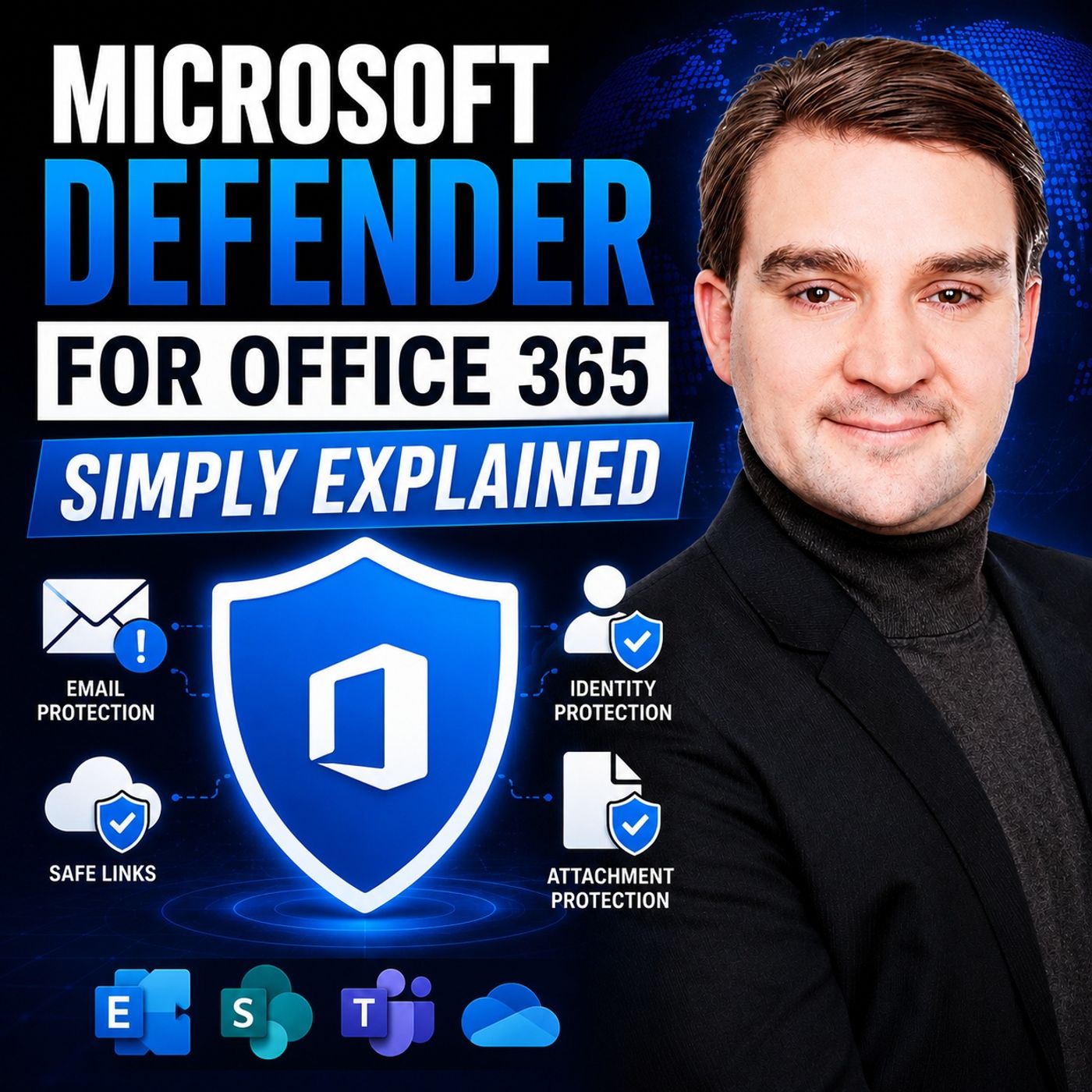
Quick answer: Microsoft Defender for Office 365 helps organisations protect email, Teams, SharePoint, and OneDrive from phishing, malicious links, malware, and related threats. This episode explains the protection layers, investigation workflows, and practical decisions that turn security features into a usable operating model.
Microsoft Defender for Office 365 - Simply Explained serves as a crucial security layer for users of Office 365. It protects against various threats that can compromise sensitive information. In today's digital landscape, understanding its features is vital. Cybersecurity reports indicate that credential theft and phishing attacks are on the rise. You must recognize these threats to effectively use Microsoft Defender for Office 365 - Simply Explained and safeguard your data.
By leveraging its robust tools, you can significantly enhance your security posture and mitigate risks associated with common attacks like ransomware and data breaches.
Key Takeaways
- Microsoft Defender for Office 365 protects your emails and files from cyber threats like phishing and malware.
- Real-time threat prevention blocks harmful activities as they happen, keeping your data safe.
- Safe Links and Safe Attachments scan URLs and files to ensure they are safe before you access them.
- Advanced threat detection uses AI to identify and neutralize potential risks effectively.
- You can customize security settings to fit your organization's specific needs and improve protection.
- Regular reporting features help you monitor security effectiveness and identify areas for improvement.
- User education, such as attack simulation training, enhances awareness of phishing threats.
- Integrating Microsoft Defender with collaboration tools like Teams ensures comprehensive security across your organization.
Microsoft Defender for Office 365 - Simply Explained
Microsoft Defender for Office 365 is a comprehensive security solution designed to protect your Office 365 environment from various cyber threats. It offers advanced features that safeguard your emails, files, and collaboration tools. This solution integrates seamlessly with Microsoft 365, providing a unified approach to security.
The primary role of Microsoft Defender for Office 365 is to enhance your security posture against evolving threats. It employs real-time threat prevention techniques to block malicious activities before they can impact your organization. Here are some key features that contribute to its effectiveness:
- Real-time Threat Prevention: This feature protects you against threats as they occur, ensuring immediate action against potential risks.
- Advanced Threat Detection: Microsoft Defender utilizes machine learning and behavioral analysis to identify and neutralize threats effectively.
- Unified Protection Across Microsoft 365: The solution integrates with other Microsoft services, providing comprehensive security coverage.
- Built-In Threat and Vulnerability Management: It continuously assesses risks and vulnerabilities, allowing you to stay ahead of potential attacks.
- Tailored Security Policies: You can customize security settings based on your organization's specific needs.
To illustrate the differences between the available plans, consider the following table:
| Feature/Plan | Defender for Office 365 Plan 1 | Defender for Office 365 Plan 2 |
|---|---|---|
| Built-in security features | Yes | Yes |
| Protection from zero-day malware, phishing, and BEC | Yes | Yes |
| Phishing simulations | No | Yes |
| Post-breach investigation | No | Yes |
| Automated Investigation and Response | No | Yes |
| Safe Attachments for email | Yes | Yes |
| Safe Links in email | Yes | Yes |
With these features, Microsoft Defender for Office 365 not only protects your data but also empowers you to respond effectively to incidents. For instance, the automated investigation and response capabilities streamline your security operations, allowing you to focus on other critical tasks.
Moreover, Microsoft Defender for Office 365 integrates with the broader Microsoft 365 security ecosystem. This integration provides a unified quarantine for managing emails from both Defender and non-Microsoft vendors. You can access consolidated dashboards to evaluate detection coverage and outcomes across all integrated solutions. This level of integration enhances your overall security strategy.
Threat Protection

Threat Protection Overview
Microsoft Defender for Office 365 provides robust threat protection to keep your organization safe from various cyber threats. This feature works by employing advanced techniques to detect and neutralize potential risks before they can cause harm.
How It Works
The system scans every email, attachment, and link in real time. It uses machine learning and global threat intelligence to identify suspicious messages. When it detects a threat, it quarantines harmful content, such as fake invoices or malware-laden links. This proactive approach ensures that you receive only safe communications.
Benefits of Threat Protection
Utilizing Microsoft Defender for Office 365 enhances your security in several ways:
- Real-Time Protection: You receive immediate alerts about potential threats, allowing for swift action.
- Comprehensive Coverage: The solution protects not only emails but also collaboration tools like Microsoft Teams and SharePoint.
- Advanced Detection Techniques: It employs behavioral analysis and machine learning to identify sophisticated attacks that may bypass other defenses.
Addressed Threat Types
Microsoft Defender for Office 365 effectively addresses various threat types, ensuring your organization remains secure.
Malware
Malware poses a significant risk to organizations. Microsoft Defender protects against email-based malware attacks by scanning every attachment and link before they reach your inbox. This proactive scanning helps keep your emails, attachments, and collaboration tools safe from malicious content.
Phishing
Phishing attacks aim to trick users into revealing sensitive information. Microsoft Defender for Office 365 excels in detecting these threats. It automatically flags suspicious messages using advanced detection methods. The system prioritizes phishing threats, ensuring that you remain vigilant against attempts to compromise your credentials.
| Threat Type | Description |
|---|---|
| Phishing | Attacks aimed at tricking users into revealing sensitive information. |
| Zero-day malware | Exploits that target vulnerabilities before they are known or patched. |
By implementing these protective measures, Microsoft Defender for Office 365 helps you maintain a secure environment against evolving threats.
Safe Links and Attachments

Safe Links Functionality
Safe Links plays a crucial role in protecting you from malicious URLs. It scans links in real time, ensuring that you only access safe content. Here’s how it works:
URL Scanning Process
- Safe Links provides time-of-click protection. It re-checks the destination of every link at the moment you click it.
- The system scans incoming emails for malicious hyperlinks, rewriting URLs for safety.
- Safe Links also checks links in Microsoft Teams conversations and chats, ensuring that you do not encounter known malicious links.
User Notifications
When Safe Links detects a potential threat, it notifies you immediately. This alert system helps you make informed decisions about whether to proceed with a link. You can trust that Safe Links actively works to keep your browsing experience secure.
Safe Attachments Mechanism
Safe Attachments is another vital feature that protects your organization from harmful files. It analyzes attachments before they reach your inbox.
Scanning Attachments
- Safe Attachments analyzes files in a secure environment. This process, known as detonation, evaluates the behavior of attachments to detect threats.
- The system scans attachments in emails and can also check links in attached documents. This comprehensive scanning ensures that you remain protected from malware.
Actions on Threats
If Safe Attachments identifies a threat, it takes immediate action. The system quarantines the harmful file, preventing it from causing any damage. You can review quarantined items and decide whether to release or delete them.
Tip: Safe Links and Safe Attachments are available for users with a Defender for Office 365 license. You can create policies for specific users, groups, or domains to tailor protection to your organization’s needs.
Independent studies show that Microsoft Defender employs a layered security approach. It combines machine learning, AI, and threat intelligence to detect phishing emails effectively. However, 37% of respondents in a security report indicated that Microsoft 365's native security sometimes fails to block malware without additional tools. This highlights the importance of utilizing Safe Links and Safe Attachments to enhance your security measures.
| Functionality | Description |
|---|---|
| Email Messages | Safe Links scans incoming emails for malicious hyperlinks, rewriting URLs for safety. |
| Microsoft Teams | Safe Links checks links in Teams conversations and chats for known malicious links. |
| Office Apps | Safe Links checks links in Office documents and can scan links in attached documents in emails. |
By leveraging Safe Links and Safe Attachments, you can significantly reduce the risk of malware and phishing attacks, ensuring a safer Office 365 experience.
Anti-Phishing Techniques
Phishing attacks remain a significant threat to organizations. Microsoft Defender for Office 365 employs various anti-phishing techniques to protect you from these malicious attempts. Understanding these methods can help you stay vigilant and secure.
Detection Methods
AI-Powered Analysis
Microsoft Defender for Office 365 uses advanced AI to enhance its detection capabilities. The system analyzes incoming messages in real time, identifying potential phishing attempts with remarkable accuracy. In fact, Microsoft reports a 99.995% accuracy rate in detecting malicious intent. This technology blocks around 140,000 Business Email Compromise (BEC) emails daily. Here are some key detection methods:
- Anti-Phishing Policies: You can configure policies to protect against impersonation and phishing attempts. Adjust thresholds for detecting phishing emails to enhance your protection.
- Real-Time Scanning: The system scans links and attachments to prevent malicious content from reaching your inbox.
- Campaign Views: This feature allows you to analyze coordinated phishing attacks, helping you understand the tactics used by cybercriminals.
User Education
While technology plays a crucial role, user education is equally important. Implementing attack simulation training can significantly enhance your awareness of phishing threats. Encouraging users to report suspicious messages using the built-in report button in Outlook also strengthens your defenses.
Anti-Phishing Benefits
Utilizing Microsoft Defender for Office 365's anti-phishing features offers several measurable benefits:
Reducing Data Breaches
By deploying Microsoft Defender for Office 365, you can block phishing links and infected attachments effectively. The anti-phishing and impersonation safeguards are essential for protecting high-value targets within your organization. These features help reduce the risk of data breaches caused by phishing attacks.
Protecting Credentials
The system not only protects your data but also safeguards your credentials. With comprehensive reporting on threats and user actions, you can demonstrate the effectiveness of your security measures. This insight is crucial for compliance and management oversight.
| Benefit Type | Description |
|---|---|
| Proactive Threat Hunting | Enables security admins to actively search for threats rather than waiting for alerts, improving visibility and response to phishing campaigns. |
| Faster Incident Response | Automated Investigation and Response (AIR) reduces response times significantly, allowing for 24/7 threat containment even with small IT teams. |
| Security Awareness Training | Attack Simulation Training educates users on recognizing phishing attempts, leading to a measurable decrease in successful phishing attacks over time. |
By leveraging these anti-phishing techniques, you can significantly enhance your organization's security posture and protect against evolving threats.
Collaboration Tool Protection
Microsoft Defender for Office 365 offers robust protection for collaboration tools like SharePoint, OneDrive, and Teams. These tools are essential for modern workplaces, but they also face unique security challenges. Understanding how Microsoft Defender secures these platforms can help you safeguard your organization’s data.
SharePoint and OneDrive Security
Protection Features
Microsoft Defender provides several key features to protect files in SharePoint and OneDrive:
| Feature | Description |
|---|---|
| Built-in virus protection | Protects files from malware in SharePoint, OneDrive, and Teams. |
| Near real-time URL protection | Warns you about known malicious URLs in Teams messages. |
| Safe Links | Offers time-of-click protection for URLs in Teams messages. |
| Safe Attachments | Scans attachments in Teams for malware before you open them. |
| Zero-hour auto protection (ZAP) | Quarantines messages found to be malware or phishing after delivery. |
| Teams message entity panel | Centralizes metadata for immediate review of threats in Teams. |
| User reporting | Allows you to report malicious items in Teams for further investigation. |
These features work together to create a secure environment for your files and communications.
Integration with Teams
The integration of Microsoft Defender with Teams enhances security across your collaboration tools. You can expect seamless protection as you share files and communicate with colleagues. This integration ensures that any threats detected in Teams are addressed promptly, keeping your conversations and shared documents safe.
Automation and Remediation
Automation plays a crucial role in improving threat response times. Microsoft Defender for Office 365 uses automated processes to enhance your security posture.
Threat Hunting Capabilities
With automated threat hunting, you can proactively search for potential risks. This capability allows security teams to identify threats before they escalate. The system continuously monitors activities, ensuring that any suspicious behavior is flagged for review.
Incident Response
The incident response features streamline how you handle security threats. Here’s how automation improves response times:
| Evidence Description | Impact on Threat Response Times |
|---|---|
| New workflows and automated response logic | Streamlines the response process, reducing time to address threats. |
| Automation rules and playbooks | Enables immediate actions like isolating compromised devices. |
| Automated investigation and response (AIR) | Facilitates quicker analysis and remediation of threats. |
| Built-in reporting and analytics | Provides insights into the effectiveness of automated processes. |
By leveraging these automated features, you can respond to threats more efficiently. This not only reduces the workload on your security team but also enhances your organization’s overall security posture.
Reporting and Insights
Reporting Features Overview
Microsoft Defender for Office 365 offers various reporting features that help you monitor and enhance your security. These reports provide valuable insights into your organization's email security and collaboration tools. Here are some key types of reports available:
- Mail latency report: This report gives you information on mail delivery and detonation latency.
- Post-delivery activities report: Available for organizations with Microsoft Defender for Office 365 Plan 2, it details actions taken after email delivery.
- Spoof detections report: This report shows messages blocked or allowed due to spoofing attempts.
- Submissions report: Displays items reported to Microsoft for analysis.
- Mailflow status report: Visualizes how email threat protection features filter emails.
These reports empower your security team to understand the effectiveness of your defenses and identify areas for improvement.
Customization Options
You can customize reports to fit your organization's needs. Tailoring reports allows you to focus on specific metrics that matter most to your security strategy. For instance, you can adjust the frequency of reports and select which data points to include. This flexibility ensures that you receive relevant information that aids in decision-making.
Utilizing Insights
Utilizing insights from Microsoft Defender for Office 365 can significantly improve your security posture. Here are some effective strategies:
- Configure anti-phishing policies: Set up policies to protect against phishing attacks.
- Utilize Safe Links: Scan URLs for malicious content to prevent users from accessing harmful sites.
- Implement Safe Attachments: Detonate suspicious files in a secure environment to ensure safety.
- Regularly review third-party app permissions: Ensure compliance and security by checking app access.
By leveraging these insights, you can proactively address potential vulnerabilities and enhance your overall security framework.
Analyzing Security Trends
Analyzing security trends is crucial for staying ahead of threats. Microsoft Defender for Office 365 provides metrics that cover threat detection, prevention, and delivery outcomes. You can track changes in threat activity and detection volumes over time. This analysis helps you understand the evolving threat landscape and adjust your security measures accordingly.
Improving Security Posture
The insights gained from reporting and analysis can lead to a stronger security posture. For example, you can assess the effectiveness of your policies and identify priority accounts that may be at higher risk. By focusing on these areas, you can allocate resources more effectively and ensure that all users benefit from the protections in place.
| Feature | Description |
|---|---|
| Protection & posture insights | Helps assess security posture and effectiveness against threats targeting email and collaboration. |
| Metrics | Covers threat detection, prevention, delivery outcomes, and policy coverage. |
| Threat breakdowns | Provides insights on threats by type, confidence, detection technology, and user impact. |
| Executive Summary | Overview of detected threats and unwanted messages during the reporting period. |
| Effectiveness | Visibility into threats blocked by Defender for Office 365. |
By utilizing the reporting and insights features of Microsoft Defender for Office 365, you can enhance your organization's security measures and respond effectively to emerging threats.
Microsoft Defender for Office 365 offers essential features that enhance your security against evolving threats. Key functionalities include real-time threat protection, Safe Links, and Safe Attachments. These tools help you detect and neutralize risks effectively.
Users rate Defender highly, with an overall score of 4.7 out of 5 and a 92% recommendation rate. Organizations report a 70% reduction in email-related security incidents year-over-year. To maximize effectiveness, consider implementing Multi-Factor Authentication (MFA) and configuring targeted anti-phishing policies. By leveraging these features, you can ensure a secure Office 365 environment and protect your sensitive information.
FAQ
What is Microsoft Defender for Office 365?
Microsoft Defender for Office 365 is a security solution that protects your Office 365 environment from cyber threats. It safeguards emails, files, and collaboration tools, enhancing your overall security posture.
How does Microsoft Defender protect against phishing?
Microsoft Defender uses advanced AI to detect phishing attempts. It analyzes incoming messages in real time, blocking suspicious emails and alerting you to potential threats.
Can I customize security policies in Microsoft Defender?
Yes, you can tailor security policies based on your organization's needs. This customization allows you to set specific rules for threat detection and response.
What are Safe Links and Safe Attachments?
Safe Links scans URLs in real time to prevent access to malicious sites. Safe Attachments analyzes files before they reach your inbox, ensuring they are safe to open.
How does Microsoft Defender integrate with Teams?
Microsoft Defender integrates seamlessly with Teams, providing protection for messages and files shared within the platform. It ensures that any detected threats are addressed promptly.
What reporting features does Microsoft Defender offer?
Microsoft Defender provides various reports, including mail latency and spoof detections. These reports help you monitor security effectiveness and identify areas for improvement.
Is training available for users to recognize phishing attempts?
Yes, Microsoft Defender offers attack simulation training. This training educates users on recognizing phishing attempts, enhancing your organization's overall security awareness.
How can I improve my security posture with Microsoft Defender?
You can improve your security posture by configuring anti-phishing policies, utilizing Safe Links and Attachments, and regularly reviewing third-party app permissions.
Last reviewed: July 2026.
What You’ll Learn
- How phishing and malicious-content protection fits into daily Microsoft 365 collaboration.
- Why policy design, user reporting, and investigation workflows need to work together.
- How email signals complement endpoint and identity security.
Who Should Listen
This episode is for Microsoft 365 administrators, security practitioners, IT leaders, and architects who need a practical understanding of Microsoft Defender for Office 365 before designing, configuring, or operating it.
🎧 You Should Also Listen To
- Microsoft Defender for Endpoint — Learn how device signals help investigate threats that begin with email.
- Microsoft Defender for Identity — See why compromised identities and suspicious sign-ins matter in phishing response.
🚀 Want to be part of m365.fm?
Then stop just listening… and start showing up.
👉 Connect with me on LinkedIn and let’s make something happen:
- 🎙️ Be a podcast guest and share your story
- 🎧 Host your own episode (yes, seriously)
- 💡 Pitch topics the community actually wants to hear
- 🌍 Build your personal brand in the Microsoft 365 space
This isn’t just a podcast — it’s a platform for people who take action.
🔥 Most people wait. The best ones don’t.
👉 Connect with me on LinkedIn and send me a message:
"I want in"
Let’s build something awesome 👊
1
00:00:00,000 --> 00:00:04,020
Welcome to another episode of Microsoft Knowledge Nuggets here on M365.
2
00:00:04,020 --> 00:00:05,640
FM, I'm your host, Mirko Peters.
3
00:00:05,640 --> 00:00:09,600
Today's topic is one that almost everyone has heard of, but few people actually understand.
4
00:00:09,600 --> 00:00:11,800
Microsoft Defender for Office 365.
5
00:00:11,800 --> 00:00:13,840
Most people think it's just antivirus for email.
6
00:00:13,840 --> 00:00:14,440
It isn't.
7
00:00:14,440 --> 00:00:18,680
By the end of this episode, you'll understand the five protection layers and how they work together
8
00:00:18,680 --> 00:00:20,240
to keep your business safe.
9
00:00:20,240 --> 00:00:22,400
Grab your coffee and let's dive in.
10
00:00:22,400 --> 00:00:23,320
The problem.
11
00:00:23,320 --> 00:00:25,240
Email is still the number one threat.
12
00:00:25,240 --> 00:00:27,920
Email is the most common way attackers get into your business.
13
00:00:27,920 --> 00:00:29,680
It's not a matter of if but when.
14
00:00:29,680 --> 00:00:33,360
20 years ago, spotting a suspicious email was easy.
15
00:00:33,360 --> 00:00:36,160
Bad spelling, blurry logos, terrible grammar.
16
00:00:36,160 --> 00:00:39,360
But today attackers use AI and real looking branding.
17
00:00:39,360 --> 00:00:44,000
They copy your CEO's writing style, use your company's actual logo, and send emails that
18
00:00:44,000 --> 00:00:46,400
look exactly like the ones you get every day.
19
00:00:46,400 --> 00:00:49,640
The old approach, just a spam filter, doesn't work anymore.
20
00:00:49,640 --> 00:00:54,560
Spam filters were designed to catch obvious junk mail, not targeted attacks that look legitimate.
21
00:00:54,560 --> 00:00:55,760
And the stakes are high.
22
00:00:55,760 --> 00:00:58,520
One click on the wrong link can lock your entire company's data.
23
00:00:58,520 --> 00:01:02,560
Attackers know this so they send emails that look urgent, maybe from your boss or an invoice
24
00:01:02,560 --> 00:01:03,560
you're expecting.
25
00:01:03,560 --> 00:01:05,280
Now, here's the good news.
26
00:01:05,280 --> 00:01:08,680
Microsoft built a multi-layer defense system that works behind the scenes and you probably
27
00:01:08,680 --> 00:01:09,680
don't even notice it.
28
00:01:09,680 --> 00:01:10,680
It's not a single tool.
29
00:01:10,680 --> 00:01:12,360
It's five layers of protection.
30
00:01:12,360 --> 00:01:14,600
Each one catching something the others might miss.
31
00:01:14,600 --> 00:01:18,400
Let's break down what Defender for Office 365 actually is.
32
00:01:18,400 --> 00:01:20,320
What is Defender for Office 365?
33
00:01:20,320 --> 00:01:22,120
Here's the simplest definition.
34
00:01:22,120 --> 00:01:26,480
Defender for Office 365 is a cloud-based security service that protects your email,
35
00:01:26,480 --> 00:01:28,480
calendar and documents from malicious threats.
36
00:01:28,480 --> 00:01:30,640
Think of it like a security team for your office building.
37
00:01:30,640 --> 00:01:34,480
You don't see them, but they're screening every single person who walks in, checking IDs,
38
00:01:34,480 --> 00:01:36,720
watching cameras and keeping an eye on the parking lot.
39
00:01:36,720 --> 00:01:38,480
It's not a separate app you install.
40
00:01:38,480 --> 00:01:42,520
It lives inside the Microsoft 365 platform and works automatically.
41
00:01:42,520 --> 00:01:46,440
There are two main plans, plan one and plan two, but we'll focus on the features, not
42
00:01:46,440 --> 00:01:47,680
the licensing.
43
00:01:47,680 --> 00:01:51,240
Most users never notice it's there, but it's a core service, especially for businesses.
44
00:01:51,240 --> 00:01:54,320
The real power lies in having multiple protection layers, not just one.
45
00:01:54,320 --> 00:01:56,960
A single filter is easy to bypass, but five layers.
46
00:01:56,960 --> 00:02:00,800
Each one checks something different and each one catches what the others might let through.
47
00:02:00,800 --> 00:02:02,120
So what are those layers?
48
00:02:02,120 --> 00:02:03,800
Let's start with the first one.
49
00:02:03,800 --> 00:02:04,800
Layer one.
50
00:02:04,800 --> 00:02:06,120
Anti-spam protection.
51
00:02:06,120 --> 00:02:10,320
This is the oldest and most basic layer, the gatekeeper at the front door.
52
00:02:10,320 --> 00:02:11,320
Spam isn't just annoying.
53
00:02:11,320 --> 00:02:14,000
It clogs up your inbox and makes you miss real messages.
54
00:02:14,000 --> 00:02:17,600
When your inbox is full of junk, important emails get buried and you might miss a client's
55
00:02:17,600 --> 00:02:19,640
request or an urgent message from your boss.
56
00:02:19,640 --> 00:02:20,880
Here's how it works.
57
00:02:20,880 --> 00:02:22,840
Defender analyzes millions of signals.
58
00:02:22,840 --> 00:02:27,640
Defender reputation, email content, sending patterns and uses machine learning to separate
59
00:02:27,640 --> 00:02:29,800
junk from legitimate email.
60
00:02:29,800 --> 00:02:31,080
But here's where it gets interesting.
61
00:02:31,080 --> 00:02:34,120
Spam filtering today is much smarter than it was five years ago.
62
00:02:34,120 --> 00:02:36,200
It looks at behavior, not just keywords.
63
00:02:36,200 --> 00:02:39,520
If a sender suddenly starts sending from a new country, Defender flags it.
64
00:02:39,520 --> 00:02:43,840
If an account that normally sends three emails a day, suddenly sends 300 Defender flags
65
00:02:43,840 --> 00:02:44,840
it.
66
00:02:44,840 --> 00:02:48,420
A common misconception is that spam filters block too much legitimate email, but modern
67
00:02:48,420 --> 00:02:51,080
Defender is trained to minimize false positives.
68
00:02:51,080 --> 00:02:54,960
It learns from what uses report as spam and what they mark is not spam.
69
00:02:54,960 --> 00:02:59,280
Over time, it gets better at telling the difference between junk and real messages.
70
00:02:59,280 --> 00:03:03,280
The first layer catches the obvious junk, but the dangerous stuff needs deeper inspection
71
00:03:03,280 --> 00:03:05,240
that's where the next layer comes in.
72
00:03:05,240 --> 00:03:08,080
Layer 2, anti-malware and safe attachments.
73
00:03:08,080 --> 00:03:10,200
Spam is annoying, but malware is dangerous.
74
00:03:10,200 --> 00:03:12,840
Malware is software designed to damage or break into your systems.
75
00:03:12,840 --> 00:03:17,360
It can steal passwords, lock your files or give attackers access to your entire network.
76
00:03:17,360 --> 00:03:20,360
Often it arrives in an email that looks completely normal.
77
00:03:20,360 --> 00:03:23,840
Defender scans every attachment before it reaches your inbox.
78
00:03:23,840 --> 00:03:27,040
Even if the email looks perfectly normal, think of it like a quarantine room.
79
00:03:27,040 --> 00:03:30,520
Every package gets opened and inspected in a safe isolated environment before it's allowed
80
00:03:30,520 --> 00:03:31,520
inside.
81
00:03:31,520 --> 00:03:33,040
That feature is called safe attachments.
82
00:03:33,040 --> 00:03:34,440
Let me explain how it works.
83
00:03:34,440 --> 00:03:38,280
When an email arrives with an attachment, Defender opens it in a virtual sandbox.
84
00:03:38,280 --> 00:03:41,760
That's a fake computer that looks and acts like a real one.
85
00:03:41,760 --> 00:03:45,200
The attachment runs inside and Defender watches what it does.
86
00:03:45,200 --> 00:03:48,520
If it tries to run malicious code, Defender sees it and blocks the email.
87
00:03:48,520 --> 00:03:50,600
The attachment never touches your computer.
88
00:03:50,600 --> 00:03:53,400
This is different from traditional antivirus software.
89
00:03:53,400 --> 00:03:57,520
Traditional antivirus checks files against a list of known threats like a wanted poster.
90
00:03:57,520 --> 00:04:01,480
If a virus is new and hasn't been seen before, traditional antivirus might miss it.
91
00:04:01,480 --> 00:04:04,160
Safe attachments watch its behavior, not just signatures.
92
00:04:04,160 --> 00:04:06,360
It doesn't matter if the malware is brand new.
93
00:04:06,360 --> 00:04:09,960
If it acts suspicious Defender catches it, most users never know this is happening.
94
00:04:09,960 --> 00:04:12,640
The email either arrives safely or doesn't arrive at all.
95
00:04:12,640 --> 00:04:13,640
You don't see the sandbox.
96
00:04:13,640 --> 00:04:14,640
You don't see the inspection.
97
00:04:14,640 --> 00:04:16,360
You just see the email in your inbox.
98
00:04:16,360 --> 00:04:17,360
Or you don't.
99
00:04:17,360 --> 00:04:18,640
You're a real world example.
100
00:04:18,640 --> 00:04:22,240
Imagine you receive an invoice PDF from a vendor you work with regularly.
101
00:04:22,240 --> 00:04:23,680
The email looks legitimate.
102
00:04:23,680 --> 00:04:25,000
The subject line is correct.
103
00:04:25,000 --> 00:04:26,360
The sender address matches.
104
00:04:26,360 --> 00:04:28,080
But the PDF contains hidden malware.
105
00:04:28,080 --> 00:04:31,080
When you open it, the malware installs silently on your computer.
106
00:04:31,080 --> 00:04:34,400
With safe attachments, that PDF gets opened in the sandbox first.
107
00:04:34,400 --> 00:04:35,760
The malware tries to run.
108
00:04:35,760 --> 00:04:36,760
Defender sees it.
109
00:04:36,760 --> 00:04:38,600
The email gets blocked before you ever see it.
110
00:04:38,600 --> 00:04:40,240
But malware isn't the only danger.
111
00:04:40,240 --> 00:04:41,800
Attackers don't always send files.
112
00:04:41,800 --> 00:04:43,080
Sometimes they send links.
113
00:04:43,080 --> 00:04:45,960
That's where the next layer does something completely different.
114
00:04:45,960 --> 00:04:48,240
There are three, anti-fishing protection.
115
00:04:48,240 --> 00:04:50,280
Fishing is the most common attack that works.
116
00:04:50,280 --> 00:04:51,280
It's not about malware.
117
00:04:51,280 --> 00:04:52,280
It's about tricking you.
118
00:04:52,280 --> 00:04:54,080
The attacker doesn't need to break into your system.
119
00:04:54,080 --> 00:04:55,920
They just need you to hand over the keys.
120
00:04:55,920 --> 00:04:56,920
Here's how it works.
121
00:04:56,920 --> 00:05:01,080
You receive an email that looks like it's from your bank, your boss, or a service you use.
122
00:05:01,080 --> 00:05:04,040
The email asks you to click a link or enter your password.
123
00:05:04,040 --> 00:05:05,280
The design looks real.
124
00:05:05,280 --> 00:05:06,280
The logo looks real.
125
00:05:06,280 --> 00:05:08,320
The language sounds like the real company.
126
00:05:08,320 --> 00:05:09,400
But the email is fake.
127
00:05:09,400 --> 00:05:12,600
The link takes you to a fake website that steals your credentials.
128
00:05:12,600 --> 00:05:15,280
Defender analyzes every email for signs of fishing.
129
00:05:15,280 --> 00:05:18,960
It checks the content, the sender's identity, and the sender's behavior.
130
00:05:18,960 --> 00:05:20,560
It asks several questions at once.
131
00:05:20,560 --> 00:05:22,200
Does this sender normally email you?
132
00:05:22,200 --> 00:05:23,880
Is the domain slightly misspelled?
133
00:05:23,880 --> 00:05:26,680
Does the link in the email match the apparent sender?
134
00:05:26,680 --> 00:05:30,180
If an email claims to be from your bank but the link goes to a random domain, Defender
135
00:05:30,180 --> 00:05:31,180
flags it.
136
00:05:31,180 --> 00:05:34,720
One of the most powerful features here is called impersonation protection.
137
00:05:34,720 --> 00:05:36,520
Defender learns who you normally email with.
138
00:05:36,520 --> 00:05:40,520
It learns your CEO's name, your colleagues names, and the domains your company uses.
139
00:05:40,520 --> 00:05:43,960
When an email arrives that pretends to be someone you know, Defender checks if it's
140
00:05:43,960 --> 00:05:45,160
really them.
141
00:05:45,160 --> 00:05:49,240
Imagine your CEO sends an email asking you to buy gift cards for a client.
142
00:05:49,240 --> 00:05:51,200
That's a classic fishing attack.
143
00:05:51,200 --> 00:05:52,960
Defender knows this is unusual behavior.
144
00:05:52,960 --> 00:05:55,920
It knows your CEO has never sent an email like this before.
145
00:05:55,920 --> 00:05:58,960
It blocks the message and alerts you that something is wrong.
146
00:05:58,960 --> 00:06:01,440
This layer is smart because it learns over time.
147
00:06:01,440 --> 00:06:03,960
The more you use it, the better it gets at spotting fakes.
148
00:06:03,960 --> 00:06:07,800
It builds a profile of normal communication patterns for your organization.
149
00:06:07,800 --> 00:06:11,000
When something deviates from that pattern, Defender raises a flag.
150
00:06:11,000 --> 00:06:14,720
But even with all this protection, there's one more layer that's very specific.
151
00:06:14,720 --> 00:06:18,600
E-mail often contain links and those links are dangerous even if the email itself passes
152
00:06:18,600 --> 00:06:19,600
every check.
153
00:06:19,600 --> 00:06:21,680
That's where the next layer comes in.
154
00:06:21,680 --> 00:06:22,680
Layer 4.
155
00:06:22,680 --> 00:06:23,680
Safe links.
156
00:06:23,680 --> 00:06:27,080
Most people don't know safe links exist and it's one of the most powerful features.
157
00:06:27,080 --> 00:06:28,080
Here's the problem.
158
00:06:28,080 --> 00:06:29,580
And email passes all the checks.
159
00:06:29,580 --> 00:06:32,760
It looks legitimate, the center is real and the content is normal.
160
00:06:32,760 --> 00:06:35,000
But the link inside takes you to a dangerous website.
161
00:06:35,000 --> 00:06:36,000
How do you catch that?
162
00:06:36,000 --> 00:06:37,160
Here's how safe links works.
163
00:06:37,160 --> 00:06:40,960
It rewrites every URL in your email and checks it at the moment you click.
164
00:06:40,960 --> 00:06:44,440
Think of it like a security guard who walks with you to every door, checking the room
165
00:06:44,440 --> 00:06:46,320
before you enter.
166
00:06:46,320 --> 00:06:48,640
You don't see the guard but the guard is there.
167
00:06:48,640 --> 00:06:52,040
Opening the door crack, looking inside and only letting you in if it's safe.
168
00:06:52,040 --> 00:06:53,040
The key is timing.
169
00:06:53,040 --> 00:06:56,920
A link might be safe when the email is sent, but an hour later that same link could be
170
00:06:56,920 --> 00:06:57,920
compromised.
171
00:06:57,920 --> 00:06:58,920
Attackers know this.
172
00:06:58,920 --> 00:07:02,200
They send emails with safe links, wait for the filters to pass them and then change the
173
00:07:02,200 --> 00:07:03,200
destination.
174
00:07:03,200 --> 00:07:05,120
That's called a time of click threat.
175
00:07:05,120 --> 00:07:07,840
Traditional filters miss it because the link was safe when they checked.
176
00:07:07,840 --> 00:07:10,920
Safe links catches it because it checks at the moment you click, not when the email
177
00:07:10,920 --> 00:07:11,920
arrives.
178
00:07:11,920 --> 00:07:15,120
The links works across email, teams and even office documents.
179
00:07:15,120 --> 00:07:17,240
Someone sends you a link in a Teams chat.
180
00:07:17,240 --> 00:07:18,240
Safe links checks it.
181
00:07:18,240 --> 00:07:20,160
You open a Word document with a hyperlink.
182
00:07:20,160 --> 00:07:21,160
Safe links checks it.
183
00:07:21,160 --> 00:07:22,160
It's everywhere.
184
00:07:22,160 --> 00:07:23,560
Here's a real world scenario.
185
00:07:23,560 --> 00:07:25,920
You get an email with a link to a shared document.
186
00:07:25,920 --> 00:07:30,040
The link looks normal saying it goes to a SharePoint site you use every day.
187
00:07:30,040 --> 00:07:32,160
Behind the scenes defender rewrites that link.
188
00:07:32,160 --> 00:07:36,080
When you click it, Defender checks the destination before your browser loads anything.
189
00:07:36,080 --> 00:07:40,280
If the destination has been compromised, Defender blocks the page and shows you a warning.
190
00:07:40,280 --> 00:07:41,960
You never see the dangerous site.
191
00:07:41,960 --> 00:07:44,800
Safe links also scans short and URLs and redirects.
192
00:07:44,800 --> 00:07:47,560
Attackers love these because they hide the real destination.
193
00:07:47,560 --> 00:07:52,240
A link that looks like it goes to a news article might actually redirect to a fishing site.
194
00:07:52,240 --> 00:07:56,000
Safe links follows every redirect, checks every destination and blocks anything suspicious.
195
00:07:56,000 --> 00:07:59,800
There's one more layer that protects you from a different kind of trick.
196
00:07:59,800 --> 00:08:01,840
Safe links catches dangerous destinations.
197
00:08:01,840 --> 00:08:04,960
But what about emails that pretend to be someone you trust?
198
00:08:04,960 --> 00:08:05,960
Layer 5.
199
00:08:05,960 --> 00:08:07,720
Anti-spoofing and impersonation.
200
00:08:07,720 --> 00:08:11,920
Detailing is when an attacker fakes the "from" address so an email appears to come from someone
201
00:08:11,920 --> 00:08:12,920
you trust.
202
00:08:12,920 --> 00:08:16,040
The email looks like it's from your colleague, but it's actually from a completely different
203
00:08:16,040 --> 00:08:17,040
server.
204
00:08:17,040 --> 00:08:18,720
The attacker doesn't break into your colleague's account.
205
00:08:18,720 --> 00:08:19,840
They just pretend to be them.
206
00:08:19,840 --> 00:08:21,120
How does Defender catch this?
207
00:08:21,120 --> 00:08:25,800
It checks the email's authentication using standards called SPF, DKIM and DMARK.
208
00:08:25,800 --> 00:08:29,240
Technical checks that verify the email actually came from the server it claims to come from.
209
00:08:29,240 --> 00:08:31,440
Think of it like checking someone's ID at the door.
210
00:08:31,440 --> 00:08:34,040
Even if they look like your friend, you still check the badge.
211
00:08:34,040 --> 00:08:38,000
SPF checks if the sending server is authorized to send email for that domain.
212
00:08:38,000 --> 00:08:41,840
DKIM checks if the email was signed with a valid digital signature.
213
00:08:41,840 --> 00:08:45,880
DMARK tells the receiving server what to do if the checks fail, but attackers are clever.
214
00:08:45,880 --> 00:08:47,640
They don't always spoof the domain.
215
00:08:47,640 --> 00:08:51,540
Sometimes they use a domain that looks almost identical, like registering your company
216
00:08:51,540 --> 00:08:54,480
security, com, instead of your company.com.
217
00:08:54,480 --> 00:08:56,680
Defender catches these look alike domains too.
218
00:08:56,680 --> 00:08:58,440
Impersonation goes further.
219
00:08:58,440 --> 00:09:01,840
Defender learns your organization's internal names and domains and builds a list of people
220
00:09:01,840 --> 00:09:02,840
who matter.
221
00:09:02,840 --> 00:09:05,400
The CEO, your CFO, your IT manager.
222
00:09:05,400 --> 00:09:08,720
When an email arrives that claims to be from one of these people, Defender checks if it's
223
00:09:08,720 --> 00:09:12,680
really them by looking at the sending pattern, the email content and the domain.
224
00:09:12,680 --> 00:09:14,880
If something doesn't match, Defender blocks it.
225
00:09:14,880 --> 00:09:17,680
This layer is especially important for executives and finance teams.
226
00:09:17,680 --> 00:09:21,000
They're common targets because they have access to money and sensitive data.
227
00:09:21,000 --> 00:09:25,880
An attacker who spoofs the CEO can ask for wire transfers, gift cards or password resets.
228
00:09:25,880 --> 00:09:28,320
Defender catches these attacks before they reach the inbox.
229
00:09:28,320 --> 00:09:31,760
So now you know the five layers, spam filtering, catches the junk.
230
00:09:31,760 --> 00:09:33,640
Safe attachments catches malware.
231
00:09:33,640 --> 00:09:35,240
Anti-fishing catches the tricks.
232
00:09:35,240 --> 00:09:37,200
Safe links catches dangerous destinations.
233
00:09:37,200 --> 00:09:39,120
And anti-spooping catches the fakes.
234
00:09:39,120 --> 00:09:41,120
But how do they actually work together?
235
00:09:41,120 --> 00:09:43,040
How all five layers work together?
236
00:09:43,040 --> 00:09:44,960
The five layers don't work in isolation.
237
00:09:44,960 --> 00:09:46,560
They work as a single pipeline.
238
00:09:46,560 --> 00:09:51,080
Every email that arrives in your organization goes through all five checks, spam, malware,
239
00:09:51,080 --> 00:09:53,720
phishing, links and spoofing in a matter of seconds.
240
00:09:53,720 --> 00:09:55,840
It happens so fast you never notice it.
241
00:09:55,840 --> 00:09:59,520
If any layer flags a threat, the email gets blocked, quarantined or sent to junk.
242
00:09:59,520 --> 00:10:00,880
The user sees almost nothing.
243
00:10:00,880 --> 00:10:05,200
The email either arrives in your inbox or it doesn't with no pop-ups, warnings or notifications.
244
00:10:05,200 --> 00:10:06,440
It just works.
245
00:10:06,440 --> 00:10:08,160
But here's where the real power comes in.
246
00:10:08,160 --> 00:10:09,760
The layers share information.
247
00:10:09,760 --> 00:10:12,760
When one layer detects a new threat, all the others learn from it.
248
00:10:12,760 --> 00:10:16,760
Say safe attachments, finds a new type of malware hidden inside a PDF.
249
00:10:16,760 --> 00:10:20,600
That information gets passed to the anti-fishing layer, which starts looking for emails that
250
00:10:20,600 --> 00:10:24,680
try to deliver that same malware and it also gets passed to safe links, which starts
251
00:10:24,680 --> 00:10:26,760
checking URLs that might lead to it.
252
00:10:26,760 --> 00:10:28,720
The whole system gets smarter in real time.
253
00:10:28,720 --> 00:10:31,640
This is what makes Defender different from a collection of separate tools.
254
00:10:31,640 --> 00:10:32,800
It's not a static filter.
255
00:10:32,800 --> 00:10:35,320
It's a learning system that gets better the more you use it.
256
00:10:35,320 --> 00:10:38,160
Admins get detailed reports about what was blocked and why.
257
00:10:38,160 --> 00:10:42,360
Users get peace of mind and attackers get blocked before they can do any damage.
258
00:10:42,360 --> 00:10:44,200
Most people never notice the protection.
259
00:10:44,200 --> 00:10:46,280
But the moment it's turned off, you'd see the difference.
260
00:10:46,280 --> 00:10:50,120
Your inbox would fill with junk, suspicious emails would slip through and eventually someone
261
00:10:50,120 --> 00:10:51,520
would click the wrong link.
262
00:10:51,520 --> 00:10:55,360
That's the value of having five layers working together instead of one.
263
00:10:55,360 --> 00:10:56,920
Common myths and misconceptions.
264
00:10:56,920 --> 00:10:59,080
Let's clear up a few myths before we wrap up.
265
00:10:59,080 --> 00:11:00,080
First myth.
266
00:11:00,080 --> 00:11:02,800
Defender for Office 365 is just antivirus for email.
267
00:11:02,800 --> 00:11:03,800
It isn't.
268
00:11:03,800 --> 00:11:06,920
It's a multi-layered security platform that catches threats traditional antivirus with
269
00:11:06,920 --> 00:11:07,920
myths.
270
00:11:07,920 --> 00:11:13,160
Antivirus checks files against a list of known threats, but Defender checks behavior, identity,
271
00:11:13,160 --> 00:11:14,160
and timing.
272
00:11:14,160 --> 00:11:15,160
Second myth.
273
00:11:15,160 --> 00:11:17,840
It's too expensive for small businesses.
274
00:11:17,840 --> 00:11:21,880
Actually many features are included with standard Microsoft 365 plans.
275
00:11:21,880 --> 00:11:24,040
You might already be paying for it and not even know.
276
00:11:24,040 --> 00:11:26,840
Make your subscription before you assume it's out of reach.
277
00:11:26,840 --> 00:11:27,840
Third myth.
278
00:11:27,840 --> 00:11:29,800
It blocks too much legitimate email.
279
00:11:29,800 --> 00:11:32,400
Modern Defender is trained to minimize false positives.
280
00:11:32,400 --> 00:11:36,520
It learns from user behavior and admin adjustments and if something gets blocked that shouldn't
281
00:11:36,520 --> 00:11:39,040
be, you can release it with one click.
282
00:11:39,040 --> 00:11:40,280
Fourth myth.
283
00:11:40,280 --> 00:11:42,440
I don't need it because I use Gmail.
284
00:11:42,440 --> 00:11:46,840
The principles of email security apply to any provider, but Defender is built specifically
285
00:11:46,840 --> 00:11:48,640
for Microsoft 365.
286
00:11:48,640 --> 00:11:51,760
It integrates deeply with exchange online, teams, and SharePoint.
287
00:11:51,760 --> 00:11:54,200
And integration is what makes it powerful.
288
00:11:54,200 --> 00:11:55,200
Fifth myth.
289
00:11:55,200 --> 00:11:57,640
I can just use a third party spam filter.
290
00:11:57,640 --> 00:12:02,720
Third party tools can help, but they don't have the same deep integration with Microsoft 365.
291
00:12:02,720 --> 00:12:07,320
They can't scan attachments in the same sandbox or check links across teams and office documents.
292
00:12:07,320 --> 00:12:09,000
They're a bandaid not a security system.
293
00:12:09,000 --> 00:12:12,640
If you use Microsoft 365 for email, you already have some protection.
294
00:12:12,640 --> 00:12:16,480
But to get the full five layers, you need Defender for Office 365.
295
00:12:16,480 --> 00:12:19,720
So those are the five layers of Defender for Office 365.
296
00:12:19,720 --> 00:12:24,040
Some filtering, malware protection, phishing detection, safe links, and anti-sproofing.
297
00:12:24,040 --> 00:12:27,240
Think of it as a security guard working behind the scenes to keep your business safe.
298
00:12:27,240 --> 00:12:28,240
Here's your homework.
299
00:12:28,240 --> 00:12:31,800
Go check if your Microsoft 365 plan already includes Defender.
300
00:12:31,800 --> 00:12:34,920
Most people are paying for it and don't even know if this helped, shared with someone
301
00:12:34,920 --> 00:12:37,080
starting their email security journey.
302
00:12:37,080 --> 00:12:40,560
Subscribe on your favorite podcast platform and we'll see you in the next episode.

Founder of m365.fm, m365.show and m365con.net
Mirko Peters is a Microsoft 365 expert, content creator, and founder of m365.fm, a platform dedicated to sharing practical insights on modern workplace technologies. His work focuses on Microsoft 365 governance, security, collaboration, and real-world implementation strategies.
Through his podcast and written content, Mirko provides hands-on guidance for IT professionals, architects, and business leaders navigating the complexities of Microsoft 365. He is known for translating complex topics into clear, actionable advice, often highlighting common mistakes and overlooked risks in real-world environments.
With a strong emphasis on community contribution and knowledge sharing, Mirko is actively building a platform that connects experts, shares experiences, and helps organizations get the most out of their Microsoft 365 investments.




