 EN
EN Deutsch
 Español
 Français
 Italiano
 Português
 Nederlands
 Polski
 Bahasa Indonesia
 Русский
 Українська
 العربية
 עברית
עברית हिन्दी
 日本語
日本語 한국어
한국어2026-07-24 · Season 3
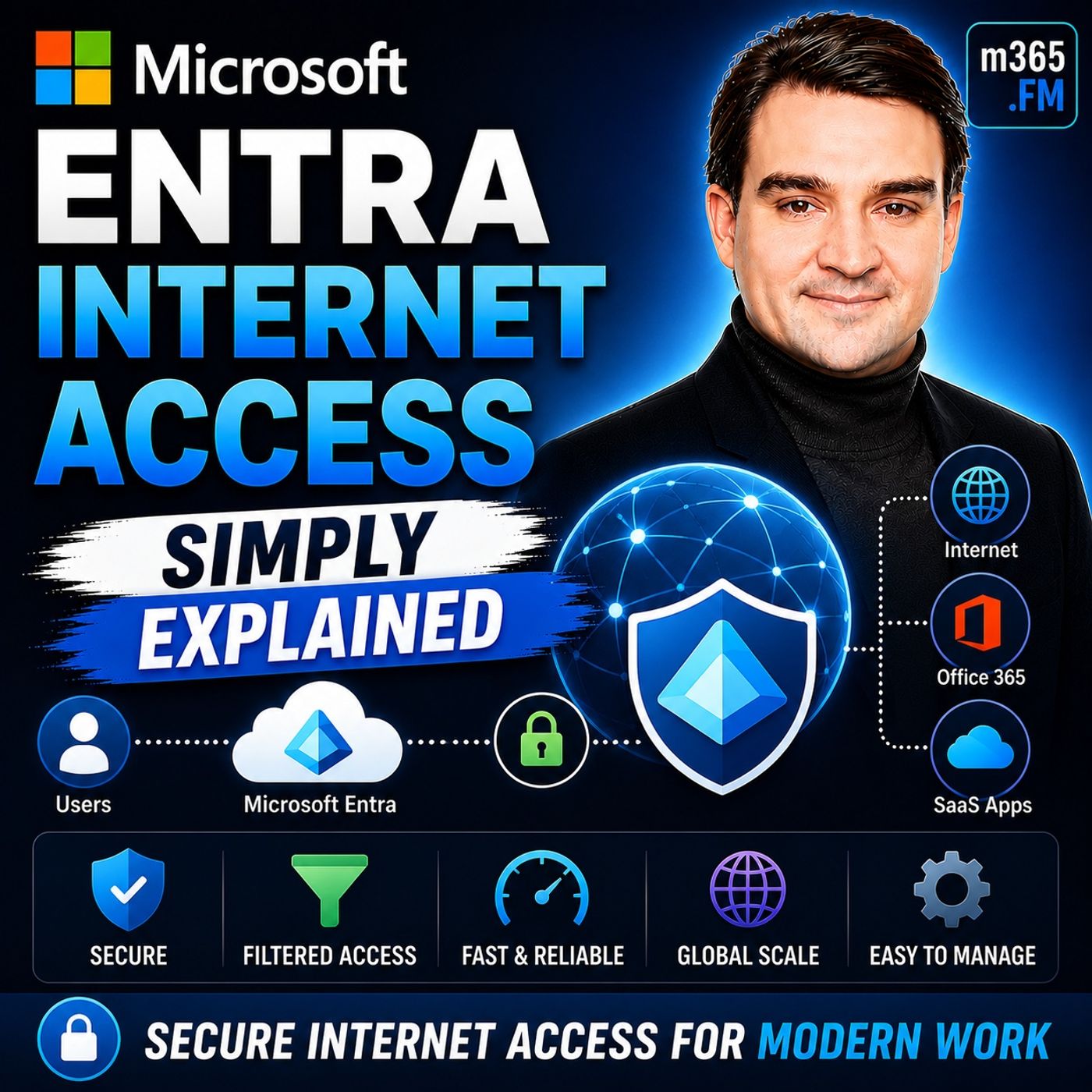
Microsoft Entra Private Access - Simply Explained
Show notes
Welcome to another episode of Knowledge Nuggets with Mirko Peters. Today we're exploring Microsoft Entra Internet Access, Microsoft's modern cloud-native approach to secure internet connectivity that replaces traditional VPNs with identity-driven Zero Trust security. For decades, organizations relied on VPNs to give remote employees access to corporate resources. That model worked when applications lived inside company data centers and employees worked primarily from the office. Today's reality is completely different. Employees work from home, coffee shops, hotels, and airports while applications are spread across Microsoft 365, SaaS platforms, and cloud services. The traditional idea of "connecting to the corporate network" no longer fits the modern workplace. Microsoft Entra Internet Access addresses this challenge by shifting security away from network trust and toward identity trust. Instead of giving users broad access simply because they're connected through a VPN, every internet request is evaluated based on the user's identity, device health, location, and security posture. In this episode, we'll explore how Entra Internet Access works, its role within Microsoft Global Secure Access, its integration with Conditional Access, and why it's becoming a key component of Microsoft's Zero Trust strategy. WHY TRADITIONAL VPNS ARE NO LONGER ENOUGH Traditional VPNs were designed for a world where applications, users, and data all existed within the corporate network. When employees connected remotely, the VPN simply extended the corporate network to their device. While this model worked for many years, it introduces significant problems in today's cloud-first world. Once connected, users often receive broad access to internal resources far beyond what they actually need. File servers, databases, legacy applications, and internal systems become reachable simply because the user is "inside" the network. VPNs also generate ongoing operational challenges. Connection failures, certificate issues, client updates, forgotten credentials, and performance problems generate a continuous stream of help desk tickets for IT departments. More importantly, VPNs generally trust the connection after authentication. Once users successfully authenticate, they're typically trusted throughout the session regardless of changing device health or security risks. Modern cybersecurity requires continuous verification rather than one-time authentication. This shift forms the foundation of Microsoft's Zero Trust security model. FROM NETWORK TRUST TO IDENTITY TRUST Modern security no longer focuses on protecting a network perimeter. Instead, it focuses on protecting identities. This philosophy is known as Zero Trust, built around one simple principle: Never trust. Always verify. Every request is evaluated independently using multiple security signals. Microsoft Entra ID becomes the central identity platform that continuously evaluates:
- User identity
- Device compliance
- Geographic location
- Sign-in risk
- User risk
- Authentication strength
- Conditional Access policies
Rather than assuming trust because someone is connected through a VPN, every request is evaluated in real time. Whether users connect from the corporate office, home, or public Wi-Fi becomes far less important than proving they are who they claim to be while using a trusted device. Identity replaces the network as the primary security boundary. WHAT IS MICROSOFT ENTRA INTERNET ACCESS? Microsoft Entra Internet Access is Microsoft's cloud-native Secure Web Gateway (SWG). Instead of routing traffic through traditional VPN appliances, internet traffic passes through Microsoft's Global Secure Access platform where it can be authenticated, inspected, filtered, and authorized. Every request is evaluated using identity-driven security policies before reaching its destination. Entra Internet Access is one of two major services within Microsoft Global Secure Access. The second service is Microsoft Entra Private Access, which securely connects users to private on-premises applications without requiring a traditional VPN. Together they provide secure connectivity for both cloud services and private business applications. Unlike traditional VPNs that primarily trust network connectivity, Entra Internet Access evaluates the user, device, and current security posture before granting access to internet resources. Because traffic travels across Microsoft's global backbone spanning dozens of regions and hundreds of edge locations worldwide, users often benefit from improved performance alongside stronger security. UNDERSTANDING THE THREE TRAFFIC PROFILES Microsoft Global Secure Access organizes connectivity using three different traffic forwarding profiles. The Microsoft Traffic Profile protects Microsoft 365 services including Exchange Online, SharePoint, Teams, and OneDrive. This profile is included with Microsoft Entra ID P1 and Microsoft 365 Business Premium licensing. The Internet Access Profile extends protection to general web browsing and third-party SaaS applications such as Salesforce, Slack, or other internet services. This profile requires additional licensing or is included as part of Microsoft Entra Suite. The Private Access Profile securely connects users to internal applications, file shares, databases, and legacy systems without requiring a traditional VPN. This profile effectively replaces VPN access for private corporate resources. A lightweight Global Secure Access client installed on user devices automatically directs traffic into the appropriate profile without requiring users to manually establish VPN connections. The result is seamless connectivity with significantly improved user experience. CONDITIONAL ACCESS BECOMES EVEN MORE POWERFUL One of the biggest advantages of Entra Internet Access is its deep integration with Microsoft Conditional Access. Traditionally, Conditional Access policies protected Microsoft cloud applications. With Entra Internet Access, those policies can now extend to internet traffic itself. Organizations can require the Global Secure Access client before allowing access to Microsoft 365 services. If the client isn't running, access is denied immediately. This provides powerful protection against modern attack techniques including Adversary-in-the-Middle (AiTM) attacks. Even if attackers successfully steal authentication tokens, they still cannot satisfy Conditional Access policies requiring traffic to originate through the trusted Global Secure Access client. Organizations can further require:
- Multi-factor authentication
- Device compliance
- Low user risk
- Trusted network connectivity
- Specific authentication strengths
These policies dramatically strengthen Zero Trust security while remaining centrally managed through Microsoft Entra ID. WEB FILTERING AND THREAT PROTECTION Entra Internet Access goes far beyond identity verification. It also introduces enterprise-grade web protection previously delivered through dedicated secure web gateway appliances. Organizations can create category-based web filtering policies that block websites associated with gambling, adult content, hacking tools, social media, AI services, or any other predefined categories. Policies can differ between departments, allowing marketing teams access to social media while blocking it for finance or operations. Administrators can also allow or block specific domains using fully qualified domain names and wildcard rules. Another major capability is TLS inspection. Encrypted internet traffic is decrypted, inspected for threats, and securely re-encrypted before reaching its destination. This enables organizations to detect malware, phishing attempts, malicious downloads, and data exfiltration hidden inside encrypted HTTPS traffic. Additional capabilities include:
- Universal Tenant Restrictions
- Shadow AI discovery
- SaaS application visibility
- AI application monitoring
- Data loss prevention support
Importantly, these protections occur at the network layer rather than within individual browsers, making them consistent across browsers and desktop applications alike. Become a supporter of this podcast: https://www.spreaker.com/podcast/m365-fm-microsoft-365-azure-cloud-power-platform-ai--6704921/support.
Apple Podcasts · Spotify · YouTube · YouTube Music · Deezer
Host: Mirko Peters
Guests
Related articles
- Passkeys (FIDO2) Authentication Method in Microsoft Entra ID
- Troubleshooting Microsoft Entra Private Access: Common Connection Pitfalls and Fixes
- Step-by-Step Prerequisites and Setup for Microsoft Entra Private Access
Transcript
Read the full transcript
When was the last time you actually enjoyed connecting to a VPN? Probably never, right? You click the button, wait for it to connect, hope it doesn't time out, and then suddenly you're on the corporate network with access to everything. That's the problem right there. 20 years ago, VPNs made perfect sense. Everyone worked in the same building, and all the applications lived on service in that building. You built a tunnel from your home computer into the office, and boom, you were basically sitting at your desk. The building protected you, the firewall protected you, and the network itself was your security. But look at how we work today. Your sales team connects from coffee shop Wi-Fi, your developers log in from home offices, and your contractors jump on from hotel lobbies in different time zones. The whole idea of connecting to the building doesn't exist anymore because the building itself is gone. Here's what most people don't realize about traditional VPNs. They give you too much access. Once you're inside that tunnel, you can reach almost anything on the network. File shares, internal apps, databases, servers, you didn't even know existed. It's like handing someone a key to the entire office building when all they needed was access to one room, and they're a nightmare to maintain. Help desk tickets for VPN issues are some of the most common complaints IT teams deal with. The connection drops, the client won't install, the certificate expires, or the user forgets their credentials. It's constant, low grade friction that eats up hours every week. But the real issue goes deeper than that. VPNs trust the network, not the user. They check your credentials at the door, and then assume everything is fine for the rest of the session. That's the opposite of what modern security needs. We need to verify every single request, not just the first one. So if the old model is broken, what replaces it? The shift, from network trust to identity trust. Think about how security used to work. It was all about walls and modes. You built a strong perimeter around your office, put a firewall at the entrance, and assumed everything inside was safe. That worked when everyone worked inside those walls. But the building doesn't exist anymore. Your employees are scattered across the country, your applications live in the cloud, and your data moves between dozens of services every day. There is no single perimeter to defend, so what do you protect instead? The answer is identity. The new model is simple. Who you are matters more than where you connect from. It doesn't matter if you're sitting in the corporate office or a coffee shop in Bangkok. What matters is that you are who you say you are, your device is healthy, and your access level matches what you need to do. This is the core of zero trust. You've probably heard that phrase thrown around a lot. Here's what it actually means in practice. Never trust, always verify, every single request. Not just when you log in, but every time you open a file, access an application or click a link. The system checks your identity, your device, your location, and your risk level before allowing anything. Microsoft's approach uses EnterID as the central identity plane. Think of it as the brain that controls access everywhere. It knows who you are, what devices you're using, what apps you're allowed to access, and what your current risk level looks like. It makes decisions in real time based on all of that information. This is a major shift. Instead of protecting a network, you're protecting identities. Instead of building walls, you're building policies. And instead of trusting a connection, you're verifying every request. And this is exactly where EnterID access enters the picture. What is EnterID access? The simple definition. So what exactly is Microsoft EnterID access? Here's the simplest way to think about it. It's a cloud-based, secure web gateway. In plain English, that means it's a smart checkpoint for all your internet traffic. Every time you open a website, log into a SAS app like Salesforce or access Microsoft 365, your traffic passes through this checkpoint. And at that checkpoint, it gets inspected, filtered, and authorized based on who you are and what you're allowed to do. Think of it like the security guard at the front desk of a modern office building. But this guard doesn't just check a badge, they check three things, your identity, the device you're using, and your current risk level. If everything lines up, you're in. If something looks off, you're blocked right there. Now, EnterID access is one half of a bigger platform called Microsoft Global Secure Access. The other half is EnterPrivate Access, which handles connections to old on-premises servers and legacy apps. So Global Secure Access is the umbrella, and internet access and private access are the two services underneath it. Here's the thing, most people think of VPN is all you need for remote access. It isn't. The key difference from a traditional VPN is where the real power lies. A VPN looks at your IP address and says, you're connecting from outside the building, so I'll let you into the network. Once you're inside, you can roam freely. Enter internet access looks at you and says, I know who you are. I know what device you're on. I know what you're allowed to access. And I'm going to check every single request you make. That's a different approach. The VPN trusts the tunnel. Enter internet access trusts the identity. And because this runs on Microsoft's private network, 70 regions over 190 edge locations worldwide. The performance is fast. Your traffic doesn't bounce around the public internet. It travels through Microsoft's backbone, giving you better speed and better security at the same time. That's the magic of it. Let's break down how it actually works. Well, how it works, the three traffic profiles. Enter internet access handles traffic through what Microsoft calls traffic forwarding profiles. Think of these like dedicated lanes on a highway. Each lane handles a different type of traffic. And each one has its own rules and licensing. The first lane is the Microsoft traffic profile. This covers all traffic to Microsoft 365 services. That means exchange online for email, teams for meetings, sharepoint for documents, and one drive for file storage. And here's the good news. This profile is included for free with any enter IDP one license. If you have Microsoft 365 Business Premium, you already have it. No extra cost, no additional license needed. The second lane is the internet access profile. This takes care of everything else. General web browsing, SaaS apps like Salesforce or Slack, any website your users visit. This one does require an add-on license. It's about four to five dollars per user per month. Or it's included in the broader entry suite if you go that route. The third lane is the private access profile. This handles traffic to your on-premises servers and legacy apps. Think file shares, internal databases, custom line of business apps that haven't moved to the cloud yet. This also needs an add-on license and it's the profile that truly replaces the need for a traditional VPN. So how does it actually work? Through a small client installed on each device. It's a lightweight piece of software that runs quietly in the background. When a user signs into their device, the client automatically connects to Microsoft's secure network. No complex VPN configurations to set up, no hardware to maintain, no help desk tickets for expired certificates or broken tunnel settings. The client intercepts traffic based on the profiles you've configured. If someone opens Outlook, the Microsoft traffic profile kicks in. If they visit a website, the internet access profile takes over. If they need a file share on an old server, the private access profile handles it. And all of this happens automatically without the user ever thinking about it. But here's what I want you to understand. The real power isn't the tunnel itself. It's what you can do with it. And that starts with a feature that changes everything. The killer feature, conditional access integration. Let's talk about conditional access. You've probably heard that term. It's the policy engine inside EntraID that lets you write if-then rules. If a user tries to access a sensitive app, require MFA. If they log in from an unusual location, block access. Simple, right? But here's the thing. Conditional access traditionally only worked for cloud apps like SharePoint or Exchange Online. It couldn't protect general internet traffic. Your users could visit any website, download any file, or connect to any SAS app without those policies applying. Entra internet access changes that completely. Now you can apply conditional access policies to all internet traffic, not just Microsoft cloud apps. And that opens up some powerful scenarios. Let me give you a concrete example. Create a policy that says, the global secure access client must be connected before anyone can access Microsoft 365. If a user tries to check email without the client running, they get blocked, simple as that. Think of the global secure access client like a security badge. Without it, you can't enter the building. Why does this matter? Because it stops a specific type of attack that's becoming more common, the adversary in the middle attack. Here's how it works. An attacker sends a phishing email with a link to a fake login page. The page looks exactly like Microsoft's sign-in screen. The user types their username and password, completes MFA, and the attacker captures the session token. They can now access that user's account from anywhere in the world without needing the password or MFA again. But if you have a conditional access policy requiring the global secure access client, that stolen token is useless. The attacker's device doesn't have the client installed. It's not connected to Microsoft's secure network. So even with a valid token, the policy blocks them. The attack fails. This is the compliant network check. It's a simple policy with a huge impact. One conditional access policy can shut down an entire category of attacks. If you're on business premium, this capability is already included at no extra cost. You can also get more creative, require a compliant device in addition to the client connection, block access from non-compliant devices even with valid credentials, or require MFA for specific high-risk internet destinations. The policy engine stays the same. It just applies to a much wider range of traffic. Web filtering and threat protection. Now let's look at the next piece. Web filtering and threat protection. Conditional access integration is powerful, but it's only one part of the picture. Entra internet access also gives you the kind of web filtering and threat protection that used to require dedicated hardware in your server room. Let's start with web content filtering. You can block entire categories like gambling, social media, adult content, hacking forums, and AI tools. And you can create different policies for different teams, for instance, blocking social media for finance while allowing it for marketing or letting developers access technical forums while the sales team cannot. It's granular, flexible, and managed from the same portal. You can also block or allow specific fully qualified domain names. Want to block Dropbox because you use OneDrive? Done. Want to allow Facebook only for the social media team? Easy. The rules support wildcards too, so you can block entire domains with a single entry. Then there's TLS inspection. This is a big one. Most internet traffic today is encrypted. Good for privacy, but threats can hide inside those encrypted connections. Think of it like a security checkpoint that inspects every package before it enters your building. TLS inspection decrypts the traffic, inspects it for threats, and re-encrypts it before reaching the destination. It catches malware, phishing attempts, and data exfiltration that would otherwise sail right past your defenses. Here's another feature. Tenant restrictions. Think of it as a digital fence that keeps your data where it belongs. This prevents your users from signing into other Microsoft 365 tenants using your corporate credentials. It's a data loss prevention measure that stops users from accidentally or intentionally sharing company data with external organizations. And here's something growing in importance. Shadow AI discovery. Your employees are probably using AI tools at work. Chat GPT, Claude, Gemini, and dozens of others. Some usage is sanctioned, some isn't. Intra internet access can show you exactly which AI tools your employees are using and let you block the ones you don't want. It gives you visibility and control over a category of applications growing faster than most IT teams can keep up with. One important point, all of this happens at the machine level, not the browser level. It doesn't matter if your users are in Chrome, Edge, Firefox, or some obscure browser. It doesn't matter if they're using a desktop application that makes web calls. The filtering and inspection happens in the client at the network level before the traffic reaches the application. No user can bypass it and no browser can hide from it. That's a much more reliable approach than browser extensions or proxy configurations. So you've got web filtering, TLS inspection, tenant restrictions, and AI discovery. All delivered through a single client managed from a single portal and integrated with the identity platform you're already using. That's a lot of capability packed into one service. Licensing and getting started. All right, let's get into the practical side of things. What does this actually cost? And how do you get started? Here's the good news for many of you. You might already have access to the most important piece. The Microsoft Traffic Profile, the one that protects your exchange, Teams and SharePoint traffic, is included with any EntraIDP1 license. So if you're on Microsoft 365 Business Premium, you already have it with no extra cost and no additional purchase needed. That single profile handles three critical tasks for you. A compliant network check that stops token theft attacks, universal tenant restrictions, and direct connectivity through Microsoft's private backbone. That's the magic of it. Now, the full internet access profile, which adds web filtering, TLS inspection, and AI discovery, does require an add-on license. Expect to pay around $4 to $5 per user per month as a standalone add-on, or it's included in the broader Entra Suite, which bundles internet access, private access, and additional EntraID features into one package. If you plan to use both internet access and private access, the suite is usually the better deal. One more thing to keep in mind. The Remote Network connectivity feature for branch offices requires a minimum of 50 combined licenses. So if you're a smaller organization, be aware of that requirement, setting it up is straightforward. It's really that simple. You start by activating the service in the Entra Admin Center under Global Secure Access. Then enable the traffic forwarding profiles you want. Microsoft, internet or private. Assign them to users or groups. Then install the Global Secure Access client on your devices. The client can be pushed out through Intune, Group Policy, or any standard deployment tool. And once installed, it connects automatically when the user signs in. Once the client is rolling, you can start creating conditional access policies. The simplest starting point is a policy that requires the Global Secure Access client for all Cloud app access. That single policy blocks token theft attacks and gives you immediate value. As you get more comfortable, you can layer on web filtering policies, TLS inspection, and more granular controls. So that's the system. Entra internet access replaces the clunky VPN with something fundamentally smarter, identity-driven security that works wherever your employees are. The free Microsoft Traffic Protection is a no-brainer for anyone on business premium. Start with one conditional access policy requiring the client as a starting point. Then explore web filtering when you're ready. Subscribe for more plain English breakdowns and drop a comment if this helped.