 EN
EN Deutsch
 Español
 Français
 Italiano
 Português
 Nederlands
 Polski
 Bahasa Indonesia
 Русский
 Українська
 العربية
 עברית
עברית हिन्दी
 日本語
日本語 한국어
한국어2026-07-24 · Season 3
Microsoft Graph Delta Queries - Simply Explained
Show notes
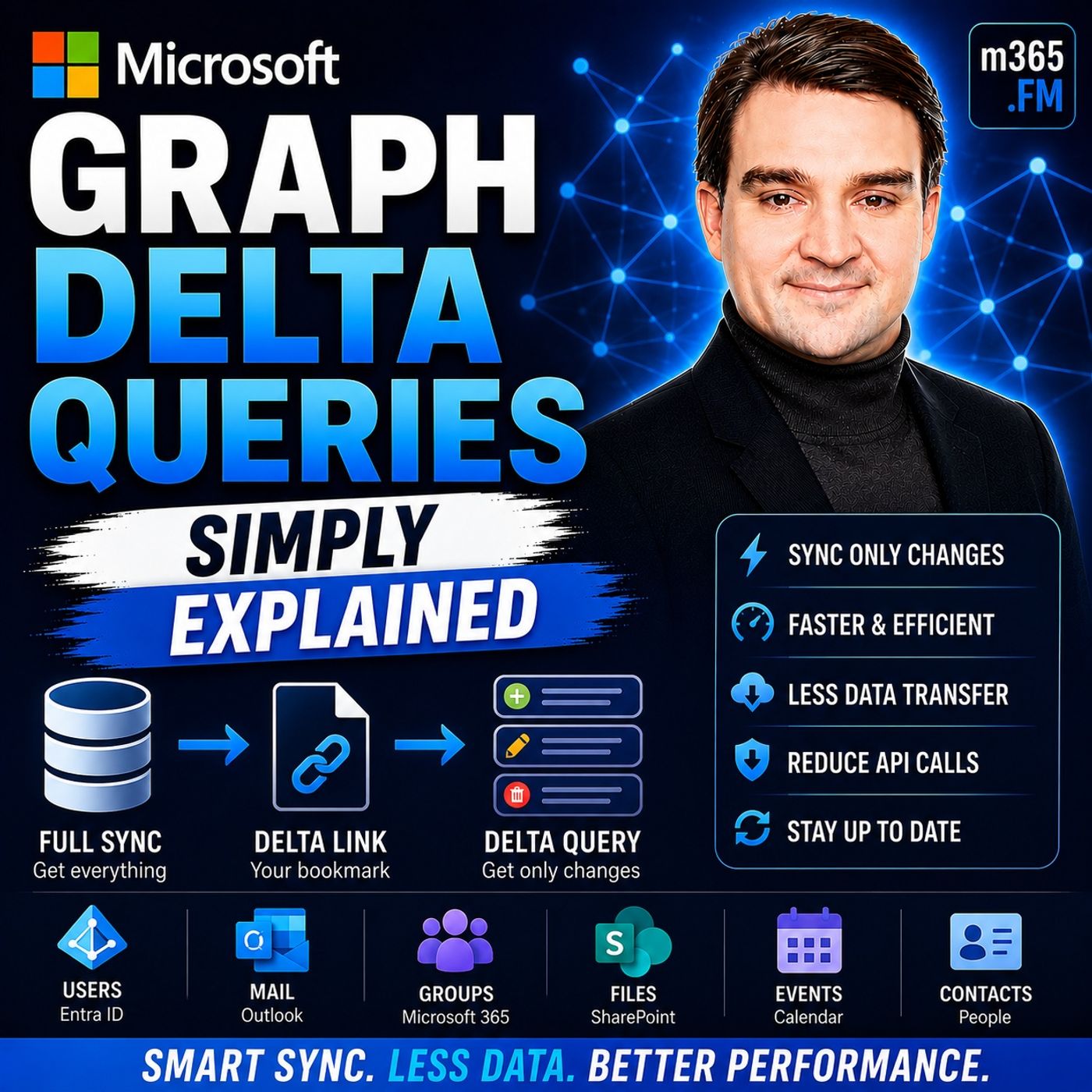
Welcome to another episode of Knowledge Nuggets with Mirko Peters. Today we're exploring Microsoft Graph Delta Queries, one of the most powerful features for building efficient synchronization solutions with Microsoft 365. Imagine you're building an application that synchronizes Outlook emails, Microsoft Entra ID users, SharePoint documents, or Teams data. Every few minutes your application checks Microsoft Graph for updates. The traditional approach downloads everything again—even if only one item changed. That means unnecessary network traffic, slower performance, increased API consumption, and eventually the risk of Microsoft Graph throttling your application. Microsoft Graph Delta Queries solve this challenge by introducing intelligent change tracking. Instead of downloading complete datasets every time, your application asks Microsoft Graph a much simpler question: "What changed since the last time I checked?" Microsoft Graph remembers where your previous synchronization ended and returns only new, modified, or deleted items. In this episode, we'll explore how Delta Queries work, how delta tokens and pagination operate behind the scenes, their limitations, and why combining Delta Queries with Change Notifications creates one of the most reliable synchronization patterns available for Microsoft 365 applications. WHY TRADITIONAL SYNCHRONIZATION IS INEFFICIENT Before understanding Delta Queries, it's important to understand the problem they were designed to solve. Traditional synchronization relies on full synchronization. Every synchronization cycle downloads every object again regardless of whether anything has actually changed. Imagine opening your calendar application every few minutes and downloading every meeting you've ever created simply because one meeting might have changed. The larger the dataset becomes, the more wasteful this approach becomes. The same problem affects applications synchronizing Microsoft Entra ID users, Outlook mailboxes, SharePoint libraries, Microsoft Teams conversations, or contacts. Thousands of objects are transferred repeatedly, even though perhaps only one or two records have changed since the previous synchronization. This unnecessary traffic consumes bandwidth, increases synchronization times, drains mobile device batteries, places additional load on Microsoft Graph, and increases the likelihood of API throttling. Microsoft Graph Delta Queries eliminate this inefficiency by returning only the differences between synchronization cycles rather than the complete dataset every time. WHAT ARE MICROSOFT GRAPH DELTA QUERIES? Microsoft Graph Delta Queries provide an incremental synchronization mechanism for Microsoft 365 resources. Instead of requesting every object repeatedly, your application asks Microsoft Graph for only the items that have changed since the previous synchronization. A useful analogy is checking your email inbox. When you open your mailbox in the morning, you don't expect every email you've ever received to download again. Instead, you only want to see the messages that arrived since your last visit. Delta Queries apply exactly the same concept to Microsoft Graph. The first request retrieves the complete dataset, creating an initial synchronization baseline. Alongside that data, Microsoft Graph returns a special URL known as the deltaLink. That link becomes your bookmark. Every future synchronization uses the saved deltaLink instead of repeating the original request. Microsoft Graph compares the stored synchronization point with its current data and returns only newly created, modified, or deleted objects. The result is dramatically faster synchronization while transferring only the information that actually matters. HOW THE DELTA TOKEN SYSTEM WORKS The real intelligence behind Delta Queries lies in the delta token. After the first synchronization, Microsoft Graph generates a deltaLink containing a unique token that records exactly where synchronization finished. You don't need to store timestamps, compare version numbers, or build your own change-tracking database. Microsoft Graph handles all of that internally. Each time your application performs another synchronization, it submits the previously saved deltaLink. Microsoft Graph immediately understands where the previous synchronization ended and calculates only the differences since that point. If many changes occurred between synchronization cycles, Microsoft Graph may split the response across multiple pages. Instead of immediately returning another deltaLink, it returns a nextLink, indicating that more results remain. Applications continue requesting successive nextLinks until Microsoft Graph finally returns a new deltaLink. Receiving a deltaLink indicates that synchronization is complete and the application is fully caught up. The new deltaLink then replaces the previous one and becomes the starting point for the next synchronization cycle. UNDERSTANDING THE LIMITATIONS Although Delta Queries are extremely powerful, they aren't perfect. One important limitation is token expiration. For Microsoft Entra ID directory objects, delta tokens remain valid for only seven days. If an application doesn't synchronize frequently enough, the token expires and Microsoft Graph requires a completely new full synchronization before incremental tracking can resume. Another limitation involves HTTP 410 Gone responses. Microsoft Graph occasionally invalidates tokens during tenant migrations or internal maintenance. When this occurs, applications receive a 410 response and must immediately perform another complete synchronization to establish a new baseline. Applications must also understand that processing delays can occur. Updates inside Microsoft Entra ID aren't always immediately available through Delta Queries because Microsoft first processes and propagates those changes internally before exposing them through Microsoft Graph. Some resource properties are not tracked through Delta Queries, meaning certain updates require separate requests even when the primary object appears unchanged. Finally, Microsoft Graph doesn't guarantee duplicate-free responses. Applications must therefore be designed to safely process the same update multiple times without creating inconsistent data. These limitations don't reduce the value of Delta Queries, but production applications must be designed with them in mind. DELTA QUERY VS CHANGE NOTIFICATIONS Delta Queries and Change Notifications solve similar problems using very different approaches. Delta Query is a pull-based technology. Applications decide when synchronization occurs by requesting changes whenever convenient. This provides complete scheduling flexibility while requiring no publicly accessible infrastructure. Change Notifications use a push-based model. Instead of waiting for scheduled synchronization, Microsoft Graph immediately sends notifications whenever monitored resources change. Each approach has strengths. Change Notifications provide near real-time awareness but require publicly accessible HTTPS endpoints, subscription management, validation requests, and periodic subscription renewal. Delta Queries are simpler to operate because applications make outbound requests only when necessary, but synchronization latency depends entirely on how frequently applications check for updates. Neither technology completely replaces the other. Instead, Microsoft recommends using them together whenever possible. Become a supporter of this podcast: https://www.spreaker.com/podcast/m365-fm-microsoft-365-azure-cloud-power-platform-ai--6704921/support.
Apple Podcasts · Spotify · YouTube · YouTube Music · Deezer
Host: Mirko Peters
Guests
Also available in other languages
- Microsoft Graph Delta-Abfragen erklärt: Delta-Link, Token-Ablauf, Fehler 410 und Hybrid mit Change Notifications (KI-Synchronfassung) (de)
- Delta Queries de Microsoft Graph: delta link, caducidad del token, error 410 y enfoque híbrido con notificaciones (Doblaje IA) (es)
- Delta queries Microsoft Graph : delta link, expiration du jeton, erreur 410 et approche hybride avec notifications (Doublage IA) (fr)
- שאילתות Delta ב-Microsoft Graph: קישור Delta, תפוגת אסימון, שגיאה 410 וגישה היברידית עם התראות (דיבוב AI) (he)
- Microsoft Graph Delta Query समझें: Delta Link, टोकन की समय-सीमा, एरर 410 और नोटिफ़िकेशन के साथ हाइब्रिड तरीका (AI डबिंग) (hi)
- Delta Query Microsoft Graph: Delta Link, Token Kedaluwarsa, Error 410, dan Pendekatan Hibrida dengan Notifikasi (Sulih Suara AI) (id)
- Delta query di Microsoft Graph: delta link, scadenza del token, errore 410 e approccio ibrido con le notifiche (Doppiaggio IA) (it)
- Microsoft Graph のデルタクエリ入門:Delta Link、トークン期限切れ、410エラー、変更通知とのハイブリッド(AI吹き替え) (ja)
- Microsoft Graph 델타 쿼리 완벽 이해: Delta Link, 토큰 만료, 410 오류, 변경 알림과의 하이브리드 방식 (AI 더빙) (ko)
- Microsoft Graph ഡെൽറ്റ ക്വറി: Delta Link, ടോക്കൺ കാലഹരണം, 410 പിശക്, നോട്ടിഫിക്കേഷനുകളുമായുള്ള ഹൈബ്രിഡ് രീതി (AI ഡബ്ബിംഗ്) (ml)
- Microsoft Graph delta queries uitgelegd: delta link, verlopen token, fout 410 en hybride aanpak met notificaties (AI-nasynchronisatie) (nl)
- Delta query w Microsoft Graph: delta link, wygasanie tokenu, błąd 410 i podejście hybrydowe z powiadomieniami (Dubbing AI) (pl)
- Delta queries do Microsoft Graph: delta link, expiração do token, erro 410 e abordagem híbrida com notificações (Dublagem IA) (pt)
- Delta-запросы Microsoft Graph: delta link, срок действия токена, ошибка 410 и гибридный подход с уведомлениями (ИИ-дубляж) (ru)
- Microsoft Graph டெல்டா குவெரி: Delta Link, டோக்கன் காலாவதி, பிழை 410, அறிவிப்புகளுடன் ஹைப்ரிட் முறை (AI டப்பிங்) (ta)
- Delta-запити Microsoft Graph: delta link, термін дії токена, помилка 410 і гібридний підхід зі сповіщеннями (ШІ-дубляж) (uk)
Transcript
Read the full transcript
Let me paint a picture. You have a calendar app on your phone, showing your meetings for the day, but you also have meetings on your laptop. And sometimes someone changes a meeting time while you're away from your desk. When you open the app on your phone, you expect to see that change right now, not tomorrow. So how do most apps handle this? They download every single event, every few minutes, whether anything changed or not. Think about that for a second. If you have a thousand calendar events, and only one of them changed, the app still pulls down all thousands, it's like going to the grocery store and buying everything in the store just because you needed milk. Wasteful, right? That's the old way of doing things. And it gets worse on a slow connection that full download takes time. You sit there staring at a spinner, the app feels sluggish. Your battery drains faster, and the server has to handle all those requests even when nothing changed. Now imagine you're building an app that syncs users from Microsoft, Entra, ID or emails from Exchange or files from SharePoint. The problem multiplies. You're moving gigabytes of data for no good reason. Delta queries solve this exact problem. Instead of asking for everything, you ask for only what change since your last check. What if I could just get the new stuff? That's the question Delta queries answer. If you've ever waited for a sync to finish on a slow connection, or built an app that pulls an API every few minutes and wondered if there's a better way, this is for you. What's coming is a simple change tracking mechanism, no magic. Just clever, token math that lets you ask Microsoft Graph, what's new since I last asked? What is a Delta query? So what exactly is a Delta query? Here's the simplest definition. A Delta query asks Microsoft Graph for only the changes since your last check. Not everything, just a new, updated, or deleted items. Think about your email inbox. When you open it in the morning, you don't reread every email. You just look at the new ones. The ones that arrived since your last check, that's exactly what a Delta query does, but for your Microsoft 365 data. Now contrast that with a full sync. A full sync is like making a complete backup of your entire inbox every time you check email. You'd have thousands of copies of the same messages. It's wasteful and slow. A Delta query is more like a change log. It says, here's what happened since last time. Nothing more. This works across a lot of Microsoft Graph resources. Users, groups, mail, calendar events, contacts, files. If it lives in Microsoft 365, chances are there's a Delta endpoint for it. The first time you call a Delta endpoint, it returns everything. That's your baseline. You get all the data plus a special link called a Delta link. You save that link. Then on subsequent calls, you use that saved link and Microsoft Graph returns only the changes. Adds, updates, deletes, that's it. Why does this matter? Less data move means faster syncs. Faster syncs mean a better user experience. Your app feels snappy instead of sluggish. And because you're moving less data, you use less bandwidth and less processing power on both ends, lower cost, better performance. Microsoft designed Delta queries for apps that need to stay fresh without hammering the API. If you've ever hit a rate limit because you were polling too aggressively, you know why this matters. Delta queries let you sync efficiently without getting throttled. How the token system works. So how does the system remember where you left off? That's where tokens come in. When you make that first Delta query, Microsoft Graph doesn't just send you the data and forget about it. It gives you something called a Delta link. Think of it as a bookmark, a bookmark that tells Graph exactly where you stopped reading. Here's how it works. You make your first request and Graph sends back all the data. Your full set of users, events, or whatever you're tracking. At the bottom of that response, there's a URL that contains something called a Delta token. You save that URL and store it somewhere safe. Next time you want to sync, you don't make a fresh request. Instead you call that saved URL. Graph says, "Oh, I remember you. You stopped here." Then it sends back only the changes since that point. A new user was added and event was deleted. A contact phone number was updated. That's all you get. Plus a fresh Delta link for next time. Now, what if there are a lot of changes? Say you haven't synced in three days and hundreds of things changed. Graph might not send them all in one response. It sends a page of changes and at the bottom of that page, you see something called a next link. That means keep going, there's more. You call that next link, get the next page and repeat until you finally see a Delta link instead. That's how you know your caught up. The next link means more data coming. The Delta link means you're done for now. Here's a way to think about it. Imagine you go grocery shopping, you buy a cart full of stuff and the cashier hands you a receipt. That receipt is your proof of what you bought. Next time you shop, you don't bring the whole store with you. You just bring that receipt. The cashier looks at it and says, "Right, you already have milk and eggs. You only need the things that change since then." That receipt is your Delta link. You don't need to remember what you already have. The receipt remembers for you and that's the key point. You don't have to store timestamps or version numbers yourself. You don't have to figure out what changed and what didn't. Microsoft handles all that tracking. You just save the link, call it later and let graph do the hard work. The limitations you can't ignore. Sounds elegant, right? But like any clever system, there are catches you need to know about. First up, token expiration. If you're syncing directory objects, users, groups, devices, your Delta token is only valid for seven days. That's it. If your app doesn't sync at least once every seven days, that token expires. And when it expires, you can't just pick up where you left off. You have to start over with a full sync. This is a bigger deal than it sounds. Imagine you build an app that syncs user profiles. It runs fine for months. Then someone takes a two week vacation. When they come back, the app's token is dead. It has to download everything from scratch. That's a lot of data and a lot of time. Second, there's the dreaded 410 gone error. Even if your token hasn't expired naturally, Microsoft graph can invalidate it. This happens during internal maintenance, tenant migrations, or other behind the scenes changes you can't control. When it does, graph returns an HTTP 410 status. That's Microsoft's way of saying, I don't remember that token. Start over. And again, you need a full re-sync. Third, processing delays. Here's something that surprises a lot of people. When someone updates a user in Microsoft Enter ID, that change doesn't show up in Delta queries instantly. There's a lag. Sometimes seconds, sometimes minutes. The change has to propagate through Microsoft's internal systems before it appears in the Delta feed. So if you're building an app that needs real-time updates, Delta query alone won't cut it. You'll think nothing changed when, in fact, something just hasn't shown up yet. Fourth, untract properties. Not every property on a resource is tracked by Delta query. Take the skills property on a user object. That data lives in SharePoint, not in the main directory store. So if someone updates a user's skills, that change doesn't trigger a Delta response. Your app never sees it. You'd have to do a full read of that property to catch the update. This catches developers off guard all the time. Fifth, replace. Microsoft Graph makes a best-effort attempt to avoid duplicates, but it doesn't guarantee it. The same change might appear in two consecutive Delta responses. That means your app has to be idempotent. It has to handle the same update twice without breaking. If you're inserting records into a database, you need to check if the record already exists before adding it. If you're updating a field, you need to make sure applying the same update twice doesn't corrupt your data. And sixth, query parameter restrictions. On user and group Delta endpoints, you can't use X-band or order-by. Want to include the manager property in your user's sync. You can, but only if you use select in a specific way. Want to sort users by name? Not possible on the Delta endpoint. You have to work around these limitations with additional requests. So here's the summary. Delta query is powerful. It saves bandwidth, reduces latency, and makes your app feel fast. But it's not a perfect system. Token's expire, changes are delayed. Some properties are invisible. Duplicates happen. And you can't use all the query features you're used to. You need to plan for these edge cases. Build in retry logic, handle the 410, expect replays, and most importantly, don't assume that what Delta query shows you is the complete picture, because sometimes it isn't. Delta query versus change notifications. So if Delta query has these gaps, token expiry processing delays, untracked properties, why not just use push notifications instead? Let's compare how they work. Change notifications are push-based. Microsoft calls your endpoint when something changes. We're talking seconds, not minutes, near real time. If someone updates a user in Enter ID, your app knows about it almost instantly. No polling required. Delta query on the other hand is pull-based. You ask for changes on your schedule. Maybe every hour, maybe every six hours, maybe once a day. The latency is measured in minutes or hours, not seconds. You decide when to check and you get whatever change since your last check. So what are the pros of push? Low latency is the big one. If you're building an app that needs to react quickly, say sending an urgent email alert when a critical document is modified, change notifications are your friend. You get notified the moment it happens. But push has downsides. First, you need a publicly accessible HTTPS endpoint. That means your app has to be reachable from the internet for apps running inside a corporate network. That's a security concern. You need to open ports, manage certificates, and handle incoming traffic. Second, you have to handle validation. When you create a subscription, Microsoft Graph sends a validation token to your endpoint. Your endpoint has to return that token in plain text within 10 seconds. If it doesn't, the subscription fails. Third, subscriptions expire. You have to renew them before they expire or you stop receiving notifications. And fourth, retreats. If your endpoint doesn't respond within three seconds, Microsoft Graph retreats with exponential back off for up to four hours. If your endpoint is slow, notifications can get dropped entirely. Now for the pull side, the pros of Delta query are simpler infrastructure. No public endpoint needed, no inbound traffic to manage. You just make outbound requests from your app. That's it. You also have more control over when things happen. You can schedule them for off-peak hours. You can batch them. You can process changes at your own pace. But pull has cons too. Higher latency obviously. You only know about changes when you ask. If you pull every hour, you could be up to an hour behind. Token expiry is another risk. If you don't sync often enough, your token dies and you have to start over. And there's the wasted effort of pulling even when nothing changed. You make the request, get back an empty response and have to do it again next cycle. So which one should you choose? It depends. If you need low latency, say for urgent email alerts or real-time collaboration, use change notifications. If you're doing bulk sync, maintaining a local database or building an app that works offline, use Delta query. Each has its place. The hybrid approach. Best of both worlds. Actually, you don't have to choose one or the other. The smartest approach is to use both together. Here's the pattern. You set up change notifications to tell you when something changed. That gives you near real-time awareness. You know something happened. But you don't necessarily know exactly what changed. Or you don't want to process the full payload in every notification. So instead, you use that notification as a trigger. When you get a push notification saying something changed, you then call Delta query to fetch exactly what changed. Think about what this gives you. You only pull data when there's actual change. No wasted polling. You get the reliability of Delta tokens. You can track changes over time, handle pagination, and recover from failures. And you avoid the complexity of handling full-change payloads in every notification. The notification just says, hey, look over here. The Delta query does the heavy lifting. Here's a real scenario. Imagine an app that syncs user profiles from Microsoft Enter ID. You subscribe to change notifications for the user resource. When someone updates their job title, Microsoft Graph sends a notification to your endpoint. Your app receives that notification and says, OK, something changed with that user. It then calls the Delta query endpoint with its saved token. The Delta query returns the updated user details. Your app processes the change and updates its local database. Done. This pattern is supported natively by Microsoft Graph. You create a subscription for change notifications and you maintain a Delta link for the same resource. When a notification arrives, you trigger a Delta query cycle. It's the recommended approach for production apps. Microsoft's own documentation calls it out as the way to nearly eliminate frequent polling. Here's a simple way to picture it. A doorbell is push. It tells you someone's at the door. You don't have to stand outside and watch for visitors. But the doorbell doesn't tell you who it is. So you check the camera. That's pull. You look at the feed to see who's there. Doorbell plus camera, push plus pull, efficient and responsive. That's the hybrid pattern. For most real-world applications, this is the gold standard. You get the immediacy of push notifications with the thoroughness of Delta query. And you avoid the weaknesses of each approach when used alone. Practical rules for building with Delta query. Hello everyone and welcome to another episode of Microsoft Knowledge Nuggets on M365. FM, I'm your host, Mucopetus. Today we're talking about building with Delta query in production. It comes down to a few hard rules, the kind that keep your sync from silently breaking at 2 a.m. on a Sunday. Follow these six rules and your implementation will be solid. Miss one and you're asking for trouble. Rule one, save your Delta link somewhere secure. Not in a text file on your desktop. Not hard coded in your code. Use a proper database or a key store. Think of this link as the key to your building. Lose it and you're locked out. You're back to square one with a full sync. Potentially gigabytes of data you have to pull down all over again. Rule two, run your sync loop at least every six days. Directory tokens expire at 7. If you schedule your sync for 7 days on the dot, you have zero margin for error. A network blip, a holiday weekend, a server restart and your token is dead. Six days gives you a full day of buffer. Rule three, expect the 410 error, it's going to happen. Microsoft Graph will invalidate your token during maintenance or a tenant migration. When it does, your code needs to catch it, trigger a full resync and get a fresh link. Don't treat it as a bug, treat it as a normal part of the life cycle. Rule four, design your app to handle duplicates. Replace a real. The same change can appear in two consecutive responses. If you're inserting records, check if they exist first. If you're updating fields, make sure the update is safe to repeat. Rule five, start small. Don't point your code at a tenant with 10,000 users on your first try. Use Graph Explorer, pick a short date range, verify your Delta link works. Make a change, see if it shows up. Get comfortable with the flow before you scale up. Rule six, watch your rate limits. Microsoft Graph will throttle you if you call too fast. Think of it like a highway, speed too much and you get blocked. Delta queries help reduce your call volume, but you still need to respect the limits. Space out your requests. Use exponential back off when you see a 429, your synx speed doesn't matter if you're blocked. A real example, syncing calendar events. So how does this actually work? Let's say you're building an app that syncs calendar events. Here's the flow from start to finish. Step one, you make your first request to the calendar view Delta endpoint, something like get me, calendar view, Delta with a start time and end time. This is your baseline. Microsoft Graph returns all the events in that range. Maybe it's a hundred events, maybe it's a thousand at the bottom of that response, you get a Delta link. You save it, step two, next sync cycle, an hour later, a day later, you call that saved Delta link. This time Graph doesn't return everything. Just the changes, think of it like a librarian. You ask for the books that change since your last visit, much faster than reading the whole library again. A new meeting, an existing one moved to a different time. And if something was deleted, it shows up with an ad-remove property, so you know to remove it from your local store. Step three, if there are a lot of changes, you might get a next link instead of a Delta link. That means there are more changes to process. You call that next link, get the next batch and keep going until you finally see a Delta link. That's how you know your caught up. Think about what this saves you over time. I mean, really think about it. You have a thousand calendar events, only five changed. You're moving five records instead of a thousand. That's a 99.5% reduction in data transfer. On a slow connection, that's the difference between a sync that takes two seconds and one that takes two minutes. That's the magic of it. The same pattern works for mail, contacts, users, groups, and more. The token logic is universal, learn it once on calendar events, and you can apply it anywhere. That's the kind of skill that makes you look like a pro. I'm Moe Copitas, thanks for joining me on this knowledge nugget. Subscribe on your favorite podcast platform and share this with someone starting their journey. Here's the thing about Delta queries. They seem simple at first, just a token that tracks where you left off. But the real value comes from understanding the limits. You need to plan for token expiry, handle replays, and know which properties don't track changes. That's where the hybrid approach works best. Use push notifications to trigger the check, then let Delta query grab the details. Starts more with one resource like calendar events. It's the fastest way to learn the pattern and the same approach scales from there. Subscribe for more plain English breakdowns of Microsoft Graph and M365 services.