


 Apple Podcasts
 Spotify
 Youtube Music
 Spreaker
 Podchaser
 Amazon Music
 Microsoft Graph Delta Queries - Simply Explained
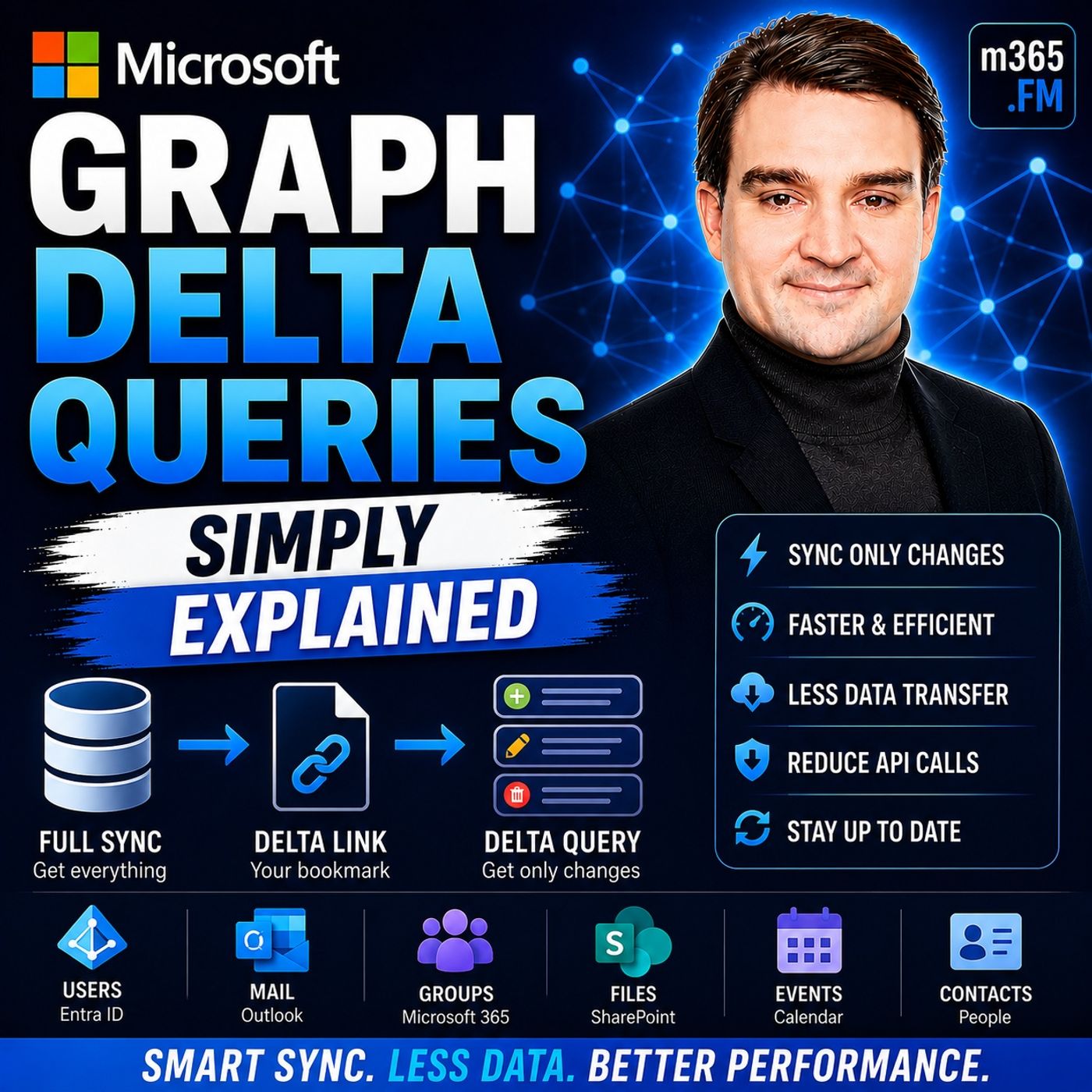
Quick Answer: Microsoft Graph Delta Queries is an important Microsoft topic for teams that need clearer technical decisions, safer implementation, and practical operational value. This episode explains what it does, where it fits in the Microsoft ecosystem, and the key considerations for administrators, architects, and business stakeholders.
Microsoft Graph Delta Queries revolutionize how you synchronize data within Microsoft 365 applications. Instead of downloading entire datasets, you can efficiently track changes and only request what has changed since your last update. This approach not only minimizes network traffic but also speeds up application performance. Developers and IT professionals benefit from reduced API consumption and enhanced user experiences. By using Delta Queries, you can keep your applications responsive and up-to-date without overwhelming your system.
Key Takeaways
- Microsoft Graph Delta Queries help you track changes in data without downloading everything again.
- Using Delta Queries reduces network traffic, making your applications faster and more efficient.
- Delta Queries lower API usage, which can save costs and improve performance.
- Your applications can provide quicker updates to users, enhancing their experience.
- Implementing Delta Queries allows for incremental updates, so you only refresh what has changed.
- To start using Delta Queries, create and authorize an app in Azure Active Directory.
- Always save the deltaLink after your first request to continue tracking changes efficiently.
- Combine Delta Queries with webhooks for real-time updates and better performance.
Delta Queries Overview
Key Features of Microsoft Graph Delta Queries
Microsoft Graph Delta Queries serve as a powerful mechanism that allows you to query for changes in resources without needing to retrieve the entire dataset. This functionality is particularly useful for efficiently tracking changes such as additions, deletions, or updates. By using delta queries, you can streamline your data synchronization processes and enhance application performance.
The benefits of using Microsoft Graph Delta Queries for synchronization are numerous:
-
Efficiency: Delta queries enable you to retrieve only the changes since your last request. This approach significantly reduces the amount of data transferred over the network, which is especially beneficial for applications that require frequent updates.
-
Reduced API Consumption: By minimizing the data you need to pull, you lower your API usage. This reduction can lead to cost savings and improved performance, as your application can focus on processing only the relevant changes.
-
Improved User Experience: With delta queries, your applications can remain responsive. Users receive updates more quickly, enhancing their overall experience. This is particularly important in environments where real-time data is crucial, such as in collaboration tools like Microsoft Teams or document management systems like SharePoint.
-
Incremental Updates: Delta queries allow you to implement incremental updates. Instead of reloading entire datasets, you can efficiently update only the parts that have changed. This capability is vital for maintaining current data without overwhelming your system.
In enterprise environments, delta queries are especially beneficial when immediate notifications of changes are not required. They allow for efficient data retrieval of only new or updated objects. For example, if you need to display a list of entities, such as Teams in SharePoint Online, delta queries can help you retrieve the necessary metadata without unnecessary overhead.
Moreover, delta queries outperform traditional polling methods by allowing your application to query only for changes since the last check. This method, combined with webhook notifications that push change events immediately, enables you to maintain a current semantic cache without resource-intensive full scans.
Setting Up Microsoft Graph Delta Queries

Initial Request and Synchronization
Before you can start using Microsoft Graph Delta Queries, you need to meet certain prerequisites. Here’s a list of what you should do:
- Create an App: This app will serve as the interface for your application to call the Microsoft Graph.
- Authorize the App: Ensure that your app has the necessary permissions to access the data you want to sync.
- Check for Your App in Azure: Make sure your app is registered and configured correctly in Azure Active Directory.
- Plan Your Flow: Determine how you will handle the data synchronization process.
- Configure Storage: Set up a storage solution to keep track of the changes you retrieve.
Once you have these prerequisites in place, you can proceed with the initial request for Delta Queries. The process begins with registering your application in Azure Active Directory. After registration, update the appsettings.json file with your client ID to configure the sample application properly.
The initial synchronization process involves executing a query for a specific schema type, such as user accounts or groups. This query retrieves a complete list of the schema type along with a state token that reflects the data's state at the time of the query. Subsequent queries will use this state token to return only the objects that have changed since your last request. This method allows for efficient incremental sync, ensuring that your application only processes the necessary updates.
When setting up Microsoft Graph Delta Queries, you must also consider authentication and permissions. Here are some important security considerations:
| Topic | HTTP Error Code | Best Practice |
|---|---|---|
| User doesn't have access | 403 | Provide a generic "Access denied" error to users lacking privileges. |
| Not found | 404 | Account for resources that may not exist or have been deleted. |
| Throttling | 429 | Always handle throttling responses and implement a back-off strategy. |
By following these steps and best practices, you can effectively set up Microsoft Graph Delta Queries. This setup will enable your applications to synchronize data efficiently, enhancing performance and user experience.
Executing Delta Queries for Group Delta Changes
Tracking Changes in Microsoft Graph
To track group delta changes effectively, you must follow a structured process for executing subsequent requests. Start by initiating the delta query for group membership changes using the endpoint:
https://graph.microsoft.com/v1.0/groups/delta?$select=members
You can use the Invoke-MgGraphRequest method to execute this request and retrieve the results. This method allows you to interact with the Microsoft Graph API seamlessly.
After your initial request, you will receive a response that may include two important links: @odata.nextLink and @odata.deltaLink. Here’s how to handle these links:
- The
@odata.nextLinkindicates that more pages of data are available. You should continue to follow this link to retrieve all items. - The
@odata.deltaLinkshould be saved after you receive the last page of data. This link allows your next sync to start from where the last one ended. Persisting the deltaLink in a durable state is crucial to avoid a full resync of the group, which is the primary purpose of using delta queries.
For subsequent requests, utilize the @odata.deltaLink from the previous response to continue tracking changes. This approach ensures that you only retrieve the changes since your last sync, optimizing your data retrieval process.
When processing the responses, you may encounter various formats. Common response formats include:
- A
200 OKresponse code along with a user collection object. - The presence of a
@odata.nextLinkURL, indicating additional pages of data. - A
@odata.deltaLinkURL, signifying the end of available data.
To efficiently manage the volume of changes returned by your delta queries, consider implementing the following best practices:
- Implement proper rate limiting and throttling mechanisms to avoid service disruptions.
- Use exponential backoff for retrying requests after encountering 429 errors.
- Combine multiple operations into a single request using batch requests to reduce API calls.
- Create a queue system to manage requests and stay within allowed limits.
- Cache frequently accessed data to reduce API calls and enhance responsiveness.
- Optimize query parameters like
$selectand$filterto minimize payload size.
By following these strategies, you can ensure that your application handles group delta changes efficiently and maintains optimal performance.
Common Challenges with Delta Queries
When using Microsoft Graph Delta Queries, you may encounter several challenges that can affect your application's performance and reliability. Understanding these challenges helps you implement effective solutions.
One common issue is the limited duration of delta tokens. These tokens can expire, complicating synchronization. If your application does not refresh the token in time, you may miss important changes. Additionally, changes to properties stored outside the main data store, such as user skills in SharePoint, are not tracked by delta queries. This limitation can lead to incomplete data synchronization.
Another challenge involves processing delays. There can be a lag between when a change occurs and when it appears in the delta query response. This delay can cause your application to operate on outdated information, which may confuse users. Furthermore, applications must handle potential replays of changes. The same change may appear in multiple responses, leading to unnecessary processing.
To help you navigate these challenges, consider the following best practices:
-
Implement Retry Logic: Always include retry logic in your application. This approach helps manage
429 Too Many Requestsresponses effectively. Use exponential backoff to avoid overwhelming the API. -
Log Errors: Set up a logging system to track errors. This practice allows you to identify patterns and address recurring issues quickly.
-
Test in Graph Explorer: Before deploying your application, test your API calls in Graph Explorer. This step ensures that your requests work as expected.
-
Standardize Error Handling: Keep your error message format consistent. This consistency helps users understand what went wrong and how to fix it.
-
Utilize Delta Links: Use the
deltaLinkreturned by Microsoft Graph to request only changes since the last synchronization. This method minimizes data transfer and improves performance. -
Combine Webhooks with Delta Queries: For optimal performance, use webhooks to receive notifications of changes quickly. After receiving a notification, use delta queries to retrieve the exact changes. This combination ensures that your application remains up-to-date without excessive API calls.
Here’s a summary of some limitations you might face when using delta queries:
| Limitation Description | Details |
|---|---|
$select Query Parameter | Must be included in the initial request to control data returned; only properties in $select are tracked for changes. |
| State Token | The initial request does not include a state token; state tokens are used in subsequent requests. |
| Modification of Requests | Subsequent requests cannot be modified. |
By being aware of these challenges and implementing the suggested solutions, you can optimize your use of Microsoft Graph Delta Queries. This proactive approach will enhance your application's performance and ensure that users receive timely updates.
Microsoft Graph Delta Queries play a crucial role in modern application development. They allow you to track data changes efficiently, eliminating the need to retrieve entire datasets repeatedly. This capability enhances application performance and reduces resource consumption. Real-time updates from Delta Queries are essential for your digital transformation initiatives.
To explore further, consider utilizing Delta Queries to discover changes in entities like Users, Groups, and Messages without full reads. You can find additional resources, including documentation and video tutorials, to help you implement these queries effectively. By adopting Microsoft Graph Delta Queries, you can minimize duplication, reduce network traffic, and improve your application's overall performance.
FAQ
What are Delta Queries in Microsoft Graph?
Delta Queries allow you to track changes in data without retrieving the entire dataset. You can request only the changes since your last synchronization, improving efficiency.
How do I start using Delta Queries?
Begin by creating an app in Azure Active Directory. Authorize the app and configure it to access the Microsoft Graph API for the data you want to sync.
What is a deltaLink?
A deltaLink is a unique URL provided by Microsoft Graph after your initial request. It allows you to retrieve only the changes made since your last sync.
Can I use Delta Queries for all Microsoft Graph resources?
Not all resources support Delta Queries. Check the Microsoft Graph documentation to confirm which resources can utilize this feature.
How often should I make Delta Query requests?
You should make requests based on your application's needs. Frequent updates may require more regular queries, while less active data can be queried less often.
What happens if my deltaLink expires?
If your deltaLink expires, you will need to perform a full synchronization to retrieve the complete dataset again. Regularly check for token expiration to avoid this issue.
How do I handle throttling when using the API?
Implement retry logic with exponential backoff. This approach helps manage 429 Too Many Requests responses effectively, ensuring your application remains responsive.
Are there any best practices for using Delta Queries?
Yes, use deltaLinks to minimize data transfer, combine webhooks with Delta Queries for real-time updates, and optimize your queries to reduce payload size.
🎧 You Should Also Listen To
- Microsoft Graph Change Notifications – Simply Explained provides the next practical learning step and adds useful context for this topic.
- Microsoft Graph Connectors – Simply Explained provides the next practical learning step and adds useful context for this topic.
- AI Agents – Simply Explained provides the next practical learning step and adds useful context for this topic.
Last reviewed: July 2026.
🚀 Want to be part of m365.fm?
Then stop just listening… and start showing up.
👉 Connect with me on LinkedIn and let’s make something happen:
- 🎙️ Be a podcast guest and share your story
- 🎧 Host your own episode (yes, seriously)
- 💡 Pitch topics the community actually wants to hear
- 🌍 Build your personal brand in the Microsoft 365 space
This isn’t just a podcast — it’s a platform for people who take action.
🔥 Most people wait. The best ones don’t.
👉 Connect with me on LinkedIn and send me a message:
"I want in"
Let’s build something awesome 👊
1
00:00:00,000 --> 00:00:01,120
Let me paint a picture.
2
00:00:01,120 --> 00:00:02,640
You have a calendar app on your phone,
3
00:00:02,640 --> 00:00:04,400
showing your meetings for the day,
4
00:00:04,400 --> 00:00:06,120
but you also have meetings on your laptop.
5
00:00:06,120 --> 00:00:08,360
And sometimes someone changes a meeting time
6
00:00:08,360 --> 00:00:09,600
while you're away from your desk.
7
00:00:09,600 --> 00:00:11,280
When you open the app on your phone,
8
00:00:11,280 --> 00:00:13,840
you expect to see that change right now, not tomorrow.
9
00:00:13,840 --> 00:00:15,280
So how do most apps handle this?
10
00:00:15,280 --> 00:00:17,840
They download every single event, every few minutes,
11
00:00:17,840 --> 00:00:19,160
whether anything changed or not.
12
00:00:19,160 --> 00:00:20,480
Think about that for a second.
13
00:00:20,480 --> 00:00:22,320
If you have a thousand calendar events,
14
00:00:22,320 --> 00:00:23,760
and only one of them changed,
15
00:00:23,760 --> 00:00:25,560
the app still pulls down all thousands,
16
00:00:25,560 --> 00:00:26,800
it's like going to the grocery store
17
00:00:26,800 --> 00:00:27,920
and buying everything in the store
18
00:00:27,920 --> 00:00:29,240
just because you needed milk.
19
00:00:29,240 --> 00:00:30,080
Wasteful, right?
20
00:00:30,080 --> 00:00:31,360
That's the old way of doing things.
21
00:00:31,360 --> 00:00:33,040
And it gets worse on a slow connection
22
00:00:33,040 --> 00:00:34,960
that full download takes time.
23
00:00:34,960 --> 00:00:37,520
You sit there staring at a spinner, the app feels sluggish.
24
00:00:37,520 --> 00:00:38,960
Your battery drains faster,
25
00:00:38,960 --> 00:00:40,920
and the server has to handle all those requests
26
00:00:40,920 --> 00:00:42,040
even when nothing changed.
27
00:00:42,040 --> 00:00:43,600
Now imagine you're building an app
28
00:00:43,600 --> 00:00:46,240
that syncs users from Microsoft, Entra, ID
29
00:00:46,240 --> 00:00:49,000
or emails from Exchange or files from SharePoint.
30
00:00:49,000 --> 00:00:50,400
The problem multiplies.
31
00:00:50,400 --> 00:00:52,640
You're moving gigabytes of data for no good reason.
32
00:00:52,640 --> 00:00:54,640
Delta queries solve this exact problem.
33
00:00:54,640 --> 00:00:56,160
Instead of asking for everything,
34
00:00:56,160 --> 00:00:58,680
you ask for only what change since your last check.
35
00:00:58,680 --> 00:01:00,360
What if I could just get the new stuff?
36
00:01:00,360 --> 00:01:06,160
That's the question Delta queries answer.
37
00:01:06,160 --> 00:01:09,040
If you've ever waited for a sync to finish on a slow connection,
38
00:01:09,040 --> 00:01:11,480
or built an app that pulls an API every few minutes
39
00:01:11,480 --> 00:01:14,360
and wondered if there's a better way, this is for you.
40
00:01:14,360 --> 00:01:16,680
What's coming is a simple change tracking mechanism,
41
00:01:16,680 --> 00:01:18,360
no magic.
42
00:01:18,360 --> 00:01:22,000
Just clever, token math that lets you ask Microsoft Graph,
43
00:01:22,000 --> 00:01:24,240
what's new since I last asked?
44
00:01:24,240 --> 00:01:25,640
What is a Delta query?
45
00:01:25,640 --> 00:01:27,480
So what exactly is a Delta query?
46
00:01:27,480 --> 00:01:28,960
Here's the simplest definition.
47
00:01:28,960 --> 00:01:30,960
A Delta query asks Microsoft Graph
48
00:01:30,960 --> 00:01:33,160
for only the changes since your last check.
49
00:01:33,160 --> 00:01:36,520
Not everything, just a new, updated, or deleted items.
50
00:01:36,520 --> 00:01:37,920
Think about your email inbox.
51
00:01:37,920 --> 00:01:40,960
When you open it in the morning, you don't reread every email.
52
00:01:40,960 --> 00:01:42,200
You just look at the new ones.
53
00:01:42,200 --> 00:01:44,320
The ones that arrived since your last check,
54
00:01:44,320 --> 00:01:45,840
that's exactly what a Delta query does,
55
00:01:45,840 --> 00:01:48,240
but for your Microsoft 365 data.
56
00:01:48,240 --> 00:01:49,840
Now contrast that with a full sync.
57
00:01:49,840 --> 00:01:51,720
A full sync is like making a complete backup
58
00:01:51,720 --> 00:01:54,400
of your entire inbox every time you check email.
59
00:01:54,400 --> 00:01:56,880
You'd have thousands of copies of the same messages.
60
00:01:56,880 --> 00:01:58,160
It's wasteful and slow.
61
00:01:58,160 --> 00:02:00,160
A Delta query is more like a change log.
62
00:02:00,160 --> 00:02:02,640
It says, here's what happened since last time.
63
00:02:02,640 --> 00:02:03,440
Nothing more.
64
00:02:03,440 --> 00:02:05,960
This works across a lot of Microsoft Graph resources.
65
00:02:05,960 --> 00:02:09,040
Users, groups, mail, calendar events, contacts, files.
66
00:02:09,040 --> 00:02:12,920
If it lives in Microsoft 365, chances are there's a Delta endpoint for it.
67
00:02:12,920 --> 00:02:15,640
The first time you call a Delta endpoint, it returns everything.
68
00:02:15,640 --> 00:02:16,360
That's your baseline.
69
00:02:16,360 --> 00:02:19,440
You get all the data plus a special link called a Delta link.
70
00:02:19,440 --> 00:02:20,520
You save that link.
71
00:02:20,520 --> 00:02:22,800
Then on subsequent calls, you use that saved link
72
00:02:22,800 --> 00:02:25,040
and Microsoft Graph returns only the changes.
73
00:02:25,040 --> 00:02:27,280
Adds, updates, deletes, that's it.
74
00:02:27,280 --> 00:02:28,480
Why does this matter?
75
00:02:28,480 --> 00:02:30,400
Less data move means faster syncs.
76
00:02:30,400 --> 00:02:32,640
Faster syncs mean a better user experience.
77
00:02:32,640 --> 00:02:34,840
Your app feels snappy instead of sluggish.
78
00:02:34,840 --> 00:02:36,240
And because you're moving less data,
79
00:02:36,240 --> 00:02:39,280
you use less bandwidth and less processing power on both ends,
80
00:02:39,280 --> 00:02:41,080
lower cost, better performance.
81
00:02:41,080 --> 00:02:43,080
Microsoft designed Delta queries for apps
82
00:02:43,080 --> 00:02:45,600
that need to stay fresh without hammering the API.
83
00:02:45,600 --> 00:02:47,000
If you've ever hit a rate limit
84
00:02:47,000 --> 00:02:49,040
because you were polling too aggressively,
85
00:02:49,040 --> 00:02:50,400
you know why this matters.
86
00:02:50,400 --> 00:02:53,760
Delta queries let you sync efficiently without getting throttled.
87
00:02:53,760 --> 00:02:55,360
How the token system works.
88
00:02:55,360 --> 00:02:57,920
So how does the system remember where you left off?
89
00:02:57,920 --> 00:02:59,320
That's where tokens come in.
90
00:02:59,320 --> 00:03:01,560
When you make that first Delta query,
91
00:03:01,560 --> 00:03:03,640
Microsoft Graph doesn't just send you the data
92
00:03:03,640 --> 00:03:04,480
and forget about it.
93
00:03:04,480 --> 00:03:06,200
It gives you something called a Delta link.
94
00:03:06,200 --> 00:03:07,480
Think of it as a bookmark,
95
00:03:07,480 --> 00:03:10,440
a bookmark that tells Graph exactly where you stopped reading.
96
00:03:10,440 --> 00:03:11,520
Here's how it works.
97
00:03:11,520 --> 00:03:14,880
You make your first request and Graph sends back all the data.
98
00:03:14,880 --> 00:03:17,840
Your full set of users, events, or whatever you're tracking.
99
00:03:17,840 --> 00:03:20,080
At the bottom of that response, there's a URL
100
00:03:20,080 --> 00:03:22,080
that contains something called a Delta token.
101
00:03:22,080 --> 00:03:24,400
You save that URL and store it somewhere safe.
102
00:03:24,400 --> 00:03:26,840
Next time you want to sync, you don't make a fresh request.
103
00:03:26,840 --> 00:03:28,760
Instead you call that saved URL.
104
00:03:28,760 --> 00:03:31,200
Graph says, "Oh, I remember you. You stopped here."
105
00:03:31,200 --> 00:03:34,880
Then it sends back only the changes since that point.
106
00:03:34,880 --> 00:03:37,240
A new user was added and event was deleted.
107
00:03:37,240 --> 00:03:39,000
A contact phone number was updated.
108
00:03:39,000 --> 00:03:39,840
That's all you get.
109
00:03:39,840 --> 00:03:41,760
Plus a fresh Delta link for next time.
110
00:03:41,760 --> 00:03:43,440
Now, what if there are a lot of changes?
111
00:03:43,440 --> 00:03:45,040
Say you haven't synced in three days
112
00:03:45,040 --> 00:03:46,600
and hundreds of things changed.
113
00:03:46,600 --> 00:03:48,280
Graph might not send them all in one response.
114
00:03:48,280 --> 00:03:49,440
It sends a page of changes
115
00:03:49,440 --> 00:03:50,680
and at the bottom of that page,
116
00:03:50,680 --> 00:03:52,880
you see something called a next link.
117
00:03:52,880 --> 00:03:54,560
That means keep going, there's more.
118
00:03:54,560 --> 00:03:56,600
You call that next link, get the next page
119
00:03:56,600 --> 00:03:59,320
and repeat until you finally see a Delta link instead.
120
00:03:59,320 --> 00:04:00,720
That's how you know your caught up.
121
00:04:00,720 --> 00:04:02,440
The next link means more data coming.
122
00:04:02,440 --> 00:04:04,120
The Delta link means you're done for now.
123
00:04:04,120 --> 00:04:05,400
Here's a way to think about it.
124
00:04:05,400 --> 00:04:08,480
Imagine you go grocery shopping, you buy a cart full of stuff
125
00:04:08,480 --> 00:04:10,320
and the cashier hands you a receipt.
126
00:04:10,320 --> 00:04:12,120
That receipt is your proof of what you bought.
127
00:04:12,120 --> 00:04:14,400
Next time you shop, you don't bring the whole store with you.
128
00:04:14,400 --> 00:04:15,760
You just bring that receipt.
129
00:04:15,760 --> 00:04:17,480
The cashier looks at it and says,
130
00:04:17,480 --> 00:04:19,360
"Right, you already have milk and eggs.
131
00:04:19,360 --> 00:04:21,320
You only need the things that change since then."
132
00:04:21,320 --> 00:04:22,920
That receipt is your Delta link.
133
00:04:22,920 --> 00:04:24,840
You don't need to remember what you already have.
134
00:04:24,840 --> 00:04:27,320
The receipt remembers for you and that's the key point.
135
00:04:27,320 --> 00:04:30,240
You don't have to store timestamps or version numbers yourself.
136
00:04:30,240 --> 00:04:32,640
You don't have to figure out what changed and what didn't.
137
00:04:32,640 --> 00:04:34,400
Microsoft handles all that tracking.
138
00:04:34,400 --> 00:04:35,880
You just save the link, call it later
139
00:04:35,880 --> 00:04:37,560
and let graph do the hard work.
140
00:04:37,560 --> 00:04:39,240
The limitations you can't ignore.
141
00:04:39,240 --> 00:04:40,360
Sounds elegant, right?
142
00:04:40,360 --> 00:04:41,720
But like any clever system,
143
00:04:41,720 --> 00:04:43,360
there are catches you need to know about.
144
00:04:43,360 --> 00:04:44,920
First up, token expiration.
145
00:04:44,920 --> 00:04:48,160
If you're syncing directory objects, users, groups, devices,
146
00:04:48,160 --> 00:04:50,240
your Delta token is only valid for seven days.
147
00:04:50,240 --> 00:04:51,080
That's it.
148
00:04:51,080 --> 00:04:53,200
If your app doesn't sync at least once every seven days,
149
00:04:53,200 --> 00:04:54,600
that token expires.
150
00:04:54,600 --> 00:04:57,400
And when it expires, you can't just pick up where you left off.
151
00:04:57,400 --> 00:04:59,080
You have to start over with a full sync.
152
00:04:59,080 --> 00:05:00,800
This is a bigger deal than it sounds.
153
00:05:00,800 --> 00:05:03,040
Imagine you build an app that syncs user profiles.
154
00:05:03,040 --> 00:05:04,360
It runs fine for months.
155
00:05:04,360 --> 00:05:05,960
Then someone takes a two week vacation.
156
00:05:05,960 --> 00:05:07,880
When they come back, the app's token is dead.
157
00:05:07,880 --> 00:05:09,720
It has to download everything from scratch.
158
00:05:09,720 --> 00:05:11,600
That's a lot of data and a lot of time.
159
00:05:11,600 --> 00:05:13,720
Second, there's the dreaded 410 gone error.
160
00:05:13,720 --> 00:05:15,880
Even if your token hasn't expired naturally,
161
00:05:15,880 --> 00:05:17,840
Microsoft graph can invalidate it.
162
00:05:17,840 --> 00:05:20,800
This happens during internal maintenance, tenant migrations,
163
00:05:20,800 --> 00:05:23,280
or other behind the scenes changes you can't control.
164
00:05:23,280 --> 00:05:26,720
When it does, graph returns an HTTP 410 status.
165
00:05:26,720 --> 00:05:28,000
That's Microsoft's way of saying,
166
00:05:28,000 --> 00:05:29,240
I don't remember that token.
167
00:05:29,240 --> 00:05:30,320
Start over.
168
00:05:30,320 --> 00:05:32,240
And again, you need a full re-sync.
169
00:05:32,240 --> 00:05:34,080
Third, processing delays.
170
00:05:34,080 --> 00:05:36,320
Here's something that surprises a lot of people.
171
00:05:36,320 --> 00:05:38,960
When someone updates a user in Microsoft Enter ID,
172
00:05:38,960 --> 00:05:41,360
that change doesn't show up in Delta queries instantly.
173
00:05:41,360 --> 00:05:42,120
There's a lag.
174
00:05:42,120 --> 00:05:44,000
Sometimes seconds, sometimes minutes.
175
00:05:44,000 --> 00:05:46,840
The change has to propagate through Microsoft's internal systems
176
00:05:46,840 --> 00:05:48,320
before it appears in the Delta feed.
177
00:05:48,320 --> 00:05:50,720
So if you're building an app that needs real-time updates,
178
00:05:50,720 --> 00:05:52,240
Delta query alone won't cut it.
179
00:05:52,240 --> 00:05:53,880
You'll think nothing changed when, in fact,
180
00:05:53,880 --> 00:05:55,280
something just hasn't shown up yet.
181
00:05:55,280 --> 00:05:57,080
Fourth, untract properties.
182
00:05:57,080 --> 00:06:00,120
Not every property on a resource is tracked by Delta query.
183
00:06:00,120 --> 00:06:02,120
Take the skills property on a user object.
184
00:06:02,120 --> 00:06:05,040
That data lives in SharePoint, not in the main directory store.
185
00:06:05,040 --> 00:06:07,040
So if someone updates a user's skills,
186
00:06:07,040 --> 00:06:09,160
that change doesn't trigger a Delta response.
187
00:06:09,160 --> 00:06:10,120
Your app never sees it.
188
00:06:10,120 --> 00:06:13,320
You'd have to do a full read of that property to catch the update.
189
00:06:13,320 --> 00:06:15,600
This catches developers off guard all the time.
190
00:06:15,600 --> 00:06:16,600
Fifth, replace.
191
00:06:16,600 --> 00:06:19,480
Microsoft Graph makes a best-effort attempt to avoid duplicates,
192
00:06:19,480 --> 00:06:20,880
but it doesn't guarantee it.
193
00:06:20,880 --> 00:06:24,240
The same change might appear in two consecutive Delta responses.
194
00:06:24,240 --> 00:06:25,920
That means your app has to be idempotent.
195
00:06:25,920 --> 00:06:28,800
It has to handle the same update twice without breaking.
196
00:06:28,800 --> 00:06:30,800
If you're inserting records into a database,
197
00:06:30,800 --> 00:06:33,360
you need to check if the record already exists before adding it.
198
00:06:33,360 --> 00:06:34,400
If you're updating a field,
199
00:06:34,400 --> 00:06:36,640
you need to make sure applying the same update twice
200
00:06:36,640 --> 00:06:37,960
doesn't corrupt your data.
201
00:06:37,960 --> 00:06:40,440
And sixth, query parameter restrictions.
202
00:06:40,440 --> 00:06:41,960
On user and group Delta endpoints,
203
00:06:41,960 --> 00:06:43,960
you can't use X-band or order-by.
204
00:06:43,960 --> 00:06:46,920
Want to include the manager property in your user's sync.
205
00:06:46,920 --> 00:06:49,920
You can, but only if you use select in a specific way.
206
00:06:49,920 --> 00:06:51,320
Want to sort users by name?
207
00:06:51,320 --> 00:06:52,800
Not possible on the Delta endpoint.
208
00:06:52,800 --> 00:06:55,560
You have to work around these limitations with additional requests.
209
00:06:55,560 --> 00:06:56,400
So here's the summary.
210
00:06:56,400 --> 00:06:57,520
Delta query is powerful.
211
00:06:57,520 --> 00:06:59,560
It saves bandwidth, reduces latency,
212
00:06:59,560 --> 00:07:01,080
and makes your app feel fast.
213
00:07:01,080 --> 00:07:02,320
But it's not a perfect system.
214
00:07:02,320 --> 00:07:04,120
Token's expire, changes are delayed.
215
00:07:04,120 --> 00:07:05,360
Some properties are invisible.
216
00:07:05,360 --> 00:07:06,440
Duplicates happen.
217
00:07:06,440 --> 00:07:08,880
And you can't use all the query features you're used to.
218
00:07:08,880 --> 00:07:11,000
You need to plan for these edge cases.
219
00:07:11,000 --> 00:07:14,560
Build in retry logic, handle the 410, expect replays,
220
00:07:14,560 --> 00:07:15,960
and most importantly, don't assume
221
00:07:15,960 --> 00:07:18,440
that what Delta query shows you is the complete picture,
222
00:07:18,440 --> 00:07:20,040
because sometimes it isn't.
223
00:07:20,040 --> 00:07:22,400
Delta query versus change notifications.
224
00:07:22,400 --> 00:07:24,000
So if Delta query has these gaps,
225
00:07:24,000 --> 00:07:25,560
token expiry processing delays,
226
00:07:25,560 --> 00:07:28,800
untracked properties, why not just use push notifications instead?
227
00:07:28,800 --> 00:07:30,080
Let's compare how they work.
228
00:07:30,080 --> 00:07:32,400
Change notifications are push-based.
229
00:07:32,400 --> 00:07:34,840
Microsoft calls your endpoint when something changes.
230
00:07:34,840 --> 00:07:37,640
We're talking seconds, not minutes, near real time.
231
00:07:37,640 --> 00:07:39,920
If someone updates a user in Enter ID,
232
00:07:39,920 --> 00:07:42,360
your app knows about it almost instantly.
233
00:07:42,360 --> 00:07:43,840
No polling required.
234
00:07:43,840 --> 00:07:45,920
Delta query on the other hand is pull-based.
235
00:07:45,920 --> 00:07:47,360
You ask for changes on your schedule.
236
00:07:47,360 --> 00:07:50,440
Maybe every hour, maybe every six hours, maybe once a day.
237
00:07:50,440 --> 00:07:53,080
The latency is measured in minutes or hours, not seconds.
238
00:07:53,080 --> 00:07:55,200
You decide when to check and you get whatever change
239
00:07:55,200 --> 00:07:56,200
since your last check.
240
00:07:56,200 --> 00:07:57,640
So what are the pros of push?
241
00:07:57,640 --> 00:07:58,880
Low latency is the big one.
242
00:07:58,880 --> 00:08:01,480
If you're building an app that needs to react quickly,
243
00:08:01,480 --> 00:08:03,520
say sending an urgent email alert
244
00:08:03,520 --> 00:08:05,560
when a critical document is modified,
245
00:08:05,560 --> 00:08:07,520
change notifications are your friend.
246
00:08:07,520 --> 00:08:09,360
You get notified the moment it happens.
247
00:08:09,360 --> 00:08:10,440
But push has downsides.
248
00:08:10,440 --> 00:08:13,400
First, you need a publicly accessible HTTPS endpoint.
249
00:08:13,400 --> 00:08:16,080
That means your app has to be reachable from the internet
250
00:08:16,080 --> 00:08:18,480
for apps running inside a corporate network.
251
00:08:18,480 --> 00:08:19,800
That's a security concern.
252
00:08:19,800 --> 00:08:22,000
You need to open ports, manage certificates,
253
00:08:22,000 --> 00:08:23,480
and handle incoming traffic.
254
00:08:23,480 --> 00:08:25,200
Second, you have to handle validation.
255
00:08:25,200 --> 00:08:26,720
When you create a subscription,
256
00:08:26,720 --> 00:08:29,720
Microsoft Graph sends a validation token to your endpoint.
257
00:08:29,720 --> 00:08:31,960
Your endpoint has to return that token in plain text
258
00:08:31,960 --> 00:08:32,960
within 10 seconds.
259
00:08:32,960 --> 00:08:34,720
If it doesn't, the subscription fails.
260
00:08:34,720 --> 00:08:36,520
Third, subscriptions expire.
261
00:08:36,520 --> 00:08:38,280
You have to renew them before they expire
262
00:08:38,280 --> 00:08:40,200
or you stop receiving notifications.
263
00:08:40,200 --> 00:08:41,560
And fourth, retreats.
264
00:08:41,560 --> 00:08:43,800
If your endpoint doesn't respond within three seconds,
265
00:08:43,800 --> 00:08:46,160
Microsoft Graph retreats with exponential back off
266
00:08:46,160 --> 00:08:47,600
for up to four hours.
267
00:08:47,600 --> 00:08:50,560
If your endpoint is slow, notifications can get dropped entirely.
268
00:08:50,560 --> 00:08:51,760
Now for the pull side,
269
00:08:51,760 --> 00:08:54,200
the pros of Delta query are simpler infrastructure.
270
00:08:54,200 --> 00:08:56,920
No public endpoint needed, no inbound traffic to manage.
271
00:08:56,920 --> 00:08:59,560
You just make outbound requests from your app.
272
00:08:59,560 --> 00:09:00,360
That's it.
273
00:09:00,360 --> 00:09:02,680
You also have more control over when things happen.
274
00:09:02,680 --> 00:09:05,040
You can schedule them for off-peak hours.
275
00:09:05,040 --> 00:09:05,920
You can batch them.
276
00:09:05,920 --> 00:09:07,840
You can process changes at your own pace.
277
00:09:07,840 --> 00:09:09,120
But pull has cons too.
278
00:09:09,120 --> 00:09:10,560
Higher latency obviously.
279
00:09:10,560 --> 00:09:12,280
You only know about changes when you ask.
280
00:09:12,280 --> 00:09:15,280
If you pull every hour, you could be up to an hour behind.
281
00:09:15,280 --> 00:09:16,720
Token expiry is another risk.
282
00:09:16,720 --> 00:09:18,960
If you don't sync often enough, your token dies
283
00:09:18,960 --> 00:09:20,240
and you have to start over.
284
00:09:20,240 --> 00:09:21,680
And there's the wasted effort of pulling
285
00:09:21,680 --> 00:09:22,960
even when nothing changed.
286
00:09:22,960 --> 00:09:25,640
You make the request, get back an empty response
287
00:09:25,640 --> 00:09:27,360
and have to do it again next cycle.
288
00:09:27,360 --> 00:09:28,480
So which one should you choose?
289
00:09:28,480 --> 00:09:29,000
It depends.
290
00:09:29,000 --> 00:09:32,160
If you need low latency, say for urgent email alerts
291
00:09:32,160 --> 00:09:35,000
or real-time collaboration, use change notifications.
292
00:09:35,000 --> 00:09:38,000
If you're doing bulk sync, maintaining a local database
293
00:09:38,000 --> 00:09:41,320
or building an app that works offline, use Delta query.
294
00:09:41,320 --> 00:09:42,760
Each has its place.
295
00:09:42,760 --> 00:09:44,040
The hybrid approach.
296
00:09:44,040 --> 00:09:45,360
Best of both worlds.
297
00:09:45,360 --> 00:09:47,440
Actually, you don't have to choose one or the other.
298
00:09:47,440 --> 00:09:49,720
The smartest approach is to use both together.
299
00:09:49,720 --> 00:09:50,720
Here's the pattern.
300
00:09:50,720 --> 00:09:53,680
You set up change notifications to tell you when something changed.
301
00:09:53,680 --> 00:09:55,560
That gives you near real-time awareness.
302
00:09:55,560 --> 00:09:56,760
You know something happened.
303
00:09:56,760 --> 00:09:59,160
But you don't necessarily know exactly what changed.
304
00:09:59,160 --> 00:10:01,960
Or you don't want to process the full payload in every notification.
305
00:10:01,960 --> 00:10:04,640
So instead, you use that notification as a trigger.
306
00:10:04,640 --> 00:10:07,200
When you get a push notification saying something changed,
307
00:10:07,200 --> 00:10:09,960
you then call Delta query to fetch exactly what changed.
308
00:10:09,960 --> 00:10:11,320
Think about what this gives you.
309
00:10:11,320 --> 00:10:13,200
You only pull data when there's actual change.
310
00:10:13,200 --> 00:10:14,640
No wasted polling.
311
00:10:14,640 --> 00:10:16,560
You get the reliability of Delta tokens.
312
00:10:16,560 --> 00:10:19,200
You can track changes over time, handle pagination,
313
00:10:19,200 --> 00:10:20,600
and recover from failures.
314
00:10:20,600 --> 00:10:23,720
And you avoid the complexity of handling full-change payloads
315
00:10:23,720 --> 00:10:25,280
in every notification.
316
00:10:25,280 --> 00:10:28,000
The notification just says, hey, look over here.
317
00:10:28,000 --> 00:10:29,800
The Delta query does the heavy lifting.
318
00:10:29,800 --> 00:10:31,040
Here's a real scenario.
319
00:10:31,040 --> 00:10:32,960
Imagine an app that syncs user profiles
320
00:10:32,960 --> 00:10:34,520
from Microsoft Enter ID.
321
00:10:34,520 --> 00:10:37,280
You subscribe to change notifications for the user resource.
322
00:10:37,280 --> 00:10:39,160
When someone updates their job title,
323
00:10:39,160 --> 00:10:41,960
Microsoft Graph sends a notification to your endpoint.
324
00:10:41,960 --> 00:10:43,800
Your app receives that notification and says,
325
00:10:43,800 --> 00:10:45,840
OK, something changed with that user.
326
00:10:45,840 --> 00:10:49,200
It then calls the Delta query endpoint with its saved token.
327
00:10:49,200 --> 00:10:51,760
The Delta query returns the updated user details.
328
00:10:51,760 --> 00:10:54,560
Your app processes the change and updates its local database.
329
00:10:54,560 --> 00:10:55,120
Done.
330
00:10:55,120 --> 00:10:57,880
This pattern is supported natively by Microsoft Graph.
331
00:10:57,880 --> 00:11:00,200
You create a subscription for change notifications
332
00:11:00,200 --> 00:11:02,520
and you maintain a Delta link for the same resource.
333
00:11:02,520 --> 00:11:05,800
When a notification arrives, you trigger a Delta query cycle.
334
00:11:05,800 --> 00:11:08,120
It's the recommended approach for production apps.
335
00:11:08,120 --> 00:11:10,160
Microsoft's own documentation calls it out
336
00:11:10,160 --> 00:11:12,680
as the way to nearly eliminate frequent polling.
337
00:11:12,680 --> 00:11:14,080
Here's a simple way to picture it.
338
00:11:14,080 --> 00:11:15,120
A doorbell is push.
339
00:11:15,120 --> 00:11:16,400
It tells you someone's at the door.
340
00:11:16,400 --> 00:11:18,840
You don't have to stand outside and watch for visitors.
341
00:11:18,840 --> 00:11:20,640
But the doorbell doesn't tell you who it is.
342
00:11:20,640 --> 00:11:21,760
So you check the camera.
343
00:11:21,760 --> 00:11:22,480
That's pull.
344
00:11:22,480 --> 00:11:24,160
You look at the feed to see who's there.
345
00:11:24,160 --> 00:11:26,400
Doorbell plus camera, push plus pull,
346
00:11:26,400 --> 00:11:27,560
efficient and responsive.
347
00:11:27,560 --> 00:11:28,840
That's the hybrid pattern.
348
00:11:28,840 --> 00:11:31,520
For most real-world applications, this is the gold standard.
349
00:11:31,520 --> 00:11:33,760
You get the immediacy of push notifications
350
00:11:33,760 --> 00:11:35,720
with the thoroughness of Delta query.
351
00:11:35,720 --> 00:11:38,000
And you avoid the weaknesses of each approach
352
00:11:38,000 --> 00:11:39,280
when used alone.
353
00:11:39,280 --> 00:11:41,560
Practical rules for building with Delta query.
354
00:11:41,560 --> 00:11:43,360
Hello everyone and welcome to another episode
355
00:11:43,360 --> 00:11:45,600
of Microsoft Knowledge Nuggets on M365.
356
00:11:45,600 --> 00:11:47,160
FM, I'm your host, Mucopetus.
357
00:11:47,160 --> 00:11:50,040
Today we're talking about building with Delta query in production.
358
00:11:50,040 --> 00:11:51,600
It comes down to a few hard rules,
359
00:11:51,600 --> 00:11:53,640
the kind that keep your sync from silently breaking
360
00:11:53,640 --> 00:11:54,880
at 2 a.m. on a Sunday.
361
00:11:54,880 --> 00:11:57,920
Follow these six rules and your implementation will be solid.
362
00:11:57,920 --> 00:11:59,840
Miss one and you're asking for trouble.
363
00:11:59,840 --> 00:12:01,920
Rule one, save your Delta link somewhere secure.
364
00:12:01,920 --> 00:12:04,000
Not in a text file on your desktop.
365
00:12:04,000 --> 00:12:05,560
Not hard coded in your code.
366
00:12:05,560 --> 00:12:07,680
Use a proper database or a key store.
367
00:12:07,680 --> 00:12:09,440
Think of this link as the key to your building.
368
00:12:09,440 --> 00:12:10,960
Lose it and you're locked out.
369
00:12:10,960 --> 00:12:13,000
You're back to square one with a full sync.
370
00:12:13,000 --> 00:12:15,080
Potentially gigabytes of data you have to pull down
371
00:12:15,080 --> 00:12:15,880
all over again.
372
00:12:15,880 --> 00:12:18,520
Rule two, run your sync loop at least every six days.
373
00:12:18,520 --> 00:12:20,240
Directory tokens expire at 7.
374
00:12:20,240 --> 00:12:22,640
If you schedule your sync for 7 days on the dot,
375
00:12:22,640 --> 00:12:24,400
you have zero margin for error.
376
00:12:24,400 --> 00:12:27,160
A network blip, a holiday weekend, a server restart
377
00:12:27,160 --> 00:12:28,520
and your token is dead.
378
00:12:28,520 --> 00:12:30,280
Six days gives you a full day of buffer.
379
00:12:30,280 --> 00:12:32,920
Rule three, expect the 410 error, it's going to happen.
380
00:12:32,920 --> 00:12:34,720
Microsoft Graph will invalidate your token
381
00:12:34,720 --> 00:12:37,040
during maintenance or a tenant migration.
382
00:12:37,040 --> 00:12:39,200
When it does, your code needs to catch it,
383
00:12:39,200 --> 00:12:41,360
trigger a full resync and get a fresh link.
384
00:12:41,360 --> 00:12:43,680
Don't treat it as a bug, treat it as a normal part
385
00:12:43,680 --> 00:12:44,600
of the life cycle.
386
00:12:44,600 --> 00:12:47,320
Rule four, design your app to handle duplicates.
387
00:12:47,320 --> 00:12:48,480
Replace a real.
388
00:12:48,480 --> 00:12:51,440
The same change can appear in two consecutive responses.
389
00:12:51,440 --> 00:12:54,480
If you're inserting records, check if they exist first.
390
00:12:54,480 --> 00:12:57,800
If you're updating fields, make sure the update is safe to repeat.
391
00:12:58,760 --> 00:13:01,240
Rule five, start small.
392
00:13:01,240 --> 00:13:03,720
Don't point your code at a tenant with 10,000 users
393
00:13:03,720 --> 00:13:04,600
on your first try.
394
00:13:04,600 --> 00:13:07,160
Use Graph Explorer, pick a short date range,
395
00:13:07,160 --> 00:13:08,720
verify your Delta link works.
396
00:13:08,720 --> 00:13:10,640
Make a change, see if it shows up.
397
00:13:10,640 --> 00:13:12,920
Get comfortable with the flow before you scale up.
398
00:13:12,920 --> 00:13:14,960
Rule six, watch your rate limits.
399
00:13:14,960 --> 00:13:17,760
Microsoft Graph will throttle you if you call too fast.
400
00:13:17,760 --> 00:13:20,120
Think of it like a highway, speed too much
401
00:13:20,120 --> 00:13:21,680
and you get blocked.
402
00:13:21,680 --> 00:13:23,800
Delta queries help reduce your call volume,
403
00:13:23,800 --> 00:13:25,640
but you still need to respect the limits.
404
00:13:25,640 --> 00:13:26,960
Space out your requests.
405
00:13:26,960 --> 00:13:29,640
Use exponential back off when you see a 429,
406
00:13:29,640 --> 00:13:31,960
your synx speed doesn't matter if you're blocked.
407
00:13:31,960 --> 00:13:35,640
A real example, syncing calendar events.
408
00:13:35,640 --> 00:13:37,240
So how does this actually work?
409
00:13:37,240 --> 00:13:39,840
Let's say you're building an app that syncs calendar events.
410
00:13:39,840 --> 00:13:41,840
Here's the flow from start to finish.
411
00:13:41,840 --> 00:13:43,800
Step one, you make your first request
412
00:13:43,800 --> 00:13:45,560
to the calendar view Delta endpoint,
413
00:13:45,560 --> 00:13:48,120
something like get me, calendar view, Delta
414
00:13:48,120 --> 00:13:49,880
with a start time and end time.
415
00:13:49,880 --> 00:13:51,040
This is your baseline.
416
00:13:51,040 --> 00:13:53,600
Microsoft Graph returns all the events in that range.
417
00:13:53,600 --> 00:13:55,800
Maybe it's a hundred events, maybe it's a thousand
418
00:13:55,800 --> 00:13:58,120
at the bottom of that response, you get a Delta link.
419
00:13:58,120 --> 00:14:00,720
You save it, step two, next sync cycle,
420
00:14:00,720 --> 00:14:03,960
an hour later, a day later, you call that saved Delta link.
421
00:14:03,960 --> 00:14:05,720
This time Graph doesn't return everything.
422
00:14:05,720 --> 00:14:08,200
Just the changes, think of it like a librarian.
423
00:14:08,200 --> 00:14:10,640
You ask for the books that change since your last visit,
424
00:14:10,640 --> 00:14:13,080
much faster than reading the whole library again.
425
00:14:13,080 --> 00:14:16,120
A new meeting, an existing one moved to a different time.
426
00:14:16,120 --> 00:14:17,400
And if something was deleted,
427
00:14:17,400 --> 00:14:19,320
it shows up with an ad-remove property,
428
00:14:19,320 --> 00:14:21,560
so you know to remove it from your local store.
429
00:14:21,560 --> 00:14:23,720
Step three, if there are a lot of changes,
430
00:14:23,720 --> 00:14:26,040
you might get a next link instead of a Delta link.
431
00:14:26,040 --> 00:14:27,720
That means there are more changes to process.
432
00:14:27,720 --> 00:14:29,680
You call that next link, get the next batch
433
00:14:29,680 --> 00:14:32,080
and keep going until you finally see a Delta link.
434
00:14:32,080 --> 00:14:33,440
That's how you know your caught up.
435
00:14:33,440 --> 00:14:35,320
Think about what this saves you over time.
436
00:14:35,320 --> 00:14:36,760
I mean, really think about it.
437
00:14:36,760 --> 00:14:39,320
You have a thousand calendar events, only five changed.
438
00:14:39,320 --> 00:14:41,160
You're moving five records instead of a thousand.
439
00:14:41,160 --> 00:14:44,360
That's a 99.5% reduction in data transfer.
440
00:14:44,360 --> 00:14:45,960
On a slow connection, that's the difference
441
00:14:45,960 --> 00:14:47,480
between a sync that takes two seconds
442
00:14:47,480 --> 00:14:48,800
and one that takes two minutes.
443
00:14:48,800 --> 00:14:49,880
That's the magic of it.
444
00:14:49,880 --> 00:14:52,560
The same pattern works for mail, contacts, users, groups,
445
00:14:52,560 --> 00:14:53,320
and more.
446
00:14:53,320 --> 00:14:54,880
The token logic is universal,
447
00:14:54,880 --> 00:14:56,560
learn it once on calendar events,
448
00:14:56,560 --> 00:14:57,960
and you can apply it anywhere.
449
00:14:57,960 --> 00:15:00,320
That's the kind of skill that makes you look like a pro.
450
00:15:00,320 --> 00:15:02,080
I'm Moe Copitas, thanks for joining me
451
00:15:02,080 --> 00:15:03,280
on this knowledge nugget.
452
00:15:03,280 --> 00:15:05,400
Subscribe on your favorite podcast platform
453
00:15:05,400 --> 00:15:07,960
and share this with someone starting their journey.
454
00:15:07,960 --> 00:15:09,520
Here's the thing about Delta queries.
455
00:15:09,520 --> 00:15:10,800
They seem simple at first,
456
00:15:10,800 --> 00:15:12,880
just a token that tracks where you left off.
457
00:15:12,880 --> 00:15:15,440
But the real value comes from understanding the limits.
458
00:15:15,440 --> 00:15:18,240
You need to plan for token expiry, handle replays,
459
00:15:18,240 --> 00:15:20,440
and know which properties don't track changes.
460
00:15:20,440 --> 00:15:22,600
That's where the hybrid approach works best.
461
00:15:22,600 --> 00:15:24,800
Use push notifications to trigger the check,
462
00:15:24,800 --> 00:15:26,840
then let Delta query grab the details.
463
00:15:26,840 --> 00:15:29,600
Starts more with one resource like calendar events.
464
00:15:29,600 --> 00:15:31,440
It's the fastest way to learn the pattern
465
00:15:31,440 --> 00:15:33,800
and the same approach scales from there.
466
00:15:33,800 --> 00:15:35,360
Subscribe for more plain English breakdowns
467
00:15:35,360 --> 00:15:37,600
of Microsoft Graph and M365 services.

Founder of m365.fm, m365.show and m365con.net
Mirko Peters is a Microsoft 365 expert, content creator, and founder of m365.fm, a platform dedicated to sharing practical insights on modern workplace technologies. His work focuses on Microsoft 365 governance, security, collaboration, and real-world implementation strategies.
Through his podcast and written content, Mirko provides hands-on guidance for IT professionals, architects, and business leaders navigating the complexities of Microsoft 365. He is known for translating complex topics into clear, actionable advice, often highlighting common mistakes and overlooked risks in real-world environments.
With a strong emphasis on community contribution and knowledge sharing, Mirko is actively building a platform that connects experts, shares experiences, and helps organizations get the most out of their Microsoft 365 investments.




