 EN
EN Deutsch
 Español
 Français
 Italiano
 Português
 Nederlands
 Polski
 Bahasa Indonesia
 Русский
 Українська
 العربية
 עברית
עברית हिन्दी
 日本語
日本語 한국어
한국어2026-07-05 · Season 2
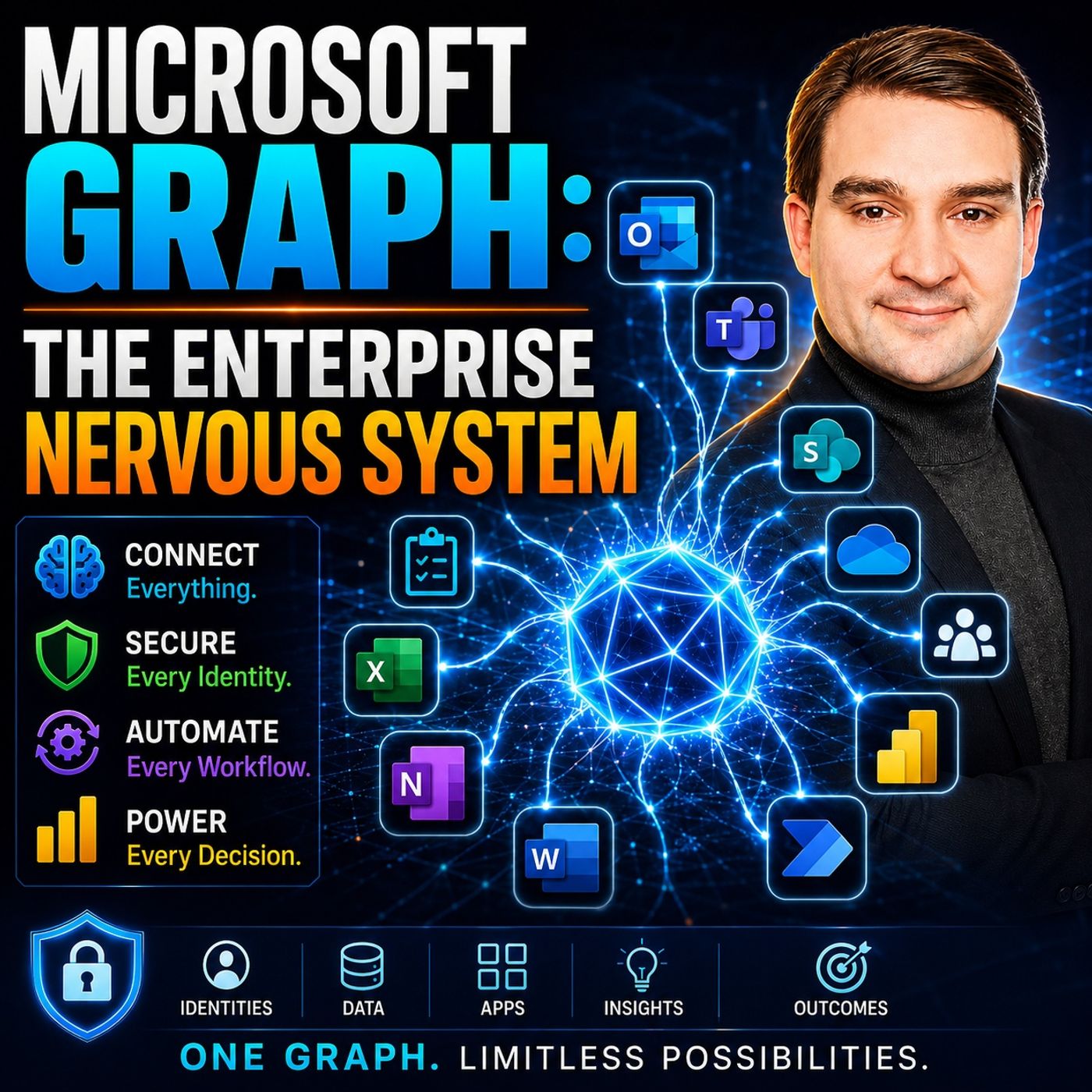
Microsoft Graph: The Enterprise Nervous System
Show notes
Enterprise IT has reached a tipping point. Organizations now manage millions of identities, files, applications, permissions, policies, and AI-powered workloads across Microsoft 365. Yet many IT departments still rely on manual administration, periodic audits, and reactive governance that simply cannot keep pace with modern business. In this episode, we explore why Microsoft Graph is evolving far beyond a developer API and becoming the enterprise nervous system that continuously detects, evaluates, and responds to changes across the entire Microsoft ecosystem. You'll discover how autonomous governance, AI agents, and policy-driven automation are transforming IT operations while preparing organizations for the next generation of intelligent infrastructure. FROM MANUAL ADMINISTRATION TO AUTONOMOUS GOVERNANCE Enterprise administration has continuously evolved over the past decades. Organizations moved from graphical interfaces to PowerShell scripting and eventually toward Microsoft Graph. Each generation reduced manual effort while increasing automation capabilities. However, Graph represents something fundamentally different. Rather than simply providing another API, it enables systems to monitor themselves, evaluate compliance continuously, and automatically remediate issues without requiring human intervention. This architectural shift transforms IT teams from administrators performing repetitive operational tasks into architects defining governance policies that intelligent systems enforce automatically across the tenant. WHY MANUAL GOVERNANCE NO LONGER SCALES Modern Microsoft 365 environments change every second. New Teams are created, permissions evolve, applications receive additional access, users change roles, and AI services continuously consume organizational data. Manual governance simply cannot keep pace with this level of complexity. As organizations grow, configuration drift, inconsistent security policies, excessive permissions, and undocumented exceptions become unavoidable. Traditional audits discover problems weeks or months after they occur, while autonomous governance identifies and resolves them almost immediately. Critical challenges include:
- Configuration drift
- Shadow IT
- Permission sprawl
- Manual compliance reviews
- Delayed incident response
MICROSOFT GRAPH AS THE ENTERPRISE NERVOUS SYSTEM Rather than thinking of Microsoft Graph as another REST API, this episode presents Graph as the unified operational layer connecting Microsoft Entra ID, Teams, SharePoint, Exchange Online, OneDrive, Microsoft Defender, Microsoft Purview, and countless Microsoft 365 services. Like the human nervous system, Graph constantly collects signals, distributes information, coordinates decisions, and enables automated responses. Every identity change, permission update, compliance event, and security alert becomes part of a single operational data plane that intelligent systems can consume in real time. This unified architecture enables organizations to correlate events across multiple services instead of managing isolated technology silos. THE THREE LAYERS OF AUTONOMOUS OPERATIONS Building a self-managing tenant requires more than automation. Successful architectures combine three essential operational layers. The detection layer continuously observes tenant activity using Microsoft Graph change notifications, event-driven architectures, anomaly detection, and continuous compliance monitoring. The evaluation layer compares detected changes against governance policies, classifies risk, enriches context, and determines the appropriate response. Finally, the remediation layer automatically restores the desired state by adjusting permissions, applying labels, updating ownership, or enforcing compliance through Microsoft Graph APIs. Together these layers create infrastructure capable of maintaining itself while dramatically reducing operational overhead. POLICY-DRIVEN INFRASTRUCTURE One of the biggest architectural shifts discussed in this episode is moving from people executing governance to systems enforcing policy automatically. Instead of documenting governance inside Word documents or operational playbooks, organizations increasingly express governance as executable policy that continuously evaluates tenant health. Humans define acceptable behavior once, while Graph-powered automation enforces those rules thousands of times every minute. Core governance capabilities include:
- Desired state modeling
- Continuous compliance validation
- Automated remediation
- Immutable audit trails
- Policy-as-Code
AGENT 365 AND DIGITAL WORKERS As AI agents become increasingly autonomous, they must be governed like digital employees rather than traditional automation scripts. Agent 365 introduces centralized management for enterprise AI workers by assigning each agent its own Microsoft Entra identity, ownership, permissions, monitoring, and lifecycle management. Every digital worker receives least-privilege access, continuous monitoring, and full auditability while operating within clearly defined governance boundaries. This identity-first approach ensures organizations can safely deploy hundreds or even thousands of autonomous agents without sacrificing visibility or security. THE FUTURE OF POWERSHELL AND AUTOMATION Contrary to popular belief, PowerShell isn't disappearing—it is evolving. Instead of administrators manually writing scripts, AI systems increasingly generate, execute, and maintain PowerShell automatically behind the scenes. PowerShell becomes the execution engine, while Microsoft Graph provides the operational intelligence. Administrators shift from writing scripts to designing policies, reviewing automation, and supervising autonomous systems that continuously optimize enterprise operations. PREPARING FOR MICROSOFT'S 2026 TRANSITION The episode also examines several major Microsoft platform transitions that organizations must prepare for over the coming years. Security APIs, legacy agent registration methods, Graph Toolkits, and older automation approaches are all being replaced with modern Graph-native architectures. Organizations delaying migration risk broken automation, unsupported integrations, security gaps, and significant operational disruption. Preparing now allows IT teams to modernize strategically instead of reacting under tight deadlines. FINAL THOUGHTS Microsoft Graph is rapidly becoming far more than an integration API—it is emerging as the operational backbone of intelligent enterprise infrastructure. Organizations that embrace Graph as their enterprise nervous system can automate governance, strengthen security, accelerate compliance, and prepare for a future where AI agents collaborate alongside human administrators. Rather than managing Microsoft 365 through dashboards and manual processes, tomorrow's IT departments will define policy, supervise digital workers, and rely on Graph-powered automation to continuously maintain a secure, compliant, and self-healing enterprise environment. Become a supporter of this podcast: https://www.spreaker.com/podcast/m365-fm-microsoft-365-azure-cloud-power-platform-ai--6704921/support.
Apple Podcasts · Spotify · YouTube · YouTube Music · Deezer
Host: Mirko Peters
Related articles
Transcript
Read the full transcript
Your enterprise IT is currently operating like a body without a nervous system. Think about that. You have thousands of resources. Computers, databases, apps, policies and compliance rules. They are all running at the same time. But the only way you know something is broken is when a human logs in and sees a problem. Your admins are the only sensory organs you have. They patrol, they check dashboards, they respond to alerts, and when they find a mistake, a bad permission, a team without an owner or data shared too broadly, they fix it by hand. This reactive model worked when I was small, but it doesn't scale anymore. Microsoft Graph is becoming your enterprise nervous system, detection, decision response, all automated and all continuous. By 2030, this shift will be finished in your organization, or you will be left operating on reflex alone. Competitors who build this nervous system will move faster than you. They will respond to threats in milliseconds instead of hours, and they will operate with a tiny fraction of the manual work you require today. This episode explores what that transition means for your infrastructure, your team and your position in the market. The evolution of enterprise administration, we need to look at where we have been. The path forward only makes sense when you see the structural problems we are trying to solve. Enterprise IT administration evolved through layers. Each layer reduced human work but increased what the system could actually do. The pattern matters because it shows exactly where we are heading. In the beginning, we had the GUI, point and click. An admin would log into a portal, navigate menus and click buttons to set up a user or change a permission. The GUI worked for small teams. When you had 50 servers and 50 users, this was fine. But when you have 50,000 users across multiple clouds in different countries, clicking buttons becomes impossible. The person clicking the mouse becomes the bottleneck. You would need hundreds of admins just to keep up with the daily routine. Then PowerShell arrived. PowerShell was the first major shift. Instead of clicking buttons, admins could finally script their intent. You could write a script that says, "Set up this user, add them to these groups and give them this license." You run it once or you run it a thousand times. The human no longer performed the task. The human described what they wanted and the system did the work. This was a massive change. The cost of scaling dropped because one admin with a good script could do the work of 10 people clicking buttons. But PowerShell had a ceiling. It was still code. You still needed a specialist who understood syntax, error handling and API rules. And every cloud service had its own version. You had Exchange PowerShell, SharePoint PowerShell, Azure PowerShell, and Teams PowerShell. Each one was slightly different and each one required its own training. Then came Microsoft Graph. Graph was supposed to be a unified API, one API, one permission model, and one way to access everything in Microsoft 365. Identity, Exchange, Teams, and Security were all in one place. In theory, this was a revolution. But in reality, most organizations treated Graph like a developer tool. It was something for backend engineers. Operations teams didn't think about it. And that is the structural mistake we are still living with today. Here is the critical insight. Every layer of abstraction has reduced human effort while making the system more powerful. The GUI required a human for every single action. PowerShell changed that. So one human action could trigger hundreds of operations. Graph is different. Graph is not just a faster way for humans to do the same old things. Graph is the foundation for systems to operate on their own. It provides the data, the permissions, and the audit trail for machines to make decisions. It allows for action without a human ever getting involved. We are at a turning point where the next step isn't just about being more efficient. It is fundamentally different. We are moving from a world where humans describe intent in PowerShell to a world where systems detect problems and fix them automatically. Graph is the nervous system that makes this work. The sensors feed data into Graph. The policy engines check the rules in Graph and the workflows make the changes through Graph. Everything flows through one single layer. This is where most organizations get it wrong. They see the next step as better PowerShell or easier automation. They are still thinking about efficiency, but the structural shift is actually about control. We are moving from manual governance to autonomous governance and that requires a completely different architecture. Why manual IT governance is breaking? Before we look at the future, we have to understand why the current model is failing. Manual governance works until it doesn't. And for most of you, the breaking point is already here. The first symptom is configuration drift. In a manual environment, someone changes a permission here. They are just a sharing setting there. They create an exception for a business unit that needs to move fast. These changes happen for good reasons at the time, but they never get reversed. They aren't documented in a central policy. They are just one-off adjustments that pile up. A year later. Your environment is unrecognizable. Teams have broad sharing permissions that should have been revoked months ago. Retention policies are inconsistent across different divisions. Some mailboxes have protection enabled. While others are completely open, no human being has a full picture of the state of the system. And as you add more teams and more tenants, the drift only moves faster. The problem isn't that drift happens. The problem is that in a manual system, you don't have to worry about the system. You don't know how much drift you have until something breaks. Then there is the cost of oversight. This doesn't scale in a straight line. If you have 100 users, one person can audit access. But when you have 100,000 users, you don't just need more people. You need an army, complexity compounds. You end up with people managing people just to manage the system. You build approval chains because one person can't make every decision. You write endless documentation because the knowledge can't stay in one head. All of this overhead becomes the bottleneck. A user needs access. It goes into a queue. It sits with a reviewer who's already buried in requests. It waits three weeks. The business misses a deadline. So they find a workaround. They build a parallel system. The cost of your governance doesn't just slow things down. It actually incentivizes people to bypass your security entirely at the same time. Regulatory expectations shifted while no one was looking. Regulators no longer care about your manual audits. They expect continuous automated controls. They want proof that policies are enforced in real time. Not a report from three months ago. If an auditor sees a misconfiguration that existed for two weeks before a human found it, that is a failure. The new standard is different. The system must detect the error in milliseconds and fix it in seconds. Manual governance cannot do this. You aren't failing because you aren't trying. You're failing because the model itself is incompatible with the year 2025. This is how Shadow IT starts. A team needs to collaborate with a partner. Your formal process takes six weeks. So they just create an ungoverned channel and share the files there. A product team needs data for an analysis. Your request process takes three weeks and three managers. So they export the data into an unmanaged tool. Governance that is too slow doesn't stop risk. It just moves it. It pushes the risk from the formal system into the shadows where you have no visibility and no control. And now the risk of data exposure is multiplying. When you introduce co-pilot and AI agents, misconfiguration becomes an existential threat in the old model. One user having access to the wrong folder was a problem. But it was a small problem. One user, one folder, with AI. The blast radius is enterprise scale. A single permission error can expose millions of documents instantly. An agent meant to summarize emails might accidentally read every customer contract in the company. Compliance bot might start leaking sensitive health data in its chat responses. It isn't about one folder anymore. It's about the entire data state. Manual governance is breaking because it is mathematically impossible to sustain. He's structural flow and current thinking. Most organizations know the bottleneck is real. They feel the friction every day. But they are solving for the wrong problem. The first mistake is how they view the technology. They treat Microsoft Graph as an API for developers. It's seen as a back and tool for scripts or integrations. The operations team doesn't look at it. Security manages their own silos, defender, purview, and entra. They don't realize that Graph is the central nervous system connecting all of them. Because they miss this, they automate in fragments. They write a script to find all teams. They write another to check retention labels. They write a third to audit access. Each script has its own data, its own permissions, and its own trail. They are treating individual symptoms. Instead of managing the single structure that coordinates the whole body. Then comes the second mistake. They see automation as a way to cut costs. The math looks easy. Automate the boring work. Reduce the headcount. Save the money. They build bots to handle password resets and basic tickets. It works for a while. The manual workload goes down. But here is the trap. They are optimizing for cost per ticket. Not risk per decision. When a human makes a choice, we assume they use judgment. When a script applies a rule to 10,000 requested ones. A single mistake hits 10,000 targets at machine speed. The cost of the ticket dropped. But the risk of the decision exploded. You end up with a system that is efficient, but incredibly fragile. The third floor is the belief that humans can stay in the loop. This is where the math wins. At a certain scale, a human cannot meaningfully review every decision. A large company has millions of access changes every month. Memberships, permissions, policy shifts, you cannot put a human eye on all of them. So you build workflows. You create chains of command. You require three levels of approval and manager sign-offs. This doesn't actually solve the problem. It just spreads the work across more people and adds weeks of delay. The process slows down. The business gets frustrated. They find the work around we talked about. The system becomes less secure, specifically because you tried to keep a human in the middle of it. The fundamental floor is the metric. Organizations are focused on how much it costs to handle a request, when they should be focused on the exposure if that request is wrong. These two goals do not work together. If you optimize for cost, you automate everything as fast as possible and assume the rules are right. If you optimize for risk, you build continuous verification into every single step. You make sure the system flags anomalies the moment they happen, until you see graph as your nervous system. Not just plumbing, you are stuck in the old model, you are still thinking like a developer, you are still chasing efficiency metrics, you are still trying to force humans into a loop that is too big for them. The problem isn't that you haven't automated enough. The problem is that you are automating the wrong things, for the wrong reasons. On the wrong architecture, you don't need a better script. You need a complete reframing of what the system is for. Microsoft Graph as the enterprise nervous system. Let's redefine what graph actually is for autonomous operations. Most people see Microsoft Graph as a rest API. A technical surface for developers to query user objects or patch permissions. That view is accurate, but it is incomplete. It misses the structural role graph plays in an autonomous system. Graph isn't just an API, it is the unified data plane that connects every signal your enterprise produces. Identity signals from EntraID, security signals from Defender, compliance signals from PerView, and operational signals from Teams and SharePoint all flow into one place. You can query all of it and trigger actions through it. This unified data plane is what makes autonomous governance possible. In the old model, every system lived in a silo. Exchange had its own logs while SharePoint had its own permission model. Security alerts came from one tool and compliance signals came from another. This meant an admin had to mentally stitch everything together. They had to look at a security alert about mailbox access and a compliance violation in SharePoint and try to figure out if they were related. The human was the correlation engine, the human was the decision maker, the human had to do all the heavy lifting. Graph eliminates that requirement. Because all the data is accessible through a single interface, a policy engine can correlate security alerts with access patterns in real time. An automation system can see that a user triggered an anomaly in their API usage while simultaneously accessing a sensitive file they shouldn't have. It sees the whole picture at once, one decision, one remediation, all coordinated through a single substrate. Graph operates in three layers. Understanding these is critical because they define how autonomy actually works. The sensory layer is detection. This is where Graph provides the eyes and ears of the system. Image notifications flow through Graph the moment a permission is granted or a team is created. The system doesn't have to poll or wait for a nightly scan because it knows what's happening instantly. Continuous scanning identifies drift by comparing the current state against what you actually want. Anomaly detection then surfaces behavioral risk. If a user suddenly requests thousands of documents they've never touched before. Or an agent makes API calls it 3am. Those patterns flow through Graph as observable signals. The decision layer is evaluation. Detection is useless without judgment. Graph doesn't just show you signals. It evaluates them. Policies defined in Entra or PerView are checked against real time data to see if a permission should be granted. If PerView says a file type is restricted the access is denied. If Entra says a team must be owned by a manager and the user isn't one the team isn't created. This evaluation happens thousands of times per minute. Humans set the policy once and the system applies it consistently. The action layer is remediation. Once the system detects and evaluates a problem something has to change. Automated remediation closes the loop. Humans are tightened. Labels are reapplied. And owners are reassigned. All of this happens through Graph APIs. Every change is logged and traceable so it can be audited or reversed if necessary. The nervous system matter for holds because all three layers are coordinated. You detect a problem. You evaluate it against policy. And you fix it. All of this happens through Graph. It is the substrate. The sensor layer and the action layer use the same API and the same audit trail. That unity is what makes autonomy coherent instead of chaotic. It transforms Graph from a developer tool into the central nervous system of your enterprise. The detection layer, how autonomous systems see. Let's look at how the system actually perceives problems. Detection is the foundation. You can't fix what you don't know exists. In the old model, the system only knew about problems when a human found them. An admin might run a monthly review and find a user with the wrong permissions. Or security analysts might spot a weird pattern in a log file. The human was the sensor. This reactive approach creates a massive gap between when a problem starts and when the fix begins. Autonomous detection flips this. Instead of humans looking for problems, the system observes itself through an event-driven architecture. In the old polling model, you ran a script every night to check if a thousand teams were compliant. You had to wait 24 hours before the system checked again. In that window, a team could have been open to the entire internet and state exposed for the full cycle. Event-driven architecture kills that waiting period. When a permission changes, Graph fires a notification immediately. The system reacts in milliseconds. The lag between the problem starting and the system seeing it shrinks from overnight to instant. Desired state modeling is what makes this detection meaningful. Detection without context is just noise. If you detect a permission change, you need to know if it was supposed to happen. It only becomes useful when you compare it against a model of what healthy looks like. For a team, the desired state might require at least two owners and specific sensitivity labels. These aren't random rules. They are the requirements your organization defined. The desired state modeling translates those rules into patterns the system can watch. It continuously measures the actual state against your model. Continuous scanning identifies drift as it occurs. This isn't a periodic event. It's ongoing. The system compares the actual state against the desired state thousands of times every minute. If a user's permissions change or a file is shared externally, the system checks it against policy right then. There is no human intervention and no scheduled batch jobs. The moment the environment deviates from the model, the system knows. The detection surfaces behavioral risk, which is different from a simple policy violation. A violation is clear, like a restricted permission existing where it shouldn't. An anomaly is subtle. It's a user accessing files they've never touched before or an account making API calls it unusual times. These things might be legitimate. Maybe the user has a new project, but they are worth checking because they often happen right before a security incident. Anomaly detection flags things that aren't strictly against the rules, but still warrant an investigation. The key insight is that detection is no longer human dependent. It doesn't rely on an admin noticing a mistake or a tired officer remembering to run a monthly audit. Detection is algorithmic and continuous. It is happening right now in organizations that have moved to these patterns. The system is watching. It is comparing. And it is flagging. The sensory layer of the nervous system is finally operational. The question for most companies isn't whether they can build this. It's whether they will. The evaluation layer. How autonomous systems decide. Detection is only half the story. The system also needs to think about what to do. A sensory nervous system that just flags problems endlessly is worse than useless. It's noise. The evaluation layer is where judgment enters the system. When a detection fires, the system doesn't immediately act. A permission might violate policy or a file might be shared externally when it shouldn't be. Maybe a user's access pattern shifted in a way that looks wrong. In these moments, the system evaluates. Policy engines take the detected issue and run it against your organizational rules, which is how governance policy actually becomes operational. If a user is accessing financial documents they shouldn't see, the policy engine knows. If a file should have been archived six months ago but it's still in active storage, the engine flags it. When a document is classified as confidential but gets shared with the entire company, the system catches that violation. The policy engine isn't making a judgment call. It's applying rules. Humans define these rules once and now the system applies them consistently thousands of times per second. Risk classification determines the urgency. Not every violation requires an immediate response. A low-risk configuration drift, like a retention policy set to 30 days instead of 90, might get fixed in a nightly batch. But a critical security exposure is different. If a high-privileged account has unrestricted access to customer personal data that requires an immediate fix, the evaluation layer classifies the risk and assigns a severity level to the problem. It determines whether a human needs to step in first or if the system can fix it autonomously. Critical issues affecting regulated data escalate immediately, while low-risk issues get batched with others for a maintenance window, the system triages automatically. It doesn't flood your operations team with alerts about every minor deviation. It surfaces the exceptions that actually matter. This is how the system maintains human oversight without creating a bottleneck. For high-impact changes, approval workflows ensure that judgment still happens where it needs to happen. Before the system revokes a permission or forces a policy change on a critical service, it gets approval. But notice what's different from manual governance. The human isn't reviewing a thousand requests per day. The human is reviewing the exceptions that the system flagged as requiring real judgment. A sensitive access change, a policy violation in a regulated system, or a conflict between business need and security policy. These are the cases where human judgment adds value. The human says, yes, revoke that permission. It shouldn't exist. Or they might say, actually, wait, this is legitimate because we have a legal hold on this content. Don't delete it. The human provides the judgment that the rules can't capture and then the system executes that decision at scale. This enrichment is what prevents false positives and stupid decisions. A user might have read access to a folder containing design documents and the policy engine will detect this. But before it revokes the permission, it checks the context. Is this user in the design department? Are they supposed to have access to these documents? Where they granted this permission through a proper access request workflow? Context enrichment prevents the system from making brutal, literal decisions that technically follow the rules but violate operational reality. A permission might technically violate a policy but it might also be explicitly justified. The evaluation layer understands the difference between a violation and an exception. It understands why a permission exists before it decides whether to remove it. The shift fundamentally is this. Human set policy once. They define the rules. What is acceptable? What is risky? What requires approval? Then the system applies those policies continuously and consistently. A human can't review 10 million access decisions per day, but a policy engine can. A human can't remember which rules apply to which scenario but a policy engine can. The evaluation layer automates judgment at scale while preserving human oversight where it actually matters. The remediation layer. How autonomous systems act. Once the system has detected a problem and decided what to do, it needs to act. Detection without action is just observation. Evaluation without execution is just analysis. The remediation layer is where the system moves from thinking to doing. Automated remediation closes the feedback loop. The detection layer identifies a problem and the evaluation layer determines its a violation that needs fixing. In a manual system, a ticket gets created, someone reads it, someone schedules time to fix it, and eventually someone executes the fix. Days pass while the problem persists and the vulnerability remains open. In the autonomous system, remediation happens immediately. The moment the evaluation layer says this permission shouldn't exist, the remediation system revokes it. The moment a policy says this file should have a sensitivity label, the system applies it. The remediation layer is missing, the system reassigns it. When a retention policy expires, the system archives the content. This doesn't happen on a schedule and it doesn't wait for human approval in the routine case. It happens in the microsecond after the evaluation decision is made. What does remediation look like concretely? Imagine a user's access role has changed because they're moving from engineering to sales. The remediation system calls graph APIs to remove them from the engineering distribution list and revoke their access to the code repository. At the same time, it adds them to sales distribution lists and grants access to customer data. The entire access transition happens automatically. The user goes home on Friday as an engineer and comes back Monday as a salesperson with exactly the right access. There is no manual provisioning, no forgotten access removals, and no stale permissions lingering in the system. Self-healing architecture reduces the meantime to remediation from hours to seconds. MTTR is how the industry measures operational responsiveness. When a problem occurs, how long until it's fixed? In the manual system, MTTR is measured in hours at best, but often it takes days. Someone has to notice the problem, investigate it, and determine a fix before they can finally execute it. Each step introduces latency. In an autonomous system, MTTR is measured in milliseconds. The detection fires, the evaluation confirms the violation, and the remediation executes. That speed difference is a massive competitive advantage. A security exposure that would remain for hours in a manual system is fixed in seconds here. A advanced violation that would linger for days is corrected in the time it takes for a single API call to complete. Immutable audit trails ensure every action is logged and traceable. This is non-negotiable. When the system fixes something, we need to know exactly what changed and why. An immutable audit trail captures it all. Maybe the system detected orphaned ownership in a team because nobody had been assigned as owner for 90 days. This triggered the owner's required policy, so the system reassigned ownership to the department manager. The decision was made by the policy engine, and the execution was logged with a timestamp and confirmation. If there's ever a question about why ownership changed, the answer is recorded. It's not just someone changed it. The log shows the autonomy system changed it because a specific policy was violated. This level of traceability is essential for governance. Auditors need to see the policy context that caused the action to happen. The log isn't an afterthought. It's the evidence that your governance is actually operating according to your rules. Rollback capabilities provide safety. Internet scale means mistakes can propagate instantly. If a remediation decision is wrong because a policy was misconfigured, the system needs to revert. Rollback means the system remembers its prior state and can restore it. If a label was applied to a thousand documents by mistake, rollback restores them to their original state. If a permission was revoked that turned out to be needed for a critical process, rollback restores it while the evaluation layer reconsideres. The safety mechanism isn't "don't automate". The safety mechanism is "automate", but be able to undo. The outcome is infrastructure that heals itself before humans even know something broke. Problems are detected, evaluated and remediated in real time. The system maintains its own health. Humans define the policy and the system enforces it. The 2026 inflection point. Everything we've discussed so far is technically possible. Autonomy is achievable. Self-healing governance is feasible. Graph as your nervous system is architecturally sound, but theory and practice diverge when you hit deadlines. And 2026 is when Microsoft forces the transition. This isn't a recommendation to move eventually. This isn't a gradual phase out. These are hard dates. If you haven't moved by these dates, your automation stopped working. Your security integrations break. Your agents stop executing. It's not a suggestion. It's a structural requirement. April 2026 is when the Microsoft Graph Security API V1 retires. Most organizations have built security automation that depends on the Graph Security Connector. When that date hits, those workflows start failing because the connector simply stops working. Your incident response automation that was supposed to trigger during a high severity alert. Broken, your security playbooks that fetch alert data? Broken. Your CM tools that pull security events through the API? Broken. The moment April arrives, you must have migrated to Graph Security, API V2, or your security automation goes dark. This isn't a nice to have update. If you're running automated threat response, it stops. Most companies will only discover this when an incident occurs, and their automated response fails to trigger. August 28, 2026 is when the Microsoft Graph Toolkit and the Graph CLI retire. Many teams use these tools to interact with Graph every single day. The Toolkit provided the UI components for building applications, while the CLI provided the command line interface for operations. If you're scripting relies on these tools, that era is ending. You need to move to the PowerShell SDK or direct-rest API calls immediately. For many of you, this means rewriting automation scripts that are currently running in production. June 15, 2026 is the most critical date of all. The legacy agent registry API becomes unsupported on this day. Many agent registered through that old path will stop working. If you created agents before the migration to agent 365 and didn't re-register them, they become inert. They're still there, but they don't function. Your automated governance agents stop detecting drift. Your compliance agent stop checking policies. Your incident response agent stop correlating security signals. Months of automation work will just stop executing. These aren't optional updates. They're structural migrations. They don't just affect one tool. They affect every PowerShell script that calls Graph. They affect every integration with your CM. They affect every agent you've deployed. All of it depends on this infrastructure. And all of it breaks if you don't migrate. The cascading failures are real. An organization misses the April 20, 2026 deadline for the security API. Their automation breaks. Three months later, they missed the June deadline for agent registration. Their governance agent stop working. By August, they are scrambling to rewrite scripts under extreme time pressure. Mistakes happen. Security controls aren't properly tested. Governance that used to work becomes fragile. This isn't a distant concern. It's 18 months away. Organizations that haven't started planning are already behind. The teams that will thrive in 2030 are the ones that see 2026 as the inflection point. The moment when you have to commit, the moment when the old model stops working and the new model becomes mandatory. The question isn't whether you'll migrate. You will. The question is whether you'll be ready. Agent 365, the governance framework. Microsoft's response to the autonomy challenge is Agent 365. It reveals everything about where enterprise IT is actually headed. This isn't a product announcement. It's a structural requirement. Agent 365 is the unified control plane for every AI agent in your environment. It's the system that translates the nervous system concept into operational practice. But here's the problem with how we used to think. When you build power shell scripts or graph integrations in the past, you are building tools. They operate it under your control. They use credentials you manage. Agents are different. Agents are autonomous workers. They make decisions. They take actions. They operate when you're not watching. And you cannot manage autonomous workers like you manage tools. You manage them like you manage employees. Agent 365 is the embodiment of that shift. Every agent deployed through Agent 365 gets a unique identity in EntraID. This isn't a shared service account or a hidden credential in a script. It's a first class identity. Treat it exactly like a human employee. This agent is owned by someone. It has a sponsor. It has a clear business justification. If you ask why an agent exists or what it's authorized to do, you get real answers. The agent goes through onboarding. Permissions are assigned based on a specific role. This is provisioned according to the principle of least privilege. The agent operates within defined boundaries. Compare this to the old model. You create a service principle. You granted broad permissions because you aren't sure what it needs. It's easier than figuring out the minimal set. The service principle runs with whatever access you gave it. If someone asks why it has admin access to the entire tenant, the answer is usually vague. That vagueness was acceptable in the past. It's not acceptable for autonomous workers. Leased privilege permissions now replace broad access. The agent is granted only what it needs to finish its specific task. A governance agent that enforces team's ownership can read metadata and update owners. It cannot read email. It cannot delete files. It cannot manage security policies. An incident response agent can read security alerts and update user access. It cannot modify firewalls or reset passwords. The principle is ruthlessly simple. Give the agent exactly what it needs and nothing more. This creates natural boundaries for the blast radius. If the agent is compromised, the damage is limited to its actual scope. The newest monitoring via Defender and PerView means every action is observed. The agent's API calls are tracked. Its permission grants are audited. Its policy enforcement is recorded with full context. If the agent behaves unexpectedly, Defender flags it. If it accesses data, it shouldn't. PerView logs it. The system surfaces anomalies just as it would for a human user. The agent isn't operating in the dark. It's completely visible and auditable. The implication cuts deeper than it looks. Autonomy doesn't mean uncontrolled. It means controlled by policy instead of by human oversight. The agent has a job to do. The policy is defined what's acceptable. The agent operates within those policies. If it tries to exceed them, the system stops it. If it behaves strangely, the system alerts you. If it's no longer needed, it's deprovisioned. The control is structural. The control is automatic. It doesn't require a human approving every single action. It requires policy being defined correctly and the system enforcing that policy. This is why agent 365 forces a complete rethinking of governance. You can no longer manage agents as tools. You have to manage them as workers. You have to think about identity, role and continuous oversight. You have to define the policies that the agent will enforce while it operates independently. The shift isn't just technical, it's organizational. Your governance model has to accommodate workers who operate at machine speed. Entra agent ID. Identity for digital workers. The foundation of agent 365 is a simple shift in how we think. Entra agent ID treats agents as first class identities in your directory, not as hidden service accounts, not as background processes, as identities. This distinction matters. Because identity is how you govern anything at scale. When you hire a human, they get an identity. You look them up, you assign roles, you use conditional access to restrict where they work. The employee is a discreet, auditable entity in the system. But for decades, automation didn't work this way. A script ran under a generic service account. Multiple scripts share the same login. You couldn't tell which one was doing what. The automation was invisible, the governance was opaque. Entra agent ID inverts this model. Every agent gets its own unique identity. You can look at that identity and see exactly what it is. This is the team's governance agent. It's owned by platform engineering. It manages sharing policies. That clarity changes everything. When you know what the agent is and who owns it, you can actually govern it. Each agent has clear ownership and accountability. This is where we move from script thinking to digital worker thinking. A human has a manager. They have reporting lines. If something goes wrong, you know who to talk to. An agent needs that same structure. Every agent has an owner responsible for its behavior and its permissions. It also has a sponsor. Usually a business leader who requested it. The sponsor represents the business need. When you evaluate if an agent should exist, you ask the sponsor if it's still needed. If they say no. The agent gets deprovisioned, just like an employee whose role was eliminated. The structure changes how agents behave when ownership is clear. Governance becomes sustainable. An agent isn't just code running in the dark. It's an entity someone is responsible for. That responsibility creates the incentive to keep it properly scoped and monitored. It stops the cycle of orphaned automation. Scripts that nobody remembers writing that eventually break the system. Additional access applies to agents exactly like it applies to users. Policies can restrict actions based on risk signals. If an agent that usually works at noon starts making API calls at 2am, conditional access blocks it if it suddenly executes from an unknown location. The system requires extra verification. These controls aren't add-ons. They are native to how the identity operates. Access reviews include agents the same way they include humans. Every quarter your team reviews who has what access. For humans that's job level access. For agents that's functional access. This agent still need to modify ownership. Does it still need to live in this tenant? These reviews ensure permissions don't drift into over-privilege. An agent might accumulate extra permissions over time if nobody is watching. Access reviews catch that. The structural shift is profound. You aren't managing scripts anymore. You're managing a workforce. That workforce operates continuously at machine speed. It has full visibility. It has clear accountability. This is what autonomous IT actually means. The governance first model. With agent IDs in place, governance becomes the primary design constraint. It's no longer an afterthought. This is the fundamental shift. In the old model, you built the system first. You automated the workflows. You made the agents do their jobs. And then you thought about governance. You'd add some logs or restrictive permissions. But governance was just layered on top of a system that wasn't built for it. It's like building a house and then trying to make it earthquake-proof later. You can reinforce the walls. But the architecture isn't optimized for it. The governance first model reverses this. You start by defining policy. What is allowed? What requires a human? What data can the agent touch? You define these boundaries upfront. Then you build the system inside them. The system stays within the lines because policy is baked into the architecture. It isn't bolted on. Policy driven architecture means you define a rule once and enforce it everywhere. This is the elegance of the model. Your organization has a sharing policy for teams. You define it once in Entra. You define it once in Perview. Now that policy applies everywhere. When a user tries to share a team, SharePoint enforces the rule. When an agent creates a team, the agent enforces the rule. There is one source of truth. Everyone, human and agent, operates under the same constraint. We consider this to manual governance where the policy lives in a word document. The admin understands it one way. The developer understands it another way. One of them is wrong. And nobody knows which. Policy driven architecture removes that confusion. The policy is executable. It's in the code. It's version controlled. When the policy changes, it changes everywhere at once. Agents are constrained by this policy at runtime. This is the safety mechanism. An agent's job is to enforce the rules. It reads the policy and scans for violations. But here's the problem people worry about. What if the agent goes rogue? The agent cannot exceed its scoped permissions. No matter what task it's given, even if a malicious actor tries to reconfigure the agent, the system stops it. The constraints are hard boundaries enforced by the platform. An agent cannot grant itself access. It cannot bypass DLP rules. The system won't allow it because policy is the primary constraint. Data governance extends to agent actions too. Sensitivity labels don't just apply to humans. They apply to agents. DLP doesn't just watch for risky human behavior. It watches the agents. If an agent is misconfigured to process customer data, it shouldn't see. DLP catches it. The agent is treated like a user of data. The rules apply equally. Order trails are non-negotiable. Every action is logged with complete context. Not just what changed, but why it changed. Which policy triggered the move? Who authorised that policy? If there's ever a question about an action, the answer is documented. This level of detail isn't just for admins. It's for auditors and compliance teams. It's the evidence that the system is following the rules. The result is governance that scales because it's automated. You don't hire 500 people to watch 500,000 users. You define the policy once. You implement it in code. In order to do it continuously, the system scales because policy is executable. Governance becomes an engineering problem. Not a headcount problem. That's the structural transformation. That's why autonomous IT actually works at enterprise scale. Self-healing tenants, the operating model. Now we need to look at what autonomous IT actually looks like when you put it to work. This isn't a theory or a roadmap anymore. It's how your tenant operates when every layer finally starts talking to the others. It starts with desired state modelling. You sit down and you define what correct looks like for your organization. But you don't write it in a document. You write it as operational code. For teams that means every single team has at least two internal owners and a sensitivity label if it was created after a specific date. For SharePoint it means every document library has a retention policy and every piece of sensitive content is classified. For mailboxes it means archiving is turned on and litigation holds stay in place when they need to. These aren't just suggestions or best practices. They are the executable definition of a healthy environment. The system then scans your environment against that definition. And it doesn't wait for a schedule. It happens continuously. Right now, while you're watching this, your tenant is being scanned. A team was created an hour ago. Does it have two owners? Yes. Does it have a label? No, that's a deviation. A SharePoint site had its retention policy manually removed by a user. That's another deviation. A user just changed departments and their permissions shifted. Does that new access level match their new role? It's unclear. So the system flags it. These gaps aren't found during a monthly audit. They're caught in real time because the system checks your state thousands of times every minute. And if you're not doing a problem, it means nothing. If you don't do anything about it, that's where the decision-making layer comes in. The system sees the deviation and evaluates it. That team without a label, it's a low priority because it was created recently and meets the rules for automatic labeling. No human needs to look at that. The system just proceeds to the fix. But that SharePoint site with the missing retention policy, that's a high priority because it might violate compliance rules. The system checks the site classification, sees it holds general documents and decides to remediate. The user who changed departments, the system sees they moved from engineering to sales and realizes their new access should follow the sales baseline. It's expected drift, not a violation. So it just updates their baseline. This is where the model breaks away from manual governance. The system doesn't just send you an alert and wait for you to fix it. It decides what to do automatically in almost every case. And it only escalates to a human when your judgment actually adds value. If a violation is straightforward, the system fixes it. If a change needs business context, the system evaluates it. If something is totally outside the lines, it asks for help. The decision making never stops. The fix follows immediately and automatically. The team gets its label, the SharePoint site gets its retention policy back. The user's permissions are updated to match their new role. All of this happens without a single ticket being opened. Without a help desk queue and without an admin scheduling time to click buttons, it happens in seconds. The system detects the drift, the policy dictates the fix. And the system executes it, done, and everything is logged when that label was applied, the system recorded exactly why it happened, and which agent performed the action at what time. And the retention policy was fixed. The audit trail showed that the site classification triggered the rule. This trail isn't for your admins, it's for evidence. When a regulator asks how you know your content is protected, you don't show them a spreadsheet. You show them the log, you show them that the system detected the content on one date, checked it against the policy, and applied the fix on another date. It's proof that your governance is continuous. The result is a tenant that actually maintains itself. Content gets classified, permissions stay aligned, and ownership stays current. Your infrastructure is constantly patrolling itself and fixing what breaks. You define the policy and the system enforces it. You get governance at scale because the system works at machine speed, and that's what self-healing actually means. The cost to value shift. There is an economic story here that explains why this shift is going to happen. And it's actually very simple. It comes down to how your costs scale. In the old model of manual governance, your costs scale with your head count. You need more admins because your environment is getting bigger. You need more compliance officers because the rules are getting more complex. You need more security analysts because the threats are getting smarter. Every time things get more complicated, you have to hire someone. But if you have 500 teams, maybe you need three people to watch them. But if you have 5,000 teams, you might need 30 people. The math is relentless. As your environment grows, your team grows with it. And those people come with salaries, benefits, and training costs that never go away. But with automated governance, your costs scale with your policy. Not your people. You define a team's policy once. That same policy works for five teams, five thousand teams, or 50,000 teams. You don't have to hire more people or write more code to make it scale. The cost doesn't grow because the policy is a single definition that works everywhere. When the regulations change, you update that one policy and it applies to the whole environment instantly. When new requirements come in, you just add them to the engine. The cost structure is totally different. You pay for the platform and the engine. But the cost of adding complexity doesn't multiply as you grow. Look at the actual numbers. Building a custom governance agent from scratch might cost you $150,000 just for the development. Then you have to maintain it, which costs about $5,000 every month for updates and security patches. Over two years, that one agent has cost you $270,000. And that's just one agent. Your company probably has dozens of governance problems that need solving. At those prices, you're looking at millions of dollars in development. Now compare that to agent 365, which is $15 per user every month. For a 10,000 person company, that's $150,000 a year. For that price, you get the infrastructure for unlimited agents and full integration with your existing security tools. The gap between what you pay and the value you get shrinks by half when you move to these policy-driven systems. Custom automation is fragile. And when the platform updates, your custom code usually breaks. You end up paying for constant babysitting just to keep things running. But policy-driven systems are structural. Your policies stay in place even when the platform updates. So the value compounds over time. As you add more rules and automate more scenarios, the platform becomes more valuable. You aren't buying a new tool every time. You're just using the infrastructure you already have. This is where the ROI finally becomes something you can measure. In the manual world, ROI is a guess. You hired more people. But did you actually get better results? It's hard to say. In autonomous governance, the numbers are clear. Your incident response time drops from four hours down to 15 minutes. Your policy violations go down by 80%. Your audits take two weeks instead of three months because the evidence is already collected. Those are direct savings. A security incident that would have cost $100,000 to fix is now stopped in seconds. That is risk reduction with a real dollar value attached to it. This economics is why this transition is inevitable. You're going to see your competitors move to autonomous systems. And they'll have faster response times and lower costs. The business case is going to become impossible to ignore. You can't stay competitive using manual IT when everyone else is running at machine speed. The equation has tipped. And this investment is becoming a requirement for staying in the game. Copilot as the automation builder. Copilot isn't just a tool for writing emails. It's becoming the interface for building autonomous systems. And this shift changes who actually gets to build them. For decades, automation was a specialist skill. You had to know PowerShell. You had to understand graph API documentation. You needed to grasp rest semantics and OAuth flows. Basically, you had to think like a programmer. That barrier meant that only IT specialists and developers created automation. Business analysts couldn't do it. Operations leaders couldn't do it. The people who actually lived the operational pain every day couldn't express that pain in code. They could describe the problem to a developer who then translated it into a script. This created friction. It caused delays. It lost nuance. The specialist became a bottleneck. Natural language scripting inverts this. You describe what you want to automate in plain English. You tell the system you want to find all teams, without owners, identify who created them and ask them to assign an owner within two weeks. You add a condition that if they don't, a manager gets assigned instead. That's it. In the old model, translating those requirements into PowerShell or GraphCores would take a developer an hour of writing, testing, and debugging. Now, Copilot reads your description and generates the GraphCalls itself. It builds the workflow structure. It creates the notification templates. It sets the schedule. You describe the intent. And Copilot handles the implementation. Workflow generation goes even further. Copilot Studio agents can now be built by business analysts instead of professional developers. An analyst who understands teams' governance can sit down and describe the agent they want to build. Copilot generates the structure. It generates the decision logic. It generates the remediation workflows. The analyst just refines it and deploys it. The specialist barrier dissolves. Automation becomes accessible to the people who actually understand the business need. This democratization is revolutionary because it expands what gets automated. Previously, only the biggest problems got developer attention. Specialists have limited time, so they focus on the initiatives that save the most money. But there are hundreds of smaller problems that should be automated. You have teams without proper sharing policies. You have retention settings that drift. You have compliance violations in specific departments. None of these are urgent enough to win developer time, so they go unaddressed. Now, an operations leader can simply tell the system to build an agent that fixes the sharing problem. They aren't waiting for developer bandwidth. They're building what they need. Self-healing automation takes this a step further. Copilot analyzes detected issues and suggests how to fix them. When the system finds a compliance violation, Copilot suggests the full workflow. It decides who to notify and what approval is needed. You review the suggestion. If it needs a tweak, you use natural language to tell it not to notify the user immediately. You tell it to run the fix silently and send a notification the next day. Copilot updates the workflow instantly. What used to take a developer hours to code now takes a business person minutes to refine. Continuous improvement happens automatically. Copilot analyzes how these workflows perform to see which ones succeed and which ones fail. It looks for patterns. It might suggest an optimization because a workflow is failing 5% of the time due to an edge case. It's a specific condition to raise the success rate. The system learns from execution. It improves itself. Humans provide the feedback. And the automation gets better over time. The shift is profound. Automation is moving from a specialist skill to a business capability. It's no longer something you do only if you have developer time. You do it because the interface is accessible and the cost is low. Copilot handles the translation from intent to implementation. This is what makes autonomous IT achievable at scale. You aren't waiting for specialists. You're empowering the people who understand the business to automate directly. It's the rise of digital workers. Here's the most significant shift. We're moving from tools that help humans work. To work as that operate autonomously, the distinction is subtle until you see it in practice. A tool amplifies what a human can do. You use it when you need it. You decide what it does. You're in control. A worker has agency. It initiates tasks. It makes decisions. It coordinates with other workers. It operates while you're sleeping. It solves problems you didn't explicitly ask it to solve because it's designed to achieve an outcome. Not just execute a command for 30 years IT automation has been tool based. You write a script and you run it. It does one thing. If you want five things done, you write five scripts. The human is the orchestrator. You decide what happens and when. Autonomous agents invert this. You assign an agent an outcome like keeping teams governance compliant. Now the agent doesn't wait for you. It continuously monitors the environment. It detects deviations. It evaluates what needs to happen. It remediates and reports. It does all of this without a human triggering every step. You define the outcome once. The agent pursues it relentlessly. Agent-driven workflows handle multi-step tasks from start to finish with no human handoff. Think about a typical governance process today. A compliance check finds orphaned teams. A ticket gets created. Someone reads that ticket and investigates. They identify the creator and draft a message. They wait for a response. If they don't get one, they escalate and reassign ownership. That's six to eight separate human actions spread across multiple people over several days. An autonomous agent does this end-to-end in seconds. It detects the team, identifies the creator, sends the notification and escalates if needed. The human never touches the process. Because the agent owns the capability. And what's really profound is that agents coordinate with other agents. This isn't one agent doing one job. This is a system of agents handling complex problems across different domains. A security agent might detect unusual activity on a high privilege account. It doesn't just send an alert. It coordinates with the identity agent to check permission changes. It talks to the access agent to see what was accessed. It works with the ordered agent to collect evidence. All specialized agents work together to solve a problem holistically. Orchestration becomes a system-level capability. It emerges from how agents are designed to coordinate, not from manual process design. The human role fundamentally changes. Humans move to exception handling. You intervene when a policy decision requires judgment the system can't make. You intervene when an agent encounters a situation it wasn't designed for. You intervene when the risk is high enough that a human needs to be consulted. This is different from the operational role admins hold today. Today's admin is an executor. They execute tasks. Tomorrow's admin is a supervisor. They set policy and monitor results. The cognitive load is different. You aren't remembering commands or troubleshooting syntax. You're evaluating business risk. You're mentoring the process. Organizational structure changes because agents handle the routine work. Right now, a 50 person IT team might have 35 people doing routine administration. In an autonomous IT model, that shifts dramatically. Maybe only eight people handle routine tasks. 15 people focus on policy and oversight. The rest move to strategy and new capabilities. The total headcount might stay the same. But the composition changes. You need fewer people executing tasks and more people thinking at the policy level. The implication is that staffing models become team composition models. You aren't hiring three new admins to handle growth. You're deploying three new agents with three humans overseeing them. You aren't budgeting for 20 operational roles. You're budgeting for 12 roles plus the infrastructure for agents. Organizational design shifts from how many humans you need. To how you optimally compose teams of humans and agents. This is the structural transformation that makes autonomous IT economically inevitable. Security implications of autonomous IT. Autonomy introduces new risks and understanding them is the only way to deploy safely. When you automate governance at scale, when agents make decisions and take actions every second. When policy is enforced by algorithms instead of people, you've built something new and new systems have new vulnerabilities. This isn't a question of whether autonomous IT is secure. It is if you design it correctly. If we have to recognize the threat models that didn't exist in the manual world, in this new model agents become high value targets. They have broad permissions. They operate continuously that makes them incredibly attractive to attackers. A human admin might have high level rights, but they work business hours. They aren't accessing the system every second of every day. An agent is different. An agent has permission to read and modify teams. It can change permissions. It can enforce retention policies. It operates at 3am. It operates on Christmas. It operates every minute of every day without getting tired or suspicious. If you're an attacker looking for the best credential to steal, an agent with constant access to governance is more valuable than almost any human account. The agent is the skeleton key. If you get it, you get systemic access. This changes the entire attack calculus. Attackers aren't hunting for a human admin anymore. They're hunting for an agent. They want to inject malicious code into the execution environment. Or modify the policy the agent enforces. Or redirect the agent's attention toward a goal that serves the attacker. The agent isn't just a tool. It's a target. It targets need defenses designed specifically for them. Misconfigured autonomy is actually worse than manual processes. In a manual system, if someone makes a mistake, the blast radius is small. One admin makes a bad call. It affects the few resources they touched. One team's policy change is applied wrong. And it only hits the teams that admin modified. The mistake is bounded. Autonomous systems invert this. When the policy engine has a misconfiguration, that mistake hits everywhere at once. A bad policy that says revoke all external sharing hits every team in your tenant in seconds. Tens of thousands of teams are affected. Collaboration breaks, uses panic. Now you have to reverse it, which is just another massive change applied at scale. The damage from one policy mistake in an autonomous system can exceed the damage from a thousand manual mistakes. This is why policy correctness isn't a nice to have. It's the foundation. The blast radius expands because friction is gone. In manual IT, the damage a thief can do is limited by what one person can physically click before someone notices. They have to remember how to make changes. They have to navigate the UI. They have to type commands. Friction slows them down. In autonomous IT, a compromised agent can hit thousands of resources before a human even sees an alert. The agent doesn't need to remember how to make changes. It already knows. It doesn't need to navigate. It has API access. It doesn't need to type. It executes programmatically. A compromised agent can revoke thousands of permissions and delete thousands of files in the time it takes for a human to notice a weird log entry. The speed of the system amplifies the speed of the attack. Supply chain risk also multiplies because agents are constantly calling external APIs. Every external dependency is a potential way in. An agent calls your CM to pull security data. But if the CM is compromised, the agent might be too and agent integrates with your HR system to sync roles. And if that integration breaks, the agent's decision making is corrupted. Every external call is a new attack surface. As you build sophisticated agents that coordinate across more systems, you are expanding that risk surface. The requirement is clear. Security must be embedded in the agent architecture, not added later. You can't secure agents the way you secure old applications. By putting firewalls and endpoint protection around them, agents live inside your cloud, they need security baked into how they're designed, how they get permissions, and how they're monitored. This is architecture work, not a bolt-on, the human in the loop problem. Here's the tension that defines the next decade. The security risks are real, but they're small compared to the fundamental challenge. Autonomy requires humans to step back. It asks us to let systems make decisions and to trust algorithms more than our own instinct. And humans are fundamentally resistant to that. We evolve to be in control. We evolve to take action when we see a problem. Asking humans to monitor instead of due, to set policy instead of execute, to intervene only when it's absolutely necessary. That requires a cultural shift. Most companies aren't ready for. The technical architecture of autonomous IT is almost solved. The human architecture is not. This resistance shows up in very specific ways. Imagine an agent detects a user with too many permissions. The policy says those permissions should be revoked automatically. The system is right, the policy is sound, but those permissions were granted by a powerful director for a special project, the director doesn't like surprises, so instead of the agent just fixing it. An approval workflow triggers, the director gets a notification, the director has to approve the change. The process that should have taken seconds now takes days. Or the director denies it, the permission stays, and the policy is violated because a human wanted an override. This isn't a system failure, it's humans being unwilling to embrace the model. Of course, high impact decisions still need human judgment. This is the legitimate reason to keep humans in the loop. An agent might try to revoke a CFO's access because of an unusual pattern, but the CFO is actually running a sensitive financial audit, cutting them off during that audit would be a disaster. The system needs to understand context and impact. Some things like transferring large budgets, changing governance rules for thousands of people. Or accessing regulated healthcare data aren't routine. They can't be fully automated because the consequences matter too much. The challenge is designing workflows that are fast enough to stay out of the way. But thorough enough to catch errors, this is the engineering problem of the next five years. If your workflow requires a human to manually approve every single agent action, you've solved the control problem. But you've killed the benefit of autonomy. The system now moves at human speed. If you have no human review, you have speed, but you've lost control. The balance point is very narrow. Low impact decisions should be automatic. High impact decisions need a pair of eyes. The system has to be smart enough to know which is which. Override mechanisms are also essential. Humans must be able to stop or reverse an agent when things go sideways. If an agent implements a policy that has unintended consequences. An override lets a human hit the brakes while they figure it out. This isn't a sign of weakness, it's a safety feature. Autonomous systems are powerful because they operate at scale. But that scale means mistakes can be catastrophic. Reversibility is the safety net. The agent fixes something, a human sees it was wrong, and they reverse it, they fix the policy. And the agent tries again. No permanent damage. This need for reversibility shapes the entire architecture. The actual balance looks like this. Humans set the policy. They define what should happen. They own the governance model. Agents enforce that policy reliably and at scale. They execute the decisions. Humans intervene when the policy isn't enough. Or when a situation pops up that the policy didn't predict. This isn't humans managing agents. It's humans and agents working as a single system. The human provides the judgment and oversight. The agent provides the scale and speed. Neither one replaces the other. They just stay in their lanes. This is why Autonomous IT is an organizational journey. Not just a technical project. The PowerShell question. Will it survive? Let's look at one of the big predictions. Is PowerShell dead by 2030? The answer is no. But the reason why matters more than the answer itself. PowerShell isn't dying. It's just evolving into something different. Today, PowerShell is a tool humans use. You learn the syntax. You write the scripts. You execute them and then you debug them when they break. It's a human interface for the Microsoft ecosystem. In five years, PowerShell will still be here. Its primary user won't be you. It will be other systems. It will be co-pilot. It will be agents. It will be automation frameworks generating code that runs without a human ever looking at it. We can already see this shift in how co-pilot works. When you ask it to automate a task, co-pilot generates PowerShell code. It doesn't do this because it expects a human to read or maintain that code. But because PowerShell is the execution engine for Microsoft 365, the code gets generated, stored, and executed. Maybe a human reviews it or tweaks a line here and there. But more and more, code is being born and executed inside automated pipelines. Your role is shifting from the writer to the reviewer. You aren't the creator anymore. You're the auditor. This is a massive shift because it means PowerShell usage actually goes up even as you spend less time typing it. More PowerShell will be running than ever before, but it won't be handcrafted. It will be AI generated, tested by machines, and monitored by other systems. The language stays the same, but the audience changes. PowerShell is becoming the language that machines use to talk to each other. You don't need to be fluent anymore because the machines have that covered. Think about what happened with Cycle. 30 years ago, database admins wrote every query and stored procedure by hand. They lived in that language. Today, or M's and data frameworks generate almost all of it. Most developers haven't written raw SQL in years. Yet SQL execution is happening at a scale we've never seen before. The language didn't die. The user base just shifted from people to systems. PowerShell stays the execution layer because it's the proven foundation for Microsoft 365. Graph calls run through it. Remediation workflows execute through it. Everything across teams, SharePoint, and EntraID still relies on it. You could try to build autonomous governance using only native APIs, but PowerShell is where the infrastructure lives. It's where the modules are and where the patterns are already set. In Enterprise software, nobody migrates away from proven infrastructure because the cost of switching is just too high. Cross-platform needs also lock PowerShell into the architecture. PowerShell Core runs on Windows, Linux, and Mac OS. Your autonomous agents don't care about the operating system. And an agent on Linux running Graph operations needs a reliable runtime. PowerShell Core is there. It's proven, and it plugs right into the Microsoft ecosystem. As companies run workloads across different clouds and OS environments, they need a unified scripting layer. PowerShell Core is that layer. The prediction is simple. PowerShell usage goes up while direct human usage goes down. By 2030, more lines of PowerShell will be running in production than today. More organizations will depend on it for their core automation. But fewer humans will be writing it or reading it. It becomes infrastructure. It's the runtime for agents and the language systems used to coordinate. You set the policy, the agent enforces it, and PowerShell executes that enforcement. It becomes invisible because it's just how the system works. It isn't a tool you use. It's the substrate that carries your intent to the finish line. Your PowerShell skills won't disappear completely. Some people will still need deep knowledge to debug automation failures or design the frameworks that agents live in. But those roles will be specialized. They won't be mainstream IT skills anymore. There'll be governance architecture roles for senior positions. The average operations pro in 2030 probably won't write PowerShell at all. They'll write policy and configure agents. PowerShell is just what's happening under the hood. The 2030 organizational model. Let's look forward and see what enterprise IT actually looks like in five years if you navigate this transition. Start with the portal. Right now, your day is built around logging into different centers. You go to SharePoint to check sites, Enter for groups, and Exchange for mailboxes. Then you jump into Teams for governance and purview for DLP policies. Your brain is split across six different consoles in a dozen authentication sessions. In 2030, routine work doesn't happen in a portal. You don't log into check Teams because the system is already monitoring it. You don't log into manage permissions because agents are doing that based on your policy. The portal becomes an exception interface. You only log in when something breaks or when a policy needs a human decision. Routine operations happen without you. Instead of clicking buttons, you'll spend your time defining policy and watching the outcomes. You'll sit with business leaders to answer the big governance questions. You'll decide how to handle external collaboration or what data counts is sensitive. You'll design the retention policies for different types of content. These are high-value tasks that need human judgment and business context. Once you set the rules, you configure the system to enforce them. You'll watch dashboards that show compliance and remediation. You'll see where the policy is working and where it's hitting a wall. You get in alert when something weird happens and you step in when an agent needs a human to make the call. Most operational decisions will be handled by agents. They'll provision mailboxes for new hires and assigned permissions based on their role. They'll tag new content with retention labels and tighten access when they see permission drift. If a team has been dead for a year, the agent archives it. If a sensitive document is shared wrong, the agent fixes it. Incident response becomes almost entirely agent-driven. A security alert fires and agent analyzes it and then it correlates that signal with everything else it sees. It makes a choice. It blocks the account, revokes the tokens, and isolates the device. Most incidents will be over before a human even knows they started. The structure of human roles will change. The system administrator title will start to fade away. In its place, we'll see governance architects. These are the people who design the policy model and understand how different rules interact. This is high-leveraged work. One architect setting a policy can affect thousands of users. It's a world away from a cis-admin doing the same repetitive tasks. You'll also see agent supervisors who monitor the health of the AI and step in for the edge cases. Security operations will move from manual triage to directing agents. A SOC analyst in 2030 won't spend their day reading alerts. They'll be giving agent strategic objectives. This creates a compounding effect on efficiency. Fewer people means lower costs. And faster operations mean problems get fixed before they turn into disasters. An incident that used to cost $50,000 now gets resolved in minutes. Fewer human errors mean fewer incidents in the first place. Automated compliance means you stop failing audits. This isn't just a small improvement. It's an exponential jump. The organization becomes faster, cheaper, and more resilient all at once. The risk is huge for companies that don't make this move. They'll become operationally obsolete. They'll be competing against companies that finish in minutes what takes them days. Their staffing models won't be able to scale. They'll lose their best talent because manual governance work is boring and the agents have already taken all the interesting problems. They'll fall behind on compliance because manual controls can't keep up with new regulations. By 2030, this isn't a subtle advantage. It's the difference between winning and losing. Organizations that move to autonomous IT will operate at a level that manual teams just can't reach. You won't necessarily go out of business, but you'll always be behind, always struggling, and always spending more to get less. That is the reality of 2030, the governance culture shift. The technical move from manual to autonomous IT is hard, but the cultural shift is harder because this transition requires different assumptions about trust and accountability. And people hate changing their assumptions, especially when those assumptions worked for decades. In the old model, trust flows to people. You trust the admin who configures your identity system. You trust the officer who interprets regulations. You trust the analyst who makes decisions during an incident. These people have expertise. They've proven themselves. You give them authority because you trust their judgment and their integrity. But in autonomous IT, trust shifts to systems. You trust the policy engine to evaluate decisions. You trust the algorithm to surface real problems instead of false positives. You trust the workflow to fix issues correctly. This sounds easier because algorithms are consistent. But in reality, it's much harder. An algorithm that makes a mistake makes that same mistake for everyone. If it's misconfigured, it affects thousands of users before anyone even notices. You can't appeal to an algorithm's good intentions. You can't give a piece of code the benefit of the doubt. The stakes feel higher because the scale is higher. This shift requires a new belief that systems can be more reliable than people. It's the belief that policy engines are more consistent than humans. That automation is safer than manual processes at scale. Most organizations haven't internalized this yet. They still think the safe choice is human review. They think the careful choice is human approval. They think the accountable choice is human decision-making. Building autonomous IT means accepting that human review is often the less safe choice. Human approval introduces delay and delay increases risk. Human decision-making introduces inconsistency and inconsistency creates gaps. The culture has to flip. Transparency becomes mandatory. And this is the part that really threatens organizational comfort. In autonomous IT, every decision is auditable. Every action is logged with context. There is no darkness. An agent took an action. Here is the policy that triggered it. Here is the data that informed it. Here is the exact timestamp. Nothing is hidden. Nothing is mysterious. Everything is documented because documentation is now structural. Not optional. This transparency feels like a loss of privacy to people used to opacity. An admin used to be able to say, "I reviewed this and decided." With almost no paperwork, the decision was only visible to that admin and whoever they told. In autonomous systems, every decision path is visible to everyone. This is more accountable, but it feels exposing. Some administrators resist because they lose the ability to say, "Trust me, I know what I'm doing." Accountability shifts in a way that is subtle but profound. Instead of asking, "Who did this?" The question becomes, "What policy allowed this?" This shift is revolutionary. It moves accountability from the individual to the system design. If an agent took an action that seems wrong, the question isn't, "Why did the agent make that decision?" It's what policy did we write that resulted in that decision. This changes everything about how you approach mistakes. When a human makes a mistake, you hold them accountable. You might retrain them. You might replace them. But when a system makes a mistake at scale, you examine the policy that caused it. You fix the policy, you test the fix, you deploy it. You prevent the entire class of mistakes instead of just addressing one instance. Continuous improvement replaces periodic audits. Your governance doesn't get reviewed once a year in a compliance audit. It's being tested constantly. Every hour, the system checks if policies are working. Every day you get data on policy effectiveness. Every week, you measure if autonomy is delivering the outcomes you intended. This creates a feedback loop that drives constant refinement. Not because of regulatory pressure, but because the system itself makes optimization visible. The result is an organization that is more secure because it's more transparent. Not because it's more restrictive. That is the cultural insight that makes autonomous IT work. The competitive reality. This isn't theoretical. It's already happening and it's creating winners and losers in real time. Organizations building autonomous governance are seeing measurable advantages within 18 months. Not that we think it will help kind of advantage. The measurable quantifiable kind. They are reporting efficiency gains of 20 to 30%. That sounds like a consultant's promise. But it's what happens when you stop having humans perform routine tasks and let systems do it at machine speed. Fewer people do more work because the system handles volume that previously required headcount. That's what happens when you remove the human bottleneck from IT operations. But efficiency is just the beginning. Compliance actually becomes cheaper when you automate controls. Right now compliance is expensive because you need people to do the work. You need auditors to review configurations. You need analysts to verify controls. You need officers to make judgments. All of that is labor. When controls are automated and evidence is collected by the system, your cost structure changes. You don't audit your organization once a year anymore. The system continuously audits itself and surfaces evidence in real time. When regulators ask for proof, you don't spend three months gathering evidence. You pull a report that was generated automatically by your governance system. Your compliance team shrinks. Your audit burden shrinks. Your costs go down while your assurance goes up. That's not a theoretical benefit. It's an immediate financial impact. Incident response becomes dramatically faster. Self-healing systems contain problems before they become breaches. A security incident that would have taken your team four hours to detect now gets found in minutes and fixed in seconds. The incident either never becomes visible because the system fixed it. Or it's contained so quickly that damage is minimal. The financial impact is enormous. A typical security incident costs an organization hundreds of thousands of dollars. If autonomous systems cut response time and incident counts by half, the savings compound. That's not just operational efficiency. That's risk reduction with a direct financial value. Innovation accelerates because teams are freed from operational toil. Right now, your best people spend their time fighting fires, handling outages, troubleshooting problems, deploying patches. That's necessary work, but it isn't strategic. It's operational debt that consumes your capacity. When automation handles that work, your team's bandwidth is freed for the work that moves the needle. New capabilities, new integrations, new strategies. Your team ships faster because they aren't interrupted by incidents every day. And shipping faster is a competitive advantage in a software-driven world. The penalty for delay is where this becomes urgent. Every year you don't transition to autonomous IT. Your competitors gain an advantage. In year one, they are 10% faster. They respond to incidents faster. They deploy changes faster. By year two, they are 20% faster and you haven't started. In year three, you aren't just behind. You're falling further behind because their system scales and yours doesn't. The compounding effect is brutal. By 2030, organizations that transitioned five years ago will have capabilities that are orders of magnitude beyond those just starting. You don't catch that gap. You just accept being operationally obsolete. This is where 2026 becomes a decision point. The deprecations we discussed, the Graph Security API retiring, the agent registry changing, the CLI retiring, these are all forcing functions. Organizations will have to migrate anyway. The question is whether you migrate to build autonomous governance or migrate just to maintain the status quo. Organizations that build autonomy will be ahead. Organizations that maintain the status quo will be behind. The outcome of that choice compounds for a decade. Choose wisely. Choose now, the path forward, what to do now. So what is the practical first step? The answer isn't revolutionary. It's methodical. Start by auditing your current state. Inventory your manual processes. What does your operations team actually spend time on every week? What tasks keep happening just because nobody has automated them yet? What decisions still require a human review? Document the friction. Identify the high-risk areas where manual governance is exposing you most. Measure your current mean time to remediation. When a compliance issue is detected, how long does it take before it's fixed? When a security problem emerges, how long is the gap from detection to response? These baselines matter because they show you where autonomy will have the most impact. Next, map your critical operations to Graph. You aren't automating everything at once? You're identifying which of your critical operations could be driven by Graph APIs and policy enforcement. Teams, governance, permission management, retention enforcement, DLP application, security, incident response. Which of these matter most to your organization? Which cause the most operational pain? Which represent the highest risk if they fail? Map those to the graph capabilities we discussed. You'll find that most core governance operations can be expressed as policies evaluated against Graph Data. That's your migration path. Start with governance in your highest risk domains. Pick one domain. Maybe Teams, permission governance or SharePoint retention enforcement. Define the desired state precisely. Not in a document. Inexecutable policy. What does correct look like for a team? What does correct look like for a SharePoint site? What does correct look like for a retention policy? Write this down as a policy definition. You aren't automating the fix yet. You're defining what you're trying to achieve. This clarity matters because everything downstream depends on it. Build detection for drift from that desired state. Change notifications in graph so you're alerted when something changes. Implement continuous scans so you're discovering deviations even when nobody changes anything. This is the hardest part because it requires thinking in terms of state. Not events, but once you have continuous detection, everything else flows from that. You know what's wrong before you decide to fix it. Automate remediation carefully. Start with low risk fixes. If a team is missing an owner, assign one automatically. If a site is missing a retention label, apply one. These are safe automations. They won't cause problems. Run them for two weeks. See what happens. Refine the policy based on what you learn, then expand to the next category. Don't try to automate everything at once. Build confidence through incremental deployment. Each successful automation teaches you how to design the next one. Prepare for agent 365 now. Understand what the June 2026 migration deadline means for your organization. Agents registered via the old API will stop working. You need a plan for how you're going to register agents in agent 365 instead. Start thinking about how you want to organize your agents. Which agents do you want to build? Who owns them? What policies should constrain them? This planning happens in 2025, so you aren't scrambling in June 2026. Invest in skills immediately. PowerShell, Graph API, Policy Design, Governance Architecture. These aren't optional anymore. They're core IT competencies. Train your team. Higher people who understand this domain. Build expertise because expertise is scarce and you'll need it. The organizations that move fastest are those that invested in building capable teams 18 months before they needed them. The outcome is a roadmap from manual IT to autonomous operations. Not a massive transformation in one quarter. A deliberate progression that takes 18 months to two years. You define policies. You build detection. You automate remediation. You measure results. You expand scope. By 2027, you're operating significantly differently than you were in 2025. By 2030, you're unrecognizable from the manual IT organization you were in 2024. That progression is achievable if you start now. The nervous system emerges. Your enterprise IT will have a nervous system by 2030. The question isn't whether it happens. It's whether you build it intentionally or let it emerge chaotic. Microsoft Graph is the substrate. Agent 365 is the framework. Co-pilot is the interface. Together, they form the nervous system. They detect problems. They evaluate responses. They execute remediation continuously at scale. Without human intervention, except where judgment matters. The organizations that thrive will be those that reframe autonomy. Not as removing humans, but as elevating humans from execution to strategy. You aren't building a system to replace your team. You're building a system so your team can focus on the work that actually matters. The structural shift is already underway. Deplication deadlines in 2026. Agent 365 going general availability. Power shell becoming the machine to machine language. These aren't optional updates. They're architectural inevitabilities. The competitive advantage goes to those who understand this transition early and build it intentionally. By 2030, the gap between organizations that transitioned and those that didn't is decisive. Not subtle, decisive. nervous system is waiting. The question is, will you build it or will you be built by it?