


 Apple Podcasts
 Spotify
 Youtube Music
 Spreaker
 Podchaser
 Amazon Music
 AI Agents - Simply Explained
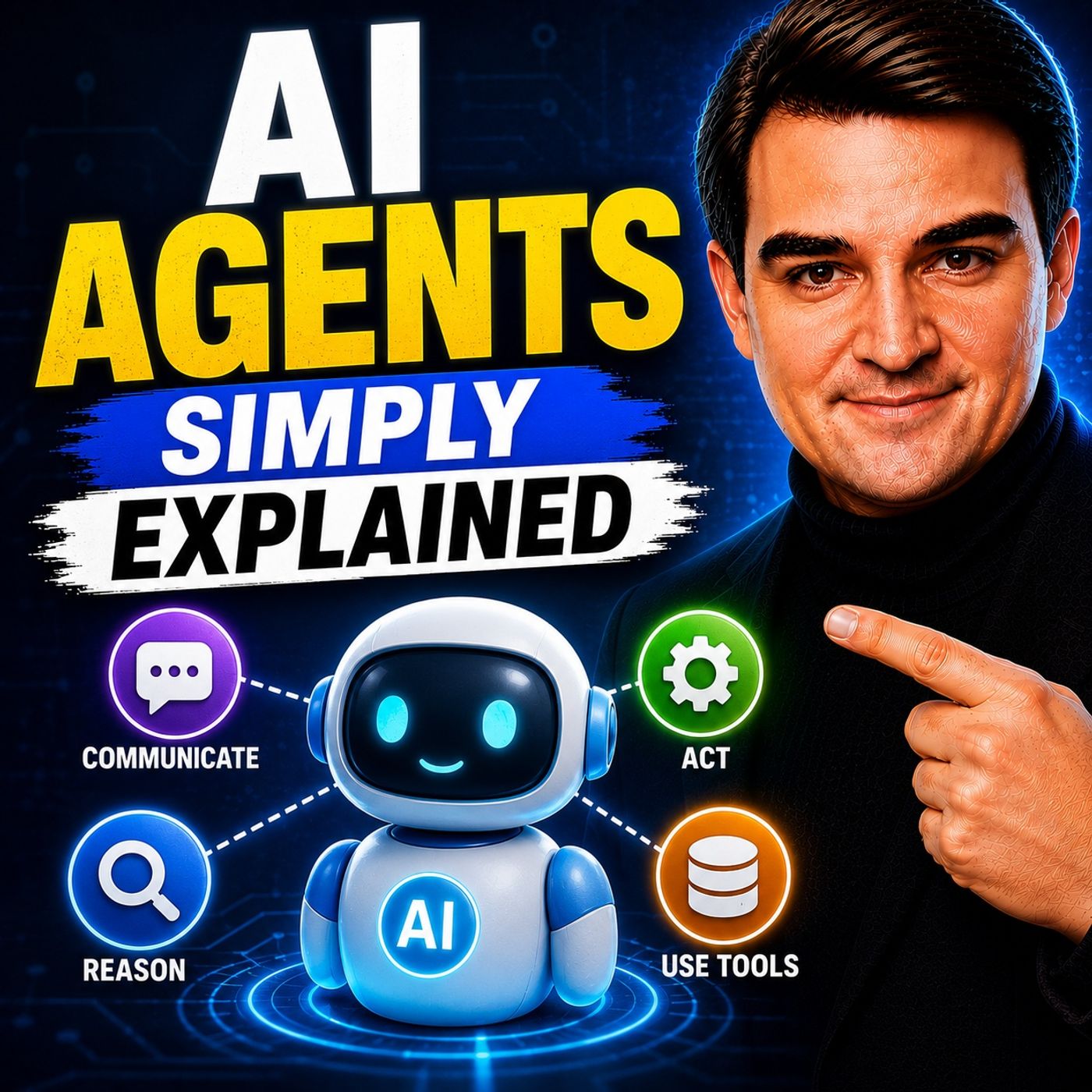
AI Agents are one of the biggest shifts in artificial intelligence, moving beyond simple chatbots to software that can reason, plan, make decisions, and perform real work across multiple systems. In this episode of Microsoft Knowledge Nuggets, Mirko Peters explains AI Agents in simple terms, showing how they combine large language models, memory, tools, and automation to complete complex business tasks with minimal human intervention.
The episode explores how AI agents differ from traditional AI assistants. Instead of only answering questions, agents can analyze goals, break them into smaller tasks, access enterprise data, call APIs, interact with Microsoft 365 applications, and adapt their actions based on new information. You'll learn the core building blocks of modern agentic AI, including reasoning, planning, tool usage, memory, orchestration, and autonomous execution, as well as where technologies like Microsoft Copilot, Copilot Studio, Azure AI Foundry, Microsoft Fabric, and the Model Context Protocol (MCP) fit into the picture.
The episode also covers practical enterprise scenarios such as automating business processes, customer support, IT operations, document processing, and knowledge management while highlighting the importance of governance, security, permissions, and human oversight. Rather than replacing people, AI agents augment teams by handling repetitive and data-intensive work so employees can focus on higher-value activities.
Whether you're an IT professional, developer, business leader, or simply curious about the future of enterprise AI, this episode provides a clear, practical introduction to AI Agents and explains why they are becoming a fundamental building block of the next generation of intelligent business applications.
Quick answer: AI Agents is covered in this M365 FM episode with a practical focus on what it is, how it works, and the decisions that matter for architecture, adoption, security, governance, or day-to-day operations.
Imagine having a digital coworker that does tasks for you! That's what AI agents are. These smart software systems do jobs and make choices without needing your help all the time. They are becoming very important in today's tech world. The global market for AI agents is expected to grow from $6.65 billion in 2025 to an amazing $142.35 billion by 2035.
You can find AI agents in many industries. In healthcare, they help speed up drug discovery. In finance, they make customer interactions better. With their ability to learn and change, AI agents are changing how businesses work. They make work easier and less stressful for everyone.
Key Takeaways
- AI agents are smart programs that can do tasks on their own. This makes them useful in many industries.
- They help save time by doing boring tasks. This lets people work on more important things.
- AI agents learn and change over time. This improves their ability to make decisions and do their jobs better.
- There are different kinds of AI agents. These include reactive, deliberative, and hybrid agents. Each type is good for certain tasks.
- Using AI agents can save a lot of money. They lower costs for workers and running a business.
- It is important to think about ethics, like being clear and responsible, when using AI agents.
- AI agents can make customer service better. They give quick answers and personal experiences.
- Companies need to change how they work to get the most out of AI agents.
Definition of AI Agents
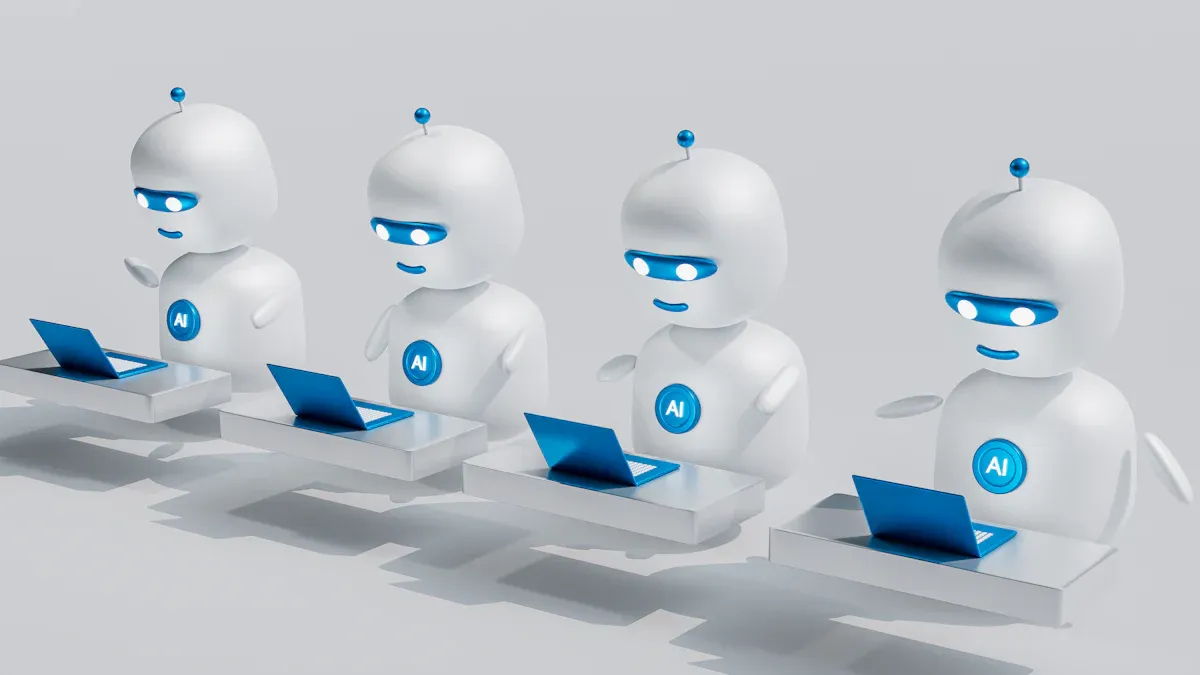
AI agents are smart software systems that can do tasks by themselves. They don’t just follow simple orders; they think, learn, and change based on what happens. This skill makes them different from other software. Let’s look at some important traits that define AI agents.
Key Characteristics
Here are some key features that make AI agents special:
- Iterative Behavior: AI agents always check how they are doing. They go through cycles of thinking, acting, and checking, which helps them get better over time.
- Tool and System Access: These agents can connect to different systems. This lets them learn and use new tools when they find them.
- Goal-Oriented Execution: Each AI agent has a clear goal. They plan their actions to reach this goal, whether it is easy or hard.
- Variable Autonomy: AI agents can work alone or with some human help. Depending on the job, they might need permission for important choices or work completely by themselves.
To show how AI agents differ from other software systems, look at the table below:
| Category | AI Agent | AI Assistant | Bot |
|---|---|---|---|
| Purpose | Autonomously and proactively perform tasks | Assisting users with tasks | Automating simple tasks or conversations |
| Capabilities | Can perform complex, multi-step actions; learns and adapts; can make decisions independently | Responds to requests or prompts; provides information and completes simple tasks | Follows pre-defined rules; limited learning; basic interactions |
| Interaction | Proactive; goal-oriented | Reactive; responds to user requests | Reactive; responds to triggers or commands |
Autonomous Functionality
AI agents show their ability to work alone in many real-life situations. They can do tasks without needing help from people, which is a big change for many industries. Here are some ways they show this skill:
- Task Independence: AI agents can take care of tasks by themselves, giving you more time for important things.
- Adaptability: They change to new conditions quickly, making them useful in many situations.
- Process Optimization: AI agents make workflows smoother, improving efficiency and results in different areas.
- Complex Problem Solving: They break down tough tasks into smaller parts, allowing for better thinking and action.
- Contextual Understanding: By using memory and context, AI agents give personalized help, making your experience better.
AI agents are already making a difference in areas like customer service and IT support. Their flexibility shows how powerful they can be in changing how we work.
How AI Agents Work
AI agents use smart technologies to do tasks and make choices. Two key technologies are machine learning and natural language processing. Let’s see how these technologies work together to help AI agents.
Underlying Technologies
Machine Learning
Machine learning (ML) is important because it helps AI agents learn from data. Here’s how it works:
- AI agents make hard tasks easier by getting clear instructions or goals from you.
- They split these goals into smaller tasks, which makes them easier to handle.
- By looking at data, like customer feelings from chat logs, they gather what they need to do tasks well.
- They keep improving their work by using feedback from other AI agents and people.
Natural Language Processing
Natural language processing (NLP) helps AI agents understand and talk in human language. This technology lets them:
- Understand your requests clearly, making communication easy.
- Answer in a way that feels natural, improving user experience.
- Look at text data to find useful insights, which helps them make decisions.
Decision-Making Processes
AI agents have a clear way of making decisions. Here’s a look at the main steps involved:
| Phase | Description |
|---|---|
| Perception | The agent senses its surroundings through sensors, processes the input, and updates its state. |
| Decision | The agent looks at options based on its current state and goals, picking the best action. |
| Action | The agent carries out the chosen action, checks the result, and starts a new cycle. |
During these steps, AI agents do multi-step tasks to reach big goals. They use outside tools to help them while being aware of their situation and limits.
Smart AI agents have a reasoning part that checks different ways to solve problems. This part is key for deciding how an agent reacts to what’s around it. It uses methods like rules, probabilities, or deep learning to improve its approach over time.
Benefits of AI Agents
AI agents offer many benefits to businesses. They help you work smarter, not harder. Let’s look at some key advantages that make AI agents important in different fields.
Efficiency and Automation
One of the best things about AI agents is how they improve efficiency through automation. These agents can do complex tasks that usually need human help. This makes processes faster and saves you time. Here are some ways AI agents boost efficiency:
- Task Automation: AI agents take care of boring tasks, letting your team focus on more important projects. This encourages new ideas and creativity.
- Improved Productivity: With AI agents handling simple tasks, you can focus on what matters most. Imagine having more time to think of new ideas or work on big projects!
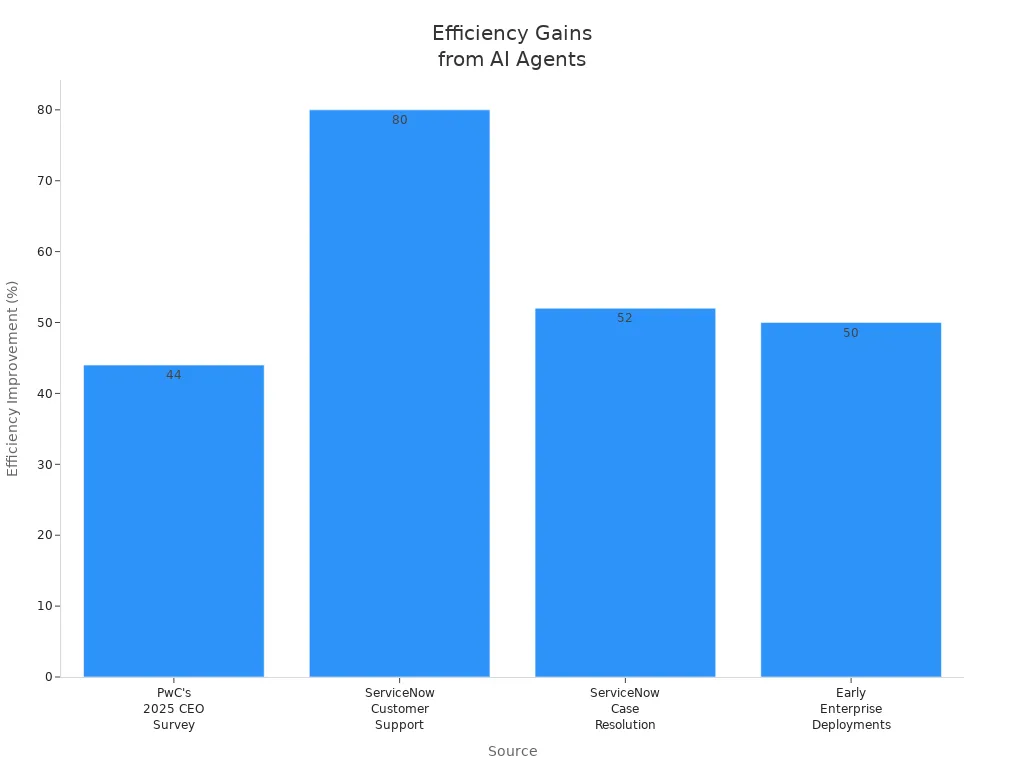
- Real-World Impact: A recent survey showed that 44% of business leaders saw efficiency gains from using AI. In fact, 80% of customer support questions can be answered by AI agents without help.
Here’s a quick look at some amazing efficiency improvements from different sources:
| Source | Improvement | Details |
|---|---|---|
| PwC's 2025 CEO Survey | 44% | Business leaders report better efficiency from AI use. |
| ServiceNow | 80% | AI agents can handle customer support questions on their own. |
| ServiceNow | 52% | Less time needed for solving complex cases, saving $325 million each year. |
| Early enterprise deployments | 50% | Better efficiency in customer service, sales, and HR tasks. |
Enhanced Decision-Making
AI agents also help improve decision-making. They look at data in real-time, which helps you make smart choices quickly. Here’s how they help with better decisions:
- Real-time Analysis: AI agents give you quick insights, so you don’t have to wait for reports to decide.
- Automation of Reporting: They create reports and check data automatically, which cuts down on mistakes and speeds things up.
- Adaptability: AI agents learn from past results and adjust to new information, making them useful in changing situations.
By improving decision-making as a skill, organizations can make their processes much better. This means you can lower risks and make smarter choices.
Cost Savings
Using AI agents can save your business a lot of money. Here’s how:
- Labor Costs: You can cut labor costs by 30-60% with AI agents doing tasks that usually need many workers.
- Operational Costs: Expect a 20-30% drop in operational costs as AI agents make processes smoother.
- Financial Errors: AI agents can reduce financial mistakes by up to 75%, saving you money and stress.
For example, a retail customer saw a 300% increase in volume during the holiday season using AI agents, all without needing extra staff. This shows how AI agents can help you save money while boosting efficiency.
Types of AI Agents
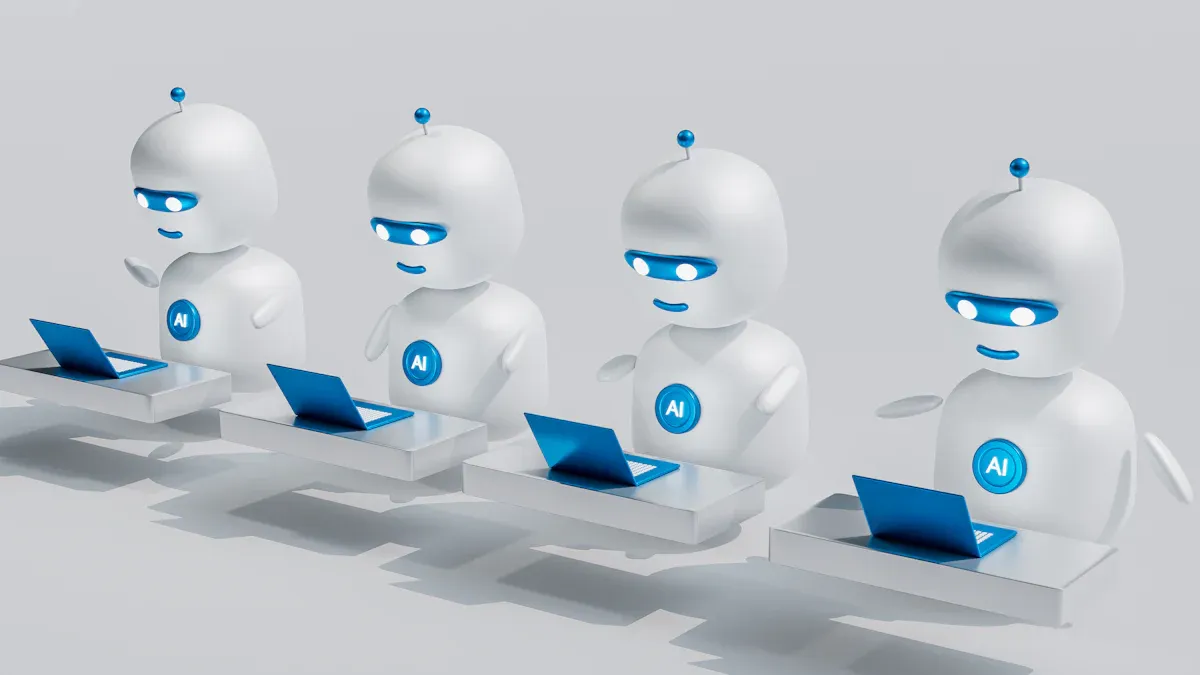
AI agents come in different types. Each type is made to handle tasks in special ways. Knowing these types helps you see how they can be used in different situations. Let’s look at three main kinds: reactive agents, deliberative agents, and hybrid agents.
Reactive Agents
Reactive agents are the simplest kind of AI agents. They work based on set rules and react to what happens around them. Here are some key features of reactive agents:
| Feature | Description |
|---|---|
| Rule-based systems | Reactive AI agents use basic rule-based systems, also called reflex agents. |
| Action on prompts | They respond to user prompts by following set rules, making them good for repetitive tasks. |
| Memory limitations | Reactive agents usually have little memory, making them best for short-term tasks. |
| Low maintenance | They need very little programming to work well. |
You can think of reactive agents as the "firefighters" of AI. They jump into action when needed but don’t plan ahead. For example, a robot that follows a line in a factory reacts to its surroundings to stay on track.
Deliberative Agents
Deliberative agents work differently. They think ahead and plan their actions using internal models. This helps them learn from past experiences and make better choices. Here’s how they are different from reactive agents:
| Feature | Deliberative Agents | Reactive Agents |
|---|---|---|
| Decision-Making | Use internal models for planning | React quickly to stimuli |
| Learning | Can learn from past experiences | Do not learn from past experiences |
| Speed | Slower because of planning | Fast and efficient |
| Examples | Smart personal assistants, self-driving cars | Line-following robots, video game characters |
Deliberative agents are like strategic planners. They look at situations and decide the best action. For instance, a self-driving car uses deliberative thinking to navigate tricky environments safely.
Hybrid Agents
Hybrid agents mix the best parts of reactive and deliberative agents. They can switch between reacting and planning based on the situation. Here are some benefits of hybrid agents:
- Flexibility: They change their behavior based on what’s happening.
- Robustness: If planning doesn’t work, they can go back to simpler actions to avoid mistakes.
- Scalability: Their design allows for easy upgrades with new features.
- Adaptability: They learn from experiences and get better over time.
Hybrid agents are like flexible team players. They can react quickly when needed but also think ahead to improve their performance. This makes them great for complex tasks where both quick reactions and careful planning are important.
Knowing these types of AI agents helps you understand their roles in different uses. Whether you need fast responses or careful planning, there’s an AI agent ready to help you!
Architecture of AI Agents
The architecture of AI agents has several important parts that work together. Knowing these parts helps you understand how AI agents function in different places.
Components of AI Agents
AI agents have key parts that help them work well:
- Perception: This helps agents collect information from their surroundings.
- Planning: Agents make plans to reach their goals.
- Memory: This keeps past experiences and knowledge for later use.
- Reasoning: Agents think about information to make smart choices.
- Action: This part lets agents do tasks based on their choices.
- Communication: Agents talk with users and other systems.
- Learning: This helps agents get better over time by adjusting to new information.
Sensors
Sensors are very important for how AI agents see their environment. They gather data, helping agents know what is happening around them. Here’s how sensors help:
- Sensors collect information from the environment, allowing AI agents to understand their surroundings.
- They can be physical, like cameras, or digital, like software inputs, noticing changes in the environment.
- For example, a robot vacuum uses sensors to find dirt, showing how perception works in AI agents.
Actuators
Actuators let AI agents take action based on the information they gather. They perform physical actions, which is important for interacting with the environment. Here’s what you need to know about actuators:
- Actuators help agents move or handle objects, making them crucial for tasks.
- They perform actions like moving parts or showing alerts, which are important for the agent's interaction with its environment.
Interaction Models
Interaction models explain how AI agents talk and work in their environments. Here are some common interaction models:
| Type of AI Agent | Key Characteristics | Common Use Cases | Strengths and Limitations |
|---|---|---|---|
| Multi-agent systems | Shared intelligence, Coordination | Supply chain optimization, Simulations | Strong but tricky to design due to unexpected behavior |
| or negotiation, Scalable | Distributed analytics, Collaborative AI | and teamwork challenges. | |
| Conversational agents | Natural language interfaces, Aware of context | Customer support, Internal knowledge | Make things easier but need careful prompt design. |
| conversations, Tool and system integration | assistants, Data exploration and BI | Guidelines and monitoring are needed. | |
| Task-oriented agents | Specific focus, High reliability, Process- | Workflow automation, Report generation | Efficient and predictable but less flexible than general- |
| focused | Data pipeline orchestration | purpose agents. |
These interaction models greatly influence how well AI agents perform and adapt. They help balance action choices, work with tools, and improve learning skills. By knowing these models, you can see how AI agents adjust to different tasks and settings.
Challenges for AI Agents
AI agents have many benefits, but they also face big challenges. Knowing these challenges helps you understand how hard it is to use AI in daily life.
Ethical Considerations
When using AI agents, there are important ethical issues to think about. Here are some key points:
- Transparency and Explainability: Users often find it hard to see how AI agents make choices. This confusion can cause frustration and make fixing problems harder.
- Accountability and Responsibility: If something goes wrong, it can be unclear who is to blame. This "responsibility gap" can lead to trust problems.
- Bias and Fairness: AI agents can accidentally keep biases from old data. This can affect decisions about gender, race, and location.
- Data Privacy and Consent: Users often don’t know their rights about the data AI agents use. This can lead to privacy issues.
- Autonomy vs. Human Oversight: AI agents must know when to listen to humans. Finding the right balance is very important.
Technical Limitations
AI agents also have technical problems that can limit what they can do. Here are some of these issues:
| Limitation Type | Description |
|---|---|
| Tool Use Limitations | Agents may have trouble with tasks they should do, needing more human help. |
| Generalization Difficulties | They often struggle to use skills in different areas, which can cause performance problems. |
| Reliability Issues | Unpredictable performance can lead to inconsistency, needing human supervision. |
| Computational Efficiency | High resource needs can make it hard to use them in places with limited resources. |
| Multimodal Integration | Agents may find it hard to handle different types of information, which can limit their use. |
| Temporal Reasoning | Understanding processes that depend on time can be tough, affecting planning and scheduling. |
| Scalability Issues | As systems become more complex, keeping performance steady can be hard. |
| Evaluation Complexity | It can be difficult to fully evaluate what agents can do, leading to a lack of understanding of their limits. |
User Acceptance
User acceptance is very important for the success of AI agents. Several things affect how you and others see these technologies:
- Perceived Threat: Some users fear that AI might take their jobs or reduce their freedom.
- Performance Expectancy: You might wonder if AI agents can meet your performance expectations.
- Task Characteristics: The difficulty of tasks and the range of skills needed can change how you view AI's role.
- Trust and Resistance to Change: Initial trust in AI and reluctance to change can greatly affect your willingness to use these technologies.
Public opinions also matter. Many people worry about privacy and trust in companies that create AI. However, many also see how AI can improve daily life. Balancing these views is key to successful use.
AI agents are changing how we work and live. They help industries like healthcare and finance by automating tasks and making better decisions. Here are some important points:
- AI agents improve business efficiency through smart automation.
- They serve as virtual helpers, encouraging new ideas and saving money.
As you think about the future, consider how your industry can change. Here’s how to get ready:
| Evidence | Description |
|---|---|
| Governance and Oversight | Better rules and clear information are needed to manage AI agents well. |
| Organizational Reinvention | Companies must change their structures to use AI and stay ahead. |
| Restructuring Work Processes | Focus on changing work processes so human workers can do more important tasks. |
Using AI agents can lead to a more productive and creative future. Are you ready to make the change?
FAQ
What are AI agents?
AI agents are smart computer programs that do tasks on their own. They learn from what they experience, make choices, and work with different systems to help automate jobs.
How do AI agents learn?
AI agents learn using machine learning. They look at data, gather useful information, and get better over time by adjusting to new facts and feedback.
Can AI agents work without human supervision?
Yes! AI agents can work by themselves. They take care of tasks on their own, letting you focus on more important projects while they handle everyday activities.
Where are AI agents used?
You can find AI agents in many fields, like healthcare, finance, customer service, and IT. They help make processes smoother and improve decision-making in these areas.
Are AI agents safe to use?
AI agents follow strict security rules. They access systems safely and stick to compliance guidelines, making sure that sensitive information stays protected while they do their jobs.
How can I create my own AI agent?
You can make your own AI agent using Microsoft’s Agent Builder, which doesn’t need coding. Just explain what you want in simple language, and the platform will help you create it.
What are the main benefits of using AI agents?
AI agents make things more efficient, improve decision-making, and save money. They automate regular tasks, allowing you to focus on important projects and boosting overall productivity.
Do AI agents replace human jobs?
AI agents automate repetitive tasks, which can change job roles. Instead of taking jobs away, they let you focus on more creative and strategic work, improving overall productivity.
🎧 Listen to this episode
Want a practical explanation of AI Agents? This episode breaks down the topic in clear language and shows why it matters for Microsoft 365, Azure, Power Platform, security, AI, and modern work.
Listen to this episode if you want to:
- Understand the key concepts behind AI Agents
- See how it fits into the wider Microsoft technology ecosystem
- Learn where it can create practical value for your organization
You may also enjoy these related M365 FM episodes:
- From Data to Intelligent Agents: Building Trusted Enterprise AI with Microsoft AI Foundry with Shubhangi Goyal [MVP]
- Microsoft 365 Copilot Agents: Real Business Value with Steve Corey [MVP]
- Microsoft Entra Agent ID: Secure Identity for AI Agents
- Graph-Powered AI Agents: An Enterprise Architecture Guide
- Computer-Using Agents: How CUA Could Transform SaaS
Discover more practical Microsoft conversations on M365 FM.
Last reviewed: July 2026.
Who Should Listen
This episode is for Microsoft 365 administrators, architects, IT leaders, and practitioners who need a practical understanding of AI Agents before planning, implementing, or supporting it.
🎧 You Should Also Listen To
- Agent-to-Agent (A2A) Communication — Go deeper into how specialised agents can work together.
- Azure AI Foundry — Explore a platform perspective for building and governing AI solutions.
- MCP (Model Context Protocol) — Learn how AI systems can connect to tools and context safely.
🚀 Want to be part of m365.fm?
Then stop just listening… and start showing up.
👉 Connect with me on LinkedIn and let’s make something happen:
- 🎙️ Be a podcast guest and share your story
- 🎧 Host your own episode (yes, seriously)
- 💡 Pitch topics the community actually wants to hear
- 🌍 Build your personal brand in the Microsoft 365 space
This isn’t just a podcast — it’s a platform for people who take action.
🔥 Most people wait. The best ones don’t.
👉 Connect with me on LinkedIn and send me a message:
"I want in"
Let’s build something awesome 👊
1
00:00:00,000 --> 00:00:03,200
Welcome to another episode of Microsoft Knowledge Nuggets on M365.
2
00:00:03,200 --> 00:00:04,800
FM, I'm your host, Mirko Peters.
3
00:00:04,800 --> 00:00:08,000
Today's topic is one you've probably heard everywhere, AI agents.
4
00:00:08,000 --> 00:00:09,200
But what are they really?
5
00:00:09,200 --> 00:00:12,700
Most people will tell you it's a smarter chatbot and that is actually the biggest
6
00:00:12,700 --> 00:00:13,800
misunderstanding right now.
7
00:00:13,800 --> 00:00:16,900
By the end of this episode, you'll understand what an agent really is,
8
00:00:16,900 --> 00:00:20,600
how it's different from a chatbot and the three ways you can build one inside
9
00:00:20,600 --> 00:00:21,900
Microsoft's ecosystem.
10
00:00:21,900 --> 00:00:23,900
Here's the simplest way to think about it.
11
00:00:23,900 --> 00:00:26,900
A chatbot is like a receptionist at a front desk.
12
00:00:26,900 --> 00:00:29,600
You ask a question, they answer, and that's it.
13
00:00:29,800 --> 00:00:32,700
An agent is more like a personal assistant who takes initiative.
14
00:00:32,700 --> 00:00:36,200
You give them a goal like book that meeting with the supplier and they figure
15
00:00:36,200 --> 00:00:37,300
out the steps on their own.
16
00:00:37,300 --> 00:00:41,100
They check your calendar, send emails, update files and come back to you when
17
00:00:41,100 --> 00:00:41,600
it's done.
18
00:00:41,600 --> 00:00:45,000
One answers questions, the other does work and that distinction matters because
19
00:00:45,000 --> 00:00:47,400
it's the foundation for everything we're about to cover.
20
00:00:47,400 --> 00:00:50,600
Chatbots versus agents, the core difference.
21
00:00:50,600 --> 00:00:53,500
Let's break down what actually separates a chatbot from an agent.
22
00:00:53,500 --> 00:00:55,000
A chatbot is reactive.
23
00:00:55,000 --> 00:00:57,300
Someone types a question and the chatbot responds.
24
00:00:57,600 --> 00:01:01,500
It uses short term memory, meaning it only knows what you've said in this conversation.
25
00:01:01,500 --> 00:01:05,600
Once the chat ends, that context is gone and the chatbot is limited to
26
00:01:05,600 --> 00:01:06,300
conversations.
27
00:01:06,300 --> 00:01:08,100
They can't do anything outside the chat window.
28
00:01:08,100 --> 00:01:11,300
An agent is different because it's proactive instead of waiting for you to
29
00:01:11,300 --> 00:01:14,700
ask something, it can take action on its own, like sending a reminder or
30
00:01:14,700 --> 00:01:15,700
updating a status.
31
00:01:15,700 --> 00:01:19,700
It can access other systems like your email, your calendar and your company's
32
00:01:19,700 --> 00:01:20,300
sharepoint.
33
00:01:20,300 --> 00:01:24,000
It even has its own identity inside Microsoft Entra ID, which means it can have
34
00:01:24,000 --> 00:01:26,400
its own mailbox, its own one drive and its own team's account.
35
00:01:26,800 --> 00:01:28,000
And it works autonomously.
36
00:01:28,000 --> 00:01:31,000
You give it a task and it goes off and does it without needing you to check in.
37
00:01:31,000 --> 00:01:31,800
Think of it this way.
38
00:01:31,800 --> 00:01:35,300
A chatbot is like a help desk employee with a printed FAQ.
39
00:01:35,300 --> 00:01:36,400
You ask a question.
40
00:01:36,400 --> 00:01:38,400
They flip to the right page and read you the answer.
41
00:01:38,400 --> 00:01:42,300
An agent is like a project manager who can access files, send emails, schedule
42
00:01:42,300 --> 00:01:46,000
meetings, follow up on tasks and report back without you guiding every step.
43
00:01:46,000 --> 00:01:47,400
Here's the key distinction.
44
00:01:47,400 --> 00:01:51,300
A chatbot lives inside the conversation while an agent can trigger workflows
45
00:01:51,300 --> 00:01:51,900
in the background.
46
00:01:51,900 --> 00:01:55,500
It can modify data in a database, create a purchase order in sharepoint
47
00:01:55,600 --> 00:01:58,000
while you're in a meeting and you don't have to watch it work.
48
00:01:58,000 --> 00:02:01,300
It just does the job behind the scenes and lets you know when it's done.
49
00:02:01,300 --> 00:02:02,900
So now you know what an agent is.
50
00:02:02,900 --> 00:02:04,500
But how do you actually build one?
51
00:02:04,500 --> 00:02:08,000
Microsoft gives you three parts and which one you choose depends on your skill
52
00:02:08,000 --> 00:02:09,400
level and what you need it to do.
53
00:02:09,400 --> 00:02:10,800
We'll cover those in just a moment.
54
00:02:10,800 --> 00:02:13,500
The three build paths and overview.
55
00:02:13,500 --> 00:02:17,300
Microsoft gives you three ways to build agents and each one matches a different
56
00:02:17,300 --> 00:02:18,000
skill level.
57
00:02:18,000 --> 00:02:20,800
The first is agent builder, which is the no code option.
58
00:02:20,800 --> 00:02:23,700
It lives right inside Microsoft 365 co-pilot.
59
00:02:23,700 --> 00:02:27,200
So anyone can create an agent just by describing what they want in plain English.
60
00:02:27,200 --> 00:02:29,400
You never have to write a single line of code.
61
00:02:29,400 --> 00:02:31,300
The second option is co-pilot studio.
62
00:02:31,300 --> 00:02:33,600
That's a separate web app you find at co-pilot studio.
63
00:02:33,600 --> 00:02:34,900
Microsoft.com.
64
00:02:34,900 --> 00:02:38,200
It's low code, meaning you still describe your agent using natural language,
65
00:02:38,200 --> 00:02:40,600
but now you can add, connect us to other services,
66
00:02:40,600 --> 00:02:44,000
define custom conversation flows and setup automated triggers.
67
00:02:44,000 --> 00:02:46,500
It gives you more power, but it does take a bit more setup.
68
00:02:46,500 --> 00:02:49,300
Then there's Foundry, which is Azure AI Foundry,
69
00:02:49,300 --> 00:02:51,600
Microsoft's professional platform for developers.
70
00:02:51,600 --> 00:02:55,600
Here you get full control over the AI model, the orchestration and the infrastructure.
71
00:02:55,600 --> 00:02:59,100
You can choose from hundreds of models like open AI, Claude or Lama.
72
00:02:59,100 --> 00:03:01,000
You can build multi agent systems.
73
00:03:01,000 --> 00:03:04,500
This one is for pro code teams that need enterprise scale production agents.
74
00:03:04,500 --> 00:03:06,400
Now, here's something a lot of people don't realize.
75
00:03:06,400 --> 00:03:08,600
The lines between these three are blurry.
76
00:03:08,600 --> 00:03:10,700
You can start building an agent in agent builder,
77
00:03:10,700 --> 00:03:12,400
then exported to co-pilot studio.
78
00:03:12,400 --> 00:03:16,000
If you need more power, you can start in co-pilot studio and move to Foundry later.
79
00:03:16,000 --> 00:03:17,200
They're not separate islands.
80
00:03:17,200 --> 00:03:20,500
They're more like a spectrum and Microsoft designed them to work together.
81
00:03:21,200 --> 00:03:23,300
Let's start with the easiest path, agent builder.
82
00:03:23,300 --> 00:03:27,600
If you already have a Microsoft 365 co-pilot license, you have access to this tool.
83
00:03:27,600 --> 00:03:30,400
Agent builder, no code agents for everyone.
84
00:03:30,400 --> 00:03:32,200
So what does agent builder actually look like?
85
00:03:32,200 --> 00:03:34,400
It's a simple form inside Microsoft 365 co-pilot.
86
00:03:34,400 --> 00:03:37,200
You open co-pilot, click the agent section on the left and hit create.
87
00:03:37,200 --> 00:03:39,900
No separate website, no setup, no configuration needed.
88
00:03:39,900 --> 00:03:41,500
You start by describing what you want.
89
00:03:41,500 --> 00:03:46,500
Type something like create an agent that answers questions about our company's HR policies.
90
00:03:46,500 --> 00:03:50,600
Co-pilot takes that description and auto generates a name, a set of instructions,
91
00:03:50,600 --> 00:03:53,200
and even suggested prompts for users to start with.
92
00:03:53,200 --> 00:03:55,200
You can refine those instructions if you want.
93
00:03:55,200 --> 00:04:01,200
Add rules like "Only use the sources I provide" or "If you don't know the answer, direct the user to HR".
94
00:04:01,200 --> 00:04:04,700
Then you give it knowledge sources and this is where the real power is.
95
00:04:04,700 --> 00:04:10,200
You can point it to files on your one drive, sharepoint sites, teams chats and channels, specific websites,
96
00:04:10,200 --> 00:04:11,800
or even your company's org chart.
97
00:04:11,800 --> 00:04:15,800
There's a critical setting here too, a toggle that says "Only use specified sources".
98
00:04:15,800 --> 00:04:19,500
Turn that on and the agent can't pull from the general knowledge of the AI model.
99
00:04:19,500 --> 00:04:22,400
It can only answer from the documents and sites you gave it.
100
00:04:22,400 --> 00:04:24,100
That's how you prevent hallucinations.
101
00:04:24,100 --> 00:04:27,600
The agent literally cannot make things up because it's locked to your data.
102
00:04:27,600 --> 00:04:29,600
You can also give the agent capabilities.
103
00:04:29,600 --> 00:04:32,300
Wanted to create word documents, flip the toggle.
104
00:04:32,300 --> 00:04:33,600
Wanted to generate images?
105
00:04:33,600 --> 00:04:35,800
That's a toggle too. Wanted to write code snippets?
106
00:04:35,800 --> 00:04:38,900
Same thing. These are optional, but they make the agent much more useful.
107
00:04:38,900 --> 00:04:41,300
Once you're done, you can share the agent with teammates.
108
00:04:41,300 --> 00:04:42,800
You choose who gets access.
109
00:04:42,800 --> 00:04:48,400
Specific people or everyone in your organization, they'll find it in their own co-pilot sidebar, ready to use.
110
00:04:48,400 --> 00:04:53,000
Here's a concrete example. Say you work in HR and you have a 50-page employee manual.
111
00:04:53,000 --> 00:04:55,300
You create an agent called HR Helper.
112
00:04:55,300 --> 00:04:57,300
You upload the manual as a knowledge source.
113
00:04:57,300 --> 00:04:59,800
You turn on "Only use specified sources".
114
00:04:59,800 --> 00:05:02,600
You write instructions saying "answer questions politely"
115
00:05:02,600 --> 00:05:05,300
and always cite the section of the manual you're referencing.
116
00:05:05,300 --> 00:05:10,900
Now anyone in your company can ask HR Helper about vacation policies, sick leave or dress code,
117
00:05:10,900 --> 00:05:14,700
and get accurate answers without calling HR every time.
118
00:05:14,700 --> 00:05:18,500
But agent builder does have limits. It cannot trigger actions automatically.
119
00:05:18,500 --> 00:05:22,100
It cannot connect to external systems like Salesforce or your accounting software.
120
00:05:22,100 --> 00:05:25,700
It cannot publish to a public website. It's designed for simple Q&A agents
121
00:05:25,700 --> 00:05:27,800
that sit inside your company's co-pilot.
122
00:05:27,800 --> 00:05:29,800
That works great for basic use cases.
123
00:05:29,800 --> 00:05:33,800
But what if you need your agent to take action automatically like when a customer email comes in?
124
00:05:33,800 --> 00:05:35,600
That's where co-pilot studio comes in.
125
00:05:35,600 --> 00:05:36,600
Co-pilot studio.
126
00:05:36,600 --> 00:05:38,600
Low-code power for business processes.
127
00:05:38,600 --> 00:05:40,300
So where do you find co-pilot studio?
128
00:05:40,300 --> 00:05:42,600
It lives at co-pilot studio, Microsoft.com
129
00:05:42,600 --> 00:05:46,000
and this is a full agent building platform, not just a simple form.
130
00:05:46,000 --> 00:05:50,800
If you already have a Microsoft 365 co-pilot license, you probably already have access.
131
00:05:50,800 --> 00:05:53,200
If not, there's a pay as you go option available.
132
00:05:53,200 --> 00:05:55,800
You still start by describing your agent in natural language.
133
00:05:55,800 --> 00:05:57,000
That part is the same.
134
00:05:57,000 --> 00:05:59,000
But now you can add automated triggers.
135
00:05:59,000 --> 00:06:01,300
For example, you can set up the agent to activate
136
00:06:01,300 --> 00:06:03,500
when a new item is created in SharePoint
137
00:06:03,500 --> 00:06:06,500
or when an email arrives in a specific mailbox.
138
00:06:06,500 --> 00:06:08,900
The agent doesn't wait for someone to ask it something.
139
00:06:08,900 --> 00:06:11,500
It starts working on its own when an event happens.
140
00:06:11,500 --> 00:06:13,400
So connectors are another big upgrade.
141
00:06:13,400 --> 00:06:20,900
Co-pilot studio has over 1,000 pre-built connectors to services like Salesforce, Dynamics 365, Excel, Outlook, Teams and more.
142
00:06:20,900 --> 00:06:22,900
Your agent can read data from Salesforce,
143
00:06:22,900 --> 00:06:28,300
create records in Dynamics, send emails through Outlook and post updates and Teams all from one conversation.
144
00:06:28,300 --> 00:06:29,300
That's pretty powerful.
145
00:06:29,300 --> 00:06:30,700
Knowledge sources are richer too.
146
00:06:30,700 --> 00:06:33,800
You can connect to Dataverse, that's Microsoft's data platform,
147
00:06:33,800 --> 00:06:36,700
plus SharePoint, Public Websites and uploaded files.
148
00:06:36,700 --> 00:06:38,600
The agent has more context to work with,
149
00:06:38,600 --> 00:06:40,500
so its answers are more accurate and more useful.
150
00:06:40,500 --> 00:06:41,900
Here's where things get interesting.
151
00:06:41,900 --> 00:06:42,900
You can define topics.
152
00:06:42,900 --> 00:06:45,900
These are custom conversation flows for specific scenarios.
153
00:06:45,900 --> 00:06:47,900
Say a user reports a workplace conflict.
154
00:06:47,900 --> 00:06:49,400
You can create a topic that says,
155
00:06:49,400 --> 00:06:52,500
"If the user mentions a conflict, don't try to resolve it.
156
00:06:52,500 --> 00:06:54,500
Instead, collect their name and department,
157
00:06:54,500 --> 00:06:56,900
then escalate to the HR director with a summary."
158
00:06:56,900 --> 00:07:00,000
The agent follows that flow every single time.
159
00:07:00,000 --> 00:07:03,700
It's like giving the agent a playbook for each situation before you publish.
160
00:07:03,700 --> 00:07:05,700
You can test the agent in a preview pane.
161
00:07:05,700 --> 00:07:09,200
Ask it questions, see how it responds, check the citations.
162
00:07:09,200 --> 00:07:11,300
When you're happy, you can publish the Teams,
163
00:07:11,300 --> 00:07:15,600
Microsoft 365, co-pilot, or even a demo website for external users.
164
00:07:15,600 --> 00:07:16,900
One thing to know about pricing.
165
00:07:16,900 --> 00:07:18,900
Co-pilot studio requires consumption credits
166
00:07:18,900 --> 00:07:21,200
if external users interact with your agent
167
00:07:21,200 --> 00:07:23,000
or if the agent takes autonomous actions.
168
00:07:23,000 --> 00:07:25,900
If you're the only one using it or you share it with colleagues
169
00:07:25,900 --> 00:07:28,700
who also have co-pilot licenses, credits aren't needed.
170
00:07:28,700 --> 00:07:30,900
But if you build an agent for customers or partners,
171
00:07:30,900 --> 00:07:33,200
your organization pays per interaction.
172
00:07:33,200 --> 00:07:36,000
Co-pilot studio handles most business scenarios,
173
00:07:36,000 --> 00:07:38,000
but for developers who need full control.
174
00:07:38,000 --> 00:07:41,700
Over the AI model, the orchestration and the infrastructure, there's Foundry.
175
00:07:41,700 --> 00:07:43,800
Foundry Procode Custom Agents.
176
00:07:43,800 --> 00:07:46,100
Now, if you're a developer who wants full control,
177
00:07:46,100 --> 00:07:47,700
there's Azure AI Foundry.
178
00:07:47,700 --> 00:07:49,400
This is Microsoft's professional platform
179
00:07:49,400 --> 00:07:52,100
for building and operating AI agents at scale.
180
00:07:52,100 --> 00:07:55,700
It's designed for developers, data scientists, and AI engineers
181
00:07:55,700 --> 00:07:57,900
who want to work with the Microsoft agent framework.
182
00:07:57,900 --> 00:08:00,100
And here's something that happened recently that matters.
183
00:08:00,100 --> 00:08:02,100
Microsoft merged two major frameworks into one,
184
00:08:02,100 --> 00:08:04,500
Semantic kernel, which was the enterprise-friendly option,
185
00:08:04,500 --> 00:08:07,600
and Autogen, which was more about research and multi-agent experiments.
186
00:08:07,600 --> 00:08:09,900
They're now a single framework, so you don't have to choose.
187
00:08:09,900 --> 00:08:13,200
In Foundry, you get access to a model catalog with hundreds of options,
188
00:08:13,200 --> 00:08:14,900
open AI models, of course.
189
00:08:14,900 --> 00:08:18,200
But also Claude from Anthropic, Lama from Meta, and many others.
190
00:08:18,200 --> 00:08:21,200
You pick the model that fits your use case, not the other way round.
191
00:08:21,200 --> 00:08:23,100
You also get full control over orchestration.
192
00:08:23,100 --> 00:08:28,000
That means you decide how the agent reasons, which tools it uses, and in what order.
193
00:08:28,000 --> 00:08:31,000
Foundry gives you prompt flow for designing those reasoning steps,
194
00:08:31,000 --> 00:08:34,800
an agent service for running everything at scale and built in evaluation tools
195
00:08:34,800 --> 00:08:37,700
to test the quality of your agent before it goes live.
196
00:08:37,700 --> 00:08:40,200
Here's a technical detail that matters for production.
197
00:08:40,200 --> 00:08:44,600
Agents built on Foundry run on managed infrastructure with near-instant start-up
198
00:08:44,600 --> 00:08:47,400
under 100 milliseconds, and there's zero idle cost.
199
00:08:47,400 --> 00:08:51,000
If the agent isn't actively processing something, you're not paying for compute.
200
00:08:51,000 --> 00:08:53,000
That's a big deal for cost-conscious teams.
201
00:08:53,000 --> 00:08:57,200
When you're ready to publish, you can push your agent to Microsoft 365 Copilot
202
00:08:57,200 --> 00:08:59,100
and Teams with a single pipeline.
203
00:08:59,100 --> 00:09:00,500
No rebuilding for each surface.
204
00:09:00,500 --> 00:09:02,200
One build, two destinations.
205
00:09:02,200 --> 00:09:04,000
Foundry is best for complex scenarios.
206
00:09:04,000 --> 00:09:06,700
Multi-agent systems where agents talk to each other,
207
00:09:06,700 --> 00:09:09,400
custom memory that persists across sessions.
208
00:09:09,400 --> 00:09:13,000
Advanced security requirements, high volume production workloads.
209
00:09:13,000 --> 00:09:15,800
If your agent needs to handle thousands of requests per minute
210
00:09:15,800 --> 00:09:20,000
across multiple systems with strict compliance rules, Foundry is the right choice.
211
00:09:20,000 --> 00:09:21,800
Now you know the three build parts.
212
00:09:21,800 --> 00:09:25,400
Agent Builder for instant no-code, Copilot Studio for business workflows,
213
00:09:25,400 --> 00:09:27,700
and Foundry for full developer control.
214
00:09:27,700 --> 00:09:31,400
But let's take a step back and look at what actually happens behind the scenes
215
00:09:31,400 --> 00:09:32,900
when an agent does its work.
216
00:09:32,900 --> 00:09:35,300
Because there's more to it than just AI.
217
00:09:35,300 --> 00:09:36,700
How agents actually work.
218
00:09:36,700 --> 00:09:38,700
Identity, data, and governance.
219
00:09:38,700 --> 00:09:41,600
Every agent has a digital identity in Microsoft Entra ID.
220
00:09:41,600 --> 00:09:43,700
That's the same system that manages your login.
221
00:09:43,700 --> 00:09:47,600
An agent gets its own Entra Agent ID just like you have a user account.
222
00:09:47,600 --> 00:09:50,900
That ID gives the agent its own mailbox, its own one drive,
223
00:09:50,900 --> 00:09:53,300
its own Teams account, and a set of permissions.
224
00:09:53,300 --> 00:09:55,600
So agents can access the same systems people do.
225
00:09:55,600 --> 00:09:57,200
They can read SharePoint documents.
226
00:09:57,200 --> 00:09:59,600
They can send emails. They can join Teams channels.
227
00:09:59,600 --> 00:10:01,100
But only within their permissions.
228
00:10:01,100 --> 00:10:03,800
If an agent doesn't have permission to a file, it can't read it.
229
00:10:03,800 --> 00:10:05,500
Same rule as a human employee.
230
00:10:05,500 --> 00:10:07,800
Now how does the agent know what data to use?
231
00:10:07,800 --> 00:10:09,000
That's where Work IQ comes in.
232
00:10:09,000 --> 00:10:12,000
Work IQ grounds agent responses in your company's data.
233
00:10:12,000 --> 00:10:14,000
When an agent needs to answer a question,
234
00:10:14,000 --> 00:10:17,200
it searches your emails, documents, meetings, and chats.
235
00:10:17,200 --> 00:10:18,600
But it respects permissions.
236
00:10:18,600 --> 00:10:20,800
If you can't see a document, the agent won't use it.
237
00:10:20,800 --> 00:10:22,500
The access boundaries stay intact.
238
00:10:22,500 --> 00:10:26,600
All of this identity and permission management happens through the Agent 365 control plane.
239
00:10:26,600 --> 00:10:29,600
That's a dashboard in the Microsoft 365 Admin Center.
240
00:10:29,600 --> 00:10:33,300
IT admins can see every agent in the organization who built it,
241
00:10:33,300 --> 00:10:35,300
what it can access, what it's been doing.
242
00:10:35,300 --> 00:10:37,900
Think of it like an employee directory, but for digital workers.
243
00:10:37,900 --> 00:10:40,100
Governance makes agents ready for your company.
244
00:10:40,100 --> 00:10:42,800
They follow the same compliance policies as people.
245
00:10:42,800 --> 00:10:44,600
Conditional access rules apply.
246
00:10:44,600 --> 00:10:47,400
Someone tries to access an agent from an untrusted device.
247
00:10:47,400 --> 00:10:48,400
Blocked.
248
00:10:48,400 --> 00:10:51,100
Data loss prevention stops them from sending sensitive data outside.
249
00:10:51,100 --> 00:10:54,500
This governance matters because agents can take real actions.
250
00:10:54,500 --> 00:10:56,100
They can create purchase orders.
251
00:10:56,100 --> 00:10:58,700
Send emails to customers, update records in databases.
252
00:10:58,700 --> 00:11:00,400
Without guardrails, that's risky.
253
00:11:00,400 --> 00:11:04,400
With Agent 365, IT has full visibility and control.
254
00:11:04,400 --> 00:11:06,800
Real-world example, the procurement agent.
255
00:11:06,800 --> 00:11:08,800
Let me show you how this works in practice.
256
00:11:08,800 --> 00:11:12,300
Microsoft Mechanics shared a great example of a procurement agent.
257
00:11:12,300 --> 00:11:14,000
It walks through the full life cycle.
258
00:11:14,000 --> 00:11:15,000
Here's the scenario.
259
00:11:15,000 --> 00:11:19,100
A coworker builds a procurement agent and submits it to IT for approval.
260
00:11:19,100 --> 00:11:22,100
Once IT signs off, it gets published to the company's agent store.
261
00:11:22,100 --> 00:11:25,500
Think of it like an app store, but for agents inside your organization.
262
00:11:25,500 --> 00:11:28,100
A procurement manager discovers the agent in that store.
263
00:11:28,100 --> 00:11:30,300
They set it up with just a couple of clicks.
264
00:11:30,300 --> 00:11:33,300
The agent introduces itself in teams and asks for what it needs.
265
00:11:33,300 --> 00:11:34,800
Supplyer policies.
266
00:11:34,800 --> 00:11:36,200
Approved supplier lists.
267
00:11:36,200 --> 00:11:37,500
A procurement playbook.
268
00:11:37,500 --> 00:11:41,700
The manager provides those documents by typing "Use this policy guide for your actions"
269
00:11:41,700 --> 00:11:43,700
and referencing a file from their OneDrive.
270
00:11:43,700 --> 00:11:44,700
That's it.
271
00:11:44,700 --> 00:11:46,300
The agent now has everything it needs.
272
00:11:46,300 --> 00:11:47,800
Now think about the agent's identity.
273
00:11:47,800 --> 00:11:49,300
Remember, "Entra Agent IDs".
274
00:11:49,300 --> 00:11:52,700
This agent has its own mailbox, its own OneDrive, its own Teams account.
275
00:11:52,700 --> 00:11:54,800
So when a customer order comes in for new laptops,
276
00:11:54,800 --> 00:11:56,500
the agent reasons over the request.
277
00:11:56,500 --> 00:12:00,700
It searches suppliers, checks SLAs, looks at pricing from recent orders.
278
00:12:00,700 --> 00:12:04,100
Using WorkIQ, it pulls contacts from across Microsoft 365.
279
00:12:04,100 --> 00:12:08,700
Based on fulfillment time, it recommends a supplier and asks the manager if it should proceed.
280
00:12:08,700 --> 00:12:09,800
The manager confirms.
281
00:12:09,800 --> 00:12:12,400
The agent creates a purchase order for the laptops.
282
00:12:12,400 --> 00:12:17,900
Then it logs that order into a purchasing tracker spreadsheet that lives in SharePoint, all autonomous.
283
00:12:17,900 --> 00:12:21,400
Here's the part that's real today, even though it sounds futuristic.
284
00:12:21,400 --> 00:12:24,100
The manager can ad-mention the procurement agent in teams,
285
00:12:24,100 --> 00:12:26,500
just like any coworker, and ask for status.
286
00:12:26,500 --> 00:12:28,300
The agent responds with what it's working on,
287
00:12:28,300 --> 00:12:30,500
what's been completed, and any pending items.
288
00:12:30,500 --> 00:12:32,500
This example shows the full life cycle.
289
00:12:32,500 --> 00:12:34,200
You discover the agent in the store,
290
00:12:34,200 --> 00:12:36,400
configure it with a few clicks and some documents.
291
00:12:36,400 --> 00:12:39,800
Let it work autonomously on real tasks, get reports when it's done.
292
00:12:39,800 --> 00:12:44,500
That's the power of giving an agent its own identity inside the tools you already use.
293
00:12:44,500 --> 00:12:46,200
But powerful agents need powerful security.
294
00:12:46,200 --> 00:12:48,900
Let's look at how Microsoft keeps agents under control.
295
00:12:48,900 --> 00:12:50,900
Security, compliance, and guardrails.
296
00:12:50,900 --> 00:12:54,600
Every agent runs inside a control center called agent365.
297
00:12:54,600 --> 00:12:57,600
It lives inside the Microsoft 365 Admin Center,
298
00:12:57,600 --> 00:13:01,300
and it gives IT a single dashboard to manage every agent in the organization.
299
00:13:01,300 --> 00:13:05,100
You'll see agents built in co-pilot studio, agents built in Foundry,
300
00:13:05,100 --> 00:13:08,700
even agents built on non-microsoft platforms, all in one place.
301
00:13:08,700 --> 00:13:11,300
No more hunting through different tools just to figure out what's running.
302
00:13:11,300 --> 00:13:16,100
From that dashboard, admins can review permissions, approve new agents before they go live,
303
00:13:16,100 --> 00:13:19,100
block any that shouldn't be running, and apply policy templates.
304
00:13:19,100 --> 00:13:22,300
Those templates are pre-built rule sets that enforce things like
305
00:13:22,300 --> 00:13:27,300
"Don't share content externally" or "Require approval" for any action that modifies data.
306
00:13:27,300 --> 00:13:30,800
Behind the scenes, three security services watch everything.
307
00:13:30,800 --> 00:13:33,300
Microsoft purview handles data loss prevention.
308
00:13:33,300 --> 00:13:36,400
If an agent tries to send sensitive information outside your company,
309
00:13:36,400 --> 00:13:37,800
purview stops it cold.
310
00:13:37,800 --> 00:13:41,300
Microsoft Entra manages access control via conditional access.
311
00:13:41,300 --> 00:13:45,300
If someone tries to reach an agent from an untrusted device that agent gets blocked,
312
00:13:45,300 --> 00:13:48,300
and Microsoft defends a monitor's agent for suspicious activity.
313
00:13:48,300 --> 00:13:51,100
If an agent suddenly starts signing in dozens of times an hour
314
00:13:51,100 --> 00:13:53,700
when it usually logs in twice a day, defends a flag set.
315
00:13:53,700 --> 00:13:55,100
Here's how that works in practice.
316
00:13:55,100 --> 00:13:57,200
Say an agent shows abnormal sign-in frequency.
317
00:13:57,200 --> 00:14:00,900
Entra conditional access automatically blocks it from accessing resources.
318
00:14:00,900 --> 00:14:03,700
The admin gets an alert in the agent365 dashboard,
319
00:14:03,700 --> 00:14:06,300
sees the risk and can block the agent entirely with one click.
320
00:14:06,300 --> 00:14:09,900
That agent is disabled immediately for current users and won't show up for new ones.
321
00:14:09,900 --> 00:14:11,400
There's also the agent map.
322
00:14:11,400 --> 00:14:13,900
It's a visual diagram that shows all your agents,
323
00:14:13,900 --> 00:14:15,700
their connections to each other,
324
00:14:15,700 --> 00:14:18,500
and their connections to workflows and data sources.
325
00:14:18,500 --> 00:14:21,900
If one agent in a chain starts throwing errors you see it on the map,
326
00:14:21,900 --> 00:14:23,800
drill into the details and take action.
327
00:14:23,800 --> 00:14:28,300
It turns agent management from a guessing game into something you can actually see and understand.
328
00:14:28,300 --> 00:14:33,100
So that's the full picture from simple no-code agents to enterprise grade autonomous systems
329
00:14:33,100 --> 00:14:35,600
all with proper security and governance.
330
00:14:35,600 --> 00:14:36,700
Your next steps.
331
00:14:36,700 --> 00:14:38,200
Let's bring this all together.
332
00:14:38,200 --> 00:14:41,100
Agents are not just smarter chatbots, they're autonomous workers
333
00:14:41,100 --> 00:14:42,700
with their own digital identity.
334
00:14:42,700 --> 00:14:48,100
They can access systems, take actions and report back all without you guiding every step.
335
00:14:48,100 --> 00:14:50,300
Microsoft gives you three ways to build them.
336
00:14:50,300 --> 00:14:54,900
Use agent builder inside Microsoft 365 co-pilot for instant no-code agents.
337
00:14:54,900 --> 00:14:58,800
Use co-pilot studio for business workflows with connectors and automated triggers.
338
00:14:58,800 --> 00:15:03,400
Use foundry if you need full control over models, orchestration and infrastructure as a developer.
339
00:15:03,400 --> 00:15:07,000
And wrapping around all of that is the governance layer, agent 365,
340
00:15:07,000 --> 00:15:09,000
Entra ID, purview and defender.
341
00:15:09,000 --> 00:15:10,800
That makes these agents enterprise ready.
342
00:15:10,800 --> 00:15:13,000
They follow the same rules as your human employees.
343
00:15:13,000 --> 00:15:17,800
Here's your homework, open Microsoft 365 co-pilot, go to the agent section, click create.
344
00:15:17,800 --> 00:15:21,700
Describe a simple agent, maybe one that answers questions about a project you're working on.
345
00:15:21,700 --> 00:15:25,900
Give it a knowledge source, turn on only use specified sources and see what it can do.
346
00:15:25,900 --> 00:15:29,000
Most people won't take this step, be different.
347
00:15:29,000 --> 00:15:33,500
In our next episode, we'll walk through building a real agent in co-pilot studio step by step.
348
00:15:33,500 --> 00:15:34,600
You won't want to miss it.
349
00:15:34,600 --> 00:15:37,600
This is Microsoft Knowledge Nuggets on M365 FM.
350
00:15:37,600 --> 00:15:41,900
Subscribe on your favorite podcast platform and share this with someone starting their journey.
351
00:15:41,900 --> 00:15:44,400
I'm Mirko Peters and I'll see you in the next episode.

Founder of m365.fm, m365.show and m365con.net
Mirko Peters is a Microsoft 365 expert, content creator, and founder of m365.fm, a platform dedicated to sharing practical insights on modern workplace technologies. His work focuses on Microsoft 365 governance, security, collaboration, and real-world implementation strategies.
Through his podcast and written content, Mirko provides hands-on guidance for IT professionals, architects, and business leaders navigating the complexities of Microsoft 365. He is known for translating complex topics into clear, actionable advice, often highlighting common mistakes and overlooked risks in real-world environments.
With a strong emphasis on community contribution and knowledge sharing, Mirko is actively building a platform that connects experts, shares experiences, and helps organizations get the most out of their Microsoft 365 investments.




