


 Apple Podcasts
 Spotify
 Youtube Music
 Spreaker
 Podchaser
 Amazon Music
 Microsoft Sentinel - Simply Explained
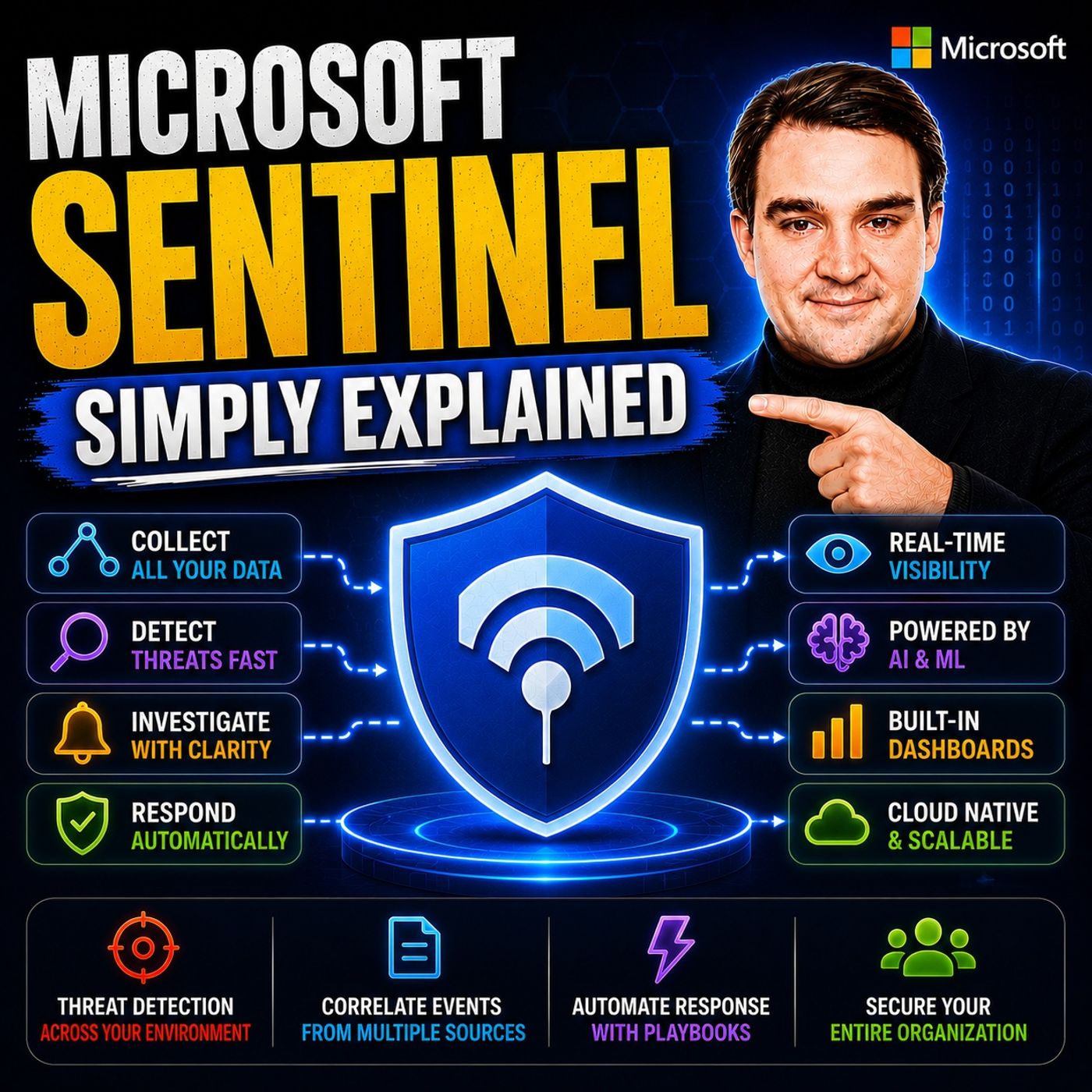
Microsoft Sentinel is Microsoft's cloud-native Security Information and Event Management (SIEM) and Security Orchestration, Automation, and Response (SOAR) platform, designed to help organizations detect, investigate, and respond to cyber threats across their entire IT environment. Instead of monitoring individual systems in isolation, Microsoft Sentinel collects security data from users, devices, applications, cloud services, and on-premises infrastructure, giving security teams a single, intelligent view of potential attacks. In this episode of Microsoft Knowledge Nuggets, we explain Microsoft Sentinel in plain English and show why it has become one of the most important security platforms in the Microsoft ecosystem.
You'll learn what a SIEM and SOAR platform actually does and how Microsoft Sentinel helps security teams identify suspicious behavior before it becomes a major incident. We explain core concepts including data connectors, analytics rules, incidents, workbooks, threat hunting, automation rules, playbooks, watchlists, threat intelligence, and Kusto Query Language (KQL). You'll also discover how Sentinel collects telemetry from Microsoft 365, Microsoft Defender, Microsoft Entra ID, Azure, AWS, Google Cloud, and hundreds of third-party security products to provide centralized monitoring and AI-powered threat detection.
The episode also explores real-world scenarios such as detecting ransomware attacks, identifying compromised accounts, automating incident response, investigating suspicious sign-in activity, and correlating events that would otherwise remain hidden across multiple systems. We discuss how Microsoft Sentinel integrates with Microsoft Defender XDR, Microsoft Security Copilot, Logic Apps, and Microsoft Entra to automate repetitive security tasks and enable faster, more effective security operations.
Microsoft Sentinel is a cloud-native security information and event management (SIEM) system and a platform for security orchestration, automation, and response (SOAR). It plays a crucial role in enhancing cybersecurity by providing intelligent analytics for optimal attack detection and threat visibility.
Understanding Microsoft Sentinel's functionality and benefits is essential for organizations. It helps you leverage AI for threat detection, streamline incident response, and integrate data from various security tools. This knowledge empowers you to proactively defend against potential security incidents while adapting to your organization's changing needs.
Key Takeaways
- Microsoft Sentinel is a cloud-native SIEM and SOAR platform that enhances cybersecurity through intelligent analytics.
- It integrates with over 350 data connectors, allowing you to collect data from various security tools and cloud platforms easily.
- The Unified Data Lake feature enables cost-effective storage and analysis of vast amounts of security data without traditional limitations.
- Microsoft Sentinel automates incident response, improving the speed and consistency of your security operations.
- The platform uses advanced analytics and AI to detect threats proactively, minimizing false positives and enhancing threat visibility.
- Training your security team on Microsoft Sentinel maximizes its potential and ensures effective implementation.
- Organizations can expect significant benefits, including a 134% ROI and an 85% reduction in time spent on investigations.
- Understanding the pricing model, which is based on data ingestion, helps you manage costs effectively while using Microsoft Sentinel.
Microsoft Sentinel Overview

Key Features of Microsoft Sentinel
Microsoft Sentinel stands out as a cloud-native SIEM and SOAR platform that revolutionizes how organizations manage their security operations. It integrates seamlessly with Microsoft 365, enhancing your security posture by providing advanced threat detection and streamlined incident response. Here are some of the key features that make Microsoft Sentinel an essential tool for modern cybersecurity:
-
Data Connectors: With over 350 out-of-the-box connectors, you can easily collect data from various security solutions and cloud platforms. This feature allows you to gather insights from users, devices, applications, and infrastructure across multiple environments.
-
Data Lake: Microsoft Sentinel includes a fully managed, cloud-native data lake. This data lake supports multi-modal analytics and retains security data for long-term investigations, enabling you to analyze vast amounts of data without the constraints of traditional storage limitations.
-
Graph Analytics: This feature provides unified graph analytics, allowing you to model complex relationships across assets and activities. By visualizing these connections, you can gain deeper insights into potential threats and vulnerabilities.
-
Model Context Protocol (MCP): The MCP offers a hosted interface for natural language interaction with your security data. This simplifies automation and exploration, making it easier for you to query data and extract valuable insights.
Microsoft Sentinel's integration with Azure services creates a comprehensive security ecosystem. This integration allows for real-time threat detection and response, leveraging AI and machine learning to identify advanced threats. Unlike traditional SIEM solutions, which often require manual intervention and separate tools, Sentinel automates many security processes. This automation enables faster and more effective incident response.
In the context of Microsoft 365, Microsoft Sentinel plays a crucial role in enhancing security. It aligns with your existing organizational policies, assisting with data normalization, compliance, threat detection, and security alerting. By providing advanced threat detection and comprehensive visibility across various data sources, Microsoft Sentinel empowers you to respond swiftly to security incidents.
How Microsoft Sentinel Works
Threat Detection and Response
Microsoft Sentinel operates through a structured framework designed to enhance your organization's security. This framework consists of four key steps: Collect, Detect, Investigate, and Respond. Each step plays a vital role in ensuring effective threat management.
-
Collect: Start by gathering data from various sources within your organization. Microsoft Sentinel uses built-in connectors to ingest logs from users, devices, applications, and infrastructure, whether on-premises or in the cloud. This comprehensive data collection allows you to have a complete view of your security landscape.
-
Detect: After collecting data, Microsoft Sentinel employs advanced analytics and threat intelligence to identify potential threats. It runs detection rules regularly to query the collected data. When it identifies suspicious activities, it generates alerts that aggregate into incidents for further investigation. This proactive approach minimizes false positives and enhances your ability to detect previously undetected threats.
-
Investigate: Once an incident occurs, you can investigate it using rich visual insights provided by Microsoft Sentinel. The platform offers tools that allow you to analyze the context of the threat, helping you understand its impact and origin. By utilizing artificial intelligence, you can hunt for suspicious activities at scale, making your investigation process more efficient.
-
Respond: Finally, Microsoft Sentinel automates the response to incidents through its playbook feature. When alerts trigger, it creates incidents automatically, allowing for efficient management of security events. This automation improves the consistency and speed of your response, enabling you to focus on more complex security challenges.
The integration capabilities of Microsoft Sentinel further enhance its functionality. It collects security data from both Microsoft and non-Microsoft sources, providing a unified view of security events. This integration allows you to correlate alerts and events into incidents, streamlining your incident response process.
Benefits of Microsoft Sentinel
Unified Data Lake
Microsoft Sentinel offers a powerful Unified Data Lake that significantly enhances your security operations. This feature provides several advantages that can transform how you manage and analyze security data.
-
Cost Efficiency: The Unified Data Lake reduces expenses through tiered storage and flexible retention options. You can store vast amounts of security data without incurring high costs, making it a budget-friendly solution for organizations of all sizes.
-
Seamless Integration: Microsoft Sentinel connects directly to various Microsoft tools, eliminating the need for complex extraction, transformation, and loading (ETL) processes. This integration allows you to access and analyze data quickly, streamlining your security operations.
-
Advanced Analytics Capabilities: The Unified Data Lake supports multiple analytics engines on a single data copy. This capability enhances your security analysis, allowing you to derive insights from your data without duplicating it.
-
Unified Security Data Platform: By breaking down visibility silos, the Unified Data Lake enables fast and reliable investigations across all security data. You can quickly correlate events and alerts, improving your response time to potential threats.
-
Reduced Total Cost of Ownership: Organizations experience a lower total cost of ownership (TCO) with Microsoft Sentinel compared to traditional SIEM solutions. The flexible pricing model and efficient data handling contribute to significant savings over time.
-
AI and Machine Learning Readiness: The Unified Data Lake prepares your organization for advanced threat detection and predictive analytics. With vast data storage, you can leverage AI and machine learning to identify and respond to threats proactively.
-
Fully Managed, Cloud-native Model: Microsoft Sentinel's cloud-native architecture eliminates the need for on-premises infrastructure management. This model provides instant data accessibility and scalability, allowing you to adapt to changing security needs.
-
Broad Ecosystem Support: The Unified Data Lake supports integration with third-party tools and custom data sources. This flexibility ensures that you can tailor your security operations to fit your organization's unique requirements.
Pricing of Microsoft Sentinel
When considering Microsoft Sentinel, understanding its pricing structure is essential. Microsoft Sentinel employs a pay-per-data ingestion model. This means that your costs depend on the amount of data you ingest daily, measured in gigabytes (GB). Here’s a quick comparison of Microsoft Sentinel's pricing model with other popular SIEM solutions:
| Solution | Pricing Model | Key Cost Factor |
|---|---|---|
| Microsoft Sentinel (SIEM) | Pay-per-data ingestion | Costs rise with log volume |
| CrowdStrike Falcon | Per endpoint | Higher base price but lower add-on costs |
| Splunk Enterprise Security | Pay-per-ingested data + license | Higher upfront cost but more control |
Key Cost Considerations
As you evaluate Microsoft Sentinel, consider the following cost factors:
- Data Ingestion Costs: Your expenses will vary based on the volume of data you store. Higher data volumes lead to increased costs.
- Retention Settings: After the first 90 days, retention settings may incur additional charges. You should plan your data retention strategy accordingly.
- Integration with Azure Services: If you use other Azure services, be aware that they may have additional costs associated with them.
- Feature-Specific Charges: Certain features, such as data connectors and Azure Functions, may come with their own costs.
- Post-Deletion Charges: Even after deleting resources, charges may accrue, such as those related to the Log Analytics workspace.
To help manage costs, Microsoft Sentinel offers commitment tiers. For example, the 50GB plan can reduce costs compared to pay-as-you-go pricing. This flexibility allows you to tailor your usage based on your organization's needs.
In summary, Microsoft Sentinel serves as a powerful cloud-native SIEM and SOAR platform that enhances your organization's security posture. It offers key features such as a Unified Data Lake, advanced threat detection, and seamless integration with Microsoft 365. By leveraging AI and machine learning, Sentinel helps you detect threats proactively and respond efficiently.
Organizations that adopt Microsoft Sentinel can expect significant benefits, including a 134% ROI over three years and an 85% reduction in time spent on advanced investigations. As you consider your security needs, remember to assess your specific requirements and explore how Microsoft Sentinel can fit into your existing systems.
Recommendation: Invest in training for your security team to maximize the potential of Microsoft Sentinel and ensure a smooth implementation.
FAQ
What is Microsoft Sentinel?
Microsoft Sentinel is a cloud-native SIEM and SOAR platform. It helps organizations enhance their security posture by providing advanced threat detection and automated incident response.
How does Microsoft Sentinel improve security?
Sentinel aggregates security signals from various Microsoft services. This integration allows you to detect threats faster and respond more effectively, improving your overall security strategy.
Can I integrate Microsoft Sentinel with other tools?
Yes, Microsoft Sentinel supports over 350 data connectors. You can easily integrate it with various security tools and cloud platforms to enhance your security operations.
What are the key benefits of using Microsoft Sentinel?
Key benefits include advanced threat detection, automated incident response, cost-effective data storage, and seamless integration with Microsoft 365. These features help you manage security more efficiently.
How does the pricing model work?
Microsoft Sentinel uses a pay-per-data ingestion model. Your costs depend on the amount of data you ingest daily, allowing you to tailor expenses based on your organization's needs.
Is training necessary for using Microsoft Sentinel?
While not mandatory, training is highly recommended. It helps your security team maximize the platform's potential and ensures a smooth implementation process.
What types of organizations can benefit from Microsoft Sentinel?
Organizations of all sizes can benefit from Microsoft Sentinel. Its scalable architecture and flexible pricing make it suitable for small businesses and large enterprises alike.
How does Microsoft Sentinel utilize AI?
Microsoft Sentinel leverages AI and machine learning to enhance threat detection. These technologies help identify suspicious patterns and automate responses, improving your security operations.
🎧 Listen to this episode
Want a practical explanation of Microsoft Sentinel? This episode breaks down the topic in clear language and shows why it matters for Microsoft 365, Azure, Power Platform, security, AI, and modern work.
Listen to this episode if you want to:
- Understand the key concepts behind Microsoft Sentinel
- See how it fits into the wider Microsoft technology ecosystem
- Learn where it can create practical value for your organization
You may also enjoy these related M365 FM episodes:
- Detect Microsoft 365 Attack Chains with Entra and Sentinel
- Microsoft Defender vs Sentinel: When You Need Both
Discover more practical Microsoft conversations on M365 FM.
🚀 Want to be part of m365.fm?
Then stop just listening… and start showing up.
👉 Connect with me on LinkedIn and let’s make something happen:
- 🎙️ Be a podcast guest and share your story
- 🎧 Host your own episode (yes, seriously)
- 💡 Pitch topics the community actually wants to hear
- 🌍 Build your personal brand in the Microsoft 365 space
This isn’t just a podcast — it’s a platform for people who take action.
🔥 Most people wait. The best ones don’t.
👉 Connect with me on LinkedIn and send me a message:
"I want in"
Let’s build something awesome 👊
1
00:00:00,000 --> 00:00:02,860
So what happens to your data when a former employee
2
00:00:02,860 --> 00:00:05,080
logs into your tenant six months after they quit?
3
00:00:05,080 --> 00:00:06,320
I'm serious, think about it.
4
00:00:06,320 --> 00:00:08,320
You disabled their account when they left.
5
00:00:08,320 --> 00:00:11,180
But did you check if a device still holds cash credentials?
6
00:00:11,180 --> 00:00:12,720
Did you look to see if an app registration
7
00:00:12,720 --> 00:00:14,120
they created still works?
8
00:00:14,120 --> 00:00:16,360
Most Microsoft 365 admins have no idea,
9
00:00:16,360 --> 00:00:17,720
not because they're bad at their jobs,
10
00:00:17,720 --> 00:00:19,040
but because the information they need
11
00:00:19,040 --> 00:00:20,800
is scattered across 20 different places.
12
00:00:20,800 --> 00:00:21,640
Here's the old way.
13
00:00:21,640 --> 00:00:23,440
You want to investigate a suspicious sign in,
14
00:00:23,440 --> 00:00:26,360
so you open the EntraAdmin Center to check the audit logs,
15
00:00:26,360 --> 00:00:28,640
then you hop over to exchange to see if any mail rules
16
00:00:28,640 --> 00:00:29,560
were created.
17
00:00:29,560 --> 00:00:31,840
Then you check SharePoint for unusual file access,
18
00:00:31,840 --> 00:00:34,960
then Defender for any alerts, then Teams for any strange activity.
19
00:00:34,960 --> 00:00:36,920
By the time you've checked five dashboards,
20
00:00:36,920 --> 00:00:38,160
you've already lost the thread.
21
00:00:38,160 --> 00:00:40,000
And that's just one user on one day.
22
00:00:40,000 --> 00:00:41,800
This is where Microsoft Sentinel comes in.
23
00:00:41,800 --> 00:00:43,720
Think of it as the security camera system
24
00:00:43,720 --> 00:00:45,200
for your entire digital building.
25
00:00:45,200 --> 00:00:47,040
You know how a physical office has cameras
26
00:00:47,040 --> 00:00:49,520
at every entrance, every hallway, every door.
27
00:00:49,520 --> 00:00:51,280
And one security guard can watch all of them
28
00:00:51,280 --> 00:00:52,480
from a single screen.
29
00:00:52,480 --> 00:00:55,240
That's what Sentinel does for your Microsoft 365 tenant.
30
00:00:55,240 --> 00:00:57,840
It takes all those separate logs from Entra from Exchange,
31
00:00:57,840 --> 00:00:59,280
from SharePoint from Defender
32
00:00:59,280 --> 00:01:01,640
and puts them in one place where you can actually see
33
00:01:01,640 --> 00:01:02,480
what's happening.
34
00:01:02,480 --> 00:01:04,160
By the end of this episode, you'll understand
35
00:01:04,160 --> 00:01:05,600
what Sentinel actually does.
36
00:01:05,600 --> 00:01:08,000
How its new data lake changes the game for keeping logs
37
00:01:08,000 --> 00:01:09,320
without breaking the bank.
38
00:01:09,320 --> 00:01:13,000
And why this matters for every Microsoft 365 admin,
39
00:01:13,000 --> 00:01:15,600
not just security teams with fancy titles,
40
00:01:15,600 --> 00:01:17,360
grab your coffee and let's dive in.
41
00:01:17,360 --> 00:01:18,960
What a seam actually does.
42
00:01:18,960 --> 00:01:21,440
Sentinel is what the industry calls a CM.
43
00:01:21,440 --> 00:01:23,920
That stands for Security Information and Event Management.
44
00:01:23,920 --> 00:01:25,280
Let's say that in plain English.
45
00:01:25,280 --> 00:01:27,680
A CM is a tool that collects logs from everywhere,
46
00:01:27,680 --> 00:01:29,800
your servers, your firewalls, your apps,
47
00:01:29,800 --> 00:01:32,120
your identity systems and then connects the dots
48
00:01:32,120 --> 00:01:32,880
between them.
49
00:01:32,880 --> 00:01:33,960
Here's why that matters.
50
00:01:33,960 --> 00:01:35,800
A single log entry is just noise.
51
00:01:35,800 --> 00:01:37,520
Someone tried to log in and failed.
52
00:01:37,520 --> 00:01:38,200
Big deal.
53
00:01:38,200 --> 00:01:40,000
That happens hundreds of times a day.
54
00:01:40,000 --> 00:01:41,960
But a seam doesn't look at one log entry.
55
00:01:41,960 --> 00:01:43,520
It looks at all of them together.
56
00:01:43,520 --> 00:01:45,160
So it can see that the same IP address
57
00:01:45,160 --> 00:01:47,720
tried to log into five different accounts in 30 seconds.
58
00:01:47,720 --> 00:01:48,640
That's not noise anymore.
59
00:01:48,640 --> 00:01:50,080
That's a brute force attack.
60
00:01:50,080 --> 00:01:51,720
The magic is in the correlation.
61
00:01:51,720 --> 00:01:53,640
A seam takes a suspicious log in from Entra
62
00:01:53,640 --> 00:01:55,880
and connects it to a file download from SharePoint
63
00:01:55,880 --> 00:01:57,960
and an email-forwarding rule from Exchange.
64
00:01:57,960 --> 00:02:00,000
Alone, none of those things look like an attack.
65
00:02:00,000 --> 00:02:01,280
Together they tell a story.
66
00:02:01,280 --> 00:02:03,160
Someone got in, found what they wanted
67
00:02:03,160 --> 00:02:05,240
and set up a way to keep getting your mail.
68
00:02:05,240 --> 00:02:07,040
Think of it like a traffic control center.
69
00:02:07,040 --> 00:02:08,360
You don't just watch one camera.
70
00:02:08,360 --> 00:02:09,520
You watch all of them at once
71
00:02:09,520 --> 00:02:11,640
and you look for patterns, a car that passes
72
00:02:11,640 --> 00:02:13,400
the same intersection four times,
73
00:02:13,400 --> 00:02:15,680
a person who enters the building but never leaves.
74
00:02:15,680 --> 00:02:17,960
That's what a seam does for your digital environment.
75
00:02:17,960 --> 00:02:19,800
The key inside here is simple but powerful.
76
00:02:19,800 --> 00:02:21,560
You can't protect what you can't see.
77
00:02:21,560 --> 00:02:23,880
If your security data is scattered across 20 dashboards,
78
00:02:23,880 --> 00:02:24,720
you're blind.
79
00:02:24,720 --> 00:02:26,200
You might catch the obvious stuff
80
00:02:26,200 --> 00:02:28,320
but the subtle attacks, the ones that happen slowly
81
00:02:28,320 --> 00:02:31,000
over weeks or months, those will slip right past you.
82
00:02:31,000 --> 00:02:32,480
Now here's the thing about Sentinel.
83
00:02:32,480 --> 00:02:35,080
It is a CM but it's more than that.
84
00:02:35,080 --> 00:02:37,680
The soar part, why Sentinel has hands?
85
00:02:37,680 --> 00:02:39,880
A traditional CM works like a security camera.
86
00:02:39,880 --> 00:02:41,240
It shows you everything going on
87
00:02:41,240 --> 00:02:43,160
but it can't actually do anything about it.
88
00:02:43,160 --> 00:02:45,600
It sees a break in but can't call the police.
89
00:02:45,600 --> 00:02:46,920
That's where Soar comes in.
90
00:02:46,920 --> 00:02:49,400
Soar stands for security orchestration, automation
91
00:02:49,400 --> 00:02:52,280
and response, the part of Sentinel that has hands.
92
00:02:52,280 --> 00:02:54,880
Here's how it plays out. Sentinel spots a threat.
93
00:02:54,880 --> 00:02:56,880
A user's account gets compromised.
94
00:02:56,880 --> 00:02:59,240
Someone logs in from a country they've never visited
95
00:02:59,240 --> 00:03:01,560
and starts downloading files they've never touched.
96
00:03:01,560 --> 00:03:03,280
A traditional CM would create an alert
97
00:03:03,280 --> 00:03:05,920
and wait for a human to respond which could take hours
98
00:03:05,920 --> 00:03:07,520
and by then the damage is already done.
99
00:03:07,520 --> 00:03:08,640
Sentinel doesn't wait.
100
00:03:08,640 --> 00:03:09,920
It acts automatically.
101
00:03:09,920 --> 00:03:11,680
It can disable that user's account,
102
00:03:11,680 --> 00:03:13,600
block their device from company resources,
103
00:03:13,600 --> 00:03:16,560
revoke active sessions and notify the security team
104
00:03:16,560 --> 00:03:19,440
all in seconds without a human touching anything.
105
00:03:19,440 --> 00:03:22,400
This automation runs on something Sentinel calls playbooks.
106
00:03:22,400 --> 00:03:25,520
Basically they're automated to do lists for security incidents.
107
00:03:25,520 --> 00:03:27,080
When a specific alert fires,
108
00:03:27,080 --> 00:03:28,800
Sentinel runs the matching playbook.
109
00:03:28,800 --> 00:03:30,480
If this happens, do that.
110
00:03:30,480 --> 00:03:33,360
Simple and you don't need to be a programmer to build them.
111
00:03:33,360 --> 00:03:35,120
They're created with a visual designer
112
00:03:35,120 --> 00:03:36,480
just like drawing a flowchart.
113
00:03:36,480 --> 00:03:39,920
So why does this matter for you as a Microsoft 365 admin?
114
00:03:39,920 --> 00:03:41,520
Because you don't want to wake up at 3am
115
00:03:41,520 --> 00:03:43,160
to manually block an IP address.
116
00:03:43,160 --> 00:03:44,480
You've got better things to do
117
00:03:44,480 --> 00:03:46,600
and honestly you won't be fast enough anyway.
118
00:03:46,600 --> 00:03:49,040
By the time you stumble to your laptop and log in,
119
00:03:49,040 --> 00:03:51,160
the attack has already done what they came to do.
120
00:03:51,160 --> 00:03:52,440
Automation isn't a luxury.
121
00:03:52,440 --> 00:03:53,520
It's a necessity.
122
00:03:53,520 --> 00:03:56,120
So Sentinel detects threats and correlates signals
123
00:03:56,120 --> 00:03:57,680
across your entire environment.
124
00:03:57,680 --> 00:03:58,880
And when something bad happens,
125
00:03:58,880 --> 00:04:00,080
it responds automatically.
126
00:04:00,080 --> 00:04:01,760
That's seam and so are working together.
127
00:04:01,760 --> 00:04:04,920
But where does Sentinel actually live in the Microsoft world?
128
00:04:04,920 --> 00:04:06,600
That's what we'll cover next.
129
00:04:06,600 --> 00:04:09,080
Sentinel's place in the Microsoft security stack.
130
00:04:09,080 --> 00:04:11,560
Microsoft has a whole portfolio of security products,
131
00:04:11,560 --> 00:04:13,240
Defender for endpoint protection,
132
00:04:13,240 --> 00:04:14,960
Entra for identity and access,
133
00:04:14,960 --> 00:04:17,920
Per view for data security and Intune for device management.
134
00:04:17,920 --> 00:04:19,520
Each one does its own job well.
135
00:04:19,520 --> 00:04:22,280
But here's the thing, they don't naturally talk to each other.
136
00:04:22,280 --> 00:04:24,400
Defender spots a suspicious file,
137
00:04:24,400 --> 00:04:26,120
Entra flags a weird log in,
138
00:04:26,120 --> 00:04:28,360
Per view catches unusual data access,
139
00:04:28,360 --> 00:04:30,760
three separate alerts, three separate dashboards,
140
00:04:30,760 --> 00:04:32,160
three separate investigations.
141
00:04:32,160 --> 00:04:33,480
That's where Sentinel comes in.
142
00:04:33,480 --> 00:04:35,080
It sits underneath all of them.
143
00:04:35,080 --> 00:04:37,440
Not as a competitor, but as the foundation.
144
00:04:37,440 --> 00:04:39,000
Think of it like the floor of a building.
145
00:04:39,000 --> 00:04:41,800
The rooms are Defender, Entra, Per view and Intune,
146
00:04:41,800 --> 00:04:43,400
each with their own purpose.
147
00:04:43,400 --> 00:04:44,880
But the floor is what connects them,
148
00:04:44,880 --> 00:04:46,560
letting you walk from one room to another
149
00:04:46,560 --> 00:04:47,880
without stepping into the void.
150
00:04:47,880 --> 00:04:50,400
Notice I didn't say Sentinel competes with Defender.
151
00:04:50,400 --> 00:04:51,080
It doesn't.
152
00:04:51,080 --> 00:04:53,480
Defender is great at detecting threats on endpoints
153
00:04:53,480 --> 00:04:55,440
and across Microsoft 365,
154
00:04:55,440 --> 00:04:56,720
but it only sees what it sees.
155
00:04:56,720 --> 00:04:59,320
It doesn't know about your on-premises firewall logs
156
00:04:59,320 --> 00:05:01,840
or your AWS cloud trail logs.
157
00:05:01,840 --> 00:05:03,920
Sentinel is the platform Defender sits on,
158
00:05:03,920 --> 00:05:05,520
not the product that replaces it.
159
00:05:05,520 --> 00:05:07,000
Here's a big shift you need to know about.
160
00:05:07,000 --> 00:05:09,600
Microsoft is consolidating everything into one place.
161
00:05:09,600 --> 00:05:11,920
After March 30, 2027,
162
00:05:11,920 --> 00:05:15,040
Sentinel will no longer be available in the Azure portal.
163
00:05:15,040 --> 00:05:17,520
It will only live in the Microsoft Defender portal.
164
00:05:17,520 --> 00:05:19,840
For years, you have to jump between the Azure portal
165
00:05:19,840 --> 00:05:22,720
for Sentinel and the Defender portal for XDR.
166
00:05:22,720 --> 00:05:23,560
That's going away.
167
00:05:23,560 --> 00:05:26,240
Microsoft is building one unified security operation center
168
00:05:26,240 --> 00:05:28,160
and the Defender portal is where it lives.
169
00:05:28,160 --> 00:05:29,480
What does this mean for you?
170
00:05:29,480 --> 00:05:30,760
Fewer portals to learn.
171
00:05:30,760 --> 00:05:32,120
Less context switching.
172
00:05:32,120 --> 00:05:34,160
One place where you can see your incidents,
173
00:05:34,160 --> 00:05:36,960
hunt for threats and manage your security posture.
174
00:05:36,960 --> 00:05:38,240
It's a move towards simplicity
175
00:05:38,240 --> 00:05:39,880
and for Microsoft 365 admins
176
00:05:39,880 --> 00:05:41,880
who already live in the Defender portal,
177
00:05:41,880 --> 00:05:43,640
that's good news, but the real game changer,
178
00:05:43,640 --> 00:05:44,720
that's the data lake.
179
00:05:44,720 --> 00:05:46,120
We'll cover that next.
180
00:05:46,120 --> 00:05:48,360
The new unified data lake, what changed?
181
00:05:48,360 --> 00:05:50,200
So here's the problem Sentinel always had,
182
00:05:50,200 --> 00:05:53,400
keeping logs around cost a lot, not just a little, a lot.
183
00:05:53,400 --> 00:05:55,240
The default retention was 90 days.
184
00:05:55,240 --> 00:05:57,840
After that, you either paid a premium to keep the data
185
00:05:57,840 --> 00:05:59,720
or said goodbye to it forever.
186
00:05:59,720 --> 00:06:03,000
Most organizations chose to delete logs after three months,
187
00:06:03,000 --> 00:06:05,240
which meant they were flying blind past that point.
188
00:06:05,240 --> 00:06:07,520
Microsoft solved this with the unified data lake
189
00:06:07,520 --> 00:06:09,160
and it changes the math completely.
190
00:06:09,160 --> 00:06:11,160
Sentinel now separates storage from compute.
191
00:06:11,160 --> 00:06:12,720
In the old model, you paid one price
192
00:06:12,720 --> 00:06:16,080
that covered both storing data and being able to query it quickly.
193
00:06:16,080 --> 00:06:18,160
That made sense for active investigations,
194
00:06:18,160 --> 00:06:20,400
but it was terrible for long term retention.
195
00:06:20,400 --> 00:06:22,240
You were paying for speed you didn't need on data
196
00:06:22,240 --> 00:06:23,240
you barely touched.
197
00:06:23,240 --> 00:06:24,560
The data lake flips that.
198
00:06:24,560 --> 00:06:26,640
You store your data in a low cost tier.
199
00:06:26,640 --> 00:06:29,160
It's still there, still accessible, still searchable,
200
00:06:29,160 --> 00:06:30,360
but you only pay for compute
201
00:06:30,360 --> 00:06:32,040
when you actually run a query against it.
202
00:06:32,040 --> 00:06:33,720
Think of it like the difference between
203
00:06:33,720 --> 00:06:36,120
renting a storage unit versus having a basement.
204
00:06:36,120 --> 00:06:37,600
The storage unit costs you every month,
205
00:06:37,600 --> 00:06:38,920
whether you use it or not.
206
00:06:38,920 --> 00:06:39,960
The basement is just there.
207
00:06:39,960 --> 00:06:42,440
You only spend money when you go down and look for something.
208
00:06:42,440 --> 00:06:43,680
The numbers speak for themselves.
209
00:06:43,680 --> 00:06:46,240
Microsoft says storing data in the data lake costs less
210
00:06:46,240 --> 00:06:49,400
than 15% of what traditional analytics logs cost.
211
00:06:49,400 --> 00:06:51,880
That's the difference between keeping logs for three months
212
00:06:51,880 --> 00:06:53,680
versus three years or even 12 years,
213
00:06:53,680 --> 00:06:55,320
which is the new retention maximum
214
00:06:55,320 --> 00:06:56,680
or without breaking the bank.
215
00:06:56,680 --> 00:06:58,960
And the best part, you don't have to do anything extra.
216
00:06:58,960 --> 00:07:00,760
Every log, you're already ingesting,
217
00:07:00,760 --> 00:07:03,240
gets mirrored into the data lake automatically.
218
00:07:03,240 --> 00:07:05,320
No configuration, no new connectors.
219
00:07:05,320 --> 00:07:07,080
It just happens.
220
00:07:07,080 --> 00:07:08,720
This opens up some powerful possibilities
221
00:07:08,720 --> 00:07:09,920
like threat hunting at scale,
222
00:07:09,920 --> 00:07:12,040
which is exactly what we'll get into next.
223
00:07:12,040 --> 00:07:15,160
Threat hunting, finding attacks hiding in plain sight.
224
00:07:15,160 --> 00:07:17,480
Most people don't realize this about cyber attacks.
225
00:07:17,480 --> 00:07:19,440
They don't happen fast, they happen slowly.
226
00:07:19,440 --> 00:07:21,560
Security pros call it low and slow.
227
00:07:21,560 --> 00:07:23,600
An attacker might test a password on one account,
228
00:07:23,600 --> 00:07:25,920
get it wrong and disappear for a month.
229
00:07:25,920 --> 00:07:27,880
Then they try again on a different account.
230
00:07:27,880 --> 00:07:30,600
Another month passes, they test a third account.
231
00:07:30,600 --> 00:07:33,400
Each attempt looks harmless, someone who forgot their password.
232
00:07:33,400 --> 00:07:34,520
But here's the problem.
233
00:07:34,520 --> 00:07:36,680
With the old 90 day retention window,
234
00:07:36,680 --> 00:07:37,920
you'd never see the pattern.
235
00:07:37,920 --> 00:07:39,640
By the time the third attempt happened,
236
00:07:39,640 --> 00:07:42,280
the first one was already deleted from your logs.
237
00:07:42,280 --> 00:07:44,600
You'd see a single failed log in with no context,
238
00:07:44,600 --> 00:07:46,760
no pattern, no way to connect the dots.
239
00:07:46,760 --> 00:07:48,320
The data lake changes that completely.
240
00:07:48,320 --> 00:07:51,440
Now you can run queries across years of data, not months.
241
00:07:51,440 --> 00:07:53,720
You are sentinel to show you every failed log in
242
00:07:53,720 --> 00:07:56,080
from a specific IP over the last 12 months.
243
00:07:56,080 --> 00:07:57,960
Suddenly the pattern becomes crystal clear,
244
00:07:57,960 --> 00:07:59,400
three attempts from the same IP
245
00:07:59,400 --> 00:08:01,680
using the same technique across different accounts.
246
00:08:01,680 --> 00:08:03,200
That's an attack, not forgetfulness.
247
00:08:03,200 --> 00:08:05,840
The tool for asking these questions is KQL,
248
00:08:05,840 --> 00:08:07,200
Kustoquery Language.
249
00:08:07,200 --> 00:08:09,520
Think of it as a search engine for your security logs.
250
00:08:09,520 --> 00:08:11,720
You type what you're looking for, like failed logins
251
00:08:11,720 --> 00:08:14,640
from a suspicious IP or unusual forwarding rules created
252
00:08:14,640 --> 00:08:17,240
after hours and sentinel returns the results.
253
00:08:17,240 --> 00:08:19,800
It lets you ask questions you didn't even know you needed to ask.
254
00:08:19,800 --> 00:08:22,520
That's why security teams are excited about the data lake,
255
00:08:22,520 --> 00:08:24,200
not because of a flashy new feature,
256
00:08:24,200 --> 00:08:25,600
but because they can finally see what's
257
00:08:25,600 --> 00:08:26,960
been hiding in plain sight.
258
00:08:26,960 --> 00:08:28,960
Attackers who operate slowly, who test the waters
259
00:08:28,960 --> 00:08:30,400
and blend in with normal traffic,
260
00:08:30,400 --> 00:08:32,080
relied on the fact that you couldn't look back
261
00:08:32,080 --> 00:08:33,480
far enough to connect the dots.
262
00:08:33,480 --> 00:08:35,320
The data lake takes that advantage away.
263
00:08:35,320 --> 00:08:37,600
But sentinel isn't only about looking backwards,
264
00:08:37,600 --> 00:08:39,360
it's also about looking forward.
265
00:08:39,360 --> 00:08:42,400
Graphs and AI, the future that's already here.
266
00:08:42,400 --> 00:08:44,920
Attackers think in graphs, not lists.
267
00:08:44,920 --> 00:08:46,720
They don't see individual users and devices,
268
00:08:46,720 --> 00:08:48,200
they see the connections between them.
269
00:08:48,200 --> 00:08:50,240
This user has access to that server.
270
00:08:50,240 --> 00:08:52,040
That server connects to this database,
271
00:08:52,040 --> 00:08:54,320
and that database holds exactly what they want.
272
00:08:54,320 --> 00:08:57,280
They map the entire path before they ever make a move.
273
00:08:57,280 --> 00:08:58,320
Now here's the problem.
274
00:08:58,320 --> 00:09:00,160
Defenders have always thought in lists.
275
00:09:00,160 --> 00:09:02,080
A list of alerts, a list of IP addresses,
276
00:09:02,080 --> 00:09:02,960
a list of users.
277
00:09:02,960 --> 00:09:06,280
Sure, lists are useful, but they don't show you the connections.
278
00:09:06,280 --> 00:09:08,440
They don't show you the path an attacker can take.
279
00:09:08,440 --> 00:09:09,960
Sentinel graph changes that.
280
00:09:09,960 --> 00:09:12,640
It lets defenders do what attackers have been doing all along.
281
00:09:12,640 --> 00:09:14,960
It shows you the map, not just the dots.
282
00:09:14,960 --> 00:09:17,000
You see that user A has access to server B,
283
00:09:17,000 --> 00:09:19,040
server B connects to database C.
284
00:09:19,040 --> 00:09:21,800
And database C contains your most sensitive customer data.
285
00:09:21,800 --> 00:09:23,960
That's not just information, that's context.
286
00:09:23,960 --> 00:09:26,360
And context turns a good investigation into a great one.
287
00:09:26,360 --> 00:09:27,760
This works two ways.
288
00:09:27,760 --> 00:09:29,880
Before a breach happens, you use the graph
289
00:09:29,880 --> 00:09:31,600
to see potential attack parts.
290
00:09:31,600 --> 00:09:33,320
You find choke points.
291
00:09:33,320 --> 00:09:36,880
A single user who's compromised would open up half your network,
292
00:09:36,880 --> 00:09:39,640
then you can prioritize that user, apply extra controls,
293
00:09:39,640 --> 00:09:42,080
and shrink the blast radius before anything goes wrong.
294
00:09:42,080 --> 00:09:44,840
After a breach, the graph shows you the real blast radius,
295
00:09:44,840 --> 00:09:45,760
and alert fires.
296
00:09:45,760 --> 00:09:47,920
Sentinel graph instantly shows you every system
297
00:09:47,920 --> 00:09:50,280
that user touched, every file they accessed, every connection
298
00:09:50,280 --> 00:09:50,960
made.
299
00:09:50,960 --> 00:09:53,200
No guessing, no manual tracing, the graph does it all.
300
00:09:53,200 --> 00:09:54,320
Now let's talk about AI.
301
00:09:54,320 --> 00:09:56,760
Microsoft Security Co-Pilot brings natural language
302
00:09:56,760 --> 00:09:57,720
into the picture.
303
00:09:57,720 --> 00:10:00,080
Instead of writing complex KQL queries,
304
00:10:00,080 --> 00:10:02,120
you just ask questions in plain English.
305
00:10:02,120 --> 00:10:04,120
Show me all the sign-ins from unusual locations
306
00:10:04,120 --> 00:10:05,040
in the last week.
307
00:10:05,040 --> 00:10:07,160
Security Co-Pilot turns that into a query,
308
00:10:07,160 --> 00:10:09,320
runs it against your data, and shows results.
309
00:10:09,320 --> 00:10:10,560
It lowers the barrier.
310
00:10:10,560 --> 00:10:12,960
You don't need to be a KQL expert to hunt threats.
311
00:10:12,960 --> 00:10:14,400
There's also the MCP server.
312
00:10:14,400 --> 00:10:16,440
MCP stands for Model Context Protocol.
313
00:10:16,440 --> 00:10:19,920
In plain English, it lets AI agents, smart bots,
314
00:10:19,920 --> 00:10:21,640
interact with Sentinel directly.
315
00:10:21,640 --> 00:10:23,840
An agent can ask Sentinel questions, run queries,
316
00:10:23,840 --> 00:10:25,960
analyze results, and even take actions,
317
00:10:25,960 --> 00:10:27,360
all without a human in the loop.
318
00:10:27,360 --> 00:10:30,000
It sounds futuristic, but it's already rolling out.
319
00:10:30,000 --> 00:10:32,280
So Sentinel lets you hunt across years of data.
320
00:10:32,280 --> 00:10:34,440
You see the relationships attack as exploit.
321
00:10:34,440 --> 00:10:36,800
And you can ask questions in plain language using AI,
322
00:10:36,800 --> 00:10:38,320
but how do you actually start
323
00:10:38,320 --> 00:10:39,960
without being a security expert?
324
00:10:39,960 --> 00:10:41,400
That's what we'll cover next.
325
00:10:41,400 --> 00:10:43,360
Getting started without the overwhelm.
326
00:10:43,360 --> 00:10:44,560
You might think this sounds like something
327
00:10:44,560 --> 00:10:47,280
only a security team with a six-figure budget can handle.
328
00:10:47,280 --> 00:10:47,800
That's not true.
329
00:10:47,800 --> 00:10:49,800
You don't need a so-key analyst certification.
330
00:10:49,800 --> 00:10:52,040
You just need a Microsoft 365 tenant
331
00:10:52,040 --> 00:10:53,680
and a willingness to start small.
332
00:10:53,680 --> 00:10:55,720
The basic setup is really straightforward.
333
00:10:55,720 --> 00:10:58,160
You enable Sentinel in the Microsoft Defender Portal.
334
00:10:58,160 --> 00:10:59,520
Then you connect your data sources.
335
00:10:59,520 --> 00:11:00,280
That's it.
336
00:11:00,280 --> 00:11:01,960
You don't need to configure everything at once.
337
00:11:01,960 --> 00:11:03,080
In fact, you shouldn't.
338
00:11:03,080 --> 00:11:05,720
Start with just a few sources that matter most to you.
339
00:11:05,720 --> 00:11:08,560
Enter ID sign-in logs, exchange online mail flow logs,
340
00:11:08,560 --> 00:11:10,360
Defender for Office 365 alerts.
341
00:11:10,360 --> 00:11:12,200
Those three alone give you more visibility
342
00:11:12,200 --> 00:11:14,200
than most organizations have today.
343
00:11:14,200 --> 00:11:15,560
Here's what makes this easier.
344
00:11:15,560 --> 00:11:17,280
Sentinel has a content hub.
345
00:11:17,280 --> 00:11:19,320
Think of it like an app store for security rules.
346
00:11:19,320 --> 00:11:22,200
You browse by category, identity threats, email threats,
347
00:11:22,200 --> 00:11:25,320
compliance monitoring, and install pre-built detection rules.
348
00:11:25,320 --> 00:11:26,840
You don't write queries from scratch.
349
00:11:26,840 --> 00:11:28,400
You don't need KQL on day one.
350
00:11:28,400 --> 00:11:29,920
The content hub gives you a starting point
351
00:11:29,920 --> 00:11:31,360
that works out of the box.
352
00:11:31,360 --> 00:11:32,920
Now let's talk about cost.
353
00:11:32,920 --> 00:11:34,320
That's the question everyone asks.
354
00:11:34,320 --> 00:11:36,160
Sentinel uses a pay as you go model.
355
00:11:36,160 --> 00:11:39,000
You pay for the data you bring in, but you can control the cost.
356
00:11:39,000 --> 00:11:41,600
Commitment tiers let you commit to a minimum volume
357
00:11:41,600 --> 00:11:43,000
and get a big discount.
358
00:11:43,000 --> 00:11:44,040
And remember the data lake?
359
00:11:44,040 --> 00:11:45,520
It changes the economics.
360
00:11:45,520 --> 00:11:48,440
High volume, low fidelity logs like firewall traffic
361
00:11:48,440 --> 00:11:51,120
go straight to the data lake tier at a fraction of the cost.
362
00:11:51,120 --> 00:11:53,120
So you don't have to choose between visibility
363
00:11:53,120 --> 00:11:54,320
and your budget anymore.
364
00:11:54,320 --> 00:11:56,000
The hardest part isn't the technology.
365
00:11:56,000 --> 00:11:57,200
It's knowing where to begin.
366
00:11:57,200 --> 00:11:58,280
So here's my advice.
367
00:11:58,280 --> 00:12:00,560
Start with one data source and one detection rule.
368
00:12:00,560 --> 00:12:02,040
Connect Enter ID logs.
369
00:12:02,040 --> 00:12:04,040
Install a rule that alerts when a global admin
370
00:12:04,040 --> 00:12:05,920
signs in from an unusual location.
371
00:12:05,920 --> 00:12:07,360
See what Sentinel tells you.
372
00:12:07,360 --> 00:12:08,680
That's enough to get started.
373
00:12:08,680 --> 00:12:10,200
Then expand as you get comfortable.
374
00:12:10,200 --> 00:12:12,000
Let's bring this all together.
375
00:12:12,000 --> 00:12:13,080
The big picture.
376
00:12:13,080 --> 00:12:14,640
Why this changes your job?
377
00:12:14,640 --> 00:12:16,080
Sentinel is evolving.
378
00:12:16,080 --> 00:12:18,280
It started as a tool for security pros
379
00:12:18,280 --> 00:12:20,520
and now it's becoming the platform behind all of Microsoft's
380
00:12:20,520 --> 00:12:21,480
security.
381
00:12:21,480 --> 00:12:24,320
For you as an M365 admin, that means your security
382
00:12:24,320 --> 00:12:26,480
gets a big upgrade without you having to build it yourself.
383
00:12:26,480 --> 00:12:27,880
Think about what we've covered.
384
00:12:27,880 --> 00:12:31,040
Sentinel collects signals from across your entire environment.
385
00:12:31,040 --> 00:12:33,960
It correlates them to find patterns you'd never spot manually.
386
00:12:33,960 --> 00:12:36,600
It can respond automatically when something goes wrong.
387
00:12:36,600 --> 00:12:38,480
The new data lake makes it affordable to keep
388
00:12:38,480 --> 00:12:40,200
years of data instead of months.
389
00:12:40,200 --> 00:12:43,040
The graph shows you attack paths before they're exploited.
390
00:12:43,040 --> 00:12:45,160
AI lets you ask questions in plain English.
391
00:12:45,160 --> 00:12:46,680
All of this is built into the platform.
392
00:12:46,680 --> 00:12:49,280
You don't have to piece it together from separate tools.
393
00:12:49,280 --> 00:12:52,160
The data lake removes the trade off between cost and visibility
394
00:12:52,160 --> 00:12:54,320
so you no longer have to decide between keeping logs
395
00:12:54,320 --> 00:12:55,120
and saving money.
396
00:12:55,120 --> 00:12:56,240
You can do both.
397
00:12:56,240 --> 00:12:58,240
That changes how you think about security.
398
00:12:58,240 --> 00:13:00,640
Instead of asking can we afford to monitor this?
399
00:13:00,640 --> 00:13:02,880
You ask, what else should we be watching?
400
00:13:02,880 --> 00:13:05,600
You don't need to be a so-see analyst to benefit from Sentinel.
401
00:13:05,600 --> 00:13:08,600
You just need to be someone who cares about keeping your tenants safe.
402
00:13:08,600 --> 00:13:10,400
And if you're listening to this, that's you.
403
00:13:10,400 --> 00:13:12,720
The integration with Defender, Entra and Pervue means
404
00:13:12,720 --> 00:13:15,080
fewer portals to manage, less context switching,
405
00:13:15,080 --> 00:13:16,520
and more control from one place.
406
00:13:16,520 --> 00:13:18,840
Microsoft is betting that security should be built in,
407
00:13:18,840 --> 00:13:19,840
not bolted on.
408
00:13:19,840 --> 00:13:23,160
Sentinel is the foundation of that bet and it's paying off.
409
00:13:23,160 --> 00:13:24,160
Your next step.
410
00:13:24,160 --> 00:13:25,800
So here's what you now understand.
411
00:13:25,800 --> 00:13:28,520
Sentinel is the central brain for your security data.
412
00:13:28,520 --> 00:13:30,960
It collects everything, correlates the signals,
413
00:13:30,960 --> 00:13:33,200
and acts automatically when something goes wrong.
414
00:13:33,200 --> 00:13:35,560
The data lake makes it affordable to keep logs for years
415
00:13:35,560 --> 00:13:36,640
instead of months.
416
00:13:36,640 --> 00:13:39,080
Graphs and AI make it smarter over time.
417
00:13:39,080 --> 00:13:41,120
And all of this lives in the Defender portal,
418
00:13:41,120 --> 00:13:43,600
right alongside the tools you already use.
419
00:13:43,600 --> 00:13:45,000
You don't need to master it overnight.
420
00:13:45,000 --> 00:13:46,120
My advice is simple.
421
00:13:46,120 --> 00:13:47,280
Go to security.
422
00:13:47,280 --> 00:13:50,040
Microsoft.com, Open Sentinel, and browse the content hub.
423
00:13:50,040 --> 00:13:51,520
Just explore, see what's available.
424
00:13:51,520 --> 00:13:53,640
Pick one connector and one detection rule.
425
00:13:53,640 --> 00:13:55,000
That's your starting point.
426
00:13:55,000 --> 00:13:56,720
A lot of people won't take that first step.
427
00:13:56,720 --> 00:13:58,720
They'll read about Sentinel, not along,
428
00:13:58,720 --> 00:14:01,120
and then close the browser and go back to their day.
429
00:14:01,120 --> 00:14:02,400
That's why you'll be ahead.
430
00:14:02,400 --> 00:14:04,800
Because you actually did something with what you learned.
431
00:14:04,800 --> 00:14:07,440
If this episode helped you understand Sentinel a little better,
432
00:14:07,440 --> 00:14:09,480
subscribe to Microsoft Knowledge Nuggets.
433
00:14:09,480 --> 00:14:12,080
We break down Microsoft Security and M365 topics
434
00:14:12,080 --> 00:14:14,000
in plain English every episode.
435
00:14:14,000 --> 00:14:15,600
Share this with someone who's been wanting to learn
436
00:14:15,600 --> 00:14:18,000
about Sentinel, but wasn't sure where to start.
437
00:14:18,000 --> 00:14:20,000
See you in the next one.

Founder of m365.fm, m365.show and m365con.net
Mirko Peters is a Microsoft 365 expert, content creator, and founder of m365.fm, a platform dedicated to sharing practical insights on modern workplace technologies. His work focuses on Microsoft 365 governance, security, collaboration, and real-world implementation strategies.
Through his podcast and written content, Mirko provides hands-on guidance for IT professionals, architects, and business leaders navigating the complexities of Microsoft 365. He is known for translating complex topics into clear, actionable advice, often highlighting common mistakes and overlooked risks in real-world environments.
With a strong emphasis on community contribution and knowledge sharing, Mirko is actively building a platform that connects experts, shares experiences, and helps organizations get the most out of their Microsoft 365 investments.




