

 Apple Podcasts
 Spotify
 Youtube Music
 Spreaker
 Podchaser
 Amazon Music
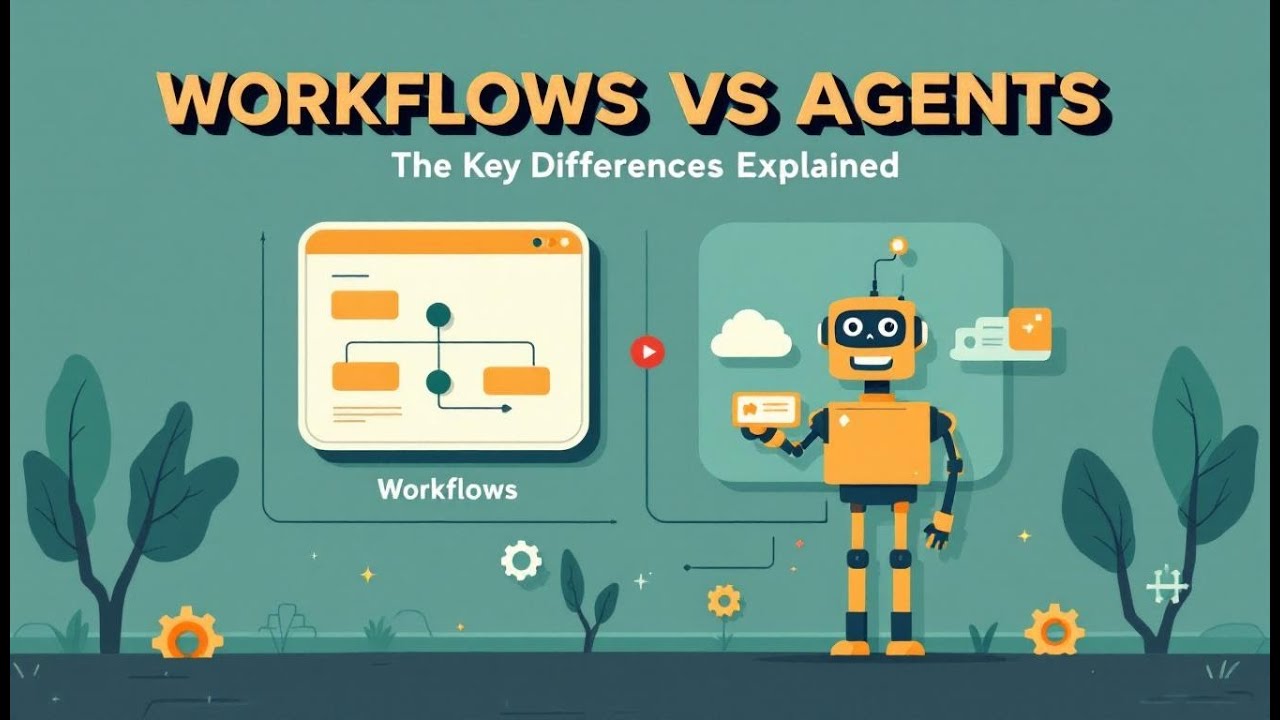
Stop calling everything “AI automation.” In the Power Platform, workflows and agents are different species. Power Automate flows are deterministic: fixed triggers, ordered steps, predictable outcomes—excellent for compliance and repetition, terrible at ambiguity. Copilot Studio agents are autonomous within guardrails: they reason toward goals, choose tools at runtime, adapt to context, and escalate when uncertain. That shift—from scripting steps to supervising intent—changes governance, auditing, and risk. At scale, thousands of unsupervised flows collide; poorly bounded agents can improvise into chaos. The winning architecture is hybrid: agents interpret, decide, and delegate execution to auditable workflows. Use flows for transactional muscle memory; use agents for judgment, language, and cross-system synthesis; bind them with Agent Feed visibility and connector policies. Design for supervised autonomy: capability envelopes, role-scoped tools, and reviewable decision trails. The question isn’t “agent or flow?” It’s where cognition ends and orchestration begins—and whether you chose that boundary on purpose.






In Microsoft Copilot, agents and workflows serve distinct purposes. Agents operate autonomously, making decisions based on context. They adapt to real-time data and enhance user interaction. Workflows, on the other hand, follow a predefined sequence of tasks, ensuring structured task automation.
Understanding the difference between agents and workflows is crucial for you. This knowledge helps you choose the right tool for specific tasks, optimizing your productivity. As organizations adopt Copilot, they report significant efficiency gains. For instance, organizations experience increased agent-assisted hours and improved user satisfaction scores, demonstrating the positive impact of automation on productivity.
Key Takeaways
- Agents in Microsoft Copilot work autonomously, making real-time decisions to handle complex tasks with human-like judgment.
- Workflows follow a fixed sequence of steps to automate routine, repetitive tasks, ensuring consistency and compliance.
- Use agents for flexible, dynamic tasks that need adaptability and quick decision-making in changing conditions.
- Choose workflows for structured, predictable processes that require strict rules and regulatory compliance.
- Combining agents and workflows creates a hybrid model that boosts efficiency while maintaining control over automation.
- AI agents improve business functions like marketing, finance, HR, sales, and customer service by automating complex workflows.
- Workflows help non-technical users automate tasks easily, enhance collaboration, and support enterprise-grade security.
- Following best practices like defining roles, setting governance, and monitoring performance ensures smooth integration of agents and workflows.
Difference Between Agents and Workflows
Overview of Copilot
Microsoft Copilot combines advanced AI capabilities with user-friendly interfaces to enhance productivity. Its architecture consists of three main components: the user interface, the large language model (LLM), and Microsoft Graph. The user interface allows you to interact with Copilot through chat windows in applications like Microsoft Teams. The LLM powers the AI's ability to understand and generate responses. Microsoft Graph serves as the central API, connecting you to enterprise data across Microsoft 365 applications.
Copilot Agents Overview
Copilot agents operate with a high level of autonomy. They can interpret user intent and make decisions based on real-time data. This capability allows agents to handle complex tasks that require human-like judgment. For example, agents can manage multi-step processes, such as responding to customer inquiries or processing invoices.
In contrast, workflows follow a strict sequence of actions. They automate repetitive tasks, ensuring consistency and compliance. Workflows are ideal for straightforward processes, such as sending reminders or generating reports.
Understanding the difference between agents and workflows is essential for you. Each serves distinct purposes and offers unique advantages. Agents excel in dynamic environments where adaptability is crucial. Workflows provide structure and reliability for routine tasks. By recognizing these differences, you can choose the right tool for your specific needs.
| Feature | Agents | Workflows |
|---|---|---|
| Purpose | Automates tasks and workflows | Assists users in applications |
| Functionality | Executes multi-step processes | Contextual assistance |
| Level of Autonomy | Operates with varying levels of autonomy | Requires user prompts |
| Use Cases | Handling service desk requests | Drafting emails, summarizing meetings |
| Complexity of Implementation | Requires defined use cases and integration | Simple to use |
By leveraging both agents and workflows, you can enhance your operational efficiency. The hybrid model allows you to combine the strengths of both systems. This approach reduces the risk of chaos that can arise from unsupervised automation while ensuring that you maintain control over critical processes.
AI Copilots and Their Functions
Functions of AI Agents
AI agents in Microsoft Copilot operate autonomously, allowing them to handle tasks without constant human input. They learn from data and make decisions based on real-time information. This capability enables them to automate complex tasks, improving efficiency and decision-making. For instance, AI agents can analyze large datasets quickly, providing insights that help you make informed choices.
Here are some key functions performed by AI agents:
| Business Function | Description |
|---|---|
| Marketing | Assist with content creation, campaign analysis, and audience segmentation to improve reach and effectiveness. |
| Finance | Support forecasting, flag anomalies, and accelerate approval workflows. |
| HR | Help with employee onboarding, answer policy questions, and keep internal requests moving efficiently. |
| Sales | Help qualify leads, generate follow-ups, and forecast revenue trends—freeing up time to focus on relationships. |
| Customer Service | Respond to common questions, escalate complex issues, and summarize conversations to support faster resolution. |
Use Cases for AI Agents
AI agents excel in various scenarios, particularly where traditional automation tools may fall short. They enhance operational efficiency by managing complex workflows and automating routine tasks. Here are some common use cases for AI agents in enterprise environments:
- Technical Support: AI agents streamline workflows, enabling support teams to respond faster.
- Finance: They assist in predictive financial forecasting and regulatory compliance automation.
- Logistics: AI agents optimize delivery routing and manage supplier risks.
- HR: They automate repetitive tasks and create personalized learning pathways.
- Customer Service: AI agents improve customer interactions by resolving issues quickly.
In many cases, AI agents outperform traditional automation tools. For example, they can analyze information at high speeds and provide personalized customer experiences. This adaptability allows you to tailor interactions based on individual preferences, enhancing satisfaction.
Autonomous AI agents can detect events, reason over contextual information, and execute multi-step tasks independently. This capability significantly reduces operational overhead while enhancing speed and accuracy. In industries like healthcare, AI agents review medical images and monitor patients' vital signs in real time. In finance, they detect fraudulent transactions and automate customer service inquiries.
By leveraging AI agents, you can transform your approach to automation, making your processes more efficient and responsive to changing needs.
Workflows in Microsoft Copilot
Understanding Workflows
In Microsoft Copilot, workflows represent a systematic approach to automating tasks. They consist of a series of actions triggered by specific events. Workflows help you streamline processes, making them more efficient and reliable. Here are the key components of workflows:
| Component | Description |
|---|---|
| Triggers | Events that initiate the workflow. |
| Actions | Tasks that are performed as part of the workflow. |
| Conditions | Rules that determine whether actions should be executed. |
| Scheduling logic | Logic that defines when workflows should run. |
By utilizing these components, you can automate work effectively, reducing the need for manual intervention.
Benefits of Workflows
Implementing workflows in Microsoft Copilot offers numerous advantages. Here are some key benefits:
- Productivity Enhancement: Workflows help you save time and focus on higher-value work by automating routine tasks.
- Automation of Routine Tasks: You can draft emails, summarize documents, and generate reports, allowing employees to concentrate on strategic initiatives.
- Seamless Integration with Microsoft 365: Workflows integrate well with existing tools, making it easier for organizations to adopt AI without major disruptions.
- Enterprise-grade Security: Workflows ensure data compliance and security, adhering to regulations like GDPR and HIPAA, which is crucial for sensitive industries.
- Streamlined Collaboration: Workflows enhance teamwork by allowing multiple users to co-author documents and receive AI-driven suggestions in real-time.
Workflow automation simplifies repetitive tasks, helping teams save time and reduce errors. Non-technical users can create workflows easily, making it accessible for everyone in your organization.
Workflows also play a vital role in ensuring compliance and auditability. In regulated industries, organizations must adhere to strict guidelines. Here’s how workflows contribute to compliance:
| Step | Description |
|---|---|
| 1 | Audit permissions and remediate over-permissioning before rollout. |
| 2 | Extend retention policies to cover Copilot interactions. |
| 3 | Develop clear usage policies for AI-generated work products. |
| 4 | Train employees on appropriate Copilot usage and compliance. |
| 5 | Establish ongoing monitoring and auditing of Copilot usage patterns. |
By following these steps, you can avoid unauthorized access and ensure effective governance. Missing records of Copilot interactions can lead to incomplete audit trails, resulting in regulatory examination deficiencies. Therefore, implementing workflows not only enhances efficiency but also safeguards your organization against potential compliance issues.
Key Differences in Functionality
Agents vs. Workflows
When you consider agents and workflows in Microsoft Copilot, you notice distinct functionalities that cater to different automation needs. Here’s a breakdown of their core differences:
- Agents are designed for exploratory tasks. They thrive in human-in-the-loop scenarios, making them ideal for messy data and judgment-based tasks. Agents can adapt to changing conditions and handle ambiguity effectively.
- Workflows, in contrast, follow predefined rules. They excel in structured environments where tasks are repetitive and predictable. Workflows ensure consistency and compliance, making them suitable for straightforward processes.
The rise of AgentOps signifies a departure from traditional, rule-bound automation. AI agents evaluate intent and adjust dynamically, collaborating with other agents or humans to achieve results, thus creating a living system of adaptive digital workers.
Choosing the Right Tool
Choosing between agents and workflows depends on your specific needs. Here are some guidelines to help you decide:
Use Agents When:
- You face complex tasks that require flexibility and adaptability.
- Your processes involve ambiguity or require human-like judgment.
- You need to automate tasks that benefit from real-time decision-making.
Use Workflows When:
- You have repetitive tasks that require a structured approach.
- Your processes need to comply with strict regulations or standards.
- You want to ensure accountability and transparency in task execution.
| Aspect | Agents | Workflows |
|---|---|---|
| Flexibility | High adaptability to changing conditions | Rigid structure with predefined steps |
| Complexity of Tasks | Handles complex, multi-step processes | Suitable for simple, repetitive tasks |
| User Interaction | Often requires minimal human input | Typically involves user prompts |
| Decision-Making | Autonomous with real-time adjustments | Follows set rules |
In many cases, you might find that a hybrid model works best. By integrating both agents and workflows, you can leverage the strengths of each. For example, you can use workflows to manage routine tasks while allowing agents to handle more complex scenarios. This approach enhances operational efficiency and reduces the risk of chaos that can arise from unsupervised automation.
Best Practices for Hybrid Integration
To effectively integrate both agents and workflows, consider these best practices:
| Best Practice | Description |
|---|---|
| Define roles | Clearly outline the responsibilities of each agent and workflow to avoid confusion. |
| Establish governance | Set rules and guidelines to ensure agents operate within defined boundaries. |
| Separate execution strategies | Distinguish between what should be executed in parallel and what should remain sequential. |
| Use role-specific agents | Ensure agents are tailored to specific tasks to enhance efficiency and clarity in the process. |
| Monitor tasks | Implement monitoring to track the performance and outcomes of agents and workflows. |
| Avoid creating too many agents early | Start with a minimal set of agents and expand only as necessary to maintain focus and efficiency. |
By following these practices, you can create a balanced automation environment that maximizes productivity while maintaining control over critical processes.
In summary, agents and workflows in Microsoft Copilot serve different purposes. Agents focus on process automation across organizations, while workflows enhance personal productivity for individual users. Understanding these differences allows you to implement both tools strategically, leading to improved workflows and measurable results.
To further explore agents and workflows, consider these resources:
By leveraging both features, you can maximize your productivity and streamline your processes effectively.
FAQ
What are agents in Microsoft Copilot?
Agents are intelligent tools that operate autonomously. They interpret user intent, make decisions based on real-time data, and handle complex tasks requiring human-like judgment.
How do workflows differ from agents?
Workflows follow a predefined sequence of actions. They automate repetitive tasks, ensuring consistency and compliance, while agents adapt to changing conditions and handle ambiguity.
Can I use both agents and workflows together?
Yes, you can integrate both agents and workflows. This hybrid model allows you to leverage the strengths of each, enhancing operational efficiency and reducing chaos in automation.
What types of tasks are best suited for agents?
Agents excel in tasks that require flexibility and adaptability. They are ideal for complex processes, such as customer service inquiries and multi-step workflows.
How do workflows ensure compliance?
Workflows provide a structured approach to task automation. They include audit trails and adherence to regulations, ensuring that organizations maintain compliance with industry standards.
Are agents easy to implement?
Implementing agents requires defined use cases and integration with existing systems. However, once set up, they can significantly enhance efficiency and decision-making.
What industries benefit most from using agents?
Industries like healthcare, finance, and customer service benefit greatly from agents. Their ability to analyze data and automate complex tasks improves operational efficiency in these sectors.
How can I monitor agent performance?
You can monitor agent performance through tools like the Agent Feed. This feature provides visibility into decision-making processes, allowing you to track and adjust agent actions as needed.
🚀 Want to be part of m365.fm?
Then stop just listening… and start showing up.
👉 Connect with me on LinkedIn and let’s make something happen:
- 🎙️ Be a podcast guest and share your story
- 🎧 Host your own episode (yes, seriously)
- 💡 Pitch topics the community actually wants to hear
- 🌍 Build your personal brand in the Microsoft 365 space
This isn’t just a podcast — it’s a platform for people who take action.
🔥 Most people wait. The best ones don’t.
👉 Connect with me on LinkedIn and send me a message:
"I want in"
Let’s build something awesome 👊
People keep calling these “AI automations” like that phrase means anything. It doesn’t. You can’t lump a Copilot Studio agent and a Power Automate workflow into the same conceptual bucket any more than you can call a Roomba and a human housekeeper “similar cleaning devices.” One follows strict routines; the other interprets messy instructions and improvises when things get weird. Understanding that difference isn’t academic—it’s operational survival. Because as soon as you let an autonomous agent act on data tied to money, compliance, or customers, you’ve handed it real power. Power without supervision becomes chaos, and chaos in Power Platform means a thousand orphaned flows doing contradictory tasks. That’s why you need to get this right—the architecture decides whether you’re running automation or babysitting digital toddlers.
Defining the Agent: Autonomy, Goals, and Tools
An autonomous agent in Copilot Studio isn’t just a glorified flow with prettier prompts. It’s a composite system built around three principles: autonomy, goal-seeking, and tool use. Let’s start with autonomy, because that’s where everyone gets nervous. A workflow executes when you tell it to—when a trigger fires, a condition is met, a loop runs. It has no initiative, no memory, and no context beyond that instant. An agent, on the other hand, evaluates inputs continuously through a reasoning layer—what Copilot Studio calls generative orchestration. That means it constructs a plan dynamically, deciding which tool to use, what to request, and whether it even can complete the action based on its own understanding of the instructions. It’s like comparing a vending machine to a personal assistant: both respond to commands, but only one might say, “That’s not available—here’s an alternative.”
Next: goals. Traditional automation has steps; agents have objectives. When you define an agent in Copilot Studio, you don’t script each minor behavior—you describe the business outcome. “Evaluate claims and set a status based on policy.” That single sentence becomes its charter. The internal orchestration model then breaks that into tasks and sub-decisions. It’s not blindly running a recipe; it’s reasoning through the policy like a junior analyst trained by the system. And yes, that implies it can misinterpret nuance, which is why governance features like Agent Feed exist—to observe, correct, retrain, and supervise. A workflow doesn’t require trust; an agent does, because it will continue to act without your explicit consent until a policy intervenes.
Now the third pillar: tools. This is the part that breaks most people’s mental model. Agents don’t magically write data or send emails—they still require connectors, actions, Power Platform APIs, Dataverse tables, the same toy box used by Automate flows. The difference is who decides when to grab the toy. You hand an agent a toolbox; it decides which wrench to use. In Power Automate, you’re the craftsman and the wrench moves when you move. In a Copilot agent, the wrench picks itself up at 3 a.m. because a rule triggered its sense of duty. And if that metaphor unsettles you, good—it should. That’s autonomy, bounded by authorization and connection references you configure.
So the simple version: workflows are deterministic; agents are probabilistic within boundaries you define. Workflows execute defined logic. Agents pursue defined intent. One requires instructions; the other requires supervision. Understanding those roles isn’t just semantics—it’s the architectural foundation of AI in the Power Platform.
Defining the Workflow: Fixed Steps and Orchestration
Alright, now that we’ve dissected the autonomous agent, let’s look at its more obedient cousin: the traditional Power Automate workflow. A workflow is a sequence of conditional statements pretending to be intelligence. It doesn’t think; it just follows your flowchart with religious devotion. The moment its trigger conditions are satisfied—say, “when an email arrives” or “when a row is added in Dataverse”—it wakes up, runs line one, line two, line three, and goes right back to sleep. There’s no lingering curiosity about what might happen next. No reflection. It’s blissfully unaware, like a toaster that never wonders about breakfast trends.
In architecture terms, Power Automate is a state machine that relies entirely on explicit orchestration. You define actions, branches, and dependencies with surgical precision. The flow engine ensures each step executes in deterministic order: Trigger → Condition → Action → End. Every variable must exist before you use it, every loop must terminate. If you forget a condition, it doesn’t handle it creatively—it fails. And then it politely emails you its own death certificate: Flow run failed.
This discipline is both its limitation and its strength. With a workflow, you always know exactly what will happen. It’s explainable, auditable, and fits every compliance department’s dream because there’s zero improvisation. You can inspect the designer and literally read the business logic like a map: “If a claim amount > 500, send email X.” Straightforward. Smart governance tools like the Power Platform Center of Excellence thrive on such predictability. They crawl through flows, tag owners, and even shut down the zombies that no one remembers creating.
Now, where orchestration gets misunderstood: yes, a workflow orchestrates actions, but that orchestration is static. It’s a precompiled playbook, not a conversation. Each connector acts only when told; there’s no contextual reasoning between them. Think of it as a marching band: everyone steps in formation, perfectly timed, utterly useless if you ask for jazz improvisation. You can nest conditions, parallel branches, or scopes, but the relationship between steps stays frozen in time. Time, in fact, is the only thing it cannot perceive dynamically—unless, of course, you manually create a recurrence trigger, which again makes it a glorified metronome.
In governance terms, managing workflows is about inventory control, not behavioral oversight. You track what exists, who owns it, which connectors they’re using, and how often they run. It’s tidy. Until you have ten thousand of them. Then you realize they’re not collaborating; they’re colliding. Workflow A updates the record workflow B just modified. Both succeed technically, business users swear the numbers make no sense, and you spend a quarter auditing logic chains that were never meant to coexist. That’s the workflow world: thousands of deterministic servants each obeying orders with dangerous enthusiasm.
So when someone says, “We’ve automated our claims process using Power Automate,” translate that to “We’ve encoded a decision tree, and it stabs itself when reality deviates.” It’s not an insult; it’s clarity. Workflows are rule execution, not rule interpretation. They enforce business logic the same way turnstiles enforce physics—you push, they spin, no debate.
Now here’s where Copilot Studio enters with its shiny lexicon of “orchestration,” which people confuse with Automate’s term. In Automate, orchestration means scheduling tasks in an absolute sequence. In Copilot agents, orchestration is generative—the reasoning layer dynamically figures out the next best move. It’s the same word, but one describes choreography, the other describes judgment. Automate’s orchestration is fixed sheet music; Copilot’s orchestration composes on the fly. When you recognize that distinction, you stop expecting one tool to substitute for the other. You use workflows for precision, and agents for adaptability. The two together form the continuum of Power Platform automation maturity—starting with robotic obedience and ending with supervised independence.
Core Difference 1: Dynamic Decision Making vs. Static Sequence
Here’s the first—and arguably most fundamental—divide: workflows follow a static sequence; agents engage in dynamic decision making. If you think that’s semantics, you haven’t watched an agent refuse to proceed because your instruction conflicted with its reasoning. A workflow would’ve blundered forward anyway, crashing gloriously at step nine.
Let’s unpack that. In Power Automate, decision logic is explicit. You, the maker, anticipate every branch: “If value > 10, do this; otherwise, do that.” The system doesn’t evaluate meaning; it just checks symbols. There’s no grey zone. If a claim status field is missing, the workflow either fails validation or happily writes null. It’s obedient to a fault. Its intelligence lives entirely in its author’s foresight. That’s why developers spend more time adding conditions than performing business analysis—they’re compensating for the flow’s total lack of inference.
Agents, on the other hand, operate on dynamic reasoning. Their logic isn’t stored as nested conditions but as interpretive intent. The orchestration model uses natural language understanding, vector reasoning, and retrieval augmentation to interpret context in real time. In other words, it reacts based on what it knows now, not what it was told last week. The same instruction—“review and approve claims following policy”—can yield different internal plans depending on new data, revised tools, or changing thresholds. It’s not hard-coded; it’s context-coded.
Here’s a simple analogy: a workflow is a GPS route you drew yesterday; an agent is Google Maps recalculating live traffic. Both reach the destination, but only one adapts when someone crashes a metaphorical truck on your trigger condition. The internal reasoning engine chooses tools dynamically—the same way a human would decide to email or update Dataverse depending on reliability of the information it receives. It’s not random; it’s probabilistic within the rules you define. That difference—probabilistic autonomy versus deterministic obedience—is what shifts responsibility from configuration to supervision.
Because that freedom cuts both ways. A workflow never surprises you; an agent sometimes will. Maybe it interprets a vague claim title like “supplies” and pauses for human clarification. From a governance view, that’s good. It’s the system admitting uncertainty instead of propagating error. That’s why Microsoft built the Agent Feed—to give humans visibility into those decision boundaries. You can see which actions were completed autonomously, which required user input, and which failed because instructions were ambiguous. Governance shifts from “audit after failure” to “intervene before damage.”
Compare that to a traditional workflow audit. When a Power Automate run fails, it’s post-mortem—root cause analysis in a vacuum. When an agent stalls, it’s a controlled pause—a conversation between human and AI collaborators. One is autopsy; the other is supervision. That distinction defines operational maturity in AI-driven automation.
The punchline? Dynamic decision making introduces flexibility but demands accountability. You can’t just measure “success counts” anymore; you measure appropriateness of choices. The metrics evolve from uptime to judgment quality. In a workflow, you maintain the flow; in an agent ecosystem, you manage behavioral integrity.
So next time someone asks whether agents will “replace” workflows, the answer is both yes and no. Agents replace how decisions are made, but not that decisions must be structured. Workflows will remain the backbone for predictable chains. Agents will handle interpretation and escalation. Together they form the nervous system of Power Platform automation: neurons firing dynamically, muscles responding statically, both necessary for the body to function intelligently.
Core Difference 2: Tool Integration and External Systems
Here’s where the separation between agents and workflows stops being philosophical and starts costing you license money: integration. In Power Automate, external systems are passengers on a pre-approved bus route. You—the maker—buy connectors, define authentication, and tell each passenger exactly when to get off. The flow doesn’t discover systems; it just visits them in sequence. Its universe is bounded by the connectors you explicitly invoke. That’s why flow governance is essentially spreadsheet management: connection references, run counts, premium connector audits, and credential rotation. Mechanical. Predictable. Boring.
Agents, however, treat those same connectors as tools of opportunity. Each tool becomes part of the agent’s available arsenal, and the reasoning engine decides which one to use at runtime. You embed the connectors once, define permissions, and then—brace yourself—the agent chooses. It might query Dataverse one minute, call a SharePoint API the next, and send an adaptive card in Teams ten seconds later, all without manual reconstruction of a “flow.” From architecture’s perspective, that’s terrifying and beautiful. Terrifying because the orchestration logic doesn’t live in the workflow diagram; it lives in the model’s reasoning layer, where decisions are emergent. Beautiful because it finally breaks the rigid linearity that’s haunted process engineers since the dawn of Microsoft Flow.
Let’s make it concrete. In Raza’s demo, the claim evaluation agent used the Dataverse “update a row” tool—the same connector any Power Automate designer could drag in. But the difference wasn’t the tool; it was who orchestrated its use. You appointed the agent as the decision authority. Power Automate executes a command; Copilot Studio composes a strategy. That distinction upends integration design. Suddenly, rather than stitching systems together step by step, you’re curating a toolkit and setting behavioral boundaries. You’re not scripting work; you’re provisioning potential.
And because agents operate through generative orchestration, integration extensibility becomes frictionless. Add a new connector and the agent can start employing it—if its instructions justify it. By contrast, in Power Automate you’d clone the flow, shoehorn another step, retest credentials, and hope you didn’t break existing branches. Agents evolve with the toolset; workflows have to be rebuilt around it. This creates a subtle but huge governance shift: instead of gatekeeping each integration, admins now define capability envelopes—which agents can use which tools under what authentication contexts. Security moves from flow-level policing to agent-level delegation.
This freedom also exposes new risks. Because an agent chooses its tools dynamically, auditing must account for conditional usage. “Which connectors could this agent call?” replaces “Which connectors did this flow run?” That’s why the Agent Feed matters—it surfaces every action as it happens. Human overseers can trace not just output success but integration judgment. You see the why, not just the what. For compliance auditors, that’s a paradigm they’ll both love and fear: it’s transparent, but only if your organization understands the language of intent.
So, when someone insists “agents integrate the same way as flows,” correct them—kindly, or not. They share plumbing, not philosophy. A workflow wires systems together; an agent negotiates with them. Think of Power Automate as a scripted symphony—notes, tempo, score precisely defined. Copilot agents? They’re ensemble musicians improvising within a key signature. Same instruments, different art form. That’s the technical soul of this difference: one runs integrations; the other reasons across them.
Use Cases for Agents: Complex and Open-Ended Tasks
Now let’s talk about what this new architecture actually unlocks. Agents aren’t here to replace your expense-approval flow or your “send Teams message on form submit” automation. That’s beneath them. They exist for problems too ambiguous to encode line by line—where human reasoning used to be the bottleneck. Think anything with language, uncertainty, or evolving criteria. Workflows choke on ambiguity; agents metabolize it.
Start with judgment calls. A workflow can check a field for “amount > 500.” It cannot infer whether “ergonomic chair” supports corporate wellness. A Copilot agent can. It parses semantics, pulls reference material from configured knowledge, and applies reasoning aligned to instructions like “approve purchases that contribute to physical or mental health.” The outcome might not always be perfect, but it’s explainable—and, crucially, overseen through Agent Feed. It converts subjective evaluation into manageable supervision instead of brute automation.
Next come multi-step, context-dependent processes—like onboarding or case triage—where every customer or record demands a slightly different path. You could model fifty parallel flows with conditional branches, or one adaptive agent that interprets context and executes appropriate tools. The efficiency gain isn’t merely runtime—it’s design-time sanity. You maintain one directive instead of a library of barely divergent flows.
Then there are cross-domain scenarios. Agents excel when the required information doesn’t exist in one system. Suppose a claim needs verification from HR, financial limits from Dynamics, and product categorization from an external API. A Power Automate flow can call these, but synchronizing them demands painful condition mapping. The agent simply reasons: “To decide on reimbursement, I require data from these sources.” It fetches, interprets, and decides. The human supervisor only intervenes if confidence drops. Suddenly, inter-system orchestration feels conversational rather than transactional.
Agents also shine in escalation and collaboration loops. In the video demo, when the claim description was vague, the agent deferred to a human, creating a “to-do” in the feed. That’s a model for all uncertain automation. Instead of failing silently or making a wrong assumption, the agent asks. It introduces humility into software—a concept previously reserved for service desks. The human completes the decision; the agent resumes execution. Over time, the transcript forms a feedback dataset to retrain or improve the next generation of reasoning. Imagine workflows that learn behavioral nuance from supervision logs—that’s where Copilot Studio is heading.
Advanced organizations will also deploy agents for policy enforcement at scale. Picture hundreds of departmental flows—procurement, travel, expense—and a compliance agent auditing them live, scanning Dataverse for violations, summarizing findings in natural language, and flagging exceptions directly in Teams. It’s the AI equivalent of an internal auditor who works 24/7 and never drinks the corporate coffee. Try doing that with static logic—good luck maintaining ten thousand branching conditions.
Of course, not everything deserves agent treatment. Routine, invariant operations belong to workflows. Agents are for patterns that require perception: interpreting documents, reasoning about intent, synthesizing context from multiple domains. They’re intermediate intelligence—smarter than robotic process automation, dumber than a human manager, yet perfectly suited for repetitive gray areas.
So consider this taxonomy: workflows handle known sequences, desktop flows mimic physical repetition, and Copilot agents govern cognitive repetition—tasks that recur in meaning, not just motion. Their purpose isn’t full autonomy; it’s scalable judgment with built‑in accountability.
The irony, of course, is that the more adaptive your automation becomes, the more human oversight it requires—at least until trust models mature. That’s why Agent Feed completes the loop: visibility transforms risk into control. You’re not abdicating decisions to software; you’re delegating them transparently. The future of automation in Microsoft’s ecosystem isn’t about buttons pressing themselves—it’s about digital colleagues reasoning under supervision. And when you grasp that, you finally stop designing flows and start managing behavior.
That’s the practical use case set for Copilot Studio agents: not to run your processes, but to understand them—then act, pause, or escalate with judgment that mimics what your best employee would’ve done on a good day.
Use Cases for Workflows: Repetitive and Structured Automation
Let’s not romanticize the humble workflow. It’s not creative, not adaptive, and thank goodness for that. Workflows exist precisely where you don’t want imagination—where the same event should produce the same result every time. They’re the Power Platform equivalent of factory robots, built for repetitive, structured automation.
Start with transactional routines—those elegant but mind-numbing loops that underpin business. Think invoice notifications, document approvals, ticket routing, lead assignments. Each is defined by clear rules: trigger, condition, action, repeat. The organization’s arteries depend on these routines firing identically a million times a month. You don’t want variation; you want reliability bordering on monotony.
A perfect workflow use case is something like “When a new expense claim is submitted, create a Dataverse record, notify a manager, then archive the email.” There’s no judgment, no gray area, just consistent baton‑passing between services. That’s what Power Automate was engineered for: connective tissue among predictable systems.
Another archetype—compliance pipelines. Need to ensure every terminated employee loses access across multiple apps? That’s not a conversation; that’s a checklist. Automate executes it perfectly: trigger via HR record update; disable accounts in Entra ID, Teams, Exchange; log completion. Done. No reasoning required, just sequential enforcement. Workflows thrive where policies are binary—on or off, allowed or denied.
Next: data hygiene loops. Cleaning records nightly, refreshing dashboards, generating reports—these are algorithmic chores better handled by deterministic logic. The workflow doesn’t “wonder” why you last‑updated a record 400 days ago; it simply archives it on schedule. Its virtue lies in predictable maintenance, the stuff the AI hype machine conveniently forgets keeps your enterprise standing.
Then comes system‑to‑system synchronization. You can think of workflows as programmable couriers between APIs—Dataverse to SharePoint, Outlook to Teams, Dynamics to Excel. They ensure events propagate consistently. If one system hiccups, Power Automate politely retries until equilibrium returns. It’s mechanical diplomacy: structured communication with zero improvisation.
Even within more advanced teams, workflows remain the governance skeleton supporting AI layers on top. They enforce prerequisites and boundaries before intelligence steps in. For example, a workflow might automatically validate schema consistency or apply labeling before an agent processes content. It’s like a lab technician sterilizing instruments before the scientist begins experiments.
And we shouldn’t ignore scale considerations. Workflows, by design, scale horizontally—10,000 flow runs don’t influence each other. Agents, conversely, maintain state and reasoning context—they’re heavier cognitive resources. At enterprise scale, millions of deterministic runs are cheaper and safer than thousands of speculative decisions.
So the blueprint is simple: workflows rule the deterministic domain—where inputs are known and outputs must be guaranteed. They bring order, auditability, and low‑risk execution. In architecture diagrams, they live closest to the data spine, ensuring every process upstream or downstream knows exactly what to expect. When people claim “we automated the business,” odds are they mean “we cloned logic into workflows until our compliance officer smiled.”
There’s no shame in that. Every orchestra needs percussion; workflows keep rhythm. Agents might improvise lead melodies, but someone has to hit the cymbal at the right time.
The Hybrid Model: When Agents Leverage Workflows
Now let’s move into the evolutionary middle: the hybrid model—where agents and workflows coexist like reasoning mind and reflex. This is Microsoft’s not‑so‑subtle endgame: intelligent orchestration layered atop reliable automation.
Here’s how it works. Agents think; workflows act. The agent handles ambiguity—interpreting language, weighing context, deciding intent. Once it reaches a confident conclusion, it delegates the mechanical execution to Power Automate. That delegation is both architectural hygiene and fiscal sanity. Reasoning consumes compute; workflows consume runs. You want your expensive reasoning engine doing only the interpretation, not the paperwork.
Imagine an employee‑benefit chatbot built in Copilot Studio. A user types, “I need to claim reimbursement for gym equipment.” The agent parses the sentence, identifies policy relevance, determines eligibility, then triggers a workflow to record the claim, update Dataverse, and notify finance. The brain assigns the task; the hands complete it.
Another example: an AI sales assistant that monitors leads. The agent reasons through CRM notes—“this prospect mentioned a budget increase”—and decides it’s time for follow‑up. Rather than sending the message itself, it calls a Power Automate flow that schedules the outreach and logs it in Teams. The agent avoids handling platform‑specific commands; the workflow ensures traceability.
This separation matters for governance. In the hybrid architecture, workflows remain the auditable ledger of system‑level actions, while agents provide cognitive direction. Admins can still inspect run histories, track connectors, and enforce DLP policies. The reasoning remains encapsulated in Copilot Studio, but the execution boundaries stay inside Power Automate’s well‑known sandbox. It’s the safe way to give AI authority without surrendering compliance.
There’s another advantage: versioning discipline. Updating an agent’s reasoning usually doesn’t require rebuilding all dependent workflows. Conversely, changing a data pipeline doesn’t corrupt the agent’s language model. You decouple logic of thought from logic of sequence. It’s modular governance—beautiful to diagram, boring to explain, but vital in practice.
In this hybrid model, workflows act as trust anchors. The agent can propose bold digital maneuvers, but it still must delegate to orchestrated scripts bound by existing permissions. You get innovation within containment. It’s like giving your intern a corporate credit card that only works through preauthorized purchases—the intern still “decides,” but finance remains in control.
This symbiosis also addresses error visibility. When a workflow fails, the agent can interpret the response, adjust its reasoning, or even notify a human via Agent Feed. Conversely, when the agent stalls for context, a workflow can resume downstream once humans intervene. The system becomes conversational, not linear.
Businesses transitioning from pure automation to intelligent automation will live in this hybrid zone for years. That’s fine—it’s the balance point between creativity and compliance. Workflows maintain discipline; agents supply judgment. Together they produce responsible autonomy: intelligence governed by predefined rails.
Summary and Choosing the Right Architecture
So which should you choose—workflow, agent, or hybrid? The right answer, predictably, is “yes.”
Use workflows when the process is repeatable, measurable, and legally or operationally intolerant of deviation. Use agents when the process requires interpretation, conversation, or decision‑making under uncertainty. And bind them together when cognition must trigger, supervise, or validate execution.
Architecturally, think of it as a tiered nervous system. Power Automate manages the motor functions—repeatable muscle memory. Copilot agents handle thought and perception—reading, reasoning, deciding. And the Agent Feed is the prefrontal cortex, supervising behavior and mediating between autonomy and accountability.
Most enterprises will evolve toward this structure whether they plan to or not. The only real choice is conscious design versus accidental chaos. Those who architect boundaries—knowing exactly when AI should stop thinking and start executing—will scale safely. Those who don’t will drown in misplaced agency and orphaned flows.
Pick your intelligence layer wisely. Then watch as automation shifts from scripted efficiency to supervised cognition—the next quiet revolution inside Microsoft’s Power Platform.
This is a public episode. If you'd like to discuss this with other subscribers or get access to bonus episodes, visit m365.show/subscribe

Founder of m365.fm, m365.show and m365con.net
Mirko Peters is a Microsoft 365 expert, content creator, and founder of m365.fm, a platform dedicated to sharing practical insights on modern workplace technologies. His work focuses on Microsoft 365 governance, security, collaboration, and real-world implementation strategies.
Through his podcast and written content, Mirko provides hands-on guidance for IT professionals, architects, and business leaders navigating the complexities of Microsoft 365. He is known for translating complex topics into clear, actionable advice, often highlighting common mistakes and overlooked risks in real-world environments.
With a strong emphasis on community contribution and knowledge sharing, Mirko is actively building a platform that connects experts, shares experiences, and helps organizations get the most out of their Microsoft 365 investments.