

 Apple Podcasts
 Spotify
 Youtube Music
 Spreaker
 Podchaser
 Amazon Music
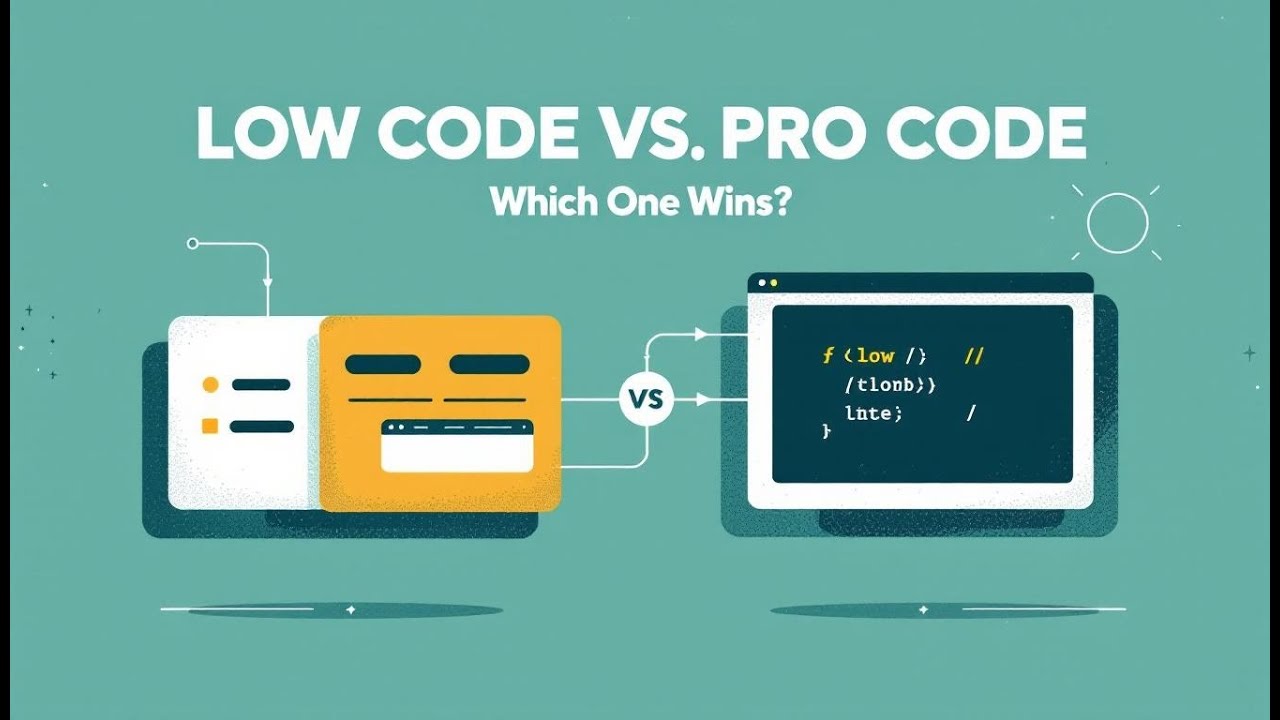
“Low-code for everyone” was a great story—but the sequel is Vibe Code: Power Apps Code Apps (React + TypeScript + Git) living inside the same governed Power Platform. Low-code (Canvas/Model-Driven) still wins for speed and business-led prototyping, but it hides complexity, fragments UI, and resists reuse and source control. Vibe Code restores software discipline: VS Code, CLI, packages, PRs, CI/CD, and Entra-backed auth—while keeping connectors, policies, and Dataverse security. Add GitHub Copilot and you get startup-level velocity without surrendering architecture; AI writes scaffolds, you own semantics. The playbook isn’t either/or: prototype in low-code, harden in code; let Copilot accelerate both. Choose low-code for departmental workflows and quick wins; choose Vibe Code for custom UX, performance, reuse, and longevity. The future is a governed spectrum—Copilot + Dataverse + extensibility—where intent becomes deployable assets under one policy spine. “Low-code for everyone” was the prologue; governed expressiveness is the plot.






In today's fast-paced digital world, choosing the right application development approach is crucial for your organization. You may face challenges such as the complexity of the problem, the urgency of the solution needed, and the quality of the build required. Additionally, consider your team's proximity to coding skills and governance and compliance issues. Integration capabilities also play a significant role in your decision-making process. Power Apps Vibe Code offers a unique solution that balances speed and structure, making it essential to explore how it stands apart from traditional low-code platforms.
Key Takeaways
- Power Apps Vibe Code combines the speed of low-code with the structure of traditional coding, making app development faster and more efficient.
- Vibe Code allows users to create applications using natural language, making it accessible for both technical and non-technical users.
- With Vibe Code, you gain full creative control, enabling you to design applications tailored to your specific needs without predefined limitations.
- Integration capabilities of Vibe Code are extensive, allowing seamless connections with Microsoft services and third-party applications for enhanced functionality.
- Low-code platforms excel in rapid development and accessibility, empowering non-developers to create applications quickly and efficiently.
- Choose Vibe Code for projects that require high customization and interactivity, while low-code is ideal for quick collaboration and delivery.
- Both Vibe Code and low-code platforms can be used together to leverage their strengths, providing a hybrid approach to application development.
- Understanding the differences between Vibe Code and low-code platforms helps you make informed decisions that align with your development goals.
What is Vibe Code?
Overview of Vibe Code
Vibe Code represents a significant advancement in application development. It combines the speed of low-code with the structure of traditional coding. This approach allows you to transform natural language descriptions of your ideas into structured code. By focusing on your intent rather than the technical details, Vibe Code streamlines the development process. This AI-driven method enhances your productivity and creativity, making it easier to bring your ideas to life.
Key Features of Vibe Code
Vibe Code stands out due to its unique features that cater to both developers and citizen builders. Here are some key aspects that differentiate it from other development approaches:
| Approach | Emotional Impact | Implementation Difficulty | Typical Use Case |
|---|---|---|---|
| Vibe Coding | High, deeply personalized | Moderate, requires creative input | When designing user-driven AI interfaces |
| UI/UX Design | Medium, relies on visuals | Low, standard design process | Branding and first impression experiences |
| Algorithmic Bias Adjustment | Variable, data-dependent | High, technical expertise needed | Personalizing recommendations and outputs |
With Vibe Code, you can:
- Translate emotional intent into technical specifications.
- Design interaction flows that reflect your product’s unique personality.
- Create contextual experiences beyond standard functionality.
- Integrate unexpected moments of delight.
Target Audience for Vibe Code
Vibe Code appeals to a diverse audience. It serves both professional developers and those with limited coding experience. If you are a developer, you will appreciate the ability to prototype quickly while maintaining control over the code structure. For citizen developers, Vibe Code offers an accessible way to create applications without deep technical knowledge.
In real-world projects, founders in the Y Combinator batch reported a "100x speed up" in development using Vibe Code. This showcases its effectiveness and potential to revolutionize how you approach app development.
Understanding Low-Code Platforms

Overview of Low-Code
Low-code platforms have transformed the landscape of application development. These platforms allow users to create applications with minimal hand-coding. You can design workflows and interfaces using visual tools, which speeds up the development process significantly. This approach enables both technical and non-technical users to participate in app creation, bridging the gap between different skill levels.
Low-code platforms are particularly beneficial in modern software development environments. They enhance operational efficiency and reduce the dependency on IT departments. As organizations adopt these platforms, they find that they complement traditional development practices. This leads to a more agile and collaborative environment.
Key Features of Low-Code
Low-code platforms come with several key features that make them appealing for various users. Here’s a summary of their main benefits:
| Feature/Benefit | Description |
|---|---|
| Visual Development Environments | Users can design workflows and interfaces using intuitive tools, speeding up development. |
| Pre-Built Templates and Components | Common application elements are available, reducing the need to build from scratch. |
| Integration and Automation | Built-in connectors streamline integration tasks, saving time and effort. |
| Collaboration Tools | Facilitate teamwork among stakeholders during the development process. |
| Scalable Environments | Applications can grow with business needs, ensuring long-term viability. |
| Application Lifecycle Management | Supports all phases from design to maintenance, ensuring efficient application management. |
These features allow you to automate repetitive tasks and focus on more complex aspects of development. The user-friendly interface simplifies the process for users of all skill levels, making it easier to create applications quickly.
Target Audience for Low-Code
Low-code platforms target a diverse range of users. Here are some of the primary groups that benefit from these platforms:
- Entrepreneurs and Startups: They can quickly prototype and launch applications without extensive coding knowledge.
- Citizen Developers: Non-technical users can create applications that meet their specific needs, empowering them to solve problems independently.
- IT Departments: They can use low-code platforms to streamline processes and reduce the backlog of requests for application development.
- Large Enterprises: Organizations can implement low-code solutions to enhance collaboration between technical and non-technical teams.
The global low-code application development platform market was valued at approximately USD 24.83 billion in 2023. It is projected to grow at a rate of 22.5% CAGR from 2024 to 2030. This growth indicates the increasing reliance on low-code platforms across various industries.
Core Differences: Vibe vs. Low-Code
Development Flexibility
When it comes to development flexibility, Vibe Code offers full creative control. You can design applications without being limited by predefined templates or structures. This flexibility allows you to tailor your applications to meet specific needs. In contrast, low-code platforms restrict you to the options available within their frameworks. This limitation can hinder your creativity and slow down the development process.
| Feature | Vibe Coding | Low-Code |
|---|---|---|
| Flexibility | Full creative control | Limited to platform’s options |
User Experience
User experience plays a crucial role in application development. Vibe Code enables you to create applications using natural language prompts. This feature makes it accessible to users of all skill levels, including those with minimal technical expertise. You can quickly translate your ideas into functional applications. On the other hand, low-code platforms often require some coding knowledge. They are suitable for complex projects that need customization but may pose challenges for non-technical users.
| Platform | User Experience Description | Technical Expertise Required | Complexity Level |
|---|---|---|---|
| Vibe Code | Enables application creation through natural language prompts, making it accessible to all skill levels. | Low | Low to Medium |
| Low-Code | Requires some coding knowledge, suitable for complex projects needing customization. | Medium | Medium to High |
| No-Code | Designed for non-developers with easy drag-and-drop interfaces for building apps. | None | Low |
Learning Curve
The learning curve varies significantly between Vibe Code and low-code platforms. Vibe Code may present a steeper start as you learn to work with AI-driven tools. However, once you grasp the concepts, you can build almost anything without being constrained by platform limitations. In contrast, low-code platforms offer a medium learning curve. You will experience steady progress, but occasional frustrations may arise when documentation does not match your specific use case.
| Platform Type | Learning Curve Description |
|---|---|
| No-code | Low at first, then you hit a wall. Easy to start, but when you need something the platform doesn't support out of the box, you're stuck Googling workarounds or accepting limitations. |
| Low-code | Medium throughout. Steady learning, steady progress, occasional frustration when the documentation doesn't match your use case. |
| Vibe coding | Steeper start, then it accelerates. You're learning a new way of working with AI. It takes a few projects to find your rhythm. But once it clicks, you can build almost anything because you're not constrained by what a platform decided to support. |
- Vibe coding allows for rapid prototyping and quick iteration cycles.
- It is suitable for non-technical users who want to create working prototypes without deep technical knowledge.
- It excels at fast experimentation, enabling quick testing of product-market fit.
Integration Capabilities
Integration capabilities play a crucial role in the effectiveness of any application development platform. When you choose between Vibe Code and low-code platforms, consider how well each option connects with other tools and services.
Vibe Code excels in integration. It allows you to connect seamlessly with various Microsoft services and third-party applications. This flexibility enables you to build applications that leverage existing data and workflows. Here are some key integration features of Vibe Code:
- Built-in Connectors: Vibe Code offers numerous connectors to popular services like Microsoft 365, Azure, and Dynamics 365. You can easily pull data from these platforms to enhance your applications.
- API Support: You can integrate custom APIs, allowing you to connect with virtually any service. This feature gives you the freedom to expand your application's capabilities.
- Real-time Data Access: Vibe Code supports real-time data integration, ensuring that your applications always reflect the latest information. This capability is essential for applications that rely on up-to-date data.
In contrast, low-code platforms also provide integration options, but they may not match the depth and flexibility of Vibe Code. Here’s a comparison of integration capabilities:
| Feature | Vibe Code | Low-Code Platforms |
|---|---|---|
| Built-in Connectors | Extensive, including Microsoft services | Limited, varies by platform |
| API Support | Custom APIs easily integrated | Some platforms support APIs |
| Real-time Data Access | Yes, ensures up-to-date information | Often requires manual updates |
When you use Vibe Code, you gain the ability to create applications that not only function well but also fit seamlessly into your existing ecosystem. This integration potential enhances your productivity and allows for more complex, data-driven applications.
Advantages of Power Apps Vibe
Customization Options
Power Apps Vibe offers extensive customization options that empower you to create applications tailored to your specific needs. With vibe coding, you can design user interfaces that reflect your brand's identity. You can also modify functionalities to suit your workflows. This flexibility allows you to build scalable business tools that adapt as your organization grows. The drag-and-drop interfaces simplify the design process, making it accessible even for those with limited coding experience.
Enhanced Functionality
Vibe Code enhances functionality in several ways. It streamlines the development process, allowing you to create applications quickly without extensive manual coding. The following table highlights key aspects of how Vibe Code improves functionality:
| Evidence Description | Explanation |
|---|---|
| The speed at which you can develop an app may remove any need for manual coding. | This indicates that Power Apps Vibe Code enhances functionality by streamlining the development process. |
| There is no need to learn programming languages. | This suggests that the tool is accessible to non-developers, enhancing its functionality for a broader audience. |
| You can build useful apps by just using your own language. | This highlights the potential for international collaboration, enhancing the functionality of app development. |
| You can create an app within minutes using vibe coding options. | This emphasizes the efficiency and speed of app creation, a key aspect of enhanced functionality. |
These features make Power Apps Vibe a powerful tool for both developers and citizen developers. You can focus on building innovative solutions without getting bogged down by complex coding requirements.
Use Cases for Vibe Code
Power Apps Vibe excels in various enterprise settings. Here are some common use cases that demonstrate its effectiveness:
- Startup MVP: A fintech startup uses vibe coding to quickly prototype a budgeting app, showcasing rapid development capabilities.
- Internal Data Dashboard: A mid-size e-commerce company creates a custom dashboard for internal use, illustrating how vibe coding assists non-developers in building tools quickly.
- Learning and Onboarding: Vibe coding benefits junior developers by generating code examples, enhancing their skills and understanding of new technologies.
These use cases highlight the versatility of Vibe Code in addressing different business needs. Whether you aim to create prototypes or develop complex applications, Power Apps Vibe provides the tools necessary for success.
Benefits of Low-Code
Speed of Development
Low-code platforms significantly accelerate the application development process. Traditional coding methods often require development cycles of 6 to 12 months. In contrast, low-code platforms can deliver minimum viable products (MVPs) in just weeks. This rapid development supports agile iterative improvements, enhancing your business agility.
| Metric Description | Reported Speed Improvement | Explanation |
|---|---|---|
| ETL Development Time Reduction | Up to 90% reduction | Low-code ETL platforms compress months of work into weeks or days. |
| Application Build Speed (Appian Study) | Up to 20x faster | Forrester study shows customers build apps 20 times faster with low-code. |
| General Development Speed | Up to 10x faster | Case studies report organizations achieving tenfold faster development. |
This speed allows you to prototype quickly and iterate based on user feedback, making it easier to adapt to changing market demands.
Accessibility for Non-Developers
Low-code platforms empower non-developers to participate in application development. You can implement complete business logic flows graphically, which eliminates the need for extensive coding knowledge. This accessibility opens doors for professionals without software development skills to engage in mobile or web application development.
- Low-code platforms enable faster application development with minimal coding.
- They allow teams to prototype workflows without needing developer assistance, speeding up feedback and iteration.
- Non-technical users can create applications that meet their specific needs.
By democratizing the development process, low-code platforms foster collaboration between technical and non-technical teams, enhancing overall productivity.
Use Cases for Low-Code
Low-code platforms serve various business needs across industries. Here are some prevalent use cases that illustrate their versatility:
| Use Case | Description |
|---|---|
| Workflow and Process Automation | Automates repeatable business processes, improving consistency and reducing human error. |
| Internal Tools and Dashboards | Replaces disconnected spreadsheets with custom applications for reporting and task tracking, allowing non-technical users to create solutions. |
| Customer-Facing Web and Mobile Apps | Supports modern customer engagement through responsive portals and mobile apps for service requests and order tracking. |
| Minimum Viable Products (MVPs) and Prototyping | Enables rapid testing of new ideas with visual modeling tools, allowing for quick validation of market concepts. |
| Legacy System Extensions and Modernization | Extends aging platforms through APIs and modern interfaces, integrating new capabilities without rewriting existing systems. |
These use cases demonstrate how low-code platforms can streamline operations, enhance collaboration, and drive innovation within your organization.
When to Use Vibe Code vs. Low-Code
Ideal Scenarios for Vibe Code
Power Apps Vibe Code shines in specific situations where its unique features can be fully utilized. Here are some ideal scenarios for using Vibe Code:
| Scenario Type | Description |
|---|---|
| Solo entrepreneurship | Individuals can launch products quickly, as demonstrated by a founder who built a SaaS in one day. |
| Enterprise acceleration | Companies have achieved significant reductions in development time, enhancing productivity. |
| Education and accessibility | Universities utilize Vibe Code to teach programming concepts, facilitating learning through AI. |
| Product managers as builders | Non-technical staff can create prototypes using visual editors, bridging design and engineering. |
In these scenarios, Vibe Code allows you to prototype rapidly while maintaining control over the code structure. You can leverage its AI-driven capabilities to enhance your productivity and creativity.
Ideal Scenarios for Low-Code
Low-code platforms excel in various business contexts where speed and accessibility are paramount. Here are some ideal scenarios for using low-code platforms:
- Automating repeatable business processes to reduce human error.
- Building internal dashboards to replace disconnected spreadsheets.
- Launching customer-facing web and mobile apps for better engagement.
- Creating Minimum Viable Products (MVPs) for quick market validation.
- Extending legacy systems while maintaining core data functionality.
- Developing e-commerce applications for improved order management.
- Ensuring compliance through automated case management tools.
- Designing mobile-first applications for field service efficiency.
- Implementing self-service portals to reduce internal workload.
Low-code platforms empower you to create applications quickly, making them suitable for teams that need to respond to changing business needs rapidly. They allow both technical and non-technical users to participate in the development process, fostering collaboration and innovation.
Integration Potential of Vibe and Low-Code
Compatibility with Other Tools
Power Apps Vibe Code excels in integrating with various development tools and platforms. This compatibility enhances your ability to create robust applications. Here’s a look at some popular platforms and their key features:
| Platform | Key Features |
|---|---|
| Bolder Apps | AI-powered development, security, compliance, cross-platform app development, intelligent code generation. |
| Replit | Browser-based environment for rapid prototyping and collaboration, minimal setup required. |
| GitHub Copilot | Real-time code suggestions in popular IDEs, automates repetitive tasks, enhances productivity. |
| v0 by Vercel | Generates UI components from design concepts, translates descriptions into functional React components. |
These integrations allow you to leverage existing tools while enhancing your development process. However, some challenges exist when combining Vibe Code with low-code platforms. For instance, Vibe Code may struggle with bespoke integrations, particularly with legacy ERP systems and niche third-party APIs. This limitation arises from complex domain-specific rules that can hinder seamless integration.
Future Trends in Integration
Looking ahead, industry analysts predict significant changes in the integration landscape for Vibe Code and low-code platforms. Here are some key trends to watch:
- By 2026, prompt-based development is expected to become the default interface for many teams. This shift will facilitate productivity and foster new ways of thinking and collaboration among developers.
- Analysts foresee coding agents managing more than just code generation. They predict these agents will write entire codebases from natural language briefs and automate testing and deployment processes.
Furthermore, the integration of Vibe Code with low-code platforms is set to transform software development. This evolution will make coding processes faster and more intuitive. As AI-native environments gain traction, you can expect prompt-based development to enhance collaboration and efficiency across teams.
In summary, Power Apps Vibe Code and low-code platforms each offer unique advantages for application development. Vibe Code provides greater customization and interactivity, allowing you to create tailored solutions with less manual intervention. In contrast, low-code platforms excel in collaboration and rapid delivery.
Here are some key takeaways:
| Feature | Vibe App | Low-Code App |
|---|---|---|
| Custom Code | Exposes full custom code for transparency | Generates straightforward apps requiring refinement |
| App Interactivity | More interactive with built-in status submissions | Basic functionality with limited insights |
For organizations, consider these recommendations:
- Opt for Vibe Code for design-driven projects.
- Select low-code for quick collaboration and delivery.
- Adopt a hybrid approach to leverage the strengths of both methods.
By understanding these differences, you can make informed decisions that align with your development needs. Embrace the future of app development with the right tools for your team! 🚀
FAQ
What is Power Apps Vibe Code?
Power Apps Vibe Code combines low-code speed with traditional coding structure. It allows you to create applications using familiar tools like React and TypeScript while ensuring governance and security.
Who can benefit from using Vibe Code?
Both professional developers and citizen developers can benefit from Vibe Code. It empowers users with varying coding skills to create robust applications efficiently.
How does Vibe Code enhance productivity?
Vibe Code enhances productivity through intelligent automation. With features like GitHub Copilot, it automates repetitive tasks, allowing you to focus on architecture and design.
Can I integrate Vibe Code with other tools?
Yes, Vibe Code offers extensive integration capabilities. You can connect it with Microsoft services and third-party applications, enhancing your application's functionality.
What types of applications can I build with Vibe Code?
You can build a wide range of applications, from simple departmental workflows to complex, data-driven solutions. Vibe Code provides the flexibility to meet diverse business needs.
How does Vibe Code compare to traditional low-code platforms?
Vibe Code offers greater customization and flexibility than traditional low-code platforms. It allows you to create tailored solutions without being limited by predefined templates.
Is there a learning curve for Vibe Code?
Yes, there may be a learning curve as you adapt to AI-driven tools. However, once you grasp the concepts, you can build applications without platform constraints.
How quickly can I develop applications with Vibe Code?
You can prototype applications rapidly with Vibe Code. Many users report significant speed improvements, allowing for quick iterations and faster time-to-market.
🚀 Want to be part of m365.fm?
Then stop just listening… and start showing up.
👉 Connect with me on LinkedIn and let’s make something happen:
- 🎙️ Be a podcast guest and share your story
- 🎧 Host your own episode (yes, seriously)
- 💡 Pitch topics the community actually wants to hear
- 🌍 Build your personal brand in the Microsoft 365 space
This isn’t just a podcast — it’s a platform for people who take action.
🔥 Most people wait. The best ones don’t.
👉 Connect with me on LinkedIn and send me a message:
"I want in"
Let’s build something awesome 👊
The Myth of “Low-Code for Everyone”
Most people think Power Apps is about dragging buttons onto screens until something vaguely resembling an app appears. Click, drag, publish—done. Wrong. That’s the fairy tale version Microsoft marketed to “empower everyone,” and it worked—too well. Because now, there’s a new species loose in the ecosystem: Vibe Code. That’s the evolution where Power Apps meets serious development. Equal parts JavaScript, Git discipline, and AI-assisted chaos.
See, Power Apps started as a playground for business users: citizen developers armed with enthusiasm and questionable naming conventions. The dream was simple—“Build your own app without writing code.” And yes, you could whip up a form faster than it takes IT to say “governance policy.” But somewhere between the fifth nested formula in Power Fx and the third unexplained delegation warning, the dream cracked.
Enter the schism: citizen devs versus professional devs. On one side, the drag-and-drop romantics who swear by speed and flexibility. On the other, the pro coders who look at Canvas App formulas and feel a deep, existential dread. One group lives for instant results; the other demands reusable components, source control, and environments that don’t break when someone renames a field.
Now, Code Apps—or as I prefer, Vibe Code—bring that missing discipline back. They let you use Visual Studio Code, proper frameworks like React, and still live inside the Power Platform’s luxurious, compliance-approved walled garden. It’s not rebellion; it’s a truce between creativity and control.
By the end of this, you’ll know exactly when Vibe Code wins, when Low-Code saves the day, and how GitHub Copilot glues the two worlds together faster than any junior dev could. We’re about to unpack the illusion of simplicity, the metrics of scale, and the AI that’s pulling the strings between both worlds. So forget everything you think you know about Power Apps—because “low-code for everyone” was never the real story. It was just the prologue.
Section 1: The Low-Code Illusion
Low-Code sold a convenient fantasy: anyone could be a developer. That sounds noble until you realize “anyone” includes Gary from accounting, who just built an app that performs twenty SQL queries every five seconds. The promise was empowerment. The result? Syntax chaos disguised behind pastel-colored buttons.
Let’s demystify it. Power Apps comes in two main flavors: Canvas and Model-Driven. Canvas Apps are the design-your-own interface kind—freedom incarnate. You drag components onto a blank canvas, wire them up with Power Fx, and feel like Picasso with an API. Model-Driven Apps, however, are the rule-followers. They take your Dataverse tables and automatically generate UI like a disciplined robot. They’re structured, but rigid—perfect for data-heavy use cases, less so for anything that demands flair.
Now, what both share is speed. You can prototype in hours, sometimes minutes. That’s the dopamine hit Microsoft built this empire on. Business units didn’t need IT approval anymore; they could “empower” themselves. But the hidden cost came later—maintenance nightmares that grew like invasive plants across the enterprise. Because Low-Code doesn’t mean low complexity. It just hides that complexity behind cheerful names and mouse clicks.
Take Power Fx, for example. It looks harmless—a little Excel-inspired formula language for app logic. But under the hood, it creates sprawling dependency webs that only the original creator can untangle. Lose that person, and you lose the logic. Governance tools can help, sure, but most organizations end up with dozens of variations of the same “Task Tracker” app, all slightly broken in unique, fascinating ways.
The analogy is inevitable: Low-Code is IKEA furniture. Assemble it fast, feel competent, and then realize you don’t know where that extra bolt came from. Heaven help you if you ever need to move it or upgrade it—because there’s always missing documentation and a mystery hex key involved.
Departments hit the tipping point the moment they want serious integrations: SQL backends, Git repositories, automated pipelines. Canvas Apps weren’t designed for that depth. They shine for quick process tools—leave requests, status dashboards—but not full production-grade systems that must survive audits, scaling, and developer turnover. That’s when teams face the “rewrite moment,” where Low-Code’s convenience suddenly becomes its cost.
So, Microsoft did something smart. Instead of pretending the problem didn’t exist, they equipped developers with a new way to take back structure without abandoning the platform’s benefits. And thus, Vibe Code entered the chat—a form of Power Apps that behaves like a modern web project but still enjoys all the comforts of enterprise governance, connectors, and authentication.
What’s coming next flips the script entirely. Because where Low-Code abstracted complexity away, Code Apps embrace it—on your terms. This isn’t rebellion for its own sake. It’s infrastructure therapy, delivered through syntax.
Section 2: Enter Vibe Code (Power Apps Code Apps)
Now we come to the grown-up table. Vibe Code, or what Microsoft humbly calls “Power Apps Code Apps,” is what happens when the Power Platform finally admits it’s part of the developer family again. Gone are the days of pastel interfaces and formula boxes; this is React in a suit and tie, hosted inside Power Apps. Think of it as a high-end condominium inside the same gated community, but this unit has stainless steel appliances and version control.
Here’s the simple version: Code Apps are full-fledged React web applications that run inside the Power Platform. Yes, inside. You write in your favorite IDE—Visual Studio Code—using all the modern trimmings: Node.js, TypeScript, .NET, and Git. The Power Platform gives you structure, connectors, and security; React gives you raw creative control. It’s the best of custom and controlled worlds—the artistry of a full-stack dev inside Microsoft’s carefully monitored walled garden.
Let’s decode the workflow. It starts at the command line, where developers feel most alive. You initialize a Code App using the Power Platform CLI—a tool that connects your local project directly to your Power Platform environment. Then, with a few commands like pac code init, you bootstrap a standard React project, configure your power.config.json, and link it to your environment. This is the digital equivalent of setting up residency: your local machine meets the cloud—and shakes hands politely through authentication.
From there, you bring in connectors. Power Apps supports over 1,500 of them: SharePoint, SQL, Office 365, ServiceNow, Azure, and more. Add these directly into your app using the CLI, and a new TypeScript service pops up like it was always meant to be there. No silly formula matching, no nested conditional statements pretending to be logic. It’s just code. Predictable, readable, testable.
If Low-Code was LEGO—you build from what you’re given—then Code Apps is the 3D printer that fabricates your own bricks. You’re not confined to prefab shapes; you’re sculpting your own UI, logic, and components. That’s why Pro-Coders love this world: it’s still the Power Platform, but it respects their intelligence.
Imagine this lifecycle: open VS Code, type away, test locally on your machine with npm run dev, fix, test again—and when satisfied, push the app to Power Apps with one command: pac code push. Moments later, your React app appears alongside standard Canvas Apps within your environment, inherits all the environment’s governance policies, and—crucially—authenticates automatically using Microsoft Entra. You’re still compliant with organizational rules, but now you can finally write your own logic without fighting abstraction layers.
The real joy isn’t just the technology—it’s the structure. Source control through Git becomes standard; collaboration through pull requests becomes possible; CI/CD pipelines become trivial. Every software engineer who’s ever cried over a corrupted Power Fx formula can now relax. Versioning isn’t a dream—it’s baseline reality.
And yet, Microsoft knew this wasn’t enough. Even though Code Apps made real code first-class citizens again, productivity was still bottlenecked by the same thing that plagues every dev shop: repetition. Type imports, connector calls, data mappings—all boilerplate. Powerful, yes, but tedious. Which is why the next piece of the puzzle isn’t another framework or SDK—it’s something far more intoxicating: artificial intelligence. Microsoft didn’t just bring back structure; it brought a sidekick. The next era of Power Apps development starts with a line we never thought we’d say: “GitHub Copilot, build this for me.”
Section 3: GitHub Copilot—The Vibe Partner
Now, let’s talk about the intern no one paid for but everyone relies on: GitHub Copilot. You could call it autocomplete on caffeine, but that undersells what it’s doing for Power Apps developers. In this new Vibe Code world, Copilot isn’t just a helper—it’s a silent collaborator, one who writes entire sections of code before your brain’s had time to catch up.
Let’s establish boundaries first. Copilot doesn’t create strategy—it composes syntax. You, the developer, define what needs to exist: a dashboard, a form, a data pull from SharePoint. Copilot handles the grunt work: scaffolding components, writing JSX, fetching data, fixing build errors, streamlining imports. It remembers your context across the session, so by the time you say, “Add a profile card that shows user name, email, and photo,” it’s already typing. You watch React components assemble themselves in real time, and for one brief second, you think maybe Skynet deserves forgiveness.
This is the power amplification layer that transforms good developers into fast ones. Suddenly, Code Apps development moves at startup velocity. Need to hook into Dataverse? Type one comment and Copilot spits out a full service interface wired to your connection. Want to display a SharePoint list as a Kanban board? Ask politely, and within seconds you’ve got draggable swimlanes powered by modern React state management. Efficiency that used to take a sprint now takes a coffee.
The analogy writes itself: Copilot isn’t your creative director; it’s the intern who never sleeps, types 120 words per minute, and doesn’t complain about documentation. It fills in the blanks while you guide the architecture. And when you test and iterate, it learns patterns from your prompts, becoming eerily good at predicting your next component or data model. It’s not “AI replaces programmers.” It’s “AI removes the typing part of programming,” which, let’s face it, is the boring part anyway.
But before you start deploying blindly, here’s the serious note. Copilot accelerates syntax, not semantics. It can write error-free code that’s conceptually wrong if you’re not watching. That’s why discipline—reviews, testing, source control—matters more than ever. Let Copilot generate; you validate. That partnership, not automation, is the smart developer’s advantage.
When this dynamic plays out inside the Power Platform, something magical—and pragmatic—happens. Enterprises suddenly gain the speed of citizen development with the integrity of professional code. Business users get their features faster, IT gets its governance, and developers get out of the swamp of repetitive front-end plumbing. Everybody wins, including Microsoft’s server utilization metrics.
The net effect: Power Apps Code Apps, powered by Copilot, feel less like systems development and more like orchestrating intelligence. You describe intentions; the machine translates them into running code—all within a governed environment with secure authentication and managed connectors.
So now both worlds—Low-Code and Vibe Code—are in full motion: one democratizing creation, the other formalizing scale. But which one should drive your next project? That’s the question professionals are about to ask in every strategy meeting. Because we’ve tasted both speed and structure—and we’re not going back. The next section decides the winner.
Section 4: Vibe Code vs. Low-Code—Choosing Your Weapon
Here’s where the philosophical turns practical. Low-Code and Vibe Code aren’t moral choices—they’re strategic ones. Both sound enticing: one gives anyone the illusion of instant productivity, the other offers precise control and a faint whiff of superiority. The truth? You need to know when speed matters more than architecture, and when governance beats enthusiasm. Because whether you’re orchestrating a single workflow or a platform portfolio, your weapon defines your outcome.
Start with development workflow. Low-Code feels friendly because it’s graphical. You drag, configure, and get that satisfying spark when something actually works. No syntax errors, no failed builds, just a functioning form. But what you gain in approachability, you lose in reusability. Components can’t easily travel between apps; refactoring means opening interfaces one by one; debugging feels like deciphering hieroglyphs. Vibe Code, in contrast, trades ease for power. You live in Visual Studio Code, the CLI is your home, and Git is your safety net. You structure your codebase, share modules between apps, and automate everything from build to deploy. The GUI devotees may call it overkill. Engineers call it Tuesday.
Governance is where the gap widens into a canyon. Low-Code operates within Power Platform environments—useful for departmental scalability but bound by whatever DLP and data boundary policies the admins install. Great for insulation, not great for orchestration. Code Apps, on the other hand, sync directly with DevOps pipelines. You can enforce pull request approvals, automated testing, linting, even semantic versioning. That’s not bureaucracy—it’s survival when multiple teams are shipping changes weekly. Governance becomes a feature, not a complaint.
Performance follows the same pattern. In Low-Code, abstraction protects you but also handcuffs you. Every button press runs through layers of the Power Fx interpreter, then into connector middleware, then finally to the data source. Efficient enough for most business use cases, yes. But if you need real-time dashboards, dynamic rendering, or high-volume processing, those invisible layers turn into molasses. Code Apps shed the fat. React handles state in the browser; JavaScript calls connectors directly through SDK; rendering is immediate. It’s like comparing a high-level language lesson to a live circuit demonstration—the latter sparks faster, and you can actually see the current.
Security isn’t as divisive as people assume. Both worlds live under Microsoft Entra authentication. Both obey Conditional Access, encryption, and tenant boundaries. The nuance is granularity. Low-Code enforces security through configuration—checkboxes, role tables, and access lists. Fine for most tasks, limiting for anything nuanced. Code Apps bake in security logic right inside your code: role validation at runtime, custom API calls with token handling, dynamic permission-based UI. In other words, you can make the app itself smart enough to know who’s poking around. That level of control matters when “who clicked what” could be an audit question, not just a metric.
Maintenance is the quiet killer. Low-Code wins at inception—an app built in hours—but eventually collapses under its own shortcuts. Connectors get deprecated, controls change behavior, formulas break when data types evolve. Each fix is manual because the “code” isn’t really text; it’s configuration. Meanwhile, Code Apps live and die by Git commits. You can branch, merge, roll back, and recompile. When Microsoft changes SDK versions, you update your packages and rebuild, not rewire everything manually. Longevity favors code, not convenience.
Then there’s team alignment. If your builders are business analysts who know processes but hate syntax, Low-Code is the natural arena. They understand what needs doing and thrive in a system that abstracts the details. But once you involve developers—those who speak JSON fluently and scoff at drag‑and‑drop—forcing them into Canvas Apps is like asking a surgeon to operate with mittens. Give them the keyboard, the CLI, and the repository, and they’ll deliver something maintainable rather than mystical.
Let’s ground this in miniature reality checks. Suppose the HR department wants a tool that automates employee onboarding right from a SharePoint list: triggers emails, updates Dataverse rows, flags IT tasks. That’s a perfect Low-Code play. Fast, functional, self-contained, low risk. Now picture a manufacturing division needing a system that pulls data from SQL, external APIs, and IoT telemetry, with customized charts and responsive dashboards. That’s not a Canvas problem—that’s a Code App destiny. Low-Code can imitate such complexity, but at the cost of maintainability. Vibe Code starts there naturally.
Here’s where it gets amusing: despite the power gap, Low-Code isn’t disappearing. It’s mutating. The future isn’t a coup where developers overthrow citizen creators; it’s a coalition. Hybrid builds already exist—Canvas Apps embedding custom React components, Code Apps consuming connectors originally configured in Low-Code. Think of it as distributed intelligence: one side prototypes ideas quickly, the other scales them properly. When both coexist, the entire Power Platform transforms from tooling chaos to a cohesive development ecosystem.
And yes, there’s irony. The platform built to eliminate code now depends on it again—but elegantly, with AI accelerating both sides. Vibe Code doesn’t declare war on Low-Code; it offers an exit from its limitations while keeping the ease that made it popular in the first place. Canvas empowers creativity. Code ensures continuity. Together, they form a closed loop of innovation and governance—Microsoft’s favorite love story.
When you start viewing Power Platform this way, debates about “which one’s better” sound childish. A hammer isn’t better than a wrench; they’re just different tools for different bolts. The real skill is knowing when you need fine torque or blunt impact. The best architects design systems that mix both—quick prototypes through Low-Code, hardened modules through Vibe Code, all wrapped by Copilot’s AI suggestions humming like quiet machinery behind the scenes.
That’s the equilibrium professionals are heading toward: rapid ideation married to disciplined execution. The platform isn’t bifurcating; it’s specializing. So before you pick sides, remember—the weapon doesn’t make the warrior. It just makes their job faster, cleaner, and, in the case of Power Apps, significantly more compliant.
Section 5: The Strategic Layer—AI, Governance, and the Future of Power Platform
Here’s the part most people miss: Microsoft isn’t staging a coding war. It’s engineering a merger. The Power Platform’s future isn’t “Low-Code versus Pro-Code.” It’s the unification of both underneath a shared governance and AI-driven architecture—a single nervous system that connects every creative impulse to enterprise-grade control. Think of it less like two camps and more like one ecosystem learning to self-regulate.
The “strategic layer” is where this evolution becomes visible. At a technical level, everything’s converging around three pillars: Copilot, Dataverse, and governed extensibility. Copilot Studio now writes connectors that previously required manual SDK calls. Code Components—the tech that lets React or TypeScript controls run inside Canvas Apps—are dissolving the wall between citizen and professional creation. And Dataverse—the central data service once reserved for model‑driven purists—is now the ground both camps stand on. It provides the schema, security, and relationship logic that make all these disparate bits behave like one organism.
Picture the platform as a living body. The citizen developers are its cells—rapidly generating new tissue: dashboards, forms, workflows. The developers are the neurons—linking those cells together, refining reflexes, ensuring the organism thinks before it moves. Governance, meanwhile, acts as the immune system, preventing rogue cells from spawning unapproved connectors or violating data policies. Add AI, and suddenly that body starts predicting rather than merely reacting to business needs.
From a business perspective, this is gold. It standardizes deployment pipelines so that every app—whether built by marketing or engineering—travels through the same CI/CD arteries. It centralizes monitoring, security, and compliance while preserving creative autonomy. Citizen devs get to experiment; IT gets traceability; leadership gets measurable ROI. Everyone’s incentives align, finally, under one architecture instead of fighting over tooling.
The AI layer cements this truce. Copilot doesn’t favor coders or citizens—it interprets both. To the business user, it feels like natural language magic: “Build me a project tracker” results in an instant Canvas skeleton, Dataverse table, and basic logic. To the developer, the same engine offers code suggestions, connector templates, and function scaffolds that would otherwise eat hours. It’s two dialects—English and JavaScript—spoken through one interpreter that never sleeps.
There’s a term for what’s forming: governed expressiveness. It’s no longer about who can code; it’s about how efficiently each person can express intent and how safely that intent is deployed. Microsoft’s architecture quietly enforces this balance through policies, environment segmentation, and now Copilot‑augmented guidance baked directly into the IDE. It’s democratization without entropy.
The near future looks less like “no code versus full code” and more like a spectrum of expressiveness per citizen. Someone building in Excel might graduate to Power Fx; a Power Fx user might evolve into writing TypeScript components; and a pro dev might prototype new features in Low‑Code before hardening them in React. It’s a circular ladder that keeps everyone contributing at their comfort level without breaking the ecosystem.
This is what “Vibe Coding” actually signals. It’s not just writing code with flair; it’s coding that feels like Low‑Code—fast, iterative, assisted by AI—but scales like Pro‑Code. Environments sync to Git. Pipelines validate deployments. Copilot teaches best practices invisibly. The experience smooths into one continuous motion between thinking and building. In effect, Power Platform becomes a composable brain—absorbing new patterns from every user, whether they drag components or refactor functions.
That’s the strategic horizon: an enterprise platform behaving like collective intelligence. When you see it that way, the “Vibe” in Vibe Code stops sounding mystical. It’s the resonance between freedom and discipline, between human creativity and machine governance. And when those vibrations align, the whole system hums.
Conclusion: The Real Truth
Here’s the truth stripped of slogans. Power Apps Vibe Code isn’t killing Low‑Code; it’s correcting its excesses. It’s the gentle realization that unlimited “citizen freedom” without rules turns into messes only pro devs can mop up. Vibe Code returns structure, visibility, and maintainability—without dismantling the empowerment that made Low‑Code succeed in the first place.
So use Low‑Code for velocity. Spin up prototypes, validate ideas, prove concepts. Then expand them using Vibe Code for longevity: versioned components, real frameworks, automated deployment. And through it all, let GitHub Copilot unify both worlds—your silent translator between business logic and technical syntax. The moment you treat AI as the bridge, not the replacement, you start developing at the speed of thought and the discipline of engineering.
The Power Platform isn’t splitting apart; it’s evolving toward composable intelligence—where every workflow, app, and connector plugs into a shared mental model of the organization. That’s the real transformation: not faster forms, but smarter systems that learn from how you build.
If that vision saves you time—or spares you another governance post‑mortem—repay the favor. Subscribe, tap “Follow,” and let the next deep dive arrive automatically, like a scheduled Power Automate flow. Knowledge should update itself. Proceed.
This is a public episode. If you'd like to discuss this with other subscribers or get access to bonus episodes, visit m365.show/subscribe


Founder of m365.fm, m365.show and m365con.net
Mirko Peters is a Microsoft 365 expert, content creator, and founder of m365.fm, a platform dedicated to sharing practical insights on modern workplace technologies. His work focuses on Microsoft 365 governance, security, collaboration, and real-world implementation strategies.
Through his podcast and written content, Mirko provides hands-on guidance for IT professionals, architects, and business leaders navigating the complexities of Microsoft 365. He is known for translating complex topics into clear, actionable advice, often highlighting common mistakes and overlooked risks in real-world environments.
With a strong emphasis on community contribution and knowledge sharing, Mirko is actively building a platform that connects experts, shares experiences, and helps organizations get the most out of their Microsoft 365 investments.