

 Apple Podcasts
 Spotify
 Youtube Music
 Spreaker
 Podchaser
 Amazon Music
This episode takes you deep into the world of Microsoft Purview Information Protection and explains why it has become one of the most important pillars of modern data security. We walk through what information protection really means, why sensitive data is getting harder to control, and how Purview steps in with the structure, automation, and intelligence organizations desperately need. You’ll hear how Purview discovers and classifies data across Microsoft 365, on-premises servers, and cloud apps, how sensitivity labels drive encryption and access control, and why its integration with Microsoft Defender for Cloud Apps and Azure Information Protection creates a unified safety net around your entire data estate.
We explore what it actually looks like to deploy information protection in the real world, from scanning legacy file shares to enforcing DLP policies that stop data from leaking through email, Teams messages, or cloud uploads. The episode also digs into advanced tools like the Microsoft Information Protection SDK, Windows Information Protection, and Azure security services, showing how they extend Purview’s reach far beyond the Microsoft 365 apps users interact with every day. Through all of this, the conversation highlights the importance of monitoring, reporting, and continuous policy refinement as threats evolve and businesses scale.
The episode rounds out with a look at where information protection is headed next. AI-driven classification, predictive DLP, deeper cloud integrations, and simplified user experiences are shaping the next generation of security. The takeaway is clear: sensitive data is everywhere, and only a solution like Microsoft Purview—designed to follow and protect that data wherever it lives—can give organizations the control, confidence, and compliance posture they need in a rapidly changing security landscape.






You face constant challenges in protecting sensitive data within microsoft 365. Many organizations struggle when their Microsoft MIP Rollout falls short, leaving a gap between perceived safety and real security. You may feel confident about your microsoft environment, but hidden risks remain. Microsoft Purview Information Protection gives you tools to classify and protect data. Take a moment to examine your approach and ask yourself if your current microsoft data protection strategy is ready for today’s threats.
Key Takeaways
- Understand your role in data protection. Microsoft secures its infrastructure, but you must protect your data.
- Don’t rely on default settings. Customize your security controls to fit your organization’s needs.
- Classify your data correctly. Proper classification helps you apply the right protection and meet compliance standards.
- Beware of insider threats. Regularly review access rights, especially when employees leave the company.
- Keep your policies updated. Review your data protection policies every quarter to address new risks.
- Invest in training for your team. Proper training helps everyone understand how to protect sensitive information.
- Encourage teamwork across departments. Collaboration improves communication and strengthens your data protection efforts.
- Stay informed about evolving cyber threats. Regularly update your security settings and educate your team on spotting risks.
9 Surprising Facts About Microsoft Purview Information Protection
- Sensitivity labels travel with the data: labels and their protections (encryption, access restrictions) persist when files are downloaded, shared externally, or moved outside Microsoft 365, so protection can continue beyond your perimeter.
- Automatic and recommended labeling use machine learning: Purview can auto-apply or suggest sensitivity labels using sensitive information types, patterns, and trainable classifiers so labeling scales without constant user intervention.
- Protection works offline: documents and emails that are protected with labels remain encrypted and enforce access restrictions even when users open them on devices that are offline or outside the corporate network.
- Labels integrate across many workloads: a single sensitivity label framework is enforced across Exchange, SharePoint, OneDrive, Teams, Office apps (Word/Excel/PowerPoint/Outlook) and can extend to third-party apps via the Microsoft Information Protection SDK.
- Labels can trigger automated actions beyond encryption: you can configure labels to apply content markings (headers/footers/watermarks), require justification to lower classification, or integrate with retention and DLP policies to automate lifecycle and protection.
- Endpoint discovery and remediation are available: the Purview (AIP) scanner and endpoint agents can discover, classify, and protect sensitive files stored on on-premises file shares and network drives, not just cloud locations.
- Labels are visible and usable by users in context: Office apps show the current sensitivity label in the ribbon and allow users to change labels, so protection is more transparent and easier to adopt than invisible backend-only controls.
- Conditional Access and Azure AD can enforce label-based access: you can combine sensitivity labels with Conditional Access to require MFA, block downloads, or restrict access based on device compliance for labeled content.
- Unified labeling simplified migrations: Microsoft unified labeling brought legacy Azure Information Protection and newer Purview capabilities together, enabling organizations to migrate label configurations and keep protections consistent across older and newer tools.
Why Microsoft MIP Rollout Fails
You may believe your microsoft mip rollout will protect your organization from every threat. In reality, many rollouts fail to deliver the expected results. You need to understand the root causes to avoid common pitfalls and strengthen your data protection strategy.
Misunderstanding Shared Responsibility
Many organizations misunderstand the shared responsibility model in Microsoft 365. You might think that microsoft handles all aspects of security and compliance. This belief leads to gaps in your protection plan.
Before diving into the myths, it's essential to understand the concept of 'Shared Responsibility.' Microsoft ensures the availability and security of its M365 infrastructure, but data protection, data recovery, and retention fall under the responsibility of the user.
Here are some common misconceptions:
- Microsoft 365 data in the Azure Cloud is always available, so there is no need for backup.
- Your microsoft 365 data is protected against human error.
- Microsoft 365 is a SaaS product, so it has data protection and security built in.
- The microsoft 365 retention policy provides sufficient data protection.
- Microsoft offers high availability for Exchange online through Data Availability Groups (DAG).
You must recognize that your organization is responsible for data protection, long-term retention, and compliance with legal requirements. Microsoft focuses on infrastructure security, service availability, and data replication for high availability. You need to implement your own controls to meet compliance and security needs.
Overreliance on Defaults
You may trust the default settings in your microsoft mip rollout. Default configurations often prioritize ease of use. This can mislead you into believing your rollout is secure without further adjustments. Overreliance on defaults creates significant vulnerabilities. Unauthorized data exposure and business email compromise become real risks.
You should review and customize your security controls. Many organizations experience major outages about every 18-24 months. These outages reveal weaknesses in overengineered or poorly maintained rollouts. You need to balance simplicity with robust protection. Microsoft Purview Information Protection gives you the tools to tailor your policies and strengthen your rollout.
Weak Data Classification
Weak data classification undermines the effectiveness of your microsoft mip rollout. If you do not classify your data correctly, you cannot apply the right protection. This leads to compliance failures and increased risk.
| Benefit of Data Classification | Explanation |
|---|---|
| Safeguard sensitive content | Ensures the right level of protection is applied to sensitive information. |
| Meet compliance requirements | Helps organizations avoid costly penalties associated with non-compliance. |
| Reduce risk | Minimizes the chances of data leaks or unauthorized access. |
| Empower employees | Enables informed decision-making regarding data handling. |
You need to use Microsoft Purview Information Protection to identify, classify, and label sensitive data. This approach helps you meet compliance standards and reduce the risk of data loss. A strong classification system empowers your employees to make better decisions about data handling.
You can avoid these common pitfalls by understanding your responsibilities, customizing your rollout, and strengthening your data classification. A successful mip rollout requires ongoing attention and the right tools. Microsoft Purview Information Protection supports you in building a secure and compliant environment.
Microsoft 365 Data Protection Myths
"Microsoft 365 Secures Everything" Belief
You may believe that microsoft 365 protects all your data by default. This is a common myth. Many organizations think that microsoft takes care of every security detail. In reality, you share responsibility for protecting your information. Microsoft provides strong service availability and infrastructure security. However, you must handle data backup, recovery, and access controls.
This misunderstanding can create serious gaps in your security plan. If you rely only on built-in features, you may miss important steps. For example, you might not set up extra backup solutions or monitor for unusual activity. In 2024, microsoft introduced a dedicated backup solution. This move shows that earlier tools did not cover every risk. You need to take action to protect your data, not just trust the platform.
Compliance vs. Security Confusion
You might think that meeting compliance rules means your data is safe. This is not always true. Compliance and security are not the same.
- Security focuses on how you protect systems and data.
- Compliance is about proving that you have protection in place.
- Security involves actions like preventing, detecting, and responding to threats.
- Compliance means documenting, auditing, and reporting your efforts.
- Security asks, “Are we protected?” Compliance asks, “Can we prove it?”
You need both strong security and clear compliance. If you focus only on passing audits, you may leave gaps in your defenses. Make sure you protect your sensitive information and can show proof when needed.
Ignoring Insider Threats
Many organizations overlook insider threats. You may trust your team, but risks can come from inside your company. Sometimes, people leave the company and still have access to important data.
Mary sends her resignation to HR. HR doesn’t connect with IT to flag the higher security risk posed by a departing employee.
Imagine a former employee, maybe someone who didn’t leave on the best of terms. Their login still works, their email still forwards messages, and they can still access the project management tool, cloud storage, and customer database.
You must review access rights when someone leaves. Always work with HR and IT together. This step helps you protect your microsoft 365 environment from hidden risks.
By understanding these myths, you can build a stronger data protection strategy. Take charge of your security and do not rely on assumptions.
Technical Pitfalls in Microsoft Information Protection
You face many technical challenges when you roll out mip in your organization. These pitfalls can weaken your data protection strategy and leave sensitive information exposed. Microsoft information protection offers powerful tools, but you must use them correctly to avoid common mistakes.
Sensitivity Label Misconfigurations
Sensitivity label migration is a critical step in your mip journey. If you misconfigure labels, you risk losing control over your data. Microsoft information protection relies on clear and consistent labeling to enforce controls.
Inconsistent Labeling
Inconsistent labeling creates confusion and gaps in your compliance efforts. You may overlook important data flows, which leads to inaccurate records and weak privacy controls. When you use microsoft information protection, you must ensure that every document and email receives the correct label. Consistency shapes user understanding and gives you better control.
- Inconsistent labeling can cause:
- Overlooked data flows
- Inaccurate records of processing activity
- Compliance risks
Broad/Narrow Label Scopes
Sensitivity label migration often fails when you set scopes too broad or too narrow. If you limit policies, you reduce their effectiveness. If you make them too broad, you risk overprotecting non-sensitive data. Microsoft information protection lets you fine-tune label scopes, but you must review them regularly.
| Misconfiguration Type | Description |
|---|---|
| Narrow Policy Scoping | Policies are scoped too narrowly, limiting their effectiveness. |
| Label Mapping Issues | Labels are not properly mapped to protections like encryption or DLP. |
| Inheritance Not Enabled | Label inheritance is not enabled during copy/move/versioning operations. |
| Endpoint-Only Enforcement | Enforcement is limited to endpoint clients without server-side controls. |
| SaaS Blind Spots | Gaps in enforcement for SaaS and collaboration tools outside Microsoft 365. |
| Mismatched Conditions | DLP rule conditions do not align with label implications, such as encryption. |
| Missing Exceptions | Lack of exceptions for sanctioned workflows leads to potential bypasses. |
| Ineffective Controls | Audit findings reveal that controls do not trigger on labeled data. |
Policy Enforcement Gaps
You must enforce controls across your entire mip environment. Gaps in policy enforcement can expose sensitive data and weaken your security posture.
Missing DLP Policies
Many organizations miss critical DLP policies during sensitivity label migration. Studies show that 68% of organizations experience data loss incidents because of inadequate or misconfigured DLP systems. Microsoft information protection helps you set up DLP controls, but you must review them often.
Unmonitored Sharing
Unmonitored sharing is a major risk in mip. Users may share files in SharePoint or send links without understanding the impact. Microsoft information protection gives you tools to monitor sharing, but you must educate users and set clear controls.
| Issue | Description |
|---|---|
| Oversharing in SharePoint | Default sharing settings allow external or anonymous link sharing. |
| Link Sharing | Links set to 'Anyone with the link' can be forwarded indefinitely. |
| Lack of User Awareness | Users may not fully understand what they are sharing. |
You should analyze Entra sign-in logs, use the ‘What If’ tool, and test new policies in report-only mode. These steps help you find enforcement gaps and improve your controls.
Purview Scanner Health Issues
Purview scanner health is vital for your mip rollout. If you misconfigure permissions or ignore scanner alerts, you risk missing sensitive data. Purview scans your environment and applies microsoft information protection labels automatically. You must check scanner health often and fix issues quickly. Integration with third-party tools can create challenges, so you need to monitor all connections and ensure controls work across platforms.
Tip: Regularly review purview scanner logs and permissions. This helps you catch misconfigurations early and maintain strong controls.
You can avoid technical pitfalls by focusing on consistent labeling, strong policy enforcement, and healthy purview scanners. Microsoft information protection gives you the tools, but you must use them wisely to protect your data.
Organizational Barriers in Microsoft 365
Lack of Leadership Support
You need strong leadership support to drive successful adoption of Microsoft Information Protection. When leaders do not back the rollout, you face resistance from employees. Senior managers may tell teams to ignore new options, which slows adoption and weakens your data protection strategy. You must communicate the value of Microsoft Purview Information Protection to leaders. Coaching supervisors and managers helps them understand the importance of adoption. When leaders champion the change, you see higher adoption rates and better protection for your business.
- Lack of leadership support can:
- Block adoption of new security tools.
- Cause confusion about priorities.
- Reduce motivation for employees to follow new policies.
- Lead to inconsistent adoption across business units.
You should encourage leaders to set clear expectations. When leaders model the right behaviors, employees follow. Adoption becomes part of your business culture, not just a technical project.
Insufficient Training
Training gaps create major obstacles for adoption. Many IT and security teams struggle to keep up with changing regulations and industry standards. Without proper training, you risk penalties and weak protection for your business. You must invest in comprehensive training to ensure your team understands Microsoft Purview Information Protection. Training helps your team master classification, labeling, and encryption. This knowledge supports adoption and keeps your business safe.
| Problem | Solution |
|---|---|
| Difficulty keeping up with regulations | Training helps you meet requirements and avoid penalties. |
| Challenges protecting sensitive information | Training teaches robust security measures for Microsoft Teams. |
| Inefficient data management | Training improves accessibility and decision-making for your business. |
You need to plan and implement controls that fit your business needs. Information Protection and Compliance Administrators translate requirements into technical solutions. They work with IT, business application owners, HR, and legal teams to ensure compliance. Effective information protection prevents data exposure and supports adoption. Training closes gaps and builds confidence in your business.
IT and Security Silos
Silos between IT and security teams slow adoption and create risks for your business. When teams do not share information, you lose visibility and control over data access. High operational costs and pressure to adopt new technology without safeguards increase vulnerability. You must break down silos to unify data access management across your business.
- Silos limit visibility and control, making your business more vulnerable.
- Silos raise operational costs and push adoption without proper safeguards.
- A holistic approach improves adoption and protects your business.
Joe Olivarez says, "Risk does not move up and down; it moves across your organization." Tara Dunning warns that silos create blind spots, leaving your business open to hackers. Silos cause slow crisis response, scattered insights, and higher compliance risks.
Imagine your business as a house with a secure gate but no internal security. Silos focus only on network security, leaving sensitive data exposed once access is granted. You must connect IT and security teams to build strong internal controls. Adoption improves when teams work together, and your business becomes more resilient.
You overcome organizational barriers by securing leadership support, investing in training, and breaking down silos. Adoption grows stronger, and your business gains better protection in Microsoft 365.
Evolving Cyber Threats in Microsoft 365
Cyber threats continue to change and grow more dangerous. You must stay alert to protect your Microsoft 365 environment. Attackers use new methods to target your data, and you need to understand these risks to defend your organization.
Advanced Phishing Attacks
Phishing attacks have become more advanced in Microsoft 365. Attackers use fake emails to trick you or your team into sharing passwords or clicking harmful links. Nearly 90% of cyberattacks start with phishing emails. These attacks often look real and can target specific people in your organization. Spear phishing and business email compromise (BEC) are common tactics. Attackers may pretend to be your boss or a trusted partner.
Microsoft 365 uses several tools to fight phishing:
- Spoof intelligence detects fake senders.
- Anti-phishing policies in Exchange Online Protection let you adjust your defenses.
- Email authentication methods like SPF, DKIM, and DMARC help verify if messages are real.
You should review and update your anti-phishing settings often. Teach your team how to spot suspicious emails. Strong email security helps stop most phishing attacks before they cause harm.
Ransomware Risks
Ransomware attacks can lock your files and demand payment to unlock them. In June 2023, a ransomware group targeted SharePoint Online, showing that attackers now focus on cloud services like Microsoft 365. Common ways ransomware enters your system include phishing emails, stolen passwords, and software flaws.
You can lower your risk by using smart security strategies:
| Strategy | Description |
|---|---|
| DNS Monitoring | Block access to known bad sites so users cannot reach harmful content. |
| SmartScreen Policies | Stop dangerous downloads and websites at the browser level. |
| Email Security | Block risky file types and use multi-factor authentication for extra safety. |
You should also keep your software updated and use all built-in protection features. Regular backups and strong policies help you recover quickly if an attack happens.
Zero-Day Vulnerabilities
Zero-day vulnerabilities are security flaws that attackers find before anyone else knows about them. These flaws can let hackers bypass your defenses. For example, CVE-2026-21509 is a high-severity vulnerability in Microsoft Office and Microsoft 365 Apps for Enterprise. Attackers can use it if you open a harmful file, which can bypass security protections.
| Attribute | Details |
|---|---|
| CVE Identifier | CVE-2026-21509 |
| Impact | Lets attackers bypass security by tricking users into opening malicious Office files. |
| Affected Versions | Office 2016, 2019, LTSC 2021, LTSC 2024, Microsoft 365 Apps for Enterprise |
| CVSS Score | 7.8 (High) |
| Recommendations | Apply patches, use registry fixes if needed, train users, follow CISA guidance |
You should apply security updates as soon as they are available. If you cannot patch right away, use registry fixes and train your team to avoid opening unknown files. Staying informed about new threats helps you keep your data safe.
Tip: Review your Microsoft 365 security settings often. Train your team to recognize threats. Quick action can stop most attacks before they cause damage.
Fixing Your Microsoft MIP Rollout
Data Protection Assessment
You need to start your Microsoft MIP improvement journey with a clear data protection assessment. Begin by using built-in templates for compliance standards like GDPR and HIPAA. These templates help you set up DLP policies quickly and reduce compliance gaps. Always start in test mode before full enforcement. This pilot approach lets you see the impact of new policies without risking business disruption.
To protect sensitive data, you must first understand where it lives, who can access it, and how people use it. Microsoft Purview helps you automatically discover and classify sensitive information. This step gives you better risk management and supports business-driven security.
You should define success metrics for your data security. Prioritize opportunities that match your business goals. Implement strong protection for data throughout its lifecycle. Use pilot testing mip to uncover hidden risks and refine your approach. Assess your environment, deploy Microsoft Purview, and monitor your protection strategies. This cycle helps you build a strong security culture and address security adoption barriers.
Policy Redefinition
You must review and redefine your policies to close compliance gaps and improve protection. Outdated or unclear policies can lead to weak migration and poor user understanding. Use pilot testing mip to test new policies before rolling them out to everyone. This pilot phase helps you spot issues early and adjust your approach.
| Evidence Description | Key Benefits |
|---|---|
| Enhanced Data Security Posture Management (DSPM) experience | Centralized solution focusing on key data security goals, integrating data from external platforms, and delivering actionable insights. |
| Visibility into Sensitive Data Risks | Identifies sensitive files at risk and guides actions like Data Loss Prevention policy creation. |
| Expanded Coverage through Partner Ecosystem | Incorporates third-party signals from platforms like Salesforce and Google Cloud for comprehensive visibility. |
| Advanced Reporting Capabilities | Provides metrics on sensitivity label coverage and DLP policy activity, helping to identify protection gaps. |
| Automated Remediation Actions | Includes item-level visibility and actions like disabling overshared links to enhance data security. |
| AI Observability for Agents | Introduces modern AI governance to manage risks associated with AI agents accessing sensitive data. |
You should use automated sensitivity label migration to improve coverage and reduce manual work. Update your policies to reflect new threats and business needs. This process supports a strong security culture and helps you overcome security adoption barriers.
Stronger Enforcement
You need stronger enforcement to ensure your protection policies work as intended. Use a mix of compliance and DLP rules, automated controls, and tailored compliance controls. AI-driven governance can help you classify and tag content dynamically. Intelligent site lifecycle management lets you archive, extend, or delete content based on usage.
| Enforcement Mechanism | Description |
|---|---|
| Compliance and DLP rules | Comprehensive application and enforcement of compliance and data loss prevention rules. |
| Automated controls | Continuous improvement of automated compliance controls. |
| Tailored compliance controls | Implementation of policy enforcement that varies based on sensitivity, risk, and environment. |
| AI-driven governance | Dynamic content classification and tagging using AI technologies like Syntex and Copilot. |
| Intelligent site lifecycle management | Automatic archiving, extension, or deletion of Teams, sites, and documents based on usage patterns. |
| Risk-based access and retention policies | Management of sensitive information with adaptive security controls. |
| Automated compliance auditing | AI-driven monitoring that ensures adherence to policies without manual intervention. |
| Enterprise-wide archiving strategy | Compliance-driven archiving that covers all document storage locations for long-term preservation. |
| AI-driven information management | Deployment of AI for dynamic organization, classification, and management of content. |
| Intelligent document lifecycle management | Automation of content archiving, retention, or deletion based on AI insights. |
| Risk-based metadata tagging | Dynamic adaptation of metadata tagging to meet evolving compliance needs and security risks. |
| Continuous optimization of metadata schema | AI-driven identification of personal data and automation of retention adjustments based on regulations. |
You should focus on continuous improvement and regular audits. This approach builds a strong security culture and reduces the risk of employee security resistance. Strong enforcement ensures your migration delivers lasting protection and closes compliance gaps.
Cross-Team Collaboration
You cannot protect your data alone. You need help from every team in your organization. Cross-team collaboration makes your Microsoft MIP rollout stronger and more effective. When teams work together, you spot risks faster and solve problems before they grow.
You should connect IT, security, HR, compliance, and business units. Each group brings a unique view of your data and how people use it. When you share information, you build a complete picture of your risks and needs. This teamwork helps you set better policies and respond quickly to threats.
Teams that communicate well can stop security incidents before they cause damage.
Microsoft 365 gives you tools to support this teamwork. You can use Teams and SharePoint for real-time chats and file sharing. These tools let you share updates, ask questions, and solve problems together. You do not have to wait for long meetings or emails. Fast communication means you can act quickly when you see a risk.
- Cross-team collaboration improves communication and information sharing. This is key for finding and fixing security threats.
- Tools like Teams and SharePoint let you interact and share data in real time. You can respond to security incidents faster.
- Microsoft 365 includes advanced security features and analytics. These help you keep your data safe while you work together.
You should set up regular check-ins with all teams. Use these meetings to review your data protection goals and share updates. Make sure everyone knows their role in keeping data safe. When you work together, you build trust and a strong security culture.
You can also use Microsoft Purview Information Protection to track how teams handle sensitive data. The platform gives you reports and alerts. These help you see where you need to improve. If you find a gap, you can fix it together.
Tip: Celebrate wins as a team. When you stop a threat or close a gap, share the news. This keeps everyone motivated and focused on security.
Cross-team collaboration is not just a best practice. It is a must for strong data protection in Microsoft 365. When you break down silos and work together, you protect your business from new and growing threats.
Best Practices for Microsoft Information Protection
Policy Review and Updates
You need to review your information protection policies often. Data threats change quickly. Old policies may not protect you from new risks. Set a schedule to check your policies every quarter. Involve your IT, security, and compliance teams in these reviews.
- List all your current sensitivity labels and DLP rules.
- Check if your policies match your business needs.
- Update labels to cover new types of sensitive data.
- Remove rules that no longer apply.
Tip: Use Microsoft Purview Information Protection reports to see which policies users follow and which ones they ignore.
A regular review helps you find gaps before attackers do. You can also use feedback from employees to improve your policies. When you update your rules, test them in a small group first. This step helps you avoid mistakes that could disrupt your work.
Automation and Analytics
Automation saves you time and reduces errors. You can use Microsoft Purview to automate data classification and labeling. This tool uses machine learning to spot sensitive data and apply the right labels. You do not need to rely on users to label files by hand.
| Benefit of Automation | How It Helps You |
|---|---|
| Faster Protection | Labels and policies apply quickly |
| Fewer Mistakes | Reduces human error |
| Better Compliance | Keeps you up to date with laws |
Analytics give you insight into how people use and share data. Microsoft Purview dashboards show you where sensitive data lives and who accesses it. You can spot risky behavior and respond fast.
Note: Set up alerts for unusual activity. For example, if someone downloads many files at once, you get a warning.
Automation and analytics help you stay ahead of threats. You can focus on strategy instead of manual tasks.
Aligning Security With Business
You must connect your security goals with your business needs. Security should not slow down your work. Instead, it should support your goals. Meet with business leaders to understand what data matters most.
- Identify your most valuable data.
- Set protection levels based on business impact.
- Involve business units in policy decisions.
When you align security with business, you build trust across your teams.
You can use Microsoft Purview Information Protection to create flexible policies. These policies adapt as your business grows. Review your security plan when your business changes. For example, if you launch a new service, update your protection rules.
Security works best when everyone understands its value. Teach your teams why data protection matters. When you link security to business success, you get better results.
You have seen why many Microsoft MIP rollouts fail. Weak data classification, policy gaps, and lack of teamwork put your sensitive data at risk. You need to use Microsoft Purview Information Protection with a clear plan and regular updates. Review your policies, train your teams, and work together. Stay alert to new threats. Protecting your data in Microsoft 365 requires ongoing effort and smart choices.
Take action today—your data security depends on it.
Microsoft Purview Information Protection Rollout Checklist
Keyword: microsoft information protection
Protect your data with Microsoft Purview information protection labeling, data security and Microsoft 365 security and compliance
What is Microsoft Information Protection and how does it prevent data loss?
Microsoft Information Protection (MIP) is a set of solutions and tools that help classify, label, and protect sensitive information across Microsoft 365 apps and services, on-premises systems, and endpoints. By applying labels and protection (encryption, access restrictions, and visual marking) and integrating with data loss prevention (DLP) policies, MIP helps prevent data loss by automatically detecting sensitive data across Microsoft 365, enforcing protection capabilities, and blocking or alerting on risky sharing.
How do information protection labels work and what is Microsoft Purview information protection labeling?
Information protection labels let you classify and protect content through manual, recommended, or automatic labeling. Microsoft Purview information protection labeling is the centralized labeling and classification experience within Microsoft Purview that enables consistent labels and policies across apps and services. Labels can trigger protection actions (rights management service encryption, watermarking), DLP rules, and retention, providing an integrated protection framework for sensitive information wherever it lives.
Can Microsoft Information Protection secure data across Microsoft 365 apps and services and other cloud platforms?
Yes. MIP integrates natively with Microsoft 365 apps and services (Exchange, SharePoint, Teams, OneDrive) and extends protection to files and emails outside Microsoft 365 through the information protection client, SDKs, and integration with Microsoft Defender and cloud access security broker (CASB) solutions. This enables protection of sensitive data across Microsoft 365 and sensitive information across hybrid and multi-cloud environments.
What is the information protection client and when should I deploy it?
The information protection client (also called the Microsoft Purview Information Protection client) is an endpoint app that extends labeling and protection to files on Windows devices, enabling persistent protection for documents and Outlook email. Deploy the client when you need labeling and protection for files stored locally or on file shares and when you want client-side classification, tracking, and protection capabilities beyond cloud-only scenarios.
How does the information protection scanner help discover sensitive data across my data landscape?
The information protection scanner scans on-premises repositories (file shares, SharePoint Server) to discover and classify sensitive content using your Purview labels and sensitive information types. It enables scanning and labeling of data with Microsoft Purview so you can bring sensitive data under centralized protection and governance, supporting migration, compliance, and risk reduction across your data landscape.
What are the protection capabilities and flexible protection options available with MIP?
MIP protection capabilities include Azure Rights Management encryption, access controls, document tracking, revocation, and policy-based automatic labeling. Flexible protection allows you to choose protection actions per label, integrate with rights management service for cryptographic protection, and combine labeling with DLP, providing configurable protection tailored to sensitivity and business needs.
How does Microsoft Information Protection integrate with Microsoft Defender and DLP solutions?
MIP integrates with Microsoft Defender and data loss prevention solutions to combine labeling and protection with threat detection and policy enforcement. Labels can inform DLP rules across Microsoft 365, while Microsoft Defender leverages signal and protection metadata to detect risky behavior. Together they create a cohesive security and compliance posture to prevent data loss and respond to incidents.
Is there an SDK to implement Microsoft Information Protection in custom apps and services?
Yes. Microsoft provides SDKs (including the Microsoft Information Protection SDK) and APIs to implement Microsoft Information Protection capabilities in custom apps and services, enabling labeling, protection, and policy enforcement programmatically. Developers can use these SDKs to protect data with Microsoft Purview and integrate protection capabilities into third-party or line-of-business applications.
How does Azure Information Protection relate to Microsoft Purview and the protection framework?
Azure Information Protection (AIP) historically provided labeling and protection services and has been integrated into Microsoft Purview as part of the broader protection framework. Microsoft Purview centralizes information protection labeling, management, and reporting while preserving the rights management and encryption technologies (formerly AIP) used to protect files and emails across cloud and on-premises environments.
What steps should an organization take to implement Microsoft Purview information protection labeling across the enterprise?
Start by discovering sensitive data with the information protection scanner and Purview data discovery, define classification and labeling taxonomy aligned to governance requirements, configure labels and protection policies in Microsoft Purview, enable automatic and recommended labeling rules, deploy the information protection client and SDKs where needed, and integrate with DLP, Microsoft Defender, and SIEM for monitoring and response. Training and adoption across users and admins is essential for success.
How do rights management service and labels and protection work together for encrypted documents?
The rights management service enforces cryptographic controls that are tied to labels and protection policies. When a label includes encryption or access restrictions, the rights management service applies keys and access rules so only authorized users and devices can open or perform certain actions (print, copy). Labels and protection thus provide persistent security for encrypted documents both in transit and at rest.
Where can I find technical support and Microsoft Learn resources for Microsoft Information Protection?
Microsoft Learn offers documentation, tutorials, and hands-on labs for Microsoft Information Protection, Azure Information Protection, and Microsoft Purview. For technical support, use Microsoft support channels and your subscription support plan; consult service description and deployment guides for Microsoft 365 security and compliance. Community forums and Microsoft partner resources also provide implementation and troubleshooting assistance.
How does Microsoft Information Protection help with compliance and data security and compliance reporting?
MIP labels and metadata feed into Microsoft Purview compliance solutions to provide searchable classification, audit trails, and reporting across data with Microsoft Purview. This helps demonstrate controls for regulatory requirements, provides visibility into sensitive information across repositories, and supports retention and legal hold scenarios as part of an overall data security and compliance strategy.
🚀 Want to be part of m365.fm?
Then stop just listening… and start showing up.
👉 Connect with me on LinkedIn and let’s make something happen:
- 🎙️ Be a podcast guest and share your story
- 🎧 Host your own episode (yes, seriously)
- 💡 Pitch topics the community actually wants to hear
- 🌍 Build your personal brand in the Microsoft 365 space
This isn’t just a podcast — it’s a platform for people who take action.
🔥 Most people wait. The best ones don’t.
👉 Connect with me on LinkedIn and send me a message:
"I want in"
Let’s build something awesome 👊
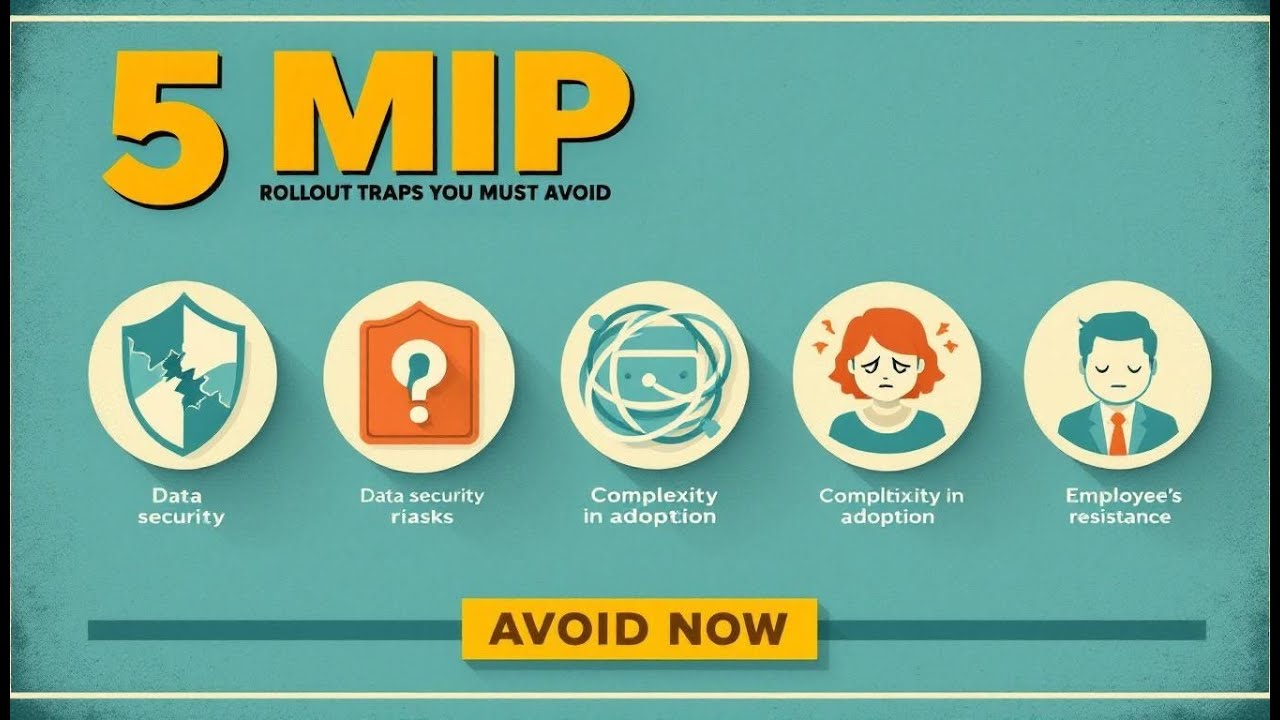
You rolled out Microsoft Information Protection, but here’s the uncomfortable truth: too many rollouts only look secure on paper. By the end of this Podcast, you’ll have five quick checks to know whether your MIP rollout will fail or fly. The labels might exist, the policies might be set—but without strategy, training, and realistic expectations, MIP is just window dressing. The real failure points usually fall into five traps: no clear purpose, over-engineering, people resistance, weak pilots, and terrible training. Seen any of those in your org? Drop it in the comments. So let’s start with the first—and possibly the most common—tripwire.
When MIP Is Just Labels with No Purpose
Ever seen a rollout where the labels look clean in the admin center—color coded, neatly named—but ask someone outside IT why they exist and you get silence? That’s the classic sign of a Microsoft Information Protection project gone off track. Labels are meant to reduce real business risk, not to decorate documents. Without purpose behind them, all you’ve done is set up a digital filing cabinet no one knows how to use. This happens when creating labels is treated as the finish line instead of the starting point. It feels productive to crank out a list of names, tweak the colors, and show a compliance officer that “something exists.” But without a defined goal, the exercise is hollow. Think of it like printing parking passes before you’ve figured out whether there’s a parking lot at all. You’ve built something visible but useless. The right starting point is always risk. Are you trying to prevent accidental sharing of internal data? To protect intellectual property? To stay compliant with a privacy regulation? If those questions stay unanswered, the labels lose their meaning. IT may feel the job is done, but employees see no reason to apply labels that don’t connect to their actual work. I once saw a project team spend weeks designing more than twenty highly specific labels: “Confidential – Project Alpha,” “Confidential – Project Beta,” “Confidential – M&A Drafts,” and so on. They even added explanatory tooltips. On the surface, it looked thoughtful. But when asked what single business risk they were trying to solve, the team had no answer. End users, faced with twenty possible choices, defaulted to the first one they saw or ignored the process completely. The structure collapsed not because the tech was broken, but because there was no vision guiding it. Here’s the test you can run right now: before you roll out labels, answer in one sentence—what specific business risk will these labels reduce? If you can’t write that sentence clearly, you’re already off course. Many practitioners report exactly this problem: initiatives that launch without a written outcome or clear risk alignment. By ignoring that piece, the entire rollout becomes a symbolic exercise. It may give the appearance of progress, but it won’t deliver meaningful protection. The contrast is clear when you look at organizations that do it well. They start simple. They ask, “What’s the worst thing that could leak?” They involve compliance officers and privacy leads early. Then they design a small, focused set of labels directly tied to concrete risks: “Personal Data,” “Internal Only,” “Confidential,” maybe a public label if it matters. That’s it. They don’t waste cycles debating shades of icon colors because the business value is already obvious. And when an employee asks, “Why should I label this?” there’s a straight answer: because labeling here keeps us compliant, prevents oversharing, or secures intellectual property. If you want a practical guideline, use this: start with a handful of core labels tied to your biggest risks. Privacy, IP protection, internal-only information, and public content are usually a strong anchor set. Don’t scale out further until you see usage patterns that prove employees understand and apply them consistently. Expanding too soon only creates noise and confusion. So, define the risk. Involve compliance owners. Keep scope limited to what matters most. Tie every label to a clear, business-driven outcome. Skip that, and MIP becomes a sticker book. And once users figure out the stickers don’t protect anything meaningful, they’ll stop playing the game. This is why many projects end up broken before the first training session ever happens. Technical setup can be flawless, but without a vision and a clear “why,” the rollout has no staying power. Everything else builds on this foundation. Strategy gives meaning to the user story, dictates the label taxonomy, and sets the tone for pilots and training. But even when that purpose is locked in, there’s another trap waiting. Too many teams get distracted by the tech knobs, toggles, and dropdowns, believing if they configure every feature, success will follow. That mindset, as we’ll see next, can derail even the most promising rollout.
The Technical Rabbit Hole
When IT teams start treating Microsoft Information Protection as an engineering challenge instead of a tool for everyday users, they fall into what I call the technical rabbit hole. Instead of focusing on how people will actually protect files, attention shifts to toggles, nested policies, and seeing how deeply MIP can be wired into every backend system. It looks impressive in the admin console, but that complexity grows faster than anyone’s ability to use or manage it. Here’s the classic pattern: admins open the compliance portal, see a long list of configuration options, and assume the right move is to enable as much as possible. Suddenly there are dozens of sub-labels, encryption settings that vary by department, and integrations turned on for every service in sight. At that point, you’ve got a technically pristine setup, but it’s built for administrators—not for someone trying to send a simple spreadsheet. The more detailed the setup, the harder it is for employees to make basic choices. Picture asking a busy sales rep to decide between “Confidential – Client Draft External” versus “Confidential – Client Final External.” That level of granularity doesn’t just feel pedantic, it slows people down. You may think you’ve built a secure taxonomy, but what most users see is bureaucracy. And when people don’t understand which label to use, hesitation turns into avoidance, and avoidance turns into workarounds. An organization I worked with designed a twelve-level label hierarchy to cover every department and project. On paper, it looked brilliant. In practice, employees spent minutes clicking through submenus just to share a file internally. One wrong choice meant they were locked out of their own content. Support requests exploded, and desperate teams stripped labels off documents to get their jobs done. The setup ticked every technical box, but it created more risk than it eliminated. Many experienced practitioners recommend starting simple—fewer labels, broader categories, and only expanding once adoption is proven. That principle exists because over-engineering is one of the most common failure points. A good rule of thumb is this: if it takes more than three clicks, or if users have to dig through a submenu to label a file, your taxonomy is too complex. That’s an immediate signal the system isn’t designed for real-world use. Think of it like building a six-lane highway in a small town where most people walk or bike. Impressive? Sure. Useful? Not at all. In MIP terms, complexity feels powerful during design, but it creates a maintenance burden without solving the immediate problem. A smaller, unobtrusive setup is far more effective at meeting the real demand today—and it can always expand later if your needs grow. So how simple is simple enough? Start with the categories that address your largest risks: things like “Internal Only,” “Personal Data,” “Confidential,” and maybe “Public.” That’s often all you need to launch. Every additional label or setting must be tied directly to a business requirement, not just the presence of another toggle in the portal. If nobody outside IT can explain why a label exists, it probably shouldn’t. When projects keep complexity in check, the benefits are obvious. Rollouts finish faster, employees adopt the system with less resistance, and support costs stay low. Once those fundamentals stick, it’s far easier to extend into advanced features without derailing the rollout. The truth is, perfect technical design isn’t the prize. The outcome is protecting sensitive data in a way people can actually manage. But keeping the tech simple isn’t the final hurdle. A streamlined system can still crash and burn if the people expected to use it don’t see the value or feel it gets in their way. Even when the console is built right, adoption depends on behavior—and that’s where the real resistance starts to show up.
The Human Resistance Factor
The biggest stumbling block for most Microsoft Information Protection rollouts isn’t technology at all—it’s people. You can design the cleanest labeling structure, align it with compliance, and fine-tune every policy in the console. But if end users see the system as frustrating or irrelevant, the whole effort unravels. Adoption is where success is measured, and without it, every technical achievement fades into the background. For most employees, applying labels or responding to policy prompts doesn’t feel like progress. It feels like friction. Outlook used to send attachments instantly, but now a warning interrupts. A quick file share in Teams suddenly triggers alerts. IT celebrates these as working controls. Employees experience them as barriers, which creates the impression the system is built to satisfy IT rather than support everyday work. That frustration shapes behavior in subtle but damaging ways. Instead of carefully labeling content, people hit the default option every time. When controls block sending a file, they look for shortcuts or plead with IT to “just remove the block.” These behaviors don’t show up in a dashboard—they surface in the erosion of trust and the growth of workarounds. I worked with one company that rolled out strict outbound email scanning. Files flagged as sensitive were automatically blocked from sending. The setup was technically flawless—it prevented leaks by design. But because leadership didn’t prepare users, chaos followed. Overnight, departments couldn’t send reports, design teams couldn’t share drafts, and vendor projects went on hold. Support teams were swamped with tickets, and executives demanded exceptions within days. The technology delivered its promise, but the communication failed. Instead of building confidence, security became seen as the obstacle to getting work done. This scenario isn’t unusual. Research and practitioner experience often point to poor change management as one of the top reasons enterprise IT projects fall apart, even when the software itself functions perfectly. The real obstacle is employees not being informed, engaged, or convinced. Without preparation, even strong technical designs collapse when met with everyday pressure. The problem is that security’s value is invisible to most staff. The benefit is avoiding breaches, fines, or reputational damage—abstract risks compared to the immediate pain of being unable to share a file. Without a clear story that translates those benefits into something tangible, like protecting customer trust or safeguarding client IP, labeling feels arbitrary. People stop seeing themselves as part of the protection effort. One way to make the benefit real is through communication that connects directly to the work at hand. Leaders and managers need simple, repeatable messages that emphasize why labeling matters. For example: “This helps us avoid costly regulatory penalties.” Or, “This keeps client personal data protected so trust stays intact.” Or even, “This stops the wrong people from seeing our designs before launch.” Each of those statements ties the inconvenience of labeling to a consequence the employee actually cares about. If you want a quick test of your rollout’s readiness, ask yourself this: can an immediate manager explain why a label matters in fewer than ten words? If the answer is no, that disconnect will show up quickly among frontline staff. It’s helpful to reframe policies by how they feel to employees. Do they feel empowered by the controls, or trapped by them? If people feel locked out of what they need to do their jobs, they’ll find ways around your system. If they feel the guardrails help them avoid mistakes or keep client data safe, they’ll cooperate. The technical design stays the same—but trust in the purpose makes adoption possible. For lasting success, labeling has to feel less like punishment and more like protection. Seeing the “why” matters as much as configuring the “how.” If that connection is missing, the project can appear strong during testing yet collapse the moment employees face real scenarios. True adoption depends not only on features but on whether people believe in the value behind them. Which leads to a critical question: how do you know if your system will earn that buy-in once it leaves the lab? That’s where the next stage becomes revealing—the way you run your pilot can either expose resistance early or mask it until it’s too late.
The Pilot That Actually Predicts Success
Most pilots start with the wrong question: does the software run without errors? That’s fine for system testing, but it doesn’t predict whether employees will actually use it when real deadlines hit. The better test is this—does MIP hold up in the messy, high-pressure reality of day-to-day work, where nobody has time for extra clicks or confusing choices? Too often, pilots stay trapped in IT. A few admins or technically friendly staff run checklists to confirm label syncing in Outlook, encryption policies in SharePoint, and inheritance in Teams. Those checks prove the plumbing works, but they say nothing about adoption. Regular employees aren’t running tests with insider knowledge—they’re trying to get their jobs done. Confusion, hesitation, or frustration doesn’t show up on IT’s checklist, but those are the very things that determine rollout success. This is why narrow pilots fail to reveal the real risks. If labels don’t make sense in plain language, if two options look identical from an employee’s perspective, or if prompts arrive so often that people just click randomly to move forward, the project is already on shaky ground. An IT-only pilot will never show you that, because testers know the intent. Business users don’t, and that gap is where failures emerge. I’ve seen teams pat themselves on the back after flawless internal pilots, only to collapse when the wider rollout started. One company validated every configuration, ran encryption successfully, and confirmed email flowed without disruption. Yet once employees outside IT logged in, almost no documents were labeled. The wording wasn’t clear, so people ignored it. Nothing broke technically, but adoption failed instantly, sending the team back to redesign the taxonomy. That’s why many practitioner guides encourage staged adoption with real users. The goal isn’t adding more technical checks—it’s involving business staff at different levels of comfort. They’ll show you if the system fits their workflow, which is what really matters. Failing small with a mixed pilot group is far safer than failing big when you launch to thousands. Here’s a simpler way to think about it: running a pilot only in IT is like test-driving a car in an empty lot. You learn the wheel turns and the brakes work. What you don’t learn is how it handles rush-hour traffic. A stronger approach is to test under real conditions—put actual non-IT users under real deadlines. For example, ask finance to close a month-end report, or have marketing send a customer proposal while labeling rules are live. That kind of pressure test reveals friction that IT alone can’t simulate. So what should you measure in a pilot? Not just whether buttons work, but whether adoption holds up during real tasks. Three practical metrics can make this visible: the percentage of correctly applied labels, the number of support tickets per 100 users, and the amount of time lost to blocked workflows. If people mislabel frequently, if helpdesks flood with calls, or if important work stalls, the pilot isn’t ready—no matter how clean the back-end looks. A practical operational checklist should guide the pass-or-fail decision. Ask: do at least 80% of users apply the correct label when completing live tasks? Are support tickets stable or trending down across the pilot group? Do business workflows like reporting, collaboration, and client emails complete without unplanned blocks? If those three questions can’t be answered with confidence, the system isn’t ready for wider rollout. Think of a pilot less as testing the engine and more as testing the driver. The goal isn’t to prove the technology works—it’s to prove employees can use it without friction. A pilot that clears these hurdles predicts adoption more accurately than any amount of technical fine-tuning. If it fails, that’s valuable information you gain cheaply and early, before trust is lost and rework becomes expensive. Strong pilots, then, bridge the gap between IT design and business reality. They validate not just functionality, but usability under actual pressure. And they surface whether labels feel like support or like obstacles in the flow of work. But even with the right pilot design, there’s another challenge waiting. Introducing a tool is one thing—making its lessons stick is another. And that’s where the next stage can make or break everything: training that actually lasts.
Training That Sticks
Almost every MIP rollout includes training, but most of it fades fast. The typical recipe looks familiar: a clean PDF guide, a one-hour webinar, maybe a quick Teams recording. On paper that checks the “training complete” box. In reality, users close the deck, return to their workload, and the new rules slip out of memory before they ever become habits. The real problem isn’t bad design; many of those materials look professional. It’s that behavior doesn’t change just because people saw instructions once. Under the pressure of deadlines, that remembered PowerPoint isn’t there. So choices inside Outlook or Teams default to whatever feels fastest—and speed usually beats caution. That’s when you see shortcuts: files sent with the wrong label, or employees choosing “Public” every time just to avoid prompts. The training moment passed, but habits never formed. Memory fades quickly without reinforcement, and information security decisions are not occasional—they’re daily and repetitive. A one-time dump of information outside the flow of work doesn’t survive. If training doesn’t show up inside the same environment where people act, it won’t stick. Stop expecting one slide deck to change behavior. Design in-work reminders instead. A stronger model combines three approaches: microlearning, contextual nudges, and manager reinforcement. Microlearning means breaking down training into fast, digestible pieces people can actually finish, like a three‑minute clip on how to apply the right label to a client proposal. Contextual nudges show up where the action happens, such as a short in‑app reminder the first time someone shares a sensitive file externally. Manager reinforcement ties it together through quick discussions in existing team meetings—five minutes spent reviewing a real example from last week, not a 50‑slide deck. Each of these is small, but together they create a feedback loop that reshapes behavior inside the workflow, not outside of it. What does this look like in practice? Picture an employee mislabeling a contract. Instead of IT escalating a ticket later, the system provides a short, on‑screen explanation right then: “Use ‘Confidential – Client Data’ for contracts. This ensures proper protection.” If it happens again, their manager spends two minutes in a team huddle walking through why it matters. Next week, that same employee sees a 90‑second video refresher linked in Teams during downtime. None of it is heavy; all of it is timely. Over time, those subtle touchpoints turn labeling into a reflex rather than a guessing game. Training that sticks is also measurable. You don’t need abstract surveys—you need operational signals that show behaviors are changing. Two metrics work well: the repeat correct‑labeling rate and the reduction in quick‑fix or “help me bypass this block” tickets over 30 to 90 days. If more employees apply the right label on the first try, and if fewer support tickets come through for routine issues, that’s progress you can trust. These metrics don’t live in theory—they tell you if reinforcement is landing. Cadence matters too. Practical cadences we’ve seen work often follow a rhythm: a focused launch burst of short, hands‑on lessons; weekly micro‑tips during the first month; then monthly short refreshers woven into routine communications. This keeps the message active without overwhelming people. The goal isn’t to overload staff with training—it’s to keep the practice visible just enough that it becomes habit. Think of it more like brushing teeth than taking an annual exam: lots of small touches sustain the behavior better than one grand event. The lesson is clear: you don’t win adoption with a single campaign. You win it by embedding learning into the workflow, nudging at the right moment, and reinforcing just enough to make the behavior natural. Every MIP project that forgets this ends up back in the same place—polished policies, low adoption, and frustrated staff. The ones that remember see stable labeling habits, smaller support queues, and a rollout that delivers protection without constant firefighting. That puts us in position to step back and look at the big picture. When rollouts break, it’s rarely because the technology itself failed—it’s usually because something else along the line was missed.
Conclusion
A successful rollout comes down to avoiding five tripwires: no clear purpose, technical over-engineering, people resistance, poor pilots, and weak training. Miss any one of them, and adoption fades even if the platform is configured perfectly. Here’s your quick check before going live: Do your labels tie to a clear business risk? Is the design simple enough for users to choose correctly? Have you prepared employees so resistance doesn’t turn into workarounds? Did your pilot measure real behavior under pressure? And will training reinforce habits over time? Drop a comment on which tripwire you’ve seen most, and subscribe for more Microsoft 365 rollout guidance. Align people, process, and tech—then MIP protects what it should.
This is a public episode. If you'd like to discuss this with other subscribers or get access to bonus episodes, visit m365.show/subscribe

Founder of m365.fm, m365.show and m365con.net
Mirko Peters is a Microsoft 365 expert, content creator, and founder of m365.fm, a platform dedicated to sharing practical insights on modern workplace technologies. His work focuses on Microsoft 365 governance, security, collaboration, and real-world implementation strategies.
Through his podcast and written content, Mirko provides hands-on guidance for IT professionals, architects, and business leaders navigating the complexities of Microsoft 365. He is known for translating complex topics into clear, actionable advice, often highlighting common mistakes and overlooked risks in real-world environments.
With a strong emphasis on community contribution and knowledge sharing, Mirko is actively building a platform that connects experts, shares experiences, and helps organizations get the most out of their Microsoft 365 investments.