 EN
 Deutsch
 Español
 Français
 Italiano
 Português
 Nederlands
 Polski
 Bahasa Indonesia
 Русский
 Українська
 العربية
 עברית
 日本語
 한국어
Copilot Error Messages Explained: 'Sorry, I Wasn't Able to Respond' and More
By Mirko Peters ·
What common Copilot error messages mean and what to check first: license errors, network and WebSocket blocks, service incidents, Excel file states. Marks which fixes Microsoft documents and which are forum advice.
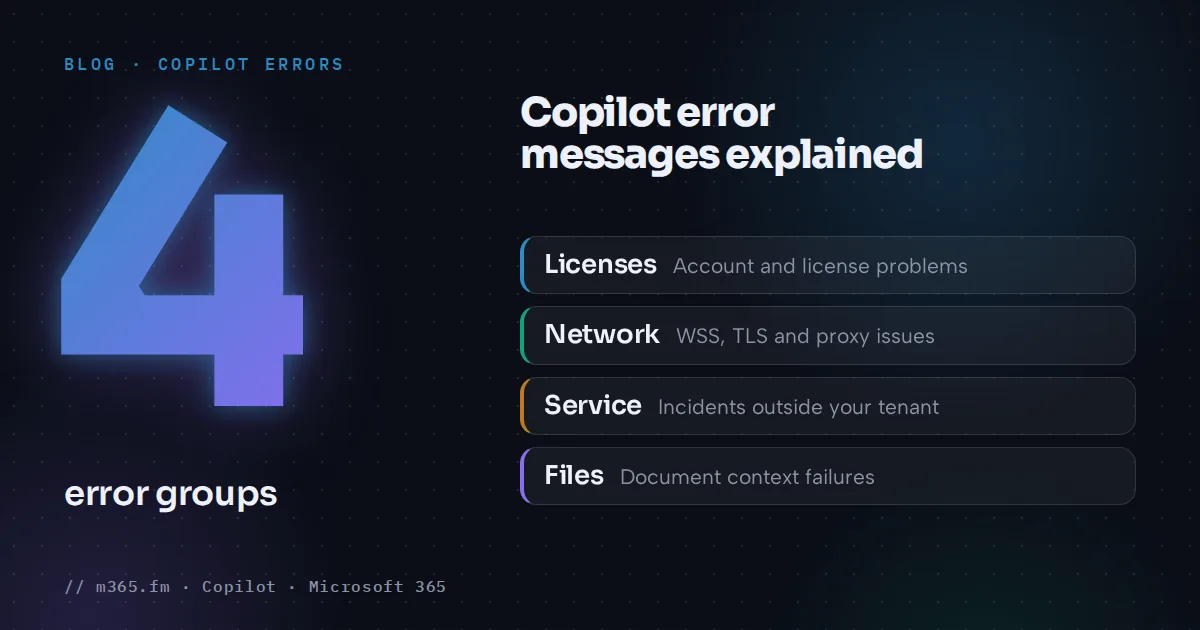
Copilot errors fall into four groups: license and account problems, network problems, service incidents and file problems. The message wording is a weak guide. A generic line such as "Something went wrong" can come from any of them. This article lists the messages people report, what Microsoft documents for each, and which advice only comes from forum threads.
Key points
- Learn ties 'Couldn't update license', 'Error code: 29' and 'Something went wrong. Let's try again.' to license timing, account mix, network, device licensing, update channel and privacy settings.
- 'Sorry, I wasn't able to respond to that' has no official explanation in the Learn pages read for this article. Forum cases point to office networks, so check network rules first.
- Microsoft's requirements page names three network causes: blocked WebSocket Secure traffic, TLS inspection that interferes, and aggressive proxy timeouts.
- A generic 'Something went wrong' can be a service incident. Check Service Health in the Microsoft 365 admin center before changing anything locally.
- Excel can refuse edits for file reasons: a file checked out in SharePoint, an unsupported format such as Strict Open XML, or calculation not set to Automatic.
The pages read for this article include no official Microsoft catalog of Copilot error texts. Everything below comes from Microsoft Learn and Support pages, plus Microsoft Q&A and Tech Community threads that are marked as such. A separate checklist covers a missing Copilot button. This one focuses on errors that appear after Copilot loads.
Quick map of messages
| Message | Most likely group | Best source | |---|---|---| | Couldn't update license, Error code: 29 | License or account | Microsoft Learn | | Something went wrong. Let's try again. | License, account or network | Microsoft Learn | | Sorry, I wasn't able to respond to that. | Network (reported) | Q&A thread only | | I'm sorry, I'm having trouble responding to requests right now. | Unclear | Q&A thread only | | Something went wrong (Copilot Chat) | Service incident (reported) | Q&A moderator | | Failed to fetch document context due to an internal error | Excel file or service | Tech Community thread | | Unable to verify link | Browser cookies | Microsoft Learn |
License and account errors
Microsoft Learn lists these symptoms for Copilot in Microsoft 365 apps: the button missing or grayed out, "Couldn't update license", "Error code: 29", "Something went wrong. Let's try again." and "You can continue using Microsoft 365 and try again. If issues persist, please contact Microsoft support."
The causes, in Microsoft's order:
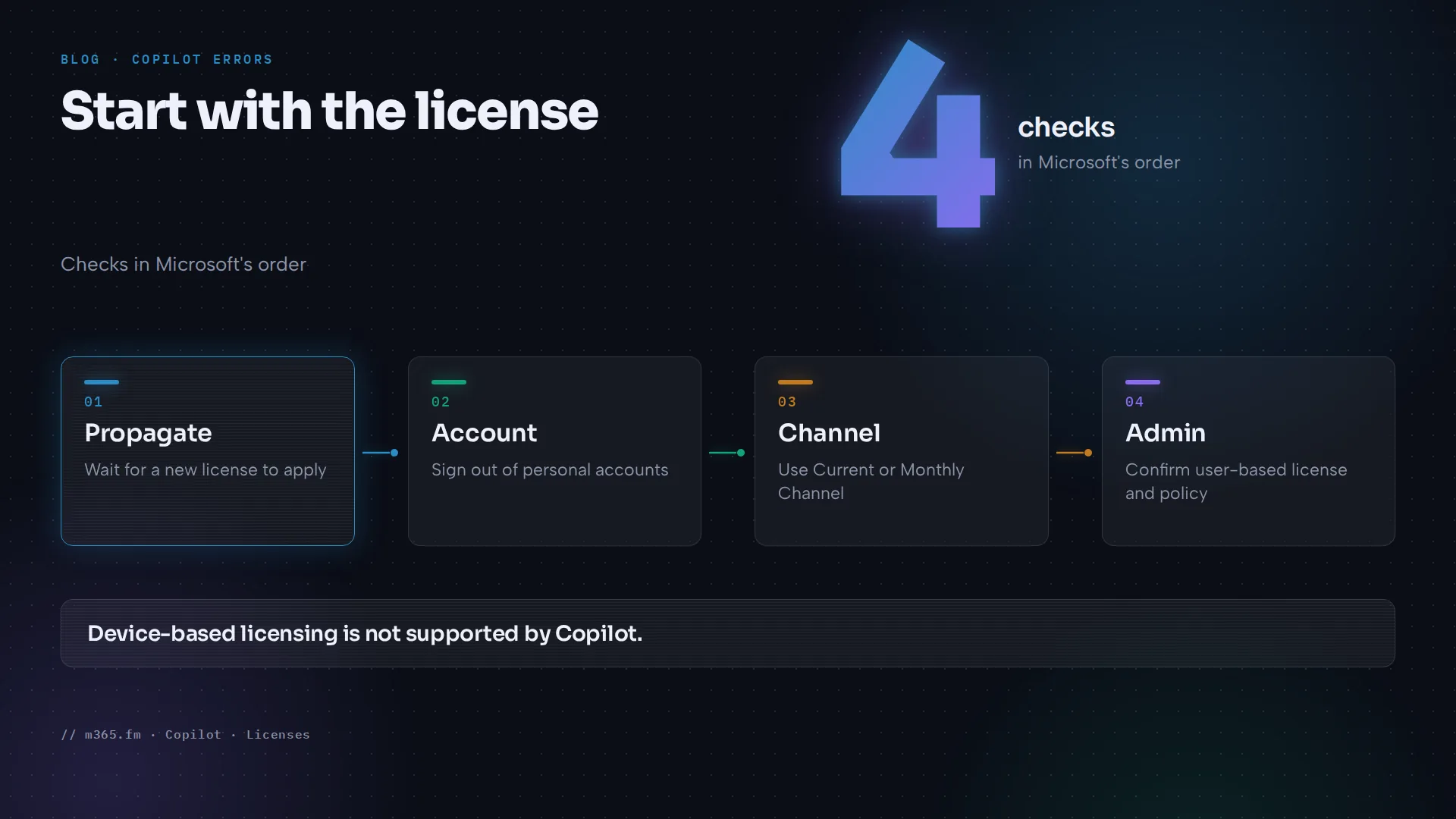
- A newly assigned license that has not propagated yet.
- A licensing or account conflict, such as being signed in with both a personal and a work or school account.
- Internet connectivity that does not meet the network requirements.
- A recent Office reset or update that affected activation.
- Device-based licensing, which Copilot does not support. A user-based license is needed.
- Semi-Annual Enterprise Channel. Current Channel or Monthly Enterprise Channel is required.
- Privacy settings that block connected experiences.
The resolution Microsoft gives is to follow its missing-button article, then ask the admin to confirm that the license supports Copilot and that no policy blocks it. The Learn page is archived, so check the current requirements page too.
Network errors
The Microsoft Copilot requirements page says Copilot integrations can fail in three situations: a network perimeter blocks WebSocket Secure (WSS), a device performs TLS inspection that interferes with the connection, or a proxy enforces aggressive timeouts. What to verify:
- Full WSS connectivity from user devices to
.office.com,.cloud.microsoftandcopilot.cloud.microsoft. - The whole
*.cloud.microsoftdomain is allowed. Microsoft does not support allowing only selected URLs inside it. - URL filtering, proxy rules, firewall rules, tenant restrictions, Conditional Access and app control do not block
copilot.cloud.microsoft. - For Word, Excel and PowerPoint for the web, third-party cookies are enabled. If they are blocked for
*.safelinks.protection.outlook.com, users see "Unable to verify link".
Microsoft's endpoint allow list for the Copilot app also names config.edge.skype.com and several sign-in hosts such as login.microsoftonline.com and substrate.office.com. The page says the list is not exhaustive.
What the forum threads add
Two Microsoft Q&A threads from June 2026 describe network cases. They are not official guidance.
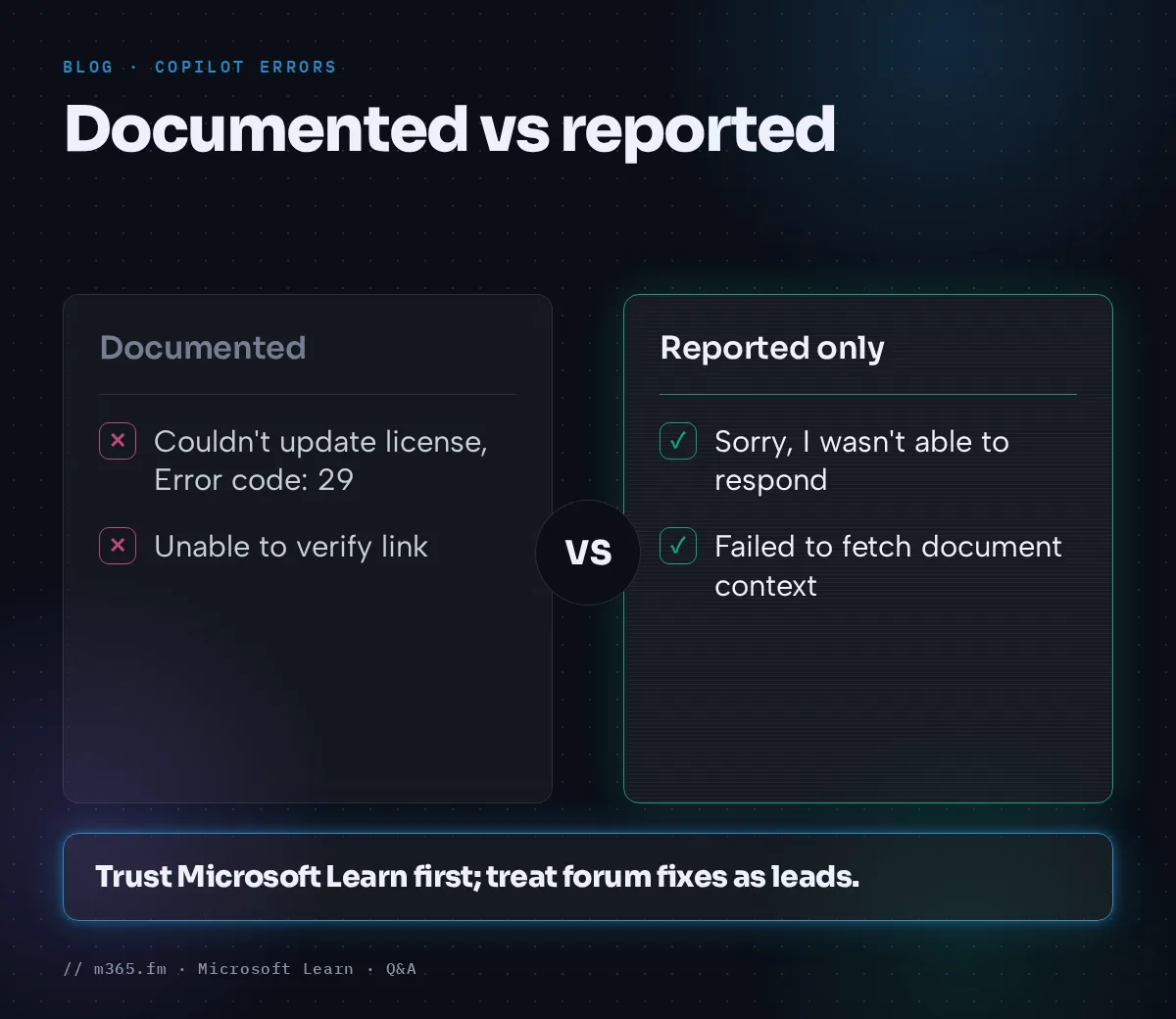
- "Sorry, I wasn't able to respond to that. Is there something else I can help with?" appeared mostly on first use, on managed devices, only on the office LAN or Wi-Fi, and Try again worked. The only answer was labeled as an AI answer and suggested allowing the Microsoft 365 endpoints and
config.edge.skype.com. Nobody confirmed a fix. - In another thread, Copilot worked in Excel but not in Word, Loop or Copilot Chat from the corporate network. A moderator suspected WSS handling and suggested exempting the endpoints from inspection and proxy authentication, with long timeouts for persistent connections. The poster later bypassed the proxy for
substrate.svc.cloud.microsoftand it worked. The moderator said they could not officially confirm that endpoint and recommended a support ticket.
Treat both as leads for your network team, not as settings to copy.
Service incidents
For a different "Something went wrong" thread, a moderator linked the error to an ongoing Copilot Chat incident listed in Service Health. Some users could not submit prompts, others saw a good answer replaced by the error. The advice was to have an admin open Health > Service Health in the Microsoft 365 admin center, monitor the incident and report the issue there. A user later reported the error returning in September 2026, with no resolution recorded.
If many users fail at the same time across networks, check Service Health first.
Excel-specific errors
Microsoft's Copilot in Excel FAQ describes an "unsupported file state" error. Causes it names:
- A file checked out in SharePoint. Check it in, then close and reopen it, or use Excel for the web.
- A site that requires check-out. Copilot in Excel on Windows or Mac will not work for those files, while Excel for the web does.
- An unsupported format such as Strict Open XML Spreadsheet. Save as Excel Workbook (.xlsx).
- Calculation Options not set to Automatic. The FAQ says Copilot editing works only in Automatic.
A Tech Community thread from a paid Microsoft 365 user reports "Failed to fetch document context due to an internal error" for more than five days, with Copilot saying tasks were done while the workbook stayed unchanged. The only reply was from an MVP, who suggested a modern format (.xlsx, .xlsb or .xlsm) stored in OneDrive or SharePoint with AutoSave on. The Excel FAQ page read for this article does not state an AutoSave requirement, so treat that as unverified. No Microsoft staff answered.
A sensible order
- Click Try again once, then restart the app.
- Check Service Health or ask the admin to.
- Check the license, account type, update channel and privacy settings.
- Test on another network, such as a phone hotspot. If it works there, involve the network team.
- For Excel, check file state, format and calculation mode.
- Collect the exact message, time, account, build and network, then open a support request.
Related
Sources
- Microsoft Learn: Copilot is missing, disabled, or doesn't work correctly (archived)
- Microsoft Learn: Microsoft Copilot requirements
- Microsoft Learn: Add Copilot endpoints to your allow list
- Microsoft Support: Frequently asked questions about Copilot in Excel
- Microsoft Q&A: Copilot Chat throws error or does not generate response
- Microsoft Q&A: Copilot Chat and Word Copilot do not respond from the corporate network
- Microsoft Q&A: Copilot returning error something went wrong
- Microsoft Q&A: Copilot issue
- Microsoft Tech Community: Copilot Excel error, failed to fetch document context
FAQ
What does 'Sorry, I wasn't able to respond to that' mean in Copilot?
The Microsoft Learn pages read for this article do not explain this message. A Microsoft Q&A thread from June 2026 reports it on managed devices on an office network only, with Try again working. The only reply was labeled as an AI answer, so treat its network suggestions as unverified. Microsoft's requirements page does document that blocked WebSocket traffic, interfering TLS inspection or short proxy timeouts can break Copilot.
What does 'Couldn't update license' with Error code 29 mean?
Microsoft Learn lists it with 'Something went wrong. Let's try again.' as symptoms of Copilot being missing, disabled or not working in Microsoft 365 apps. Listed causes are a newly assigned license, a personal and work account conflict, connectivity, a recent Office reset or update, device-based licensing, Semi-Annual Enterprise Channel and privacy settings for connected experiences.
How do I know whether a Copilot error is a Microsoft outage?
In a Microsoft Q&A thread, a moderator tied a Copilot Chat 'Something went wrong' error to an incident tracked in the Microsoft 365 admin center Service Health. The advice was to have the admin check Health > Service Health and report the issue there. If an incident exists, local troubleshooting will not fix it.
Why does Copilot work in Excel but fail in Word or Copilot Chat on the office network?
A June 2026 Microsoft Q&A thread describes exactly this. A moderator suspected WebSocket Secure handling by proxies and firewalls and suggested exempting the Copilot endpoints from inspection. The poster reported that bypassing the proxy for one hostname fixed it, but Microsoft did not confirm a root cause. Open a support ticket for an authoritative answer.
Where can I test my network for Copilot?
Microsoft's requirements page points to a connectivity test for the Copilot app at connectivity.m365.cloud.microsoft/copilot, and to the broader Microsoft 365 connectivity test tool. It also says to allow the whole *.cloud.microsoft domain, because allowing only selected URLs inside it is not supported.